



















The Do’s & Don’ts of a bug
tracking workflow.
@tompeham | @usersnap
That’s me. Thomas Peham.
● Tech Marketer at Usersnap, a visual bug tracking tool.
● managing bugtrackers.io
● previously:
○ Project Manager at a TYPO3 agency
○ Project Manager at Styria Digital One
● blogger for various web development & design blogs.
● @tompeham I @usersnap I @bugtrackers
Outline.
● The problem of bugs.
● 4 steps for tracking down bugs. (and fixing them.)
● From bugs to no bugs.
● Best bug tracking takeaways
Why I’d like to talk about bug tracking today.
Or: What is Usersnap about?
@tompeham | @usersnap
bug tracking, the black sheep?
Compared to other web development
areas, bug tracking is pretty “old school”.
How people react when it comes to tracking
bugs...
Or this way...
The problem of software bugs.
Bugs are expensive.
The problem of software bugs.
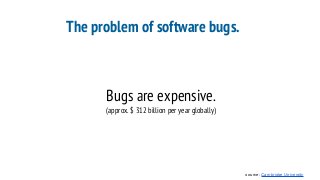
Bugs are expensive.
(approx. $ 312 billion per year globally)
source: Cambridge University
The problem of software bugs.
Developers don’t test
their code?!
source: ashleynolan.co.uk
The problem of software bugs.
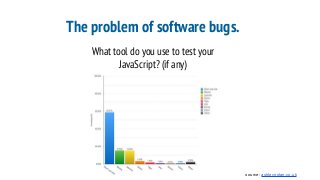
What tool do you use to test your
JavaScript? (if any)
source: ashleynolan.co.uk
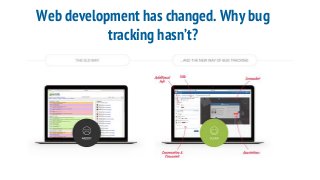
Web development has changed. Why bug
tracking hasn’t?
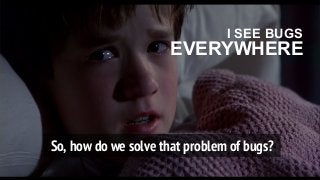
So, how do we solve that problem of bugs?
I SEE BUGS
EVERYWHERE
Step 1: Ensure a bug-free development
environment.
Step 1: Ensure a bug-free development
environment.
Yeah, but there will
always be some bugs.
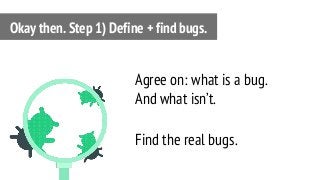
Agree on: what is a bug.
And what isn’t.
Find the real bugs.
Okay then. Step 1) Define + find bugs.
“A software bug is an error, flaw,
failure, or fault in a computer
program or system that causes it to
produce an incorrect or unexpected
result or to behave in unintended
ways.”
What is a bug?
software bug
...error, flaw, failure, or fault….
...produce incorrect or unexpected
result…
What is a bug?
software bug
something which is not working as
designed.
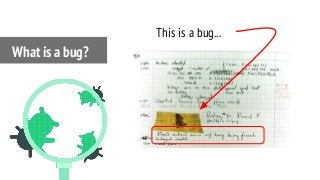
What is a bug?
What is a bug?
This is a bug...
something not working as designed.
or.
not designed as it should work?
What is not a bug?
in theory: it’s easy.
in practice: it’s not.
What is not a bug?
So, who’s in charge?
The project manager?
QA Team Lead?
Development Team Lead?
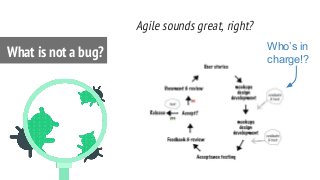
What is not a bug?
Agile sounds great, right?
What is not a bug? Who’s in
charge!?
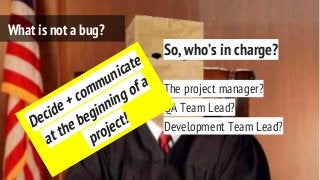
So, who’s in charge?
The project manager?
QA Team Lead?
Development Team Lead?
What is not a bug?
Decide + communicate
at the beginning of a
project!
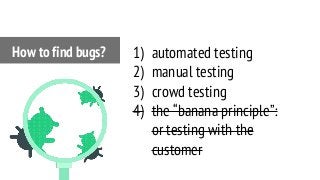
1) automated testing
2) manual testing
3) crowd testing
4) the “banana principle”:
or testing with the
customer
How to find bugs?
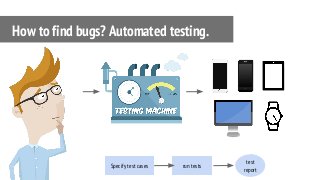
How to find bugs? Automated testing.
Specify test cases run tests
test
report
+ no infrastructure (devices,
browsers, vms) needed.
+ many platforms &
browsers are supported.
+ fast & reliable test cases.
How to find bugs? Automated testing. Benefits.
- Investment in tools
required.
- No “real device” feeling
- tools have limitations
- “agile testing” hardly
possible
How to find bugs? Automated testing. Drawbacks.
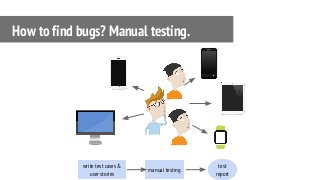
How to find bugs? Manual testing.
write test cases &
user stories
manual testing
test
report
+ short-term cost is lower
+ manual testing = agile
testing
+ more user-centric than
automated testing.
How to find bugs? Manual testing. Benefits.
- investment in human
resources is required.
- test execution takes longer
than automated testing.
- threat of “human errors”
How to find bugs? Manual testing. Drawbacks.
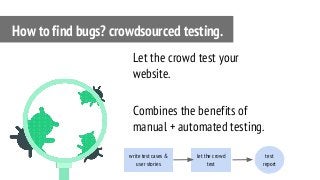
Let the crowd test your
website.
Combines the benefits of
manual + automated testing.
How to find bugs? crowdsourced testing.
write test cases &
user stories
let the crowd
test
test
report
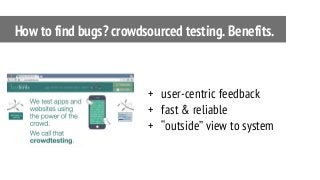
+ user-centric feedback
+ fast & reliable
+ “outside” view to system
How to find bugs? crowdsourced testing. Benefits.
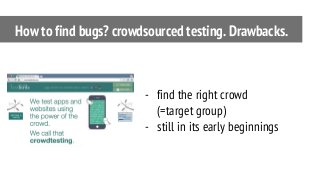
- find the right crowd
(=target group)
- still in its early beginnings
How to find bugs? crowdsourced testing. Drawbacks.
Automated vs Manual?
Robots vs human power.
TDD vs agile.
Pre-scripting vs user-
centric.
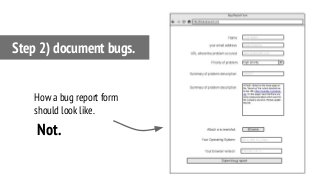
Step 2) document bugs.
How a bug report form
should look like.
Not.
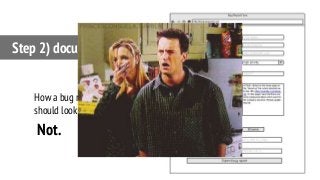
Step 2) document bugs.
How a bug report form
should look like.
Not.
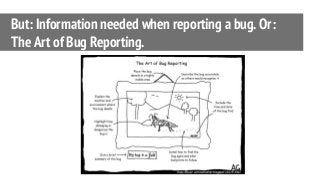
But: Information needed when reporting a bug. Or:
The Art of Bug Reporting.
But: Information needed when reporting a bug. Or:
The Art of Bug Reporting.
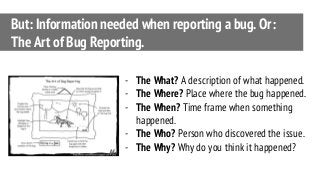
- The What? A description of what happened.
- The Where? Place where the bug happened.
- The When? Time frame when something
happened.
- The Who? Person who discovered the issue.
- The Why? Why do you think it happened?
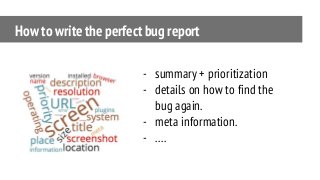
How to write the perfect bug report
- summary + prioritization
- details on how to find the
bug again.
- meta information.
- ….
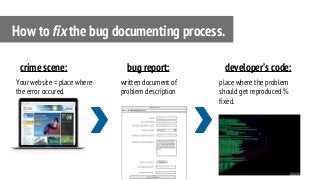
Your website = place where
the error occured.
How to fix the bug documenting process.
crime scene:
written document of
problem description
bug report:
place where the problem
should get reproduced %
fixed.
developer’s code:
Your website = Where the
error occurs.
How to fix the bug documenting process.
crime scene:
written document of
problem description
bug report:
place where the problem
should get reproduced %
fixed.
developer’s code:This is a loooong way
for fixing bugs.
= browser
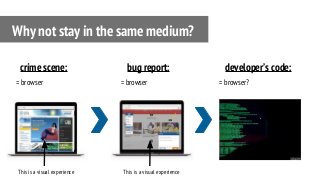
Why not stay in the same medium?
crime scene:
= browser
bug report:
= browser?
developer’s code:
This is a visual experience This is a visual experience
Step 3) Reproduce it.
“If you can’t reproduce a bug, it’s
almost impossible to fix.”
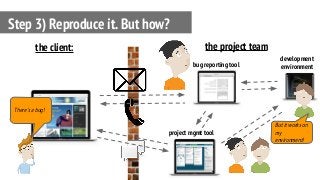
Step 3) Reproduce it. But how?
bug reporting tool
the client: the project team
project mgmt tool
development
environment
But it works on
my
environment!
There’s a bug!
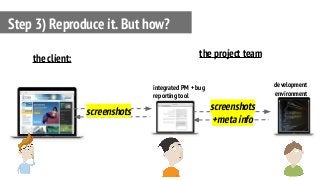
Step 3) Reproduce it. But how?
integrated PM + bug
reporting tool
the client: the project team
development
environment
screenshots screenshots
+meta info
Step 4) Fix bugs.
Step 4) Fix bugs.
If you’ve followed step 1 - 3,
step 4 is easy.
Is it? ;-)
Step 4) Fix bugs.
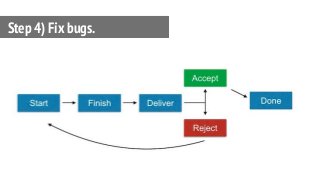
What does a closed bug mean?
Step 4) Fix bugs.
Step 4) Fix bugs.
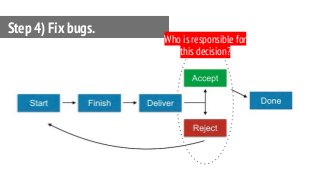
Who is responsible for
this decision?
So, to the recap...
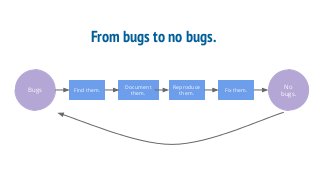
From bugs to no bugs.
Bugs Find them.
Document
them.
Reproduce
them.
Fix them.
No
bugs.
Key takeaways
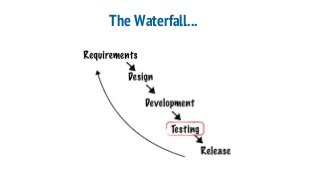
The Waterfall...
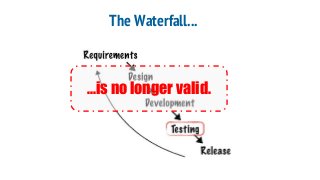
The Waterfall...
...is no longer valid.
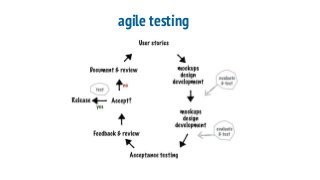
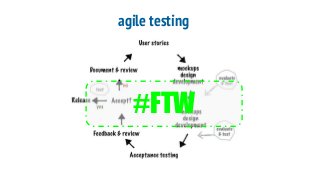
agile testing
agile testing
#FTW
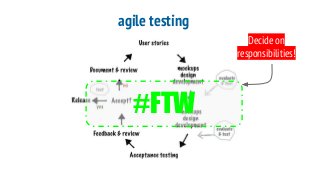
agile testing
#FTW
Decide on
responsibilities!
ad-hoc bug reporting
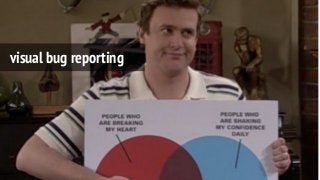
visual bug reporting
bug tracking responsibilities
Open vs. closed bugs.
But what if...
Communication matters.
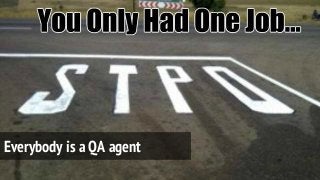
Everybody is a QA agent
Now it’s up to you.
@tompeham
@usersnap
@bug trackers
thomas@usersnap.com
Thomas Peham

T3CON15: The Best Do's And Don'ts of a Bug Tracking Workflow

  • 1.
    The Do’s &Don’ts of a bug tracking workflow. @tompeham | @usersnap
  • 2.
    That’s me. ThomasPeham. ● Tech Marketer at Usersnap, a visual bug tracking tool. ● managing bugtrackers.io ● previously: ○ Project Manager at a TYPO3 agency ○ Project Manager at Styria Digital One ● blogger for various web development & design blogs. ● @tompeham I @usersnap I @bugtrackers
  • 3.
    Outline. ● The problemof bugs. ● 4 steps for tracking down bugs. (and fixing them.) ● From bugs to no bugs. ● Best bug tracking takeaways
  • 4.
    Why I’d liketo talk about bug tracking today. Or: What is Usersnap about? @tompeham | @usersnap
  • 5.
    bug tracking, theblack sheep?
  • 6.
    Compared to otherweb development areas, bug tracking is pretty “old school”.
  • 7.
    How people reactwhen it comes to tracking bugs...
  • 8.
  • 9.
    The problem ofsoftware bugs.
  • 10.
    The problem ofsoftware bugs.
  • 11.
    The problem ofsoftware bugs. Bugs are expensive.
  • 12.
    The problem ofsoftware bugs. Bugs are expensive. (approx. $ 312 billion per year globally) source: Cambridge University
  • 13.
    The problem ofsoftware bugs. Developers don’t test their code?! source: ashleynolan.co.uk
  • 14.
    The problem ofsoftware bugs. What tool do you use to test your JavaScript? (if any) source: ashleynolan.co.uk
  • 15.
    Web development haschanged. Why bug tracking hasn’t?
  • 16.
    So, how dowe solve that problem of bugs? I SEE BUGS EVERYWHERE
  • 17.
    Step 1: Ensurea bug-free development environment.
  • 18.
    Step 1: Ensurea bug-free development environment. Yeah, but there will always be some bugs.
  • 19.
    Agree on: whatis a bug. And what isn’t. Find the real bugs. Okay then. Step 1) Define + find bugs.
  • 20.
    “A software bugis an error, flaw, failure, or fault in a computer program or system that causes it to produce an incorrect or unexpected result or to behave in unintended ways.” What is a bug?
  • 21.
    software bug ...error, flaw,failure, or fault…. ...produce incorrect or unexpected result… What is a bug?
  • 22.
    software bug something whichis not working as designed. What is a bug?
  • 23.
    What is abug? This is a bug...
  • 24.
    something not workingas designed. or. not designed as it should work? What is not a bug?
  • 25.
    in theory: it’seasy. in practice: it’s not. What is not a bug?
  • 26.
    So, who’s incharge? The project manager? QA Team Lead? Development Team Lead? What is not a bug?
  • 27.
    Agile sounds great,right? What is not a bug? Who’s in charge!?
  • 28.
    So, who’s incharge? The project manager? QA Team Lead? Development Team Lead? What is not a bug? Decide + communicate at the beginning of a project!
  • 29.
    1) automated testing 2)manual testing 3) crowd testing 4) the “banana principle”: or testing with the customer How to find bugs?
  • 30.
    How to findbugs? Automated testing. Specify test cases run tests test report
  • 31.
    + no infrastructure(devices, browsers, vms) needed. + many platforms & browsers are supported. + fast & reliable test cases. How to find bugs? Automated testing. Benefits.
  • 32.
    - Investment intools required. - No “real device” feeling - tools have limitations - “agile testing” hardly possible How to find bugs? Automated testing. Drawbacks.
  • 33.
    How to findbugs? Manual testing. write test cases & user stories manual testing test report
  • 34.
    + short-term costis lower + manual testing = agile testing + more user-centric than automated testing. How to find bugs? Manual testing. Benefits.
  • 35.
    - investment inhuman resources is required. - test execution takes longer than automated testing. - threat of “human errors” How to find bugs? Manual testing. Drawbacks.
  • 36.
    Let the crowdtest your website. Combines the benefits of manual + automated testing. How to find bugs? crowdsourced testing. write test cases & user stories let the crowd test test report
  • 37.
    + user-centric feedback +fast & reliable + “outside” view to system How to find bugs? crowdsourced testing. Benefits.
  • 38.
    - find theright crowd (=target group) - still in its early beginnings How to find bugs? crowdsourced testing. Drawbacks.
  • 39.
    Automated vs Manual? Robotsvs human power. TDD vs agile. Pre-scripting vs user- centric.
  • 40.
  • 41.
    Step 2) documentbugs. How a bug report form should look like. Not.
  • 42.
    Step 2) documentbugs. How a bug report form should look like. Not.
  • 43.
    But: Information neededwhen reporting a bug. Or: The Art of Bug Reporting.
  • 44.
    But: Information neededwhen reporting a bug. Or: The Art of Bug Reporting. - The What? A description of what happened. - The Where? Place where the bug happened. - The When? Time frame when something happened. - The Who? Person who discovered the issue. - The Why? Why do you think it happened?
  • 45.
    How to writethe perfect bug report - summary + prioritization - details on how to find the bug again. - meta information. - ….
  • 46.
    Your website =place where the error occured. How to fix the bug documenting process. crime scene: written document of problem description bug report: place where the problem should get reproduced % fixed. developer’s code:
  • 47.
    Your website =Where the error occurs. How to fix the bug documenting process. crime scene: written document of problem description bug report: place where the problem should get reproduced % fixed. developer’s code:This is a loooong way for fixing bugs.
  • 48.
    = browser Why notstay in the same medium? crime scene: = browser bug report: = browser? developer’s code: This is a visual experience This is a visual experience
  • 49.
    Step 3) Reproduceit. “If you can’t reproduce a bug, it’s almost impossible to fix.”
  • 50.
    Step 3) Reproduceit. But how? bug reporting tool the client: the project team project mgmt tool development environment But it works on my environment! There’s a bug!
  • 51.
    Step 3) Reproduceit. But how? integrated PM + bug reporting tool the client: the project team development environment screenshots screenshots +meta info
  • 52.
  • 53.
    Step 4) Fixbugs. If you’ve followed step 1 - 3, step 4 is easy. Is it? ;-)
  • 54.
    Step 4) Fixbugs. What does a closed bug mean?
  • 55.
  • 56.
    Step 4) Fixbugs. Who is responsible for this decision?
  • 57.
    So, to therecap...
  • 58.
    From bugs tono bugs. Bugs Find them. Document them. Reproduce them. Fix them. No bugs.
  • 59.
  • 60.
  • 61.
  • 62.
  • 63.
  • 64.
  • 65.
  • 66.
  • 67.
  • 68.
  • 69.
  • 70.
  • 71.
  • 72.
  • 73.