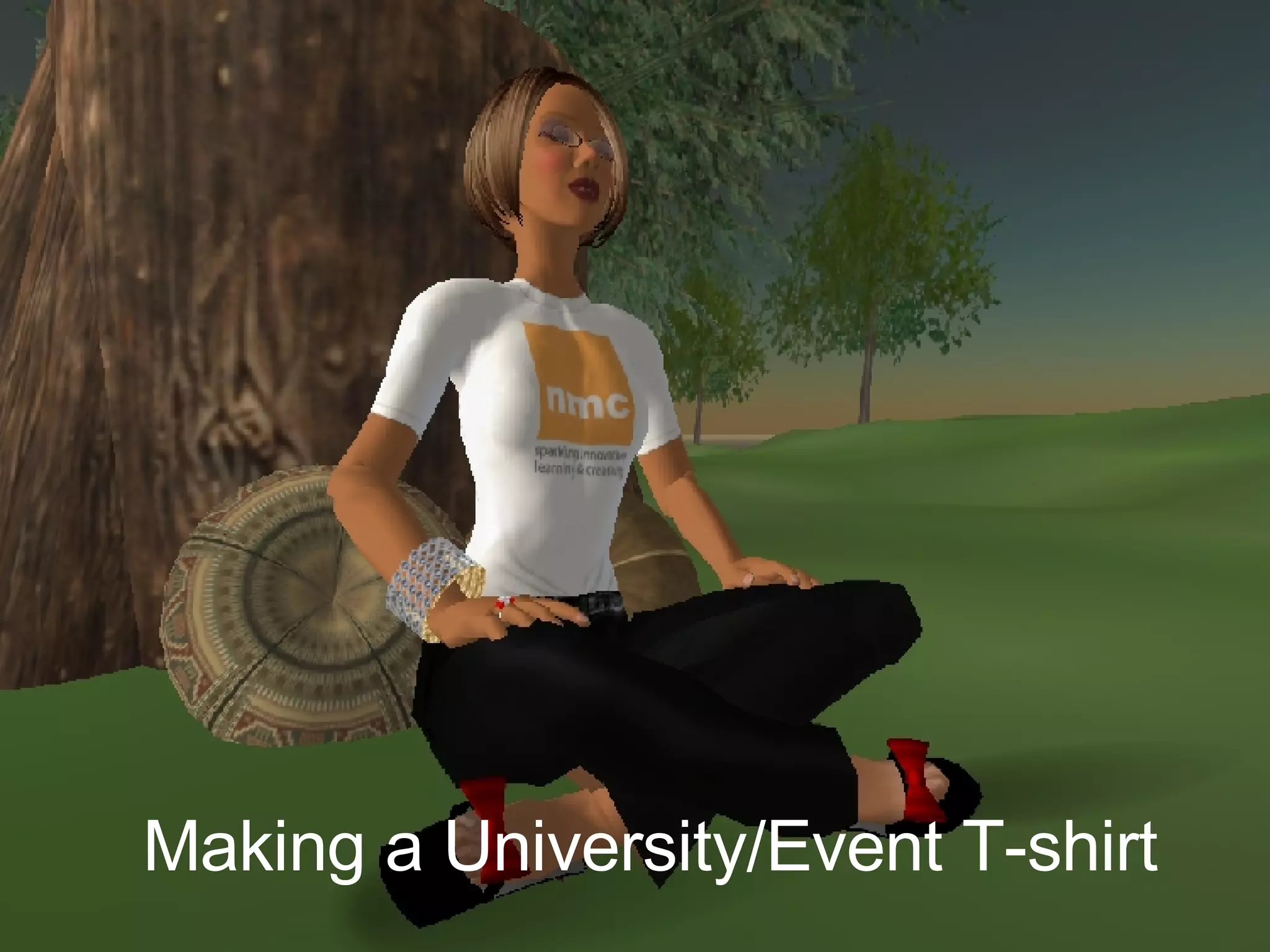
Making a University/Event T-shirt
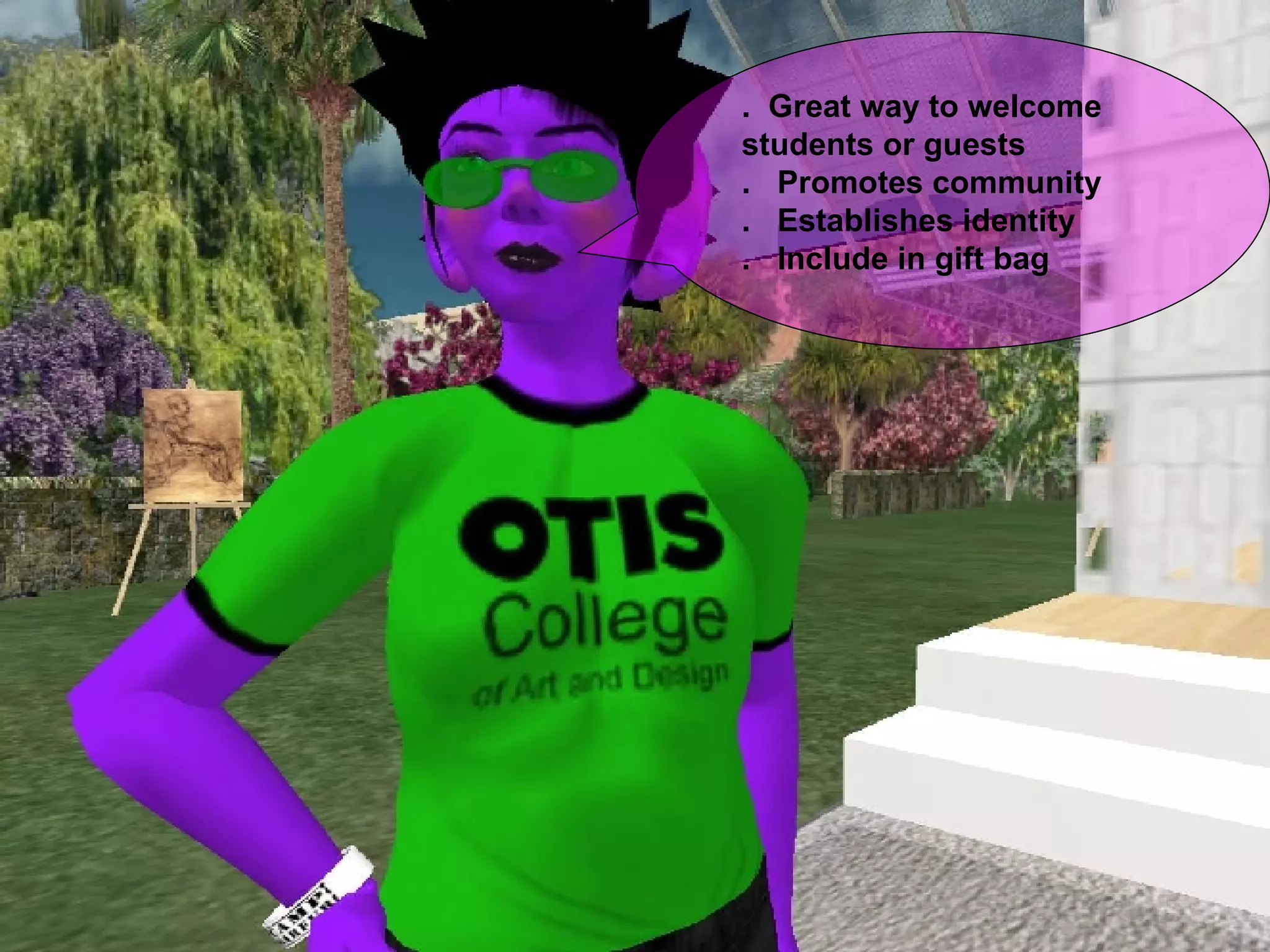
.  Great way to welcome  students or guests .  Promotes community .  Establishes identity .  Include in gift bag
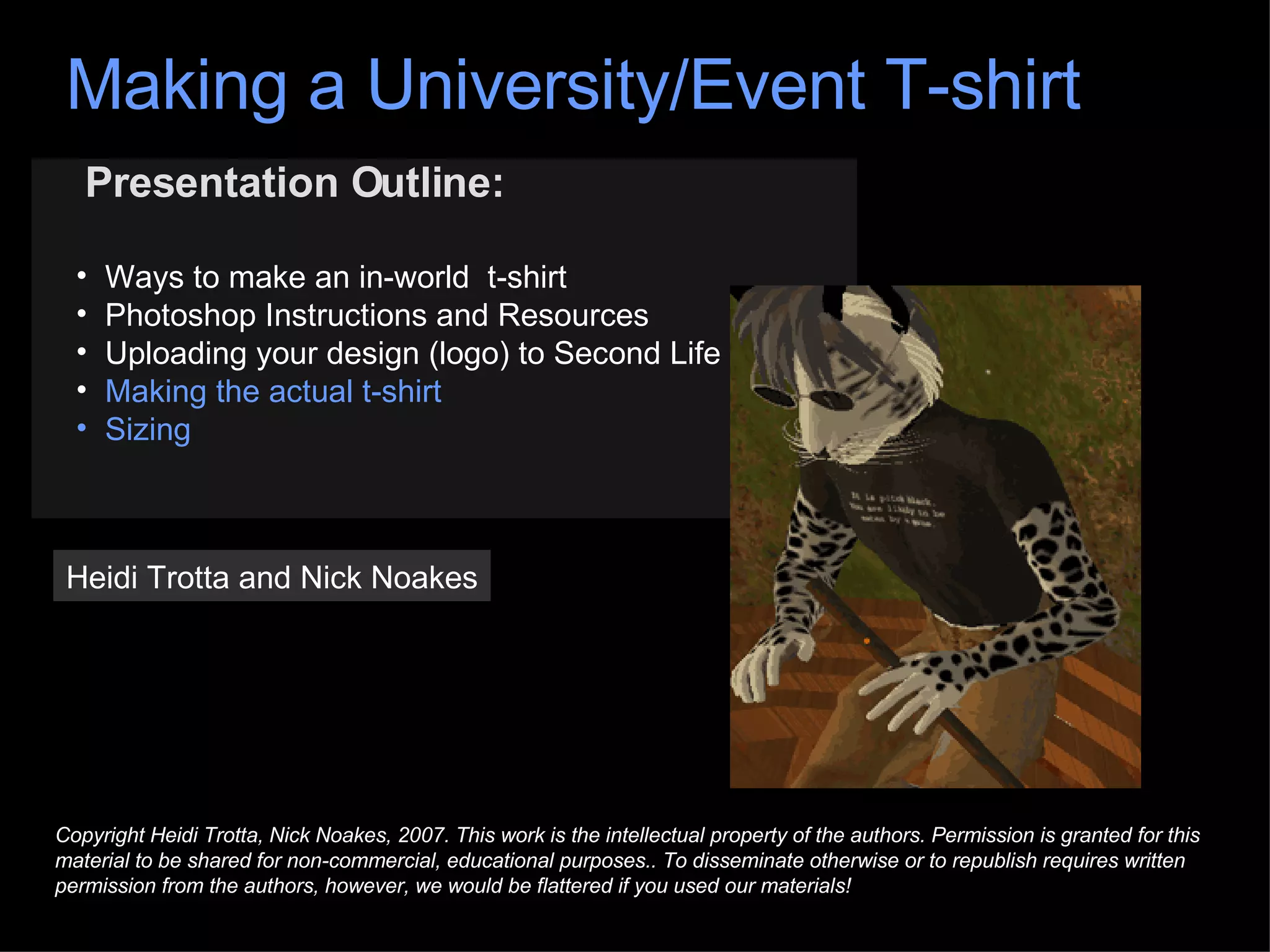
Presentation Outline: Ways to make an in-world  t-shirt Photoshop Instructions and Resources Uploading your design (logo) to Second Life Making the actual t-shirt Sizing Heidi Trotta and Nick Noakes Copyright Heidi Trotta, Nick Noakes, 2007. This work is the intellectual property of the authors. Permission is granted for this material to be shared for non-commercial, educational purposes.. To disseminate otherwise or to republish requires written permission from the authors, however, we would be flattered if you used our materials! Making a University/Event T-shirt
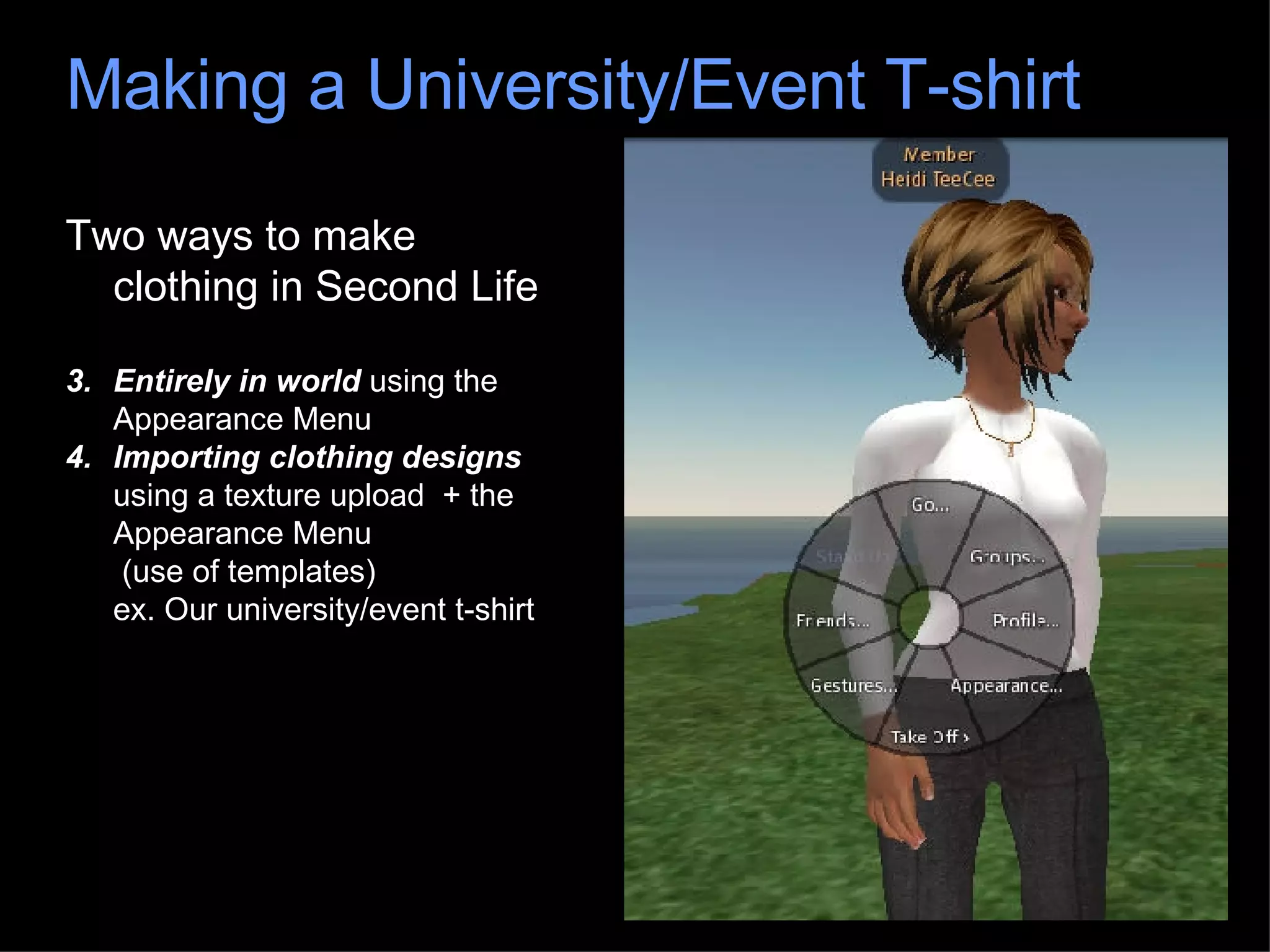
Two ways to make clothing in Second Life Entirely in world  using the Appearance Menu Importing clothing designs  using a texture upload  + the Appearance Menu  (use of templates) ex. Our university/event t-shirt Making a University/Event T-shirt
Templates: Available for download from a number of sources Photoshop files with layers  ex. University/event t-shirt Making a University/Event T-shirt
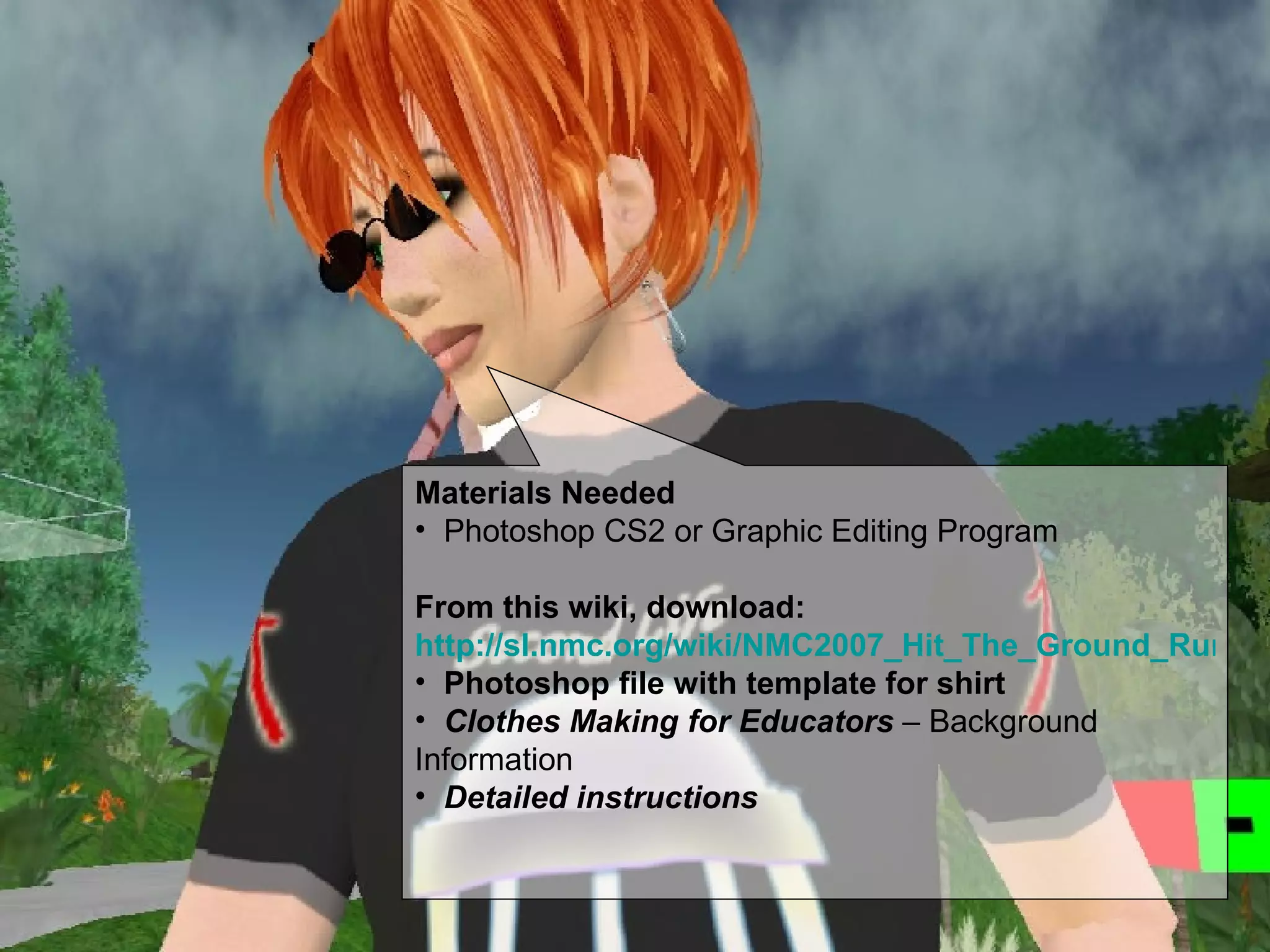
Materials Needed Photoshop CS2 or Graphic Editing Program From this wiki, download:  http://sl.nmc.org/wiki/NMC2007_Hit_The_Ground_Running#ClothingTutorial Photoshop file with template for shirt Clothes Making for Educators  – Background Information Detailed instructions
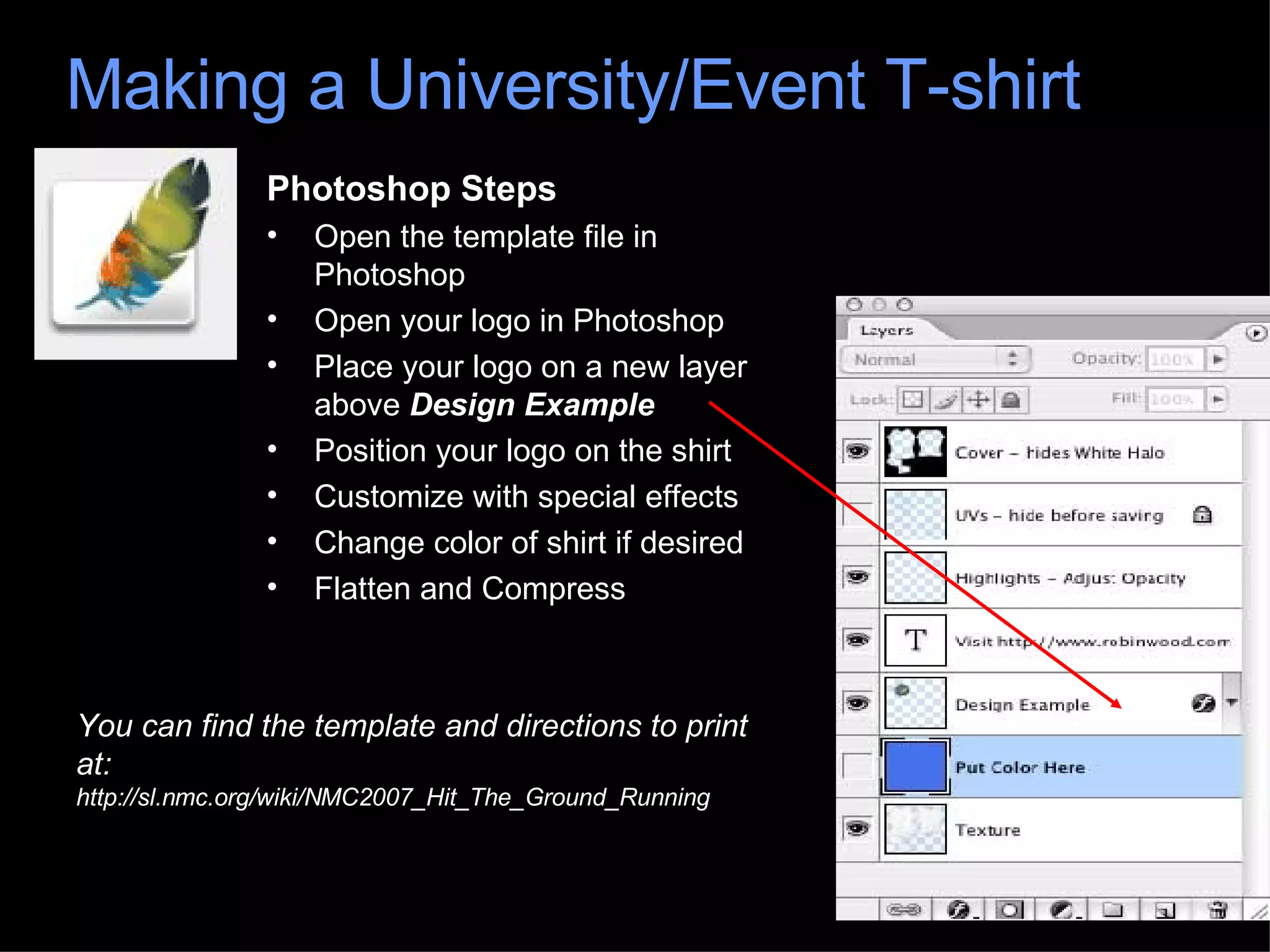
Photoshop Steps Open the template file in Photoshop Open your logo in Photoshop Place your logo on a new layer above  Design Example  Position your logo on the shirt Customize with special effects Change color of shirt if desired Flatten and Compress Making a University/Event T-shirt You can find the template and directions to print at:  http://sl.nmc.org/wiki/NMC2007_Hit_The_Ground_Running
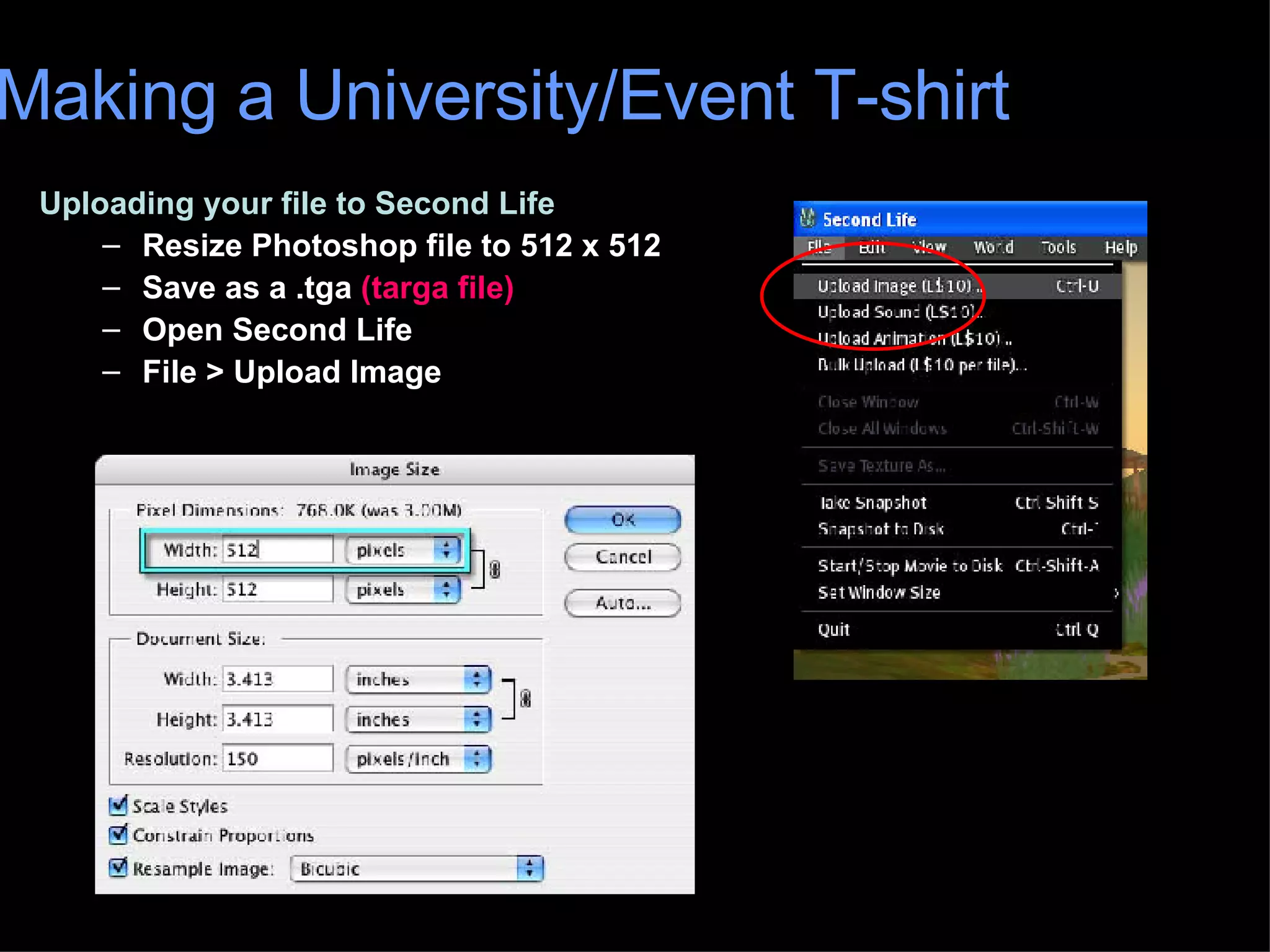
Uploading your file to Second Life Resize Photoshop file to 512 x 512 Save as a .tga  (targa file) Open Second Life File > Upload Image Making a University/Event T-shirt
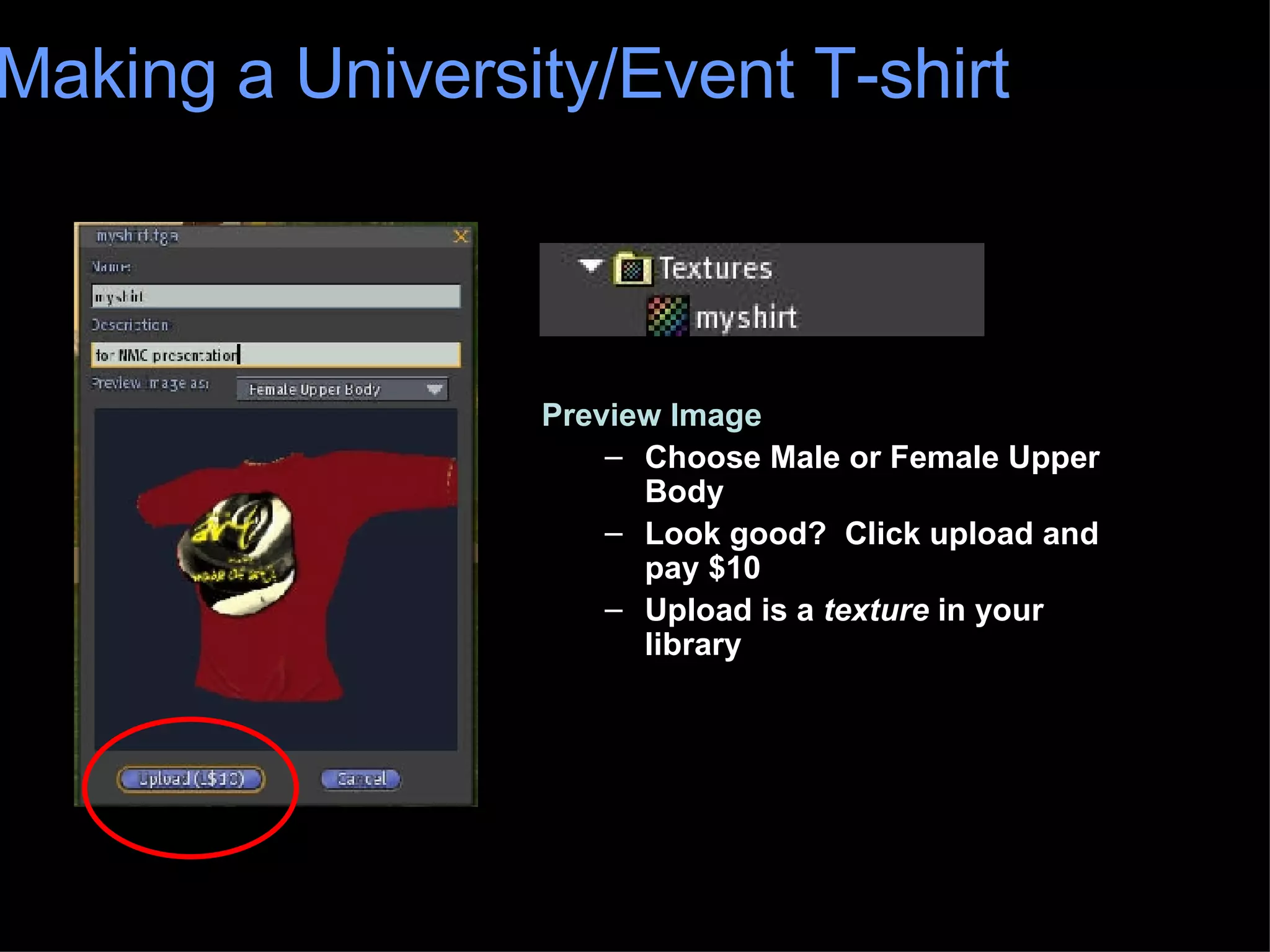
Preview Image Choose Male or Female Upper Body Look good?  Click upload and pay $10 Upload is a  texture  in your library Making a University/Event T-shirt
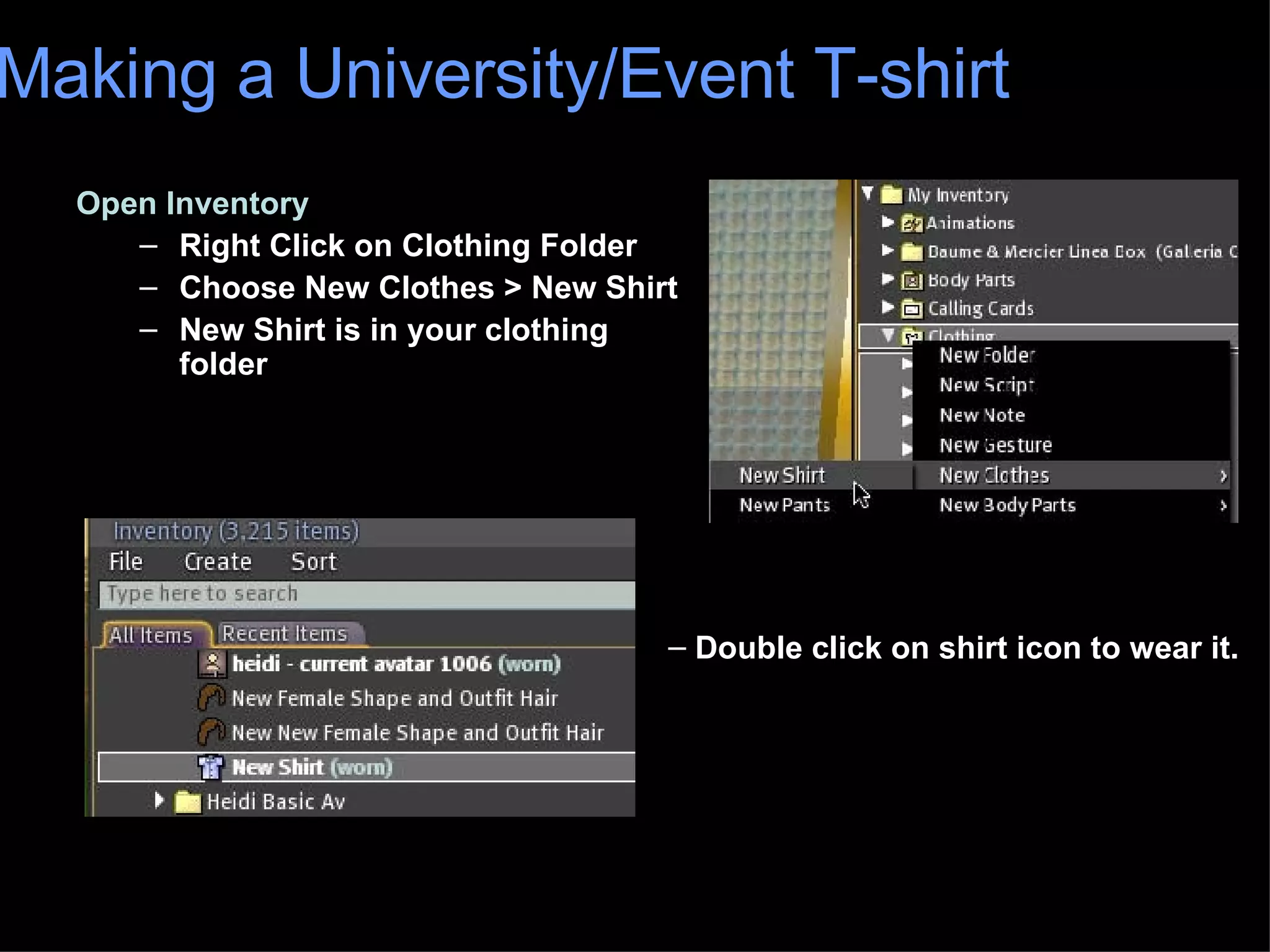
Open Inventory Right Click on Clothing Folder Choose New Clothes > New Shirt New Shirt is in your clothing folder Making a University/Event T-shirt Double click on shirt icon to wear it.
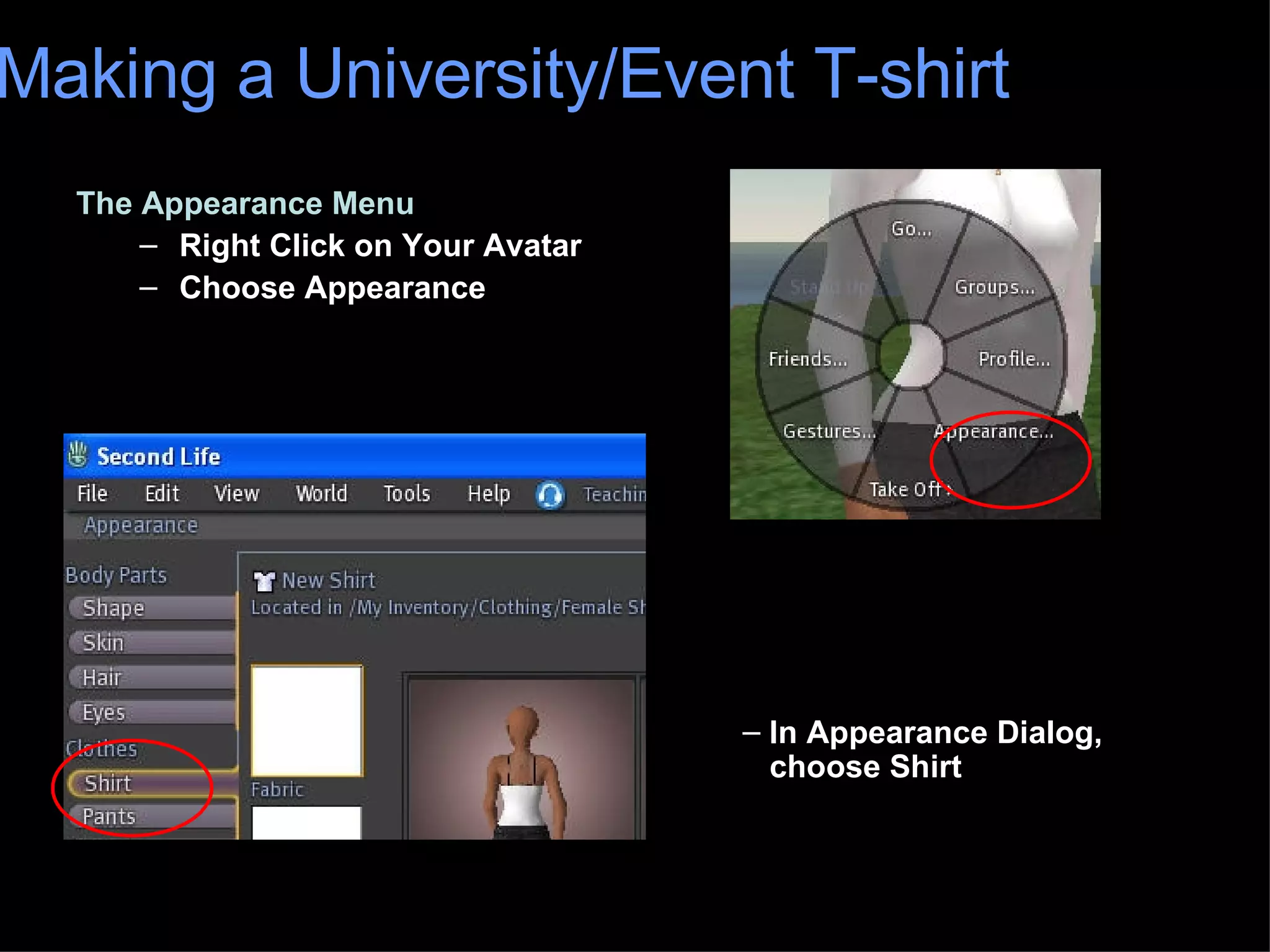
The Appearance Menu Right Click on Your Avatar Choose Appearance Making a University/Event T-shirt In Appearance Dialog,    choose Shirt
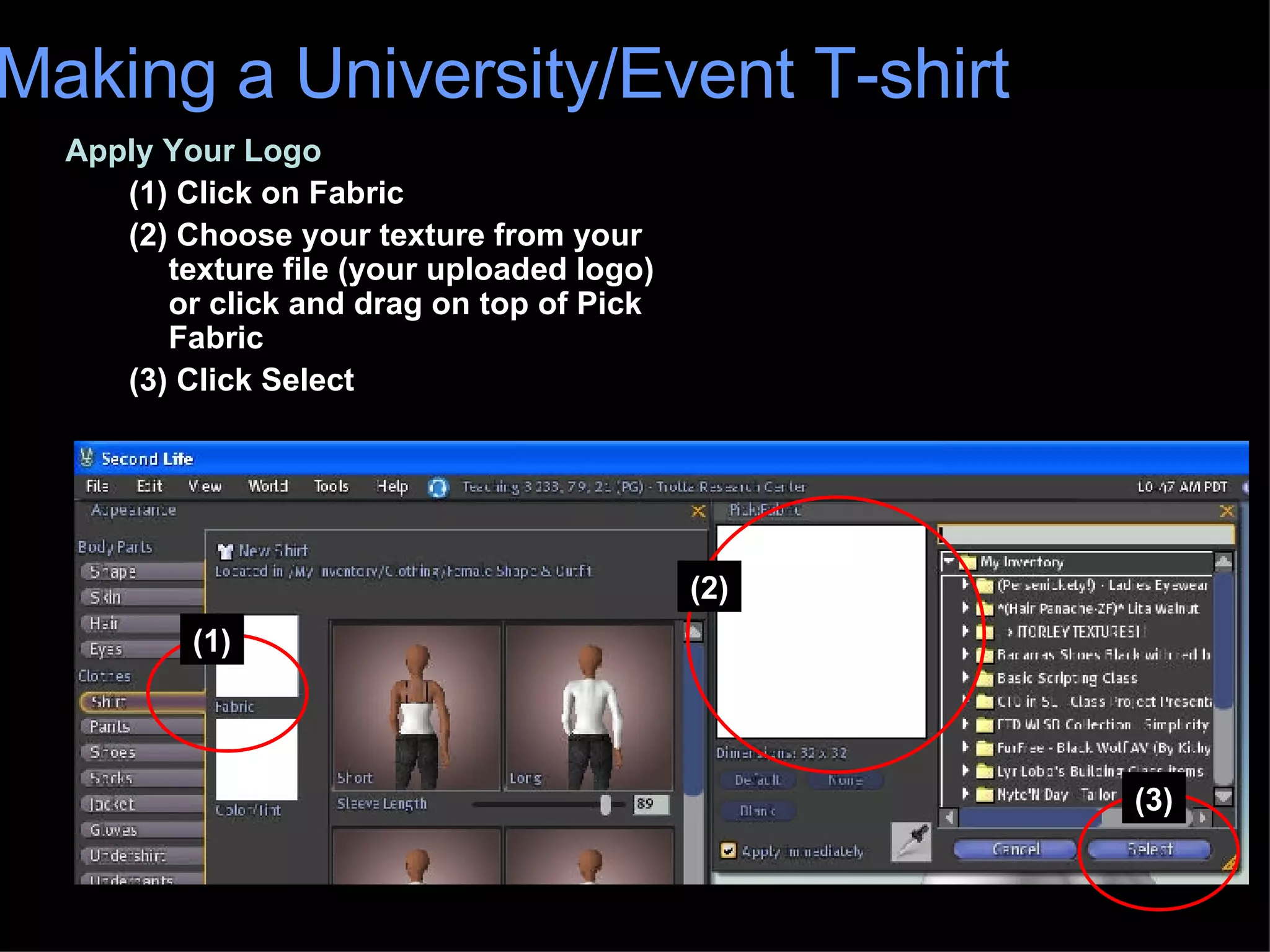
Apply Your Logo (1) Click on Fabric (2) Choose your texture from your texture file (your uploaded logo) or click and drag on top of Pick Fabric (3) Click Select Making a University/Event T-shirt (1) (2) (3)
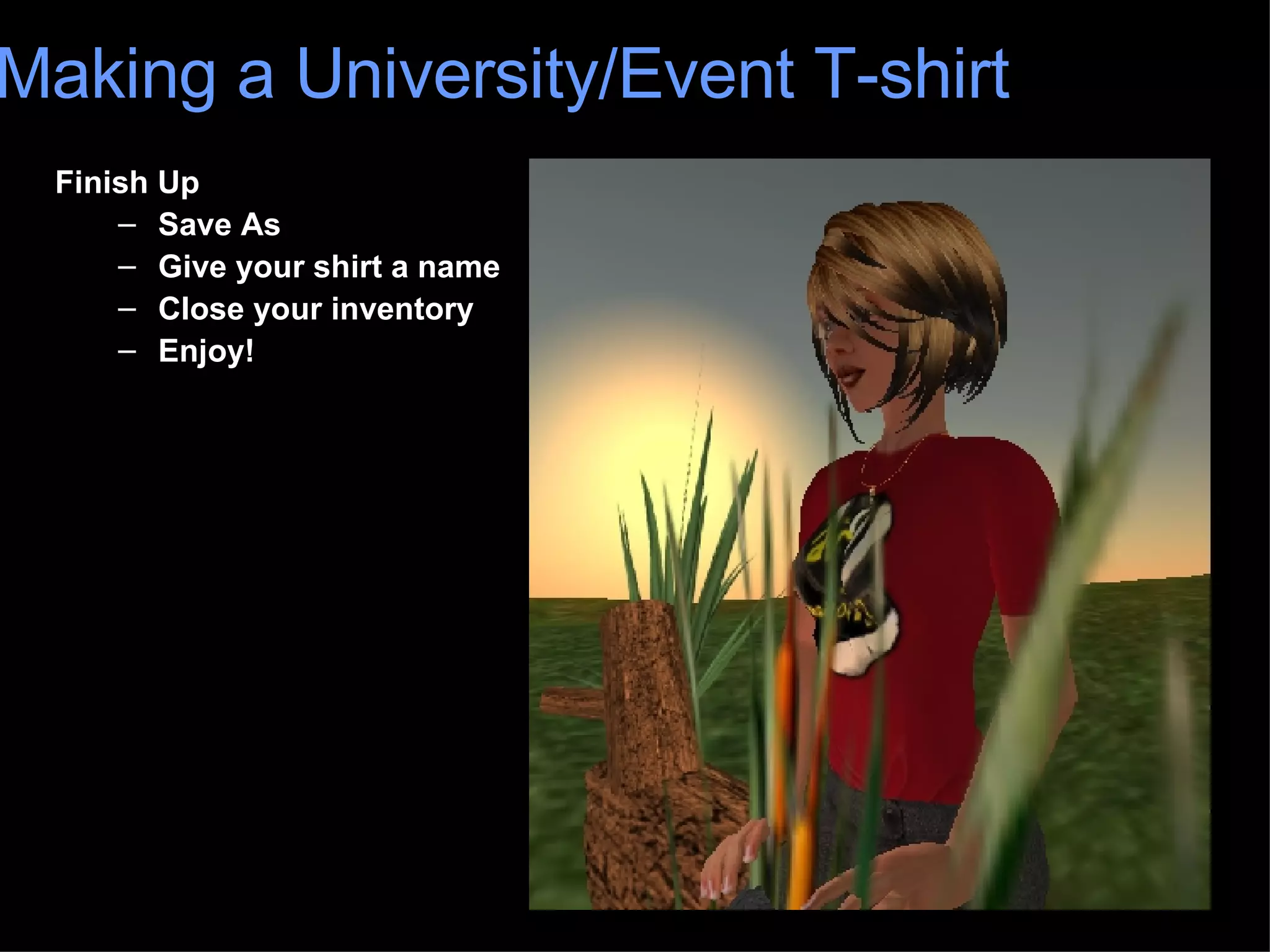
Finish Up Save As Give your shirt a name Close your inventory Enjoy! Making a University/Event T-shirt
Questions?
Contacts  and Resources: Heidi Trotta (aka Heidi TeeCee) [email_address] Web:  www.heiditrotta.com Nick Noakes (aka Corwin Carillon) [email_address] You can find the template and directions to print at:  http://sl.nmc.org/wiki/NMC2007_Hit_The_Ground_Running Many thanks to Robin for permission to use her shirt template and edit her directions…  Robinwood at  www.robinwood.com

Making a T-shirt in Second Life

  • 1.
  • 2.
    . Greatway to welcome students or guests . Promotes community . Establishes identity . Include in gift bag
  • 3.
    Presentation Outline: Waysto make an in-world t-shirt Photoshop Instructions and Resources Uploading your design (logo) to Second Life Making the actual t-shirt Sizing Heidi Trotta and Nick Noakes Copyright Heidi Trotta, Nick Noakes, 2007. This work is the intellectual property of the authors. Permission is granted for this material to be shared for non-commercial, educational purposes.. To disseminate otherwise or to republish requires written permission from the authors, however, we would be flattered if you used our materials! Making a University/Event T-shirt
  • 4.
    Two ways tomake clothing in Second Life Entirely in world using the Appearance Menu Importing clothing designs using a texture upload + the Appearance Menu (use of templates) ex. Our university/event t-shirt Making a University/Event T-shirt
  • 5.
    Templates: Available fordownload from a number of sources Photoshop files with layers ex. University/event t-shirt Making a University/Event T-shirt
  • 6.
    Materials Needed PhotoshopCS2 or Graphic Editing Program From this wiki, download: http://sl.nmc.org/wiki/NMC2007_Hit_The_Ground_Running#ClothingTutorial Photoshop file with template for shirt Clothes Making for Educators – Background Information Detailed instructions
  • 7.
    Photoshop Steps Openthe template file in Photoshop Open your logo in Photoshop Place your logo on a new layer above Design Example Position your logo on the shirt Customize with special effects Change color of shirt if desired Flatten and Compress Making a University/Event T-shirt You can find the template and directions to print at: http://sl.nmc.org/wiki/NMC2007_Hit_The_Ground_Running
  • 8.
    Uploading your fileto Second Life Resize Photoshop file to 512 x 512 Save as a .tga (targa file) Open Second Life File > Upload Image Making a University/Event T-shirt
  • 9.
    Preview Image ChooseMale or Female Upper Body Look good? Click upload and pay $10 Upload is a texture in your library Making a University/Event T-shirt
  • 10.
    Open Inventory RightClick on Clothing Folder Choose New Clothes > New Shirt New Shirt is in your clothing folder Making a University/Event T-shirt Double click on shirt icon to wear it.
  • 11.
    The Appearance MenuRight Click on Your Avatar Choose Appearance Making a University/Event T-shirt In Appearance Dialog, choose Shirt
  • 12.
    Apply Your Logo(1) Click on Fabric (2) Choose your texture from your texture file (your uploaded logo) or click and drag on top of Pick Fabric (3) Click Select Making a University/Event T-shirt (1) (2) (3)
  • 13.
    Finish Up SaveAs Give your shirt a name Close your inventory Enjoy! Making a University/Event T-shirt
  • 14.
  • 15.
    Contacts andResources: Heidi Trotta (aka Heidi TeeCee) [email_address] Web: www.heiditrotta.com Nick Noakes (aka Corwin Carillon) [email_address] You can find the template and directions to print at: http://sl.nmc.org/wiki/NMC2007_Hit_The_Ground_Running Many thanks to Robin for permission to use her shirt template and edit her directions… Robinwood at www.robinwood.com