Making Your Bookmarks Yummy with del.icio.us

Loading...

Flash Player 9 (or above) is needed to view presentations.
We have detected that you do not have it on your computer. To install it, go here.

3 comments

Comments 1 - 3 of 3 previous next Post a comment

Post a comment
Embed Video
Edit your comment Cancel

22 Favorites

Making Your Bookmarks Yummy with del.icio.us - Presentation Transcript

  1. Making Your Bookmarks Yummy with del.icio.us BCR Free Friday Forum, 5 January 2006 Michael Sauers, Internet Trainer
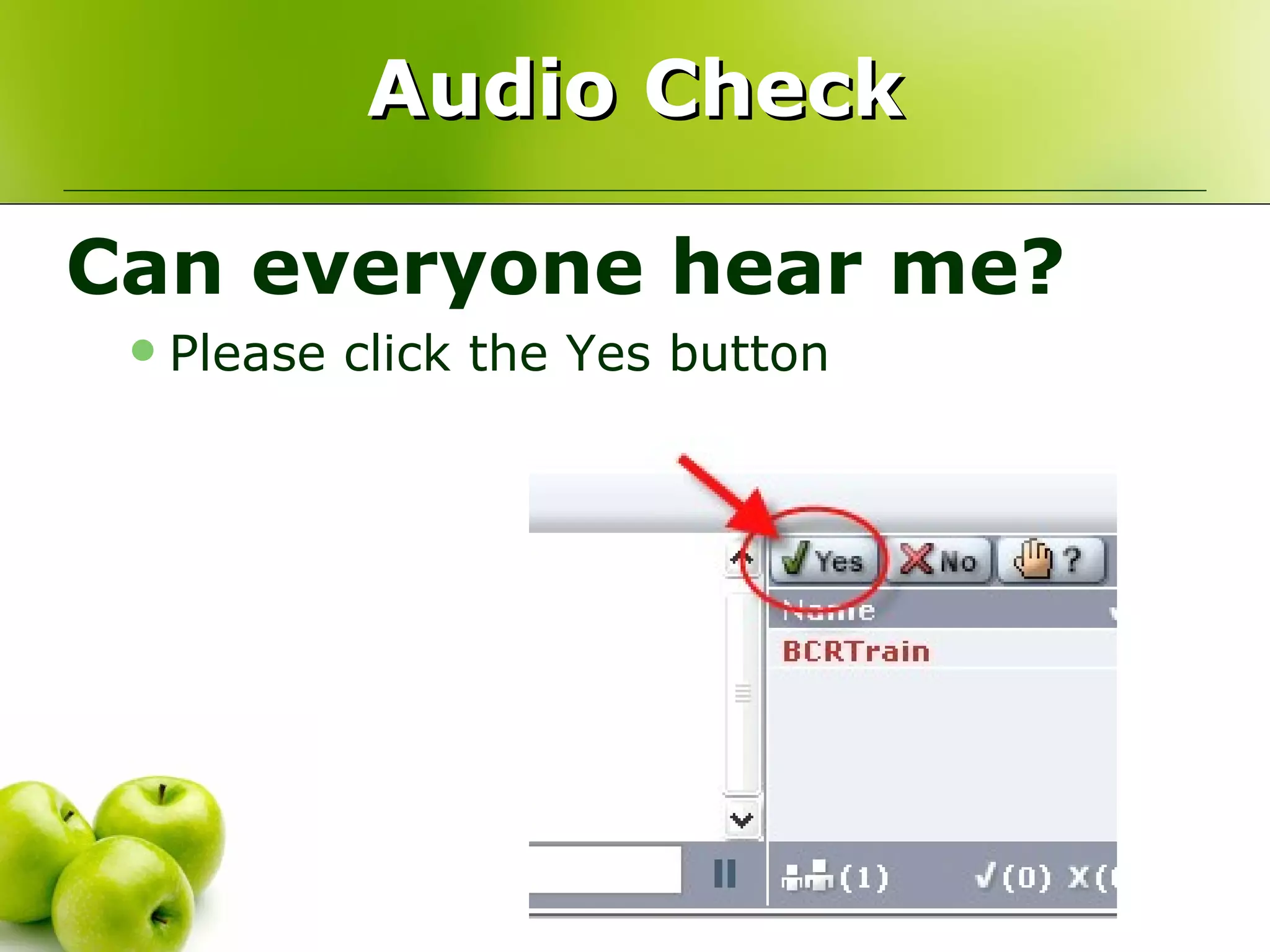
  2. Audio Check
    • Can everyone hear me?
      • Please click the Yes button
  3. HorizonWimba Guidelines
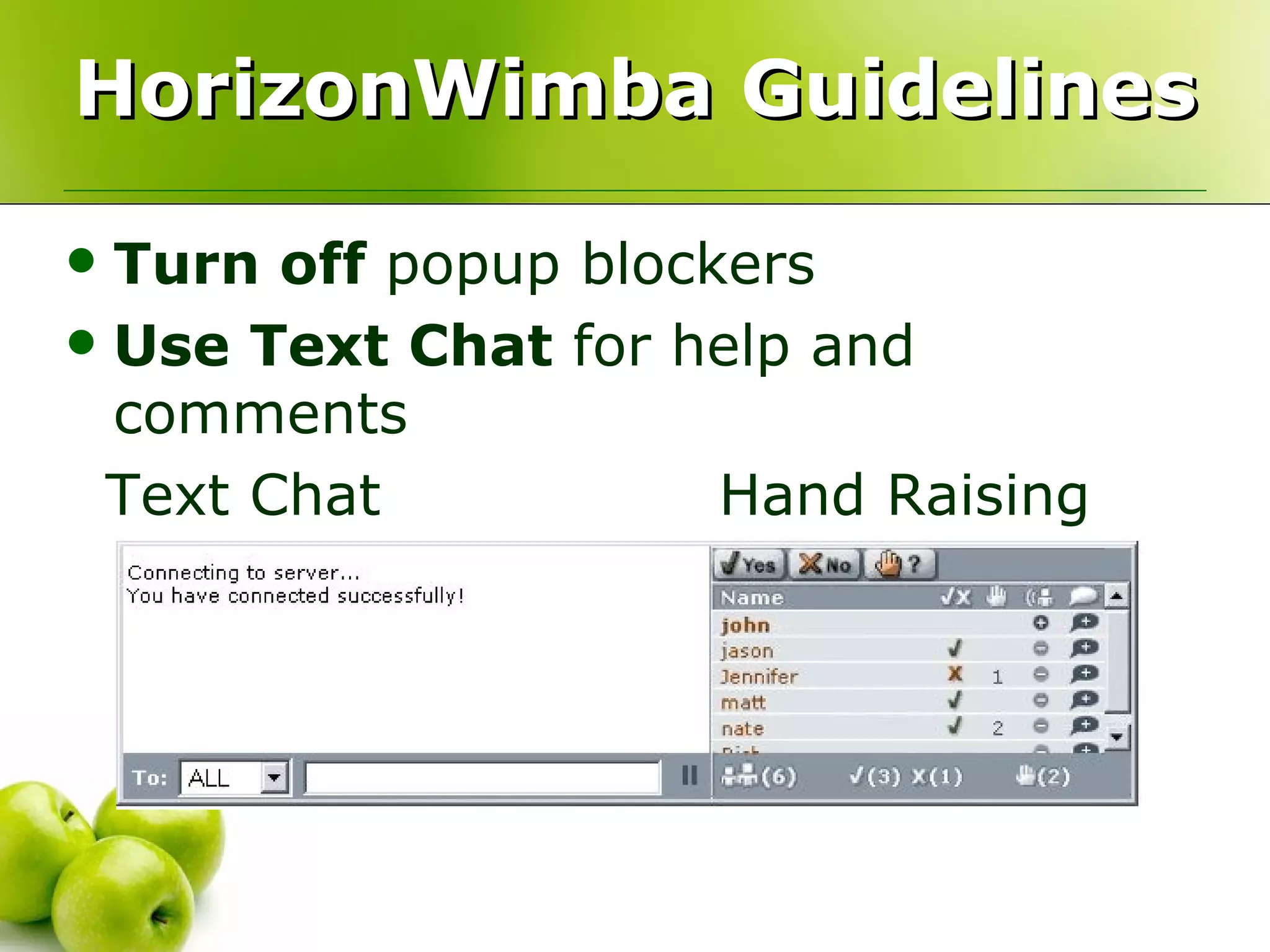
    • Turn off popup blockers
    • Use Text Chat for help and comments
    • Text Chat Hand Raising
  4. HorizonWimba Guidelines
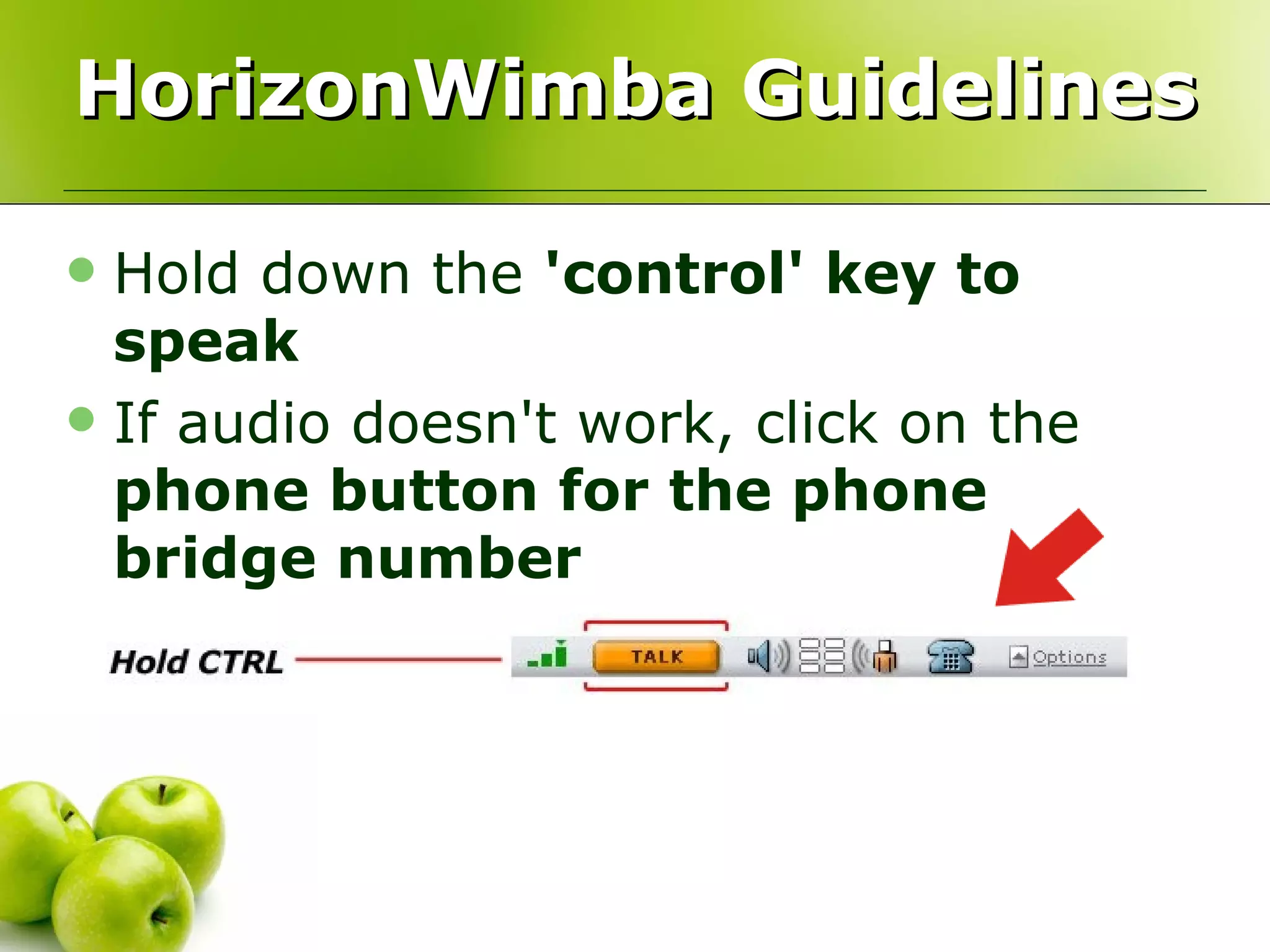
    • Hold down the 'control' key to speak
    • If audio doesn't work, click on the phone button for the phone bridge number
  5. Tech Support
    • Help is available 24/7
      • Phone: 866.350.4978 or
      • Email: [email_address]
  6. What is del.icio.us?
    • Social Software
      • Store your bookmarks online
      • Tag your bookmarks
      • Share your bookmarks with others
      • Subscribe to bookmarks with RSS
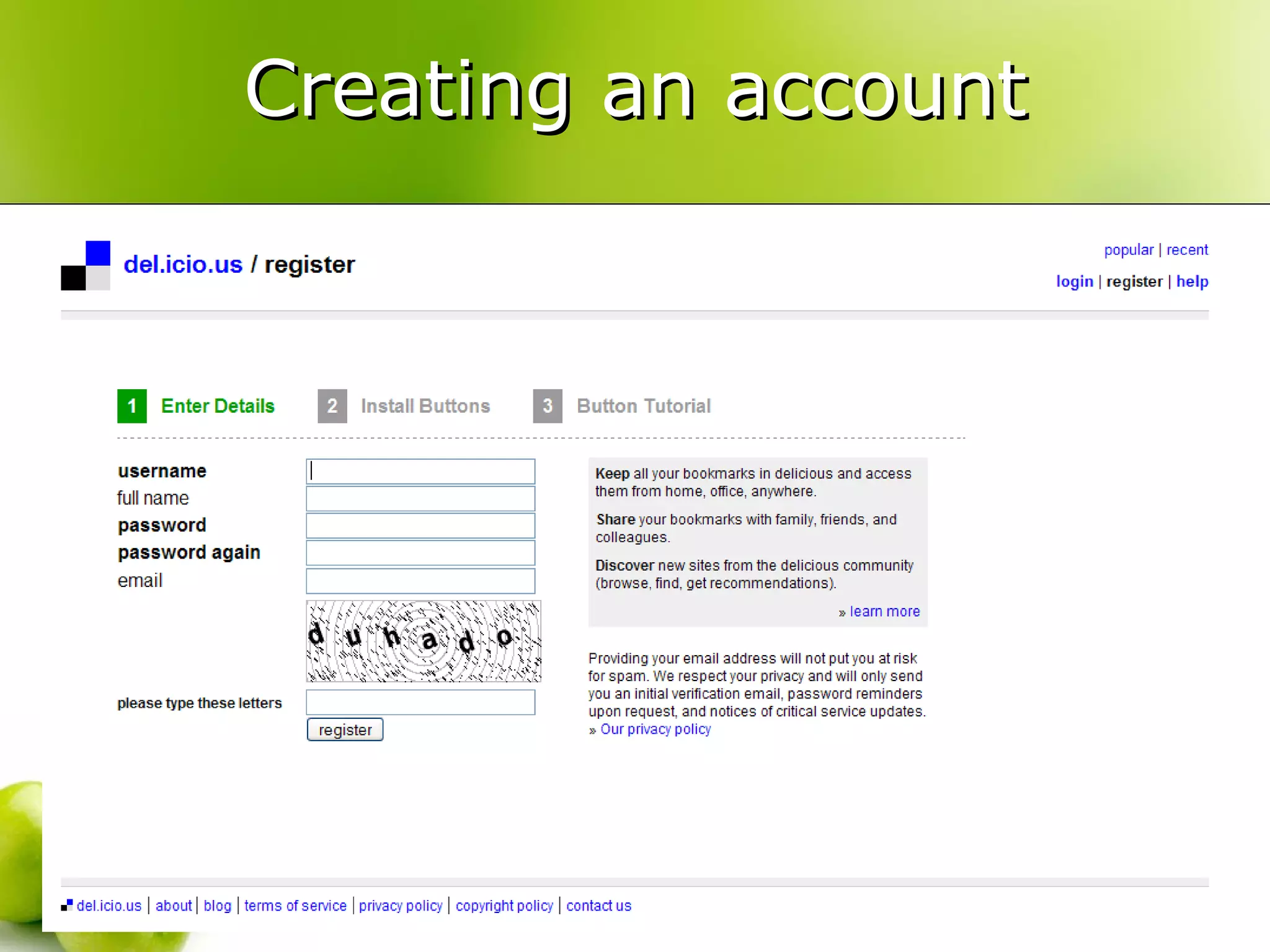
  7. Creating an account
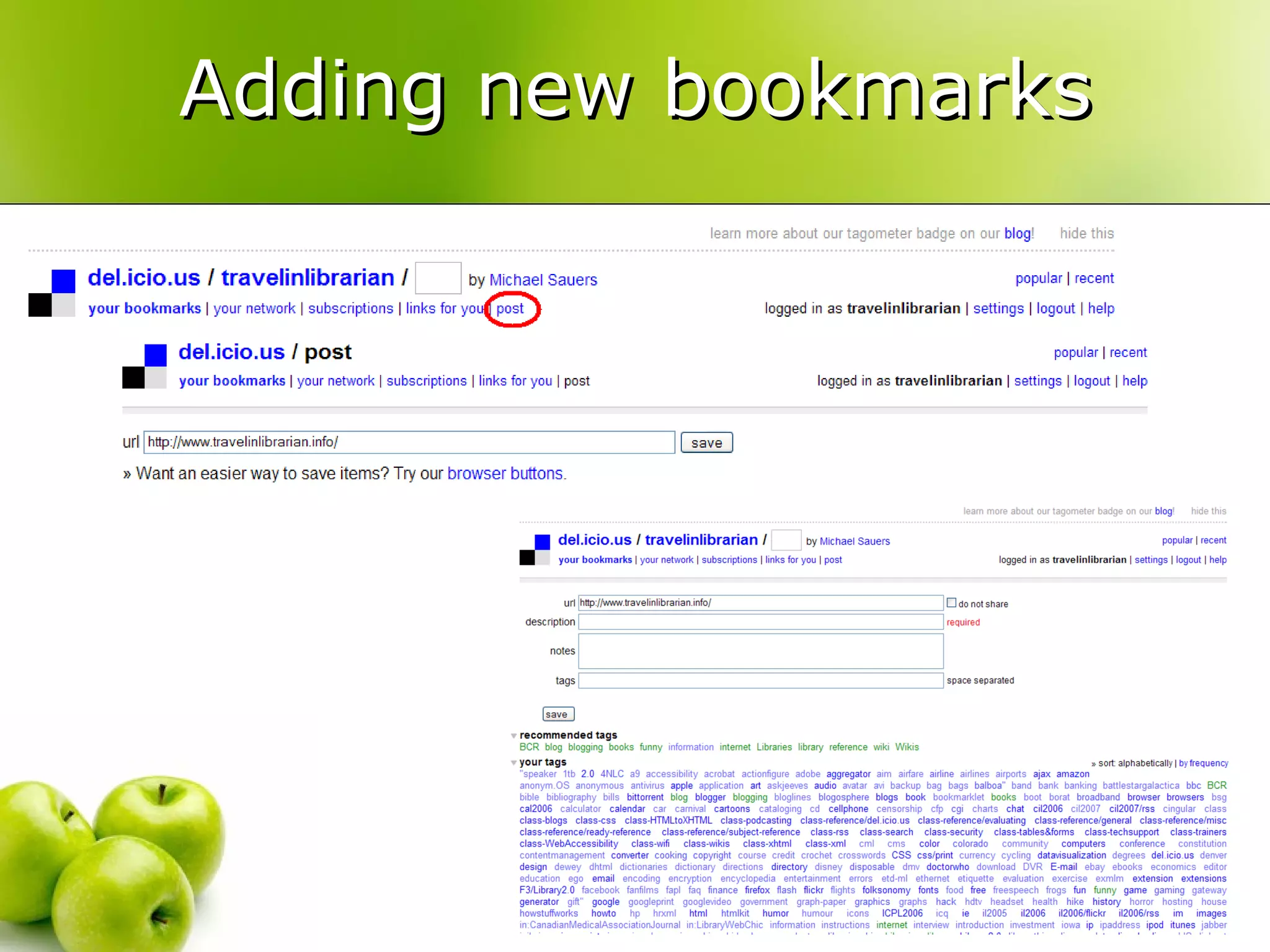
  8. Adding new bookmarks
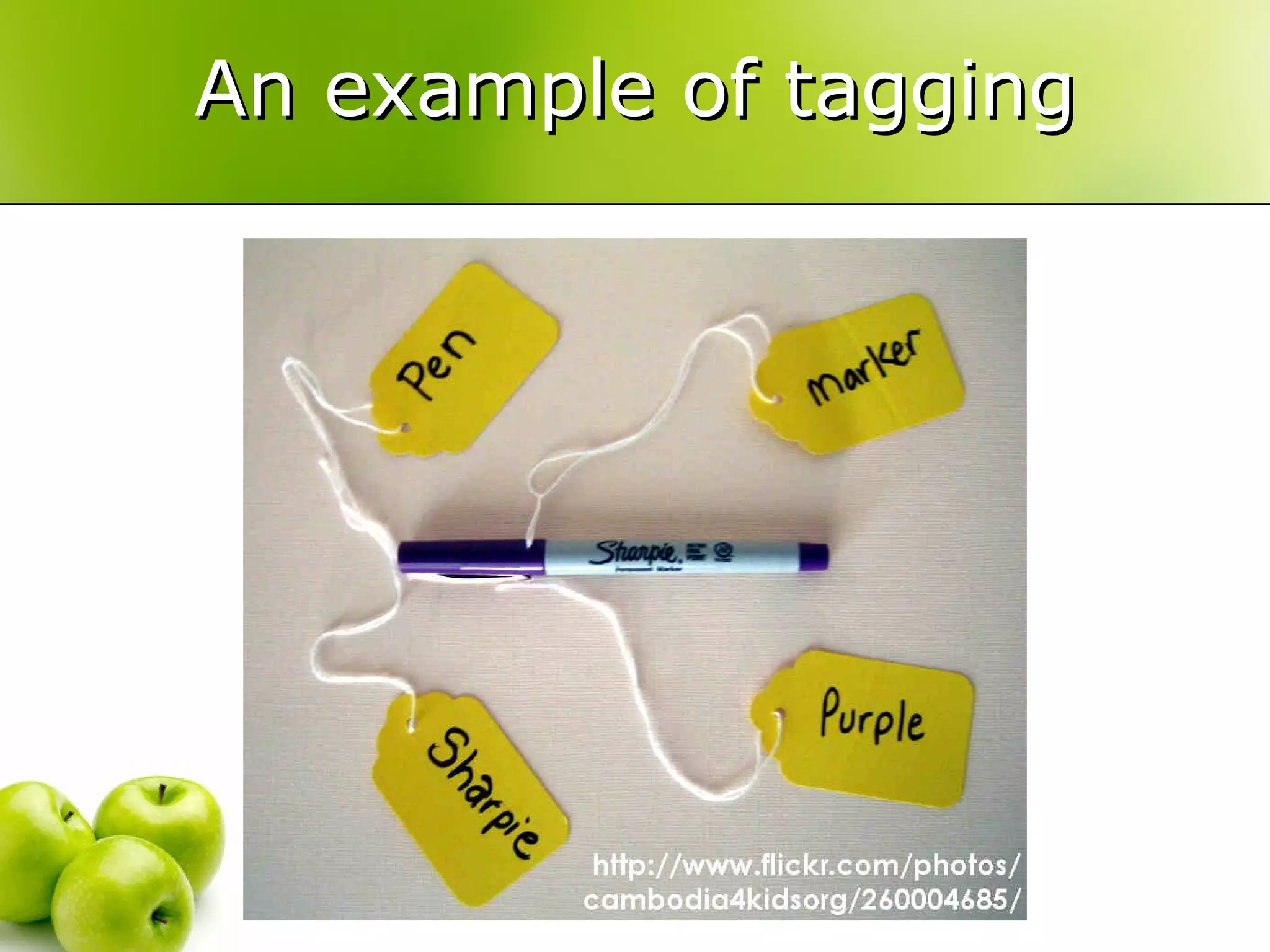
  9. Tagging
    • Adding “a (relevant) keyword or term associated with or assigned to a piece of information (like picture, article, or video clip), thus describing the item and enabling keyword-based classification of information it is applied to.” (Wikipedia)
  10. An example of tagging
  11. The importance of tagging
    • “folksonomy”
    • Ask yourself: What words might my patrons use to find this item?
    • del.icio.us will provide suggested tags
    • Tags are searchable!
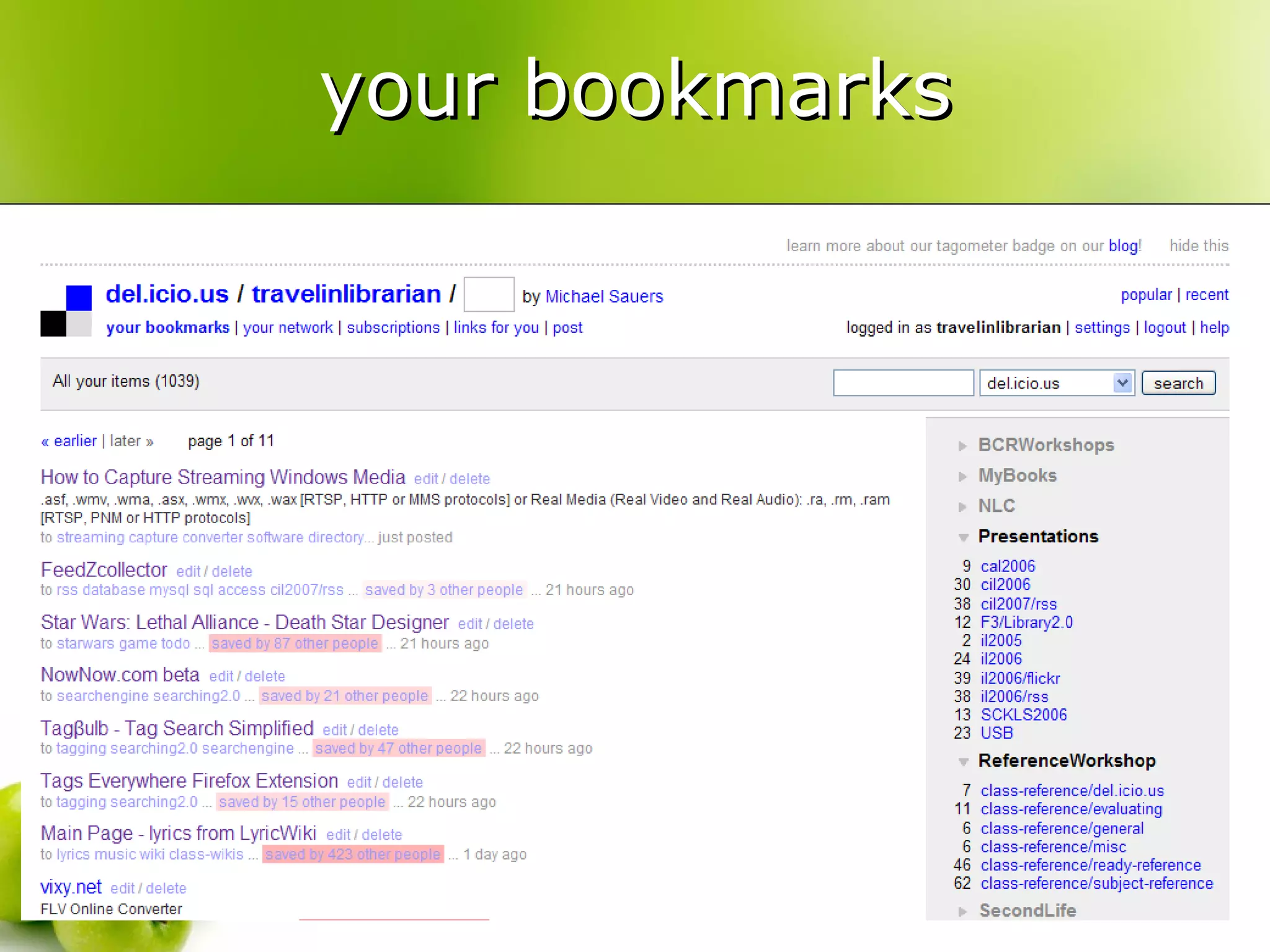
  12. your bookmarks
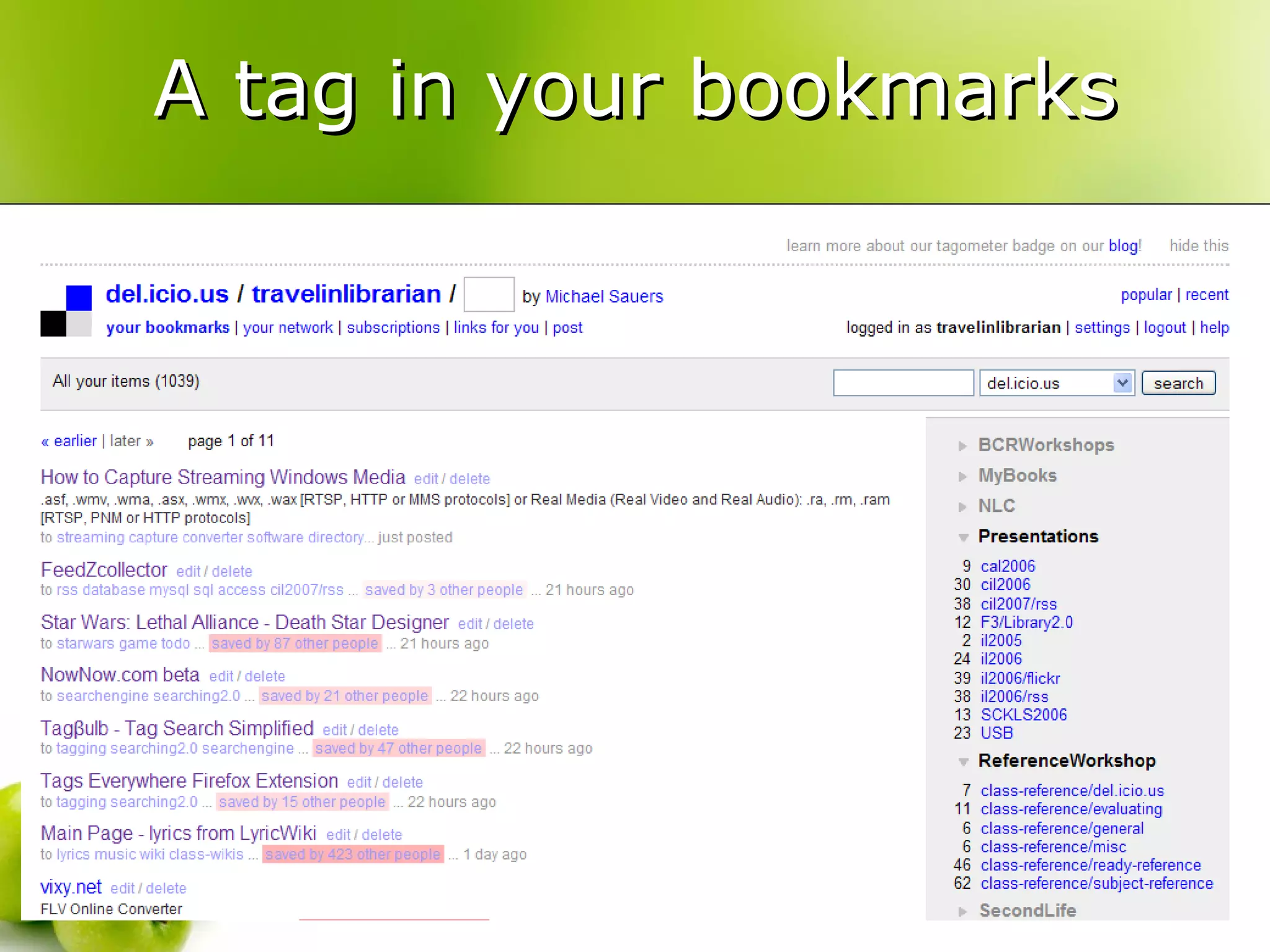
  13. A tag in your bookmarks
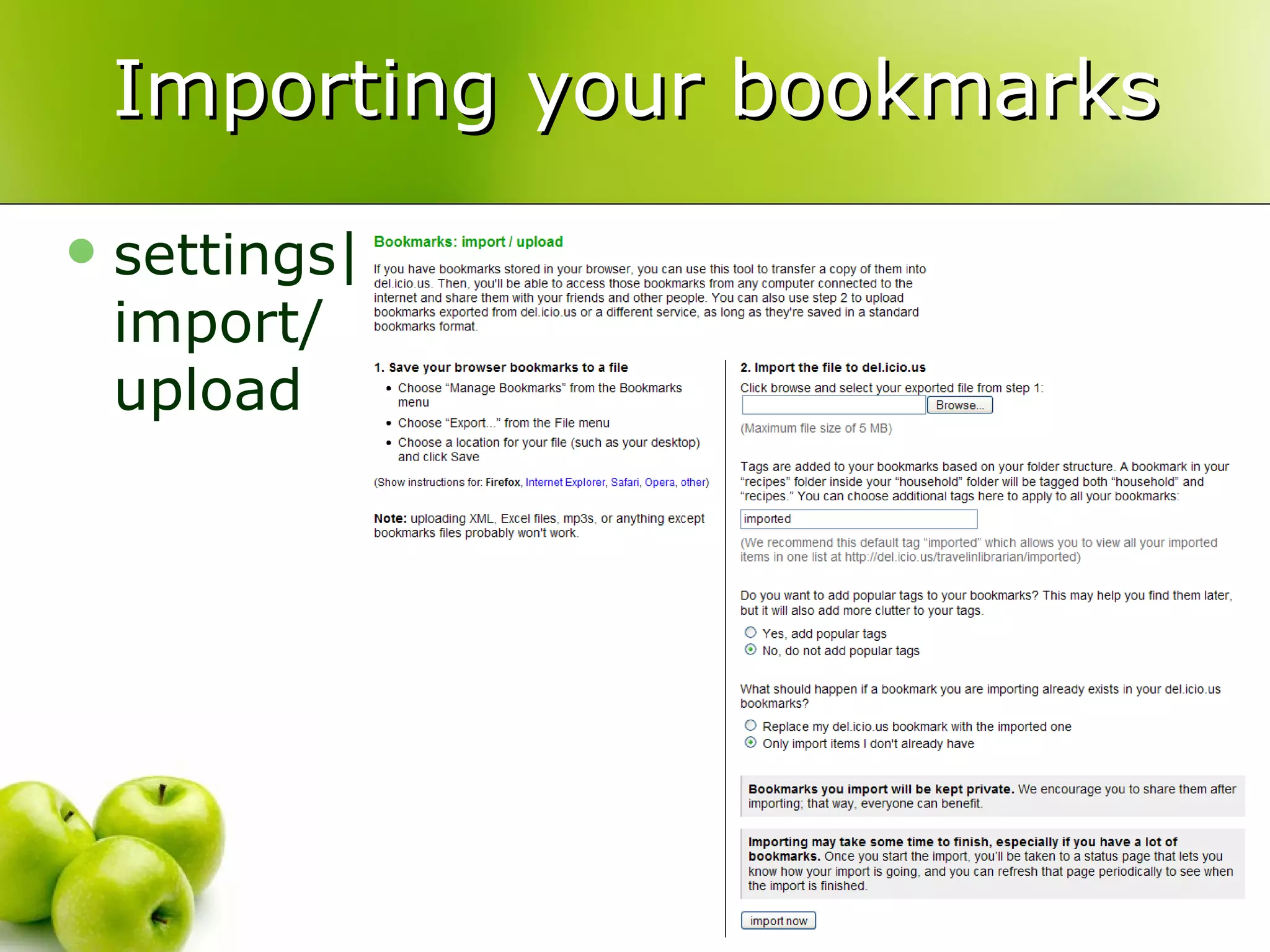
  14. Importing your bookmarks
    • settings| import/ upload
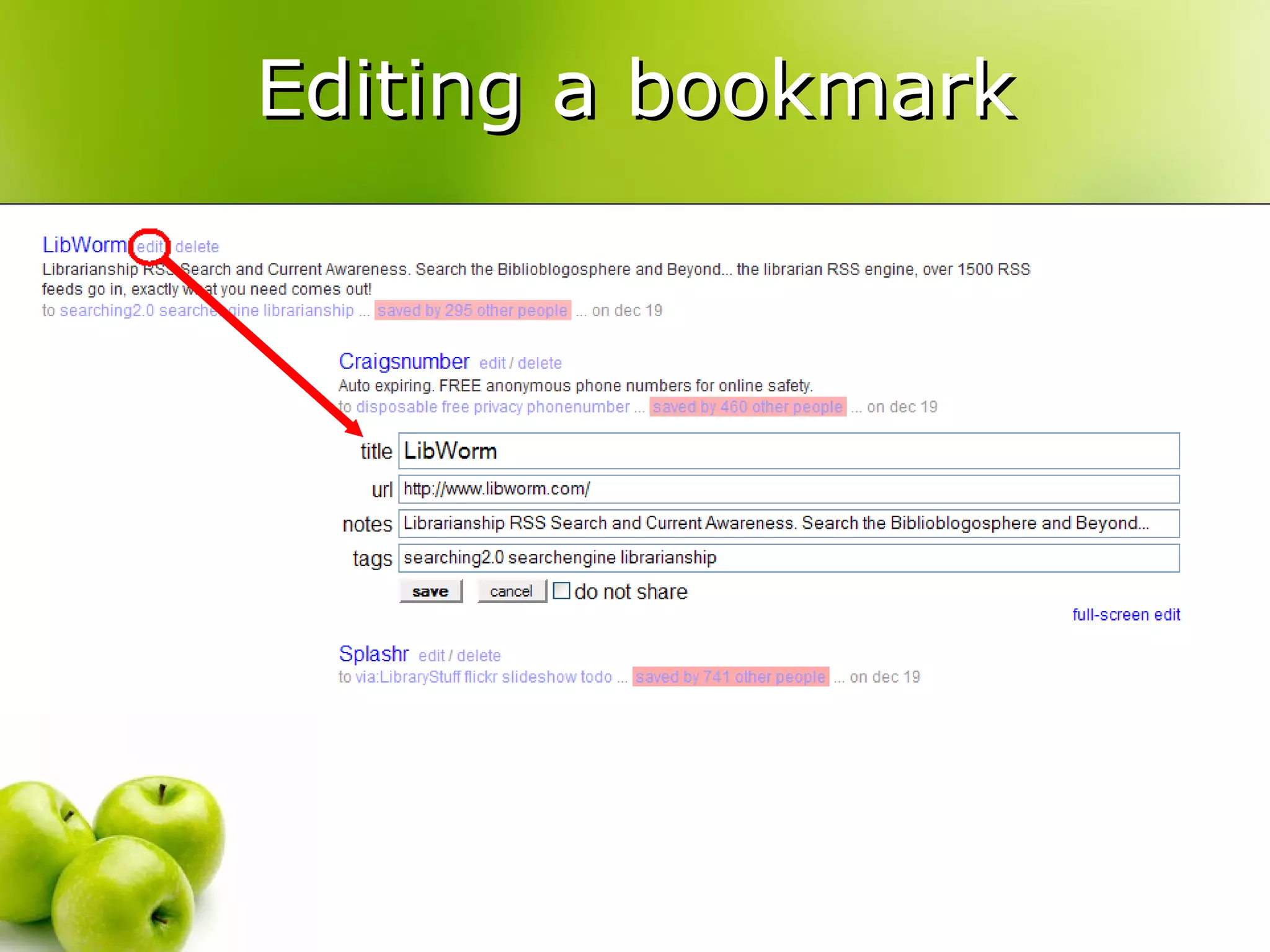
  15. Editing a bookmark
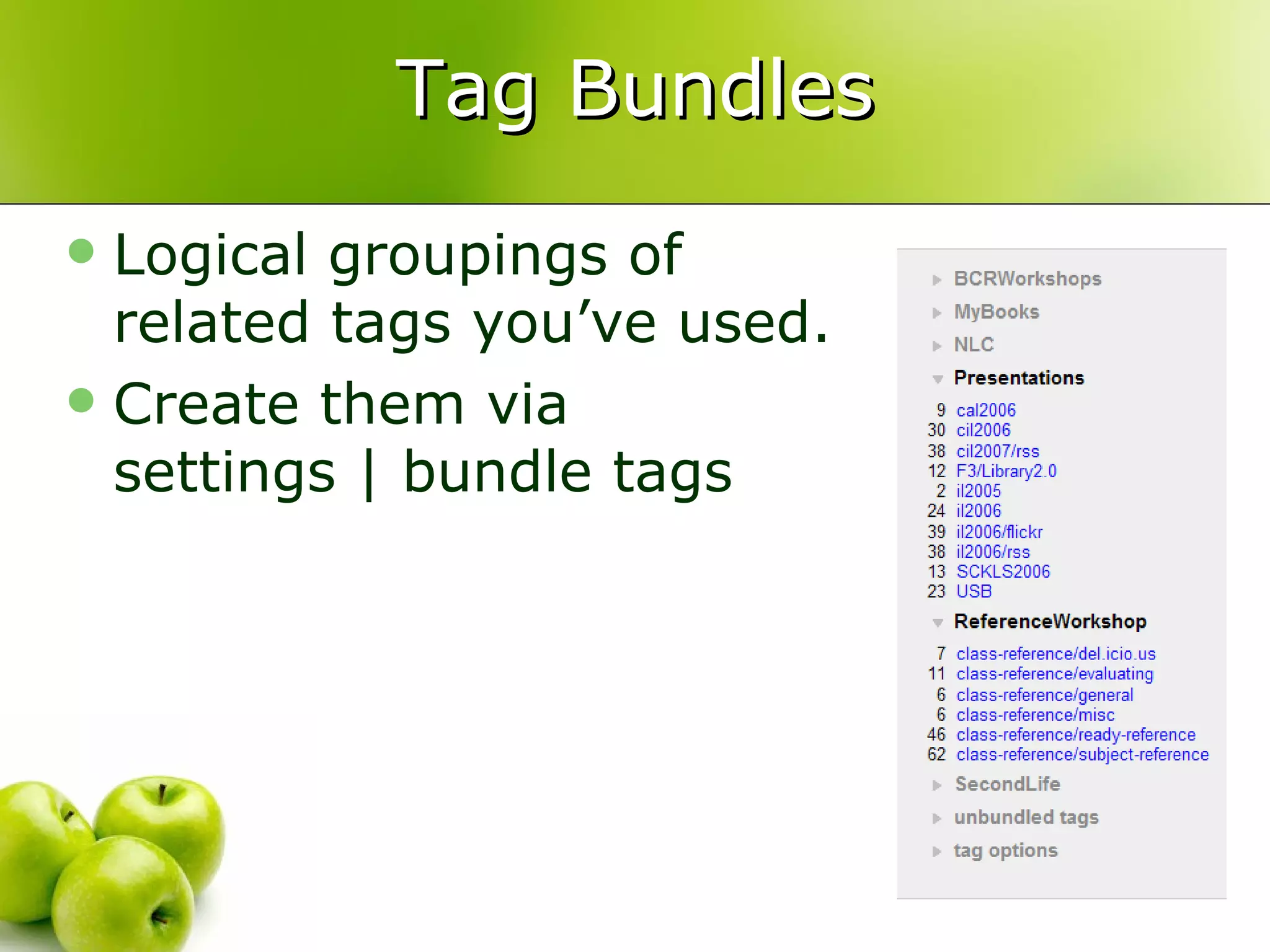
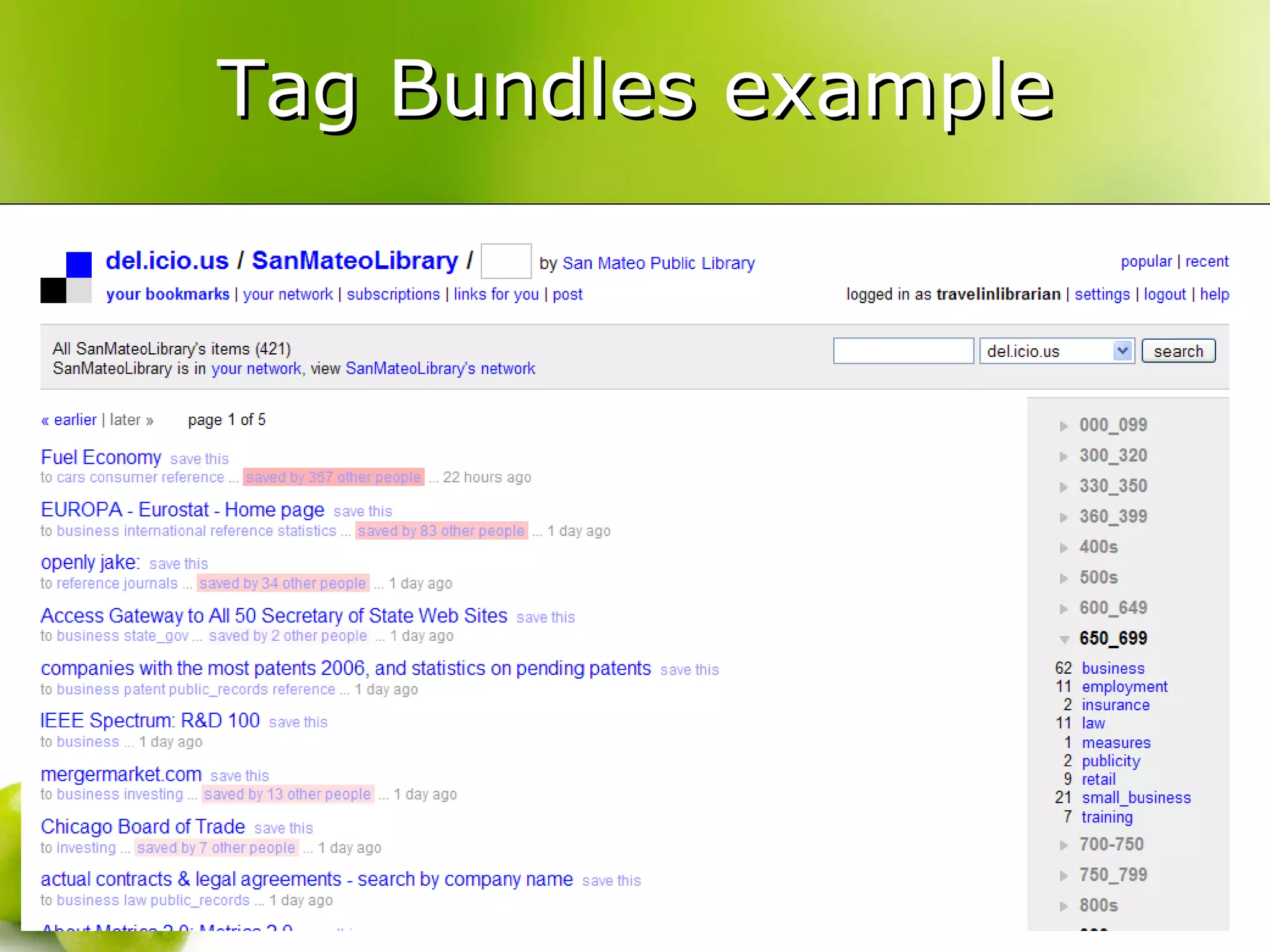
  16. Tag Bundles
    • Logical groupings of related tags you’ve used.
    • Create them via settings | bundle tags
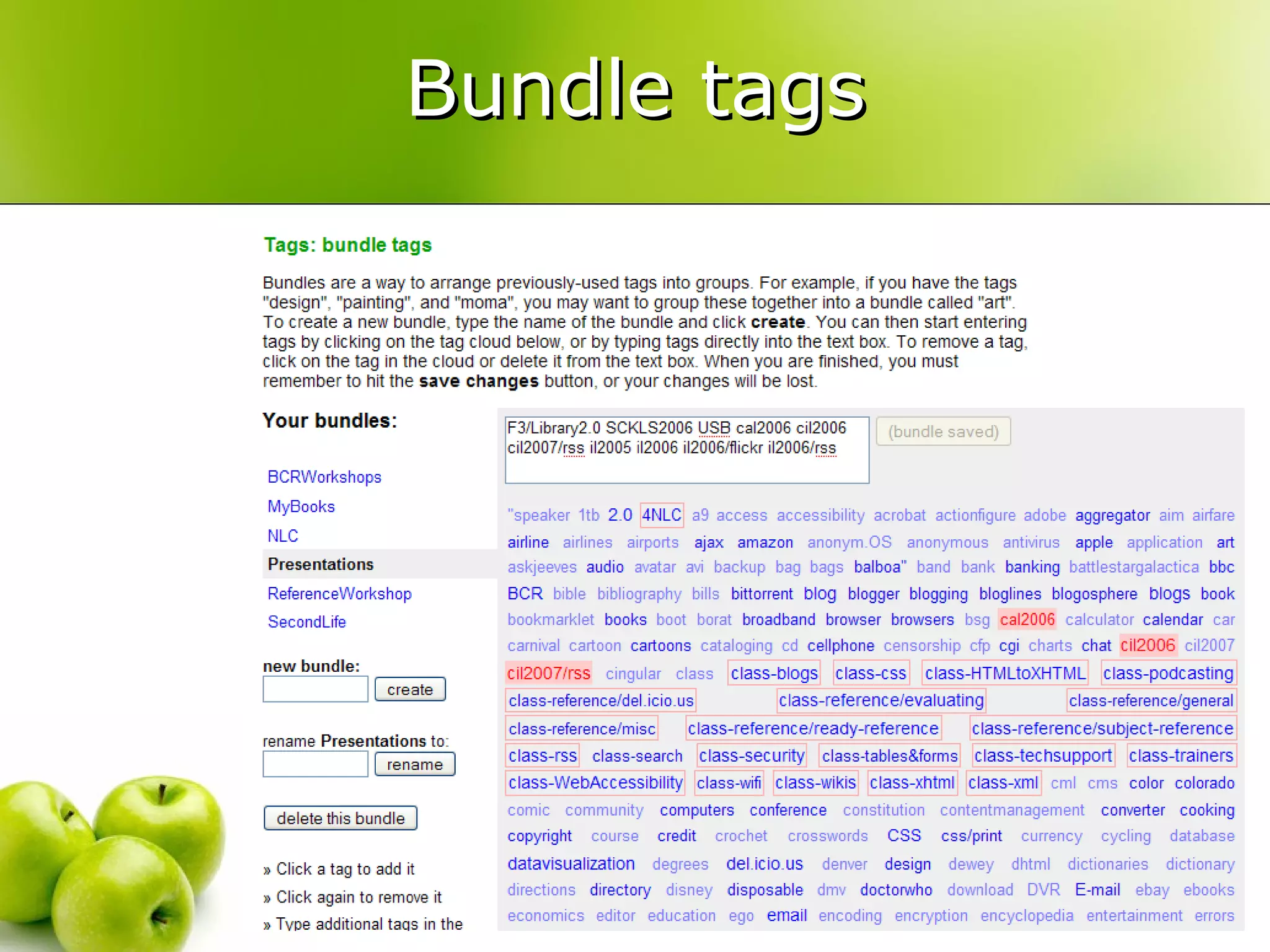
  17. Bundle tags
  18. Tag Bundles example
  19. Renaming & Deleting tags
    • settings | rename tags
    • settings | delete tags
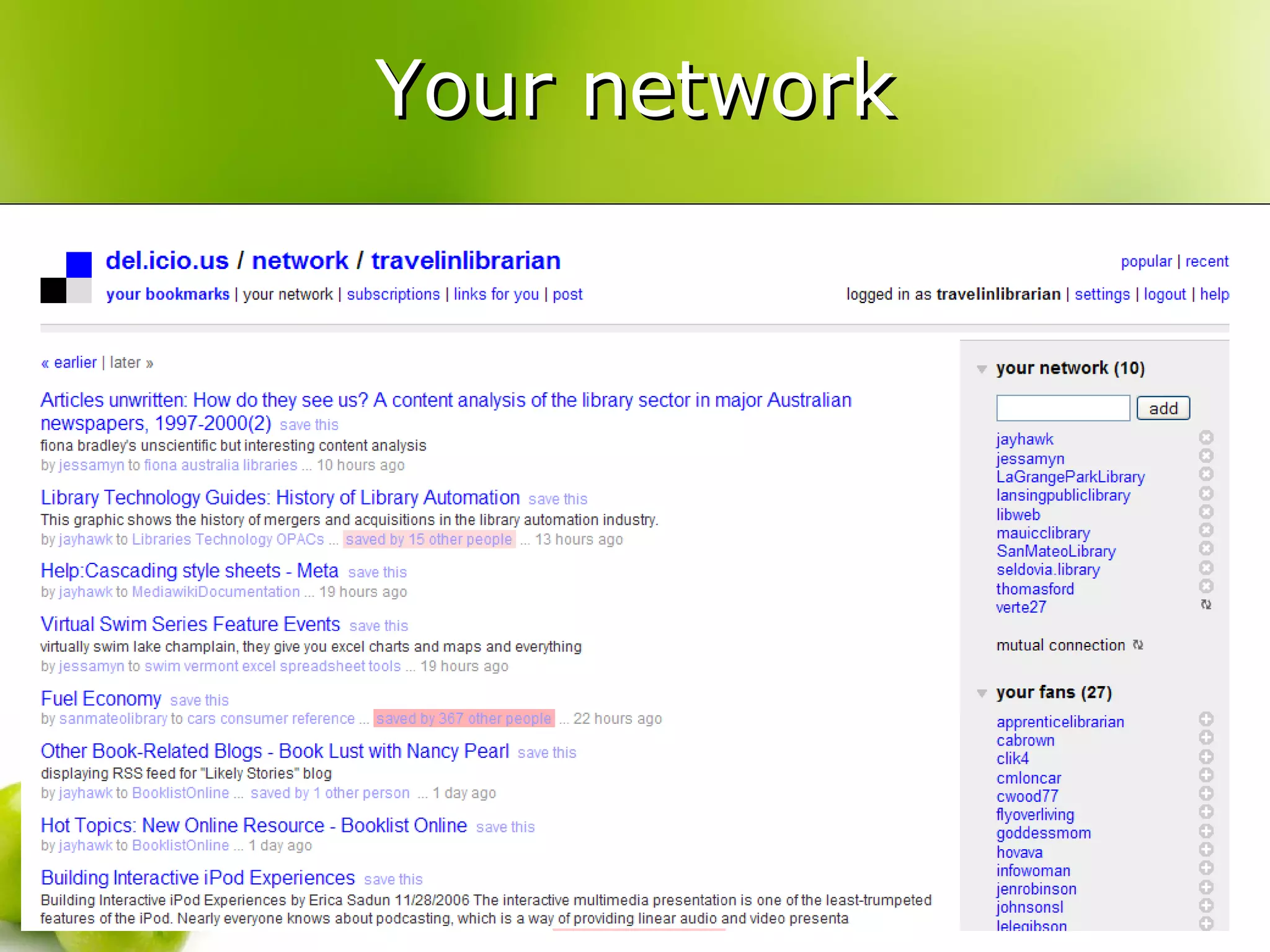
  20. Your network
    • Think of it as your del.icio.us friends list.
    • Add other users to your network to keep track of what they’re bookmarking.
  21. Your network
  22. for:
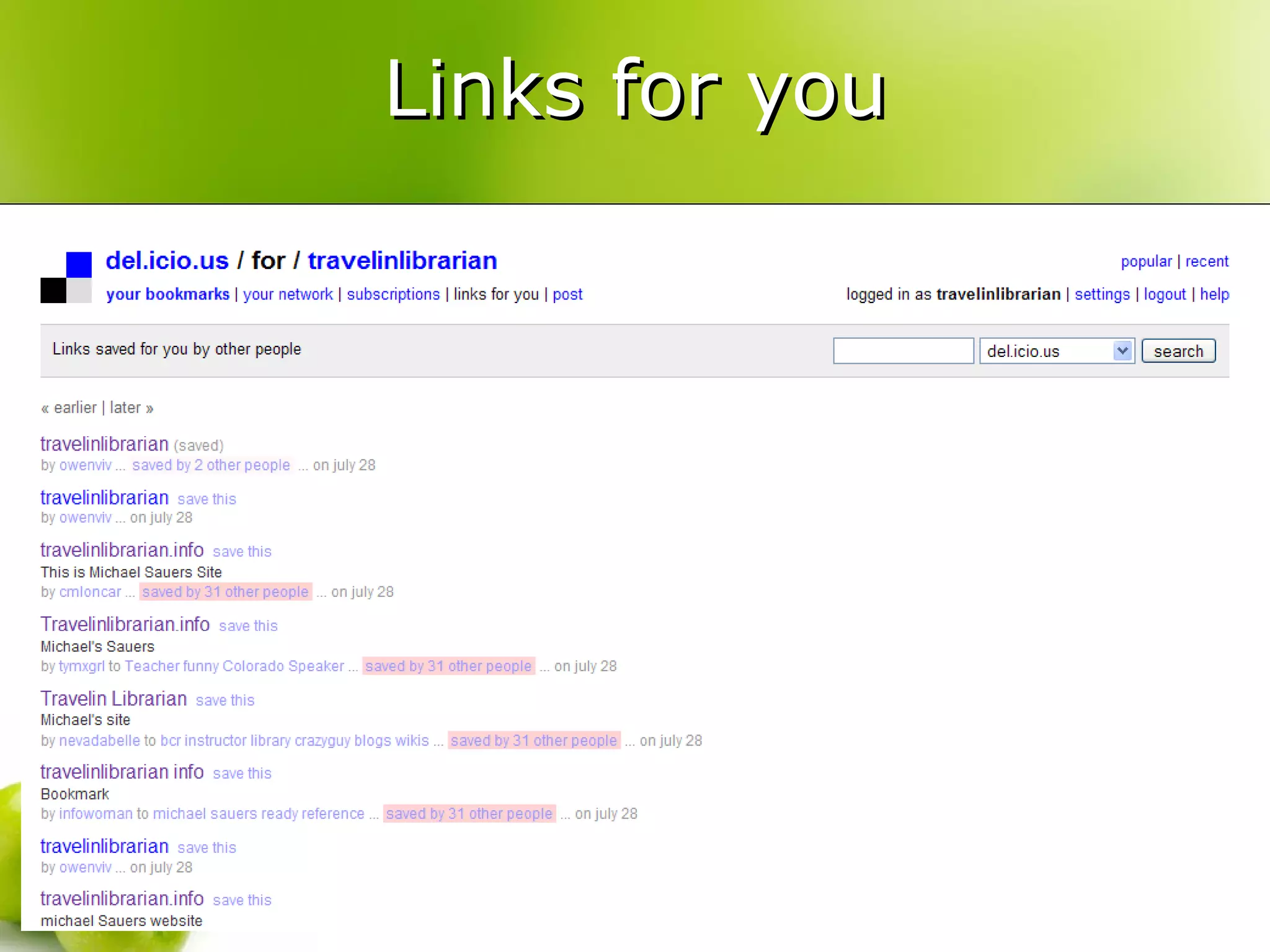
    • Add the tag for: username to send a bookmark to another del.icio.us user.
    • Users in your network will appear as suggested tags when you add a new bookmark.
  23. Links for you
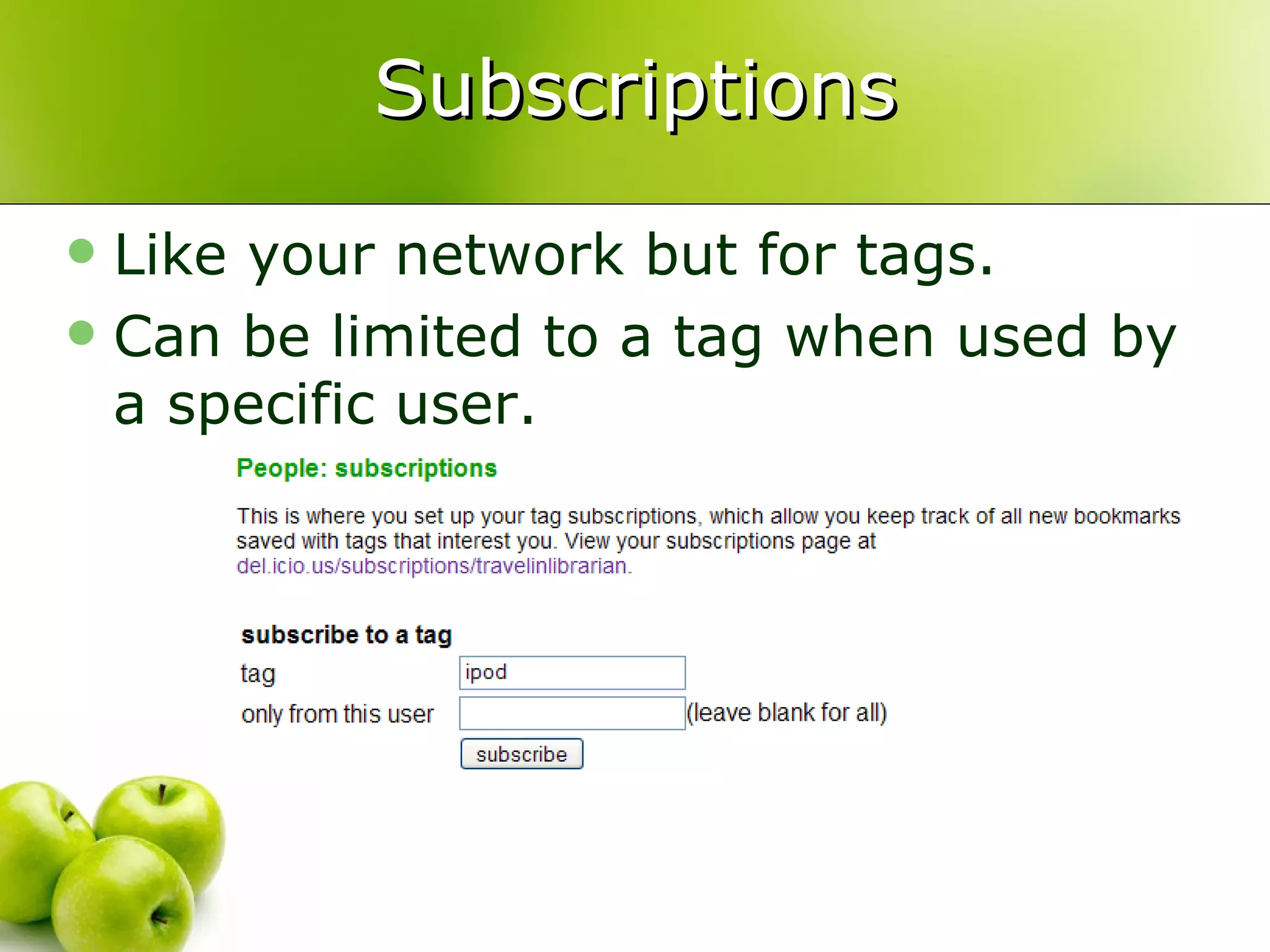
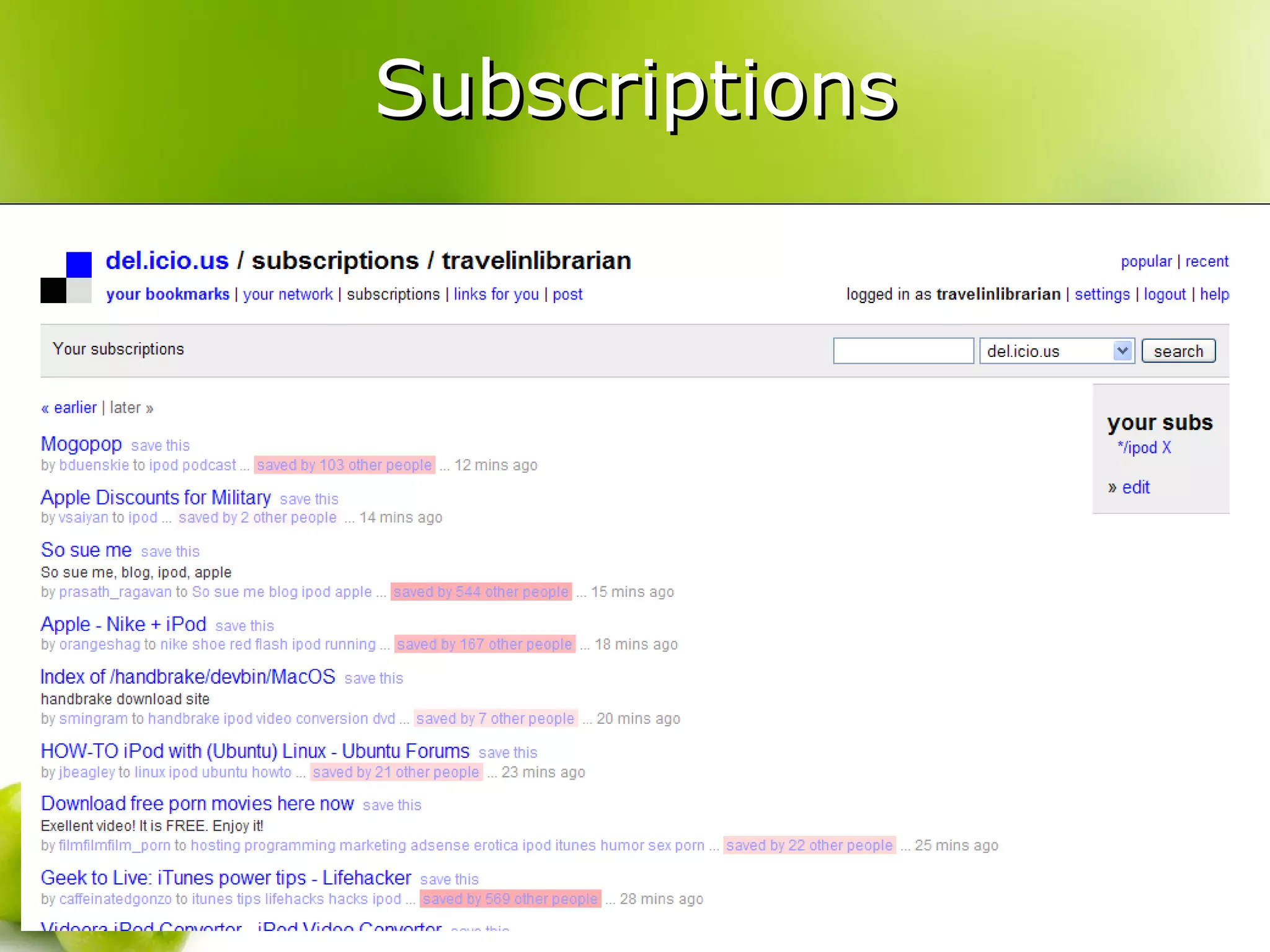
  24. Subscriptions
    • Like your network but for tags.
    • Can be limited to a tag when used by a specific user.
  25. Subscriptions
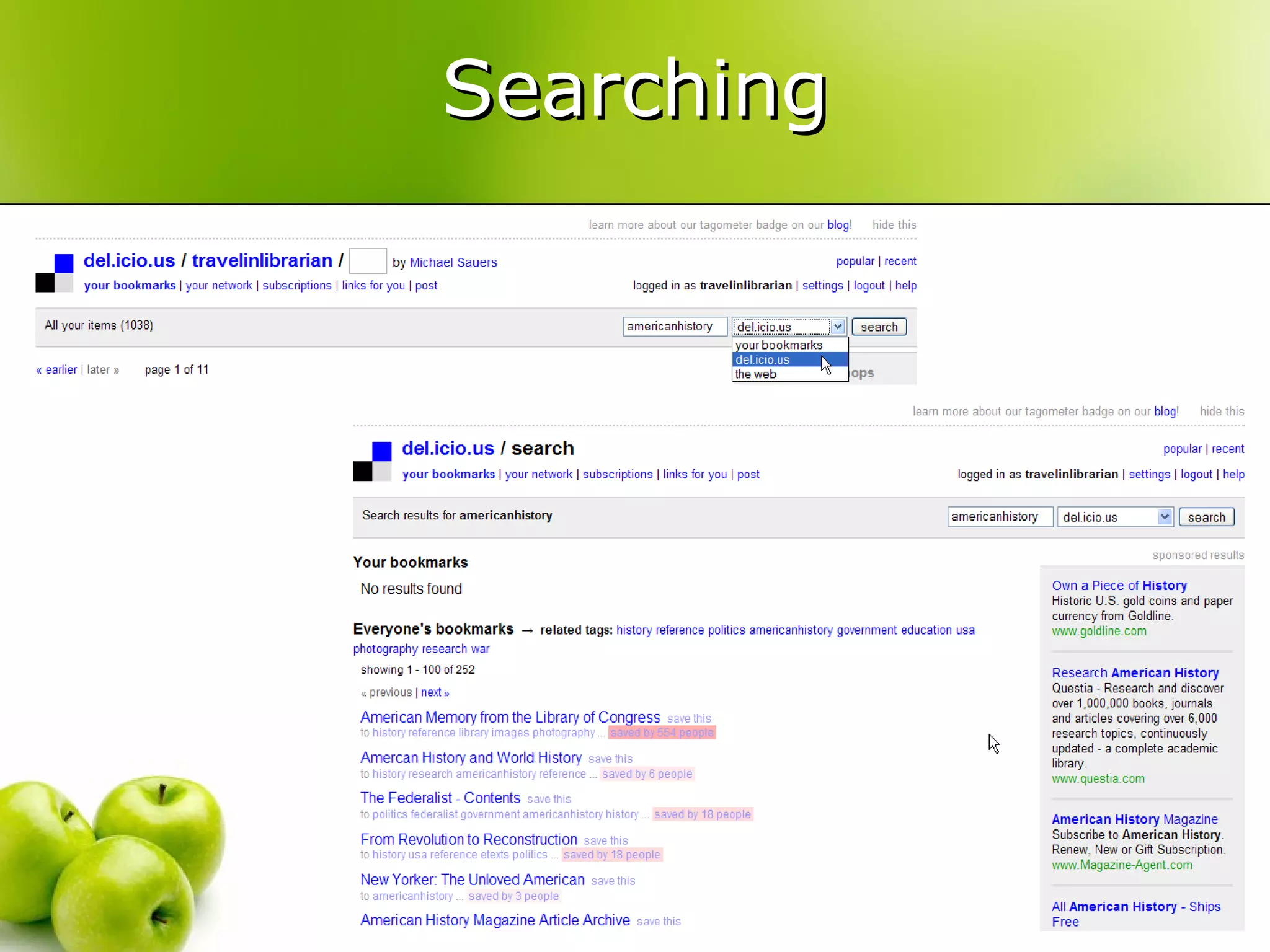
  26. Searching
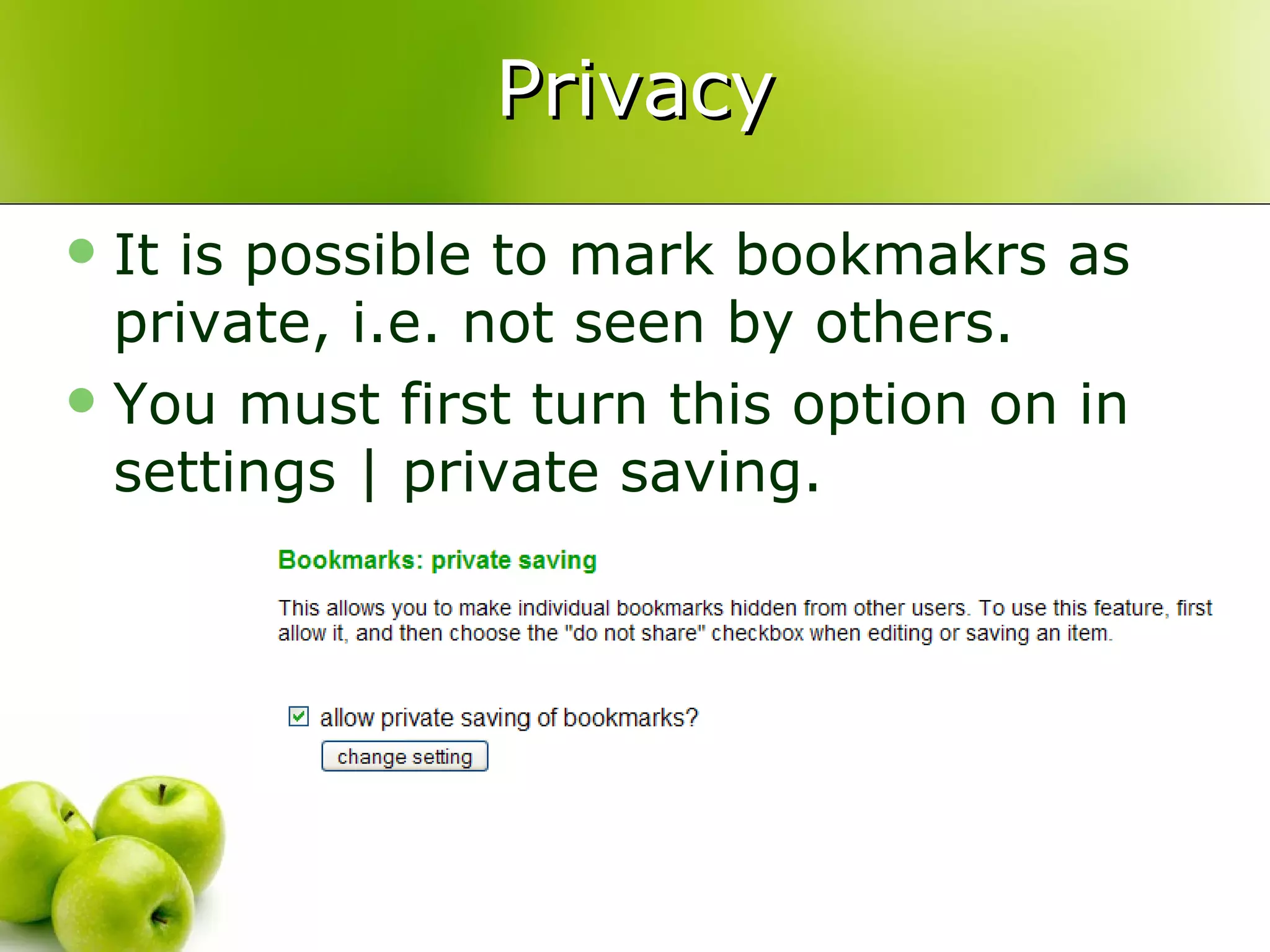
  27. Privacy
    • It is possible to mark bookmakrs as private, i.e. not seen by others.
    • You must first turn this option on in settings | private saving.
  28. Firefox Add-ons
    • del.icio.us classic
      • https://addons.mozilla.org/firefox/1532
    • del.icio.us Bookmarks
      • https://addons.mozilla.org/firefox/3615/
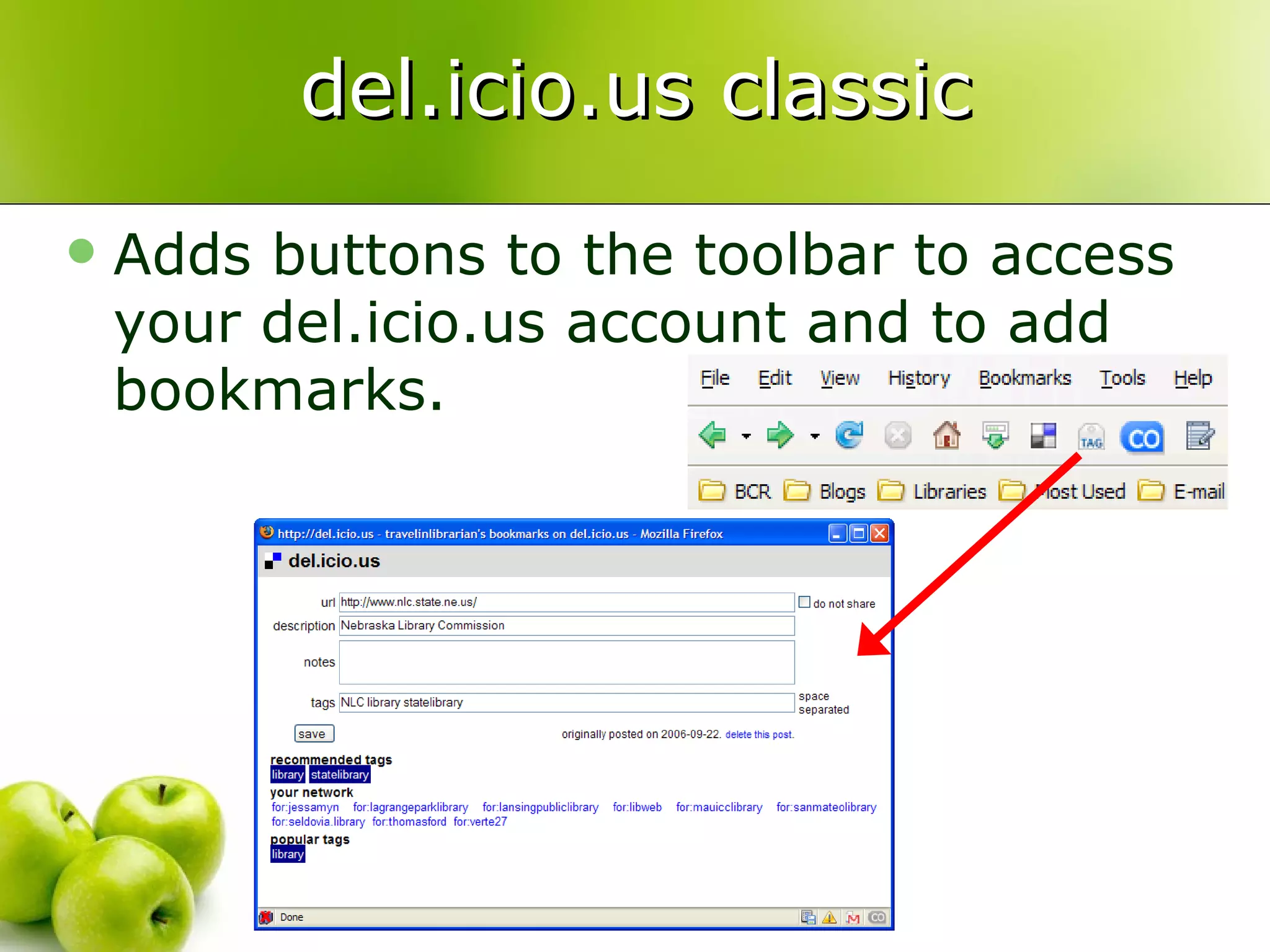
  29. del.icio.us classic
    • Adds buttons to the toolbar to access your del.icio.us account and to add bookmarks.
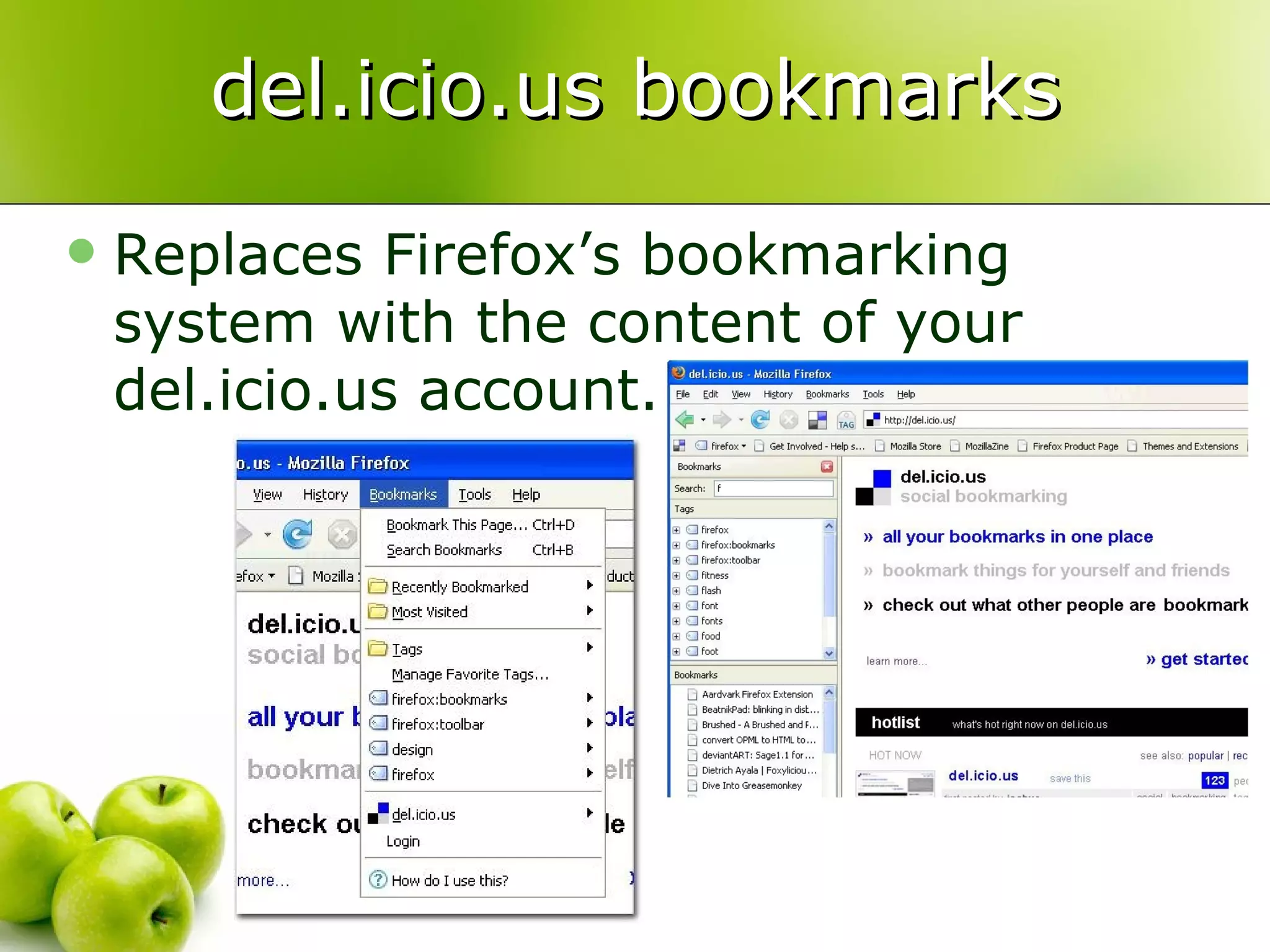
  30. del.icio.us bookmarks
    • Replaces Firefox’s bookmarking system with the content of your del.icio.us account.
  31. RSS in del.icio.us
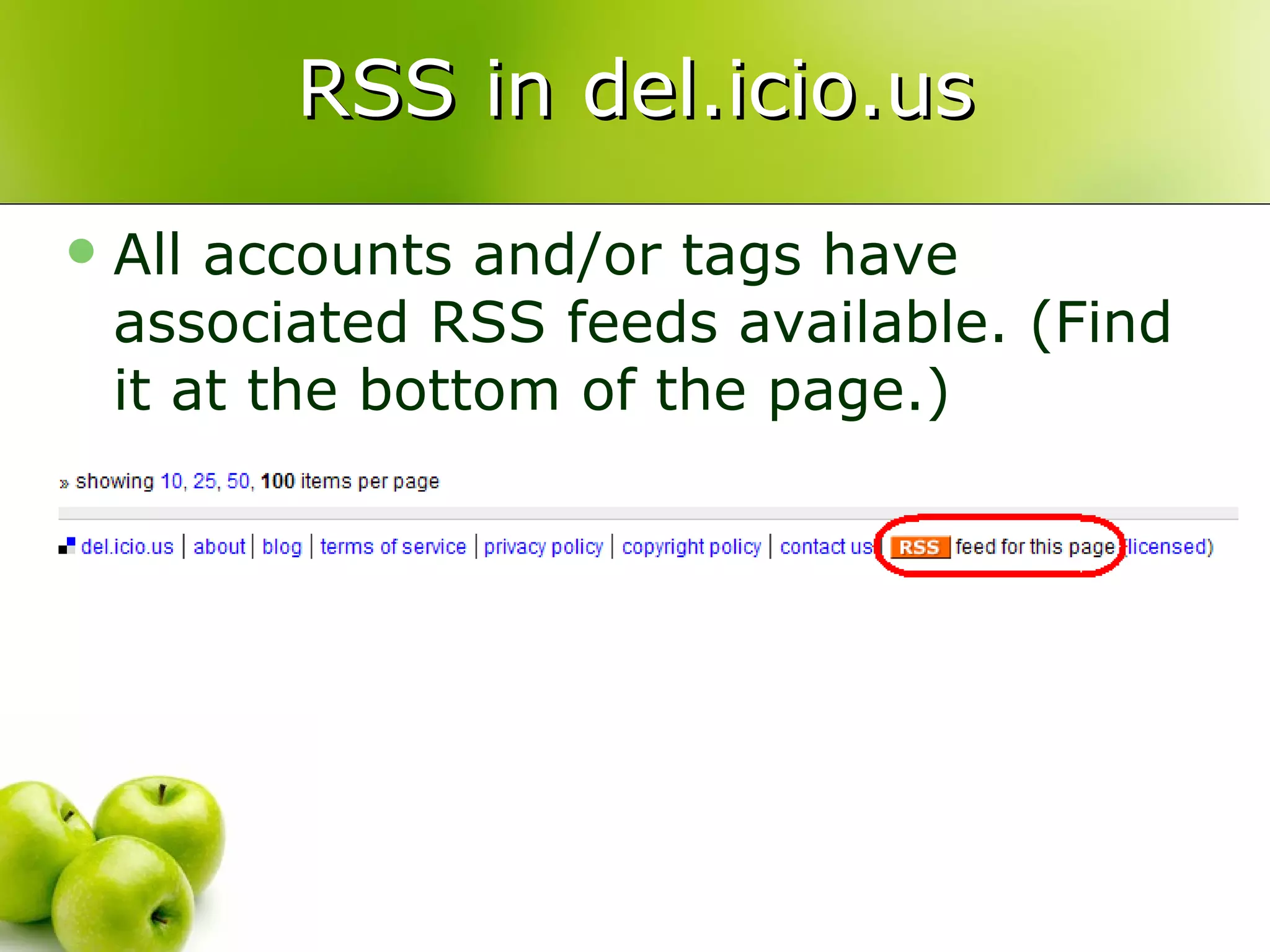
    • All accounts and/or tags have associated RSS feeds available. (Find it at the bottom of the page.)
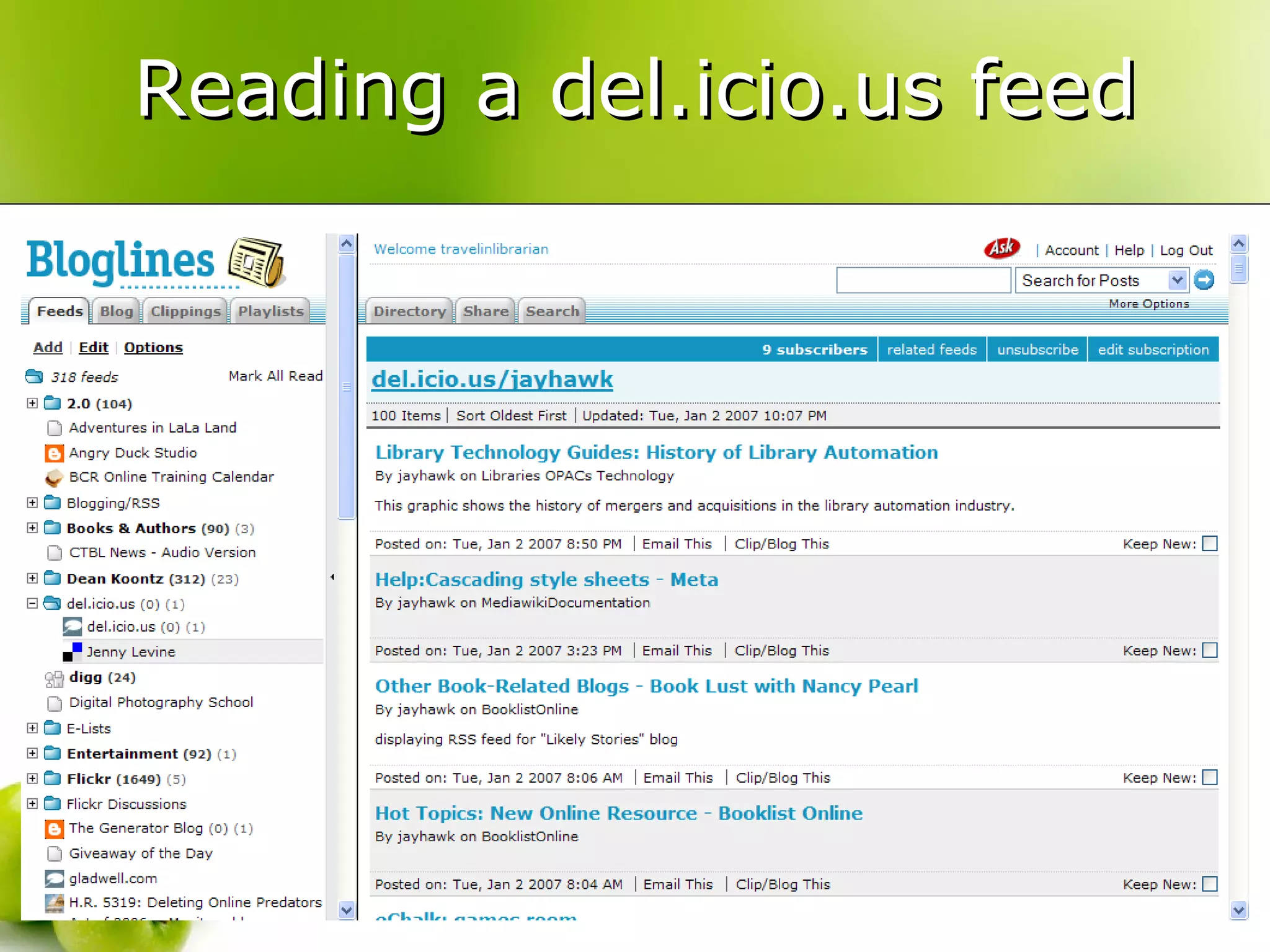
  32. Reading a del.icio.us feed
  33. Republishing del.icio.us RSS
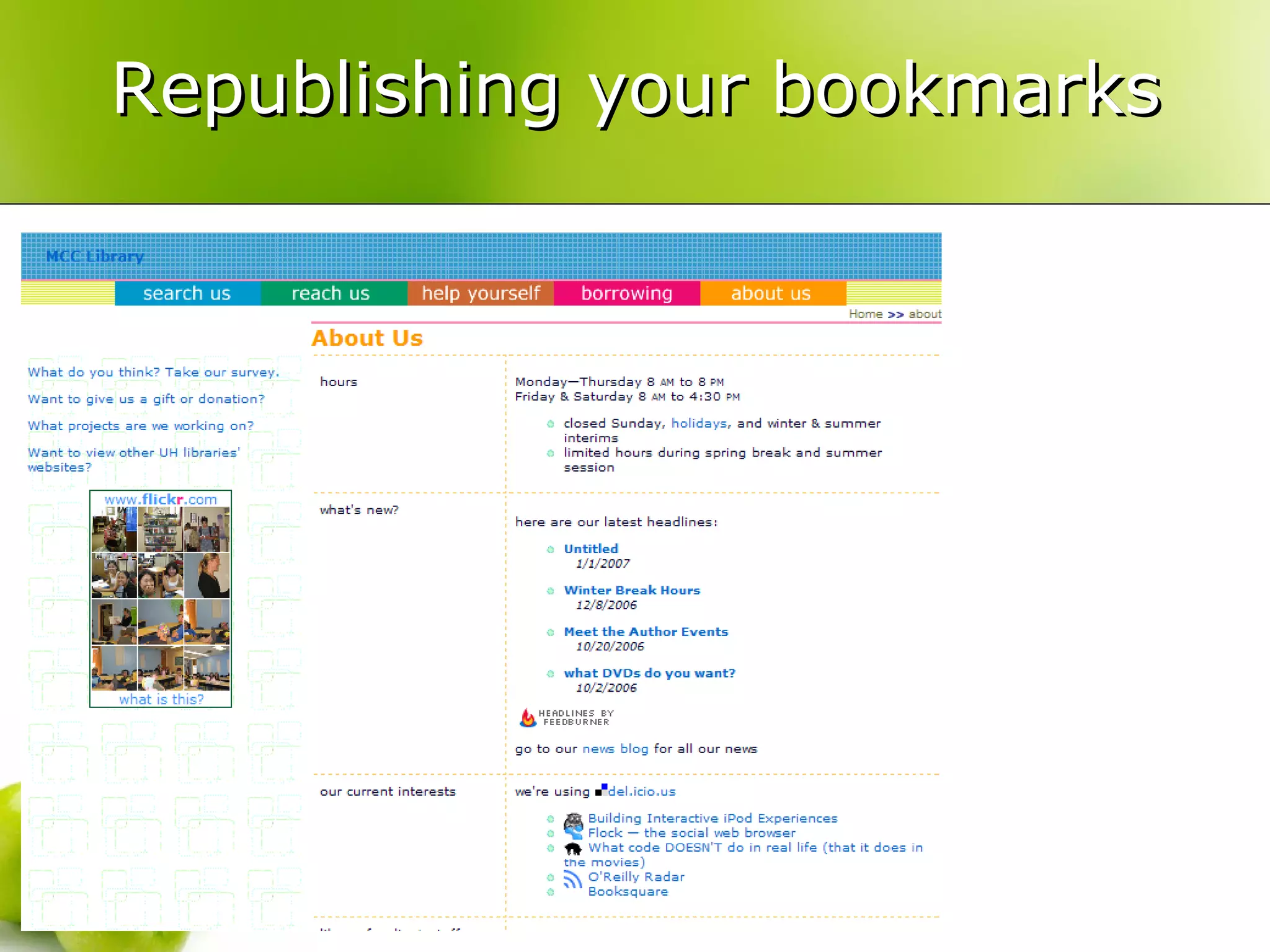
    • Send the RSS feed of your bookmarks through a service such as feed2js to display a list of your 10 most recent bookmarks on your Web site.
  34. Republishing your bookmarks
  35. Thank you!
    • Any questions?
    • Michael Sauers
    • [email_address]
    • http://travelinlibrarian.info/
    • http://del.icio.us/travelinlibrarian/

+ Michael SauersMichael Sauers, 3 years ago

custom

23995 views, 22 favs, 16 embeds more stats

An introduction to the social bookmarking service d more

More info about this document

CC Attribution-NonCommercial LicenseCC Attribution-NonCommercial License

Go to text version

  • Total Views 23995
    • 23917 on SlideShare
    • 78 from embeds
  • Comments 3
  • Favorites 22
  • Downloads 35
Most viewed embeds
  • 15 views on http://fju-eportfolio1.blogspot.com
  • 11 views on http://claudiaceraso.pbwiki.com
  • 11 views on http://fju-eportfolio2.blogspot.com
  • 8 views on http://webfolio101.blogspot.com
  • 8 views on http://fjueportfolio.blogspot.com

more

All embeds
  • 15 views on http://fju-eportfolio1.blogspot.com
  • 11 views on http://claudiaceraso.pbwiki.com
  • 11 views on http://fju-eportfolio2.blogspot.com
  • 8 views on http://webfolio101.blogspot.com
  • 8 views on http://fjueportfolio.blogspot.com
  • 6 views on http://dayures-it.blogspot.com
  • 5 views on http://moodle.ufsc.br
  • 4 views on http://mru-info.blogspot.com
  • 2 views on http://www.feedbite.com
  • 2 views on http://www.filescon.com
  • 1 views on http://www.fjueportfolio.blogspot.com
  • 1 views on http://itac.edublogs.org
  • 1 views on http://fremdsprachenundneuemedien.blogspot.com
  • 1 views on http://www.easyrapidshare.com
  • 1 views on http://heyjude.wordpress.com
  • 1 views on http://209.85.135.104

less

Flagged as inappropriate Flag as inappropriate
Flag as inappropriate

Select your reason for flagging this presentation as inappropriate. If needed, use the feedback form to let us know more details.

Cancel
File a copyright complaint
Having problems? Go to our helpdesk?

Categories