SVG Overview and JS Libraries Basics and review of available resources v1.0, Seamus Roche 1/5/2010
What is SVG? SVG or Scalable Vector Graphics is an open W3C standard for graphics on the web.  "Vector graphics" means that the SVG images are made up of lines, curves and other "smooth" elements, unlike "bitmap" formats such as GIF, JPEG or PNG.  When you zoom on these bitmap formats they become grainy and blocky, but when you zoom on an SVG, it stays smooth.1 1  http://www.boutell.com/newfaq/definitions/svg.html
How does SVG compare to Flash? While Flash and SVG can draw essentially the same things, there are important differences:2 1. Flash is a proprietary format. Although some of the Flash "SWF" file format specification is available, there are restrictions on its use. 2. SVG is XML-based. Loosely speaking, that means it looks a lot like HTML, and can be edited by hand or easily output from any scripting language, such as PHP. Flash is a binary format, which makes generating it "on the fly" much more difficult - although tools to do that with PHP and other languages do exist. 2  http://www.boutell.com/newfaq/definitions/svg.html
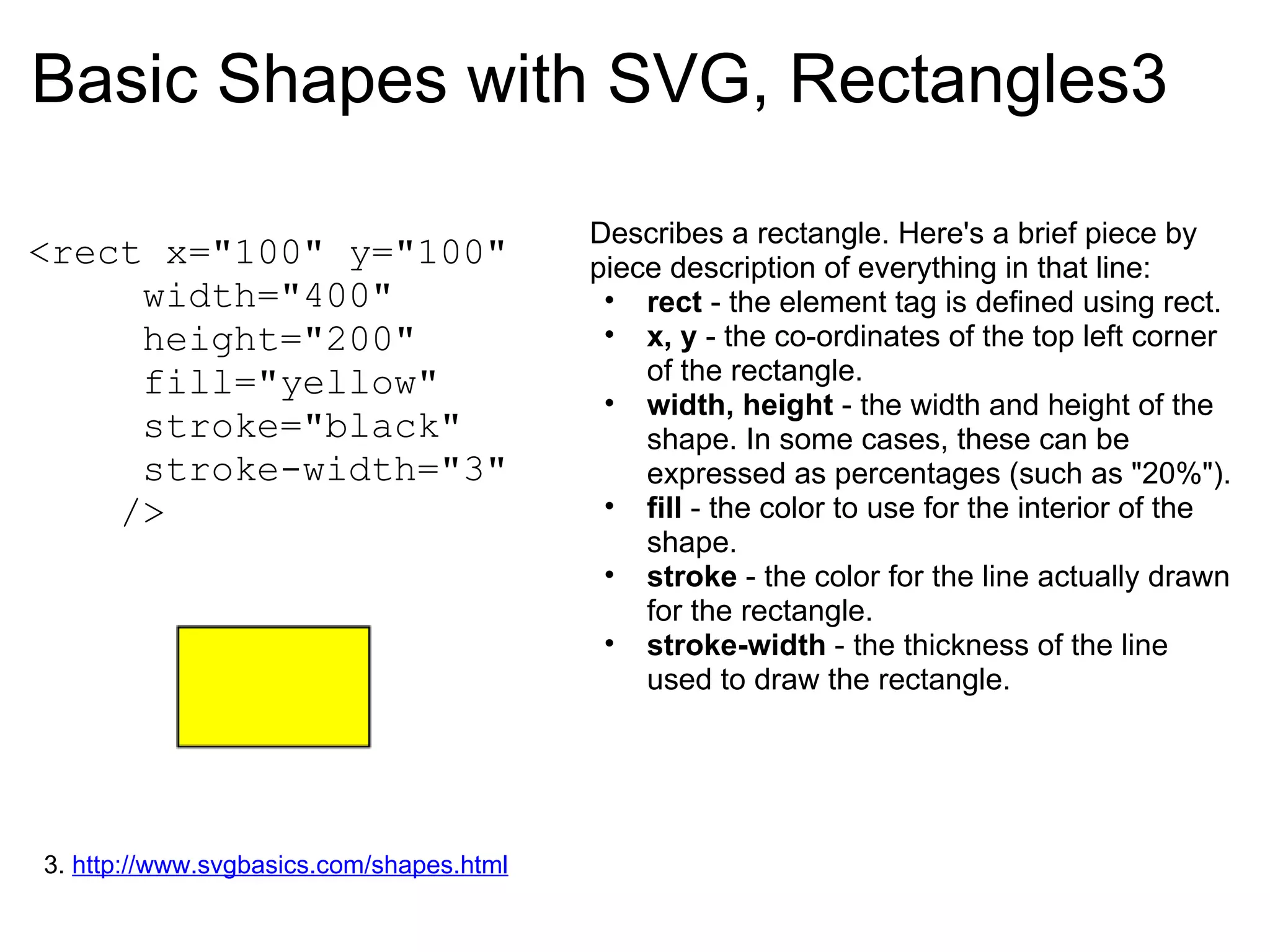
Basic Shapes with SVG, Rectangles3 <rect x=&quot;100&quot; y=&quot;100&quot;       width=&quot;400&quot;       height=&quot;200&quot;       fill=&quot;yellow&quot;       stroke=&quot;black&quot;       stroke-width=&quot;3&quot;      /> Describes a rectangle. Here's a brief piece by piece description of everything in that line: rect  - the element tag is defined using rect.  x, y  - the co-ordinates of the top left corner of the rectangle. width, height  - the width and height of the shape. In some cases, these can be expressed as percentages (such as &quot;20%&quot;). fill  - the color to use for the interior of the shape.  stroke  - the color for the line actually drawn for the rectangle. stroke-width  - the thickness of the line used to draw the rectangle. 3.  http://www.svgbasics.com/shapes.html  
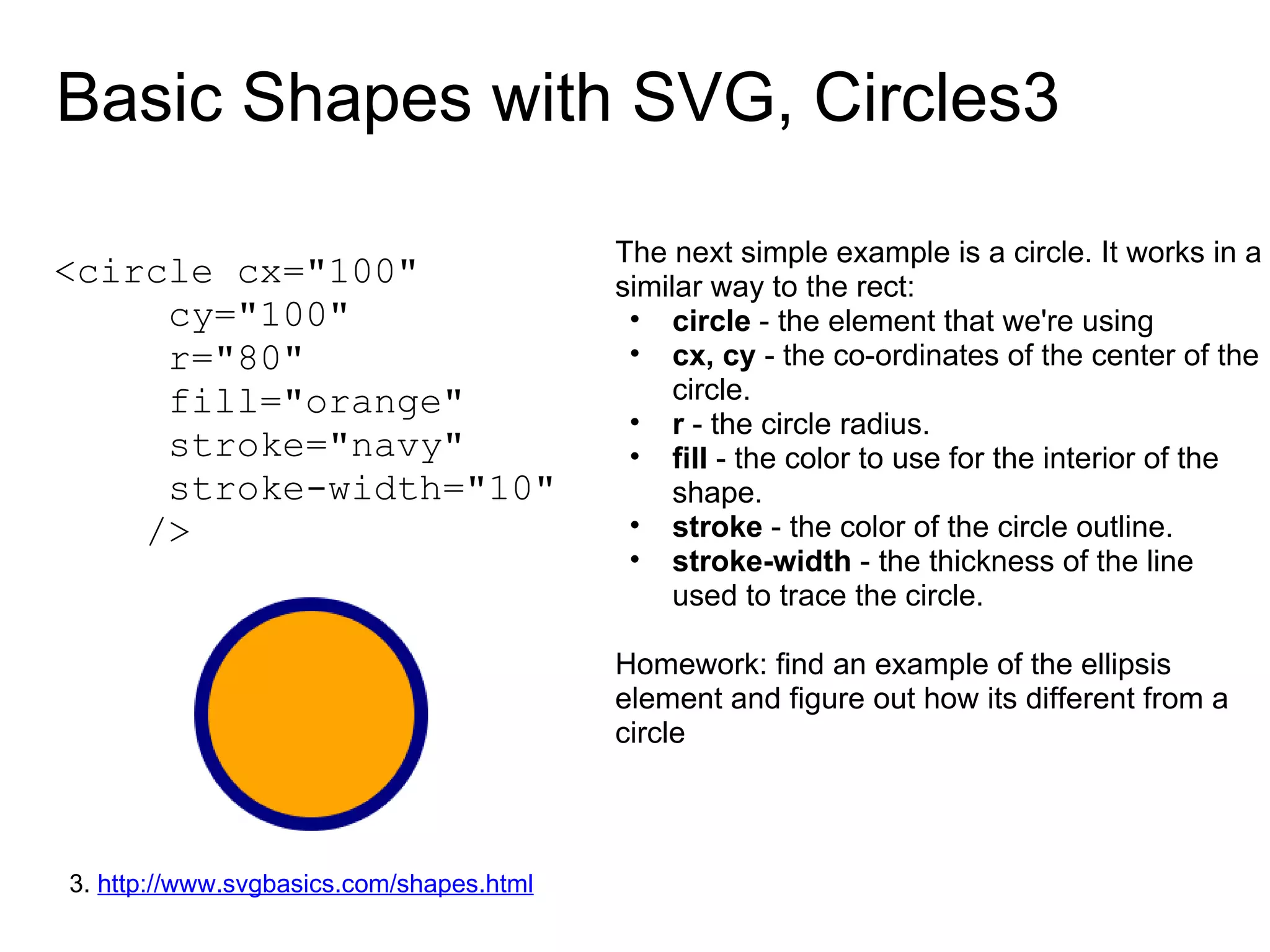
Basic Shapes with SVG, Circles3 <circle cx=&quot;100&quot;         cy=&quot;100&quot;       r=&quot;80&quot;       fill=&quot;orange&quot;       stroke=&quot;navy&quot;       stroke-width=&quot;10&quot;      /> The next simple example is a circle. It works in a similar way to the rect: circle  - the element that we're using cx, cy  - the co-ordinates of the center of the circle. r  - the circle radius. fill  - the color to use for the interior of the shape.  stroke  - the color of the circle outline. stroke-width  - the thickness of the line used to trace the circle. Homework: find an example of the ellipsis element and figure out how its different from a circle 3.  http://www.svgbasics.com/shapes.html  
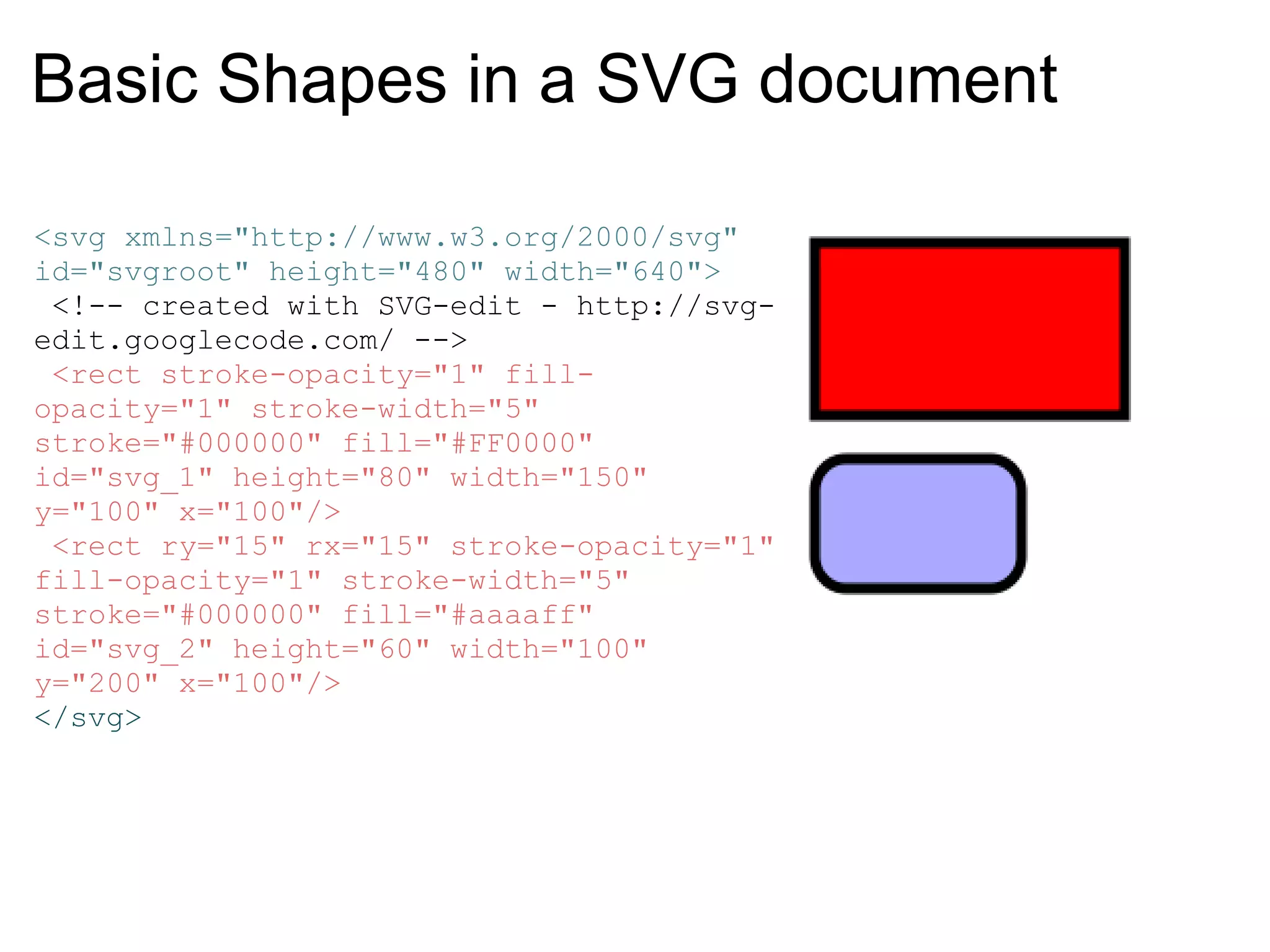
Basic Shapes in a SVG document <svg xmlns=&quot;http://www.w3.org/2000/svg&quot; id=&quot;svgroot&quot; height=&quot;480&quot; width=&quot;640&quot;>  <!-- created with SVG-edit - http://svg-edit.googlecode.com/ -->  <rect stroke-opacity=&quot;1&quot; fill-opacity=&quot;1&quot; stroke-width=&quot;5&quot; stroke=&quot;#000000&quot; fill=&quot;#FF0000&quot; id=&quot;svg_1&quot; height=&quot;80&quot; width=&quot;150&quot; y=&quot;100&quot; x=&quot;100&quot;/>  <rect ry=&quot;15&quot; rx=&quot;15&quot; stroke-opacity=&quot;1&quot; fill-opacity=&quot;1&quot; stroke-width=&quot;5&quot; stroke=&quot;#000000&quot; fill=&quot;#aaaaff&quot; id=&quot;svg_2&quot; height=&quot;60&quot; width=&quot;100&quot; y=&quot;200&quot; x=&quot;100&quot;/> </svg>
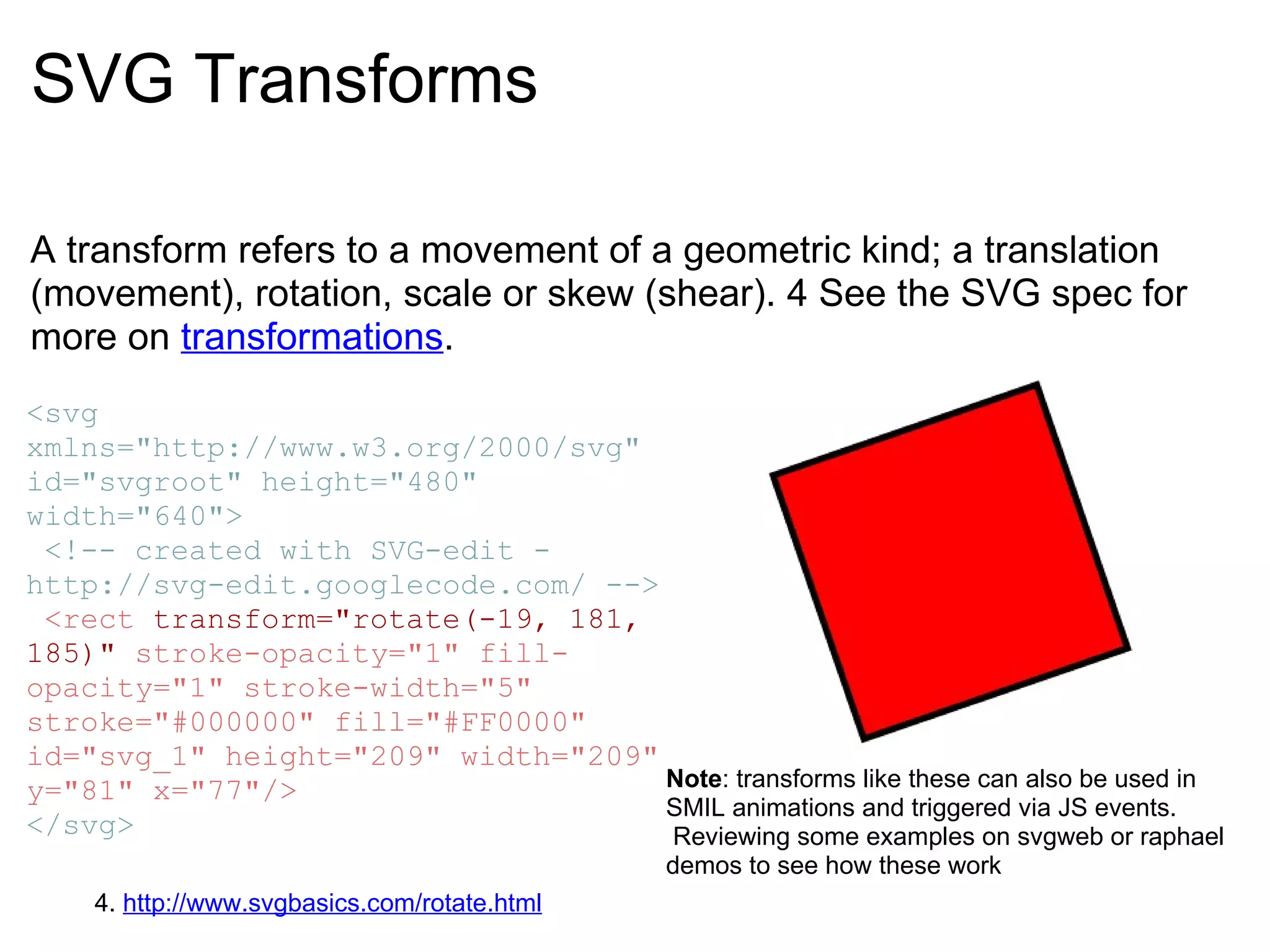
SVG Transforms A transform refers to a movement of a geometric kind; a translation (movement), rotation, scale or skew (shear). 4 See the SVG spec for more on  transformations . <svg xmlns=&quot;http://www.w3.org/2000/svg&quot; id=&quot;svgroot&quot; height=&quot;480&quot; width=&quot;640&quot;>  <!-- created with SVG-edit - http://svg-edit.googlecode.com/ -->   <rect  transform=&quot;rotate(-19, 181, 185)&quot;  stroke-opacity=&quot;1&quot; fill-opacity=&quot;1&quot; stroke-width=&quot;5&quot; stroke=&quot;#000000&quot; fill=&quot;#FF0000&quot; id=&quot;svg_1&quot; height=&quot;209&quot; width=&quot;209&quot; y=&quot;81&quot; x=&quot;77&quot;/> </svg> 4.  http://www.svgbasics.com/rotate.html Note : transforms like these can also be used in SMIL animations and triggered via JS events.  Reviewing some examples on svgweb or raphael demos to see how these work
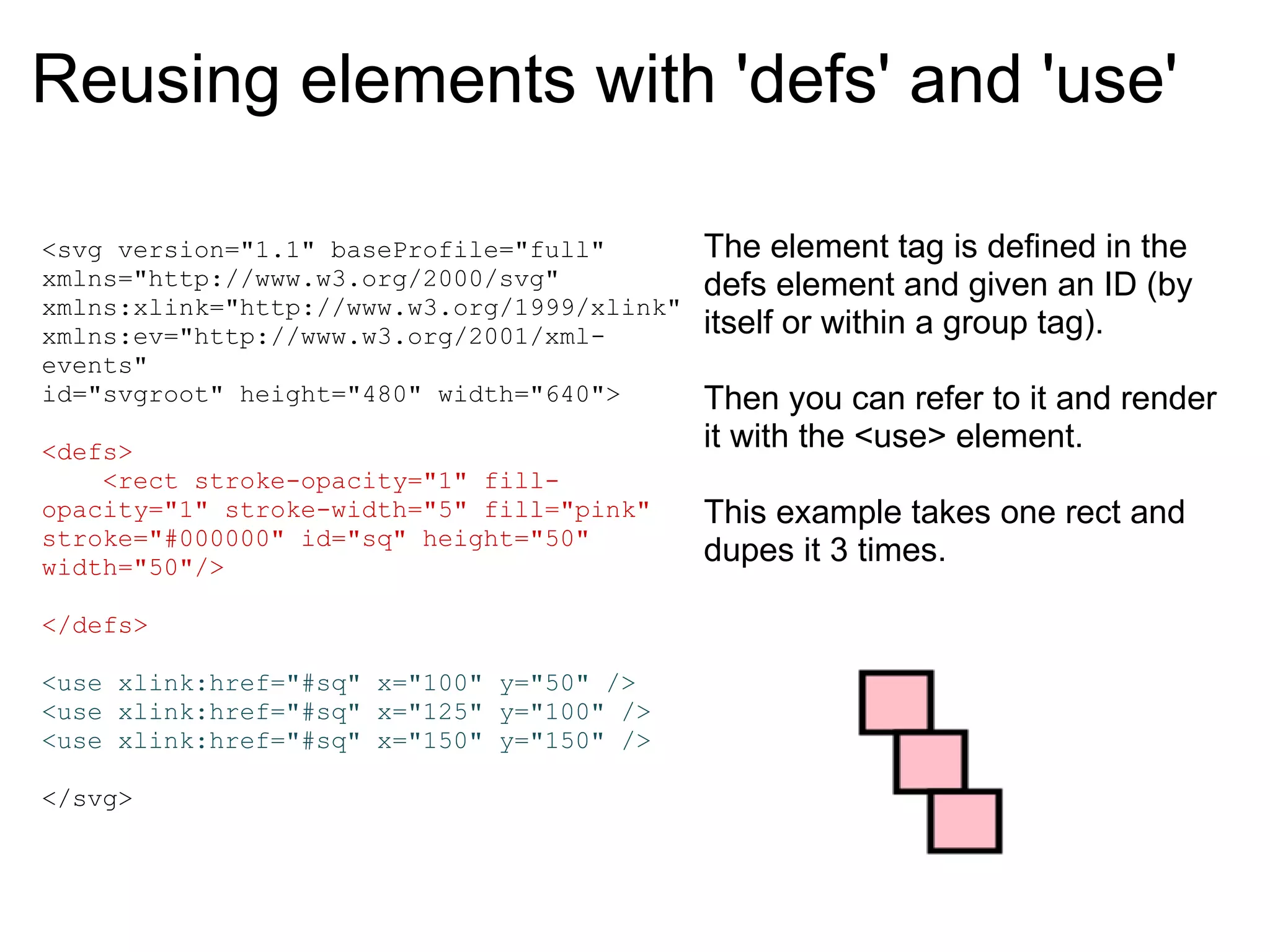
Reusing elements with 'defs' and 'use' <svg version=&quot;1.1&quot; baseProfile=&quot;full&quot; xmlns=&quot;http://www.w3.org/2000/svg&quot; xmlns:xlink=&quot;http://www.w3.org/1999/xlink&quot; xmlns:ev=&quot;http://www.w3.org/2001/xml-events&quot; id=&quot;svgroot&quot; height=&quot;480&quot; width=&quot;640&quot;>   <defs>      <rect stroke-opacity=&quot;1&quot; fill-opacity=&quot;1&quot; stroke-width=&quot;5&quot; fill=&quot;pink&quot; stroke=&quot;#000000&quot; id=&quot;sq&quot; height=&quot;50&quot; width=&quot;50&quot;/>   </defs>   <use xlink:href=&quot;#sq&quot; x=&quot;100&quot; y=&quot;50&quot; /> <use xlink:href=&quot;#sq&quot; x=&quot;125&quot; y=&quot;100&quot; /> <use xlink:href=&quot;#sq&quot; x=&quot;150&quot; y=&quot;150&quot; />   </svg> The element tag is defined in the defs element and given an ID (by itself or within a group tag).     Then you can refer to it and render it with the <use> element.     This example takes one rect and dupes it 3 times.
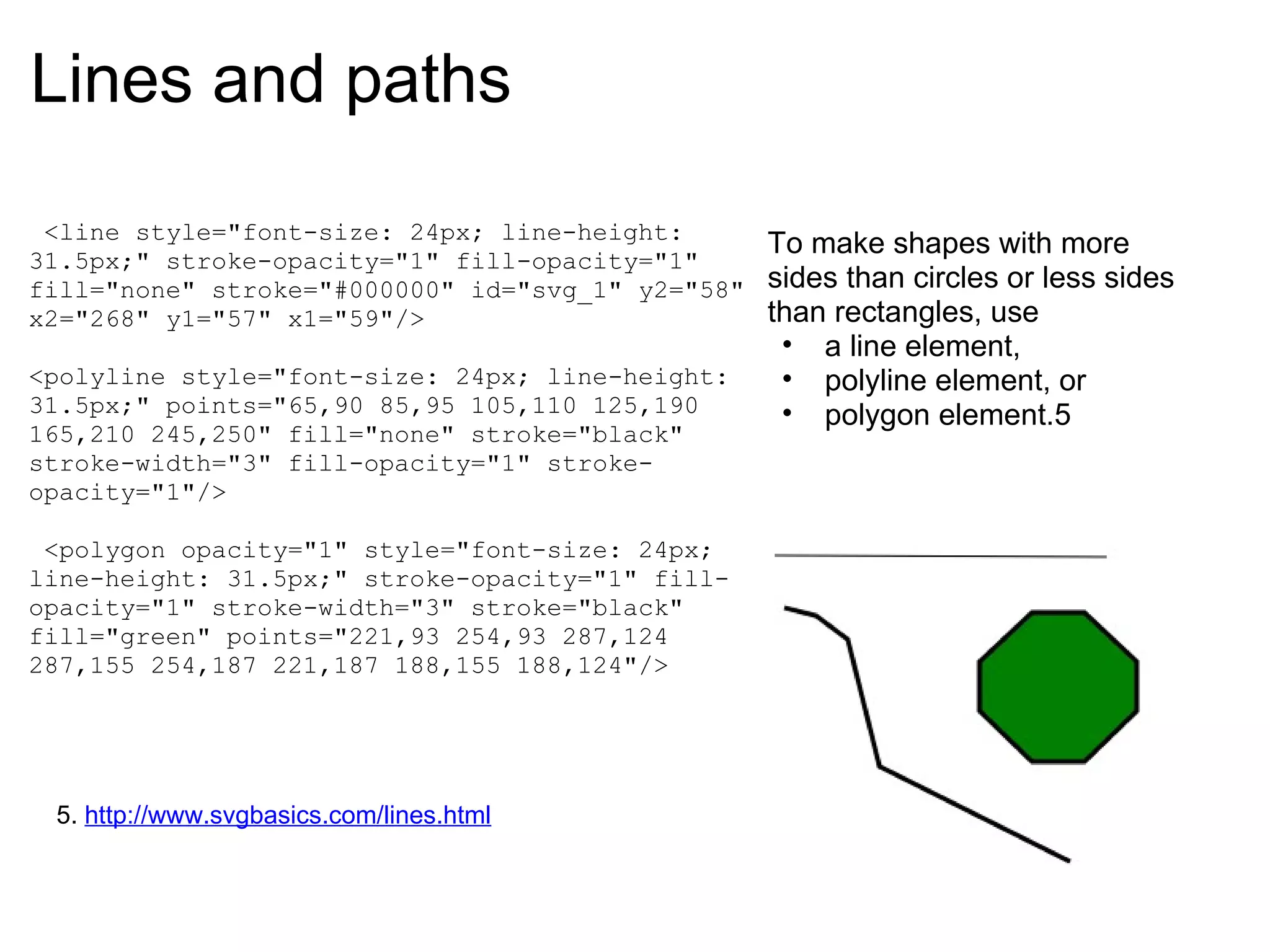
Lines and paths   <line style=&quot;font-size: 24px; line-height: 31.5px;&quot; stroke-opacity=&quot;1&quot; fill-opacity=&quot;1&quot; fill=&quot;none&quot; stroke=&quot;#000000&quot; id=&quot;svg_1&quot; y2=&quot;58&quot; x2=&quot;268&quot; y1=&quot;57&quot; x1=&quot;59&quot;/>   <polyline style=&quot;font-size: 24px; line-height: 31.5px;&quot; points=&quot;65,90 85,95 105,110 125,190 165,210 245,250&quot; fill=&quot;none&quot; stroke=&quot;black&quot; stroke-width=&quot;3&quot; fill-opacity=&quot;1&quot; stroke-opacity=&quot;1&quot;/>     <polygon opacity=&quot;1&quot; style=&quot;font-size: 24px; line-height: 31.5px;&quot; stroke-opacity=&quot;1&quot; fill-opacity=&quot;1&quot; stroke-width=&quot;3&quot; stroke=&quot;black&quot; fill=&quot;green&quot; points=&quot;221,93 254,93 287,124 287,155 254,187 221,187 188,155 188,124&quot;/> To make shapes with more sides than circles or less sides than rectangles, use  a line element,  polyline element, or  polygon element.5 5.  http://www.svgbasics.com/lines.html
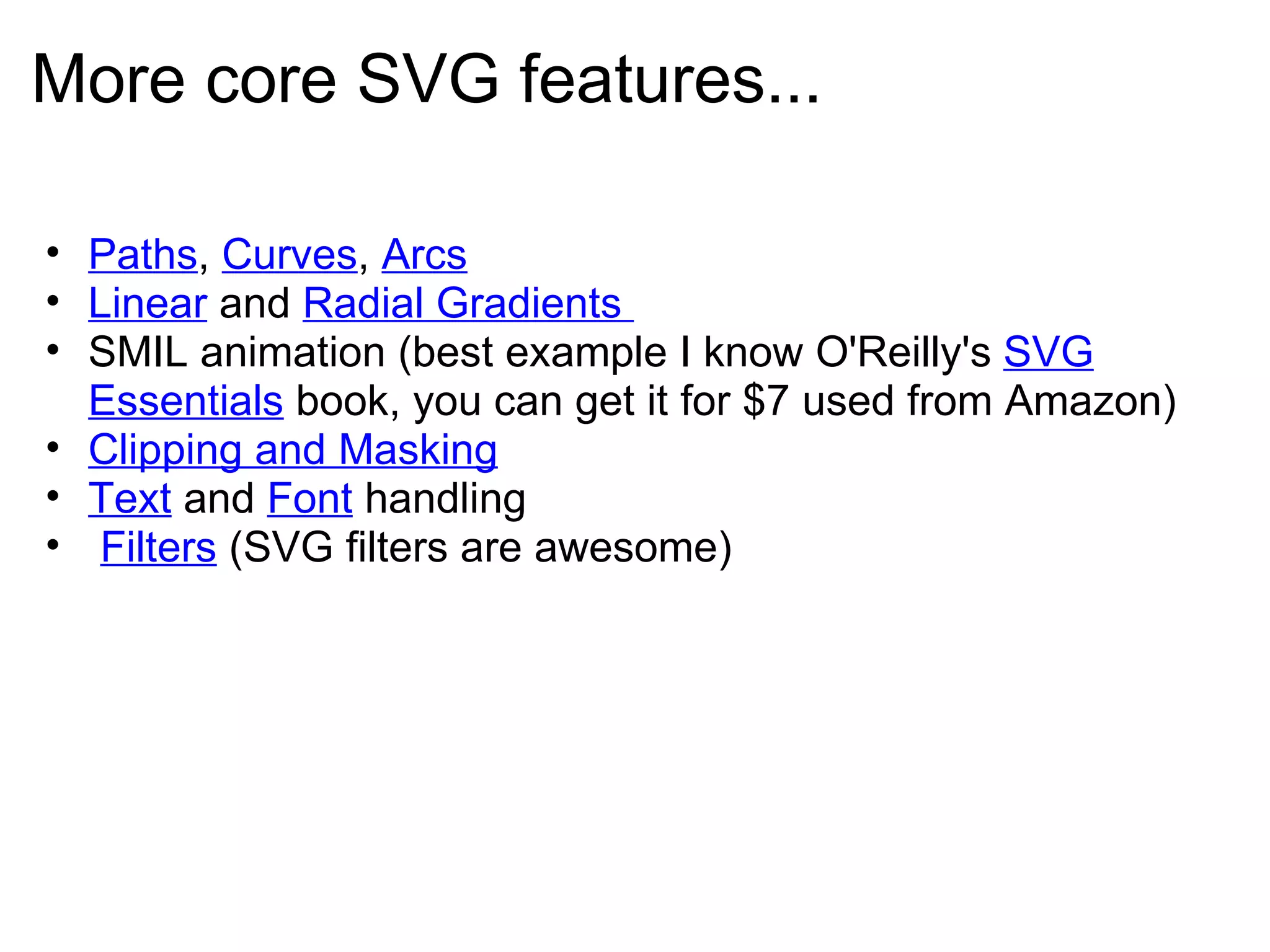
More core SVG features... Paths ,  Curves ,  Arcs Linear  and  Radial Gradients  SMIL animation (best example I know O'Reilly's  SVG Essentials  book, you can get it for $7 used from Amazon) Clipping and Masking Text  and  Font  handling    Filters  (SVG filters are awesome)
JS Libraries for using SVG SVG, the Scalable Vector Graphics standard, has been &quot;held hostage&quot; of its lack of support in Internet Explorer for the last 6 years since SVG 1.1 became a W3C recommendation.   Google is now fixing this with  SVG Web , a Javascript library that emulates SVG but it still requires the Flash plugin.    The other option is to use  Raphaël , an outstanding Javascript dynamic vector graphic library that relies on SVG in SVG-capable web browsers and VML in IE. Raphaël which is currently at version 0.8.6 is growing fast as the solution for Plugin-free vector graphics on the web.6 6  http://techmatters.posterous.com/svg-in-internet-explorer-svgweb-and-raphael
A note on SVG and browser support All &quot;modern browsers&quot; are continuing to improve SVG support:    Mozilla nightlies now have SMIL support    WebKit nightlies now have Filters IE's marketshare has been steadily dropping year-by-year Microsoft joined the W3C SVG Working Group in January 2010
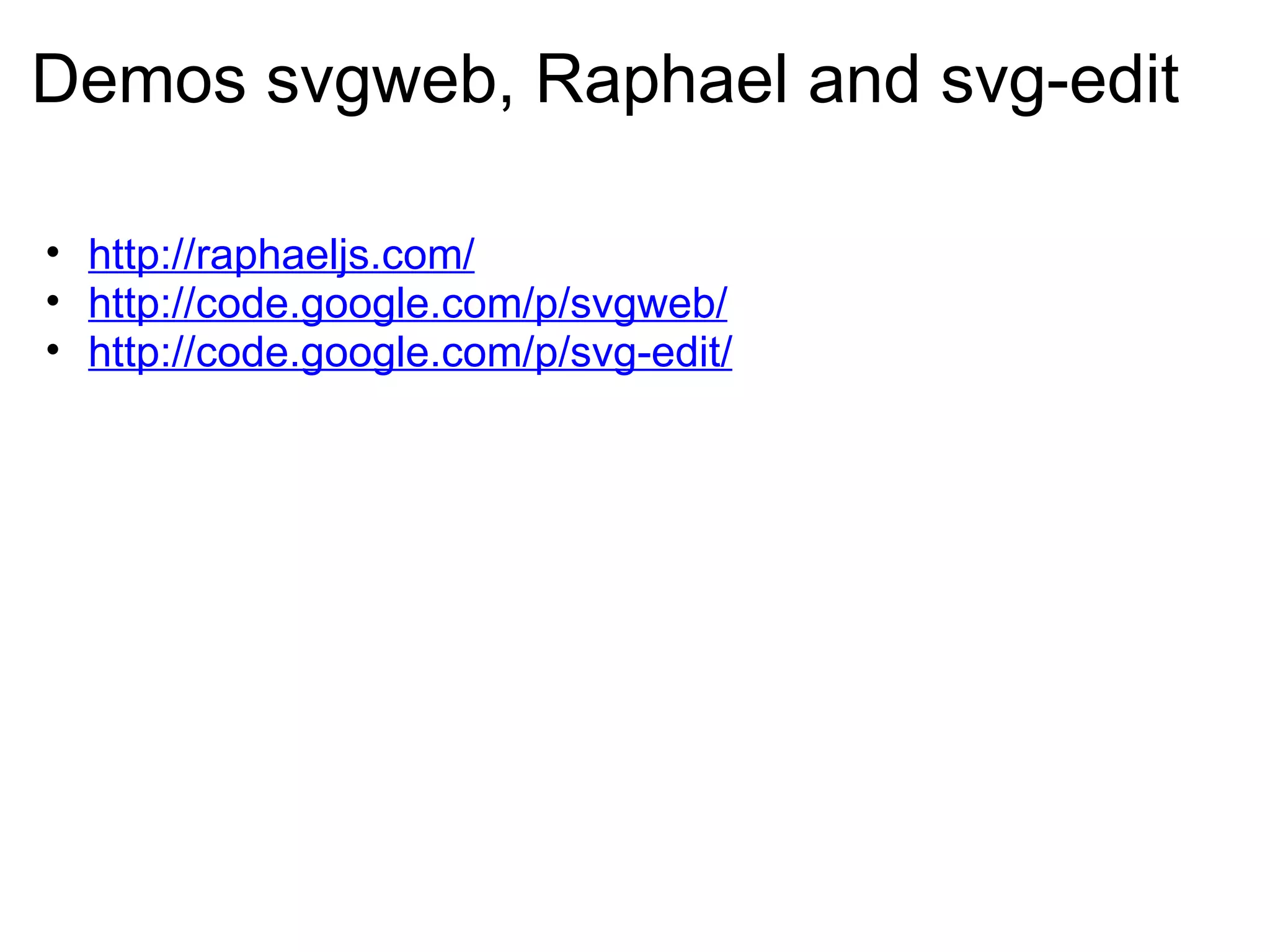
Demos svgweb, Raphael and svg-edit http://raphaeljs.com/ http://code.google.com/p/svgweb/ http://code.google.com/p/svg-edit/
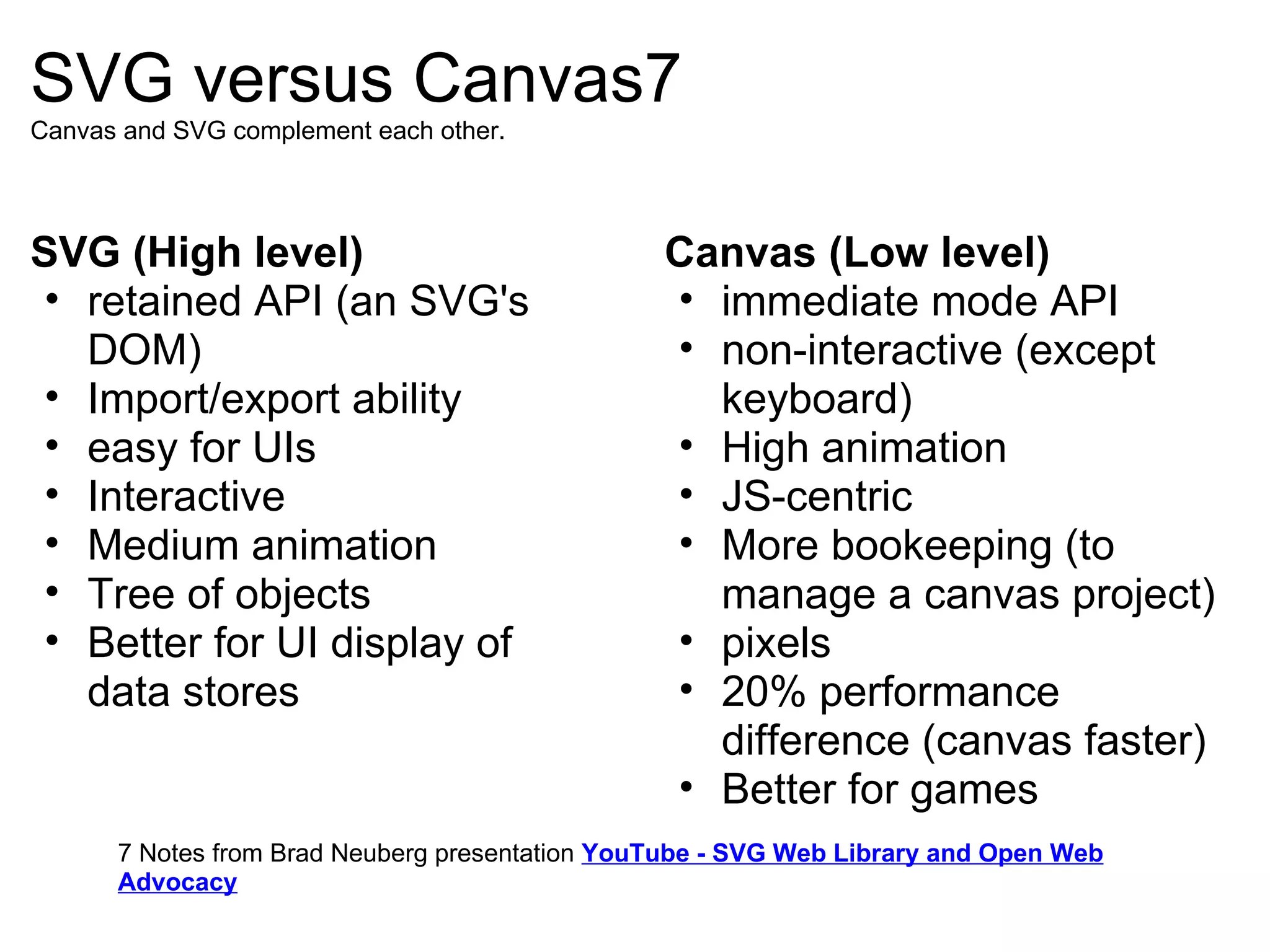
SVG versus Canvas7 Canvas and SVG complement each other. SVG (High level) retained API (an SVG's DOM) Import/export ability easy for UIs Interactive Medium animation Tree of objects Better for UI display of data stores Canvas (Low level) immediate mode API non-interactive (except keyboard) High animation JS-centric More bookeeping (to manage a canvas project) pixels 20% performance difference (canvas faster) Better for games 7 Notes from Brad Neuberg presentation  YouTube - SVG Web Library and Open Web Advocacy
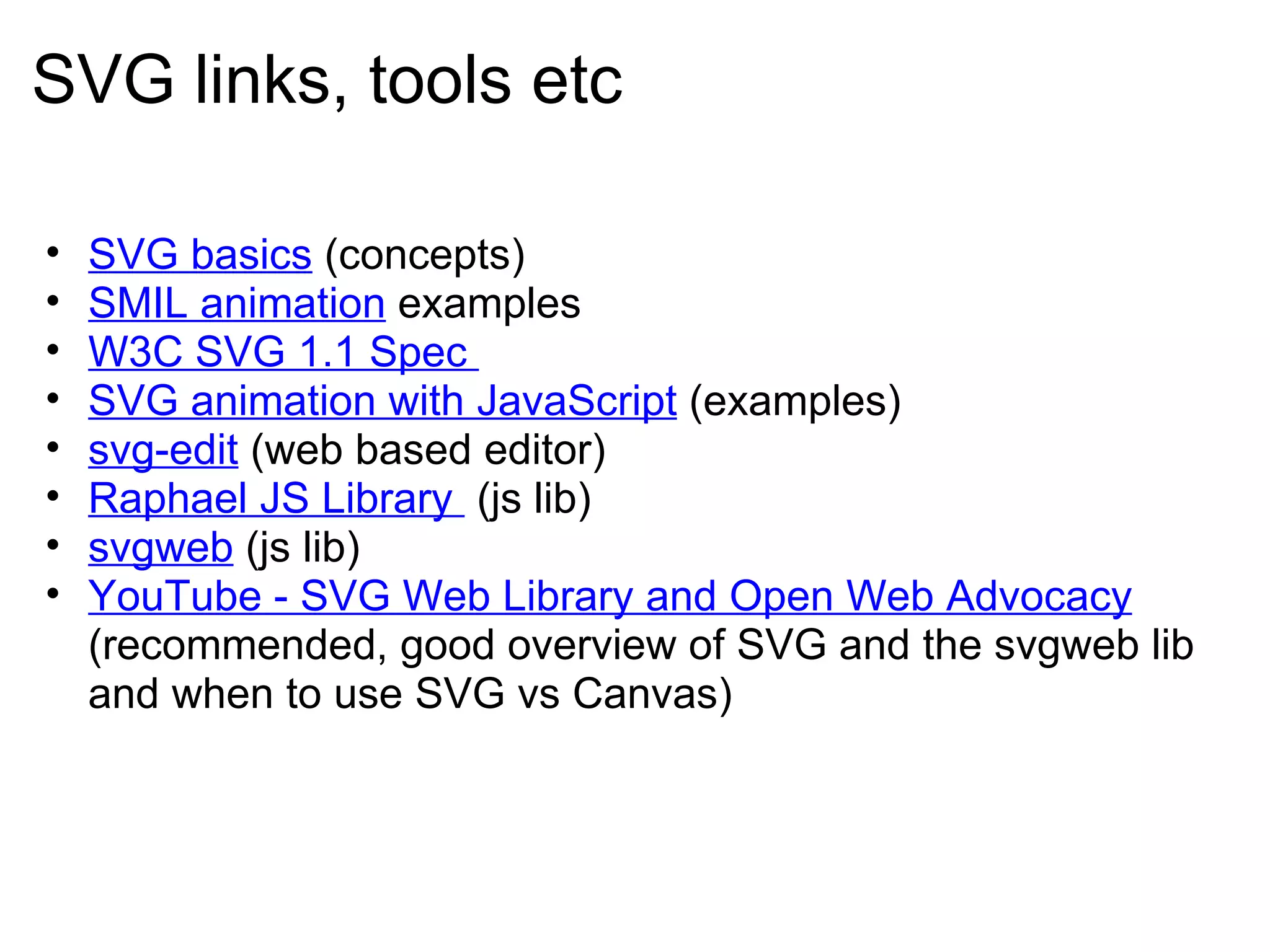
SVG links, tools etc SVG basics  (concepts) SMIL animation  examples W3C SVG 1.1 Spec  SVG animation with JavaScript  (examples) svg-edit  (web based editor)  Raphael JS Library   (js lib)  svgweb  (js lib) YouTube - SVG Web Library and Open Web Advocacy  (recommended, good overview of SVG and the svgweb lib and when to use SVG vs Canvas)
SVG Overview and JS Libraries the end.

Svg Overview And Js Libraries

  • 1.
    SVG Overview andJS Libraries Basics and review of available resources v1.0, Seamus Roche 1/5/2010
  • 2.
    What is SVG?SVG or Scalable Vector Graphics is an open W3C standard for graphics on the web.  &quot;Vector graphics&quot; means that the SVG images are made up of lines, curves and other &quot;smooth&quot; elements, unlike &quot;bitmap&quot; formats such as GIF, JPEG or PNG.  When you zoom on these bitmap formats they become grainy and blocky, but when you zoom on an SVG, it stays smooth.1 1 http://www.boutell.com/newfaq/definitions/svg.html
  • 3.
    How does SVGcompare to Flash? While Flash and SVG can draw essentially the same things, there are important differences:2 1. Flash is a proprietary format. Although some of the Flash &quot;SWF&quot; file format specification is available, there are restrictions on its use. 2. SVG is XML-based. Loosely speaking, that means it looks a lot like HTML, and can be edited by hand or easily output from any scripting language, such as PHP. Flash is a binary format, which makes generating it &quot;on the fly&quot; much more difficult - although tools to do that with PHP and other languages do exist. 2 http://www.boutell.com/newfaq/definitions/svg.html
  • 4.
    Basic Shapes withSVG, Rectangles3 <rect x=&quot;100&quot; y=&quot;100&quot;      width=&quot;400&quot;      height=&quot;200&quot;      fill=&quot;yellow&quot;      stroke=&quot;black&quot;      stroke-width=&quot;3&quot;      /> Describes a rectangle. Here's a brief piece by piece description of everything in that line: rect - the element tag is defined using rect. x, y - the co-ordinates of the top left corner of the rectangle. width, height - the width and height of the shape. In some cases, these can be expressed as percentages (such as &quot;20%&quot;). fill - the color to use for the interior of the shape.  stroke - the color for the line actually drawn for the rectangle. stroke-width - the thickness of the line used to draw the rectangle. 3. http://www.svgbasics.com/shapes.html  
  • 5.
    Basic Shapes withSVG, Circles3 <circle cx=&quot;100&quot;         cy=&quot;100&quot;      r=&quot;80&quot;      fill=&quot;orange&quot;      stroke=&quot;navy&quot;      stroke-width=&quot;10&quot;      /> The next simple example is a circle. It works in a similar way to the rect: circle - the element that we're using cx, cy - the co-ordinates of the center of the circle. r - the circle radius. fill - the color to use for the interior of the shape.  stroke - the color of the circle outline. stroke-width - the thickness of the line used to trace the circle. Homework: find an example of the ellipsis element and figure out how its different from a circle 3. http://www.svgbasics.com/shapes.html  
  • 6.
    Basic Shapes ina SVG document <svg xmlns=&quot;http://www.w3.org/2000/svg&quot; id=&quot;svgroot&quot; height=&quot;480&quot; width=&quot;640&quot;>  <!-- created with SVG-edit - http://svg-edit.googlecode.com/ -->  <rect stroke-opacity=&quot;1&quot; fill-opacity=&quot;1&quot; stroke-width=&quot;5&quot; stroke=&quot;#000000&quot; fill=&quot;#FF0000&quot; id=&quot;svg_1&quot; height=&quot;80&quot; width=&quot;150&quot; y=&quot;100&quot; x=&quot;100&quot;/>  <rect ry=&quot;15&quot; rx=&quot;15&quot; stroke-opacity=&quot;1&quot; fill-opacity=&quot;1&quot; stroke-width=&quot;5&quot; stroke=&quot;#000000&quot; fill=&quot;#aaaaff&quot; id=&quot;svg_2&quot; height=&quot;60&quot; width=&quot;100&quot; y=&quot;200&quot; x=&quot;100&quot;/> </svg>
  • 7.
    SVG Transforms Atransform refers to a movement of a geometric kind; a translation (movement), rotation, scale or skew (shear). 4 See the SVG spec for more on transformations . <svg xmlns=&quot;http://www.w3.org/2000/svg&quot; id=&quot;svgroot&quot; height=&quot;480&quot; width=&quot;640&quot;>  <!-- created with SVG-edit - http://svg-edit.googlecode.com/ -->   <rect transform=&quot;rotate(-19, 181, 185)&quot; stroke-opacity=&quot;1&quot; fill-opacity=&quot;1&quot; stroke-width=&quot;5&quot; stroke=&quot;#000000&quot; fill=&quot;#FF0000&quot; id=&quot;svg_1&quot; height=&quot;209&quot; width=&quot;209&quot; y=&quot;81&quot; x=&quot;77&quot;/> </svg> 4. http://www.svgbasics.com/rotate.html Note : transforms like these can also be used in SMIL animations and triggered via JS events.  Reviewing some examples on svgweb or raphael demos to see how these work
  • 8.
    Reusing elements with'defs' and 'use' <svg version=&quot;1.1&quot; baseProfile=&quot;full&quot; xmlns=&quot;http://www.w3.org/2000/svg&quot; xmlns:xlink=&quot;http://www.w3.org/1999/xlink&quot; xmlns:ev=&quot;http://www.w3.org/2001/xml-events&quot; id=&quot;svgroot&quot; height=&quot;480&quot; width=&quot;640&quot;>   <defs>      <rect stroke-opacity=&quot;1&quot; fill-opacity=&quot;1&quot; stroke-width=&quot;5&quot; fill=&quot;pink&quot; stroke=&quot;#000000&quot; id=&quot;sq&quot; height=&quot;50&quot; width=&quot;50&quot;/>   </defs>   <use xlink:href=&quot;#sq&quot; x=&quot;100&quot; y=&quot;50&quot; /> <use xlink:href=&quot;#sq&quot; x=&quot;125&quot; y=&quot;100&quot; /> <use xlink:href=&quot;#sq&quot; x=&quot;150&quot; y=&quot;150&quot; />   </svg> The element tag is defined in the defs element and given an ID (by itself or within a group tag).     Then you can refer to it and render it with the <use> element.    This example takes one rect and dupes it 3 times.
  • 9.
    Lines and paths  <line style=&quot;font-size: 24px; line-height: 31.5px;&quot; stroke-opacity=&quot;1&quot; fill-opacity=&quot;1&quot; fill=&quot;none&quot; stroke=&quot;#000000&quot; id=&quot;svg_1&quot; y2=&quot;58&quot; x2=&quot;268&quot; y1=&quot;57&quot; x1=&quot;59&quot;/>   <polyline style=&quot;font-size: 24px; line-height: 31.5px;&quot; points=&quot;65,90 85,95 105,110 125,190 165,210 245,250&quot; fill=&quot;none&quot; stroke=&quot;black&quot; stroke-width=&quot;3&quot; fill-opacity=&quot;1&quot; stroke-opacity=&quot;1&quot;/>     <polygon opacity=&quot;1&quot; style=&quot;font-size: 24px; line-height: 31.5px;&quot; stroke-opacity=&quot;1&quot; fill-opacity=&quot;1&quot; stroke-width=&quot;3&quot; stroke=&quot;black&quot; fill=&quot;green&quot; points=&quot;221,93 254,93 287,124 287,155 254,187 221,187 188,155 188,124&quot;/> To make shapes with more sides than circles or less sides than rectangles, use  a line element,  polyline element, or  polygon element.5 5. http://www.svgbasics.com/lines.html
  • 10.
    More core SVGfeatures... Paths , Curves , Arcs Linear and Radial Gradients  SMIL animation (best example I know O'Reilly's SVG Essentials book, you can get it for $7 used from Amazon) Clipping and Masking Text and Font handling   Filters  (SVG filters are awesome)
  • 11.
    JS Libraries forusing SVG SVG, the Scalable Vector Graphics standard, has been &quot;held hostage&quot; of its lack of support in Internet Explorer for the last 6 years since SVG 1.1 became a W3C recommendation.   Google is now fixing this with SVG Web , a Javascript library that emulates SVG but it still requires the Flash plugin.   The other option is to use Raphaël , an outstanding Javascript dynamic vector graphic library that relies on SVG in SVG-capable web browsers and VML in IE. Raphaël which is currently at version 0.8.6 is growing fast as the solution for Plugin-free vector graphics on the web.6 6 http://techmatters.posterous.com/svg-in-internet-explorer-svgweb-and-raphael
  • 12.
    A note onSVG and browser support All &quot;modern browsers&quot; are continuing to improve SVG support:   Mozilla nightlies now have SMIL support   WebKit nightlies now have Filters IE's marketshare has been steadily dropping year-by-year Microsoft joined the W3C SVG Working Group in January 2010
  • 13.
    Demos svgweb, Raphaeland svg-edit http://raphaeljs.com/ http://code.google.com/p/svgweb/ http://code.google.com/p/svg-edit/
  • 14.
    SVG versus Canvas7Canvas and SVG complement each other. SVG (High level) retained API (an SVG's DOM) Import/export ability easy for UIs Interactive Medium animation Tree of objects Better for UI display of data stores Canvas (Low level) immediate mode API non-interactive (except keyboard) High animation JS-centric More bookeeping (to manage a canvas project) pixels 20% performance difference (canvas faster) Better for games 7 Notes from Brad Neuberg presentation  YouTube - SVG Web Library and Open Web Advocacy
  • 15.
    SVG links, toolsetc SVG basics (concepts) SMIL animation examples W3C SVG 1.1 Spec SVG animation with JavaScript  (examples) svg-edit (web based editor)  Raphael JS Library  (js lib)  svgweb (js lib) YouTube - SVG Web Library and Open Web Advocacy (recommended, good overview of SVG and the svgweb lib and when to use SVG vs Canvas)
  • 16.
    SVG Overview andJS Libraries the end.