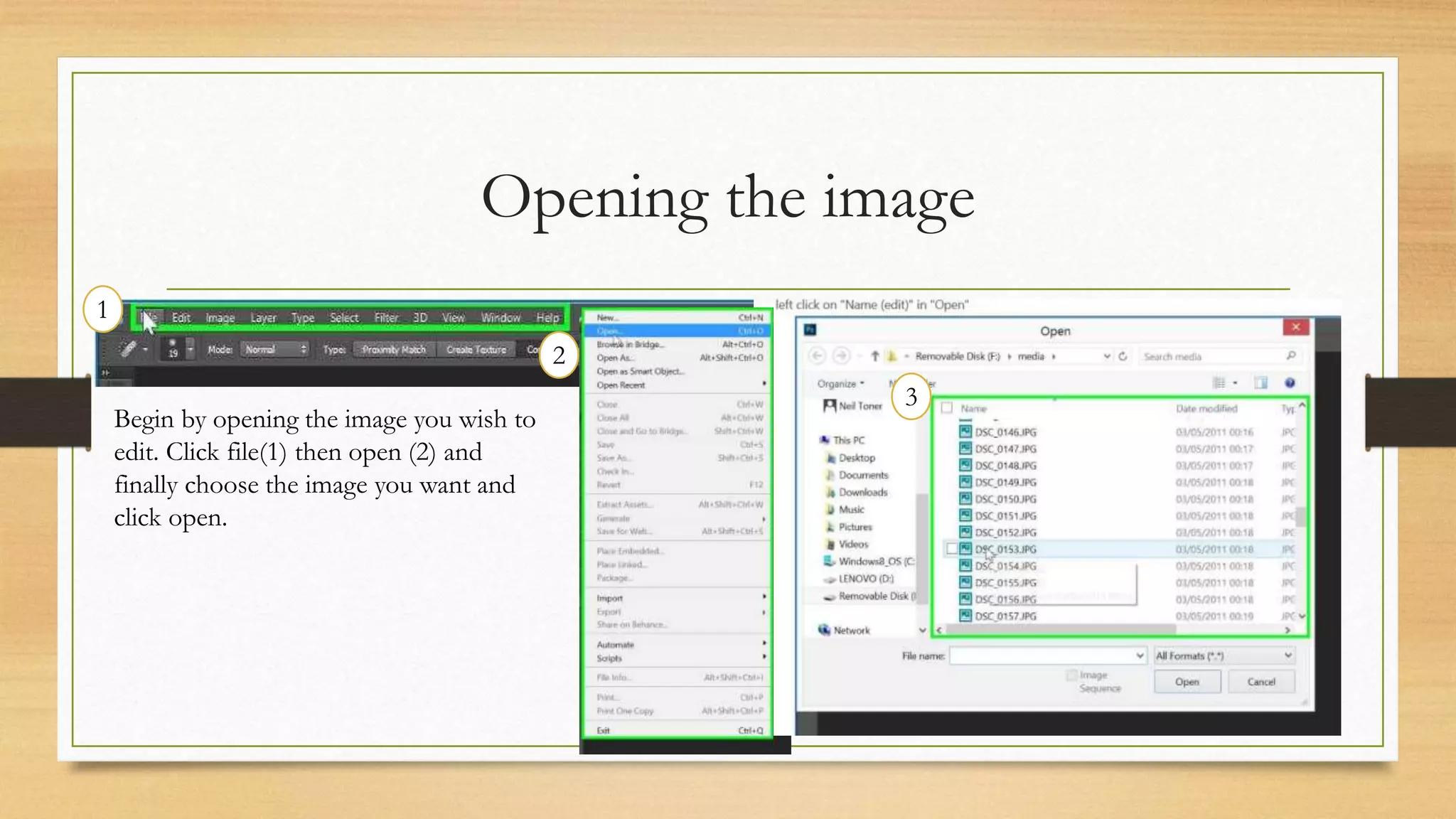
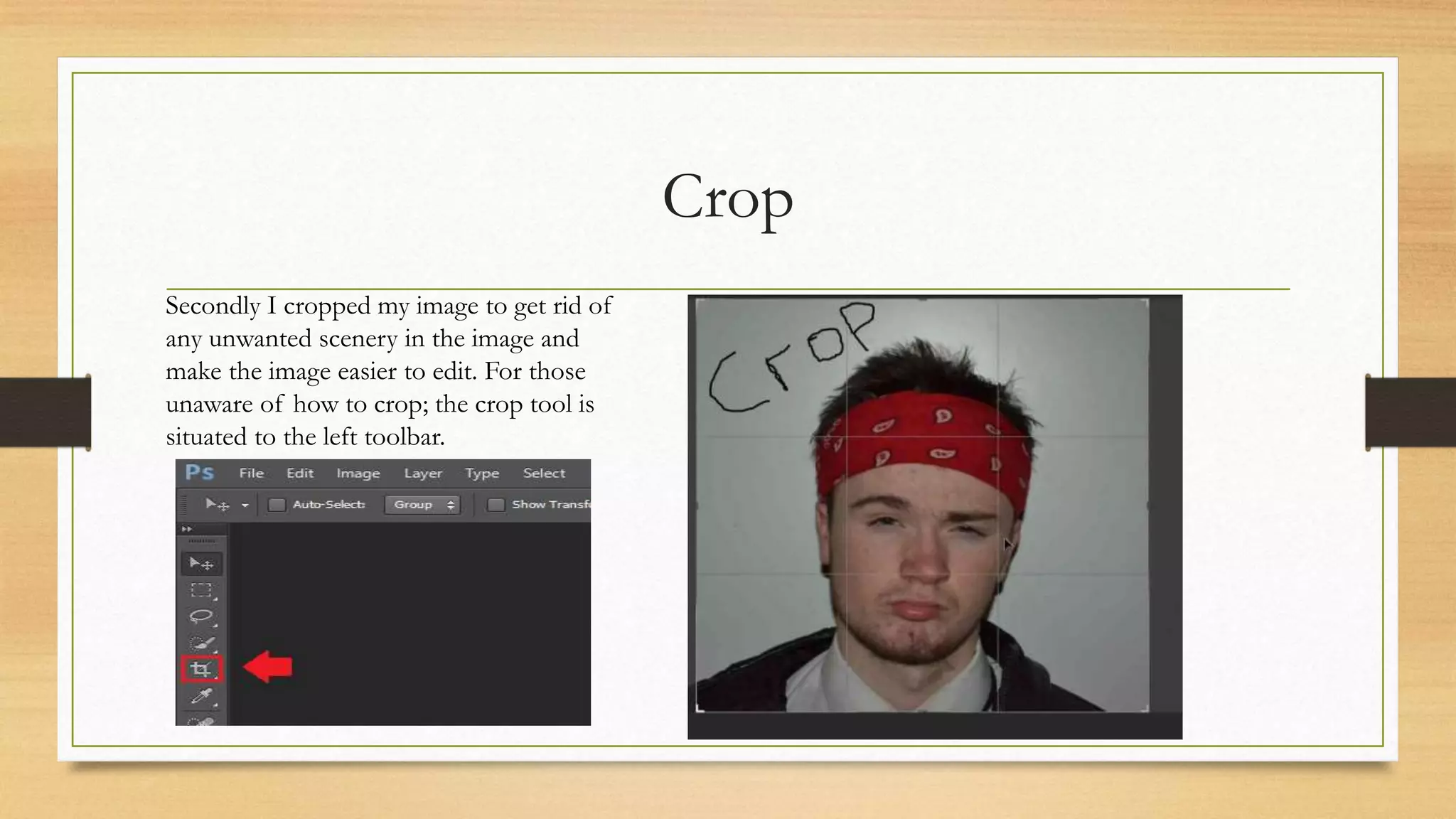
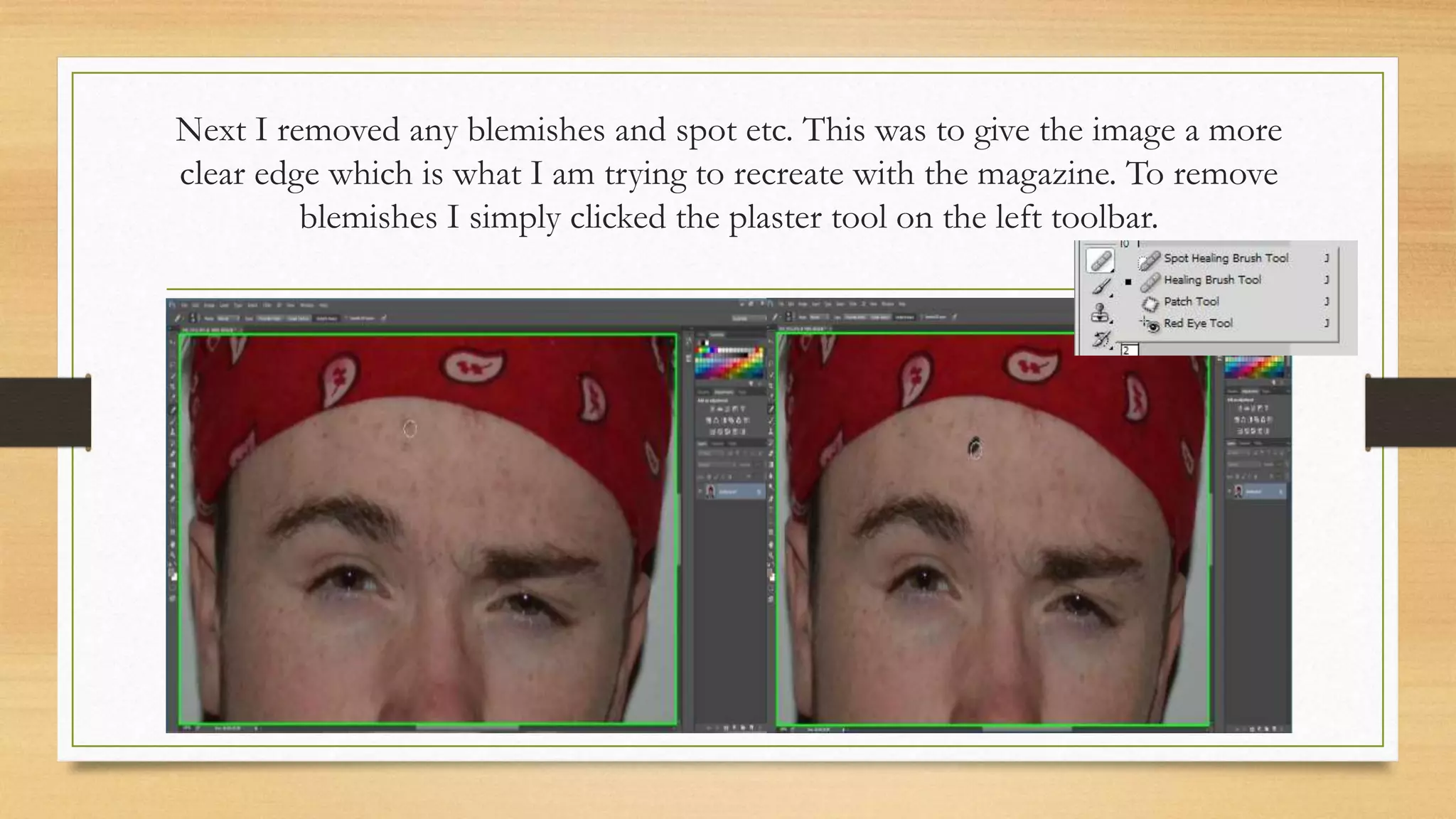
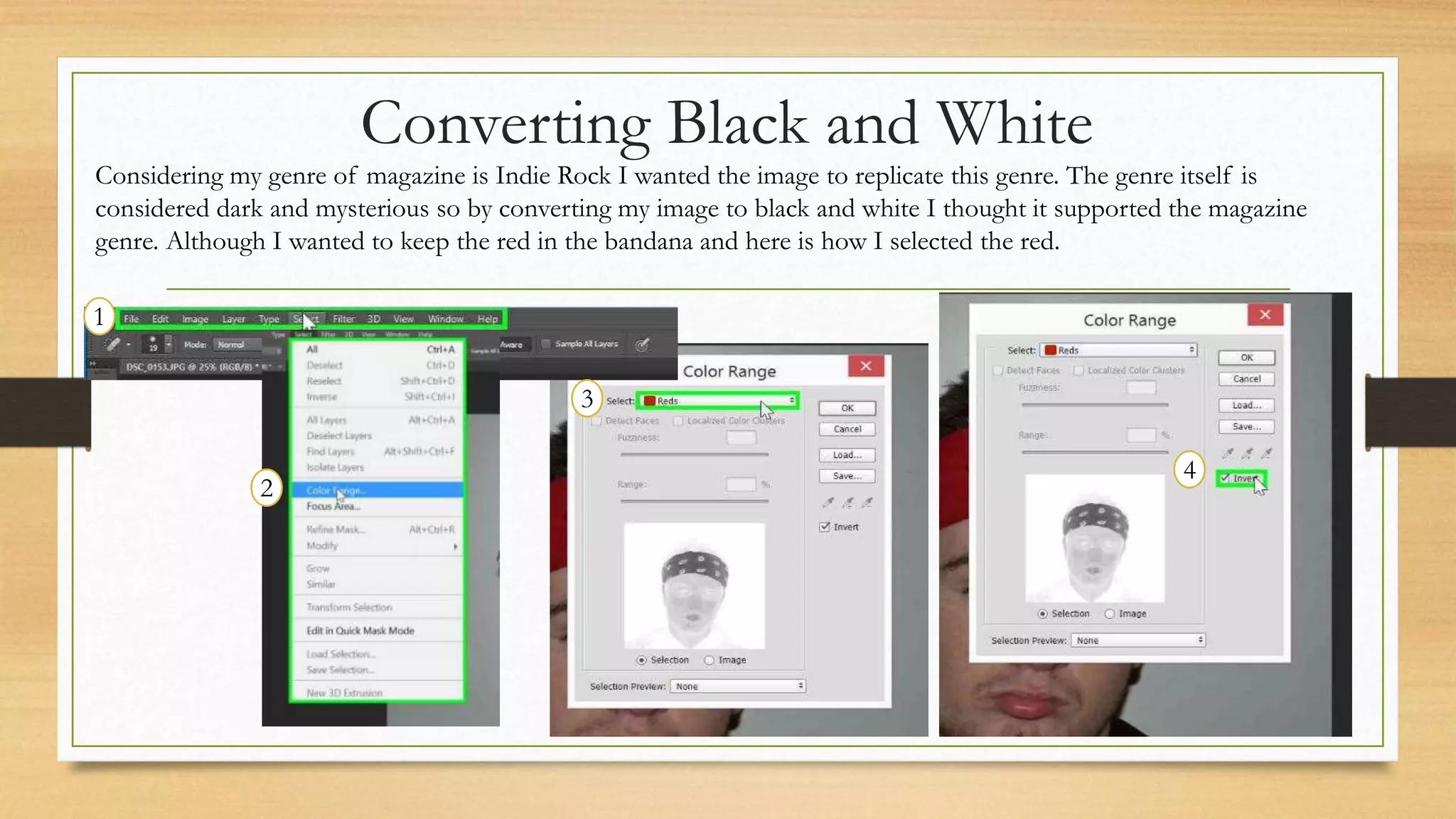
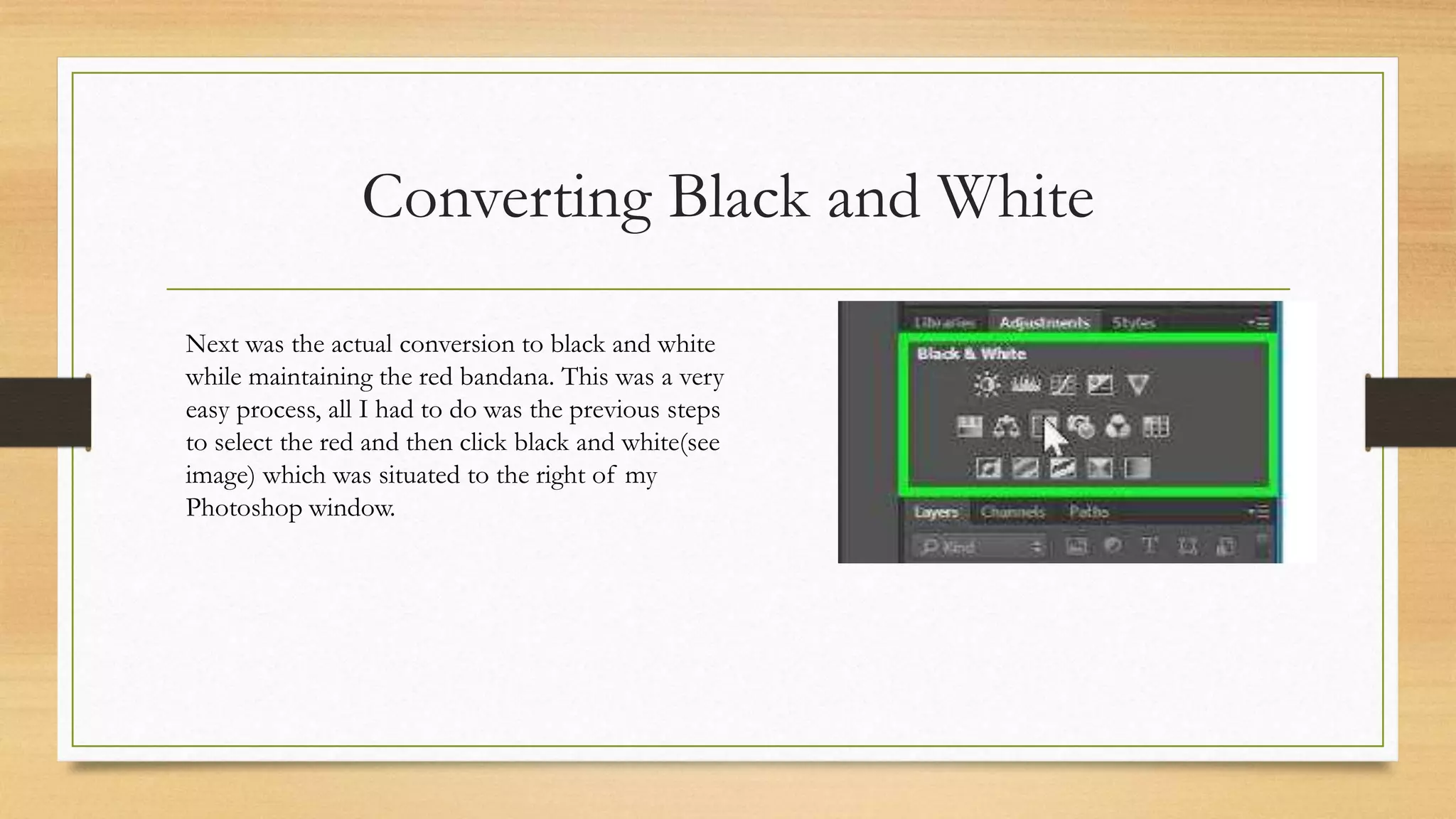
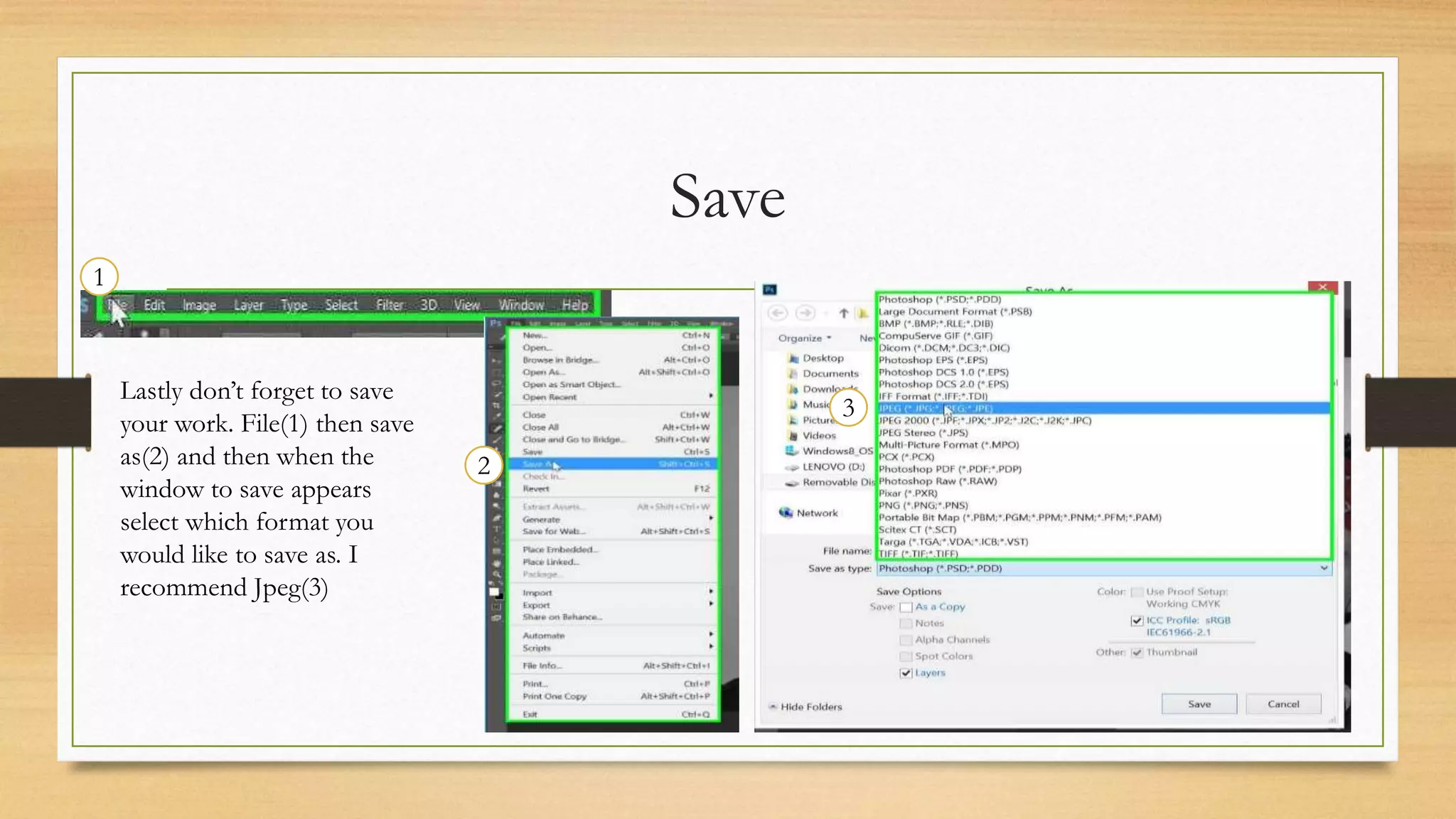
The document provides step-by-step instructions for editing a front cover image in Photoshop. It describes cropping the image to remove unwanted scenery, using the plaster tool to remove blemishes for a clearer edge, converting the image to black and white to match the dark, mysterious genre of indie rock while maintaining the red bandana, and saving the edited image in the Jpeg format.