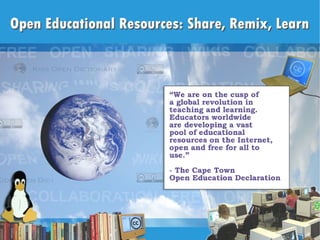
OER: Share, Remix, Learn

Loading...

Flash Player 9 (or above) is needed to view presentations.
We have detected that you do not have it on your computer. To install it, go here.

0 comments

Post a comment

    Post a comment
    Embed Video
    Edit your comment Cancel

    Favorites, Groups & Events

    OER: Share, Remix, Learn - Presentation Transcript

    1.  
    2. What I believe and why I got involved in Open Education
      • Differentiating instruction is essential to improving education.
      • Textbooks are not a good tool for this.
      • Technology coupled with high quality content is.
      • Sharing is good.
      • Everyone deserves a free, high quality education.
      • The current educational bureaucracy is not likely to embrace OER projects.
      • Open Educational Resources (OER) are:
      • Digital
      • Free and open
      • Tools, content, and implementation resources
      • For teachers, students, and lifelong learners
      • Mass collaboration has resulted in
      • the most widely-used web server software
      • the most popular encyclopedia
      • sequencing of the human genome
      • What could it do for education?
    3. Traditional copyright - all rights reserved Public domain - unrestricted use Copyright with open licenses - some rights reserved
      • Attribution (BY) ▪ Non-commercial (NC) ▪
      • No derivatives (ND) ▪ Copyleft - Share-Alike (SA)
      • Recommended for education:
      • CC BY or CC SA
    4. Tools
      • Operating systems (= more affordable hardware)
        • Ubuntu
        • Xandros (eee PC)
      • Wikis, blogs, and course management
        • MediaWiki
        • Wikispaces
        • WordPress ( .com and .org )
        • Moodle
    5. Tools (cont.)
      • Productivity tools
        • Open Office
        • GIMP
        • Audacity
        • CamStudio
      • More
        • The OpenDisc
        • SourceForge
        • SchoolForge
    6. Content – General Multimedia
      • Photos and video
        • The Open Photo Project
        • Flickr (CC)
        • Wikimedia Commons
        • NextVista
      • Music and sound
        • ccMixter
        • MusOpen
        • The FreeSound project
    7. Content – Education
      • Wikibooks
      • FreeReading
      • Curriki
      • Kids Open Dictionary
      • OER Commons
      • MIT OpenCourseWare
      • Ebooks
      • More...
    8. How You Can Contribute
      • If you publish something you are willing to share, open license it
      • Publish on an open platform like Wikispaces
      • Post photos (to Flickr or elsewhere) with an open license
      • If you see a mistake in Wikipedia, FIX IT!
      • Add something to a topic in Wikipedia or Wikibooks
      • Write a definition in the Kids Open Dictionary
      • Tell three people you know about OER
      • Thank you.
      • Karen Fasimpaur
      • www.k12opened.com
      • [email_address]
      First screen image credits: Linux computer lab – Michael Surran Linux penguin - Larry Ewing <lewing@isc.tamu.edu> with the GIMP Books - Tizzie Globe – NASA Cloud background - Anca Mosoiu
      • Creative Commons:
        • CC BY – You can use however you want; just cite the source.
        • CC BY SA – You can use however you want, but you must cite the source AND license your work under a sharing license.
        • CC BY NC – You can use only if it is noncommercial (you can’t charge $); cite the source.
        • CC BY ND – You can use the work but you can’t change it or put it into a bigger work; also cite the source.
      • Others:
      • GFDL – Share-alike license used by Wikipedia and others.
      • Public domain – not copyrighted; you can use however you like.
      • Custom licenses (e.g. morguefile and Stock.XCHNG)
    SlideShare Zeitgeist 2009

    + Karen FKaren F Nominate

    custom

    229 views, 0 favs, 1 embeds more stats

    More info about this document

    CC Attribution License

    Go to text version

    • Total Views 229
      • 227 on SlideShare
      • 2 from embeds
    • Comments 0
    • Favorites 0
    • Downloads 2
    Most viewed embeds
    • 2 views on http://minilaptops.pbwiki.com

    more

    All embeds
    • 2 views on http://minilaptops.pbwiki.com

    less

    Flagged as inappropriate Flag as inappropriate
    Flag as inappropriate

    Select your reason for flagging this presentation as inappropriate. If needed, use the feedback form to let us know more details.

    Cancel
    File a copyright complaint
    Having problems? Go to our helpdesk?

    Categories

    Tags