
Top 5 Questions from B2B Marketers on Lead Generation and Measurement
•
2 likes•527 views

This document provides an overview of B2B online marketing strategies and tactics. It begins by addressing common questions from B2B marketers around lead generation, measurement, budgeting, and whether to pursue DIY or outsourced marketing. Content marketing tactics like SEO, blogging, social media are discussed as effective inbound strategies. Measurement of online marketing results and ROI is also covered. The document concludes by introducing an interactive marketing agency that provides related services.

Recommended
Recommended
More Related Content
What's hot
What's hot (18)
Similar to Top 5 Questions from B2B Marketers on Lead Generation and Measurement
Similar to Top 5 Questions from B2B Marketers on Lead Generation and Measurement (20)
Recently uploaded
Recently uploaded (20)
Top 5 Questions from B2B Marketers on Lead Generation and Measurement
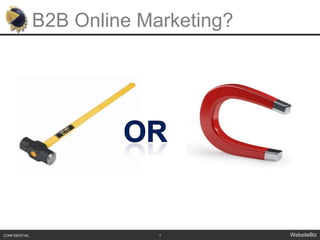
- 1. B2B Online Marketing? 1 CONFIDENTIAL WebsiteBiz OR
- 2. Top 5 Questions from B2B Marketers What are the best tactics for lead generation How to do I measure results Where do I start? How to budget $ DIY vs. Outsourcing CONFIDENTIAL WebsiteBiz ?
- 3. Start with the Basics Why is online marketing important to your business?
- 5. People Blocking Marketing Pop-Ups Can-Spam Act = Law
- 7. SEO / SEM
- 8. Blogging
- 9. Social Media
- 11. Viral videos
- 13. Anatomy of a Google Search Results Page CONFIDENTIAL WebsiteBiz Paid Listings (PPC) Organic Listings (SEO)
- 14. SEO – What and Why SEO refers to techniques that help your website rank higher in the organic/natural search results Algorithms determine ranking SEO helps more people who are looking for your product or service find you.
- 15. 10 CONFIDENTIAL WebsiteBiz SEO Foundation = Scalable SEO
- 16. What is Good SEO Content? Good Content speaks to your audience… Solves problems Answers questions Provides Information While keeping search engines “in mind”
- 17. Types of Good B2B Content B2B customers go online to seek knowledge and thought leadership Focus and make your content visible Blog Posts White Papers Articles Press Releases
- 18. Choosing Keywords for SEO Start with Research Brainstorming Use Online Tools – www.Google.com/Adwords Get in the mind of your customer It’s not about you! Organize Your Keyword Research Search Volume and Popularity (goal = high) Relevance (goal = high) Competition or Difficulty Ranking ( goal = low)
- 19. Google - Keyword Research Tool
- 20. Where to Use Keywords in Your Content Site-wide Title tags Meta Descriptions URL Structure Product Image Tags Headlines Anchor Text Links Body Text Copy
- 21. Home Page & Product Page Content Must have quality, accessible content Describe your company/website Most competitive phrases (Pos Products) Write naturally –not list of keywords Be Descriptive Not “our solution” or “our product” Edit Your Current Text Find generic words Replace them with keywords from your research (where appropriate!)
- 22. Linking - Defined Inbound Links Web pages that link to you Quality & Industry Internal Links Linked pages within your site Link Anchor Text - text that is in the link “Flash” content is not linkable
- 23. Link Building Tips Vertical Directories (Business.com) Partners Content is king Start a blog Create a tool (Energy savings calculator) Other: viral videos, photos Press Releases Social Media
- 24. 19 CONFIDENTIAL WebsiteBiz SEO Foundation = Scalable SEO
- 25. Types of Social Media CONFIDENTIAL Social Media Social News UGC Sites Social Networking
- 26. Show of Hands
- 27. Create a “Customer-Centric” Blog Blogs = the “Swiss Army Knife” of Social Media Strategy Wordpress.com - #1 Blog Platform for SEO Demonstrate thought leadership & offer relevant content No white papers, press releases or sales pitch Provide easy access to contact information People subscribe via RSS
- 30. Associations
- 31. Trends
- 33. Provide time for employee to spend on the tool
- 34. Coach your employees to answer questions and offer inputUsing LinkedIn for Business
- 35. Make Your Profile Client-Focused Choose Connections Wisely Get Connecting Use “Search” to find potential customers Give Testimonials to get them LinkedIn for Executives
- 37. The messages (aka tweets) are public,and you decide which accounts you want to receive messages from
- 38. Twitter works equally well from your desktop or mobile phoneHow Does it Work?
- 40. Follow industry leaders (@Dell, @Starbucks)
- 41. Listen for comments about you
- 42. Respond to comments and queries
- 43. Ask questions
- 44. Post links to things people would find interesting
- 45. “Retweet” messages you would like to share
- 46. Use a friendly, casual tone
- 47. Don’t spam peopleUsing Twitter for Business
- 48. 27 CONFIDENTIAL WebsiteBiz SEO Foundation = Scalable SEO
- 49. Measuring Results = ROI What should you track? How People arrive at your website How they navigate your website How they find information on your website How they value your website content How they respond to calls-to-action 28 CONFIDENTIAL WebsiteBiz
- 50. Don’t be an information charity
- 51. Important B2B Calls to Action Things like… Download White Papers View a Video Read a Case Study View a Demo Register for a Webinar Subscribe to an email newsletter 30 CONFIDENTIAL WebsiteBiz
- 53. It works
- 54. Intuitive
- 55. It’s Integrated
- 57. Top 5 Questions from B2B Marketers What are the best tactics for lead generation How to do I measure results Where do I start? How to budget $ DIY vs. Outsourcing CONFIDENTIAL WebsiteBiz ?
- 58. About Us WebsiteBiz is a Results-Driven Interactive Marketing Agency Founded in 1997 Headquartered in Charlotte, NC Partial Client List: 34 CONFIDENTIAL WebsiteBiz Overview
- 59. What We Do Strategy and Research Online Market Research Competitive Analysis Benchmarking and ROI analysis Online Marketing Search Engine Optimization Paid Search Marketing Social Media Display Media Buying Email Marketing Web Design and Usability 35 CONFIDENTIAL WebsiteBiz Overview
- 60. Questions Thank You! Kyle Bumgardner1713 Cleveland AvenueCharlotte, NC 28203 o. 704.338.1727c. 704.813.4636 www.WebsiteBiz.com www.Marketerinsight.com Twitter: @kbsales