The User Experience BriefJohn YeskoIA Summit 2011
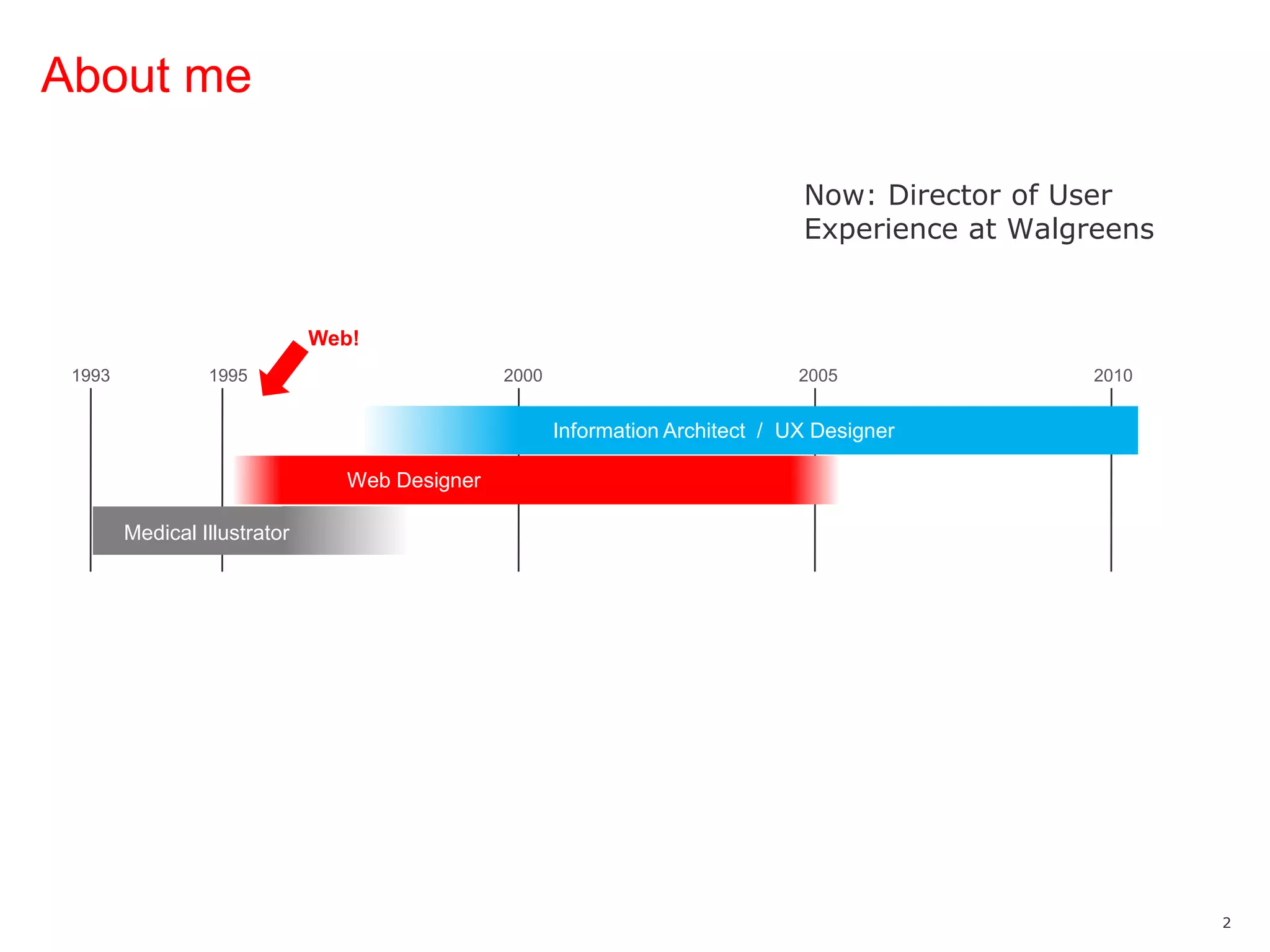
About meNow: Director of User Experience at WalgreensWeb!19931995200020052010Information Architect  /  UX DesignerWeb DesignerMedical Illustrator
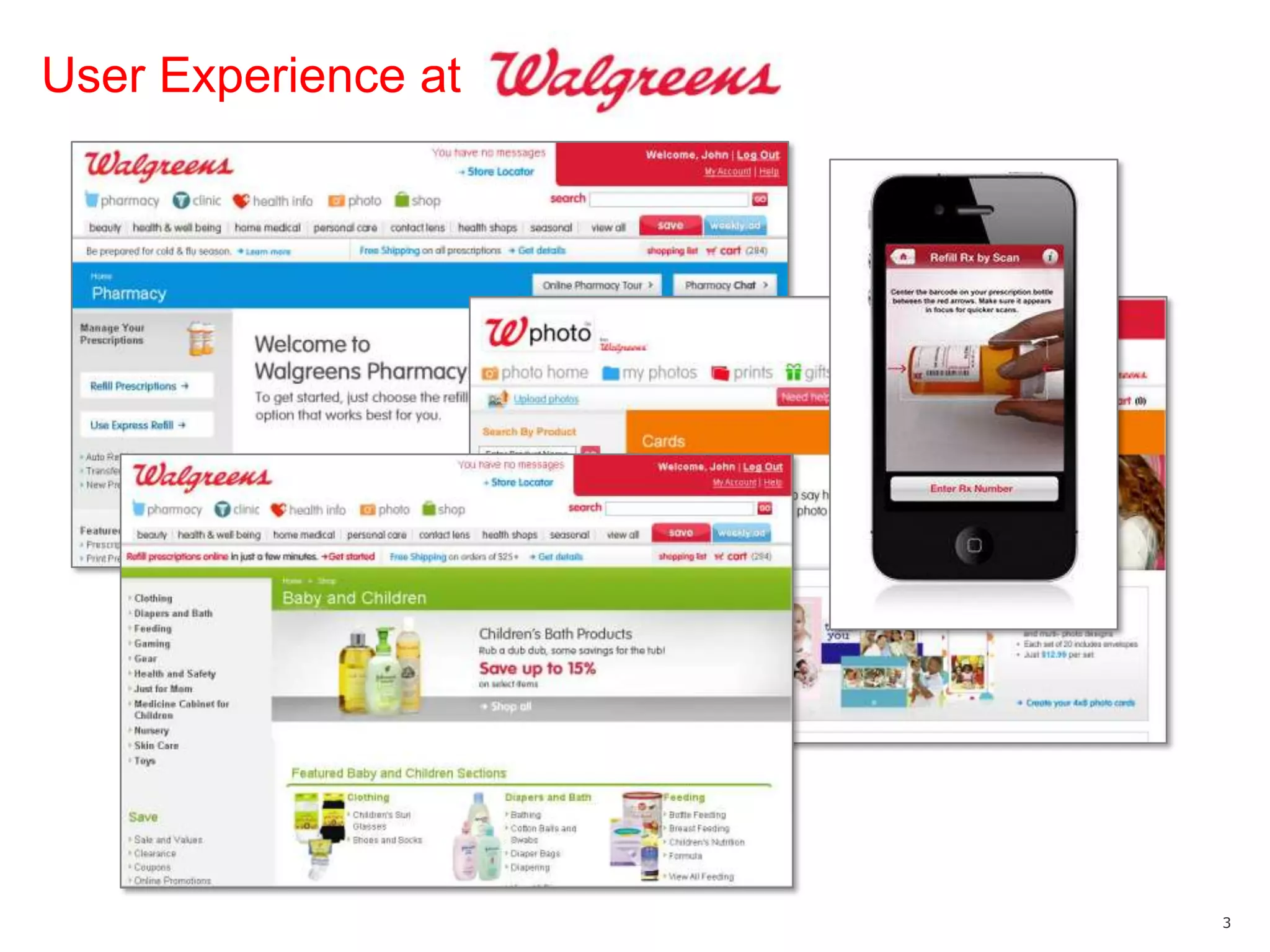
User Experience at
User Experience atUX groupOrganized by lines of business13 UX designersInformation architectureInteraction designTaxonomyUser researchJust announced deal to acquire Drugstore.com60K more products3M loyal customersSeveral strong URLs/brandsLooking for experienced UX help in Chicago!And small agencies
Basics
What is the UX brief?Early-stage strategic approach document with two primary goals:Summarizes what we know so far = output of Discovery processSets up how we intend to attack the project
Who is it for?StakeholdersClients (external)Business owners and executives (internal)“Downstream” teamCreativeTechnical
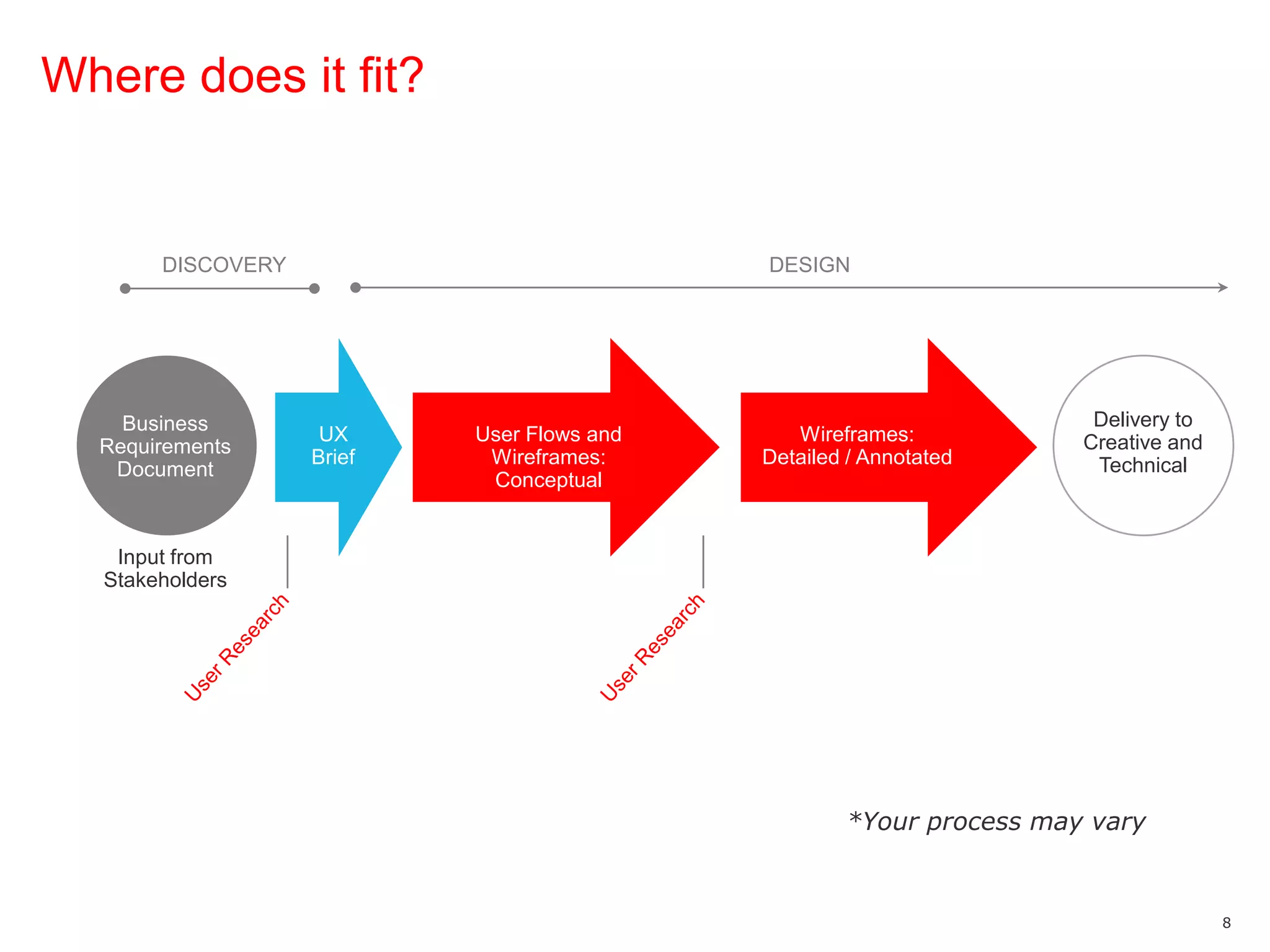
Where does it fit?DISCOVERYDESIGNDelivery to Creative and TechnicalBusiness Requirements DocumentUser Experience TeamUX Business InsightUX BriefImplementation / Product AssignmentUX Business InsightUser Flows *User Flows and Wireframes: ConceptualWireframes: Detailed / AnnotatedInput from StakeholdersUser ResearchUser Research*Your process may vary
Why do we use it?To get a head start on building consensusTo discover any early “red flags” As a touch point to reference later (CYA)
Composition of the Brief
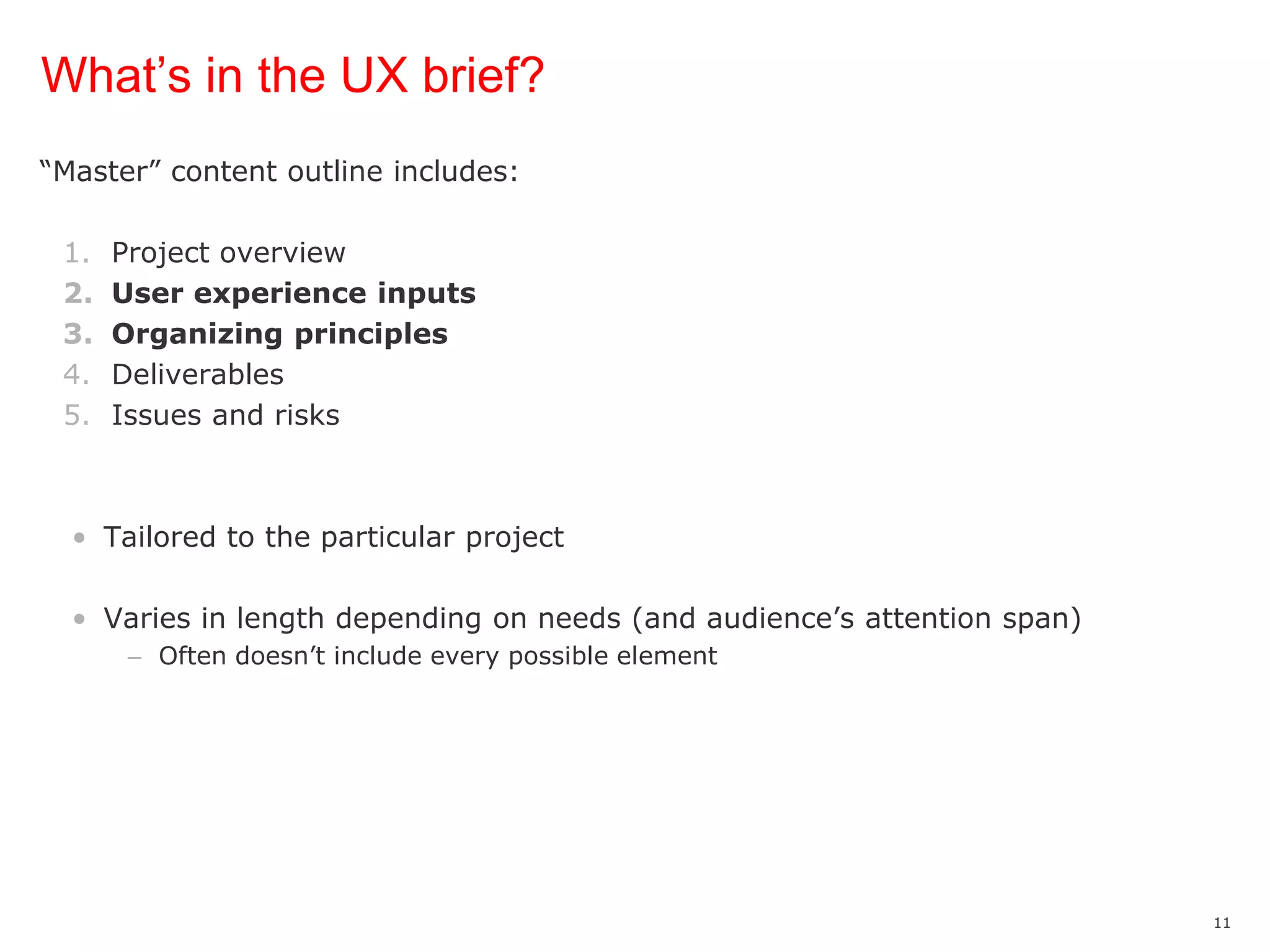
What’s in the UX brief?“Master” content outline includes:Project overviewUser experience inputsOrganizing principlesDeliverablesIssues and risksTailored to the particular projectVaries in length depending on needs (and audience’s attention span)Often doesn’t include every possible element
User Experience Inputs
User experience inputs—what we know Insights from:Analytics User research CompetitiveStakeholdersUser experience / heuristic
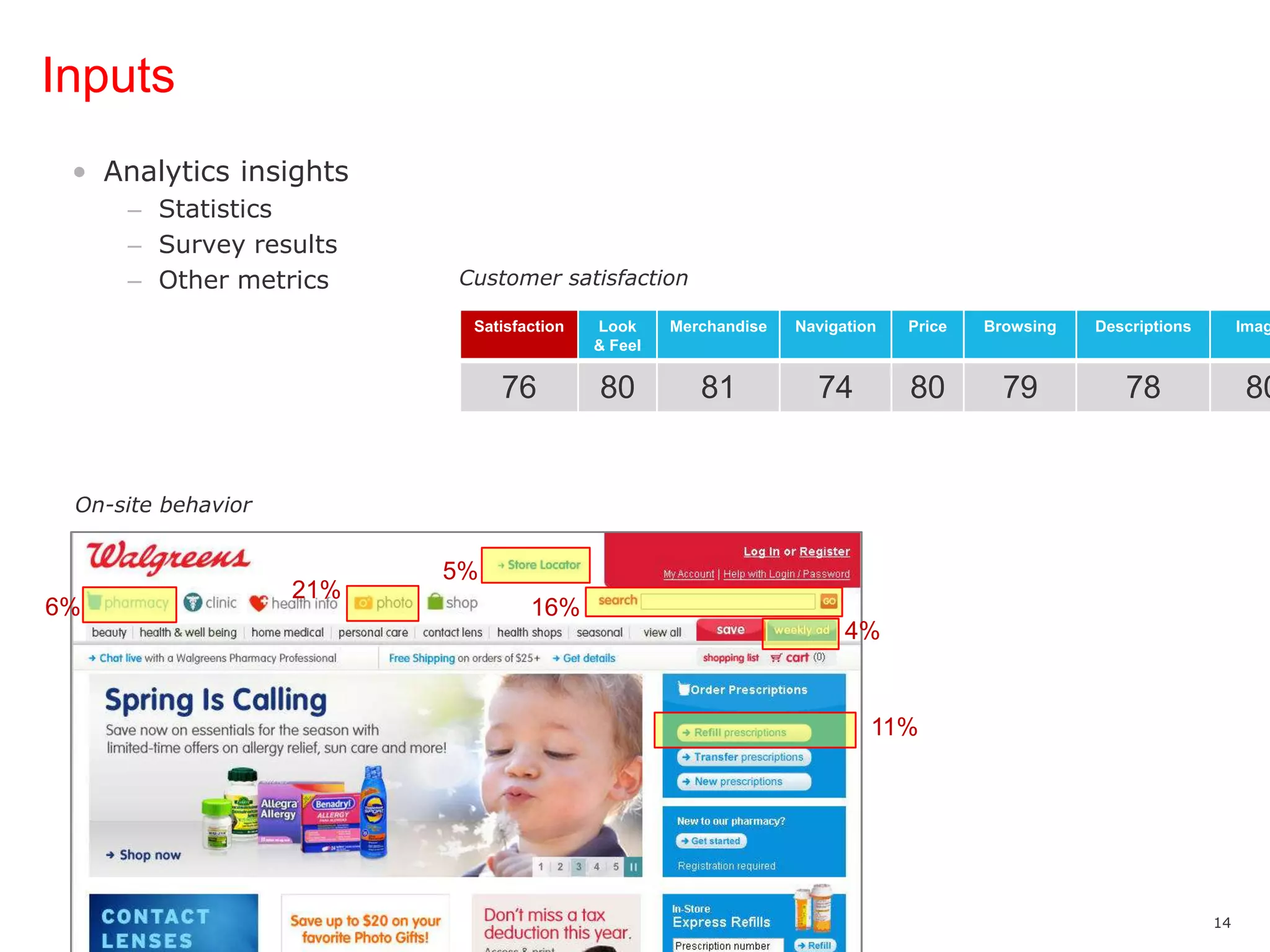
InputsAnalytics insightsStatisticsSurvey resultsOther metricsCustomer satisfactionOn-site behavior5%21%6%16%4%11%
InputsUser research insightsUsability testsCard sortingSurveys“I can’t find where to refill my prescription.”“THIS APP SUCKS!!! IT DOESN'T BRING UP MY PHOTO ALBUMS...WALGREENS, I USED TO WORK FOR YOU, I BUY YOUR CRAP, SO GET YOUR [EXPLETIVE]TOGETHER!!!”“Let me finish my primary task first—then I’m OK with being upsold.”“No additional features - the Home page is so crowded now that I want to give up now rather than slog through the ads and options for what I'm after…”@heyhiLindsay“[Expletive] just ordered a calender on walgreens.com and it was literally the hardest thing I've ever done in awhile, [expletive] that.”
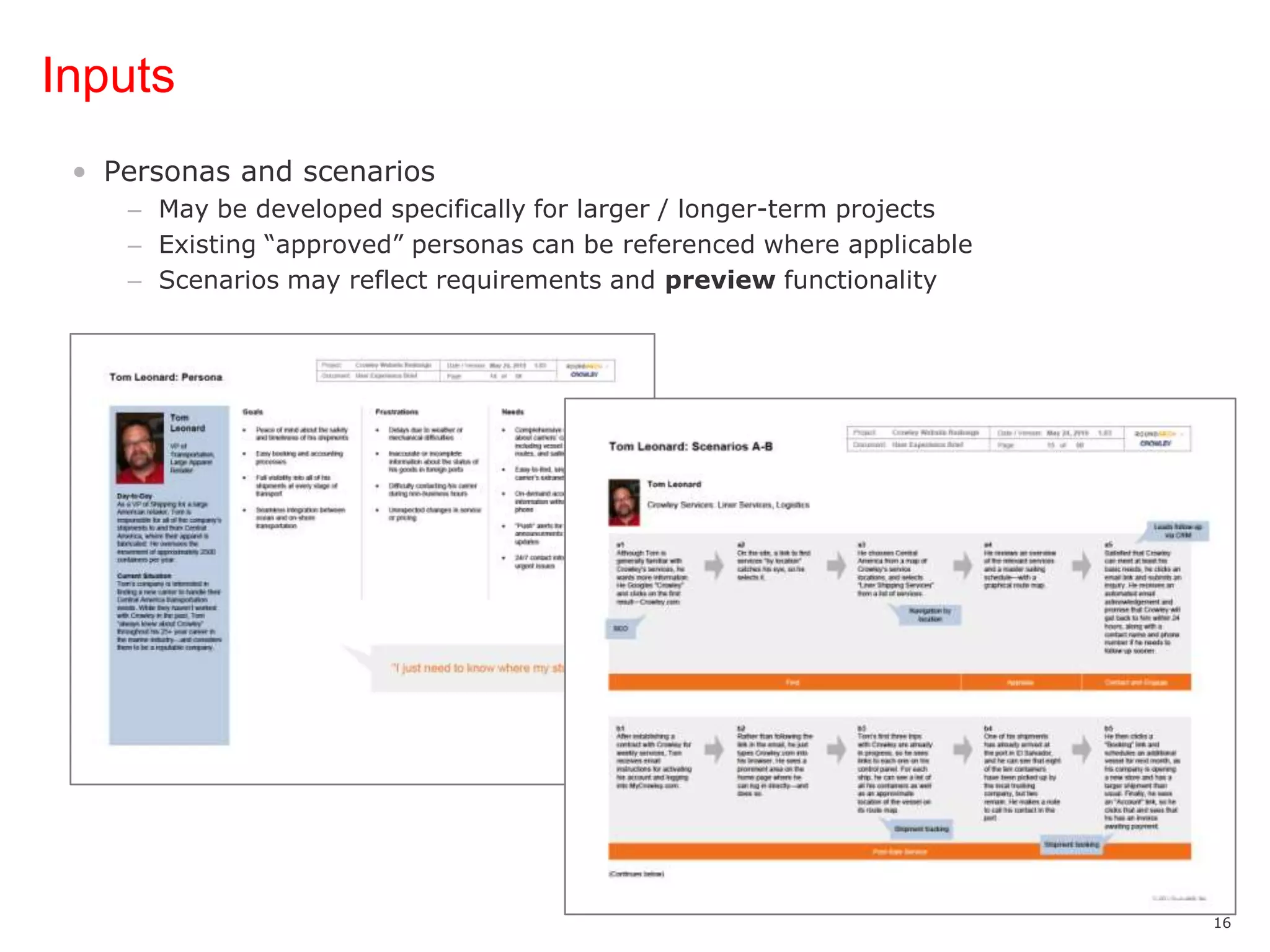
InputsPersonas and scenariosMay be developed specifically for larger / longer-term projectsExisting “approved” personas can be referenced where applicableScenarios may reflect requirements and preview functionality
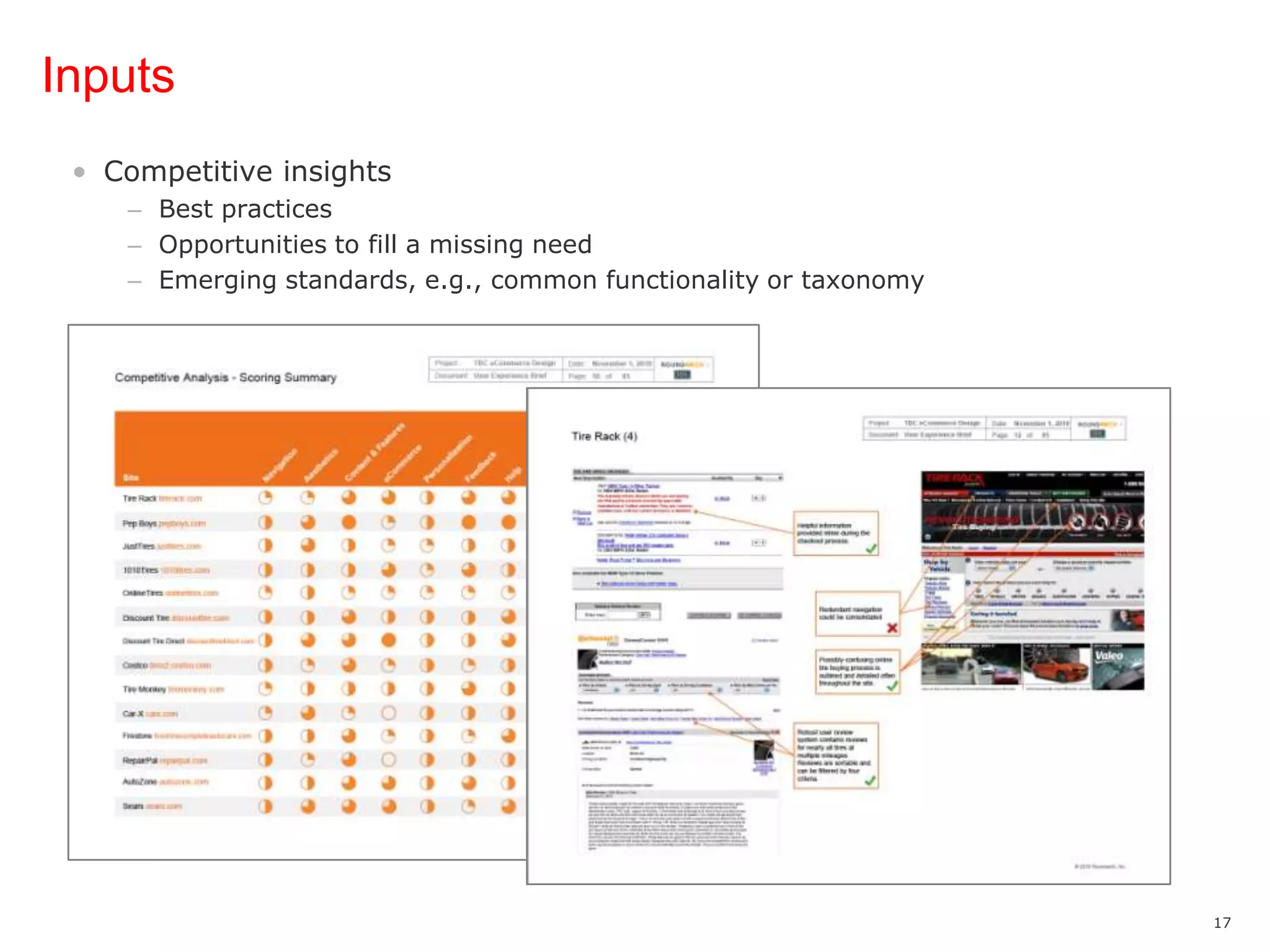
InputsCompetitive insightsBest practicesOpportunities to fill a missing needEmerging standards, e.g., common functionality or taxonomy
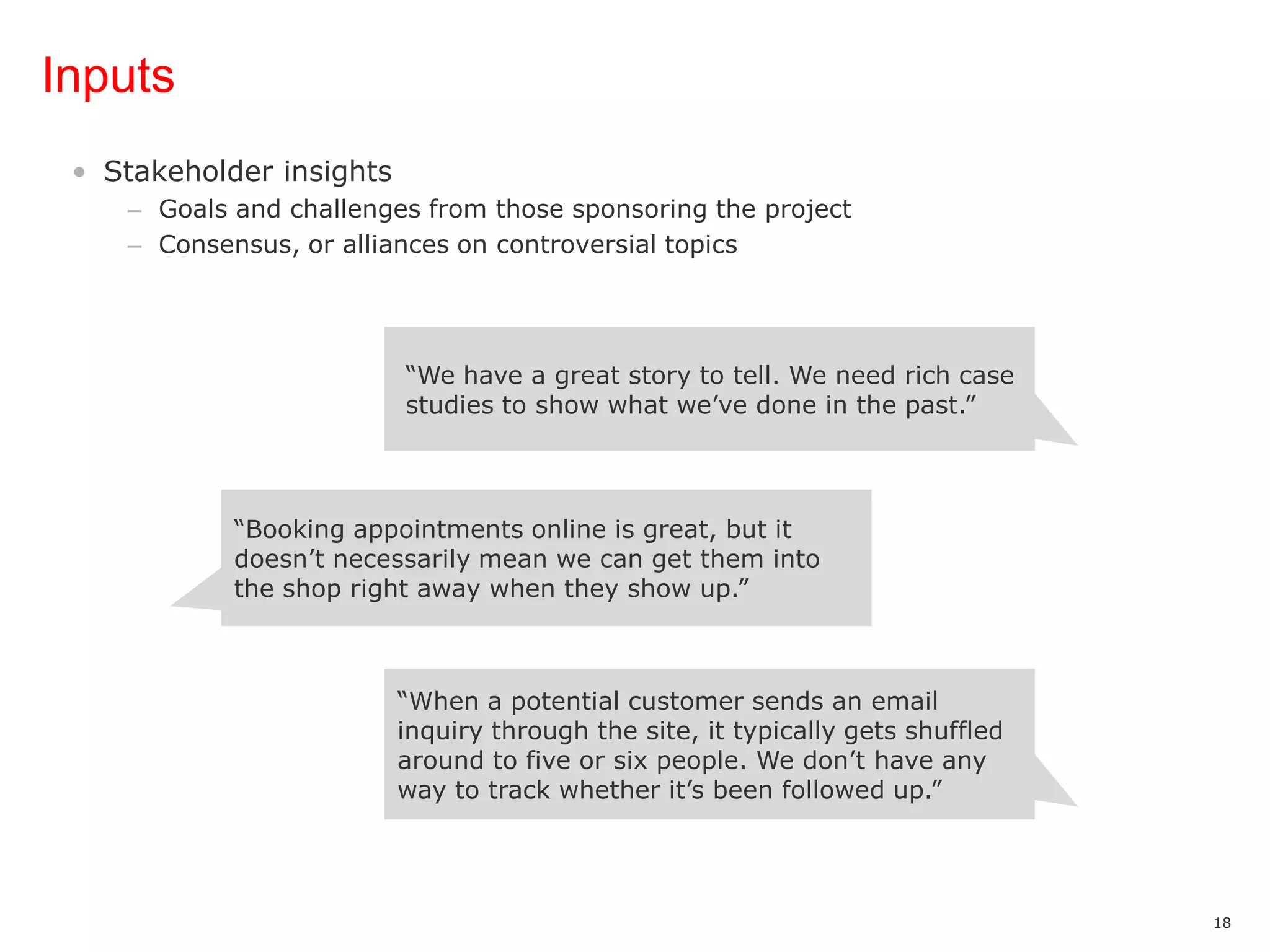
InputsStakeholder insightsGoals and challenges from those sponsoring the projectConsensus, or alliances on controversial topics“We have a great story to tell. We need rich case studies to show what we’ve done in the past.”“Booking appointments online is great, but it doesn’t necessarily mean we can get them into the shop right away when they show up.”“When a potential customer sends an email inquiry through the site, it typically gets shuffled around to five or six people. We don’t have any way to track whether it’s been followed up.”
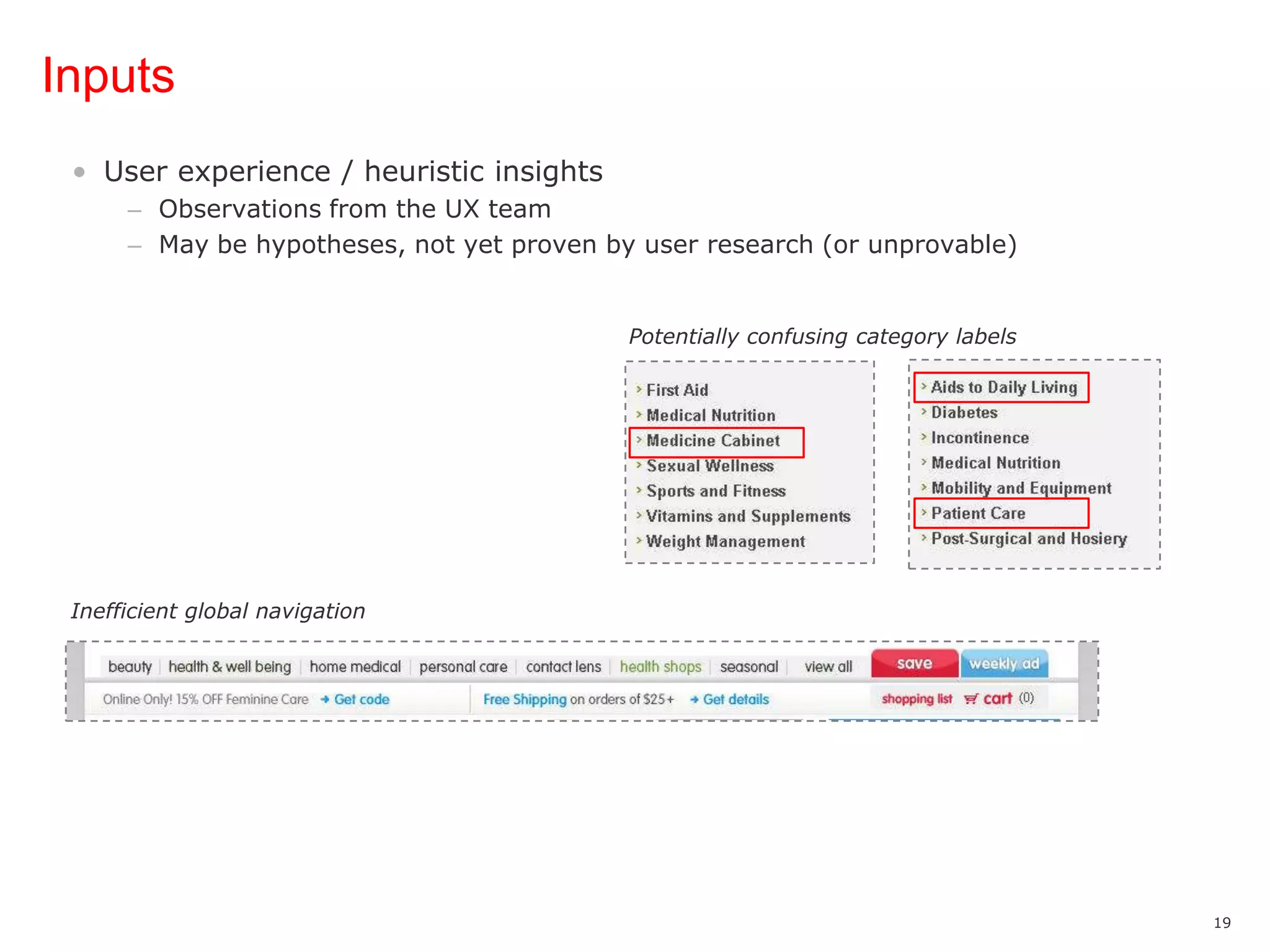
InputsUser experience / heuristic insightsObservations from the UX teamMay be hypotheses, not yet proven by user research (or unprovable) Potentially confusing category labelsInefficient global navigation
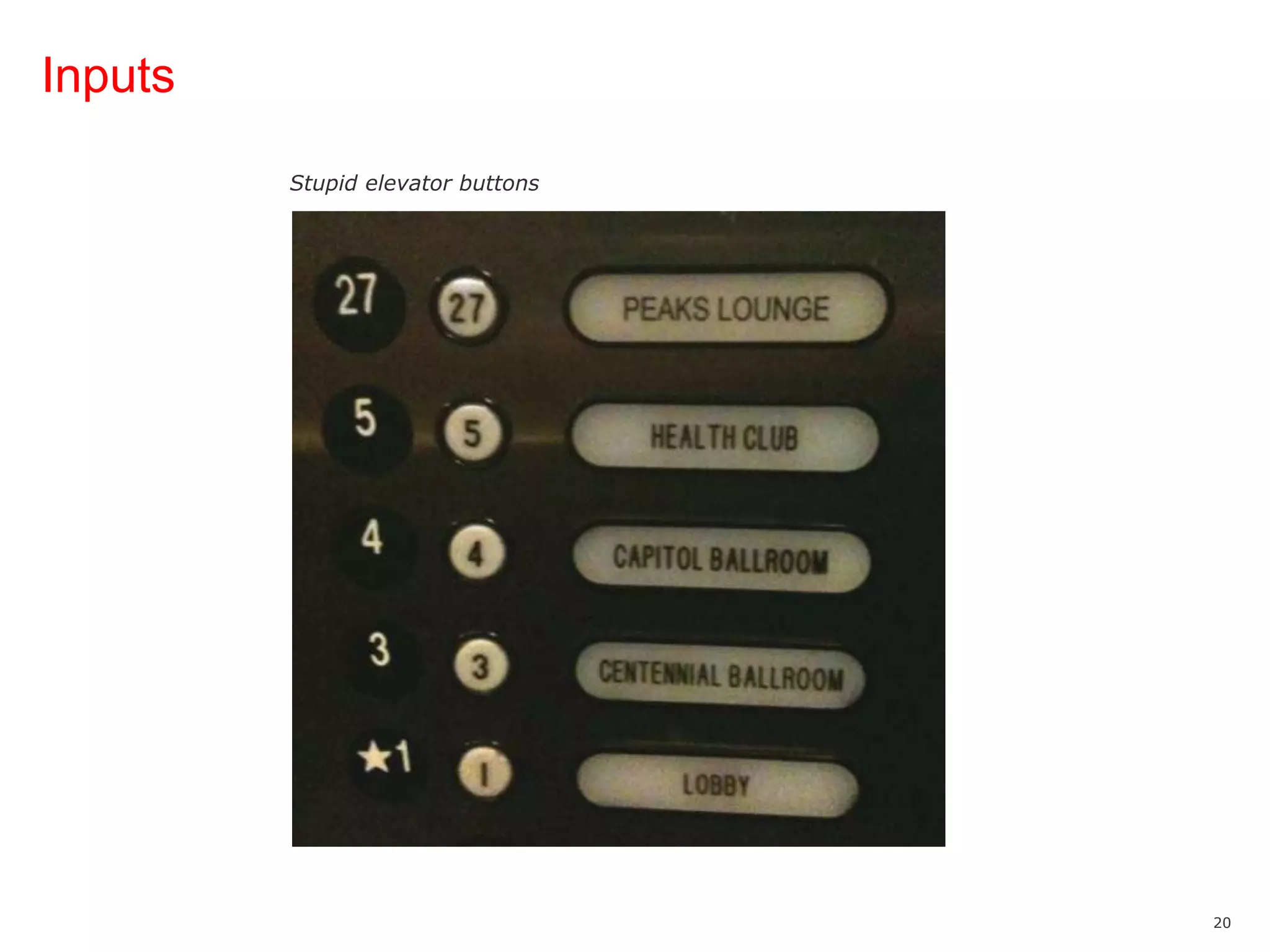
InputsStupid elevator buttons
Organizing Principles
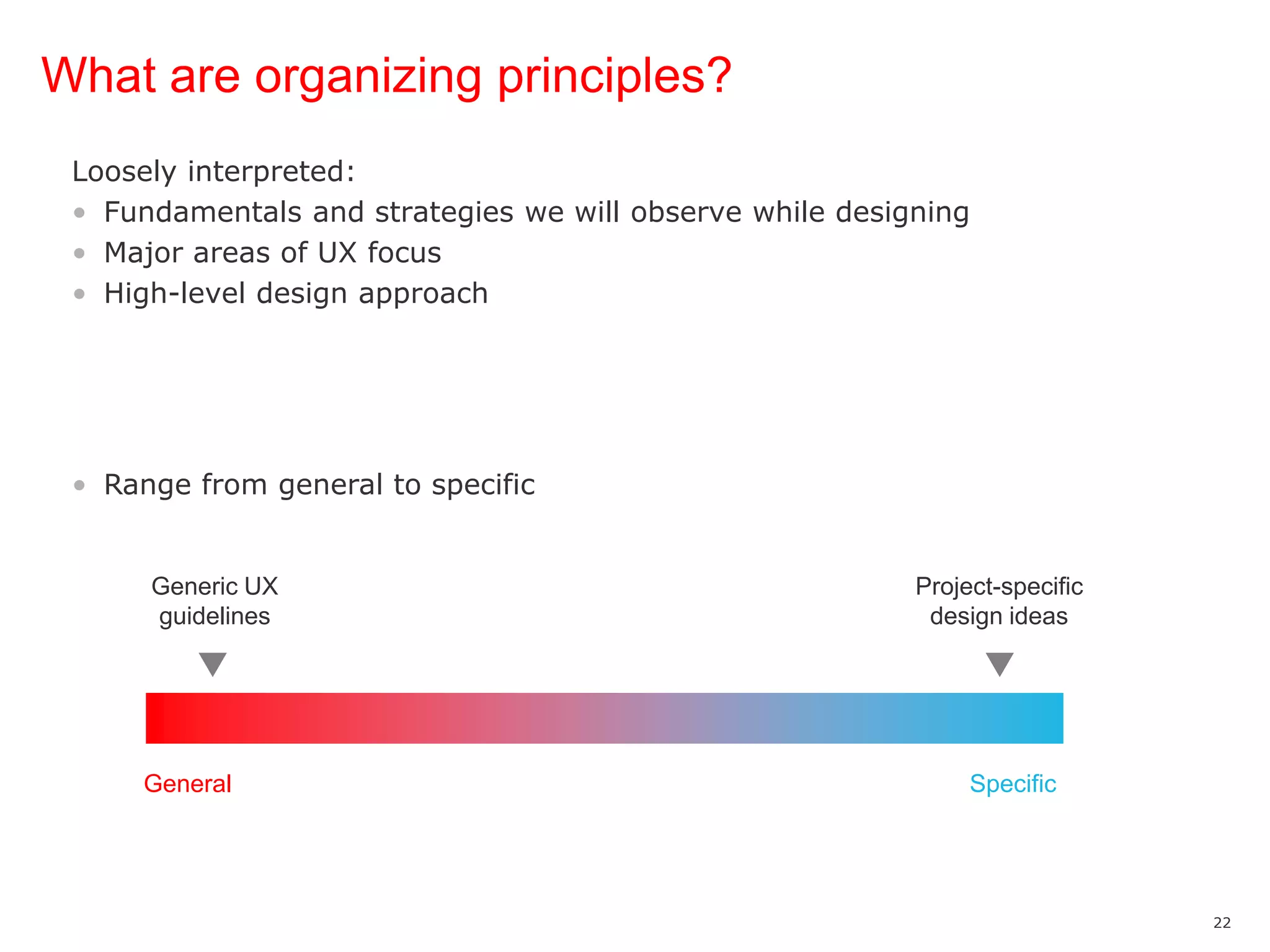
What are organizing principles?Loosely interpreted:Fundamentals and strategies we will observe while designingMajor areas of UX focusHigh-level design approachRange from general to specific Generic UX guidelinesProject-specific design ideasGeneralSpecific
What are organizing principles?May include other “deliverables”:Concept mapUser flowHigh-level wireframesSuggestions of look and feel (e.g., mood boards)
What are organizing principles?Examples from several diverse projects…
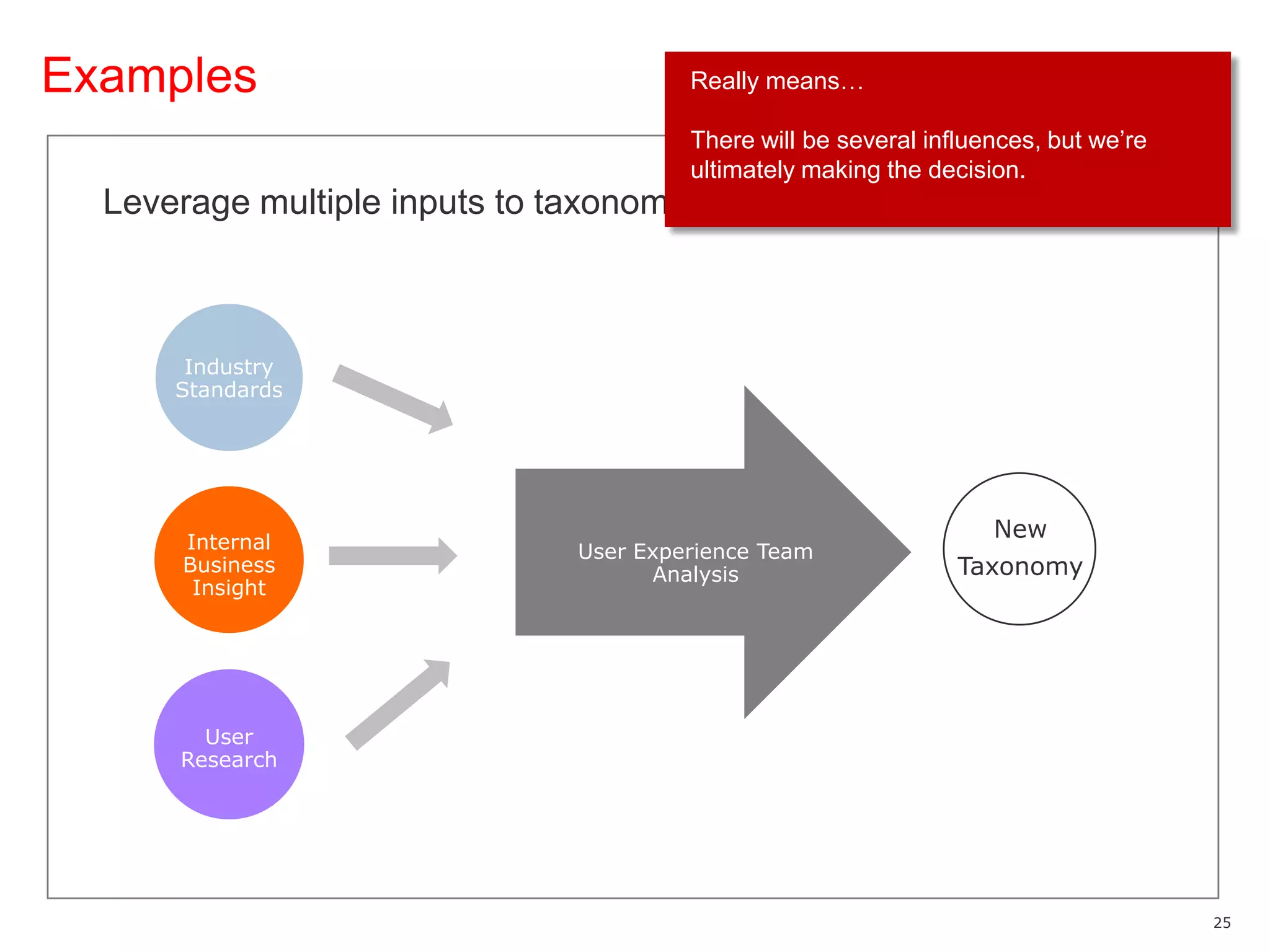
ExamplesReally means…There will be several influences, but we’re ultimately making the decision.Leverage multiple inputs to taxonomy designIndustry StandardsNewTaxonomyInternal Business InsightUser Experience Team AnalysisUser Research
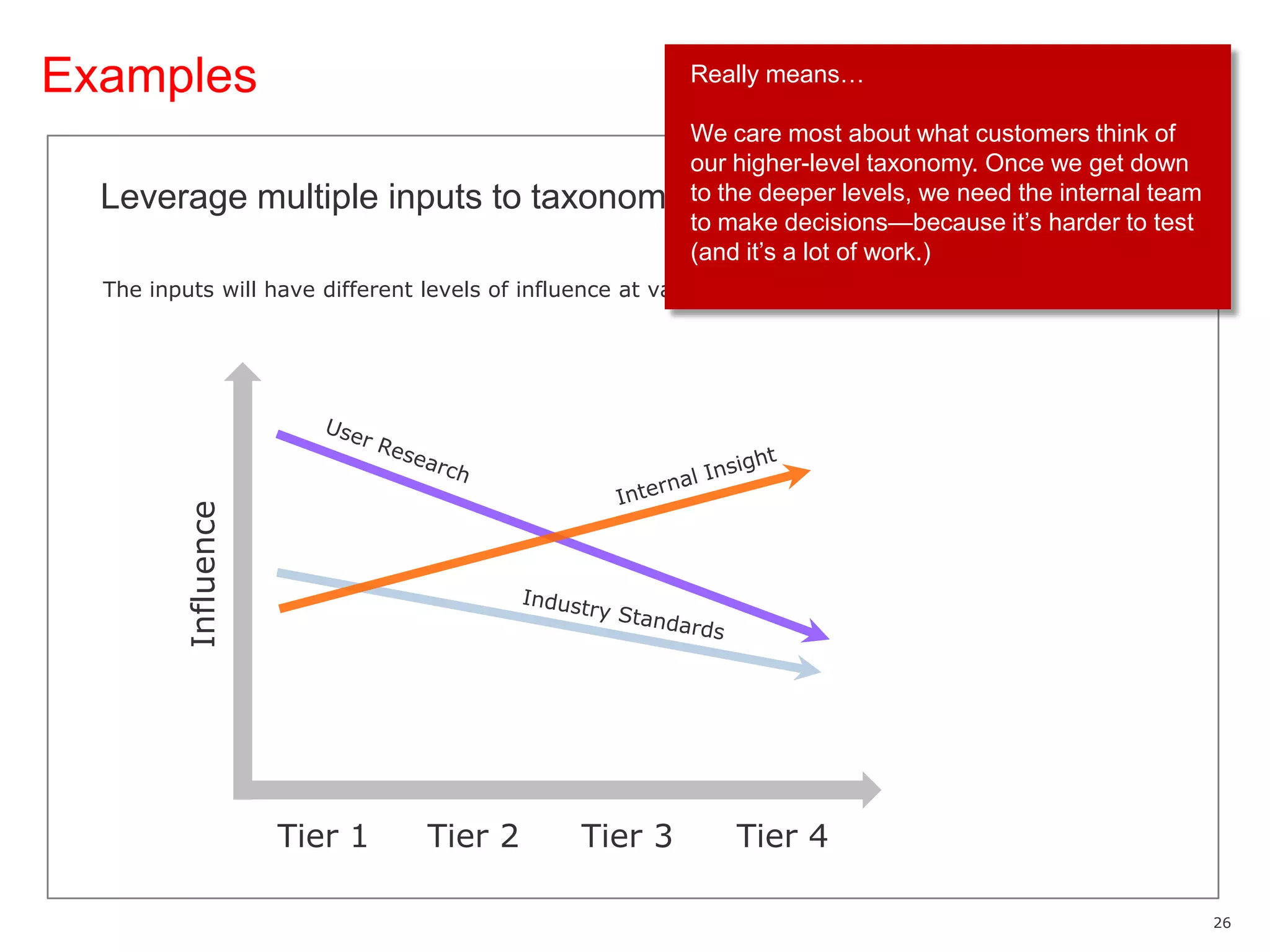
ExamplesReally means…We care most about what customers think of our higher-level taxonomy. Once we get down to the deeper levels, we need the internal team to make decisions—because it’s harder to test (and it’s a lot of work.)Leverage multiple inputs to taxonomy designThe inputs will have different levels of influence at various levels of the taxonomy.User ResearchInternal InsightInfluenceIndustry StandardsTier 1Tier 2Tier 3Tier 4
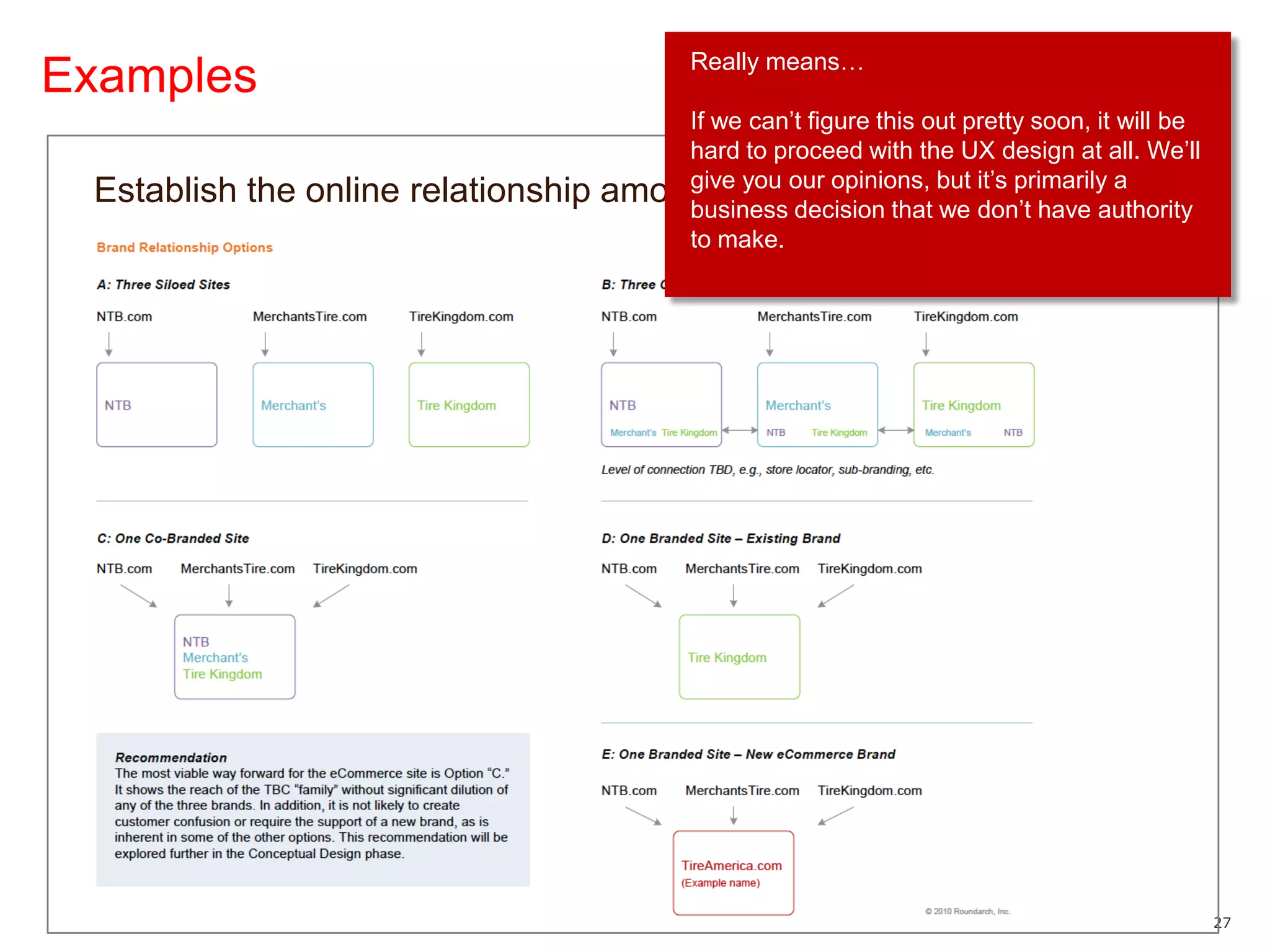
ExamplesReally means…If we can’t figure this out pretty soon, it will be hard to proceed with the UX design at all. We’ll give you our opinions, but it’s primarily a business decision that we don’t have authority to make.Establish the online relationship among the three brands
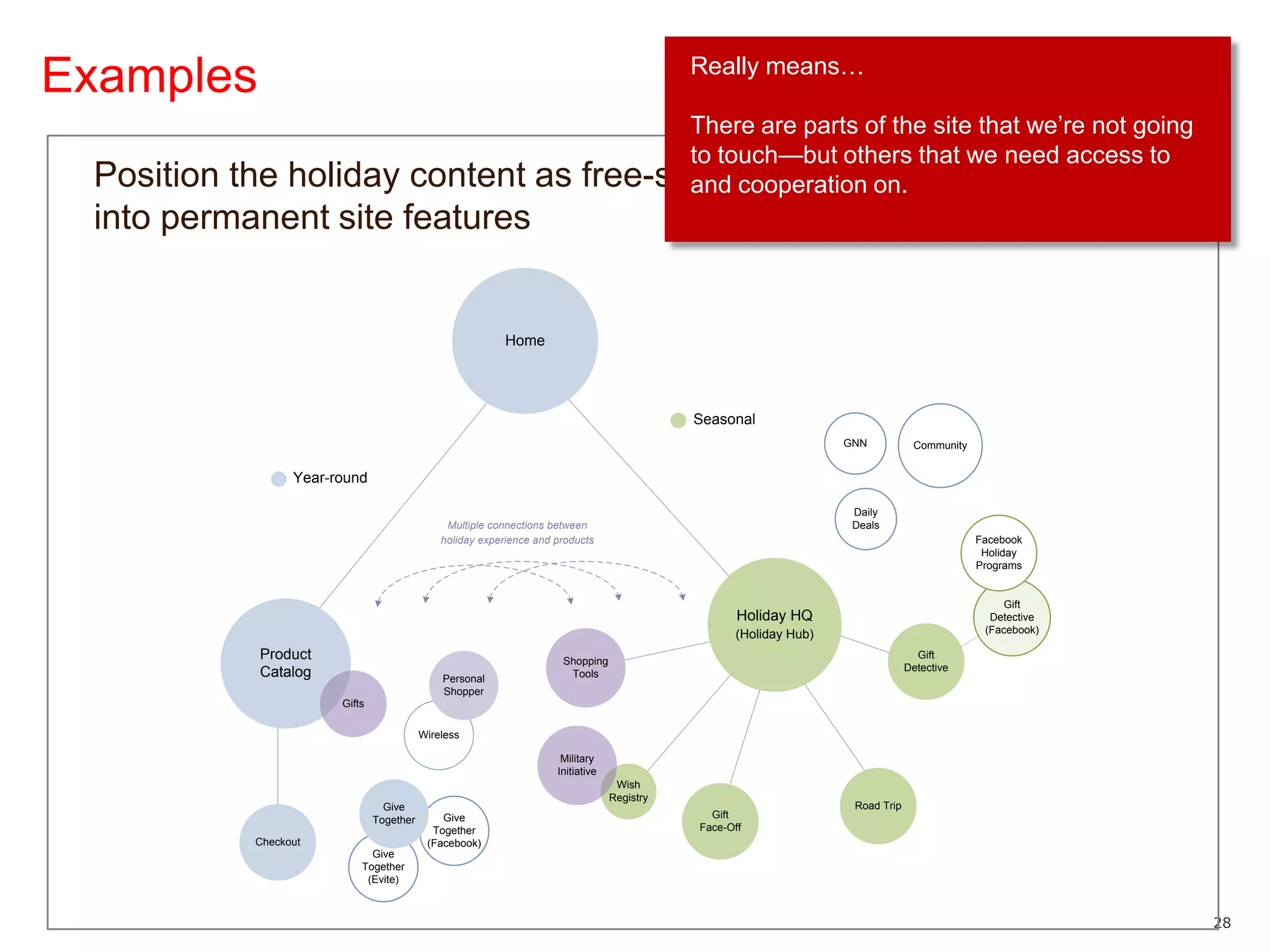
ExamplesReally means…There are parts of the site that we’re not going to touch—but others that we need access to and cooperation on.Position the holiday content as free-standing, but with key hooks into permanent site features
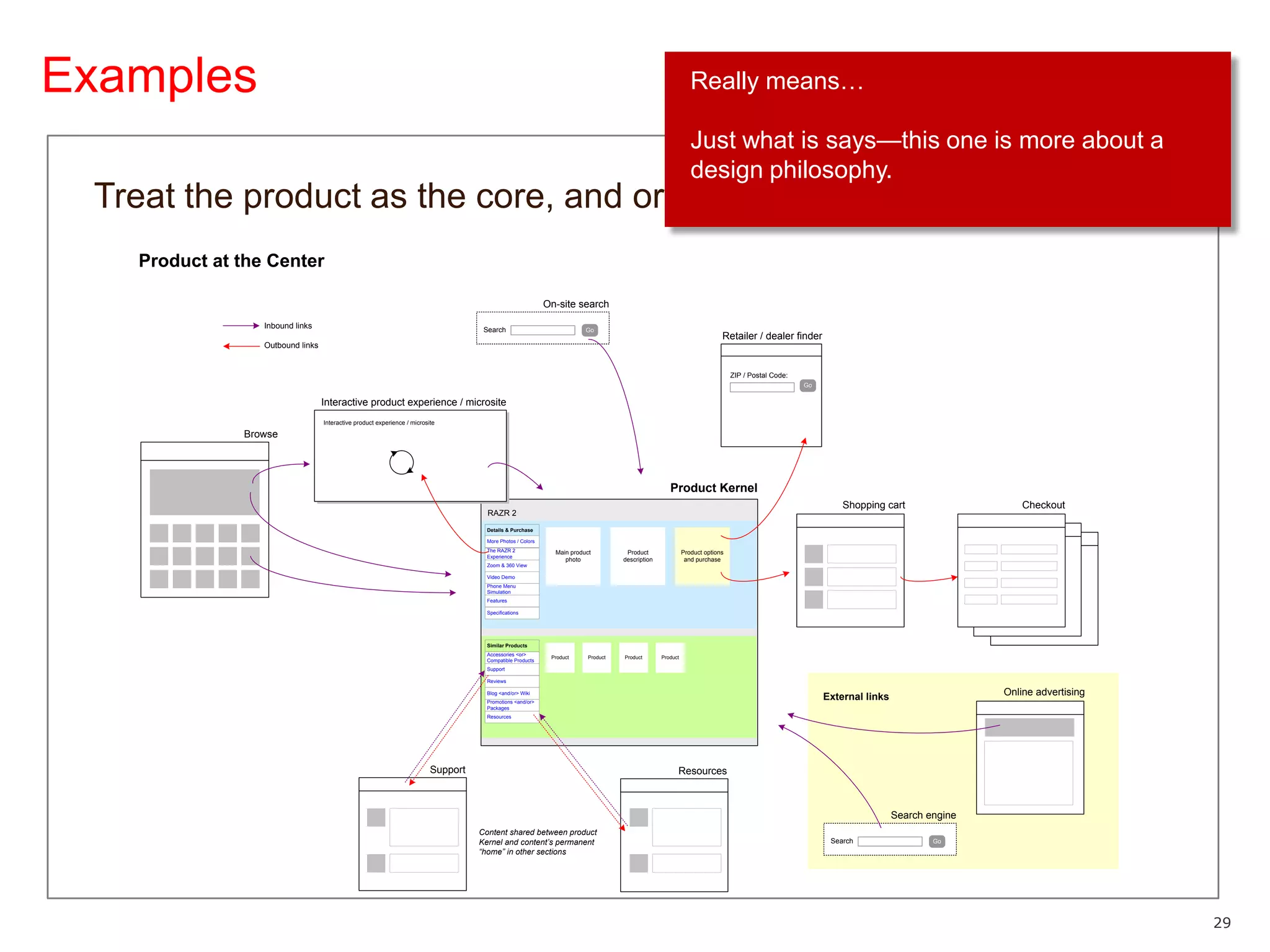
ExamplesReally means…Just what is says—this one is more about a design philosophy.Treat the product as the core, and organize the site around it
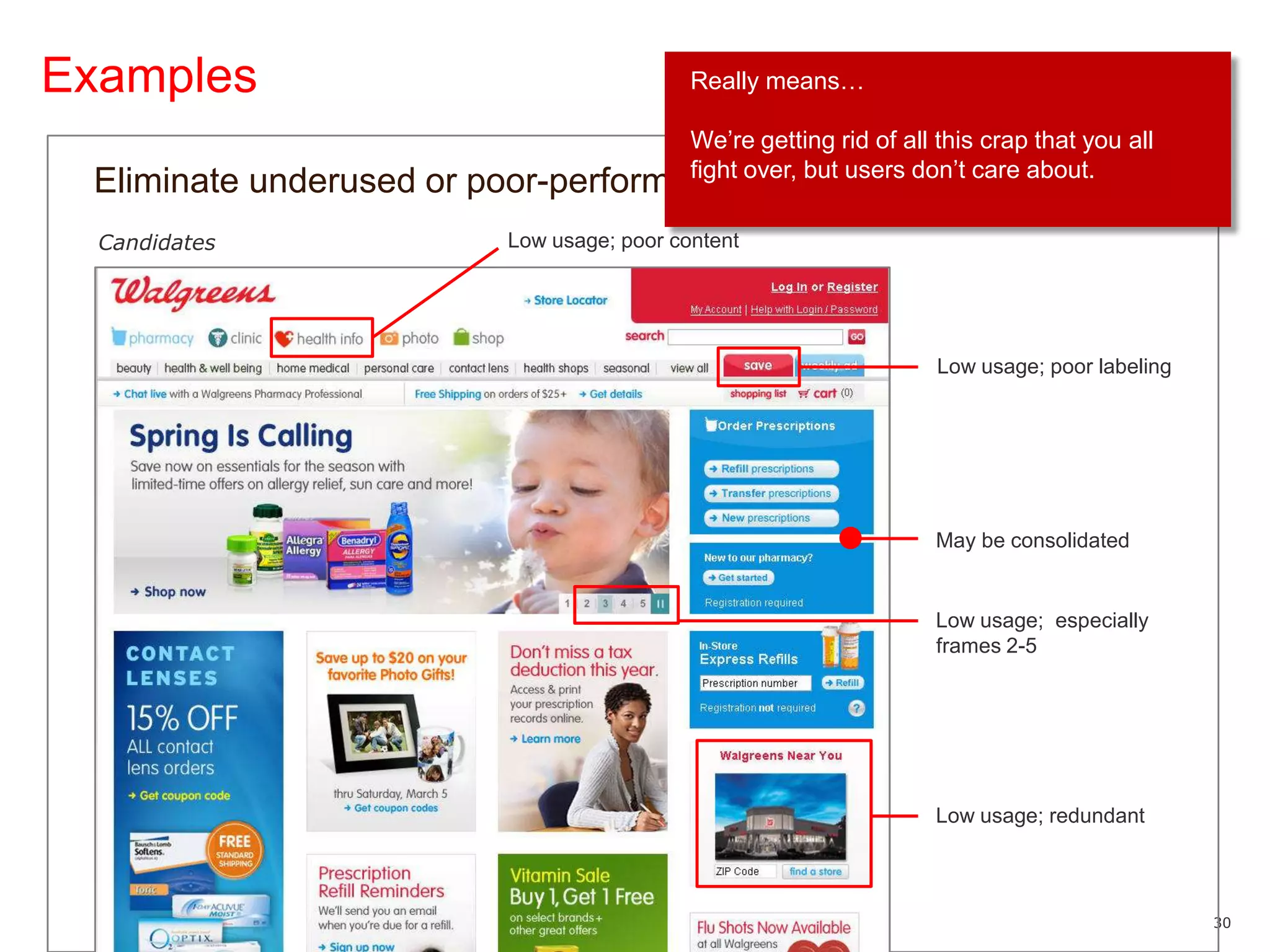
ExamplesReally means…We’re getting rid of all this crap that you all fight over, but users don’t care about.Eliminate underused or poor-performing contentCandidates Low usage; poor contentLow usage; poor labelingMay be consolidatedLow usage;  especially frames 2-5Low usage; redundant
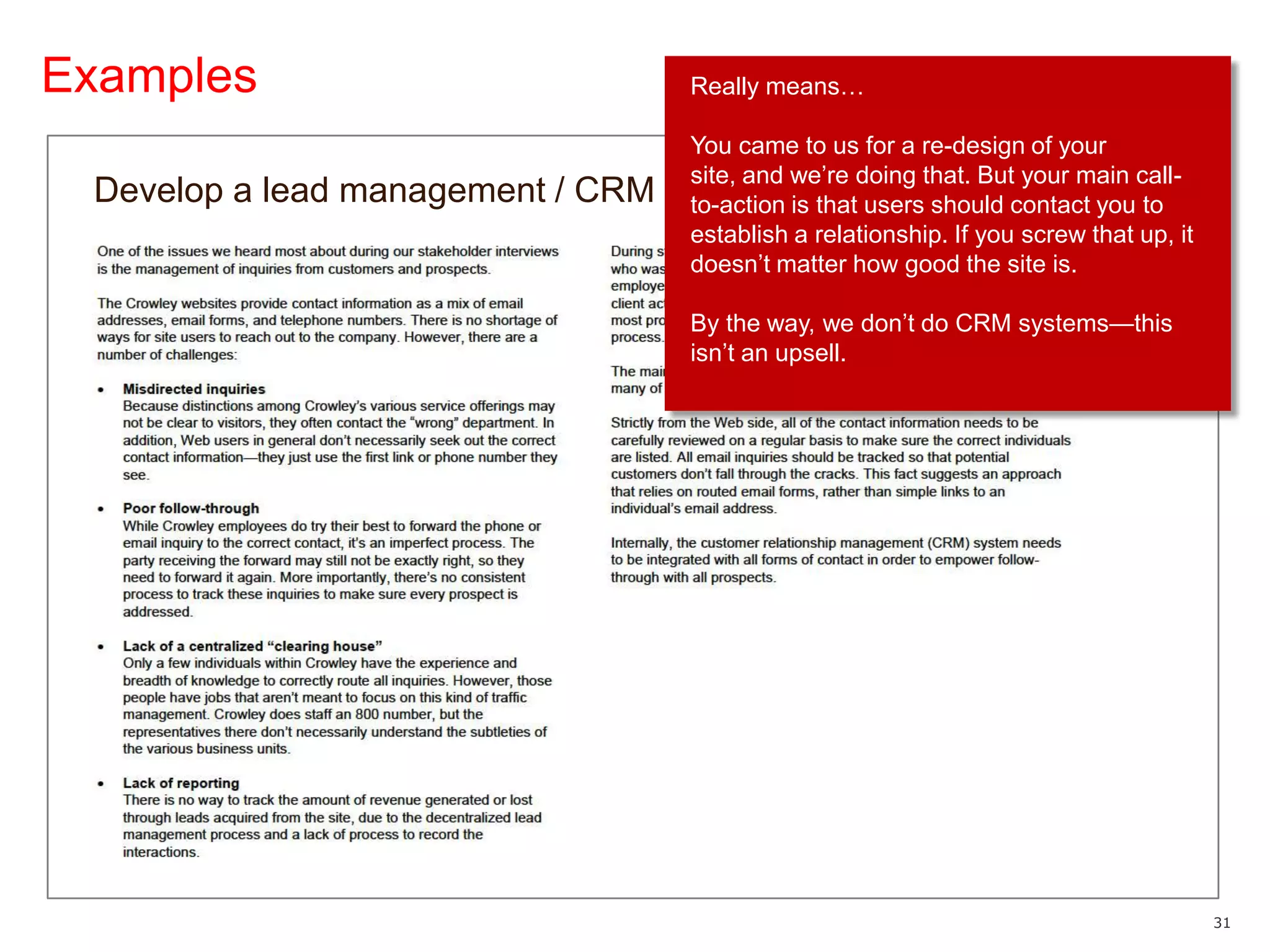
ExamplesReally means…You came to us for a re-design of your site, and we’re doing that. But your main call-to-action is that users should contact you to establish a relationship. If you screw that up, it doesn’t matter how good the site is.By the way, we don’t do CRM systems—this isn’t an upsell.Develop a lead management / CRM solution
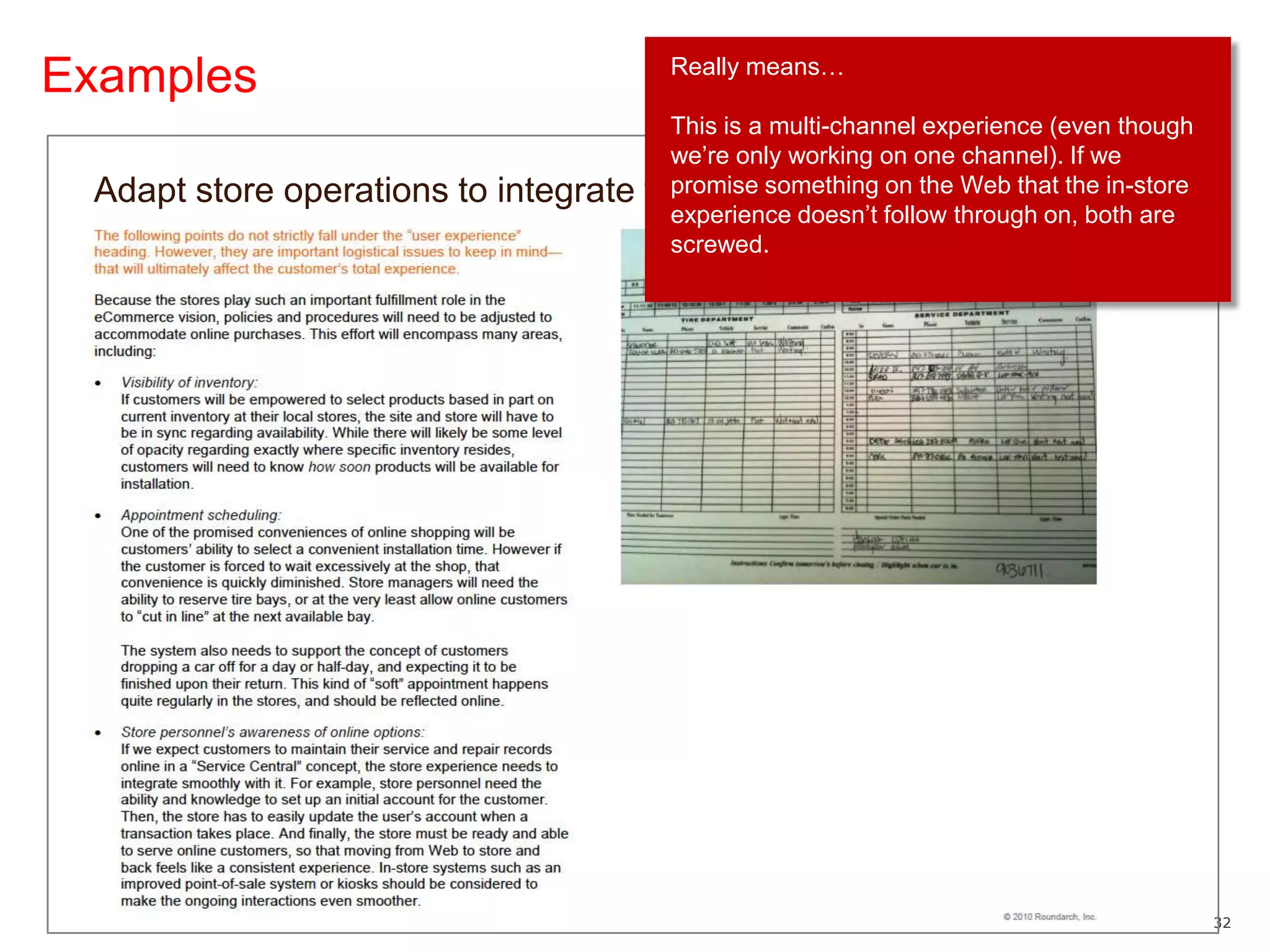
ExamplesReally means…This is a multi-channel experience (even though we’re only working on one channel). If we promise something on the Web that the in-store experience doesn’t follow through on, both are screwed.Adapt store operations to integrate with eCommerce
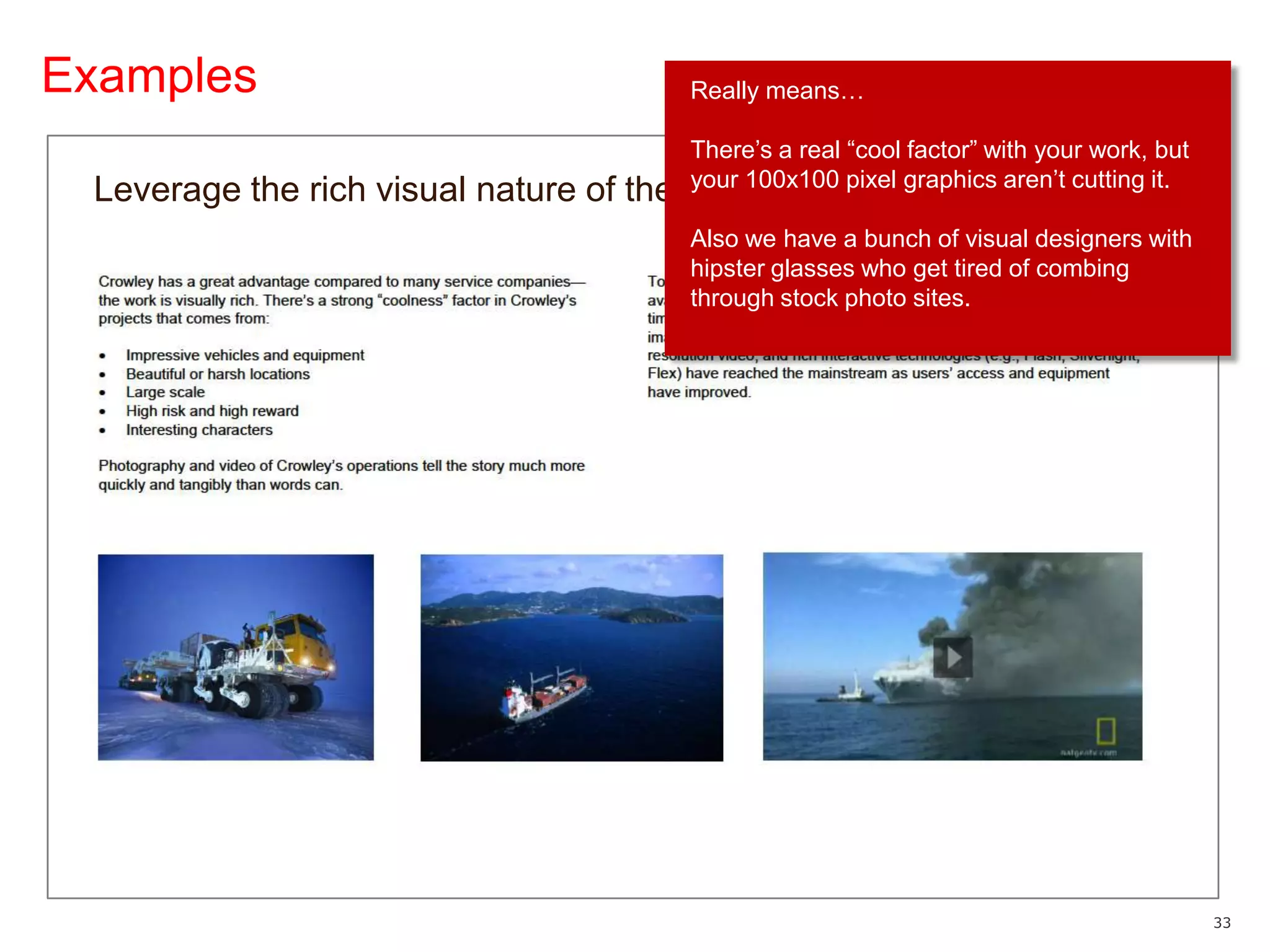
ExamplesReally means…There’s a real “cool factor” with your work, but your 100x100 pixel graphics aren’t cutting it.Also we have a bunch of visual designers with hipster glasses who get tired of combing through stock photo sites.Leverage the rich visual nature of the company’s work
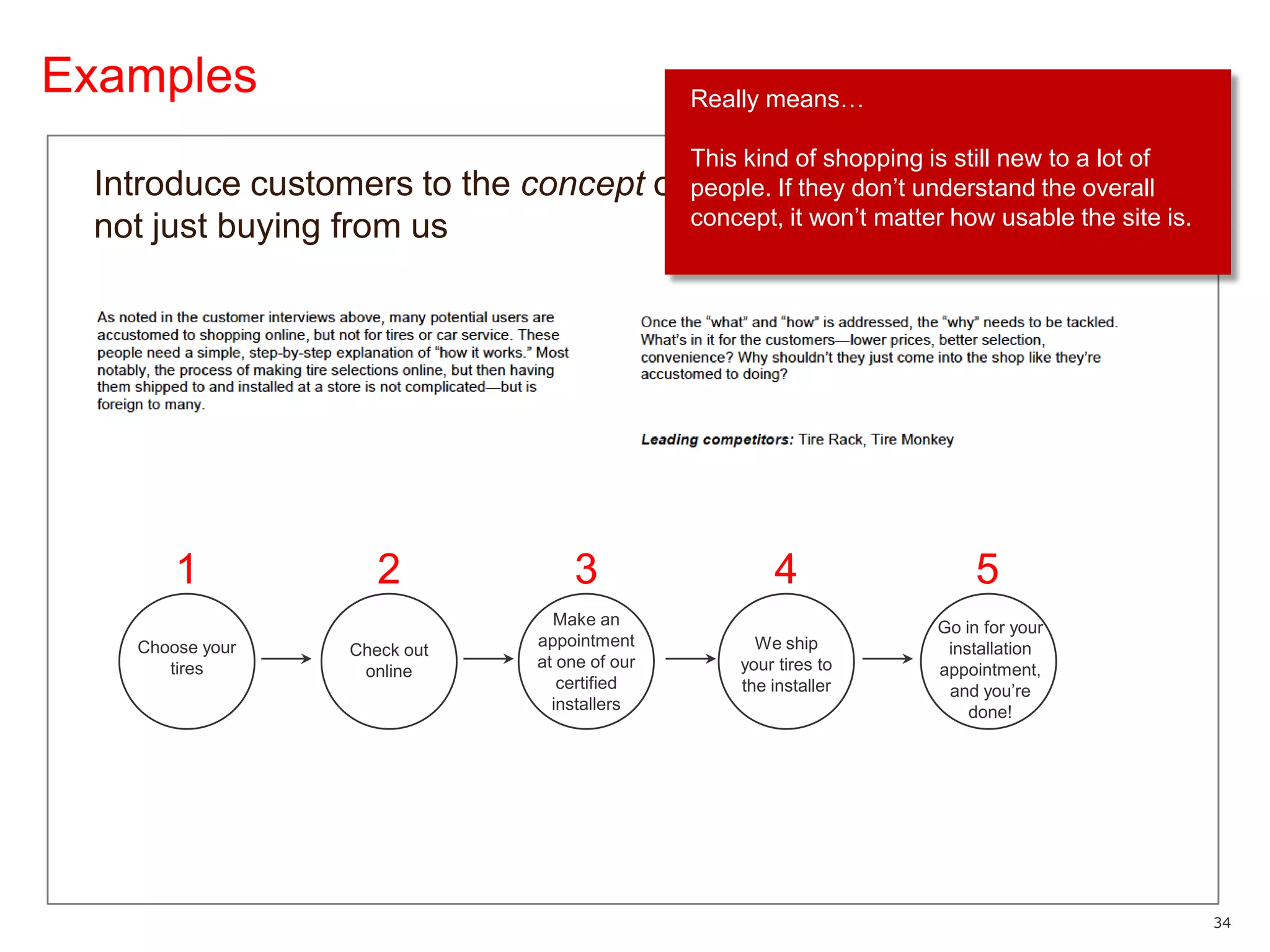
ExamplesReally means…This kind of shopping is still new to a lot of people. If they don’t understand the overall concept, it won’t matter how usable the site is.Introduce customers to the concept of buying online, not just buying from us12345Make an appointment at one of our certified installersGo in for your installation appointment, and you’re done!We ship your tires to the installerChoose your tiresCheck out online
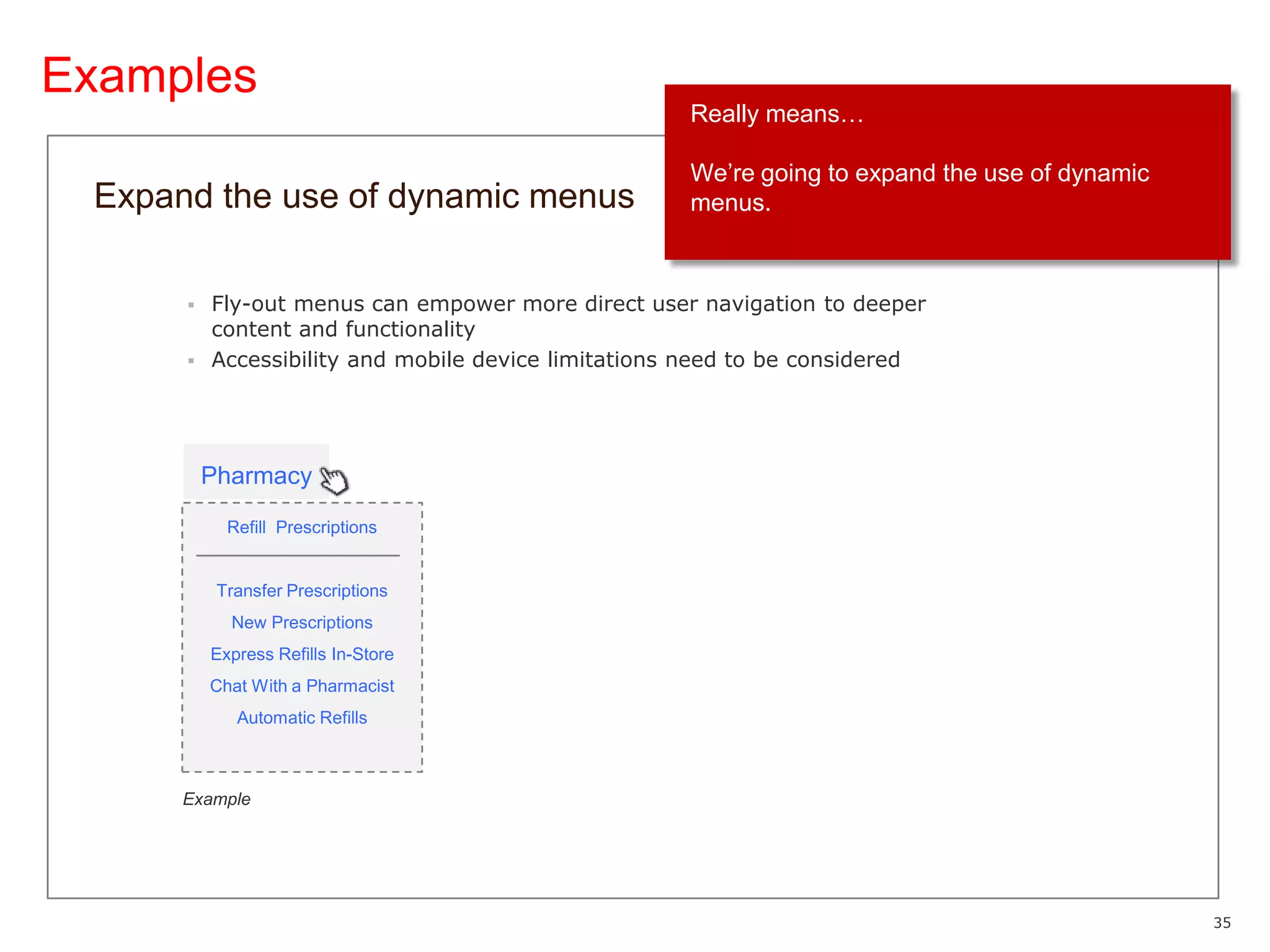
ExamplesReally means…We’re going to expand the use of dynamic menus.Expand the use of dynamic menusFly-out menus can empower more direct user navigation to deeper content and functionalityAccessibility and mobile device limitations need to be consideredPharmacyRefill  PrescriptionsTransfer PrescriptionsNew PrescriptionsExpress Refills In-StoreChat With a PharmacistAutomatic RefillsExample
Considerations
Risks and limitationsMay quickly become out-of-date as details are fleshed outApproach evolves as design details are worked outTreat as a “snapshot” in timeCan create a perception of added time that could be spent designingAlthough it probably saves time in the long runStakeholders may not understand what they’re agreeing toCan be too abstract for some to provide meaningful feedbackMay not engage until they’re seeing design treatments
Wrap upHelps survey the situationWho has strong opinions? How much weight do we need to give them?What factions are going to clash?What important issues may have been missed?Encourages collaboration early (or at least healthy discussion)Can save time defending solutions laterWinning over key allies can smooth the roadBuilds credibility for UXDemonstrates that a lot goes into the design processPositions us as strategic thinkers and experience planners, not order-takers
Thank YouJohn Yeskowww.yesko.com@jyesko

The User Experience Brief

  • 1.
    The User ExperienceBriefJohn YeskoIA Summit 2011
  • 2.
    About meNow: Directorof User Experience at WalgreensWeb!19931995200020052010Information Architect / UX DesignerWeb DesignerMedical Illustrator
  • 3.
  • 4.
    User Experience atUXgroupOrganized by lines of business13 UX designersInformation architectureInteraction designTaxonomyUser researchJust announced deal to acquire Drugstore.com60K more products3M loyal customersSeveral strong URLs/brandsLooking for experienced UX help in Chicago!And small agencies
  • 5.
  • 6.
    What is theUX brief?Early-stage strategic approach document with two primary goals:Summarizes what we know so far = output of Discovery processSets up how we intend to attack the project
  • 7.
    Who is itfor?StakeholdersClients (external)Business owners and executives (internal)“Downstream” teamCreativeTechnical
  • 8.
    Where does itfit?DISCOVERYDESIGNDelivery to Creative and TechnicalBusiness Requirements DocumentUser Experience TeamUX Business InsightUX BriefImplementation / Product AssignmentUX Business InsightUser Flows *User Flows and Wireframes: ConceptualWireframes: Detailed / AnnotatedInput from StakeholdersUser ResearchUser Research*Your process may vary
  • 9.
    Why do weuse it?To get a head start on building consensusTo discover any early “red flags” As a touch point to reference later (CYA)
  • 10.
  • 11.
    What’s in theUX brief?“Master” content outline includes:Project overviewUser experience inputsOrganizing principlesDeliverablesIssues and risksTailored to the particular projectVaries in length depending on needs (and audience’s attention span)Often doesn’t include every possible element
  • 12.
  • 13.
    User experience inputs—whatwe know Insights from:Analytics User research CompetitiveStakeholdersUser experience / heuristic
  • 14.
    InputsAnalytics insightsStatisticsSurvey resultsOthermetricsCustomer satisfactionOn-site behavior5%21%6%16%4%11%
  • 15.
    InputsUser research insightsUsabilitytestsCard sortingSurveys“I can’t find where to refill my prescription.”“THIS APP SUCKS!!! IT DOESN'T BRING UP MY PHOTO ALBUMS...WALGREENS, I USED TO WORK FOR YOU, I BUY YOUR CRAP, SO GET YOUR [EXPLETIVE]TOGETHER!!!”“Let me finish my primary task first—then I’m OK with being upsold.”“No additional features - the Home page is so crowded now that I want to give up now rather than slog through the ads and options for what I'm after…”@heyhiLindsay“[Expletive] just ordered a calender on walgreens.com and it was literally the hardest thing I've ever done in awhile, [expletive] that.”
  • 16.
    InputsPersonas and scenariosMaybe developed specifically for larger / longer-term projectsExisting “approved” personas can be referenced where applicableScenarios may reflect requirements and preview functionality
  • 17.
    InputsCompetitive insightsBest practicesOpportunitiesto fill a missing needEmerging standards, e.g., common functionality or taxonomy
  • 18.
    InputsStakeholder insightsGoals andchallenges from those sponsoring the projectConsensus, or alliances on controversial topics“We have a great story to tell. We need rich case studies to show what we’ve done in the past.”“Booking appointments online is great, but it doesn’t necessarily mean we can get them into the shop right away when they show up.”“When a potential customer sends an email inquiry through the site, it typically gets shuffled around to five or six people. We don’t have any way to track whether it’s been followed up.”
  • 19.
    InputsUser experience /heuristic insightsObservations from the UX teamMay be hypotheses, not yet proven by user research (or unprovable) Potentially confusing category labelsInefficient global navigation
  • 20.
  • 21.
  • 22.
    What are organizingprinciples?Loosely interpreted:Fundamentals and strategies we will observe while designingMajor areas of UX focusHigh-level design approachRange from general to specific Generic UX guidelinesProject-specific design ideasGeneralSpecific
  • 23.
    What are organizingprinciples?May include other “deliverables”:Concept mapUser flowHigh-level wireframesSuggestions of look and feel (e.g., mood boards)
  • 24.
    What are organizingprinciples?Examples from several diverse projects…
  • 25.
    ExamplesReally means…There willbe several influences, but we’re ultimately making the decision.Leverage multiple inputs to taxonomy designIndustry StandardsNewTaxonomyInternal Business InsightUser Experience Team AnalysisUser Research
  • 26.
    ExamplesReally means…We caremost about what customers think of our higher-level taxonomy. Once we get down to the deeper levels, we need the internal team to make decisions—because it’s harder to test (and it’s a lot of work.)Leverage multiple inputs to taxonomy designThe inputs will have different levels of influence at various levels of the taxonomy.User ResearchInternal InsightInfluenceIndustry StandardsTier 1Tier 2Tier 3Tier 4
  • 27.
    ExamplesReally means…If wecan’t figure this out pretty soon, it will be hard to proceed with the UX design at all. We’ll give you our opinions, but it’s primarily a business decision that we don’t have authority to make.Establish the online relationship among the three brands
  • 28.
    ExamplesReally means…There areparts of the site that we’re not going to touch—but others that we need access to and cooperation on.Position the holiday content as free-standing, but with key hooks into permanent site features
  • 29.
    ExamplesReally means…Just whatis says—this one is more about a design philosophy.Treat the product as the core, and organize the site around it
  • 30.
    ExamplesReally means…We’re gettingrid of all this crap that you all fight over, but users don’t care about.Eliminate underused or poor-performing contentCandidates Low usage; poor contentLow usage; poor labelingMay be consolidatedLow usage; especially frames 2-5Low usage; redundant
  • 31.
    ExamplesReally means…You cameto us for a re-design of your site, and we’re doing that. But your main call-to-action is that users should contact you to establish a relationship. If you screw that up, it doesn’t matter how good the site is.By the way, we don’t do CRM systems—this isn’t an upsell.Develop a lead management / CRM solution
  • 32.
    ExamplesReally means…This isa multi-channel experience (even though we’re only working on one channel). If we promise something on the Web that the in-store experience doesn’t follow through on, both are screwed.Adapt store operations to integrate with eCommerce
  • 33.
    ExamplesReally means…There’s areal “cool factor” with your work, but your 100x100 pixel graphics aren’t cutting it.Also we have a bunch of visual designers with hipster glasses who get tired of combing through stock photo sites.Leverage the rich visual nature of the company’s work
  • 34.
    ExamplesReally means…This kindof shopping is still new to a lot of people. If they don’t understand the overall concept, it won’t matter how usable the site is.Introduce customers to the concept of buying online, not just buying from us12345Make an appointment at one of our certified installersGo in for your installation appointment, and you’re done!We ship your tires to the installerChoose your tiresCheck out online
  • 35.
    ExamplesReally means…We’re goingto expand the use of dynamic menus.Expand the use of dynamic menusFly-out menus can empower more direct user navigation to deeper content and functionalityAccessibility and mobile device limitations need to be consideredPharmacyRefill PrescriptionsTransfer PrescriptionsNew PrescriptionsExpress Refills In-StoreChat With a PharmacistAutomatic RefillsExample
  • 36.
  • 37.
    Risks and limitationsMayquickly become out-of-date as details are fleshed outApproach evolves as design details are worked outTreat as a “snapshot” in timeCan create a perception of added time that could be spent designingAlthough it probably saves time in the long runStakeholders may not understand what they’re agreeing toCan be too abstract for some to provide meaningful feedbackMay not engage until they’re seeing design treatments
  • 38.
    Wrap upHelps surveythe situationWho has strong opinions? How much weight do we need to give them?What factions are going to clash?What important issues may have been missed?Encourages collaboration early (or at least healthy discussion)Can save time defending solutions laterWinning over key allies can smooth the roadBuilds credibility for UXDemonstrates that a lot goes into the design processPositions us as strategic thinkers and experience planners, not order-takers
  • 39.