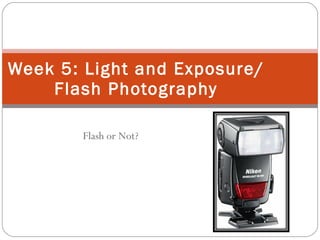
Week 5 Flash Or Not

Loading...

Flash Player 9 (or above) is needed to view presentations.
We have detected that you do not have it on your computer. To install it, go here.

0 comments

Post a comment

    Post a comment
    Embed Video
    Edit your comment Cancel

    Favorites, Groups & Events

    Week 5 Flash Or Not - Presentation Transcript

    1. Flash or Not? Week 5: Light and Exposure/Flash Photography
    2. Schedule
      • Review AEB on Flickr
      • Review Light and Exposure
      • Flash Presentation
      • White Balance Function
      • Assignment, Flash or not
    3. Light
      • Digital photography is easy- when you have plenty of light and the conditions are ideal.
      • The flash is the biggest solution- not only does it interfere with your “moment” socially and artistically, but the flash can flatten out your digital images.
      • A good way to combat the problem in low light you can try using a higher ISO
    4. Flash: Flat – no contrast – washed out No Flash: Natural warm colors - contrast
    5. Non-Flash
    6. Non-Flash Techniques
      • Crank ISO as high as it will go
      • Shoot RAW if possible (if post editing is used)
      • AV with the lowest f-stop on fastest lens
      • Noise reduction in post processing to help on the grain/noise
      • And although a fast lens can be very expensive, there are affordable primes out there, like the Canon f1.8 50mm.
    7. Indoor Shots
      • Take advantage of candle light’s available illumination
      • Have some additional room light, set in AV mode and IS.
      • Choose perspective
      • Support yourself
    8. Sleeping Faces
      • Capture these precious moments without a distracting flash.
      • Watch for blurred imaged caused by slow shutter speed.
      • Choose AV mode, use IS
      • Aim for eyelashes
    9. Effects of Flash - Skintone Flash Washed out No Flash Warm skin tones
    10. Flash or Not?
      • Major events at night and watch the grandstands.
      • The digital camera decided there was not enough light, so the camera flash fired automatically.
      • Expected max distance for inbuilt camera flashes-ten feet.
    11. No Flash– Low lighting Decision
    12. No Flash – No window glare
    13. Keeping the Camera Still
      • Often it is not practical to use tripods in some areas (grandstands-train station).
      • Balance your body and, if possible, brace yourself against something solid, such as a wall or seat.
      • Then bring your elbows in firmly against your chest, and using the viewfinder hold your camera firmly against your head. Finally breathe, not too deep, and then hold it while you squeeze the shutter release.
    14. Flash
    15. Flash Basics
      • Built in (good for 10 feet away, not good close up)
      • Hot shoe
        • Higher end cameras
        • External flash
        • Electronic contact points
        • Synchronized
      • TTL metering: the camera measures the light in the scene based on the light coming through the lens. The camera is smart enough to meter the subject, do some quick calculations and then tell each (slave and master)(infrared) flash how bright they should fire.
    16. External Flash
      • Direct – can produce a harsh image Shadow behind subject
      • Wall Bounce – Brings out subject shape
      • Ceiling bounce -
      • Off-camera
        • Off camera shoe cord $70
        • Wireless transmitter $200
      • Flash brackets
      • Diffusers
    17. Nikon SB-400
      • Very simple, very high quality flash
      • Tiny, lite
      • Bounce Flash
      • No sideways tilt, so bounce goes horizontally for vertical shots.
      • $120
    18. Canon 580EXII Speedlite
      • Top-of-the-line, professional grade external flash
      • Wireless control
      • Master/slave remote flash setting
      • $420
    19. Light Angle
      • Portraits – add mood, give contrast and provide interest.
      • Can be used to dramatically alter the mood of the model
      • Angled light: Dynamic variation between highlights and shadows to give a dimension and depth
      • Avoid straight on flash which washes out the subject
      • Strobes, speedlights, or LEDs: The main light should be strongest, and the second light should simply provide a nice fill
      • Most dynamic photographs are the ones in which the audience can walk into the scene – lighting and shape most emphasized by side light.
    20. Flash Angles http://www.flickr.com/photos/seanmcfoto/577531995/ From Sean McCormack (Flickr) :
    21. Red Eye
      • Light bouncing off the blood vessels in the back of the eye
      • Lens axis flash causes this
      Red Eye Red Eye Deleted in Photoshop Elements
    22. Flash Indoors
      • Christmas Tree in the Background
      • For indoor light displays or shots of the tree, slow down the shutter speed to allow ambient light to come into the camera.
      • Always use a tripod.
      • The flash usage depends on the situation; don't use a flash if you are just shooting the tree or the lights, but use the flash if people are in front of the tree.
    23. Flash Indoors With camera flash: External flash bounced off the ceiling would produce a more evenly contrasted image
    24. Flash Outdoors
      • Light up close subjects
      • Artificial looking
      • Softens hard shadows
      • Eye sockets at noon hours
      • Excessive backlight
      No flash - silhouette Fill flash – Subjected highlighted
    25. Flash Outdoors
    26. Shooting into Direct Sunlight
      • Move into the shade
      • Use fill in flash
      • Change your perspective
      • Lens hood
      • Filters
      • Spot metering/Exp compensation
      • Shoot silhouettes
      silhouette Use light to direct the viewers eye
    27. Metering Modes
      • Every time you point your camera at a scene it needs to take a guess at what is important to you in the picture and which part you want to be exposed optimally
        • Overall Metering (Multi Segment/Zone Metering) camera attempts to take into consideration everything in your frame
        • Spot Metering camera to do it’s metering from a very small ’spot’ in the scene
        • Center Weighted Metering takes a little from both ends of the spectrum and tells the camera to focus it’s metering decisions upon the center of your image1
    28. Prophotolife.com (Video Library) http://www.prophotolife.com/2008/08/18/video-episode-25-outdoor-portraits-1 http://www.flickr.com/photos/prophotolife/2772496402/in/set-72157606789008888/ http://www.flickr.com/photos/prophotolife/2771648827/in/set-72157606789008888/
    29. One-Cent Soft Box (Bounce Card)
      • http://www.kenrockwell.com/nikon/sb400.htm#card
      Ken Rockwell.com
    30. Studios
    31. Adorama Deshadow Box
      • Portable Still Life Studio
      • 16 x 16
      • Halogen Lamps
      • $40
    32. Light Box/Tent
      • http://www.pbase.com/wlhuber/light_box_light_tent
    33. Budget Studio
      • Adorama Budget Studio Monolight Softbox Kit #12, with 2 100 Watt Flashes, Light Stands & Two 12 X 12 Softboxes, $160
      • Other items
        • White umbrella
        • Collapsible Disc Reflectors $20 - $40
        • Backgrounds
    34. Turn off Flash
      • Canon
        • In auto (green box) mode, you can't turn it off. It will pop up if the camera deems it necessary.
        • In P mode, M, Av, and Tv, it won't fire unless you push the button to make it pop up. If you don't want it to fire, push it back down.
      • Nikon
        • When the flash is up press the flash button until the LCD says off in the flash section.
    35. White Balance (WB)
      • The process of removing unrealistic color casts, so that objects which appear white in person are rendered white in your photo. 
      • Proper camera white balance has to take into account the "color temperature" of a light source, which refers to the relative warmth or coolness of white light. 
      • Our eyes are very good at judging what is white under different light sources, however digital cameras often have great difficulty .
    36. White Balance
      • Auto white balance (AWB)
      • An incorrect WB can create unsightly blue, orange, or even green color casts. 
      Incorrect Correct From Tutorial on White Balance: http://www.cambridgeincolour.com/tutorials/white-balance.htm
    37. White Balance
    38. Assignment
      • Post a photo on Flickr with the flash being fired outside to highlight a close object (Fill Light)
      • or
      • The flash not being fired inside to use the existing natural light available.
    SlideShare Zeitgeist 2009

    + joelkjoelk Nominate

    custom

    51 views, 0 favs, 1 embeds more stats

    More info about this document

    © All Rights Reserved

    Go to text version

    • Total Views 51
      • 46 on SlideShare
      • 5 from embeds
    • Comments 0
    • Favorites 0
    • Downloads 0
    Most viewed embeds
    • 5 views on http://discoverdigitalphotography.blogspot.com

    more

    All embeds
    • 5 views on http://discoverdigitalphotography.blogspot.com

    less

    Flagged as inappropriate Flag as inappropriate
    Flag as inappropriate

    Select your reason for flagging this presentation as inappropriate. If needed, use the feedback form to let us know more details.

    Cancel
    File a copyright complaint
    Having problems? Go to our helpdesk?

    Categories