inarocket.com
Learn at rocket speed
CSSSELECTORS
Learn front-end development at rocket speed
inarocket.com
by miguelsanchez.com
What is a CSS selector
inarocket.com - CSS / Selectors
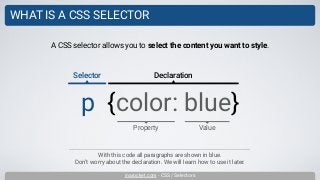
WHAT IS A CSS SELECTOR
With this code all paragraphs are shown in blue.
Don’t worry about the declaration. We will learn how to use it later.
A CSS selector allows you to select the content you want to style.
p {color: blue}
Property
Selector Declaration
Value
Basic selectors
inarocket.com - CSS / Selectors
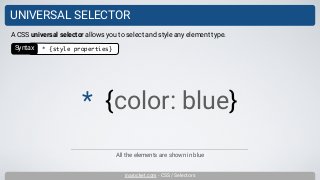
UNIVERSAL SELECTOR
All the elements are shown in blue
A CSS universal selector allows you to select and style any element type.
* {color: blue}
Syntax * {style properties}
inarocket.com - CSS / Selectors
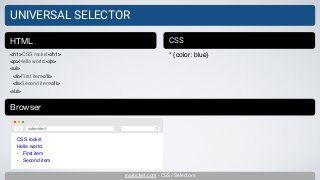
UNIVERSAL SELECTOR
<h1>CSS rocks!</h1>
<p>Hello world.</p>
<ul>
<li>First item</li>
<li>Second item</li>
</ul>
HTML CSS
* {color: blue}
Browser
CSS rocks!
Hello world.
• First item
• Second item
index.html
inarocket.com - CSS / Selectors
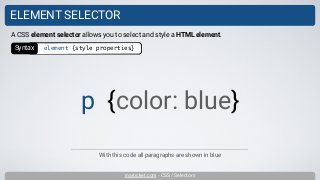
ELEMENT SELECTOR
With this code all paragraphs are shown in blue
A CSS element selector allows you to select and style a HTML element.
p {color: blue}
Syntax element {style properties}
inarocket.com - CSS / Selectors
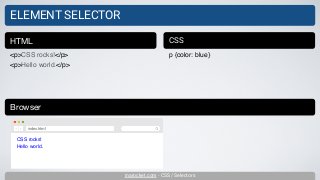
ELEMENT SELECTOR
<p>CSS rocks!</p>
<p>Hello world.</p>
HTML CSS
p {color: blue}
Browser
CSS rocks!
Hello world.
index.html
inarocket.com - CSS / Selectors
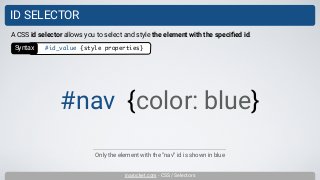
ID SELECTOR
Only the element with the “nav” id is shown in blue
A CSS id selector allows you to select and style the element with the specified id.
#nav {color: blue}
Syntax #id_value {style properties}
inarocket.com - CSS / Selectors
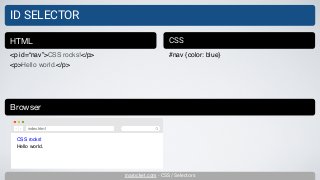
ID SELECTOR
<p id=“nav”>CSS rocks!</p>
<p>Hello world.</p>
HTML CSS
#nav {color: blue}
Browser
CSS rocks!
Hello world.
index.html
inarocket.com - CSS / Selectors
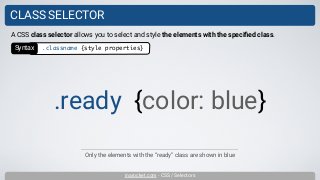
CLASS SELECTOR
Only the elements with the “ready” class are shown in blue
A CSS class selector allows you to select and style the elements with the specified class.
.ready {color: blue}
Syntax .classname {style properties}
inarocket.com - CSS / Selectors
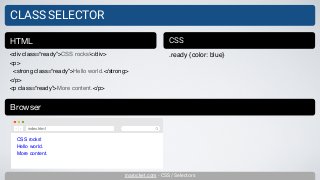
CLASS SELECTOR
<div class=“ready”>CSS rocks!</div>
<p>
<strong class=“ready”>Hello world.</strong>
</p>
<p class=“ready”>More content.</p>
HTML CSS
.ready {color: blue}
Browser
CSS rocks!
Hello world.
More content.
index.html
inarocket.com - CSS / Selectors
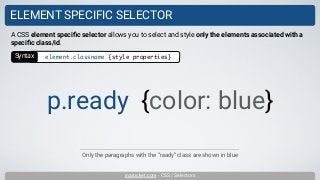
ELEMENT SPECIFIC SELECTOR
Only the paragraphs with the “ready” class are shown in blue
A CSS element specific selector allows you to select and style only the elements associated with a
specific class/id.
p.ready {color: blue}
Syntax element.classname {style properties}
inarocket.com - CSS / Selectors
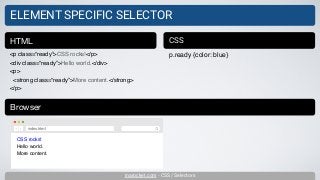
ELEMENT SPECIFIC SELECTOR
<p class=“ready”>CSS rocks!</p>
<div class=“ready”>Hello world.</div>
<p>
<strong class=“ready”>More content.</strong>
</p>
HTML CSS
p.ready {color: blue}
Browser
CSS rocks!
Hello world.
More content.
index.html
Relational selectors
inarocket.com - CSS / Selectors
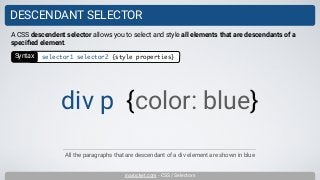
DESCENDANT SELECTOR
All the paragraphs that are descendant of a div element are shown in blue
A CSS descendent selector allows you to select and style all elements that are descendants of a
specified element.
div p {color: blue}
Syntax selector1 selector2 {style properties}
inarocket.com - CSS / Selectors
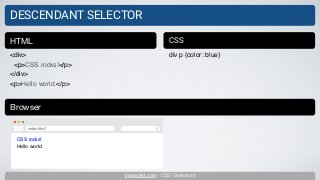
DESCENDANT SELECTOR
<div>
<p>CSS rocks!</p>
</div>
<p>Hello world.</p>
HTML CSS
div p {color: blue}
Browser
CSS rocks!
Hello world.
index.html
inarocket.com - CSS / Selectors
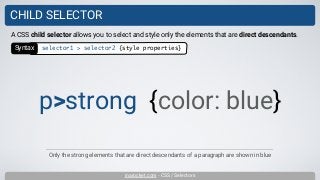
CHILD SELECTOR
Only the strong elements that are direct descendants of a paragraph are shown in blue
A CSS child selector allows you to select and style only the elements that are direct descendants.
p>strong {color: blue}
Syntax selector1 > selector2 {style properties}
inarocket.com - CSS / Selectors
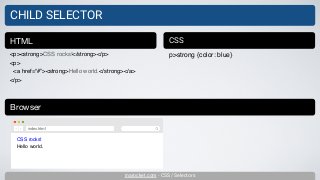
CHILD SELECTOR
<p><strong>CSS rocks!</strong></p>
<p>
<a href=“#”><strong>Hello world.</strong></a>
</p>
HTML CSS
p>strong {color: blue}
Browser
CSS rocks!
Hello world.
index.html
inarocket.com - CSS / Selectors
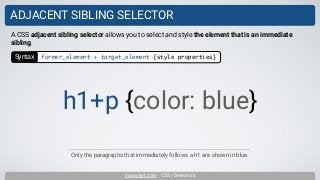
ADJACENT SIBLING SELECTOR
Only the paragraphs that immediately follows a h1 are shown in blue.
A CSS adjacent sibling selector allows you to select and style the element that is an immediate
sibling.
h1+p {color: blue}
Syntax former_element + target_element {style properties}
inarocket.com - CSS / Selectors
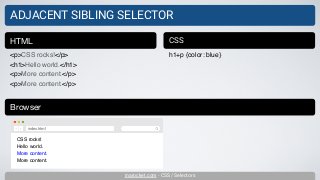
ADJACENT SIBLING SELECTOR
<p>CSS rocks!</p>
<h1>Hello world.</h1>
<p>More content.</p>
HTML CSS
h1+p {color: blue}
Browser
CSS rocks!
Hello world.
More content.
More content.
index.html
inarocket.com - CSS / Selectors
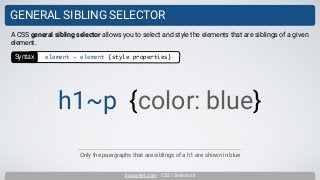
GENERAL SIBLING SELECTOR
Only the paragraphs that are siblings of a h1 are shown in blue
A CSS general sibling selector allows you to select and style the elements that are siblings of a given
element.
h1~p {color: blue}
Syntax element ~ element {style properties}
inarocket.com - CSS / Selectors
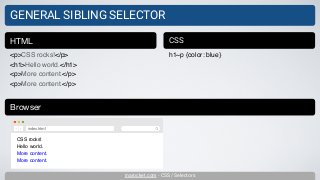
GENERAL SIBLING SELECTOR
<p>CSS rocks!</p>
<h1>Hello world.</h1>
<p>More content.</p>
HTML CSS
h1~p {color: blue}
Browser
CSS rocks!
Hello world.
More content.
More content.
index.html
Attribute selectors
inarocket.com - CSS / Selectors
ATTRIBUTE SELECTOR
A CSS attribute selector allows you to select and style an element with a specific attribute or
attribute value.
p[lang] {color: blue}
Syntax element[attr] {style properties}
Only the paragraphs with the lang attribute are shown in blue.
inarocket.com - CSS / Selectors
ATTRIBUTE SELECTOR
<p lang=“en”>CSS rocks!</p>
<p>More content.</p>
<a href=“#” target=“_blank”>Contact</a>
<a href=“#”>About us</a>
HTML CSS
p[lang] {color: blue}
a[target] {color: red}
Browser
CSS rocks!
More content.
Contact
About us
index.html
The a element is shown in blue by default
inarocket.com - CSS / Selectors
ATTRIBUTE SELECTOR
<p lang=“en”>CSS rocks!</p>
<p lang=“fr”>Bonjour!</p>
<a href=“contact.html”>Contact</a>
<a href=“#”>About us</a>
HTML CSS
p[lang=“en”] {color: blue}
a[href=“contact.html”] {color: red}
Browser
CSS rocks!
Bonjour!
Contact
About us
index.html
The a element is shown in blue by default
inarocket.com - CSS / Selectors
ATTRIBUTE SELECTOR
<p lang=“en-gb en-us en-au en-nz”>CSS
rocks!</p>
HTML CSS
p[lang~="en-us"] {color: blue}
Browser
CSS rocks!
index.html
inarocket.com - CSS / Selectors
ATTRIBUTE SELECTOR
<p lang=“en-gb”>CSS rocks!</p>
<p lang=“en-us”>Hello world.</p>
<p lang=“en-au”>More content.</p>
HTML CSS
p[lang="en"] {color: blue}
Browser
CSS rocks!
Hello world.
More content.
index.html
Pseudo-classes
inarocket.com - CSS / Selectors
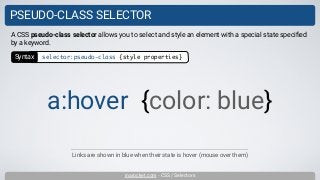
PSEUDO-CLASS SELECTOR
Links are shown in blue when their state is hover (mouse over them)
A CSS pseudo-class selector allows you to select and style an element with a special state specified
by a keyword.
a:hover {color: blue}
Syntax selector:pseudo-class {style properties}
inarocket.com - CSS / Selectors
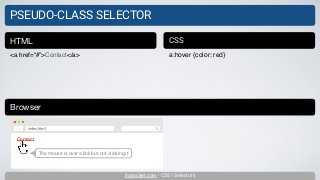
PSEUDO-CLASS SELECTOR
<a href=“#”>Contact</a>
HTML CSS
a:hover {color: red}
Browser
Contact
index.html
The mouse is over a link but not clicking it
Structural pseudo-classes
inarocket.com - CSS / Selectors
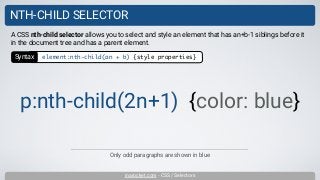
NTH-CHILD SELECTOR
Only odd paragraphs are shown in blue
A CSS nth-child selector allows you to select and style an element that has an+b-1 siblings before it
in the document tree and has a parent element.
p:nth-child(2n+1) {color: blue}
Syntax element:nth-child(an + b) {style properties}
inarocket.com - CSS / Selectors
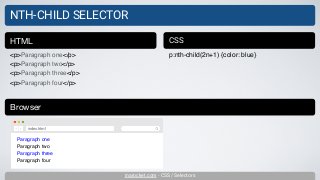
NTH-CHILD SELECTOR
<p>Paragraph one</p>
<p>Paragraph two</p>
<p>Paragraph three</p>
<p>Paragraph four</p>
HTML CSS
p:nth-child(2n+1) {color: blue}
Browser
Paragraph one
Paragraph two
Paragraph three
Paragraph four
index.html
inarocket.com - CSS / Selectors
NTH-CHILD SELECTOR
<p>Paragraph one</p>
<p>Paragraph two</p>
<p>Paragraph three</p>
<p>Paragraph four</p>
HTML CSS
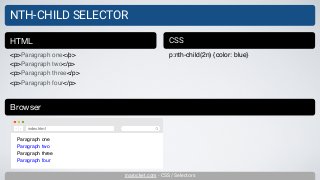
p:nth-child(2n) {color: blue}
Browser
Paragraph one
Paragraph two
Paragraph three
Paragraph four
index.html
inarocket.com - CSS / Selectors
NTH-CHILD SELECTOR
<p>Paragraph one</p>
<p>Paragraph two</p>
<p>Paragraph three</p>
<p>Paragraph four</p>
HTML CSS
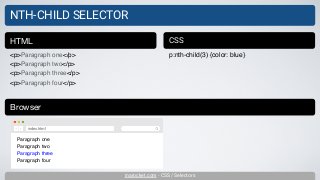
p:nth-child(3) {color: blue}
Browser
Paragraph one
Paragraph two
Paragraph three
Paragraph four
index.html
inarocket.com - CSS / Selectors
NOTICE
Sorry for the inconvenience.
This presentation is a work in progress.
Are you also interested in learning
BOOTSTRAP 4
POSTCSS?
+
http://inarocket.teachable.com/courses/css-postcss
Please visit:
Learn front-end development at rocket speed
inarocket.com
by miguelsanchez.com
inarocket.com
Learn at rocket speed
CSSSELECTORS

Learn CSS3: Selectors

  • 1.
  • 2.
    Learn front-end developmentat rocket speed inarocket.com by miguelsanchez.com
  • 3.
    What is aCSS selector
  • 4.
    inarocket.com - CSS/ Selectors WHAT IS A CSS SELECTOR With this code all paragraphs are shown in blue. Don’t worry about the declaration. We will learn how to use it later. A CSS selector allows you to select the content you want to style. p {color: blue} Property Selector Declaration Value
  • 5.
  • 6.
    inarocket.com - CSS/ Selectors UNIVERSAL SELECTOR All the elements are shown in blue A CSS universal selector allows you to select and style any element type. * {color: blue} Syntax * {style properties}
  • 7.
    inarocket.com - CSS/ Selectors UNIVERSAL SELECTOR <h1>CSS rocks!</h1> <p>Hello world.</p> <ul> <li>First item</li> <li>Second item</li> </ul> HTML CSS * {color: blue} Browser CSS rocks! Hello world. • First item • Second item index.html
  • 8.
    inarocket.com - CSS/ Selectors ELEMENT SELECTOR With this code all paragraphs are shown in blue A CSS element selector allows you to select and style a HTML element. p {color: blue} Syntax element {style properties}
  • 9.
    inarocket.com - CSS/ Selectors ELEMENT SELECTOR <p>CSS rocks!</p> <p>Hello world.</p> HTML CSS p {color: blue} Browser CSS rocks! Hello world. index.html
  • 10.
    inarocket.com - CSS/ Selectors ID SELECTOR Only the element with the “nav” id is shown in blue A CSS id selector allows you to select and style the element with the specified id. #nav {color: blue} Syntax #id_value {style properties}
  • 11.
    inarocket.com - CSS/ Selectors ID SELECTOR <p id=“nav”>CSS rocks!</p> <p>Hello world.</p> HTML CSS #nav {color: blue} Browser CSS rocks! Hello world. index.html
  • 12.
    inarocket.com - CSS/ Selectors CLASS SELECTOR Only the elements with the “ready” class are shown in blue A CSS class selector allows you to select and style the elements with the specified class. .ready {color: blue} Syntax .classname {style properties}
  • 13.
    inarocket.com - CSS/ Selectors CLASS SELECTOR <div class=“ready”>CSS rocks!</div> <p> <strong class=“ready”>Hello world.</strong> </p> <p class=“ready”>More content.</p> HTML CSS .ready {color: blue} Browser CSS rocks! Hello world. More content. index.html
  • 14.
    inarocket.com - CSS/ Selectors ELEMENT SPECIFIC SELECTOR Only the paragraphs with the “ready” class are shown in blue A CSS element specific selector allows you to select and style only the elements associated with a specific class/id. p.ready {color: blue} Syntax element.classname {style properties}
  • 15.
    inarocket.com - CSS/ Selectors ELEMENT SPECIFIC SELECTOR <p class=“ready”>CSS rocks!</p> <div class=“ready”>Hello world.</div> <p> <strong class=“ready”>More content.</strong> </p> HTML CSS p.ready {color: blue} Browser CSS rocks! Hello world. More content. index.html
  • 16.
  • 17.
    inarocket.com - CSS/ Selectors DESCENDANT SELECTOR All the paragraphs that are descendant of a div element are shown in blue A CSS descendent selector allows you to select and style all elements that are descendants of a specified element. div p {color: blue} Syntax selector1 selector2 {style properties}
  • 18.
    inarocket.com - CSS/ Selectors DESCENDANT SELECTOR <div> <p>CSS rocks!</p> </div> <p>Hello world.</p> HTML CSS div p {color: blue} Browser CSS rocks! Hello world. index.html
  • 19.
    inarocket.com - CSS/ Selectors CHILD SELECTOR Only the strong elements that are direct descendants of a paragraph are shown in blue A CSS child selector allows you to select and style only the elements that are direct descendants. p>strong {color: blue} Syntax selector1 > selector2 {style properties}
  • 20.
    inarocket.com - CSS/ Selectors CHILD SELECTOR <p><strong>CSS rocks!</strong></p> <p> <a href=“#”><strong>Hello world.</strong></a> </p> HTML CSS p>strong {color: blue} Browser CSS rocks! Hello world. index.html
  • 21.
    inarocket.com - CSS/ Selectors ADJACENT SIBLING SELECTOR Only the paragraphs that immediately follows a h1 are shown in blue. A CSS adjacent sibling selector allows you to select and style the element that is an immediate sibling. h1+p {color: blue} Syntax former_element + target_element {style properties}
  • 22.
    inarocket.com - CSS/ Selectors ADJACENT SIBLING SELECTOR <p>CSS rocks!</p> <h1>Hello world.</h1> <p>More content.</p> <p>More content.</p> HTML CSS h1+p {color: blue} Browser CSS rocks! Hello world. More content. More content. index.html
  • 23.
    inarocket.com - CSS/ Selectors GENERAL SIBLING SELECTOR Only the paragraphs that are siblings of a h1 are shown in blue A CSS general sibling selector allows you to select and style the elements that are siblings of a given element. h1~p {color: blue} Syntax element ~ element {style properties}
  • 24.
    inarocket.com - CSS/ Selectors GENERAL SIBLING SELECTOR <p>CSS rocks!</p> <h1>Hello world.</h1> <p>More content.</p> <p>More content.</p> HTML CSS h1~p {color: blue} Browser CSS rocks! Hello world. More content. More content. index.html
  • 25.
  • 26.
    inarocket.com - CSS/ Selectors ATTRIBUTE SELECTOR A CSS attribute selector allows you to select and style an element with a specific attribute or attribute value. p[lang] {color: blue} Syntax element[attr] {style properties} Only the paragraphs with the lang attribute are shown in blue.
  • 27.
    inarocket.com - CSS/ Selectors ATTRIBUTE SELECTOR <p lang=“en”>CSS rocks!</p> <p>More content.</p> <a href=“#” target=“_blank”>Contact</a> <a href=“#”>About us</a> HTML CSS p[lang] {color: blue} a[target] {color: red} Browser CSS rocks! More content. Contact About us index.html The a element is shown in blue by default
  • 28.
    inarocket.com - CSS/ Selectors ATTRIBUTE SELECTOR <p lang=“en”>CSS rocks!</p> <p lang=“fr”>Bonjour!</p> <a href=“contact.html”>Contact</a> <a href=“#”>About us</a> HTML CSS p[lang=“en”] {color: blue} a[href=“contact.html”] {color: red} Browser CSS rocks! Bonjour! Contact About us index.html The a element is shown in blue by default
  • 29.
    inarocket.com - CSS/ Selectors ATTRIBUTE SELECTOR <p lang=“en-gb en-us en-au en-nz”>CSS rocks!</p> HTML CSS p[lang~="en-us"] {color: blue} Browser CSS rocks! index.html
  • 30.
    inarocket.com - CSS/ Selectors ATTRIBUTE SELECTOR <p lang=“en-gb”>CSS rocks!</p> <p lang=“en-us”>Hello world.</p> <p lang=“en-au”>More content.</p> HTML CSS p[lang="en"] {color: blue} Browser CSS rocks! Hello world. More content. index.html
  • 31.
  • 32.
    inarocket.com - CSS/ Selectors PSEUDO-CLASS SELECTOR Links are shown in blue when their state is hover (mouse over them) A CSS pseudo-class selector allows you to select and style an element with a special state specified by a keyword. a:hover {color: blue} Syntax selector:pseudo-class {style properties}
  • 33.
    inarocket.com - CSS/ Selectors PSEUDO-CLASS SELECTOR <a href=“#”>Contact</a> HTML CSS a:hover {color: red} Browser Contact index.html The mouse is over a link but not clicking it
  • 34.
  • 35.
    inarocket.com - CSS/ Selectors NTH-CHILD SELECTOR Only odd paragraphs are shown in blue A CSS nth-child selector allows you to select and style an element that has an+b-1 siblings before it in the document tree and has a parent element. p:nth-child(2n+1) {color: blue} Syntax element:nth-child(an + b) {style properties}
  • 36.
    inarocket.com - CSS/ Selectors NTH-CHILD SELECTOR <p>Paragraph one</p> <p>Paragraph two</p> <p>Paragraph three</p> <p>Paragraph four</p> HTML CSS p:nth-child(2n+1) {color: blue} Browser Paragraph one Paragraph two Paragraph three Paragraph four index.html
  • 37.
    inarocket.com - CSS/ Selectors NTH-CHILD SELECTOR <p>Paragraph one</p> <p>Paragraph two</p> <p>Paragraph three</p> <p>Paragraph four</p> HTML CSS p:nth-child(2n) {color: blue} Browser Paragraph one Paragraph two Paragraph three Paragraph four index.html
  • 38.
    inarocket.com - CSS/ Selectors NTH-CHILD SELECTOR <p>Paragraph one</p> <p>Paragraph two</p> <p>Paragraph three</p> <p>Paragraph four</p> HTML CSS p:nth-child(3) {color: blue} Browser Paragraph one Paragraph two Paragraph three Paragraph four index.html
  • 39.
    inarocket.com - CSS/ Selectors NOTICE Sorry for the inconvenience. This presentation is a work in progress.
  • 40.
    Are you alsointerested in learning BOOTSTRAP 4 POSTCSS? + http://inarocket.teachable.com/courses/css-postcss Please visit:
  • 41.
    Learn front-end developmentat rocket speed inarocket.com by miguelsanchez.com
  • 42.