
LITA & Social Media: Using Social Software to Connect with Members
•
1 like•712 views

This handout accompanies the Poster Session presented by 2009 ALA Emerging Leaders Team U at the ALA Annual Conference 2009. http://wikis.ala.org/emergingleaders/index.php/Project_U_(2009)

Recommended
More Related Content
Viewers also liked
Viewers also liked (20)
Similar to LITA & Social Media: Using Social Software to Connect with Members
Similar to LITA & Social Media: Using Social Software to Connect with Members (20)
More from Holly Tomren
More from Holly Tomren (13)
Recently uploaded
Recently uploaded (20)
LITA & Social Media: Using Social Software to Connect with Members
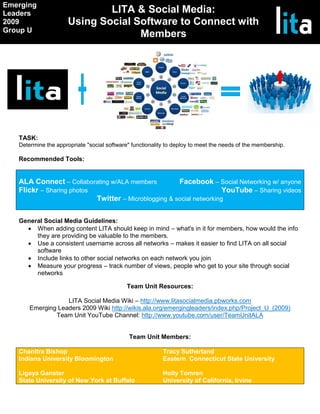
- 1. Emerging Leaders LITA & Social Media: 2009 Using Social Software to Connect with Group U Members TASK: Determine the appropriate "social software" functionality to deploy to meet the needs of the membership. Recommended Tools: ALA Connect – Collaborating w/ALA members Facebook – Social Networking w/ anyone Flickr – Sharing photos YouTube – Sharing videos Twitter – Microblogging & social networking General Social Media Guidelines: When adding content LITA should keep in mind – what's in it for members, how would the info they are providing be valuable to the members. Use a consistent username across all networks – makes it easier to find LITA on all social software Include links to other social networks on each network you join Measure your progress – track number of views, people who get to your site through social networks Team Unit Resources: LITA Social Media Wiki – http://www.litasocialmedia.pbworks.com Emerging Leaders 2009 Wiki http://wikis.ala.org/emergingleaders/index.php/Project_U_(2009) Team Unit YouTube Channel: http://www.youtube.com/user/TeamUnitALA Team Unit Members: Chanitra Bishop Tracy Sutherland Indiana University Bloomington Eastern Connecticut State University Ligaya Ganster Holly Tomren State University of New York at Buffalo University of California, Irvine
- 2. Emerging Leaders LITA & Social Media: 2009 Using Social Software to Connect with Group U Members Twitter Suggestions: Flickr Suggestions: · Retweet valuable messages · Create a group · Monitor what is being said about LITA, then join the · Upload quality photos from conferences conversation · Friend members on Flickr · Respond to questions & comments · Join groups · Share useful blog posts, websites, new tech tools · Write creative tags and descriptions for each photo · Start a discussion · Include web site or other social media sites in tag or · Tell members how to get involved with LITA description where appropriate · Use Twitter Apps such as TweetDeck to manage your · Include conference city in tag or description account · Use creative commons license to allow photos to be used · Share videos and pictures from Flickr & YouTube everywhere · Comment on photos of LITA members Use your web site address as your Flickr name Facebook Suggestions: YouTube Suggestions: · Start a Facebook page · Create a channel for LITA with a URL that matches the · Send messages about conferences and other LITA events LITA website to members · Post videos from conference · Create a discussion board · Post Tutorials from members that highlight new tech · Become a fan of organizations on Facebook tools · Share social media with friends – include box for YouTube · Subscribe to other library related channels – will help & Flickr increase the number of subscribers to LITA’s channel · Use widgets to post LITA’s blog feed to the page · Send "Friend Requests" on YouTube · Allow friends to post comments on LITA’s Channel wall ALA Connect Suggestions: · Use Flickr gadget to show photos from conferences · Use Delicious gadget to share LITA’s favorite websites · Share updates about conferences · Divisions and interest groups can share updates, meet with members and post documents for collaborating on projects Image Sources: http://www.fredcavazza.net/2008/06/09/social-media-landscape/ · http://socialmediasc.files.wordpress.com/2009/06/personal-brand.jpg