More Related Content

PDF
メディア・アートII 第2回 openFrameworks基礎 配列、くりかえし、乱数 ベクトルを使用したアニメーション 
PDF
Media Art II 2013 第5回:openFrameworks Addonを使用する 
PDF
Media Art II 2013 第7回 : openFrameworks 3Dグラフィクス、OpenGL 
PDF

PDF
Interactive Music II ProcessingとSuperColliderの連携1 
PDF
openFrameworks基礎 たくさんの図形を動かす 静的配列と動的配列 - 芸大グラフィックスプログラミング演習B 
PDF
デジタルアートセミナー#2 openFrameworksで学ぶ、 クリエイティブ・コーディング Session 2: 構造をつくる 
PDF
iTamabi 13 第7回:ARTSAT API 実践 2 衛星の情報で表現する What's hot

PDF
メディア・アート II 第1回: ガイダンス openFrameworks入門 
PDF
UniRx - Reactive Extensions for Unity 
PDF
Media Art II 2013 第6回:openFrameworks Addonを使う 2 - ofxOpenCV と ofxCv 
PDF
Continuation with Boost.Context 
PDF
メディア・アートII 第3回 openFrameworks基礎 OOoF : オブジェクト指向 oF 
PDF
「クリエイティブ・ミュージック・コーディング」- オーディオ・ビジュアル作品のための、オープンソースなソフトウエア・フレームワークの現状と展望 
PDF

PDF
Interactive Music II Processingによるアニメーション 
PPTX
Viewers also liked

PDF
Introduction to boost test 
PDF

PDF

PDF

PPTX
Pub/Sub model, msm, and asio 
PDF

PDF
C++14 solve explicit_default_constructor Similar to Glfw3,OpenGL,GUI

PPTX

PDF
CEDEC 2016 Metal と Vulkan を用いた水彩画レンダリング技法の紹介 
PDF

PDF
Android上での3D(OpenGL)描画の基礎とNDKによる実践的高速化手法 
PPTX

PDF

PPT

PDF

PPTX
Delphi で超高速 OpenGL 2D/3D 描画 
PDF
3DCG(3Dコンピュータグラフィック)をWebGLで始めよう 
PDF

PPT

PPT

PDF
簡単!OpenGL ES 2.0フラグメントシェーダー 
PDF

PPTX

KEY

PDF

PDF
coma Creators session vol.2 
PDF
Recently uploaded

PDF
PCCC25(設立25年記念PCクラスタシンポジウム):東京大学情報基盤センター テーマ1/2/3「Society5.0の実現を目指す『計算・データ・学習... 
PDF
基礎から学ぶ PostgreSQL の性能監視 (PostgreSQL Conference Japan 2025 発表資料) 
PDF
visionOS TC「新しいマイホームで過ごすApple Vision Proとの新生活」 
PDF
第25回FA設備技術勉強会_自宅で勉強するROS・フィジカルAIアイテム.pdf 
PDF
安価な ロジック・アナライザを アナライズ(?),Analyze report of some cheap logic analyzers 
PPTX
Glfw3,OpenGL,GUI
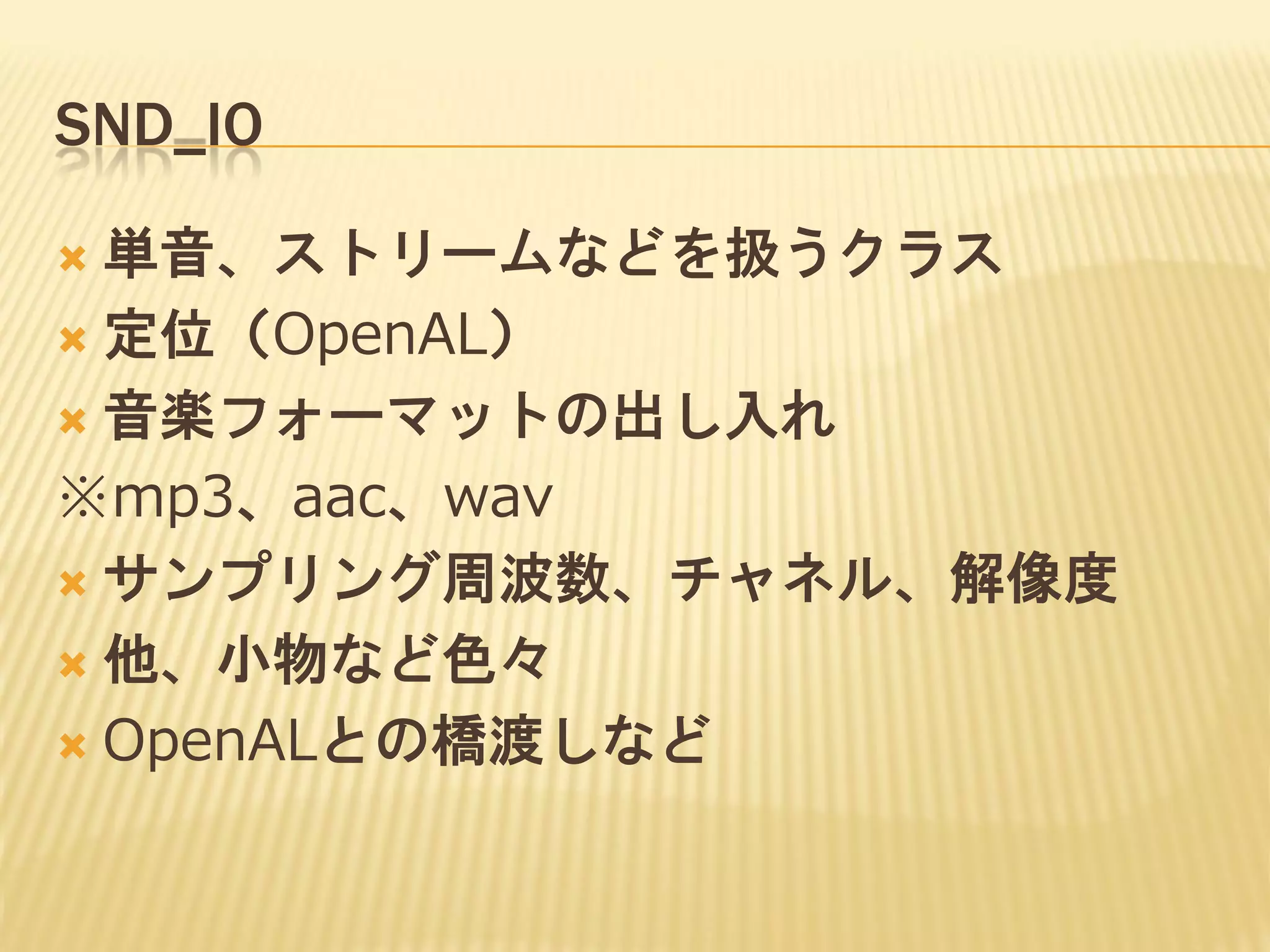
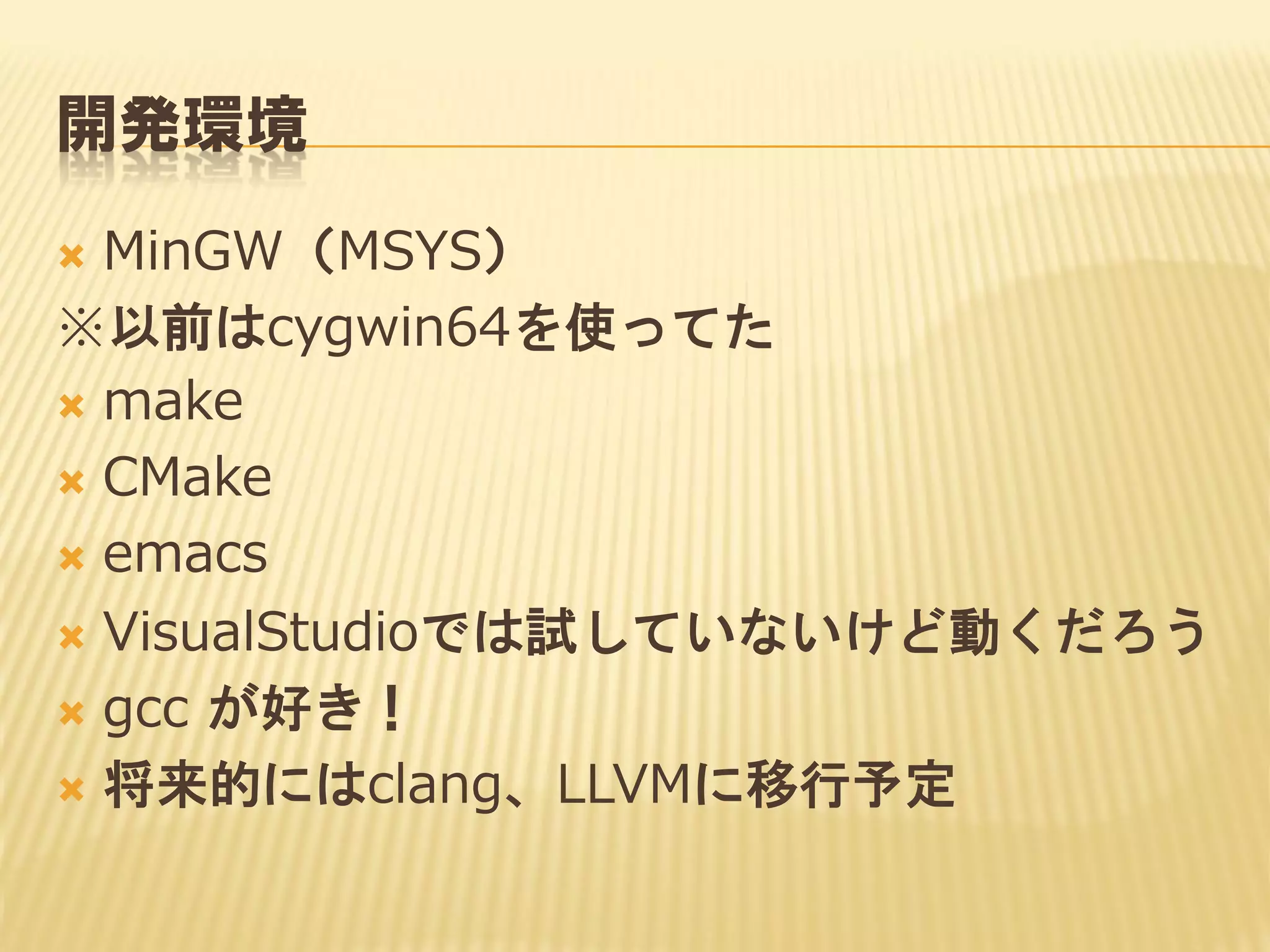
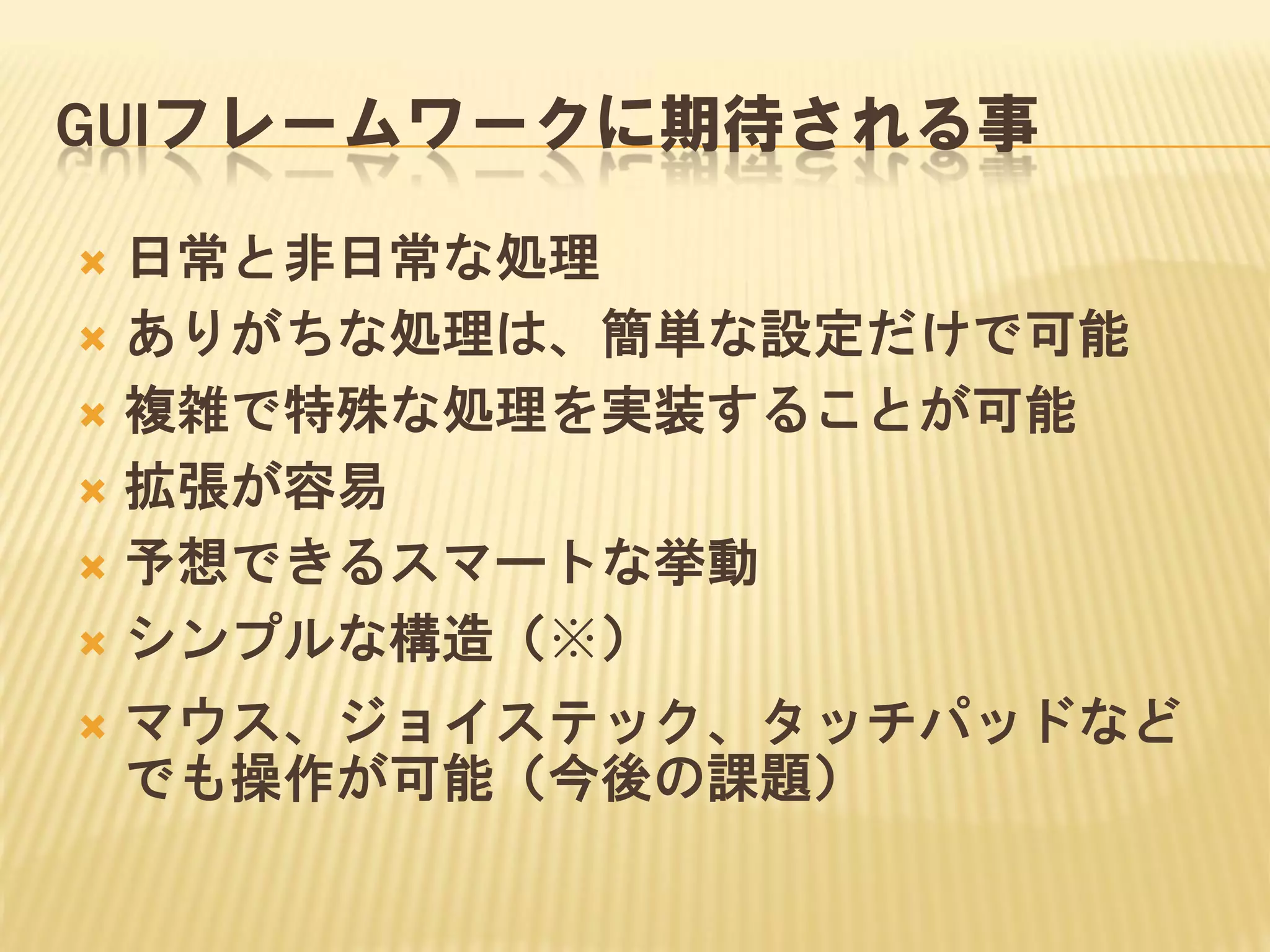
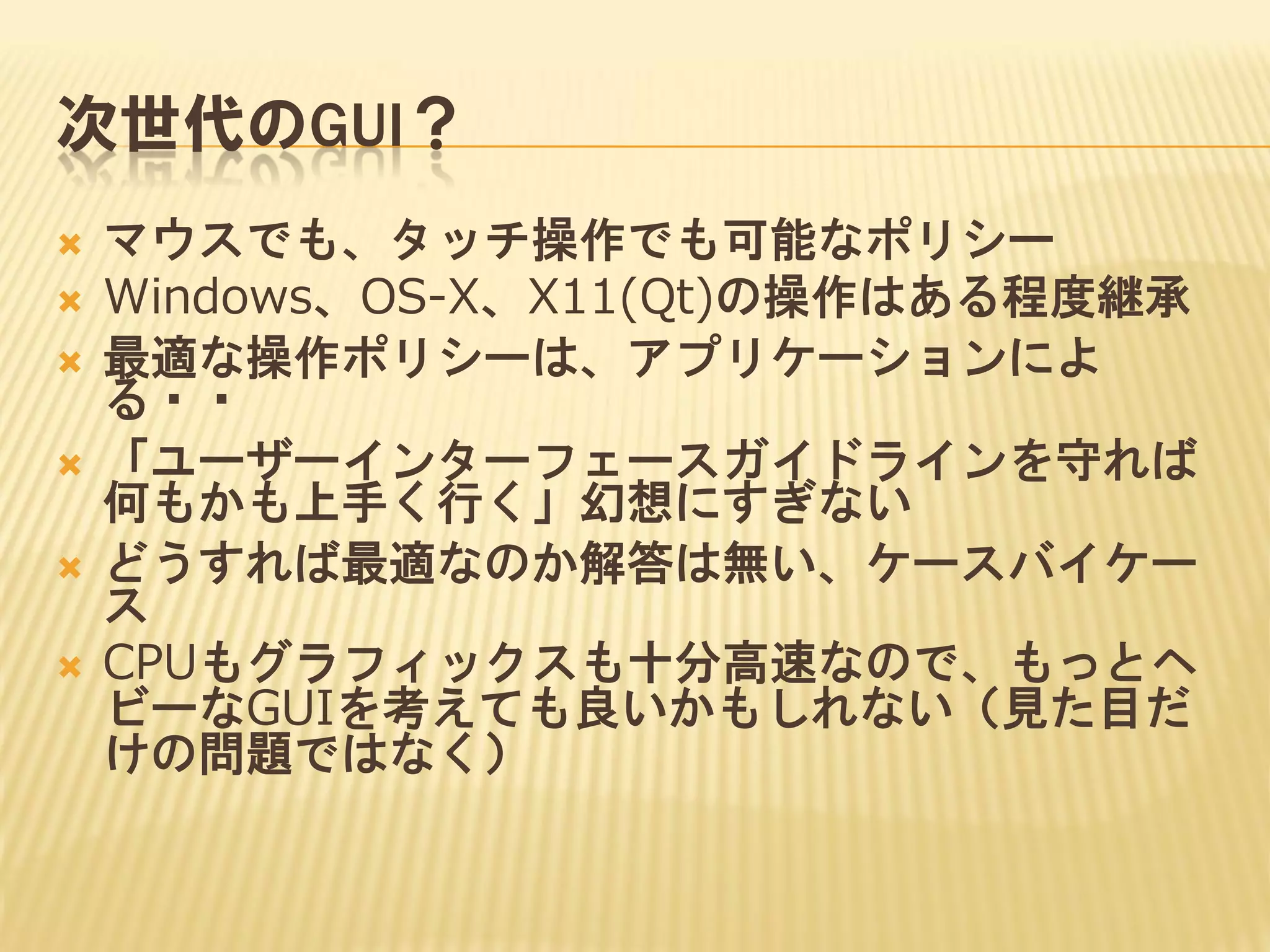
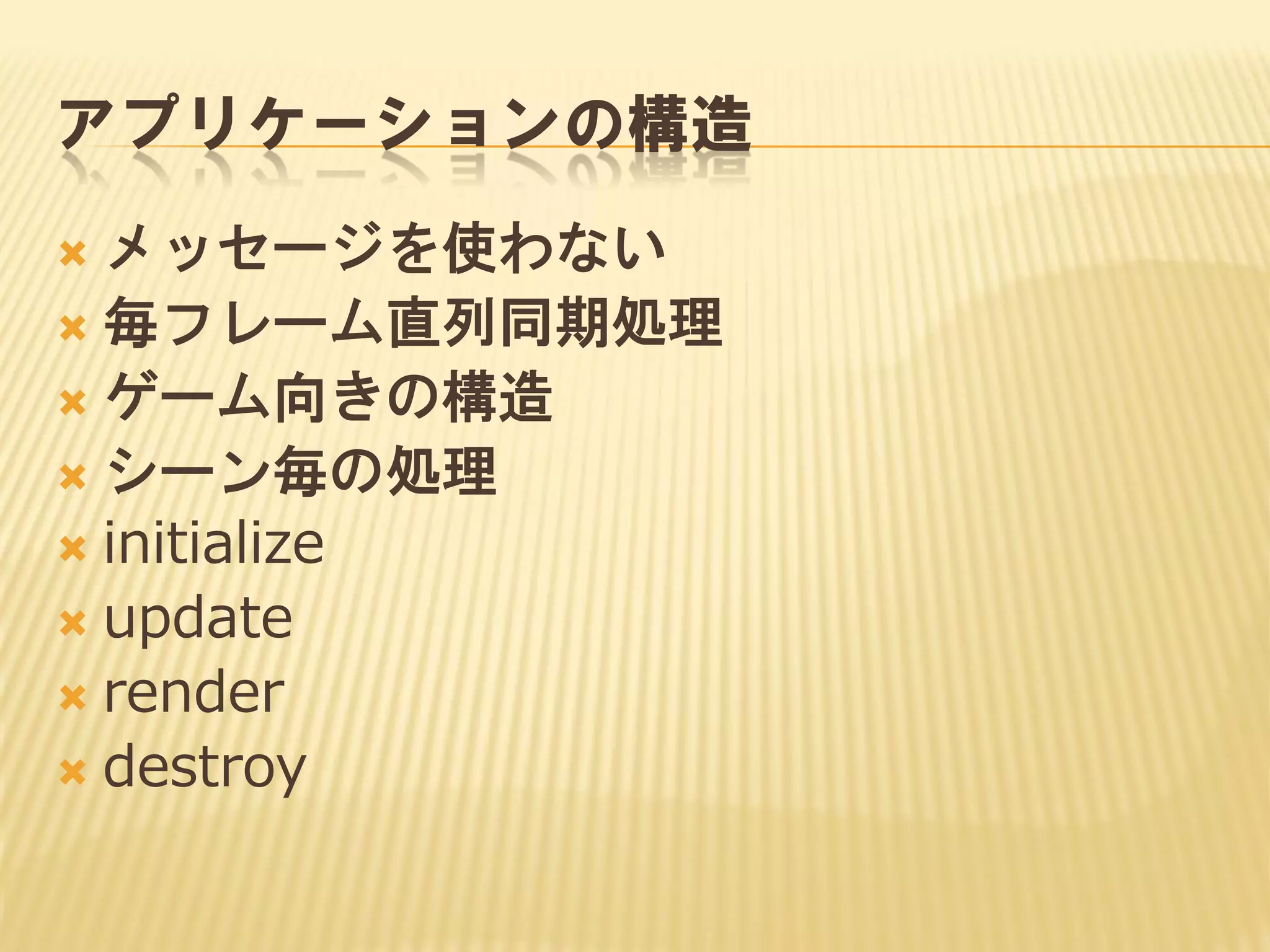
- 1.
- 2.
- 3.
- 4.
- 5.
- 6.
- 7.
- 8.
- 9.
- 10.
- 11.
- 12.
- 13.
- 14.
- 15.
- 16.
- 17.
- 18.
- 19.
- 20.
- 21.
- 25.
- 26.
- 27.
- 28.
- 29.
- 30.
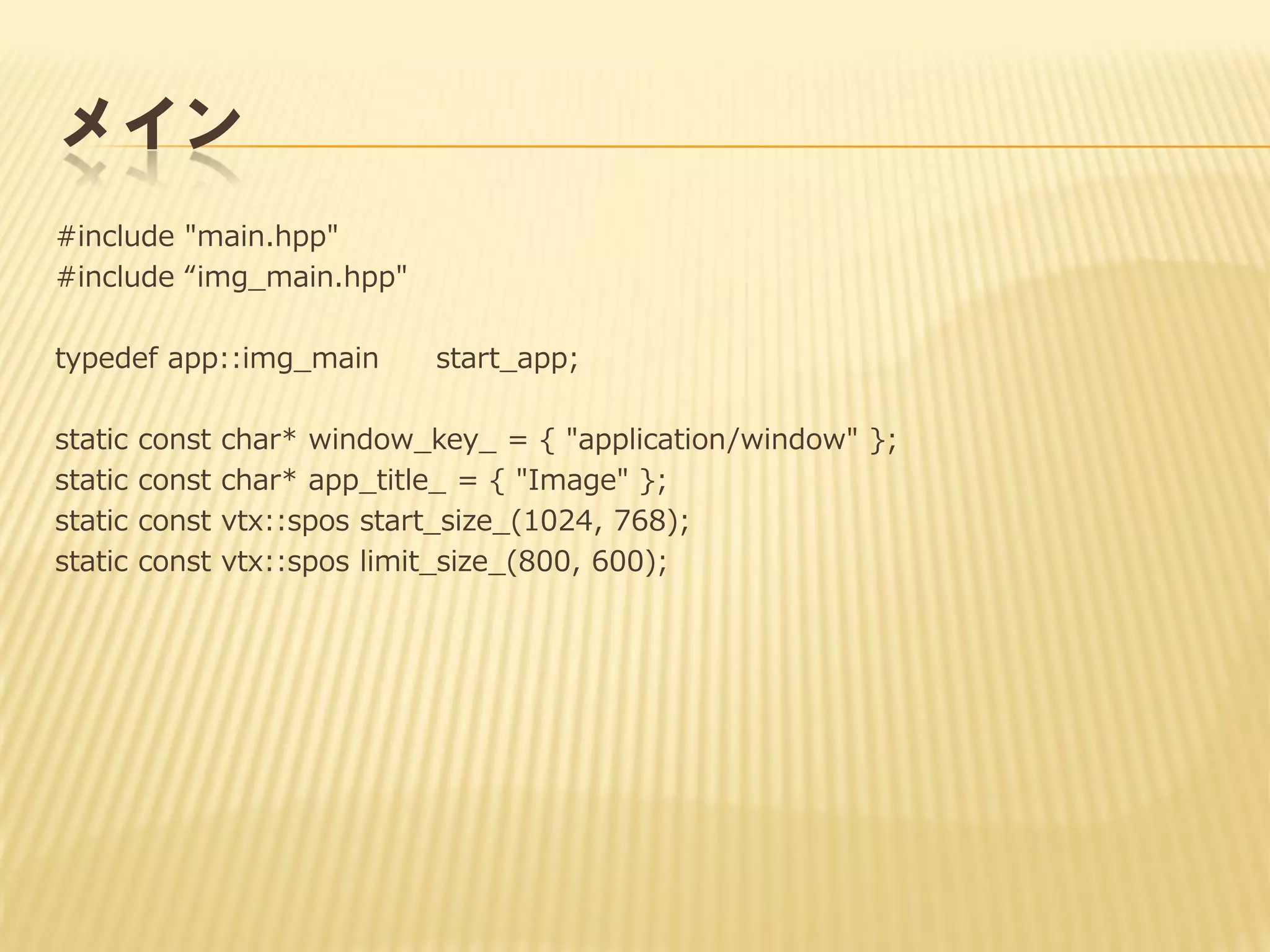
メイン
#include "main.hpp"
#include “img_main.hpp"
typedefapp::img_main
static
static
static
static
const
const
const
const
start_app;
char* window_key_ = { "application/window" };
char* app_title_ = { "Image" };
vtx::spos start_size_(1024, 768);
vtx::spos limit_size_(800, 600);
- 31.
int main(int argc,char** argv)
{
gl::create_glcore();
gl::IGLcore* igl = gl::get_glcore();
// カレントパスを生成
std::string tmp;
utils::convert_delimiter(argv[0], '¥¥', '/', tmp);
std::string pref;
utils::get_file_base(tmp, pref);
pref += ".pre";
std::string path;
utils::get_file_path(tmp, path);
- 32.
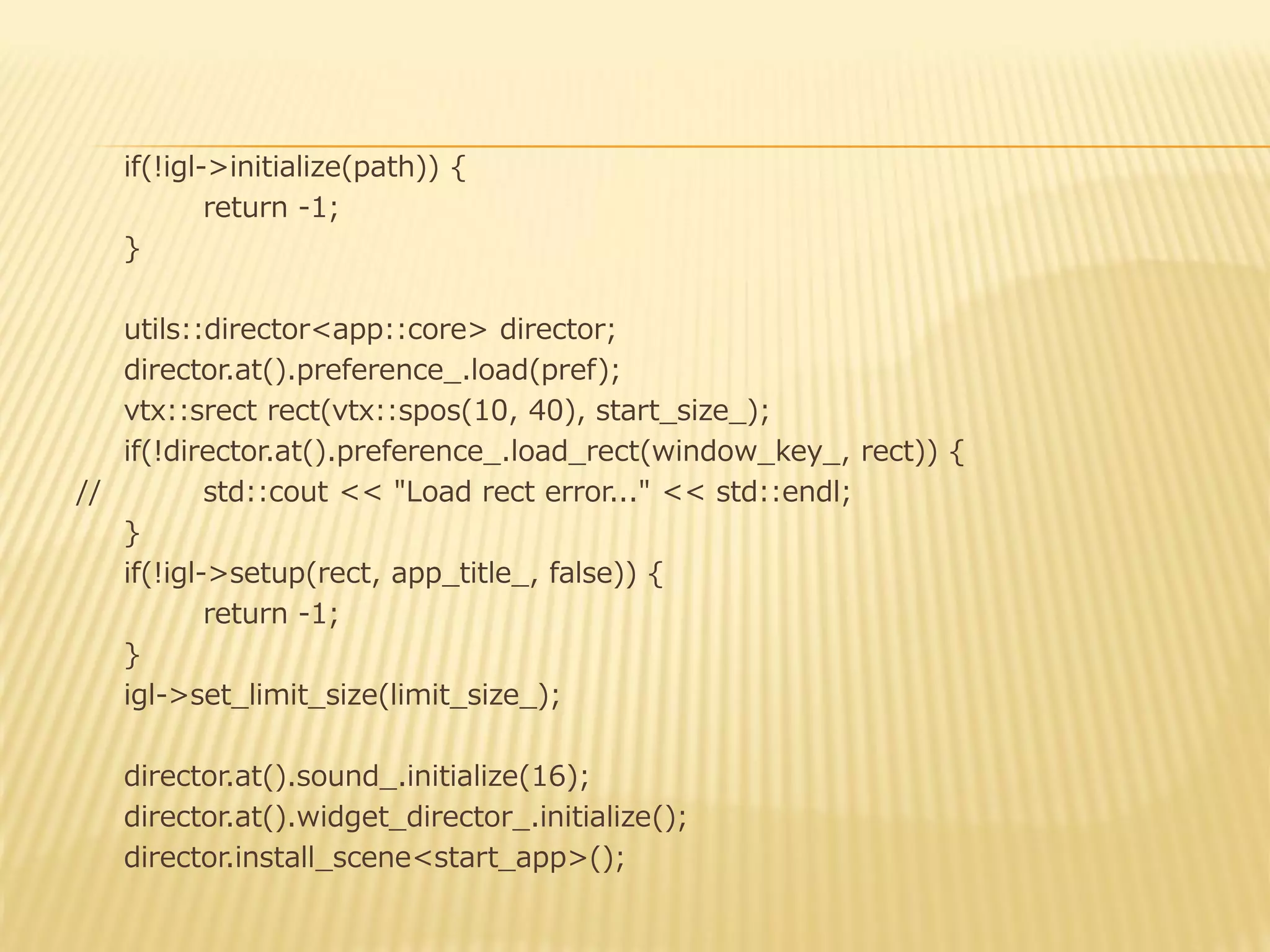
if(!igl->initialize(path)) {
return -1;
}
utils::director<app::core>director;
director.at().preference_.load(pref);
vtx::srect rect(vtx::spos(10, 40), start_size_);
if(!director.at().preference_.load_rect(window_key_, rect)) {
//
std::cout << "Load rect error..." << std::endl;
}
if(!igl->setup(rect, app_title_, false)) {
return -1;
}
igl->set_limit_size(limit_size_);
director.at().sound_.initialize(16);
director.at().widget_director_.initialize();
director.install_scene<start_app>();
- 33.
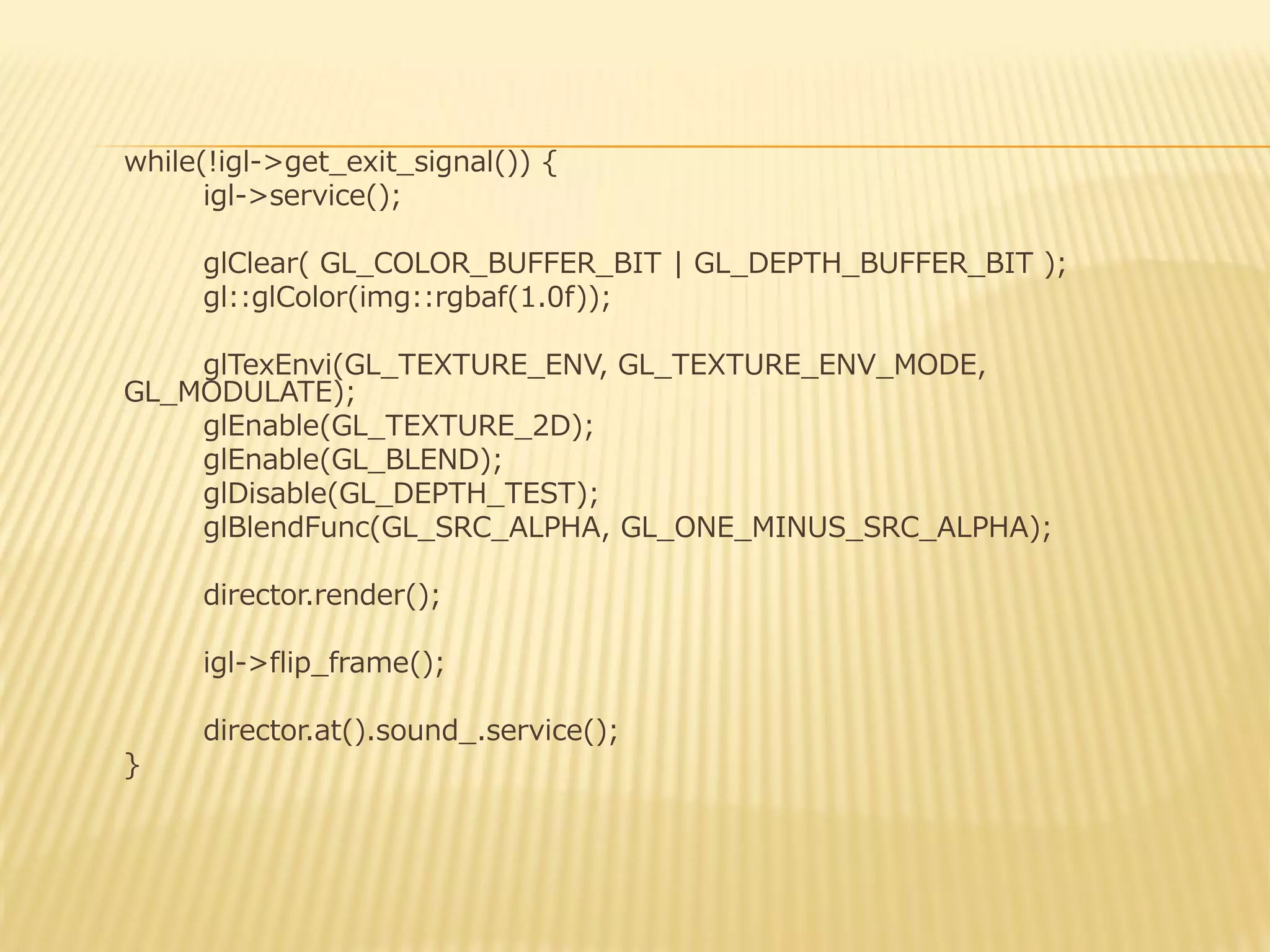
while(!igl->get_exit_signal()) {
igl->service();
glClear( GL_COLOR_BUFFER_BIT| GL_DEPTH_BUFFER_BIT );
gl::glColor(img::rgbaf(1.0f));
glTexEnvi(GL_TEXTURE_ENV, GL_TEXTURE_ENV_MODE,
GL_MODULATE);
glEnable(GL_TEXTURE_2D);
glEnable(GL_BLEND);
glDisable(GL_DEPTH_TEST);
glBlendFunc(GL_SRC_ALPHA, GL_ONE_MINUS_SRC_ALPHA);
director.render();
igl->flip_frame();
director.at().sound_.service();
}
- 34.
- 35.
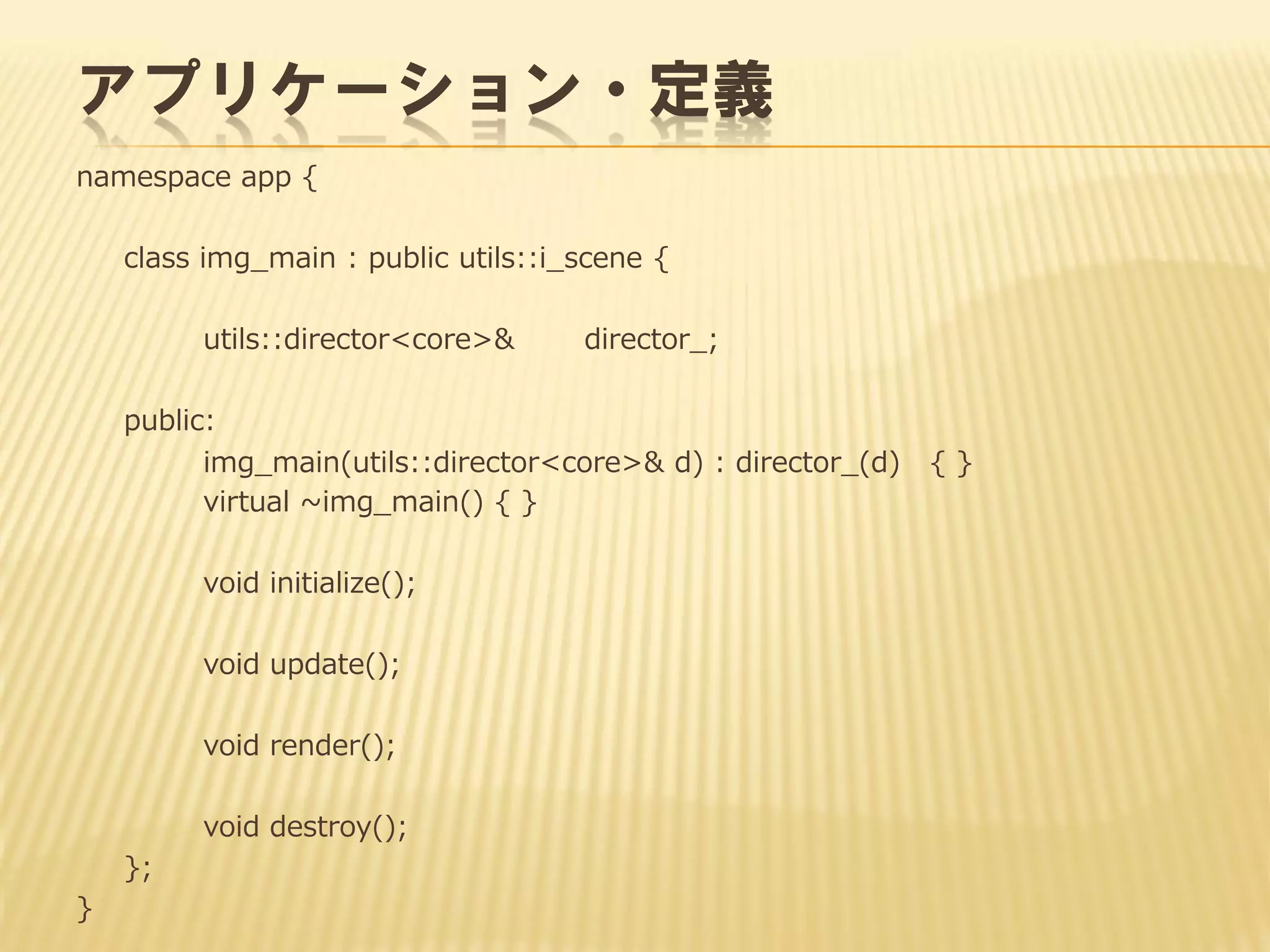
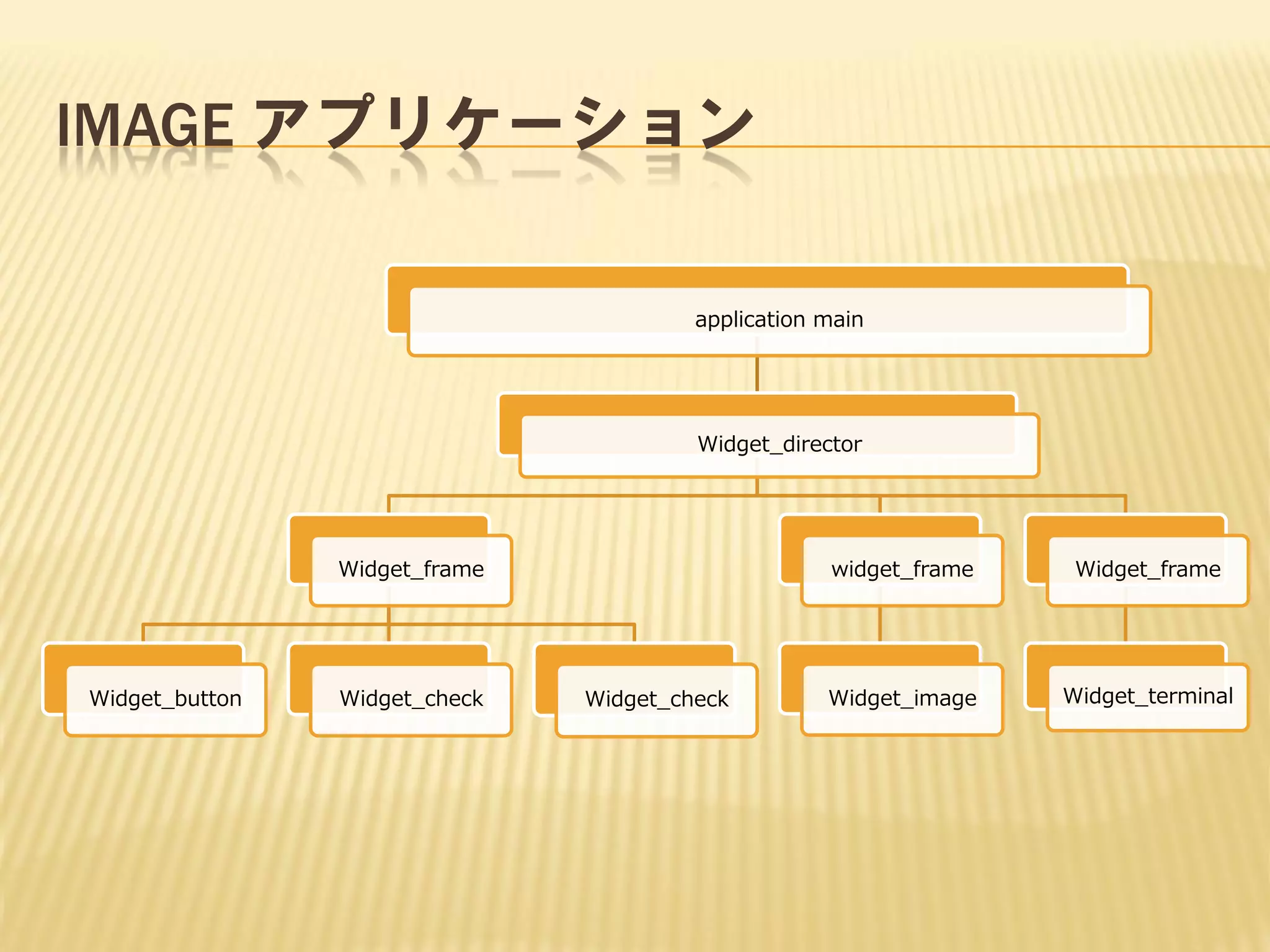
アプリケーション・定義
namespace app {
classimg_main : public utils::i_scene {
utils::director<core>&
director_;
public:
img_main(utils::director<core>& d) : director_(d)
virtual ~img_main() { }
void initialize();
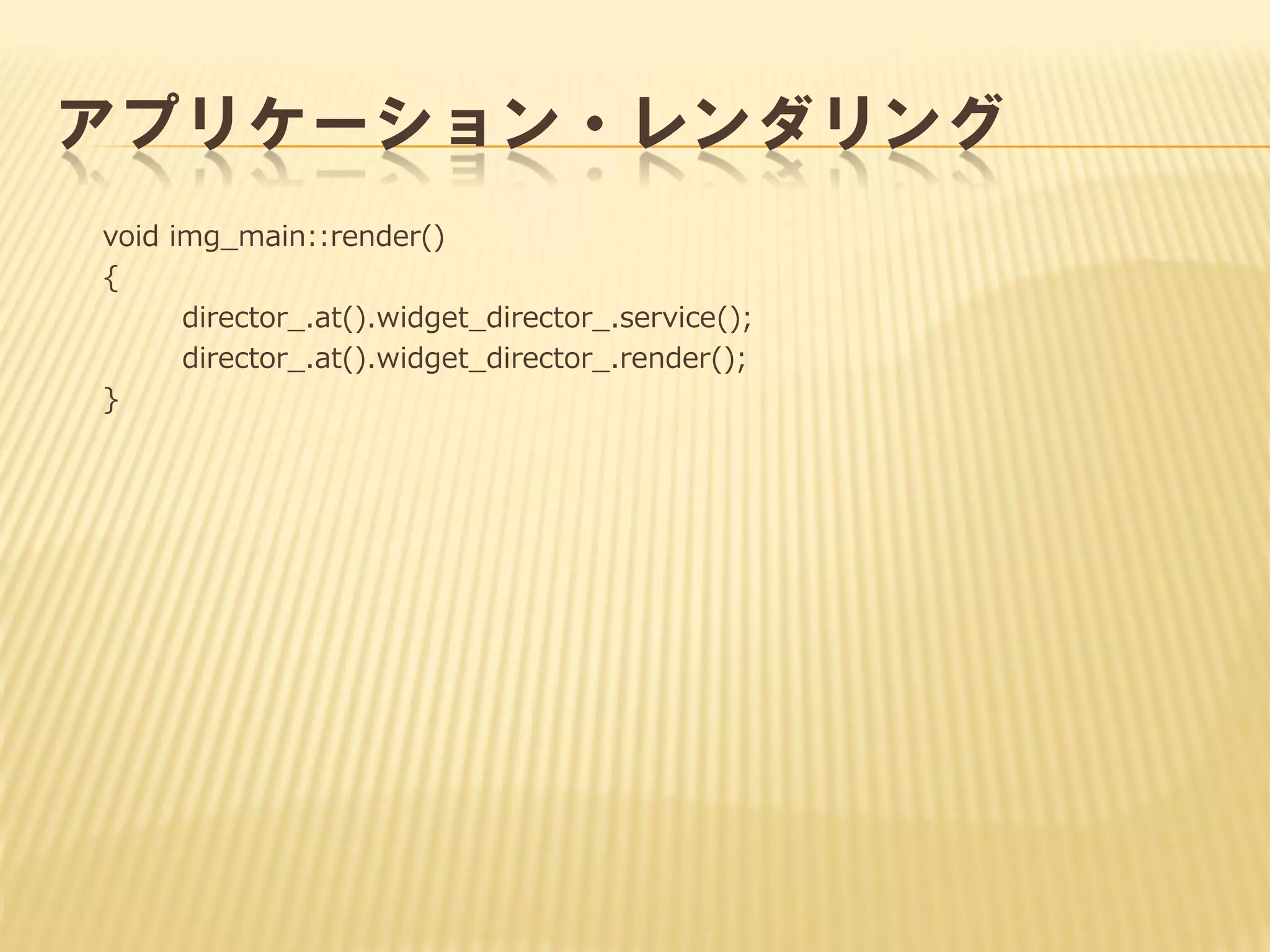
void update();
void render();
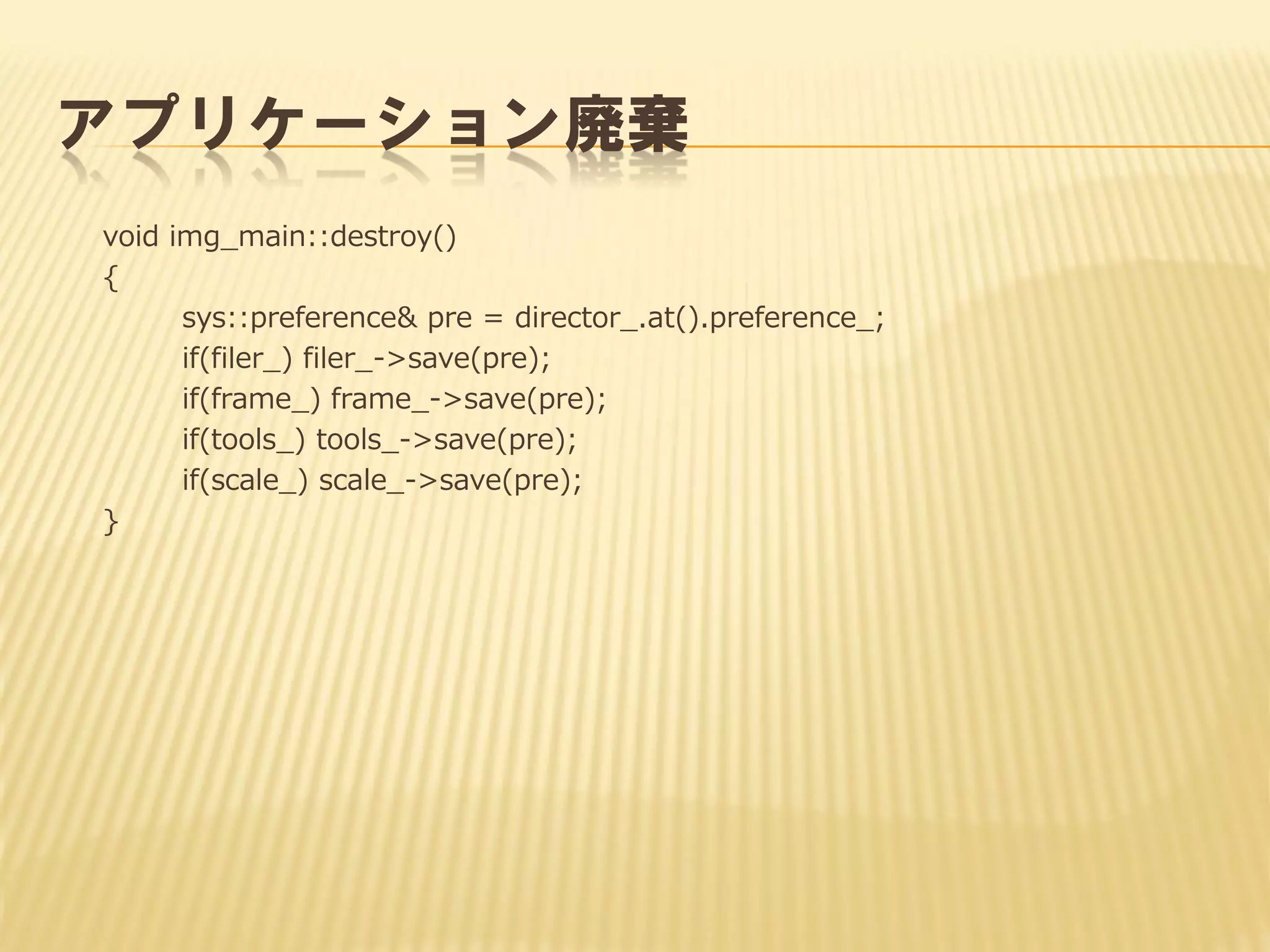
void destroy();
};
}
{}
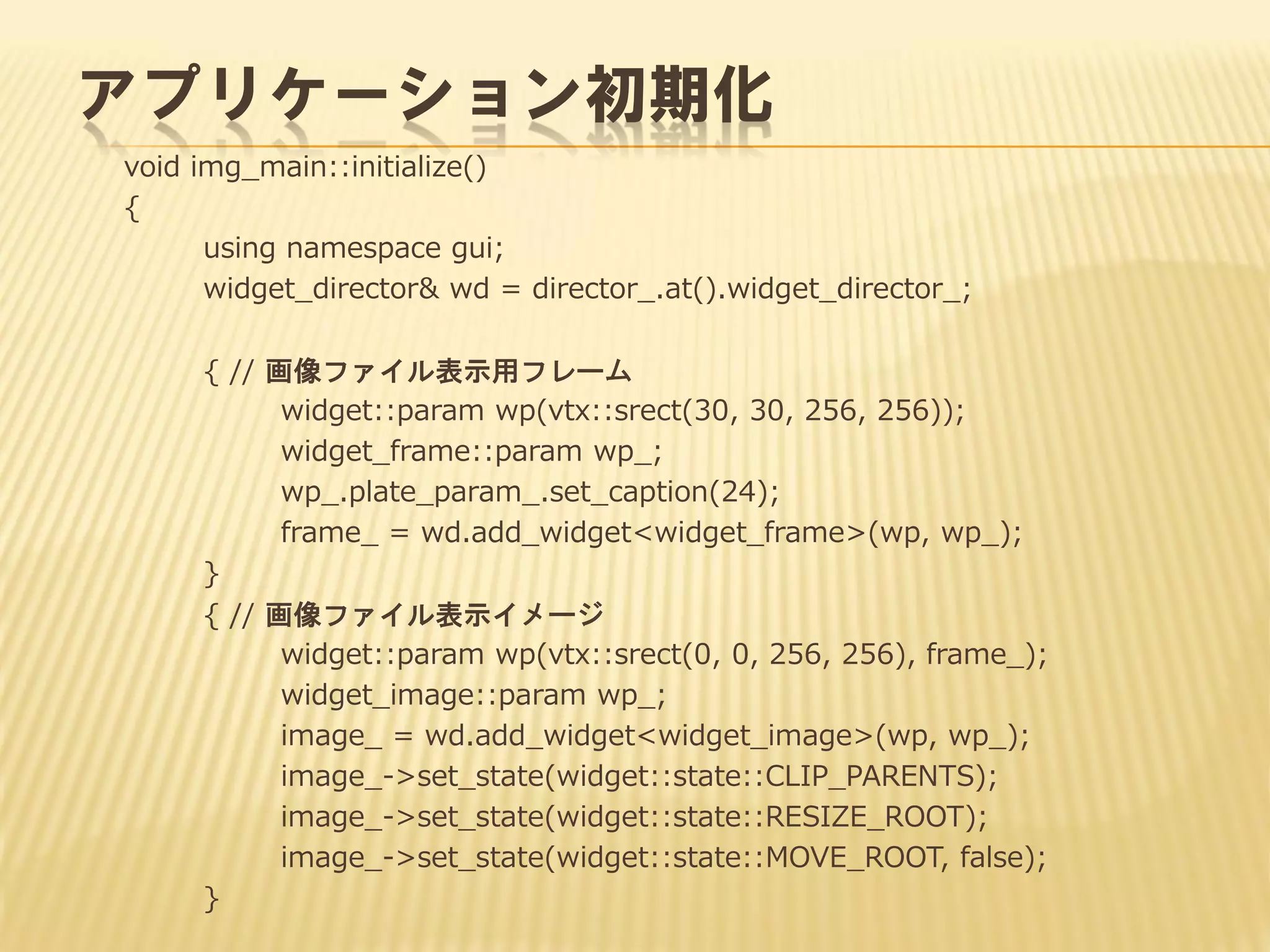
- 36.
アプリケーション初期化
void img_main::initialize()
{
using namespacegui;
widget_director& wd = director_.at().widget_director_;
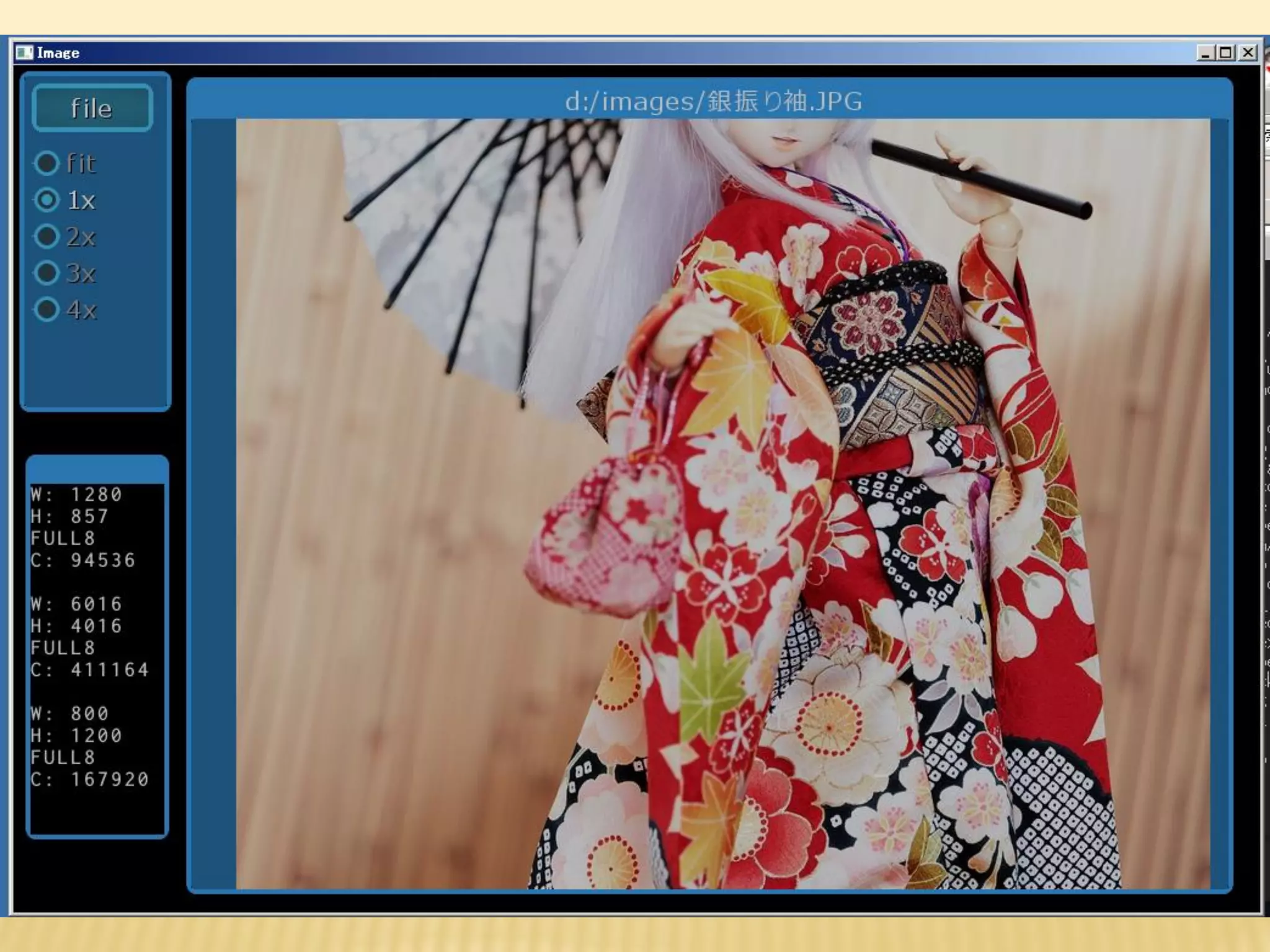
{ // 画像ファイル表示用フレーム
widget::param wp(vtx::srect(30, 30, 256, 256));
widget_frame::param wp_;
wp_.plate_param_.set_caption(24);
frame_ = wd.add_widget<widget_frame>(wp, wp_);
}
{ // 画像ファイル表示イメージ
widget::param wp(vtx::srect(0, 0, 256, 256), frame_);
widget_image::param wp_;
image_ = wd.add_widget<widget_image>(wp, wp_);
image_->set_state(widget::state::CLIP_PARENTS);
image_->set_state(widget::state::RESIZE_ROOT);
image_->set_state(widget::state::MOVE_ROOT, false);
}
- 37.
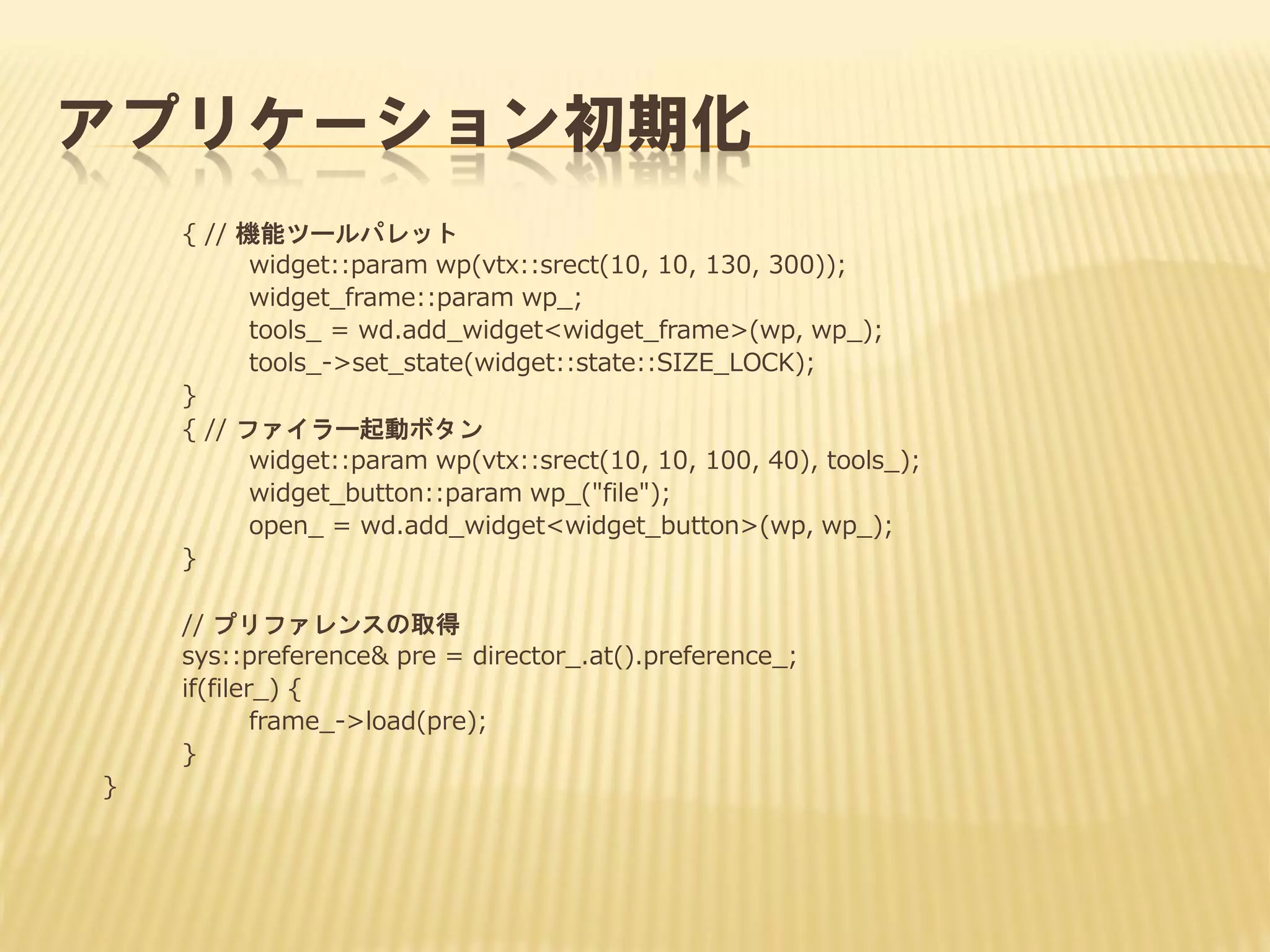
アプリケーション初期化
{ // 機能ツールパレット
widget::paramwp(vtx::srect(10, 10, 130, 300));
widget_frame::param wp_;
tools_ = wd.add_widget<widget_frame>(wp, wp_);
tools_->set_state(widget::state::SIZE_LOCK);
}
{ // ファイラー起動ボタン
widget::param wp(vtx::srect(10, 10, 100, 40), tools_);
widget_button::param wp_("file");
open_ = wd.add_widget<widget_button>(wp, wp_);
}
// プリファレンスの取得
sys::preference& pre = director_.at().preference_;
if(filer_) {
frame_->load(pre);
}
}
- 38.
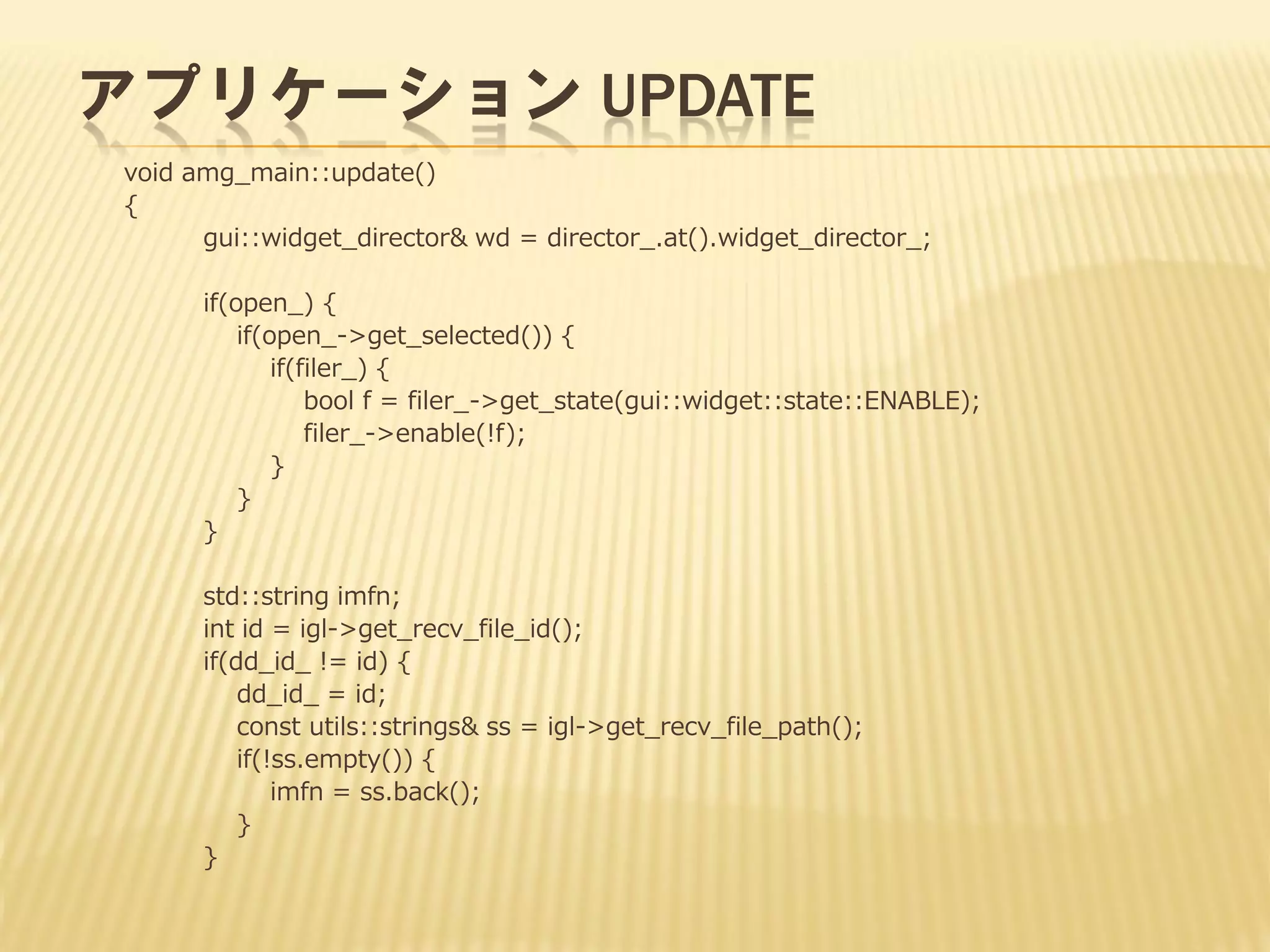
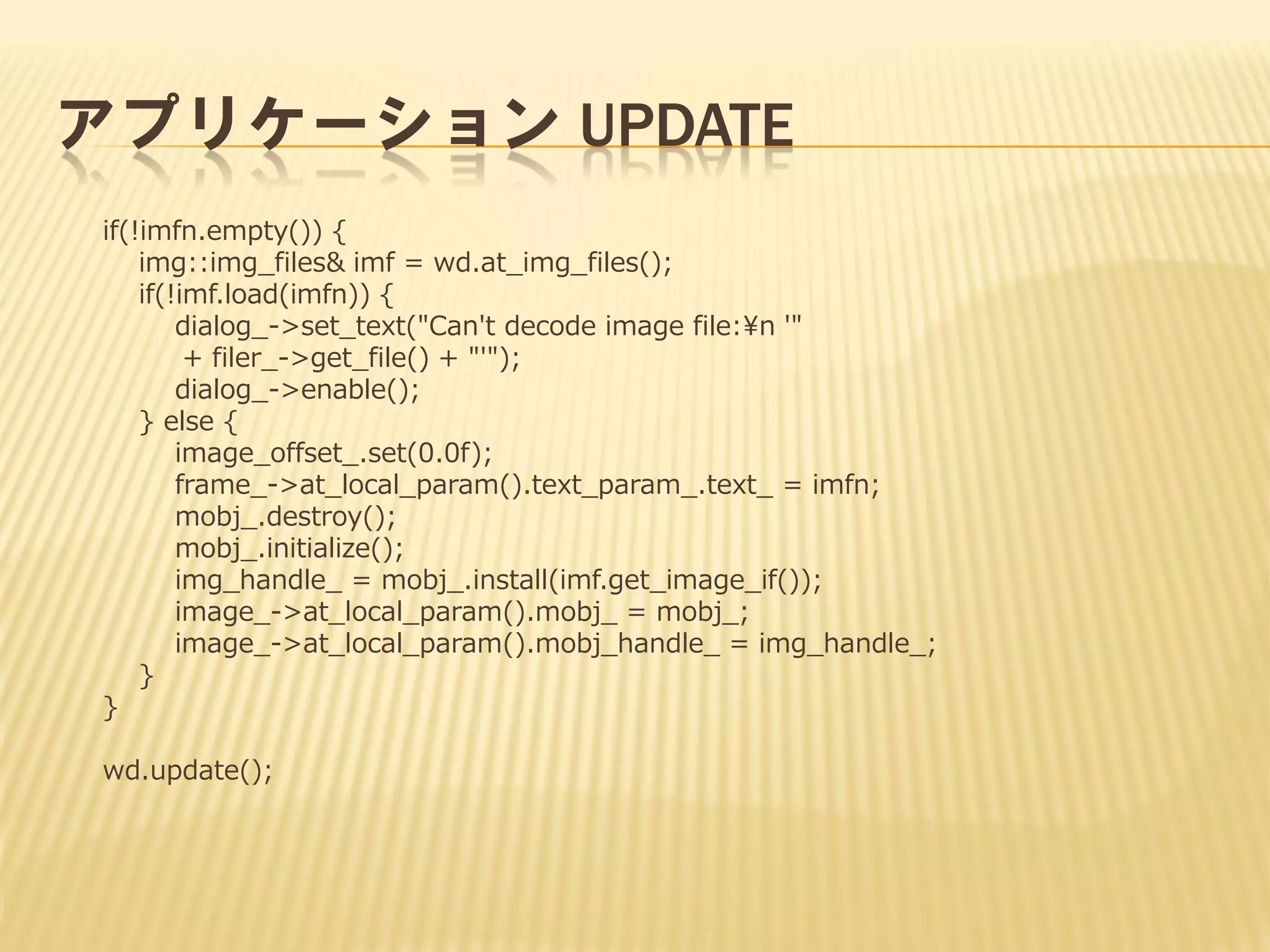
アプリケーション UPDATE
void amg_main::update()
{
gui::widget_director&wd = director_.at().widget_director_;
if(open_) {
if(open_->get_selected()) {
if(filer_) {
bool f = filer_->get_state(gui::widget::state::ENABLE);
filer_->enable(!f);
}
}
}
std::string imfn;
int id = igl->get_recv_file_id();
if(dd_id_ != id) {
dd_id_ = id;
const utils::strings& ss = igl->get_recv_file_path();
if(!ss.empty()) {
imfn = ss.back();
}
}
- 39.
- 40.
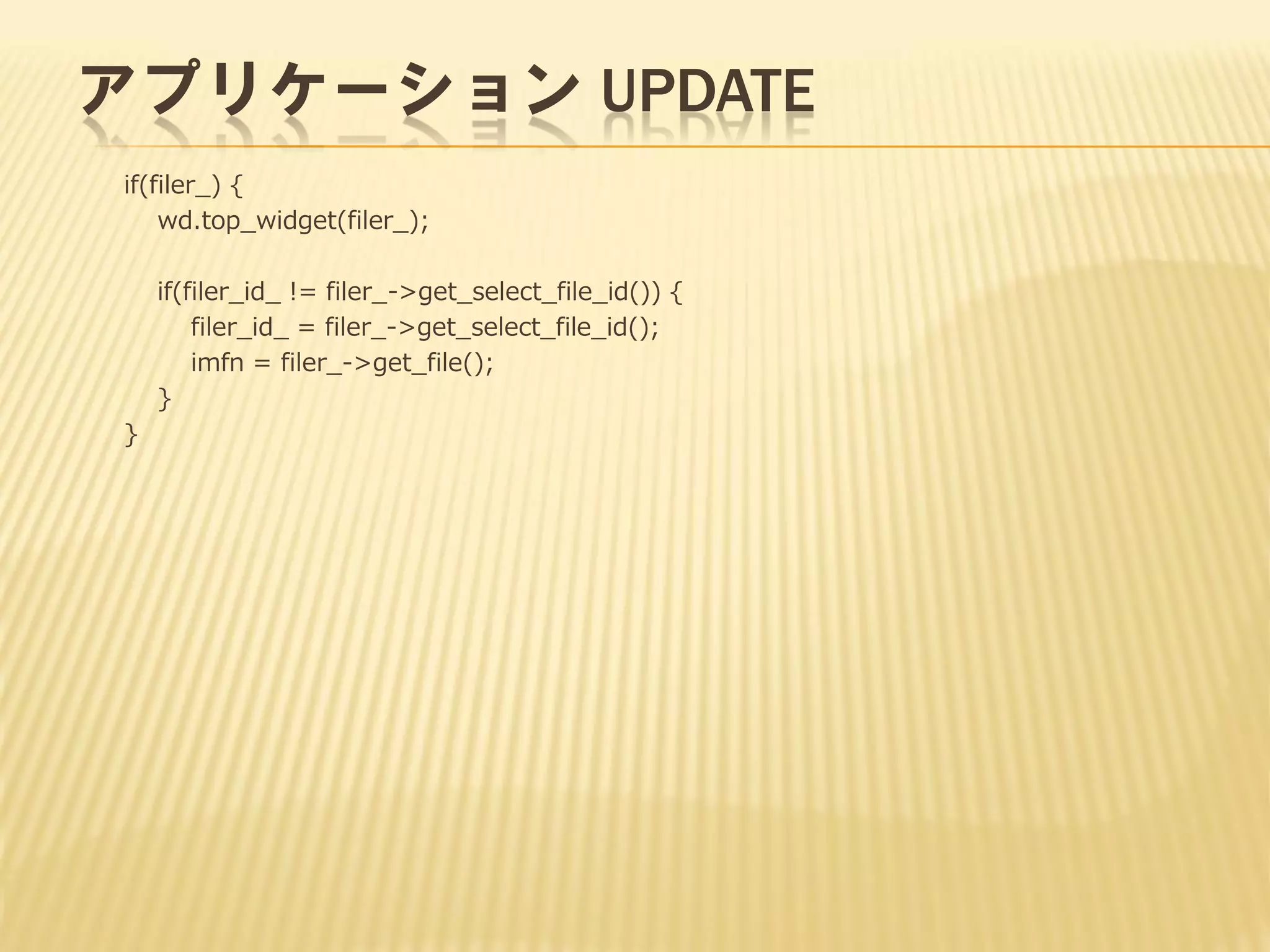
アプリケーション UPDATE
if(!imfn.empty()) {
img::img_files&imf = wd.at_img_files();
if(!imf.load(imfn)) {
dialog_->set_text("Can't decode image file:¥n '"
+ filer_->get_file() + "'");
dialog_->enable();
} else {
image_offset_.set(0.0f);
frame_->at_local_param().text_param_.text_ = imfn;
mobj_.destroy();
mobj_.initialize();
img_handle_ = mobj_.install(imf.get_image_if());
image_->at_local_param().mobj_ = mobj_;
image_->at_local_param().mobj_handle_ = img_handle_;
}
}
wd.update();
- 41.
- 42.
- 43.
- 44.

![int main(int argc, char** argv)
{
gl::create_glcore();
gl::IGLcore* igl = gl::get_glcore();
// カレントパスを生成
std::string tmp;
utils::convert_delimiter(argv[0], '¥¥', '/', tmp);
std::string pref;
utils::get_file_base(tmp, pref);
pref += ".pre";
std::string path;
utils::get_file_path(tmp, path);](https://image.slidesharecdn.com/glfw3openglgui-140301110922-phpapp02/75/Glfw3-OpenGL-GUI-31-2048.jpg)