

Commercial Open Source Software: Migrations OpenOffice.org Migration Roberto Galoppini
Visual Agenda
Reasons to change
False problems
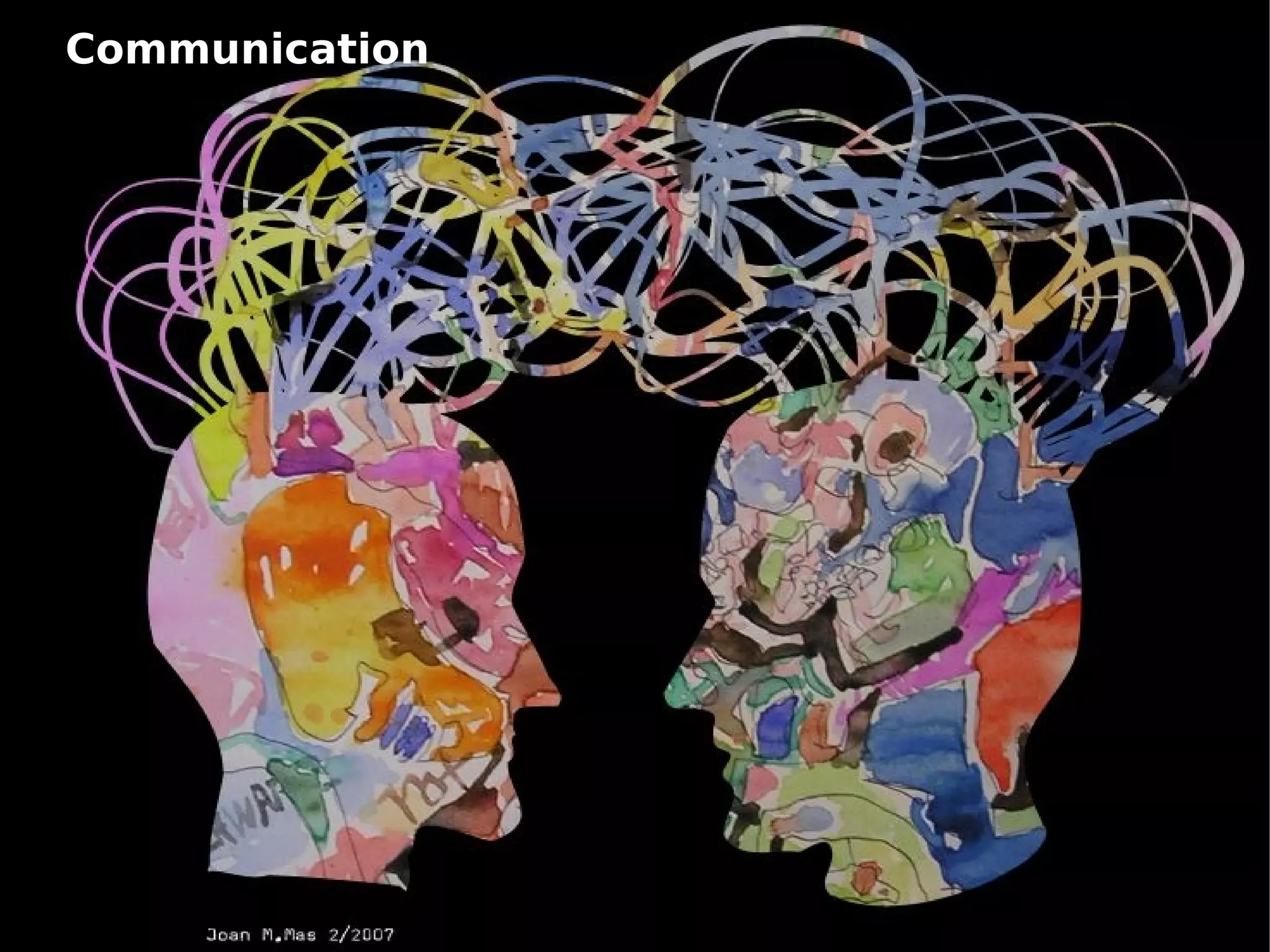
Communication
Outsiders matter
No big-bang, please..
Reasons to change Among top reasons to change: Technical motivations Legal motivations Economical motivations Social motivations
“Supposed problems” Migrations involving end-users are not just a technical issue. Literature about OpenOffice.org migrations often mentions the following “problems”: Functions are “missing” (read they are somewhere) OpenOffice Data format (ODF) are not spread Layout differences There is no documentation ( see amazon ) There is no (commercial) support
Issues to be addressed Migrations are  never  for free: Technological impact Managing formats & interoperability (R/W/RW patterns) ‏ Documents’ Conversion Interoperability issues Psychological impact Need to learn to use a new tool ( what about office 2007 ?) Motivational issues Inertia to change Frustraction
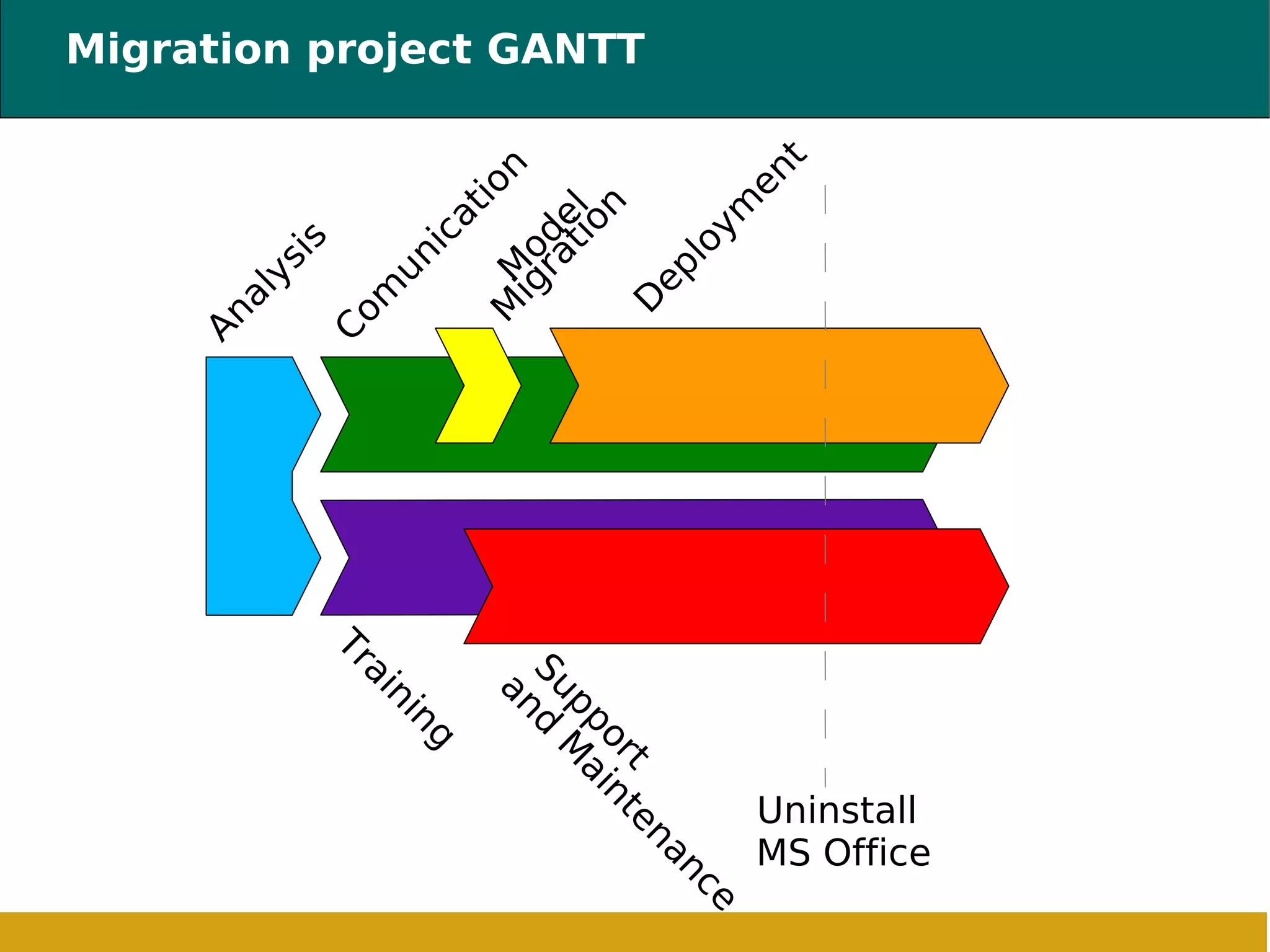
Migration project GANTT Analysis Deployment Training Support and Maintenance Uninstall MS Office Model Migration Comunication
Analysis Analysis is aimed at addressing the following issues: Organizational Assessment (Identify Decision makers, Organizational Units, etc) Document walk-through (automatic, sampling, pattern r/w/rw, legal aspects)  Hardware/Software survey (compatibility, needed functions, architecture review) ‏ Goals: Define a ready-to-go project Pilot plan definition Migration guide-line definition
Analysis :: Organizational Assessment  Goals: Identify homogenous class of users  Identify organizational units responsibles Find technological leaders  (“champions”) ‏ Understand interchange of data among O.U. Understand external interchange of data
Analysis :: Documents’ walkthrough Documents’ walkthrough will help to: Evaluate issues related to documents' formats Templates evaluation and (re) definition Identify best training patterns
Analysis :: Data collection Questionnaires will gather information to understand: Microsoft office’s mode of employ Numbers and categories of documents “Critical” documents Investigate Internal/External interoperability
Analysis :: Choices At the end of the analysis some choices are needed: Define migration target (expectations/budget trade-off, good-will, etc) Manage Critical issues (requirements coverage assessment: make/buy/redefine) Tools selections (Open Source if possible, of course!) Define Support required (related to dimensions, users clustering, statistics)
Communication It is mandatory, and it requires: Top Management commitment Trade Unions commitment “Champions” commitment Internal Marketing (motivational training)
Communication :: Internal Marketing It consists of: Portal (intranet with wikis, blogs, etc) ‏ Software Customization (personalised version of OOo) Software distribution (also outside of the company!) Stimulate “peer learning” (champions’ role is key!) Keep people informed, about processes and tools
Documents and Templates Migration It could be easier than expected: It is an organizational opportunity (templates, flows, etc)!  Document management opportunity (file servers, etc) Archiving “old” documents as read-only (don’t need to migrate all of them!)
Deployment Installation and configuration.  Customized installation “Critical” workstations availability (you likely need them!) Extensions’ attribution Move to new formats (burn the boats!)
Deployment :: (Dis)installation  The migration will take place  step by step  (big-bang simply doesn’t work) . At a certain date  it must be effective . Only where and  if necessary some desktops will stay .
Training Is the most visible activity. Motivational, especially for  responsibles and champions Advanced for Champions and call center operators Educate everyone about interoperability issues Differentiated, from basic to very advanced Training program should consider second editions
Maintenance and Support Help users with technical and not technical problems. Never let them alone.. Zero level support: intranet (documentation, how-to, faq, news, wiki, etc) ‏ Peer support and champions support First level support: call center Second level support: (phone and/or on-site) ‏ The portal plays a very important role here..
Conclusions A migration is a process, not a tool.  Don’t underestimate Psychological impact of change Don’t leave them alone, never Motivate through speeches, help on a practical ground Training and support are key Users need answer, fast!
Anteprima a OpenOffice.org 2.0 Thank you! Roberto Galoppini http://robertogaloppini.net [email_address]

Migrating To OpenOffice .org

  • 1.
    Commercial Open SourceSoftware: Migrations OpenOffice.org Migration Roberto Galoppini
  • 2.
  • 3.
  • 4.
  • 5.
  • 6.
  • 7.
  • 8.
    Reasons to changeAmong top reasons to change: Technical motivations Legal motivations Economical motivations Social motivations
  • 9.
    “Supposed problems” Migrationsinvolving end-users are not just a technical issue. Literature about OpenOffice.org migrations often mentions the following “problems”: Functions are “missing” (read they are somewhere) OpenOffice Data format (ODF) are not spread Layout differences There is no documentation ( see amazon ) There is no (commercial) support
  • 10.
    Issues to beaddressed Migrations are never for free: Technological impact Managing formats & interoperability (R/W/RW patterns) ‏ Documents’ Conversion Interoperability issues Psychological impact Need to learn to use a new tool ( what about office 2007 ?) Motivational issues Inertia to change Frustraction
  • 11.
    Migration project GANTTAnalysis Deployment Training Support and Maintenance Uninstall MS Office Model Migration Comunication
  • 12.
    Analysis Analysis isaimed at addressing the following issues: Organizational Assessment (Identify Decision makers, Organizational Units, etc) Document walk-through (automatic, sampling, pattern r/w/rw, legal aspects) Hardware/Software survey (compatibility, needed functions, architecture review) ‏ Goals: Define a ready-to-go project Pilot plan definition Migration guide-line definition
  • 13.
    Analysis :: OrganizationalAssessment Goals: Identify homogenous class of users Identify organizational units responsibles Find technological leaders (“champions”) ‏ Understand interchange of data among O.U. Understand external interchange of data
  • 14.
    Analysis :: Documents’walkthrough Documents’ walkthrough will help to: Evaluate issues related to documents' formats Templates evaluation and (re) definition Identify best training patterns
  • 15.
    Analysis :: Datacollection Questionnaires will gather information to understand: Microsoft office’s mode of employ Numbers and categories of documents “Critical” documents Investigate Internal/External interoperability
  • 16.
    Analysis :: ChoicesAt the end of the analysis some choices are needed: Define migration target (expectations/budget trade-off, good-will, etc) Manage Critical issues (requirements coverage assessment: make/buy/redefine) Tools selections (Open Source if possible, of course!) Define Support required (related to dimensions, users clustering, statistics)
  • 17.
    Communication It ismandatory, and it requires: Top Management commitment Trade Unions commitment “Champions” commitment Internal Marketing (motivational training)
  • 18.
    Communication :: InternalMarketing It consists of: Portal (intranet with wikis, blogs, etc) ‏ Software Customization (personalised version of OOo) Software distribution (also outside of the company!) Stimulate “peer learning” (champions’ role is key!) Keep people informed, about processes and tools
  • 19.
    Documents and TemplatesMigration It could be easier than expected: It is an organizational opportunity (templates, flows, etc)! Document management opportunity (file servers, etc) Archiving “old” documents as read-only (don’t need to migrate all of them!)
  • 20.
    Deployment Installation andconfiguration. Customized installation “Critical” workstations availability (you likely need them!) Extensions’ attribution Move to new formats (burn the boats!)
  • 21.
    Deployment :: (Dis)installation The migration will take place step by step (big-bang simply doesn’t work) . At a certain date it must be effective . Only where and if necessary some desktops will stay .
  • 22.
    Training Is themost visible activity. Motivational, especially for responsibles and champions Advanced for Champions and call center operators Educate everyone about interoperability issues Differentiated, from basic to very advanced Training program should consider second editions
  • 23.
    Maintenance and SupportHelp users with technical and not technical problems. Never let them alone.. Zero level support: intranet (documentation, how-to, faq, news, wiki, etc) ‏ Peer support and champions support First level support: call center Second level support: (phone and/or on-site) ‏ The portal plays a very important role here..
  • 24.
    Conclusions A migrationis a process, not a tool. Don’t underestimate Psychological impact of change Don’t leave them alone, never Motivate through speeches, help on a practical ground Training and support are key Users need answer, fast!
  • 25.
    Anteprima a OpenOffice.org2.0 Thank you! Roberto Galoppini http://robertogaloppini.net [email_address]