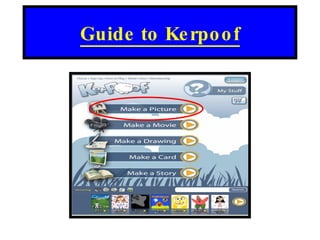
How to make a picture in Kerpoof

Loading...

Flash Player 9 (or above) is needed to view presentations.
We have detected that you do not have it on your computer. To install it, go here.

0 comments

Post a comment

    Post a comment
    Embed Video
    Edit your comment Cancel

    Favorites, Groups & Events

    How to make a picture in Kerpoof - Presentation Transcript

    1. Guide to Kerpoof
    2. Click on play to proceed
    3. Click for picture Click for Movie Click for Drawing Click to make card Click to make story
    4. Choose one of the many background scenes for your picture. There are 67 Backgrounds to choose from!
    5. Use this bubble to insert text Use this sign to rotate object Use this sign to determine size of object
    6. Choose many objects to put in your picture. Email Picture Print Picture Save Picture Draw Object My Koins Text box Delete Find other objects online! When finished click here

    + digitalmaverickdigitalmaverick, 2 years ago

    custom

    586 views, 0 favs, 0 embeds more stats

    A brief guide to making pictures in Kerpoof.

    More info about this document

    © All Rights Reserved

    Go to text version

    • Total Views 586
      • 586 on SlideShare
      • 0 from embeds
    • Comments 0
    • Favorites 0
    • Downloads 4
    Most viewed embeds

    more

    All embeds

    less

    Flagged as inappropriate Flag as inappropriate
    Flag as inappropriate

    Select your reason for flagging this presentation as inappropriate. If needed, use the feedback form to let us know more details.

    Cancel
    File a copyright complaint
    Having problems? Go to our helpdesk?

    Categories