OPAC 2.0: Teaching  the Pig to Sing lipstick, cowbells and serendipity Dave Pattern, Library Systems Manager University of Huddersfield [email_address] http://slideshare.net/daveyp
Contents does your OPAC suck? OPAC survey findings experiences at Huddersfield other libraries OPAC 2.0 further OPAC survey findings Creative Commons Attribution-Noncommercial-Share Alike 3.0 License  http://creativecommons.org/licenses/by-nc-sa/3.0/
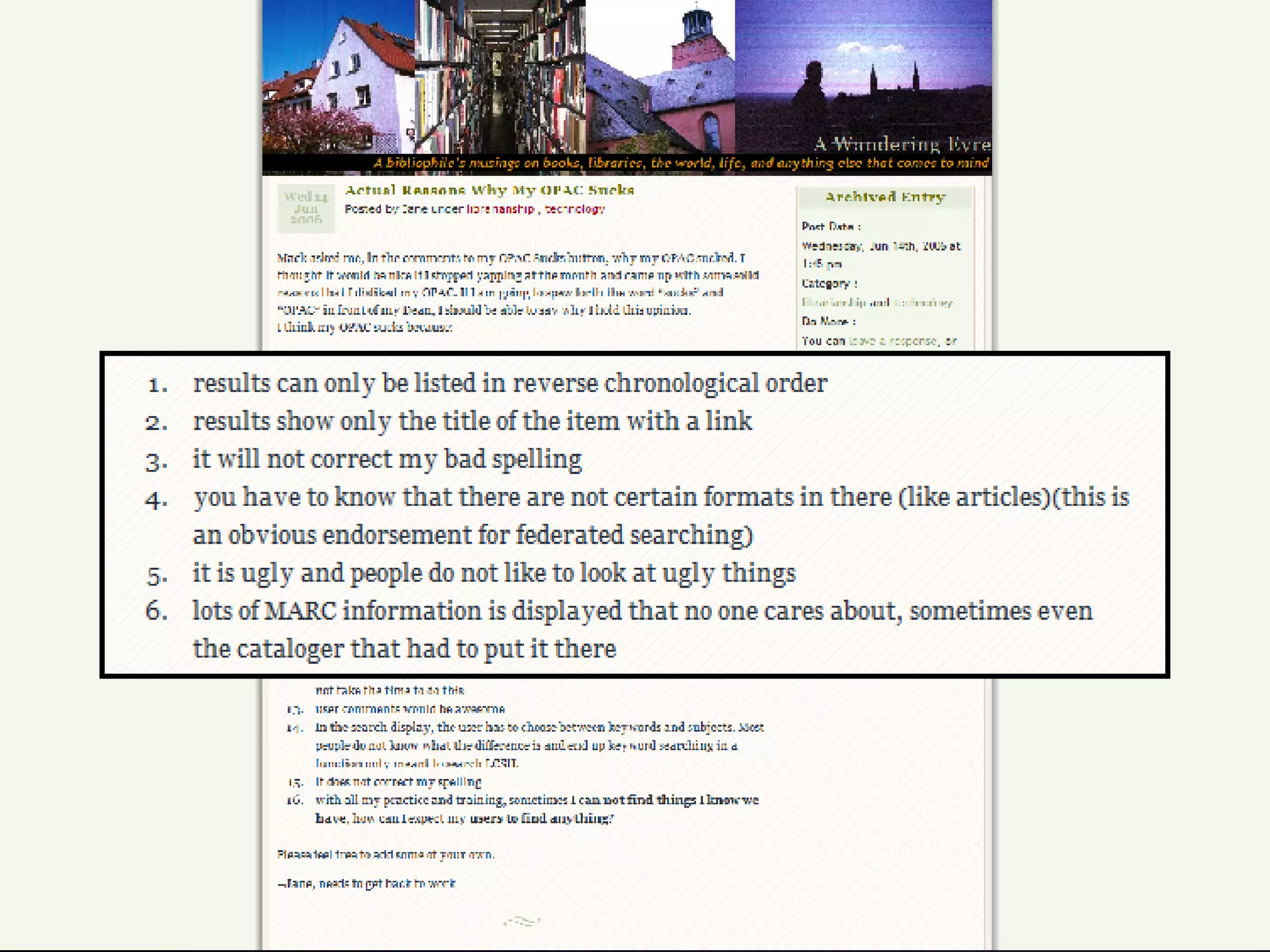
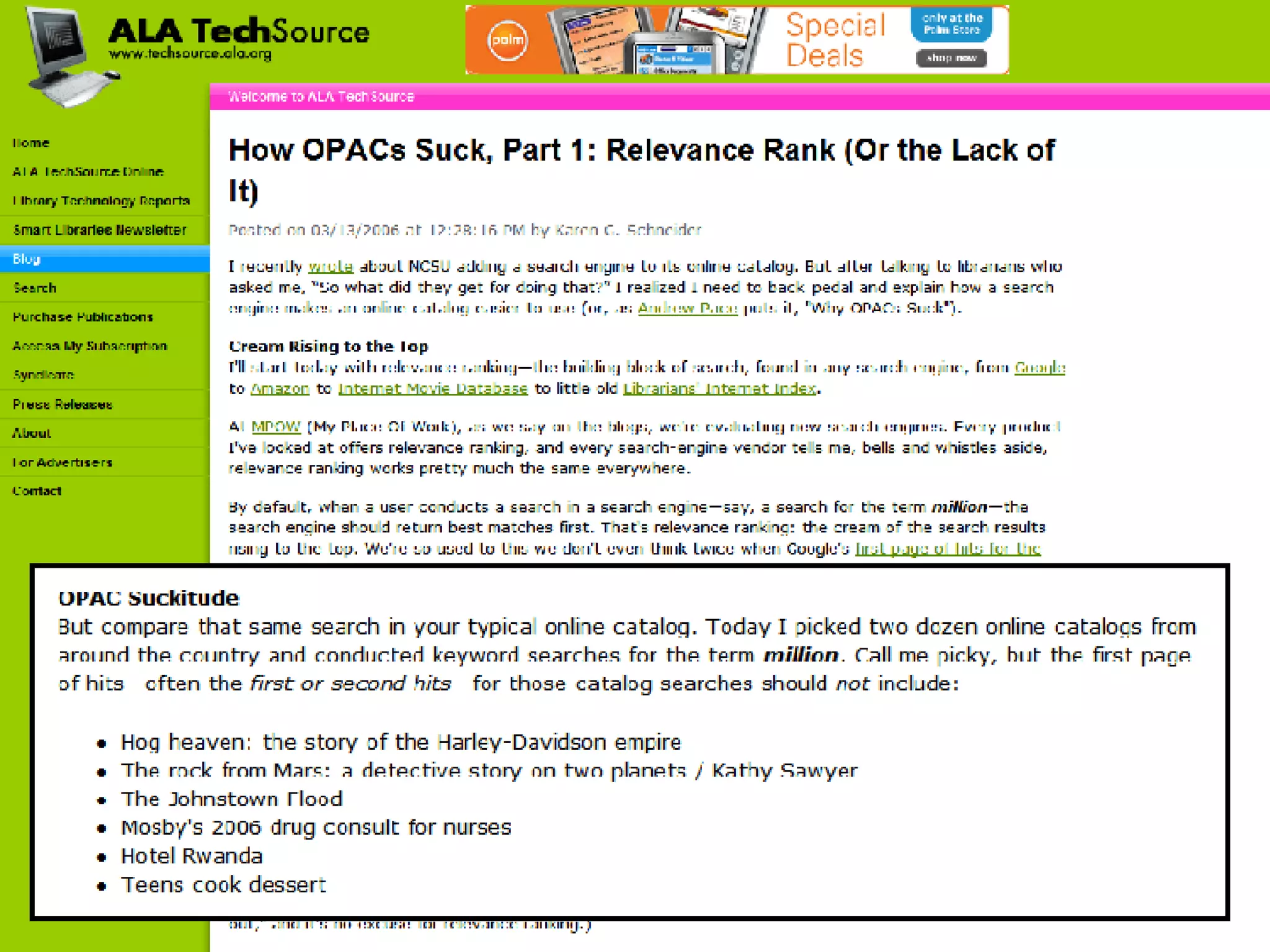
Does Your OPAC “Suck”?


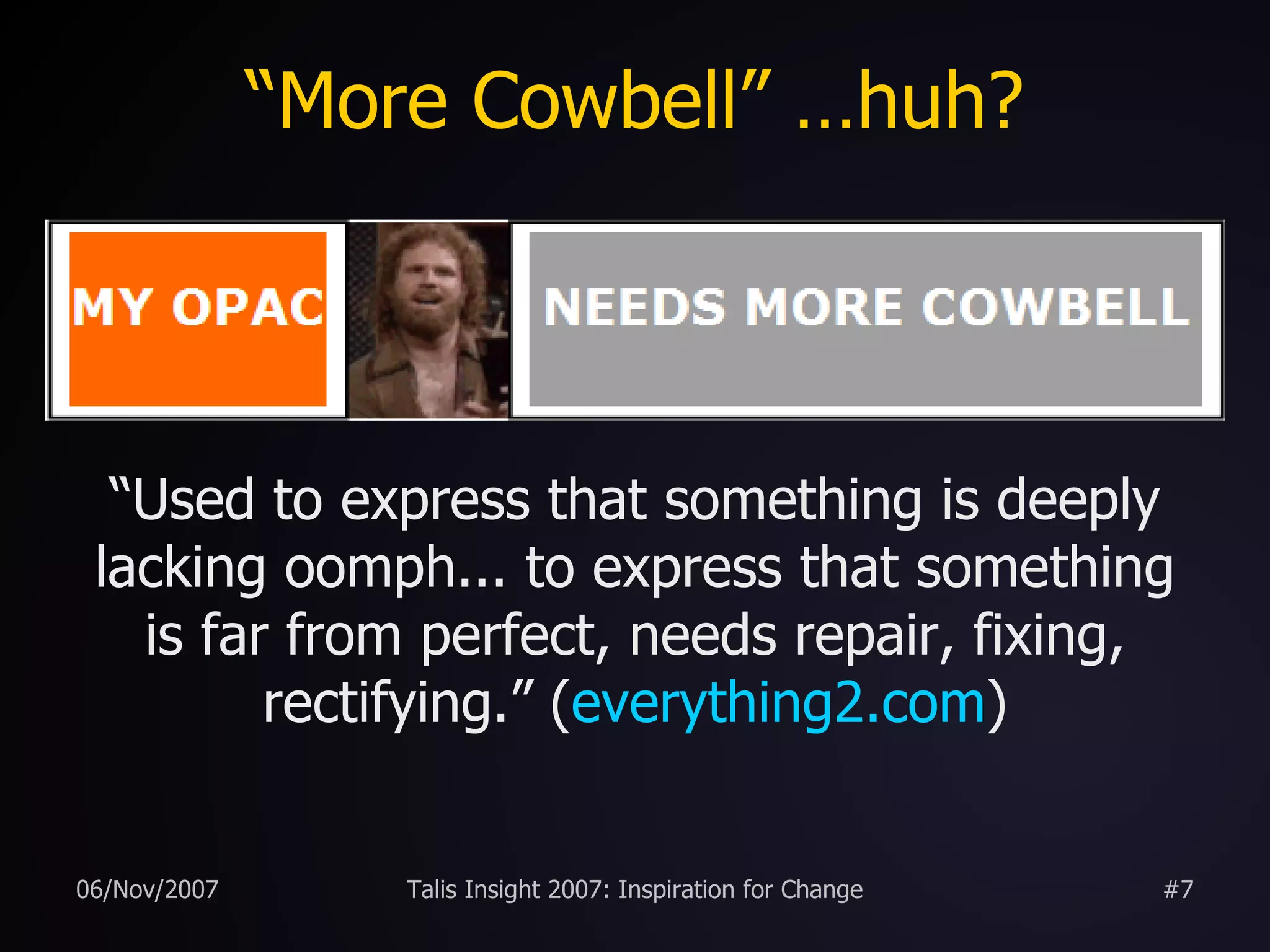
“More Cowbell” …huh? “ Used to express that something is deeply lacking oomph... to express that something is far from perfect, needs repair, fixing, rectifying.” ( everything2.com )
 
 
The OPAC as a Pig “After all, you can put lipstick on a pig, but it's still very much a pig.”    (Roy Tennant discussing the OPAC,   Library Journal , 2005) “Never try to teach a pig to sing; it wastes your time and it annoys the pig.”    (attrib. Robert Heinlein, author)
Pig Ugly?
“ Kissy, Kissy?”
OPAC Survey (2007) On a scale of 1 to 10 (where 1 is extremely unhappy and 10 is extremely happy), how happy are you with your OPAC? 5.1 
OPAC Survey (2007) One criticism of OPACs is that they rarely have cutting edge features that our users expect from a modern web site.   On a scale of 1 to 10, how well do you think your OPAC meets the needs and expectations of your users? 4.5
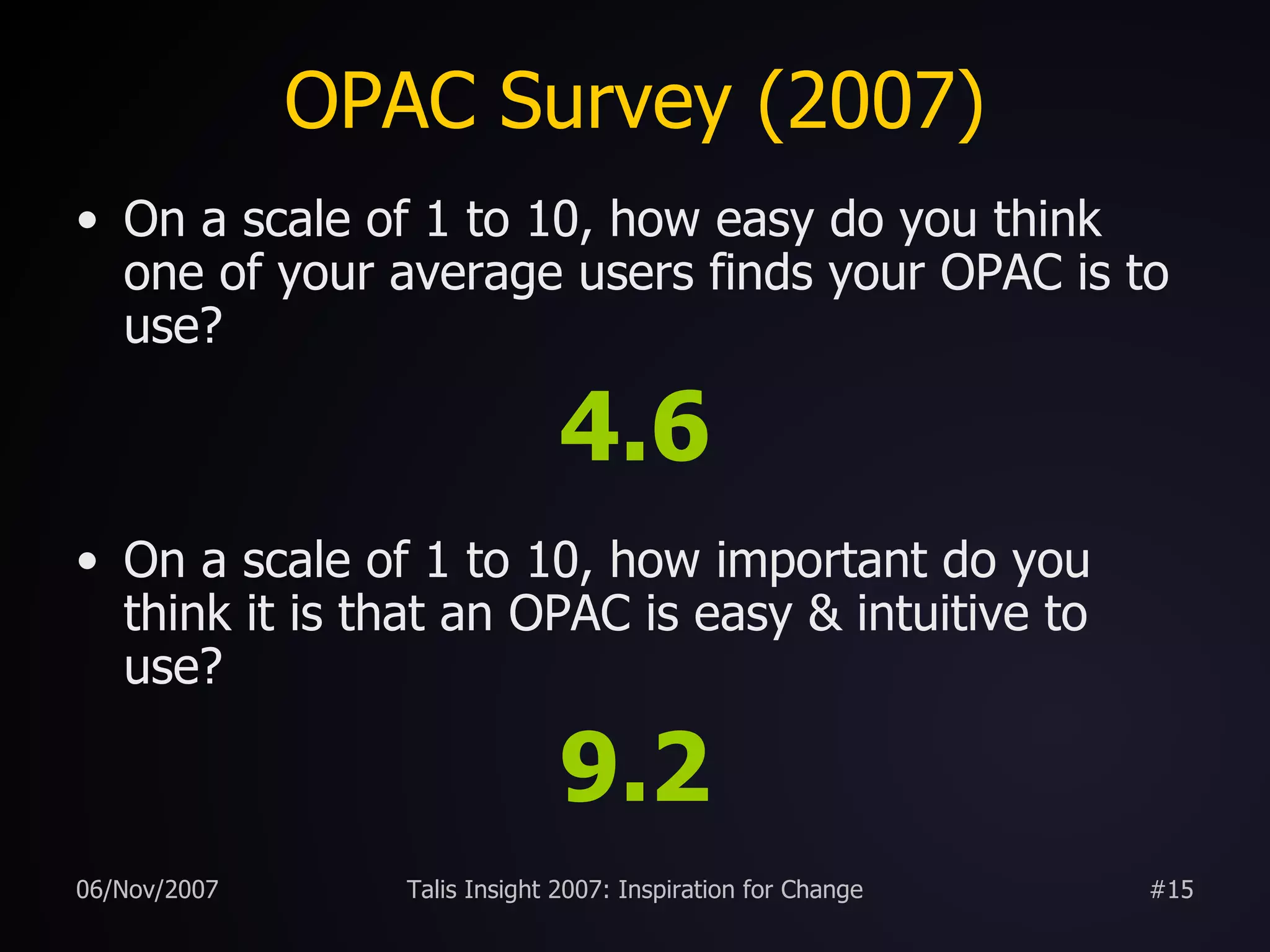
OPAC Survey (2007) On a scale of 1 to 10, how easy do you think one of your average users finds your OPAC is to use? 4.6 On a scale of 1 to 10, how important do you think it is that an OPAC is easy & intuitive to use? 9.2
Experiences at Huddersfield definitely not OPAC 2.0 enhancements to the existing OPAC user suggestions from surveys “ 2.0” inspired features borrowing good ideas from other web sites  new features launched with no/low publicity “ perpetual beta” required staff buy-in and a willingness to experiment and take risks
Spell Checker we monitored keyword searches over a six month period and discovered approx  23%  of searches gave zero results most OPACs present the user with a “dead end” page a good search engine should still give the user options on a failed search (“did you mean?”)
Spell Checker
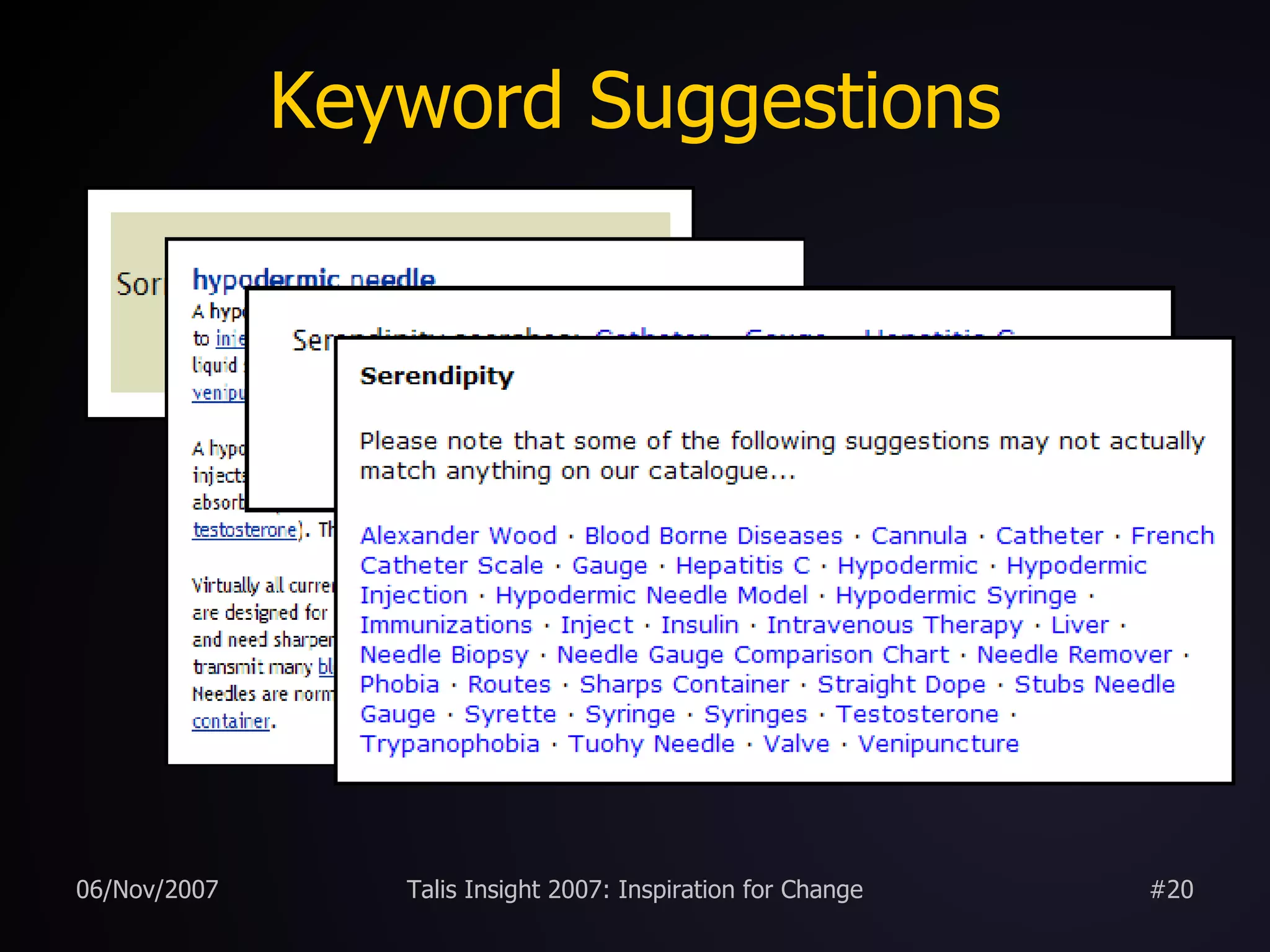
Keyword Suggestions failed keyword searches are cross referenced with www.answers.com to provide new search suggestions
Keyword Suggestions
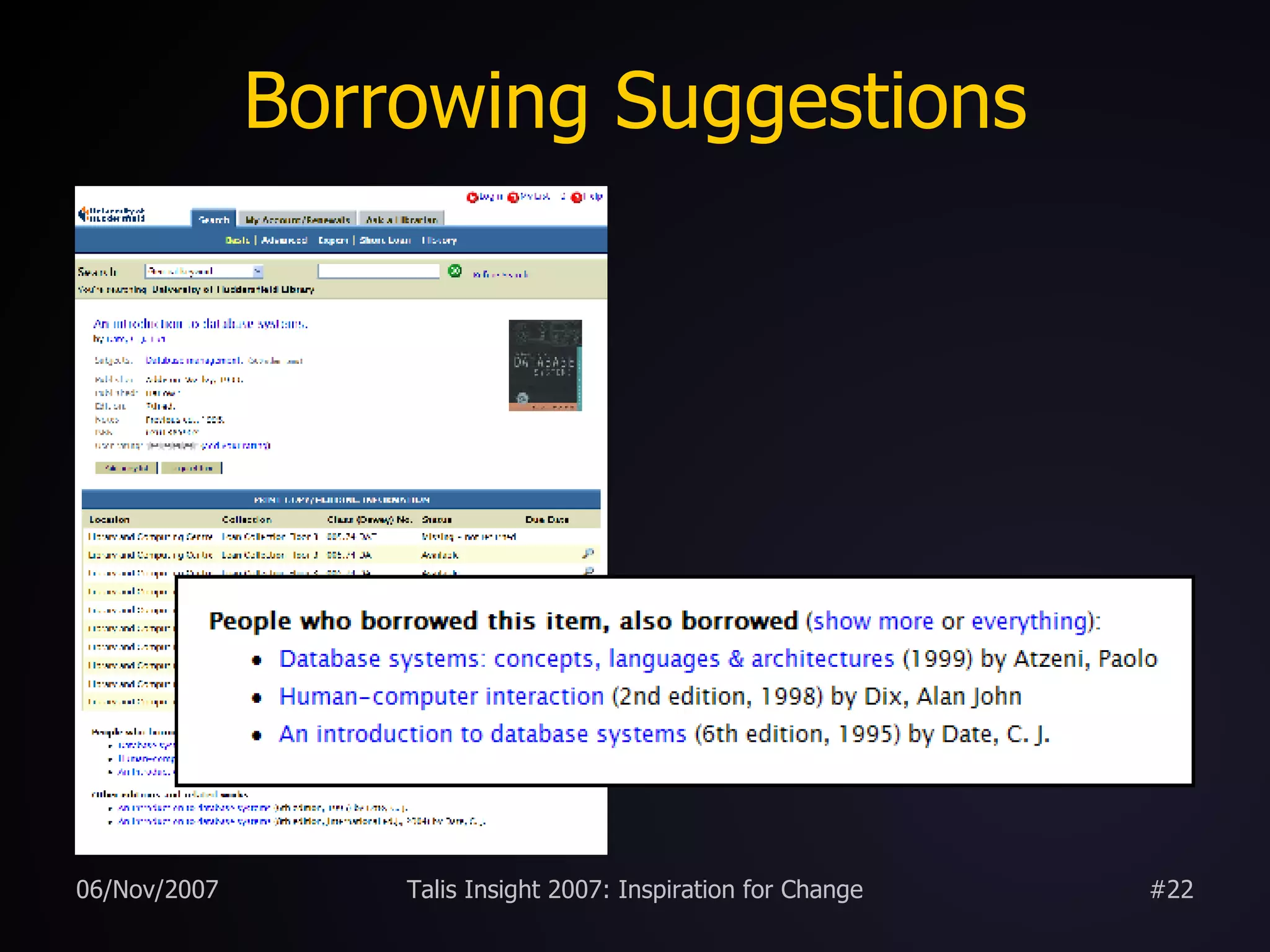
Borrowing Suggestions we had details of over 2,000,000 CKOs spanning 10 years stored in the library management system and gathering virtual dust Web 2.0 – “ Data is the Next Intel Inside 1 ” historic circulation data can be  mined 2  to uncover the hidden trends and links between potentially disparate library items
Borrowing Suggestions
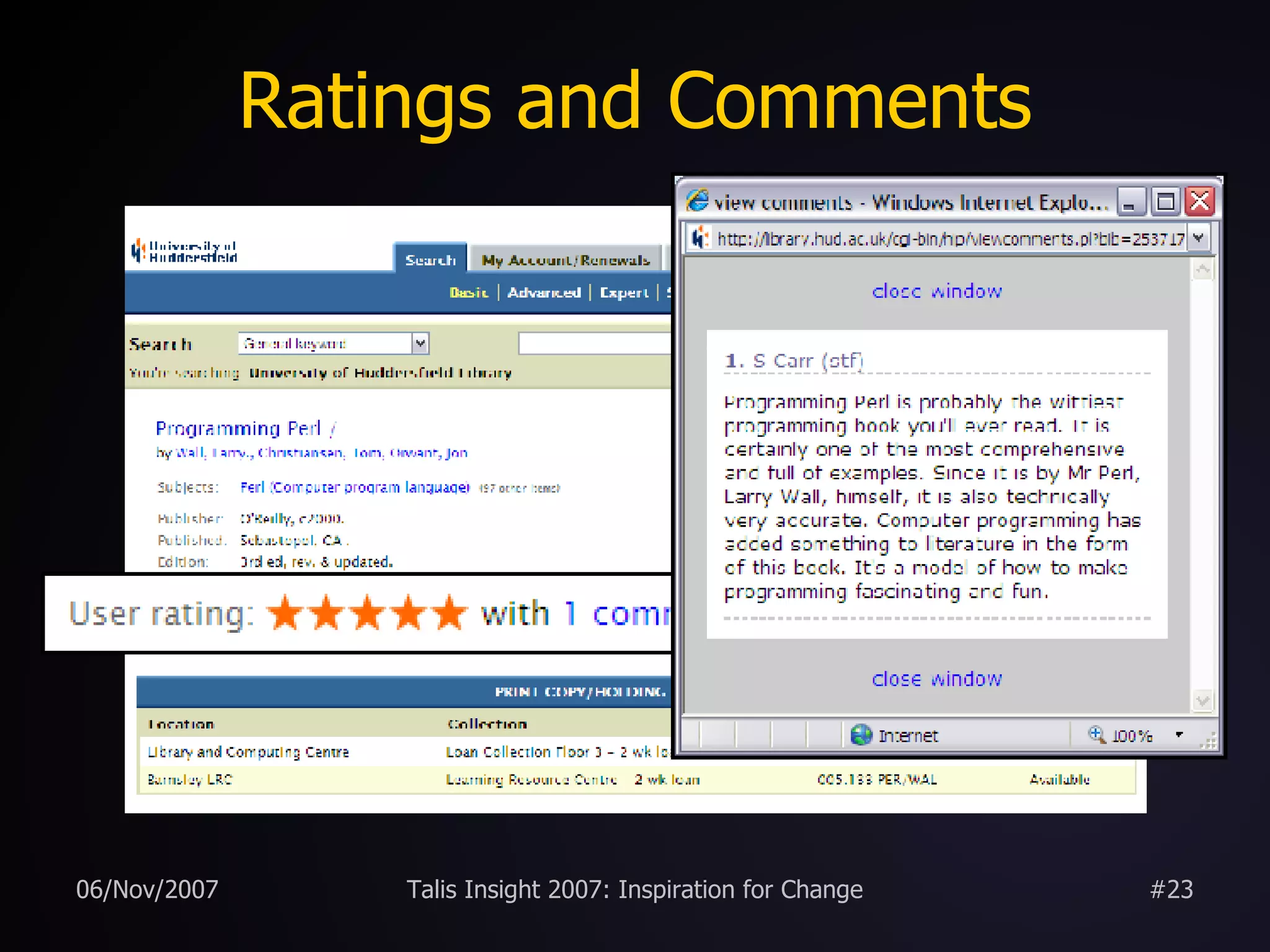
Ratings and Comments
Other Editions uses FRBR-y web services provided by OCLC and LibraryThing to locate other editions and related works within local holdings OCLC’s  xISBN 1 LibraryThing’s  thingISBN 2
Other Editions
Email Alerts
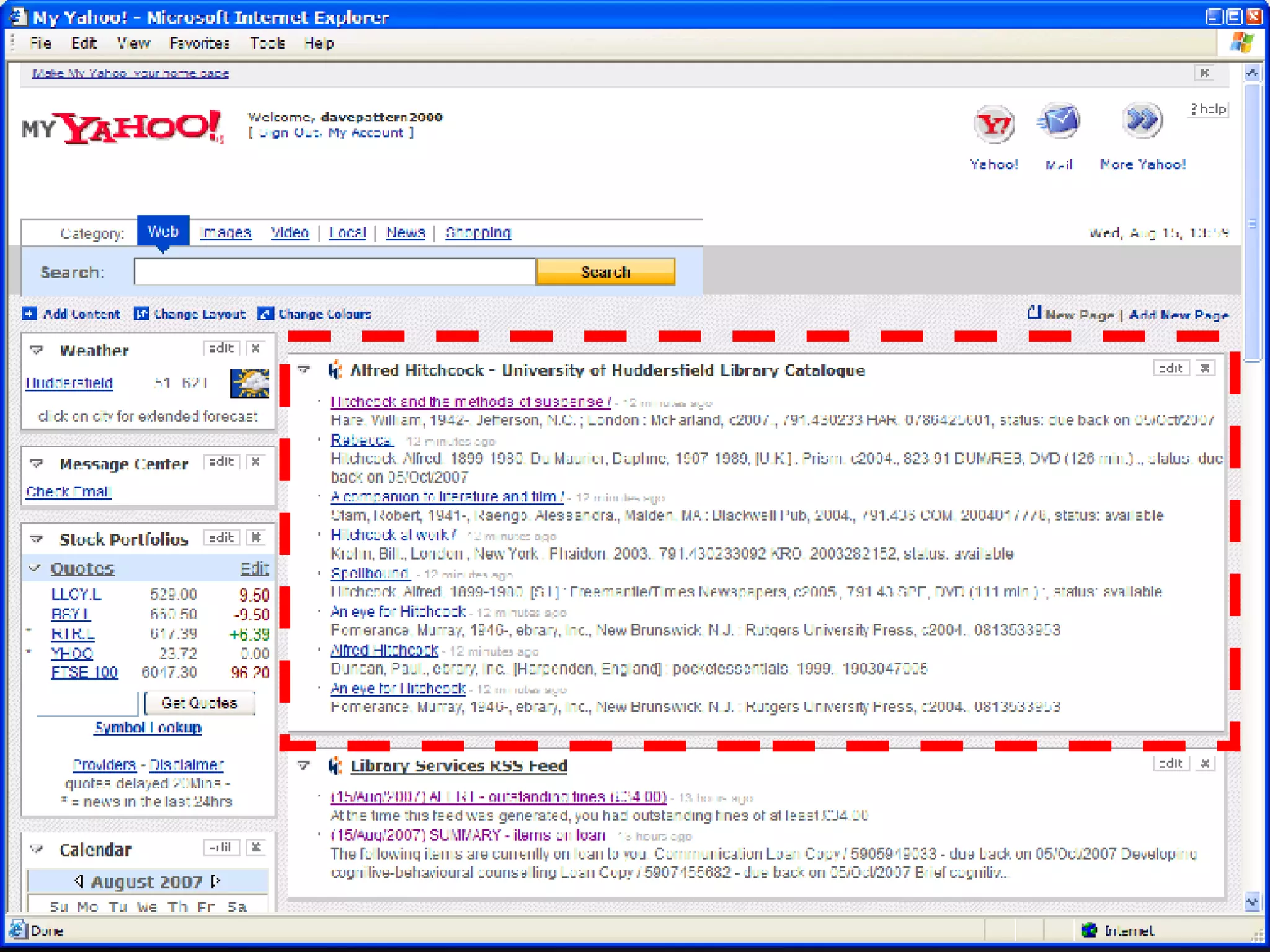
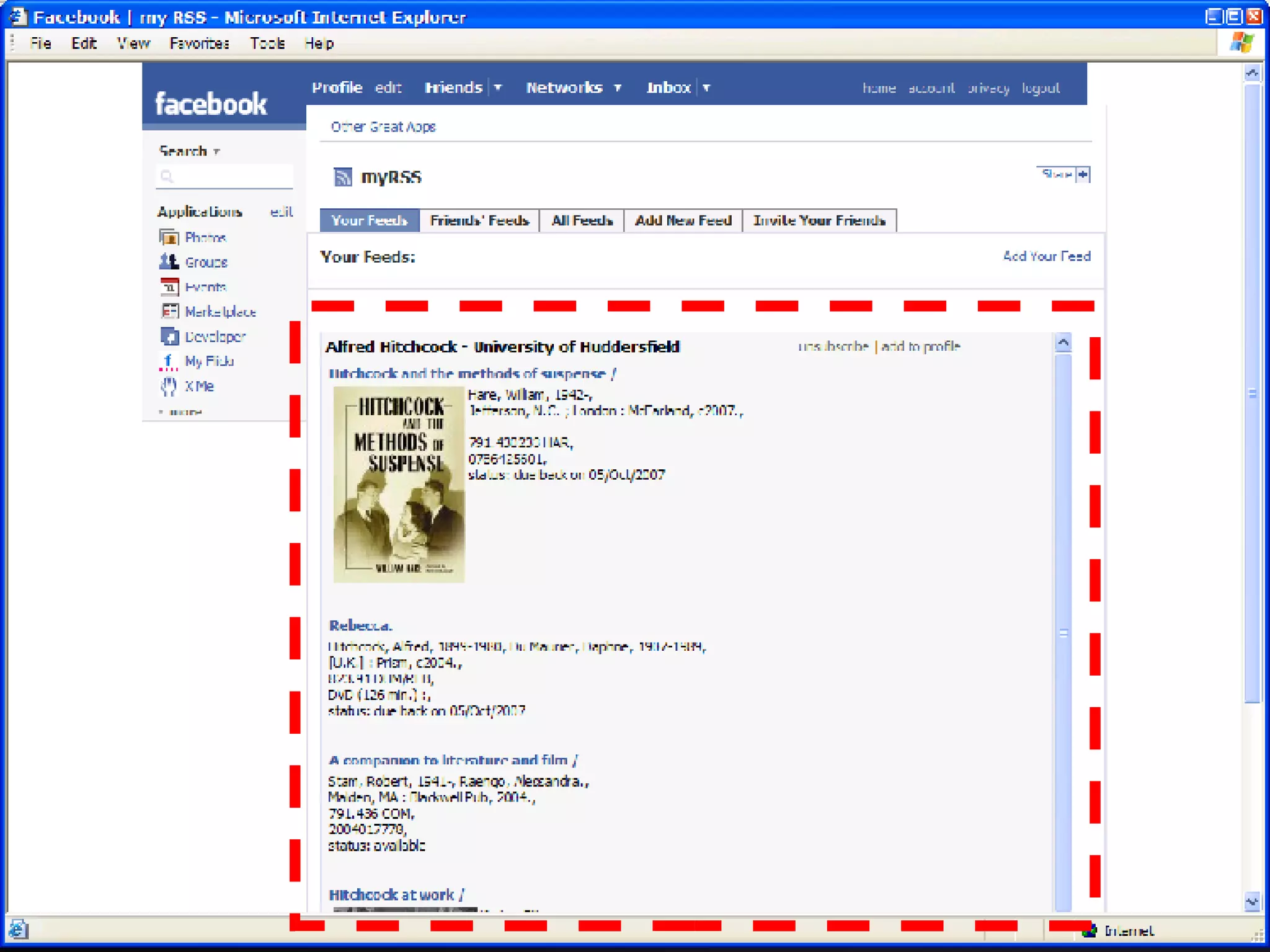
RSS feeds


“If you build it, will they come?”
Increase in Usage
Increase in Usage
Lipstick on the Pig “ We need to focus more energy on important, systemic changes rather than cosmetic ones. If your system is more difficult to search and less effective than Amazon.com, then you have work to do.  After all, you can put lipstick on a pig, but it's still very much a pig.”    (Roy Tennant,  Library Journal , 2005)
Problems ...Challenges! there was no formal process for discussing and agreeing new OPAC features so we organised a web/library 2.0 afternoon for staff some initial scepticism from staff would users think borrowing suggestions were formal recommendations from the library? aren’t borrowing suggestions just for selling books? how relevant will the suggestions be? would sudden changes confuse users?
Solutions encourage suggestions from staff include users in decision making process encourage play and experimentation don’t be afraid to make mistakes! look widely for ideas “build crappy prototypes fast” monitor usage if usage is poor then remove it
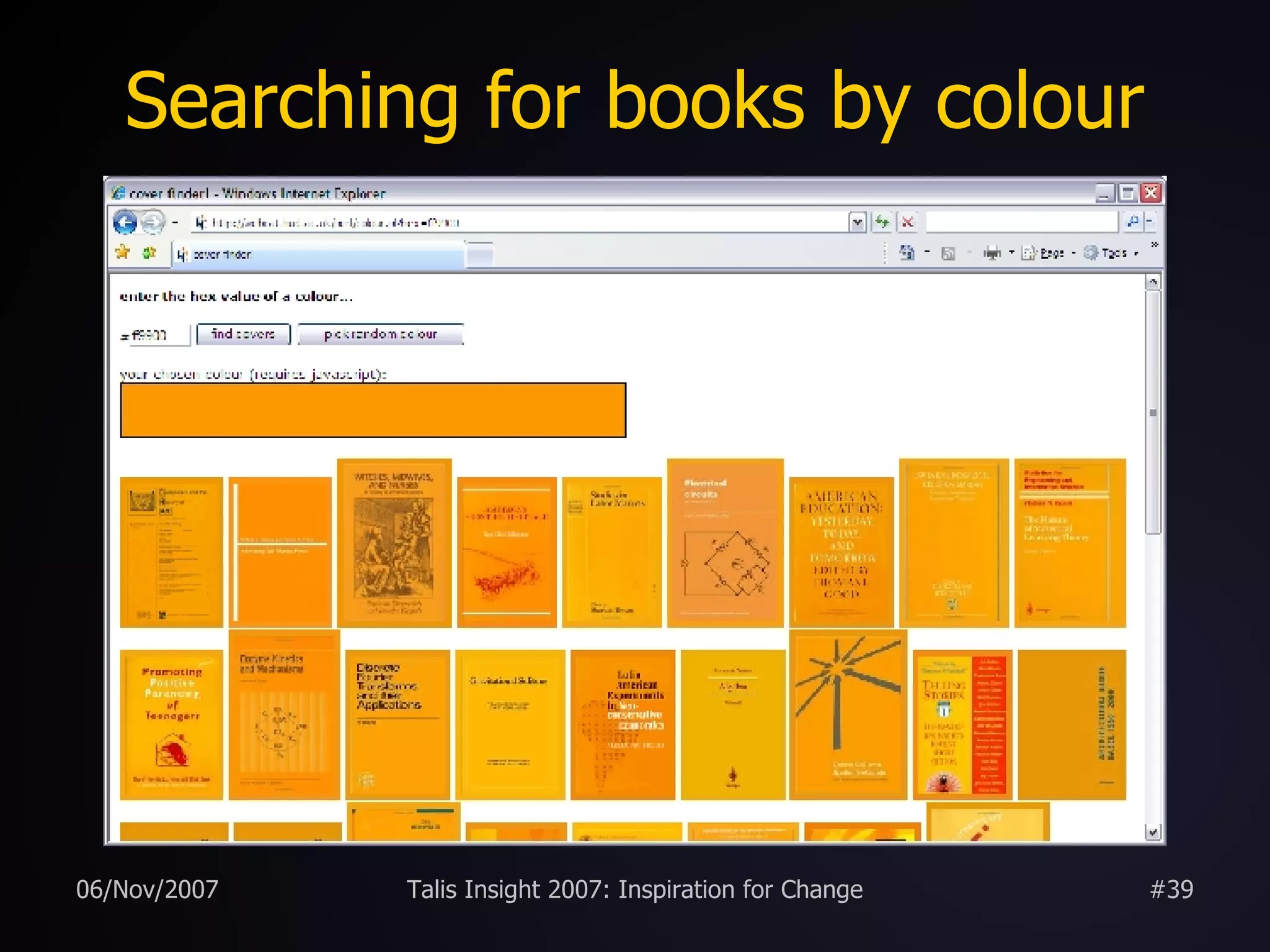
Searching for books by colour
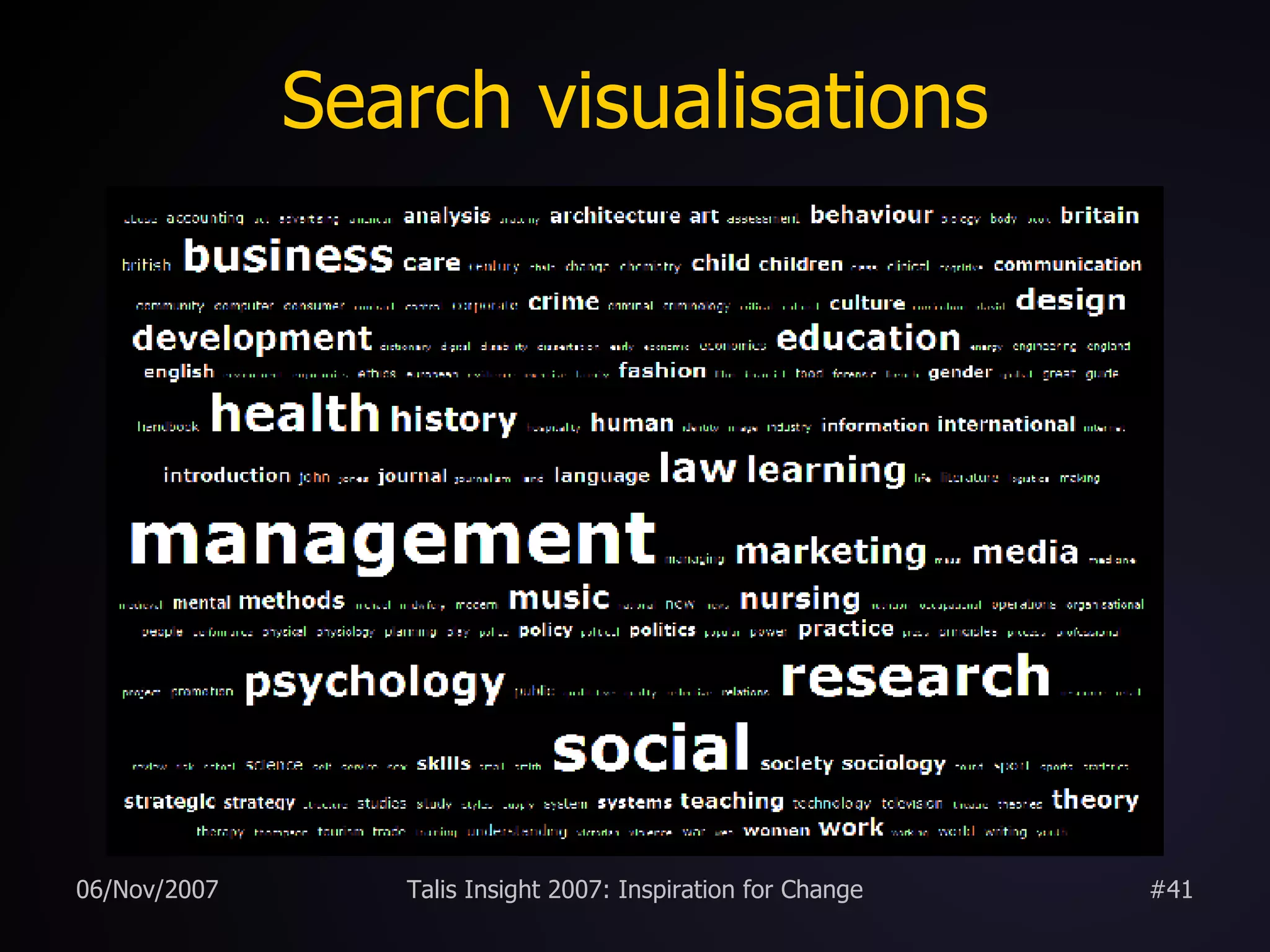
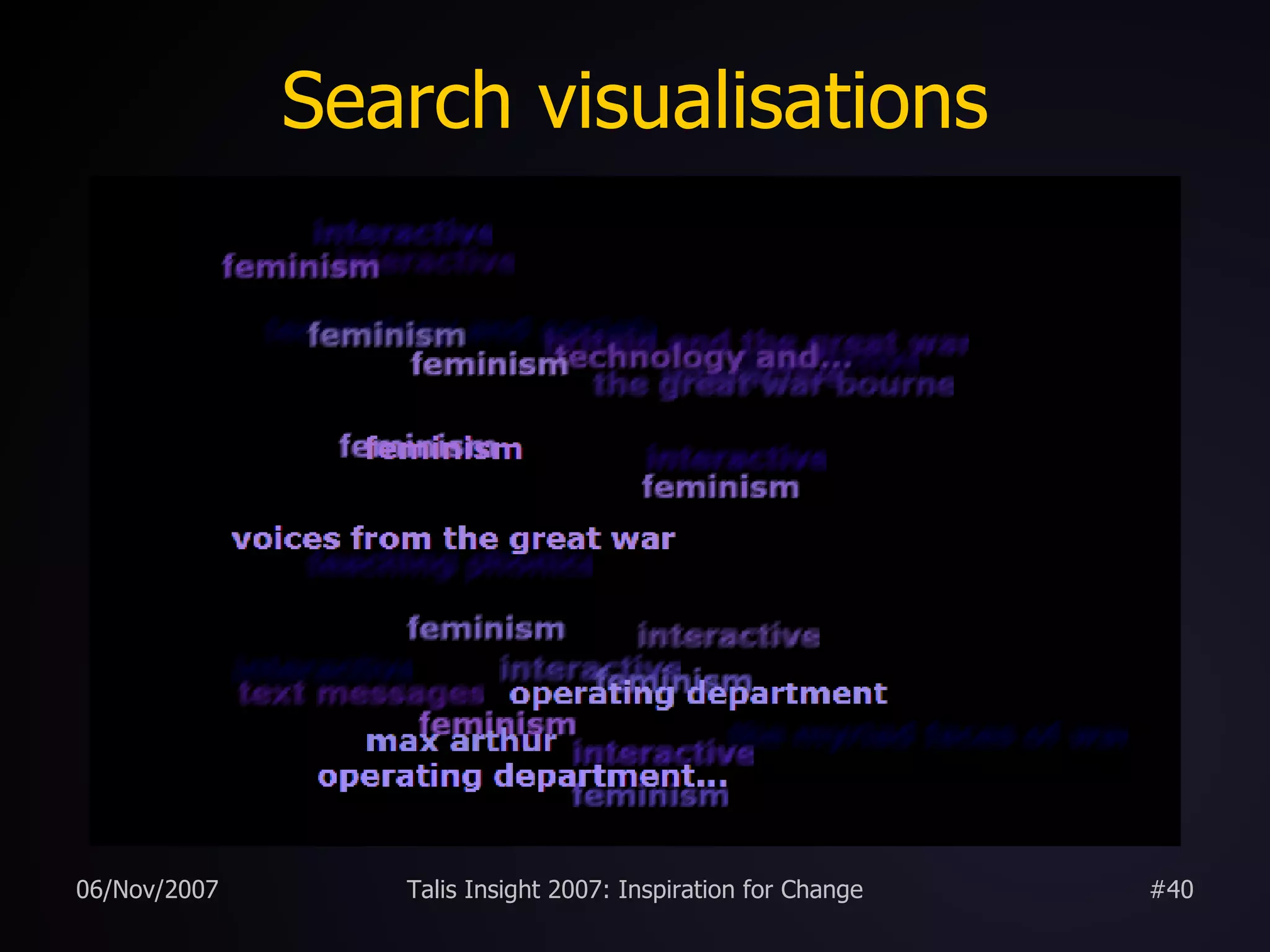
Search visualisations
CKO visualisations
Other Libraries Ann Arbor District Library North Carolina State University (Endeca) LibraryThing for Libraries Open Source OPACs
Ann Arbor District Library early adopter of “2.0” (John Blyberg) OPAC deeply embedded in Library portal virtual catalogue cards (with graffiti!) user tagging, ratings, and reviews borrowing suggestions RSS feeds http:// www.aadl.org /catalog/
 
 
North Carolina State University facetted browsing http:// www.lib.ncsu.edu /catalog/ http:// endeca.com
 
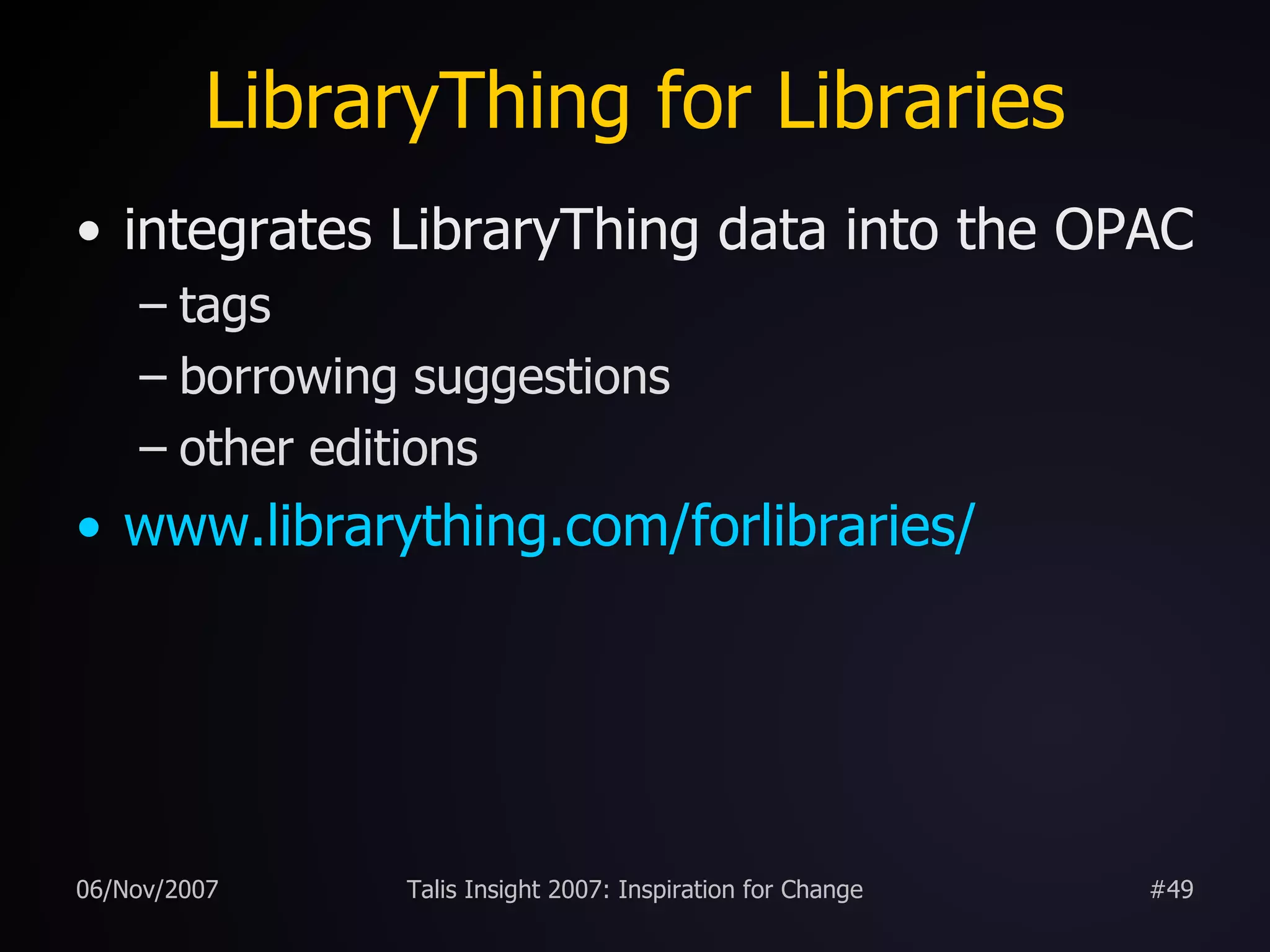
LibraryThing for Libraries integrates LibraryThing data into the OPAC tags borrowing suggestions other editions www.librarything.com/forlibraries /
 
 
Open Source OPACs Scriblio  (formerly WPOpac) uses WordPress (blogging software) VuFind uses PHP & MySQL Lucene  &  Solr Project Backlight  (Univ. of Virginia) FacBackOPAC Huddersfield  ( blog post )
 
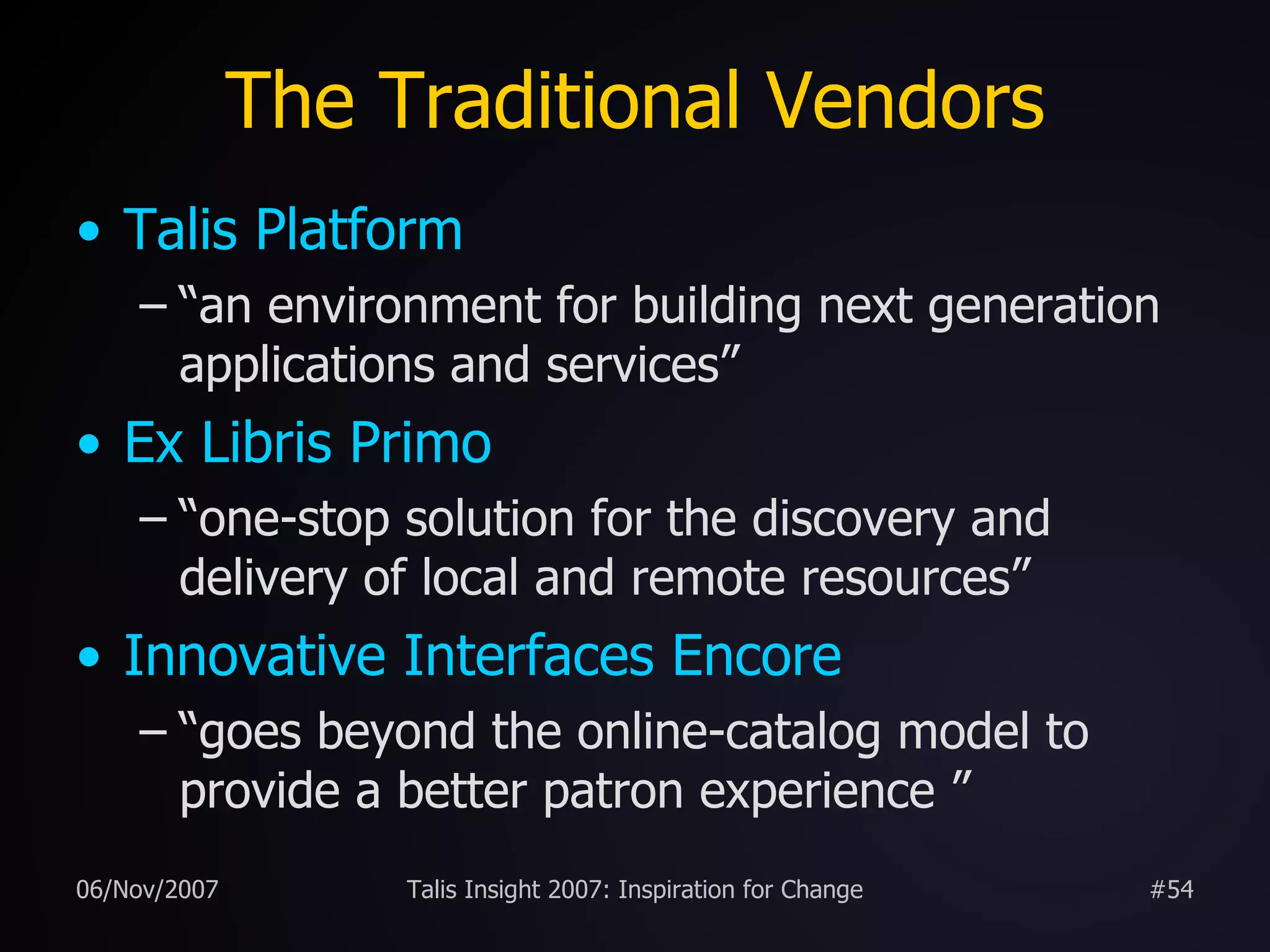
The Traditional Vendors Talis Platform “an environment for building next generation applications and services” Ex Libris Primo “one-stop solution for the discovery and delivery of local and remote resources” Innovative Interfaces Encore “goes beyond the online-catalog model to provide a better patron experience ”
OPAC 2.0 “The best way to predict the future is to invent it.” (Alan Kay, computer scientist and  former Xerox PARC researcher) “The future is here.  It's just not widely distributed yet.” (William Gibson, science fiction author and creator of the word “cyberspace”)
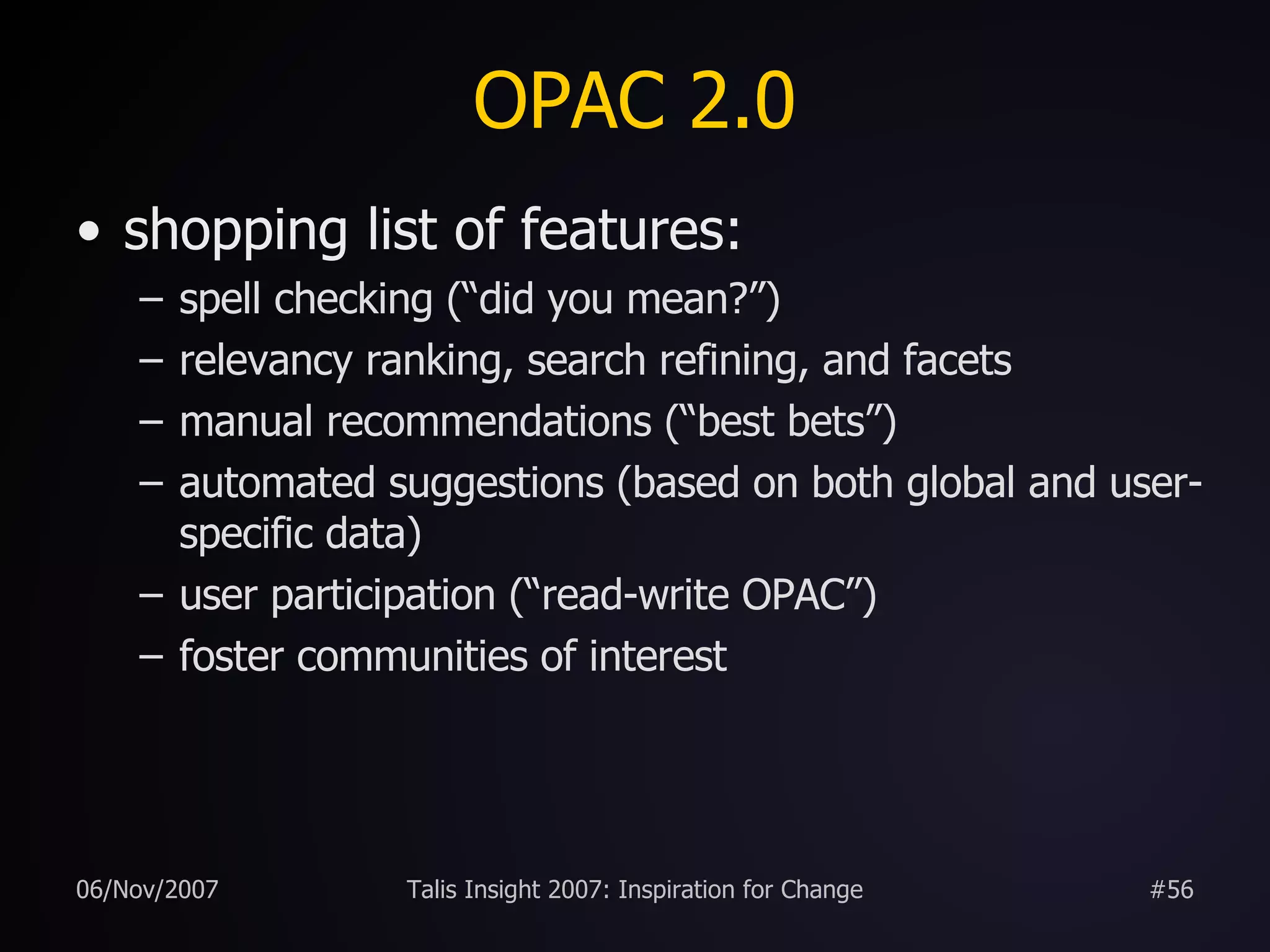
OPAC 2.0 shopping list of features: spell checking (“did you mean?”) relevancy ranking, search refining, and facets manual recommendations (“best bets”) automated suggestions (based on both global and user-specific data) user participation (“read-write OPAC”) foster communities of interest
OPAC 2.0 shopping list of features: improve serendipity expose hidden links between items APIs and Web Services to expose data promote unintended uses user personalisation embed external data (e.g. Wikipedia, LibraryThing) RSS feeds and OpenSearch
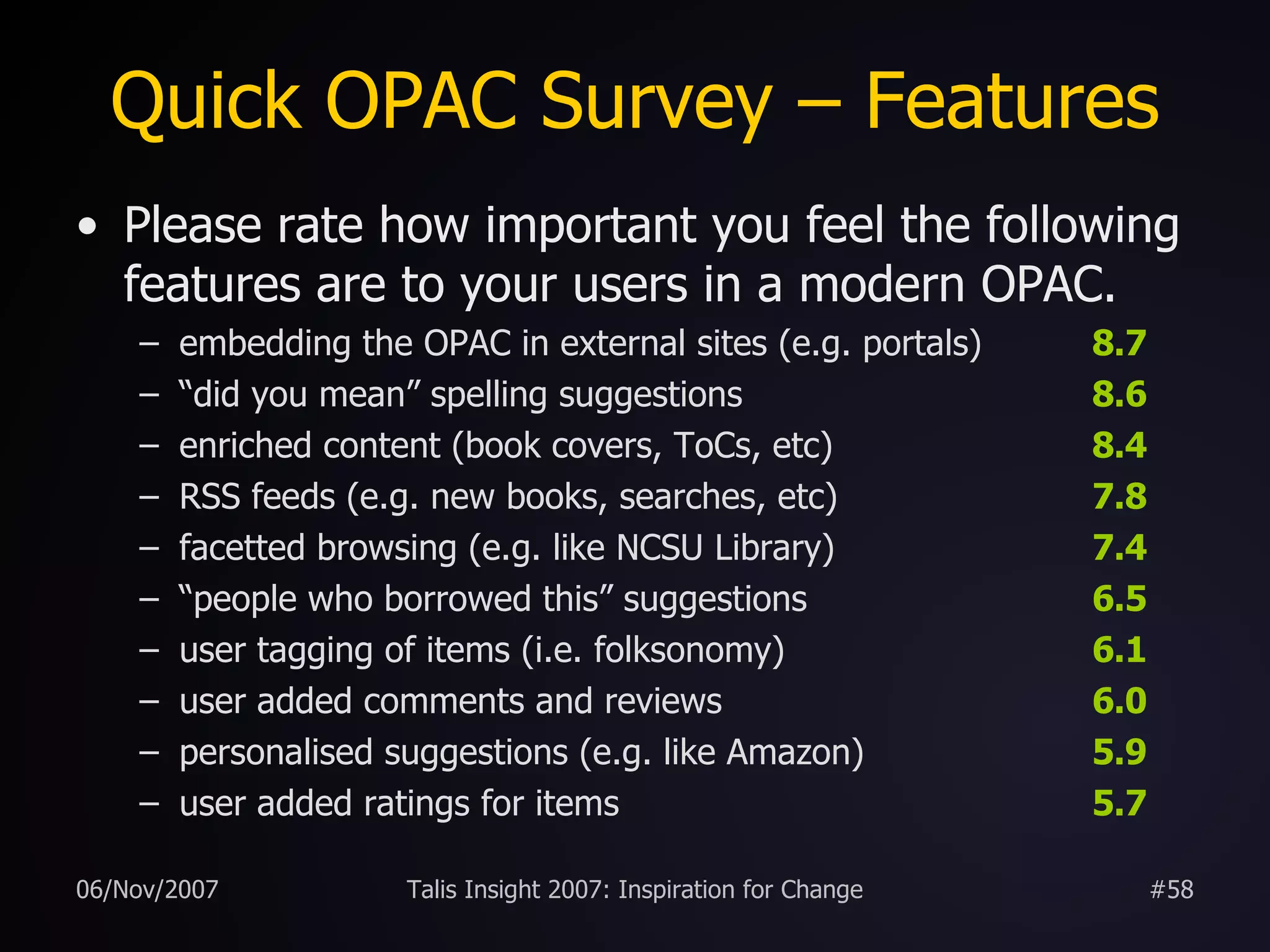
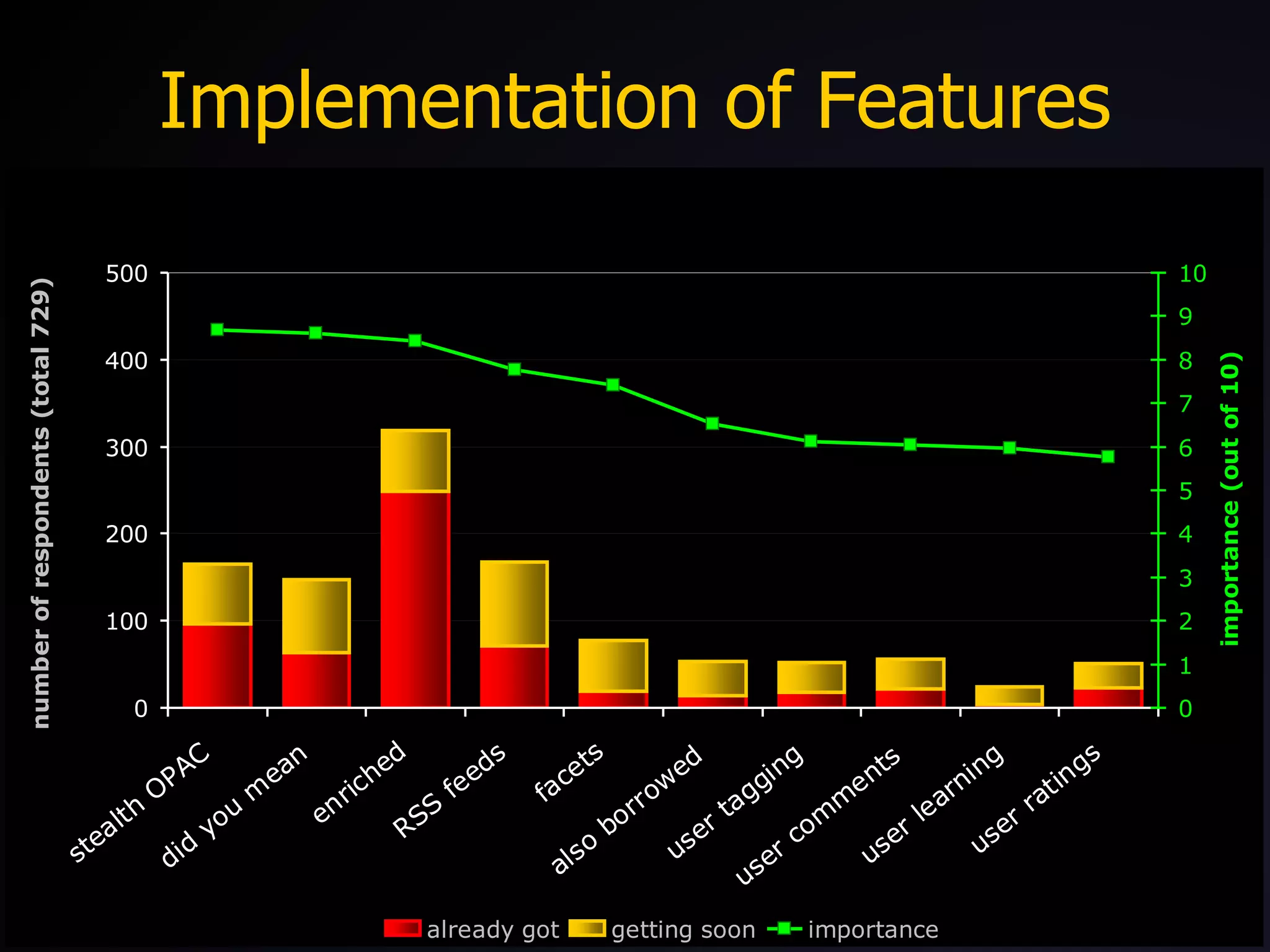
Quick OPAC Survey – Features Please rate how important you feel the following features are to your users in a modern OPAC. embedding the OPAC in external sites (e.g. portals) 8.7 “ did you mean” spelling suggestions 8.6 enriched content (book covers, ToCs, etc) 8.4 RSS feeds (e.g. new books, searches, etc) 7.8 facetted browsing (e.g. like NCSU Library) 7.4 “ people who borrowed this” suggestions 6.5 user tagging of items (i.e. folksonomy) 6.1 user added comments and reviews 6.0 personalised suggestions (e.g. like Amazon) 5.9 user added ratings for items 5.7
Implementation of Features
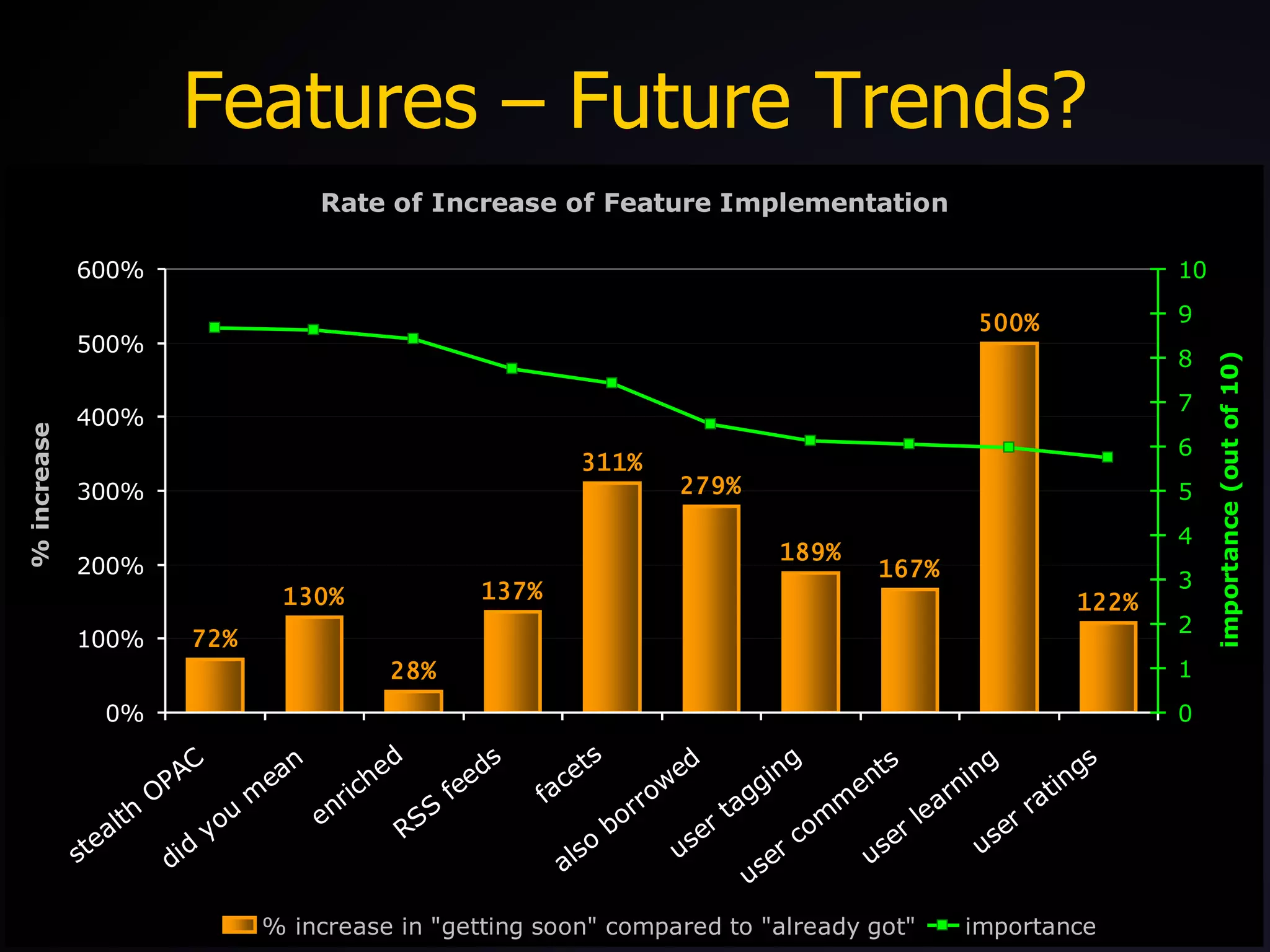
Features – Future Trends?
Importance (getting soon)
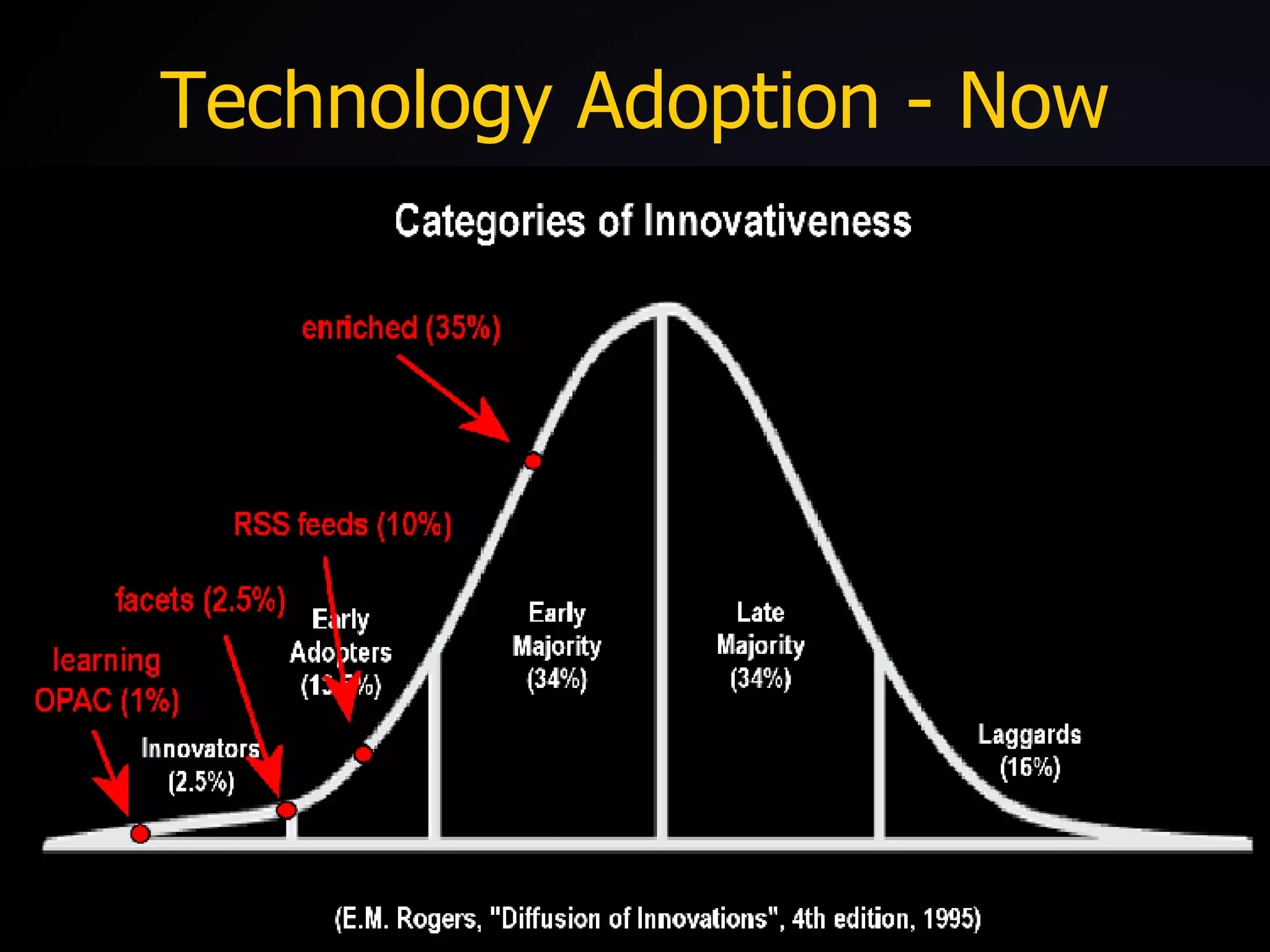
Technology Adoption Lifecycle
Technology Adoption - Now
Technology Adoption – Q1 08?
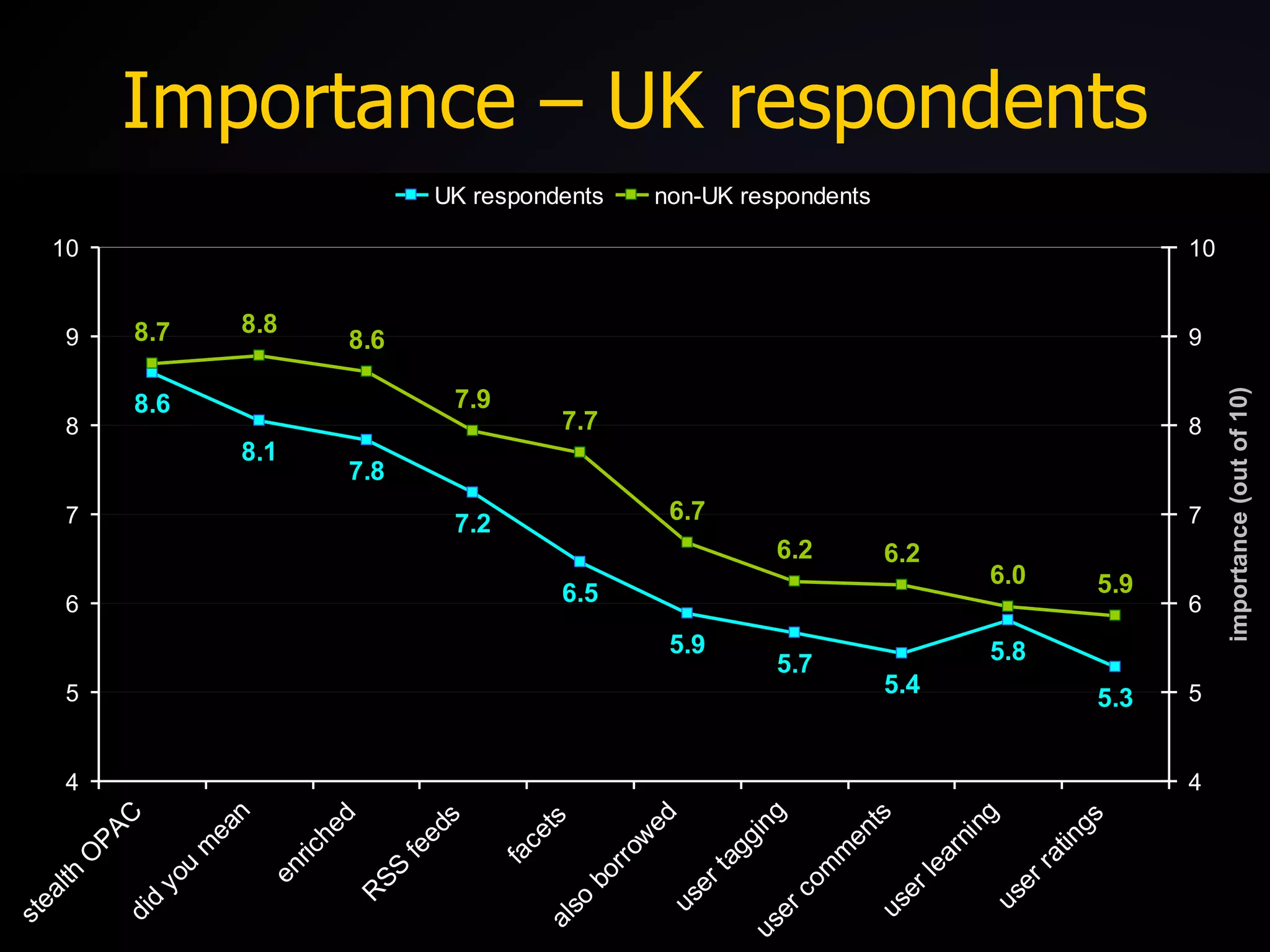
Importance – UK respondents
Thank you!

Talis Insight 2007

  • 1.
    OPAC 2.0: Teaching the Pig to Sing lipstick, cowbells and serendipity Dave Pattern, Library Systems Manager University of Huddersfield [email_address] http://slideshare.net/daveyp
  • 2.
    Contents does yourOPAC suck? OPAC survey findings experiences at Huddersfield other libraries OPAC 2.0 further OPAC survey findings Creative Commons Attribution-Noncommercial-Share Alike 3.0 License http://creativecommons.org/licenses/by-nc-sa/3.0/
  • 3.
    Does Your OPAC“Suck”?
  • 4.
  • 5.
  • 6.
  • 7.
    “More Cowbell” …huh?“ Used to express that something is deeply lacking oomph... to express that something is far from perfect, needs repair, fixing, rectifying.” ( everything2.com )
  • 8.
  • 9.
  • 10.
    The OPAC asa Pig “After all, you can put lipstick on a pig, but it's still very much a pig.” (Roy Tennant discussing the OPAC, Library Journal , 2005) “Never try to teach a pig to sing; it wastes your time and it annoys the pig.” (attrib. Robert Heinlein, author)
  • 11.
  • 12.
  • 13.
    OPAC Survey (2007)On a scale of 1 to 10 (where 1 is extremely unhappy and 10 is extremely happy), how happy are you with your OPAC? 5.1 
  • 14.
    OPAC Survey (2007)One criticism of OPACs is that they rarely have cutting edge features that our users expect from a modern web site. On a scale of 1 to 10, how well do you think your OPAC meets the needs and expectations of your users? 4.5
  • 15.
    OPAC Survey (2007)On a scale of 1 to 10, how easy do you think one of your average users finds your OPAC is to use? 4.6 On a scale of 1 to 10, how important do you think it is that an OPAC is easy & intuitive to use? 9.2
  • 16.
    Experiences at Huddersfielddefinitely not OPAC 2.0 enhancements to the existing OPAC user suggestions from surveys “ 2.0” inspired features borrowing good ideas from other web sites new features launched with no/low publicity “ perpetual beta” required staff buy-in and a willingness to experiment and take risks
  • 17.
    Spell Checker wemonitored keyword searches over a six month period and discovered approx 23% of searches gave zero results most OPACs present the user with a “dead end” page a good search engine should still give the user options on a failed search (“did you mean?”)
  • 18.
  • 19.
    Keyword Suggestions failedkeyword searches are cross referenced with www.answers.com to provide new search suggestions
  • 20.
  • 21.
    Borrowing Suggestions wehad details of over 2,000,000 CKOs spanning 10 years stored in the library management system and gathering virtual dust Web 2.0 – “ Data is the Next Intel Inside 1 ” historic circulation data can be mined 2 to uncover the hidden trends and links between potentially disparate library items
  • 22.
  • 23.
  • 24.
    Other Editions usesFRBR-y web services provided by OCLC and LibraryThing to locate other editions and related works within local holdings OCLC’s xISBN 1 LibraryThing’s thingISBN 2
  • 25.
  • 26.
  • 27.
  • 28.
  • 29.
  • 30.
  • 31.
  • 32.
  • 33.
    “If you buildit, will they come?”
  • 34.
  • 35.
  • 36.
    Lipstick on thePig “ We need to focus more energy on important, systemic changes rather than cosmetic ones. If your system is more difficult to search and less effective than Amazon.com, then you have work to do. After all, you can put lipstick on a pig, but it's still very much a pig.” (Roy Tennant, Library Journal , 2005)
  • 37.
    Problems ...Challenges! therewas no formal process for discussing and agreeing new OPAC features so we organised a web/library 2.0 afternoon for staff some initial scepticism from staff would users think borrowing suggestions were formal recommendations from the library? aren’t borrowing suggestions just for selling books? how relevant will the suggestions be? would sudden changes confuse users?
  • 38.
    Solutions encourage suggestionsfrom staff include users in decision making process encourage play and experimentation don’t be afraid to make mistakes! look widely for ideas “build crappy prototypes fast” monitor usage if usage is poor then remove it
  • 39.
  • 40.
  • 41.
  • 42.
  • 43.
    Other Libraries AnnArbor District Library North Carolina State University (Endeca) LibraryThing for Libraries Open Source OPACs
  • 44.
    Ann Arbor DistrictLibrary early adopter of “2.0” (John Blyberg) OPAC deeply embedded in Library portal virtual catalogue cards (with graffiti!) user tagging, ratings, and reviews borrowing suggestions RSS feeds http:// www.aadl.org /catalog/
  • 45.
  • 46.
  • 47.
    North Carolina StateUniversity facetted browsing http:// www.lib.ncsu.edu /catalog/ http:// endeca.com
  • 48.
  • 49.
    LibraryThing for Librariesintegrates LibraryThing data into the OPAC tags borrowing suggestions other editions www.librarything.com/forlibraries /
  • 50.
  • 51.
  • 52.
    Open Source OPACsScriblio (formerly WPOpac) uses WordPress (blogging software) VuFind uses PHP & MySQL Lucene & Solr Project Backlight (Univ. of Virginia) FacBackOPAC Huddersfield ( blog post )
  • 53.
  • 54.
    The Traditional VendorsTalis Platform “an environment for building next generation applications and services” Ex Libris Primo “one-stop solution for the discovery and delivery of local and remote resources” Innovative Interfaces Encore “goes beyond the online-catalog model to provide a better patron experience ”
  • 55.
    OPAC 2.0 “Thebest way to predict the future is to invent it.” (Alan Kay, computer scientist and former Xerox PARC researcher) “The future is here. It's just not widely distributed yet.” (William Gibson, science fiction author and creator of the word “cyberspace”)
  • 56.
    OPAC 2.0 shoppinglist of features: spell checking (“did you mean?”) relevancy ranking, search refining, and facets manual recommendations (“best bets”) automated suggestions (based on both global and user-specific data) user participation (“read-write OPAC”) foster communities of interest
  • 57.
    OPAC 2.0 shoppinglist of features: improve serendipity expose hidden links between items APIs and Web Services to expose data promote unintended uses user personalisation embed external data (e.g. Wikipedia, LibraryThing) RSS feeds and OpenSearch
  • 58.
    Quick OPAC Survey– Features Please rate how important you feel the following features are to your users in a modern OPAC. embedding the OPAC in external sites (e.g. portals) 8.7 “ did you mean” spelling suggestions 8.6 enriched content (book covers, ToCs, etc) 8.4 RSS feeds (e.g. new books, searches, etc) 7.8 facetted browsing (e.g. like NCSU Library) 7.4 “ people who borrowed this” suggestions 6.5 user tagging of items (i.e. folksonomy) 6.1 user added comments and reviews 6.0 personalised suggestions (e.g. like Amazon) 5.9 user added ratings for items 5.7
  • 59.
  • 60.
  • 61.
  • 62.
  • 63.
  • 64.
  • 65.
    Importance – UKrespondents
  • 66.