A Curious Course on
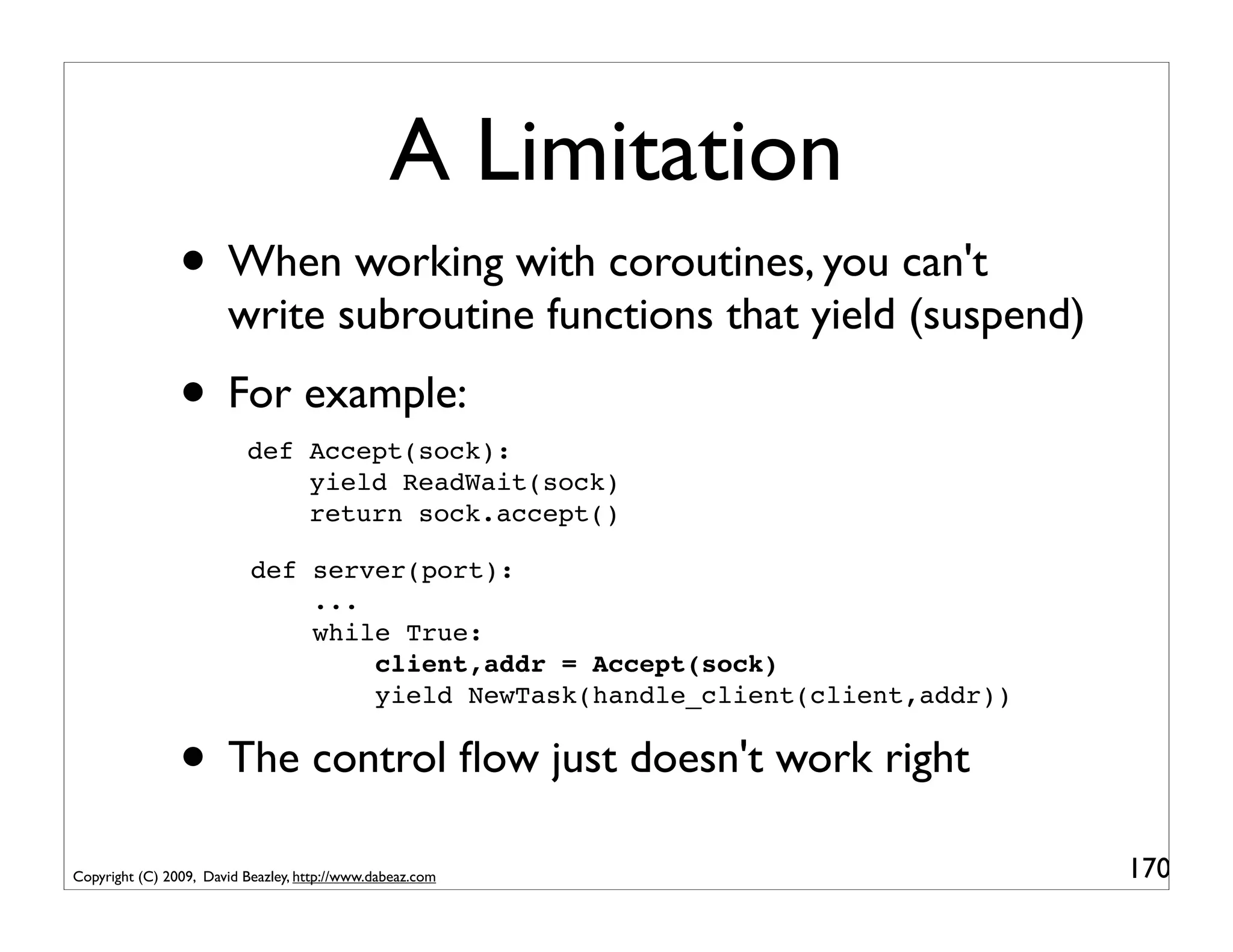
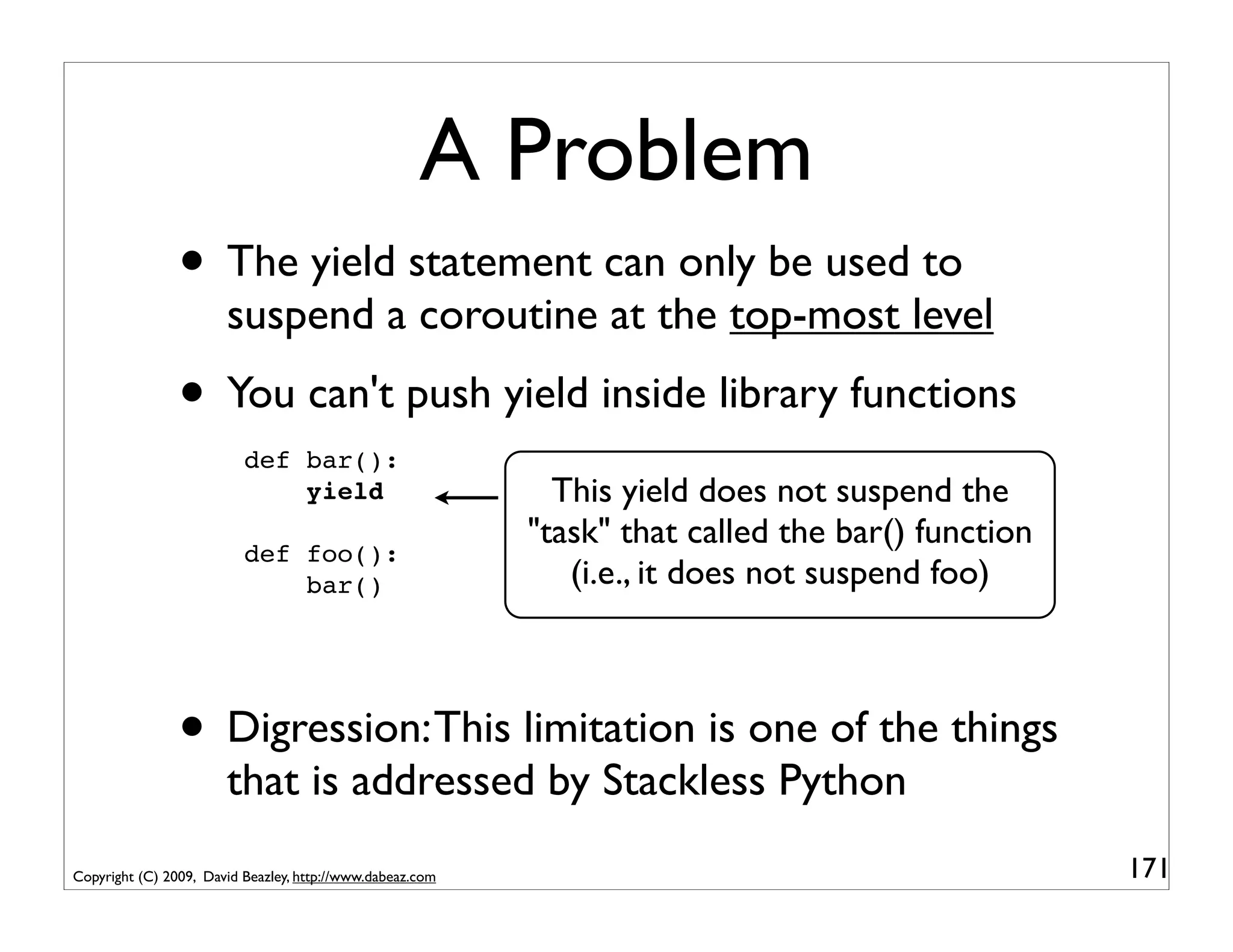
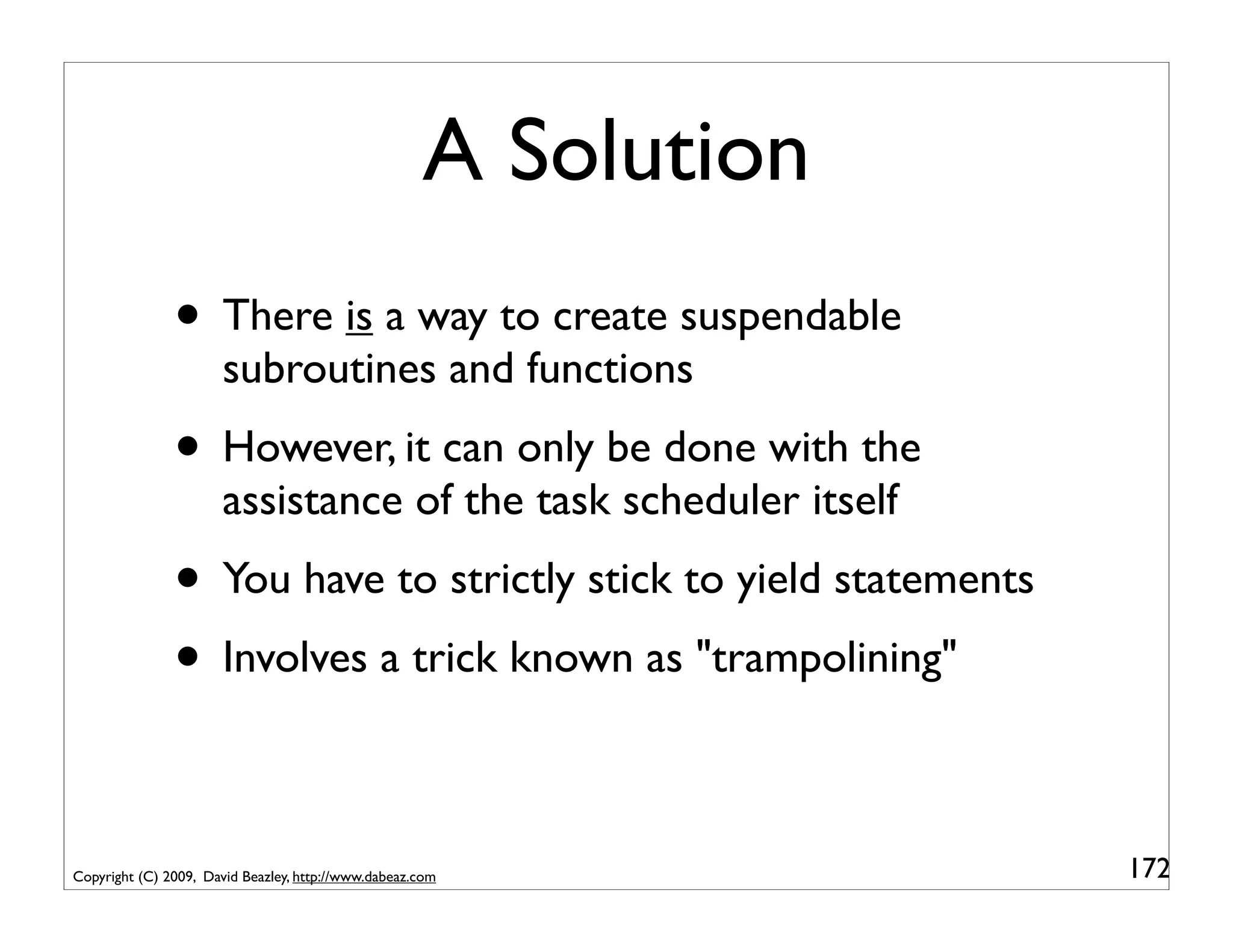
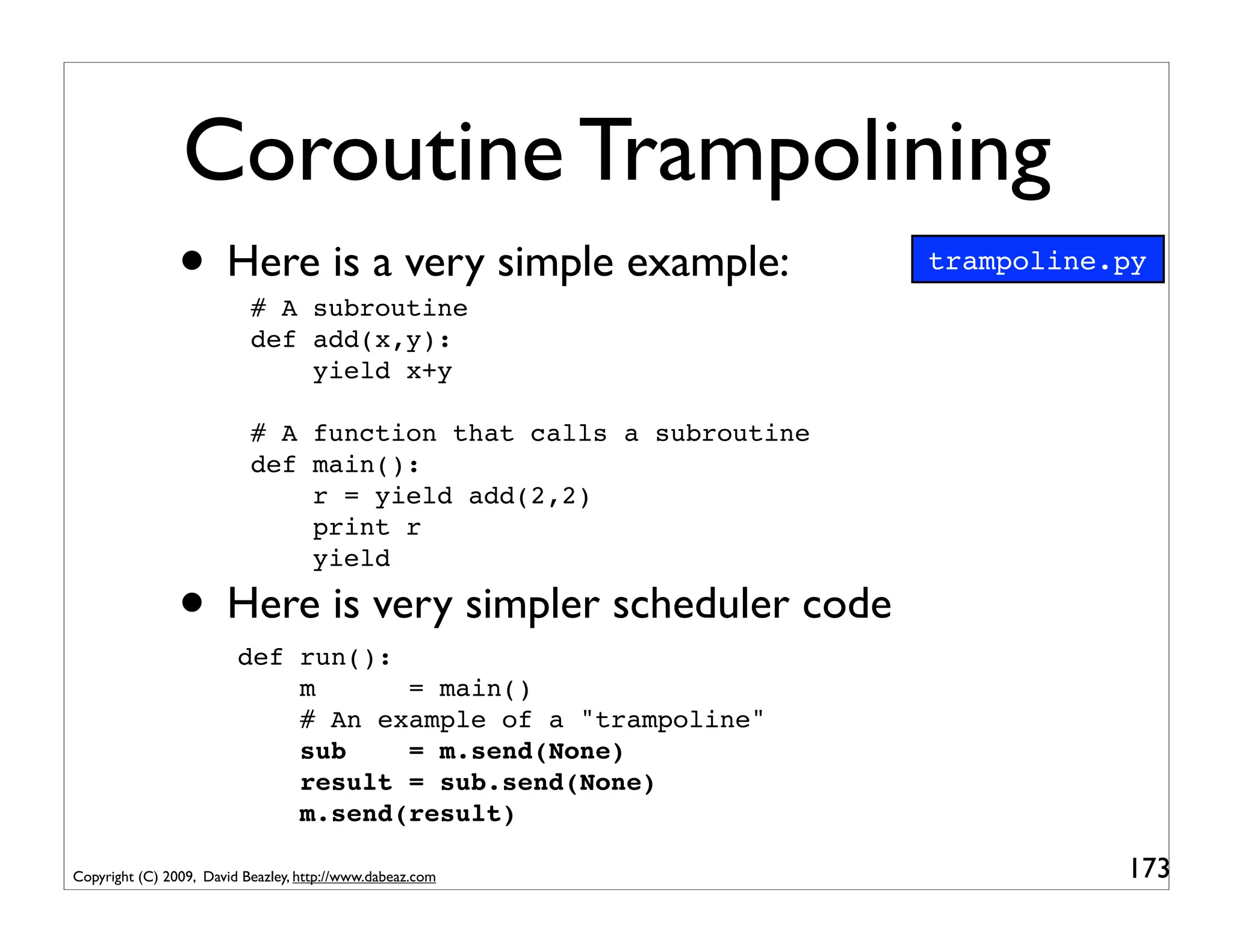
       Coroutines and Concurrency
                                                       David Beazley
                                                  http://www.dabeaz.com

                        Presented at PyCon'2009, Chicago, Illinois


Copyright (C) 2009, David Beazley, http://www.dabeaz.com                  1
This Tutorial
                 • A mondo exploration of Python coroutines
                               mondo:
                               1. Extreme in degree or nature.
                               (http://www.urbandictionary.com)

                               2. An instructional technique of Zen Buddhism
                               consisting of rapid dialogue of questions and
                               answers between master and pupil. (Oxford
                               English Dictionary, 2nd Ed)

              • You might want to brace yourself...
Copyright (C) 2009, David Beazley, http://www.dabeaz.com                       2
Requirements
                • You need Python 2.5 or newer
                • No third party extensions
                • We're going to be looking at a lot of code
                                 http://www.dabeaz.com/coroutines/

                • Go there and follow along with the examples
                • I will indicate file names as appropriate
                                                                     sample.py
Copyright (C) 2009, David Beazley, http://www.dabeaz.com                         3
High Level Overview

              • What in the heck is a coroutine?
              • What can you use them for?
              • Should you care?
              • Is using them even a good idea?


Copyright (C) 2009, David Beazley, http://www.dabeaz.com   4
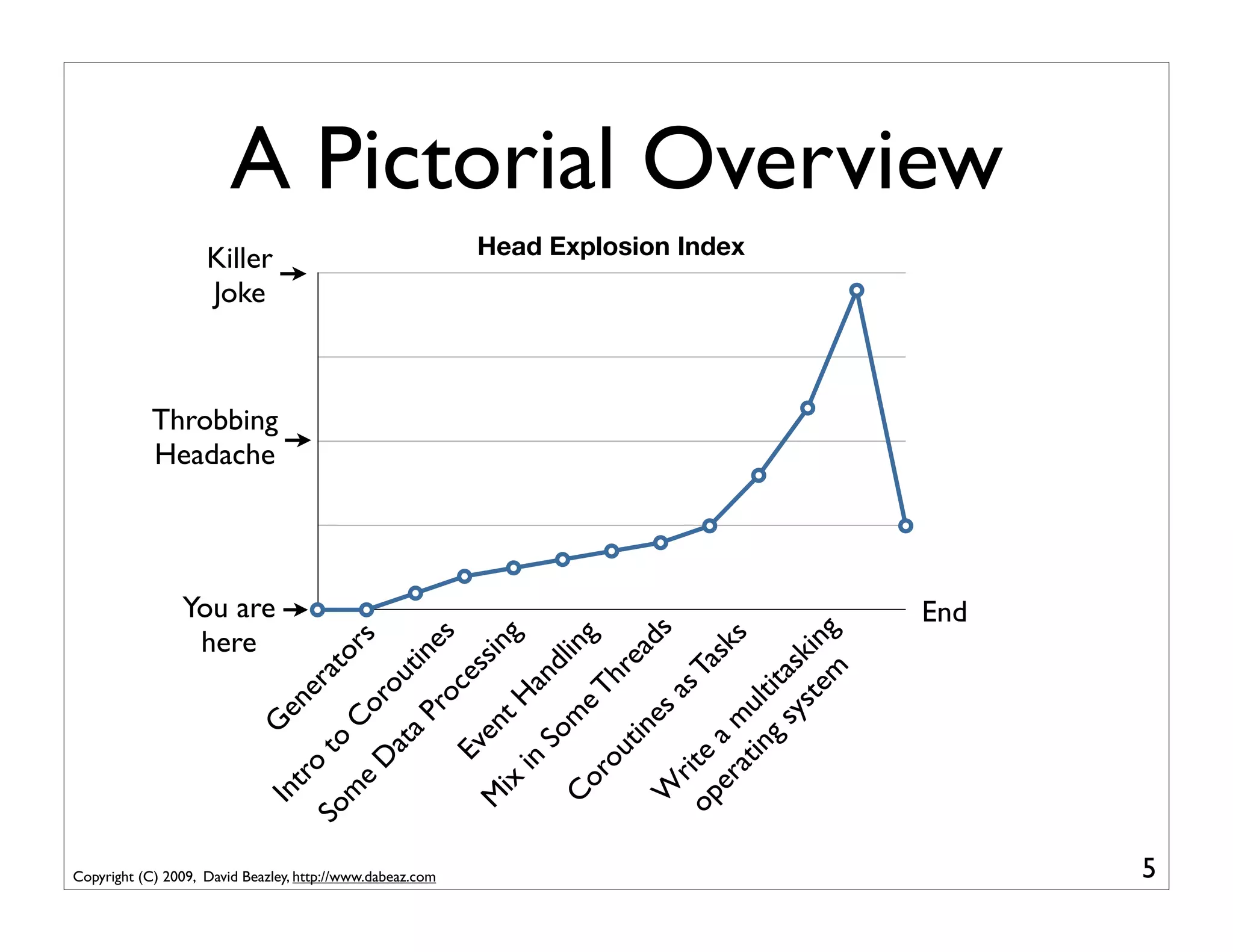
here
                                                                                                           Joke
                                                                                                           Killer


                                                                                               Headache


                                                                                     You are
                                                                                               Throbbing
                                                             In          G
                                                                tro ene
                                                           So         to        ra
                                                             m                     t
                                                                e        Co ors
                                                                   D          r
                                                                      at ou


Copyright (C) 2009, David Beazley, http://www.dabeaz.com
                                                                        a P tin
                                                                             ro es
                                                                    Ev          ce
                                                            M           en         ss
                                                               ix          t H ing
                                                                   in
                                                                       So and
                                                             Co           m          li
                                                                  ro         e T ng
                                                                     ut          hr
                                                                        in          ea
                                                             W             es           ds
                                                                 r            as
                                                            op ite                Ta
                                                               er a m                sk
                                                                                                               Head Explosion Index


                                                                   at u                  s
                                                                     in lt
                                                                        g s ita
                                                                            ys sk
                                                                              te ing
                                                                                 m
                                                                                         End
                                                                                                                                      A Pictorial Overview


 5
About Me

              • I'm a long-time Pythonista
              • Author of the Python Essential Reference
                      (look for the 4th edition--shameless plug)
              • Created several packages (Swig, PLY, etc.)
              • Currently a full-time Python trainer

Copyright (C) 2009, David Beazley, http://www.dabeaz.com           6
Some Background

                • I'm an unabashed fan of generators and
                       generator expressions (Generators Rock!)
                • See "Generator Tricks for Systems
                       Programmers" from PyCon'08
                •        http://www.dabeaz.com/generators


Copyright (C) 2009, David Beazley, http://www.dabeaz.com          7
Coroutines and Generators
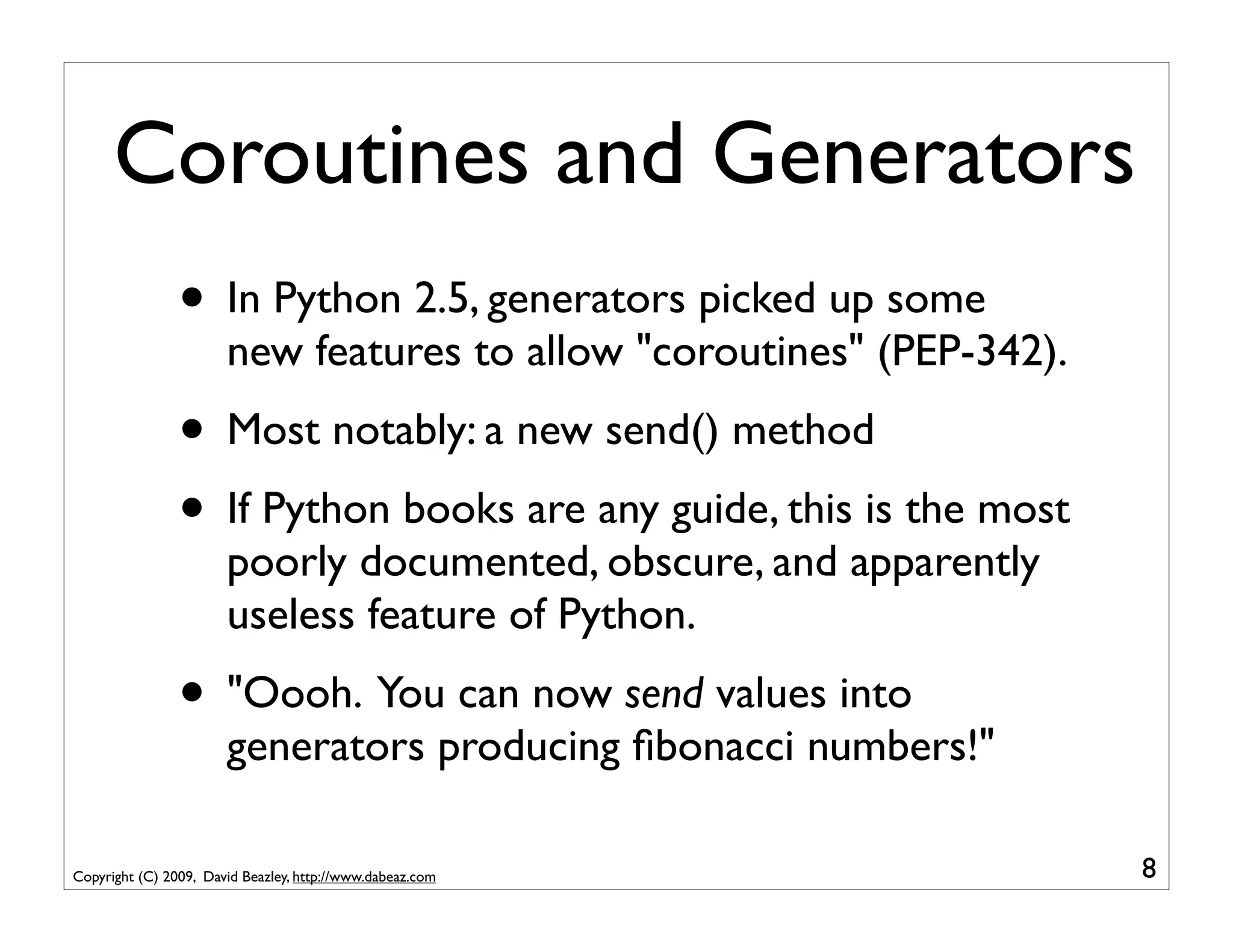
                • In Python 2.5, generators picked up some
                       new features to allow "coroutines" (PEP-342).
                • Most notably: a new send() method
                • If Python books are any guide, this is the most
                       poorly documented, obscure, and apparently
                       useless feature of Python.
                • "Oooh. You can now send values into
                       generators producing fibonacci numbers!"

Copyright (C) 2009, David Beazley, http://www.dabeaz.com               8
Uses of Coroutines
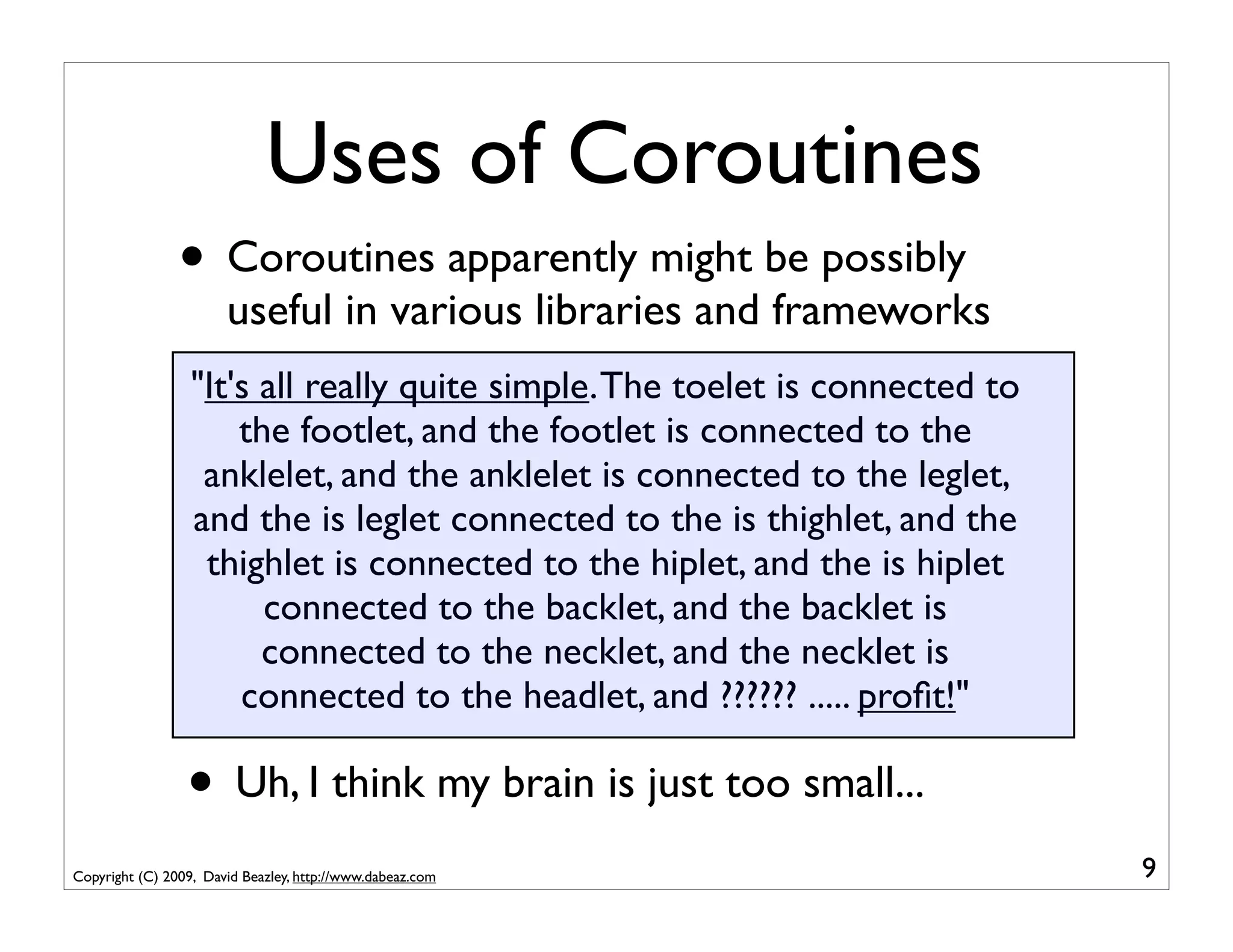
                • Coroutines apparently might be possibly
                       useful in various libraries and frameworks
                  "It's all really quite simple. The toelet is connected to
                      the footlet, and the footlet is connected to the
                   anklelet, and the anklelet is connected to the leglet,
                  and the is leglet connected to the is thighlet, and the
                   thighlet is connected to the hiplet, and the is hiplet
                        connected to the backlet, and the backlet is
                        connected to the necklet, and the necklet is
                      connected to the headlet, and ?????? ..... profit!"

                 • Uh, I think my brain is just too small...
Copyright (C) 2009, David Beazley, http://www.dabeaz.com                      9
Disclaimers

               • Coroutines - The most obscure Python feature?
               • Concurrency - One of the most difficult topics
                      in computer science (usually best avoided)
               • This tutorial mixes them together
               • It might create a toxic cloud

Copyright (C) 2009, David Beazley, http://www.dabeaz.com           10
More Disclaimers
           • As a programmer of the 80s/90s, I've never used
                  a programming language that had coroutines--
                  until they showed up in Python
           • Most of the groundwork for coroutines
                  occurred in the 60s/70s and then stopped in
                  favor of alternatives (e.g., threads, continuations)
           • I want to know if there is any substance to the
                  renewed interest in coroutines that has been
                  occurring in Python and other languages

Copyright (C) 2009, David Beazley, http://www.dabeaz.com                 11
Even More Disclaimers

                • I'm a neutral party
                • I didn't have anything to do with PEP-342
                • I'm not promoting any libraries or frameworks
                • I have no religious attachment to the subject
                • If anything, I'm a little skeptical

Copyright (C) 2009, David Beazley, http://www.dabeaz.com          12
Final Disclaimers
             • This tutorial is not an academic presentation
             • No overview of prior art
             • No theory of programming languages
             • No proofs about locking
             • No Fibonacci numbers
             • Practical application is the main focus
Copyright (C) 2009, David Beazley, http://www.dabeaz.com       13
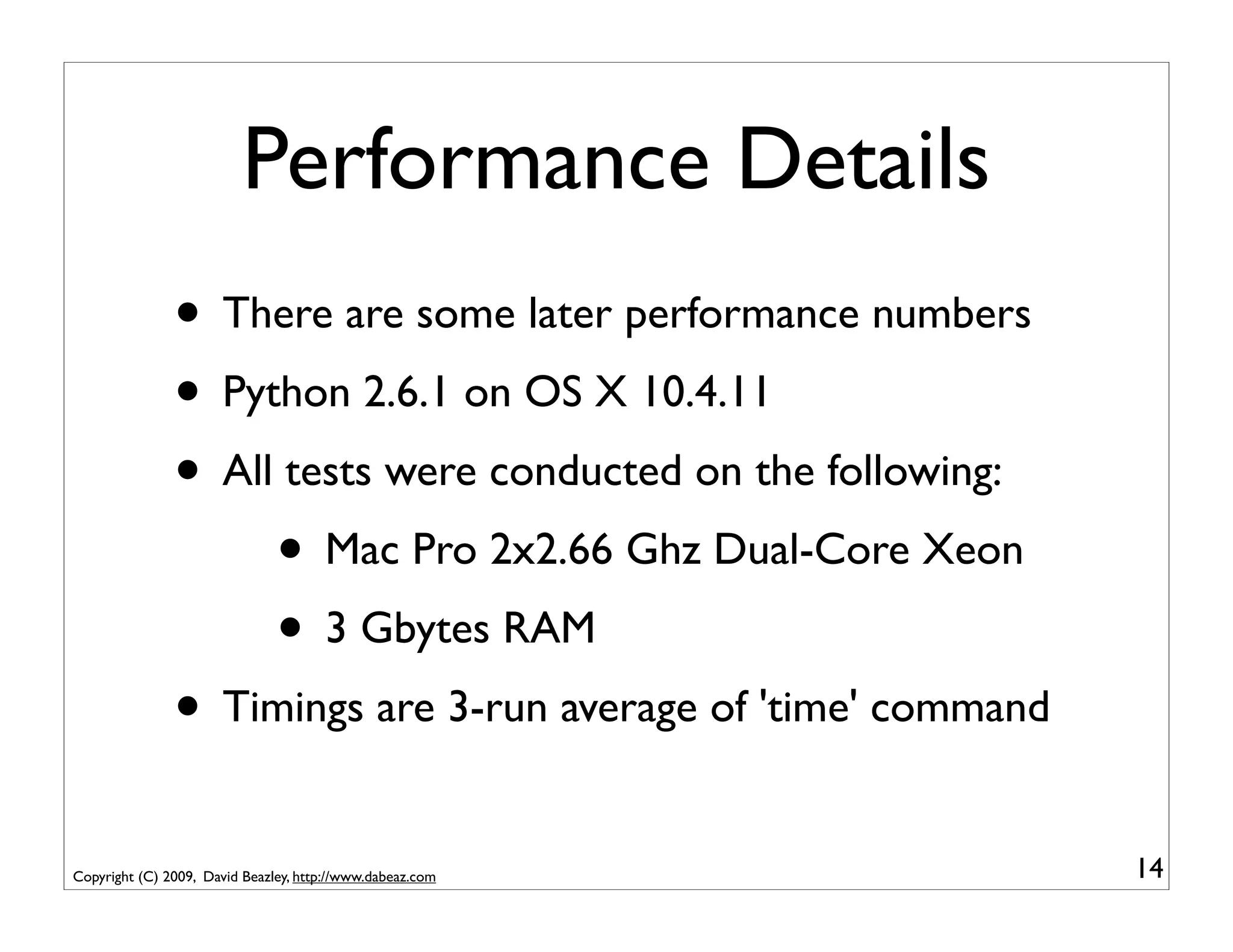
Performance Details
               • There are some later performance numbers
               • Python 2.6.1 on OS X 10.4.11
               • All tests were conducted on the following:
                    • Mac Pro 2x2.66 Ghz Dual-Core Xeon
                    • 3 Gbytes RAM
               • Timings are 3-run average of 'time' command
Copyright (C) 2009, David Beazley, http://www.dabeaz.com       14
Part I
                        Introduction to Generators and Coroutines


Copyright (C) 2009, David Beazley, http://www.dabeaz.com            15
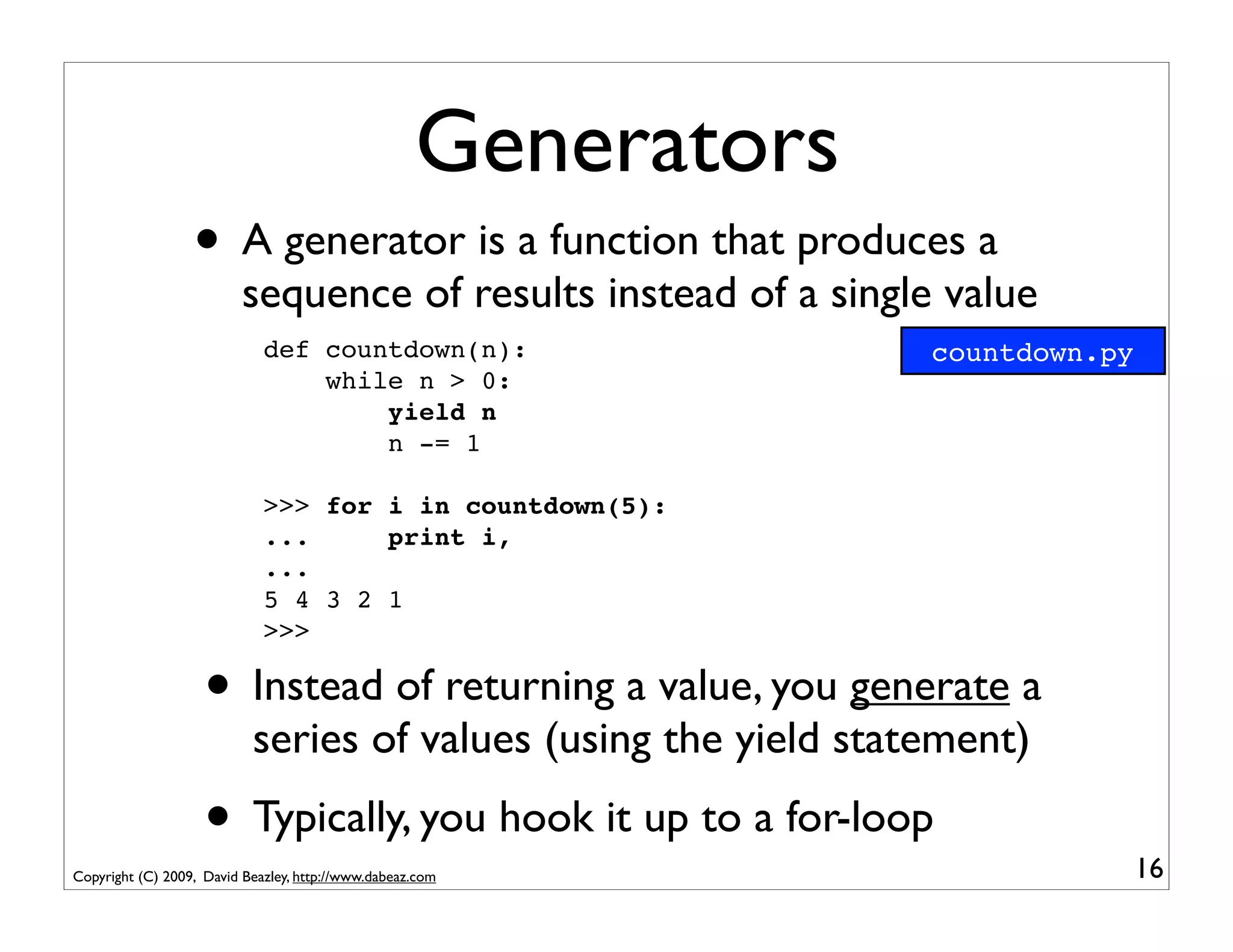
Generators
                  • A generator is a function that produces a
                          sequence of results instead of a single value
                             def countdown(n):                   countdown.py
                                 while n > 0:
                                     yield n
                                     n -= 1

                             >>> for i in countdown(5):
                             ...     print i,
                             ...
                             5 4 3 2 1
                             >>>

                    • Instead of returning a value, you generate a
                           series of values (using the yield statement)
                    • Typically, you hook it up to a for-loop                   16
Copyright (C) 2009, David Beazley, http://www.dabeaz.com
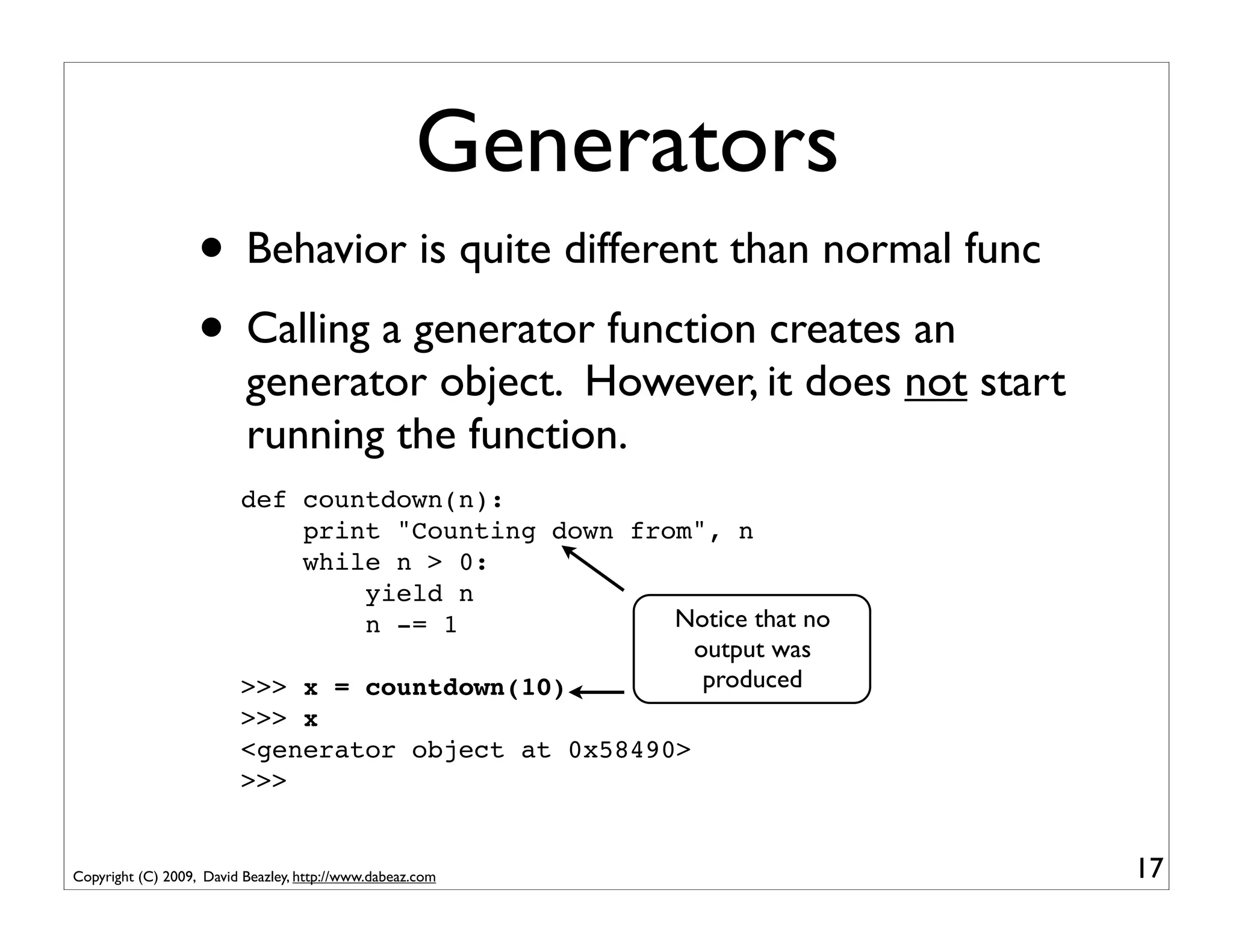
Generators
                   • Behavior is quite different than normal func
                   • Calling a generator function creates an
                          generator object. However, it does not start
                          running the function.
                         def countdown(n):
                             print "Counting down from", n
                             while n > 0:
                                 yield n
                                 n -= 1              Notice that no
                                                       output was
                         >>> x = countdown(10)          produced
                         >>> x
                         <generator object at 0x58490>
                         >>>


Copyright (C) 2009, David Beazley, http://www.dabeaz.com                 17
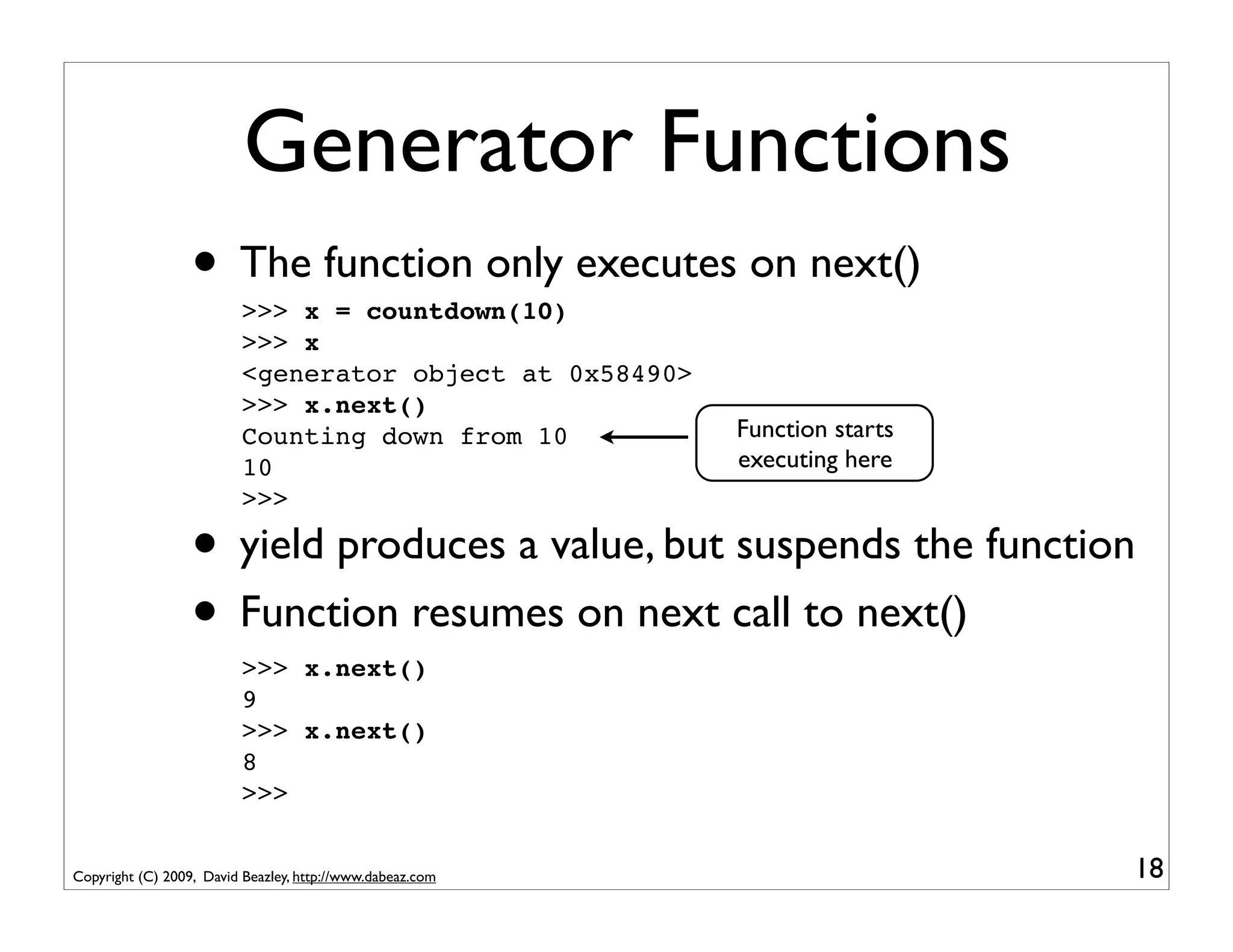
Generator Functions
                  • The function only executes on next()
                          >>> x = countdown(10)
                          >>> x
                          <generator object at 0x58490>
                          >>> x.next()
                          Counting down from 10            Function starts
                          10                               executing here
                          >>>

                  • yield produces a value, but suspends the function
                  • Function resumes on next call to next()
                          >>> x.next()
                          9
                          >>> x.next()
                          8
                          >>>


Copyright (C) 2009, David Beazley, http://www.dabeaz.com                     18
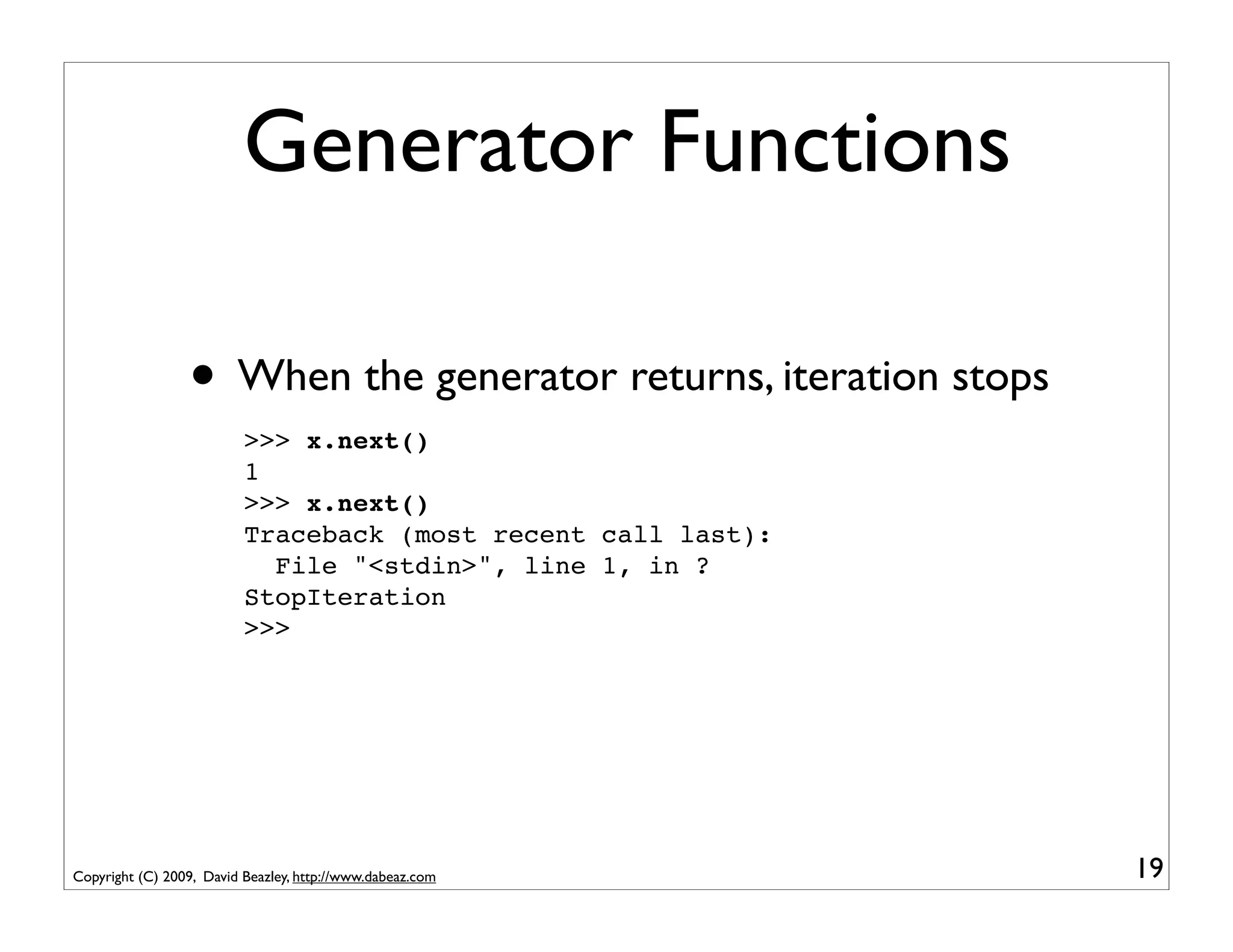
Generator Functions

                 • When the generator returns, iteration stops
                          >>> x.next()
                          1
                          >>> x.next()
                          Traceback (most recent call last):
                            File "<stdin>", line 1, in ?
                          StopIteration
                          >>>


Copyright (C) 2009, David Beazley, http://www.dabeaz.com         19
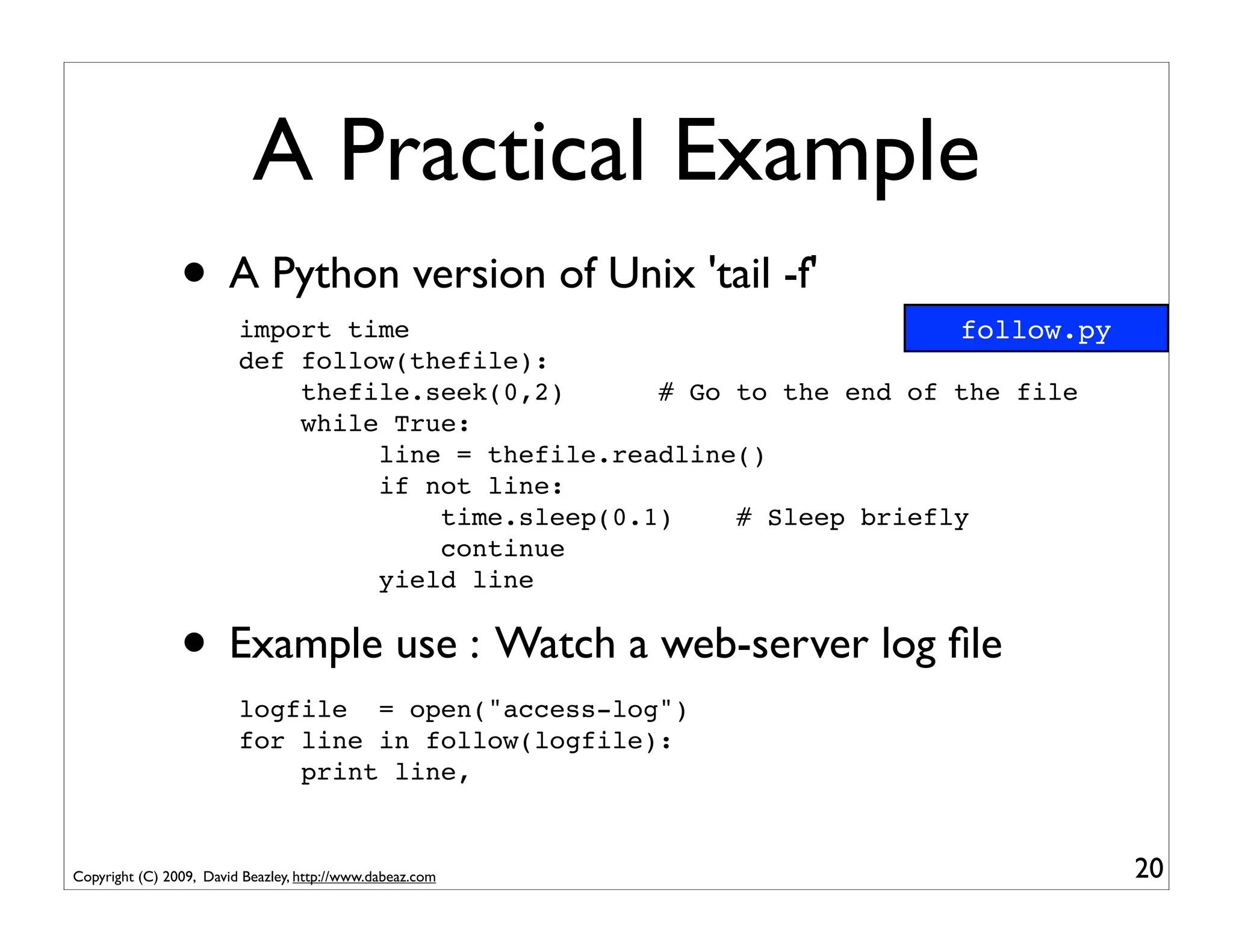
A Practical Example
                • A Python version of Unix 'tail -f'
                         import time                                   follow.py
                         def follow(thefile):
                             thefile.seek(0,2)      # Go to the end of the file
                             while True:
                                  line = thefile.readline()
                                  if not line:
                                      time.sleep(0.1)    # Sleep briefly
                                      continue
                                  yield line


                • Example use : Watch a web-server log file
                         logfile = open("access-log")
                         for line in follow(logfile):
                             print line,


Copyright (C) 2009, David Beazley, http://www.dabeaz.com                           20
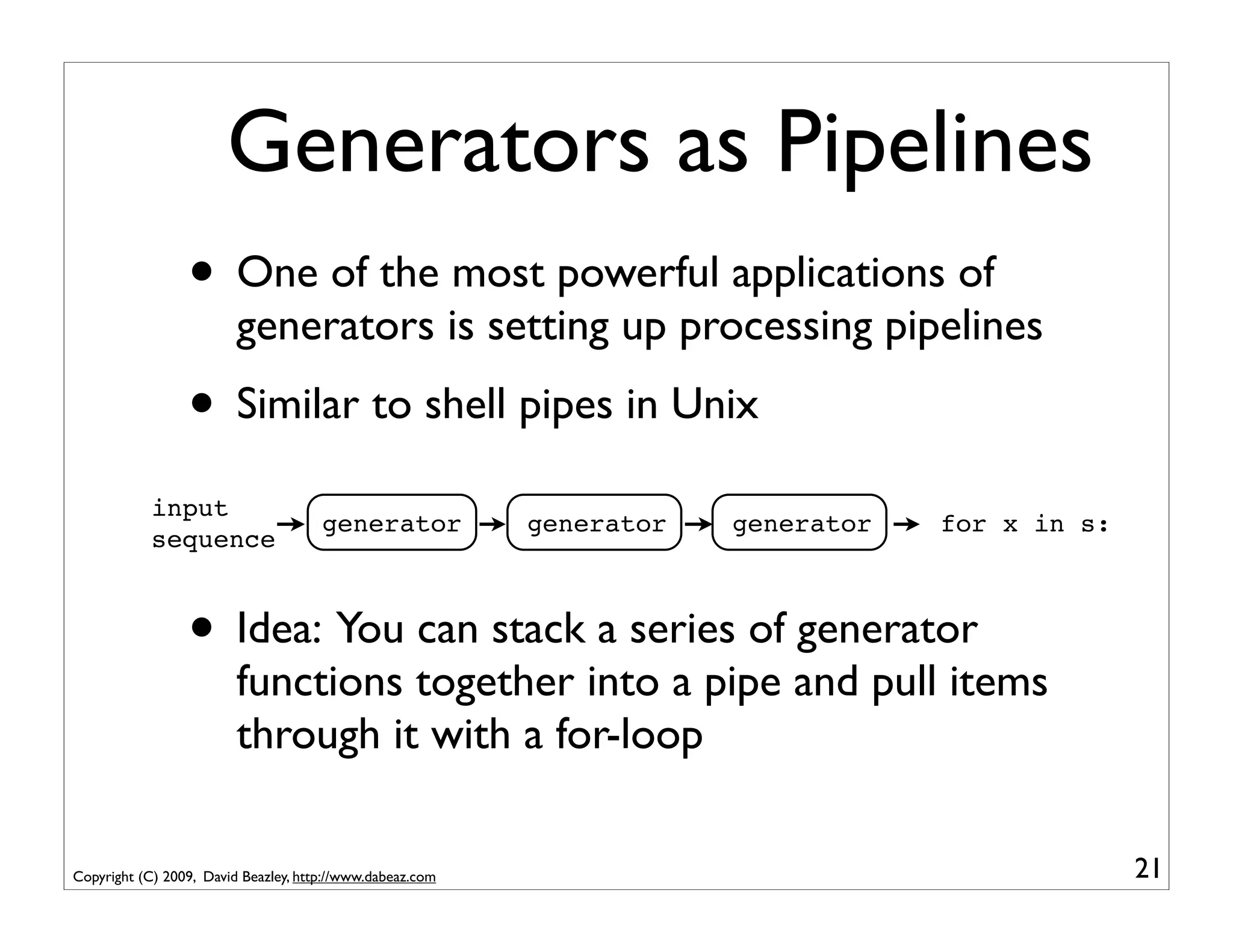
Generators as Pipelines
                 • One of the most powerful applications of
                         generators is setting up processing pipelines
                 • Similar to shell pipes in Unix
            input
                                      generator            generator   generator   for x in s:
            sequence


                 • Idea: You can stack a series of generator
                         functions together into a pipe and pull items
                         through it with a for-loop

Copyright (C) 2009, David Beazley, http://www.dabeaz.com                                         21
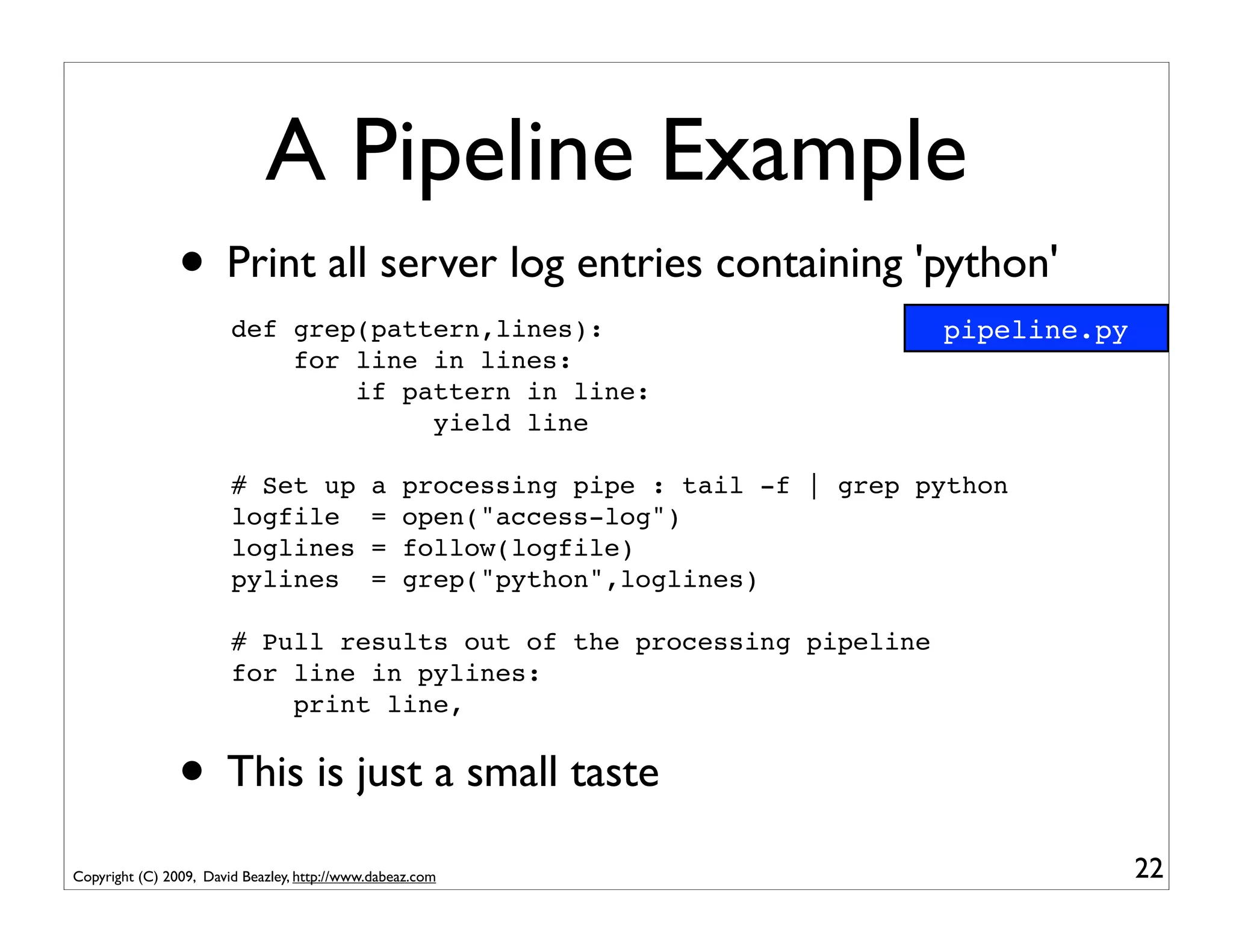
A Pipeline Example
                • Print all server log entries containing 'python'
                        def grep(pattern,lines):                                    pipeline.py
                            for line in lines:
                                if pattern in line:
                                     yield line

                        # Set up             a    processing pipe : tail -f | grep python
                        logfile              =    open("access-log")
                        loglines             =    follow(logfile)
                        pylines              =    grep("python",loglines)

                        # Pull results out of the processing pipeline
                        for line in pylines:
                            print line,


                • This is just a small taste
Copyright (C) 2009, David Beazley, http://www.dabeaz.com                                          22
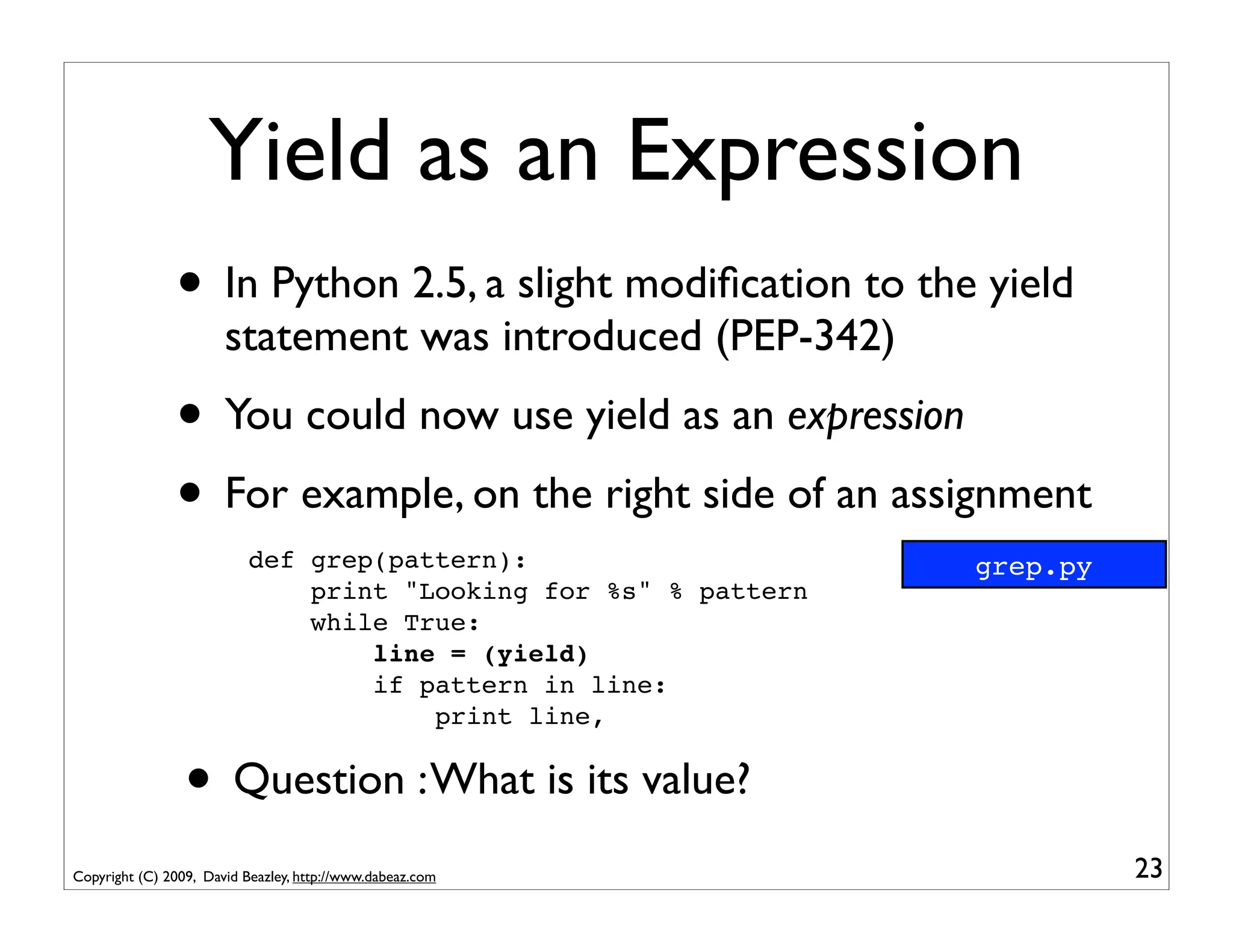
Yield as an Expression
               • In Python 2.5, a slight modification to the yield
                       statement was introduced (PEP-342)
               • You could now use yield as an expression
               • For example, on the right side of an assignment
                           def grep(pattern):                     grep.py
                               print "Looking for %s" % pattern
                               while True:
                                   line = (yield)
                                   if pattern in line:
                                       print line,


                 • Question : What is its value?
Copyright (C) 2009, David Beazley, http://www.dabeaz.com                    23
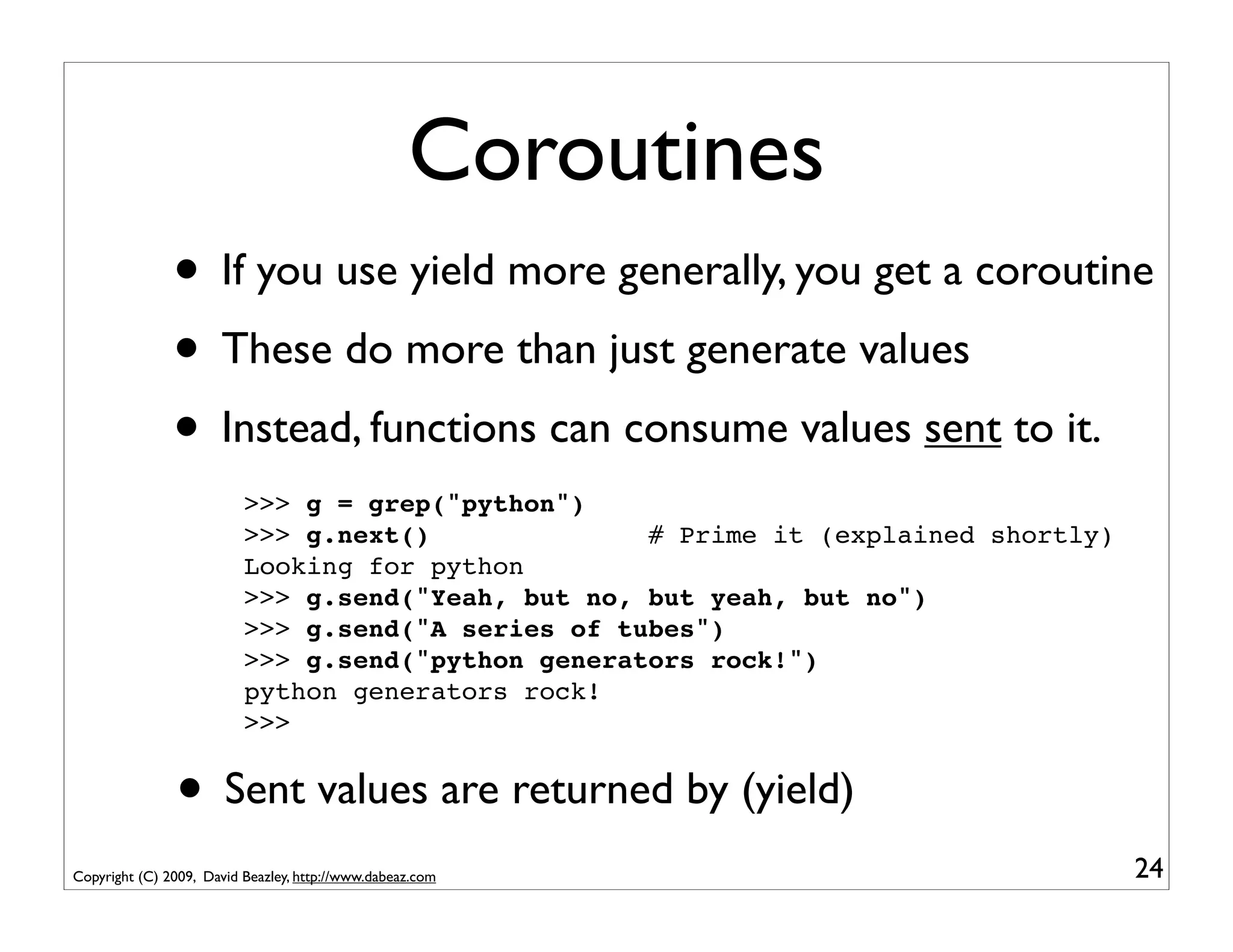
Coroutines
               • If you use yield more generally, you get a coroutine
               • These do more than just generate values
               • Instead, functions can consume values sent to it.
                          >>> g = grep("python")
                          >>> g.next()              # Prime it (explained shortly)
                          Looking for python
                          >>> g.send("Yeah, but no, but yeah, but no")
                          >>> g.send("A series of tubes")
                          >>> g.send("python generators rock!")
                          python generators rock!
                          >>>


               • Sent values are returned by (yield)
Copyright (C) 2009, David Beazley, http://www.dabeaz.com                             24
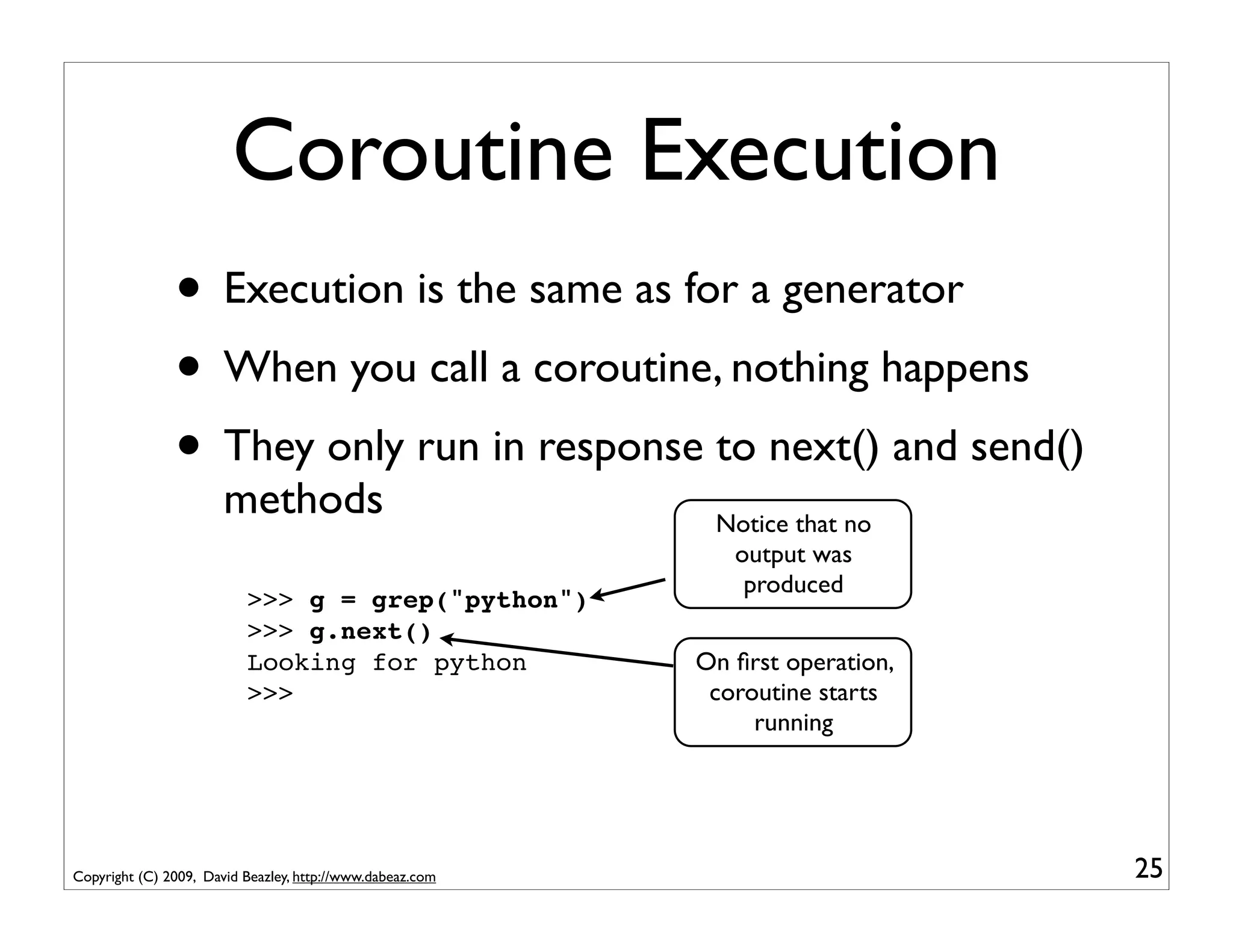
Coroutine Execution
               • Execution is the same as for a generator
               • When you call a coroutine, nothing happens
               • They only run in response to next() and send()
                       methods                              Notice that no
                                                             output was
                                                              produced
                          >>> g = grep("python")
                          >>> g.next()
                          Looking for python               On first operation,
                          >>>                               coroutine starts
                                                                running


Copyright (C) 2009, David Beazley, http://www.dabeaz.com                        25
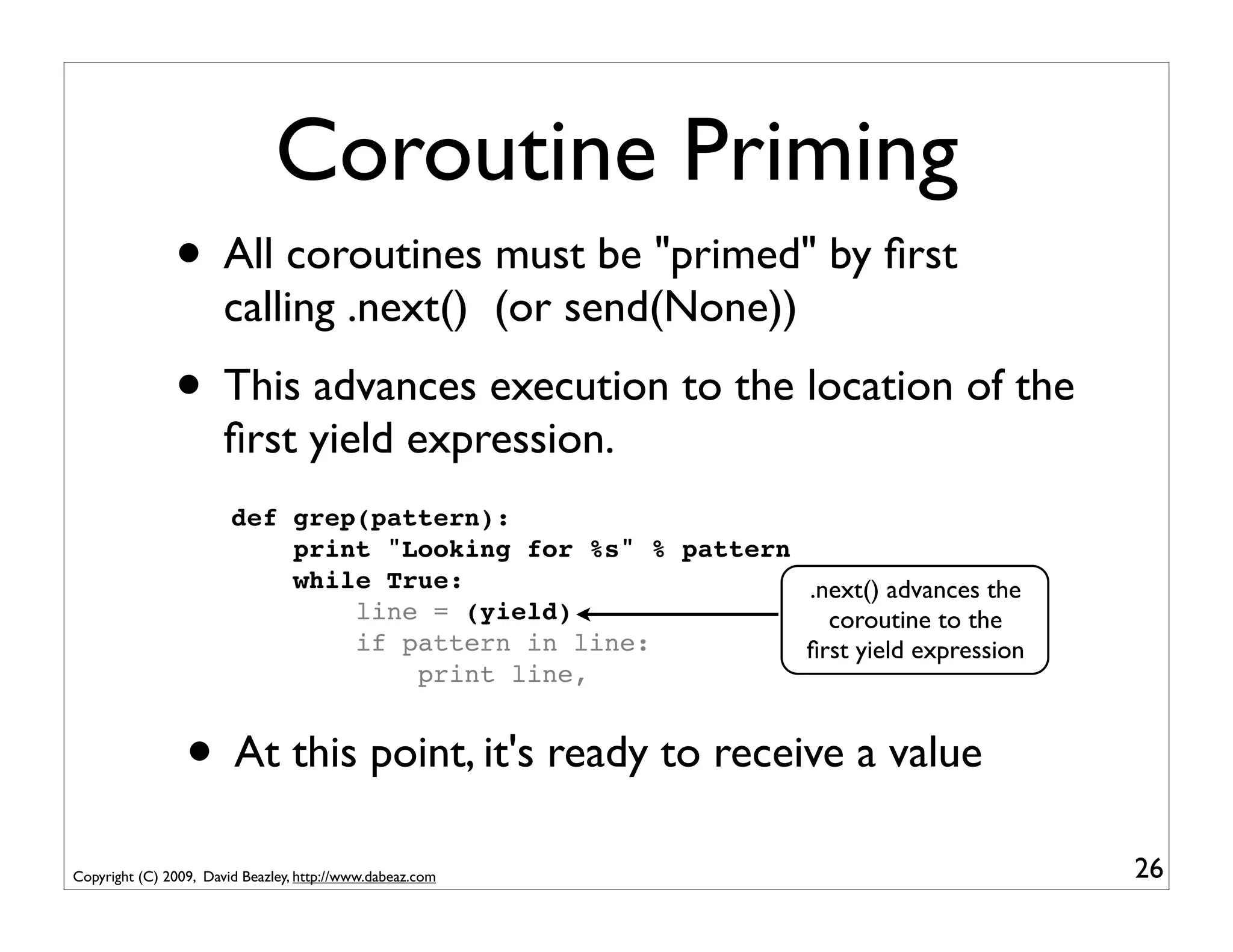
Coroutine Priming
               • All coroutines must be "primed" by first
                       calling .next() (or send(None))
               • This advances execution to the location of the
                       first yield expression.
                        def grep(pattern):
                            print "Looking for %s" % pattern
                            while True:                      .next() advances the
                                line = (yield)                 coroutine to the
                                if pattern in line:          first yield expression
                                    print line,


                 • At this point, it's ready to receive a value
Copyright (C) 2009, David Beazley, http://www.dabeaz.com                             26
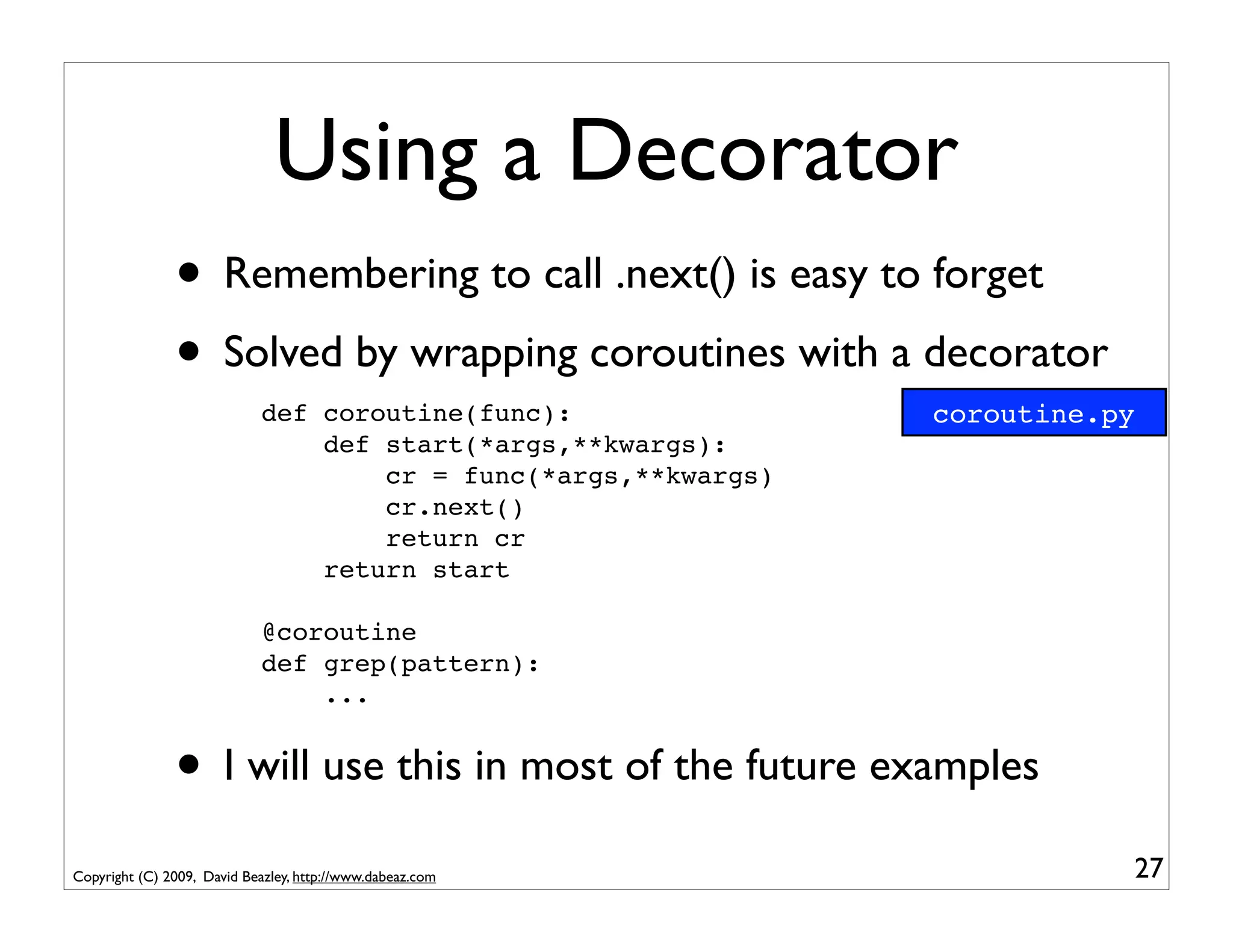
Using a Decorator
               • Remembering to call .next() is easy to forget
               • Solved by wrapping coroutines with a decorator
                             def coroutine(func):                coroutine.py
                                 def start(*args,**kwargs):
                                     cr = func(*args,**kwargs)
                                     cr.next()
                                     return cr
                                 return start

                             @coroutine
                             def grep(pattern):
                                 ...


               • I will use this in most of the future examples
Copyright (C) 2009, David Beazley, http://www.dabeaz.com                    27
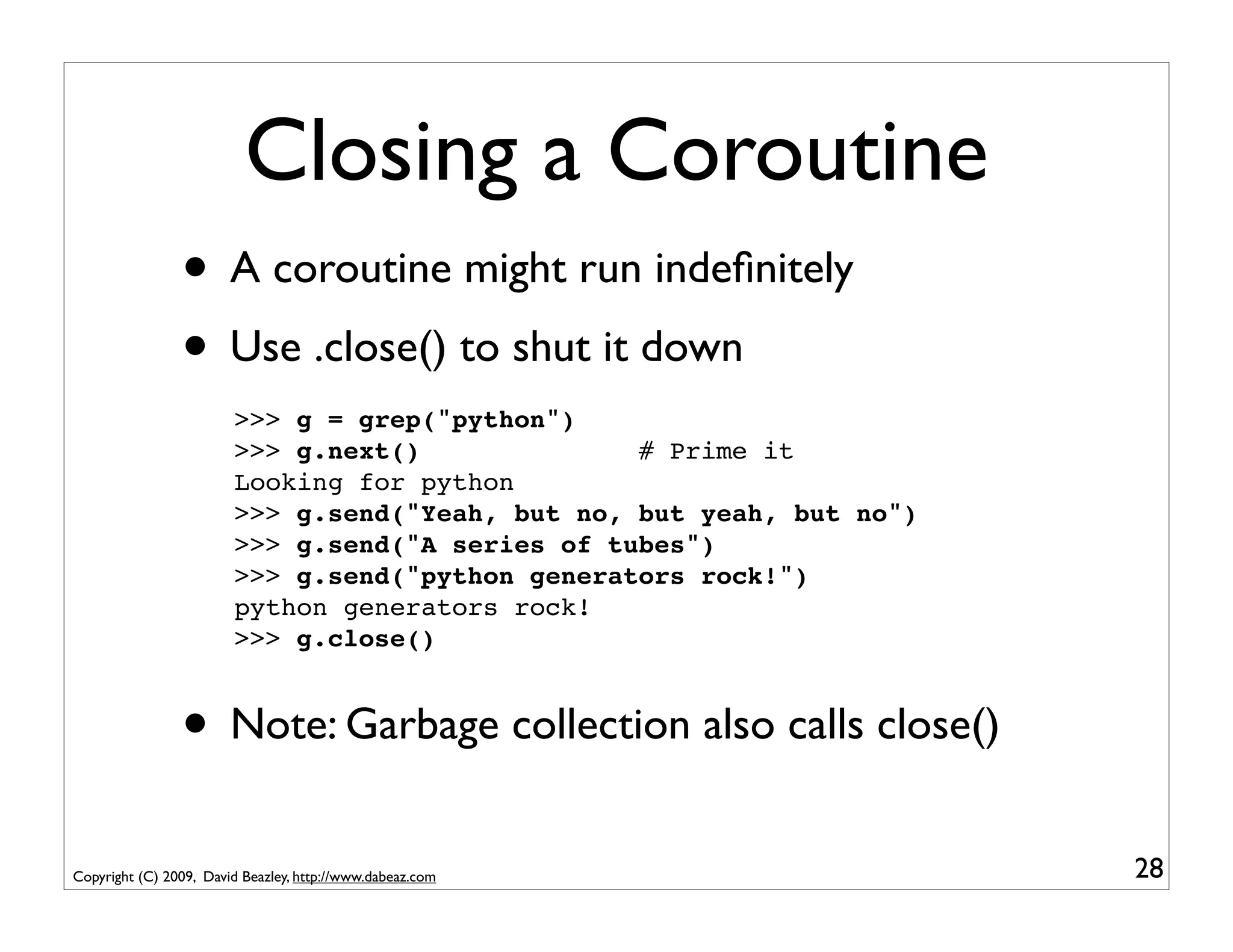
Closing a Coroutine
                • A coroutine might run indefinitely
                • Use .close() to shut it down
                        >>> g = grep("python")
                        >>> g.next()              # Prime it
                        Looking for python
                        >>> g.send("Yeah, but no, but yeah, but no")
                        >>> g.send("A series of tubes")
                        >>> g.send("python generators rock!")
                        python generators rock!
                        >>> g.close()


                • Note: Garbage collection also calls close()
Copyright (C) 2009, David Beazley, http://www.dabeaz.com               28
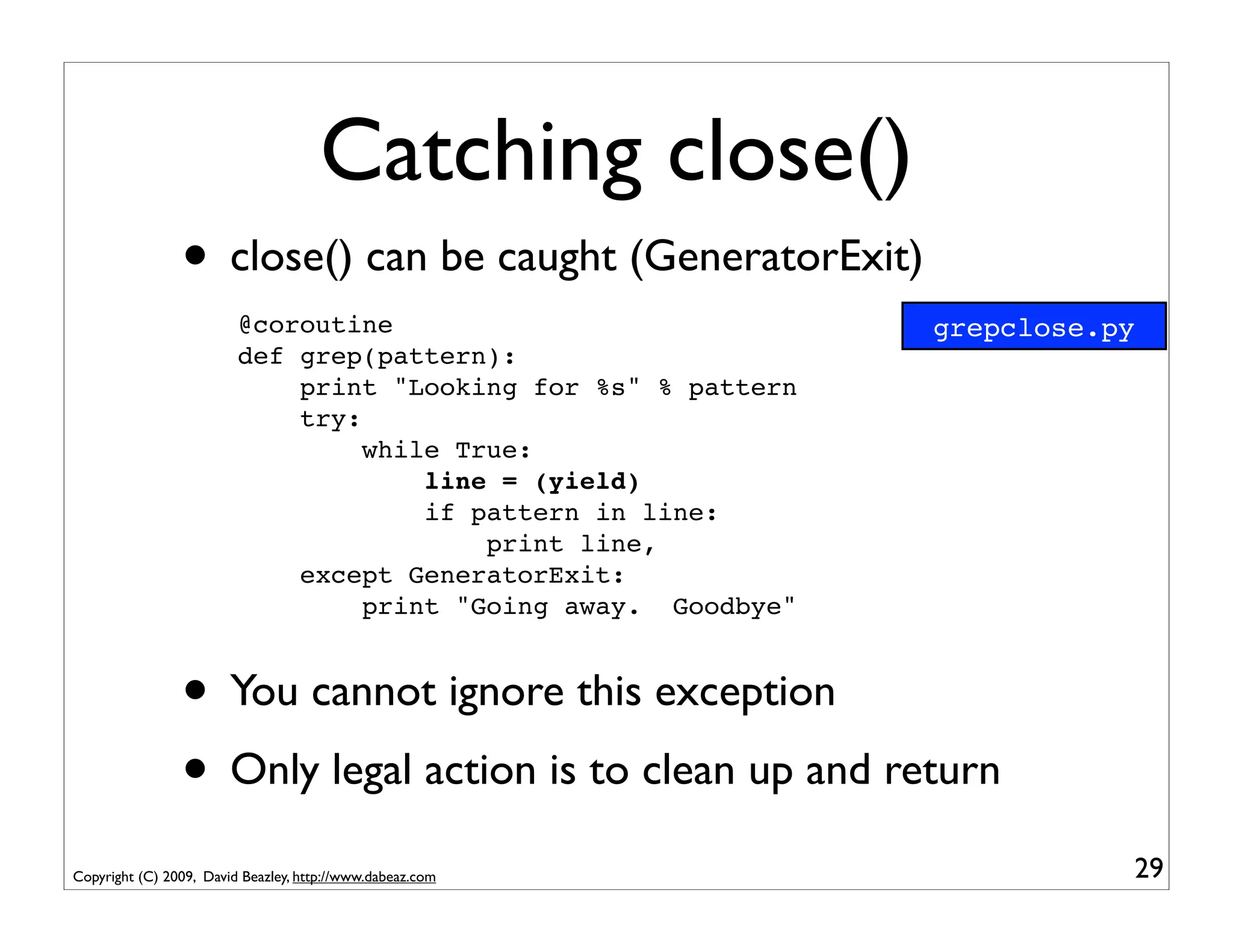
Catching close()
                • close() can be caught (GeneratorExit)
                         @coroutine                             grepclose.py
                         def grep(pattern):
                             print "Looking for %s" % pattern
                             try:
                                  while True:
                                      line = (yield)
                                      if pattern in line:
                                          print line,
                             except GeneratorExit:
                                  print "Going away. Goodbye"


                • You cannot ignore this exception
                • Only legal action is to clean up and return
Copyright (C) 2009, David Beazley, http://www.dabeaz.com                   29
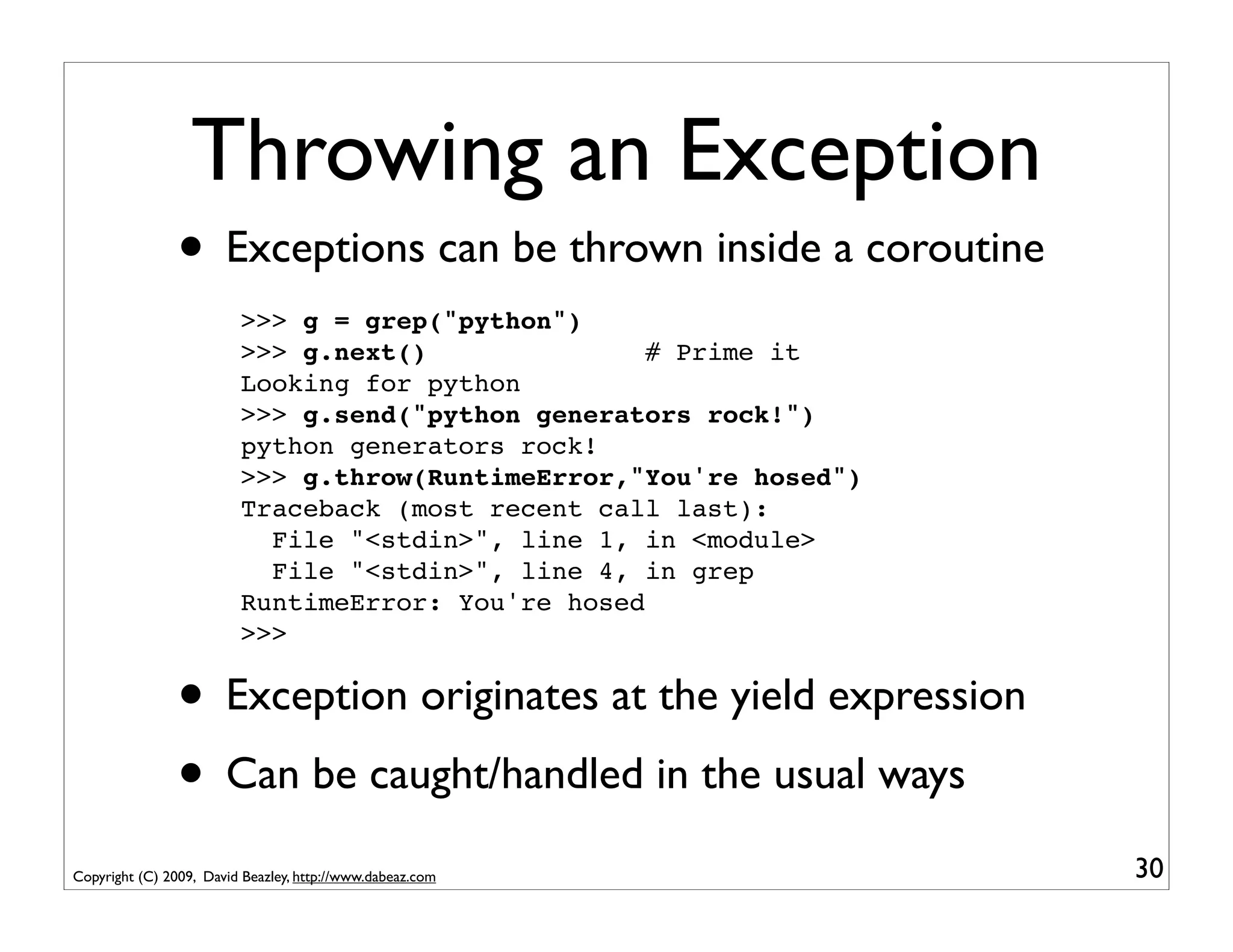
Throwing an Exception
                • Exceptions can be thrown inside a coroutine
                         >>> g = grep("python")
                         >>> g.next()               # Prime it
                         Looking for python
                         >>> g.send("python generators rock!")
                         python generators rock!
                         >>> g.throw(RuntimeError,"You're hosed")
                         Traceback (most recent call last):
                           File "<stdin>", line 1, in <module>
                           File "<stdin>", line 4, in grep
                         RuntimeError: You're hosed
                         >>>


                • Exception originates at the yield expression
                • Can be caught/handled in the usual ways
Copyright (C) 2009, David Beazley, http://www.dabeaz.com            30
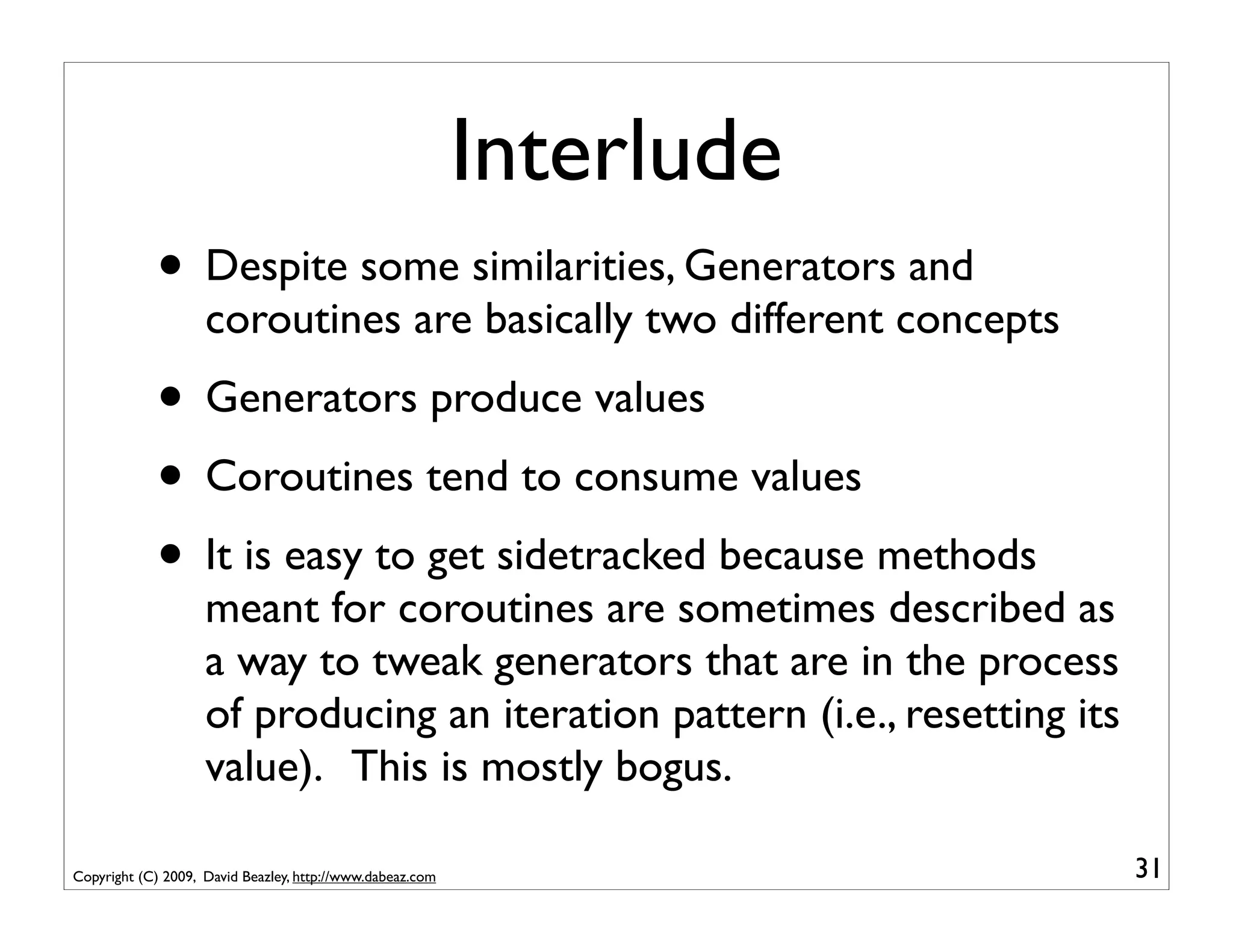
Interlude
            • Despite some similarities, Generators and
                    coroutines are basically two different concepts
            • Generators produce values
            • Coroutines tend to consume values
            • It is easy to get sidetracked because methods
                    meant for coroutines are sometimes described as
                    a way to tweak generators that are in the process
                    of producing an iteration pattern (i.e., resetting its
                    value). This is mostly bogus.

Copyright (C) 2009, David Beazley, http://www.dabeaz.com                     31
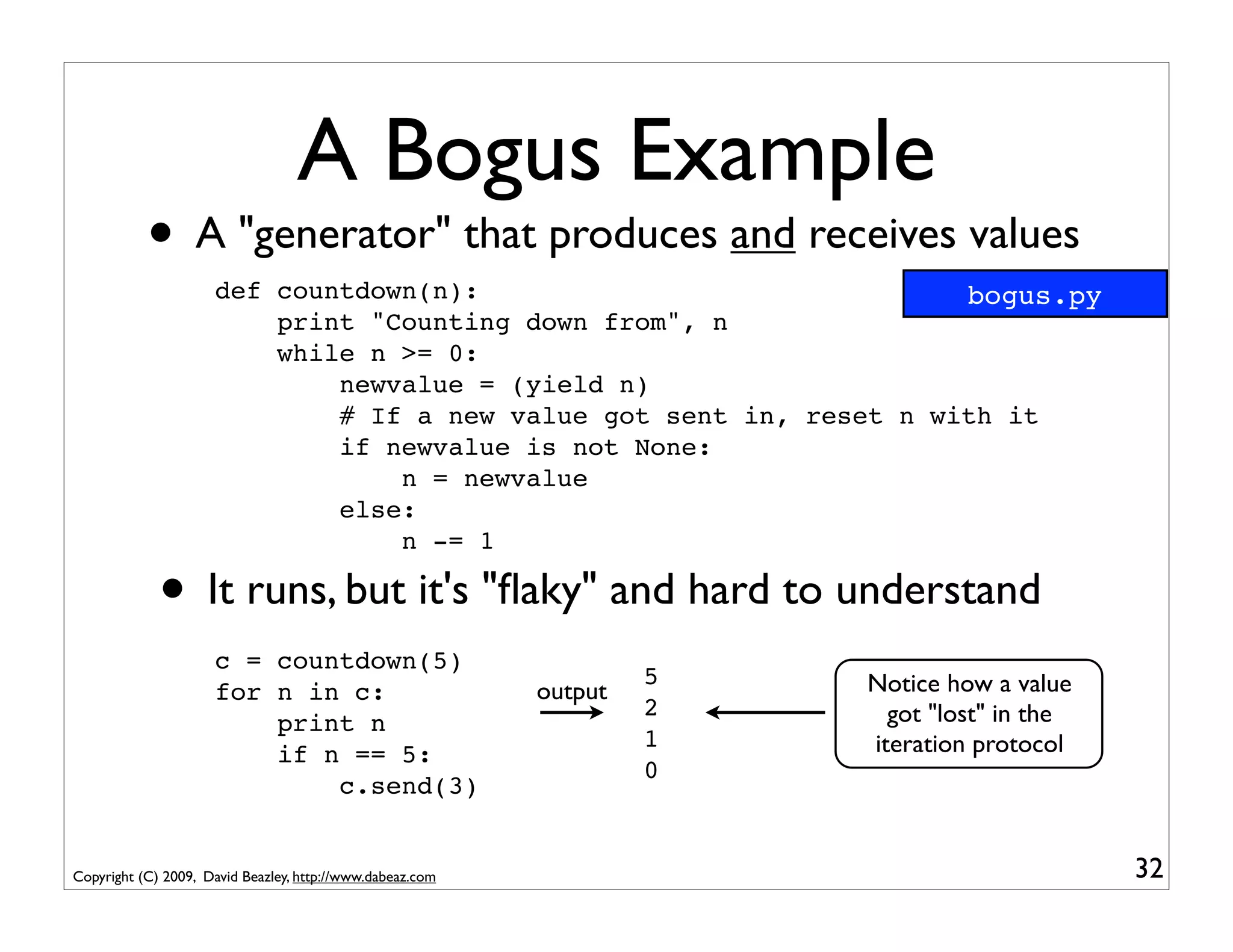
A Bogus Example
           • A "generator" that produces and receives values
                     def countdown(n):                               bogus.py
                         print "Counting down from", n
                         while n >= 0:
                             newvalue = (yield n)
                             # If a new value got sent in, reset n with it
                             if newvalue is not None:
                                 n = newvalue
                             else:
                                 n -= 1

             • It runs, but it's "flaky" and hard to understand
                     c = countdown(5)
                                                                    5   Notice how a value
                     for n in c:                           output
                                                                    2     got "lost" in the
                         print n
                                                                    1   iteration protocol
                         if n == 5:
                                                                    0
                             c.send(3)


Copyright (C) 2009, David Beazley, http://www.dabeaz.com                                      32
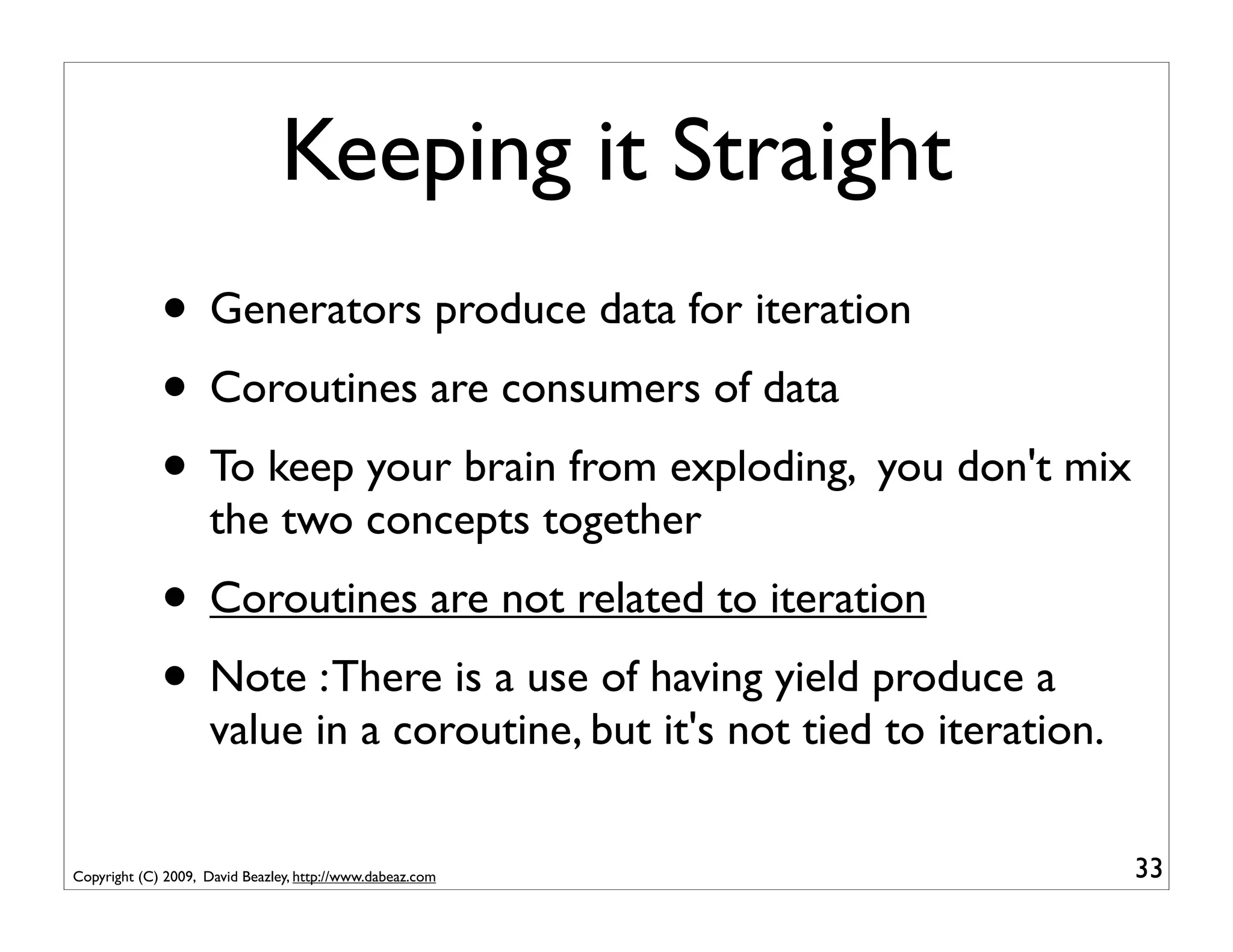
Keeping it Straight
             • Generators produce data for iteration
             • Coroutines are consumers of data
             • To keep your brain from exploding, you don't mix
                     the two concepts together
             • Coroutines are not related to iteration
             • Note : There is a use of having yield produce a
                     value in a coroutine, but it's not tied to iteration.


Copyright (C) 2009, David Beazley, http://www.dabeaz.com                     33
Part 2
                                    Coroutines, Pipelines, and Dataflow


Copyright (C) 2009, David Beazley, http://www.dabeaz.com                 34
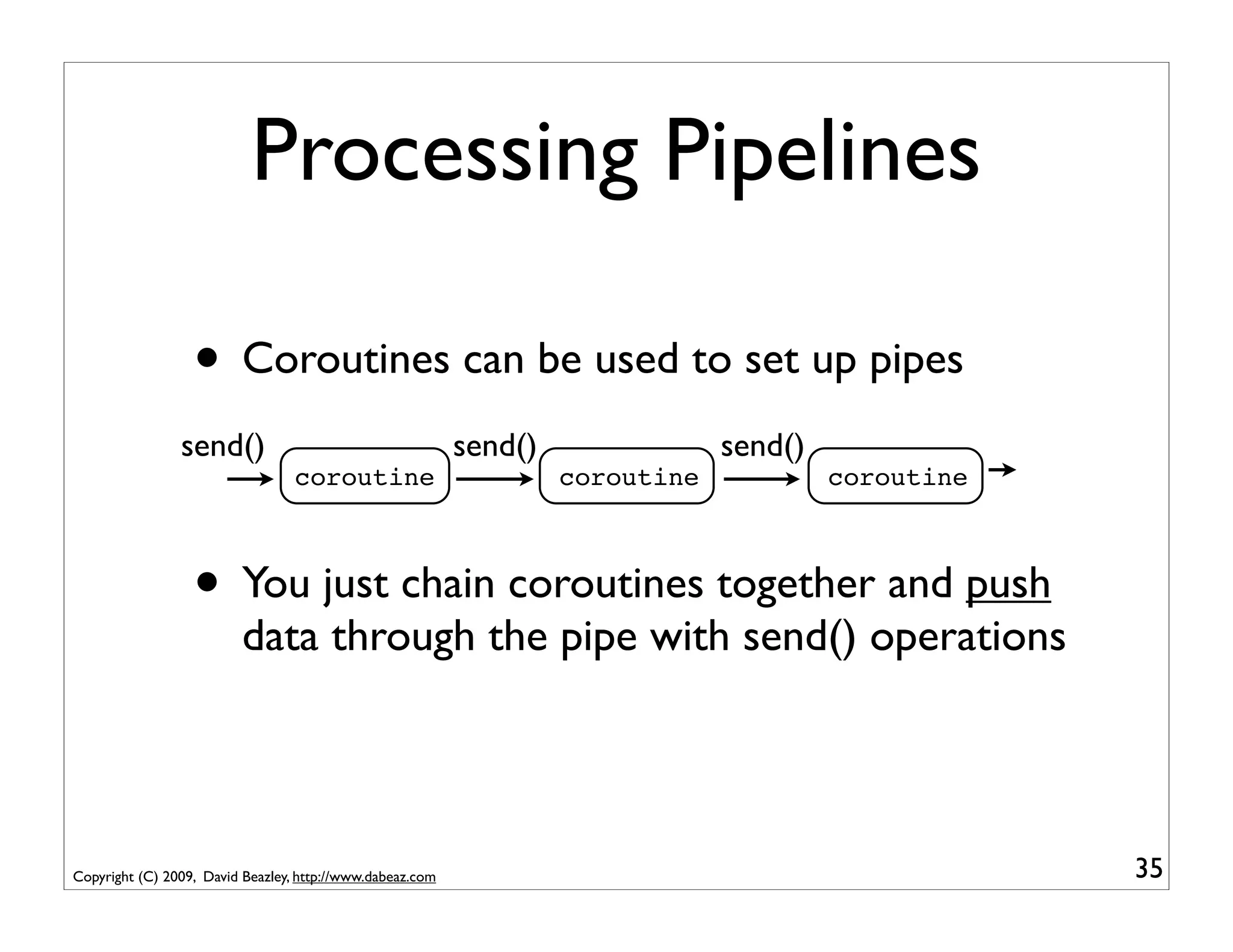
Processing Pipelines

                  • Coroutines can be used to set up pipes
                send()                                     send()               send()
                                  coroutine                         coroutine            coroutine


                  • You just chain coroutines together and push
                          data through the pipe with send() operations


Copyright (C) 2009, David Beazley, http://www.dabeaz.com                                             35
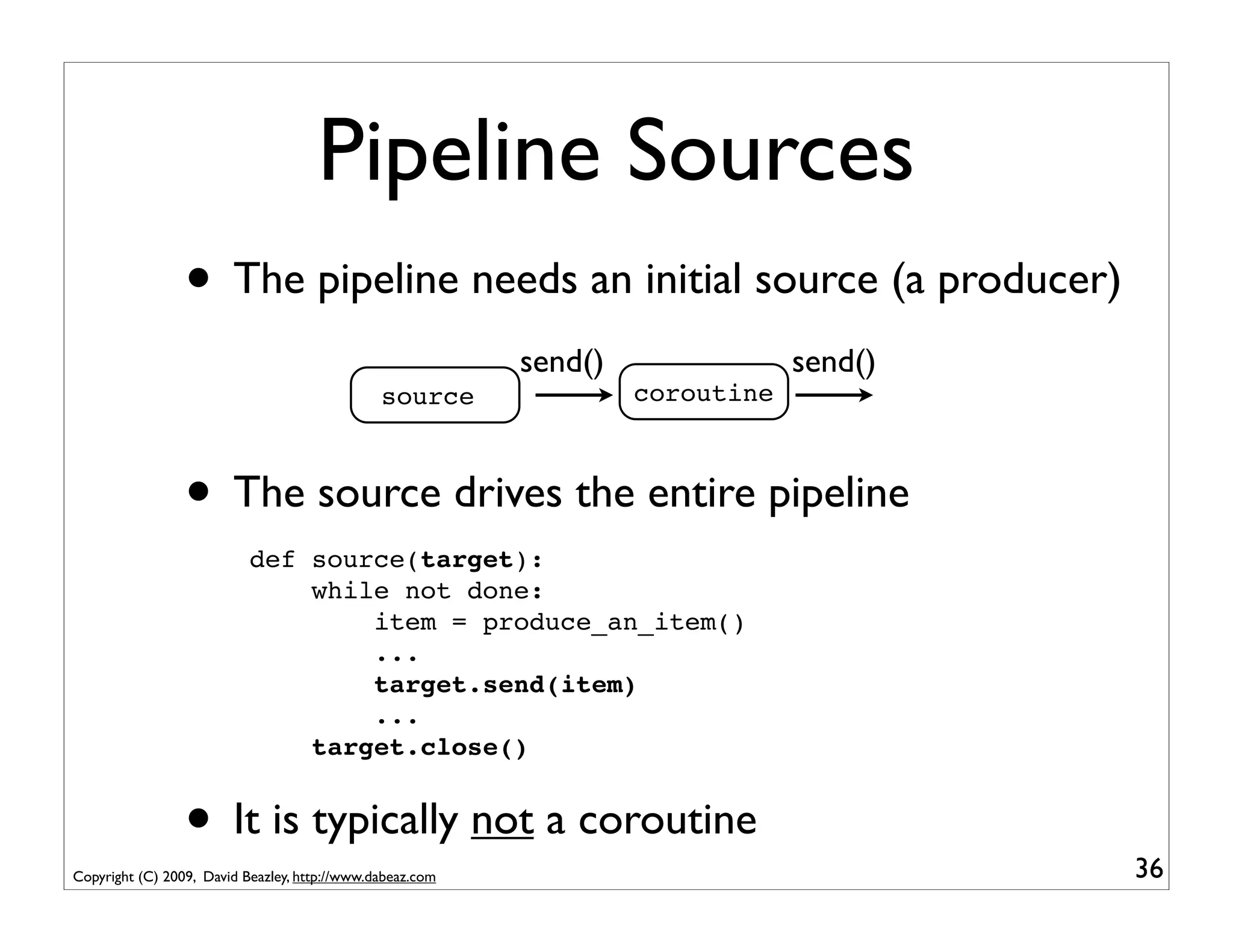
Pipeline Sources
                 • The pipeline needs an initial source (a producer)
                                                           send()               send()
                                               source               coroutine


                 • The source drives the entire pipeline
                           def source(target):
                               while not done:
                                   item = produce_an_item()
                                   ...
                                   target.send(item)
                                   ...
                               target.close()


                 • It is typically not a coroutine
Copyright (C) 2009, David Beazley, http://www.dabeaz.com                                 36
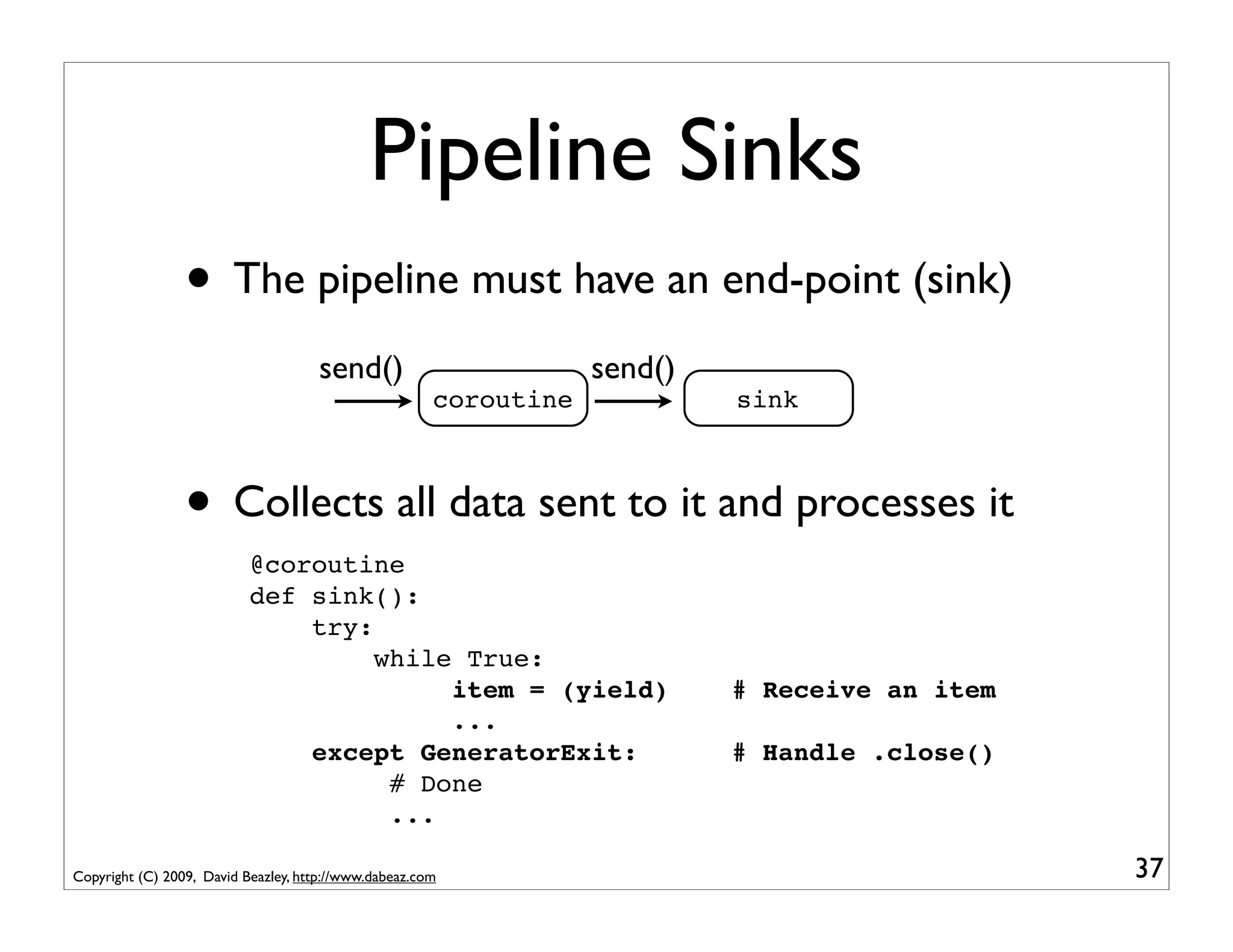
Pipeline Sinks
                 • The pipeline must have an end-point (sink)
                                     send()                        send()
                                                       coroutine            sink


                 • Collects all data sent to it and processes it
                           @coroutine
                           def sink():
                               try:
                                    while True:
                                         item = (yield)                     # Receive an item
                                         ...
                               except GeneratorExit:                        # Handle .close()
                                     # Done
                                     ...

Copyright (C) 2009, David Beazley, http://www.dabeaz.com                                        37
An Example
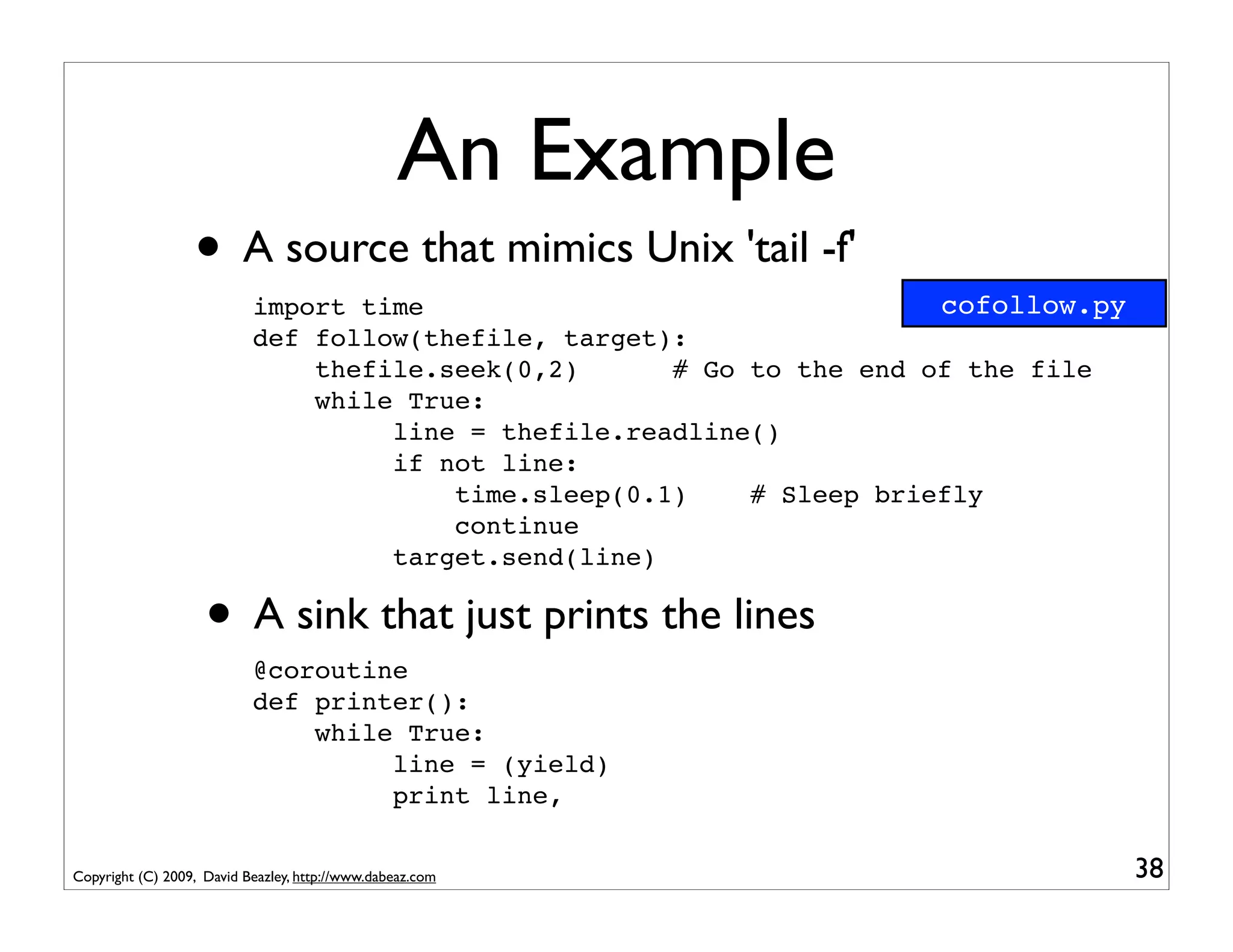
                  • A source that mimics Unix 'tail -f'
                           import time                                 cofollow.py
                           def follow(thefile, target):
                               thefile.seek(0,2)      # Go to the end of the file
                               while True:
                                    line = thefile.readline()
                                    if not line:
                                        time.sleep(0.1)    # Sleep briefly
                                        continue
                                    target.send(line)

                    • A sink that just prints the lines
                           @coroutine
                           def printer():
                               while True:
                                    line = (yield)
                                    print line,


Copyright (C) 2009, David Beazley, http://www.dabeaz.com                             38
An Example
                   • Hooking it together
                           f = open("access-log")
                           follow(f, printer())


                   • A picture
                                                                      send()
                                                           follow()            printer()


                   • Critical point : follow() is driving the entire
                          computation by reading lines and pushing them
                          into the printer() coroutine

Copyright (C) 2009, David Beazley, http://www.dabeaz.com                                   39
Pipeline Filters
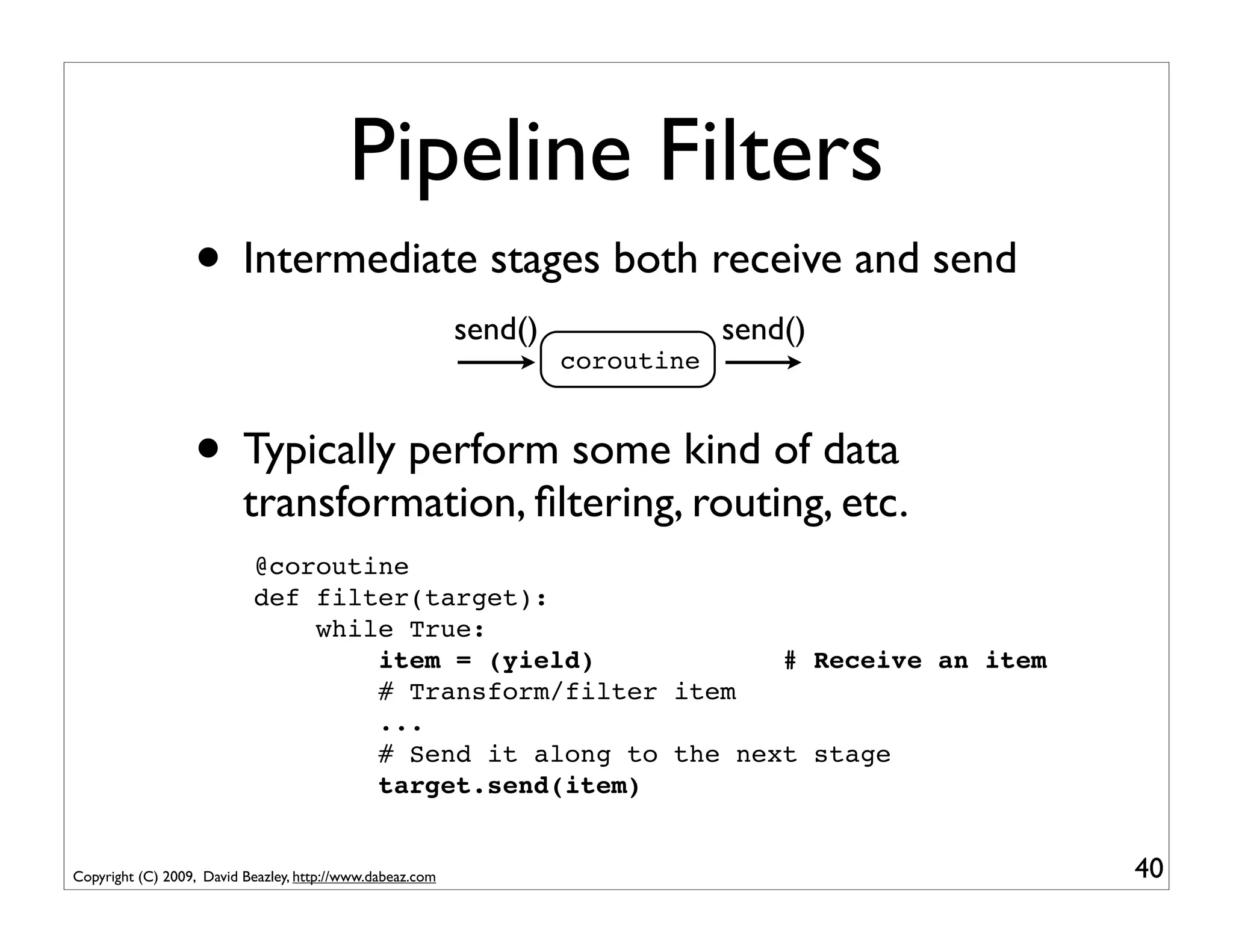
                  • Intermediate stages both receive and send
                                                           send()               send()
                                                                    coroutine


                  • Typically perform some kind of data
                          transformation, filtering, routing, etc.
                           @coroutine
                           def filter(target):
                               while True:
                                   item = (yield)            # Receive an item
                                   # Transform/filter item
                                   ...
                                   # Send it along to the next stage
                                   target.send(item)


Copyright (C) 2009, David Beazley, http://www.dabeaz.com                                 40
A Filter Example
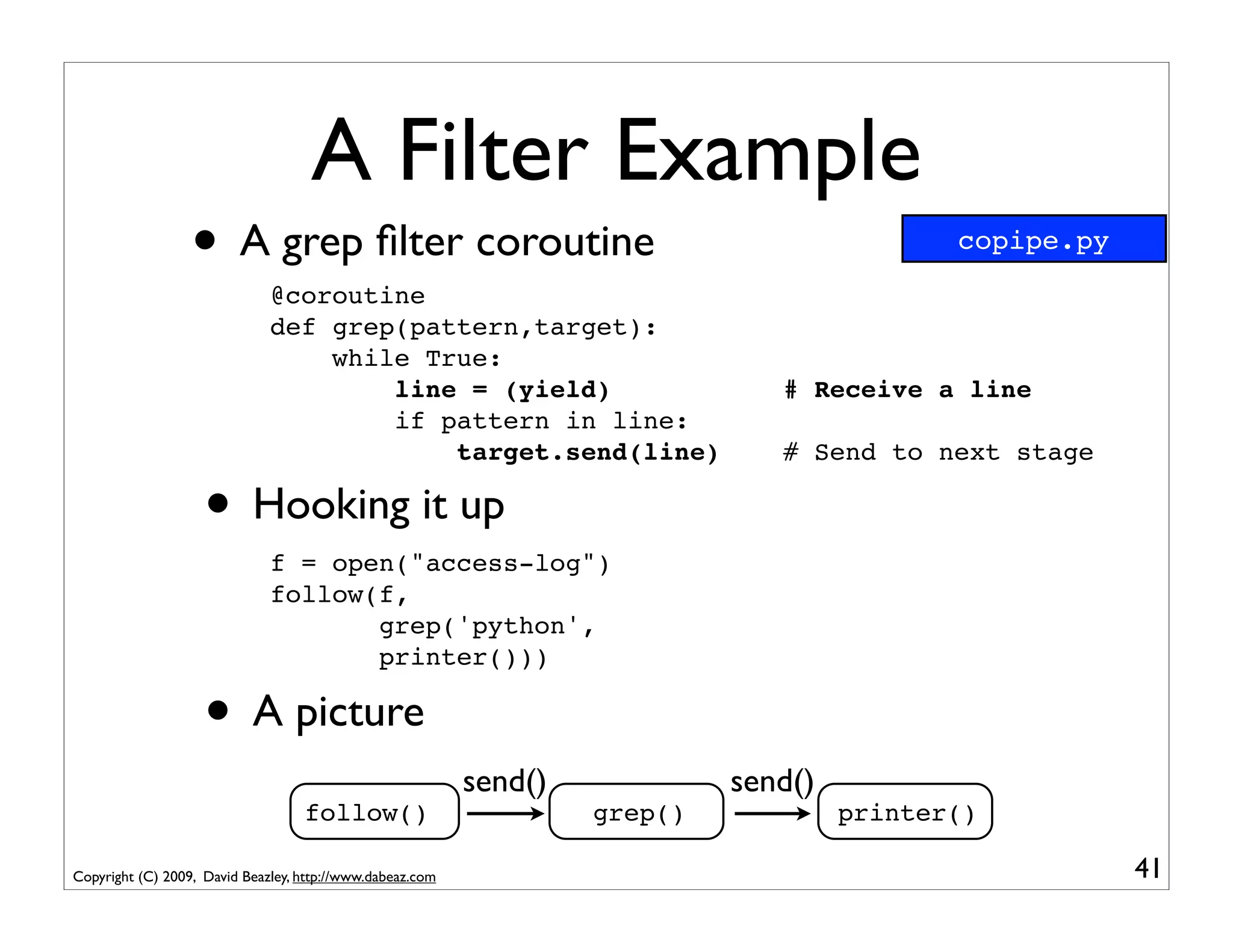
                  • A grep filter coroutine
                              @coroutine
                                                                                             copipe.py


                              def grep(pattern,target):
                                  while True:
                                      line = (yield)                            # Receive a line
                                      if pattern in line:
                                          target.send(line)                     # Send to next stage

                    • Hooking it up
                              f = open("access-log")
                              follow(f,
                                     grep('python',
                                     printer()))

                    • A picture
                                                           send()            send()
                                   follow()                         grep()            printer()

Copyright (C) 2009, David Beazley, http://www.dabeaz.com                                                 41
Interlude
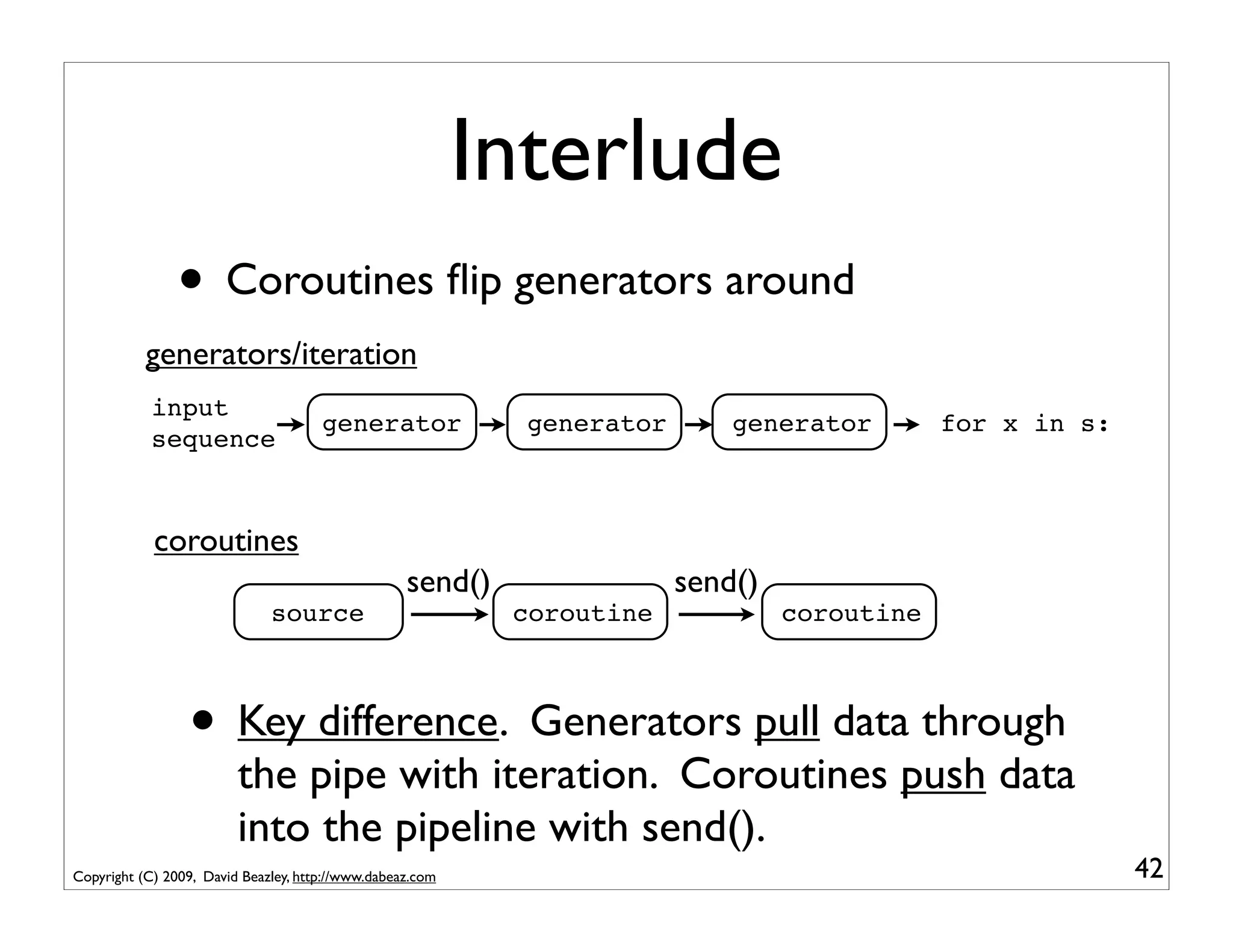
                • Coroutines flip generators around
           generators/iteration
            input
                                      generator              generator       generator        for x in s:
            sequence


            coroutines
                                                   send()                send()
                              source                        coroutine             coroutine


                 • Key difference. Generators pull data through
                         the pipe with iteration. Coroutines push data
                         into the pipeline with send().
Copyright (C) 2009, David Beazley, http://www.dabeaz.com                                                    42
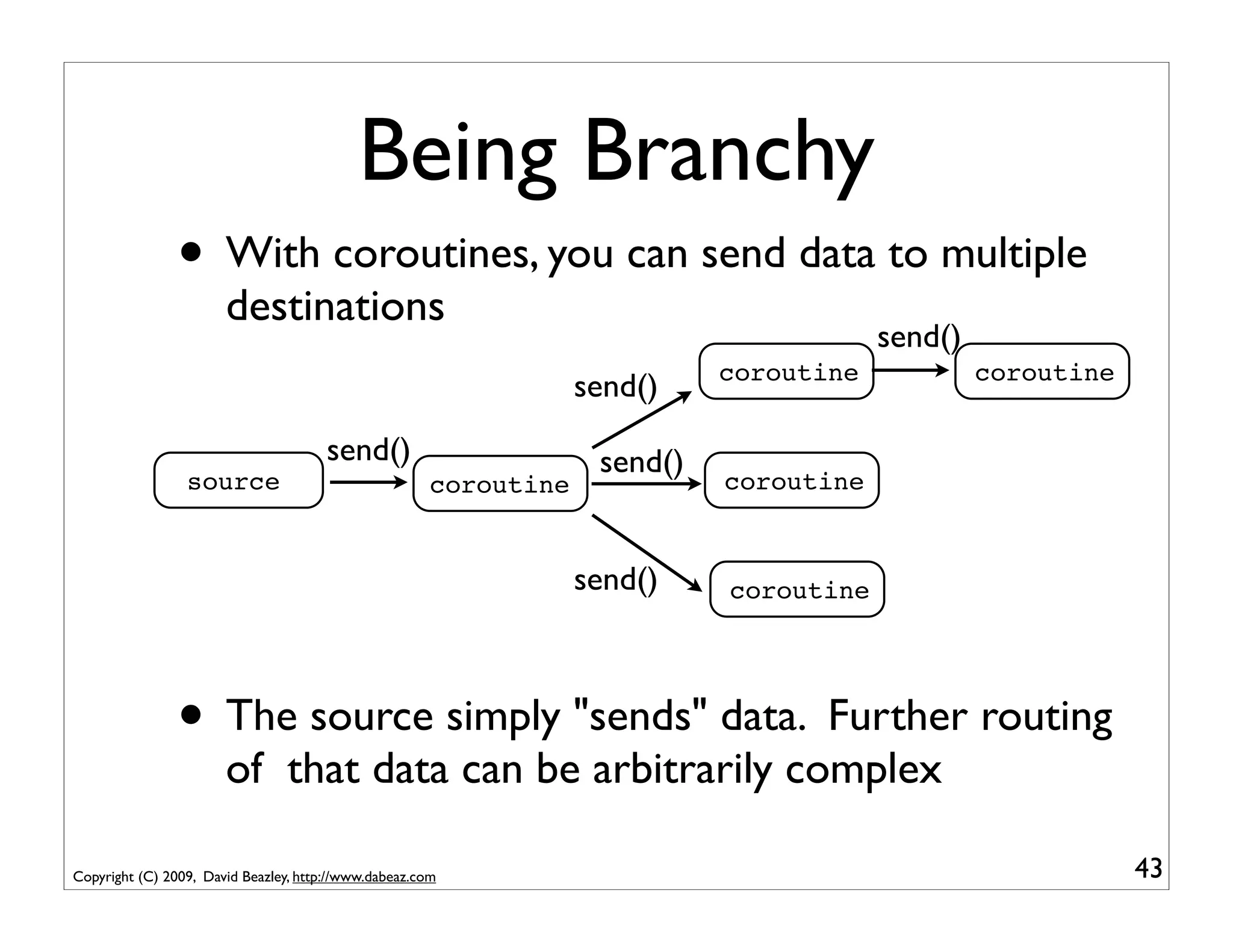
Being Branchy
                • With coroutines, you can send data to multiple
                       destinations
                                                                                         send()
                                                                             coroutine            coroutine
                                                                   send()
                                       send()                       send()
                 source                                coroutine             coroutine


                                                                   send()    coroutine


                • The source simply "sends" data. Further routing
                       of that data can be arbitrarily complex

Copyright (C) 2009, David Beazley, http://www.dabeaz.com                                                      43
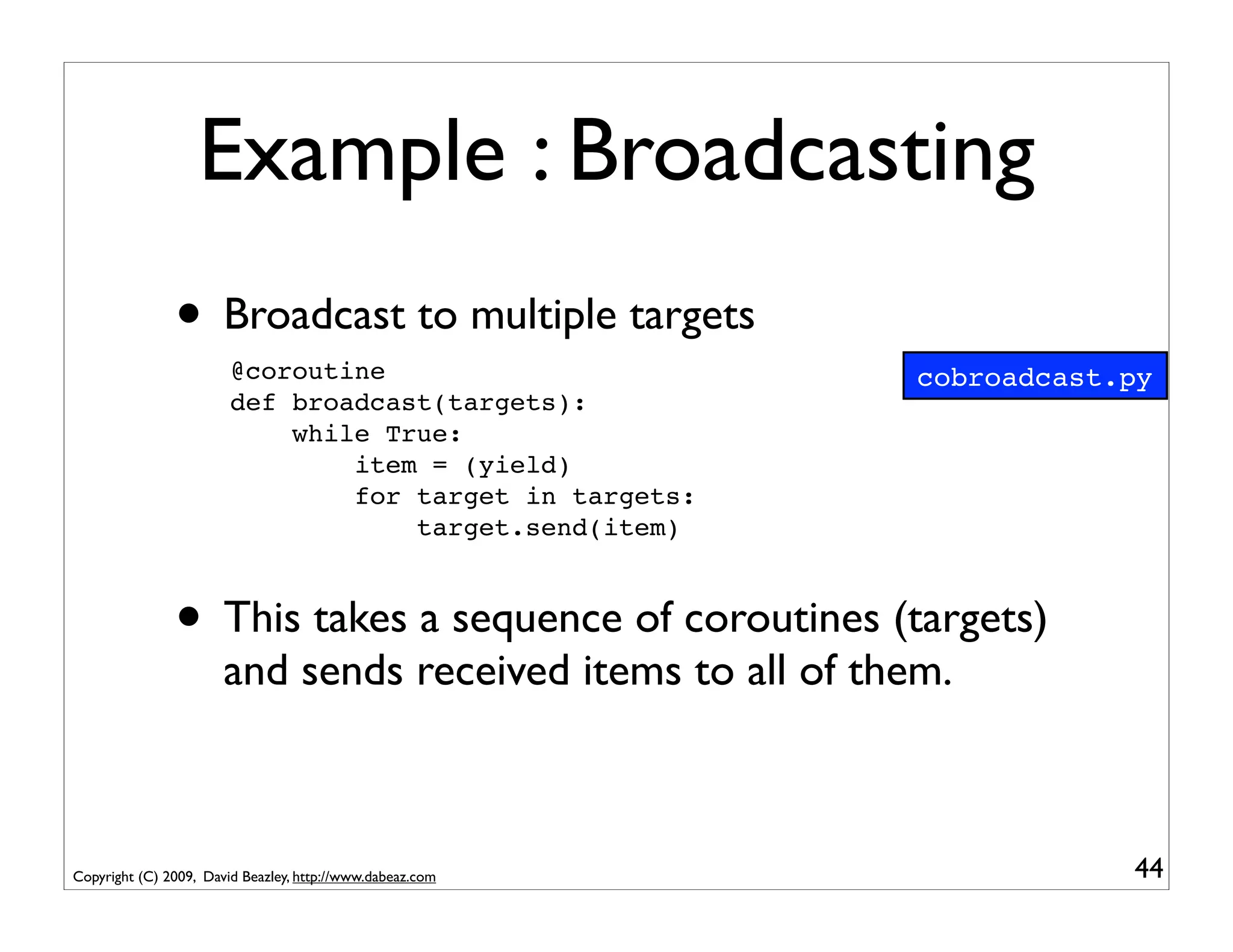
Example : Broadcasting
               • Broadcast to multiple targets
                        @coroutine                           cobroadcast.py
                        def broadcast(targets):
                            while True:
                                item = (yield)
                                for target in targets:
                                    target.send(item)


               • This takes a sequence of coroutines (targets)
                       and sends received items to all of them.


Copyright (C) 2009, David Beazley, http://www.dabeaz.com                 44
Example : Broadcasting
               • Example use:
                        f = open("access-log")
                        follow(f,
                               broadcast([grep('python',printer()),
                                          grep('ply',printer()),
                                          grep('swig',printer())])
                          )


                                                           grep('python')   printer()


             follow                        broadcast       grep('ply')      printer()


                                                           grep('swig')     printer()


Copyright (C) 2009, David Beazley, http://www.dabeaz.com                                45
Example : Broadcasting
               • A more disturbing variation...
                        f = open("access-log")                              cobroadcast2.py
                        p = printer()
                        follow(f,
                               broadcast([grep('python',p),
                                          grep('ply',p),
                                          grep('swig',p)])
                          )

                                                           grep('python')


             follow                        broadcast       grep('ply')      printer()


                                                           grep('swig')


Copyright (C) 2009, David Beazley, http://www.dabeaz.com                                  46
Interlude
             • Coroutines provide more powerful data routing
                    possibilities than simple iterators
             • If you built a collection of simple data processing
                    components, you can glue them together into
                    complex arrangements of pipes, branches,
                    merging, etc.
             • Although there are some limitations (later)

Copyright (C) 2009, David Beazley, http://www.dabeaz.com               47
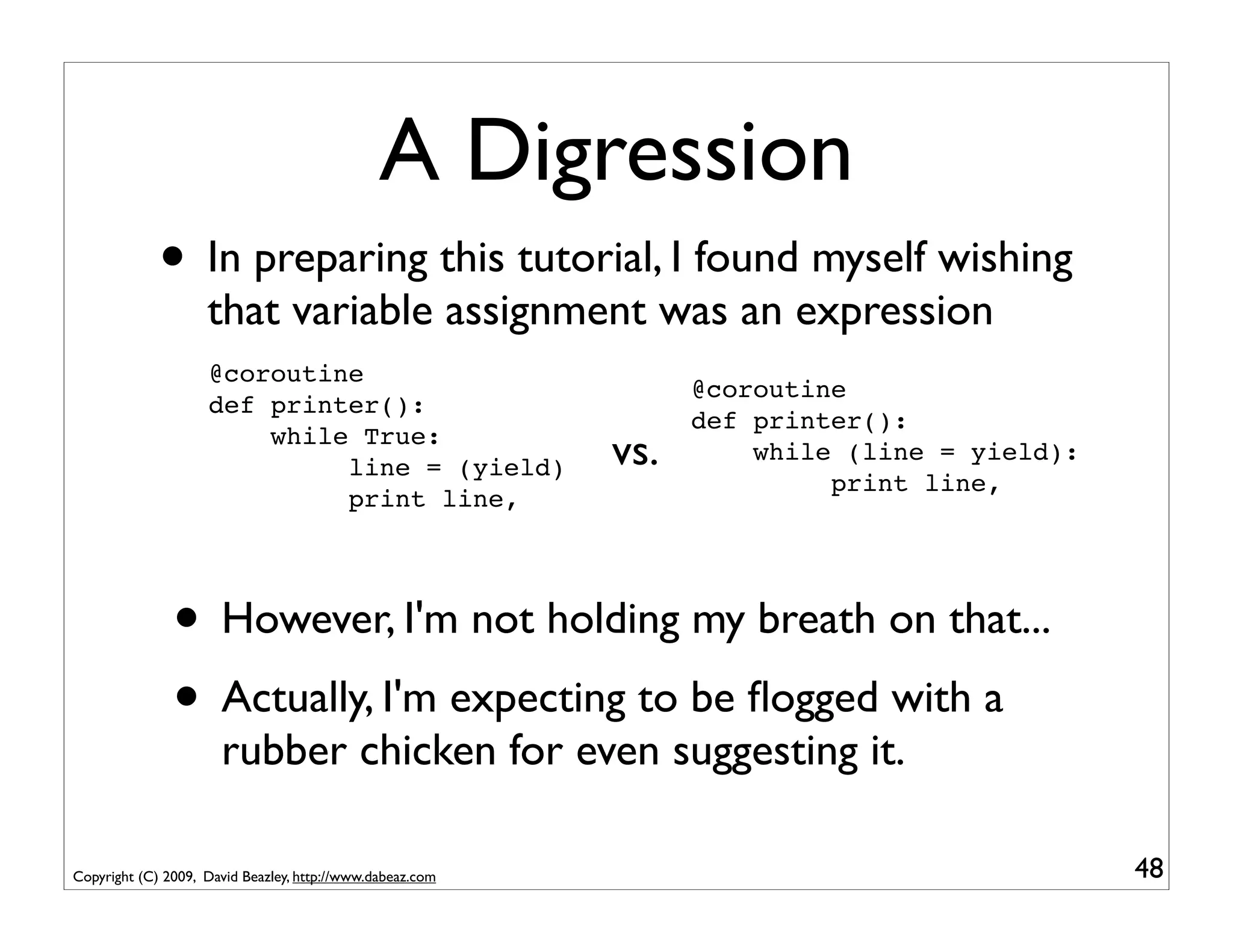
A Digression
             • In preparing this tutorial, I found myself wishing
                    that variable assignment was an expression
                    @coroutine
                                                                 @coroutine
                    def printer():
                                                                 def printer():
                        while True:
                             line = (yield)                vs.       while (line = yield):
                                                                          print line,
                             print line,


               • However, I'm not holding my breath on that...
               • Actually, I'm expecting to be flogged with a
                      rubber chicken for even suggesting it.

Copyright (C) 2009, David Beazley, http://www.dabeaz.com                                     48
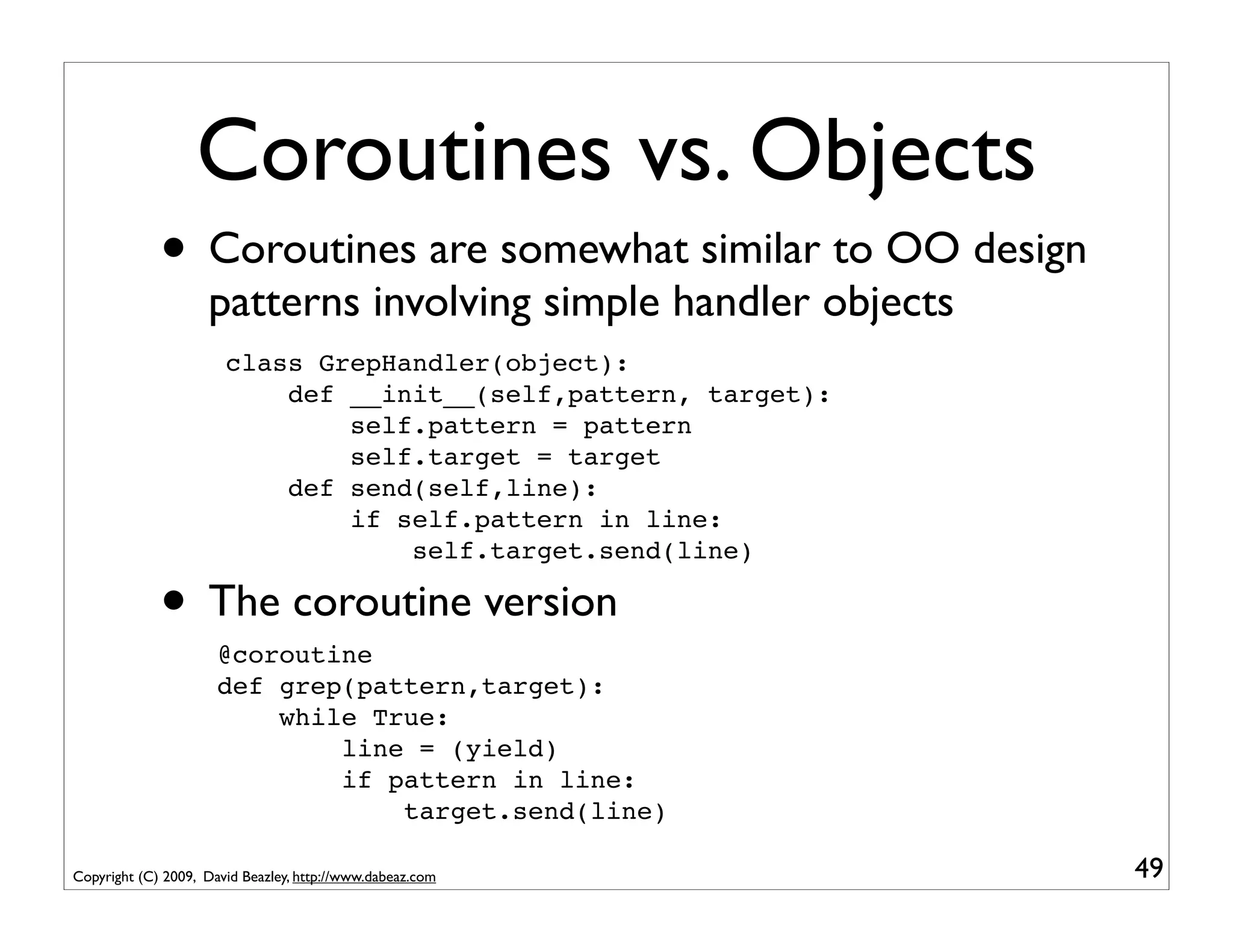
Coroutines vs. Objects
             • Coroutines are somewhat similar to OO design
                    patterns involving simple handler objects
                       class GrepHandler(object):
                           def __init__(self,pattern, target):
                               self.pattern = pattern
                               self.target = target
                           def send(self,line):
                               if self.pattern in line:
                                   self.target.send(line)

             • The coroutine version
                      @coroutine
                      def grep(pattern,target):
                          while True:
                              line = (yield)
                              if pattern in line:
                                  target.send(line)

Copyright (C) 2009, David Beazley, http://www.dabeaz.com         49
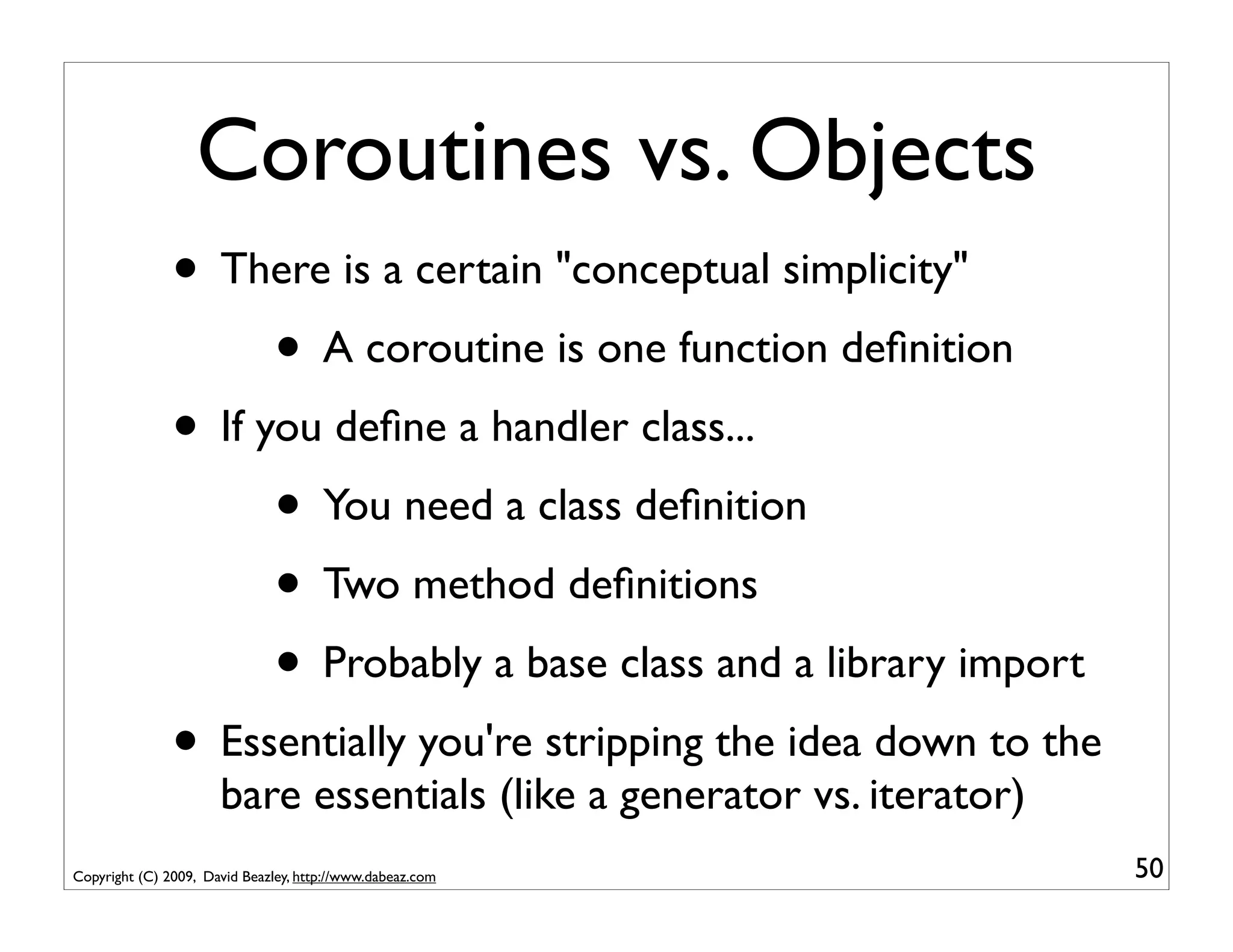
Coroutines vs. Objects
               • There is a certain "conceptual simplicity"
                     • A coroutine is one function definition
               • If you define a handler class...
                     • You need a class definition
                     • Two method definitions
                     • Probably a base class and a library import
               • Essentially you're stripping the idea down to the
                      bare essentials (like a generator vs. iterator)
Copyright (C) 2009, David Beazley, http://www.dabeaz.com                50
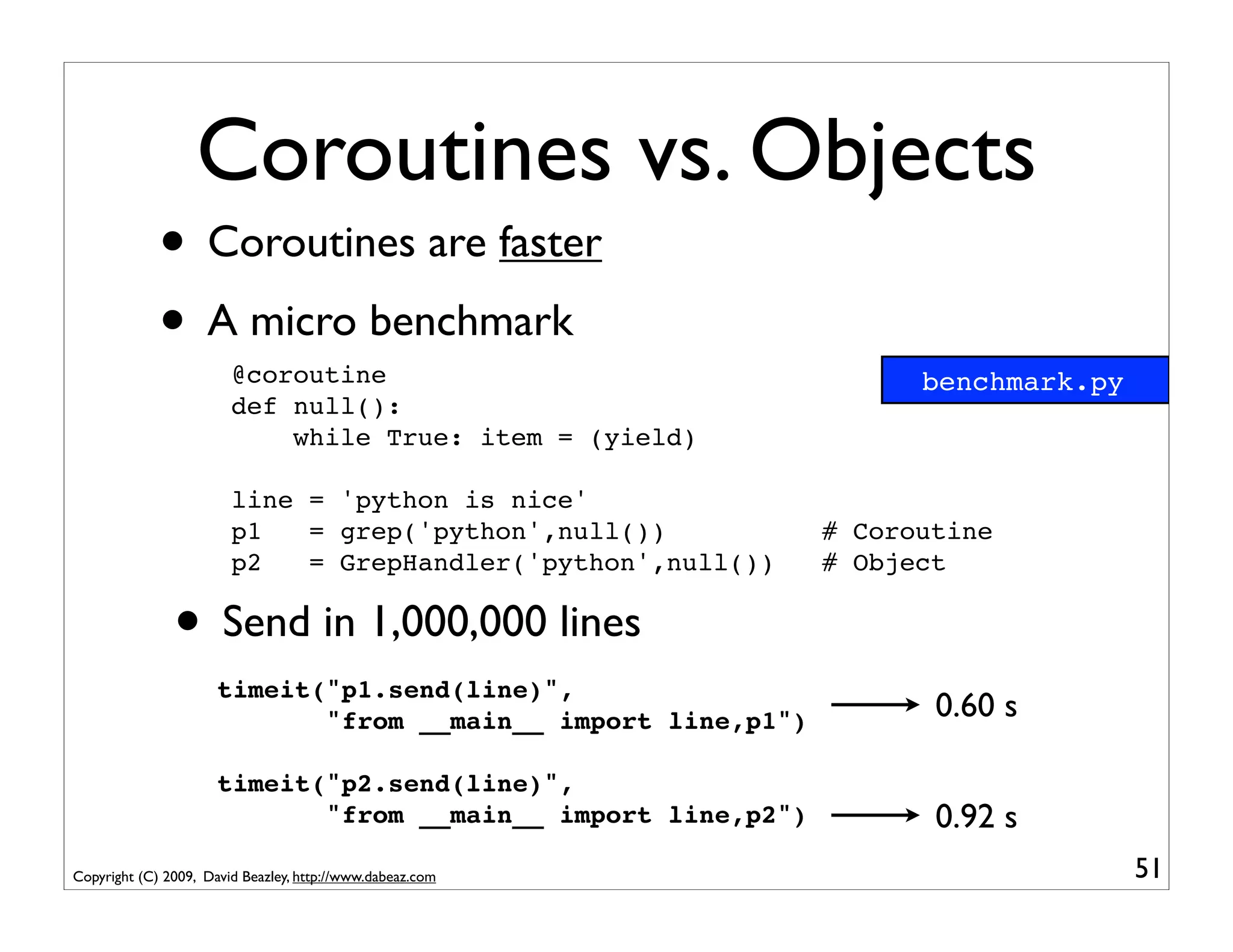
Coroutines vs. Objects
             • Coroutines are faster
             • A micro benchmark
                        @coroutine                                   benchmark.py
                        def null():
                            while True: item = (yield)

                        line = 'python is nice'
                        p1   = grep('python',null())           # Coroutine
                        p2   = GrepHandler('python',null())    # Object

               • Send in 1,000,000 lines
                      timeit("p1.send(line)",
                             "from __main__ import line,p1")          0.60 s

                      timeit("p2.send(line)",
                             "from __main__ import line,p2")          0.92 s
Copyright (C) 2009, David Beazley, http://www.dabeaz.com                            51
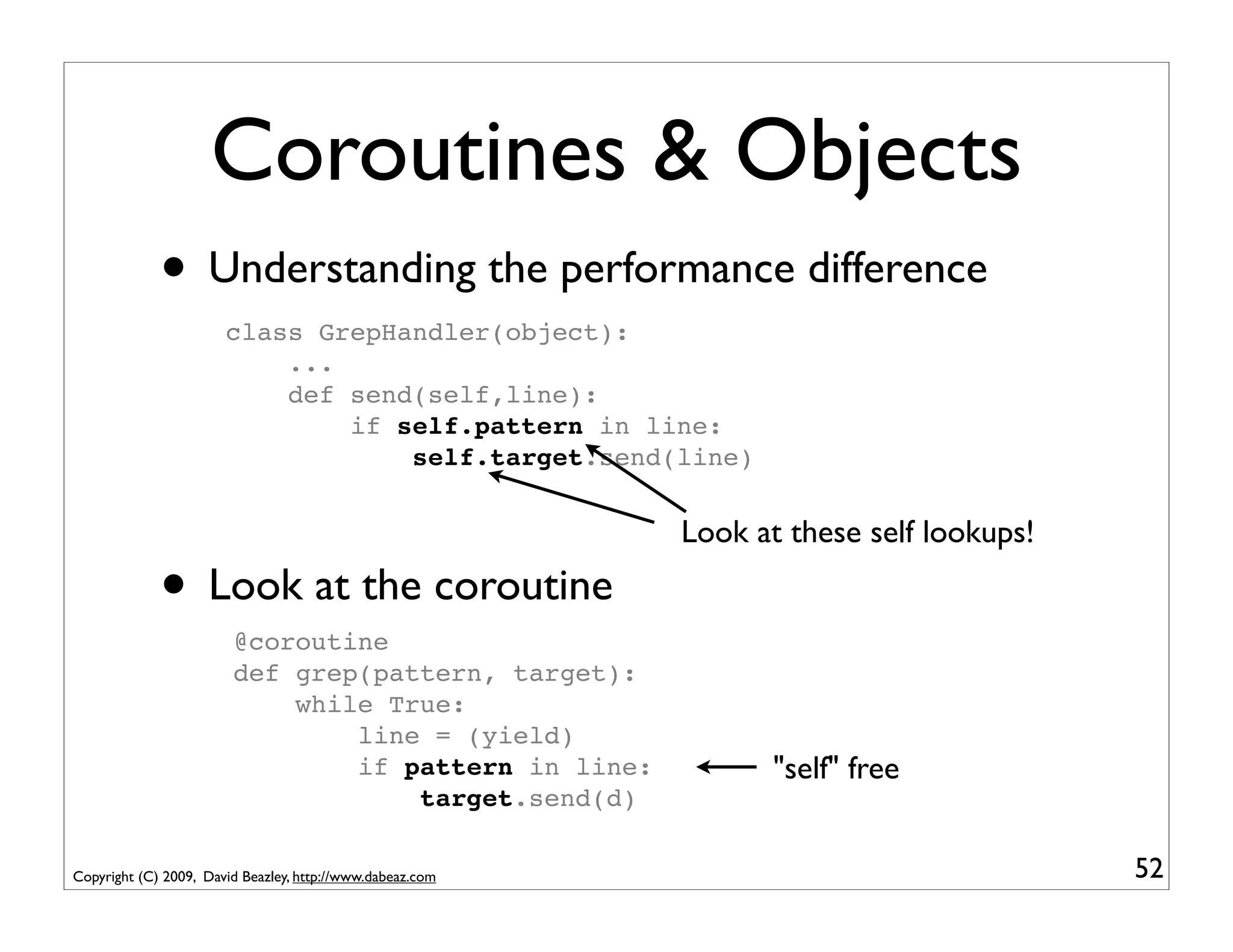
Coroutines & Objects
             • Understanding the performance difference
                       class GrepHandler(object):
                           ...
                           def send(self,line):
                               if self.pattern in line:
                                   self.target.send(line)

                                                           Look at these self lookups!

             • Look at the coroutine
                        @coroutine
                        def grep(pattern, target):
                            while True:
                                line = (yield)
                                if pattern in line:               "self" free
                                    target.send(d)

Copyright (C) 2009, David Beazley, http://www.dabeaz.com                                 52
Part 3
                                      Coroutines and Event Dispatching


Copyright (C) 2009, David Beazley, http://www.dabeaz.com                 53
Event Handling


             • Coroutines can be used to write various
                    components that process event streams
             • Let's look at an example...


Copyright (C) 2009, David Beazley, http://www.dabeaz.com    54
Problem
             • Where is my ^&#&@* bus?
             • Chicago Transit Authority (CTA) equips most
                    of its buses with real-time GPS tracking
             • You can get current data on every bus on the
                    street as a big XML document
             • Use "The Google" to search for details...

Copyright (C) 2009, David Beazley, http://www.dabeaz.com             55
Some XML
       <?xml version="1.0"?>
         <buses>
            <bus>
         ! ! <id>7574</id>
           ! <route>147</route>
           !
           ! <color>#3300ff</color>
           !
           ! <revenue>true</revenue>
           !
           ! <direction>North Bound</direction>
           !
           ! <latitude>41.925682067871094</latitude>
           !
              !
              <longitude>-87.63092803955078</longitude>
              !
              <pattern>2499</pattern>
              !
              <patternDirection>North Bound</patternDirection>
         !    <run>P675</run>
              <finalStop><![CDATA[Paulina & Howard Terminal]]></finalStop>
              <operator>42493</operator>
           </bus>
           <bus>
            ...
           </bus>
         </buses>
Copyright (C) 2009, David Beazley, http://www.dabeaz.com                 56
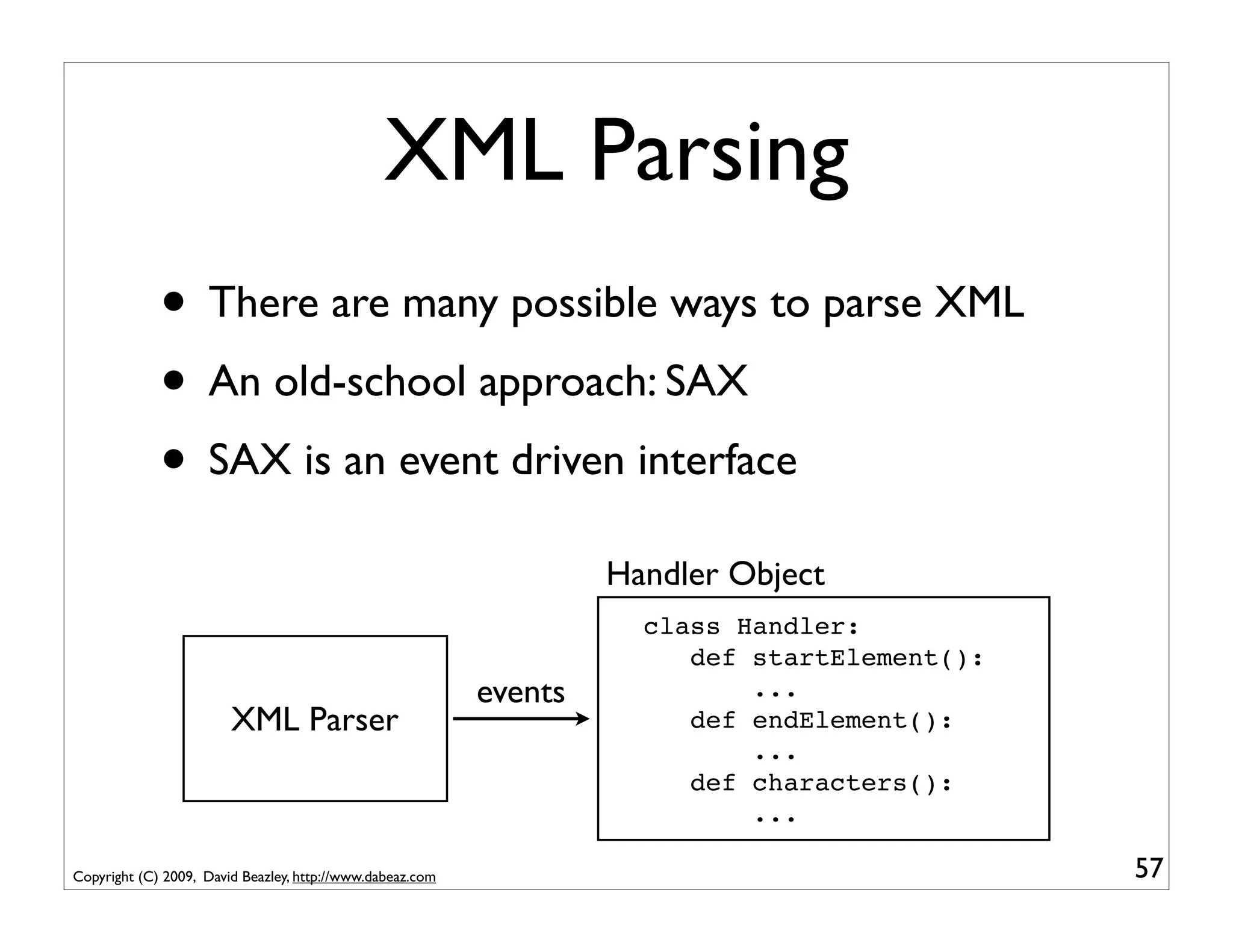
XML Parsing
             • There are many possible ways to parse XML
             • An old-school approach: SAX
             • SAX is an event driven interface
                                                                    Handler Object
                                                                      class Handler:
                                                                         def startElement():
                                                           events            ...
                        XML Parser                                       def endElement():
                                                                             ...
                                                                         def characters():
                                                                             ...

Copyright (C) 2009, David Beazley, http://www.dabeaz.com                                       57
Minimal SAX Example
                    import xml.sax                                basicsax.py

                    class MyHandler(xml.sax.ContentHandler):
                        def startElement(self,name,attrs):
                            print "startElement", name
                        def endElement(self,name):
                            print "endElement", name
                        def characters(self,text):
                            print "characters", repr(text)[:40]

                    xml.sax.parse("somefile.xml",MyHandler())


             • You see this same programming pattern in
                    other settings (e.g., HTMLParser module)

Copyright (C) 2009, David Beazley, http://www.dabeaz.com                        58
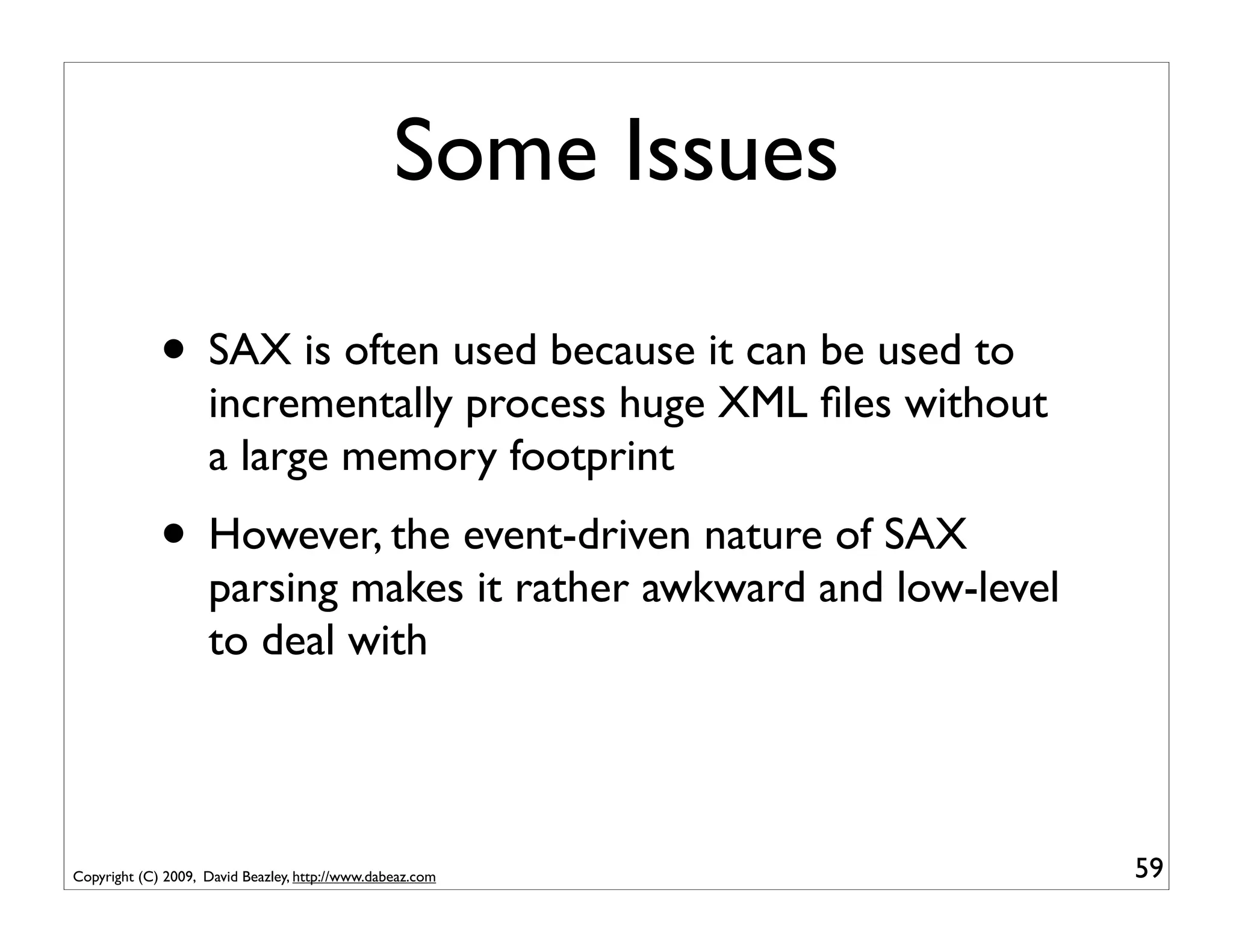
Some Issues

             • SAX is often used because it can be used to
                    incrementally process huge XML files without
                    a large memory footprint
             • However, the event-driven nature of SAX
                    parsing makes it rather awkward and low-level
                    to deal with


Copyright (C) 2009, David Beazley, http://www.dabeaz.com            59
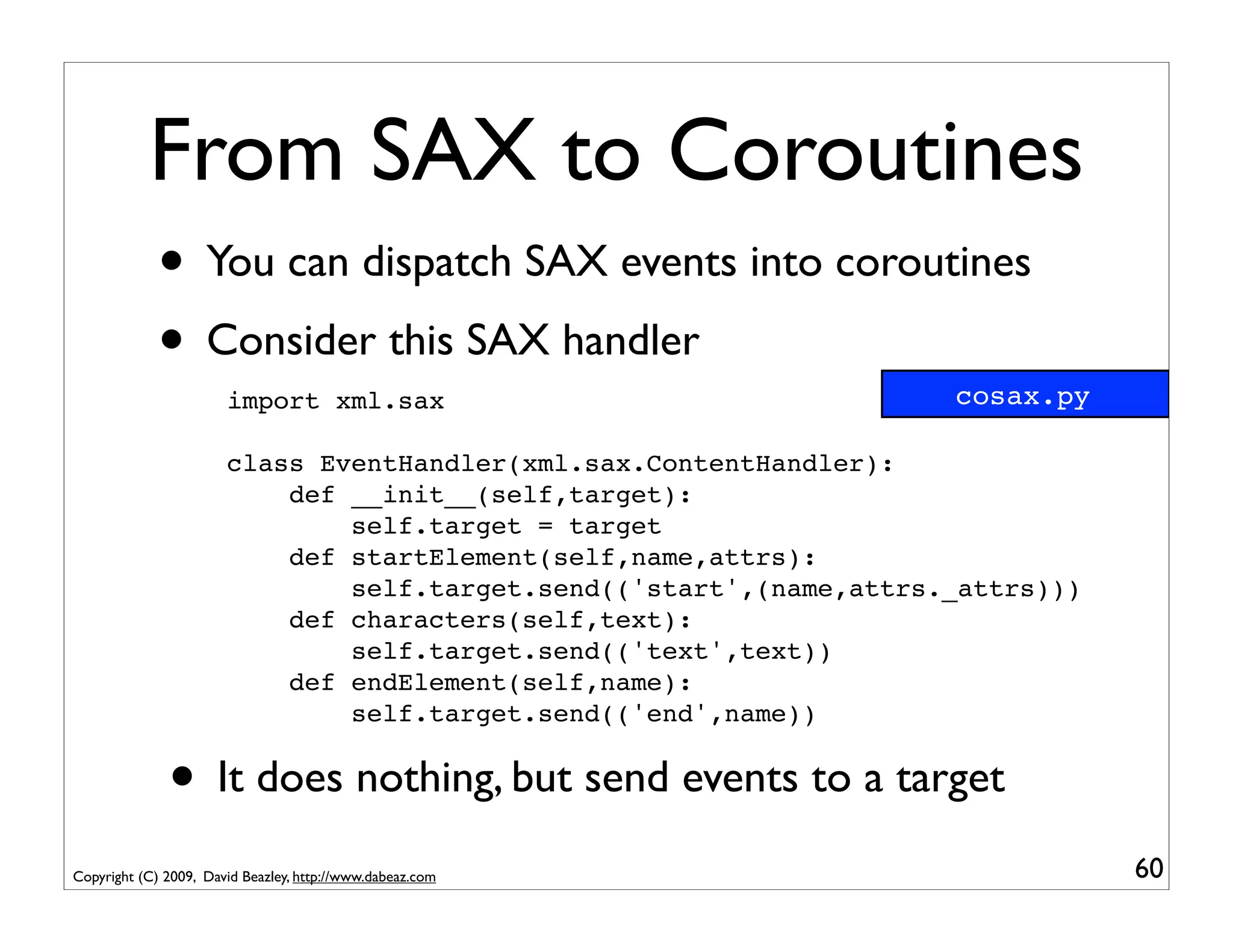
From SAX to Coroutines
             • You can dispatch SAX events into coroutines
             • Consider this SAX handler                             cosax.py
                       import xml.sax

                       class EventHandler(xml.sax.ContentHandler):
                           def __init__(self,target):
                               self.target = target
                           def startElement(self,name,attrs):
                               self.target.send(('start',(name,attrs._attrs)))
                           def characters(self,text):
                               self.target.send(('text',text))
                           def endElement(self,name):
                               self.target.send(('end',name))


              • It does nothing, but send events to a target
Copyright (C) 2009, David Beazley, http://www.dabeaz.com                         60
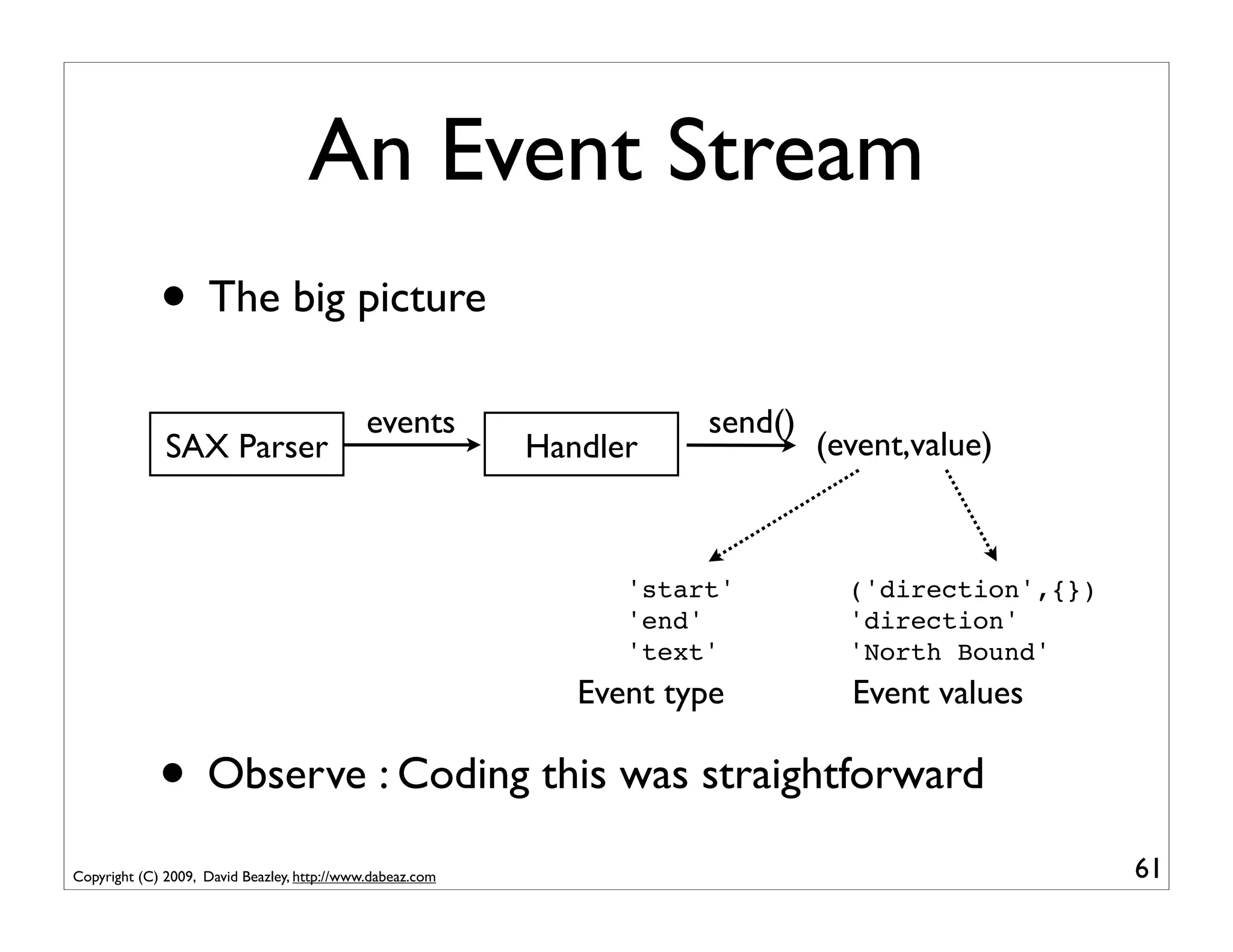
An Event Stream
             • The big picture
                                             events                   send()
              SAX Parser                                   Handler             (event,value)


                                                                 'start'         ('direction',{})
                                                                 'end'           'direction'
                                                                 'text'          'North Bound'
                                                              Event type         Event values

             • Observe : Coding this was straightforward
Copyright (C) 2009, David Beazley, http://www.dabeaz.com                                            61
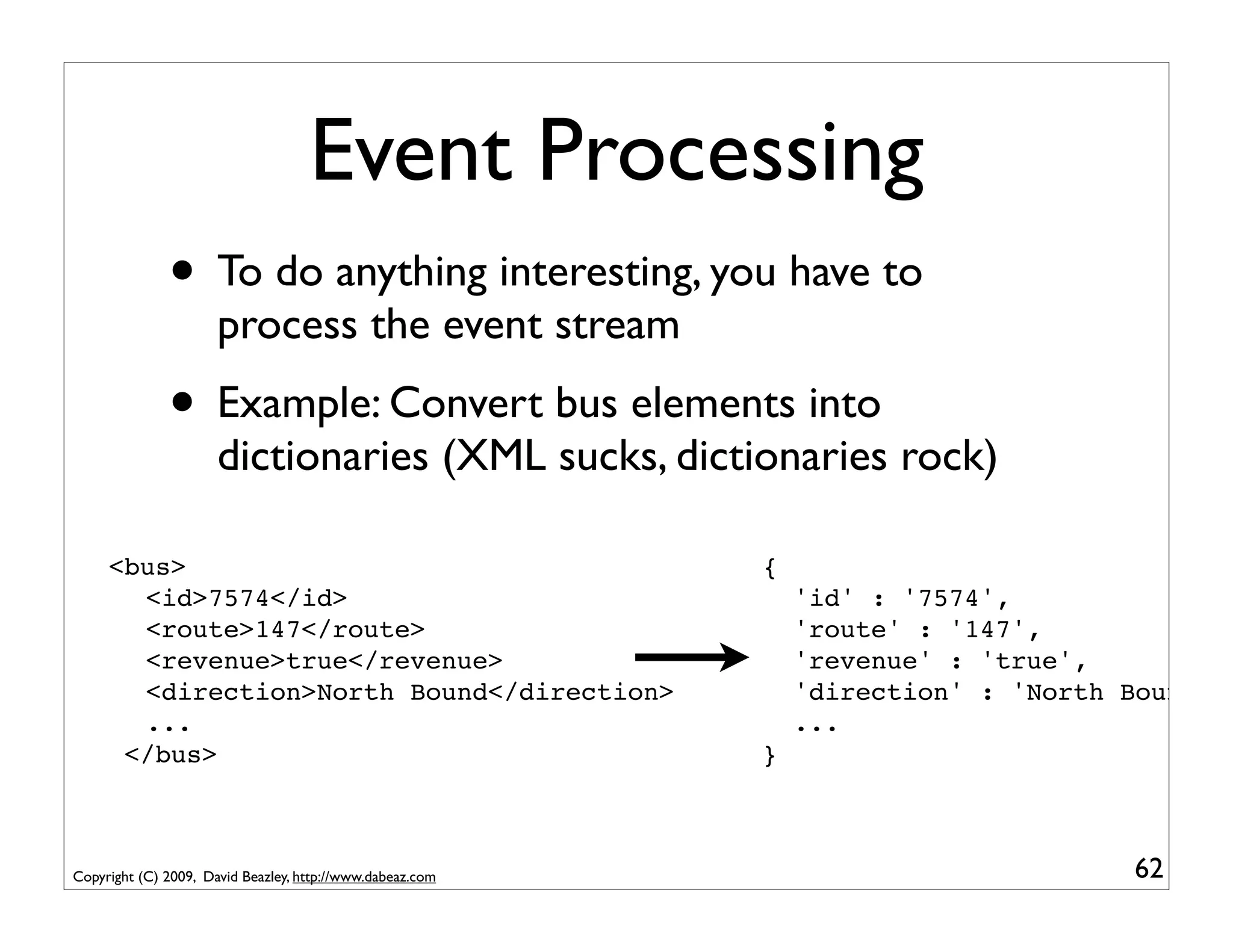
Event Processing
              • To do anything interesting, you have to
                      process the event stream
              • Example: Convert bus elements into
                      dictionaries (XML sucks, dictionaries rock)

   <bus>                                                   {
! ! <id>7574</id>                                              'id' : '7574',
 ! <route>147</route>
  !                                                            'route' : '147',
 ! <revenue>true</revenue>
  !                                                            'revenue' : 'true',
 ! <direction>North Bound</direction>
  !                                                            'direction' : 'North Bound'
 ! ...
  !                                                            ...
    </bus>                                                 }


Copyright (C) 2009, David Beazley, http://www.dabeaz.com                            62
Buses to Dictionaries
          @coroutine                                          buses.py
          def buses_to_dicts(target):
              while True:
                  event, value = (yield)
                  # Look for the start of a <bus> element
                  if event == 'start' and value[0] == 'bus':
                      busdict = { }
                      fragments = []
                      # Capture text of inner elements in a dict
                      while True:
                          event, value = (yield)
                          if event == 'start':   fragments = []
                          elif event == 'text': fragments.append(value)
                          elif event == 'end':
                              if value != 'bus':
                                  busdict[value] = "".join(fragments)
                              else:
                                  target.send(busdict)
                                  break

Copyright (C) 2009, David Beazley, http://www.dabeaz.com                  63
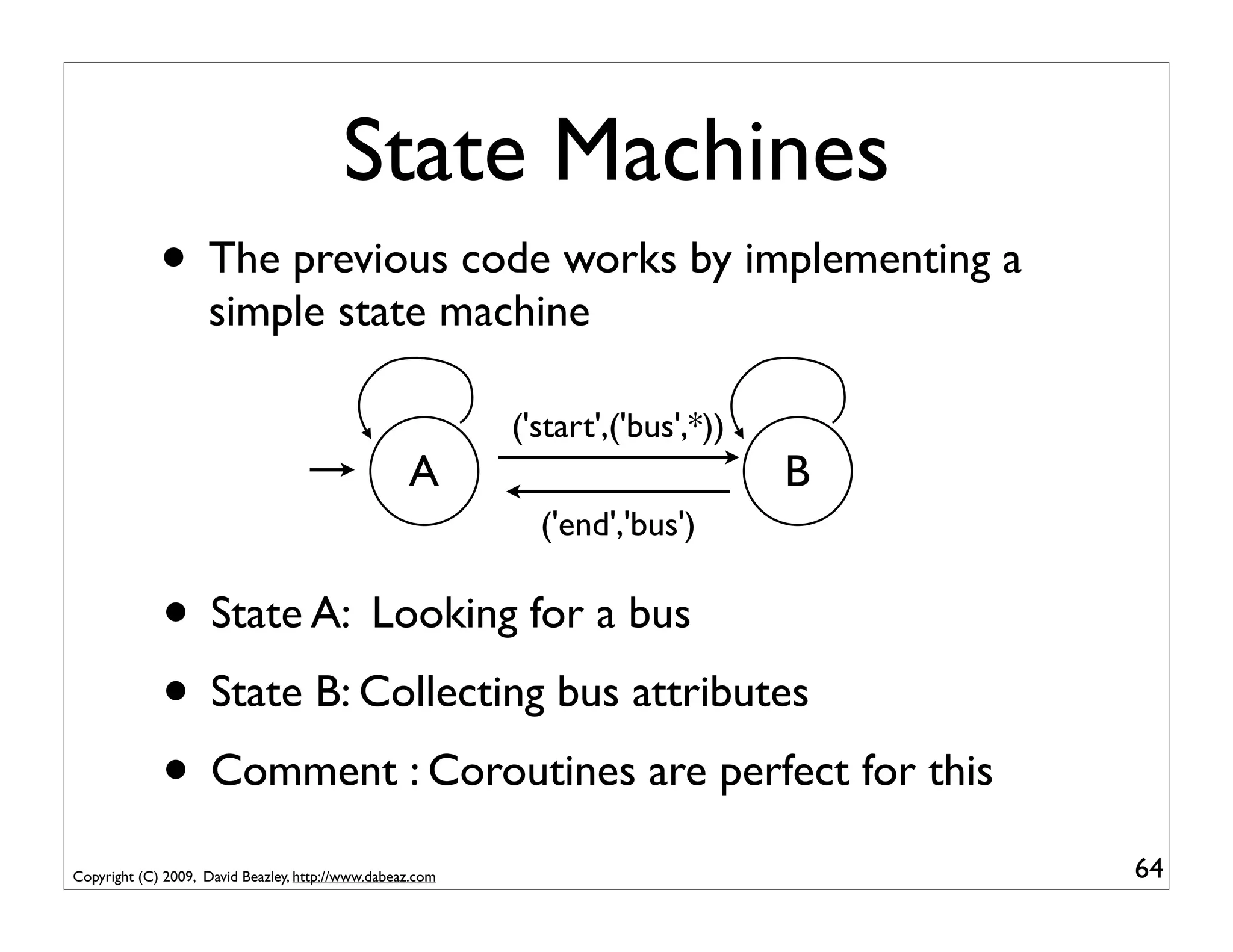
State Machines
             • The previous code works by implementing a
                    simple state machine

                                                           ('start',('bus',*))
                                                   A                             B
                                                             ('end','bus')

             • State A: Looking for a bus
             • State B: Collecting bus attributes
             • Comment : Coroutines are perfect for this
Copyright (C) 2009, David Beazley, http://www.dabeaz.com                             64
Buses to Dictionaries
          @coroutine
          def buses_to_dicts(target):
              while True:
                  event, value = (yield)
            A     # Look for the start of a <bus> element
                  if event == 'start' and value[0] == 'bus':
                      busdict = { }
                      fragments = []
                      # Capture text of inner elements in a dict
                      while True:
                          event, value = (yield)
                          if event == 'start':   fragments = []
                          elif event == 'text': fragments.append(value)
                          elif event == 'end':
                              B
                              if value != 'bus':
                                  busdict[value] = "".join(fragments)
                              else:
                                  target.send(busdict)
                                  break

Copyright (C) 2009, David Beazley, http://www.dabeaz.com                  65
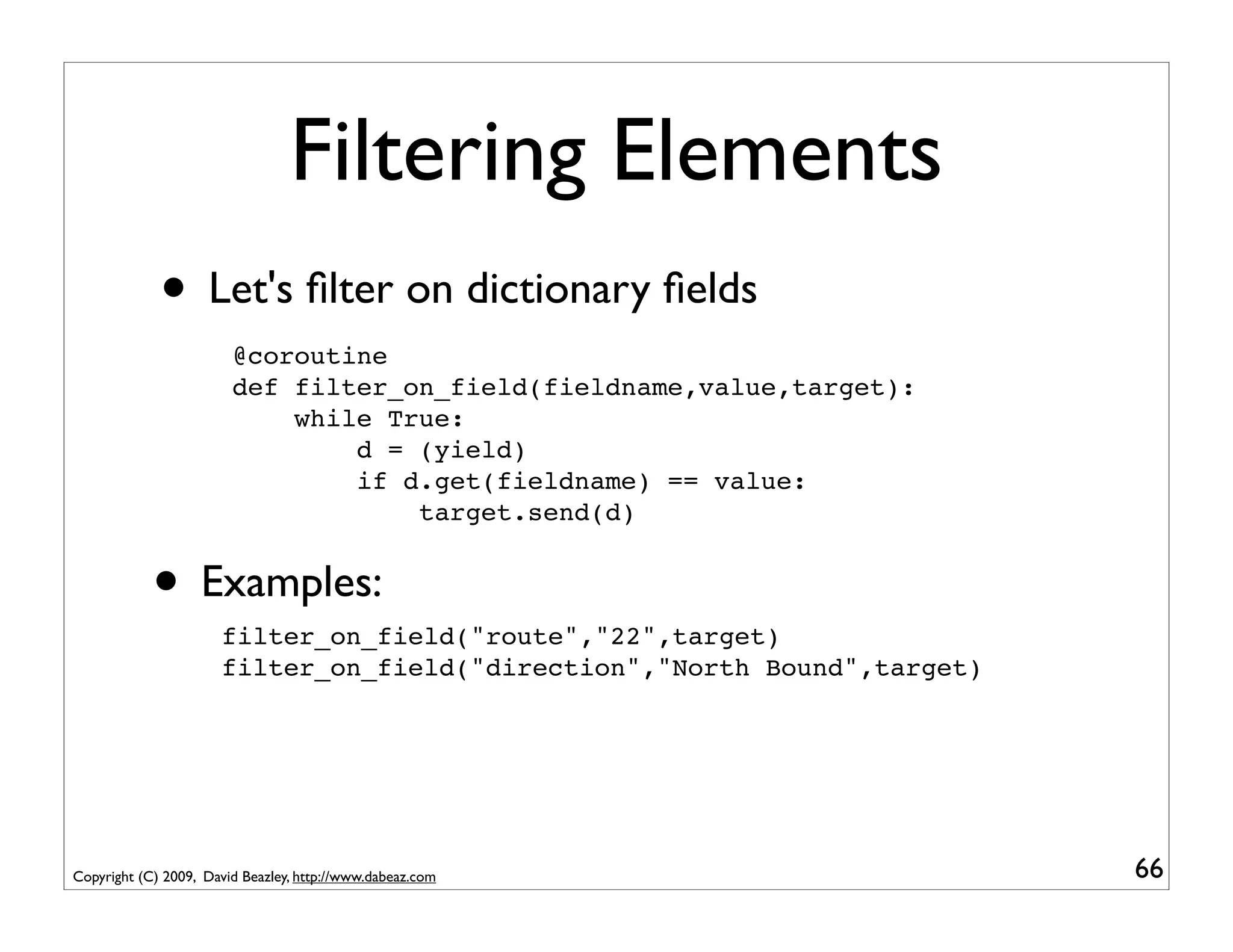
Filtering Elements
             • Let's filter on dictionary fields
                        @coroutine
                        def filter_on_field(fieldname,value,target):
                            while True:
                                d = (yield)
                                if d.get(fieldname) == value:
                                    target.send(d)


            • Examples:
                      filter_on_field("route","22",target)
                      filter_on_field("direction","North Bound",target)


Copyright (C) 2009, David Beazley, http://www.dabeaz.com                  66
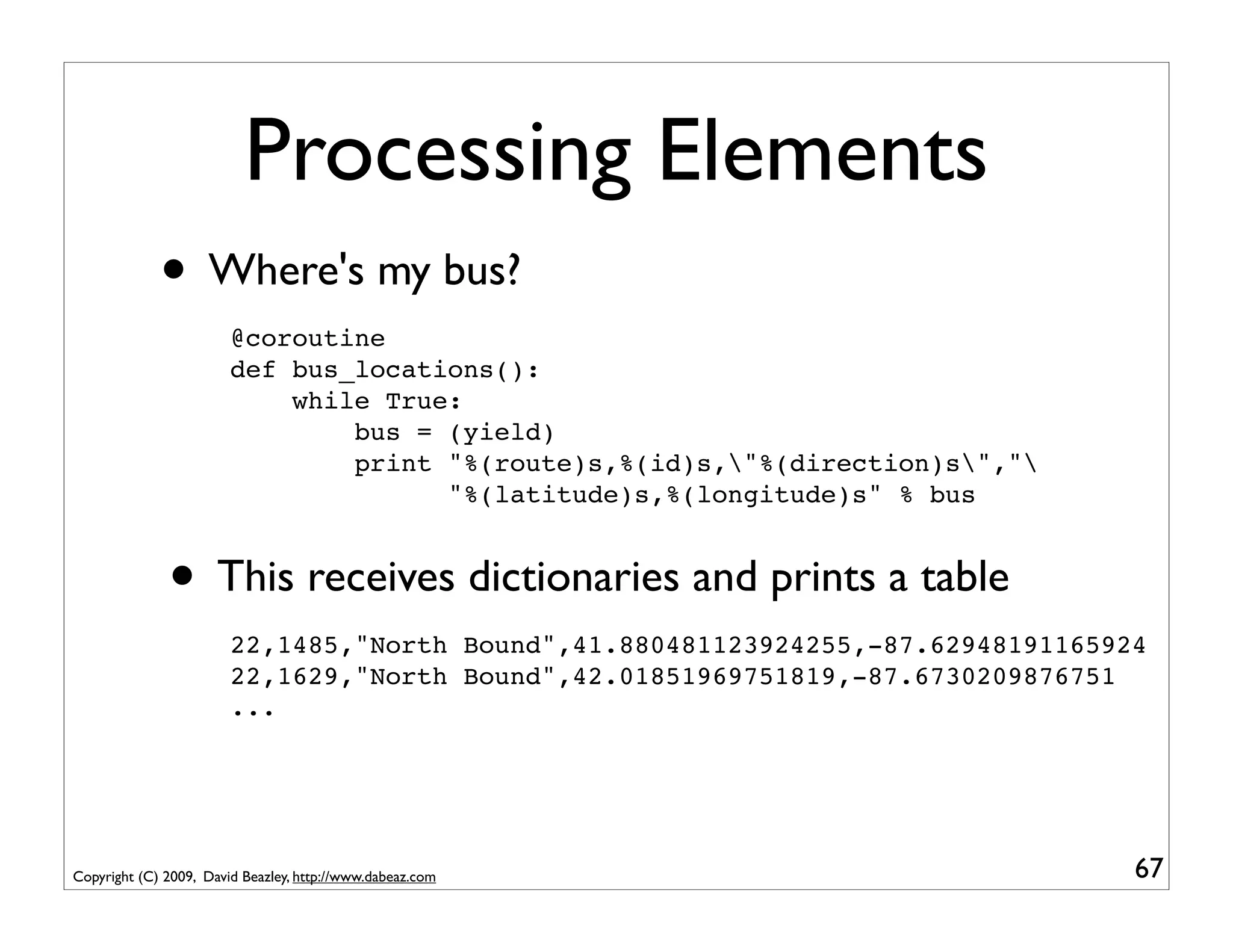
Processing Elements
             • Where's my bus?
                        @coroutine
                        def bus_locations():
                            while True:
                                bus = (yield)
                                print "%(route)s,%(id)s,"%(direction)s","
                                      "%(latitude)s,%(longitude)s" % bus


              • This receives dictionaries and prints a table
                        22,1485,"North Bound",41.880481123924255,-87.62948191165924
                        22,1629,"North Bound",42.01851969751819,-87.6730209876751
                        ...


Copyright (C) 2009, David Beazley, http://www.dabeaz.com                          67
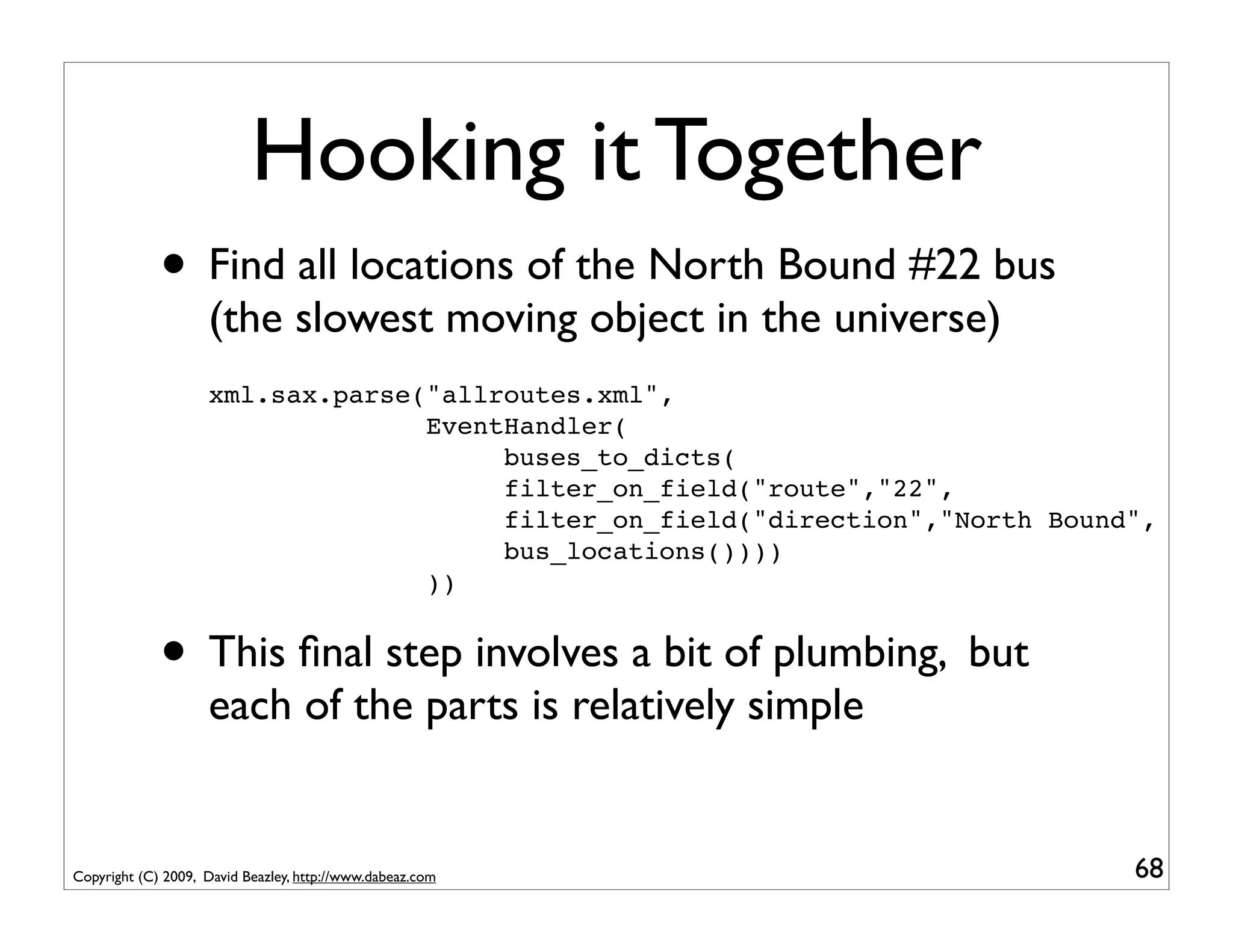
Hooking it Together
             • Find all locations of the North Bound #22 bus
                    (the slowest moving object in the universe)
                    xml.sax.parse("allroutes.xml",
                                  EventHandler(
                                       buses_to_dicts(
                                       filter_on_field("route","22",
                                       filter_on_field("direction","North Bound",
                                       bus_locations())))
                                  ))


             • This final step involves a bit of plumbing, but
                    each of the parts is relatively simple


Copyright (C) 2009, David Beazley, http://www.dabeaz.com                       68
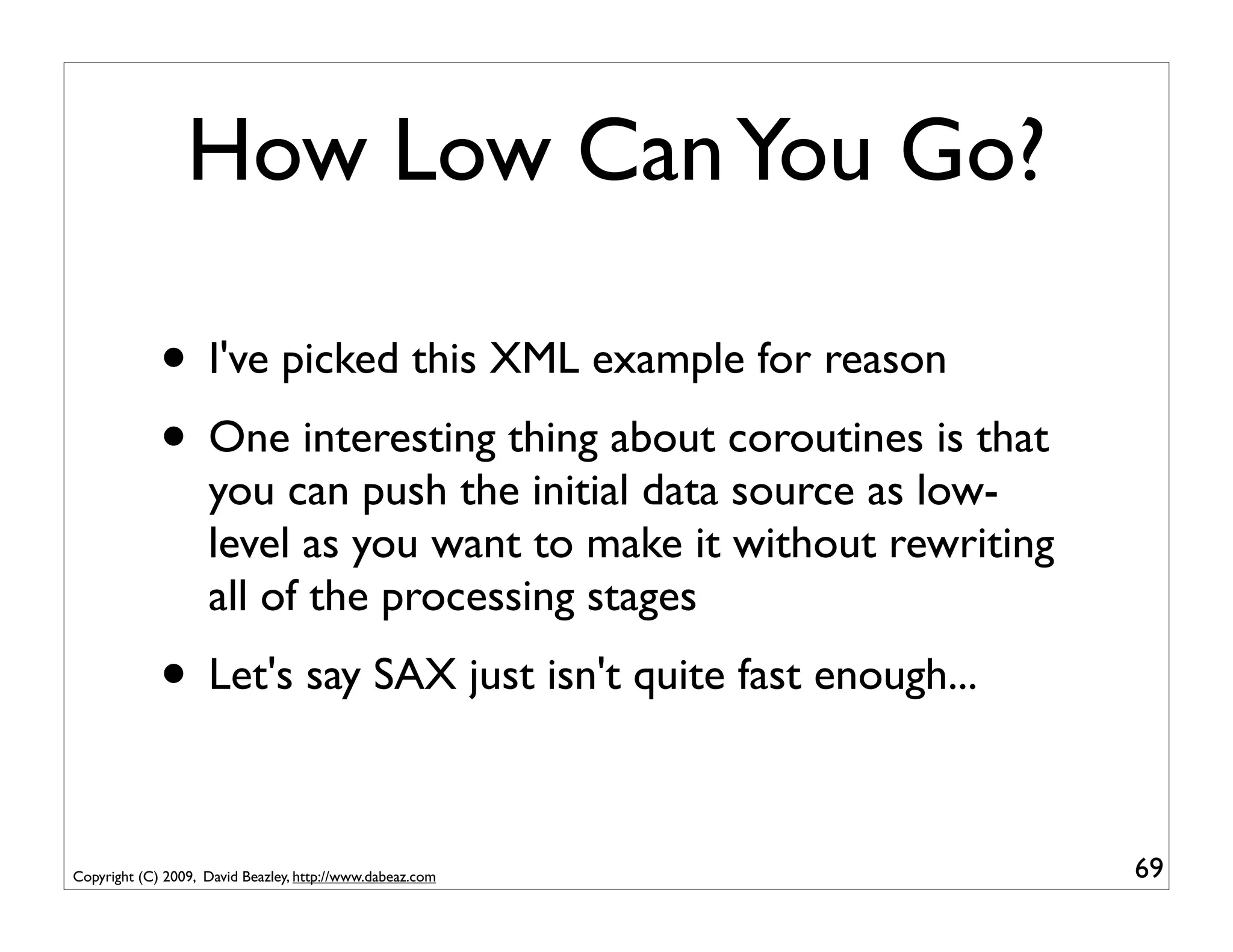
How Low Can You Go?

             • I've picked this XML example for reason
             • One interesting thing about coroutines is that
                    you can push the initial data source as low-
                    level as you want to make it without rewriting
                    all of the processing stages
             • Let's say SAX just isn't quite fast enough...

Copyright (C) 2009, David Beazley, http://www.dabeaz.com             69
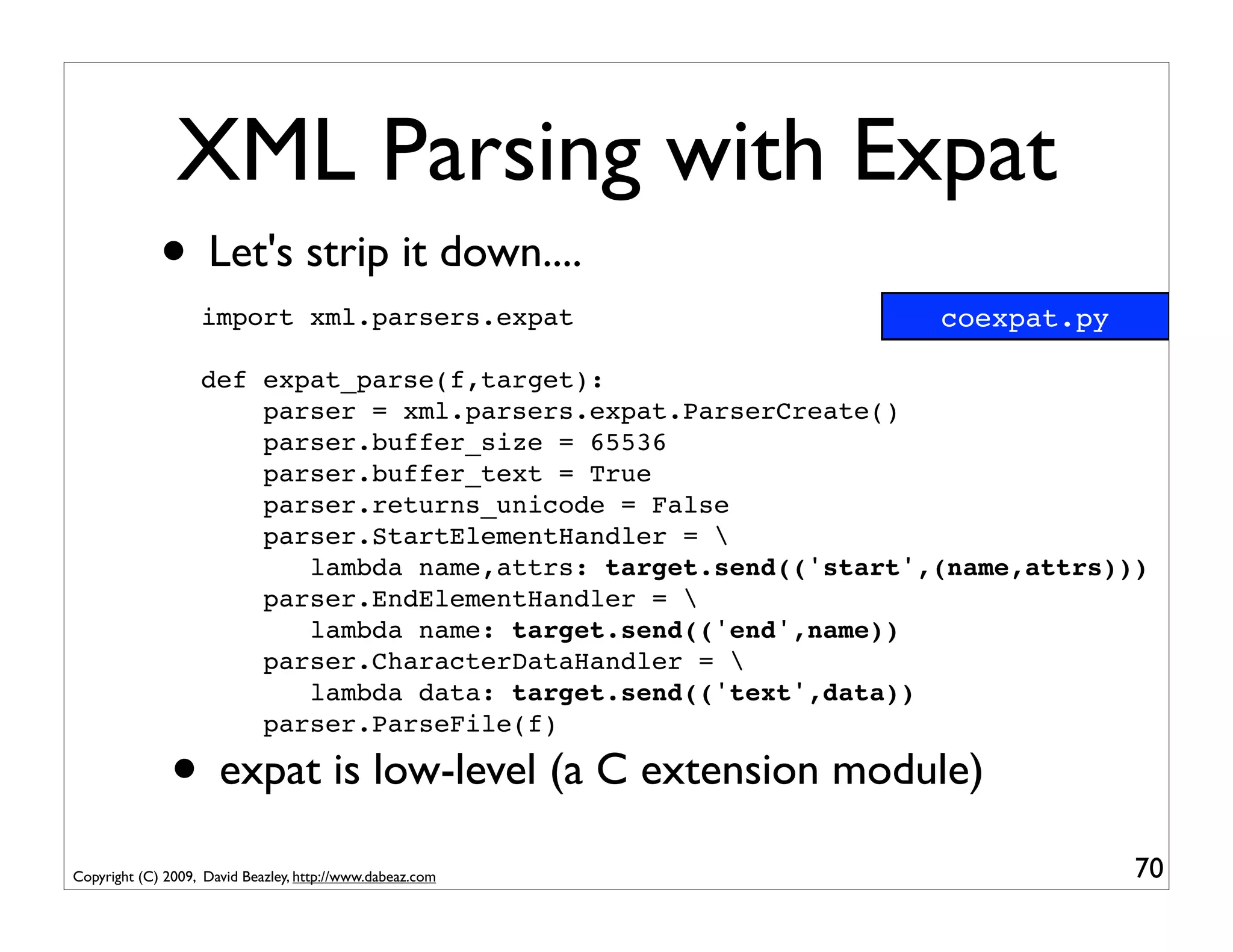
XML Parsing with Expat
             • Let's strip it down....
                   import xml.parsers.expat                       coexpat.py

                   def expat_parse(f,target):
                       parser = xml.parsers.expat.ParserCreate()
                       parser.buffer_size = 65536
                       parser.buffer_text = True
                       parser.returns_unicode = False
                       parser.StartElementHandler = 
                          lambda name,attrs: target.send(('start',(name,attrs)))
                       parser.EndElementHandler = 
                          lambda name: target.send(('end',name))
                       parser.CharacterDataHandler = 
                          lambda data: target.send(('text',data))
                       parser.ParseFile(f)

               • expat is low-level (a C extension module)
Copyright (C) 2009, David Beazley, http://www.dabeaz.com                       70
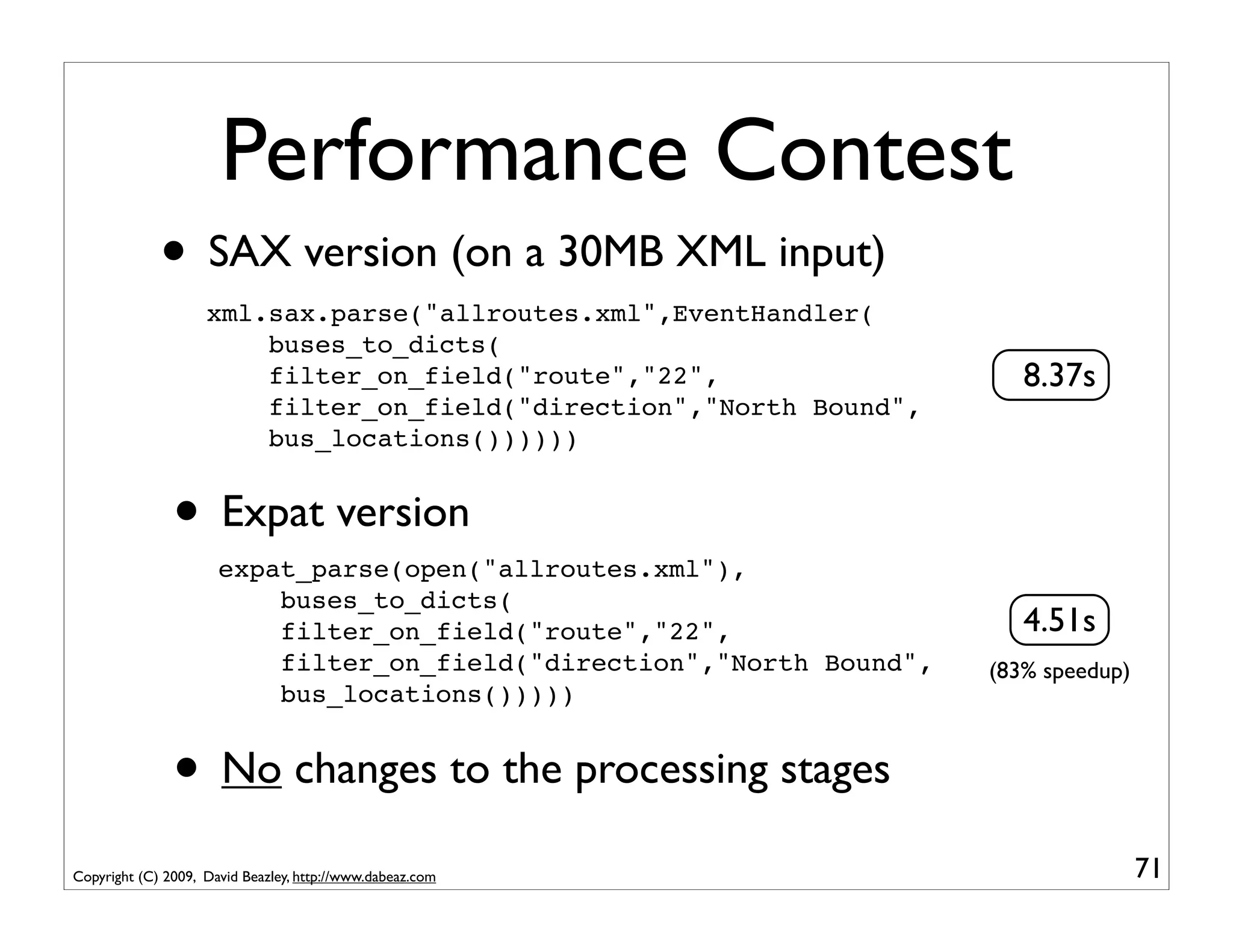
Performance Contest
             • SAX version (on a 30MB XML input)
                    xml.sax.parse("allroutes.xml",EventHandler(
                        buses_to_dicts(
                        filter_on_field("route","22",                     8.37s
                        filter_on_field("direction","North Bound",
                        bus_locations())))))


               • Expat version
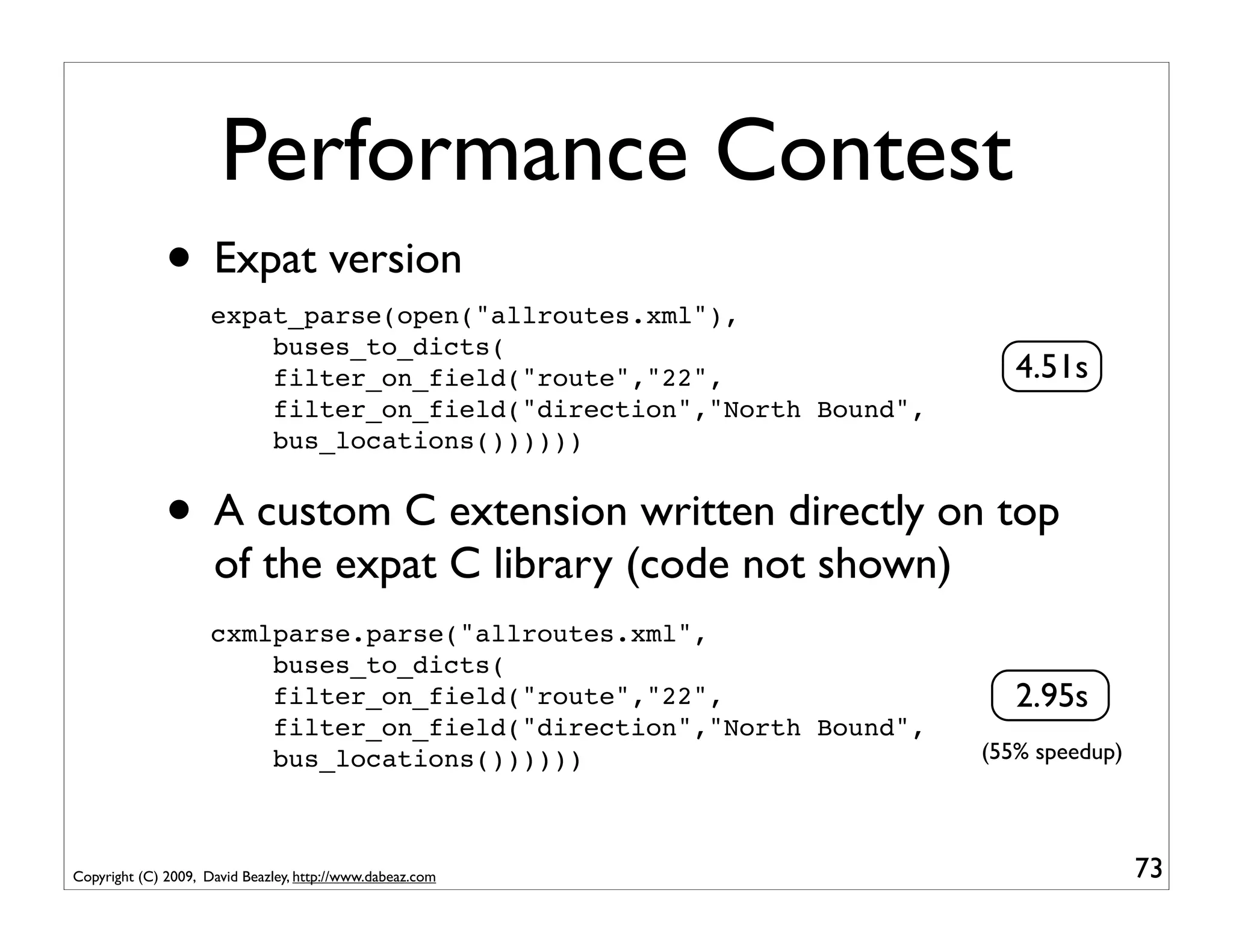
                      expat_parse(open("allroutes.xml"),
                          buses_to_dicts(
                          filter_on_field("route","22",                   4.51s
                          filter_on_field("direction","North Bound",   (83% speedup)
                          bus_locations()))))


               • No changes to the processing stages
Copyright (C) 2009, David Beazley, http://www.dabeaz.com                               71
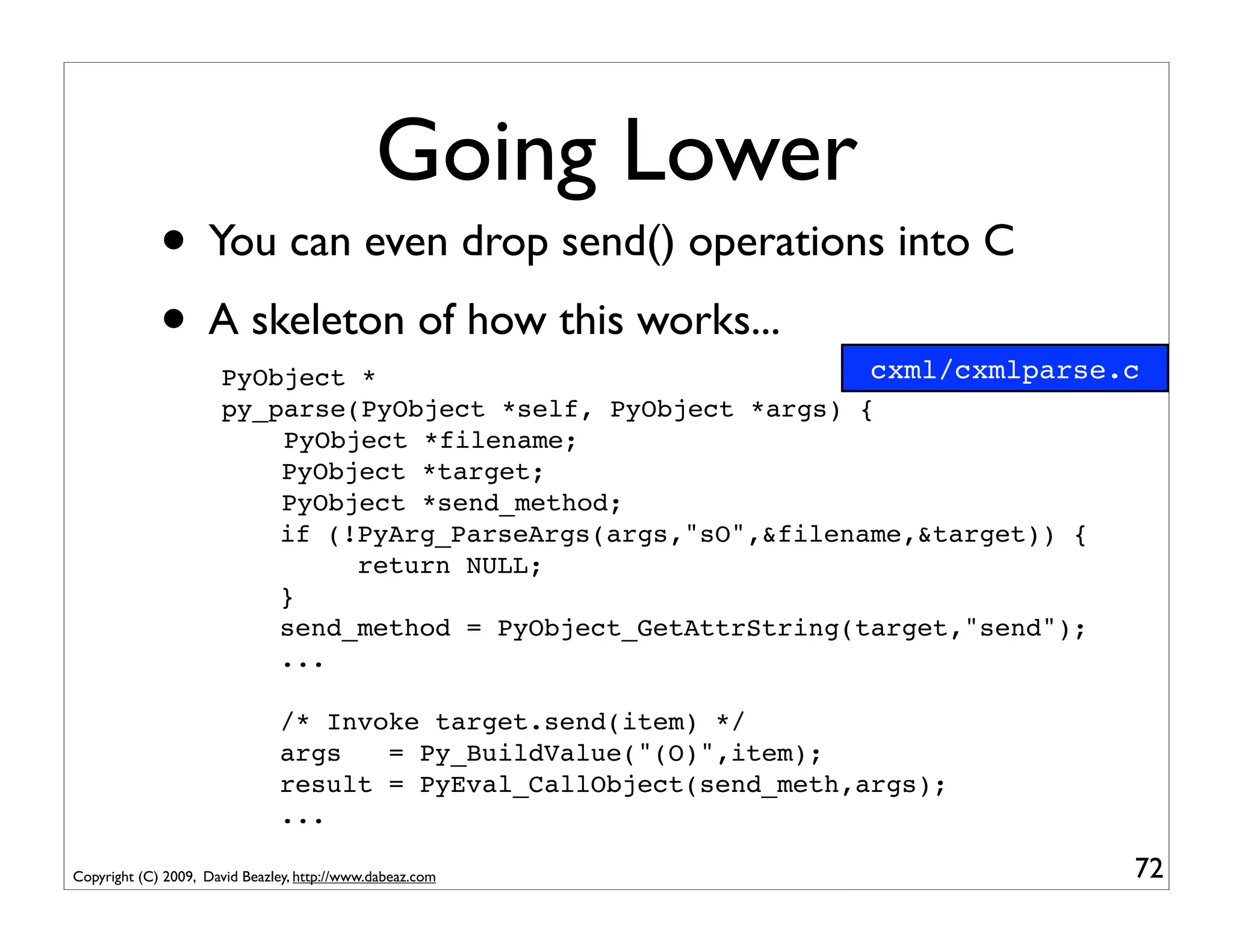
Going Lower
             • You can even drop send() operations into C
             • A skeleton of how this works...                  cxml/cxmlparse.c
                      PyObject *
                      py_parse(PyObject *self, PyObject *args) {
                          PyObject *filename;
                          PyObject *target;
                          PyObject *send_method;
                          if (!PyArg_ParseArgs(args,"sO",&filename,&target)) {
                               return NULL;
                          }
                          send_method = PyObject_GetAttrString(target,"send");
                          ...

                               /* Invoke target.send(item) */
                               args   = Py_BuildValue("(O)",item);
                               result = PyEval_CallObject(send_meth,args);
                               ...

Copyright (C) 2009, David Beazley, http://www.dabeaz.com                       72
Performance Contest
              • Expat version
                     expat_parse(open("allroutes.xml"),
                         buses_to_dicts(
                         filter_on_field("route","22",                   4.51s
                         filter_on_field("direction","North Bound",
                         bus_locations())))))


              • A custom C extension written directly on top
                     of the expat C library (code not shown)
                     cxmlparse.parse("allroutes.xml",
                         buses_to_dicts(
                         filter_on_field("route","22",                   2.95s
                         filter_on_field("direction","North Bound",
                         bus_locations())))))                         (55% speedup)


Copyright (C) 2009, David Beazley, http://www.dabeaz.com                              73
Interlude
             • ElementTree has fast incremental XML parsing
                  from xml.etree.cElementTree import iterparse         iterbus.py

                  for event,elem in iterparse("allroutes.xml",('start','end')):
                      if event == 'start' and elem.tag == 'buses':
                          buses = elem
                      elif event == 'end' and elem.tag == 'bus':
                          busdict = dict((child.tag,child.text)
                                          for child in elem)
                          if (busdict['route'] == '22' and
                              busdict['direction'] == 'North Bound'):
                              print "%(id)s,%(route)s,"%(direction)s","
                                    "%(latitude)s,%(longitude)s" % busdict
                          buses.remove(elem)
                                                                         3.04s

               • Observe: Coroutines are in the same range
Copyright (C) 2009, David Beazley, http://www.dabeaz.com                            74
Part 4
              From Data Processing to Concurrent Programming


Copyright (C) 2009, David Beazley, http://www.dabeaz.com            75
The Story So Far
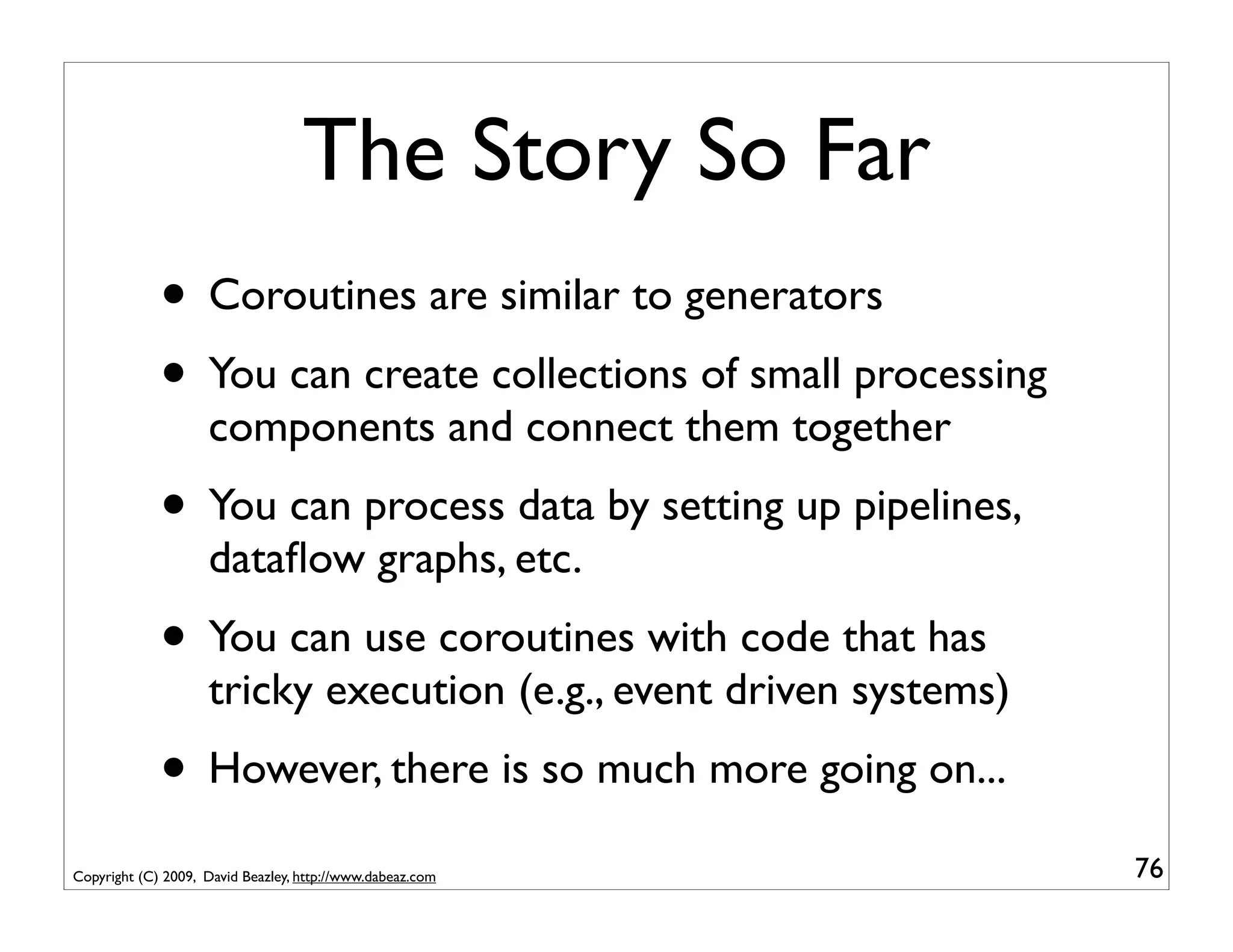
             • Coroutines are similar to generators
             • You can create collections of small processing
                    components and connect them together
             • You can process data by setting up pipelines,
                    dataflow graphs, etc.
             • You can use coroutines with code that has
                    tricky execution (e.g., event driven systems)
             • However, there is so much more going on...
Copyright (C) 2009, David Beazley, http://www.dabeaz.com            76
A Common Theme

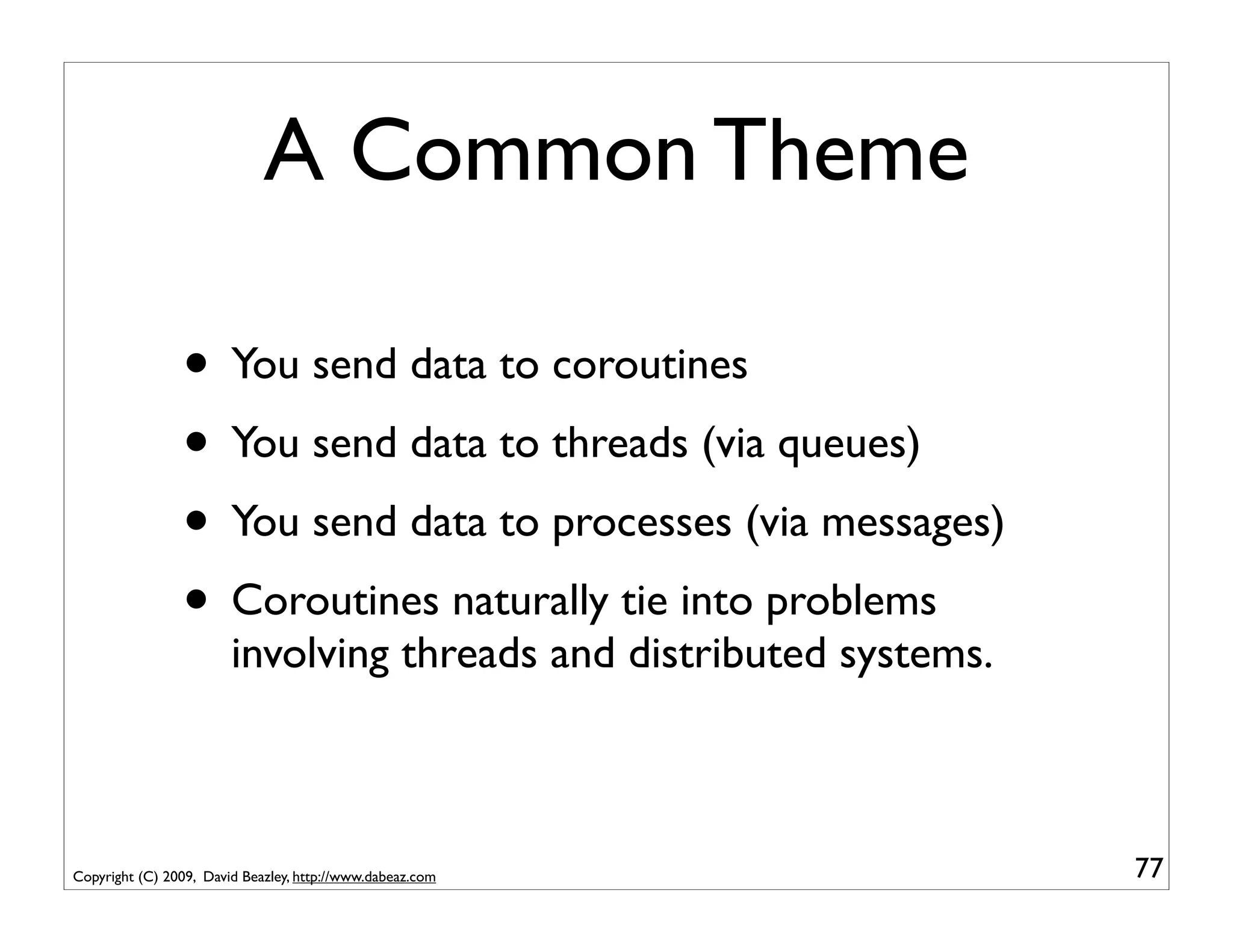
                • You send data to coroutines
                • You send data to threads (via queues)
                • You send data to processes (via messages)
                • Coroutines naturally tie into problems
                        involving threads and distributed systems.


Copyright (C) 2009, David Beazley, http://www.dabeaz.com             77
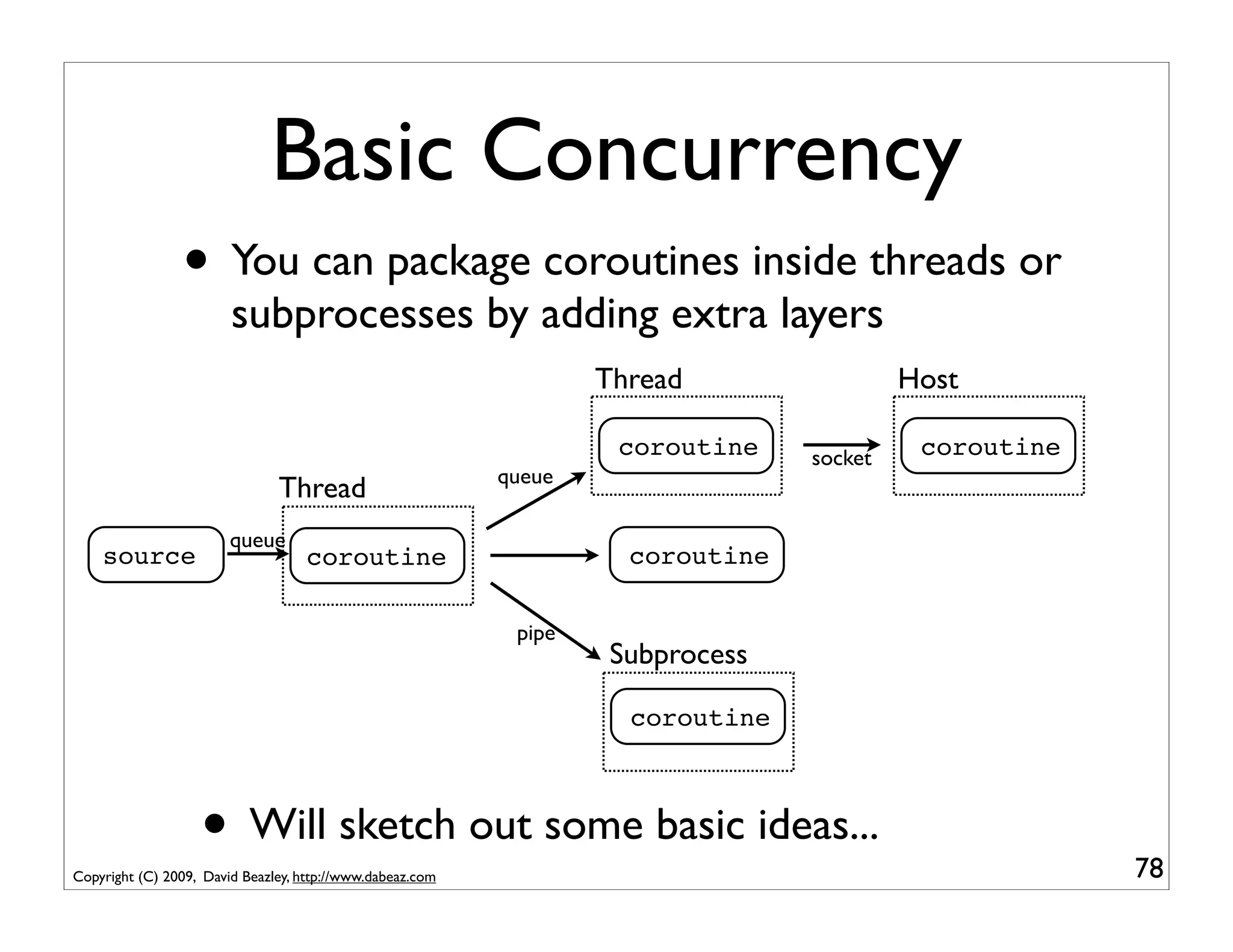
Basic Concurrency
                • You can package coroutines inside threads or
                        subprocesses by adding extra layers
                                                                   Thread                 Host

                                                                    coroutine    socket    coroutine
                                                           queue
                               Thread
                        queue
    source                          coroutine                        coroutine

                                                            pipe
                                                                    Subprocess

                                                                     coroutine


                   • Will sketch out some basic ideas...
Copyright (C) 2009, David Beazley, http://www.dabeaz.com                                               78
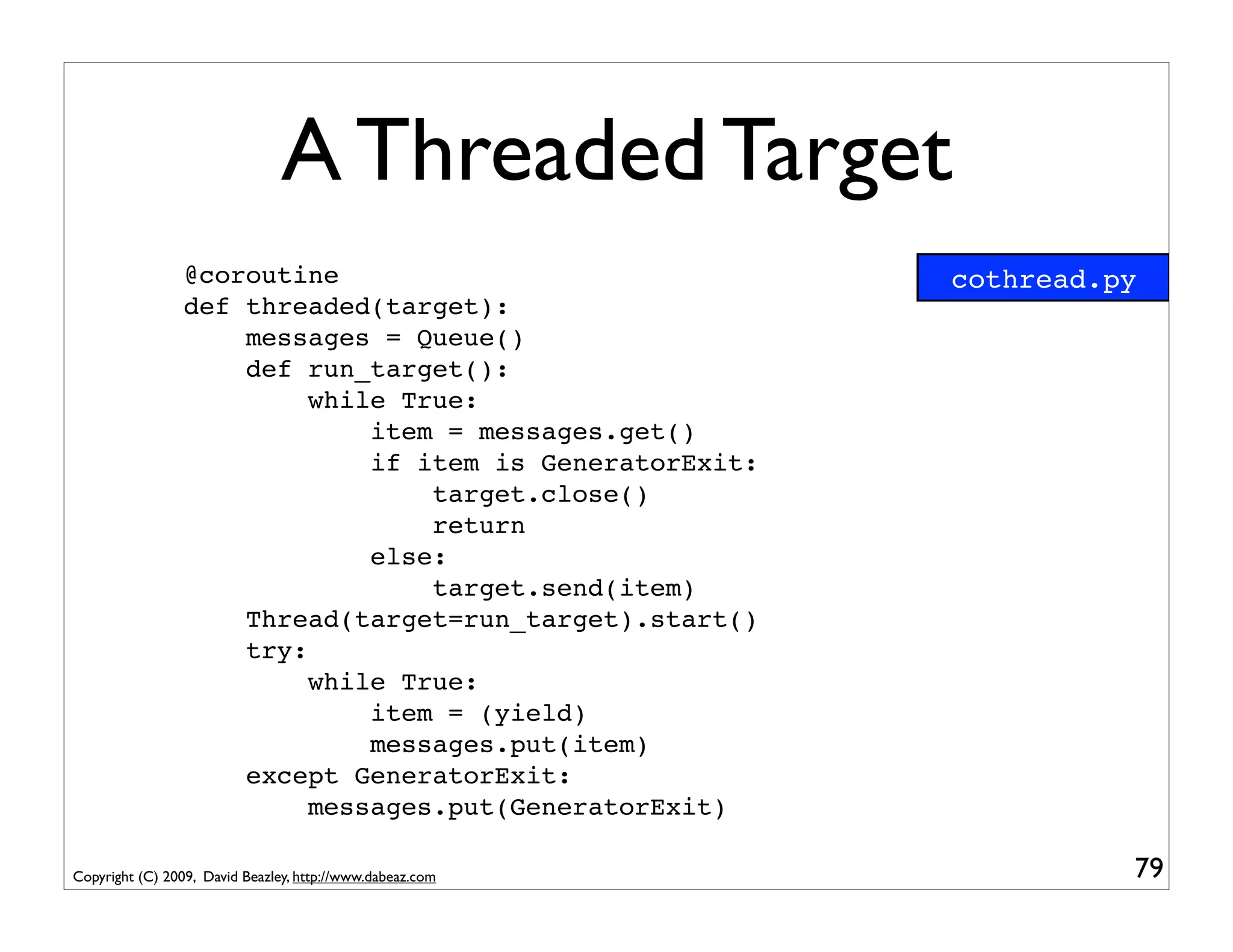
A Threaded Target
                 @coroutine                                cothread.py
                 def threaded(target):
                     messages = Queue()
                     def run_target():
                          while True:
                              item = messages.get()
                              if item is GeneratorExit:
                                  target.close()
                                  return
                              else:
                                  target.send(item)
                     Thread(target=run_target).start()
                     try:
                          while True:
                              item = (yield)
                              messages.put(item)
                     except GeneratorExit:
                          messages.put(GeneratorExit)

Copyright (C) 2009, David Beazley, http://www.dabeaz.com             79
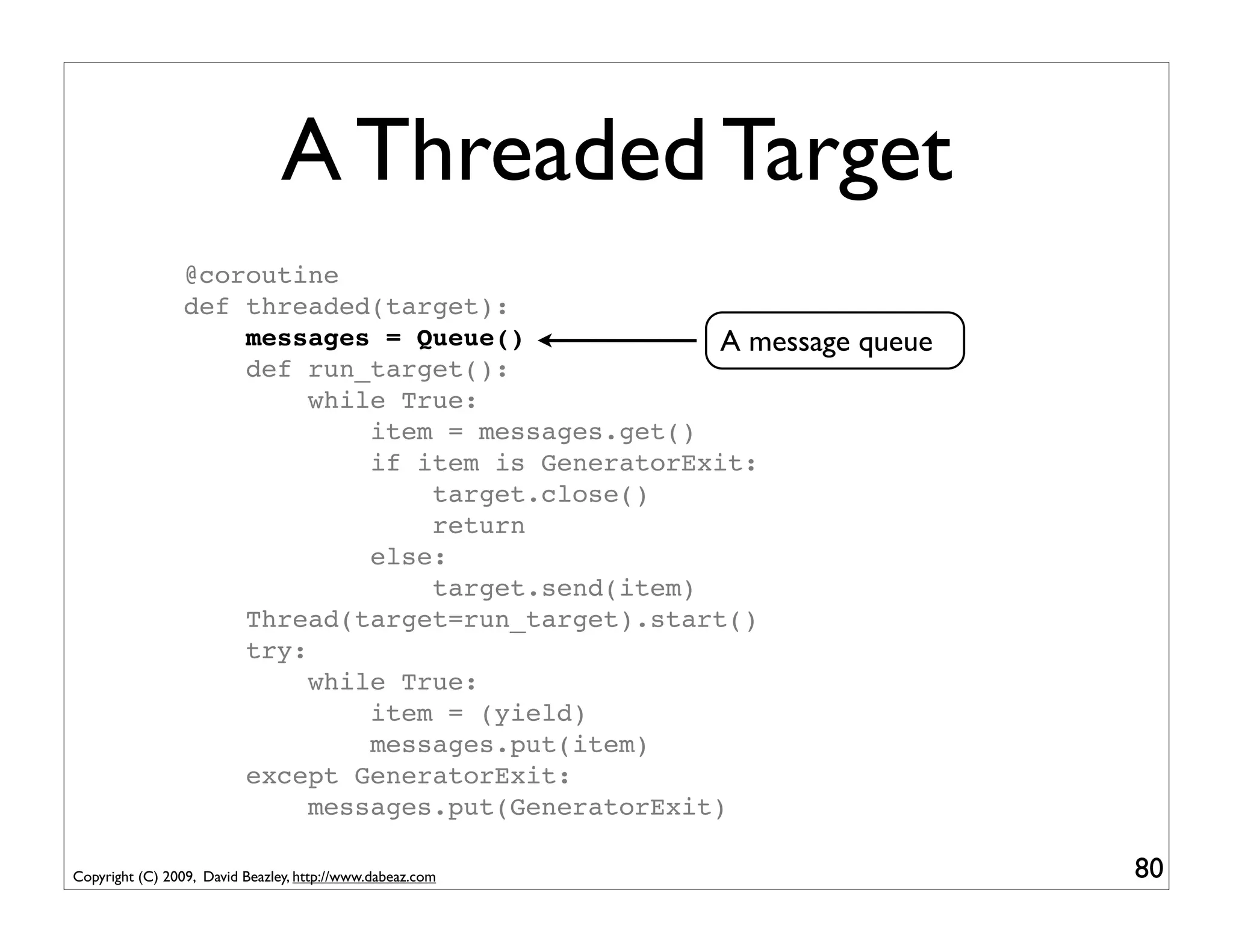
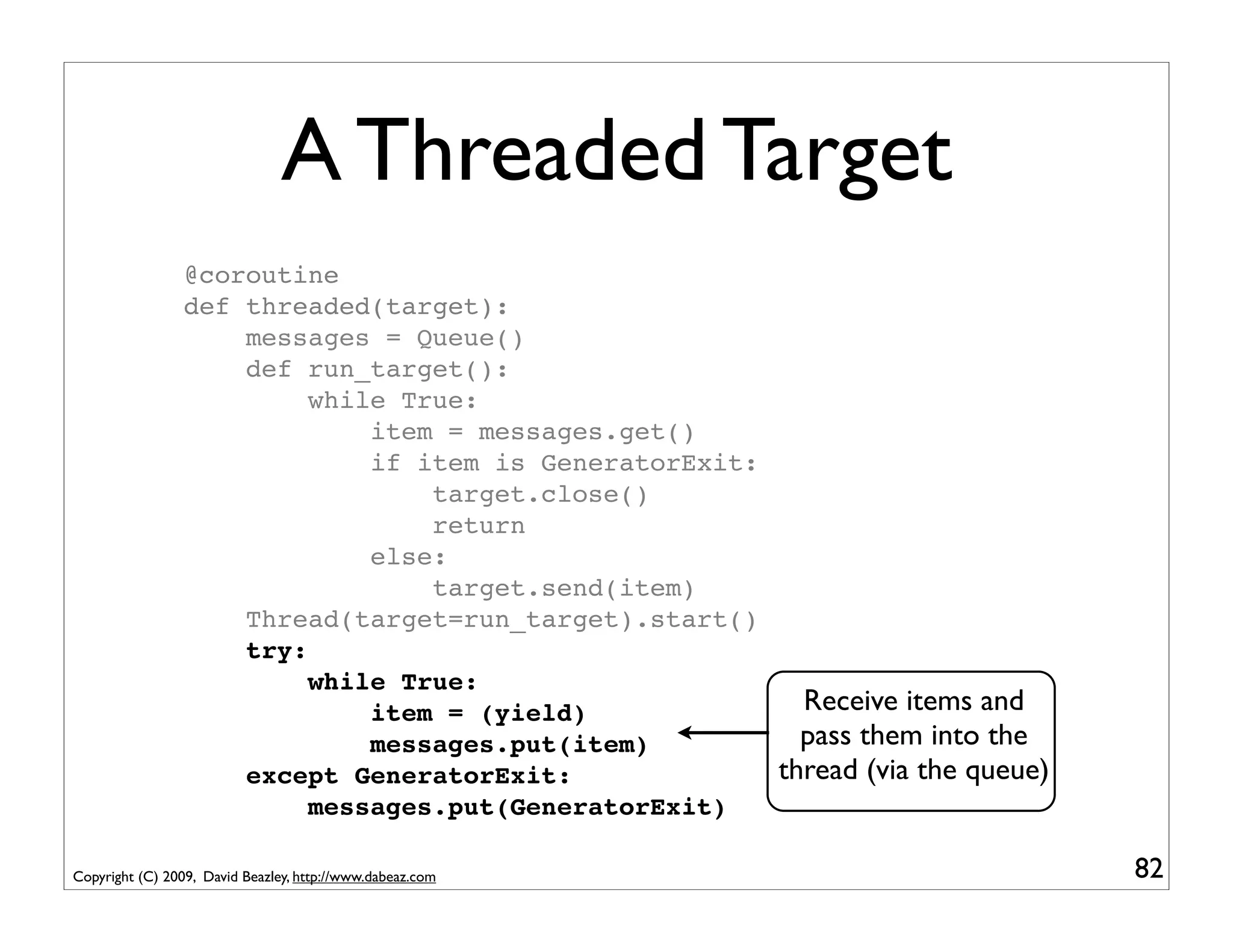
A Threaded Target
                 @coroutine
                 def threaded(target):
                     messages = Queue()              A message queue
                     def run_target():
                          while True:
                              item = messages.get()
                              if item is GeneratorExit:
                                  target.close()
                                  return
                              else:
                                  target.send(item)
                     Thread(target=run_target).start()
                     try:
                          while True:
                              item = (yield)
                              messages.put(item)
                     except GeneratorExit:
                          messages.put(GeneratorExit)

Copyright (C) 2009, David Beazley, http://www.dabeaz.com               80
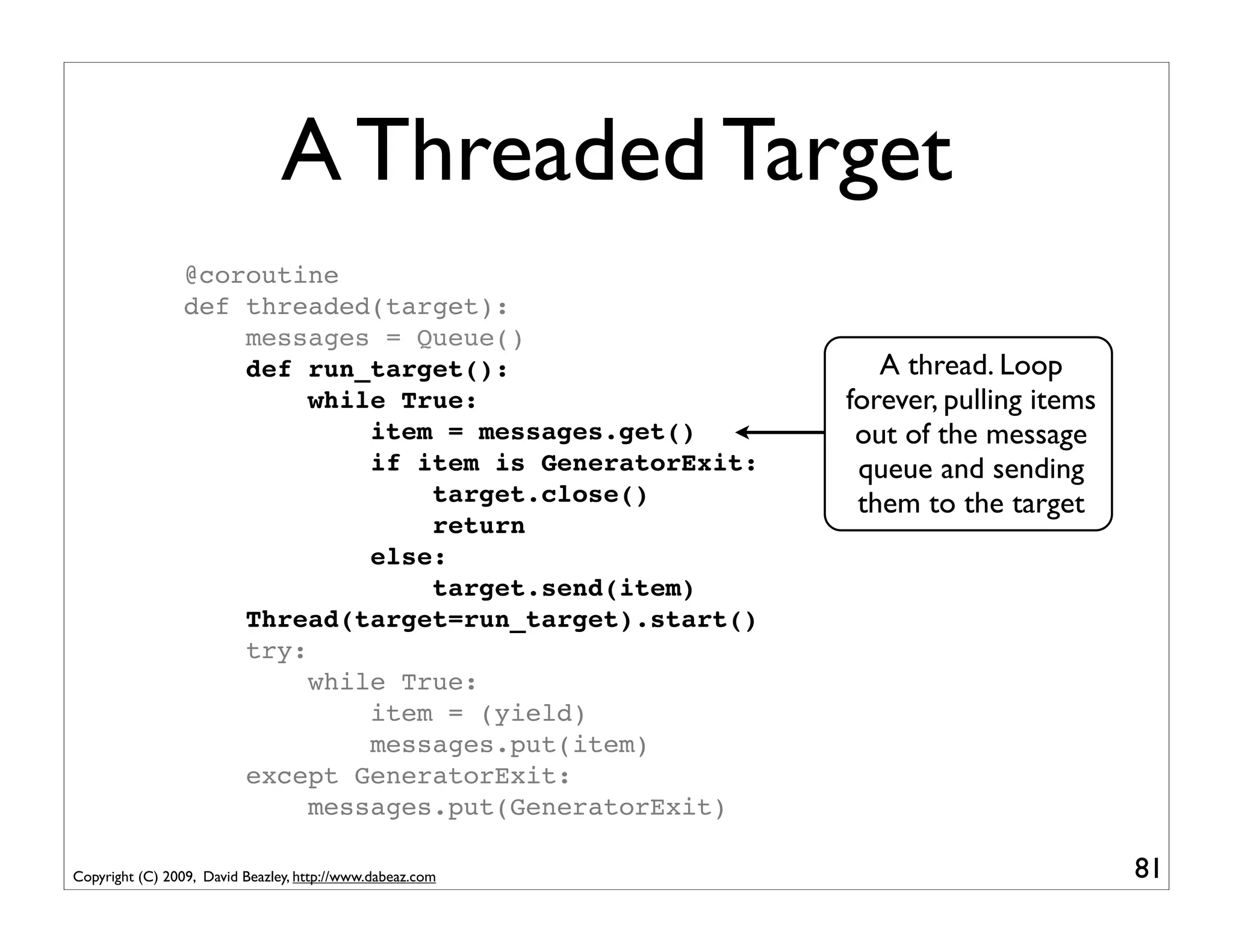
A Threaded Target
                 @coroutine
                 def threaded(target):
                     messages = Queue()
                     def run_target():                        A thread. Loop
                          while True:                      forever, pulling items
                              item = messages.get()         out of the message
                              if item is GeneratorExit:     queue and sending
                                  target.close()            them to the target
                                  return
                              else:
                                  target.send(item)
                     Thread(target=run_target).start()
                     try:
                          while True:
                              item = (yield)
                              messages.put(item)
                     except GeneratorExit:
                          messages.put(GeneratorExit)

Copyright (C) 2009, David Beazley, http://www.dabeaz.com                            81
A Threaded Target
                 @coroutine
                 def threaded(target):
                     messages = Queue()
                     def run_target():
                          while True:
                              item = messages.get()
                              if item is GeneratorExit:
                                  target.close()
                                  return
                              else:
                                  target.send(item)
                     Thread(target=run_target).start()
                     try:
                          while True:
                              item = (yield)              Receive items and
                              messages.put(item)          pass them into the
                     except GeneratorExit:              thread (via the queue)
                          messages.put(GeneratorExit)

Copyright (C) 2009, David Beazley, http://www.dabeaz.com                         82
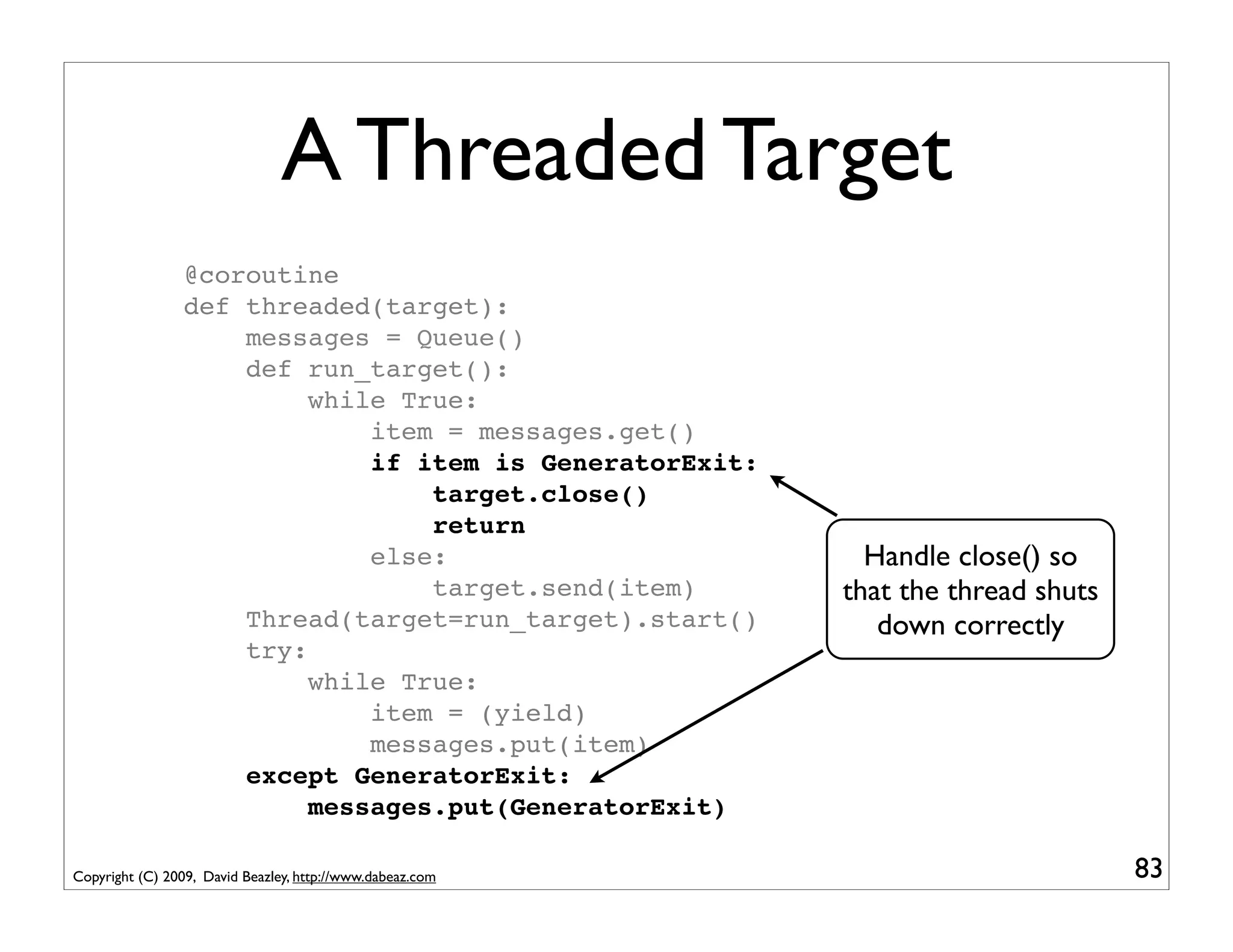
A Threaded Target
                 @coroutine
                 def threaded(target):
                     messages = Queue()
                     def run_target():
                          while True:
                              item = messages.get()
                              if item is GeneratorExit:
                                  target.close()
                                  return
                              else:                          Handle close() so
                                  target.send(item)        that the thread shuts
                     Thread(target=run_target).start()        down correctly
                     try:
                          while True:
                              item = (yield)
                              messages.put(item)
                     except GeneratorExit:
                          messages.put(GeneratorExit)

Copyright (C) 2009, David Beazley, http://www.dabeaz.com                           83
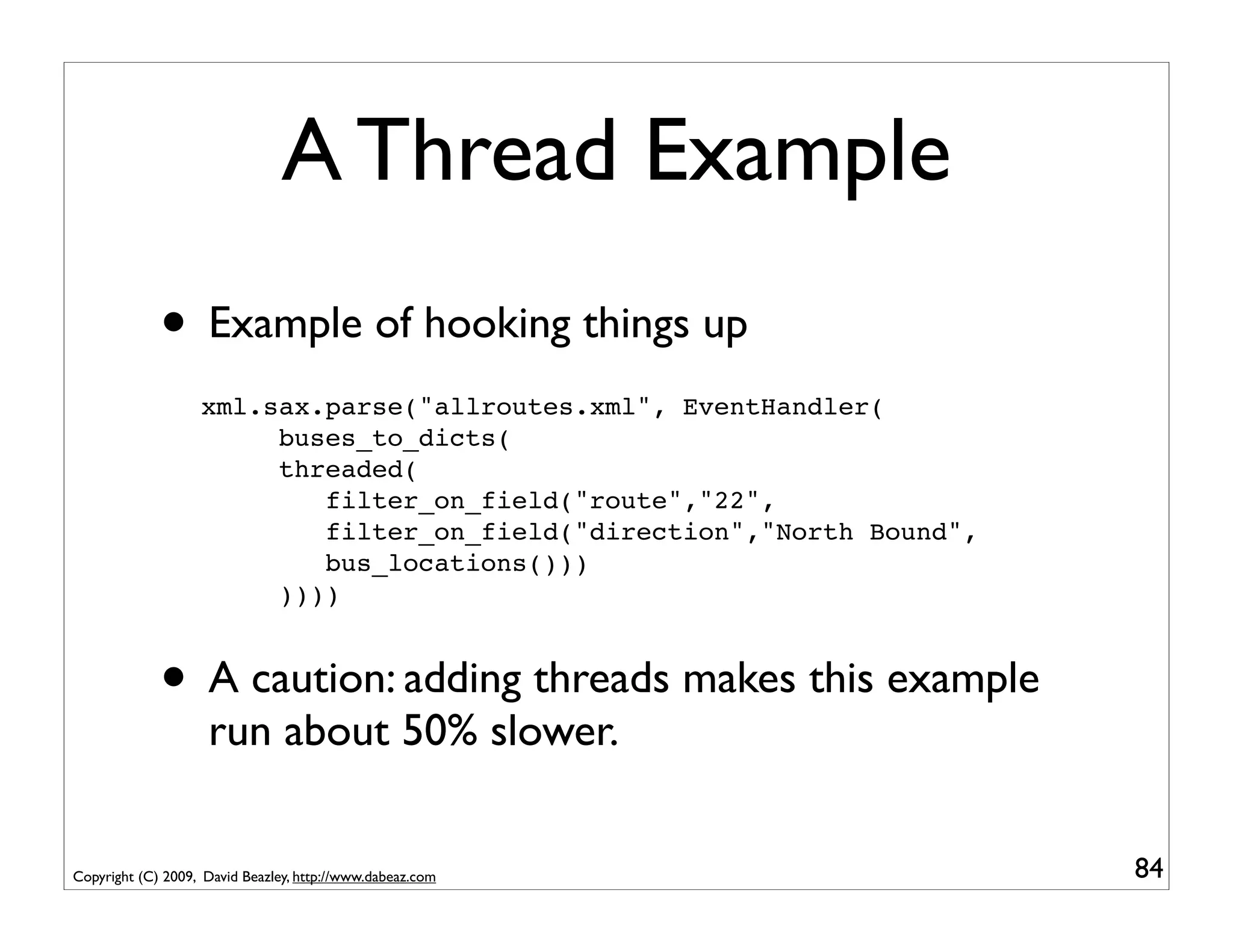
A Thread Example
             • Example of hooking things up
                   xml.sax.parse("allroutes.xml", EventHandler(
                        buses_to_dicts(
                        threaded(
                           filter_on_field("route","22",
                           filter_on_field("direction","North Bound",
                           bus_locations()))
                        ))))


             • A caution: adding threads makes this example
                    run about 50% slower.


Copyright (C) 2009, David Beazley, http://www.dabeaz.com                84
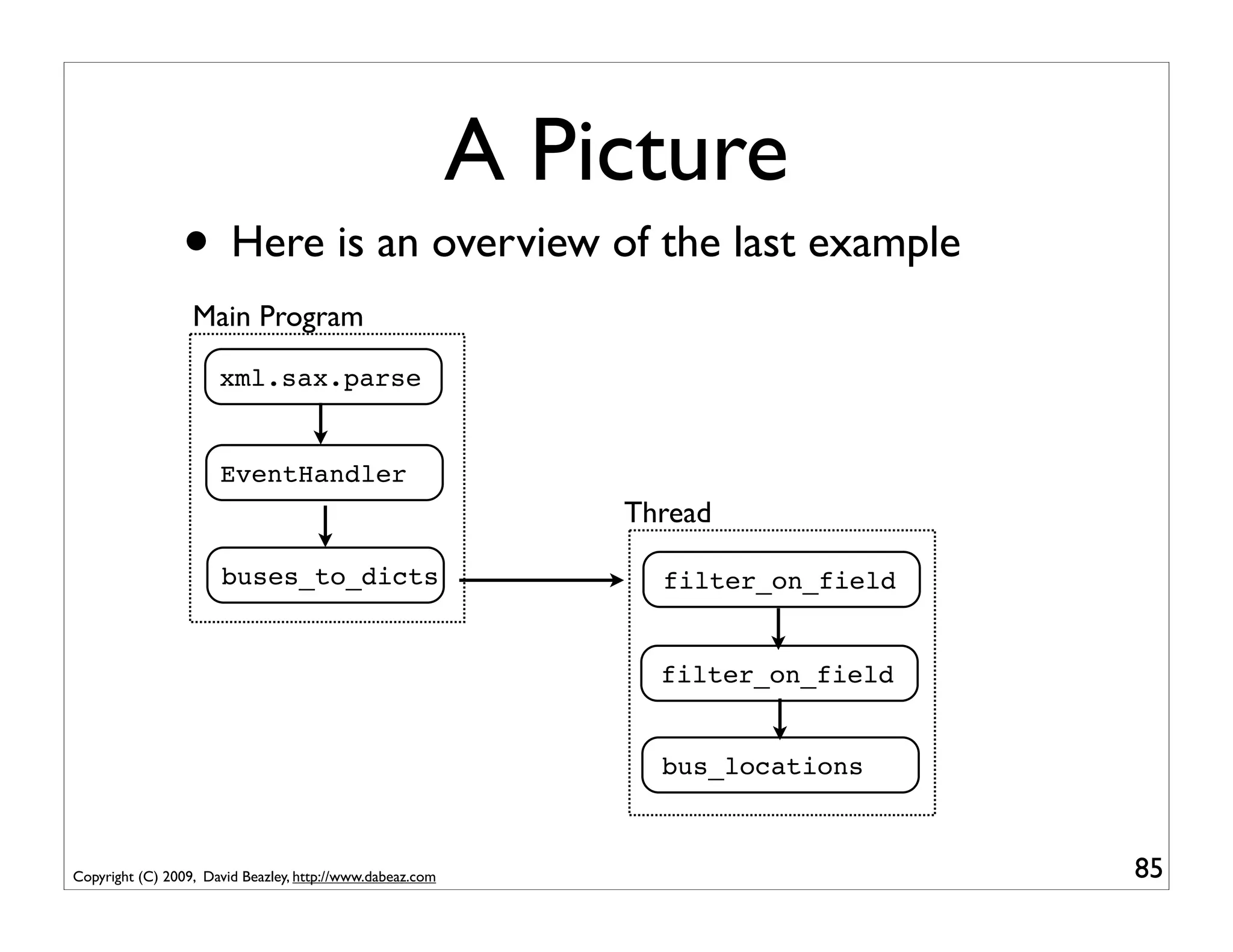
A Picture
                • Here is an overview of the last example
                  Main Program
                      xml.sax.parse


                      EventHandler
                                                               Thread

                      buses_to_dicts                             filter_on_field


                                                                 filter_on_field


                                                                 bus_locations


Copyright (C) 2009, David Beazley, http://www.dabeaz.com                           85
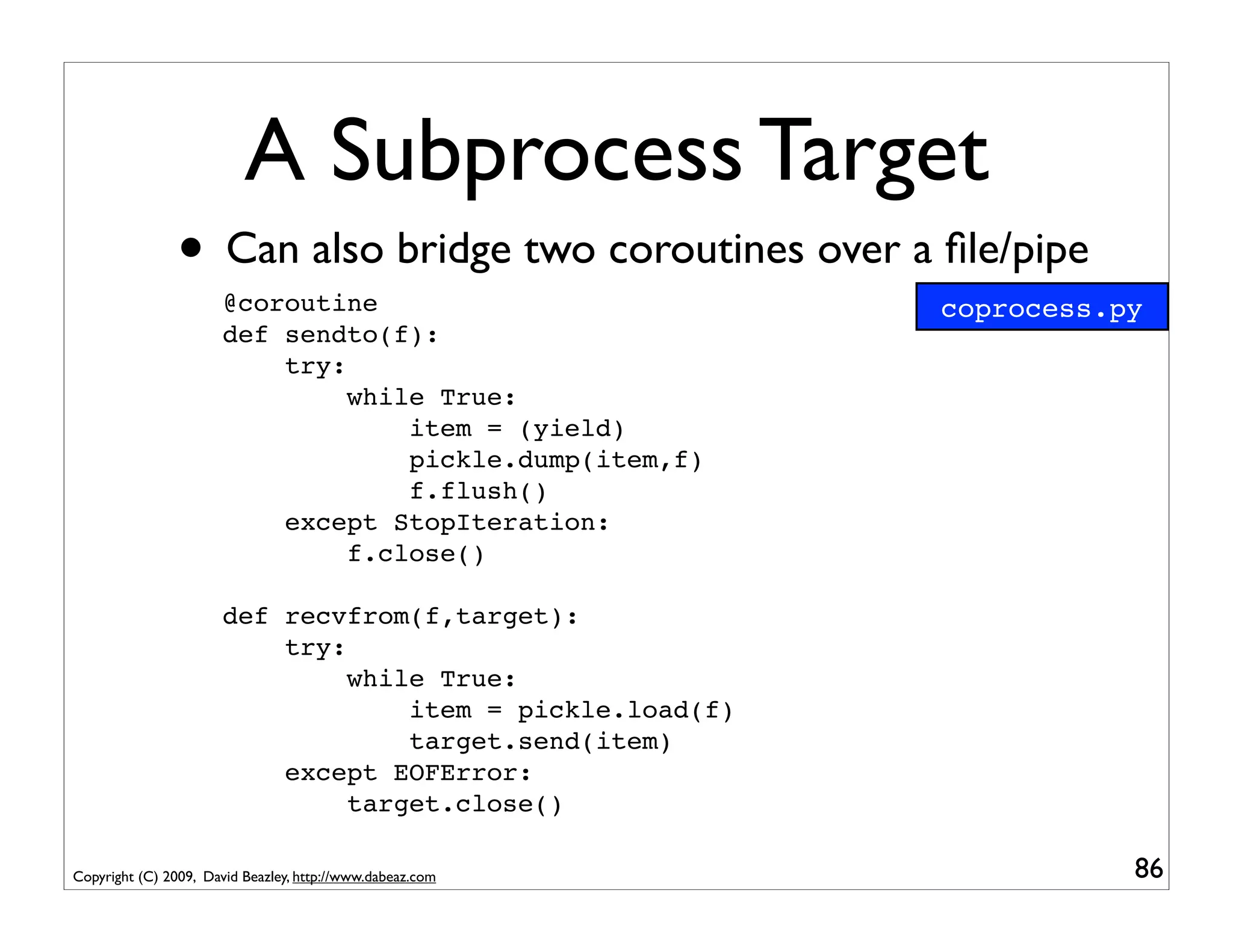
A Subprocess Target
                • Can also bridge two coroutines over a file/pipe
                       @coroutine                           coprocess.py
                       def sendto(f):
                           try:
                                while True:
                                    item = (yield)
                                    pickle.dump(item,f)
                                    f.flush()
                           except StopIteration:
                                f.close()

                       def recvfrom(f,target):
                           try:
                                while True:
                                    item = pickle.load(f)
                                    target.send(item)
                           except EOFError:
                                target.close()

Copyright (C) 2009, David Beazley, http://www.dabeaz.com               86
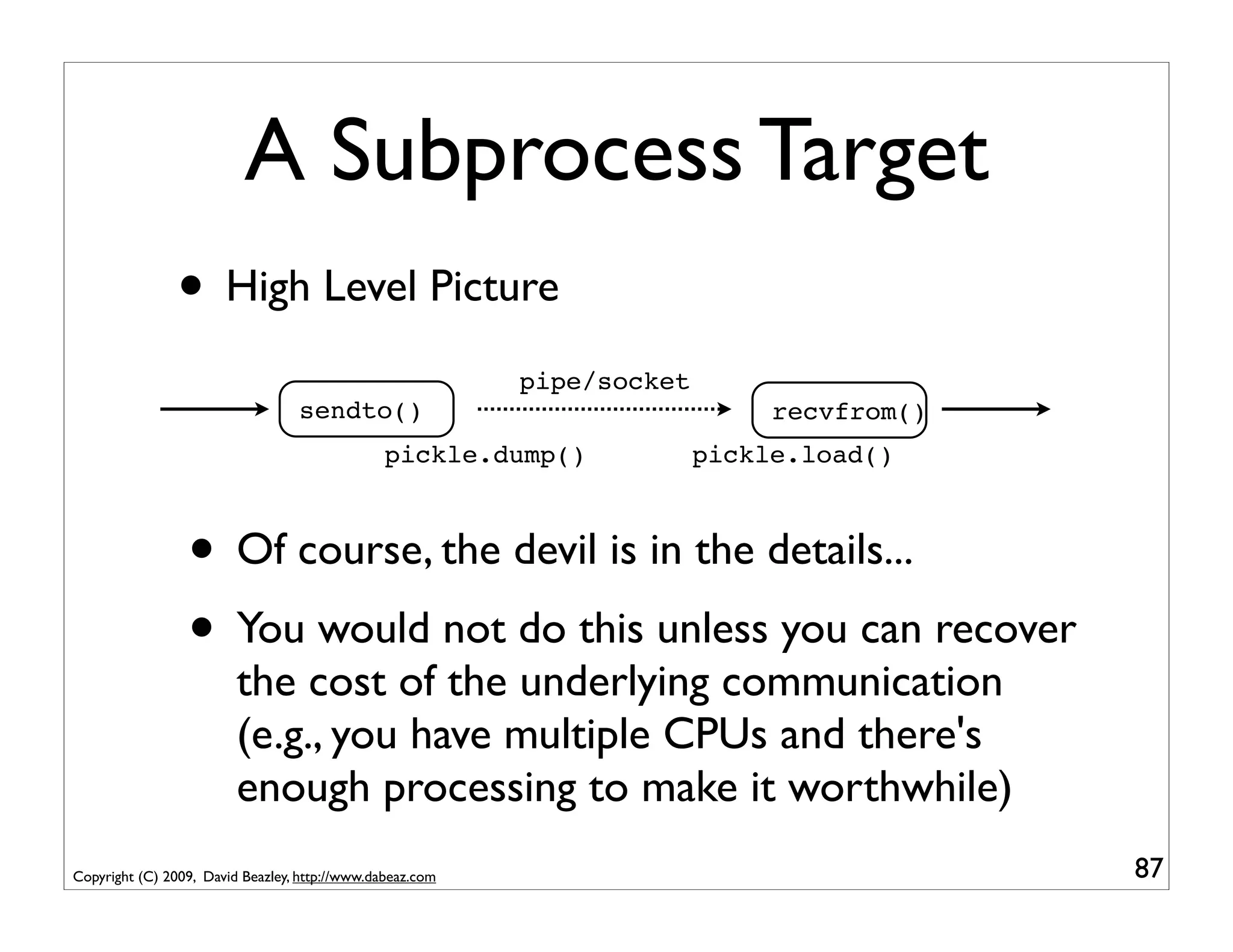
A Subprocess Target
                • High Level Picture
                                                           pipe/socket
                                  sendto()                                    recvfrom()
                                                pickle.dump()            pickle.load()


                 • Of course, the devil is in the details...
                 • You would not do this unless you can recover
                         the cost of the underlying communication
                         (e.g., you have multiple CPUs and there's
                         enough processing to make it worthwhile)
Copyright (C) 2009, David Beazley, http://www.dabeaz.com                                   87
Implementation vs. Environ

                • With coroutines, you can separate the
                        implementation of a task from its execution
                        environment
                • The coroutine is the implementation
                • The environment is whatever you choose
                        (threads, subprocesses, network, etc.)


Copyright (C) 2009, David Beazley, http://www.dabeaz.com              88
A Caution
                • Creating huge collections of coroutines,
                       threads, and processes might be a good way to
                       create an unmaintainable application (although
                       it might increase your job security)
                • And it might make your program run slower!
                • You need to carefully study the problem to
                       know if any of this is a good idea


Copyright (C) 2009, David Beazley, http://www.dabeaz.com                89
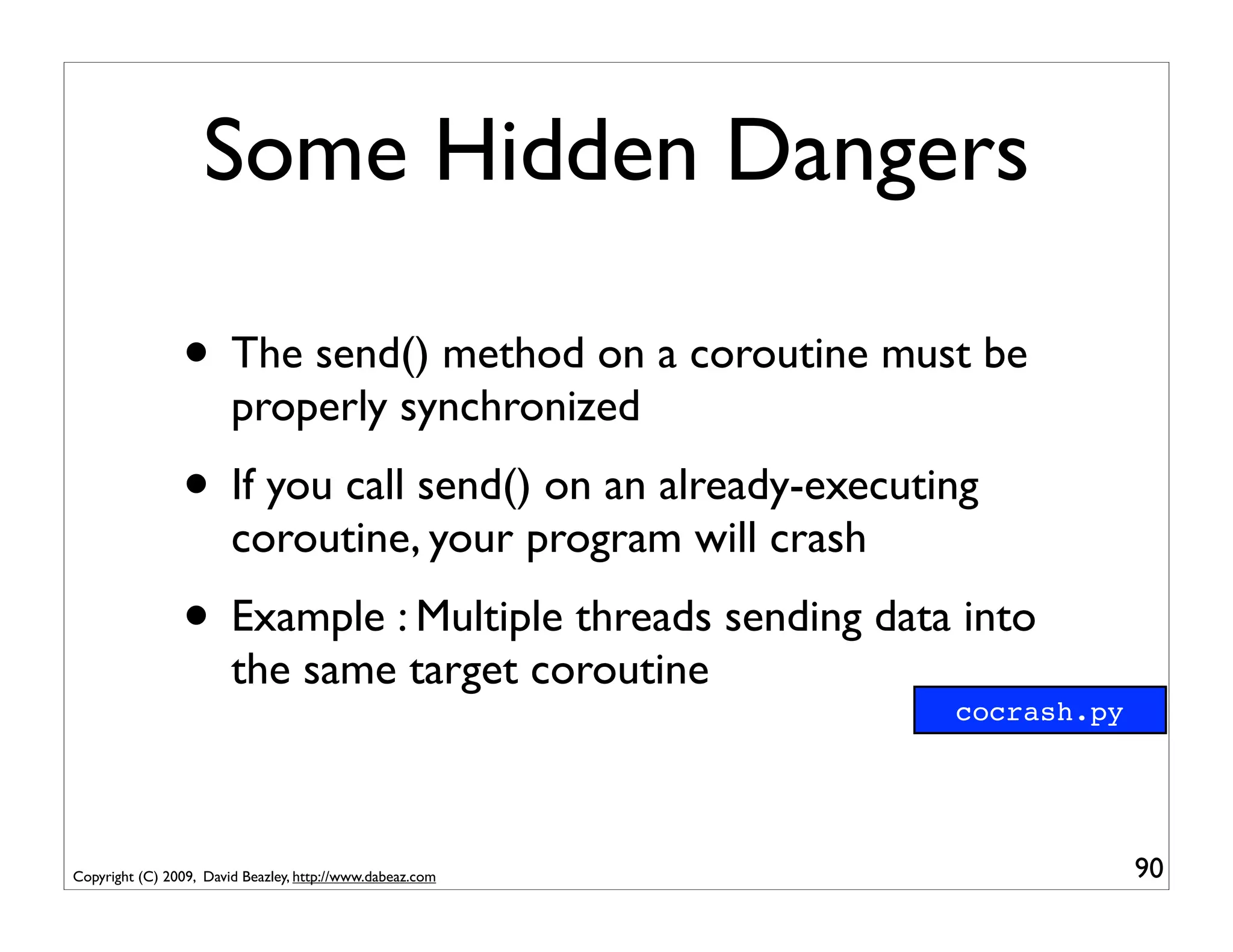
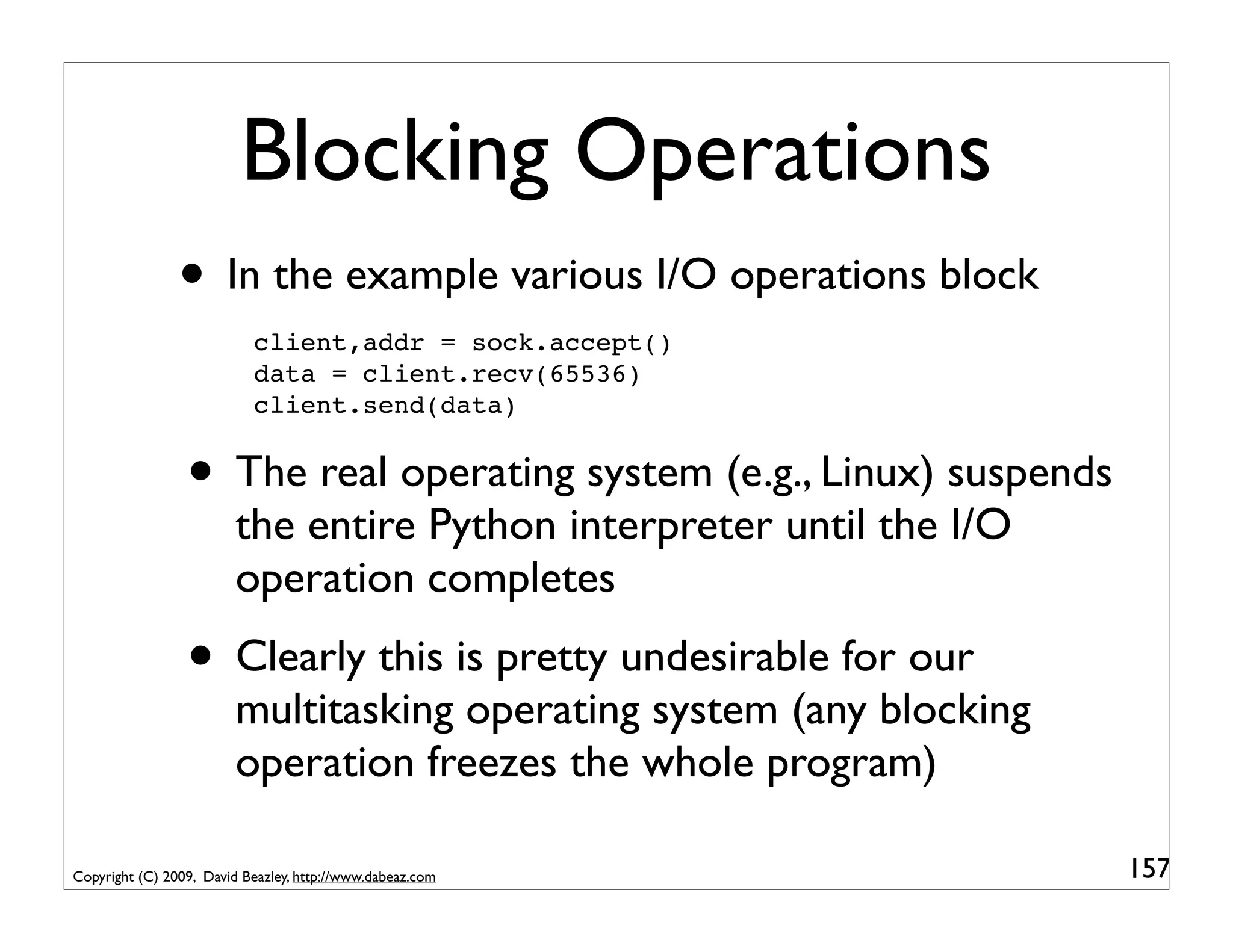
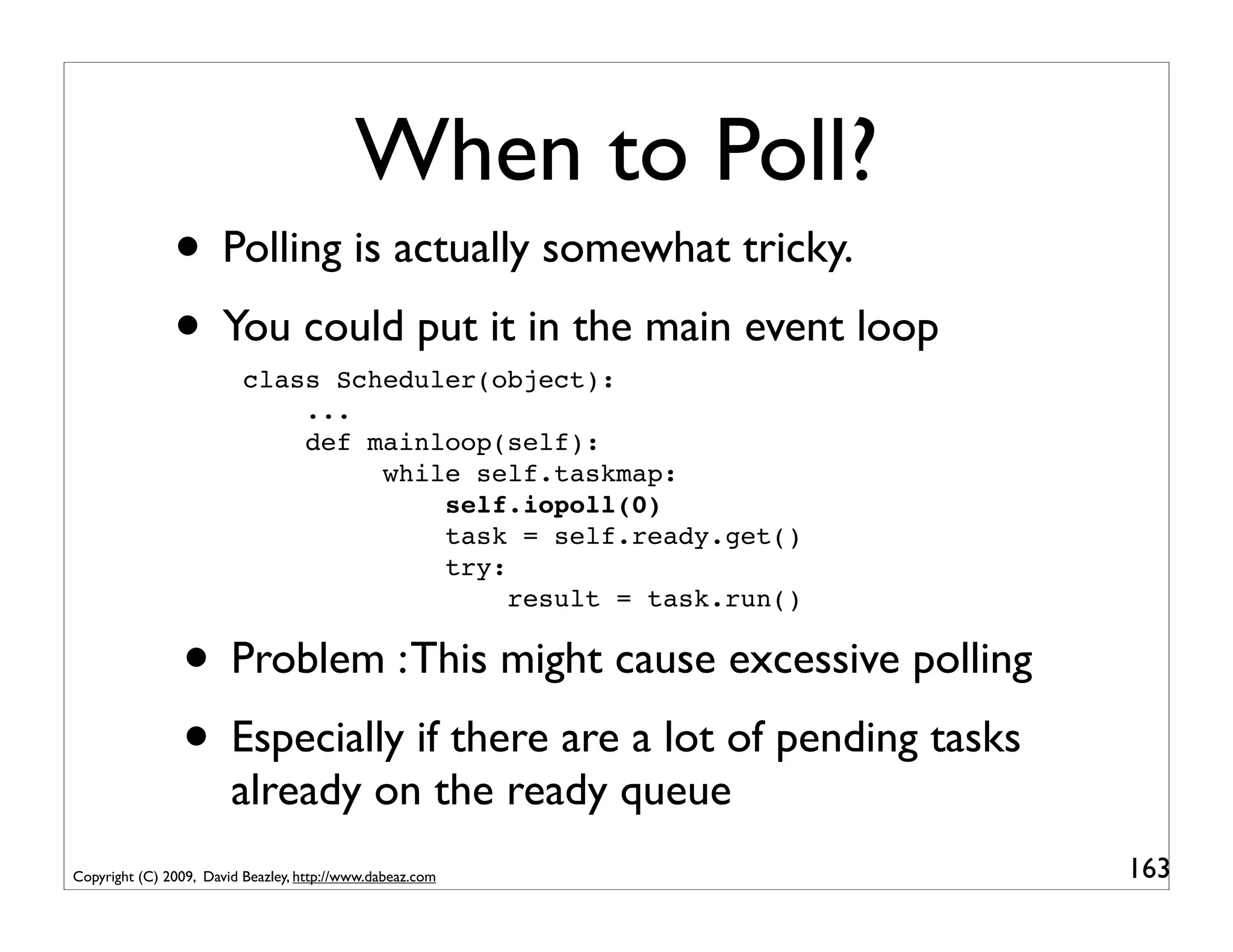
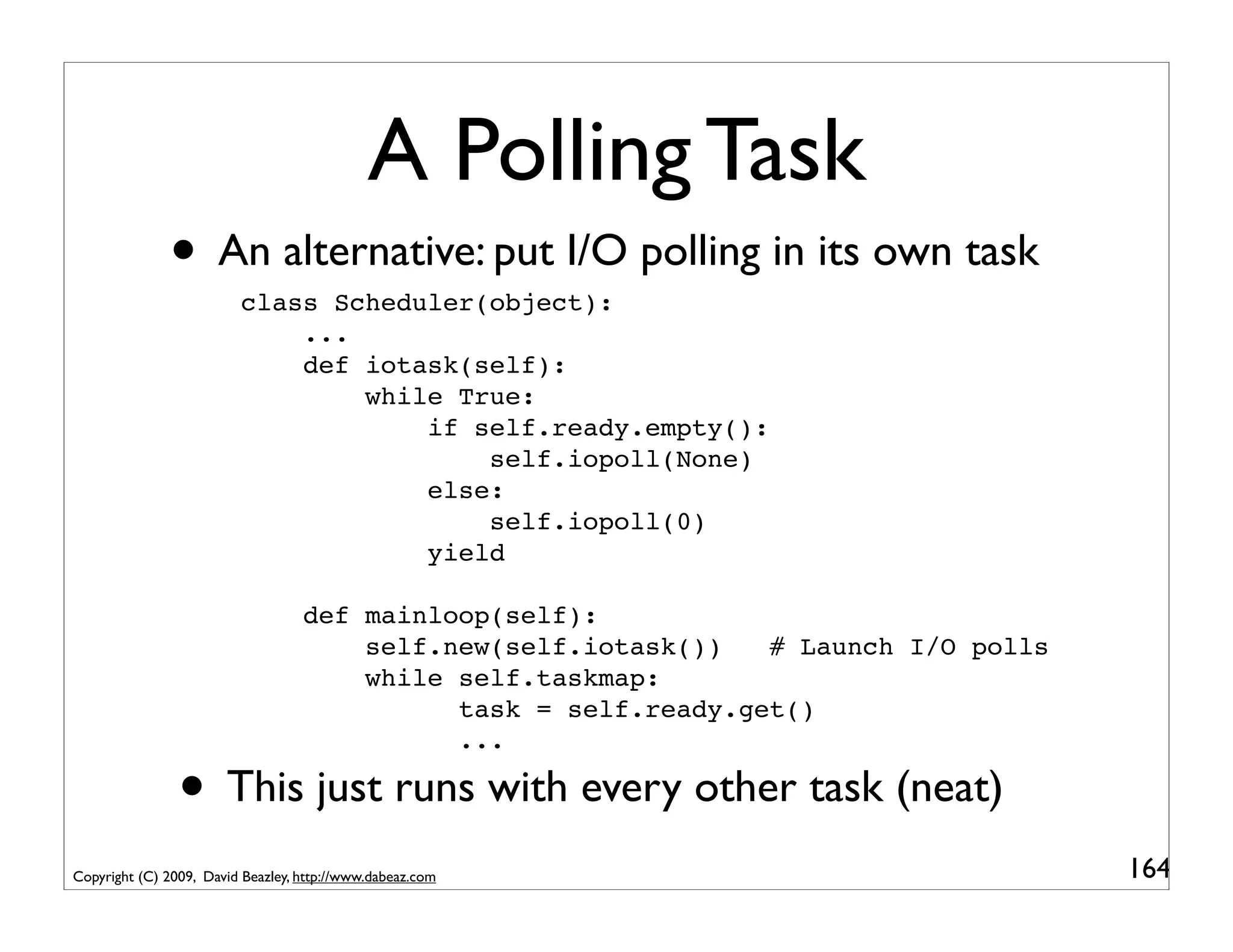
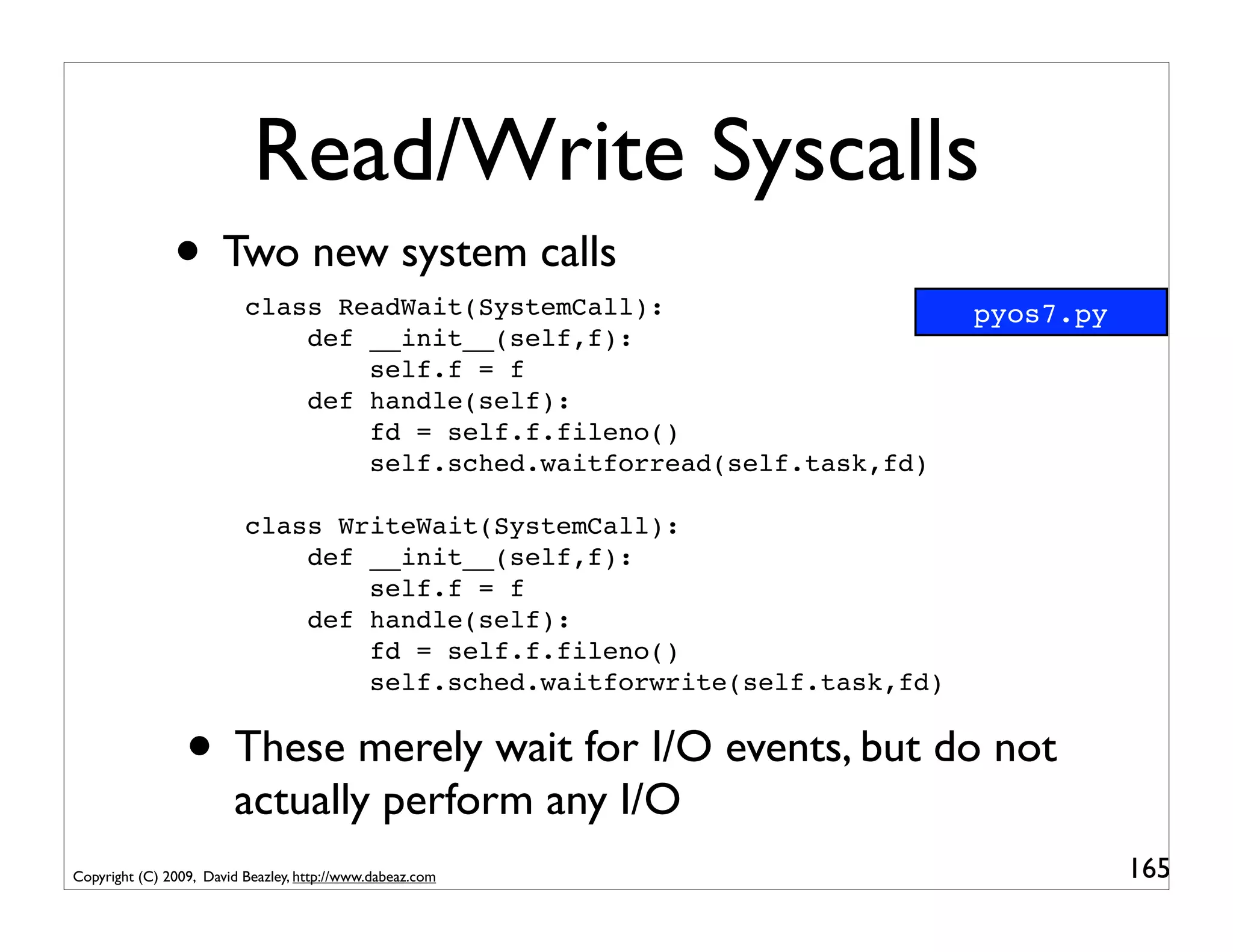
Some Hidden Dangers

                • The send() method on a coroutine must be
                        properly synchronized
                • If you call send() on an already-executing
                        coroutine, your program will crash
                • Example : Multiple threads sending data into
                        the same target coroutine
                                                             cocrash.py


Copyright (C) 2009, David Beazley, http://www.dabeaz.com                  90
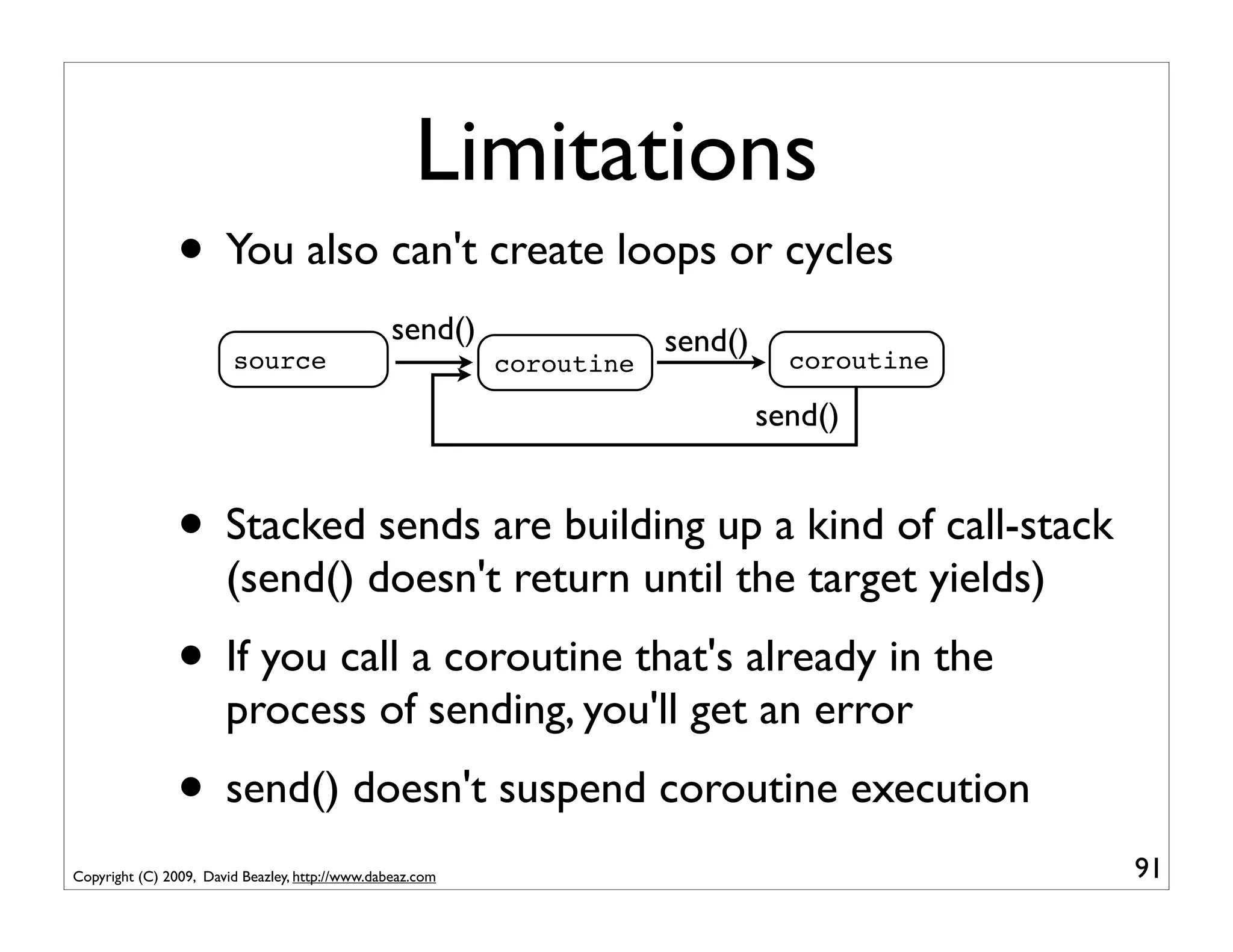
Limitations
                • You also can't create loops or cycles
                                                 send()                send()
                        source                             coroutine              coroutine

                                                                                send()


                • Stacked sends are building up a kind of call-stack
                       (send() doesn't return until the target yields)
                • If you call a coroutine that's already in the
                       process of sending, you'll get an error
                • send() doesn't suspend coroutine execution
Copyright (C) 2009, David Beazley, http://www.dabeaz.com                                      91
Part 5
                                                           Coroutines as Tasks


Copyright (C) 2009, David Beazley, http://www.dabeaz.com                         92
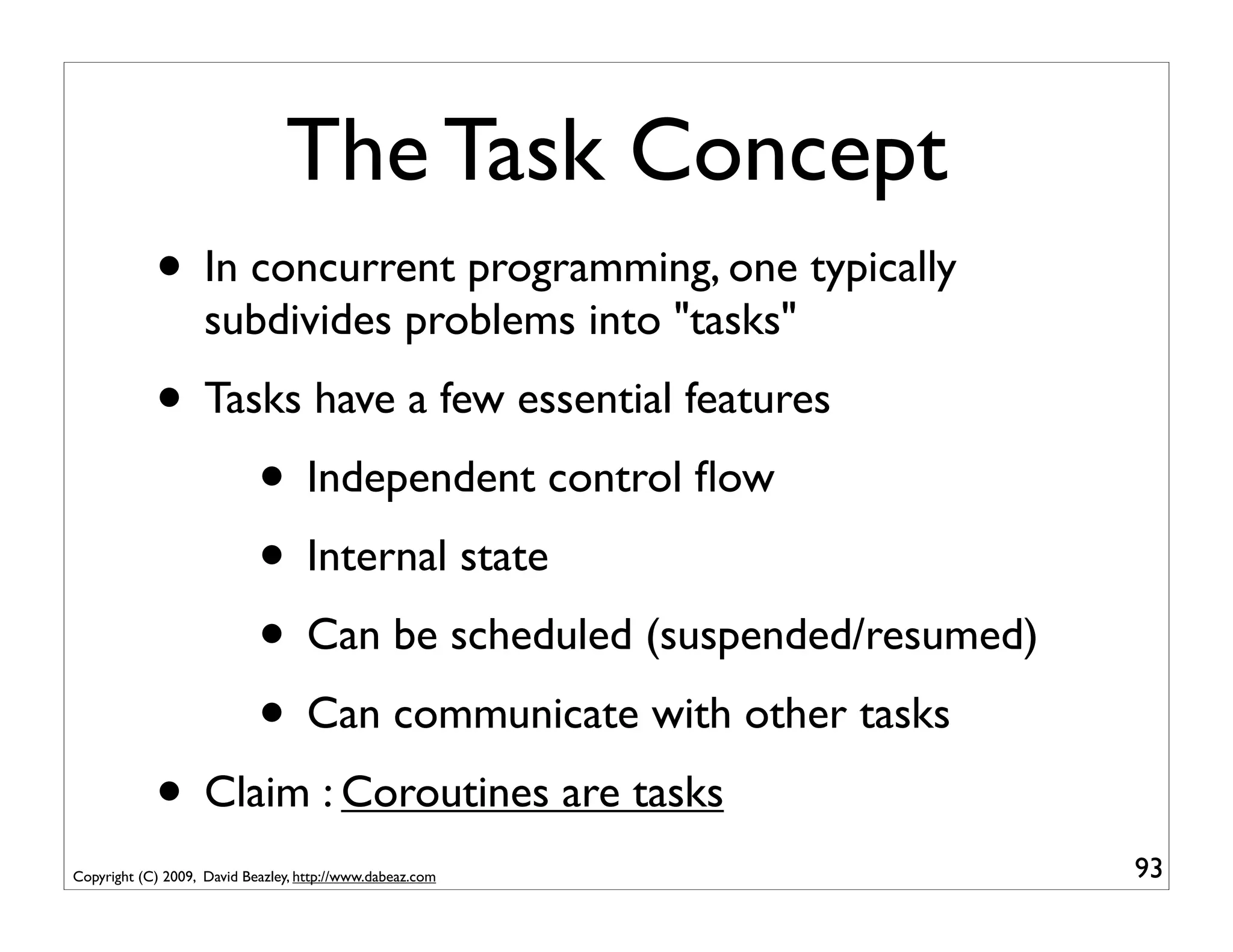
The Task Concept
            • In concurrent programming, one typically
                    subdivides problems into "tasks"
            • Tasks have a few essential features
                 • Independent control flow
                 • Internal state
                 • Can be scheduled (suspended/resumed)
                 • Can communicate with other tasks
            • Claim : Coroutines are tasks
Copyright (C) 2009, David Beazley, http://www.dabeaz.com   93
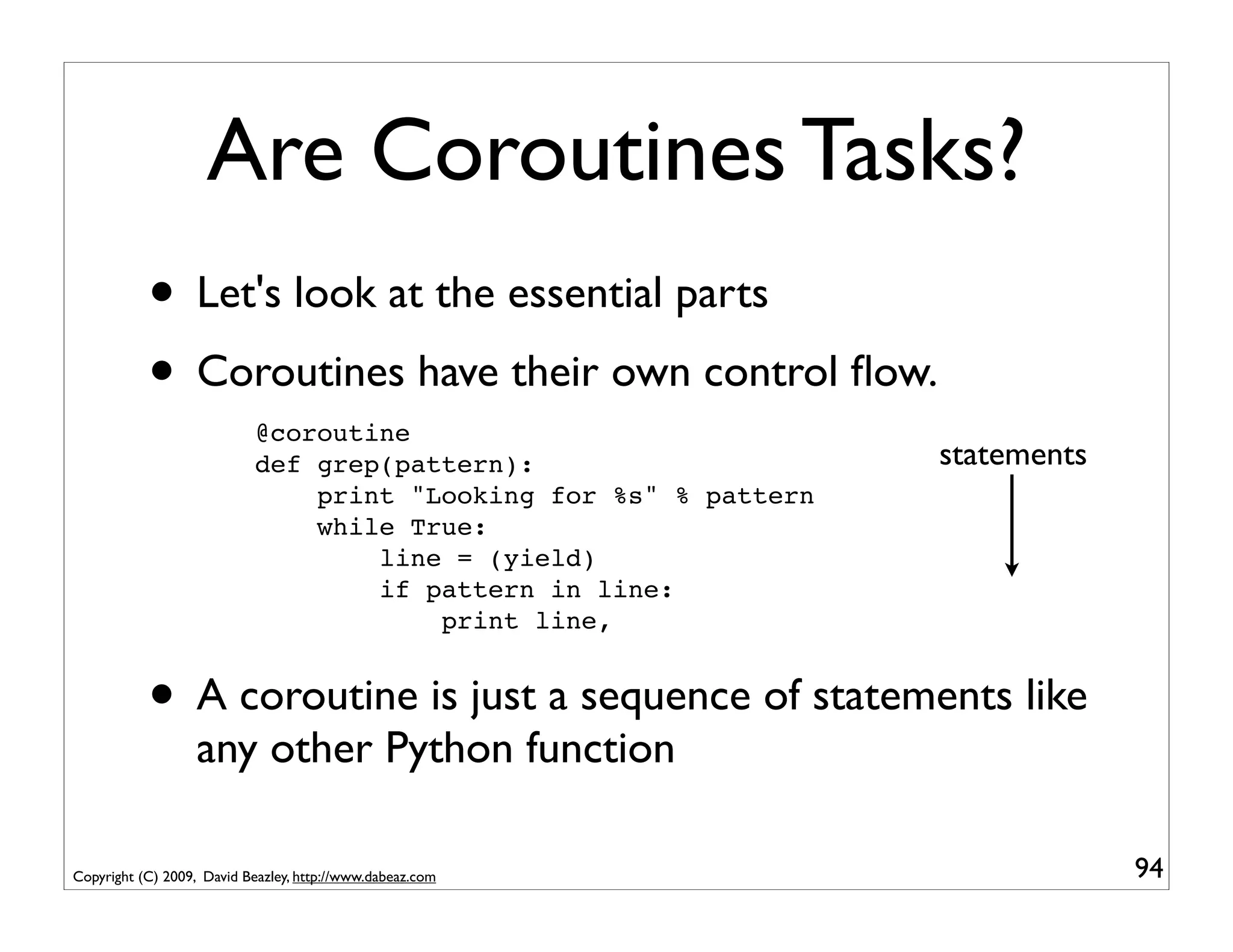
Are Coroutines Tasks?
           • Let's look at the essential parts
           • Coroutines have their own control flow.
                            @coroutine
                            def grep(pattern):                     statements
                                print "Looking for %s" % pattern
                                while True:
                                    line = (yield)
                                    if pattern in line:
                                        print line,


           • A coroutine is just a sequence of statements like
                   any other Python function

Copyright (C) 2009, David Beazley, http://www.dabeaz.com                        94
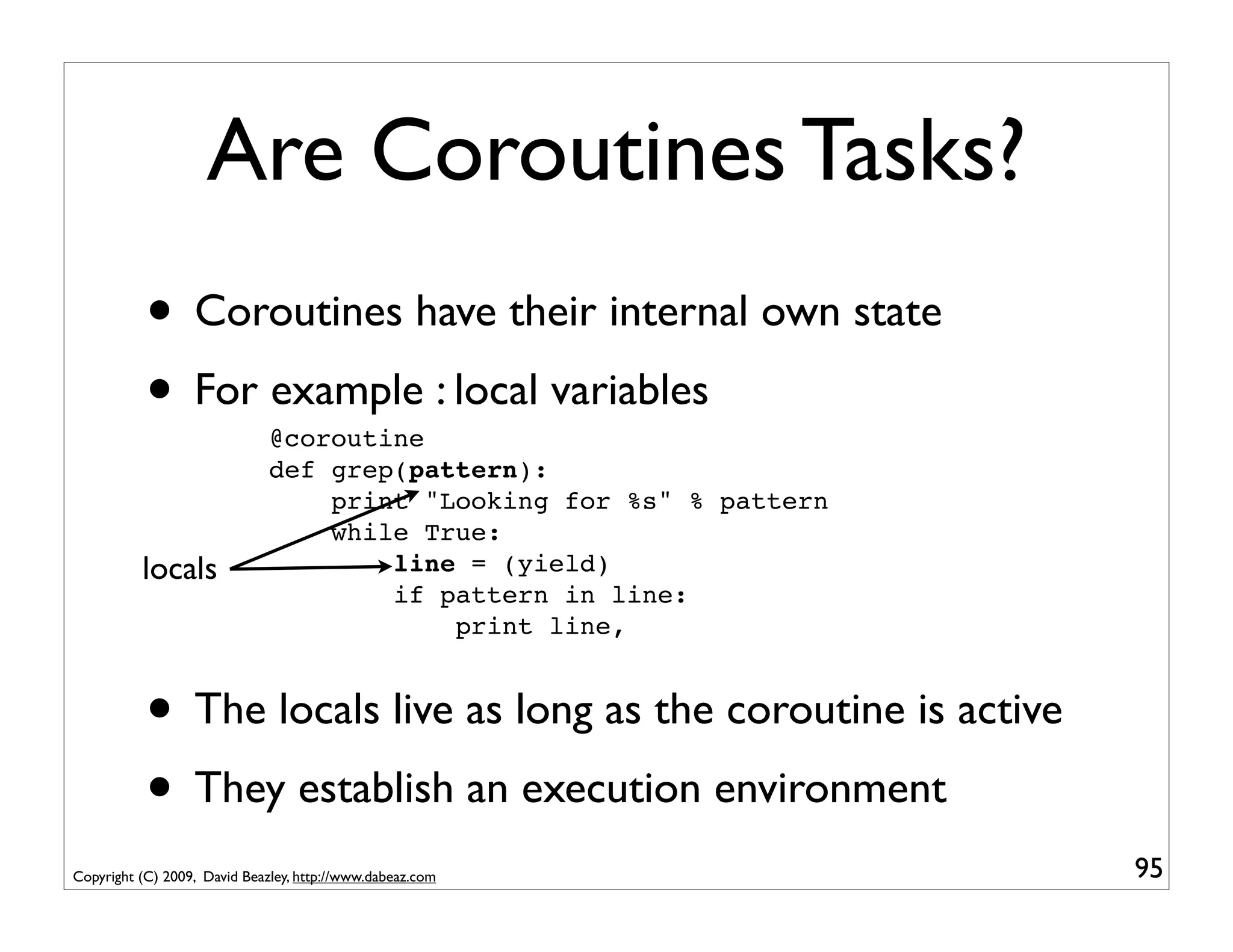
Are Coroutines Tasks?
           • Coroutines have their internal own state
           • For example : local variables
                              @coroutine
                              def grep(pattern):
                                  print "Looking for %s" % pattern
                                  while True:
          locals                      line = (yield)
                                      if pattern in line:
                                          print line,


           • The locals live as long as the coroutine is active
           • They establish an execution environment
Copyright (C) 2009, David Beazley, http://www.dabeaz.com             95
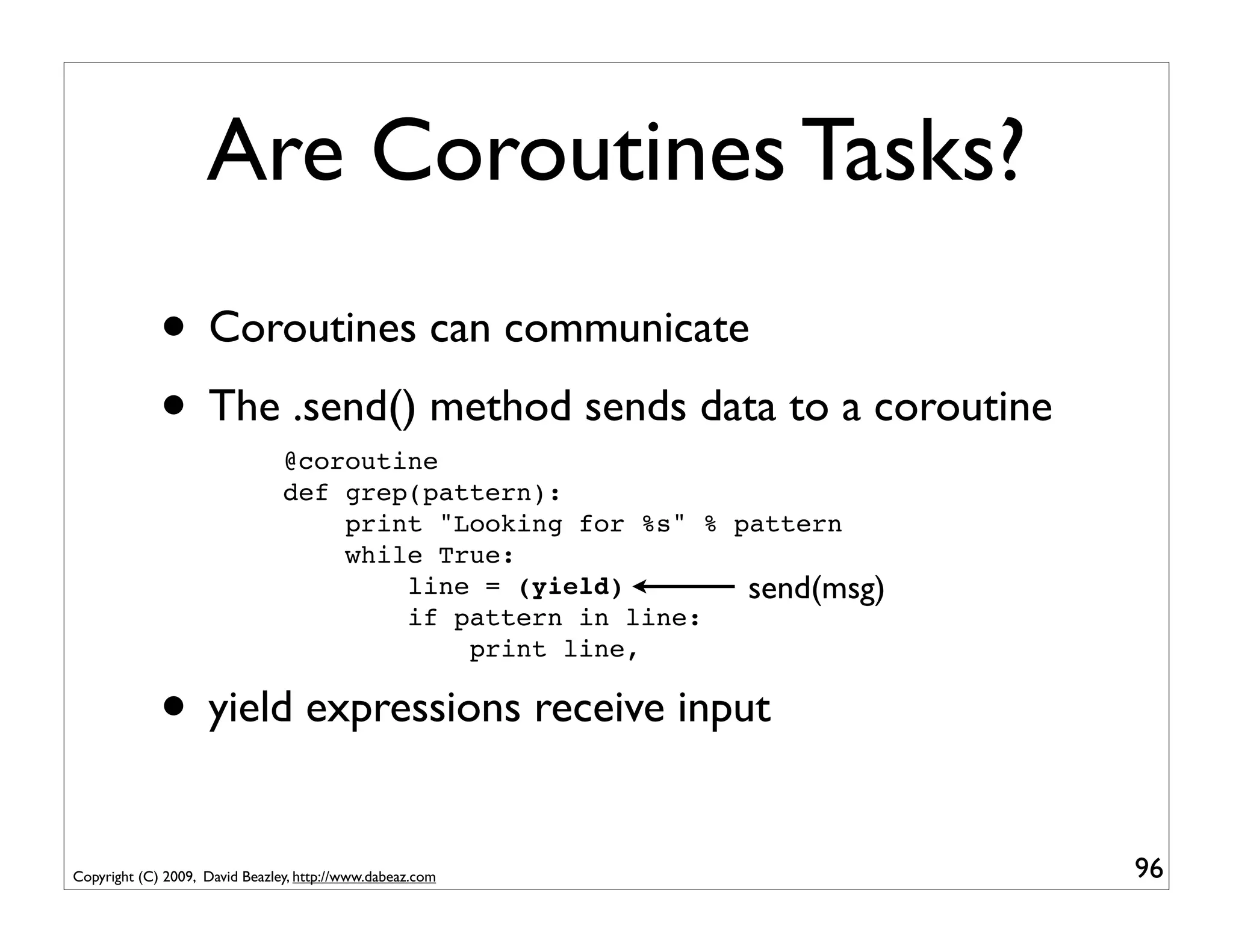
Are Coroutines Tasks?
             • Coroutines can communicate
             • The .send() method sends data to a coroutine
                                @coroutine
                                def grep(pattern):
                                    print "Looking for %s" % pattern
                                    while True:
                                        line = (yield)        send(msg)
                                        if pattern in line:
                                            print line,

             • yield expressions receive input
Copyright (C) 2009, David Beazley, http://www.dabeaz.com                  96
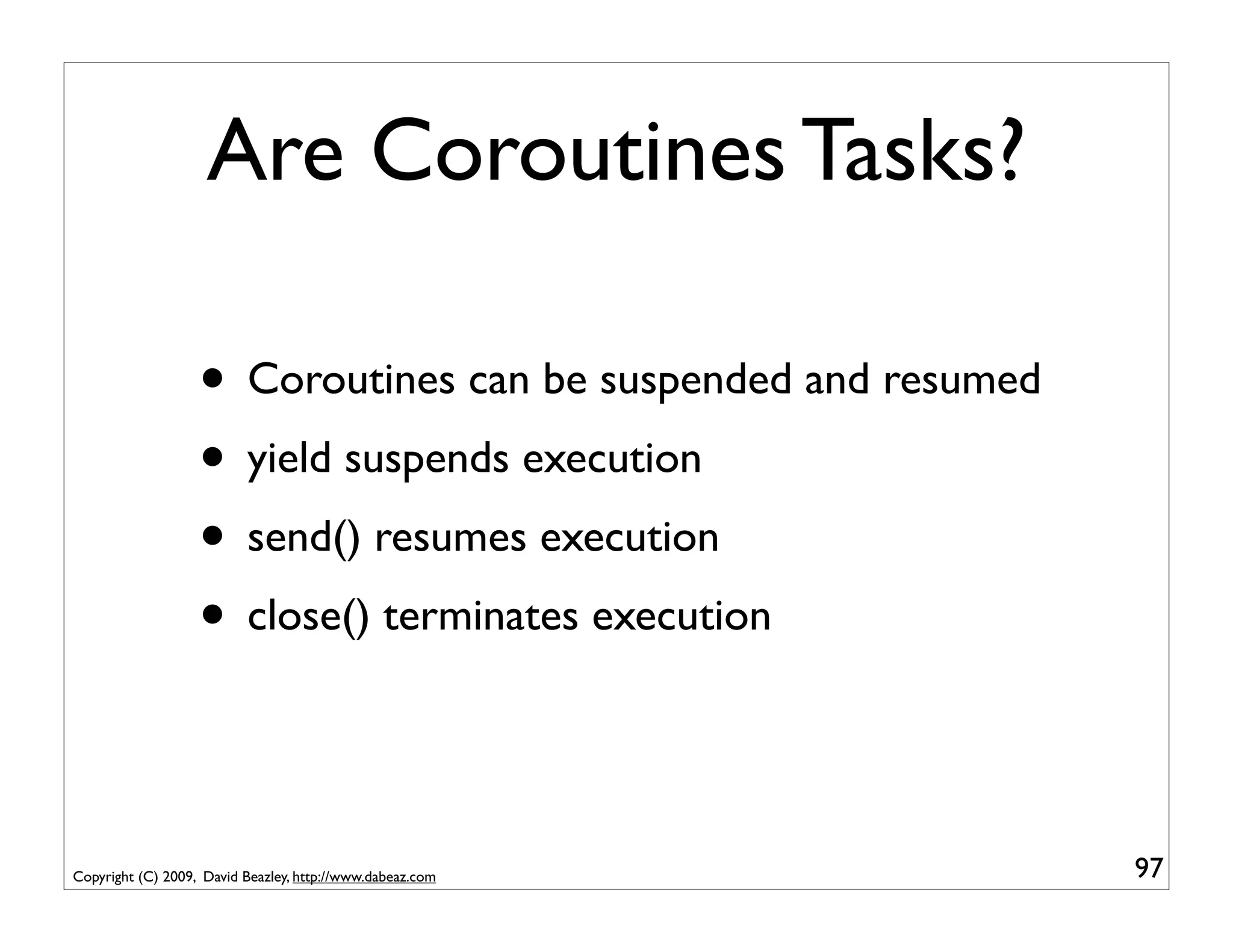
Are Coroutines Tasks?

                   • Coroutines can be suspended and resumed
                   • yield suspends execution
                   • send() resumes execution
                   • close() terminates execution


Copyright (C) 2009, David Beazley, http://www.dabeaz.com       97
I'm Convinced
                 • Very clearly, coroutines look like tasks
                 • But they're not tied to threads
                 • Or subprocesses
                 • A question : Can you perform multitasking
                         without using either of those concepts?
                 • Multitasking using nothing but coroutines?

Copyright (C) 2009, David Beazley, http://www.dabeaz.com           98
Part 6
                                A Crash Course in Operating Systems


Copyright (C) 2009, David Beazley, http://www.dabeaz.com              99
Program Execution
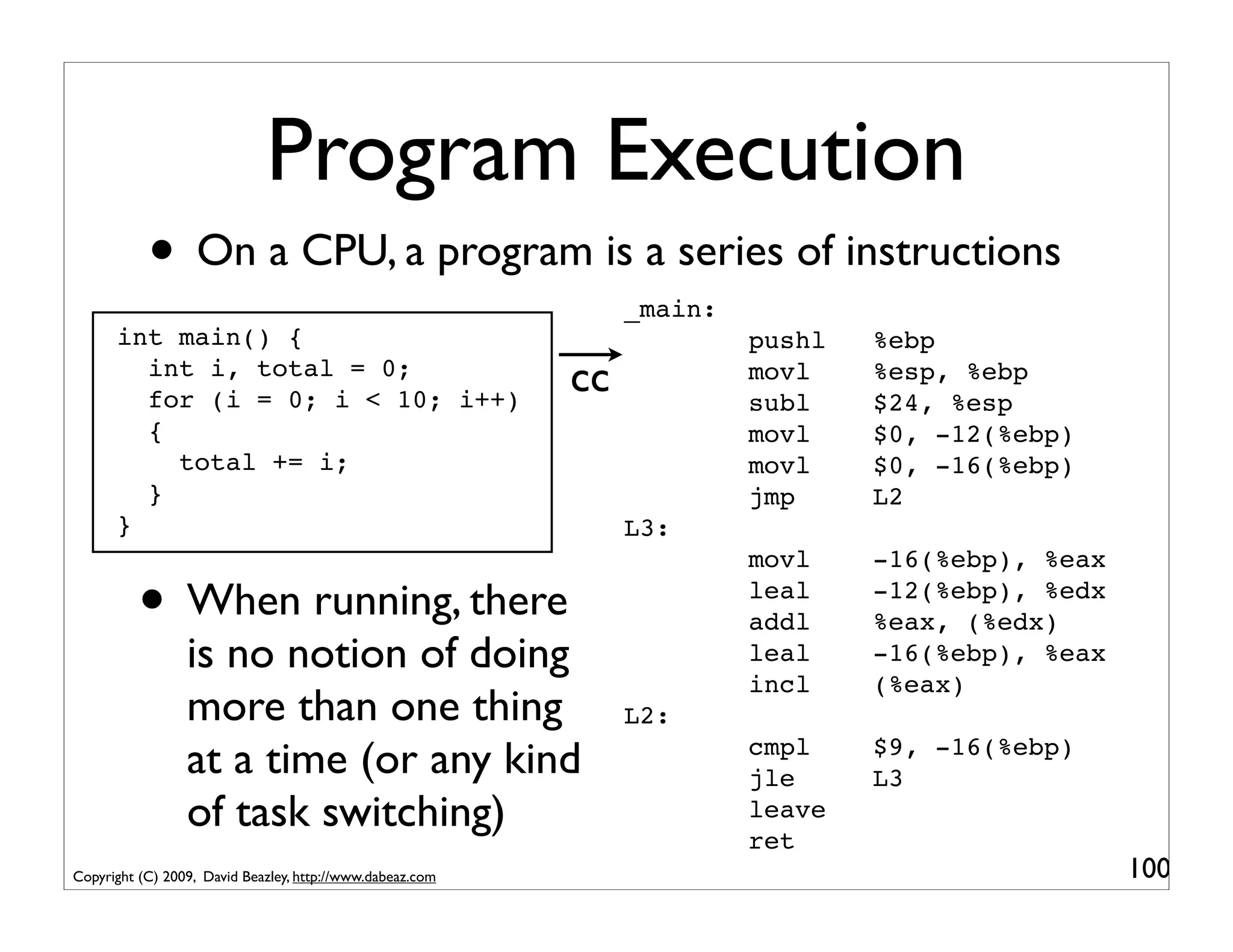
           • On a CPU, a program is a series of instructions
                                                                _main:
      int main() {                                                       pushl   %ebp
        int i, total = 0;
        for (i = 0; i < 10; i++)
                                                           cc            movl
                                                                         subl
                                                                                 %esp, %ebp
                                                                                 $24, %esp
        {                                                                movl    $0, -12(%ebp)
          total += i;                                                    movl    $0, -16(%ebp)
        }                                                                jmp     L2
      }                                                         L3:
                                                                         movl    -16(%ebp), %eax

          • When running, there                                          leal
                                                                         addl
                                                                                 -12(%ebp), %edx
                                                                                 %eax, (%edx)
                 is no notion of doing                                   leal    -16(%ebp), %eax
                                                                         incl    (%eax)
                 more than one thing                            L2:
                 at a time (or any kind                                  cmpl
                                                                         jle
                                                                                 $9, -16(%ebp)
                                                                                 L3
                 of task switching)                                      leave
                                                                         ret
Copyright (C) 2009, David Beazley, http://www.dabeaz.com                                           100
The Multitasking Problem

              • CPUs don't know anything about multitasking
              • Nor do application programs
              • Well, surely something has to know about it!
              • Hint: It's the operating system

Copyright (C) 2009, David Beazley, http://www.dabeaz.com       101
Operating Systems
            • As you hopefully know, the operating system
                    (e.g., Linux, Windows) is responsible for
                    running programs on your machine
            • And as you have observed, the operating
                    system does allow more than one process to
                    execute at once (e.g., multitasking)
            • It does this by rapidly switching between tasks
            • Question : How does it do that?
Copyright (C) 2009, David Beazley, http://www.dabeaz.com         102
A Conundrum

          • When a CPU is running your program, it is not
                  running the operating system
          • Question: How does the operating system
                  (which is not running) make an application
                  (which is running) switch to another task?
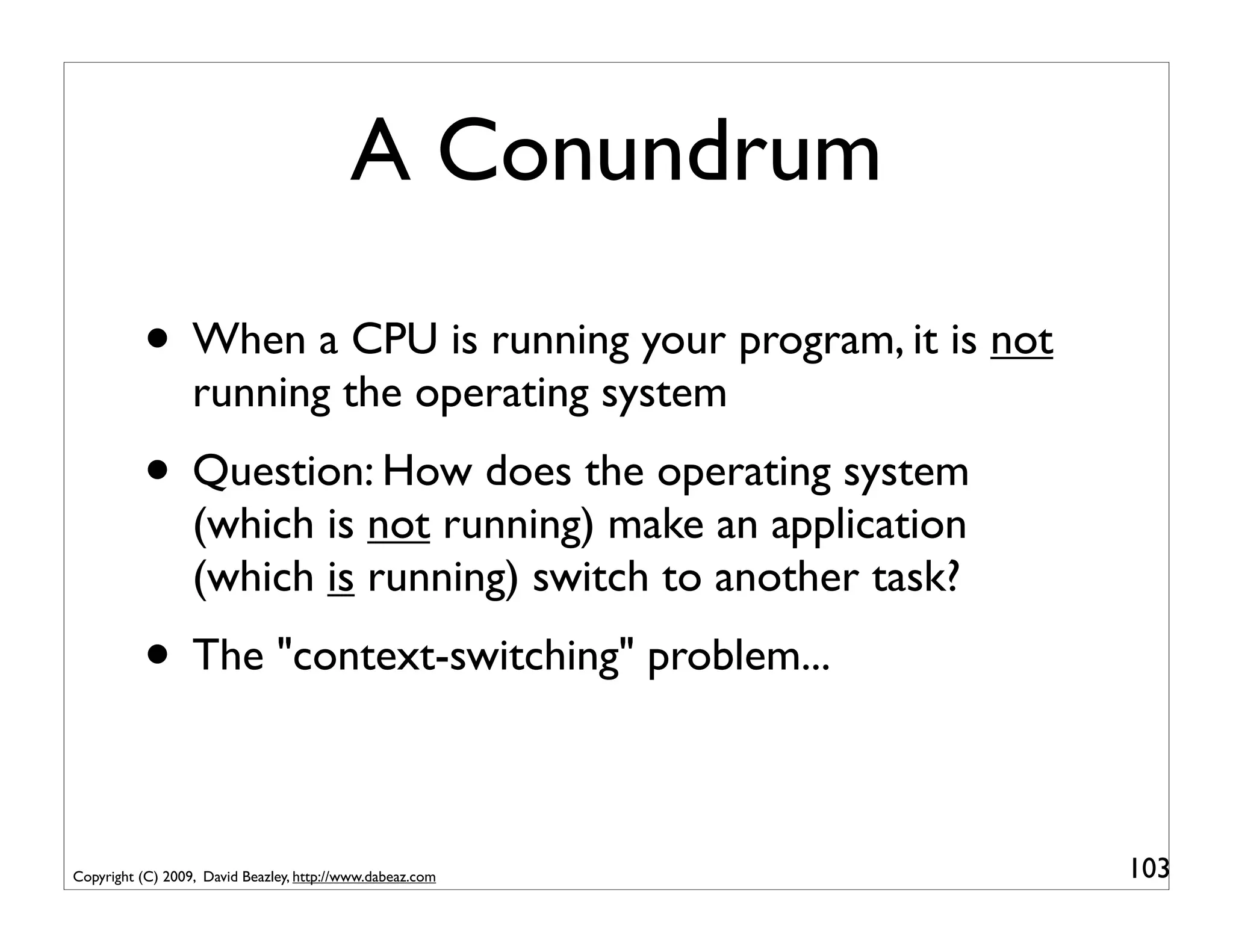
          • The "context-switching" problem...

Copyright (C) 2009, David Beazley, http://www.dabeaz.com       103
Interrupts and Traps
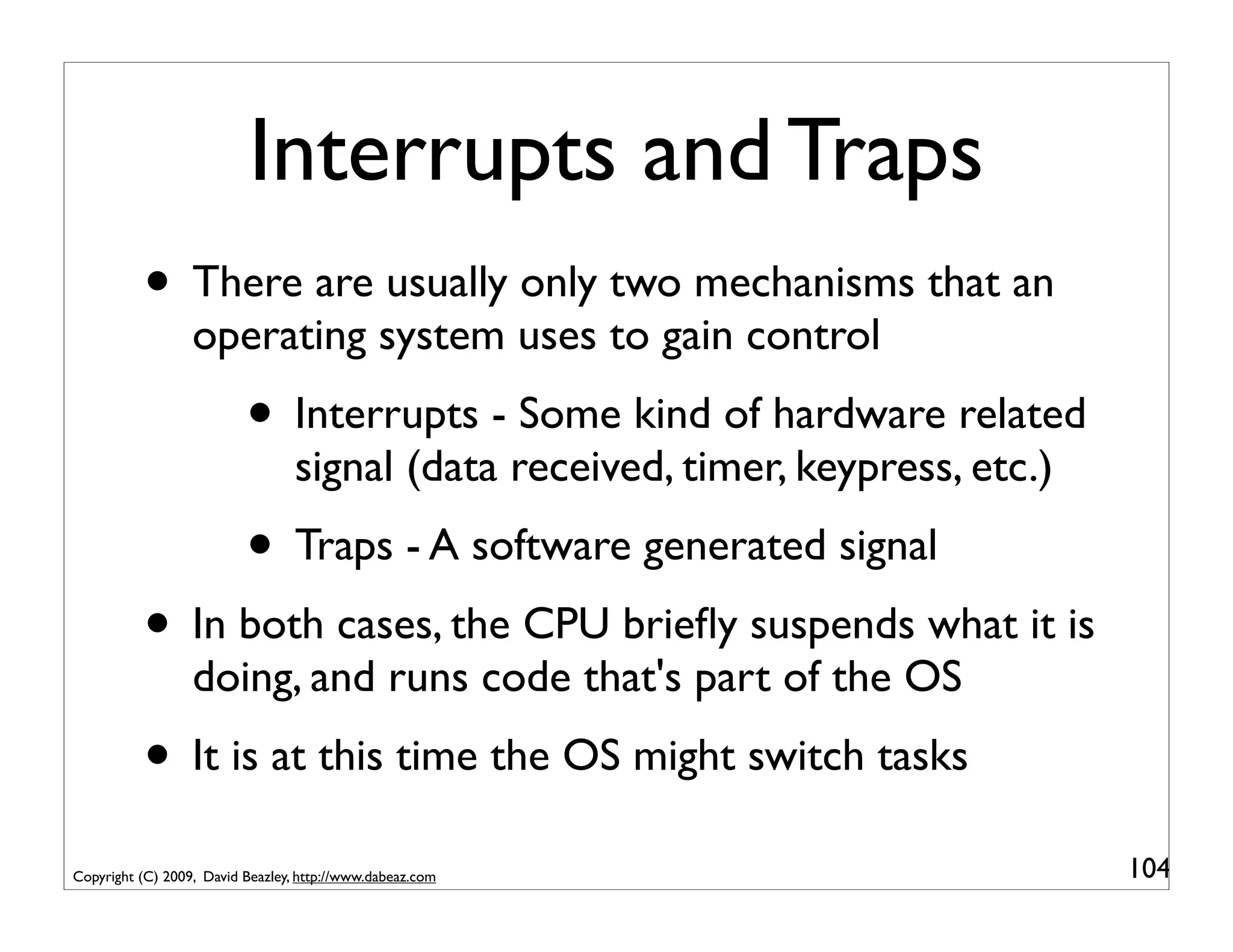
          • There are usually only two mechanisms that an
                  operating system uses to gain control
                          • Interrupts - Some kind of hardware related
                                  signal (data received, timer, keypress, etc.)
                          • Traps - A software generated signal
          • In both cases, the CPU briefly suspends what it is
                  doing, and runs code that's part of the OS
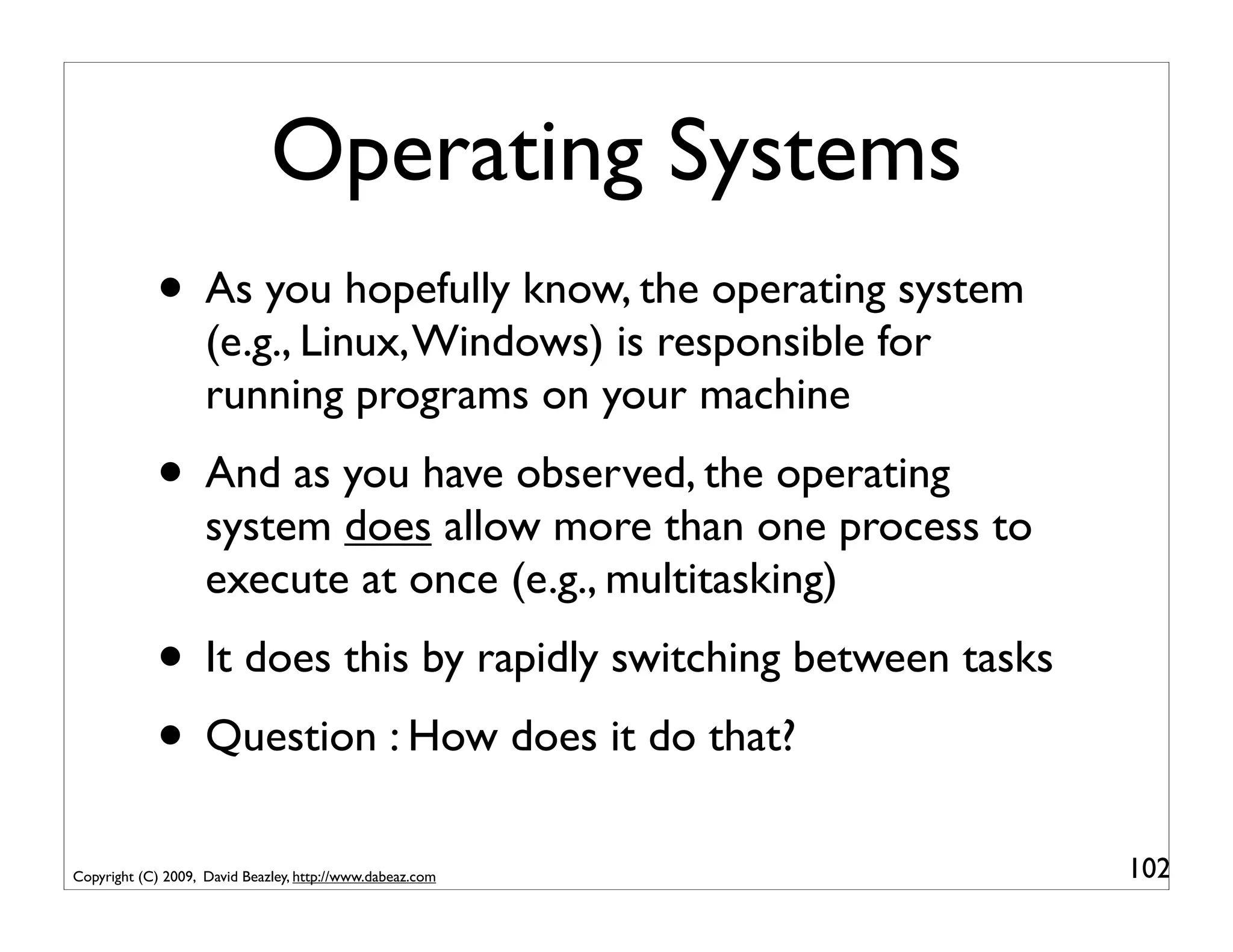
          • It is at this time the OS might switch tasks
Copyright (C) 2009, David Beazley, http://www.dabeaz.com                          104
Traps and System Calls
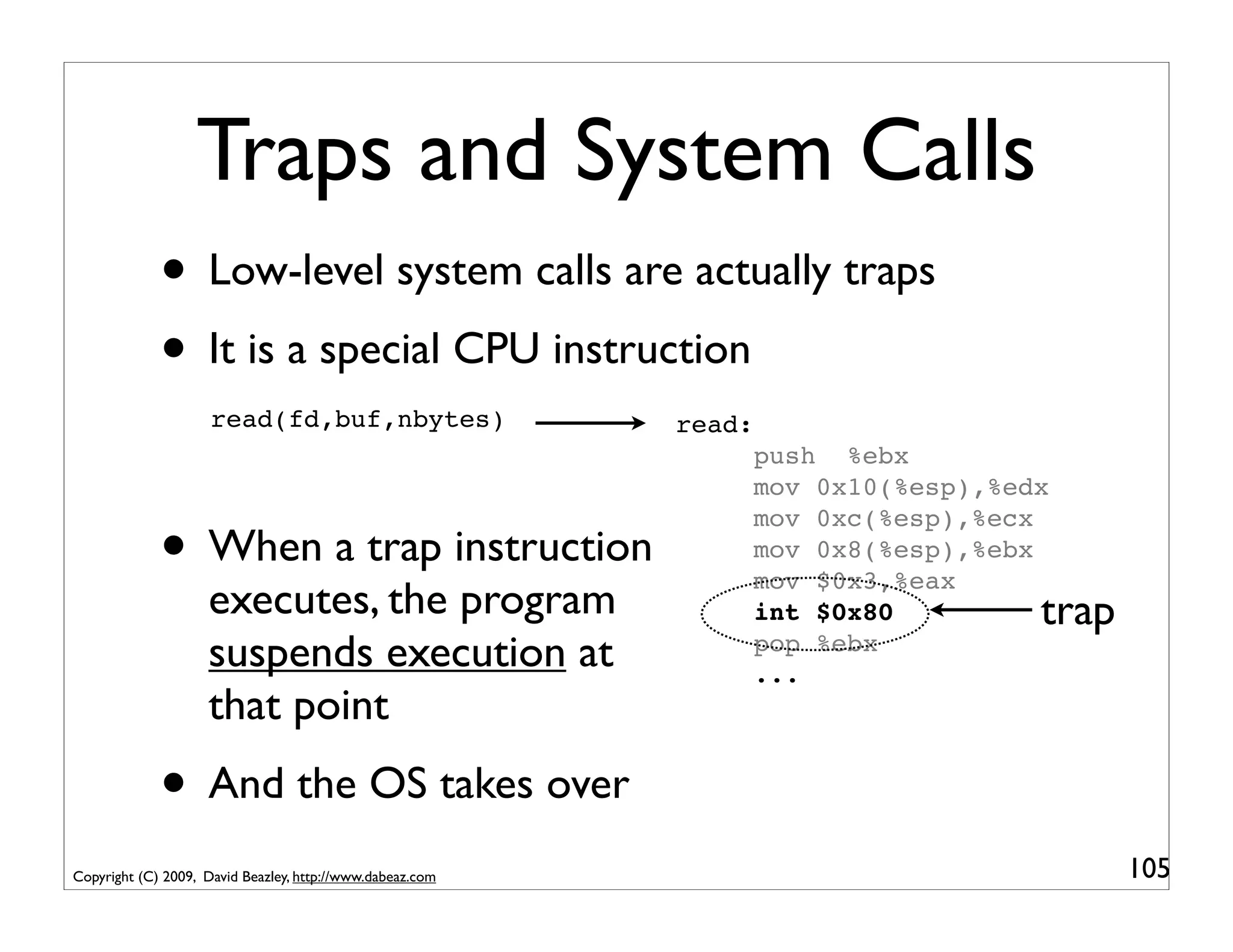
             • Low-level system calls are actually traps
             • It is a special CPU instruction
                     read(fd,buf,nbytes)                   read:
                                                                   push %ebx
                                                                   mov 0x10(%esp),%edx

             • When a trap instruction
                                                                   mov 0xc(%esp),%ecx
                                                                   mov 0x8(%esp),%ebx
                                                                   mov $0x3,%eax
                    executes, the program                          int $0x80         trap
                    suspends execution at                          pop %ebx
                                                                   ...
                    that point
             • And the OS takes over
Copyright (C) 2009, David Beazley, http://www.dabeaz.com                                    105
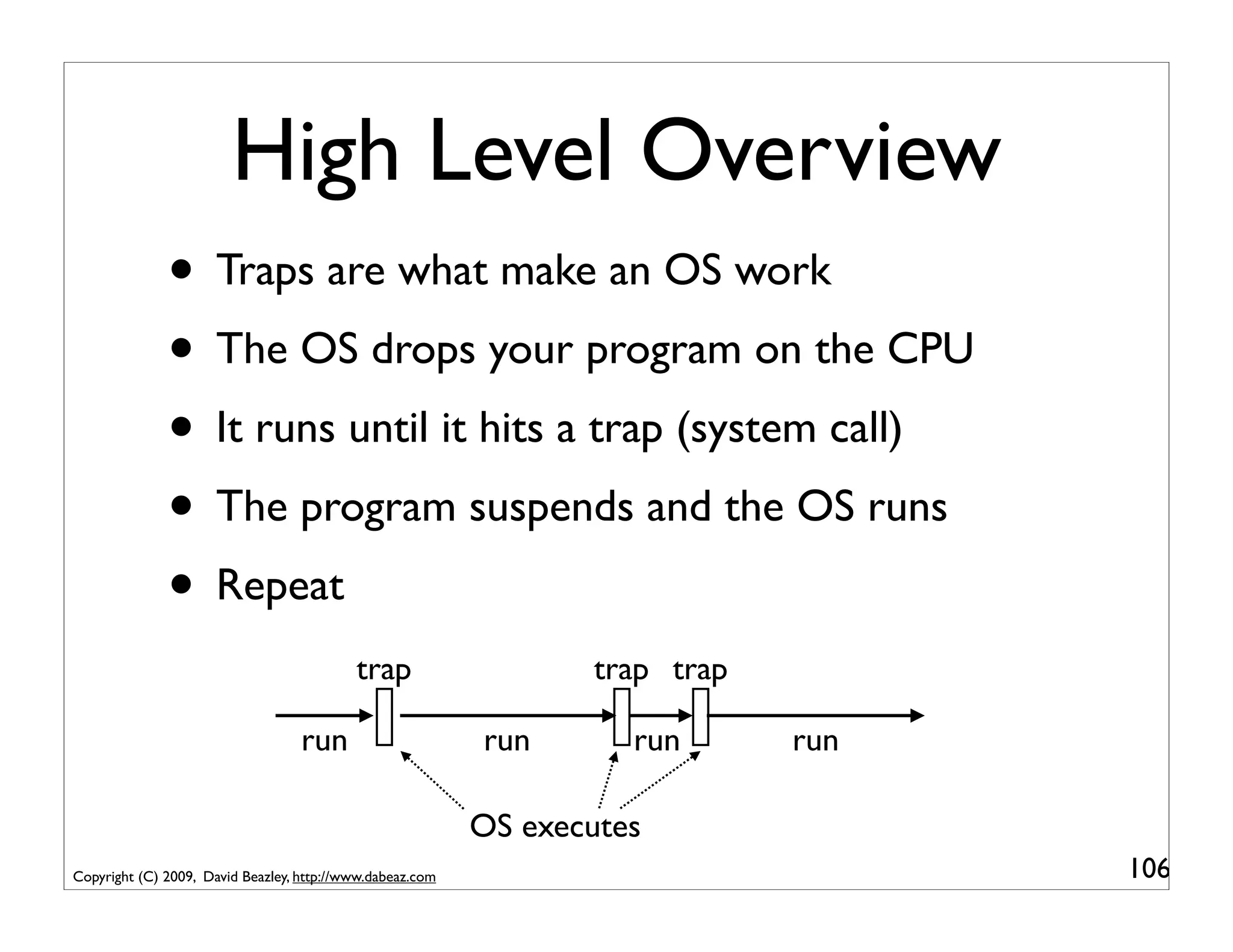
High Level Overview
              • Traps are what make an OS work
              • The OS drops your program on the CPU
              • It runs until it hits a trap (system call)
              • The program suspends and the OS runs
              • Repeat
                                           trap                   trap trap

                                   run                     run       run      run

                                                           OS executes
Copyright (C) 2009, David Beazley, http://www.dabeaz.com                            106
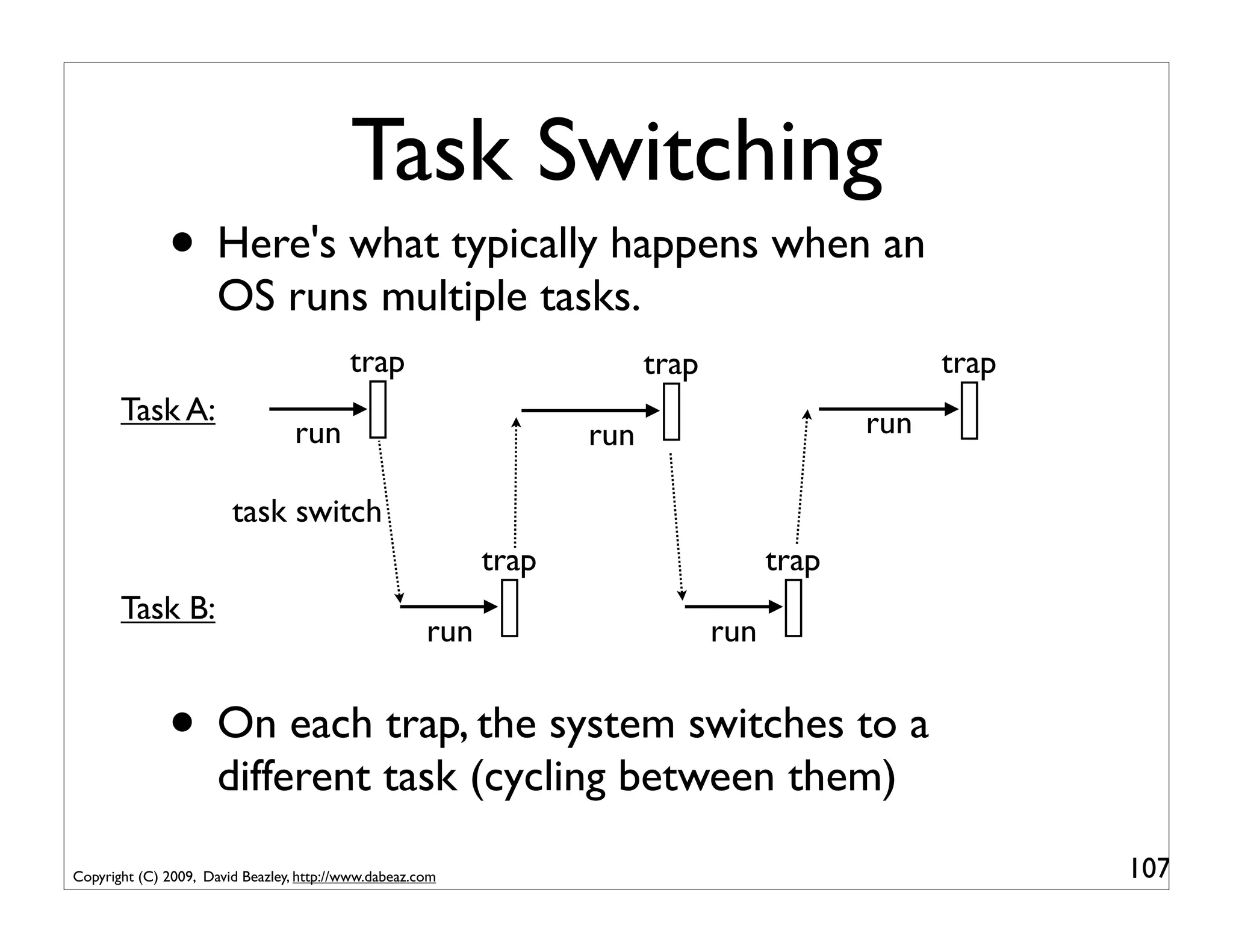
Task Switching
              • Here's what typically happens when an
                      OS runs multiple tasks.
                                          trap                           trap                      trap
       Task A:                                                                               run
                                  run                              run

                        task switch
                                                            trap                      trap
       Task B:
                                                      run                       run


              • On each trap, the system switches to a
                      different task (cycling between them)

Copyright (C) 2009, David Beazley, http://www.dabeaz.com                                                  107
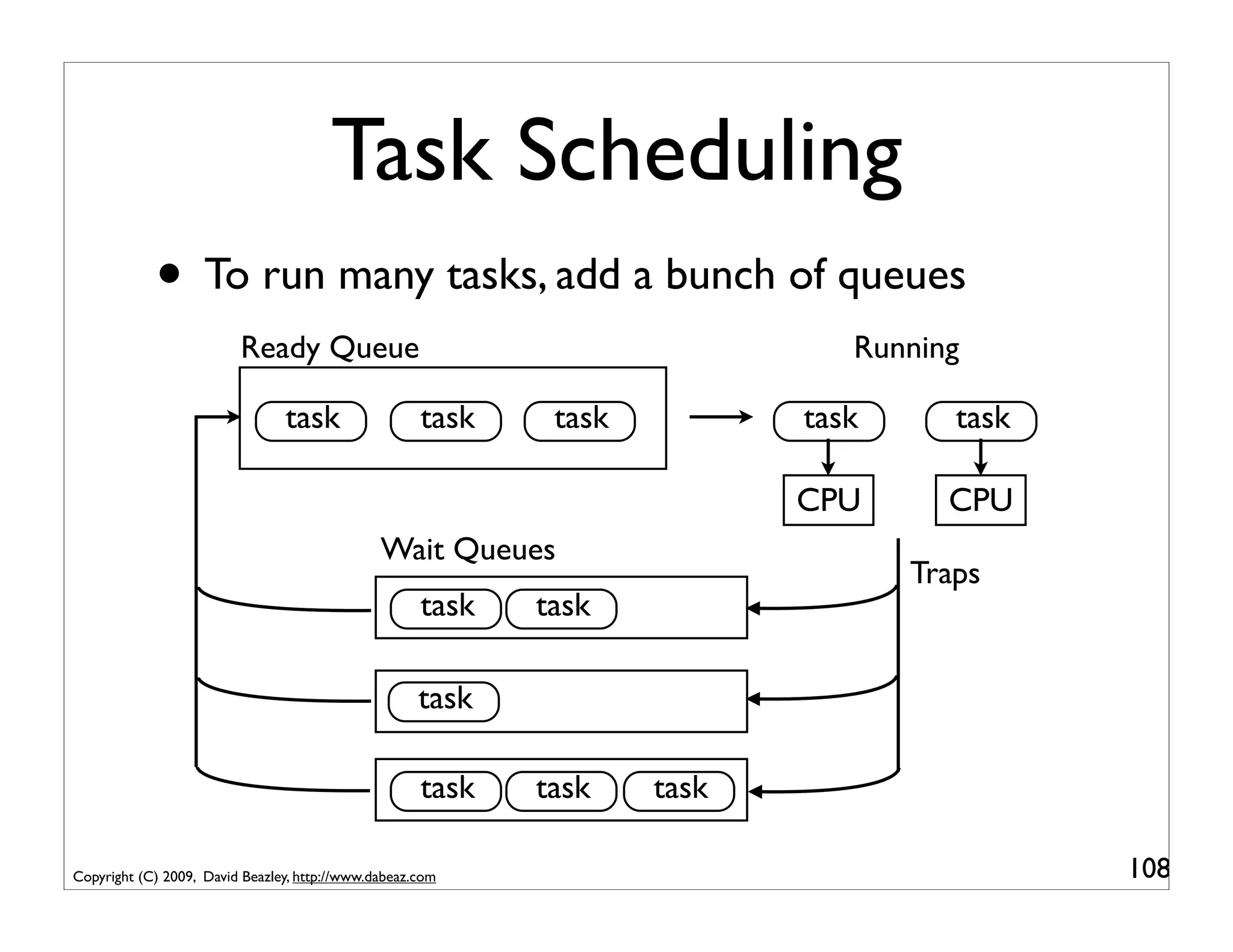
Task Scheduling
            • To run many tasks, add a bunch of queues
                         Ready Queue                                          Running

                                task                 task    task          task      task

                                                                           CPU      CPU
                                               Wait Queues
                                                                                  Traps
                                                     task   task

                                                     task

                                                     task   task    task

Copyright (C) 2009, David Beazley, http://www.dabeaz.com                                    108
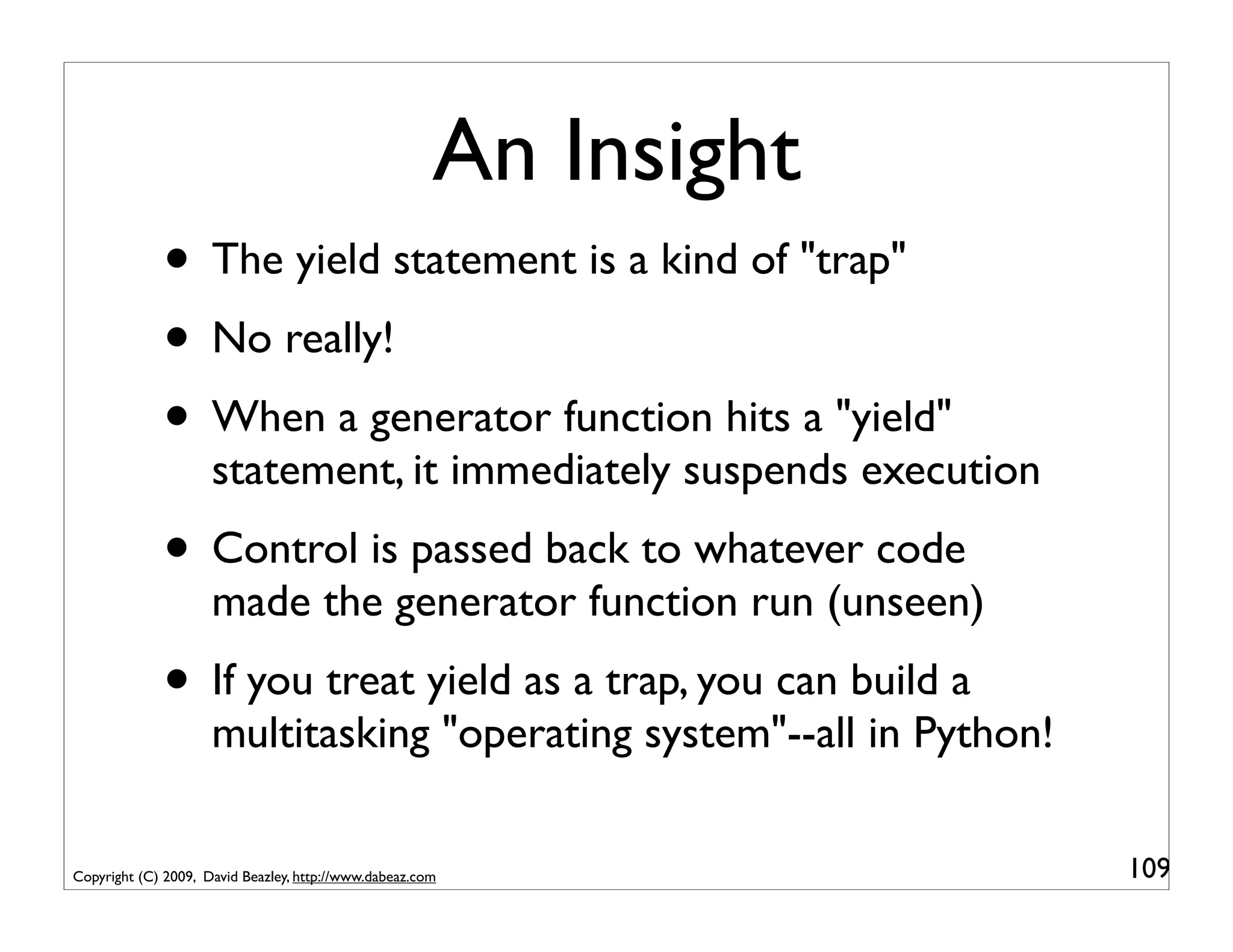
An Insight
             • The yield statement is a kind of "trap"
             • No really!
             • When a generator function hits a "yield"
                     statement, it immediately suspends execution
             • Control is passed back to whatever code
                     made the generator function run (unseen)
             • If you treat yield as a trap, you can build a
                     multitasking "operating system"--all in Python!

Copyright (C) 2009, David Beazley, http://www.dabeaz.com               109
Part 7
                                         Let's Build an Operating System
                                  (You may want to put on your 5-point safety harness)


Copyright (C) 2009, David Beazley, http://www.dabeaz.com                                 110
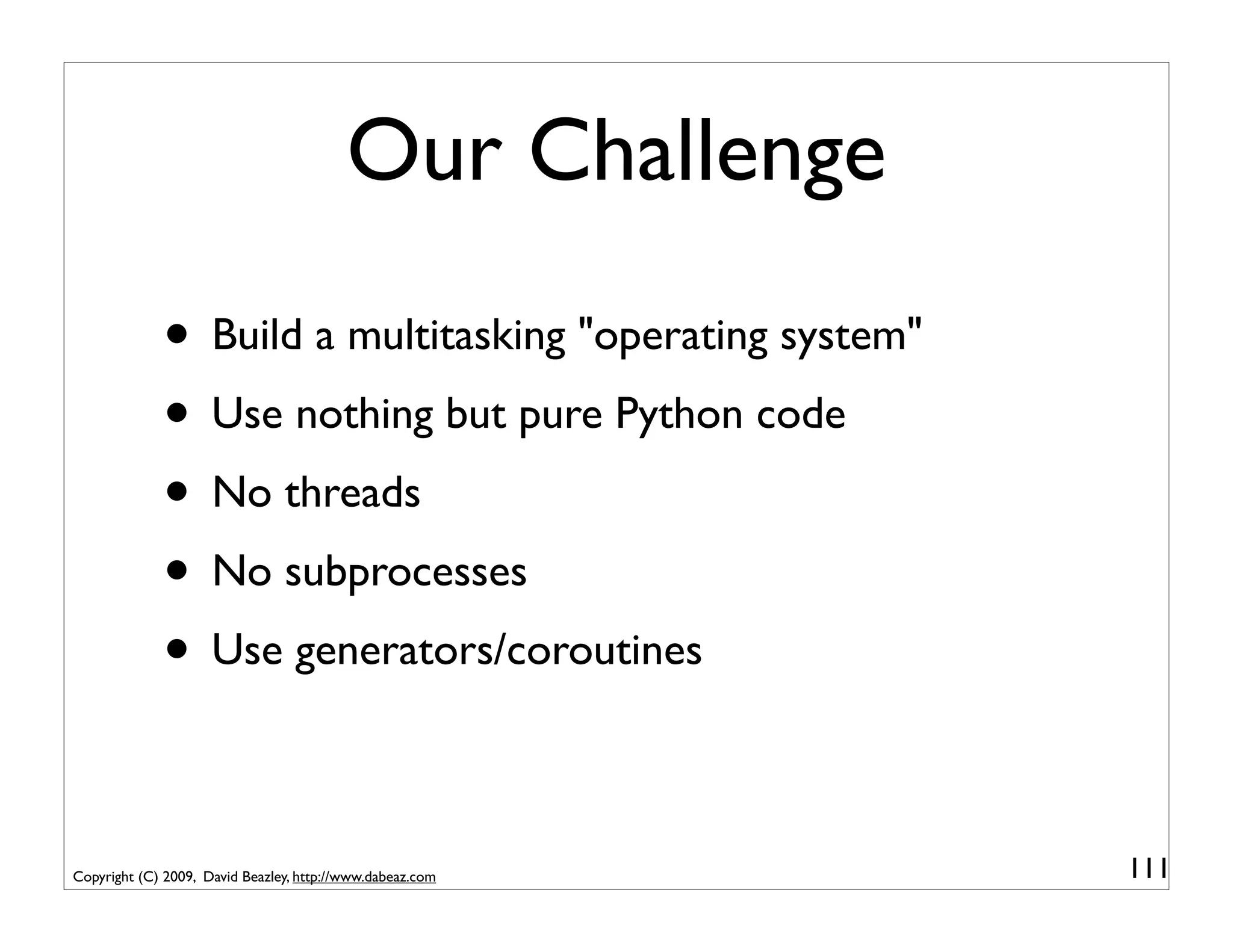
Our Challenge
             • Build a multitasking "operating system"
             • Use nothing but pure Python code
             • No threads
             • No subprocesses
             • Use generators/coroutines

Copyright (C) 2009, David Beazley, http://www.dabeaz.com   111
Some Motivation
             • There has been a lot of recent interest in
                     alternatives to threads (especially due to the GIL)
             • Non-blocking and asynchronous I/O
             • Example: servers capable of supporting
                     thousands of simultaneous client connections
             • A lot of work has focused on event-driven
                     systems or the "Reactor Model" (e.g., Twisted)
             • Coroutines are a whole different twist...
Copyright (C) 2009, David Beazley, http://www.dabeaz.com                   112
Step 1: Define Tasks
               • A task object
                       class Task(object):                             pyos1.py
                           taskid = 0
                           def __init__(self,target):
                               Task.taskid += 1
                               self.tid     = Task.taskid   # Task ID
                               self.target = target         # Target coroutine
                               self.sendval = None          # Value to send
                           def run(self):
                               return self.target.send(self.sendval)


               • A task is a wrapper around a coroutine
               • There is only one operation : run()
Copyright (C) 2009, David Beazley, http://www.dabeaz.com                          113
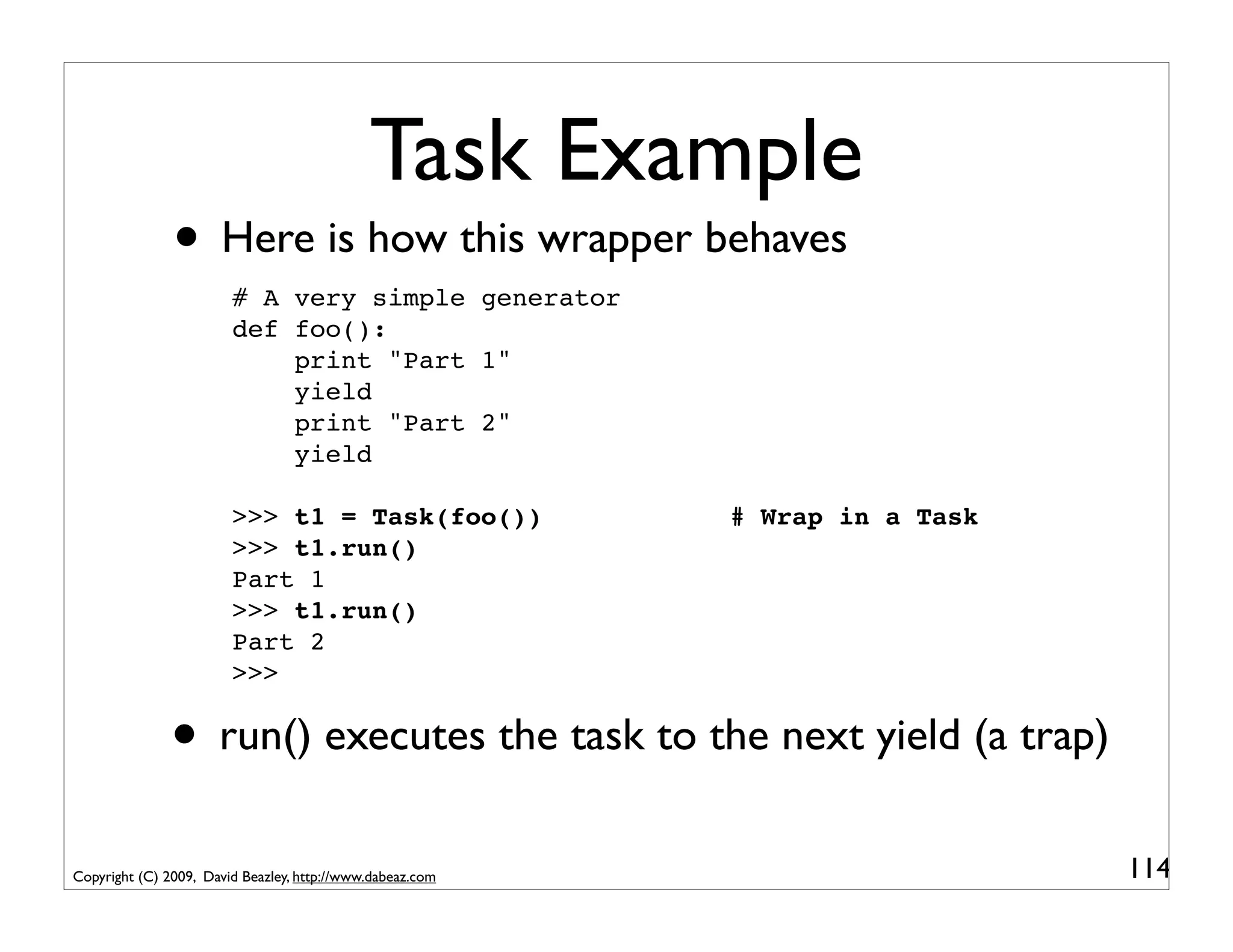
Task Example
               • Here is how this wrapper behaves
                        # A very simple generator
                        def foo():
                            print "Part 1"
                            yield
                            print "Part 2"
                            yield

                        >>> t1 = Task(foo())               # Wrap in a Task
                        >>> t1.run()
                        Part 1
                        >>> t1.run()
                        Part 2
                        >>>


               • run() executes the task to the next yield (a trap)
Copyright (C) 2009, David Beazley, http://www.dabeaz.com                      114
Step 2: The Scheduler
          class Scheduler(object):
              def __init__(self):                            pyos2.py
                  self.ready   = Queue()
                  self.taskmap = {}

                   def new(self,target):
                       newtask = Task(target)
                       self.taskmap[newtask.tid] = newtask
                       self.schedule(newtask)
                       return newtask.tid

                   def schedule(self,task):
                       self.ready.put(task)

                   def mainloop(self):
                       while self.taskmap:
                           task = self.ready.get()
                           result = task.run()
                           self.schedule(task)

Copyright (C) 2009, David Beazley, http://www.dabeaz.com                115
Step 2: The Scheduler
          class Scheduler(object):
              def __init__(self):
                  self.ready   = Queue()
                                                           A queue of tasks that
                  self.taskmap = {}                          are ready to run
                   def new(self,target):
                       newtask = Task(target)
                       self.taskmap[newtask.tid] = newtask
                       self.schedule(newtask)
                       return newtask.tid

                   def schedule(self,task):
                       self.ready.put(task)

                   def mainloop(self):
                       while self.taskmap:
                           task = self.ready.get()
                           result = task.run()
                           self.schedule(task)

Copyright (C) 2009, David Beazley, http://www.dabeaz.com                           116
Step 2: The Scheduler
          class Scheduler(object):
              def __init__(self):
                  self.ready   = Queue()
                  self.taskmap = {}
                                                             Introduces a new task
                   def new(self,target):
                       newtask = Task(target)
                                                                to the scheduler
                       self.taskmap[newtask.tid] = newtask
                       self.schedule(newtask)
                       return newtask.tid

                   def schedule(self,task):
                       self.ready.put(task)

                   def mainloop(self):
                       while self.taskmap:
                           task = self.ready.get()
                           result = task.run()
                           self.schedule(task)

Copyright (C) 2009, David Beazley, http://www.dabeaz.com                         117
Step 2: The Scheduler
          class Scheduler(object):
              def __init__(self):
                  self.ready   = Queue()
                  self.taskmap = {}
                                                             A dictionary that
                   def new(self,target):                     keeps track of all
                       newtask = Task(target)
                       self.taskmap[newtask.tid] = newtask   active tasks (each
                       self.schedule(newtask)                task has a unique
                       return newtask.tid                     integer task ID)
                   def schedule(self,task):
                       self.ready.put(task)                    (more later)
                   def mainloop(self):
                       while self.taskmap:
                           task = self.ready.get()
                           result = task.run()
                           self.schedule(task)

Copyright (C) 2009, David Beazley, http://www.dabeaz.com                          118
Step 2: The Scheduler
          class Scheduler(object):
              def __init__(self):
                  self.ready   = Queue()
                  self.taskmap = {}

                   def new(self,target):
                       newtask = Task(target)
                       self.taskmap[newtask.tid] = newtask
                       self.schedule(newtask)
                       return newtask.tid
                                                           Put a task onto the
                   def schedule(self,task):                 ready queue. This
                       self.ready.put(task)                 makes it available
                   def mainloop(self):                           to run.
                       while self.taskmap:
                           task = self.ready.get()
                           result = task.run()
                           self.schedule(task)

Copyright (C) 2009, David Beazley, http://www.dabeaz.com                         119
Step 2: The Scheduler
          class Scheduler(object):
              def __init__(self):
                  self.ready   = Queue()
                  self.taskmap = {}

                   def new(self,target):
                       newtask = Task(target)
                       self.taskmap[newtask.tid] = newtask
                       self.schedule(newtask)
                       return newtask.tid

                   def schedule(self,task):
                       self.ready.put(task)                   The main scheduler
                   def mainloop(self):                     loop. It pulls tasks off the
                       while self.taskmap:                  queue and runs them to
                           task = self.ready.get()               the next yield.
                           result = task.run()
                           self.schedule(task)

Copyright (C) 2009, David Beazley, http://www.dabeaz.com                                  120
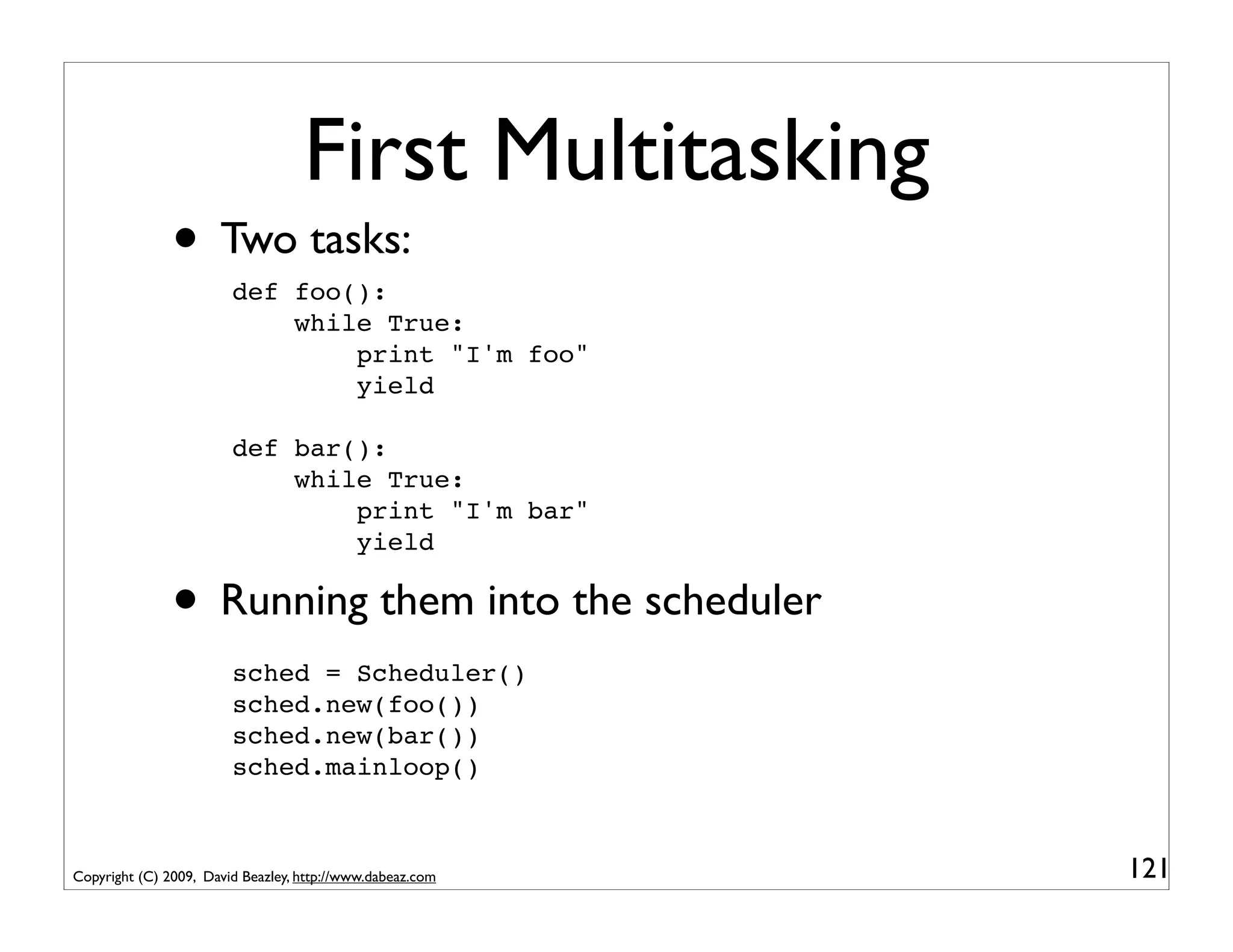
First Multitasking
               • Two tasks:
                        def foo():
                            while True:
                                print "I'm foo"
                                yield

                        def bar():
                            while True:
                                print "I'm bar"
                                yield

               • Running them into the scheduler
                        sched = Scheduler()
                        sched.new(foo())
                        sched.new(bar())
                        sched.mainloop()


Copyright (C) 2009, David Beazley, http://www.dabeaz.com   121
First Multitasking
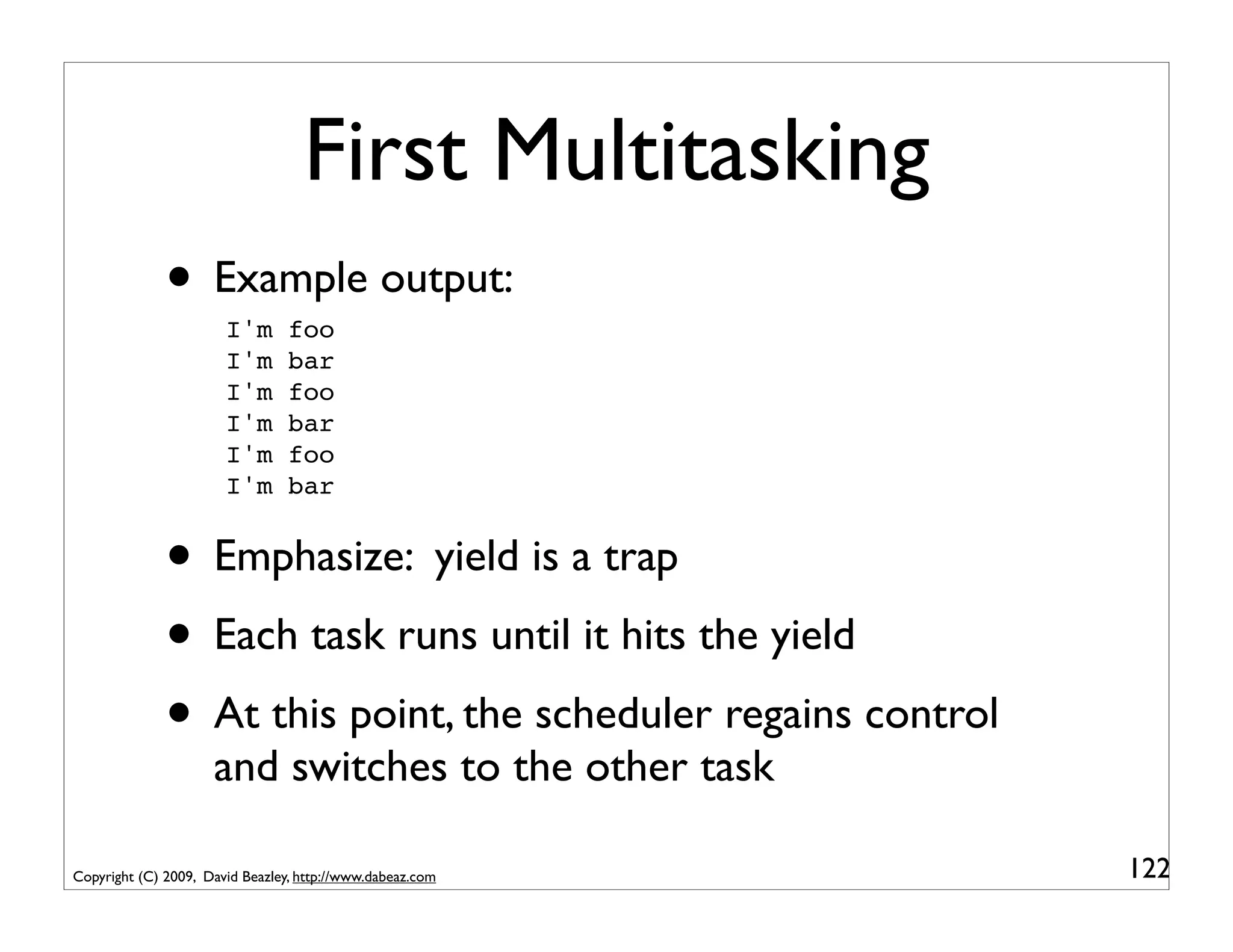
              • Example output:
                       I'm       foo
                       I'm       bar
                       I'm       foo
                       I'm       bar
                       I'm       foo
                       I'm       bar


              • Emphasize: yield is a trap
              • Each task runs until it hits the yield
              • At this point, the scheduler regains control
                     and switches to the other task

Copyright (C) 2009, David Beazley, http://www.dabeaz.com       122
Problem : Task Termination
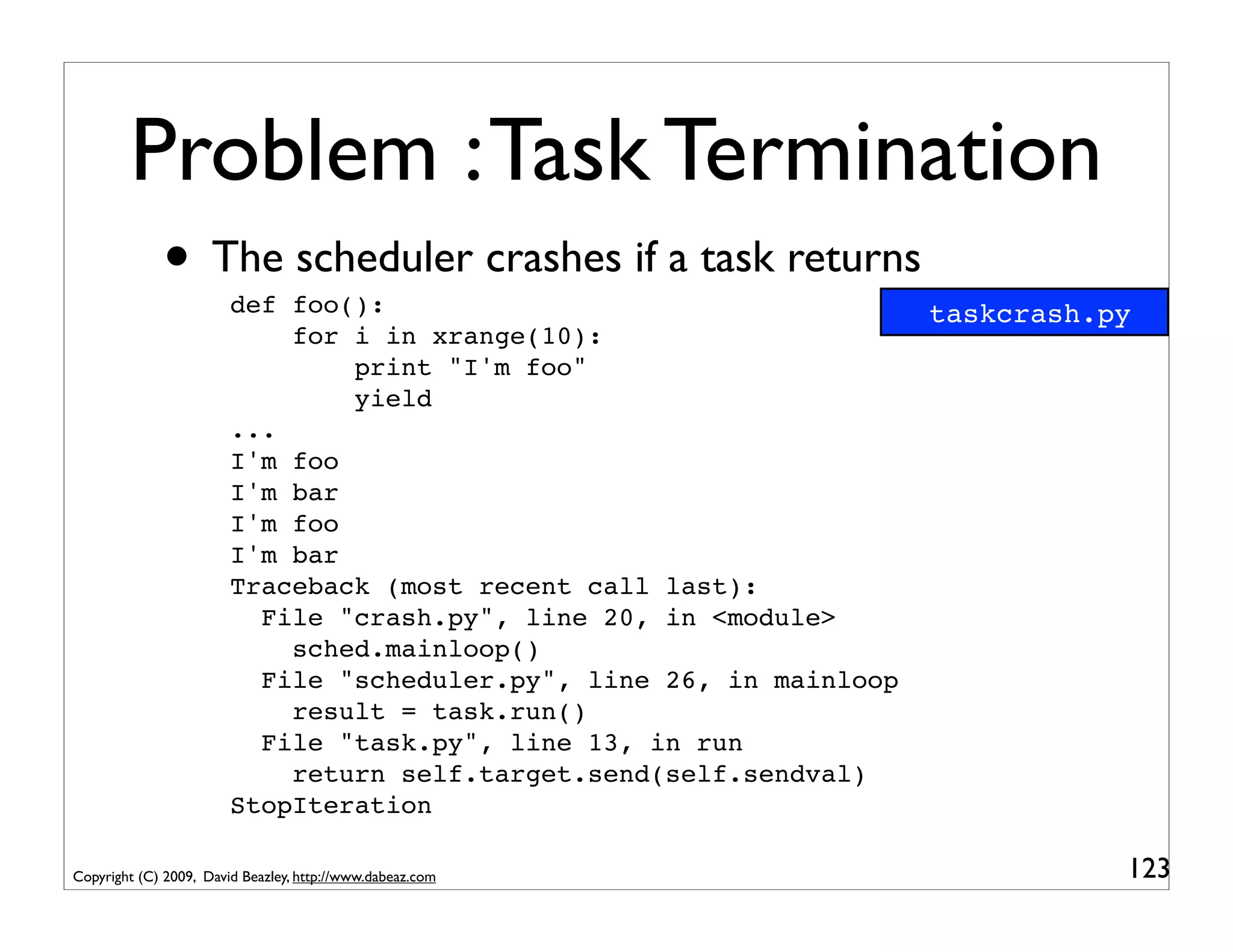
             • The scheduler crashes if a task returns
                        def foo():                                    taskcrash.py
                            for i in xrange(10):
                                print "I'm foo"
                                yield
                        ...
                        I'm foo
                        I'm bar
                        I'm foo
                        I'm bar
                        Traceback (most recent call last):
                          File "crash.py", line 20, in <module>
                            sched.mainloop()
                          File "scheduler.py", line 26, in mainloop
                            result = task.run()
                          File "task.py", line 13, in run
                            return self.target.send(self.sendval)
                        StopIteration

Copyright (C) 2009, David Beazley, http://www.dabeaz.com                         123
Step 3: Task Exit
          class Scheduler(object):                         pyos3.py
              ...
              def exit(self,task):
                  print "Task %d terminated" % task.tid
                  del self.taskmap[task.tid]
              ...
              def mainloop(self):
                   while self.taskmap:
                      task = self.ready.get()
                      try:
                           result = task.run()
                      except StopIteration:
                           self.exit(task)
                           continue
                      self.schedule(task)


Copyright (C) 2009, David Beazley, http://www.dabeaz.com          124
Step 3: Task Exit
                                                             Remove the task
          class Scheduler(object):                         from the scheduler's
              ...
              def exit(self,task):                              task map
                  print "Task %d terminated" % task.tid
                  del self.taskmap[task.tid]
              ...
              def mainloop(self):
                   while self.taskmap:
                      task = self.ready.get()
                      try:
                           result = task.run()
                      except StopIteration:
                           self.exit(task)
                           continue
                      self.schedule(task)


Copyright (C) 2009, David Beazley, http://www.dabeaz.com                          125
Step 3: Task Exit
          class Scheduler(object):
              ...
              def exit(self,task):
                  print "Task %d terminated" % task.tid
                  del self.taskmap[task.tid]
              ...
              def mainloop(self):
                   while self.taskmap:
                      task = self.ready.get()
                      try:
                           result = task.run()        Catch task exit   and
                      except StopIteration:
                           self.exit(task)                 cleanup
                           continue
                      self.schedule(task)


Copyright (C) 2009, David Beazley, http://www.dabeaz.com                      126
Second Multitasking
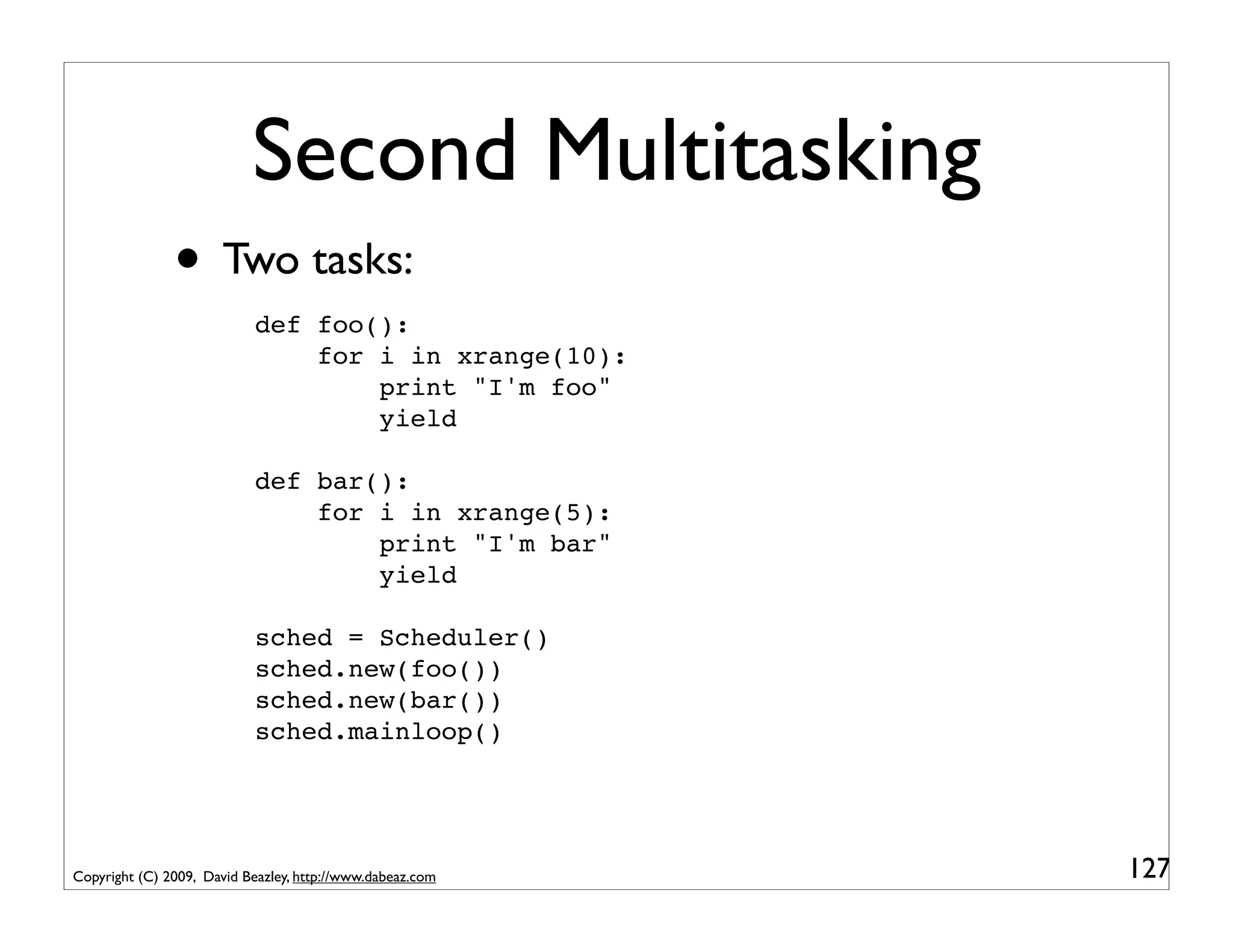
               • Two tasks:
                            def foo():
                                for i in xrange(10):
                                    print "I'm foo"
                                    yield

                            def bar():
                                for i in xrange(5):
                                    print "I'm bar"
                                    yield

                            sched = Scheduler()
                            sched.new(foo())
                            sched.new(bar())
                            sched.mainloop()


Copyright (C) 2009, David Beazley, http://www.dabeaz.com   127
Second Multitasking
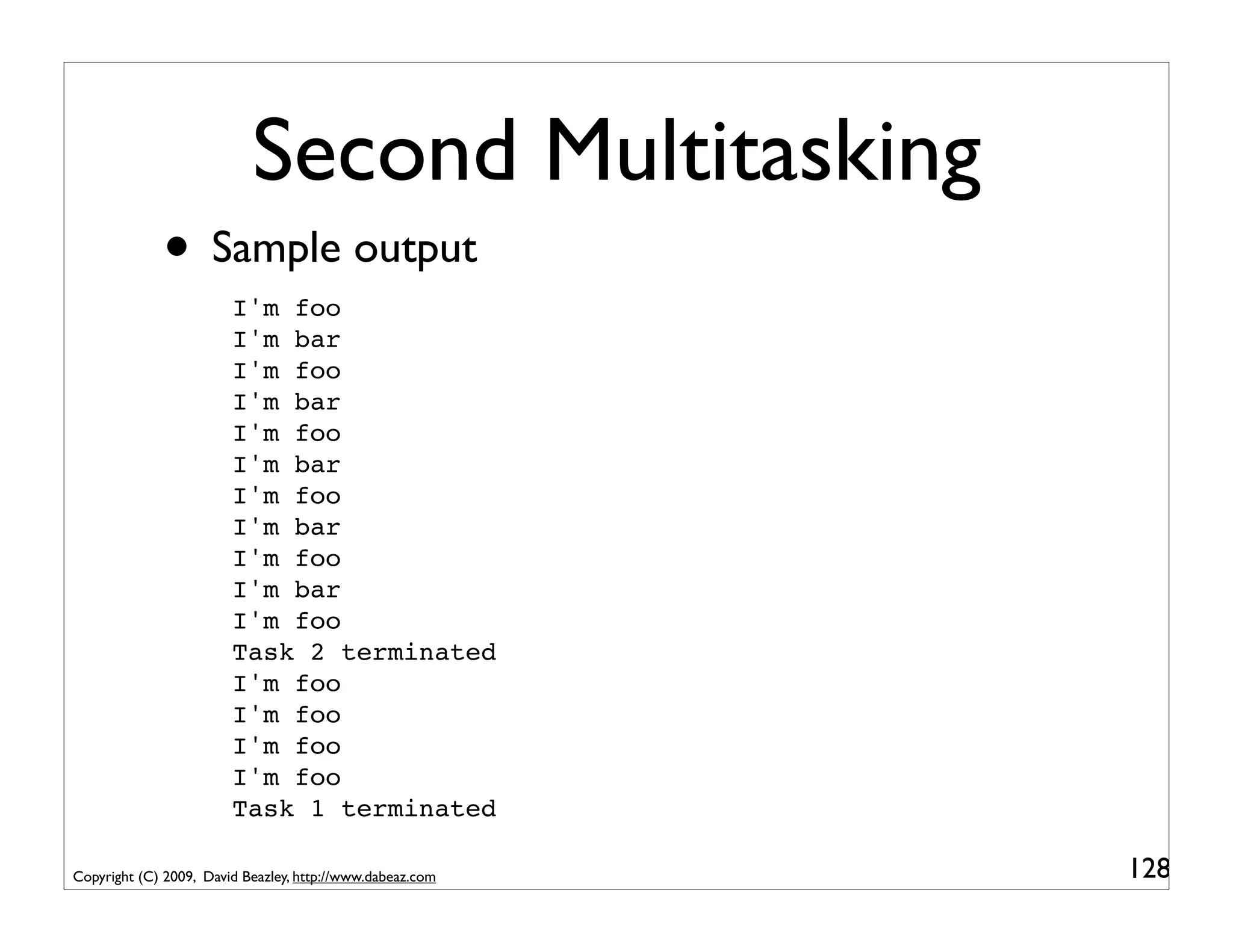
             • Sample output
                        I'm foo
                        I'm bar
                        I'm foo
                        I'm bar
                        I'm foo
                        I'm bar
                        I'm foo
                        I'm bar
                        I'm foo
                        I'm bar
                        I'm foo
                        Task 2 terminated
                        I'm foo
                        I'm foo
                        I'm foo
                        I'm foo
                        Task 1 terminated

Copyright (C) 2009, David Beazley, http://www.dabeaz.com   128
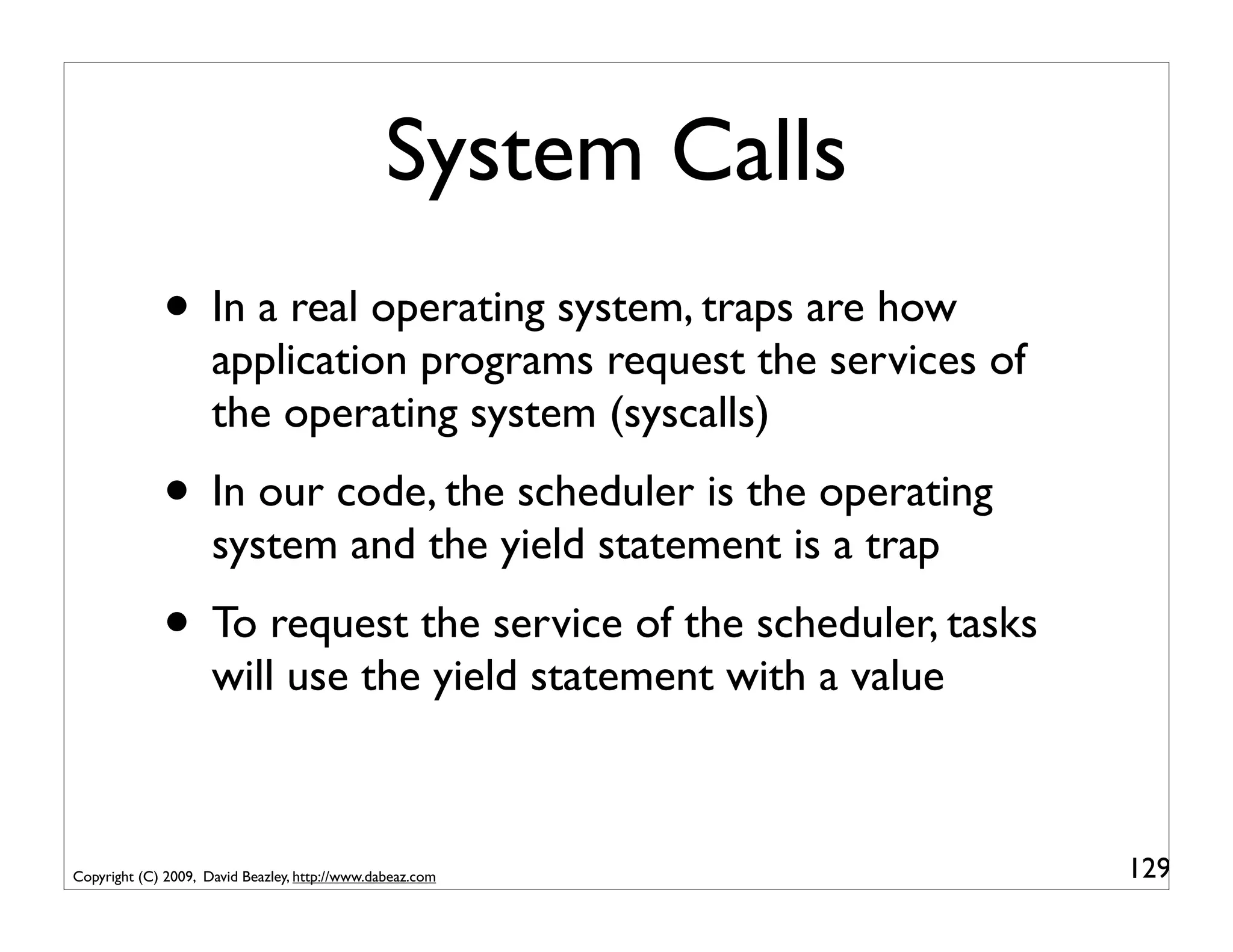
System Calls
             • In a real operating system, traps are how
                     application programs request the services of
                     the operating system (syscalls)
             • In our code, the scheduler is the operating
                     system and the yield statement is a trap
             • To request the service of the scheduler, tasks
                     will use the yield statement with a value


Copyright (C) 2009, David Beazley, http://www.dabeaz.com            129
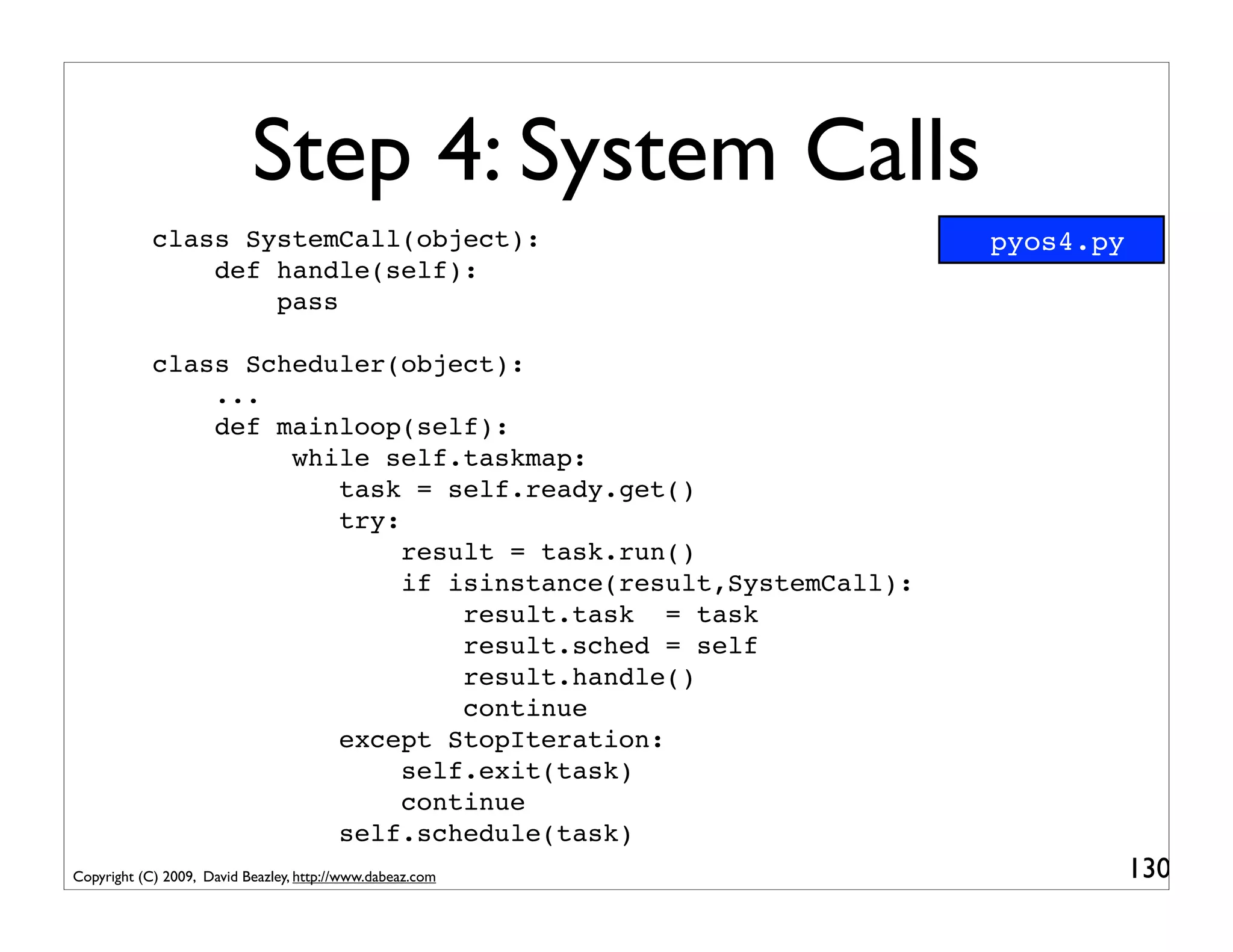
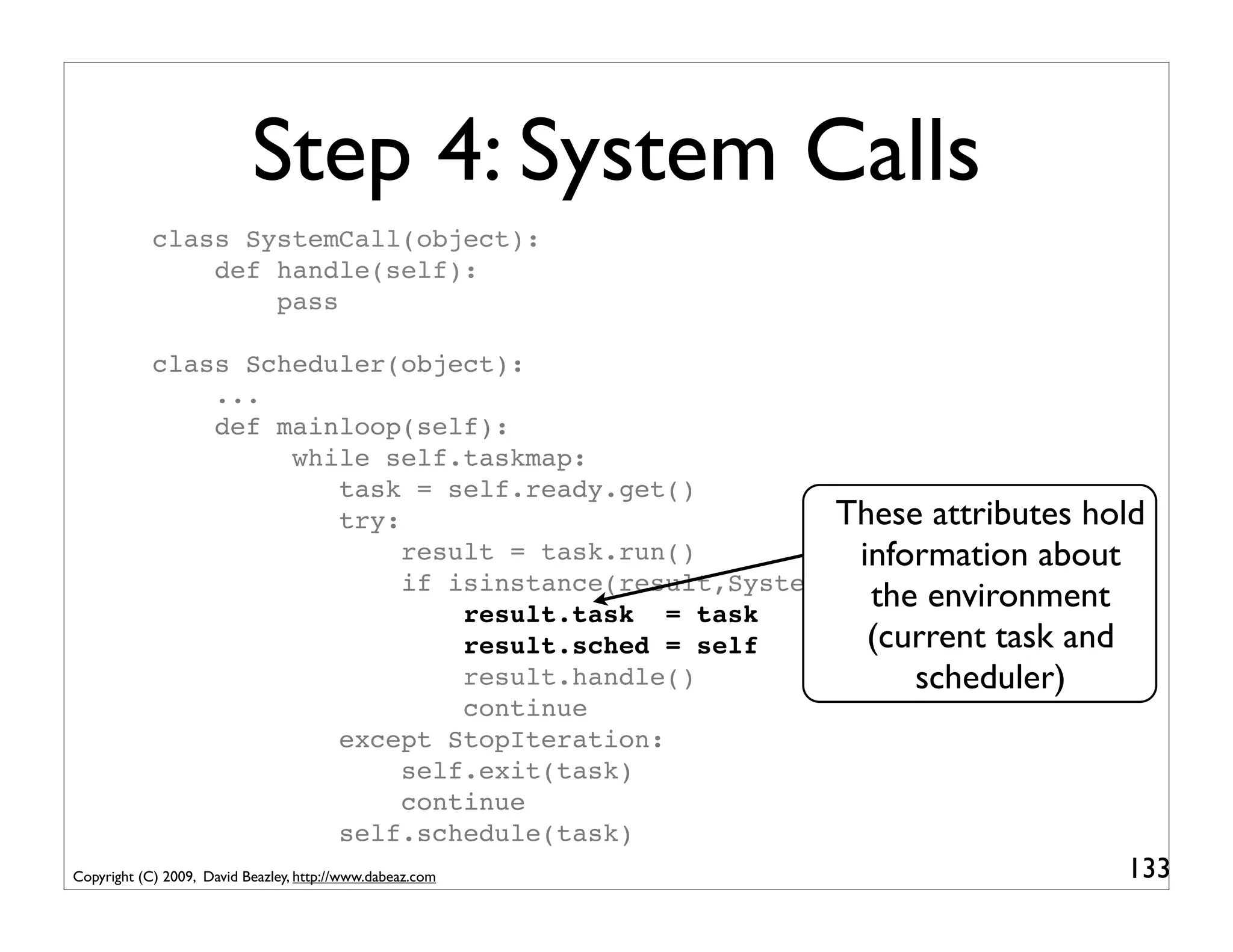
Step 4: System Calls
            class SystemCall(object):                            pyos4.py
                def handle(self):
                    pass

            class Scheduler(object):
                ...
                def mainloop(self):
                     while self.taskmap:
                        task = self.ready.get()
                        try:
                             result = task.run()
                             if isinstance(result,SystemCall):
                                 result.task = task
                                 result.sched = self
                                 result.handle()
                                 continue
                        except StopIteration:
                             self.exit(task)
                             continue
                        self.schedule(task)
Copyright (C) 2009, David Beazley, http://www.dabeaz.com                    130
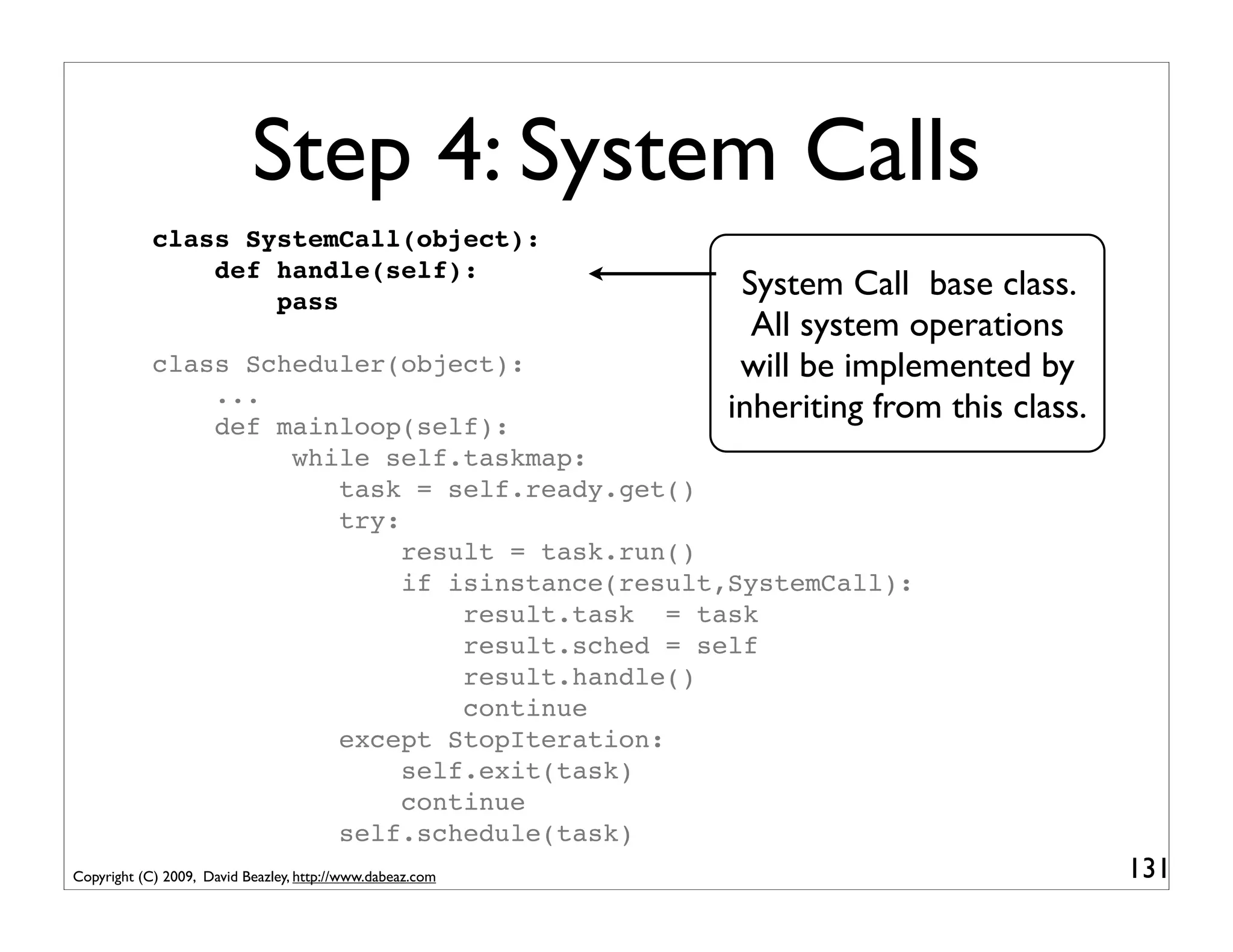
Step 4: System Calls
            class SystemCall(object):
                def handle(self):
                    pass
                                                            System Call base class.
                                                             All system operations
            class Scheduler(object):                        will be implemented by
                ...
                def mainloop(self):
                                                           inheriting from this class.
                     while self.taskmap:
                        task = self.ready.get()
                        try:
                             result = task.run()
                             if isinstance(result,SystemCall):
                                 result.task = task
                                 result.sched = self
                                 result.handle()
                                 continue
                        except StopIteration:
                             self.exit(task)
                             continue
                        self.schedule(task)
Copyright (C) 2009, David Beazley, http://www.dabeaz.com                                 131
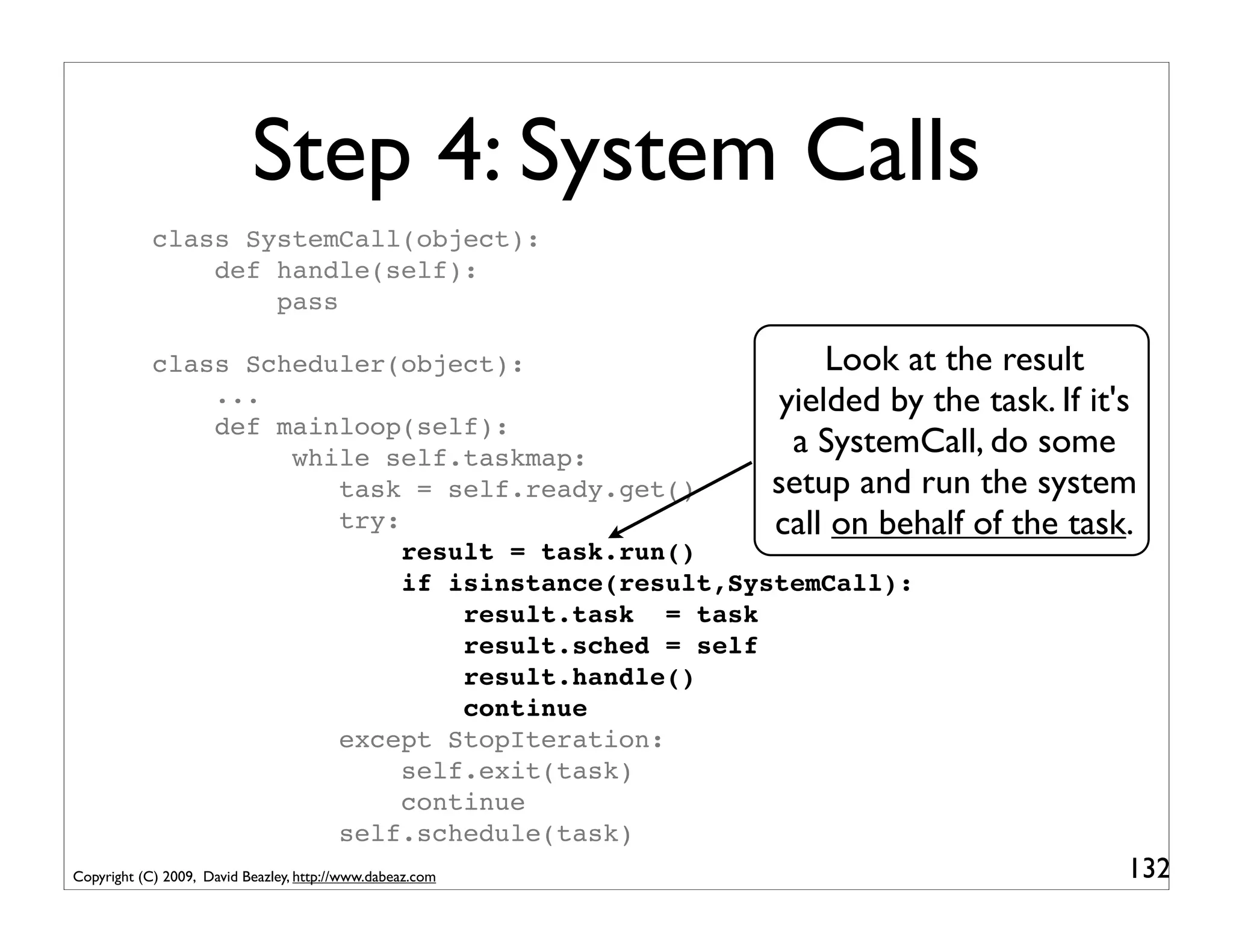
Step 4: System Calls
            class SystemCall(object):
                def handle(self):
                    pass

            class Scheduler(object):                      Look at the result
                ...                                   yielded by the task. If it's
                def mainloop(self):
                     while self.taskmap:
                                                       a SystemCall, do some
                        task = self.ready.get()      setup and run the system
                        try:                         call on behalf of the task.
                             result = task.run()
                             if isinstance(result,SystemCall):
                                 result.task = task
                                 result.sched = self
                                 result.handle()
                                 continue
                        except StopIteration:
                             self.exit(task)
                             continue
                        self.schedule(task)
Copyright (C) 2009, David Beazley, http://www.dabeaz.com                         132
Step 4: System Calls
            class SystemCall(object):
                def handle(self):
                    pass

            class Scheduler(object):
                ...
                def mainloop(self):
                     while self.taskmap:
                        task = self.ready.get()
                        try:                             These attributes hold
                             result = task.run()           information about
                             if isinstance(result,SystemCall):
                                 result.task = task
                                                            the environment
                                 result.sched = self        (current task and
                                 result.handle()               scheduler)
                                 continue
                        except StopIteration:
                             self.exit(task)
                             continue
                        self.schedule(task)
Copyright (C) 2009, David Beazley, http://www.dabeaz.com                    133
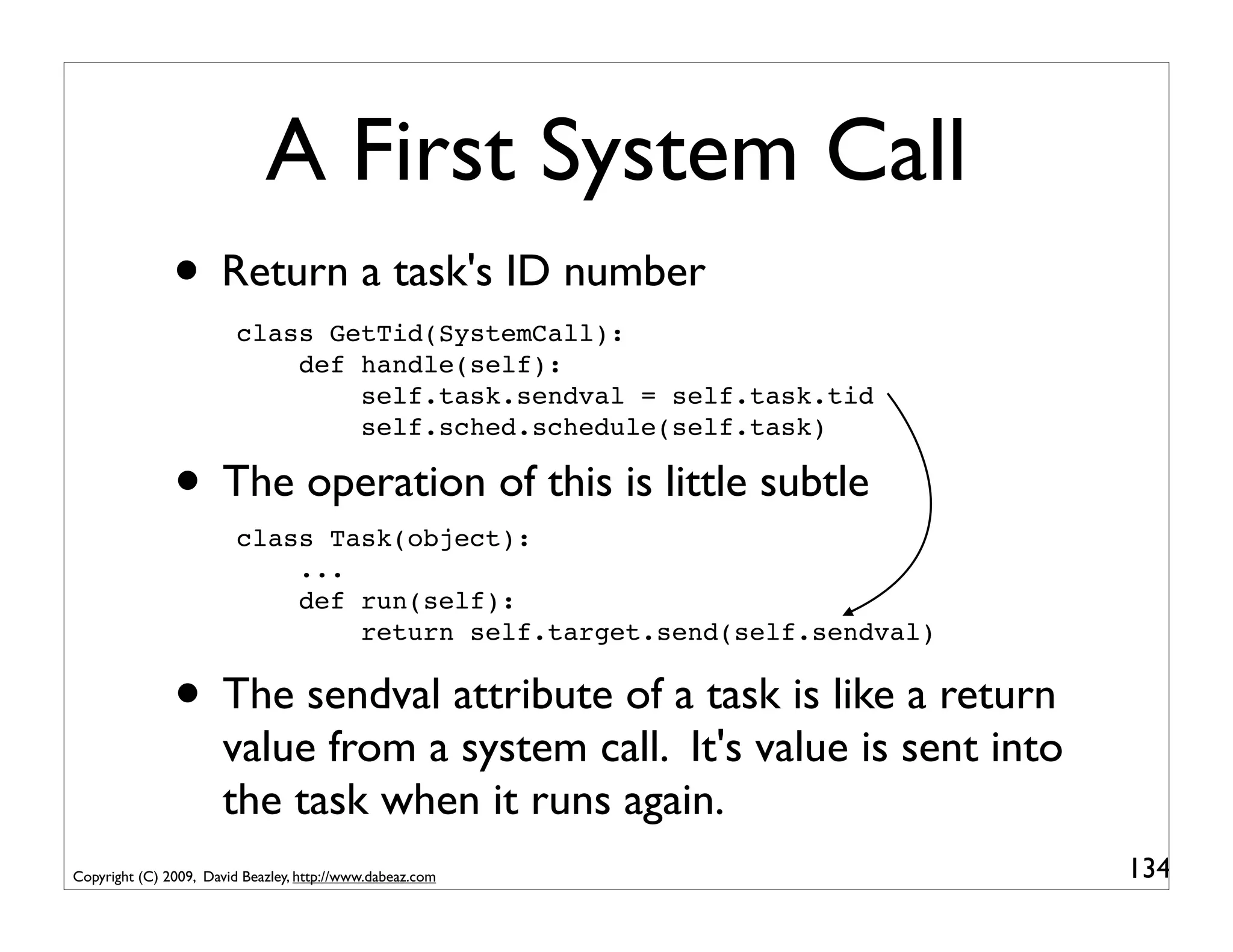
A First System Call
               • Return a task's ID number
                         class GetTid(SystemCall):
                             def handle(self):
                                 self.task.sendval = self.task.tid
                                 self.sched.schedule(self.task)

               • The operation of this is little subtle
                         class Task(object):
                             ...
                             def run(self):
                                 return self.target.send(self.sendval)


               • The sendval attribute of a task is like a return
                       value from a system call. It's value is sent into
                       the task when it runs again.
Copyright (C) 2009, David Beazley, http://www.dabeaz.com                   134
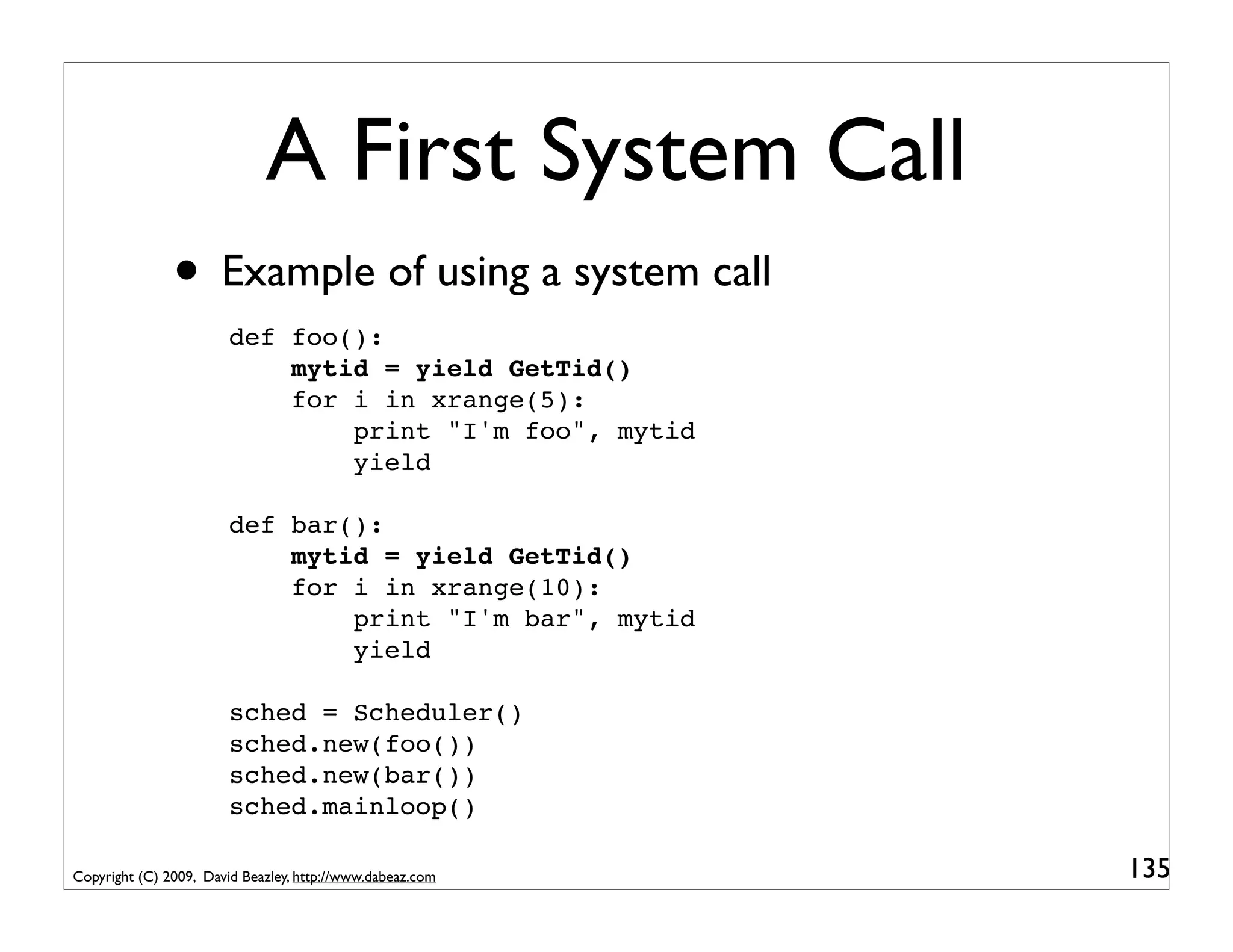
A First System Call
               • Example of using a system call
                        def foo():
                            mytid = yield GetTid()
                            for i in xrange(5):
                                print "I'm foo", mytid
                                yield

                        def bar():
                            mytid = yield GetTid()
                            for i in xrange(10):
                                print "I'm bar", mytid
                                yield

                        sched = Scheduler()
                        sched.new(foo())
                        sched.new(bar())
                        sched.mainloop()

Copyright (C) 2009, David Beazley, http://www.dabeaz.com   135
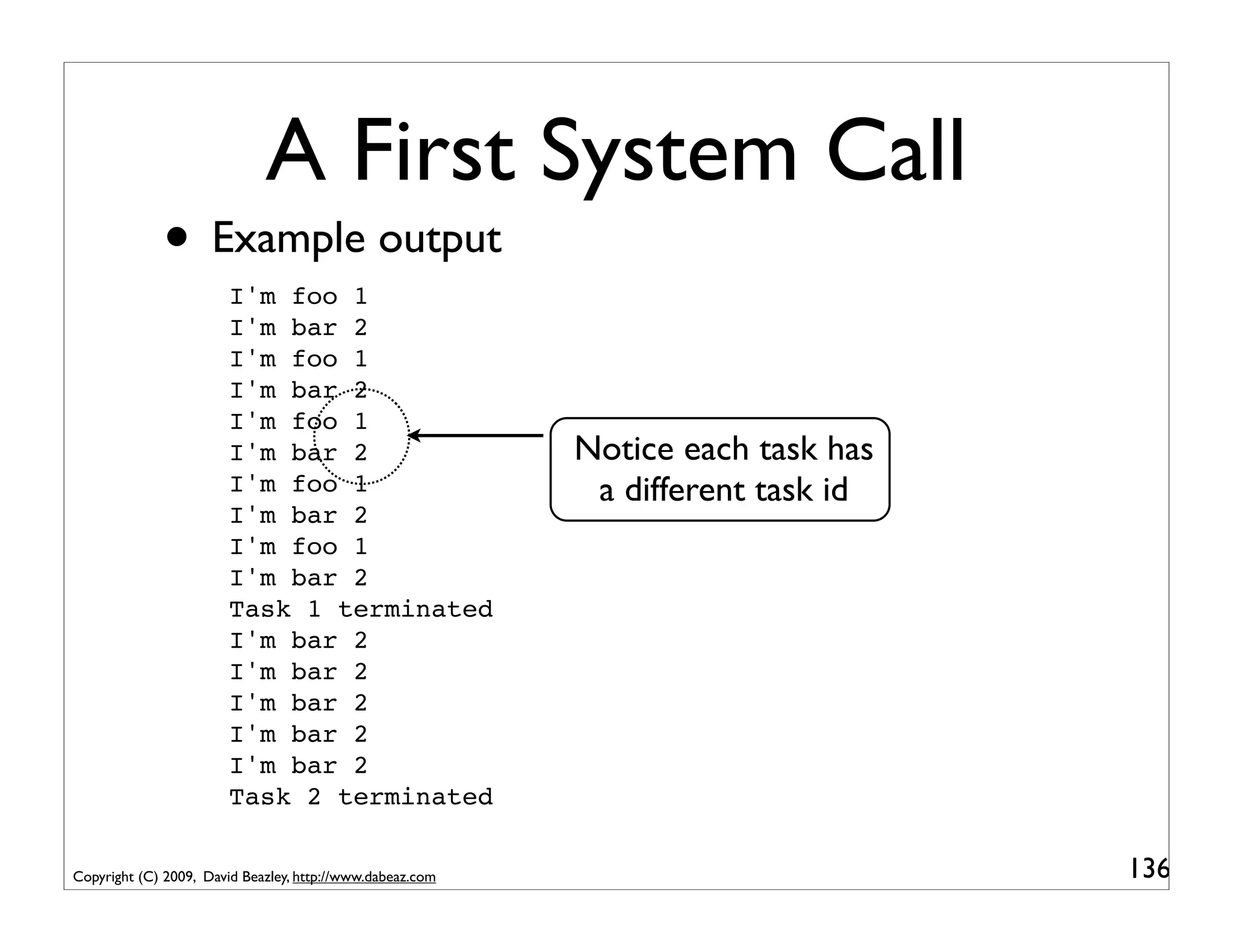
A First System Call
             • Example output
                        I'm foo 1
                        I'm bar 2
                        I'm foo 1
                        I'm bar 2
                        I'm foo 1
                        I'm bar 2                          Notice each task has
                        I'm foo 1                           a different task id
                        I'm bar 2
                        I'm foo 1
                        I'm bar 2
                        Task 1 terminated
                        I'm bar 2
                        I'm bar 2
                        I'm bar 2
                        I'm bar 2
                        I'm bar 2
                        Task 2 terminated

Copyright (C) 2009, David Beazley, http://www.dabeaz.com                          136
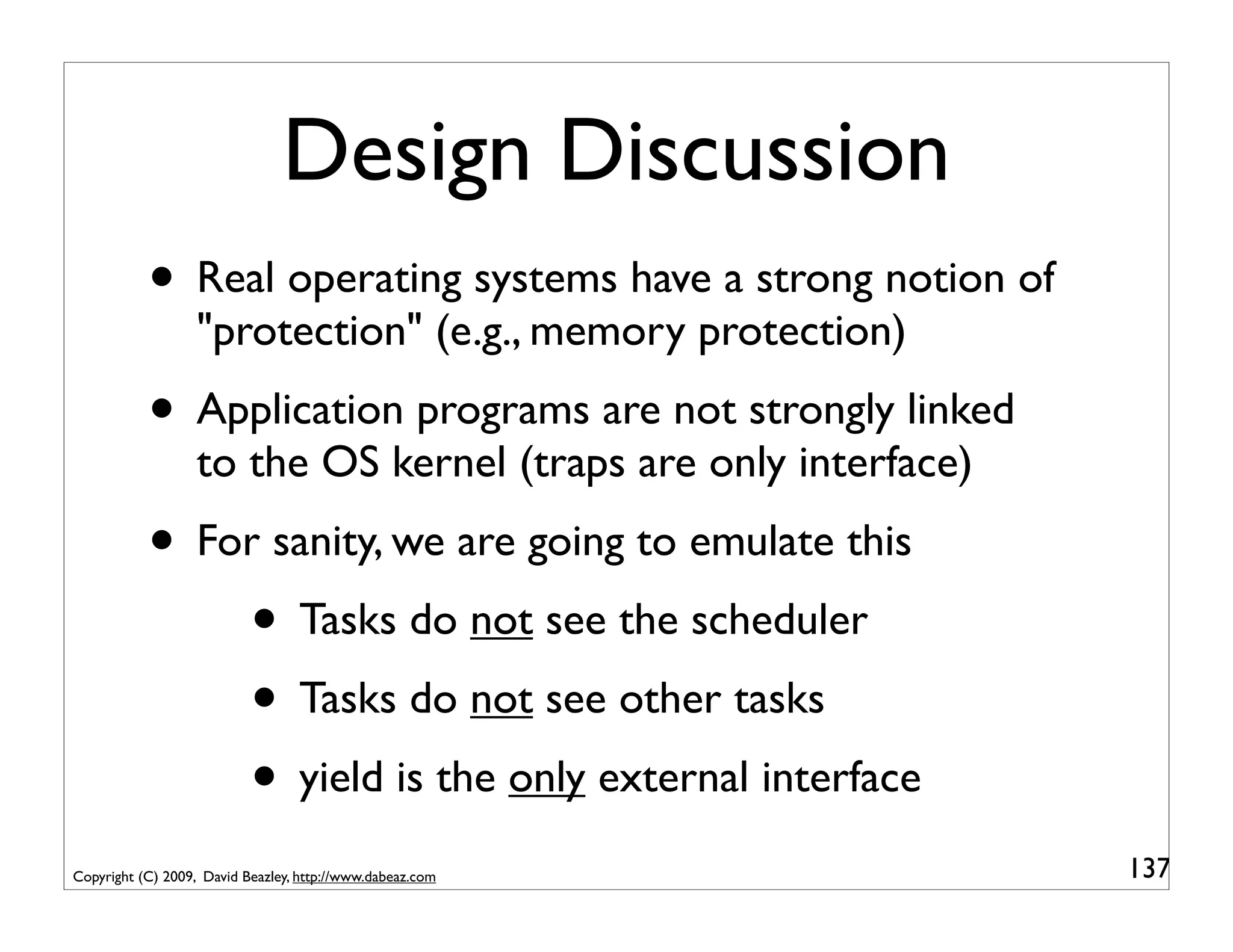
Design Discussion
           • Real operating systems have a strong notion of
                   "protection" (e.g., memory protection)
           • Application programs are not strongly linked
                   to the OS kernel (traps are only interface)
           • For sanity, we are going to emulate this
               • Tasks do not see the scheduler
               • Tasks do not see other tasks
               • yield is the only external interface
Copyright (C) 2009, David Beazley, http://www.dabeaz.com         137
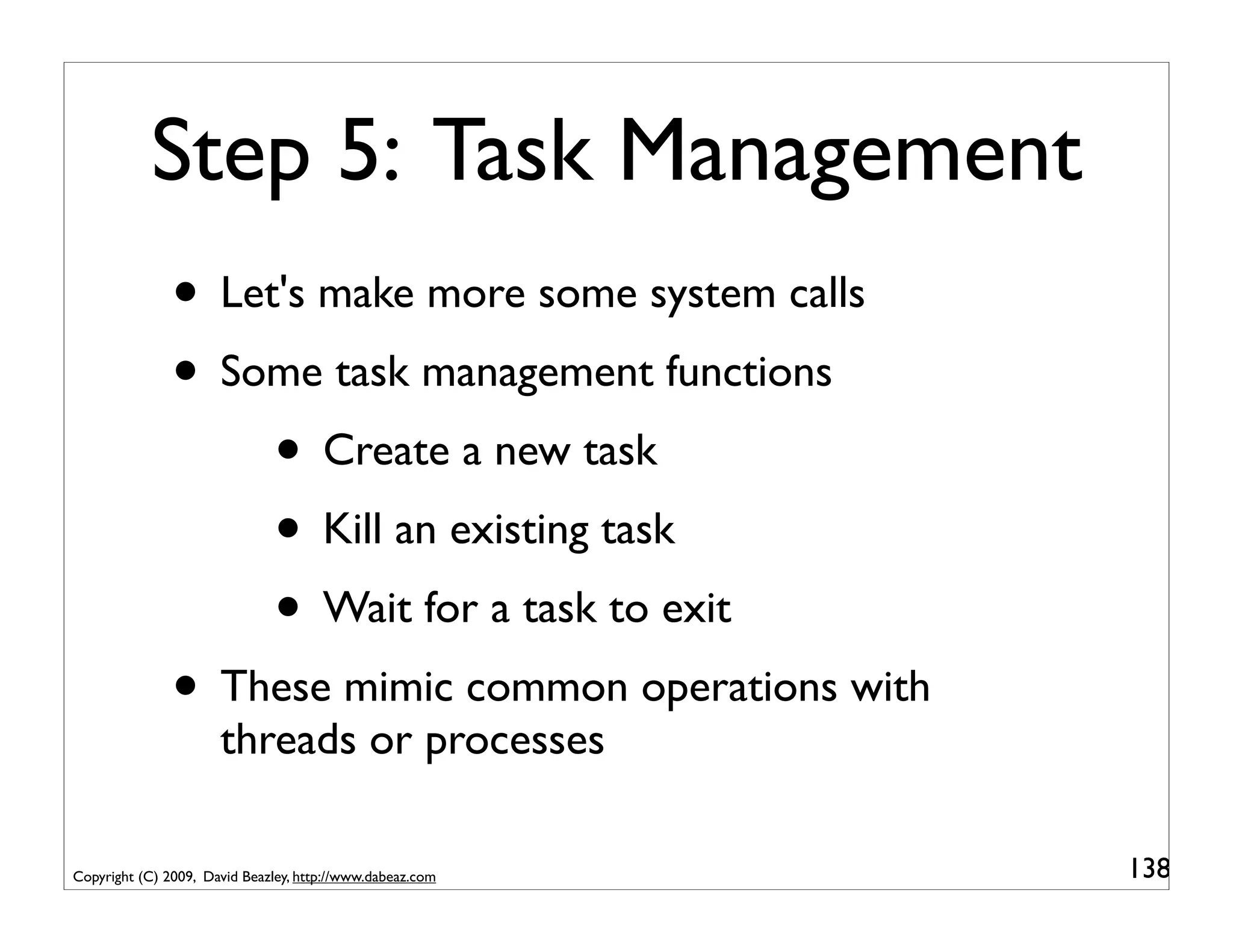
Step 5: Task Management
               • Let's make more some system calls
               • Some task management functions
                    • Create a new task
                    • Kill an existing task
                    • Wait for a task to exit
               • These mimic common operations with
                      threads or processes

Copyright (C) 2009, David Beazley, http://www.dabeaz.com   138
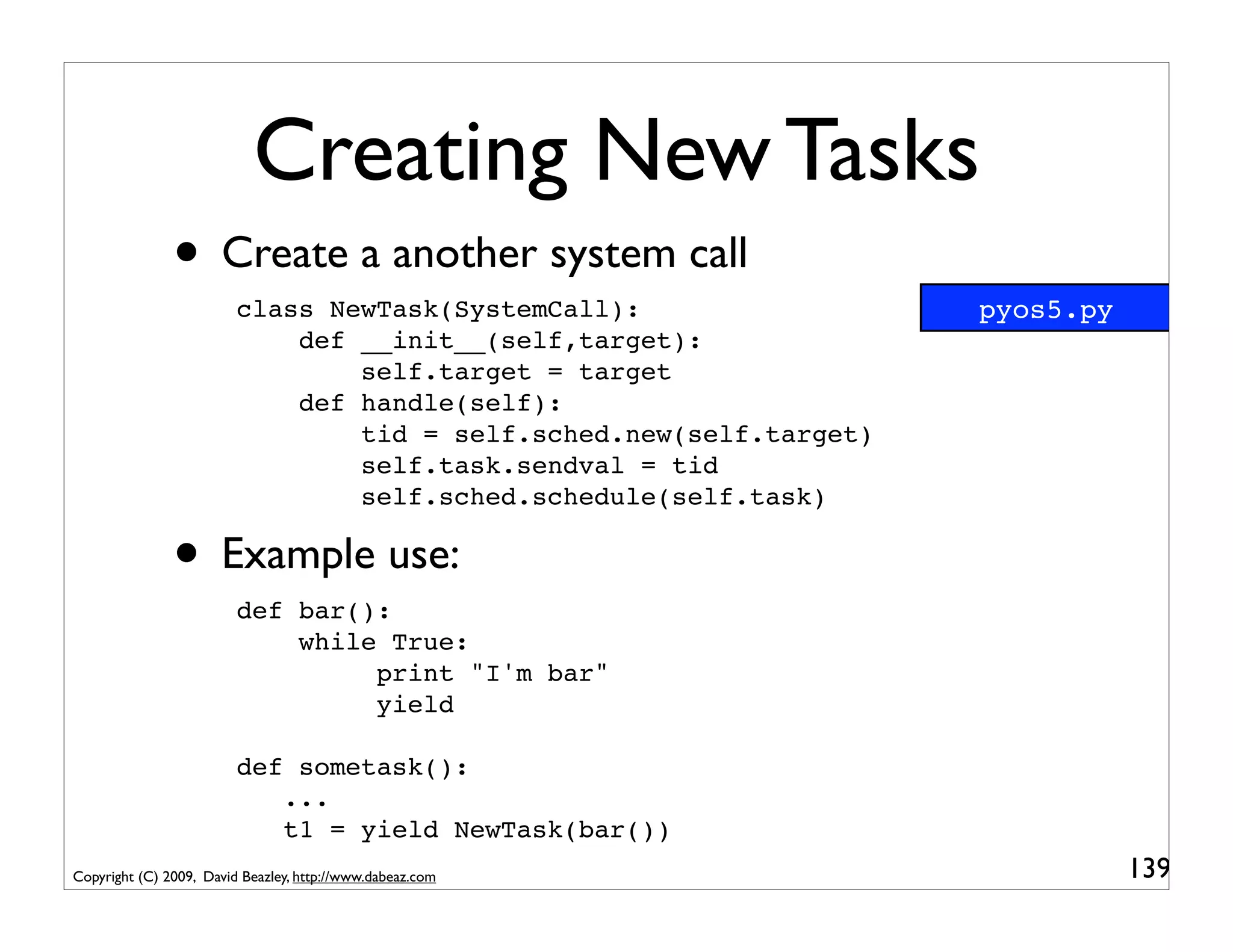
Creating New Tasks
               • Create a another system call
                         class NewTask(SystemCall):                  pyos5.py
                             def __init__(self,target):
                                 self.target = target
                             def handle(self):
                                 tid = self.sched.new(self.target)
                                 self.task.sendval = tid
                                 self.sched.schedule(self.task)

               • Example use:
                         def bar():
                             while True:
                                  print "I'm bar"
                                  yield

                         def sometask():
                            ...
                            t1 = yield NewTask(bar())
Copyright (C) 2009, David Beazley, http://www.dabeaz.com                        139
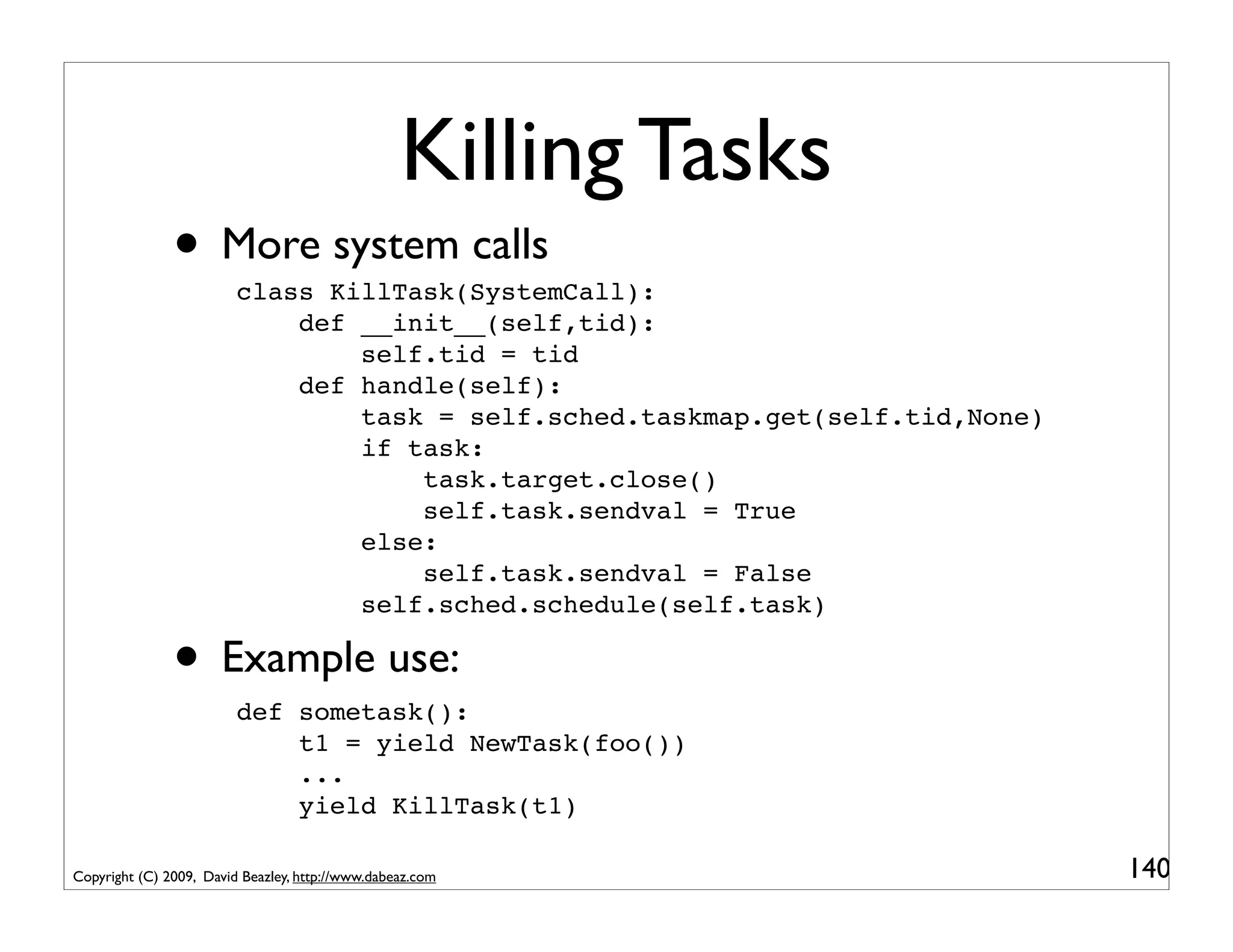
Killing Tasks
               • More system calls
                         class KillTask(SystemCall):
                             def __init__(self,tid):
                                 self.tid = tid
                             def handle(self):
                                 task = self.sched.taskmap.get(self.tid,None)
                                 if task:
                                     task.target.close()
                                     self.task.sendval = True
                                 else:
                                     self.task.sendval = False
                                 self.sched.schedule(self.task)

               • Example use:
                         def sometask():
                             t1 = yield NewTask(foo())
                             ...
                             yield KillTask(t1)

Copyright (C) 2009, David Beazley, http://www.dabeaz.com                        140
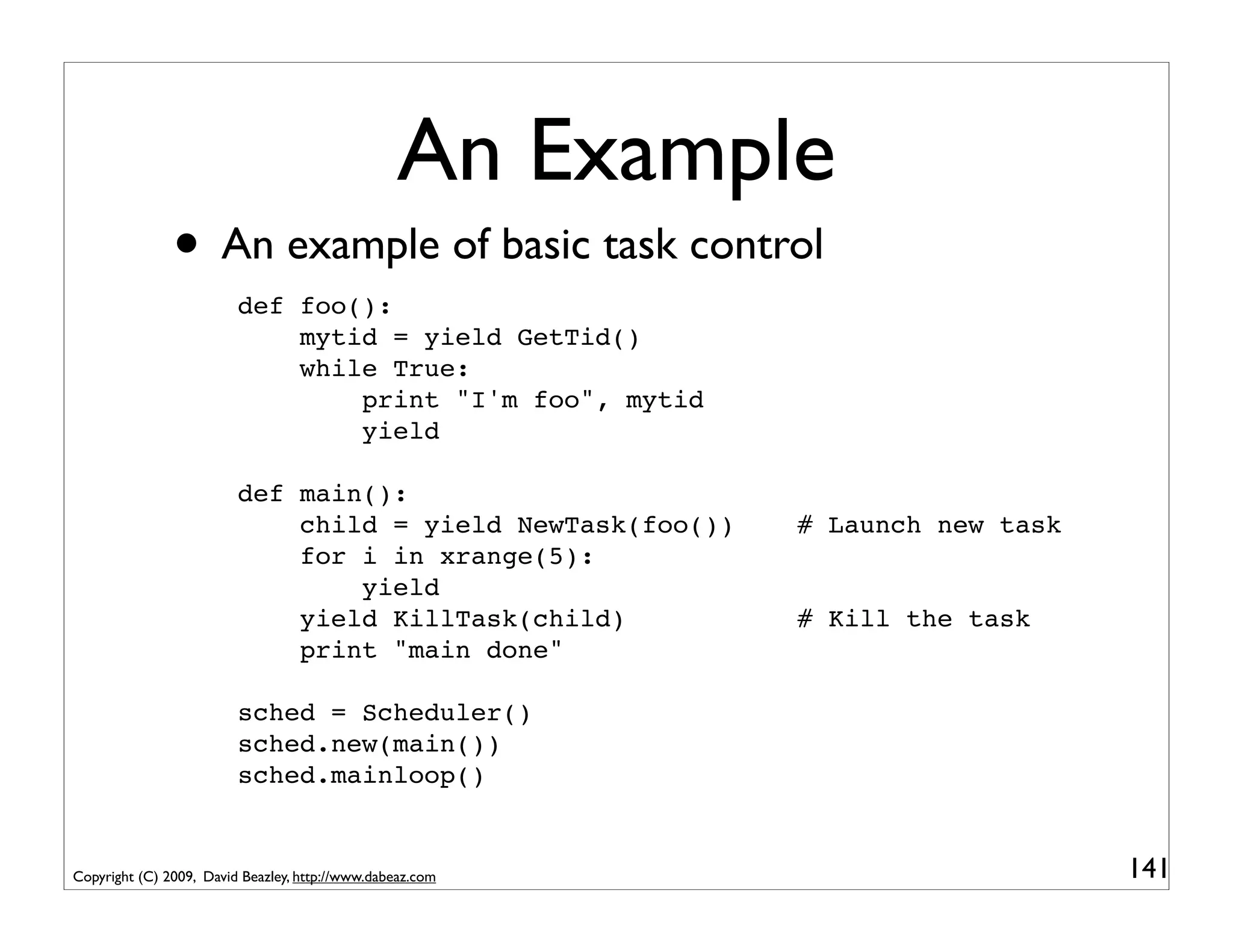
An Example
               • An example of basic task control
                         def foo():
                             mytid = yield GetTid()
                             while True:
                                 print "I'm foo", mytid
                                 yield

                         def main():
                             child = yield NewTask(foo())   # Launch new task
                             for i in xrange(5):
                                 yield
                             yield KillTask(child)          # Kill the task
                             print "main done"

                         sched = Scheduler()
                         sched.new(main())
                         sched.mainloop()


Copyright (C) 2009, David Beazley, http://www.dabeaz.com                        141
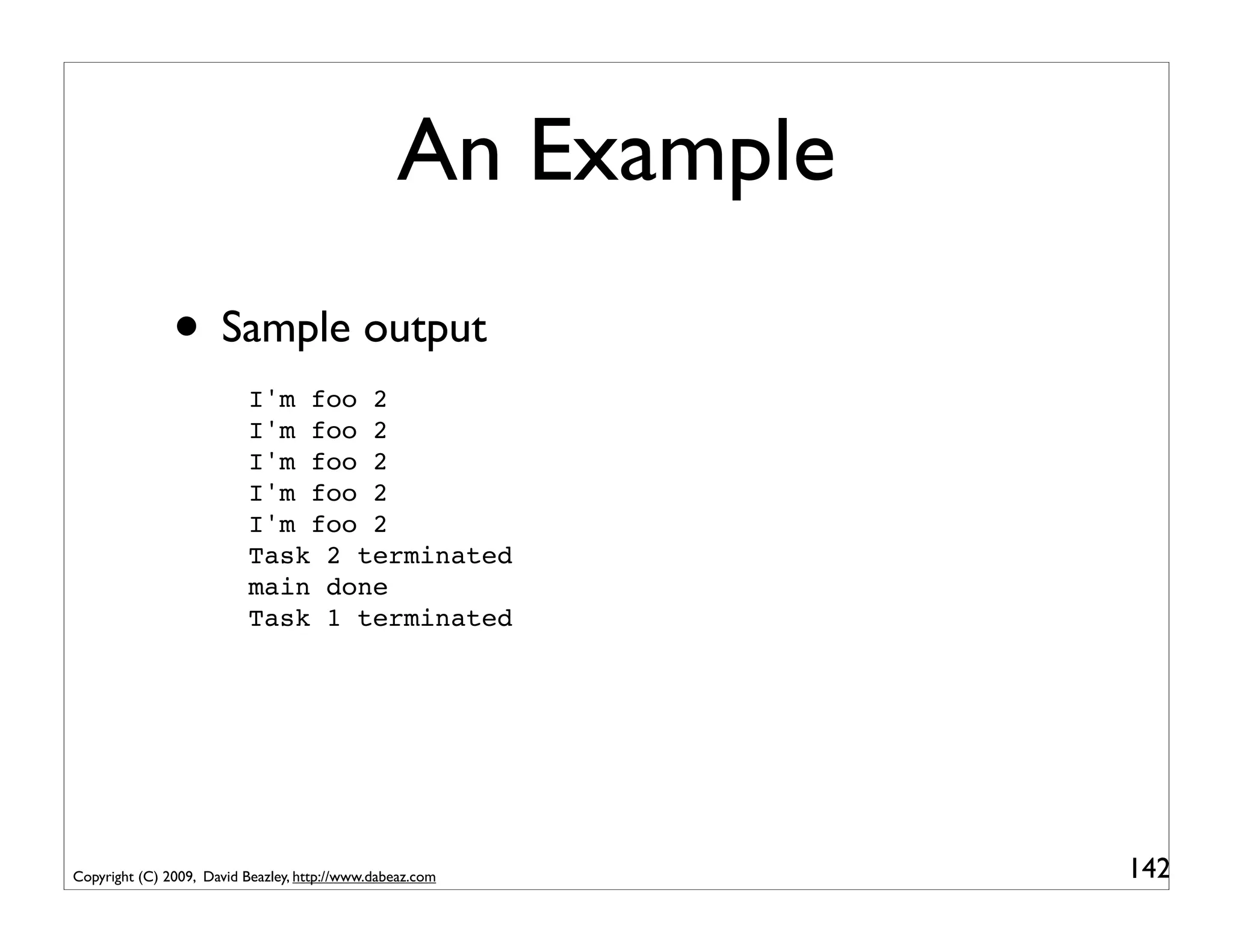
An Example
               • Sample output
                           I'm foo 2
                           I'm foo 2
                           I'm foo 2
                           I'm foo 2
                           I'm foo 2
                           Task 2 terminated
                           main done
                           Task 1 terminated


Copyright (C) 2009, David Beazley, http://www.dabeaz.com      142
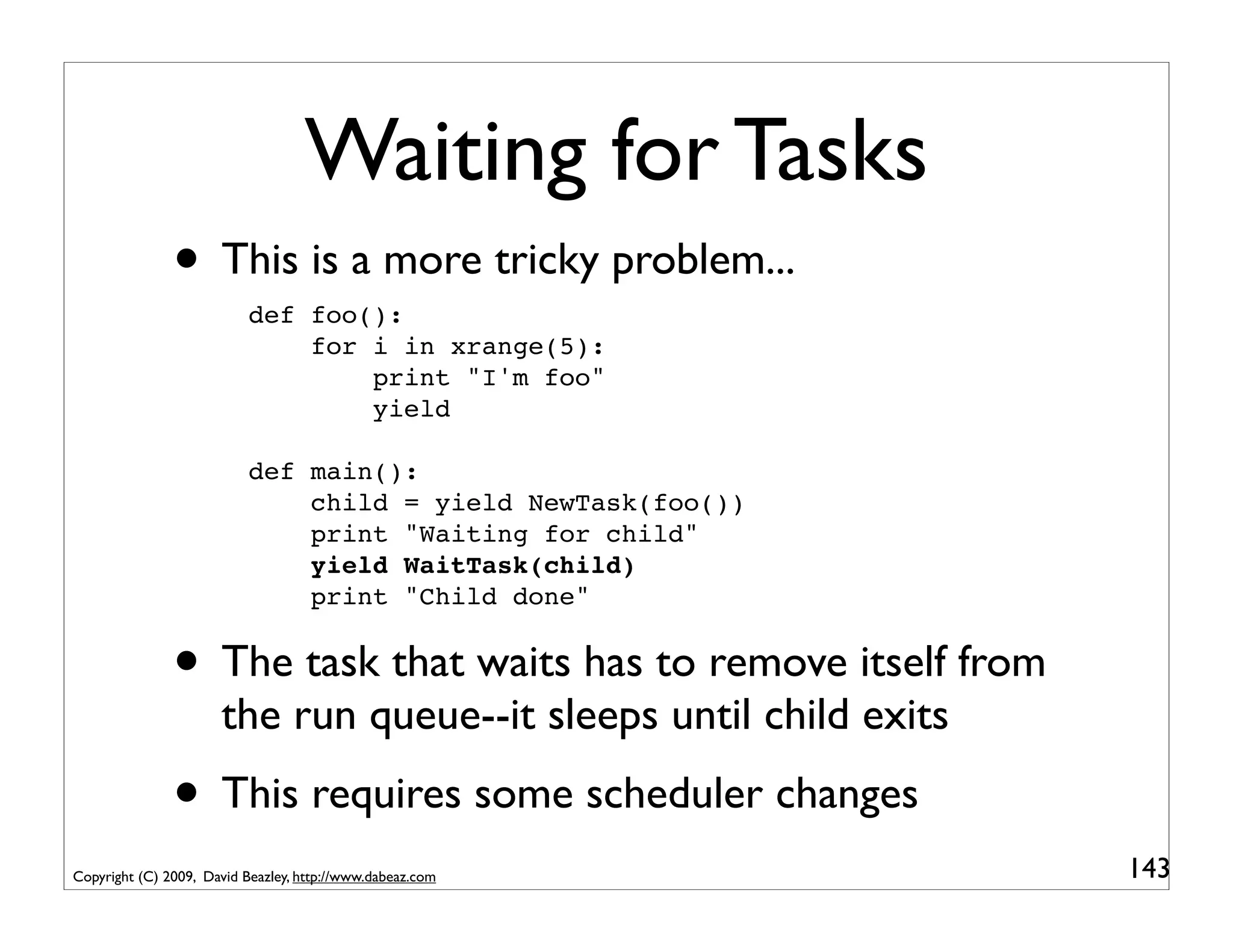
Waiting for Tasks
               • This is a more tricky problem...
                           def foo():
                               for i in xrange(5):
                                   print "I'm foo"
                                   yield

                           def main():
                               child = yield NewTask(foo())
                               print "Waiting for child"
                               yield WaitTask(child)
                               print "Child done"


               • The task that waits has to remove itself from
                      the run queue--it sleeps until child exits
               • This requires some scheduler changes
Copyright (C) 2009, David Beazley, http://www.dabeaz.com           143
Task Waiting
     class Scheduler(object):
                                                                     pyos6.py
         def __init__(self):
             ...
             self.exit_waiting = {}
             ...

               def exit(self,task):
                   print "Task %d terminated" % task.tid
                   del self.taskmap[task.tid]
                   # Notify other tasks waiting for exit
                   for task in self.exit_waiting.pop(task.tid,[]):
                       self.schedule(task)

               def waitforexit(self,task,waittid):
                   if waittid in self.taskmap:
                       self.exit_waiting.setdefault(waittid,[]).append(task)
                       return True
                   else:
                       return False

Copyright (C) 2009, David Beazley, http://www.dabeaz.com                        144
Task Waiting
     class Scheduler(object):
         def __init__(self):                               This is a holding area for
             ...                                            tasks that are waiting.
             self.exit_waiting = {}
             ...
                                                            A dict mapping task ID
                                                           to tasks waiting for exit.
               def exit(self,task):
                   print "Task %d terminated" % task.tid
                   del self.taskmap[task.tid]
                   # Notify other tasks waiting for exit
                   for task in self.exit_waiting.pop(task.tid,[]):
                       self.schedule(task)

               def waitforexit(self,task,waittid):
                   if waittid in self.taskmap:
                       self.exit_waiting.setdefault(waittid,[]).append(task)
                       return True
                   else:
                       return False

Copyright (C) 2009, David Beazley, http://www.dabeaz.com                                145
Task Waiting
     class Scheduler(object):
         def __init__(self):
             ...
                                                                  When a task exits, we
             self.exit_waiting = {}                               pop a list of all waiting
             ...                                                   tasks off out of the
                                                                     waiting area and
               def exit(self,task):
                   print "Task %d terminated" %            task.tid reschedule them.
                   del self.taskmap[task.tid]
                   # Notify other tasks waiting for exit
                   for task in self.exit_waiting.pop(task.tid,[]):
                       self.schedule(task)

               def waitforexit(self,task,waittid):
                   if waittid in self.taskmap:
                       self.exit_waiting.setdefault(waittid,[]).append(task)
                       return True
                   else:
                       return False

Copyright (C) 2009, David Beazley, http://www.dabeaz.com                                      146
Task Waiting
     class Scheduler(object):
         def __init__(self):
             ...
             self.exit_waiting = {}
             ...

               def exit(self,task):
                   print "Task %d terminated" % task.tid
                   del self.taskmap[task.tid]   A utility method that
                   # Notify other tasks waiting makes a task wait for
                                                for exit
                   for task in self.exit_waiting.pop(task.tid,[]):the
                                              another task. It puts
                       self.schedule(task)
                                                           task in the waiting area.
               def waitforexit(self,task,waittid):
                   if waittid in self.taskmap:
                       self.exit_waiting.setdefault(waittid,[]).append(task)
                       return True
                   else:
                       return False

Copyright (C) 2009, David Beazley, http://www.dabeaz.com                               147
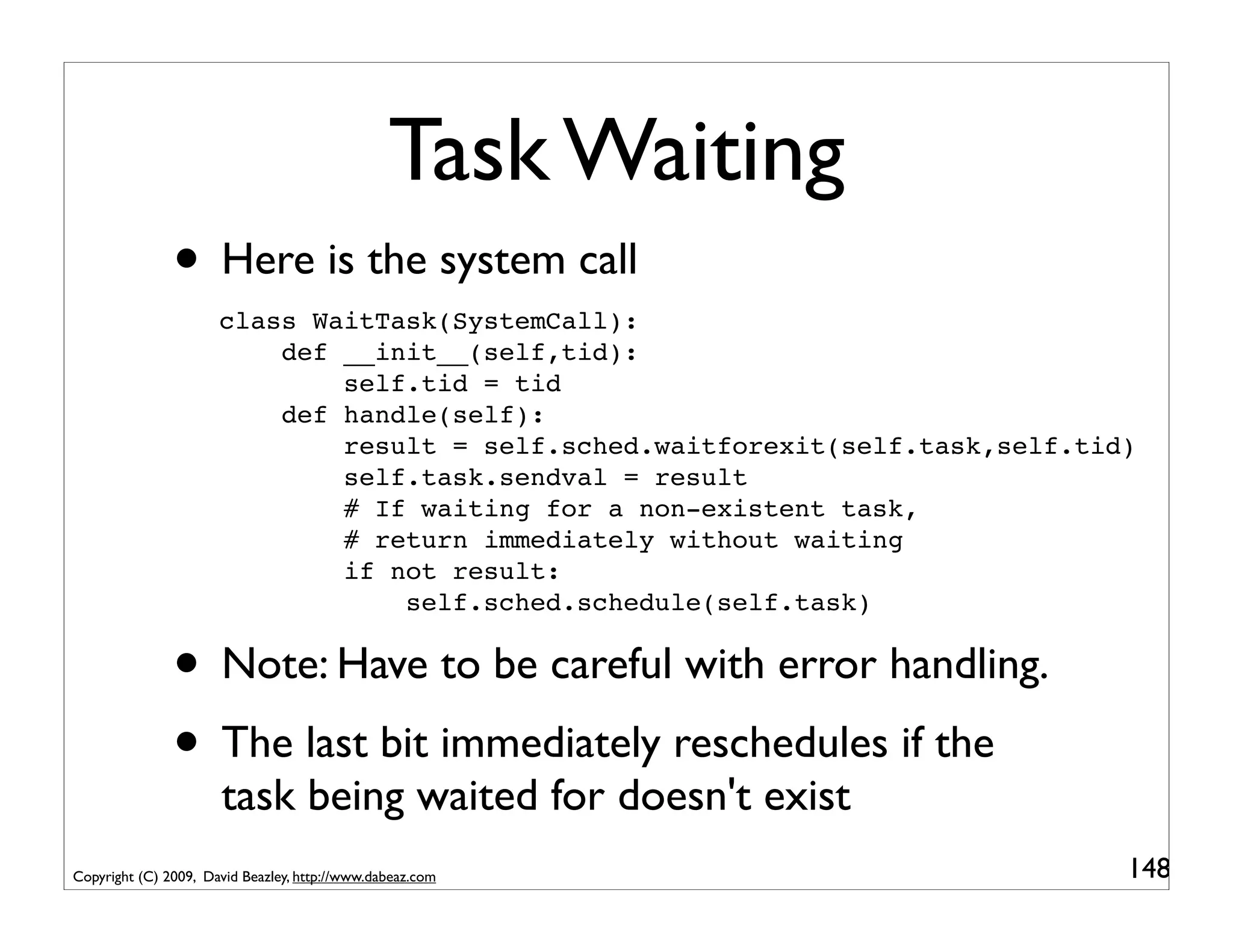
Task Waiting
               • Here is the system call
                      class WaitTask(SystemCall):
                          def __init__(self,tid):
                              self.tid = tid
                          def handle(self):
                              result = self.sched.waitforexit(self.task,self.tid)
                              self.task.sendval = result
                              # If waiting for a non-existent task,
                              # return immediately without waiting
                              if not result:
                                  self.sched.schedule(self.task)


               • Note: Have to be careful with error handling.
               • The last bit immediately reschedules if the
                      task being waited for doesn't exist
Copyright (C) 2009, David Beazley, http://www.dabeaz.com                        148
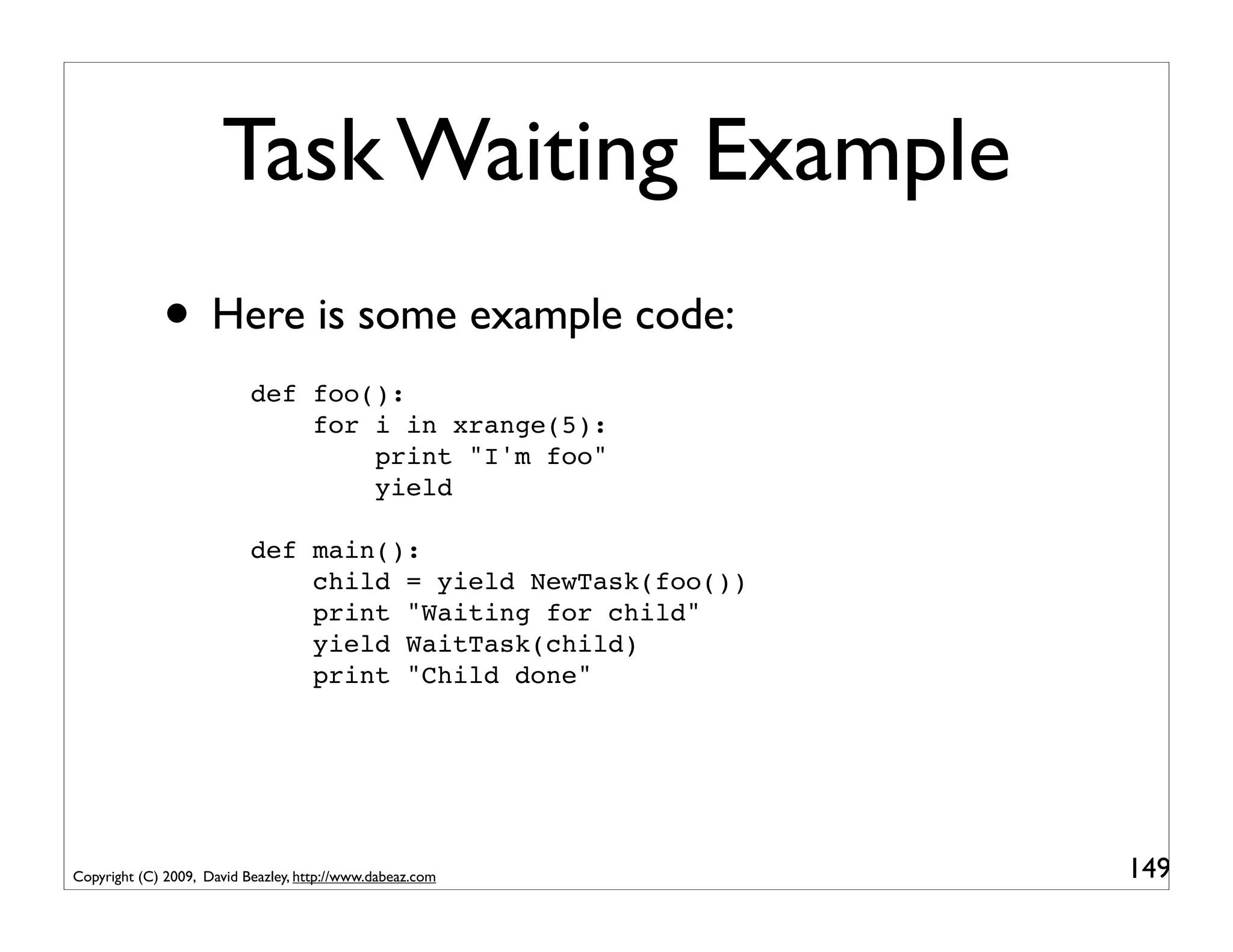
Task Waiting Example
             • Here is some example code:
                           def foo():
                               for i in xrange(5):
                                   print "I'm foo"
                                   yield

                           def main():
                               child = yield NewTask(foo())
                               print "Waiting for child"
                               yield WaitTask(child)
                               print "Child done"


Copyright (C) 2009, David Beazley, http://www.dabeaz.com      149
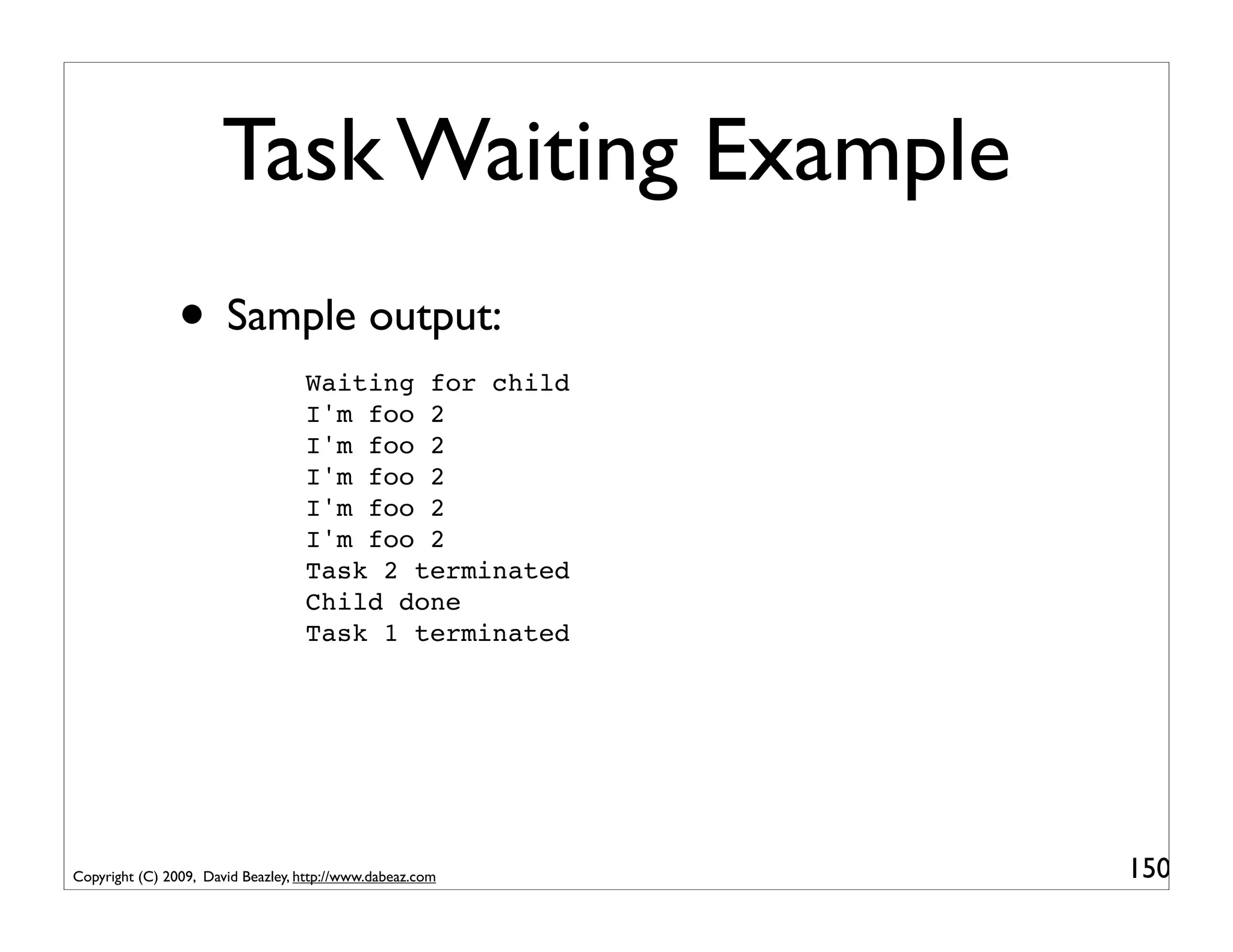
Task Waiting Example
                • Sample output:
                                   Waiting for child
                                   I'm foo 2
                                   I'm foo 2
                                   I'm foo 2
                                   I'm foo 2
                                   I'm foo 2
                                   Task 2 terminated
                                   Child done
                                   Task 1 terminated


Copyright (C) 2009, David Beazley, http://www.dabeaz.com   150
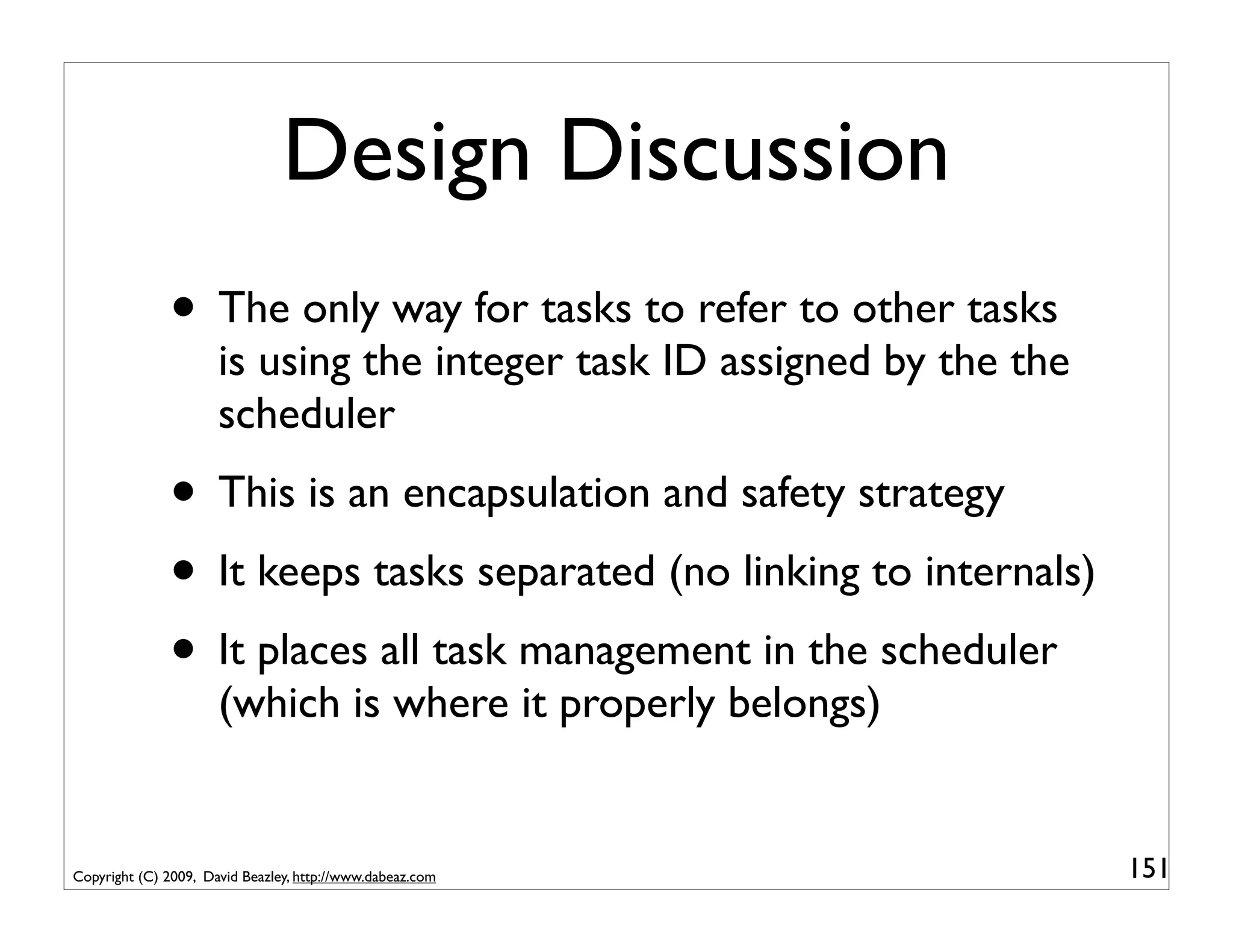
Design Discussion
              • The only way for tasks to refer to other tasks
                      is using the integer task ID assigned by the the
                      scheduler
              • This is an encapsulation and safety strategy
              • It keeps tasks separated (no linking to internals)
              • It places all task management in the scheduler
                      (which is where it properly belongs)


Copyright (C) 2009, David Beazley, http://www.dabeaz.com                 151
Interlude
                • Running multiple tasks. Check.
                • Launching new tasks. Check.
                • Some basic task management. Check.
                • The next step is obvious
                • We must implement a web framework...
                • ... or maybe just an echo sever to start.
Copyright (C) 2009, David Beazley, http://www.dabeaz.com               152
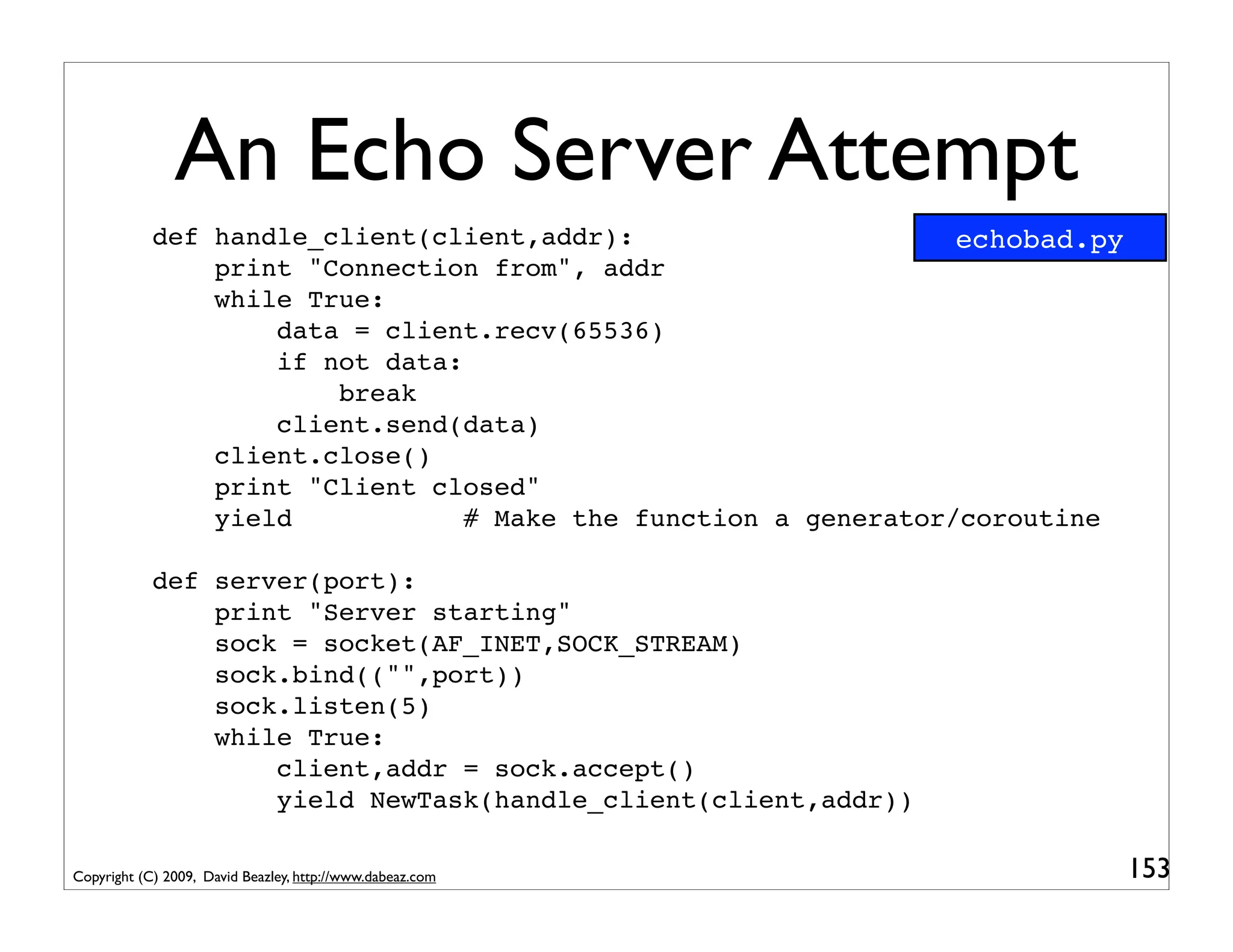
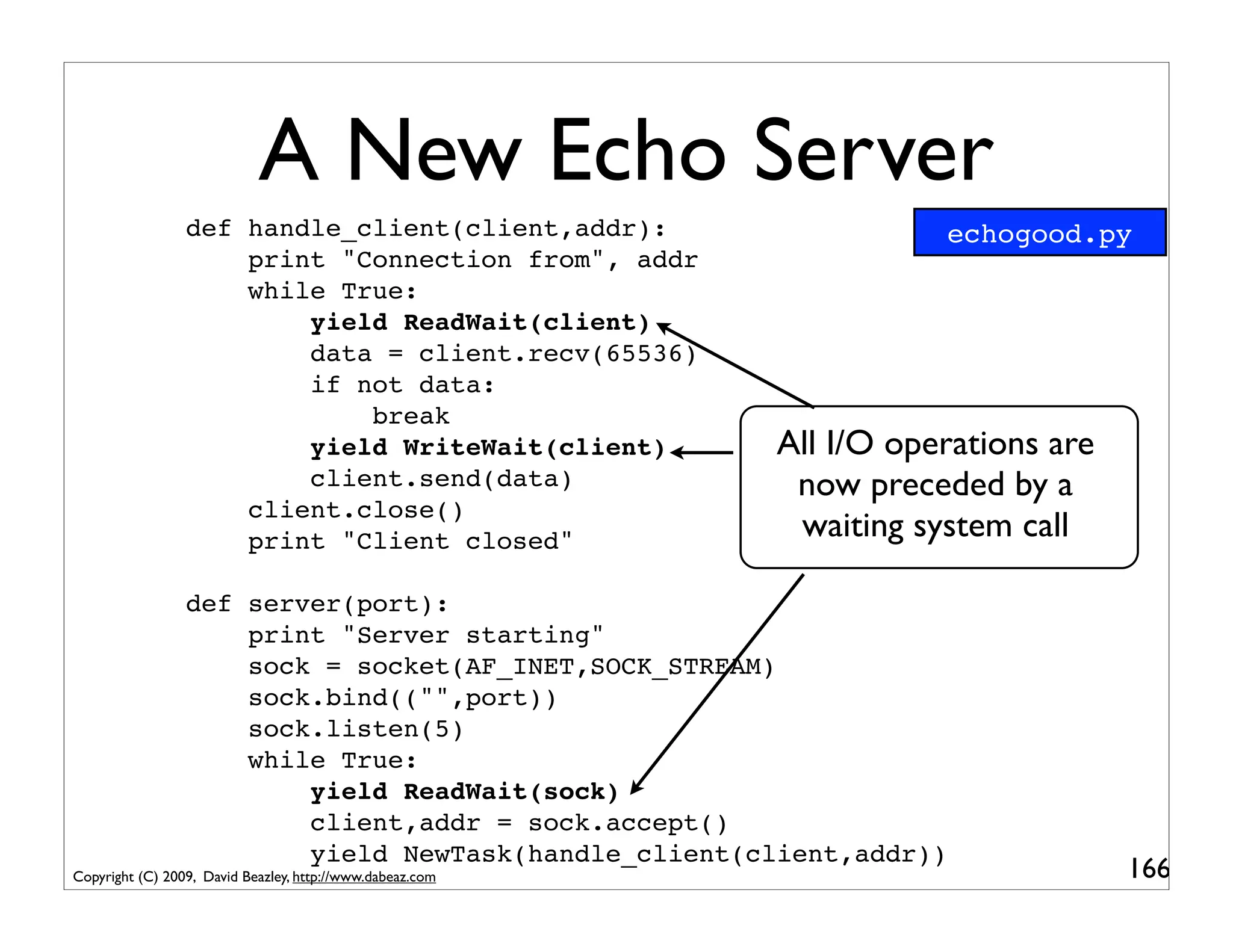
An Echo Server Attempt
            def handle_client(client,addr):                      echobad.py
                print "Connection from", addr
                while True:
                    data = client.recv(65536)
                    if not data:
                        break
                    client.send(data)
                client.close()
                print "Client closed"
                yield            # Make the function a generator/coroutine

            def server(port):
                print "Server starting"
                sock = socket(AF_INET,SOCK_STREAM)
                sock.bind(("",port))
                sock.listen(5)
                while True:
                    client,addr = sock.accept()
                    yield NewTask(handle_client(client,addr))

Copyright (C) 2009, David Beazley, http://www.dabeaz.com                      153
An Echo Server Attempt
            def handle_client(client,addr):
                print "Connection from", addr
                while True:
                    data = client.recv(65536)
                    if not data:
                        break
                    client.send(data)
                client.close()
                print "Client closed"
                yield            # Make the function a generator/coroutine

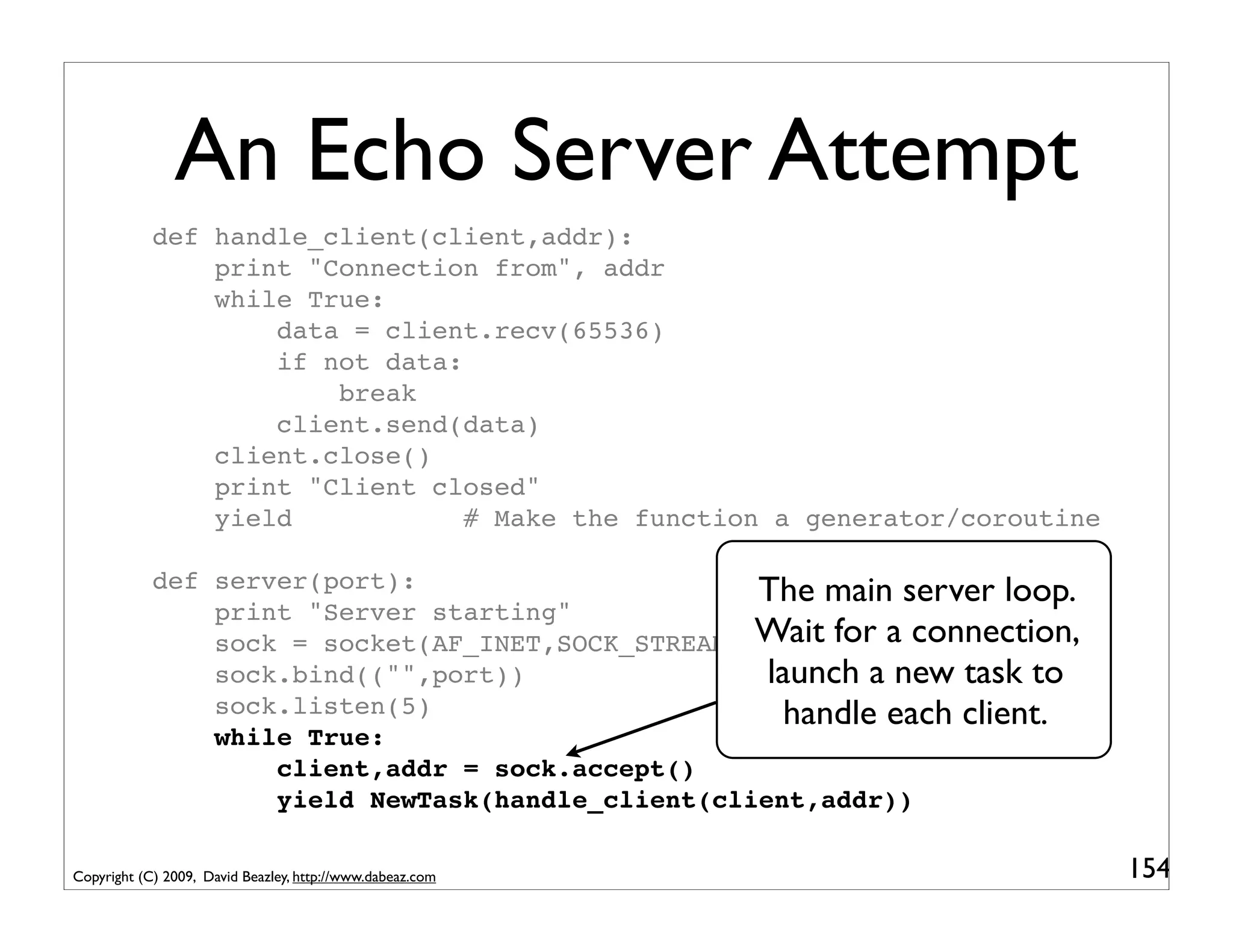
            def server(port):                      The main server loop.
                print "Server starting"
                sock = socket(AF_INET,SOCK_STREAM) Wait for a connection,
                sock.bind(("",port))                launch a new task to
                sock.listen(5)                        handle each client.
                while True:
                    client,addr = sock.accept()
                    yield NewTask(handle_client(client,addr))

Copyright (C) 2009, David Beazley, http://www.dabeaz.com                     154
An Echo Server Attempt
            def handle_client(client,addr):
                print "Connection from", addr
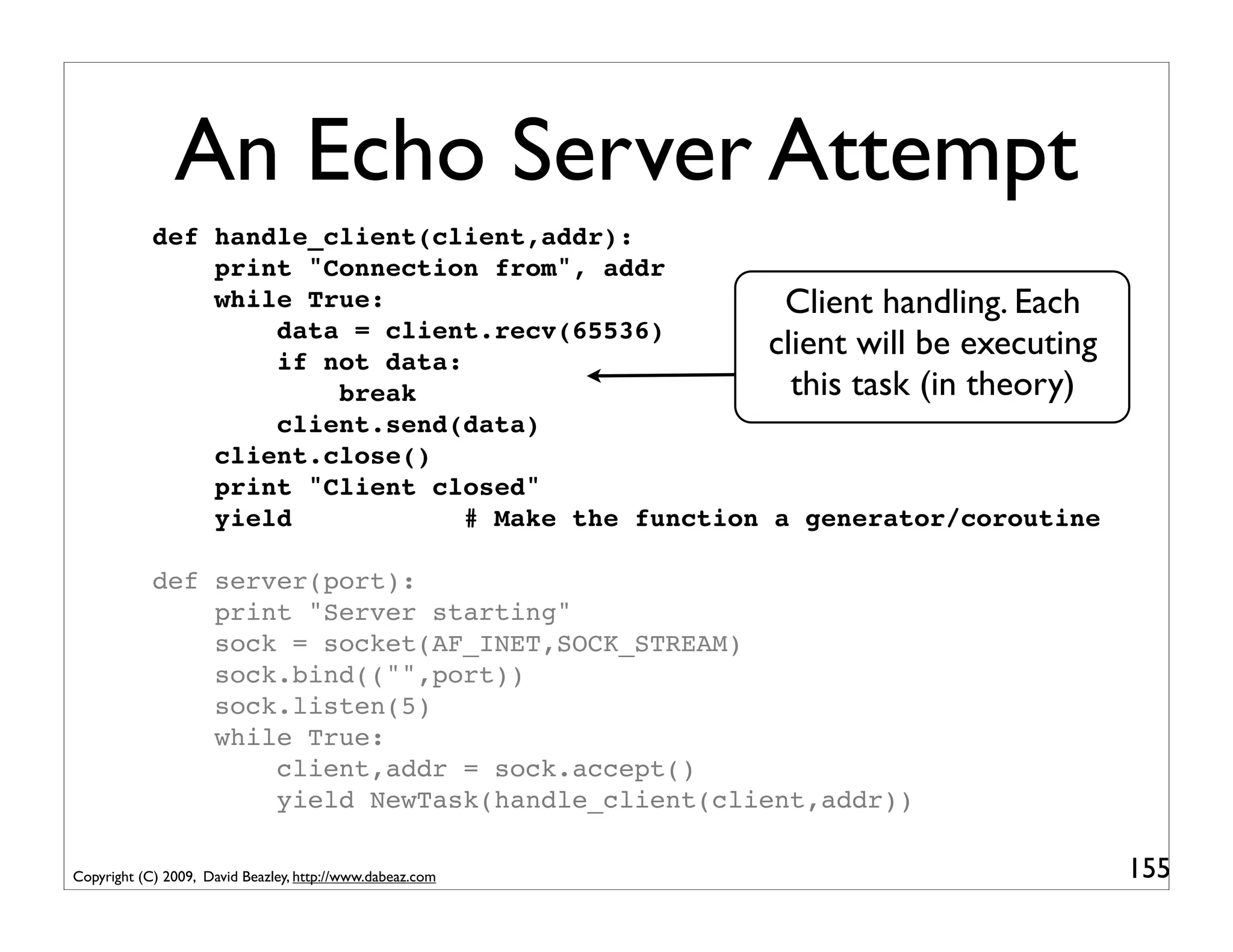
                while True:                           Client handling. Each
                    data = client.recv(65536)
                    if not data:
                                                     client will be executing
                        break                          this task (in theory)
                    client.send(data)
                client.close()
                print "Client closed"
                yield            # Make the function a generator/coroutine

            def server(port):
                print "Server starting"
                sock = socket(AF_INET,SOCK_STREAM)
                sock.bind(("",port))
                sock.listen(5)
                while True:
                    client,addr = sock.accept()
                    yield NewTask(handle_client(client,addr))

Copyright (C) 2009, David Beazley, http://www.dabeaz.com                        155
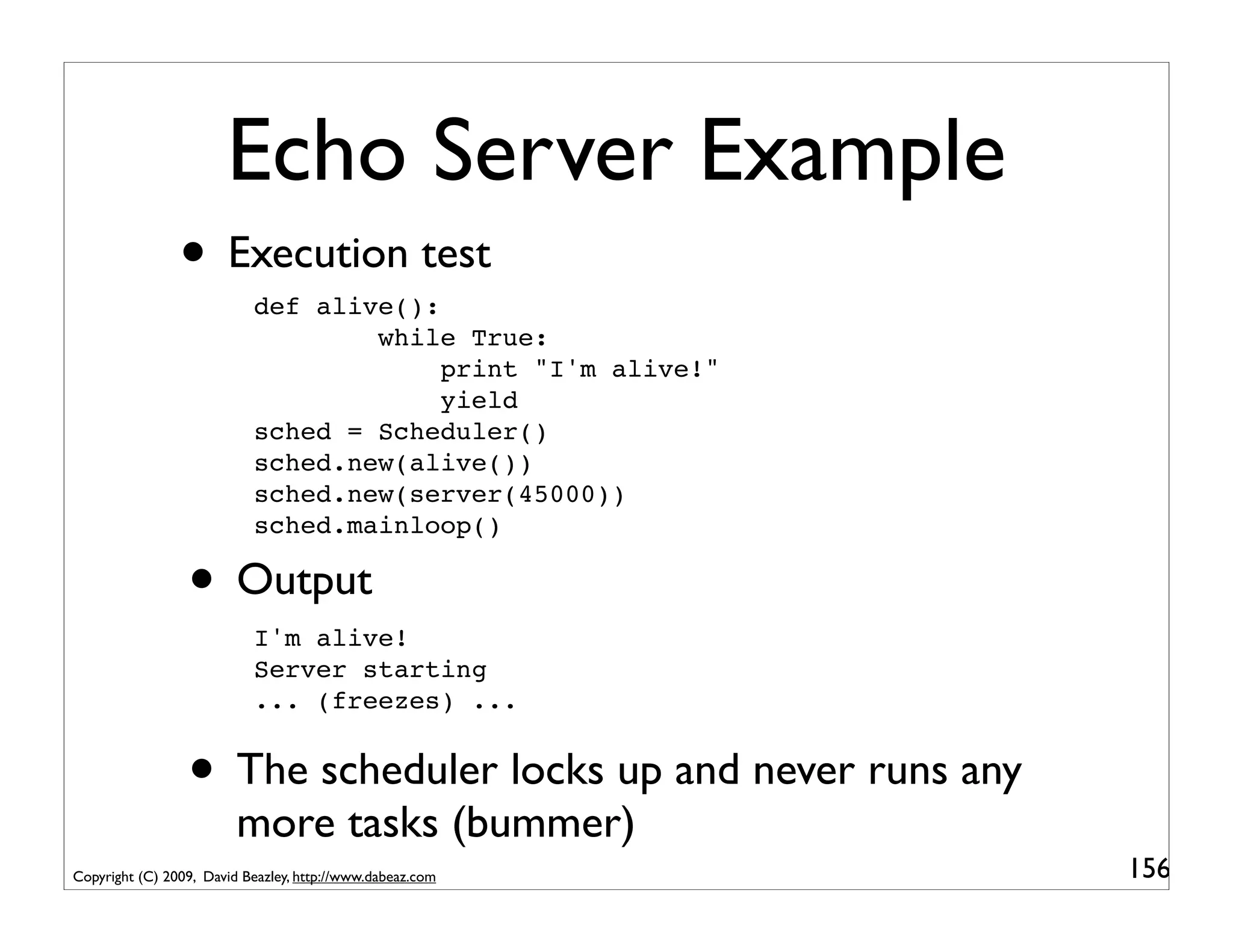
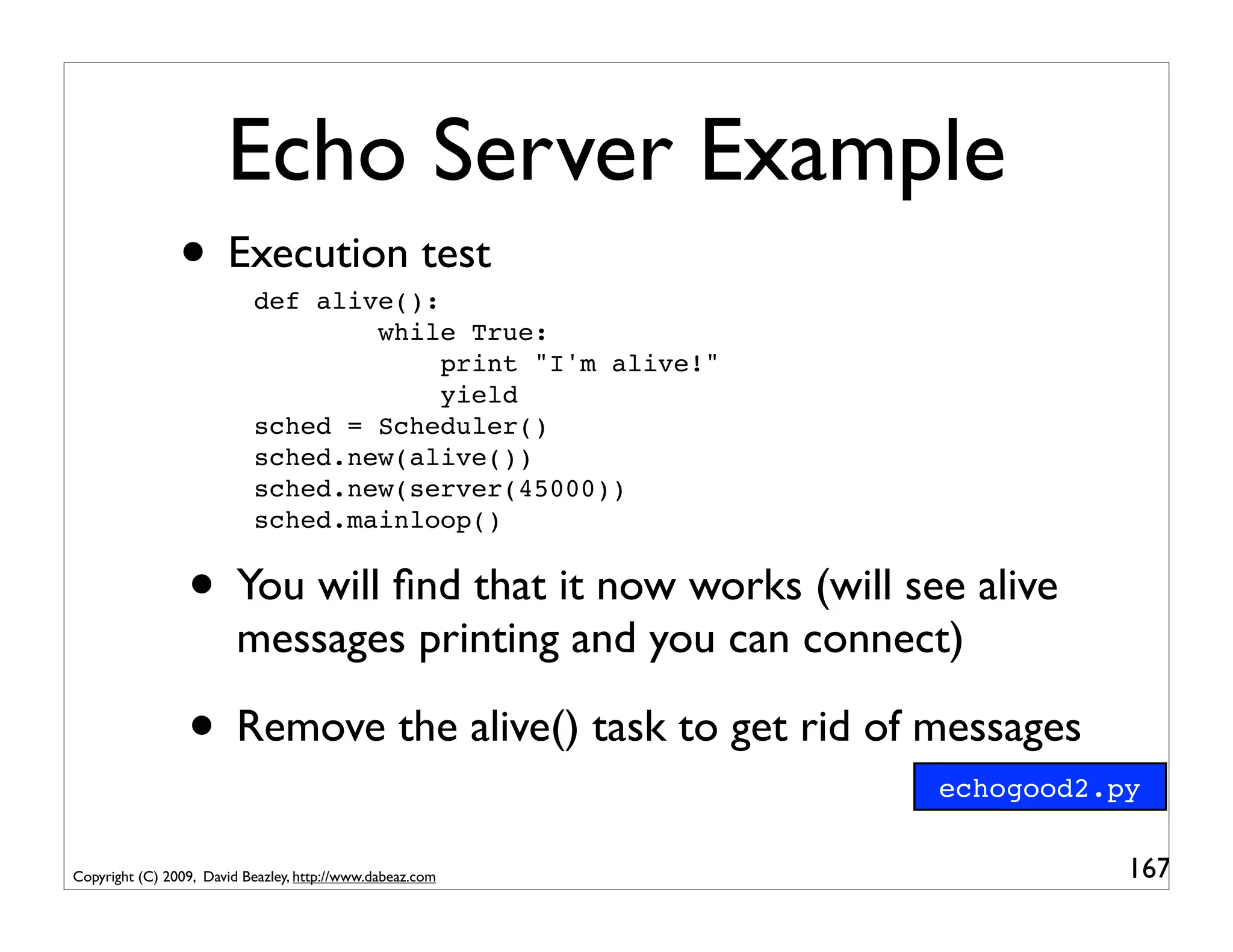
Echo Server Example
                • Execution test
                           def alive():
                                   while True:
                                        print "I'm alive!"
                                        yield
                           sched = Scheduler()
                           sched.new(alive())
                           sched.new(server(45000))
                           sched.mainloop()

                 • Output
                           I'm alive!
                           Server starting
                           ... (freezes) ...


                 • The scheduler locks up and never runs any
                         more tasks (bummer)
Copyright (C) 2009, David Beazley, http://www.dabeaz.com       156
Blocking Operations
                • In the example various I/O operations block
                           client,addr = sock.accept()
                           data = client.recv(65536)
                           client.send(data)


                 • The real operating system (e.g., Linux) suspends
                         the entire Python interpreter until the I/O
                         operation completes
                 • Clearly this is pretty undesirable for our
                         multitasking operating system (any blocking
                         operation freezes the whole program)

Copyright (C) 2009, David Beazley, http://www.dabeaz.com               157
Non-blocking I/O
                • The select module can be used to monitor a
                        collection of sockets (or files) for activity
                          reading = []                     # List of sockets waiting for read
                          writing = []                     # List of sockets waiting for write

                          # Poll for I/O activity
                          r,w,e = select.select(reading,writing,[],timeout)

                          # r is list of sockets with incoming data
                          # w is list of sockets ready to accept outgoing data
                          # e is list of sockets with an error state


                 • This can be used to add I/O support to our OS
                 • This is going to be similar to task waiting
Copyright (C) 2009, David Beazley, http://www.dabeaz.com                                         158
Step 6 : I/O Waiting
       class Scheduler(object):                                    pyos7.py
           def __init__(self):
               ...
               self.read_waiting = {}
               self.write_waiting = {}
               ...

                 def waitforread(self,task,fd):
                     self.read_waiting[fd] = task
                 def waitforwrite(self,task,fd):
                     self.write_waiting[fd] = task

                 def iopoll(self,timeout):
                     if self.read_waiting or self.write_waiting:
                        r,w,e = select.select(self.read_waiting,
                                              self.write_waiting,[],timeout)
                        for fd in r: self.schedule(self.read_waiting.pop(fd))
                        for fd in w: self.schedule(self.write_waiting.pop(fd))
                 ...

Copyright (C) 2009, David Beazley, http://www.dabeaz.com                      159
Step 6 : I/O Waiting
       class Scheduler(object):
           def __init__(self):
               ...
                                                            Holding areas for tasks
               self.read_waiting = {}                       blocking on I/O. These
               self.write_waiting = {}                     are dictionaries mapping
               ...
                                                           file descriptors to tasks
                 def waitforread(self,task,fd):
                     self.read_waiting[fd] = task
                 def waitforwrite(self,task,fd):
                     self.write_waiting[fd] = task

                 def iopoll(self,timeout):
                     if self.read_waiting or self.write_waiting:
                        r,w,e = select.select(self.read_waiting,
                                              self.write_waiting,[],timeout)
                        for fd in r: self.schedule(self.read_waiting.pop(fd))
                        for fd in w: self.schedule(self.write_waiting.pop(fd))
                 ...

Copyright (C) 2009, David Beazley, http://www.dabeaz.com                              160
Step 6 : I/O Waiting
       class Scheduler(object):
           def __init__(self):
               ...
               self.read_waiting = {}
               self.write_waiting = {}
               ...                                         Functions that simply put
                 def waitforread(self,task,fd):              a task into one of the
                     self.read_waiting[fd] = task              above dictionaries
                 def waitforwrite(self,task,fd):
                     self.write_waiting[fd] = task

                 def iopoll(self,timeout):
                     if self.read_waiting or self.write_waiting:
                        r,w,e = select.select(self.read_waiting,
                                              self.write_waiting,[],timeout)
                        for fd in r: self.schedule(self.read_waiting.pop(fd))
                        for fd in w: self.schedule(self.write_waiting.pop(fd))
                 ...

Copyright (C) 2009, David Beazley, http://www.dabeaz.com                           161
Step 6 : I/O Waiting
       class Scheduler(object):
           def __init__(self):
               ...
               self.read_waiting = {}
               self.write_waiting = {}
               ...
                                                         I/O Polling. Use select() to
                 def       waitforread(self,task,fd):       determine which file
                           self.read_waiting[fd] = task
                 def       waitforwrite(self,task,fd):
                                                           descriptors can be used.
                           self.write_waiting[fd] = taskUnblock any associated task.
                 def iopoll(self,timeout):
                     if self.read_waiting or self.write_waiting:
                        r,w,e = select.select(self.read_waiting,
                                              self.write_waiting,[],timeout)
                        for fd in r: self.schedule(self.read_waiting.pop(fd))
                        for fd in w: self.schedule(self.write_waiting.pop(fd))
                 ...

Copyright (C) 2009, David Beazley, http://www.dabeaz.com                                162
When to Poll?
               • Polling is actually somewhat tricky.
               • You could put it in the main event loop
                          class Scheduler(object):
                              ...
                              def mainloop(self):
                                   while self.taskmap:
                                       self.iopoll(0)
                                       task = self.ready.get()
                                       try:
                                            result = task.run()

                • Problem : This might cause excessive polling
                • Especially if there are a lot of pending tasks
                        already on the ready queue
Copyright (C) 2009, David Beazley, http://www.dabeaz.com           163
A Polling Task
              • An alternative: put I/O polling in its own task
                         class Scheduler(object):
                             ...
                             def iotask(self):
                                 while True:
                                     if self.ready.empty():
                                         self.iopoll(None)
                                     else:
                                         self.iopoll(0)
                                     yield

                                   def mainloop(self):
                                       self.new(self.iotask())   # Launch I/O polls
                                       while self.taskmap:
                                             task = self.ready.get()
                                             ...

                • This just runs with every other task (neat)
Copyright (C) 2009, David Beazley, http://www.dabeaz.com                              164
Read/Write Syscalls
               • Two new system calls
                          class ReadWait(SystemCall):                     pyos7.py
                              def __init__(self,f):
                                  self.f = f
                              def handle(self):
                                  fd = self.f.fileno()
                                  self.sched.waitforread(self.task,fd)

                          class WriteWait(SystemCall):
                              def __init__(self,f):
                                  self.f = f
                              def handle(self):
                                  fd = self.f.fileno()
                                  self.sched.waitforwrite(self.task,fd)


                 • These merely wait for I/O events, but do not
                        actually perform any I/O
Copyright (C) 2009, David Beazley, http://www.dabeaz.com                             165
A New Echo Server
                 def handle_client(client,addr):                      echogood.py
                     print "Connection from", addr
                     while True:
                         yield ReadWait(client)
                         data = client.recv(65536)
                         if not data:
                             break
                         yield WriteWait(client)           All I/O operations are
                         client.send(data)                  now preceded by a
                     client.close()
                     print "Client closed"                  waiting system call

                 def server(port):
                     print "Server starting"
                     sock = socket(AF_INET,SOCK_STREAM)
                     sock.bind(("",port))
                     sock.listen(5)
                     while True:
                         yield ReadWait(sock)
                         client,addr = sock.accept()
                         yield NewTask(handle_client(client,addr))
Copyright (C) 2009, David Beazley, http://www.dabeaz.com                            166
Echo Server Example
                • Execution test
                           def alive():
                                   while True:
                                        print "I'm alive!"
                                        yield
                           sched = Scheduler()
                           sched.new(alive())
                           sched.new(server(45000))
                           sched.mainloop()


                 • You will find that it now works (will see alive
                         messages printing and you can connect)

                 • Remove the alive() task to get rid of messages
                                                             echogood2.py


Copyright (C) 2009, David Beazley, http://www.dabeaz.com                167
Congratulations!
                   • You have just created a multitasking OS
                   • Tasks can run concurrently
                   • Tasks can create, destroy, and wait for tasks
                   • Tasks can perform I/O operations
                   • You can even write a concurrent server
                   • Excellent!

Copyright (C) 2009, David Beazley, http://www.dabeaz.com             168
Part 8
                                               The Problem with the Stack


Copyright (C) 2009, David Beazley, http://www.dabeaz.com                    169
A Limitation
                • When working with coroutines, you can't
                       write subroutine functions that yield (suspend)
                • For example:
                          def Accept(sock):
                              yield ReadWait(sock)
                              return sock.accept()

                           def server(port):
                               ...
                               while True:
                                   client,addr = Accept(sock)
                                   yield NewTask(handle_client(client,addr))


                • The control flow just doesn't work right
Copyright (C) 2009, David Beazley, http://www.dabeaz.com                       170
A Problem
                • The yield statement can only be used to
                       suspend a coroutine at the top-most level
                • You can't push yield inside library functions
                          def bar():
                              yield                          This yield does not suspend the
                                                           "task" that called the bar() function
                          def foo():
                              bar()                           (i.e., it does not suspend foo)


                • Digression: This limitation is one of the things
                       that is addressed by Stackless Python
Copyright (C) 2009, David Beazley, http://www.dabeaz.com                                           171
A Solution
               • There is a way to create suspendable
                       subroutines and functions
               • However, it can only be done with the
                       assistance of the task scheduler itself
               • You have to strictly stick to yield statements
               • Involves a trick known as "trampolining"

Copyright (C) 2009, David Beazley, http://www.dabeaz.com          172
Coroutine Trampolining
                • Here is a very simple example:
                           # A subroutine
                                                                  trampoline.py

                           def add(x,y):
                               yield x+y

                           # A function that calls a subroutine
                           def main():
                               r = yield add(2,2)
                               print r
                               yield

                • Here is very simpler scheduler code
                         def run():
                             m      = main()
                             # An example of a "trampoline"
                             sub    = m.send(None)
                             result = sub.send(None)
                             m.send(result)

Copyright (C) 2009, David Beazley, http://www.dabeaz.com                     173
Coroutine Trampolining
                • A picture of the control flow
                           run()                             main()         add(x,y)


               m.send(None)                                  starts


                            sub                            yield add(2,2)

            sub.send(None)                                                   starts

                        result                                              yield x+y


            m.send(result)                                     r
                                                               print r

Copyright (C) 2009, David Beazley, http://www.dabeaz.com                                174
Coroutine Trampolining
                • A picture of the control flow "trampoline".
                                        This is the
                                    If you want to call a subroutine,
                           run()                             main()
                                                             everything    gets routedadd(x,y)
                                                                                        through
                                                                         the scheduler.
               m.send(None)                                  starts


                            sub                            yield add(2,2)

            sub.send(None)                                                             starts

                        result                                                        yield x+y


            m.send(result)                                     r
                                                               print r

Copyright (C) 2009, David Beazley, http://www.dabeaz.com                                          175
An Implementation
      class Task(object):                                      pyos8.py
          def __init__(self,target):
              ...
              self.stack = []
          def run(self):
              while True:
                  try:
                       result = self.target.send(self.sendval)
                       if isinstance(result,SystemCall): return result
                       if isinstance(result,types.GeneratorType):
                           self.stack.append(self.target)
                           self.sendval = None
                           self.target = result
                       else:
                           if not self.stack: return
                           self.sendval = result
                           self.target = self.stack.pop()
                  except StopIteration:
                       if not self.stack: raise
                       self.sendval = None
                       self.target = self.stack.pop()
Copyright (C) 2009, David Beazley, http://www.dabeaz.com                  176
An Implementation
      class Task(object):
          def __init__(self,target):
              ...
              self.stack = []           If you're going to have
          def run(self):
              while True:                subroutines, you first
                  try:                     need a "call stack."
                       result = self.target.send(self.sendval)
                       if isinstance(result,SystemCall): return result
                       if isinstance(result,types.GeneratorType):
                           self.stack.append(self.target)
                           self.sendval = None
                           self.target = result
                       else:
                           if not self.stack: return
                           self.sendval = result
                           self.target = self.stack.pop()
                  except StopIteration:
                       if not self.stack: raise
                       self.sendval = None
                       self.target = self.stack.pop()
Copyright (C) 2009, David Beazley, http://www.dabeaz.com                 177
An Implementation
      class Task(object):
          def __init__(self,target):              Here we run the task.
              ...                                 If it returns a "System
              self.stack = []
          def run(self):
                                                 Call", just return (this is
              while True:                       handled by the scheduler)
                  try:
                       result = self.target.send(self.sendval)
                       if isinstance(result,SystemCall): return result
                       if isinstance(result,types.GeneratorType):
                           self.stack.append(self.target)
                           self.sendval = None
                           self.target = result
                       else:
                           if not self.stack: return
                           self.sendval = result
                           self.target = self.stack.pop()
                  except StopIteration:
                       if not self.stack: raise
                       self.sendval = None
                       self.target = self.stack.pop()
Copyright (C) 2009, David Beazley, http://www.dabeaz.com                       178
An Implementation
      class Task(object):
          def __init__(self,target):
              ...
              self.stack = []
                                        If a generator is returned, it means
          def run(self):                     we're going to "trampoline"
              while True:
                  try:
                       result = self.target.send(self.sendval)
                       if isinstance(result,SystemCall): return result
                       if isinstance(result,types.GeneratorType):
                           self.stack.append(self.target)
                           self.sendval = None
                           self.target = result
                       else:
                           if not self.stack: return
                                         Push the current coroutine on the
                           self.sendval = result
                           self.target stack, loop back to the top, and call
                                         = self.stack.pop()
                  except StopIteration:          the new coroutine.
                       if not self.stack: raise
                       self.sendval = None
                       self.target = self.stack.pop()
Copyright (C) 2009, David Beazley, http://www.dabeaz.com                   179
An Implementation
      class Task(object):
          def __init__(self,target):
              ...
              self.stack = []
          def run(self):
              while True:             If some other value is coming back,
                  try:
                       result = self.target.send(self.sendval) from a
                                        assume it's a return value
                                      subroutine. Pop the last coroutine
                       if isinstance(result,SystemCall): return result
                       if isinstance(result,types.GeneratorType): have
                                      off of the stack and arrange to
                           self.stack.append(self.target)
                           self.sendval =the return value sent into it.
                                           None
                           self.target = result
                       else:
                           if not self.stack: return
                           self.sendval = result
                           self.target = self.stack.pop()
                  except StopIteration:
                       if not self.stack: raise
                       self.sendval = None
                       self.target = self.stack.pop()
Copyright (C) 2009, David Beazley, http://www.dabeaz.com                    180
An Implementation
      class Task(object):
          def __init__(self,target):
              ...
              self.stack = []
          def run(self):
              while True:
                  try:
                       result = self.target.send(self.sendval)
                       if isinstance(result,SystemCall): return result
                                        Special handling to deal with
                       if isinstance(result,types.GeneratorType):
                                      subroutines that terminate. Pop
                           self.stack.append(self.target)
                                     the last coroutine off the stack and
                           self.sendval = None
                           self.target = result
                       else:           continue (instead of killing the
                           if not self.stack: return task)
                                                 whole
                           self.sendval = result
                           self.target = self.stack.pop()
                  except StopIteration:
                       if not self.stack: raise
                       self.sendval = None
                       self.target = self.stack.pop()
Copyright (C) 2009, David Beazley, http://www.dabeaz.com                    181
Some Subroutines
                • Blocking I/O can be put inside library functions
                          def Accept(sock):                  pyos8.py
                              yield ReadWait(sock)
                              yield sock.accept()

                          def Send(sock,buffer):
                              while buffer:
                                  yield WriteWait(sock)
                                  len = sock.send(buffer)
                                  buffer = buffer[len:]

                          def Recv(sock,maxbytes):
                              yield ReadWait(sock)
                              yield sock.recv(maxbytes)


                • These hide all of the low-level details.
Copyright (C) 2009, David Beazley, http://www.dabeaz.com                182
A Better Echo Server
                 def handle_client(client,addr):
                                                                 echoserver.py
                     print "Connection from", addr
                     while True:
                         data = yield Recv(client,65536)
                         if not data:
                             break
                         yield Send(client,data)           Notice how all I/O
                     print "Client closed"                 operations are now
                     client.close()
                                                              subroutines.
                 def server(port):
                     print "Server starting"
                     sock = socket(AF_INET,SOCK_STREAM)
                     sock.bind(("",port))
                     sock.listen(5)
                     while True:
                         client,addr = yield Accept(sock)
                         yield NewTask(handle_client(client,addr))


Copyright (C) 2009, David Beazley, http://www.dabeaz.com                        183
Some Comments
             • This is insane!
             • You now have two types of callables
                 • Normal Python functions/methods
                 • Suspendable coroutines
             • For the latter, you always have to use yield for
                     both calling and returning values
             • The code looks really weird at first glance
Copyright (C) 2009, David Beazley, http://www.dabeaz.com          184
Coroutines and Methods
             • You can take this further and implement
                     wrapper objects with non-blocking I/O
                        class Socket(object):                      sockwrap.py
                            def __init__(self,sock):
                                self.sock = sock
                            def accept(self):
                                yield ReadWait(self.sock)
                                client,addr = self.sock.accept()
                                yield Socket(client),addr
                            def send(self,buffer):
                                while buffer:
                                    yield WriteWait(self.sock)
                                    len = self.sock.send(buffer)
                                    buffer = buffer[len:]
                            def recv(self, maxbytes):
                                yield ReadWait(self.sock)
                                yield self.sock.recv(maxbytes)
                            def close(self):
                                yield self.sock.close()
Copyright (C) 2009, David Beazley, http://www.dabeaz.com                     185
A Final Echo Server
                 def handle_client(client,addr):                 echoserver2.py
                     print "Connection from", addr
                     while True:
                         data = yield client.recv(65536)
                         if not data:
                             break
                         yield client.send(data)             Notice how all I/O
                     print "Client closed"                 operations now mimic
                     yield client.close()                  the socket API except
                 def server(port):                           for the extra yield.
                     print "Server starting"
                     rawsock = socket(AF_INET,SOCK_STREAM)
                     rawsock.bind(("",port))
                     rawsock.listen(5)
                     sock = Socket(rawsock)
                     while True:
                         client,addr = yield sock.accept()
                         yield NewTask(handle_client(client,addr))

Copyright (C) 2009, David Beazley, http://www.dabeaz.com                        186
An Interesting Twist
             • If you only read the application code, it has
                     normal looking control flow!
      Coroutine Multitasking                               Traditional Socket Code
      while True:                                          while True:
        data = yield client.recv(8192)                       data = client.recv(8192)
        if not data:                                         if not data:
           break                                                break
        yield client.send(data)                              client.send(data)
      yield client.close()                                 client.close()


             • As a comparison, you might look at code that
                     you would write using the asyncore module
                     (or anything else that uses event callbacks)
Copyright (C) 2009, David Beazley, http://www.dabeaz.com                                187
Example : Twisted
             • Here is an echo server in Twisted (straight
                     from the manual)
                    from twisted.internet.protocol import Protocol, Factory
                    from twisted.internet import reactor

                    class Echo(Protocol):
                        def dataReceived(self, data):
                            self.transport.write(data)       An event callback
                    def main():
                        f = Factory()
                        f.protocol = Echo
                        reactor.listenTCP(45000, f)
                        reactor.run()

                    if __name__ == '__main__':
                        main()

Copyright (C) 2009, David Beazley, http://www.dabeaz.com                         188
Part 9
                                                           Some Final Words


Copyright (C) 2009, David Beazley, http://www.dabeaz.com                      189
Further Topics
               • There are many other topics that one could
                       explore with our task scheduler
                                 • Intertask communication
                                 • Handling of blocking operations (e.g.,
                                        accessing databases, etc.)
                                 • Coroutine multitasking and threads
                                 • Error handling
               • But time does not allow it here
Copyright (C) 2009, David Beazley, http://www.dabeaz.com                    190
A Little Respect
               • Python generators are far more powerful
                       than most people realize
                                 • Customized iteration patterns
                                 • Processing pipelines and data flow
                                 • Event handling
                                 • Cooperative multitasking
               • It's too bad a lot of documentation gives little
                       insight to applications (death to Fibonacci!)

Copyright (C) 2009, David Beazley, http://www.dabeaz.com               191
Performance
              • Coroutines have decent performance
              • We saw this in the data processing section
              • For networking, you might put our coroutine
                     server up against a framework like Twisted
              • A simple test : Launch 3 subprocesses, have each
                     open 300 socket connections and randomly blast
                     the echo server with 1024 byte messages.
                           Twisted                         420.7s   Note : This is only one
                           Coroutines                      326.3s   test. A more detailed
                           Threads                         42.8s    study is definitely in order.

Copyright (C) 2009, David Beazley, http://www.dabeaz.com                                       192
Coroutines vs. Threads
                  • I'm not convinced that using coroutines is
                          actually worth it for general multitasking
                  • Thread programming is already a well
                          established paradigm
                  • Python threads often get a bad rap (because
                          of the GIL), but it is not clear to me that
                          writing your own multitasker is actually better
                          than just letting the OS do the task switching

Copyright (C) 2009, David Beazley, http://www.dabeaz.com                    193
A Risk
                 • Coroutines were initially developed in the
                        1960's and then just sort of died quietly
                 • Maybe they died for a good reason
                 • I think a reasonable programmer could claim
                        that programming with coroutines is just too
                        diabolical to use in production software
                 • Bring my multitasking OS (or anything else
                        involving coroutines) into a code review and
                        report back to me... ("You're FIRED!")

Copyright (C) 2009, David Beazley, http://www.dabeaz.com               194
Keeping it Straight
              • If you are going to use coroutines, it is critically
                      important to not mix programming paradigms
                      together
              • There are three main uses of yield
                   • Iteration (a producer of data)
                   • Receiving messages (a consumer)
                   • A trap (cooperative multitasking)
              • Do NOT write generator functions that try to
                      do more than one of these at once
Copyright (C) 2009, David Beazley, http://www.dabeaz.com               195
Handle with Care
              • I think coroutines are like high explosives
              • Try to keep them carefully contained
              • Creating a ad-hoc tangled mess of coroutines,
                      objects, threads, and subprocesses is probably
                      going to end in disaster
              • For example, in our OS, coroutines have no
                      access to any internals of the scheduler, tasks,
                      etc. This is good.

Copyright (C) 2009, David Beazley, http://www.dabeaz.com                 196
Some Links
             • Some related projects (not an exhaustive list)
                 • Stackless Python, PyPy
                 • Cogen
                 • Multitask
                 • Greenlet
                 • Eventlet
                 • Kamaelia
             • Do a search on http://pypi.python.org
Copyright (C) 2009, David Beazley, http://www.dabeaz.com        197
Thanks!

             • I hope you got some new ideas from this class
             • Please feel free to contact me
                                                  http://www.dabeaz.com

             • Also, I teach Python classes (shameless plug)


Copyright (C) 2009, David Beazley, http://www.dabeaz.com                  198

A Curious Course on Coroutines and Concurrency

  • 1.
    A Curious Courseon Coroutines and Concurrency David Beazley http://www.dabeaz.com Presented at PyCon'2009, Chicago, Illinois Copyright (C) 2009, David Beazley, http://www.dabeaz.com 1
  • 2.
    This Tutorial • A mondo exploration of Python coroutines mondo: 1. Extreme in degree or nature. (http://www.urbandictionary.com) 2. An instructional technique of Zen Buddhism consisting of rapid dialogue of questions and answers between master and pupil. (Oxford English Dictionary, 2nd Ed) • You might want to brace yourself... Copyright (C) 2009, David Beazley, http://www.dabeaz.com 2
  • 3.
    Requirements • You need Python 2.5 or newer • No third party extensions • We're going to be looking at a lot of code http://www.dabeaz.com/coroutines/ • Go there and follow along with the examples • I will indicate file names as appropriate sample.py Copyright (C) 2009, David Beazley, http://www.dabeaz.com 3
  • 4.
    High Level Overview • What in the heck is a coroutine? • What can you use them for? • Should you care? • Is using them even a good idea? Copyright (C) 2009, David Beazley, http://www.dabeaz.com 4
  • 5.
    here Joke Killer Headache You are Throbbing In G tro ene So to ra m t e Co ors D r at ou Copyright (C) 2009, David Beazley, http://www.dabeaz.com a P tin ro es Ev ce M en ss ix t H ing in So and Co m li ro e T ng ut hr in ea W es ds r as op ite Ta er a m sk Head Explosion Index at u s in lt g s ita ys sk te ing m End A Pictorial Overview 5
  • 6.
    About Me • I'm a long-time Pythonista • Author of the Python Essential Reference (look for the 4th edition--shameless plug) • Created several packages (Swig, PLY, etc.) • Currently a full-time Python trainer Copyright (C) 2009, David Beazley, http://www.dabeaz.com 6
  • 7.
    Some Background • I'm an unabashed fan of generators and generator expressions (Generators Rock!) • See "Generator Tricks for Systems Programmers" from PyCon'08 • http://www.dabeaz.com/generators Copyright (C) 2009, David Beazley, http://www.dabeaz.com 7
  • 8.
    Coroutines and Generators • In Python 2.5, generators picked up some new features to allow "coroutines" (PEP-342). • Most notably: a new send() method • If Python books are any guide, this is the most poorly documented, obscure, and apparently useless feature of Python. • "Oooh. You can now send values into generators producing fibonacci numbers!" Copyright (C) 2009, David Beazley, http://www.dabeaz.com 8
  • 9.
    Uses of Coroutines • Coroutines apparently might be possibly useful in various libraries and frameworks "It's all really quite simple. The toelet is connected to the footlet, and the footlet is connected to the anklelet, and the anklelet is connected to the leglet, and the is leglet connected to the is thighlet, and the thighlet is connected to the hiplet, and the is hiplet connected to the backlet, and the backlet is connected to the necklet, and the necklet is connected to the headlet, and ?????? ..... profit!" • Uh, I think my brain is just too small... Copyright (C) 2009, David Beazley, http://www.dabeaz.com 9
  • 10.
    Disclaimers • Coroutines - The most obscure Python feature? • Concurrency - One of the most difficult topics in computer science (usually best avoided) • This tutorial mixes them together • It might create a toxic cloud Copyright (C) 2009, David Beazley, http://www.dabeaz.com 10
  • 11.
    More Disclaimers • As a programmer of the 80s/90s, I've never used a programming language that had coroutines-- until they showed up in Python • Most of the groundwork for coroutines occurred in the 60s/70s and then stopped in favor of alternatives (e.g., threads, continuations) • I want to know if there is any substance to the renewed interest in coroutines that has been occurring in Python and other languages Copyright (C) 2009, David Beazley, http://www.dabeaz.com 11
  • 12.
    Even More Disclaimers • I'm a neutral party • I didn't have anything to do with PEP-342 • I'm not promoting any libraries or frameworks • I have no religious attachment to the subject • If anything, I'm a little skeptical Copyright (C) 2009, David Beazley, http://www.dabeaz.com 12
  • 13.
    Final Disclaimers • This tutorial is not an academic presentation • No overview of prior art • No theory of programming languages • No proofs about locking • No Fibonacci numbers • Practical application is the main focus Copyright (C) 2009, David Beazley, http://www.dabeaz.com 13
  • 14.
    Performance Details • There are some later performance numbers • Python 2.6.1 on OS X 10.4.11 • All tests were conducted on the following: • Mac Pro 2x2.66 Ghz Dual-Core Xeon • 3 Gbytes RAM • Timings are 3-run average of 'time' command Copyright (C) 2009, David Beazley, http://www.dabeaz.com 14
  • 15.
    Part I Introduction to Generators and Coroutines Copyright (C) 2009, David Beazley, http://www.dabeaz.com 15
  • 16.
    Generators • A generator is a function that produces a sequence of results instead of a single value def countdown(n): countdown.py while n > 0: yield n n -= 1 >>> for i in countdown(5): ... print i, ... 5 4 3 2 1 >>> • Instead of returning a value, you generate a series of values (using the yield statement) • Typically, you hook it up to a for-loop 16 Copyright (C) 2009, David Beazley, http://www.dabeaz.com
  • 17.
    Generators • Behavior is quite different than normal func • Calling a generator function creates an generator object. However, it does not start running the function. def countdown(n): print "Counting down from", n while n > 0: yield n n -= 1 Notice that no output was >>> x = countdown(10) produced >>> x <generator object at 0x58490> >>> Copyright (C) 2009, David Beazley, http://www.dabeaz.com 17
  • 18.
    Generator Functions • The function only executes on next() >>> x = countdown(10) >>> x <generator object at 0x58490> >>> x.next() Counting down from 10 Function starts 10 executing here >>> • yield produces a value, but suspends the function • Function resumes on next call to next() >>> x.next() 9 >>> x.next() 8 >>> Copyright (C) 2009, David Beazley, http://www.dabeaz.com 18
  • 19.
    Generator Functions • When the generator returns, iteration stops >>> x.next() 1 >>> x.next() Traceback (most recent call last): File "<stdin>", line 1, in ? StopIteration >>> Copyright (C) 2009, David Beazley, http://www.dabeaz.com 19
  • 20.
    A Practical Example • A Python version of Unix 'tail -f' import time follow.py def follow(thefile): thefile.seek(0,2) # Go to the end of the file while True: line = thefile.readline() if not line: time.sleep(0.1) # Sleep briefly continue yield line • Example use : Watch a web-server log file logfile = open("access-log") for line in follow(logfile): print line, Copyright (C) 2009, David Beazley, http://www.dabeaz.com 20
  • 21.
    Generators as Pipelines • One of the most powerful applications of generators is setting up processing pipelines • Similar to shell pipes in Unix input generator generator generator for x in s: sequence • Idea: You can stack a series of generator functions together into a pipe and pull items through it with a for-loop Copyright (C) 2009, David Beazley, http://www.dabeaz.com 21
  • 22.
    A Pipeline Example • Print all server log entries containing 'python' def grep(pattern,lines): pipeline.py for line in lines: if pattern in line: yield line # Set up a processing pipe : tail -f | grep python logfile = open("access-log") loglines = follow(logfile) pylines = grep("python",loglines) # Pull results out of the processing pipeline for line in pylines: print line, • This is just a small taste Copyright (C) 2009, David Beazley, http://www.dabeaz.com 22
  • 23.
    Yield as anExpression • In Python 2.5, a slight modification to the yield statement was introduced (PEP-342) • You could now use yield as an expression • For example, on the right side of an assignment def grep(pattern): grep.py print "Looking for %s" % pattern while True: line = (yield) if pattern in line: print line, • Question : What is its value? Copyright (C) 2009, David Beazley, http://www.dabeaz.com 23
  • 24.
    Coroutines • If you use yield more generally, you get a coroutine • These do more than just generate values • Instead, functions can consume values sent to it. >>> g = grep("python") >>> g.next() # Prime it (explained shortly) Looking for python >>> g.send("Yeah, but no, but yeah, but no") >>> g.send("A series of tubes") >>> g.send("python generators rock!") python generators rock! >>> • Sent values are returned by (yield) Copyright (C) 2009, David Beazley, http://www.dabeaz.com 24
  • 25.
    Coroutine Execution • Execution is the same as for a generator • When you call a coroutine, nothing happens • They only run in response to next() and send() methods Notice that no output was produced >>> g = grep("python") >>> g.next() Looking for python On first operation, >>> coroutine starts running Copyright (C) 2009, David Beazley, http://www.dabeaz.com 25
  • 26.
    Coroutine Priming • All coroutines must be "primed" by first calling .next() (or send(None)) • This advances execution to the location of the first yield expression. def grep(pattern): print "Looking for %s" % pattern while True: .next() advances the line = (yield) coroutine to the if pattern in line: first yield expression print line, • At this point, it's ready to receive a value Copyright (C) 2009, David Beazley, http://www.dabeaz.com 26
  • 27.
    Using a Decorator • Remembering to call .next() is easy to forget • Solved by wrapping coroutines with a decorator def coroutine(func): coroutine.py def start(*args,**kwargs): cr = func(*args,**kwargs) cr.next() return cr return start @coroutine def grep(pattern): ... • I will use this in most of the future examples Copyright (C) 2009, David Beazley, http://www.dabeaz.com 27
  • 28.
    Closing a Coroutine • A coroutine might run indefinitely • Use .close() to shut it down >>> g = grep("python") >>> g.next() # Prime it Looking for python >>> g.send("Yeah, but no, but yeah, but no") >>> g.send("A series of tubes") >>> g.send("python generators rock!") python generators rock! >>> g.close() • Note: Garbage collection also calls close() Copyright (C) 2009, David Beazley, http://www.dabeaz.com 28
  • 29.
    Catching close() • close() can be caught (GeneratorExit) @coroutine grepclose.py def grep(pattern): print "Looking for %s" % pattern try: while True: line = (yield) if pattern in line: print line, except GeneratorExit: print "Going away. Goodbye" • You cannot ignore this exception • Only legal action is to clean up and return Copyright (C) 2009, David Beazley, http://www.dabeaz.com 29
  • 30.
    Throwing an Exception • Exceptions can be thrown inside a coroutine >>> g = grep("python") >>> g.next() # Prime it Looking for python >>> g.send("python generators rock!") python generators rock! >>> g.throw(RuntimeError,"You're hosed") Traceback (most recent call last): File "<stdin>", line 1, in <module> File "<stdin>", line 4, in grep RuntimeError: You're hosed >>> • Exception originates at the yield expression • Can be caught/handled in the usual ways Copyright (C) 2009, David Beazley, http://www.dabeaz.com 30
  • 31.
    Interlude • Despite some similarities, Generators and coroutines are basically two different concepts • Generators produce values • Coroutines tend to consume values • It is easy to get sidetracked because methods meant for coroutines are sometimes described as a way to tweak generators that are in the process of producing an iteration pattern (i.e., resetting its value). This is mostly bogus. Copyright (C) 2009, David Beazley, http://www.dabeaz.com 31
  • 32.
    A Bogus Example • A "generator" that produces and receives values def countdown(n): bogus.py print "Counting down from", n while n >= 0: newvalue = (yield n) # If a new value got sent in, reset n with it if newvalue is not None: n = newvalue else: n -= 1 • It runs, but it's "flaky" and hard to understand c = countdown(5) 5 Notice how a value for n in c: output 2 got "lost" in the print n 1 iteration protocol if n == 5: 0 c.send(3) Copyright (C) 2009, David Beazley, http://www.dabeaz.com 32
  • 33.
    Keeping it Straight • Generators produce data for iteration • Coroutines are consumers of data • To keep your brain from exploding, you don't mix the two concepts together • Coroutines are not related to iteration • Note : There is a use of having yield produce a value in a coroutine, but it's not tied to iteration. Copyright (C) 2009, David Beazley, http://www.dabeaz.com 33
  • 34.
    Part 2 Coroutines, Pipelines, and Dataflow Copyright (C) 2009, David Beazley, http://www.dabeaz.com 34
  • 35.
    Processing Pipelines • Coroutines can be used to set up pipes send() send() send() coroutine coroutine coroutine • You just chain coroutines together and push data through the pipe with send() operations Copyright (C) 2009, David Beazley, http://www.dabeaz.com 35
  • 36.
    Pipeline Sources • The pipeline needs an initial source (a producer) send() send() source coroutine • The source drives the entire pipeline def source(target): while not done: item = produce_an_item() ... target.send(item) ... target.close() • It is typically not a coroutine Copyright (C) 2009, David Beazley, http://www.dabeaz.com 36
  • 37.
    Pipeline Sinks • The pipeline must have an end-point (sink) send() send() coroutine sink • Collects all data sent to it and processes it @coroutine def sink(): try: while True: item = (yield) # Receive an item ... except GeneratorExit: # Handle .close() # Done ... Copyright (C) 2009, David Beazley, http://www.dabeaz.com 37
  • 38.
    An Example • A source that mimics Unix 'tail -f' import time cofollow.py def follow(thefile, target): thefile.seek(0,2) # Go to the end of the file while True: line = thefile.readline() if not line: time.sleep(0.1) # Sleep briefly continue target.send(line) • A sink that just prints the lines @coroutine def printer(): while True: line = (yield) print line, Copyright (C) 2009, David Beazley, http://www.dabeaz.com 38
  • 39.
    An Example • Hooking it together f = open("access-log") follow(f, printer()) • A picture send() follow() printer() • Critical point : follow() is driving the entire computation by reading lines and pushing them into the printer() coroutine Copyright (C) 2009, David Beazley, http://www.dabeaz.com 39
  • 40.
    Pipeline Filters • Intermediate stages both receive and send send() send() coroutine • Typically perform some kind of data transformation, filtering, routing, etc. @coroutine def filter(target): while True: item = (yield) # Receive an item # Transform/filter item ... # Send it along to the next stage target.send(item) Copyright (C) 2009, David Beazley, http://www.dabeaz.com 40
  • 41.
    A Filter Example • A grep filter coroutine @coroutine copipe.py def grep(pattern,target): while True: line = (yield) # Receive a line if pattern in line: target.send(line) # Send to next stage • Hooking it up f = open("access-log") follow(f, grep('python', printer())) • A picture send() send() follow() grep() printer() Copyright (C) 2009, David Beazley, http://www.dabeaz.com 41
  • 42.
    Interlude • Coroutines flip generators around generators/iteration input generator generator generator for x in s: sequence coroutines send() send() source coroutine coroutine • Key difference. Generators pull data through the pipe with iteration. Coroutines push data into the pipeline with send(). Copyright (C) 2009, David Beazley, http://www.dabeaz.com 42
  • 43.
    Being Branchy • With coroutines, you can send data to multiple destinations send() coroutine coroutine send() send() send() source coroutine coroutine send() coroutine • The source simply "sends" data. Further routing of that data can be arbitrarily complex Copyright (C) 2009, David Beazley, http://www.dabeaz.com 43
  • 44.
    Example : Broadcasting • Broadcast to multiple targets @coroutine cobroadcast.py def broadcast(targets): while True: item = (yield) for target in targets: target.send(item) • This takes a sequence of coroutines (targets) and sends received items to all of them. Copyright (C) 2009, David Beazley, http://www.dabeaz.com 44
  • 45.
    Example : Broadcasting • Example use: f = open("access-log") follow(f, broadcast([grep('python',printer()), grep('ply',printer()), grep('swig',printer())]) ) grep('python') printer() follow broadcast grep('ply') printer() grep('swig') printer() Copyright (C) 2009, David Beazley, http://www.dabeaz.com 45
  • 46.
    Example : Broadcasting • A more disturbing variation... f = open("access-log") cobroadcast2.py p = printer() follow(f, broadcast([grep('python',p), grep('ply',p), grep('swig',p)]) ) grep('python') follow broadcast grep('ply') printer() grep('swig') Copyright (C) 2009, David Beazley, http://www.dabeaz.com 46
  • 47.
    Interlude • Coroutines provide more powerful data routing possibilities than simple iterators • If you built a collection of simple data processing components, you can glue them together into complex arrangements of pipes, branches, merging, etc. • Although there are some limitations (later) Copyright (C) 2009, David Beazley, http://www.dabeaz.com 47
  • 48.
    A Digression • In preparing this tutorial, I found myself wishing that variable assignment was an expression @coroutine @coroutine def printer(): def printer(): while True: line = (yield) vs. while (line = yield): print line, print line, • However, I'm not holding my breath on that... • Actually, I'm expecting to be flogged with a rubber chicken for even suggesting it. Copyright (C) 2009, David Beazley, http://www.dabeaz.com 48
  • 49.
    Coroutines vs. Objects • Coroutines are somewhat similar to OO design patterns involving simple handler objects class GrepHandler(object): def __init__(self,pattern, target): self.pattern = pattern self.target = target def send(self,line): if self.pattern in line: self.target.send(line) • The coroutine version @coroutine def grep(pattern,target): while True: line = (yield) if pattern in line: target.send(line) Copyright (C) 2009, David Beazley, http://www.dabeaz.com 49
  • 50.
    Coroutines vs. Objects • There is a certain "conceptual simplicity" • A coroutine is one function definition • If you define a handler class... • You need a class definition • Two method definitions • Probably a base class and a library import • Essentially you're stripping the idea down to the bare essentials (like a generator vs. iterator) Copyright (C) 2009, David Beazley, http://www.dabeaz.com 50
  • 51.
    Coroutines vs. Objects • Coroutines are faster • A micro benchmark @coroutine benchmark.py def null(): while True: item = (yield) line = 'python is nice' p1 = grep('python',null()) # Coroutine p2 = GrepHandler('python',null()) # Object • Send in 1,000,000 lines timeit("p1.send(line)", "from __main__ import line,p1") 0.60 s timeit("p2.send(line)", "from __main__ import line,p2") 0.92 s Copyright (C) 2009, David Beazley, http://www.dabeaz.com 51
  • 52.
    Coroutines & Objects • Understanding the performance difference class GrepHandler(object): ... def send(self,line): if self.pattern in line: self.target.send(line) Look at these self lookups! • Look at the coroutine @coroutine def grep(pattern, target): while True: line = (yield) if pattern in line: "self" free target.send(d) Copyright (C) 2009, David Beazley, http://www.dabeaz.com 52
  • 53.
    Part 3 Coroutines and Event Dispatching Copyright (C) 2009, David Beazley, http://www.dabeaz.com 53
  • 54.
    Event Handling • Coroutines can be used to write various components that process event streams • Let's look at an example... Copyright (C) 2009, David Beazley, http://www.dabeaz.com 54
  • 55.
    Problem • Where is my ^&#&@* bus? • Chicago Transit Authority (CTA) equips most of its buses with real-time GPS tracking • You can get current data on every bus on the street as a big XML document • Use "The Google" to search for details... Copyright (C) 2009, David Beazley, http://www.dabeaz.com 55
  • 56.
    Some XML <?xml version="1.0"?> <buses> <bus> ! ! <id>7574</id> ! <route>147</route> ! ! <color>#3300ff</color> ! ! <revenue>true</revenue> ! ! <direction>North Bound</direction> ! ! <latitude>41.925682067871094</latitude> ! ! <longitude>-87.63092803955078</longitude> ! <pattern>2499</pattern> ! <patternDirection>North Bound</patternDirection> ! <run>P675</run> <finalStop><![CDATA[Paulina & Howard Terminal]]></finalStop> <operator>42493</operator> </bus> <bus> ... </bus> </buses> Copyright (C) 2009, David Beazley, http://www.dabeaz.com 56
  • 57.
    XML Parsing • There are many possible ways to parse XML • An old-school approach: SAX • SAX is an event driven interface Handler Object class Handler: def startElement(): events ... XML Parser def endElement(): ... def characters(): ... Copyright (C) 2009, David Beazley, http://www.dabeaz.com 57
  • 58.
    Minimal SAX Example import xml.sax basicsax.py class MyHandler(xml.sax.ContentHandler): def startElement(self,name,attrs): print "startElement", name def endElement(self,name): print "endElement", name def characters(self,text): print "characters", repr(text)[:40] xml.sax.parse("somefile.xml",MyHandler()) • You see this same programming pattern in other settings (e.g., HTMLParser module) Copyright (C) 2009, David Beazley, http://www.dabeaz.com 58
  • 59.
    Some Issues • SAX is often used because it can be used to incrementally process huge XML files without a large memory footprint • However, the event-driven nature of SAX parsing makes it rather awkward and low-level to deal with Copyright (C) 2009, David Beazley, http://www.dabeaz.com 59
  • 60.
    From SAX toCoroutines • You can dispatch SAX events into coroutines • Consider this SAX handler cosax.py import xml.sax class EventHandler(xml.sax.ContentHandler): def __init__(self,target): self.target = target def startElement(self,name,attrs): self.target.send(('start',(name,attrs._attrs))) def characters(self,text): self.target.send(('text',text)) def endElement(self,name): self.target.send(('end',name)) • It does nothing, but send events to a target Copyright (C) 2009, David Beazley, http://www.dabeaz.com 60
  • 61.
    An Event Stream • The big picture events send() SAX Parser Handler (event,value) 'start' ('direction',{}) 'end' 'direction' 'text' 'North Bound' Event type Event values • Observe : Coding this was straightforward Copyright (C) 2009, David Beazley, http://www.dabeaz.com 61
  • 62.
    Event Processing • To do anything interesting, you have to process the event stream • Example: Convert bus elements into dictionaries (XML sucks, dictionaries rock) <bus> { ! ! <id>7574</id> 'id' : '7574', ! <route>147</route> ! 'route' : '147', ! <revenue>true</revenue> ! 'revenue' : 'true', ! <direction>North Bound</direction> ! 'direction' : 'North Bound' ! ... ! ... </bus> } Copyright (C) 2009, David Beazley, http://www.dabeaz.com 62
  • 63.
    Buses to Dictionaries @coroutine buses.py def buses_to_dicts(target): while True: event, value = (yield) # Look for the start of a <bus> element if event == 'start' and value[0] == 'bus': busdict = { } fragments = [] # Capture text of inner elements in a dict while True: event, value = (yield) if event == 'start': fragments = [] elif event == 'text': fragments.append(value) elif event == 'end': if value != 'bus': busdict[value] = "".join(fragments) else: target.send(busdict) break Copyright (C) 2009, David Beazley, http://www.dabeaz.com 63
  • 64.
    State Machines • The previous code works by implementing a simple state machine ('start',('bus',*)) A B ('end','bus') • State A: Looking for a bus • State B: Collecting bus attributes • Comment : Coroutines are perfect for this Copyright (C) 2009, David Beazley, http://www.dabeaz.com 64
  • 65.
    Buses to Dictionaries @coroutine def buses_to_dicts(target): while True: event, value = (yield) A # Look for the start of a <bus> element if event == 'start' and value[0] == 'bus': busdict = { } fragments = [] # Capture text of inner elements in a dict while True: event, value = (yield) if event == 'start': fragments = [] elif event == 'text': fragments.append(value) elif event == 'end': B if value != 'bus': busdict[value] = "".join(fragments) else: target.send(busdict) break Copyright (C) 2009, David Beazley, http://www.dabeaz.com 65
  • 66.
    Filtering Elements • Let's filter on dictionary fields @coroutine def filter_on_field(fieldname,value,target): while True: d = (yield) if d.get(fieldname) == value: target.send(d) • Examples: filter_on_field("route","22",target) filter_on_field("direction","North Bound",target) Copyright (C) 2009, David Beazley, http://www.dabeaz.com 66
  • 67.
    Processing Elements • Where's my bus? @coroutine def bus_locations(): while True: bus = (yield) print "%(route)s,%(id)s,"%(direction)s"," "%(latitude)s,%(longitude)s" % bus • This receives dictionaries and prints a table 22,1485,"North Bound",41.880481123924255,-87.62948191165924 22,1629,"North Bound",42.01851969751819,-87.6730209876751 ... Copyright (C) 2009, David Beazley, http://www.dabeaz.com 67
  • 68.
    Hooking it Together • Find all locations of the North Bound #22 bus (the slowest moving object in the universe) xml.sax.parse("allroutes.xml", EventHandler( buses_to_dicts( filter_on_field("route","22", filter_on_field("direction","North Bound", bus_locations()))) )) • This final step involves a bit of plumbing, but each of the parts is relatively simple Copyright (C) 2009, David Beazley, http://www.dabeaz.com 68
  • 69.
    How Low CanYou Go? • I've picked this XML example for reason • One interesting thing about coroutines is that you can push the initial data source as low- level as you want to make it without rewriting all of the processing stages • Let's say SAX just isn't quite fast enough... Copyright (C) 2009, David Beazley, http://www.dabeaz.com 69
  • 70.
    XML Parsing withExpat • Let's strip it down.... import xml.parsers.expat coexpat.py def expat_parse(f,target): parser = xml.parsers.expat.ParserCreate() parser.buffer_size = 65536 parser.buffer_text = True parser.returns_unicode = False parser.StartElementHandler = lambda name,attrs: target.send(('start',(name,attrs))) parser.EndElementHandler = lambda name: target.send(('end',name)) parser.CharacterDataHandler = lambda data: target.send(('text',data)) parser.ParseFile(f) • expat is low-level (a C extension module) Copyright (C) 2009, David Beazley, http://www.dabeaz.com 70
  • 71.
    Performance Contest • SAX version (on a 30MB XML input) xml.sax.parse("allroutes.xml",EventHandler( buses_to_dicts( filter_on_field("route","22", 8.37s filter_on_field("direction","North Bound", bus_locations()))))) • Expat version expat_parse(open("allroutes.xml"), buses_to_dicts( filter_on_field("route","22", 4.51s filter_on_field("direction","North Bound", (83% speedup) bus_locations())))) • No changes to the processing stages Copyright (C) 2009, David Beazley, http://www.dabeaz.com 71
  • 72.
    Going Lower • You can even drop send() operations into C • A skeleton of how this works... cxml/cxmlparse.c PyObject * py_parse(PyObject *self, PyObject *args) { PyObject *filename; PyObject *target; PyObject *send_method; if (!PyArg_ParseArgs(args,"sO",&filename,&target)) { return NULL; } send_method = PyObject_GetAttrString(target,"send"); ... /* Invoke target.send(item) */ args = Py_BuildValue("(O)",item); result = PyEval_CallObject(send_meth,args); ... Copyright (C) 2009, David Beazley, http://www.dabeaz.com 72
  • 73.
    Performance Contest • Expat version expat_parse(open("allroutes.xml"), buses_to_dicts( filter_on_field("route","22", 4.51s filter_on_field("direction","North Bound", bus_locations()))))) • A custom C extension written directly on top of the expat C library (code not shown) cxmlparse.parse("allroutes.xml", buses_to_dicts( filter_on_field("route","22", 2.95s filter_on_field("direction","North Bound", bus_locations()))))) (55% speedup) Copyright (C) 2009, David Beazley, http://www.dabeaz.com 73
  • 74.
    Interlude • ElementTree has fast incremental XML parsing from xml.etree.cElementTree import iterparse iterbus.py for event,elem in iterparse("allroutes.xml",('start','end')): if event == 'start' and elem.tag == 'buses': buses = elem elif event == 'end' and elem.tag == 'bus': busdict = dict((child.tag,child.text) for child in elem) if (busdict['route'] == '22' and busdict['direction'] == 'North Bound'): print "%(id)s,%(route)s,"%(direction)s"," "%(latitude)s,%(longitude)s" % busdict buses.remove(elem) 3.04s • Observe: Coroutines are in the same range Copyright (C) 2009, David Beazley, http://www.dabeaz.com 74
  • 75.
    Part 4 From Data Processing to Concurrent Programming Copyright (C) 2009, David Beazley, http://www.dabeaz.com 75
  • 76.
    The Story SoFar • Coroutines are similar to generators • You can create collections of small processing components and connect them together • You can process data by setting up pipelines, dataflow graphs, etc. • You can use coroutines with code that has tricky execution (e.g., event driven systems) • However, there is so much more going on... Copyright (C) 2009, David Beazley, http://www.dabeaz.com 76
  • 77.
    A Common Theme • You send data to coroutines • You send data to threads (via queues) • You send data to processes (via messages) • Coroutines naturally tie into problems involving threads and distributed systems. Copyright (C) 2009, David Beazley, http://www.dabeaz.com 77
  • 78.
    Basic Concurrency • You can package coroutines inside threads or subprocesses by adding extra layers Thread Host coroutine socket coroutine queue Thread queue source coroutine coroutine pipe Subprocess coroutine • Will sketch out some basic ideas... Copyright (C) 2009, David Beazley, http://www.dabeaz.com 78
  • 79.
    A Threaded Target @coroutine cothread.py def threaded(target): messages = Queue() def run_target(): while True: item = messages.get() if item is GeneratorExit: target.close() return else: target.send(item) Thread(target=run_target).start() try: while True: item = (yield) messages.put(item) except GeneratorExit: messages.put(GeneratorExit) Copyright (C) 2009, David Beazley, http://www.dabeaz.com 79
  • 80.
    A Threaded Target @coroutine def threaded(target): messages = Queue() A message queue def run_target(): while True: item = messages.get() if item is GeneratorExit: target.close() return else: target.send(item) Thread(target=run_target).start() try: while True: item = (yield) messages.put(item) except GeneratorExit: messages.put(GeneratorExit) Copyright (C) 2009, David Beazley, http://www.dabeaz.com 80
  • 81.
    A Threaded Target @coroutine def threaded(target): messages = Queue() def run_target(): A thread. Loop while True: forever, pulling items item = messages.get() out of the message if item is GeneratorExit: queue and sending target.close() them to the target return else: target.send(item) Thread(target=run_target).start() try: while True: item = (yield) messages.put(item) except GeneratorExit: messages.put(GeneratorExit) Copyright (C) 2009, David Beazley, http://www.dabeaz.com 81
  • 82.
    A Threaded Target @coroutine def threaded(target): messages = Queue() def run_target(): while True: item = messages.get() if item is GeneratorExit: target.close() return else: target.send(item) Thread(target=run_target).start() try: while True: item = (yield) Receive items and messages.put(item) pass them into the except GeneratorExit: thread (via the queue) messages.put(GeneratorExit) Copyright (C) 2009, David Beazley, http://www.dabeaz.com 82
  • 83.
    A Threaded Target @coroutine def threaded(target): messages = Queue() def run_target(): while True: item = messages.get() if item is GeneratorExit: target.close() return else: Handle close() so target.send(item) that the thread shuts Thread(target=run_target).start() down correctly try: while True: item = (yield) messages.put(item) except GeneratorExit: messages.put(GeneratorExit) Copyright (C) 2009, David Beazley, http://www.dabeaz.com 83
  • 84.
    A Thread Example • Example of hooking things up xml.sax.parse("allroutes.xml", EventHandler( buses_to_dicts( threaded( filter_on_field("route","22", filter_on_field("direction","North Bound", bus_locations())) )))) • A caution: adding threads makes this example run about 50% slower. Copyright (C) 2009, David Beazley, http://www.dabeaz.com 84
  • 85.
    A Picture • Here is an overview of the last example Main Program xml.sax.parse EventHandler Thread buses_to_dicts filter_on_field filter_on_field bus_locations Copyright (C) 2009, David Beazley, http://www.dabeaz.com 85
  • 86.
    A Subprocess Target • Can also bridge two coroutines over a file/pipe @coroutine coprocess.py def sendto(f): try: while True: item = (yield) pickle.dump(item,f) f.flush() except StopIteration: f.close() def recvfrom(f,target): try: while True: item = pickle.load(f) target.send(item) except EOFError: target.close() Copyright (C) 2009, David Beazley, http://www.dabeaz.com 86
  • 87.
    A Subprocess Target • High Level Picture pipe/socket sendto() recvfrom() pickle.dump() pickle.load() • Of course, the devil is in the details... • You would not do this unless you can recover the cost of the underlying communication (e.g., you have multiple CPUs and there's enough processing to make it worthwhile) Copyright (C) 2009, David Beazley, http://www.dabeaz.com 87
  • 88.
    Implementation vs. Environ • With coroutines, you can separate the implementation of a task from its execution environment • The coroutine is the implementation • The environment is whatever you choose (threads, subprocesses, network, etc.) Copyright (C) 2009, David Beazley, http://www.dabeaz.com 88
  • 89.
    A Caution • Creating huge collections of coroutines, threads, and processes might be a good way to create an unmaintainable application (although it might increase your job security) • And it might make your program run slower! • You need to carefully study the problem to know if any of this is a good idea Copyright (C) 2009, David Beazley, http://www.dabeaz.com 89
  • 90.
    Some Hidden Dangers • The send() method on a coroutine must be properly synchronized • If you call send() on an already-executing coroutine, your program will crash • Example : Multiple threads sending data into the same target coroutine cocrash.py Copyright (C) 2009, David Beazley, http://www.dabeaz.com 90
  • 91.
    Limitations • You also can't create loops or cycles send() send() source coroutine coroutine send() • Stacked sends are building up a kind of call-stack (send() doesn't return until the target yields) • If you call a coroutine that's already in the process of sending, you'll get an error • send() doesn't suspend coroutine execution Copyright (C) 2009, David Beazley, http://www.dabeaz.com 91
  • 92.
    Part 5 Coroutines as Tasks Copyright (C) 2009, David Beazley, http://www.dabeaz.com 92
  • 93.
    The Task Concept • In concurrent programming, one typically subdivides problems into "tasks" • Tasks have a few essential features • Independent control flow • Internal state • Can be scheduled (suspended/resumed) • Can communicate with other tasks • Claim : Coroutines are tasks Copyright (C) 2009, David Beazley, http://www.dabeaz.com 93
  • 94.
    Are Coroutines Tasks? • Let's look at the essential parts • Coroutines have their own control flow. @coroutine def grep(pattern): statements print "Looking for %s" % pattern while True: line = (yield) if pattern in line: print line, • A coroutine is just a sequence of statements like any other Python function Copyright (C) 2009, David Beazley, http://www.dabeaz.com 94
  • 95.
    Are Coroutines Tasks? • Coroutines have their internal own state • For example : local variables @coroutine def grep(pattern): print "Looking for %s" % pattern while True: locals line = (yield) if pattern in line: print line, • The locals live as long as the coroutine is active • They establish an execution environment Copyright (C) 2009, David Beazley, http://www.dabeaz.com 95
  • 96.
    Are Coroutines Tasks? • Coroutines can communicate • The .send() method sends data to a coroutine @coroutine def grep(pattern): print "Looking for %s" % pattern while True: line = (yield) send(msg) if pattern in line: print line, • yield expressions receive input Copyright (C) 2009, David Beazley, http://www.dabeaz.com 96
  • 97.
    Are Coroutines Tasks? • Coroutines can be suspended and resumed • yield suspends execution • send() resumes execution • close() terminates execution Copyright (C) 2009, David Beazley, http://www.dabeaz.com 97
  • 98.
    I'm Convinced • Very clearly, coroutines look like tasks • But they're not tied to threads • Or subprocesses • A question : Can you perform multitasking without using either of those concepts? • Multitasking using nothing but coroutines? Copyright (C) 2009, David Beazley, http://www.dabeaz.com 98
  • 99.
    Part 6 A Crash Course in Operating Systems Copyright (C) 2009, David Beazley, http://www.dabeaz.com 99
  • 100.
    Program Execution • On a CPU, a program is a series of instructions _main: int main() { pushl %ebp int i, total = 0; for (i = 0; i < 10; i++) cc movl subl %esp, %ebp $24, %esp { movl $0, -12(%ebp) total += i; movl $0, -16(%ebp) } jmp L2 } L3: movl -16(%ebp), %eax • When running, there leal addl -12(%ebp), %edx %eax, (%edx) is no notion of doing leal -16(%ebp), %eax incl (%eax) more than one thing L2: at a time (or any kind cmpl jle $9, -16(%ebp) L3 of task switching) leave ret Copyright (C) 2009, David Beazley, http://www.dabeaz.com 100
  • 101.
    The Multitasking Problem • CPUs don't know anything about multitasking • Nor do application programs • Well, surely something has to know about it! • Hint: It's the operating system Copyright (C) 2009, David Beazley, http://www.dabeaz.com 101
  • 102.
    Operating Systems • As you hopefully know, the operating system (e.g., Linux, Windows) is responsible for running programs on your machine • And as you have observed, the operating system does allow more than one process to execute at once (e.g., multitasking) • It does this by rapidly switching between tasks • Question : How does it do that? Copyright (C) 2009, David Beazley, http://www.dabeaz.com 102
  • 103.
    A Conundrum • When a CPU is running your program, it is not running the operating system • Question: How does the operating system (which is not running) make an application (which is running) switch to another task? • The "context-switching" problem... Copyright (C) 2009, David Beazley, http://www.dabeaz.com 103
  • 104.
    Interrupts and Traps • There are usually only two mechanisms that an operating system uses to gain control • Interrupts - Some kind of hardware related signal (data received, timer, keypress, etc.) • Traps - A software generated signal • In both cases, the CPU briefly suspends what it is doing, and runs code that's part of the OS • It is at this time the OS might switch tasks Copyright (C) 2009, David Beazley, http://www.dabeaz.com 104
  • 105.
    Traps and SystemCalls • Low-level system calls are actually traps • It is a special CPU instruction read(fd,buf,nbytes) read: push %ebx mov 0x10(%esp),%edx • When a trap instruction mov 0xc(%esp),%ecx mov 0x8(%esp),%ebx mov $0x3,%eax executes, the program int $0x80 trap suspends execution at pop %ebx ... that point • And the OS takes over Copyright (C) 2009, David Beazley, http://www.dabeaz.com 105
  • 106.
    High Level Overview • Traps are what make an OS work • The OS drops your program on the CPU • It runs until it hits a trap (system call) • The program suspends and the OS runs • Repeat trap trap trap run run run run OS executes Copyright (C) 2009, David Beazley, http://www.dabeaz.com 106
  • 107.
    Task Switching • Here's what typically happens when an OS runs multiple tasks. trap trap trap Task A: run run run task switch trap trap Task B: run run • On each trap, the system switches to a different task (cycling between them) Copyright (C) 2009, David Beazley, http://www.dabeaz.com 107
  • 108.
    Task Scheduling • To run many tasks, add a bunch of queues Ready Queue Running task task task task task CPU CPU Wait Queues Traps task task task task task task Copyright (C) 2009, David Beazley, http://www.dabeaz.com 108
  • 109.
    An Insight • The yield statement is a kind of "trap" • No really! • When a generator function hits a "yield" statement, it immediately suspends execution • Control is passed back to whatever code made the generator function run (unseen) • If you treat yield as a trap, you can build a multitasking "operating system"--all in Python! Copyright (C) 2009, David Beazley, http://www.dabeaz.com 109
  • 110.
    Part 7 Let's Build an Operating System (You may want to put on your 5-point safety harness) Copyright (C) 2009, David Beazley, http://www.dabeaz.com 110
  • 111.
    Our Challenge • Build a multitasking "operating system" • Use nothing but pure Python code • No threads • No subprocesses • Use generators/coroutines Copyright (C) 2009, David Beazley, http://www.dabeaz.com 111
  • 112.
    Some Motivation • There has been a lot of recent interest in alternatives to threads (especially due to the GIL) • Non-blocking and asynchronous I/O • Example: servers capable of supporting thousands of simultaneous client connections • A lot of work has focused on event-driven systems or the "Reactor Model" (e.g., Twisted) • Coroutines are a whole different twist... Copyright (C) 2009, David Beazley, http://www.dabeaz.com 112
  • 113.
    Step 1: DefineTasks • A task object class Task(object): pyos1.py taskid = 0 def __init__(self,target): Task.taskid += 1 self.tid = Task.taskid # Task ID self.target = target # Target coroutine self.sendval = None # Value to send def run(self): return self.target.send(self.sendval) • A task is a wrapper around a coroutine • There is only one operation : run() Copyright (C) 2009, David Beazley, http://www.dabeaz.com 113
  • 114.
    Task Example • Here is how this wrapper behaves # A very simple generator def foo(): print "Part 1" yield print "Part 2" yield >>> t1 = Task(foo()) # Wrap in a Task >>> t1.run() Part 1 >>> t1.run() Part 2 >>> • run() executes the task to the next yield (a trap) Copyright (C) 2009, David Beazley, http://www.dabeaz.com 114
  • 115.
    Step 2: TheScheduler class Scheduler(object): def __init__(self): pyos2.py self.ready = Queue() self.taskmap = {} def new(self,target): newtask = Task(target) self.taskmap[newtask.tid] = newtask self.schedule(newtask) return newtask.tid def schedule(self,task): self.ready.put(task) def mainloop(self): while self.taskmap: task = self.ready.get() result = task.run() self.schedule(task) Copyright (C) 2009, David Beazley, http://www.dabeaz.com 115
  • 116.
    Step 2: TheScheduler class Scheduler(object): def __init__(self): self.ready = Queue() A queue of tasks that self.taskmap = {} are ready to run def new(self,target): newtask = Task(target) self.taskmap[newtask.tid] = newtask self.schedule(newtask) return newtask.tid def schedule(self,task): self.ready.put(task) def mainloop(self): while self.taskmap: task = self.ready.get() result = task.run() self.schedule(task) Copyright (C) 2009, David Beazley, http://www.dabeaz.com 116
  • 117.
    Step 2: TheScheduler class Scheduler(object): def __init__(self): self.ready = Queue() self.taskmap = {} Introduces a new task def new(self,target): newtask = Task(target) to the scheduler self.taskmap[newtask.tid] = newtask self.schedule(newtask) return newtask.tid def schedule(self,task): self.ready.put(task) def mainloop(self): while self.taskmap: task = self.ready.get() result = task.run() self.schedule(task) Copyright (C) 2009, David Beazley, http://www.dabeaz.com 117
  • 118.
    Step 2: TheScheduler class Scheduler(object): def __init__(self): self.ready = Queue() self.taskmap = {} A dictionary that def new(self,target): keeps track of all newtask = Task(target) self.taskmap[newtask.tid] = newtask active tasks (each self.schedule(newtask) task has a unique return newtask.tid integer task ID) def schedule(self,task): self.ready.put(task) (more later) def mainloop(self): while self.taskmap: task = self.ready.get() result = task.run() self.schedule(task) Copyright (C) 2009, David Beazley, http://www.dabeaz.com 118
  • 119.
    Step 2: TheScheduler class Scheduler(object): def __init__(self): self.ready = Queue() self.taskmap = {} def new(self,target): newtask = Task(target) self.taskmap[newtask.tid] = newtask self.schedule(newtask) return newtask.tid Put a task onto the def schedule(self,task): ready queue. This self.ready.put(task) makes it available def mainloop(self): to run. while self.taskmap: task = self.ready.get() result = task.run() self.schedule(task) Copyright (C) 2009, David Beazley, http://www.dabeaz.com 119
  • 120.
    Step 2: TheScheduler class Scheduler(object): def __init__(self): self.ready = Queue() self.taskmap = {} def new(self,target): newtask = Task(target) self.taskmap[newtask.tid] = newtask self.schedule(newtask) return newtask.tid def schedule(self,task): self.ready.put(task) The main scheduler def mainloop(self): loop. It pulls tasks off the while self.taskmap: queue and runs them to task = self.ready.get() the next yield. result = task.run() self.schedule(task) Copyright (C) 2009, David Beazley, http://www.dabeaz.com 120
  • 121.
    First Multitasking • Two tasks: def foo(): while True: print "I'm foo" yield def bar(): while True: print "I'm bar" yield • Running them into the scheduler sched = Scheduler() sched.new(foo()) sched.new(bar()) sched.mainloop() Copyright (C) 2009, David Beazley, http://www.dabeaz.com 121
  • 122.
    First Multitasking • Example output: I'm foo I'm bar I'm foo I'm bar I'm foo I'm bar • Emphasize: yield is a trap • Each task runs until it hits the yield • At this point, the scheduler regains control and switches to the other task Copyright (C) 2009, David Beazley, http://www.dabeaz.com 122
  • 123.
    Problem : TaskTermination • The scheduler crashes if a task returns def foo(): taskcrash.py for i in xrange(10): print "I'm foo" yield ... I'm foo I'm bar I'm foo I'm bar Traceback (most recent call last): File "crash.py", line 20, in <module> sched.mainloop() File "scheduler.py", line 26, in mainloop result = task.run() File "task.py", line 13, in run return self.target.send(self.sendval) StopIteration Copyright (C) 2009, David Beazley, http://www.dabeaz.com 123
  • 124.
    Step 3: TaskExit class Scheduler(object): pyos3.py ... def exit(self,task): print "Task %d terminated" % task.tid del self.taskmap[task.tid] ... def mainloop(self): while self.taskmap: task = self.ready.get() try: result = task.run() except StopIteration: self.exit(task) continue self.schedule(task) Copyright (C) 2009, David Beazley, http://www.dabeaz.com 124
  • 125.
    Step 3: TaskExit Remove the task class Scheduler(object): from the scheduler's ... def exit(self,task): task map print "Task %d terminated" % task.tid del self.taskmap[task.tid] ... def mainloop(self): while self.taskmap: task = self.ready.get() try: result = task.run() except StopIteration: self.exit(task) continue self.schedule(task) Copyright (C) 2009, David Beazley, http://www.dabeaz.com 125
  • 126.
    Step 3: TaskExit class Scheduler(object): ... def exit(self,task): print "Task %d terminated" % task.tid del self.taskmap[task.tid] ... def mainloop(self): while self.taskmap: task = self.ready.get() try: result = task.run() Catch task exit and except StopIteration: self.exit(task) cleanup continue self.schedule(task) Copyright (C) 2009, David Beazley, http://www.dabeaz.com 126
  • 127.
    Second Multitasking • Two tasks: def foo(): for i in xrange(10): print "I'm foo" yield def bar(): for i in xrange(5): print "I'm bar" yield sched = Scheduler() sched.new(foo()) sched.new(bar()) sched.mainloop() Copyright (C) 2009, David Beazley, http://www.dabeaz.com 127
  • 128.
    Second Multitasking • Sample output I'm foo I'm bar I'm foo I'm bar I'm foo I'm bar I'm foo I'm bar I'm foo I'm bar I'm foo Task 2 terminated I'm foo I'm foo I'm foo I'm foo Task 1 terminated Copyright (C) 2009, David Beazley, http://www.dabeaz.com 128
  • 129.
    System Calls • In a real operating system, traps are how application programs request the services of the operating system (syscalls) • In our code, the scheduler is the operating system and the yield statement is a trap • To request the service of the scheduler, tasks will use the yield statement with a value Copyright (C) 2009, David Beazley, http://www.dabeaz.com 129
  • 130.
    Step 4: SystemCalls class SystemCall(object): pyos4.py def handle(self): pass class Scheduler(object): ... def mainloop(self): while self.taskmap: task = self.ready.get() try: result = task.run() if isinstance(result,SystemCall): result.task = task result.sched = self result.handle() continue except StopIteration: self.exit(task) continue self.schedule(task) Copyright (C) 2009, David Beazley, http://www.dabeaz.com 130
  • 131.
    Step 4: SystemCalls class SystemCall(object): def handle(self): pass System Call base class. All system operations class Scheduler(object): will be implemented by ... def mainloop(self): inheriting from this class. while self.taskmap: task = self.ready.get() try: result = task.run() if isinstance(result,SystemCall): result.task = task result.sched = self result.handle() continue except StopIteration: self.exit(task) continue self.schedule(task) Copyright (C) 2009, David Beazley, http://www.dabeaz.com 131
  • 132.
    Step 4: SystemCalls class SystemCall(object): def handle(self): pass class Scheduler(object): Look at the result ... yielded by the task. If it's def mainloop(self): while self.taskmap: a SystemCall, do some task = self.ready.get() setup and run the system try: call on behalf of the task. result = task.run() if isinstance(result,SystemCall): result.task = task result.sched = self result.handle() continue except StopIteration: self.exit(task) continue self.schedule(task) Copyright (C) 2009, David Beazley, http://www.dabeaz.com 132
  • 133.
    Step 4: SystemCalls class SystemCall(object): def handle(self): pass class Scheduler(object): ... def mainloop(self): while self.taskmap: task = self.ready.get() try: These attributes hold result = task.run() information about if isinstance(result,SystemCall): result.task = task the environment result.sched = self (current task and result.handle() scheduler) continue except StopIteration: self.exit(task) continue self.schedule(task) Copyright (C) 2009, David Beazley, http://www.dabeaz.com 133
  • 134.
    A First SystemCall • Return a task's ID number class GetTid(SystemCall): def handle(self): self.task.sendval = self.task.tid self.sched.schedule(self.task) • The operation of this is little subtle class Task(object): ... def run(self): return self.target.send(self.sendval) • The sendval attribute of a task is like a return value from a system call. It's value is sent into the task when it runs again. Copyright (C) 2009, David Beazley, http://www.dabeaz.com 134
  • 135.
    A First SystemCall • Example of using a system call def foo(): mytid = yield GetTid() for i in xrange(5): print "I'm foo", mytid yield def bar(): mytid = yield GetTid() for i in xrange(10): print "I'm bar", mytid yield sched = Scheduler() sched.new(foo()) sched.new(bar()) sched.mainloop() Copyright (C) 2009, David Beazley, http://www.dabeaz.com 135
  • 136.
    A First SystemCall • Example output I'm foo 1 I'm bar 2 I'm foo 1 I'm bar 2 I'm foo 1 I'm bar 2 Notice each task has I'm foo 1 a different task id I'm bar 2 I'm foo 1 I'm bar 2 Task 1 terminated I'm bar 2 I'm bar 2 I'm bar 2 I'm bar 2 I'm bar 2 Task 2 terminated Copyright (C) 2009, David Beazley, http://www.dabeaz.com 136
  • 137.
    Design Discussion • Real operating systems have a strong notion of "protection" (e.g., memory protection) • Application programs are not strongly linked to the OS kernel (traps are only interface) • For sanity, we are going to emulate this • Tasks do not see the scheduler • Tasks do not see other tasks • yield is the only external interface Copyright (C) 2009, David Beazley, http://www.dabeaz.com 137
  • 138.
    Step 5: TaskManagement • Let's make more some system calls • Some task management functions • Create a new task • Kill an existing task • Wait for a task to exit • These mimic common operations with threads or processes Copyright (C) 2009, David Beazley, http://www.dabeaz.com 138
  • 139.
    Creating New Tasks • Create a another system call class NewTask(SystemCall): pyos5.py def __init__(self,target): self.target = target def handle(self): tid = self.sched.new(self.target) self.task.sendval = tid self.sched.schedule(self.task) • Example use: def bar(): while True: print "I'm bar" yield def sometask(): ... t1 = yield NewTask(bar()) Copyright (C) 2009, David Beazley, http://www.dabeaz.com 139
  • 140.
    Killing Tasks • More system calls class KillTask(SystemCall): def __init__(self,tid): self.tid = tid def handle(self): task = self.sched.taskmap.get(self.tid,None) if task: task.target.close() self.task.sendval = True else: self.task.sendval = False self.sched.schedule(self.task) • Example use: def sometask(): t1 = yield NewTask(foo()) ... yield KillTask(t1) Copyright (C) 2009, David Beazley, http://www.dabeaz.com 140
  • 141.
    An Example • An example of basic task control def foo(): mytid = yield GetTid() while True: print "I'm foo", mytid yield def main(): child = yield NewTask(foo()) # Launch new task for i in xrange(5): yield yield KillTask(child) # Kill the task print "main done" sched = Scheduler() sched.new(main()) sched.mainloop() Copyright (C) 2009, David Beazley, http://www.dabeaz.com 141
  • 142.
    An Example • Sample output I'm foo 2 I'm foo 2 I'm foo 2 I'm foo 2 I'm foo 2 Task 2 terminated main done Task 1 terminated Copyright (C) 2009, David Beazley, http://www.dabeaz.com 142
  • 143.
    Waiting for Tasks • This is a more tricky problem... def foo(): for i in xrange(5): print "I'm foo" yield def main(): child = yield NewTask(foo()) print "Waiting for child" yield WaitTask(child) print "Child done" • The task that waits has to remove itself from the run queue--it sleeps until child exits • This requires some scheduler changes Copyright (C) 2009, David Beazley, http://www.dabeaz.com 143
  • 144.
    Task Waiting class Scheduler(object): pyos6.py def __init__(self): ... self.exit_waiting = {} ... def exit(self,task): print "Task %d terminated" % task.tid del self.taskmap[task.tid] # Notify other tasks waiting for exit for task in self.exit_waiting.pop(task.tid,[]): self.schedule(task) def waitforexit(self,task,waittid): if waittid in self.taskmap: self.exit_waiting.setdefault(waittid,[]).append(task) return True else: return False Copyright (C) 2009, David Beazley, http://www.dabeaz.com 144
  • 145.
    Task Waiting class Scheduler(object): def __init__(self): This is a holding area for ... tasks that are waiting. self.exit_waiting = {} ... A dict mapping task ID to tasks waiting for exit. def exit(self,task): print "Task %d terminated" % task.tid del self.taskmap[task.tid] # Notify other tasks waiting for exit for task in self.exit_waiting.pop(task.tid,[]): self.schedule(task) def waitforexit(self,task,waittid): if waittid in self.taskmap: self.exit_waiting.setdefault(waittid,[]).append(task) return True else: return False Copyright (C) 2009, David Beazley, http://www.dabeaz.com 145
  • 146.
    Task Waiting class Scheduler(object): def __init__(self): ... When a task exits, we self.exit_waiting = {} pop a list of all waiting ... tasks off out of the waiting area and def exit(self,task): print "Task %d terminated" % task.tid reschedule them. del self.taskmap[task.tid] # Notify other tasks waiting for exit for task in self.exit_waiting.pop(task.tid,[]): self.schedule(task) def waitforexit(self,task,waittid): if waittid in self.taskmap: self.exit_waiting.setdefault(waittid,[]).append(task) return True else: return False Copyright (C) 2009, David Beazley, http://www.dabeaz.com 146
  • 147.
    Task Waiting class Scheduler(object): def __init__(self): ... self.exit_waiting = {} ... def exit(self,task): print "Task %d terminated" % task.tid del self.taskmap[task.tid] A utility method that # Notify other tasks waiting makes a task wait for for exit for task in self.exit_waiting.pop(task.tid,[]):the another task. It puts self.schedule(task) task in the waiting area. def waitforexit(self,task,waittid): if waittid in self.taskmap: self.exit_waiting.setdefault(waittid,[]).append(task) return True else: return False Copyright (C) 2009, David Beazley, http://www.dabeaz.com 147
  • 148.
    Task Waiting • Here is the system call class WaitTask(SystemCall): def __init__(self,tid): self.tid = tid def handle(self): result = self.sched.waitforexit(self.task,self.tid) self.task.sendval = result # If waiting for a non-existent task, # return immediately without waiting if not result: self.sched.schedule(self.task) • Note: Have to be careful with error handling. • The last bit immediately reschedules if the task being waited for doesn't exist Copyright (C) 2009, David Beazley, http://www.dabeaz.com 148
  • 149.
    Task Waiting Example • Here is some example code: def foo(): for i in xrange(5): print "I'm foo" yield def main(): child = yield NewTask(foo()) print "Waiting for child" yield WaitTask(child) print "Child done" Copyright (C) 2009, David Beazley, http://www.dabeaz.com 149
  • 150.
    Task Waiting Example • Sample output: Waiting for child I'm foo 2 I'm foo 2 I'm foo 2 I'm foo 2 I'm foo 2 Task 2 terminated Child done Task 1 terminated Copyright (C) 2009, David Beazley, http://www.dabeaz.com 150
  • 151.
    Design Discussion • The only way for tasks to refer to other tasks is using the integer task ID assigned by the the scheduler • This is an encapsulation and safety strategy • It keeps tasks separated (no linking to internals) • It places all task management in the scheduler (which is where it properly belongs) Copyright (C) 2009, David Beazley, http://www.dabeaz.com 151
  • 152.
    Interlude • Running multiple tasks. Check. • Launching new tasks. Check. • Some basic task management. Check. • The next step is obvious • We must implement a web framework... • ... or maybe just an echo sever to start. Copyright (C) 2009, David Beazley, http://www.dabeaz.com 152
  • 153.
    An Echo ServerAttempt def handle_client(client,addr): echobad.py print "Connection from", addr while True: data = client.recv(65536) if not data: break client.send(data) client.close() print "Client closed" yield # Make the function a generator/coroutine def server(port): print "Server starting" sock = socket(AF_INET,SOCK_STREAM) sock.bind(("",port)) sock.listen(5) while True: client,addr = sock.accept() yield NewTask(handle_client(client,addr)) Copyright (C) 2009, David Beazley, http://www.dabeaz.com 153
  • 154.
    An Echo ServerAttempt def handle_client(client,addr): print "Connection from", addr while True: data = client.recv(65536) if not data: break client.send(data) client.close() print "Client closed" yield # Make the function a generator/coroutine def server(port): The main server loop. print "Server starting" sock = socket(AF_INET,SOCK_STREAM) Wait for a connection, sock.bind(("",port)) launch a new task to sock.listen(5) handle each client. while True: client,addr = sock.accept() yield NewTask(handle_client(client,addr)) Copyright (C) 2009, David Beazley, http://www.dabeaz.com 154
  • 155.
    An Echo ServerAttempt def handle_client(client,addr): print "Connection from", addr while True: Client handling. Each data = client.recv(65536) if not data: client will be executing break this task (in theory) client.send(data) client.close() print "Client closed" yield # Make the function a generator/coroutine def server(port): print "Server starting" sock = socket(AF_INET,SOCK_STREAM) sock.bind(("",port)) sock.listen(5) while True: client,addr = sock.accept() yield NewTask(handle_client(client,addr)) Copyright (C) 2009, David Beazley, http://www.dabeaz.com 155
  • 156.
    Echo Server Example • Execution test def alive(): while True: print "I'm alive!" yield sched = Scheduler() sched.new(alive()) sched.new(server(45000)) sched.mainloop() • Output I'm alive! Server starting ... (freezes) ... • The scheduler locks up and never runs any more tasks (bummer) Copyright (C) 2009, David Beazley, http://www.dabeaz.com 156
  • 157.
    Blocking Operations • In the example various I/O operations block client,addr = sock.accept() data = client.recv(65536) client.send(data) • The real operating system (e.g., Linux) suspends the entire Python interpreter until the I/O operation completes • Clearly this is pretty undesirable for our multitasking operating system (any blocking operation freezes the whole program) Copyright (C) 2009, David Beazley, http://www.dabeaz.com 157
  • 158.
    Non-blocking I/O • The select module can be used to monitor a collection of sockets (or files) for activity reading = [] # List of sockets waiting for read writing = [] # List of sockets waiting for write # Poll for I/O activity r,w,e = select.select(reading,writing,[],timeout) # r is list of sockets with incoming data # w is list of sockets ready to accept outgoing data # e is list of sockets with an error state • This can be used to add I/O support to our OS • This is going to be similar to task waiting Copyright (C) 2009, David Beazley, http://www.dabeaz.com 158
  • 159.
    Step 6 :I/O Waiting class Scheduler(object): pyos7.py def __init__(self): ... self.read_waiting = {} self.write_waiting = {} ... def waitforread(self,task,fd): self.read_waiting[fd] = task def waitforwrite(self,task,fd): self.write_waiting[fd] = task def iopoll(self,timeout): if self.read_waiting or self.write_waiting: r,w,e = select.select(self.read_waiting, self.write_waiting,[],timeout) for fd in r: self.schedule(self.read_waiting.pop(fd)) for fd in w: self.schedule(self.write_waiting.pop(fd)) ... Copyright (C) 2009, David Beazley, http://www.dabeaz.com 159
  • 160.
    Step 6 :I/O Waiting class Scheduler(object): def __init__(self): ... Holding areas for tasks self.read_waiting = {} blocking on I/O. These self.write_waiting = {} are dictionaries mapping ... file descriptors to tasks def waitforread(self,task,fd): self.read_waiting[fd] = task def waitforwrite(self,task,fd): self.write_waiting[fd] = task def iopoll(self,timeout): if self.read_waiting or self.write_waiting: r,w,e = select.select(self.read_waiting, self.write_waiting,[],timeout) for fd in r: self.schedule(self.read_waiting.pop(fd)) for fd in w: self.schedule(self.write_waiting.pop(fd)) ... Copyright (C) 2009, David Beazley, http://www.dabeaz.com 160
  • 161.
    Step 6 :I/O Waiting class Scheduler(object): def __init__(self): ... self.read_waiting = {} self.write_waiting = {} ... Functions that simply put def waitforread(self,task,fd): a task into one of the self.read_waiting[fd] = task above dictionaries def waitforwrite(self,task,fd): self.write_waiting[fd] = task def iopoll(self,timeout): if self.read_waiting or self.write_waiting: r,w,e = select.select(self.read_waiting, self.write_waiting,[],timeout) for fd in r: self.schedule(self.read_waiting.pop(fd)) for fd in w: self.schedule(self.write_waiting.pop(fd)) ... Copyright (C) 2009, David Beazley, http://www.dabeaz.com 161
  • 162.
    Step 6 :I/O Waiting class Scheduler(object): def __init__(self): ... self.read_waiting = {} self.write_waiting = {} ... I/O Polling. Use select() to def waitforread(self,task,fd): determine which file self.read_waiting[fd] = task def waitforwrite(self,task,fd): descriptors can be used. self.write_waiting[fd] = taskUnblock any associated task. def iopoll(self,timeout): if self.read_waiting or self.write_waiting: r,w,e = select.select(self.read_waiting, self.write_waiting,[],timeout) for fd in r: self.schedule(self.read_waiting.pop(fd)) for fd in w: self.schedule(self.write_waiting.pop(fd)) ... Copyright (C) 2009, David Beazley, http://www.dabeaz.com 162
  • 163.
    When to Poll? • Polling is actually somewhat tricky. • You could put it in the main event loop class Scheduler(object): ... def mainloop(self): while self.taskmap: self.iopoll(0) task = self.ready.get() try: result = task.run() • Problem : This might cause excessive polling • Especially if there are a lot of pending tasks already on the ready queue Copyright (C) 2009, David Beazley, http://www.dabeaz.com 163
  • 164.
    A Polling Task • An alternative: put I/O polling in its own task class Scheduler(object): ... def iotask(self): while True: if self.ready.empty(): self.iopoll(None) else: self.iopoll(0) yield def mainloop(self): self.new(self.iotask()) # Launch I/O polls while self.taskmap: task = self.ready.get() ... • This just runs with every other task (neat) Copyright (C) 2009, David Beazley, http://www.dabeaz.com 164
  • 165.
    Read/Write Syscalls • Two new system calls class ReadWait(SystemCall): pyos7.py def __init__(self,f): self.f = f def handle(self): fd = self.f.fileno() self.sched.waitforread(self.task,fd) class WriteWait(SystemCall): def __init__(self,f): self.f = f def handle(self): fd = self.f.fileno() self.sched.waitforwrite(self.task,fd) • These merely wait for I/O events, but do not actually perform any I/O Copyright (C) 2009, David Beazley, http://www.dabeaz.com 165
  • 166.
    A New EchoServer def handle_client(client,addr): echogood.py print "Connection from", addr while True: yield ReadWait(client) data = client.recv(65536) if not data: break yield WriteWait(client) All I/O operations are client.send(data) now preceded by a client.close() print "Client closed" waiting system call def server(port): print "Server starting" sock = socket(AF_INET,SOCK_STREAM) sock.bind(("",port)) sock.listen(5) while True: yield ReadWait(sock) client,addr = sock.accept() yield NewTask(handle_client(client,addr)) Copyright (C) 2009, David Beazley, http://www.dabeaz.com 166
  • 167.
    Echo Server Example • Execution test def alive(): while True: print "I'm alive!" yield sched = Scheduler() sched.new(alive()) sched.new(server(45000)) sched.mainloop() • You will find that it now works (will see alive messages printing and you can connect) • Remove the alive() task to get rid of messages echogood2.py Copyright (C) 2009, David Beazley, http://www.dabeaz.com 167
  • 168.
    Congratulations! • You have just created a multitasking OS • Tasks can run concurrently • Tasks can create, destroy, and wait for tasks • Tasks can perform I/O operations • You can even write a concurrent server • Excellent! Copyright (C) 2009, David Beazley, http://www.dabeaz.com 168
  • 169.
    Part 8 The Problem with the Stack Copyright (C) 2009, David Beazley, http://www.dabeaz.com 169
  • 170.
    A Limitation • When working with coroutines, you can't write subroutine functions that yield (suspend) • For example: def Accept(sock): yield ReadWait(sock) return sock.accept() def server(port): ... while True: client,addr = Accept(sock) yield NewTask(handle_client(client,addr)) • The control flow just doesn't work right Copyright (C) 2009, David Beazley, http://www.dabeaz.com 170
  • 171.
    A Problem • The yield statement can only be used to suspend a coroutine at the top-most level • You can't push yield inside library functions def bar(): yield This yield does not suspend the "task" that called the bar() function def foo(): bar() (i.e., it does not suspend foo) • Digression: This limitation is one of the things that is addressed by Stackless Python Copyright (C) 2009, David Beazley, http://www.dabeaz.com 171
  • 172.
    A Solution • There is a way to create suspendable subroutines and functions • However, it can only be done with the assistance of the task scheduler itself • You have to strictly stick to yield statements • Involves a trick known as "trampolining" Copyright (C) 2009, David Beazley, http://www.dabeaz.com 172
  • 173.
    Coroutine Trampolining • Here is a very simple example: # A subroutine trampoline.py def add(x,y): yield x+y # A function that calls a subroutine def main(): r = yield add(2,2) print r yield • Here is very simpler scheduler code def run(): m = main() # An example of a "trampoline" sub = m.send(None) result = sub.send(None) m.send(result) Copyright (C) 2009, David Beazley, http://www.dabeaz.com 173
  • 174.
    Coroutine Trampolining • A picture of the control flow run() main() add(x,y) m.send(None) starts sub yield add(2,2) sub.send(None) starts result yield x+y m.send(result) r print r Copyright (C) 2009, David Beazley, http://www.dabeaz.com 174
  • 175.
    Coroutine Trampolining • A picture of the control flow "trampoline". This is the If you want to call a subroutine, run() main() everything gets routedadd(x,y) through the scheduler. m.send(None) starts sub yield add(2,2) sub.send(None) starts result yield x+y m.send(result) r print r Copyright (C) 2009, David Beazley, http://www.dabeaz.com 175
  • 176.
    An Implementation class Task(object): pyos8.py def __init__(self,target): ... self.stack = [] def run(self): while True: try: result = self.target.send(self.sendval) if isinstance(result,SystemCall): return result if isinstance(result,types.GeneratorType): self.stack.append(self.target) self.sendval = None self.target = result else: if not self.stack: return self.sendval = result self.target = self.stack.pop() except StopIteration: if not self.stack: raise self.sendval = None self.target = self.stack.pop() Copyright (C) 2009, David Beazley, http://www.dabeaz.com 176
  • 177.
    An Implementation class Task(object): def __init__(self,target): ... self.stack = [] If you're going to have def run(self): while True: subroutines, you first try: need a "call stack." result = self.target.send(self.sendval) if isinstance(result,SystemCall): return result if isinstance(result,types.GeneratorType): self.stack.append(self.target) self.sendval = None self.target = result else: if not self.stack: return self.sendval = result self.target = self.stack.pop() except StopIteration: if not self.stack: raise self.sendval = None self.target = self.stack.pop() Copyright (C) 2009, David Beazley, http://www.dabeaz.com 177
  • 178.
    An Implementation class Task(object): def __init__(self,target): Here we run the task. ... If it returns a "System self.stack = [] def run(self): Call", just return (this is while True: handled by the scheduler) try: result = self.target.send(self.sendval) if isinstance(result,SystemCall): return result if isinstance(result,types.GeneratorType): self.stack.append(self.target) self.sendval = None self.target = result else: if not self.stack: return self.sendval = result self.target = self.stack.pop() except StopIteration: if not self.stack: raise self.sendval = None self.target = self.stack.pop() Copyright (C) 2009, David Beazley, http://www.dabeaz.com 178
  • 179.
    An Implementation class Task(object): def __init__(self,target): ... self.stack = [] If a generator is returned, it means def run(self): we're going to "trampoline" while True: try: result = self.target.send(self.sendval) if isinstance(result,SystemCall): return result if isinstance(result,types.GeneratorType): self.stack.append(self.target) self.sendval = None self.target = result else: if not self.stack: return Push the current coroutine on the self.sendval = result self.target stack, loop back to the top, and call = self.stack.pop() except StopIteration: the new coroutine. if not self.stack: raise self.sendval = None self.target = self.stack.pop() Copyright (C) 2009, David Beazley, http://www.dabeaz.com 179
  • 180.
    An Implementation class Task(object): def __init__(self,target): ... self.stack = [] def run(self): while True: If some other value is coming back, try: result = self.target.send(self.sendval) from a assume it's a return value subroutine. Pop the last coroutine if isinstance(result,SystemCall): return result if isinstance(result,types.GeneratorType): have off of the stack and arrange to self.stack.append(self.target) self.sendval =the return value sent into it. None self.target = result else: if not self.stack: return self.sendval = result self.target = self.stack.pop() except StopIteration: if not self.stack: raise self.sendval = None self.target = self.stack.pop() Copyright (C) 2009, David Beazley, http://www.dabeaz.com 180
  • 181.
    An Implementation class Task(object): def __init__(self,target): ... self.stack = [] def run(self): while True: try: result = self.target.send(self.sendval) if isinstance(result,SystemCall): return result Special handling to deal with if isinstance(result,types.GeneratorType): subroutines that terminate. Pop self.stack.append(self.target) the last coroutine off the stack and self.sendval = None self.target = result else: continue (instead of killing the if not self.stack: return task) whole self.sendval = result self.target = self.stack.pop() except StopIteration: if not self.stack: raise self.sendval = None self.target = self.stack.pop() Copyright (C) 2009, David Beazley, http://www.dabeaz.com 181
  • 182.
    Some Subroutines • Blocking I/O can be put inside library functions def Accept(sock): pyos8.py yield ReadWait(sock) yield sock.accept() def Send(sock,buffer): while buffer: yield WriteWait(sock) len = sock.send(buffer) buffer = buffer[len:] def Recv(sock,maxbytes): yield ReadWait(sock) yield sock.recv(maxbytes) • These hide all of the low-level details. Copyright (C) 2009, David Beazley, http://www.dabeaz.com 182
  • 183.
    A Better EchoServer def handle_client(client,addr): echoserver.py print "Connection from", addr while True: data = yield Recv(client,65536) if not data: break yield Send(client,data) Notice how all I/O print "Client closed" operations are now client.close() subroutines. def server(port): print "Server starting" sock = socket(AF_INET,SOCK_STREAM) sock.bind(("",port)) sock.listen(5) while True: client,addr = yield Accept(sock) yield NewTask(handle_client(client,addr)) Copyright (C) 2009, David Beazley, http://www.dabeaz.com 183
  • 184.
    Some Comments • This is insane! • You now have two types of callables • Normal Python functions/methods • Suspendable coroutines • For the latter, you always have to use yield for both calling and returning values • The code looks really weird at first glance Copyright (C) 2009, David Beazley, http://www.dabeaz.com 184
  • 185.
    Coroutines and Methods • You can take this further and implement wrapper objects with non-blocking I/O class Socket(object): sockwrap.py def __init__(self,sock): self.sock = sock def accept(self): yield ReadWait(self.sock) client,addr = self.sock.accept() yield Socket(client),addr def send(self,buffer): while buffer: yield WriteWait(self.sock) len = self.sock.send(buffer) buffer = buffer[len:] def recv(self, maxbytes): yield ReadWait(self.sock) yield self.sock.recv(maxbytes) def close(self): yield self.sock.close() Copyright (C) 2009, David Beazley, http://www.dabeaz.com 185
  • 186.
    A Final EchoServer def handle_client(client,addr): echoserver2.py print "Connection from", addr while True: data = yield client.recv(65536) if not data: break yield client.send(data) Notice how all I/O print "Client closed" operations now mimic yield client.close() the socket API except def server(port): for the extra yield. print "Server starting" rawsock = socket(AF_INET,SOCK_STREAM) rawsock.bind(("",port)) rawsock.listen(5) sock = Socket(rawsock) while True: client,addr = yield sock.accept() yield NewTask(handle_client(client,addr)) Copyright (C) 2009, David Beazley, http://www.dabeaz.com 186
  • 187.
    An Interesting Twist • If you only read the application code, it has normal looking control flow! Coroutine Multitasking Traditional Socket Code while True: while True: data = yield client.recv(8192) data = client.recv(8192) if not data: if not data: break break yield client.send(data) client.send(data) yield client.close() client.close() • As a comparison, you might look at code that you would write using the asyncore module (or anything else that uses event callbacks) Copyright (C) 2009, David Beazley, http://www.dabeaz.com 187
  • 188.
    Example : Twisted • Here is an echo server in Twisted (straight from the manual) from twisted.internet.protocol import Protocol, Factory from twisted.internet import reactor class Echo(Protocol): def dataReceived(self, data): self.transport.write(data) An event callback def main(): f = Factory() f.protocol = Echo reactor.listenTCP(45000, f) reactor.run() if __name__ == '__main__': main() Copyright (C) 2009, David Beazley, http://www.dabeaz.com 188
  • 189.
    Part 9 Some Final Words Copyright (C) 2009, David Beazley, http://www.dabeaz.com 189
  • 190.
    Further Topics • There are many other topics that one could explore with our task scheduler • Intertask communication • Handling of blocking operations (e.g., accessing databases, etc.) • Coroutine multitasking and threads • Error handling • But time does not allow it here Copyright (C) 2009, David Beazley, http://www.dabeaz.com 190
  • 191.
    A Little Respect • Python generators are far more powerful than most people realize • Customized iteration patterns • Processing pipelines and data flow • Event handling • Cooperative multitasking • It's too bad a lot of documentation gives little insight to applications (death to Fibonacci!) Copyright (C) 2009, David Beazley, http://www.dabeaz.com 191
  • 192.
    Performance • Coroutines have decent performance • We saw this in the data processing section • For networking, you might put our coroutine server up against a framework like Twisted • A simple test : Launch 3 subprocesses, have each open 300 socket connections and randomly blast the echo server with 1024 byte messages. Twisted 420.7s Note : This is only one Coroutines 326.3s test. A more detailed Threads 42.8s study is definitely in order. Copyright (C) 2009, David Beazley, http://www.dabeaz.com 192
  • 193.
    Coroutines vs. Threads • I'm not convinced that using coroutines is actually worth it for general multitasking • Thread programming is already a well established paradigm • Python threads often get a bad rap (because of the GIL), but it is not clear to me that writing your own multitasker is actually better than just letting the OS do the task switching Copyright (C) 2009, David Beazley, http://www.dabeaz.com 193
  • 194.
    A Risk • Coroutines were initially developed in the 1960's and then just sort of died quietly • Maybe they died for a good reason • I think a reasonable programmer could claim that programming with coroutines is just too diabolical to use in production software • Bring my multitasking OS (or anything else involving coroutines) into a code review and report back to me... ("You're FIRED!") Copyright (C) 2009, David Beazley, http://www.dabeaz.com 194
  • 195.
    Keeping it Straight • If you are going to use coroutines, it is critically important to not mix programming paradigms together • There are three main uses of yield • Iteration (a producer of data) • Receiving messages (a consumer) • A trap (cooperative multitasking) • Do NOT write generator functions that try to do more than one of these at once Copyright (C) 2009, David Beazley, http://www.dabeaz.com 195
  • 196.
    Handle with Care • I think coroutines are like high explosives • Try to keep them carefully contained • Creating a ad-hoc tangled mess of coroutines, objects, threads, and subprocesses is probably going to end in disaster • For example, in our OS, coroutines have no access to any internals of the scheduler, tasks, etc. This is good. Copyright (C) 2009, David Beazley, http://www.dabeaz.com 196
  • 197.
    Some Links • Some related projects (not an exhaustive list) • Stackless Python, PyPy • Cogen • Multitask • Greenlet • Eventlet • Kamaelia • Do a search on http://pypi.python.org Copyright (C) 2009, David Beazley, http://www.dabeaz.com 197
  • 198.
    Thanks! • I hope you got some new ideas from this class • Please feel free to contact me http://www.dabeaz.com • Also, I teach Python classes (shameless plug) Copyright (C) 2009, David Beazley, http://www.dabeaz.com 198