Wrong confirmation ID
  • Email
  • Favorite
  • Download
  • Embed
  • Private Content

Loading…

Flash Player 9 (or above) is needed to view presentations.
We have detected that you do not have it on your computer. To install it, go here.

JISC RSC NW M Learning

by Col Hawksworth on May 03, 2009

  • 759 views

Draft copy of presentation I'm making (05/05/09) about mobile learning using learners own devices
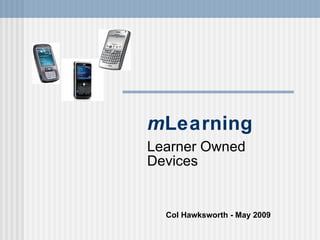
Draft copy of presentation I'm making (05/05/09) about mobile learning using learners own devices

Accessibility

Categories

Tags

mlearning elearning mnw09 learnerowneddevices

Upload Details

Uploaded via SlideShare as Microsoft PowerPoint

Usage Rights

CC Attribution-NonCommercial LicenseCC Attribution-NonCommercial License

Flagged as inappropriate Flag as inappropriate
Flag as inappropriate

Select your reason for flagging this presentation as inappropriate. If needed, use the feedback form to let us know more details.

Cancel

3 Embeds 15

http://colhawksworth.wordpress.com 10
http://mindmug.wordpress.com 4
http://www.slideshare.net 1

Statistics

Favorites
0
Downloads
0
Comments
2
Embed Views
15
Views on SlideShare
744
Total Views
759

12 of 2 previous next

  • colhawksworth Col Hawksworth , Technologist at Independent Consultant I've now made the voice-over - it's called a 'slide-cast' on Slideshare.

    What did I do?
    I recorded the audio on my iPhone using iPadio - straight forward, just uploaded it to iPadio as usual.
    Then in Slideshare I edited the existing presentation and chose to create a slide-cast. At this point you can either upload or link to and existing mp3 file.
    Once the audio has been imported, you can drag out the markers on a timeline of audio underneath the slides - just match it up as you wish, then preview & save it.
    I'm rather pleased with this first effort. :-)

    A lot easier to follow, rather than just looking at a load of slides without really understanding what is going on. Really good presentation slides shouldn't have too much information on them and are only there to enhance the presenters chat - so having them online without audio is not so good.
    2 years ago Reply
    Are you sure you want to Yes No
  • colhawksworth Col Hawksworth , Technologist at Independent Consultant OK folks, a brief explanation about what is going on this this (short) Slideshare. I was asked to present at a recent JISC RSC NW mLearning Conference (May 2009).

    My focus is really about re-evaluating the concept of User/Learner Owned Devices within education. Our college applied for MoLeNET funding but were unsuccessful, so we decided to continue with our project ideas by incorporating students mobile phones/cameras etc. into our teaching, learning and enrichment.

    The two themes I have identified and focused on for this presentation are :
    (1) Educational institutions cannot match learners for pace-of-change and proliferation of mobile device upgrade/replacement - increasingly, institutions cannot meet the on-going cost implications.
    (2) Mobile technology affords many new learning opportunities - the barriers to mobile learning are not the technology or the users - they are cultural.


    I WILL make a voice-over and some longer notes to go with the slides - as they are not really very interesting on their own. :)
    3 years ago Reply
    Are you sure you want to Yes No
Post Comment
Edit your comment Cancel

JISC RSC NW M Learning — Webinar Transcript