How to Convert PowerPoint to DVD,

Loading...

Flash Player 9 (or above) is needed to view presentations.
We have detected that you do not have it on your computer. To install it, go here.

4 comments

Comments 1 - 4 of 4 previous next Post a comment

Post a comment
Embed Video
Edit your comment Cancel

Favorites, Groups & Events

How to Convert PowerPoint to DVD, - Presentation Transcript

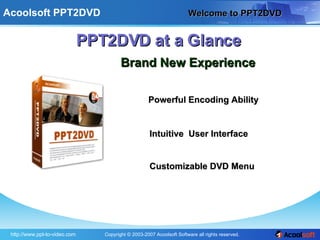
  1. Welcome to PPT2DVD PPT2DVD at a Glance Brand New Experience Intuitive User Interface Powerful Encoding Ability Customizable DVD Menu
  2. Burn PowerPoint to DVD Burn PowerPoint presentation to DVD Easy Fast High Quality
  3. Powerful Encoding Ability Powerful Encoding Ability
    • Support high definition norm
    • Burn PowerPoint presentation to DVD/Mini-DVD
    • Convert PowerPoint presentation to Mpeg-2 video
    • Convert PowerPoint presentation to Mpeg-1 video
    • Obtain the animations and transitions of original Presentation
  4. Multiple output options Multiple output options
  5. Intuitive user interface Intuitive user interface
  6. Flexible DVD menu Flexible DVD menu
  7. Customize Main Menu Customize Main Menu
  8. Create Ending page Create Ending page
  9. Ready to Use Sophisticated Flexible High Quality Reliable Try Buy More

+ Alexander SmithAlexander Smith, 3 years ago

custom

1901 views, 0 favs, 1 embeds more stats

This slide tells you a new product that how to conv more

More info about this document

© All Rights Reserved

Go to text version

  • Total Views 1901
    • 1893 on SlideShare
    • 8 from embeds
  • Comments 4
  • Favorites 0
  • Downloads 96
Most viewed embeds
  • 8 views on http://powerpoint-to-video.blogspot.com

more

All embeds
  • 8 views on http://powerpoint-to-video.blogspot.com

less

Flagged as inappropriate Flag as inappropriate
Flag as inappropriate

Select your reason for flagging this presentation as inappropriate. If needed, use the feedback form to let us know more details.

Cancel
File a copyright complaint
Having problems? Go to our helpdesk?

Categories