Adam Culp @adamculp
https://joind.in/10797
Clean Application Development
Page  2
● About Me
●
PHP 5.3 Certified
●
Consultant at Zend Technologies
●
Organizer – SoFloPHP (South Florida)
●
Organized – SunshinePHP (Miami)
●
Long distance (ultra) runner
●
Judo Black Belt Instructor
Clean Application Development – About Me
Page  3
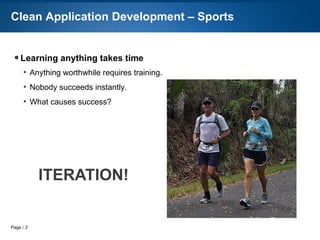
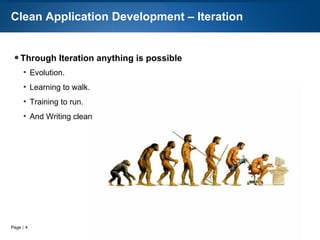
● I love iteration!
●
Evolution.
●
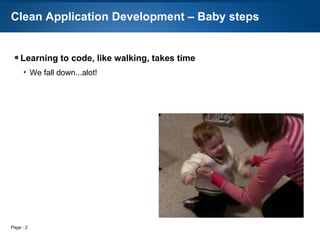
Learning to walk.
●
Training to run.
●
Evading project managers.
●
Clean development.
Clean Application Development – Iteration
Page  4
● Clean application development cannot be taught in 45 minutes
●
Practice, Practice, Practice.
●
Leave the code better than you found it.
●
Always watch for new techniques.
●
No “silver bullet“.
Clean Application Development – Learning
Page  5
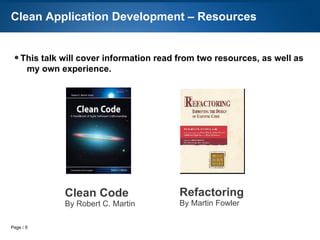
● A great resource on code quality.
Clean Application Development – Resources
Clean Code
By Robert C. Martin
Page  6
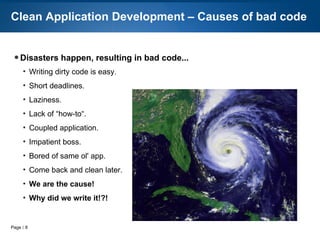
● Disasters happen, resulting in bad code...
●
It's easy
●
Short deadlines
●
Boss
●
Laziness
●
Lack of “how-to“
●
Come back and clean later
●
We are the cause!
Clean Application Development – Causes of bad code
Page  7
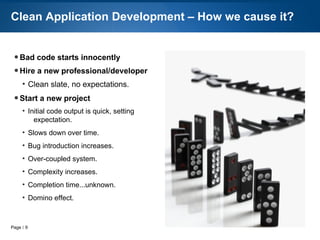
● Bad code starts innocently
● Hire a new
professional/developer
●
Clean slate, no expectations
● Start a new project
●
Initial code output is quick and easy,
setting expectation
●
Slows down over time
●
Complexity increases
●
Domino effect
Clean Application Development – Typical Scenario
Page  8
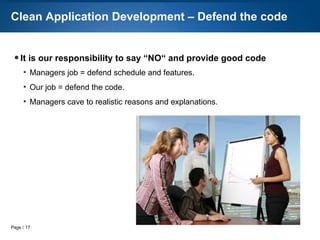
● Our responsibility to say “NO“
●
Managers job = defend schedule and features
●
Our job = defend the code
●
Managers respect realistic reasons and explanations
Clean Application Development – Defend the code
Page  9
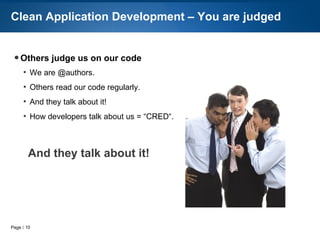
● Others judge us on our code
●
We are @authors.
●
75% of time reading code
●
Others read our code also
●
And they talk about it!
●
How developers talk about us = “CRED“
Clean Application Development – We are judged
And they talk about it!
Page  10
● Side-effects of bad code:
●
Wasted Time
●
Bugs
●
Excessive debugging
●
Procrastination
●
Missed deadlines
●
Technical debt
●
Financial losses
Clean Application Development – Result of bad code
Page  11
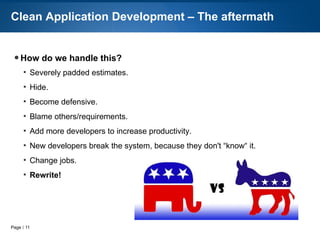
● How we typically react to a dirty application:
●
Padded estimates
●
Developers Hide
●
Become defensive
●
Blame others/requirements
●
Add developers
●
Rewrite!
Clean Application Development – The aftermath
Page  12
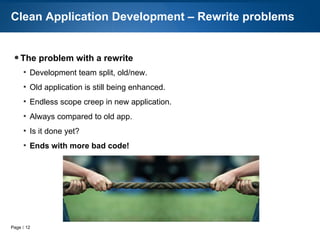
● The problem with a rewrite:
●
Development team split, old/new
●
Legacy application enhanced
●
New application Scope creep
●
Is it done yet?
●
Ends with more bad code!
Clean Application Development – Rewrite problems
Page  13
● Learn to Refactor.
Clean Application Development – Resources
Refactoring 101
By Adam Culp
Refactoring
By Martin Fowler
https://github.com/adamculp/refactoring101 https://refactoring101.com
Page  14
● With all of these problems, clean applications makes sense
●
Shortens development time.
●
On-boarding of developers easier.
●
Less bugs.
●
Happier end-users.
●
Predictable schedules.
●
It's the professional thing to do.
Clean Application Development – Common sense
Page  15
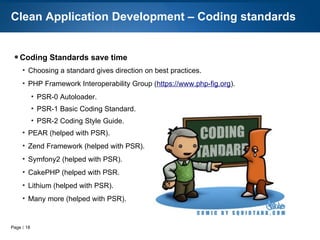
● Coding Standards save time
●
Gives direction
●
PHP Framework Interoperability Group (https://www.php-fig.org).
●
PSR-0 Autoloading Standard
●
PSR-1 Basic Coding Standard
●
PSR-2 Coding Style Guide
●
PSR-3 Logging
●
PSR-4 Improved Autoloading
●
Standard NOT important
●
Choose one
●
Stick with it
●
Consistency is key
Clean Application Development – Coding standards
Page  16
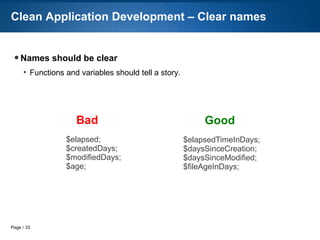
● Names should be clear
●
Functions and variables should tell a story.
Clean Application Development – Clear names
$elapsedTimeInDays;
$daysSinceCreation;
$daysSinceModified;
$fileAgeInDays;
$elapsed;
$createdDays;
$modifiedDays;
$age;
GoodBad
Page  17
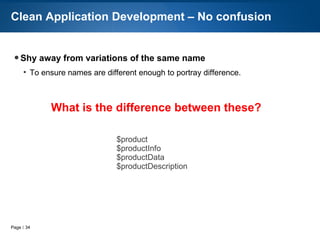
● Shy away from variations of the same name
●
To ensure names are different enough to portray difference.
Clean Application Development – No confusion
$product
$productInfo
$productData
$productDescription
What is the difference between these?
Page  18
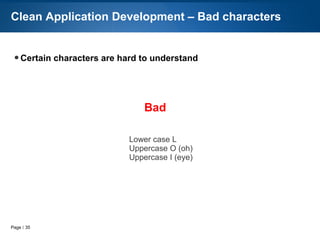
● Certain characters are hard to understand
Clean Application Development – Bad characters
Lower case L
Uppercase O (oh)
Uppercase I (eye)
Bad
Page  19
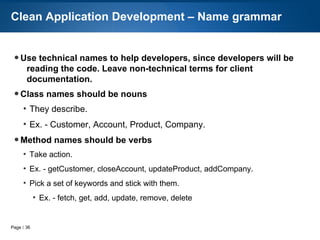
● Technical names help developers who actually read the code.
● Non-technical terms for client documentation.
● Class names should be nouns
●
Describe.
●
Ex. - Customer, Account, Product, Company.
● Method names should be verbs
●
Action.
●
Ex. - getCustomer, closeAccount, updateProduct, addCompany.
●
Pick a set of keywords and stick with them.
●
Ex. - fetch, get, add, update, remove, delete
Clean Application Development – Name grammar
Page  20
● More on Clean Code
●
Functions:
●
Short
●
Single purpose
●
As expected
●
Well named
●
Recognizing bad doesn't mean we know how to make good
●
We know a good/bad song, but are not song writers
●
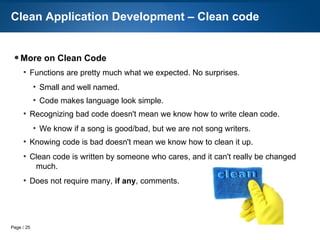
Clean code = caring developer
●
Does not require many comments
Clean Application Development – Clean code
Page  21
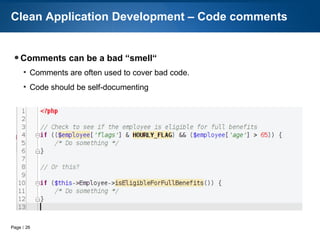
● Comments can also be a bad “smell“
●
Comments are often used to cover up bad code.
●
Code should be self-documenting
Clean Application Development – Code comments
Page  22
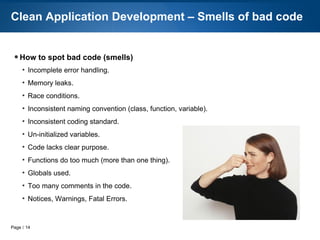
● How to spot bad code (smells)
●
Incomplete error handling
●
Memory leaks
●
Race conditions
●
Inconsistent naming convention (class, function, variable)
●
Inconsistent coding standard
●
Un-initialized variables
●
Code lacks clear purpose
●
Functions do too much (more than one thing)
●
Globals used
●
Too many comments in the code
●
Notices, Warnings, Fatal Errors
Clean Application Development – Smells of bad code
Page  23
● Let PHP CodeSniffer detect bad smells
●
Set rules to detect if coding standard is not followed
●
Run during commits in version control
●
PhpStorm integration
Clean Application Development – Code sniffer
Page  24
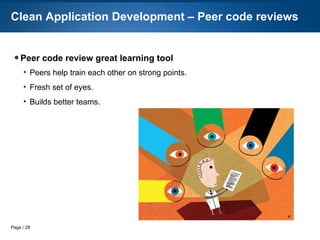
● Peer code review great learning tool
●
Peers help train each other on strong points.
●
Fresh set of eyes.
●
Builds better teams.
Clean Application Development – Peer code reviews
Page  25
● Standard and quick solutions to common coding problems
●
Provide standard ways of dealing with common code problems.
●
“Guide to PHP Design Patterns“ by Jason Sweat.
●
“Design Patterns, Elements of Reusable Object-Oriented Software“ by Gang of
four
Clean Application Development – Design Patterns
Page  26
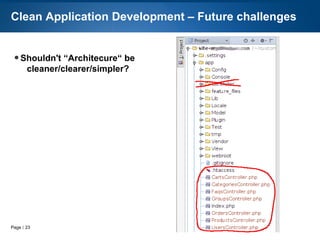
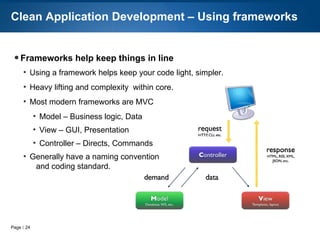
● Frameworks help keep things in line
●
$evil = 'roll-your-own'
●
Knowledge transfer
●
Onboarding
●
Insecure
●
Allows code to be lighter, simpler
●
Does heavy lifting
●
Most modern frameworks are MVC
●
Model – Business logic, Data
●
View – GUI, Presentation
●
Controller – Directs, Commands
●
STICK TO IT!!!
Clean Application Development – Frameworks
Page  27
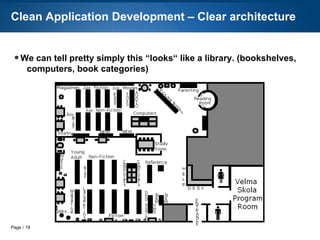
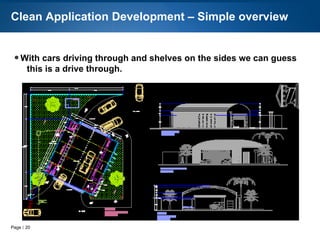
● We can tell pretty simply this “looks“ like a library. (bookshelves,
computers, book categories)
Clean Application Development – Clear architecture
Page  28
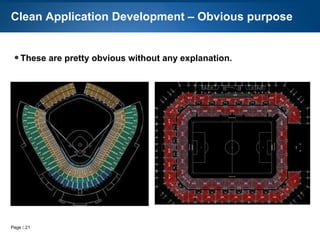
● These are pretty obvious without any explanation.
Clean Application Development – Obvious purpose
Page  29
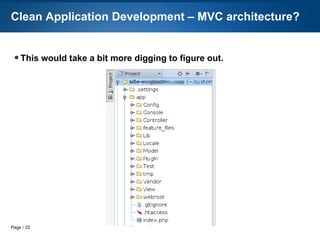
● This would take a bit more digging to figure out.
Clean Application Development – MVC architecture?
Page  30
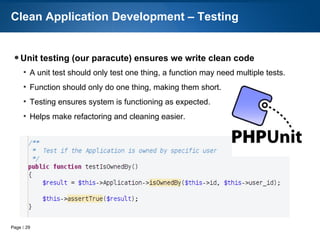
● Unit testing = parachute
●
Each test = one thing
●
Ensures system functioning
●
Makes refactoring easier
●
The “Way of Testivus“
Clean Application Development – Testing
Page  31
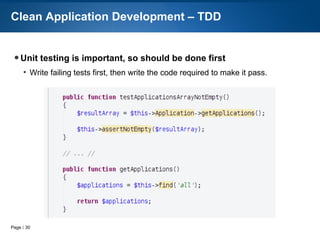
● Important things should be done first
●
Write failing tests first, then write the code required to make it pass.
Clean Application Development – TDD
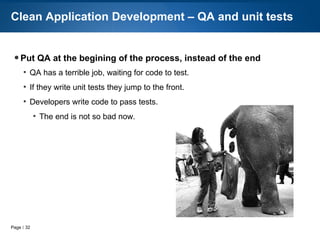
Page  32
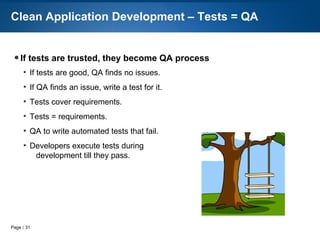
● QA at the begining instead of the end
●
QA waits for code to test.
●
Create tests based on requirements, first.
●
Developers write code to pass tests.
●
The end is not so bad now.
Clean Application Development – QA and unit tests
Page  33
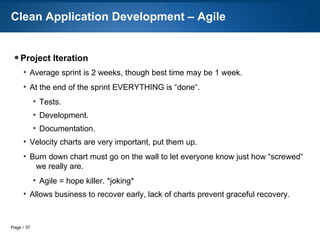
● Agile = Project Iteration
●
Average sprint is 2 weeks
●
At the end of the sprint EVERYTHING is “done“
●
Tests
●
Development
●
Documentation
●
Velocity charts, MAKE THEM PUBLIC
●
Burn down chart allow business to recover gracefully
Clean Application Development – Agile
Page  34
● Our clients hired a professional, they should get one
●
Professionals are:
●
Trusted
●
Reliable estimates
●
Quality
●
Replaceable
●
Promotable
●
Documented
●
Repeatable
●
Vacation
●
Use standards/conventions
Clean Application Development – Human resources
Page  35
● Clean application development is:
●
Learning, repetition, practice.
●
Clear architecture.
●
Coding standards and styles.
●
Framework and best practices.
●
Testing.
●
Agile.
●
Learning to say “NO“, and defend the code.
●
Living up to the title “Professional“
Clean Application Development – Close
Page  36
● Coming soon!
●
End of year on LeanPub
Clean Application Development – The Book
Clean Application Development
By Adam Culp
https://cleanappdev.com
Page  37
● Resources
●
Adam Culp @adamculp
●
https://joind.in/10797
●
http://www.GeekyBoy.com
●
http://RunGeekRadio.com
●
Book: “Clean Code“ by Robert C. Martin
●
Book: “Refactoring“ by Martin Fowler
●
https://github.com/adamculp/refactoring101
●
Book: “Refactoring 101“ by Adam Culp http://refactoring101.com
●
Book: “Clean Application Development“ by Adam Culp http://cleanappdev.com
●
Book: “Guide to PHP Design Patterns“ by Jason Sweat
●
Book: “Design Patterns“ by Gang of four
●
http://www.php-fig.org
Clean Application Development – Resources
Thank You!

Clean application development (talk)

  • 1.
  • 2.
    Page  2 ●About Me ● PHP 5.3 Certified ● Consultant at Zend Technologies ● Organizer – SoFloPHP (South Florida) ● Organized – SunshinePHP (Miami) ● Long distance (ultra) runner ● Judo Black Belt Instructor Clean Application Development – About Me
  • 3.
    Page  3 ●I love iteration! ● Evolution. ● Learning to walk. ● Training to run. ● Evading project managers. ● Clean development. Clean Application Development – Iteration
  • 4.
    Page  4 ●Clean application development cannot be taught in 45 minutes ● Practice, Practice, Practice. ● Leave the code better than you found it. ● Always watch for new techniques. ● No “silver bullet“. Clean Application Development – Learning
  • 5.
    Page  5 ●A great resource on code quality. Clean Application Development – Resources Clean Code By Robert C. Martin
  • 6.
    Page  6 ●Disasters happen, resulting in bad code... ● It's easy ● Short deadlines ● Boss ● Laziness ● Lack of “how-to“ ● Come back and clean later ● We are the cause! Clean Application Development – Causes of bad code
  • 7.
    Page  7 ●Bad code starts innocently ● Hire a new professional/developer ● Clean slate, no expectations ● Start a new project ● Initial code output is quick and easy, setting expectation ● Slows down over time ● Complexity increases ● Domino effect Clean Application Development – Typical Scenario
  • 8.
    Page  8 ●Our responsibility to say “NO“ ● Managers job = defend schedule and features ● Our job = defend the code ● Managers respect realistic reasons and explanations Clean Application Development – Defend the code
  • 9.
    Page  9 ●Others judge us on our code ● We are @authors. ● 75% of time reading code ● Others read our code also ● And they talk about it! ● How developers talk about us = “CRED“ Clean Application Development – We are judged And they talk about it!
  • 10.
    Page  10 ●Side-effects of bad code: ● Wasted Time ● Bugs ● Excessive debugging ● Procrastination ● Missed deadlines ● Technical debt ● Financial losses Clean Application Development – Result of bad code
  • 11.
    Page  11 ●How we typically react to a dirty application: ● Padded estimates ● Developers Hide ● Become defensive ● Blame others/requirements ● Add developers ● Rewrite! Clean Application Development – The aftermath
  • 12.
    Page  12 ●The problem with a rewrite: ● Development team split, old/new ● Legacy application enhanced ● New application Scope creep ● Is it done yet? ● Ends with more bad code! Clean Application Development – Rewrite problems
  • 13.
    Page  13 ●Learn to Refactor. Clean Application Development – Resources Refactoring 101 By Adam Culp Refactoring By Martin Fowler https://github.com/adamculp/refactoring101 https://refactoring101.com
  • 14.
    Page  14 ●With all of these problems, clean applications makes sense ● Shortens development time. ● On-boarding of developers easier. ● Less bugs. ● Happier end-users. ● Predictable schedules. ● It's the professional thing to do. Clean Application Development – Common sense
  • 15.
    Page  15 ●Coding Standards save time ● Gives direction ● PHP Framework Interoperability Group (https://www.php-fig.org). ● PSR-0 Autoloading Standard ● PSR-1 Basic Coding Standard ● PSR-2 Coding Style Guide ● PSR-3 Logging ● PSR-4 Improved Autoloading ● Standard NOT important ● Choose one ● Stick with it ● Consistency is key Clean Application Development – Coding standards
  • 16.
    Page  16 ●Names should be clear ● Functions and variables should tell a story. Clean Application Development – Clear names $elapsedTimeInDays; $daysSinceCreation; $daysSinceModified; $fileAgeInDays; $elapsed; $createdDays; $modifiedDays; $age; GoodBad
  • 17.
    Page  17 ●Shy away from variations of the same name ● To ensure names are different enough to portray difference. Clean Application Development – No confusion $product $productInfo $productData $productDescription What is the difference between these?
  • 18.
    Page  18 ●Certain characters are hard to understand Clean Application Development – Bad characters Lower case L Uppercase O (oh) Uppercase I (eye) Bad
  • 19.
    Page  19 ●Technical names help developers who actually read the code. ● Non-technical terms for client documentation. ● Class names should be nouns ● Describe. ● Ex. - Customer, Account, Product, Company. ● Method names should be verbs ● Action. ● Ex. - getCustomer, closeAccount, updateProduct, addCompany. ● Pick a set of keywords and stick with them. ● Ex. - fetch, get, add, update, remove, delete Clean Application Development – Name grammar
  • 20.
    Page  20 ●More on Clean Code ● Functions: ● Short ● Single purpose ● As expected ● Well named ● Recognizing bad doesn't mean we know how to make good ● We know a good/bad song, but are not song writers ● Clean code = caring developer ● Does not require many comments Clean Application Development – Clean code
  • 21.
    Page  21 ●Comments can also be a bad “smell“ ● Comments are often used to cover up bad code. ● Code should be self-documenting Clean Application Development – Code comments
  • 22.
    Page  22 ●How to spot bad code (smells) ● Incomplete error handling ● Memory leaks ● Race conditions ● Inconsistent naming convention (class, function, variable) ● Inconsistent coding standard ● Un-initialized variables ● Code lacks clear purpose ● Functions do too much (more than one thing) ● Globals used ● Too many comments in the code ● Notices, Warnings, Fatal Errors Clean Application Development – Smells of bad code
  • 23.
    Page  23 ●Let PHP CodeSniffer detect bad smells ● Set rules to detect if coding standard is not followed ● Run during commits in version control ● PhpStorm integration Clean Application Development – Code sniffer
  • 24.
    Page  24 ●Peer code review great learning tool ● Peers help train each other on strong points. ● Fresh set of eyes. ● Builds better teams. Clean Application Development – Peer code reviews
  • 25.
    Page  25 ●Standard and quick solutions to common coding problems ● Provide standard ways of dealing with common code problems. ● “Guide to PHP Design Patterns“ by Jason Sweat. ● “Design Patterns, Elements of Reusable Object-Oriented Software“ by Gang of four Clean Application Development – Design Patterns
  • 26.
    Page  26 ●Frameworks help keep things in line ● $evil = 'roll-your-own' ● Knowledge transfer ● Onboarding ● Insecure ● Allows code to be lighter, simpler ● Does heavy lifting ● Most modern frameworks are MVC ● Model – Business logic, Data ● View – GUI, Presentation ● Controller – Directs, Commands ● STICK TO IT!!! Clean Application Development – Frameworks
  • 27.
    Page  27 ●We can tell pretty simply this “looks“ like a library. (bookshelves, computers, book categories) Clean Application Development – Clear architecture
  • 28.
    Page  28 ●These are pretty obvious without any explanation. Clean Application Development – Obvious purpose
  • 29.
    Page  29 ●This would take a bit more digging to figure out. Clean Application Development – MVC architecture?
  • 30.
    Page  30 ●Unit testing = parachute ● Each test = one thing ● Ensures system functioning ● Makes refactoring easier ● The “Way of Testivus“ Clean Application Development – Testing
  • 31.
    Page  31 ●Important things should be done first ● Write failing tests first, then write the code required to make it pass. Clean Application Development – TDD
  • 32.
    Page  32 ●QA at the begining instead of the end ● QA waits for code to test. ● Create tests based on requirements, first. ● Developers write code to pass tests. ● The end is not so bad now. Clean Application Development – QA and unit tests
  • 33.
    Page  33 ●Agile = Project Iteration ● Average sprint is 2 weeks ● At the end of the sprint EVERYTHING is “done“ ● Tests ● Development ● Documentation ● Velocity charts, MAKE THEM PUBLIC ● Burn down chart allow business to recover gracefully Clean Application Development – Agile
  • 34.
    Page  34 ●Our clients hired a professional, they should get one ● Professionals are: ● Trusted ● Reliable estimates ● Quality ● Replaceable ● Promotable ● Documented ● Repeatable ● Vacation ● Use standards/conventions Clean Application Development – Human resources
  • 35.
    Page  35 ●Clean application development is: ● Learning, repetition, practice. ● Clear architecture. ● Coding standards and styles. ● Framework and best practices. ● Testing. ● Agile. ● Learning to say “NO“, and defend the code. ● Living up to the title “Professional“ Clean Application Development – Close
  • 36.
    Page  36 ●Coming soon! ● End of year on LeanPub Clean Application Development – The Book Clean Application Development By Adam Culp https://cleanappdev.com
  • 37.
    Page  37 ●Resources ● Adam Culp @adamculp ● https://joind.in/10797 ● http://www.GeekyBoy.com ● http://RunGeekRadio.com ● Book: “Clean Code“ by Robert C. Martin ● Book: “Refactoring“ by Martin Fowler ● https://github.com/adamculp/refactoring101 ● Book: “Refactoring 101“ by Adam Culp http://refactoring101.com ● Book: “Clean Application Development“ by Adam Culp http://cleanappdev.com ● Book: “Guide to PHP Design Patterns“ by Jason Sweat ● Book: “Design Patterns“ by Gang of four ● http://www.php-fig.org Clean Application Development – Resources Thank You!