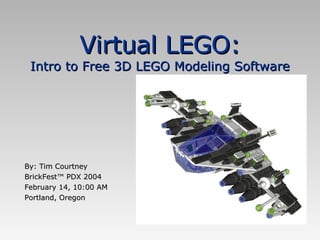
Virtual LEGO: Intro to Free 3D LEGO Modeling Software

Loading...

Flash Player 9 (or above) is needed to view presentations.
We have detected that you do not have it on your computer. To install it, go here.

3 comments

Comments 1 - 3 of 3 previous next Post a comment

  • + guestaa5c945 guestaa5c945 6 months ago
    Oh, this is LDraw? I had no idea.
  • + guestaa5c945 guestaa5c945 6 months ago
    For obvious reasons I’d prefer LDD, unless I can convert the models in this one, so as to de-lego-ify them. That would make the modeling process easier for just about anything.
  • + skeleme skeleme 9 months ago
    well... were can i download?...
Post a comment
Embed Video
Edit your comment Cancel

2 Favorites

Virtual LEGO: Intro to Free 3D LEGO Modeling Software - Presentation Transcript

  1. Virtual LEGO: Intro to Free 3D LEGO Modeling Software By: Tim Courtney BrickFest™ PDX 2004 February 14, 10:00 AM Portland, Oregon
  2. Why Virtual LEGO?
    • Document custom designs
    • Create your own instructions
    • Create stunning images
    • Virtual bricks are free, and come in any color (including the old grays).
  3. LDraw: The library and format that makes it happen
    • Open-source project(s) born out of the early online LEGO community
    • Available now for download
    QUACK
  4. Brief History 1995 2000 2005 1996: James Jessiman creates original LDraw/LEdit package 1997: James Jessiman dies Community of users assume maintenance and development roles LDraw tools gain popularity among LEGO fans… 1999: LDraw.org Launched 2001: CAD Summit at LEGO Direct 2002-3: First books on LDraw tools written 2003: LDraw.org Standards Committee launched 2004: Organization Bylaws
  5. Current Happenings…
    • Stunning photo-realistic ray tracings using POV-Ray’s new radiosity settings
    • LDraw.org Standards Committee (LSC)
    • Bylaws Ratification vote – move towards a formal organization
    Super Car rendering by Jeroen de Haan POV-Ray 3.5 and Radiosity
  6. Introductions – who are you?
  7. What are the components of LDraw?
    • Parts Library
    • LDraw Description Language
    • Tools
      • Editors
      • Viewers
      • Converters
      • Renderers
      • Batch Automation
  8. The LDraw Parts Library
    • Fundamental to the LDraw modeling system
    • Over 2600 parts created to date
    • Parts are community created, maintained, and certified
    • Parts Tracker: Mechanism for certifying and releasing new parts to the library for public consumption
  9. The LDraw Description Language
    • Text-based
      • Files are light-weight and portable
      • The files are human readable!
    • Simple to parse
      • Hierarchy based on shapes & parts
      • Well defined line syntax
    • Common LDraw file format
      • Each level in the hierarchy identifiable by extension (.dat, .ldr, .mpd)
    • Polygon-based
      • Lacks support for cylinders and round objects
      • No mesh support
    • Historical consistency guarantees compatibility
    The system is strong because of its simplicity and straightforward nature.
  10. The System of Tools
  11. Tools - Editors
    • There are several programs to create your virtual LEGO models:
    • MLCAD (Lachmann) – Most popular current editor, for Windows
    • LEdit (Jessiman) – original DOS editor
    • LeoCAD (Zide) – Windows and Linux editor
    • BrickDraw3D (Olson) – New Mac software
    • Mac Brick CAD (???) – in development
  12. Tools - Viewers
    • Quickly view files
    • LDLite (Gyugyi)
    • LDGLite (Heyse) – OpenGL LDLite
    • LDView (Cobbs) – nice shading
    • L3Lab (Hassing) – diagnostic tools for parts authors
    • Interactivity with LUGNET’s DAT newsgroups
      • Windows file associations
  13. Tools - Converters
    • Convert LDraw models to other 3D file formats.
    • Convert to POV-Ray
      • L2P ↔ LGEO (solid-based POV-Ray lib)
      • L3P/L3PAO – No extra library needed, however optionally uses LGEO
    • Convert to other
      • 3DWin (shareware)
        • 3DS
        • Maya
        • AutoCAD
        • VRML
        • More!
  14. Tools - Renderers
    • Raytracers: The POV-Ray family
      • POV-Ray – the most widely used renderer. POV is strictly code-based, it is not a modeler.
      • MegaPOV – unofficial build
      • of POV-Ray that offers post
      • processing and other features
    • Others…
      • The sky’s the limit!
  15. Tools - Batch Automation
    • New area in the LDraw world – automatically create all images needed to create building instructions.
    • LPub – create building instructions based on steps in an LDraw file, supports advanced MLCad extensions
  16. System of Tools: Usage Model Build Model in MLCad Saved LDraw Model Convert to 3D File Format Batch Process Building Instructions (LPub) Archive or Share Your Model Raw Building Instruction Images Building Instructions (laid-out pages) POV-Ray L3P 3DWin Rendered Image POV-Ray L3P Animation Image Maya, 3DS, AutoCAD, etc… Editor MLCad File Format Converter L3P 3DWin Viewer/Renderer LDView LDLite Output? Images or Animations Renderer POV-Ray/MegaPOV 3DStudio Batch Processor LPub Output Images or Animations
  17. LDraw Description Language: Anatomy of LDraw Files
    • 0 Three Brick Stack
    • 0 Name: 3 bricks.ldr
    • 1 4 0 0 0 1 0 0 0 1 0 0 0 1 3001.dat
    • 1 1 40 0 40 1 0 0 0 1 0 0 0 1 3001.dat
    • 1 14 20 -24 20 1 0 0 0 1 0 0 0 1 3001.dat
  18. Hierarchy Illustrated 0 Three Brick Stack 0 Name: 3 bricks.ldr 1 4 0 0 0 1 0 0 0 1 0 0 0 1 3001.dat 1 1 40 0 40 1 0 0 0 1 0 0 0 1 3001.dat 1 14 20 -24 20 1 0 0 0 1 0 0 0 1 3001.dat 0 Brick 2 x 4 0 Name: 3001.dat 0 BFC INVERTNEXT 1 16 0 24 0 36 0 0 0 -20 0 0 0 16 box5.dat 1 16 0 24 0 40 0 0 0 -24 0 0 0 20 box5.dat 0 STUDS 1 16 30 0 10 1 0 0 0 1 0 0 0 1 stud.dat 1 16 10 0 10 1 0 0 0 1 0 0 0 1 stud.dat 1 16 -10 0 10 1 0 0 0 1 0 0 0 1 stud.dat 1 16 -30 0 10 1 0 0 0 1 0 0 0 1 stud.dat 1 16 30 0 -10 1 0 0 0 1 0 0 0 1 stud.dat 1 16 10 0 -10 1 0 0 0 1 0 0 0 1 stud.dat 1 16 -10 0 -10 1 0 0 0 1 0 0 0 1 stud.dat 1 16 -30 0 -10 1 0 0 0 1 0 0 0 1 stud.dat 0 TUBES 1 16 20 4 0 1 0 0 0 -5 0 0 0 1 stud4.dat 1 16 0 4 0 1 0 0 0 -5 0 0 0 1 stud4.dat 1 16 -20 4 0 1 0 0 0 -5 0 0 0 1 stud4.dat 4 16 40 24 20 36 24 16 -36… 4 16 -40 24 20 -36 24… 4 16 -40 24 -20 -3 … 4 16 40 24 -20 … 0 Stud 0 Name: stud.dat 1 16 0 -4 0 6 0 0 0 1 0 0 0 6 4-4disc.dat 1 16 0 0 0 6 0 0 0 1 0 0 0 6 4-4edge.dat 1 16 0 -4 0 6 0 0 0 1 0 0 0 6 4-4edge.dat 1 16 0 0 0 6 0 0 0 -4 0 0 0 6 4-4cyli.dat 0 Disc 1.0 0 Name: 4-4disc.dat 3 16 0 0 0 1 0 0 0.9239 0 0.3827 3 16 0 0 0 0.9239 0 0.3827 0.7071 0 0.7071 3 16 0 0 0 0.7071 0 0.7071 0.3827 0 0.9239 3 16 0 0 0 0.3827 0 0.9239 0 0 1 3 16 0 0 0 0 0 1 -0.3827 0 0.9239 3 16 0 0 0 -0.3827 0 0.9239 -0.7071 0 0.7071 3 16 0 0 0 -0.7071 0 0.7071 -0.9239 0 0.3827 3 16 0 0 0 -0.9239 0 0.3827 -1 0 -0 3 16 0 0 0 -1 0 -0 -0.9239 0 -0.3827 3 16 0 0 0 -0.9239 0 -0.3827 -0.7071 0 -0.7071 3 16 0 0 0 -0.7071 0 -0.7071 -0.3827 0 -0.9239 3 16 0 0 0 -0.3827 0 -0.9239 0 0 -1 3 16 0 0 0 0 0 -1 0.3827 0 -0.9239 3 16 0 0 0 0.3827 0 -0.9239 0.7071 0 -0.7071 3 16 0 0 0 0.7071 0 -0.7071 0.9239 0 -0.3827 3 16 0 0 0 0.9239 0 -0.3827 1 0 0
  19. Conversion: Primitive Replacement
    • Other 3D software can
    • recognize rounded
    • objects where LDraw can’t
    • On conversion, polygonal LDraw primitives (a stud, for example) can be replaced with round objects for greater detail in 3D programs.
    • Example: POV-Ray – the L3P converter replaces studs with cylinders
  20. Grid System and Connection Database Concept
    • Remember, the LDraw system doesn’t have connection capabilities or collision detection
    • A grid system (based on the internal LDraw measurement system) exists to help you align parts
    • Some ideas have been passed around about a connection database, to be implemented in future versions of the LDraw language
  21. What Now?
    • Start creating!
    • POV-Ray Scenes
    • Create building instructions
    • Write parts for LDraw 
    • Export to another 3D format – the sky’s the limit!
  22. MegaPOV 1.0
  23. MegaPOV 1.0
  24. LPub (and Photoshop for the layouts)
  25.  
  26.  
  27. Resources
    • Download the LDraw tools from the web! www.LDraw.org
    • Online tutorials
    • Buy a book! Virtual LEGO on sale here at BrickFest PDX!
  28. Questions?

+ Tim CourtneyTim Courtney, 2 years ago

custom

5440 views, 2 favs, 2 embeds more stats

A high-level introduction to the community-develope more

More info about this document

CC Attribution-NonCommercial-ShareAlike LicenseCC Attribution-NonCommercial-ShareAlike LicenseCC Attribution-NonCommercial-ShareAlike License

Go to text version

  • Total Views 5440
    • 5422 on SlideShare
    • 18 from embeds
  • Comments 3
  • Favorites 2
  • Downloads 0
Most viewed embeds
  • 17 views on http://www.timcourtney.net
  • 1 views on http://www.squidoo.com

more

All embeds
  • 17 views on http://www.timcourtney.net
  • 1 views on http://www.squidoo.com

less

Flagged as inappropriate Flag as inappropriate
Flag as inappropriate

Select your reason for flagging this presentation as inappropriate. If needed, use the feedback form to let us know more details.

Cancel
File a copyright complaint
Having problems? Go to our helpdesk?

Categories