
QR Code: Business Cards 2.0
•
1 like•789 views

QR Codes in Byte-Size Chunks Business Cards 2.0 QR Code Type: Address Book QReateBUZZ

Recommended
More Related Content
Similar to QR Code: Business Cards 2.0
Similar to QR Code: Business Cards 2.0 (20)
Recently uploaded
Recently uploaded (20)
QR Code: Business Cards 2.0
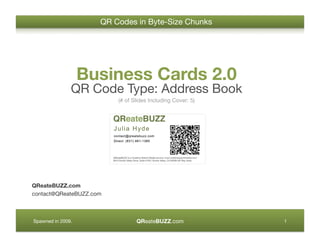
- 1. QR Codes in Byte-Size Chunks Business Cards 2.0 QR Code Type: Address Book (# of Slides Including Cover: 5) QReateBUZZ.com contact@QReateBUZZ.com QReateBUZZ.com Spawned in 2009. 1
- 2. Vital Info Only for Readability/Compatibility Stick to the Basics and Only Include Your: • First and Last Name • Email Address • Primary Phone Number (Minimal information increases scan success rates.) QReateBUZZ.com Spawned in 2009. 2
- 3. How Contact Info Embedded QR Codes Work QR Code Scanned • Place on the front or back of the business card • User is prompted with some • Use the largest size you can or all of these actions: • QR code is scanned with a get away with • Add contact mobile phone equipped with a camera and decoding • Dial number application • Send email QR Code Delivery of Placement Online Content QReateBUZZ.com Spawned in 2009. 3
- 4. Creating a QR Code with Contact Info Embedded 1. Select ‘Contact Info’ or its equivalent in your favorite QR Code generator. 2. Enter first and last name, email, and phone number. For compaEbility, it’s best to keep it to just this info even if your generator of choice offers more. 3. Generate your QR Code and add it to your business card. Be sure to test the code on proofs. QReateBUZZ.com Spawned in 2009. 4
- 5. Try Me: Contact Info Embedded QR Code QReateBUZZ.com contact@QReateBUZZ.com QReateBUZZ.com Spawned in 2009. 5