The conference calldial in will be put on mute for the presentation Q&A – We will have time at the end of the presentation for questions A copy of the presentation is on my blog: www.wardpeter.com
3.
4.
5.
- Workflow –Why do it with SharePoint - Note: There is no such thing is a simple workflow - Why use SharePoint designer for workflows? - Ideal workflows In SharePoint designer - Challenges of SharePoint Designer based workflows - Where SharePoint designer reaches its workflow limits and the SharePoint alternatives This is not a tip session
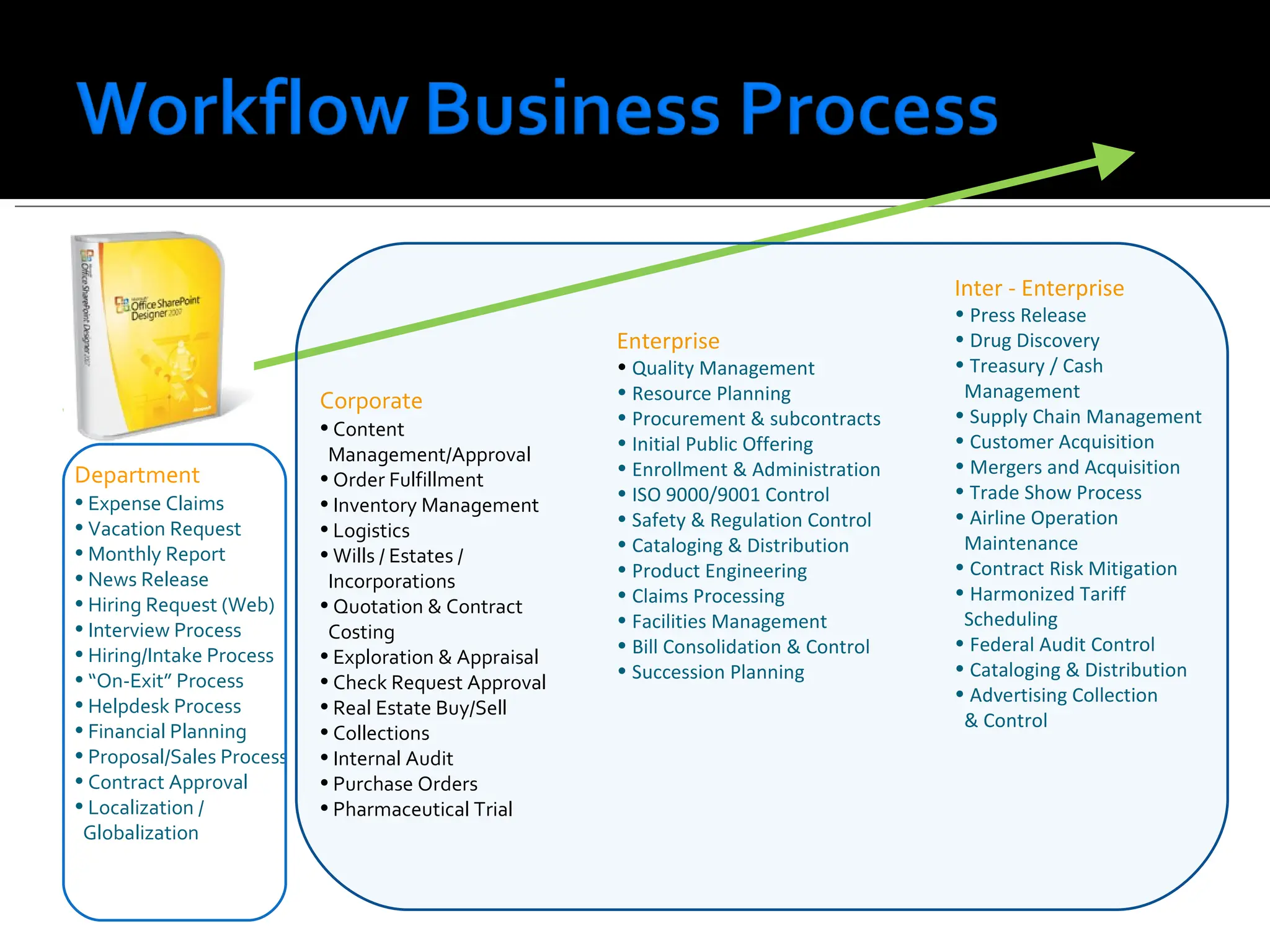
Department Expense Claims Vacation Request Monthly Report News Release Hiring Request (Web) Interview Process Hiring/Intake Process “ On-Exit” Process Helpdesk Process Financial Planning Proposal/Sales Process Contract Approval Localization / Globalization Corporate Content Management/Approval Order Fulfillment Inventory Management Logistics Wills / Estates / Incorporations Quotation & Contract Costing Exploration & Appraisal Check Request Approval Real Estate Buy/Sell Collections Internal Audit Purchase Orders Pharmaceutical Trial Enterprise Quality Management Resource Planning Procurement & subcontracts Initial Public Offering Enrollment & Administration ISO 9000/9001 Control Safety & Regulation Control Cataloging & Distribution Product Engineering Claims Processing Facilities Management Bill Consolidation & Control Succession Planning Inter - Enterprise Press Release Drug Discovery Treasury / Cash Management Supply Chain Management Customer Acquisition Mergers and Acquisition Trade Show Process Airline Operation Maintenance Contract Risk Mitigation Harmonized Tariff Scheduling Federal Audit Control Cataloging & Distribution Advertising Collection & Control
8.
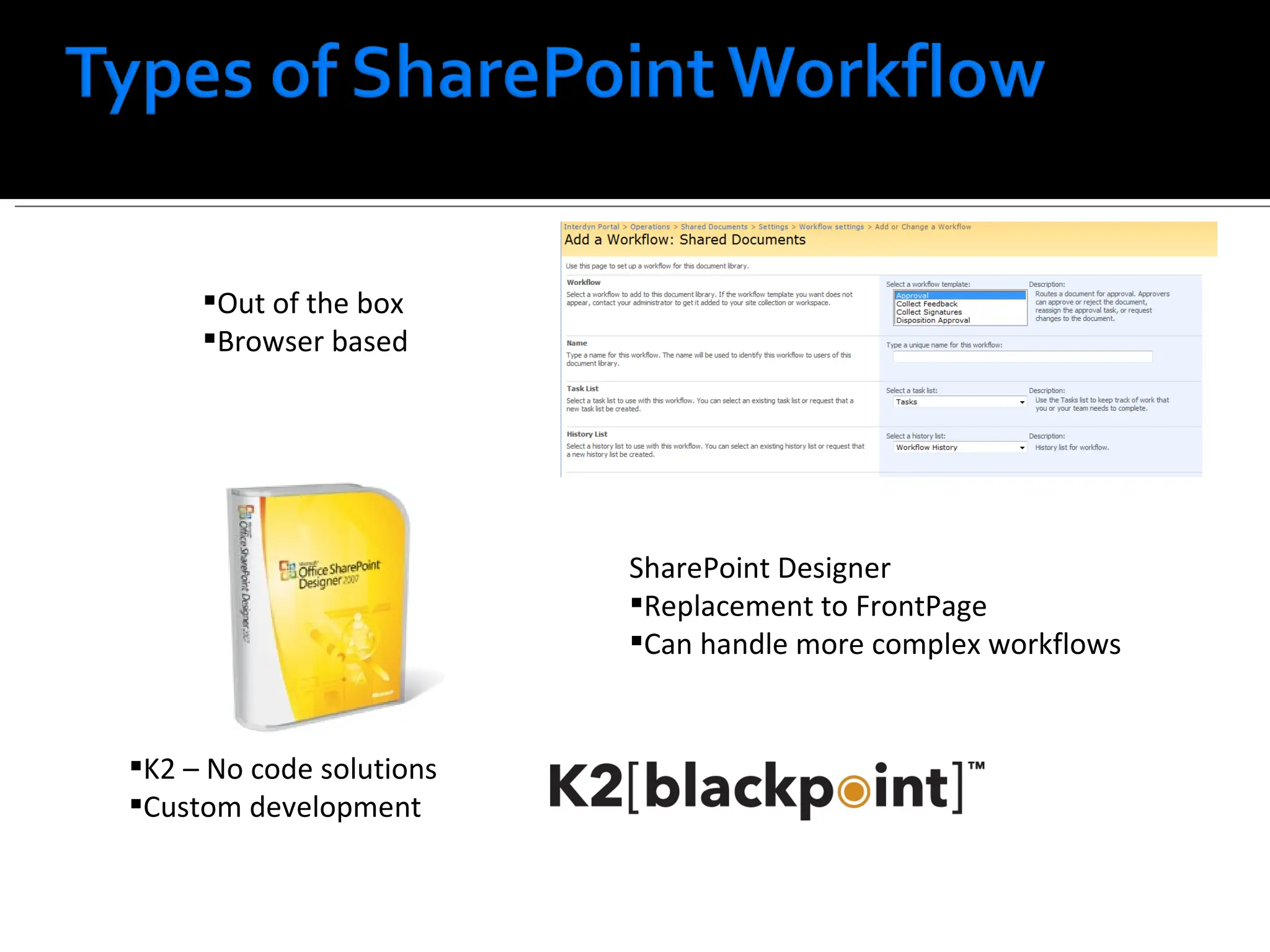
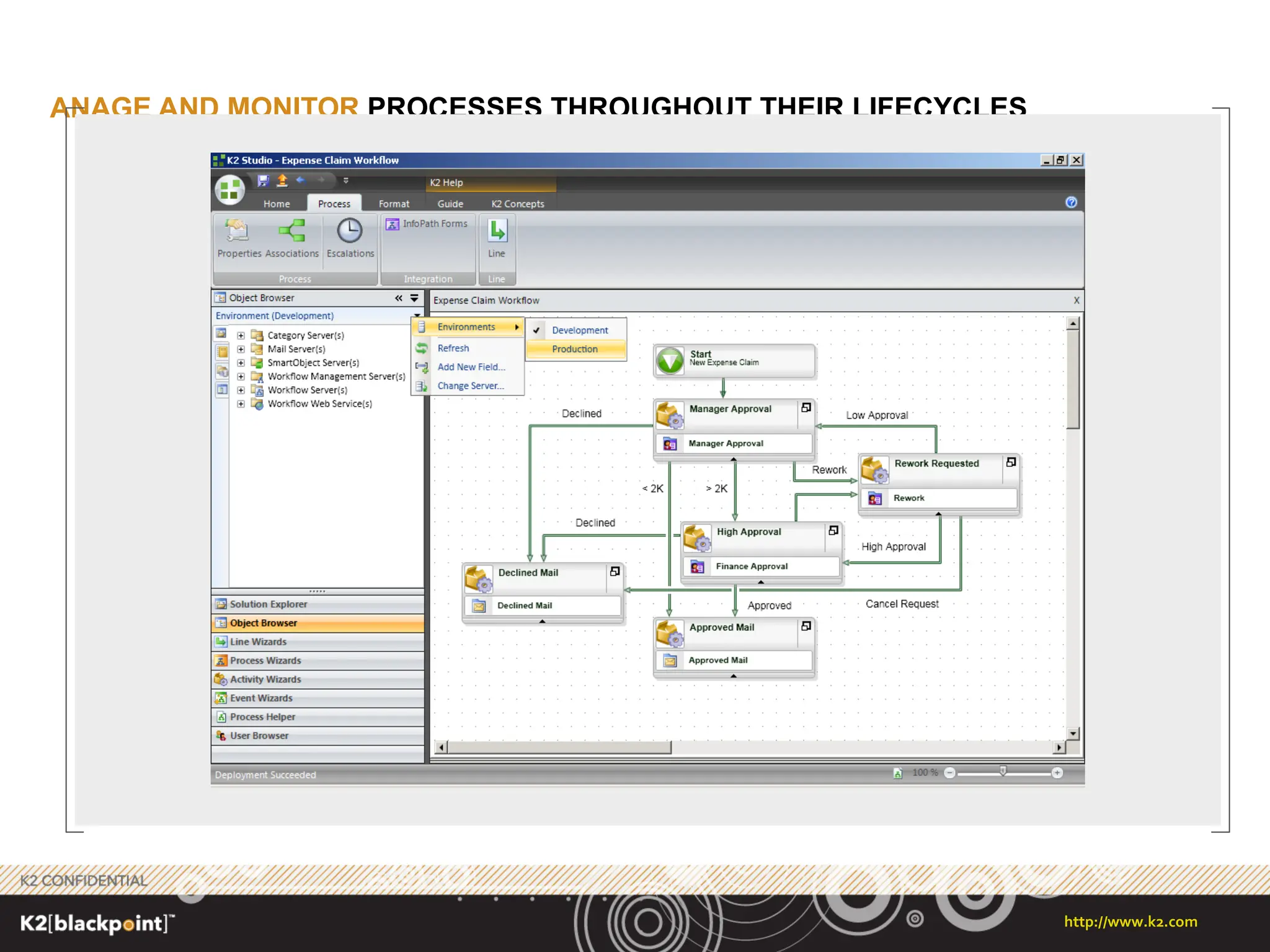
Out of thebox Browser based SharePoint Designer Replacement to FrontPage Can handle more complex workflows K2 – No code solutions Custom development
9.
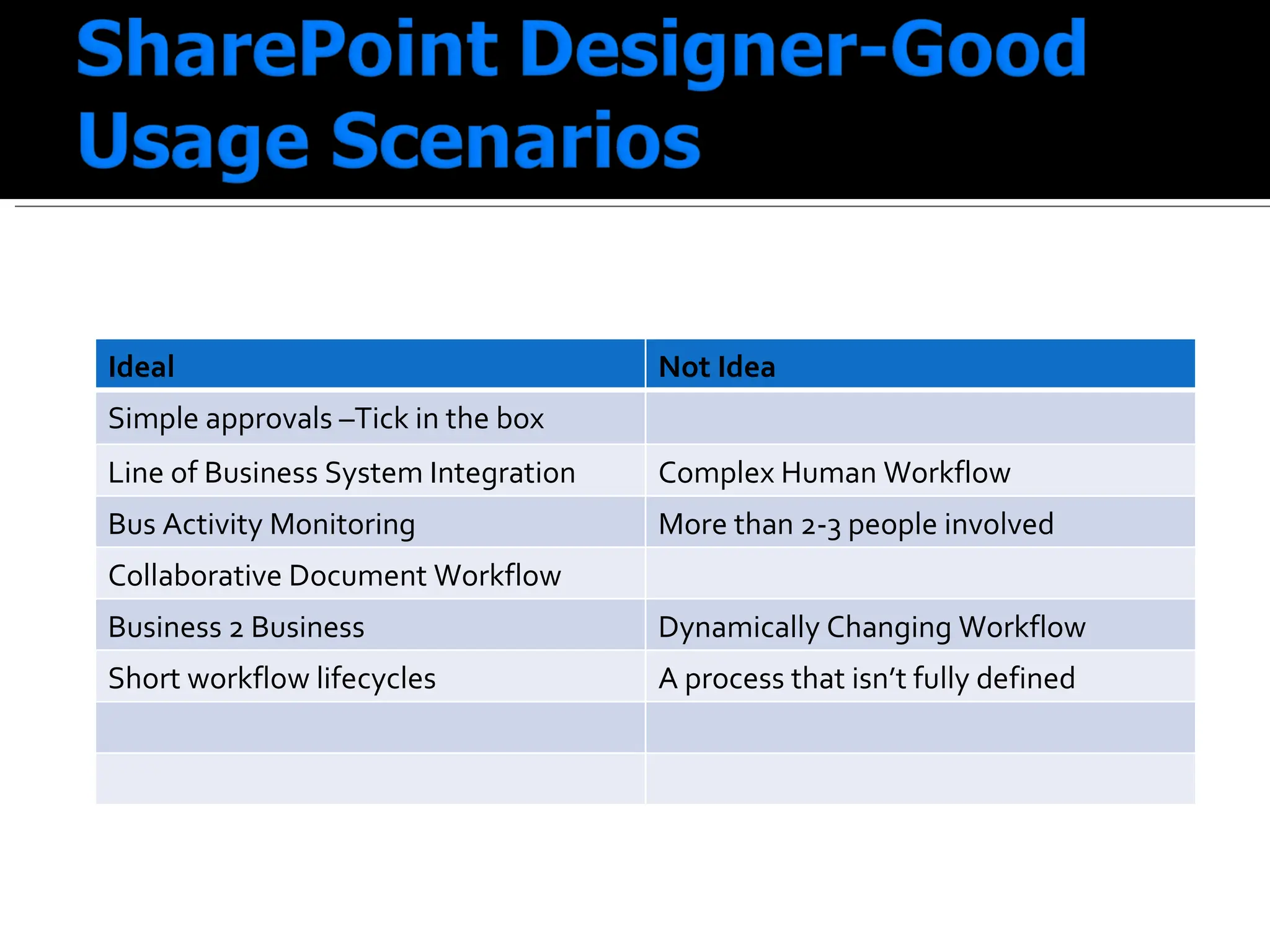
Ideal Not IdeaSimple approvals –Tick in the box Line of Business System Integration Complex Human Workflow Bus Activity Monitoring More than 2-3 people involved Collaborative Document Workflow Business 2 Business Dynamically Changing Workflow Short workflow lifecycles A process that isn’t fully defined
10.
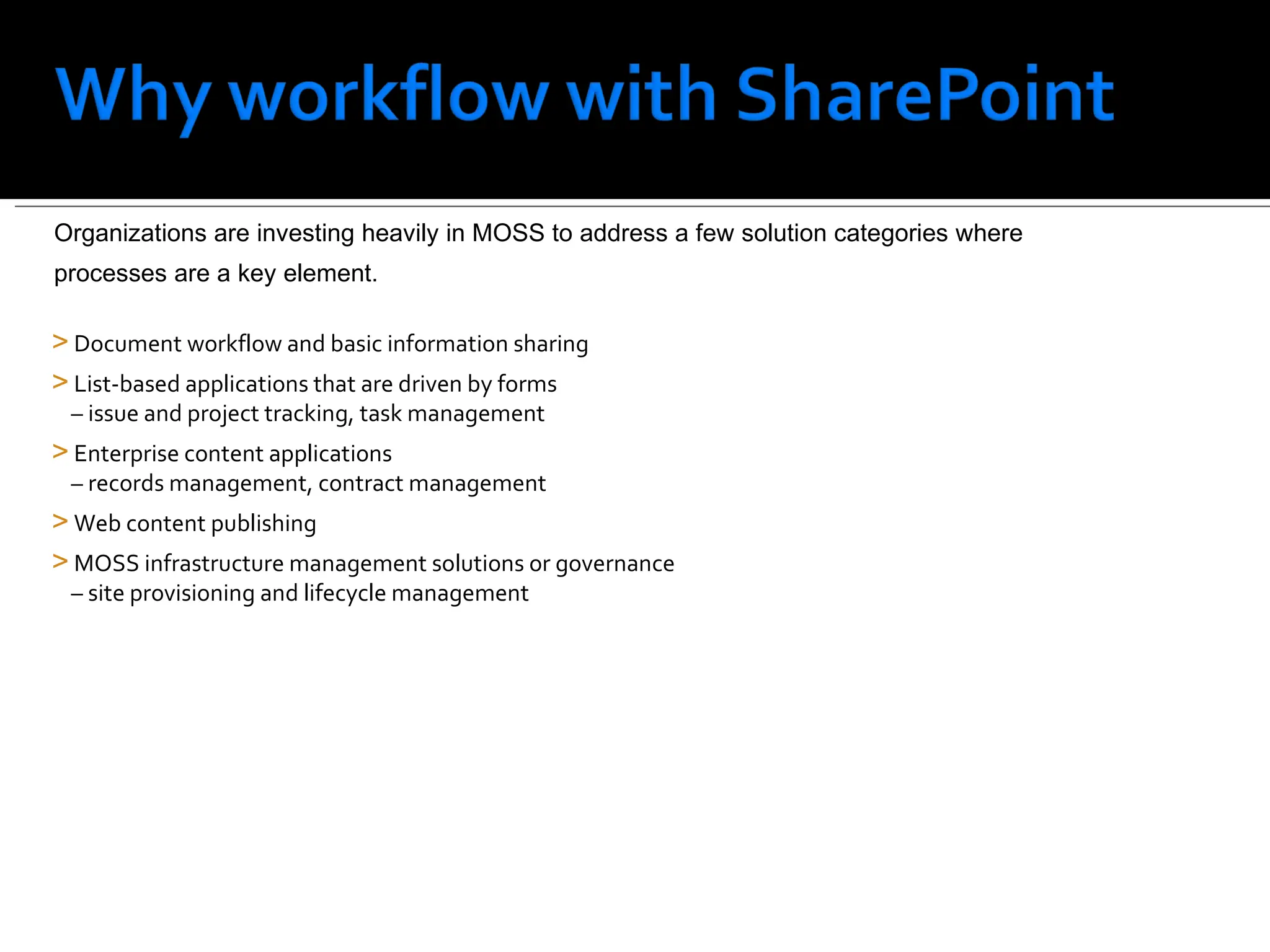
Document workflow andbasic information sharing List-based applications that are driven by forms – issue and project tracking, task management Enterprise content applications – records management, contract management Web content publishing MOSS infrastructure management solutions or governance – site provisioning and lifecycle management Organizations are investing heavily in MOSS to address a few solution categories where processes are a key element.
11.
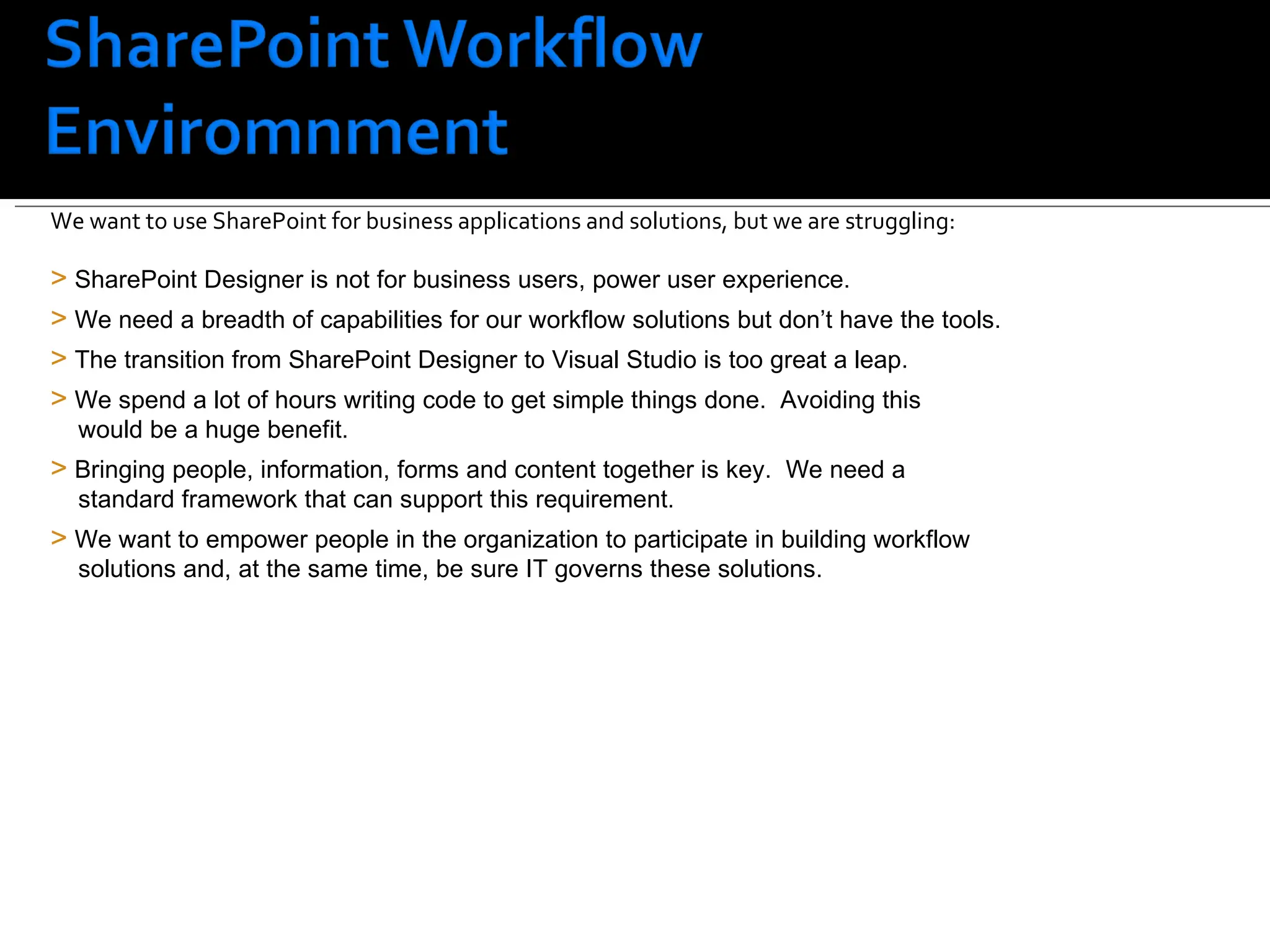
SharePoint customers facea challenge SharePoint Designer is not for business users, power user experience. We need a breadth of capabilities for our workflow solutions but don’t have the tools. The transition from SharePoint Designer to Visual Studio is too great a leap. We spend a lot of hours writing code to get simple things done. Avoiding this would be a huge benefit. Bringing people, information, forms and content together is key. We need a standard framework that can support this requirement. We want to empower people in the organization to participate in building workflow solutions and, at the same time, be sure IT governs these solutions. We want to use SharePoint for business applications and solutions, but we are struggling:
12.
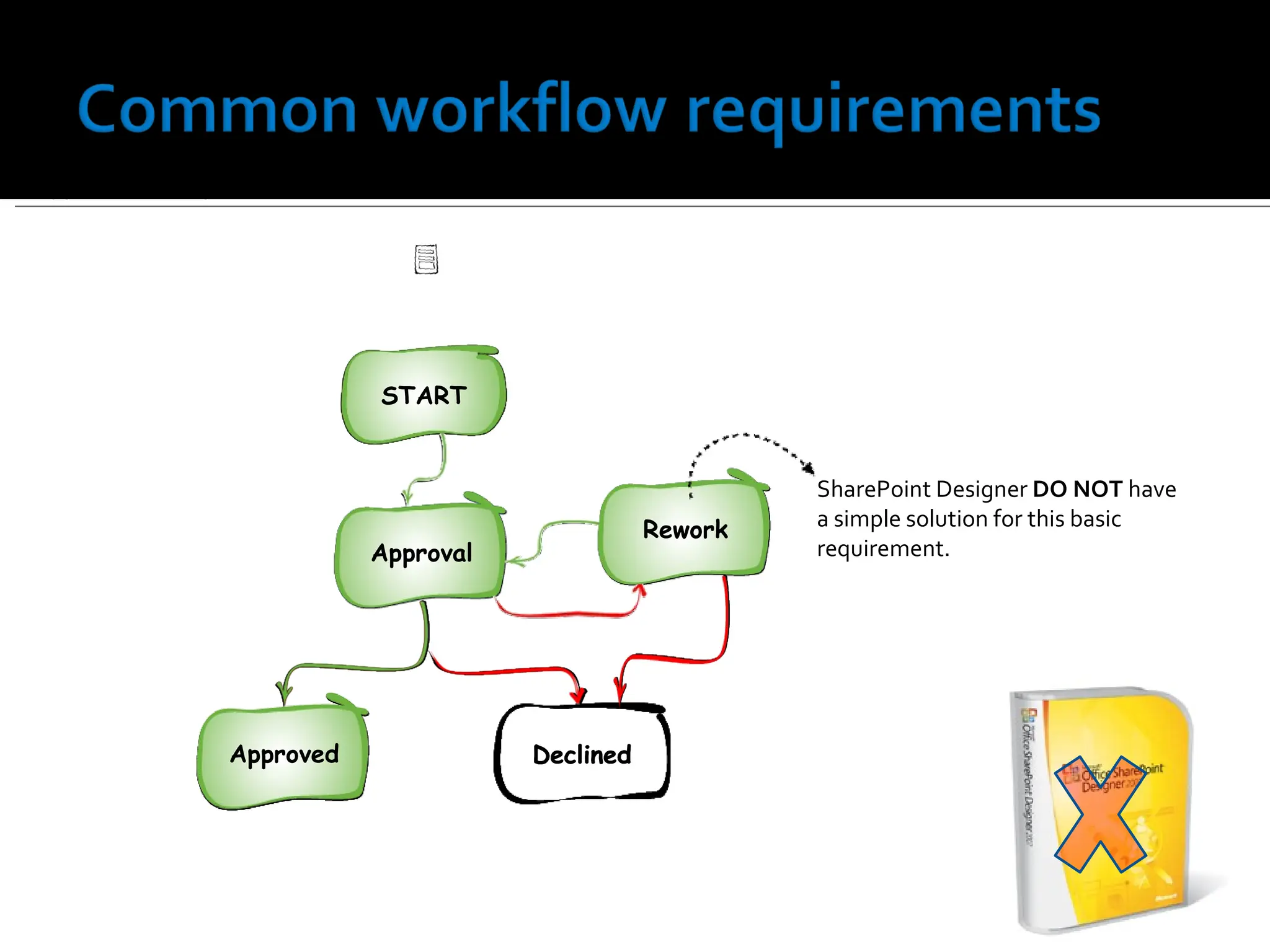
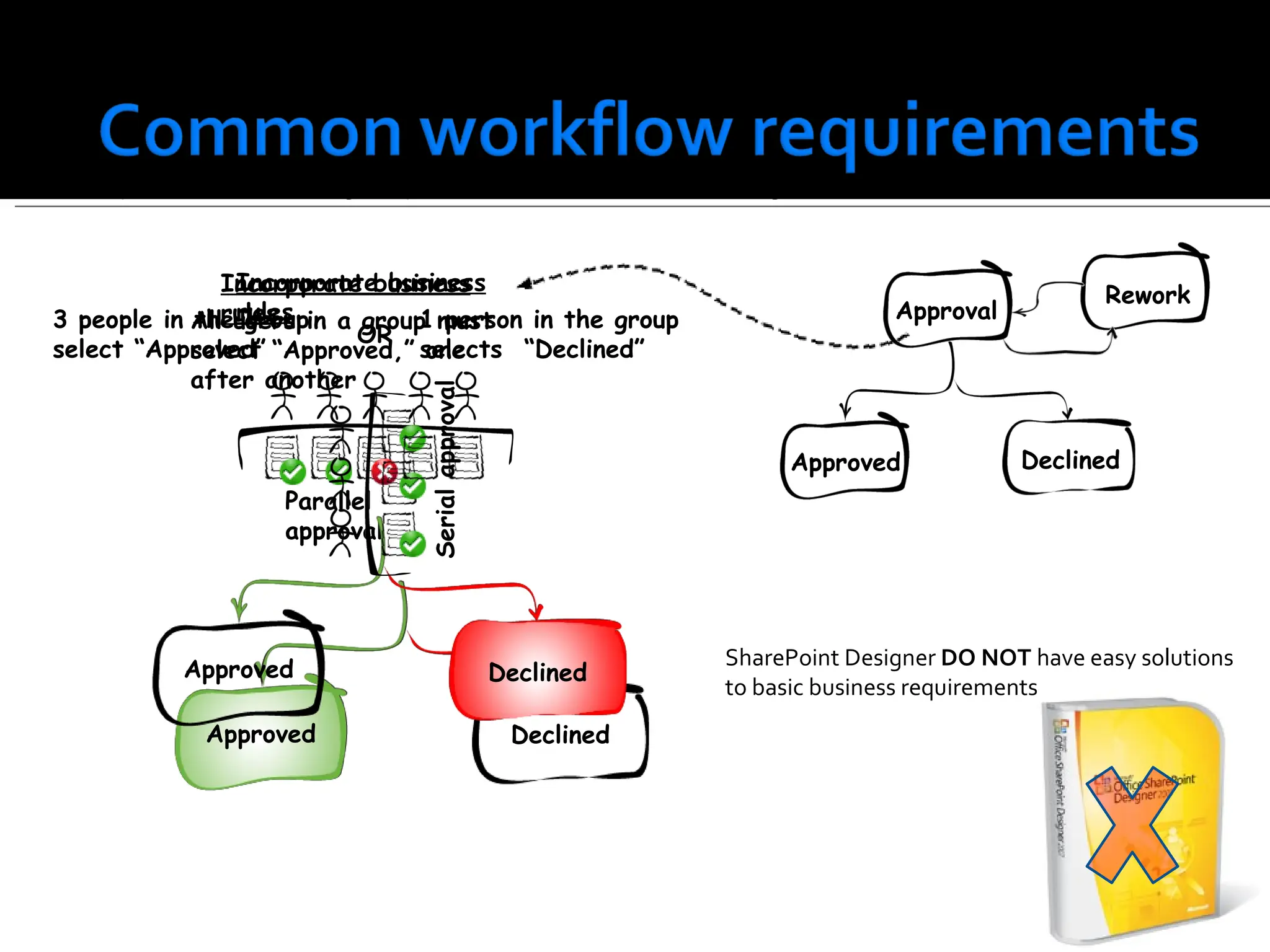
Support the abilityto move “Back” within a workflow SharePoint Designer DO NOT have a simple solution for this basic requirement. START Declined Approval Approved Rework START Declined Approved Rework Approval START Declined Approved Approval Rework START Declined Approved Approval Rework START Declined Rework Approval Approved START
13.
The ability tomodel business logic as part of the workflow decision making Parallel approval SharePoint Designer DO NOT have easy solutions to basic business requirements. Approval Serial approval Declined Approved Approved Declined Approved Declined 3 people in the group select “Approved” 1 person in the group selects “Declined” OR Incorporate business rules Declined Approved Rework All users in a group must select “Approved,” one after another Incorporate business rules
14.
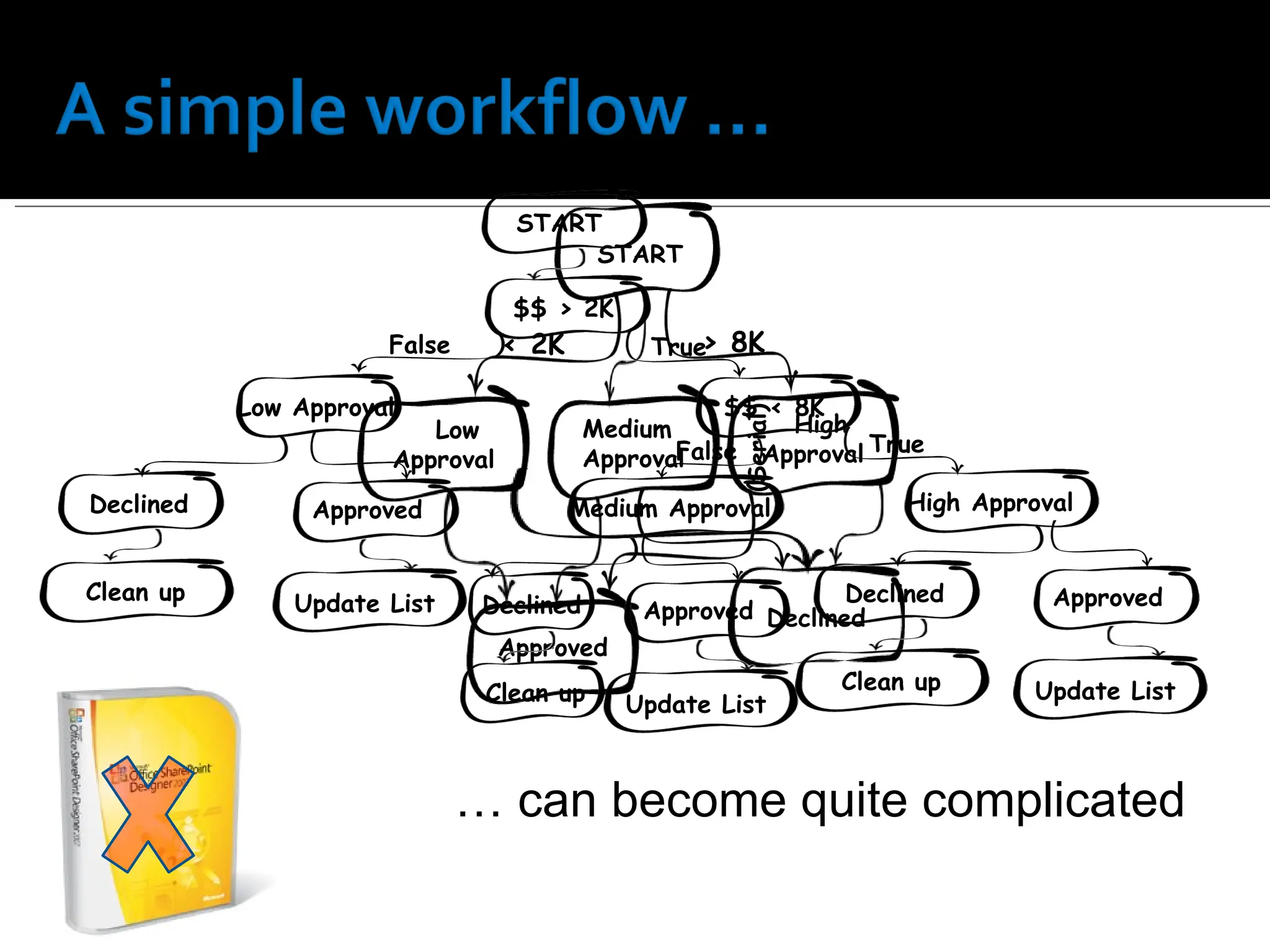
… canbecome quite complicated Medium Approval High Approval Low Approval < 2K > 8K Declined Approved START (Serial) START $$ > 2K $$ < 8K False True Low Approval Declined Approved Clean up Update List False True Medium Approval Declined Approved Clean up Update List High Approval Declined Clean up Approved Update List
15.
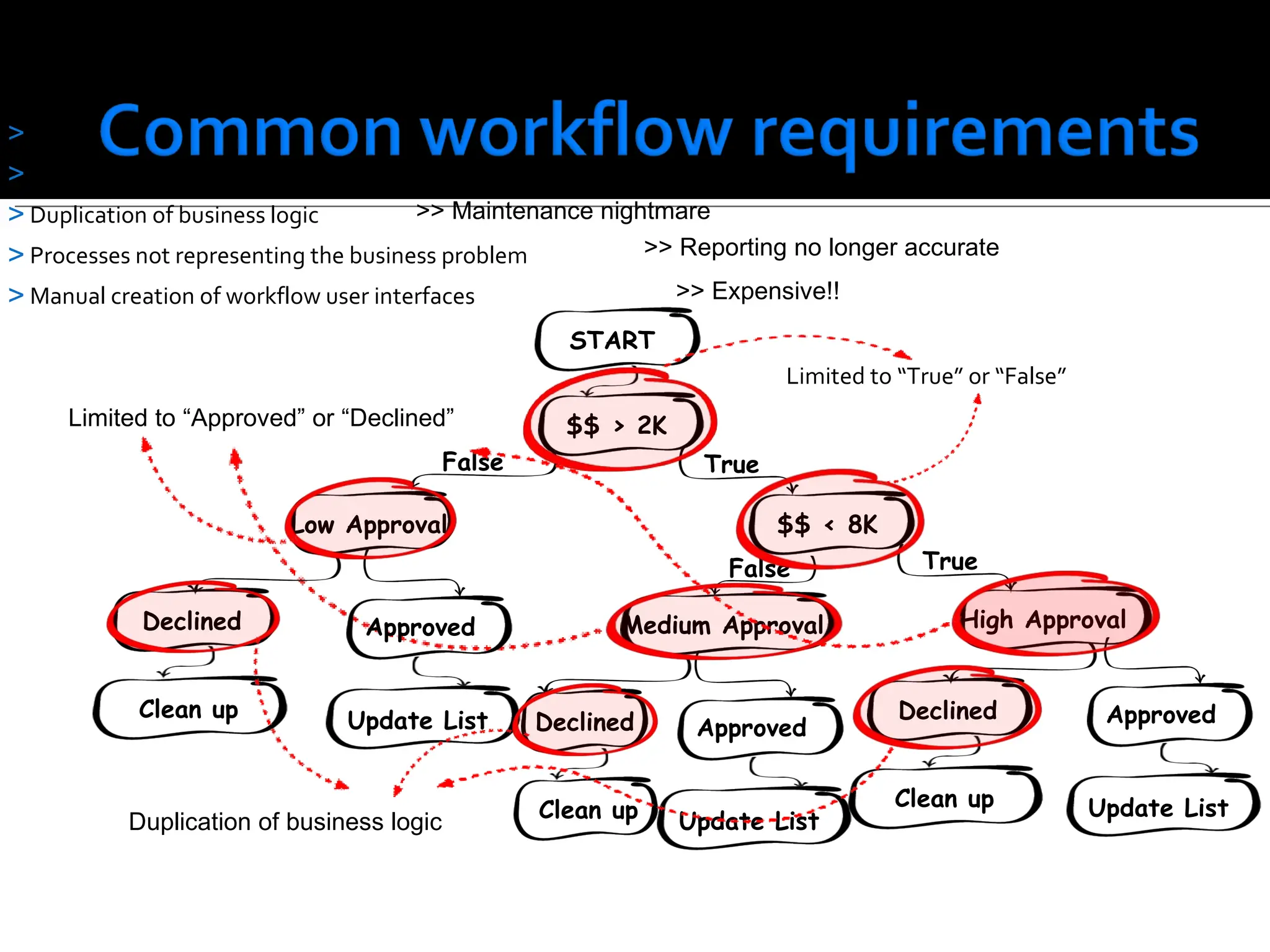
Conditions limited to“True” or “False” Approval limited to “Approved” or “Declined” Duplication of business logic Processes not representing the business problem Manual creation of workflow user interfaces Limited to “True” or “False” Limited to “Approved” or “Declined” Duplication of business logic >> Maintenance nightmare >> Reporting no longer accurate >> Expensive!! START $$ > 2K $$ < 8K False True Low Approval Declined Approved Clean up Update List False True Medium Approval Declined Approved Clean up Update List High Approval Declined Clean up Approved Update List
16.
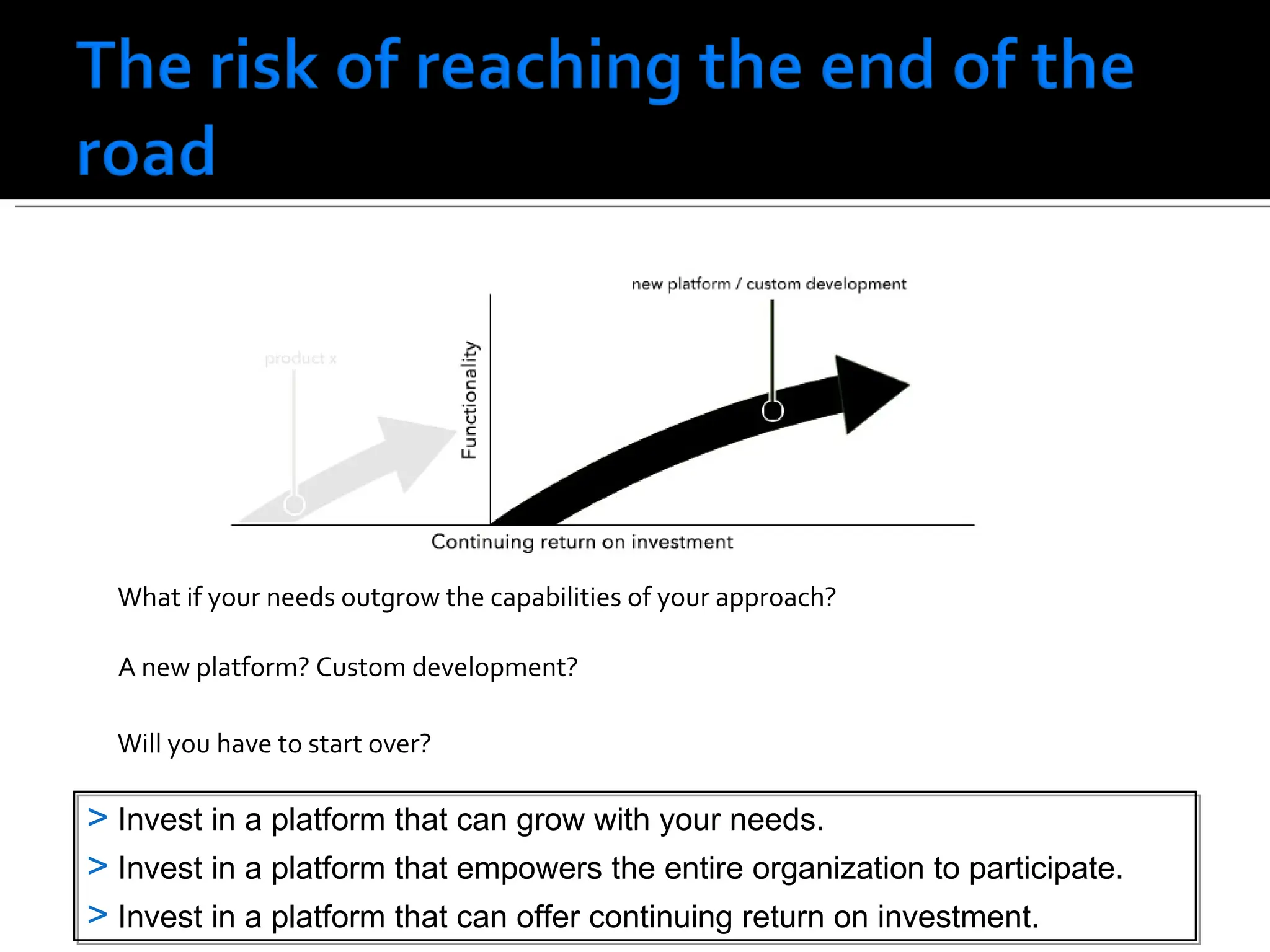
A new platform?Custom development? What if your needs outgrow the capabilities of your approach? Will you have to start over? Invest in a platform that can grow with your needs. Invest in a platform that empowers the entire organization to participate. Invest in a platform that can offer continuing return on investment.
17.
18.
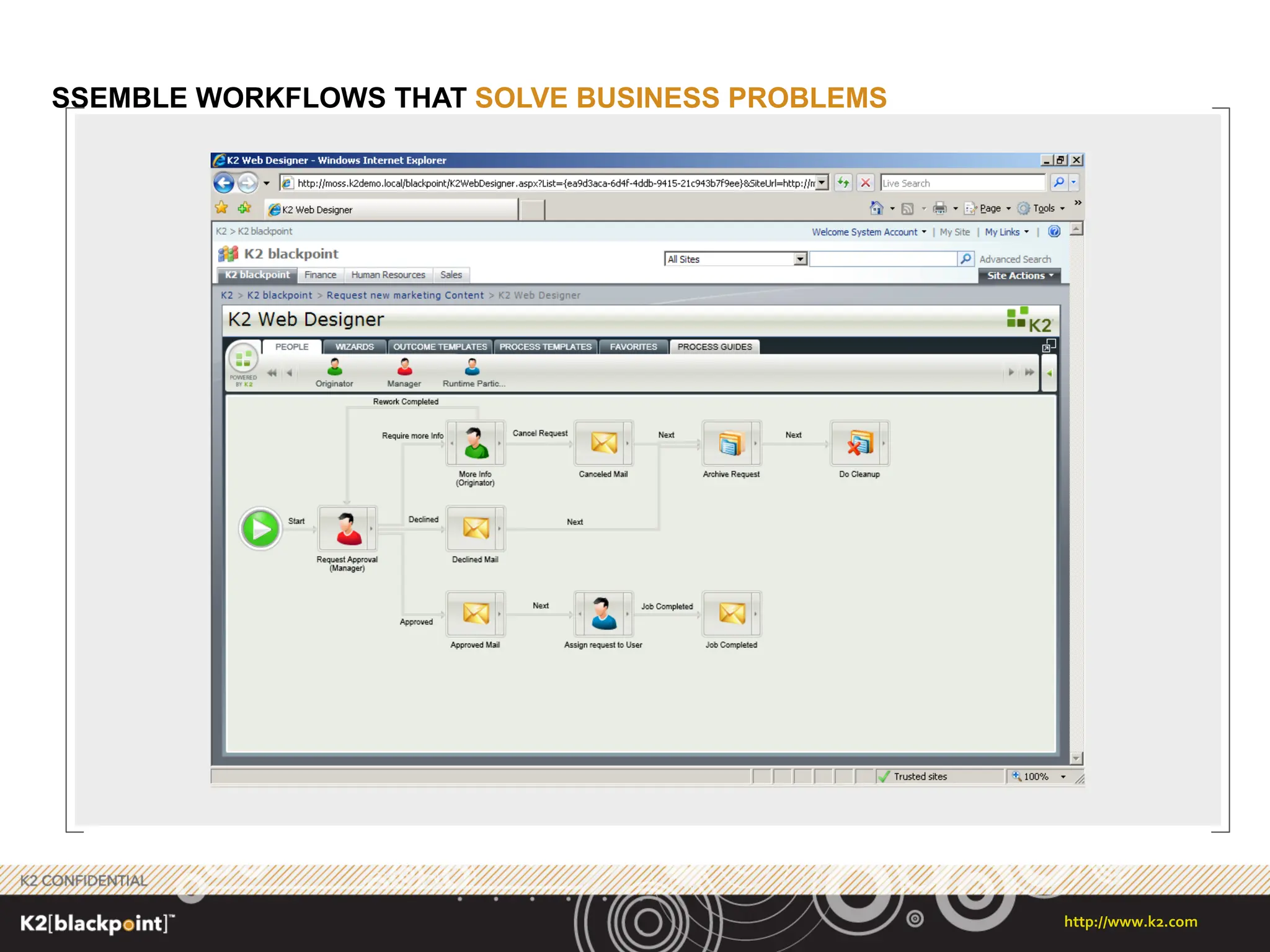
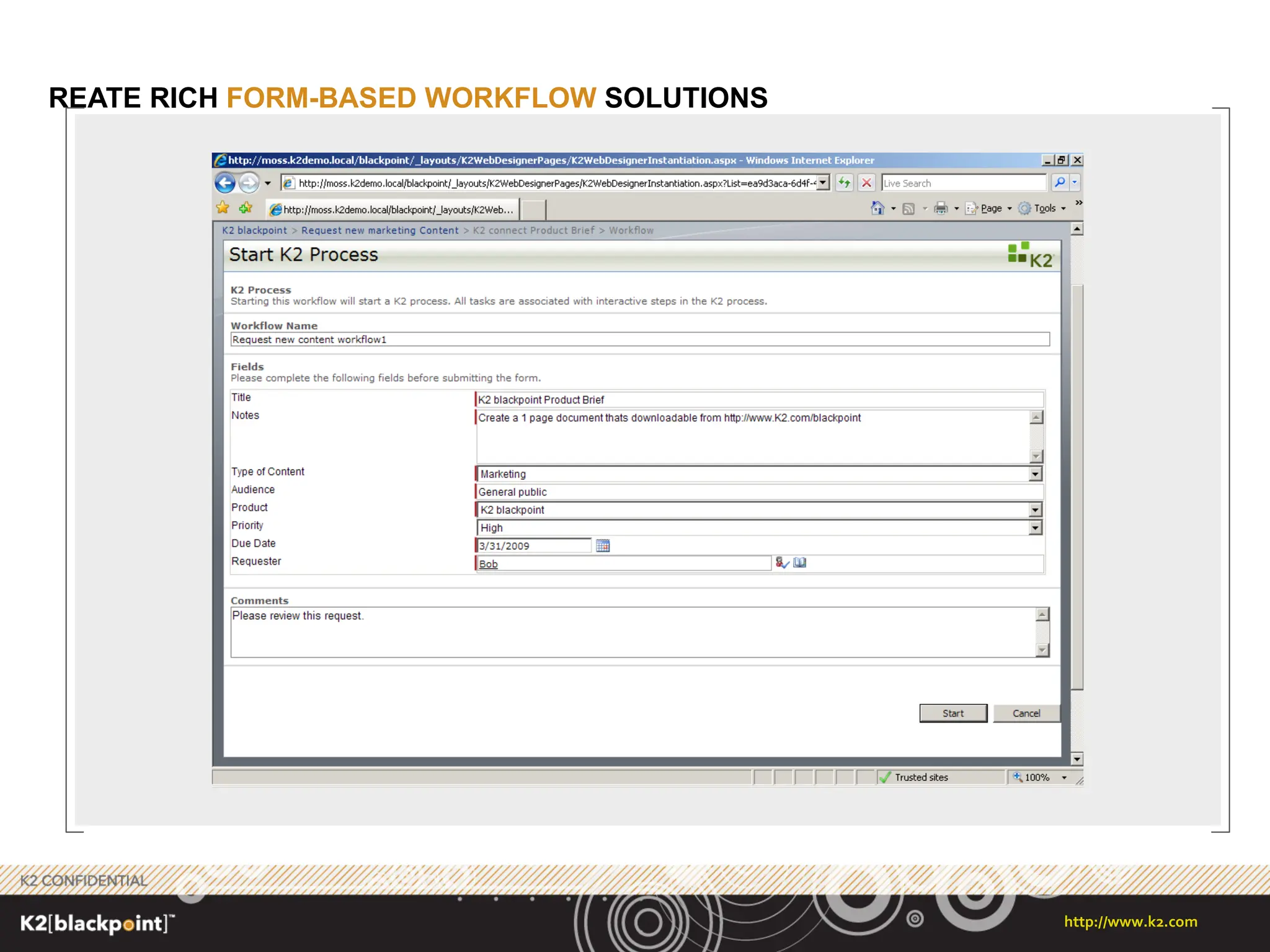
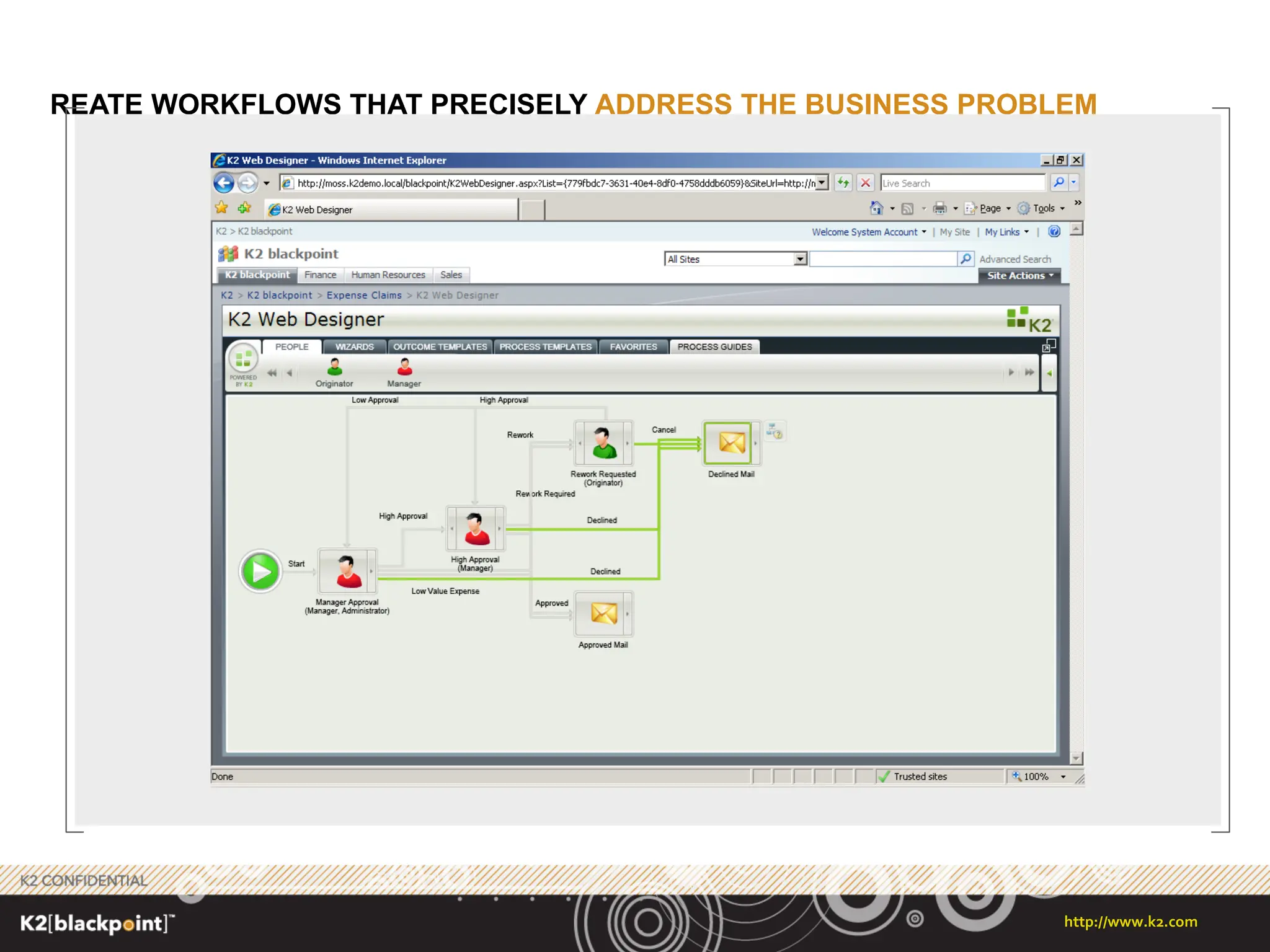
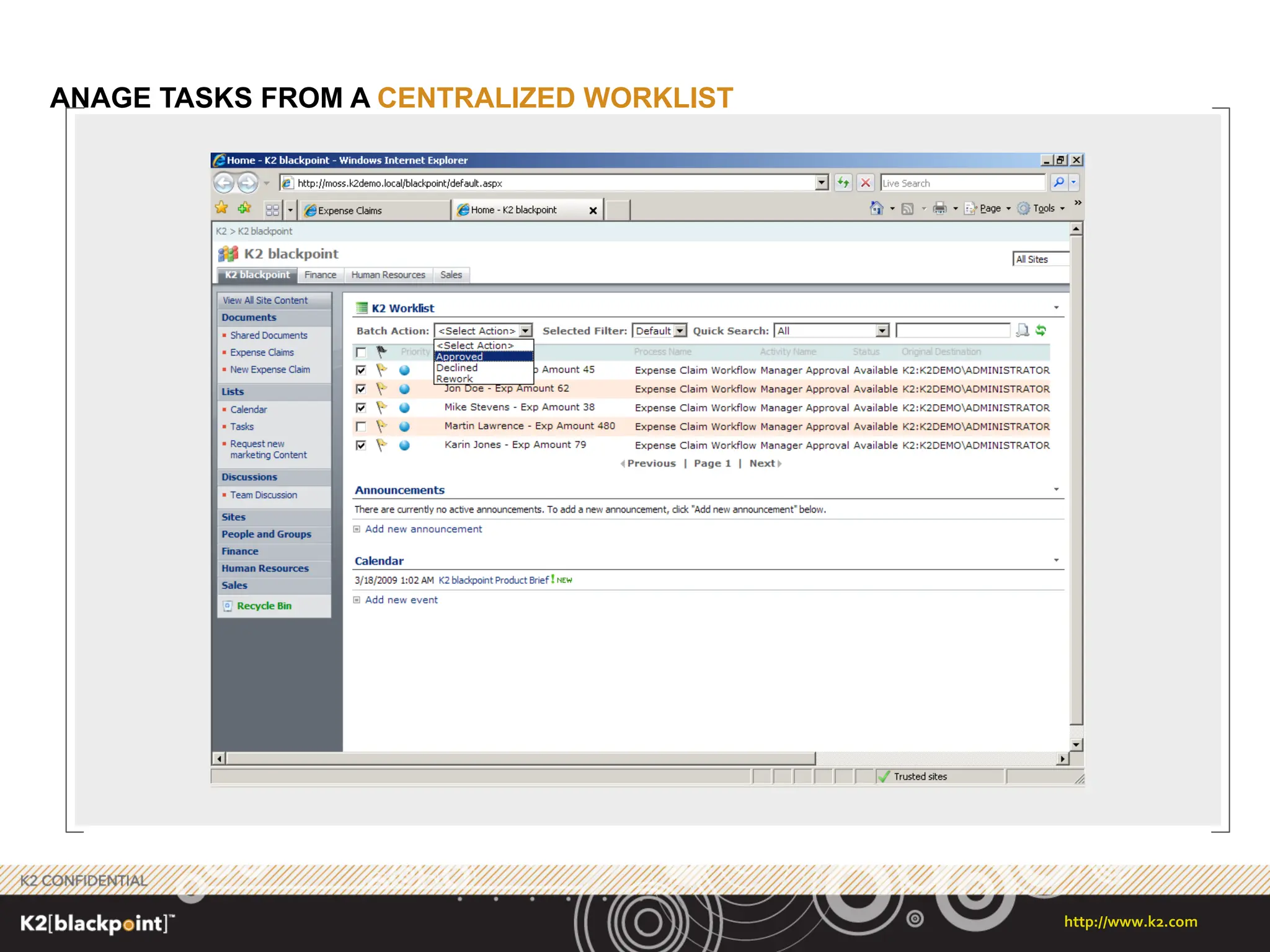
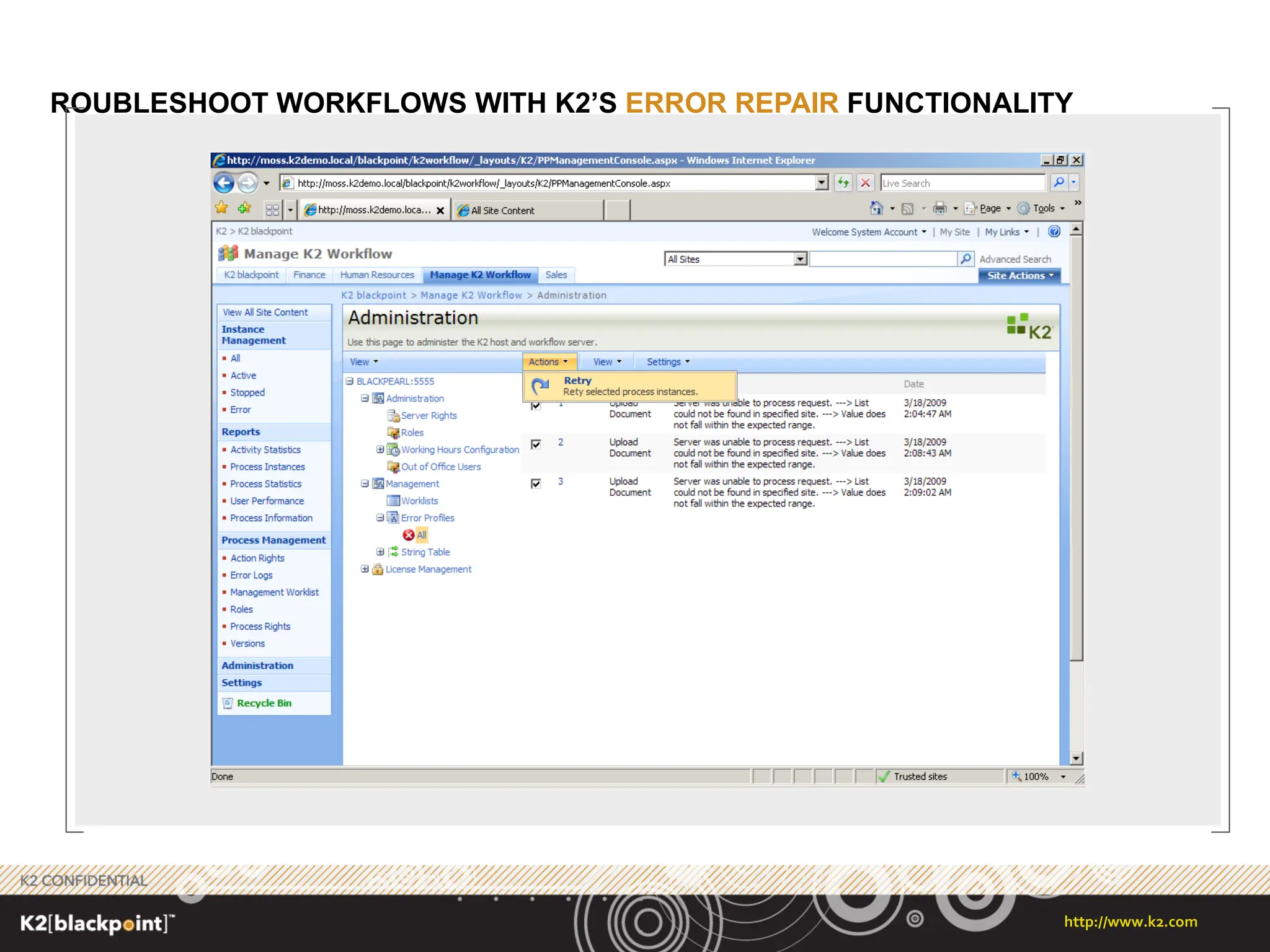
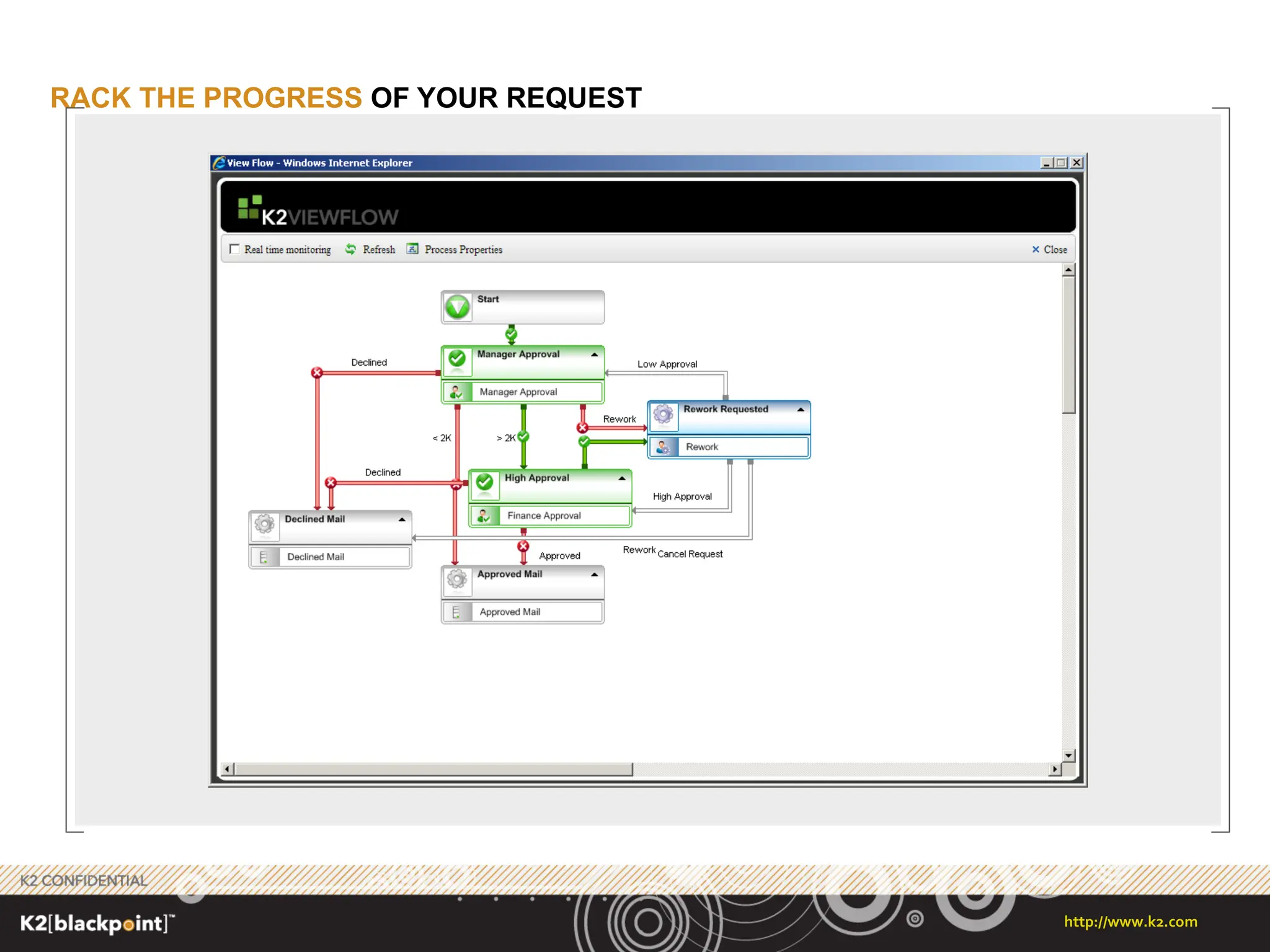
Graphical workflow-design experiencefor business and technical users (one size does not fit all) The ability to create applications that are not list, site, server or farm bound The ability to apply custom workflows to content types, critical to ECM needs. The ability to easily model and manage rework scenarios (eg. Send back for comments) Ability to model serial approval steps Custom actions based on rules (eg. Amount based approval) or roles The need for Escalation scenarios - working hours, time zones , out-of-office, Parent / Child processing, share of information between processes – (eg. Special Approval) Version control on both process and associate forms Synchronous and Asynchronous
The price makesit accessible to small, medium and large organizations: Team Edition: $5,000 Enterprises or departments up to a maximum of 200 users and a single SharePoint server Standard Edition: $10,000 Enterprises or departments with more than 200 users and a single SharePoint server Enterprise Edition: $15,000 Enterprises or departments with more than 200 users and distributed SharePoint environments
31.
Remember developers developand build, not the best people skills No maintenance on the product, however there is a salary Version prisoner if the workflow gets complicated Documentation can be a challenge with the application Standardize on the workflow process
32.
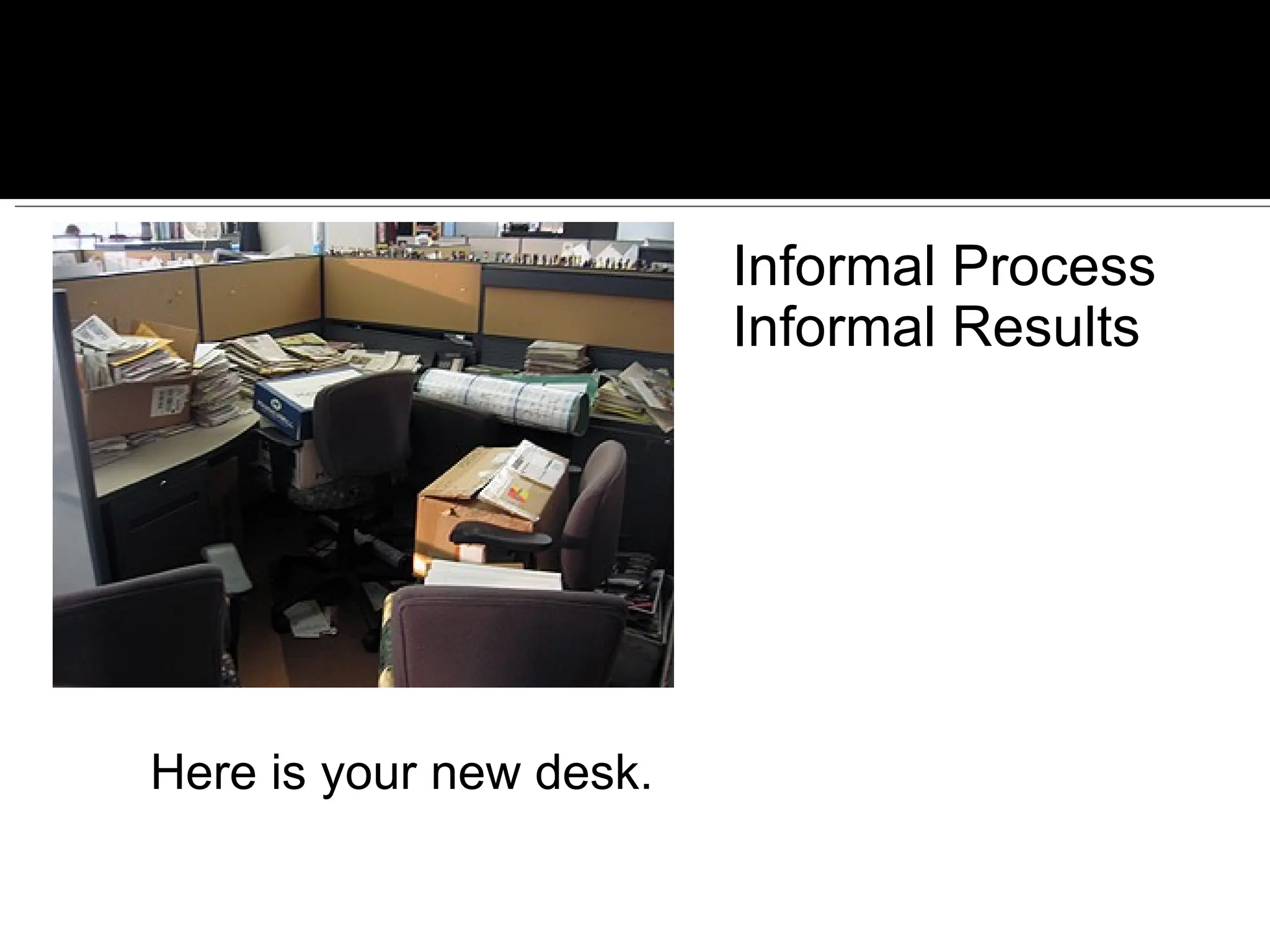
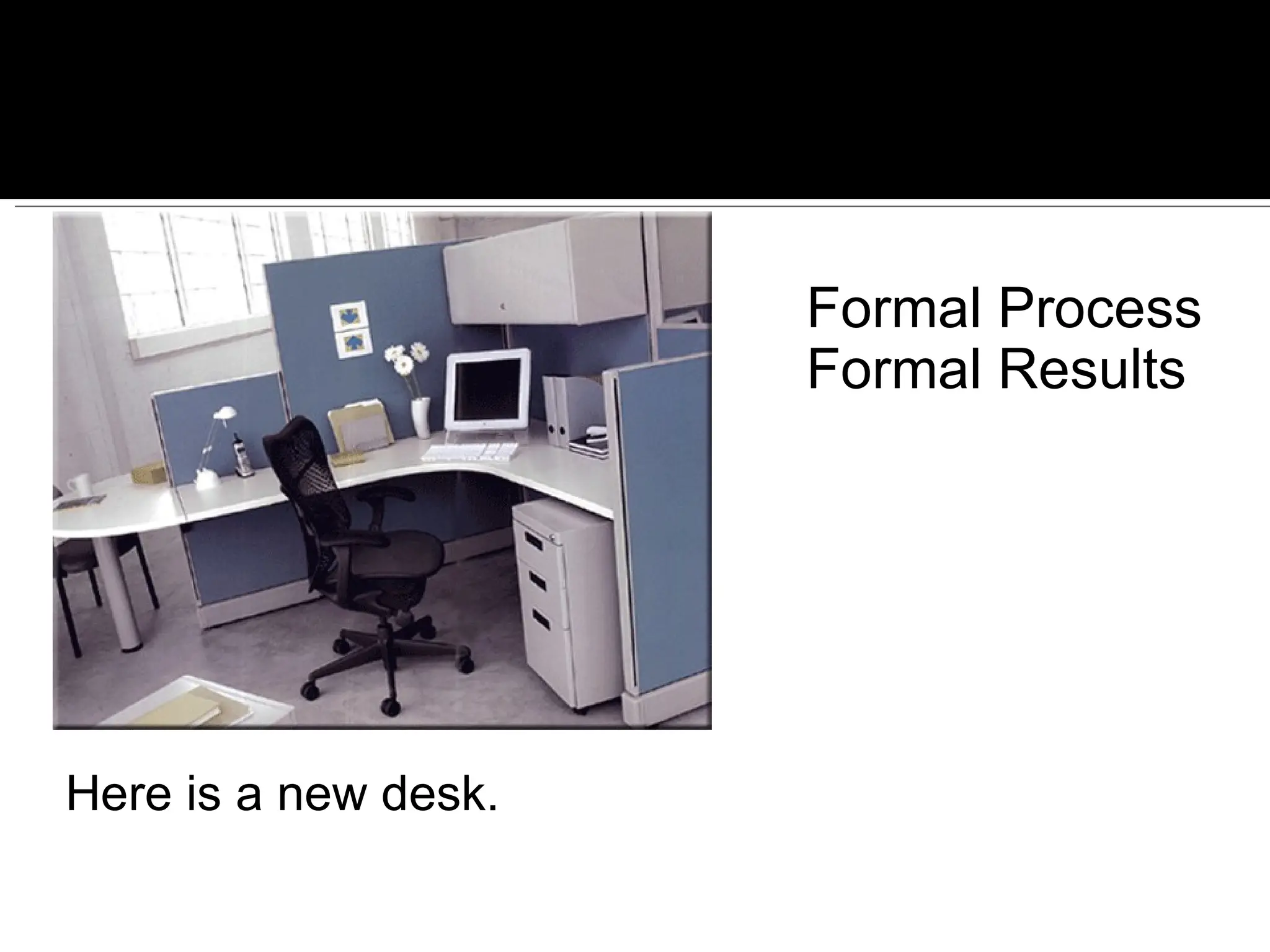
Here is yournew desk. Informal Process Informal Results


![Vibe Coding vs. Spec-Driven Development [Free Meetup]](https://cdn.slidesharecdn.com/ss_thumbnails/vibecodingvsspecdrivendevelopment-251209105622-43f455e7-thumbnail.jpg?width=640&height=640&fit=bounds)


