WHY WORKFLOWS ?
•   Programming model
    • Enabling workflow within line-of-business applications
    • User-interface page flows
    • Document-centric workflows
    • Human workflows
    • Composite workflows for service-oriented applications
    • Business rule-driven workflows
    • Workflows for systems management
WHAT IS WORKFLOW ?
• A workflow is a set of elemental units
       • called activities
• Activities describes a real-world process
• Activity Stores Data using
  • Variable
  • Argument
  • Expression
• Describing the order of execution and dependent relationship
• Work passes through the model from start to finish
WORKFLOW MODELS
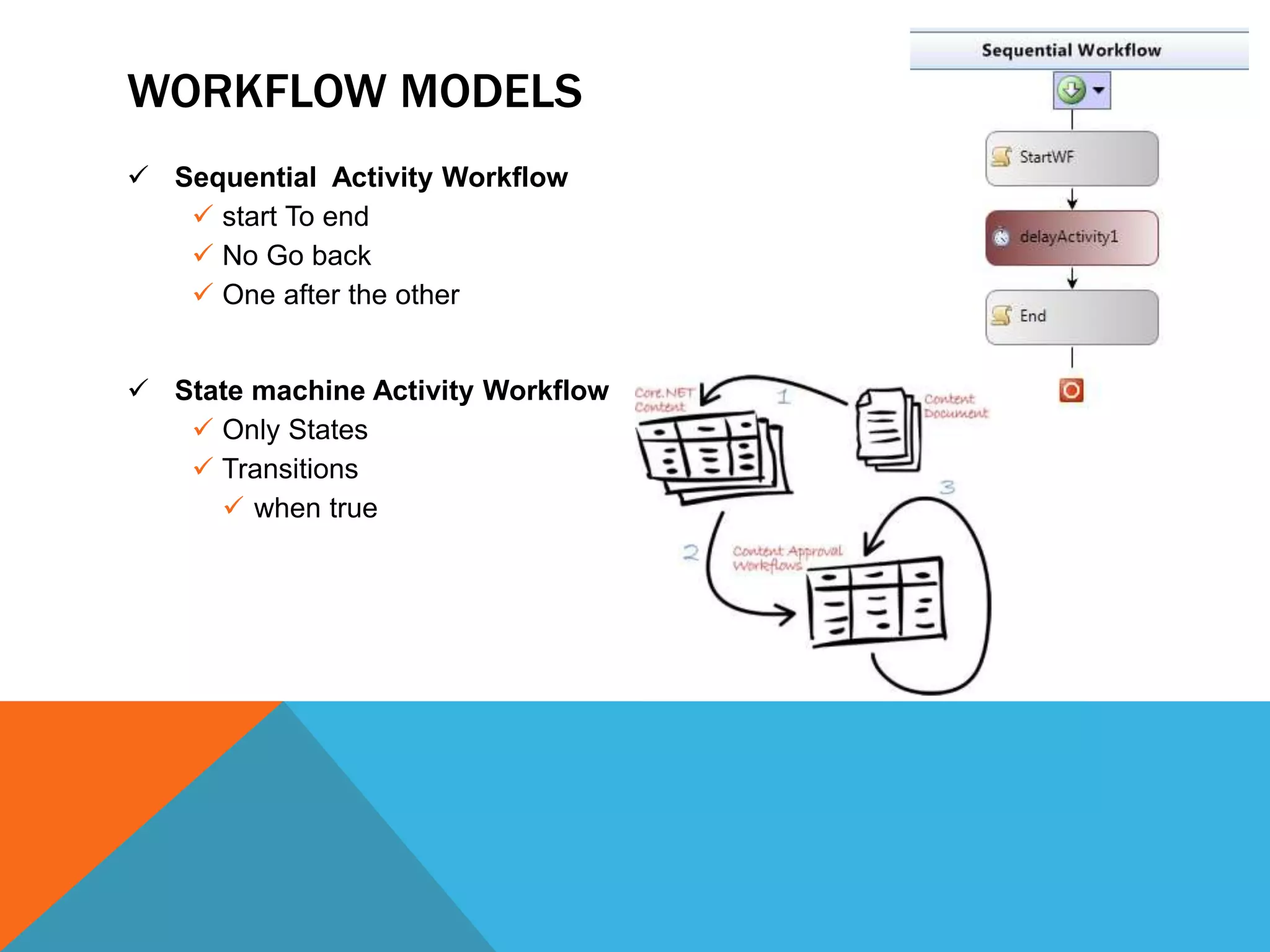
 Sequential Activity Workflow
    start To end
    No Go back
    One after the other


 State machine Activity Workflow
    Only States
    Transitions
      when true
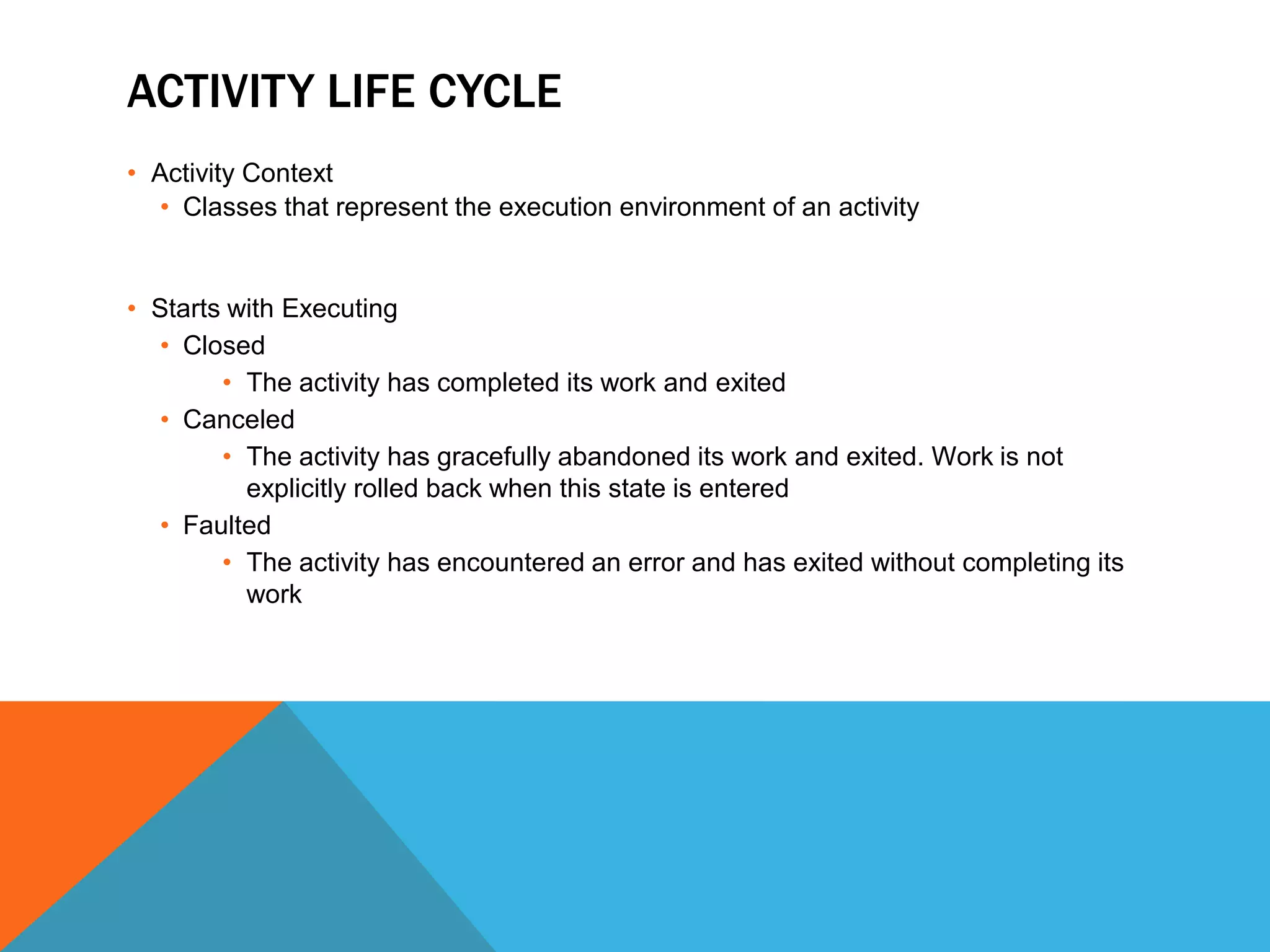
ACTIVITY OVERVIEW
• Developed as a CLR type
  • Activity
     • An abstract base class used to create composite activities

  • Code Activity
    • An abstract class for creating a custom activity with imperative behavior
      defined with the Execute method

  • Async Code Activity
     • Abstract Class that manages asynchronous code activity execution from start
       to completion

  • Native Activity
    • An Abstract base class for custom activities that implement execution logic
      using the Execute method, which has full access to the runtime’s features.
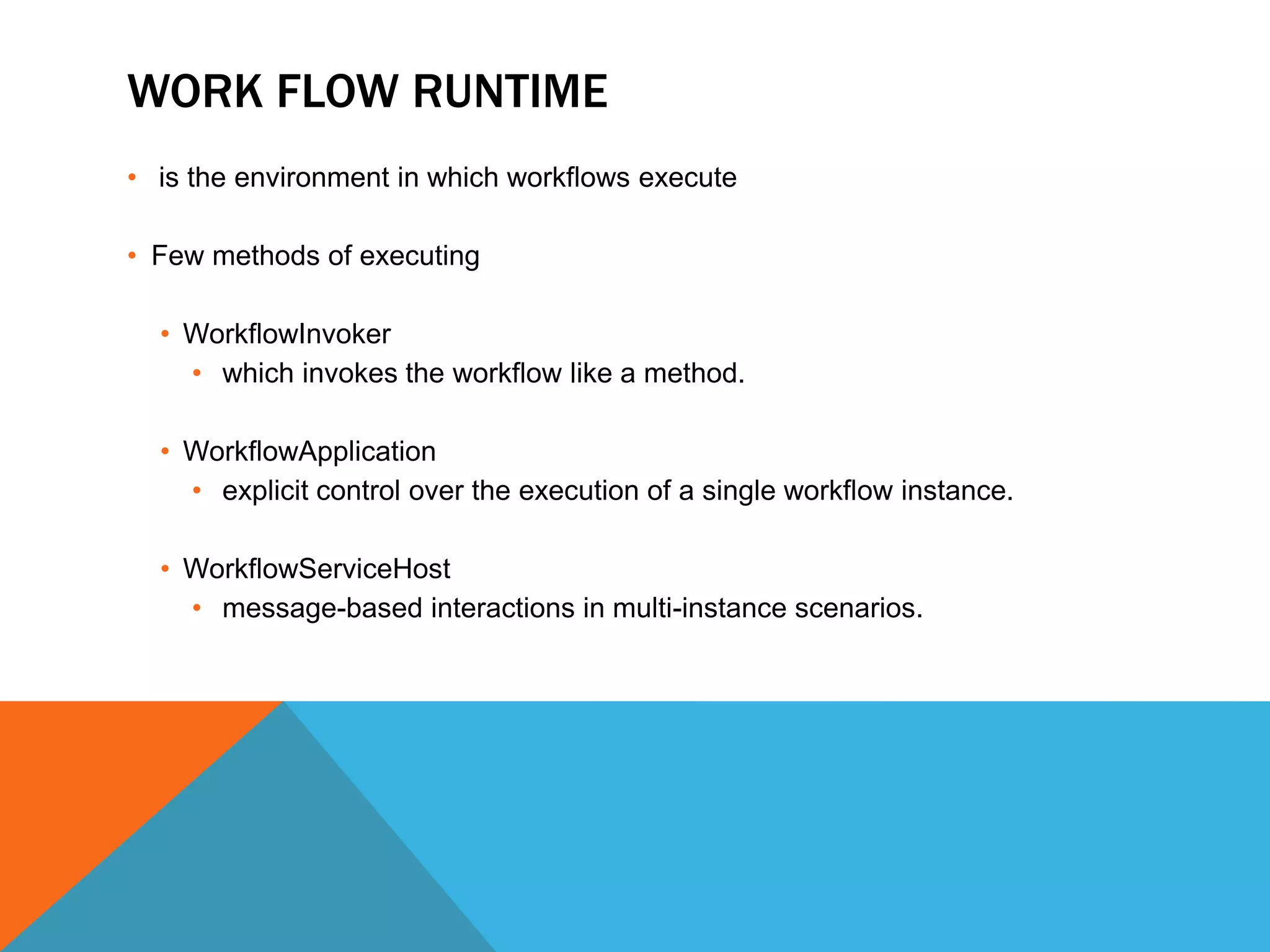
ACTIVITY LIFE CYCLE
• Activity Context
   • Classes that represent the execution environment of an activity


• Starts with Executing
   • Closed
        • The activity has completed its work and exited
   • Canceled
        • The activity has gracefully abandoned its work and exited. Work is not
          explicitly rolled back when this state is entered
   • Faulted
        • The activity has encountered an error and has exited without completing its
          work
WORK FLOW RUNTIME
• is the environment in which workflows execute

• Few methods of executing

  • WorkflowInvoker
    • which invokes the workflow like a method.

  • WorkflowApplication
    • explicit control over the execution of a single workflow instance.

  • WorkflowServiceHost
    • message-based interactions in multi-instance scenarios.
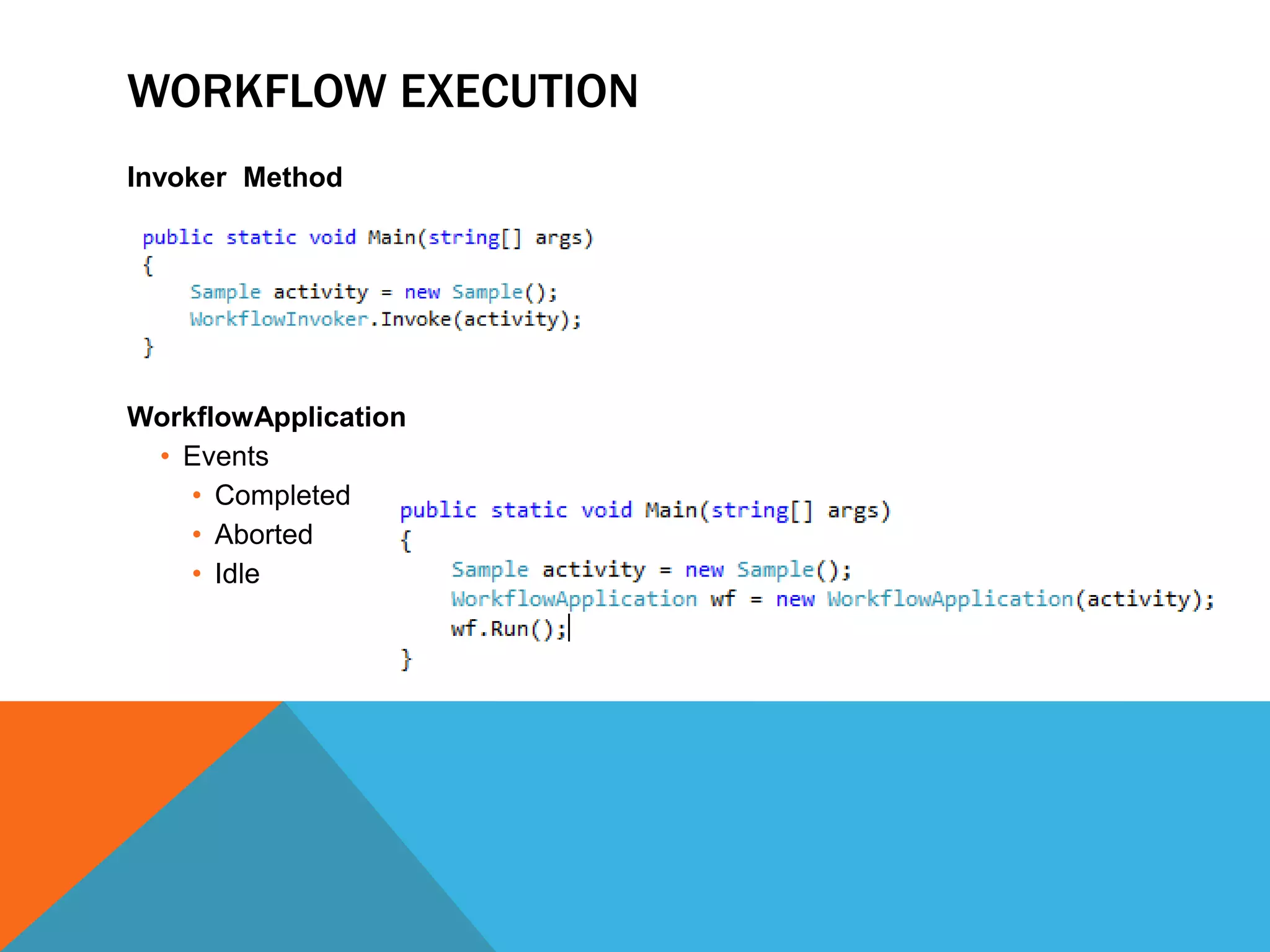
WORKFLOW EXECUTION
Invoker Method


WorkflowApplication
 • Events
    • Completed
    • Aborted
    • Idle
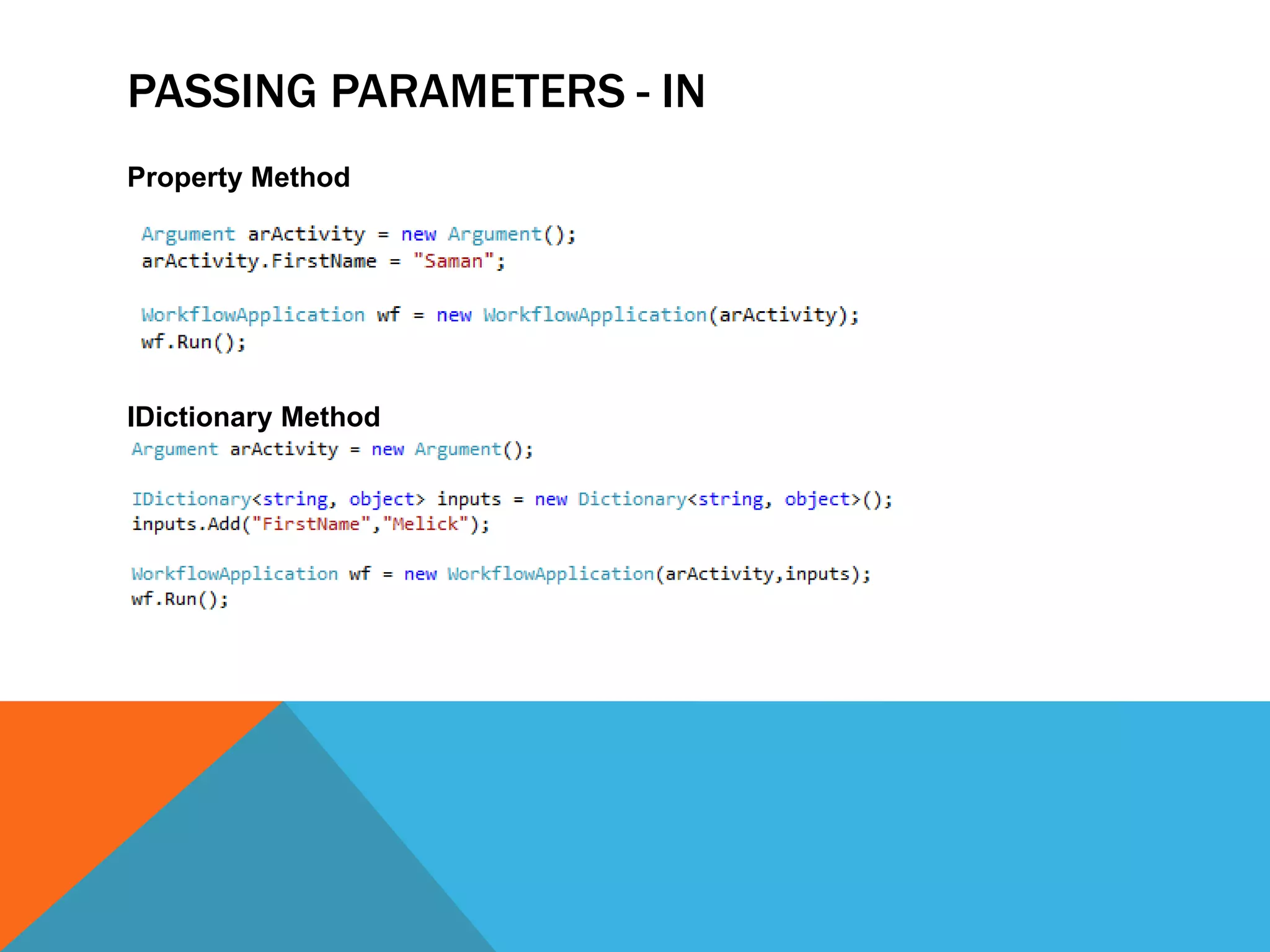
PASSING PARAMETERS - IN
Property Method


IDictionary Method
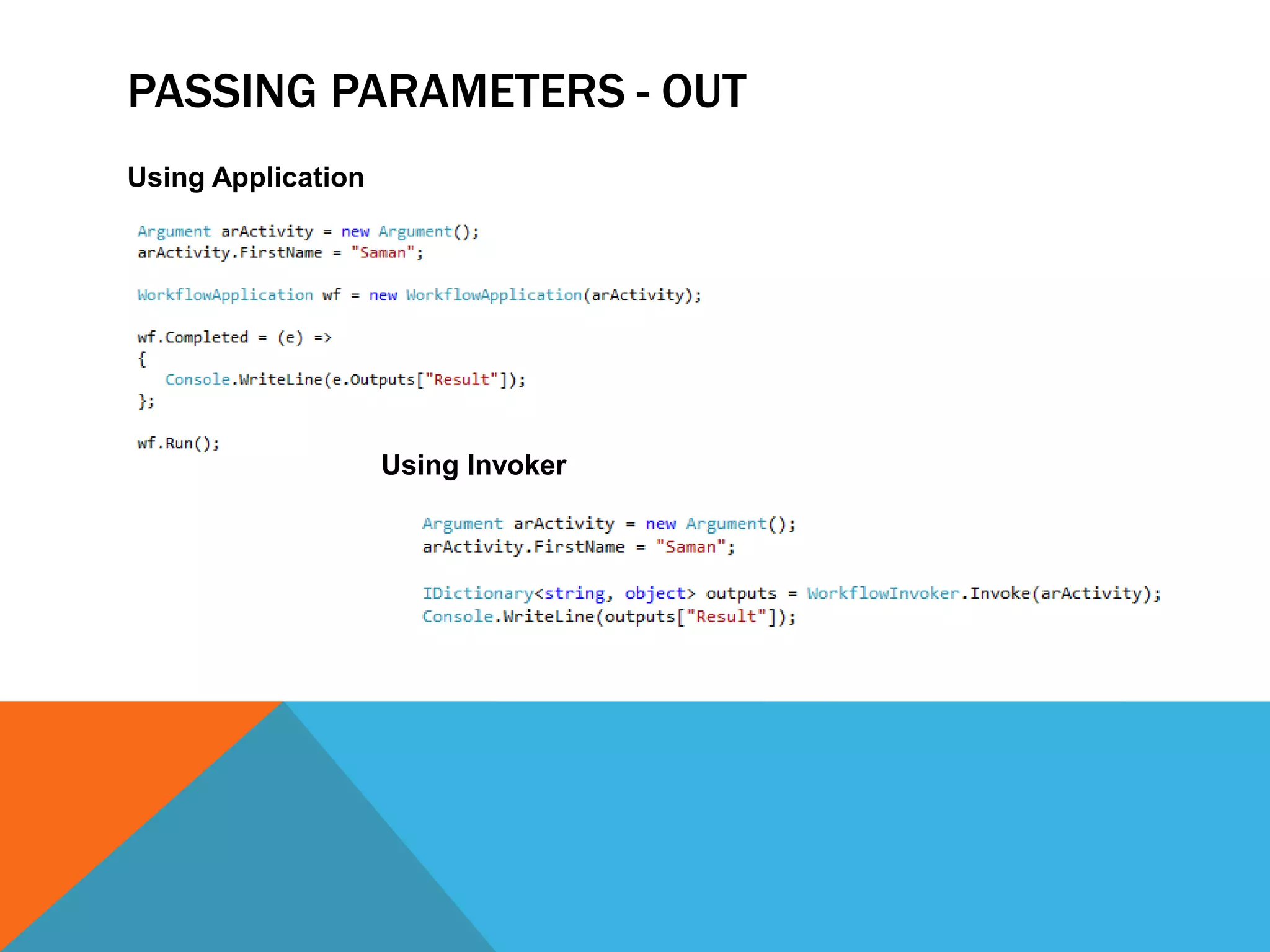
PASSING PARAMETERS - OUT
Using Application


                    Using Invoker
CUSTOM ACTIVITIES
•   Set of Reusable Activities
•   Apply Same Workflow Rules
•   Can have design interface
•   Can have validation
    •   Override Metadata Cache
Introduction To Windows Workflow Foundation 4.0

Introduction To Windows Workflow Foundation 4.0

  • 2.
    WHY WORKFLOWS ? • Programming model • Enabling workflow within line-of-business applications • User-interface page flows • Document-centric workflows • Human workflows • Composite workflows for service-oriented applications • Business rule-driven workflows • Workflows for systems management
  • 3.
    WHAT IS WORKFLOW? • A workflow is a set of elemental units • called activities • Activities describes a real-world process • Activity Stores Data using • Variable • Argument • Expression • Describing the order of execution and dependent relationship • Work passes through the model from start to finish
  • 4.
    WORKFLOW MODELS  SequentialActivity Workflow  start To end  No Go back  One after the other  State machine Activity Workflow  Only States  Transitions  when true
  • 5.
    ACTIVITY OVERVIEW • Developedas a CLR type • Activity • An abstract base class used to create composite activities • Code Activity • An abstract class for creating a custom activity with imperative behavior defined with the Execute method • Async Code Activity • Abstract Class that manages asynchronous code activity execution from start to completion • Native Activity • An Abstract base class for custom activities that implement execution logic using the Execute method, which has full access to the runtime’s features.
  • 6.
    ACTIVITY LIFE CYCLE •Activity Context • Classes that represent the execution environment of an activity • Starts with Executing • Closed • The activity has completed its work and exited • Canceled • The activity has gracefully abandoned its work and exited. Work is not explicitly rolled back when this state is entered • Faulted • The activity has encountered an error and has exited without completing its work
  • 7.
    WORK FLOW RUNTIME •is the environment in which workflows execute • Few methods of executing • WorkflowInvoker • which invokes the workflow like a method. • WorkflowApplication • explicit control over the execution of a single workflow instance. • WorkflowServiceHost • message-based interactions in multi-instance scenarios.
  • 8.
    WORKFLOW EXECUTION Invoker Method WorkflowApplication • Events • Completed • Aborted • Idle
  • 10.
    PASSING PARAMETERS -IN Property Method IDictionary Method
  • 11.
    PASSING PARAMETERS -OUT Using Application Using Invoker
  • 12.
    CUSTOM ACTIVITIES • Set of Reusable Activities • Apply Same Workflow Rules • Can have design interface • Can have validation • Override Metadata Cache