Android
Thread, Handler and AsyncTask
                        Hoang Ngo
Thread
   • Act much like usual Java Threads

   • Can’t act directly on external User
     Interface objects (throw the Exception
     CalledFromWrongThreadException: Only
     the original thread that created a view
     hierarchy can touch its views”)
   • Can’t be stopped by executing destroy()
     nor stop(). Use instead interrupt() or join()
     (by case)
Thread
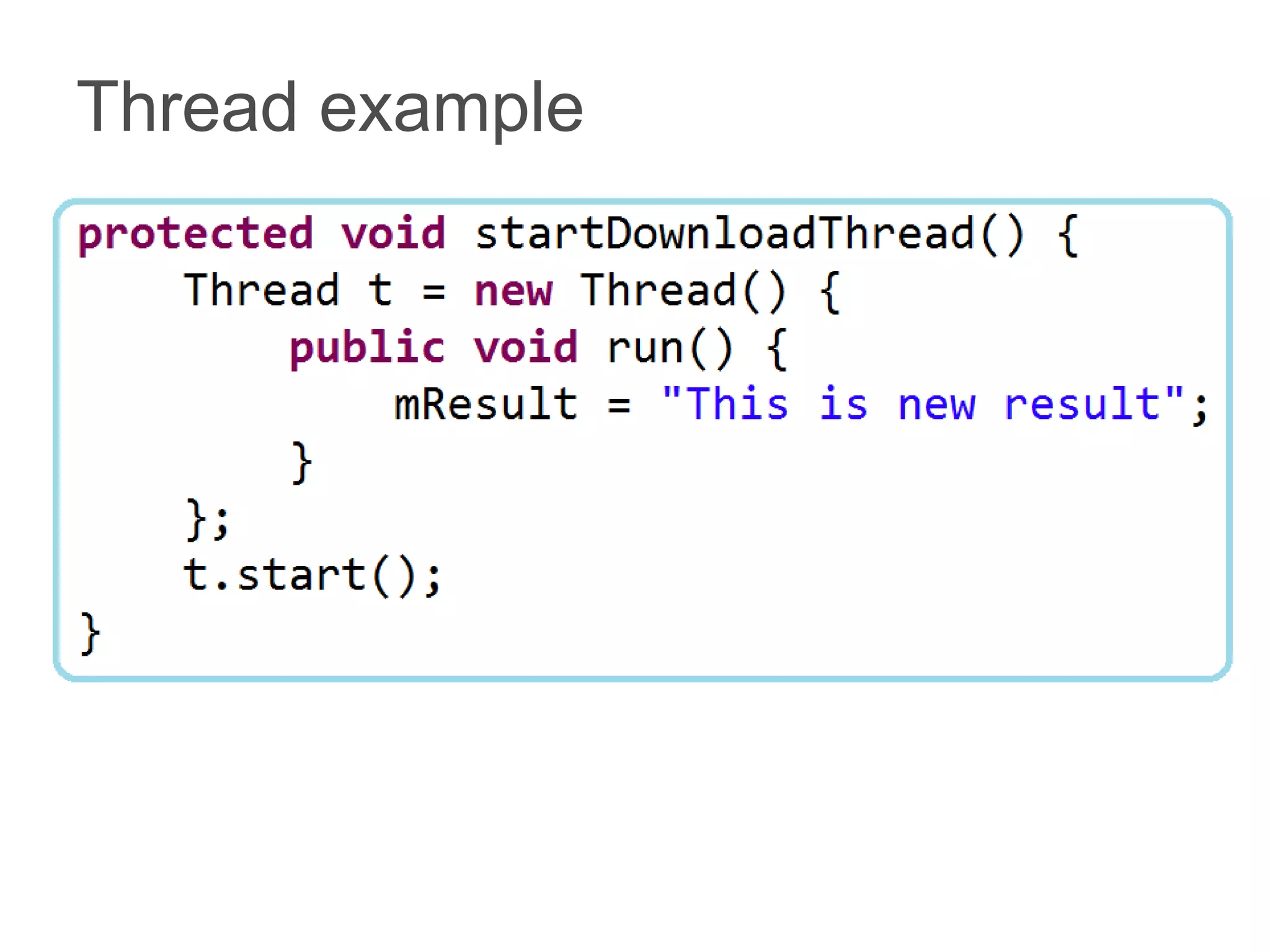
   • Two main ways of having a Thread
     execute application code:
     – Providing a new class that extends Thread and
       overriding its run() method.
     – Providing a new Thread instance with a
       Runnable object during its creation. In both
       cases, the start() method must be called to
       actually execute the new Thread.
Thread example
Handler

   • Associated with a single thread and
     that thread's message queue
   • Bound to the thread / message
     queue of the thread that is creating it
   • Deliver messages and runnables to
     that message queue
   • Execute them as they come out of
     the message queue
Handler

   • Two main uses for a Handler:
     – To schedule messages and
       runnables to be executed as some
       point in the future
     – To add an action into a queue
       performed on a different thread
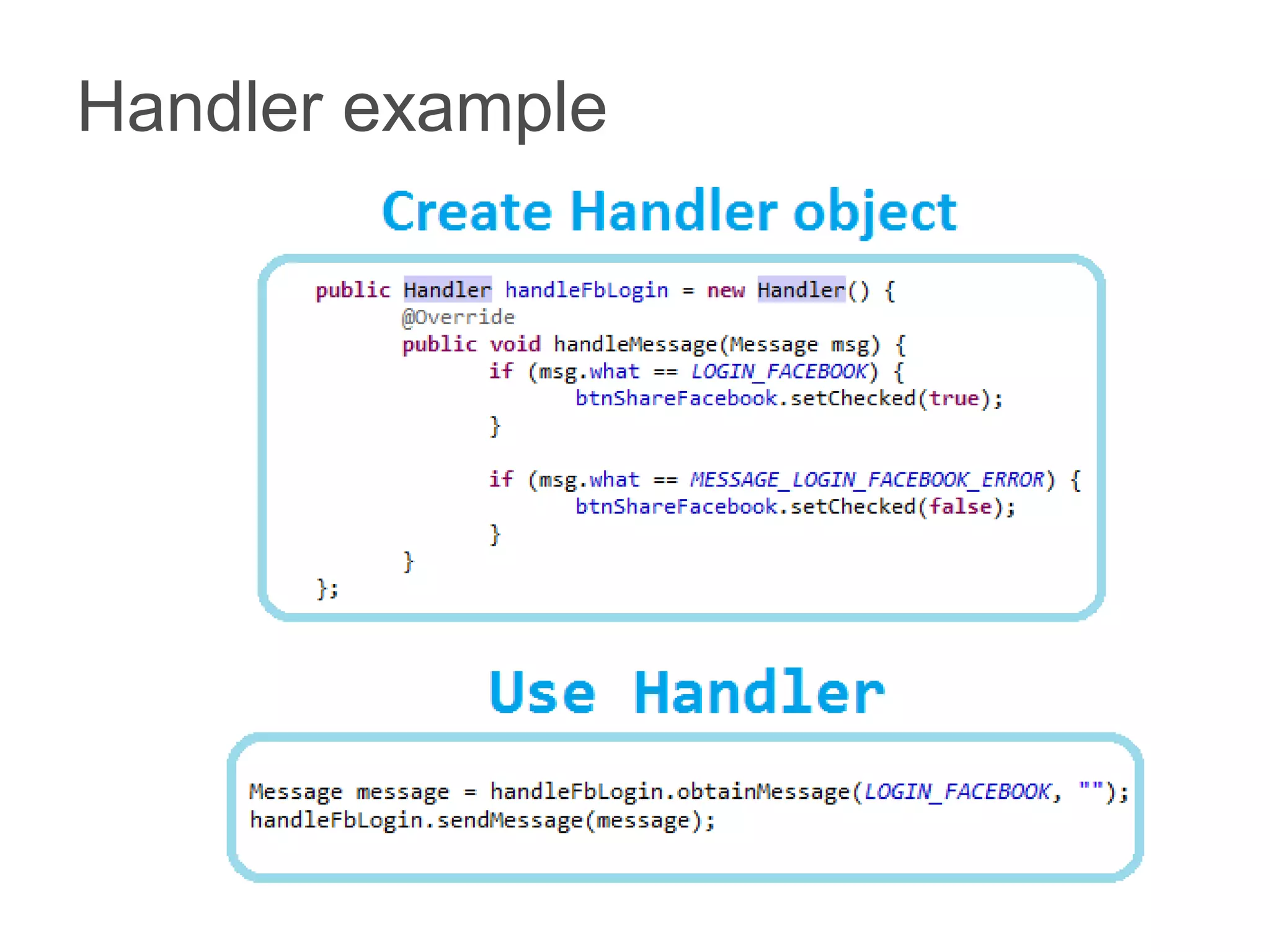
Handler example
AsyncTask
    • Created on the UI thread and can be executed
      only once

    • Run on a background thread and result is
      published on the UI thread

    • The three types used by an asynchronous task
      are the following
       – Params, the type of the parameters sent to the task
         upon execution
       – Progress, the type of the progress units published during
         the background computation
       – Result, the type of the result of the background
         computation

    • Extend AsyncTask<Void, Void, Void>
AsyncTask
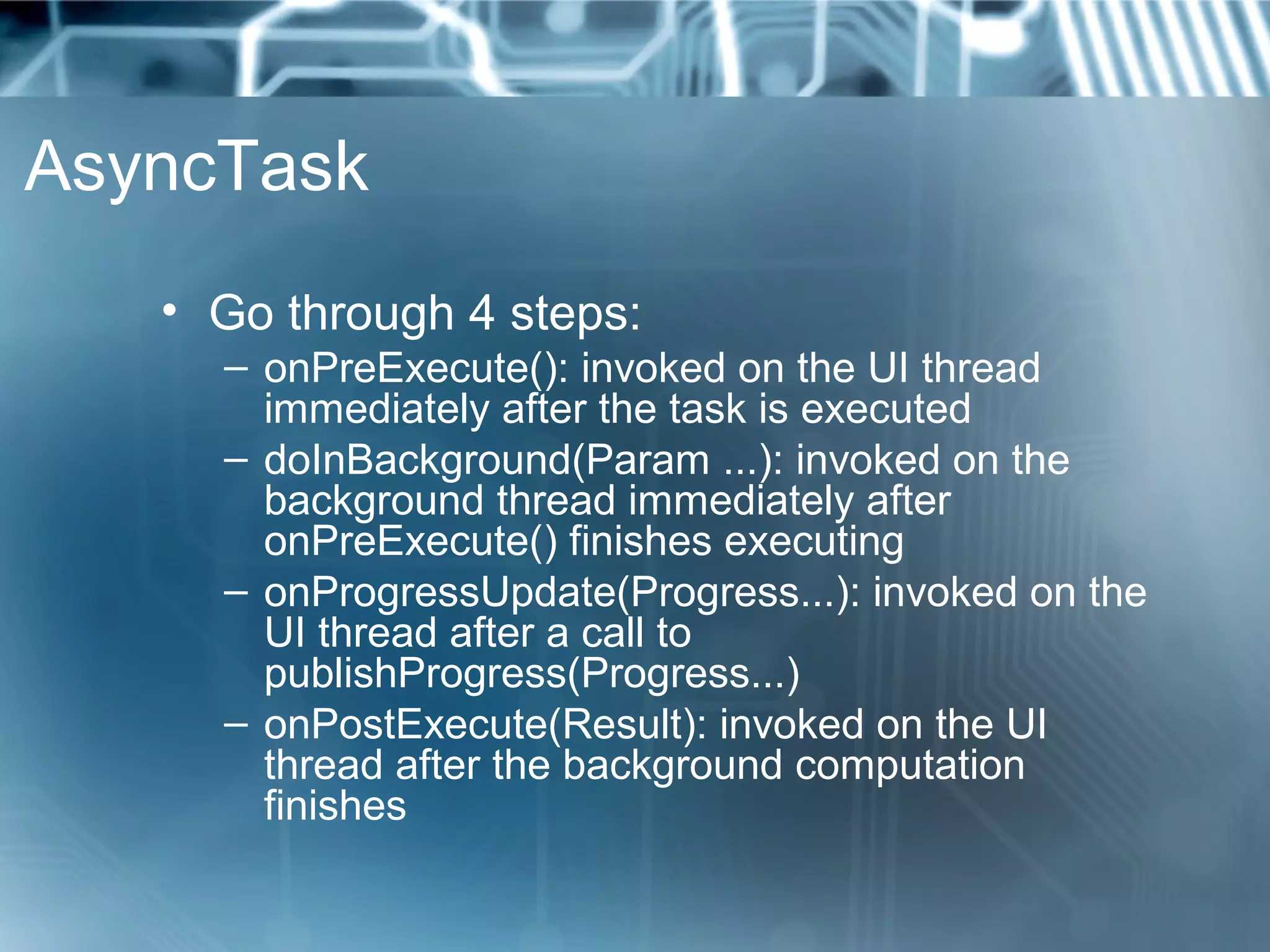
   • Go through 4 steps:
     – onPreExecute(): invoked on the UI thread
       immediately after the task is executed
     – doInBackground(Param ...): invoked on the
       background thread immediately after
       onPreExecute() finishes executing
     – onProgressUpdate(Progress...): invoked on the
       UI thread after a call to
       publishProgress(Progress...)
     – onPostExecute(Result): invoked on the UI
       thread after the background computation
       finishes
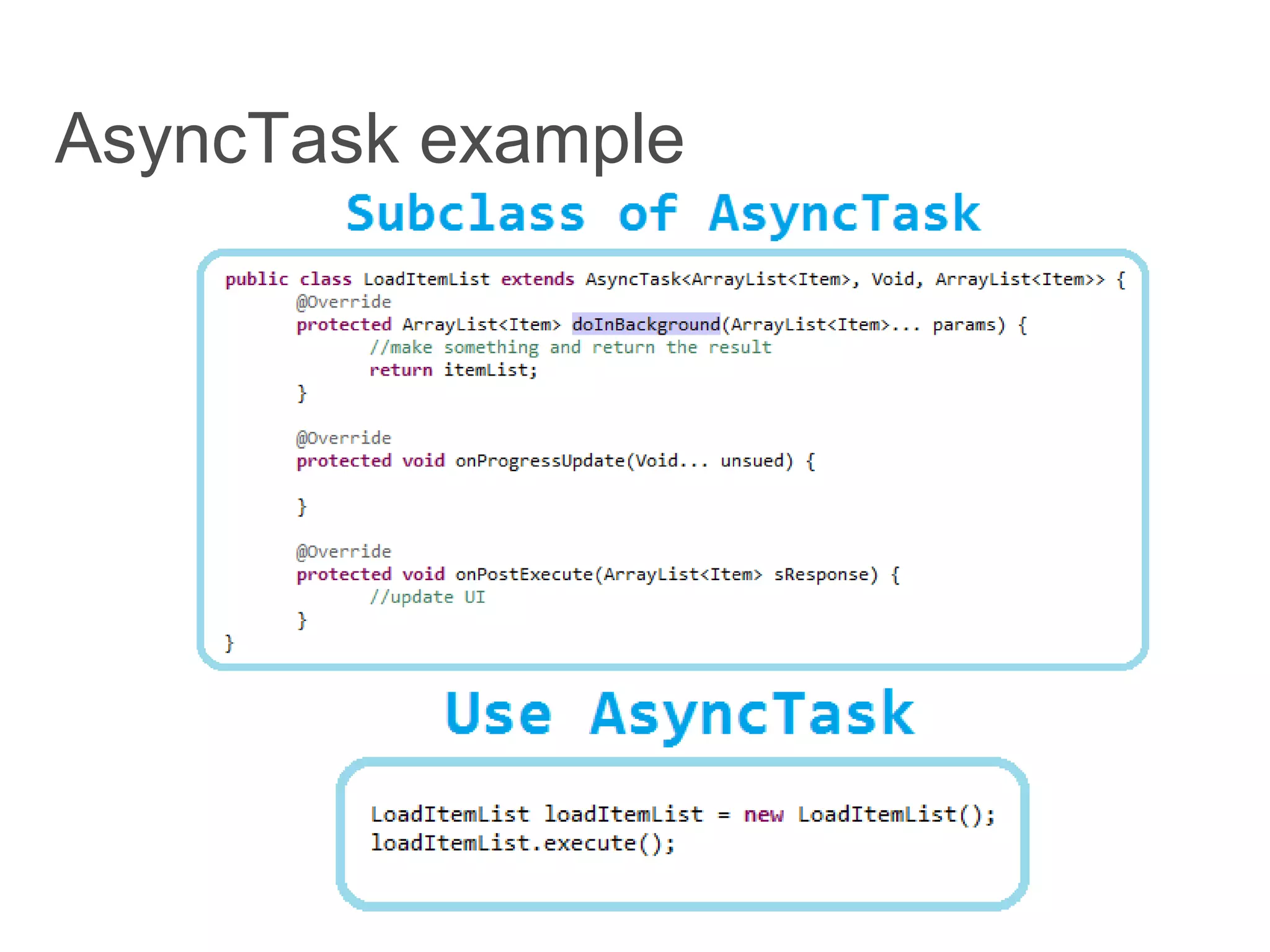
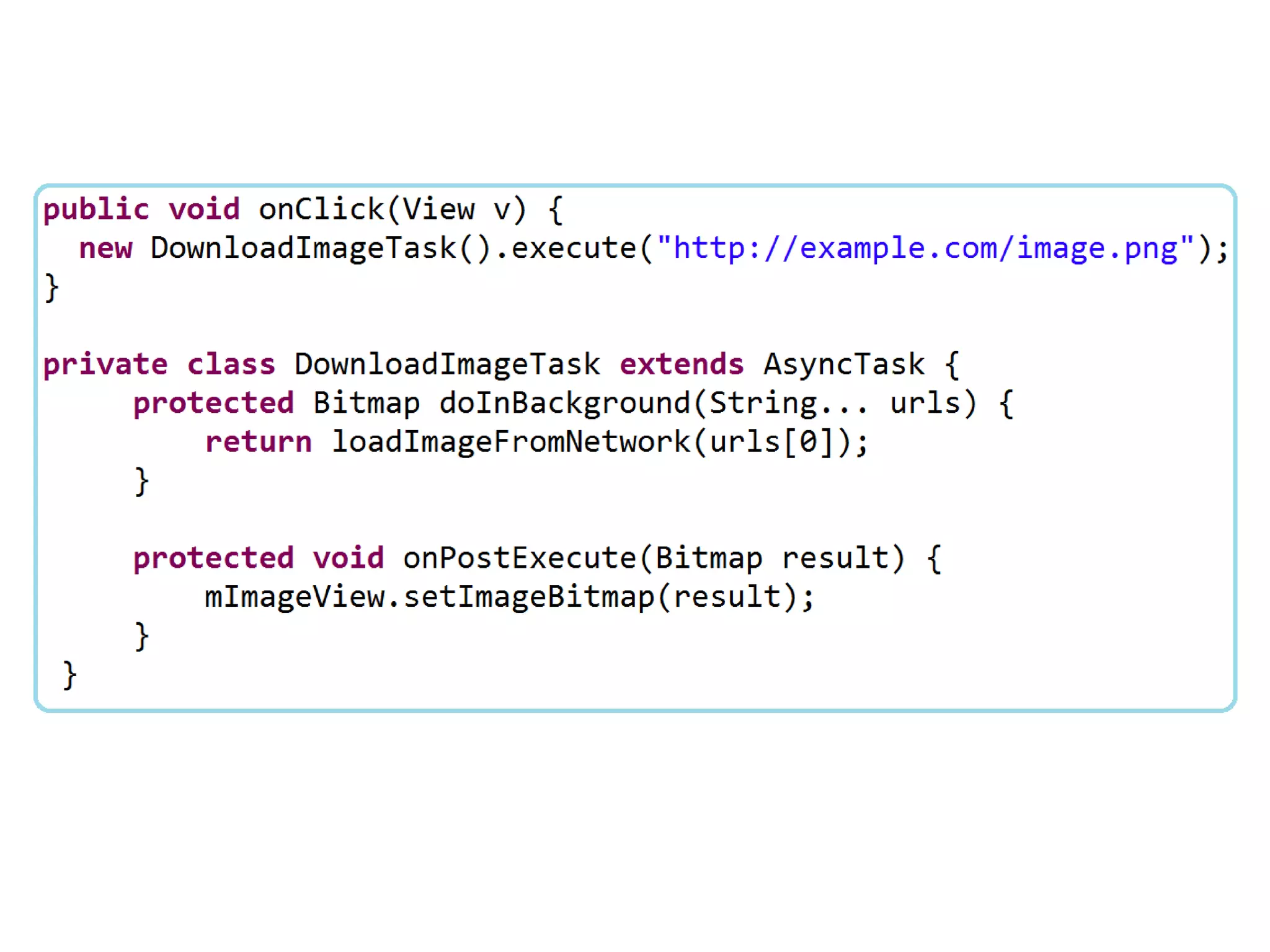
AsyncTask example
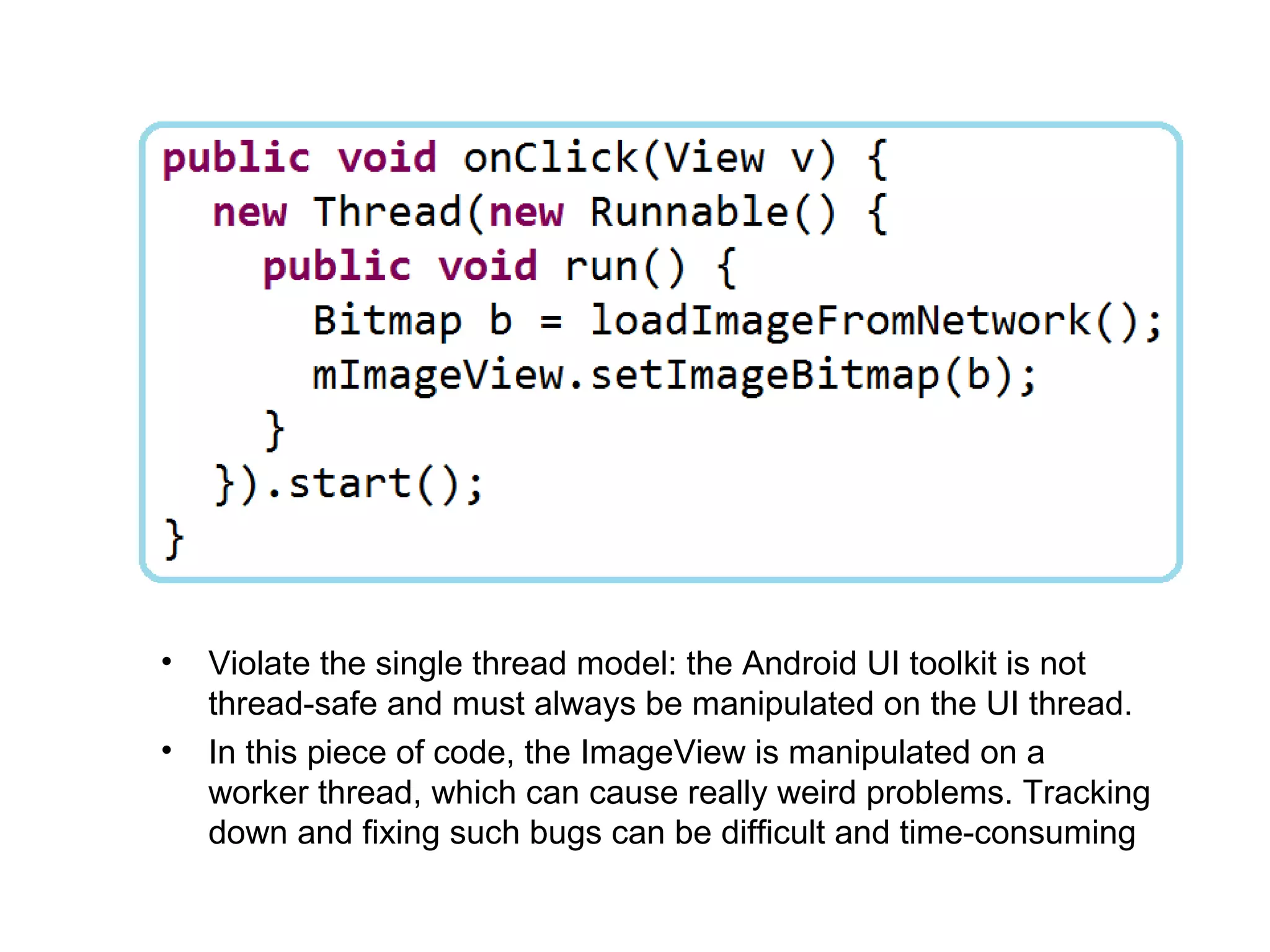
•   Violate the single thread model: the Android UI toolkit is not
    thread-safe and must always be manipulated on the UI thread.
•   In this piece of code, the ImageView is manipulated on a
    worker thread, which can cause really weird problems. Tracking
    down and fixing such bugs can be difficult and time-consuming
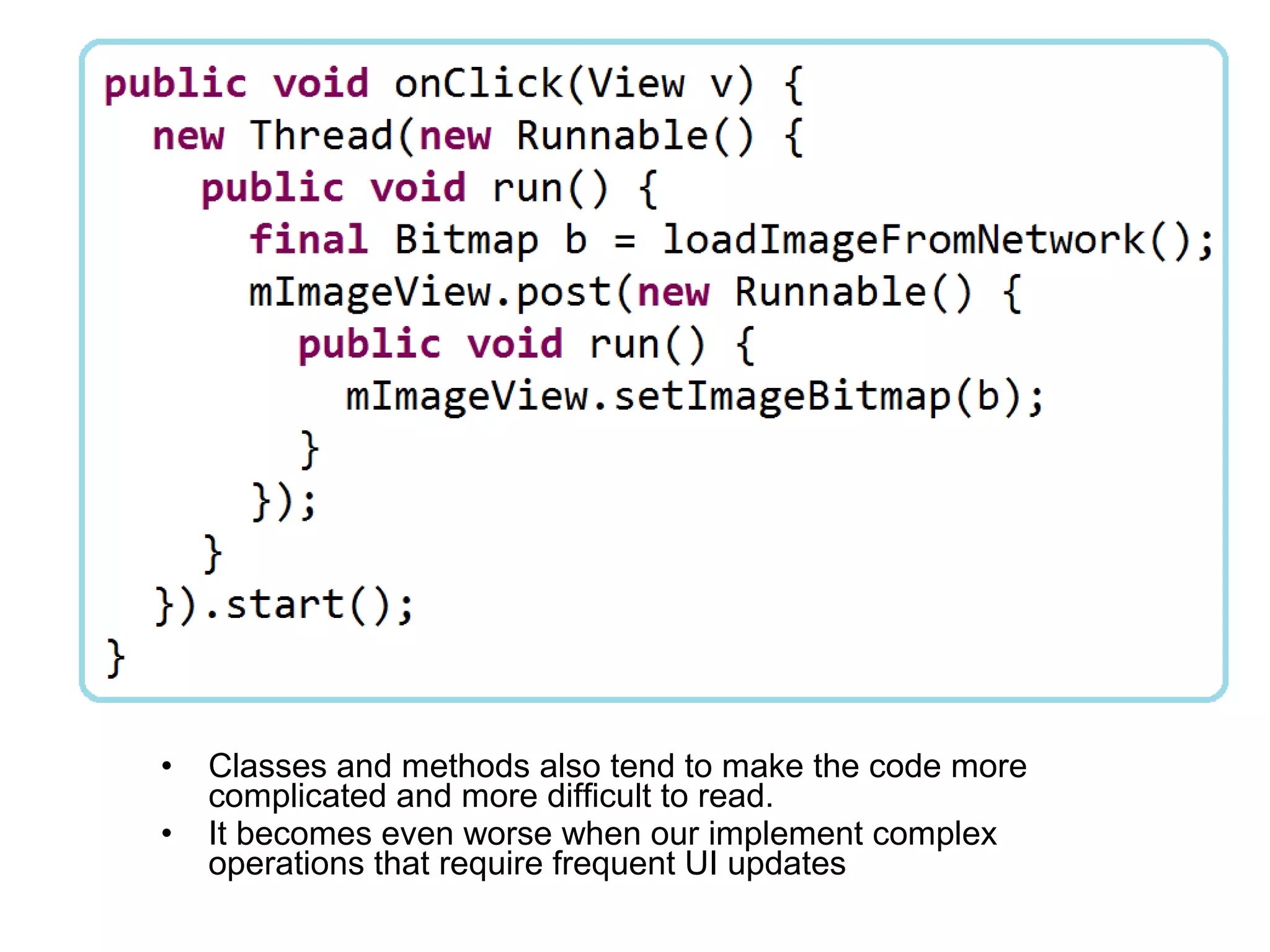
•   Classes and methods also tend to make the code more
    complicated and more difficult to read.
•   It becomes even worse when our implement complex
    operations that require frequent UI updates
Android - Thread, Handler and AsyncTask

Android - Thread, Handler and AsyncTask

  • 1.
    Android Thread, Handler andAsyncTask Hoang Ngo
  • 2.
    Thread • Act much like usual Java Threads • Can’t act directly on external User Interface objects (throw the Exception CalledFromWrongThreadException: Only the original thread that created a view hierarchy can touch its views”) • Can’t be stopped by executing destroy() nor stop(). Use instead interrupt() or join() (by case)
  • 3.
    Thread • Two main ways of having a Thread execute application code: – Providing a new class that extends Thread and overriding its run() method. – Providing a new Thread instance with a Runnable object during its creation. In both cases, the start() method must be called to actually execute the new Thread.
  • 4.
  • 5.
    Handler • Associated with a single thread and that thread's message queue • Bound to the thread / message queue of the thread that is creating it • Deliver messages and runnables to that message queue • Execute them as they come out of the message queue
  • 6.
    Handler • Two main uses for a Handler: – To schedule messages and runnables to be executed as some point in the future – To add an action into a queue performed on a different thread
  • 7.
  • 8.
    AsyncTask • Created on the UI thread and can be executed only once • Run on a background thread and result is published on the UI thread • The three types used by an asynchronous task are the following – Params, the type of the parameters sent to the task upon execution – Progress, the type of the progress units published during the background computation – Result, the type of the result of the background computation • Extend AsyncTask<Void, Void, Void>
  • 9.
    AsyncTask • Go through 4 steps: – onPreExecute(): invoked on the UI thread immediately after the task is executed – doInBackground(Param ...): invoked on the background thread immediately after onPreExecute() finishes executing – onProgressUpdate(Progress...): invoked on the UI thread after a call to publishProgress(Progress...) – onPostExecute(Result): invoked on the UI thread after the background computation finishes
  • 10.
  • 11.
    Violate the single thread model: the Android UI toolkit is not thread-safe and must always be manipulated on the UI thread. • In this piece of code, the ImageView is manipulated on a worker thread, which can cause really weird problems. Tracking down and fixing such bugs can be difficult and time-consuming
  • 12.
    Classes and methods also tend to make the code more complicated and more difficult to read. • It becomes even worse when our implement complex operations that require frequent UI updates