Dell Solutions Forum 2014 
Москва, 14 ноября 2014 года 
#DellST14
Переход к централизованной 
инфраструктуре рабочих мест 
вместе с DELL 
Николай Маймаев, 
Руководитель направления Cloud-Client 
Computing в России, Казахстане и 
среднеазиатских странах СНГ
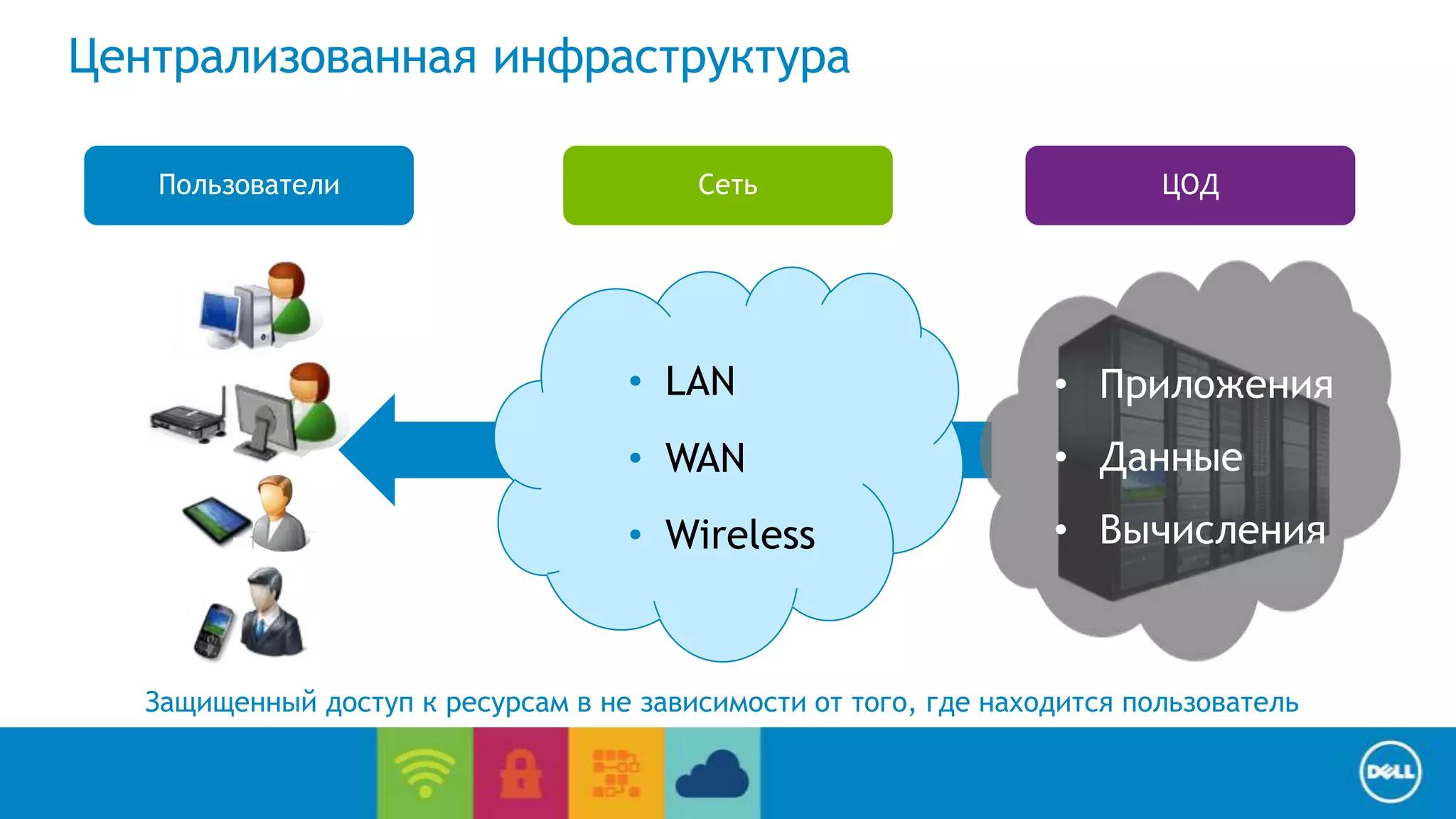
Пользователи ЦОД 
• Приложения 
• Данные 
• Вычисления 
End User Computing / Cloud client-computing 
Централизованная инфраструктура 
Сеть 
• LAN 
• WAN 
• Wireless 
Защищенный доступ к ресурсам в не зависимости от того, где находится пользователь
End User Computing / Cloud client-computing 
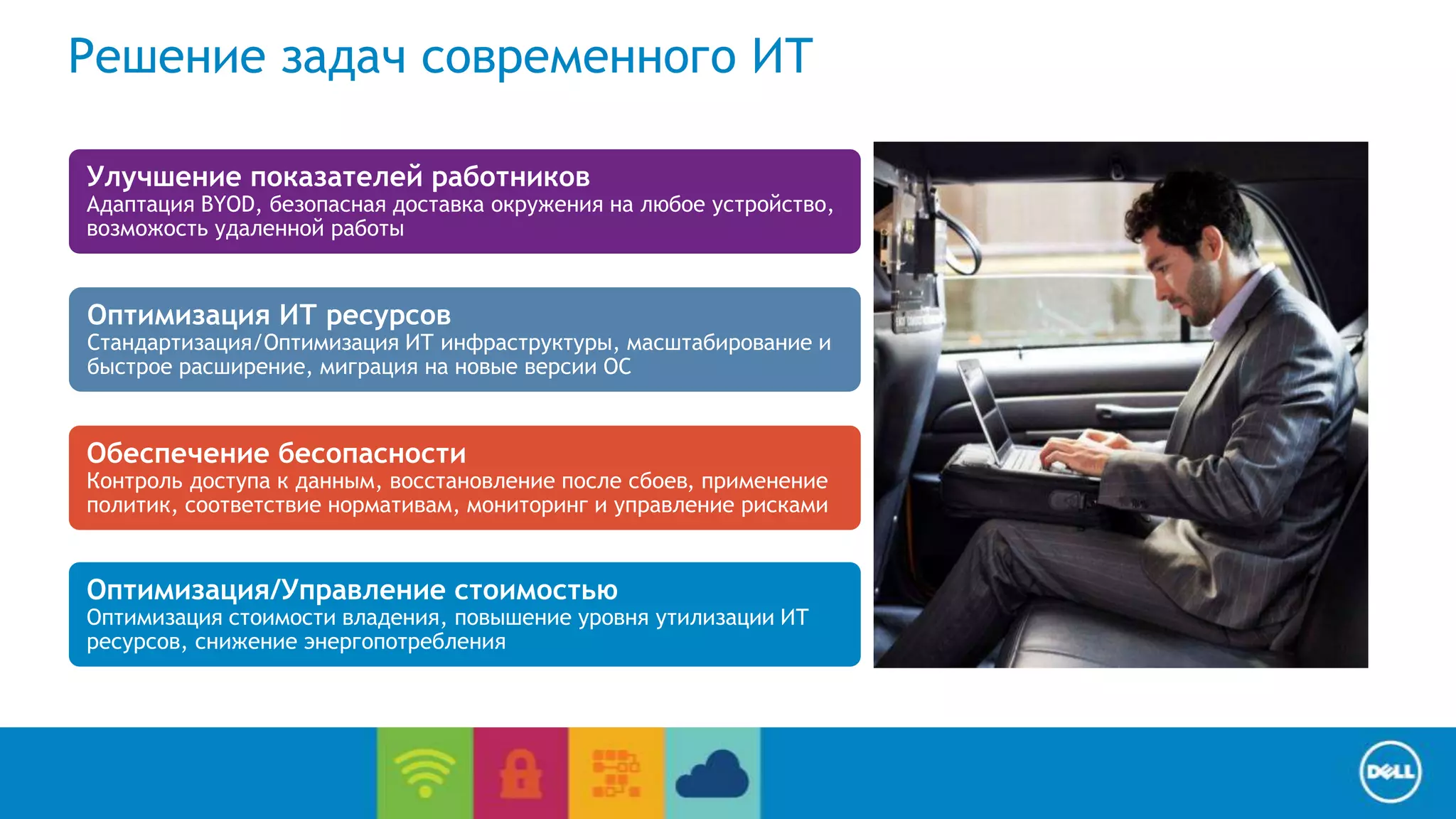
Решение задач современного ИТ 
Улучшение показателей работников 
Адаптация BYOD, безопасная доставка окружения на любое устройство, 
возможость удаленной работы 
Оптимизация ИТ ресурсов 
Стандартизация/Оптимизация ИТ инфраструктуры, масштабирование и 
быстрое расширение, миграция на новые версии ОС 
Обеспечение бесопасности 
Контроль доступа к данным, восстановление после сбоев, применение 
политик, соответствие нормативам, мониторинг и управление рисками 
Оптимизация/Управление стоимостью 
Оптимизация стоимости владения, повышение уровня утилизации ИТ 
ресурсов, снижение энергопотребления
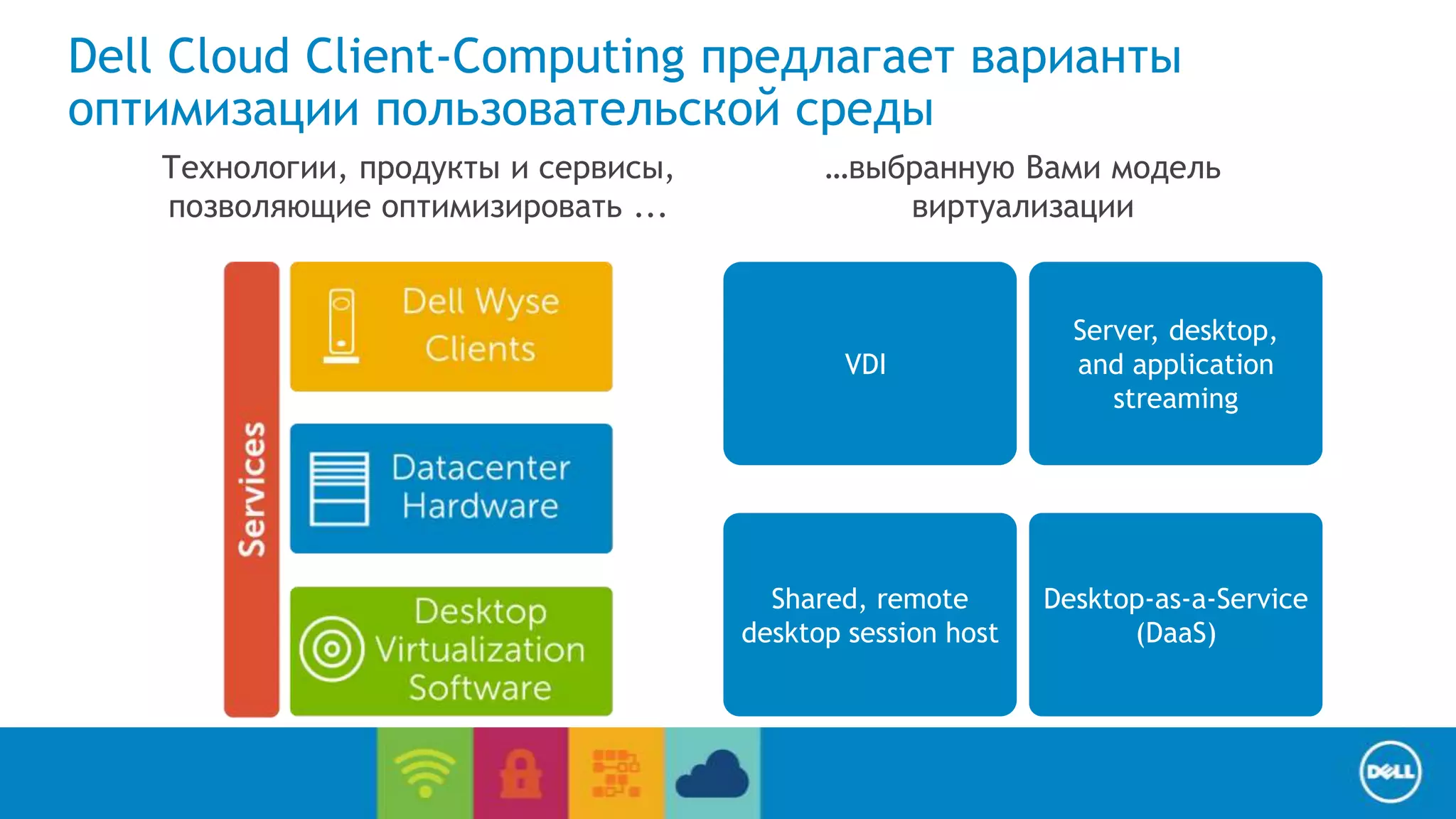
Dell Cloud Client-Computing предлагает варианты 
оптимизации пользовательской среды 
Desktop-as-a-Service 
(DaaS) 
End User Computing / Cloud client-computing 
Shared, remote 
desktop session host 
Server, desktop, 
and application 
streaming 
VDI 
Технологии, продукты и сервисы, 
позволяющие оптимизировать ... 
…выбранную Вами модель 
виртуализации
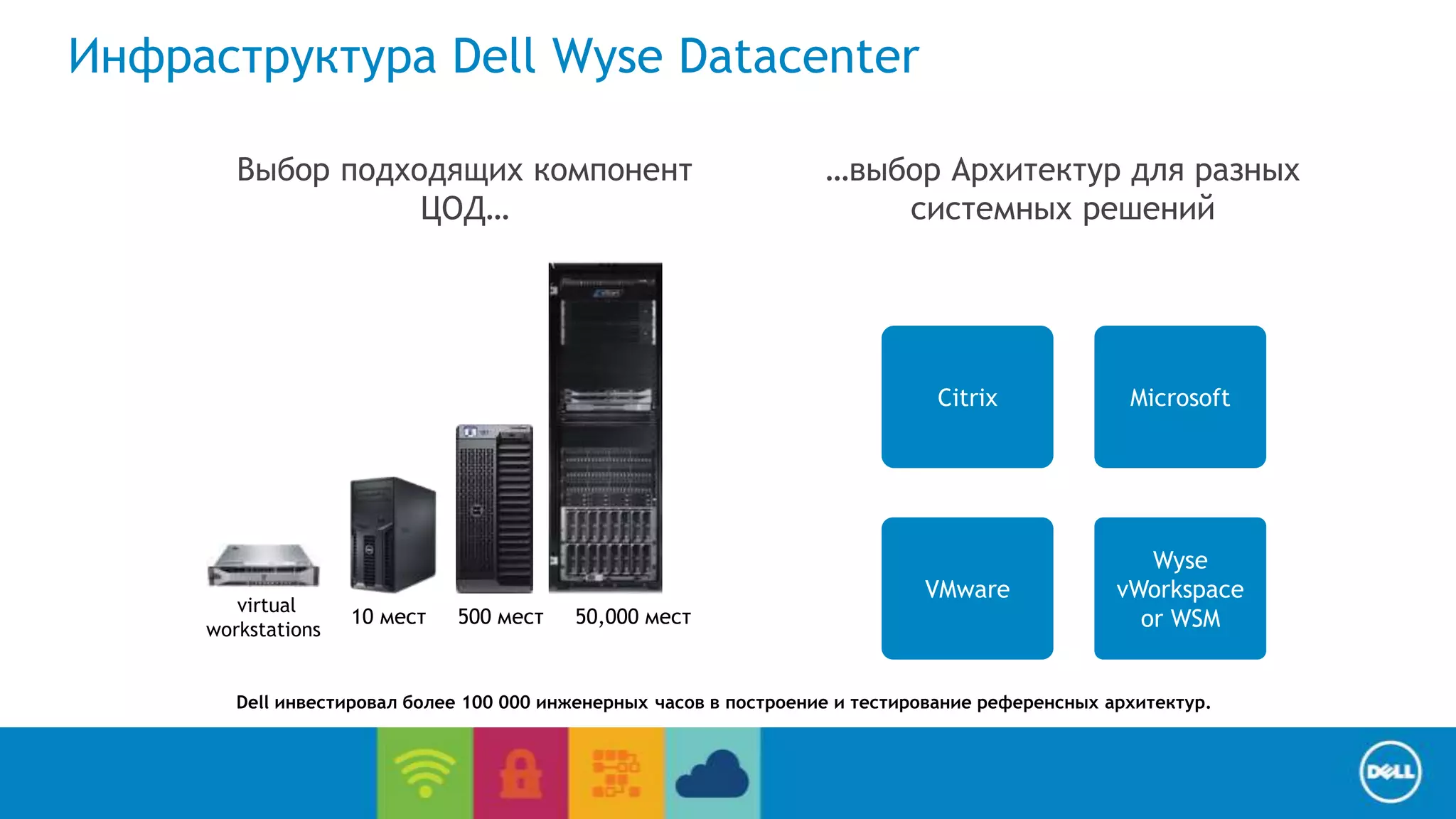
Citrix Microsoft 
End User Computing / Cloud client-computing 
Инфраструктура Dell Wyse Datacenter 
Wyse 
vWorkspace 
or WSM 
VMware 
Выбор подходящих компонент 
ЦОД… 
…выбор Архитектур для разных 
системных решений 
virtual 
workstations 
10 мест 500 мест 50,000 мест 
Dell инвестировал более 100 000 инженерных часов в построение и тестирование референсных архитектур.
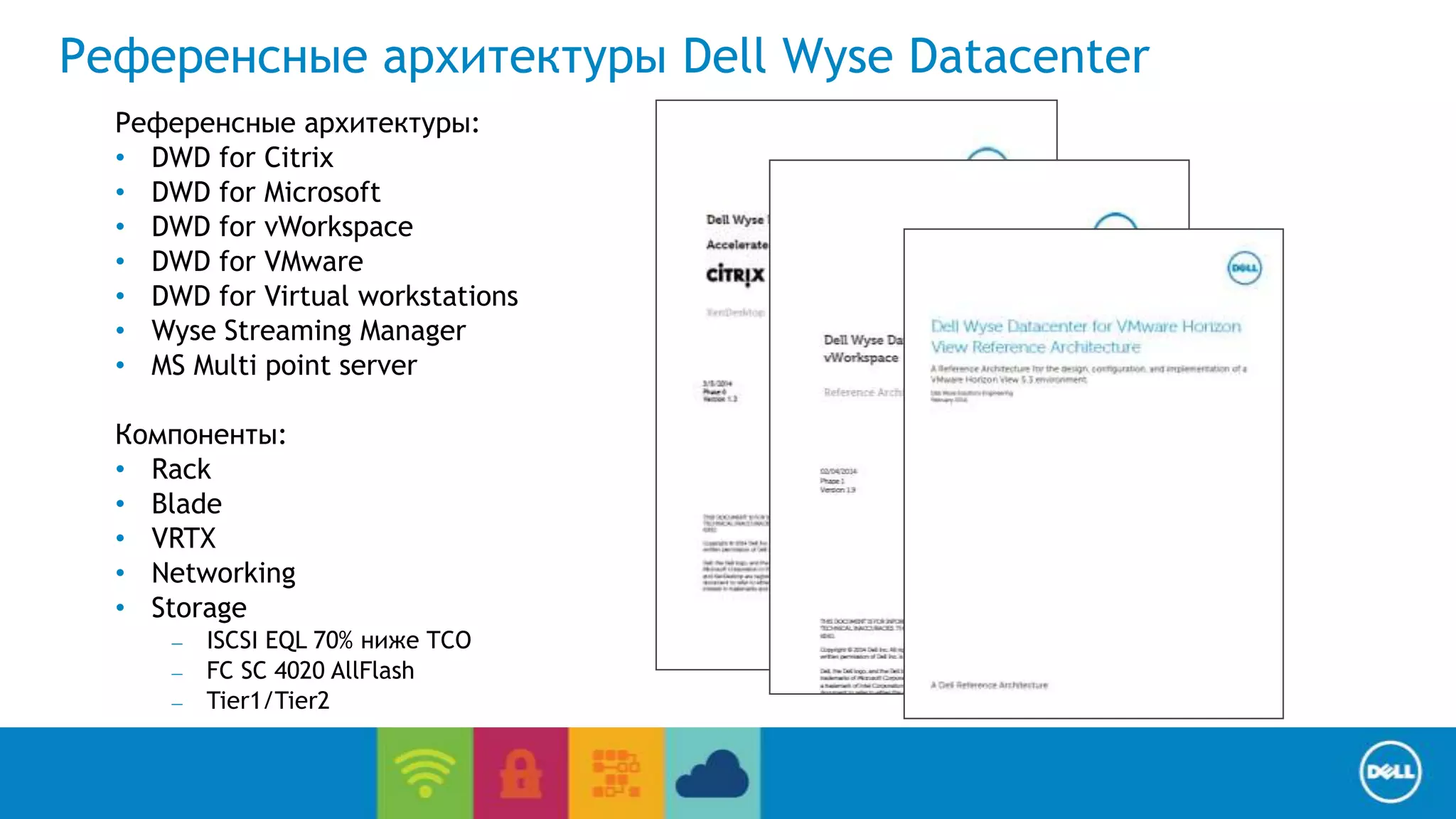
Референсные архитектуры Dell Wyse Datacenter 
End User Computing / Cloud client-computing 
Референсные архитектуры: 
• DWD for Citrix 
• DWD for Microsoft 
• DWD for vWorkspace 
• DWD for VMware 
• DWD for Virtual workstations 
• Wyse Streaming Manager 
• MS Multi point server 
Компоненты: 
• Rack 
• Blade 
• VRTX 
• Networking 
• Storage 
– ISCSI EQL 70% ниже TCO 
– FC SC 4020 AllFlash 
– Tier1/Tier2
End User Computing / Cloud client-computing 
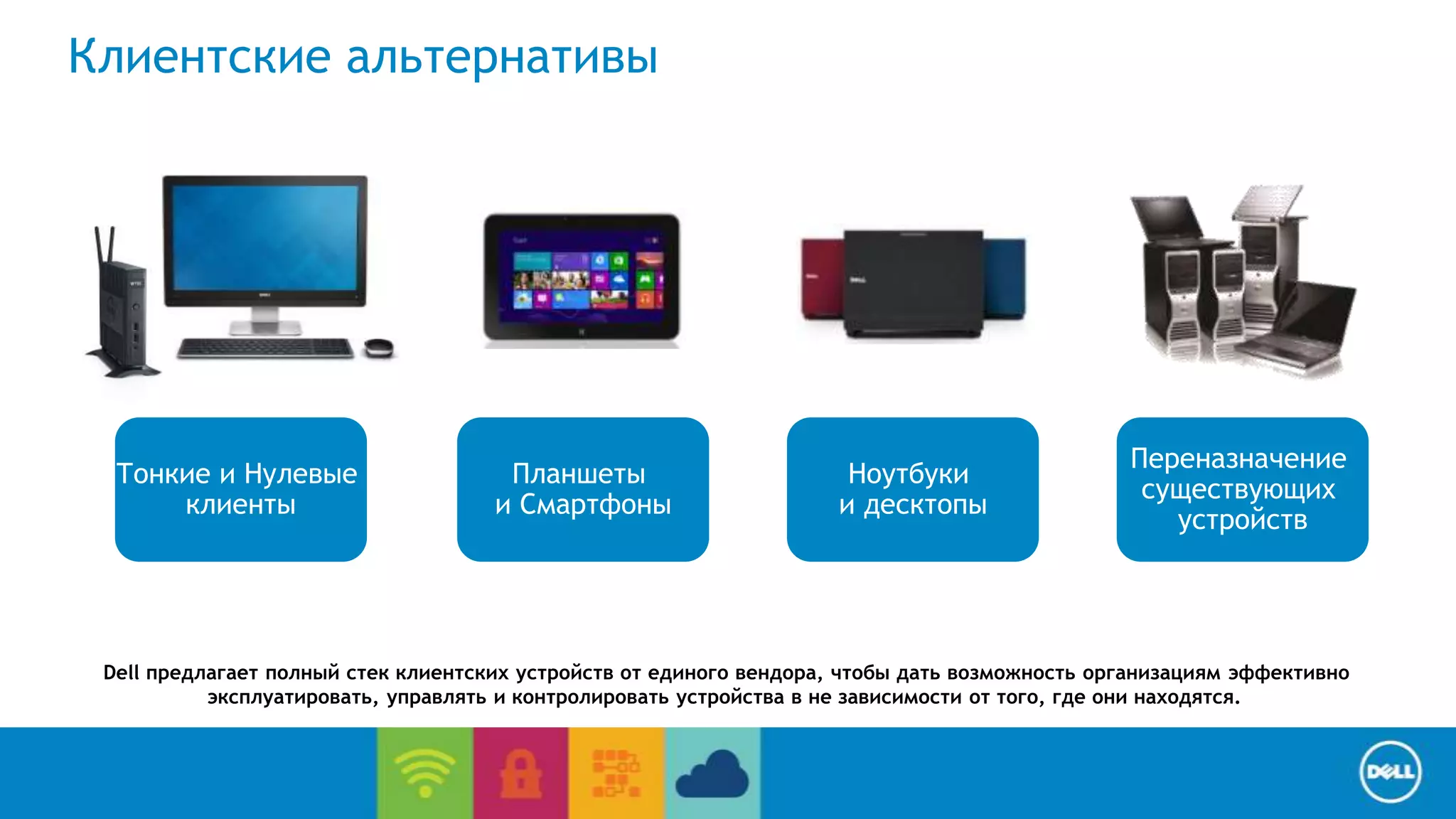
Клиентские альтернативы 
Ноутбуки 
и десктопы 
Тонкие и Нулевые 
клиенты 
Планшеты 
и Смартфоны 
Переназначение 
существующих 
устройств 
Dell предлагает полный стек клиентских устройств от единого вендора, чтобы дать возможность организациям эффективно 
эксплуатировать, управлять и контролировать устройства в не зависимости от того, где они находятся.
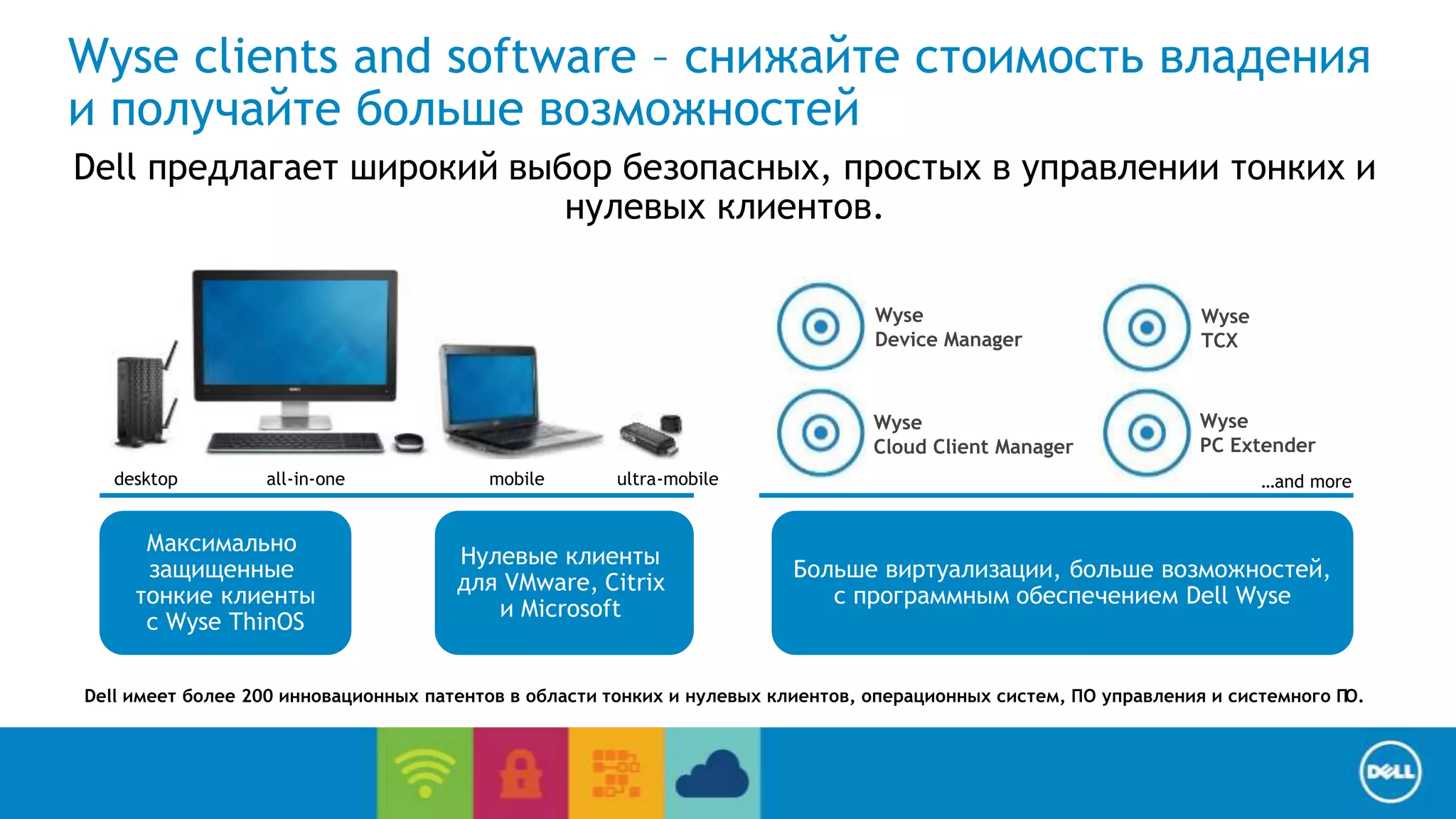
Wyse clients and software – снижайте стоимость владения 
и получайте больше возможностей 
Dell предлагает широкий выбор безопасных, простых в управлении тонких и 
Wyse 
TCX 
End User Computing / Cloud client-computing 
нулевых клиентов. 
Wyse 
Device Manager 
Больше виртуализации, больше возможностей, 
c программным обеспечением Dell Wyse 
Максимально 
защищенные 
тонкие клиенты 
с Wyse ThinOS 
Нулевые клиенты 
для VMware, Citrix 
и Microsoft 
Wyse 
Cloud Client Manager 
Wyse 
PC Extender 
desktop all-in-one mobile ultra-mobile …and more 
Dell имеет более 200 инновационных патентов в области тонких и нулевых клиентов, операционных систем, ПО управления и системного ПО.
End User Computing / Cloud client-computing 
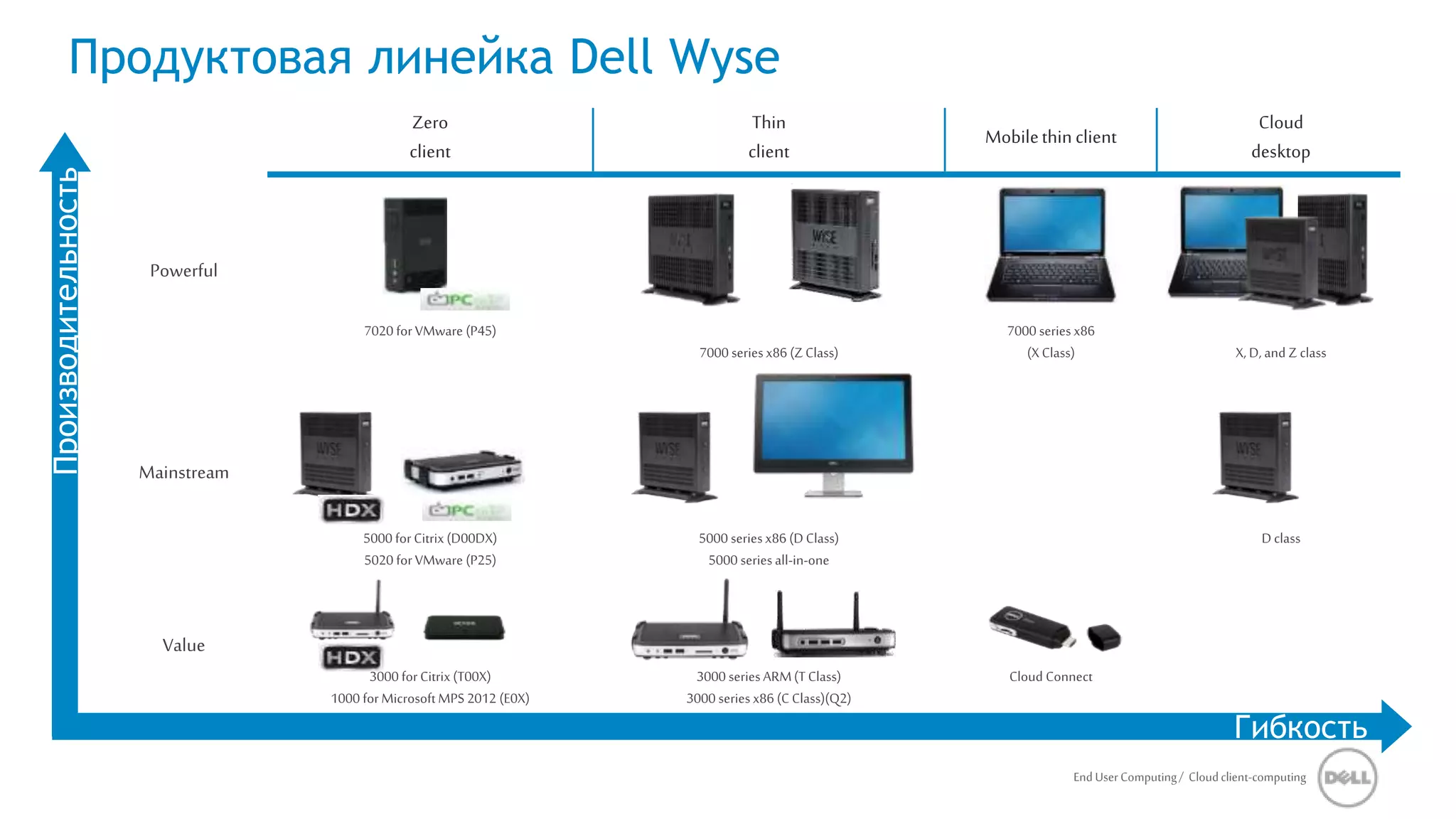
Zero 
client 
Thin 
client 
Mobile thin client 
Cloud 
desktop 
Powerful 
7020 for VMware (P45) 
7000 series x86 (Z Class) 
7000 series x86 
(X Class) X, D, and Z class 
Mainstream 
5000 for Citrix (D00DX) 
5020 for VMware (P25) 
5000 series x86 (D Class) 
5000 series all-in-one 
D class 
Value 
3000 for Citrix (T00X) 
1000 for Microsoft MPS 2012 (E0X) 
3000 series ARM (T Class) 
3000 series x86 (C Class)(Q2) 
Cloud Connect 
Продуктовая линейка Dell Wyse 
Производительность 
Гибкость
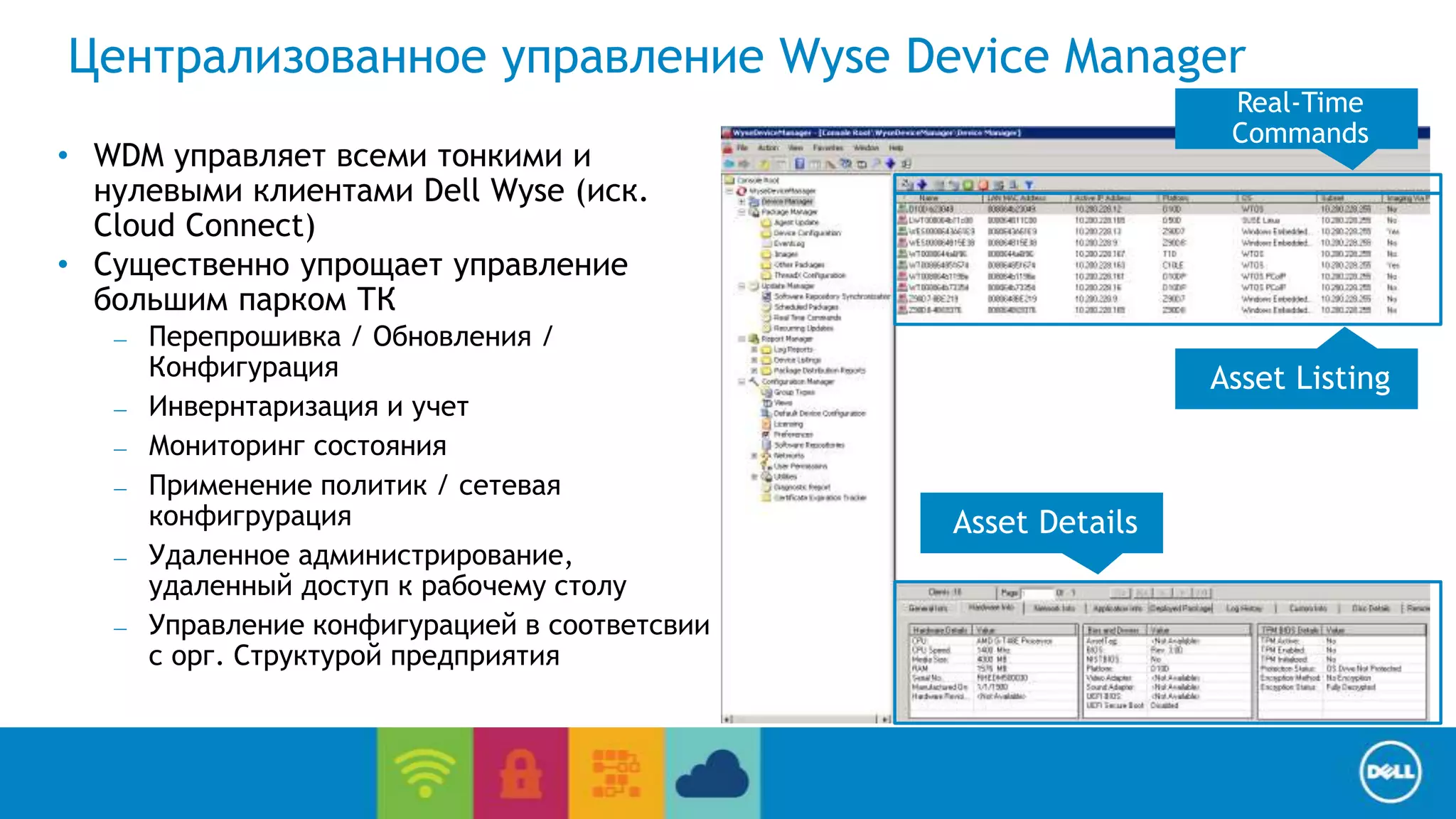
Централизованное управление Wyse Device Manager 
End User Computing / Cloud client-computing 
• WDM управляет всеми тонкими и 
нулевыми клиентами Dell Wyse (иск. 
Cloud Connect) 
• Существенно упрощает управление 
большим парком ТК 
– Перепрошивка / Обновления / 
Конфигурация 
– Инвернтаризация и учет 
– Мониторинг состояния 
– Применение политик / сетевая 
конфигрурация 
– Удаленное администрирование, 
удаленный доступ к рабочему столу 
– Управление конфигурацией в соответсвии 
с орг. Структурой предприятия 
Asset Listing 
Asset Details 
Real-Time 
Commands
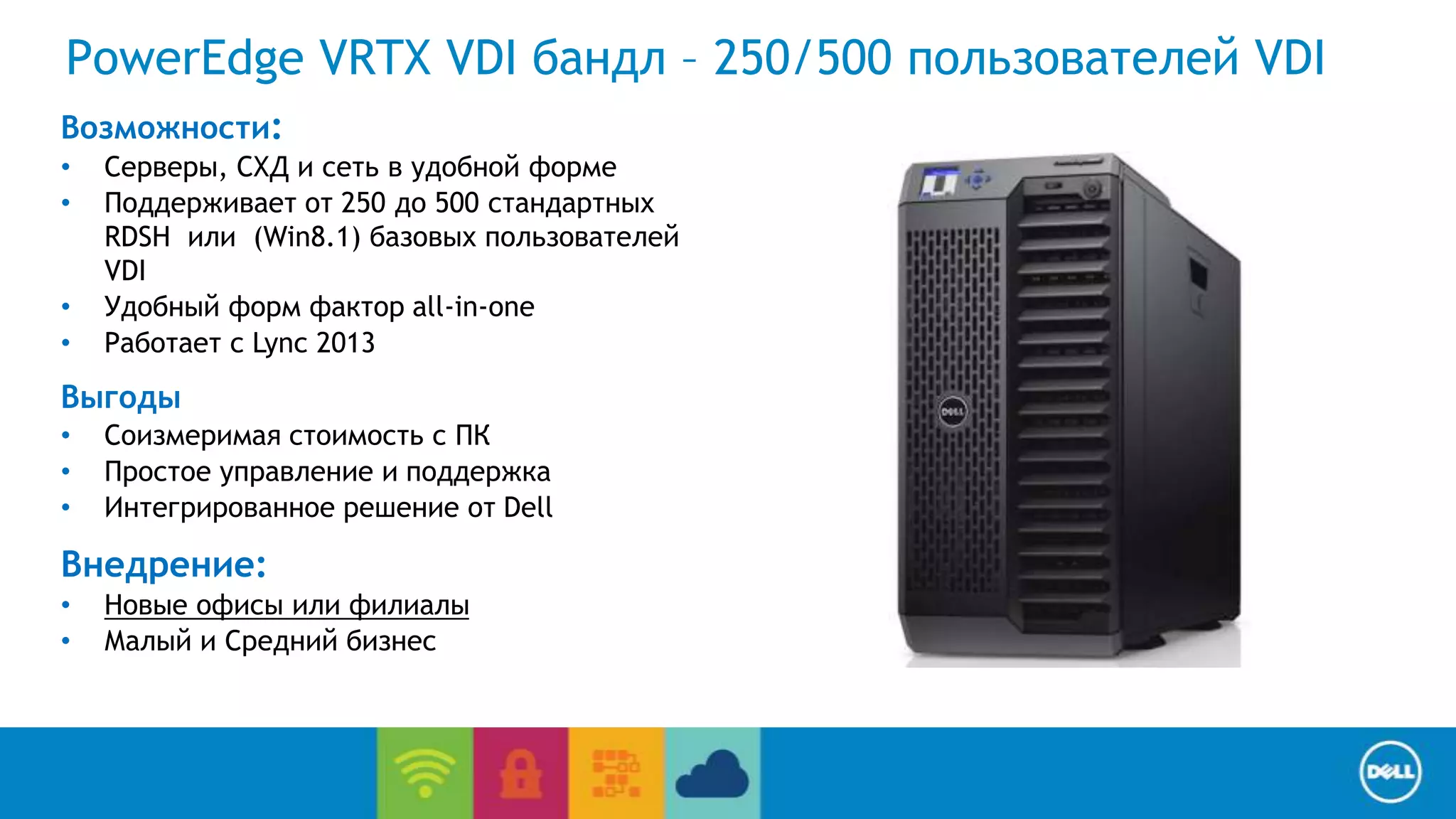
PowerEdge VRTX VDI бандл – 250/500 пользователей VDI 
Возможности: 
• Серверы, СХД и сеть в удобной форме 
• Поддерживает от 250 до 500 стандартных 
End User Computing / Cloud client-computing 
RDSH или (Win8.1) базовых пользователей 
VDI 
• Удобный форм фактор all-in-one 
• Работает с Lync 2013 
Выгоды 
• Соизмеримая стоимость с ПК 
• Простое управление и поддержка 
• Интегрированное решение от Dell 
Внедрение: 
• Новые офисы или филиалы 
• Малый и Средний бизнес
End User Computing / Cloud client-computing 
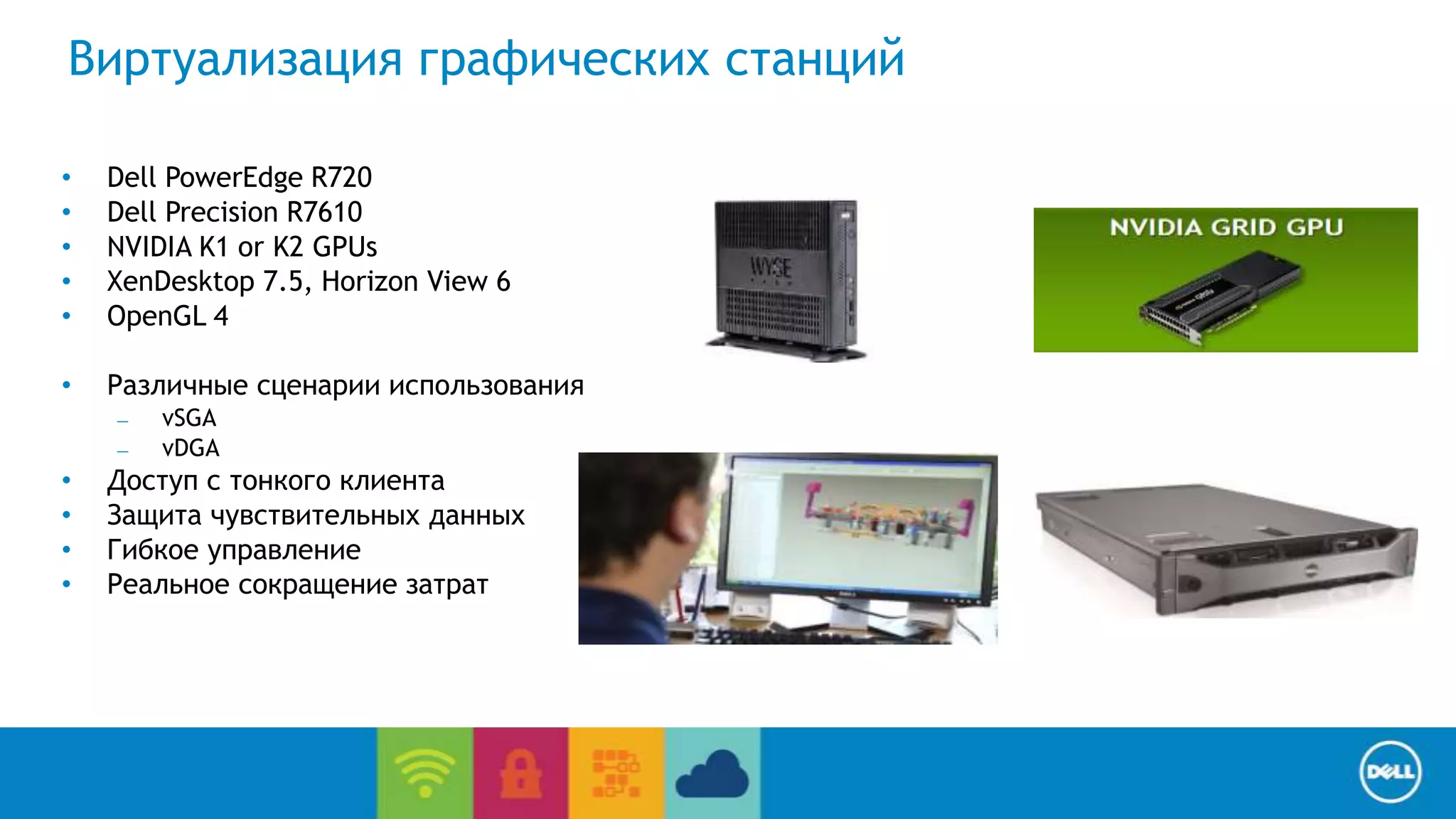
Виртуализация графических станций 
• Dell PowerEdge R720 
• Dell Precision R7610 
• NVIDIA K1 or K2 GPUs 
• XenDesktop 7.5, Horizon View 6 
• OpenGL 4 
• Различные сценарии использования 
– vSGA 
– vDGA 
• Доступ с тонкого клиента 
• Защита чувствительных данных 
• Гибкое управление 
• Реальное сокращение затрат
End User Computing / Cloud client-computing 
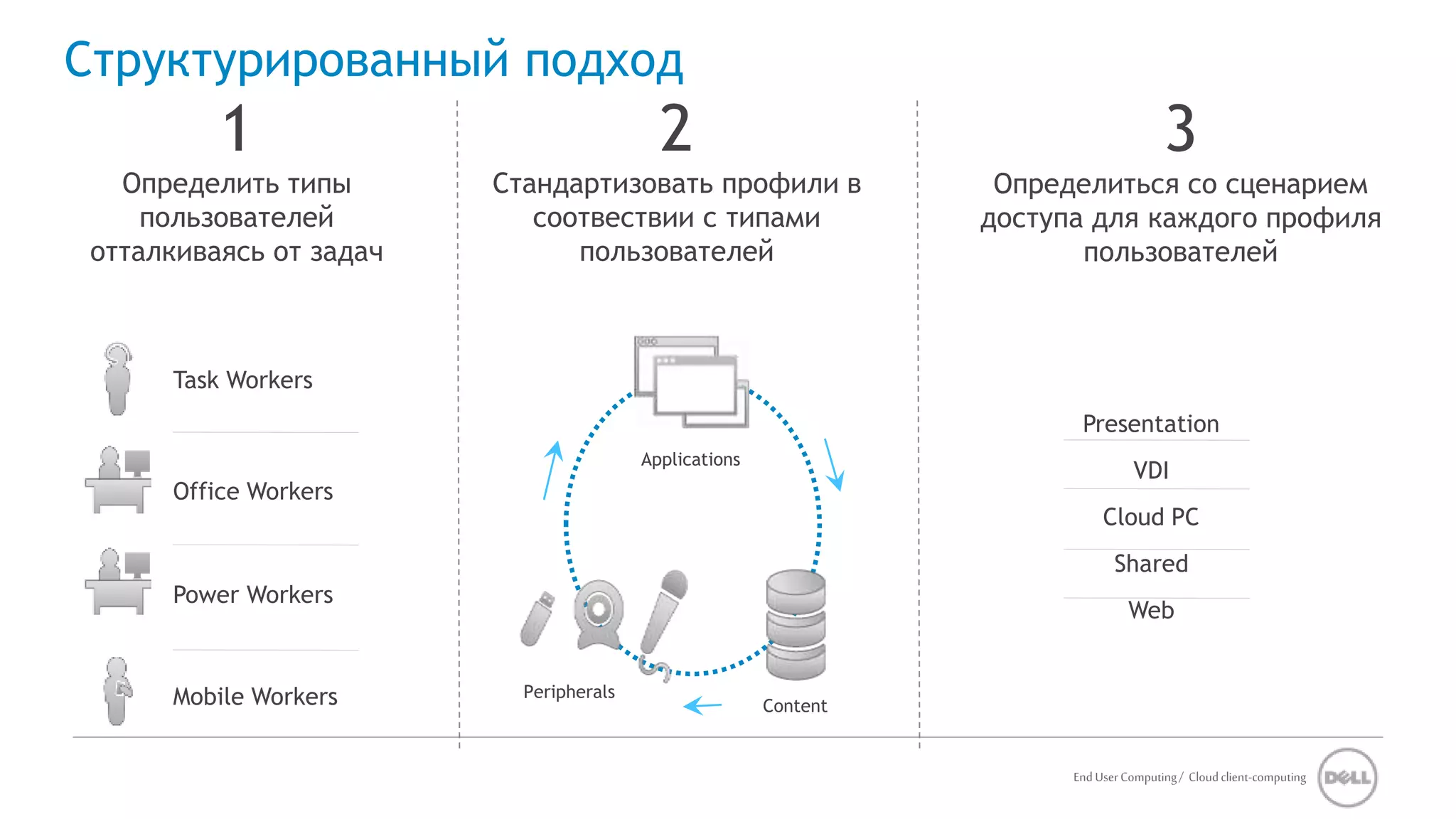
Структурированный подход 
1 
Определить типы 
пользователей 
отталкиваясь от задач 
3 
Определиться со сценарием 
доступа для каждого профиля 
пользователей 
2 
Стандартизовать профили в 
соотвествии с типами 
пользователей 
Task Workers 
Office Workers 
Power Workers 
Mobile Workers 
Applications 
Peripherals 
Presentation 
VDI 
Cloud PC 
Shared 
Web 
Content
End User Computing / Cloud client-computing 
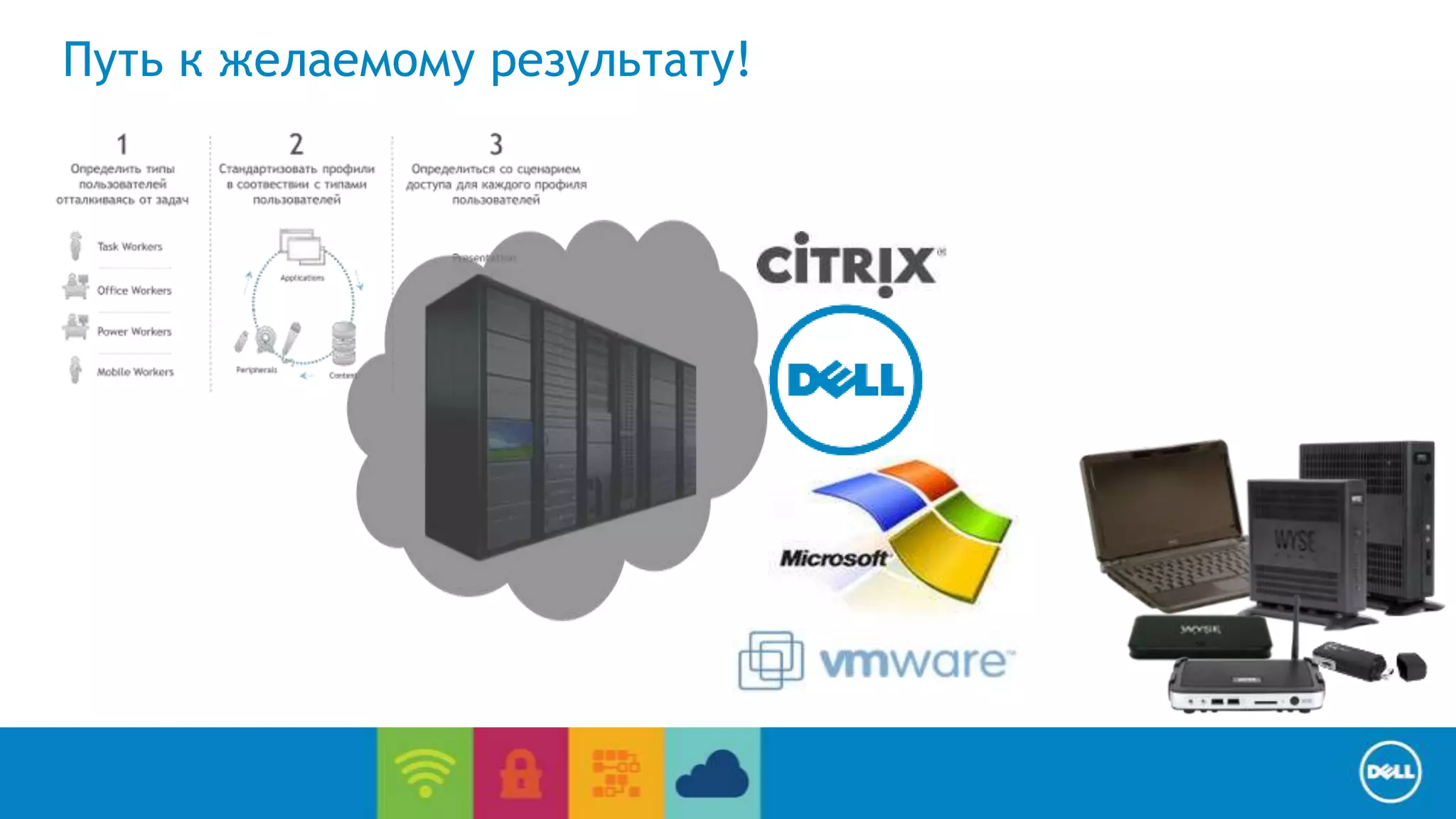
Путь к желаемому результату!
Спасибо за внимание!

Переход к централизованной инфраструктуре рабочих мест вместе с Dell

  • 1.
    Dell Solutions Forum2014 Москва, 14 ноября 2014 года #DellST14
  • 2.
    Переход к централизованной инфраструктуре рабочих мест вместе с DELL Николай Маймаев, Руководитель направления Cloud-Client Computing в России, Казахстане и среднеазиатских странах СНГ
  • 3.
    Пользователи ЦОД •Приложения • Данные • Вычисления End User Computing / Cloud client-computing Централизованная инфраструктура Сеть • LAN • WAN • Wireless Защищенный доступ к ресурсам в не зависимости от того, где находится пользователь
  • 4.
    End User Computing/ Cloud client-computing Решение задач современного ИТ Улучшение показателей работников Адаптация BYOD, безопасная доставка окружения на любое устройство, возможость удаленной работы Оптимизация ИТ ресурсов Стандартизация/Оптимизация ИТ инфраструктуры, масштабирование и быстрое расширение, миграция на новые версии ОС Обеспечение бесопасности Контроль доступа к данным, восстановление после сбоев, применение политик, соответствие нормативам, мониторинг и управление рисками Оптимизация/Управление стоимостью Оптимизация стоимости владения, повышение уровня утилизации ИТ ресурсов, снижение энергопотребления
  • 5.
    Dell Cloud Client-Computingпредлагает варианты оптимизации пользовательской среды Desktop-as-a-Service (DaaS) End User Computing / Cloud client-computing Shared, remote desktop session host Server, desktop, and application streaming VDI Технологии, продукты и сервисы, позволяющие оптимизировать ... …выбранную Вами модель виртуализации
  • 6.
    Citrix Microsoft EndUser Computing / Cloud client-computing Инфраструктура Dell Wyse Datacenter Wyse vWorkspace or WSM VMware Выбор подходящих компонент ЦОД… …выбор Архитектур для разных системных решений virtual workstations 10 мест 500 мест 50,000 мест Dell инвестировал более 100 000 инженерных часов в построение и тестирование референсных архитектур.
  • 7.
    Референсные архитектуры DellWyse Datacenter End User Computing / Cloud client-computing Референсные архитектуры: • DWD for Citrix • DWD for Microsoft • DWD for vWorkspace • DWD for VMware • DWD for Virtual workstations • Wyse Streaming Manager • MS Multi point server Компоненты: • Rack • Blade • VRTX • Networking • Storage – ISCSI EQL 70% ниже TCO – FC SC 4020 AllFlash – Tier1/Tier2
  • 8.
    End User Computing/ Cloud client-computing Клиентские альтернативы Ноутбуки и десктопы Тонкие и Нулевые клиенты Планшеты и Смартфоны Переназначение существующих устройств Dell предлагает полный стек клиентских устройств от единого вендора, чтобы дать возможность организациям эффективно эксплуатировать, управлять и контролировать устройства в не зависимости от того, где они находятся.
  • 9.
    Wyse clients andsoftware – снижайте стоимость владения и получайте больше возможностей Dell предлагает широкий выбор безопасных, простых в управлении тонких и Wyse TCX End User Computing / Cloud client-computing нулевых клиентов. Wyse Device Manager Больше виртуализации, больше возможностей, c программным обеспечением Dell Wyse Максимально защищенные тонкие клиенты с Wyse ThinOS Нулевые клиенты для VMware, Citrix и Microsoft Wyse Cloud Client Manager Wyse PC Extender desktop all-in-one mobile ultra-mobile …and more Dell имеет более 200 инновационных патентов в области тонких и нулевых клиентов, операционных систем, ПО управления и системного ПО.
  • 10.
    End User Computing/ Cloud client-computing Zero client Thin client Mobile thin client Cloud desktop Powerful 7020 for VMware (P45) 7000 series x86 (Z Class) 7000 series x86 (X Class) X, D, and Z class Mainstream 5000 for Citrix (D00DX) 5020 for VMware (P25) 5000 series x86 (D Class) 5000 series all-in-one D class Value 3000 for Citrix (T00X) 1000 for Microsoft MPS 2012 (E0X) 3000 series ARM (T Class) 3000 series x86 (C Class)(Q2) Cloud Connect Продуктовая линейка Dell Wyse Производительность Гибкость
  • 11.
    Централизованное управление WyseDevice Manager End User Computing / Cloud client-computing • WDM управляет всеми тонкими и нулевыми клиентами Dell Wyse (иск. Cloud Connect) • Существенно упрощает управление большим парком ТК – Перепрошивка / Обновления / Конфигурация – Инвернтаризация и учет – Мониторинг состояния – Применение политик / сетевая конфигрурация – Удаленное администрирование, удаленный доступ к рабочему столу – Управление конфигурацией в соответсвии с орг. Структурой предприятия Asset Listing Asset Details Real-Time Commands
  • 12.
    PowerEdge VRTX VDIбандл – 250/500 пользователей VDI Возможности: • Серверы, СХД и сеть в удобной форме • Поддерживает от 250 до 500 стандартных End User Computing / Cloud client-computing RDSH или (Win8.1) базовых пользователей VDI • Удобный форм фактор all-in-one • Работает с Lync 2013 Выгоды • Соизмеримая стоимость с ПК • Простое управление и поддержка • Интегрированное решение от Dell Внедрение: • Новые офисы или филиалы • Малый и Средний бизнес
  • 13.
    End User Computing/ Cloud client-computing Виртуализация графических станций • Dell PowerEdge R720 • Dell Precision R7610 • NVIDIA K1 or K2 GPUs • XenDesktop 7.5, Horizon View 6 • OpenGL 4 • Различные сценарии использования – vSGA – vDGA • Доступ с тонкого клиента • Защита чувствительных данных • Гибкое управление • Реальное сокращение затрат
  • 14.
    End User Computing/ Cloud client-computing Структурированный подход 1 Определить типы пользователей отталкиваясь от задач 3 Определиться со сценарием доступа для каждого профиля пользователей 2 Стандартизовать профили в соотвествии с типами пользователей Task Workers Office Workers Power Workers Mobile Workers Applications Peripherals Presentation VDI Cloud PC Shared Web Content
  • 15.
    End User Computing/ Cloud client-computing Путь к желаемому результату!
  • 16.

Editor's Notes

  • #4 With Cloud client-computing there are 3 core components. Your cloud, which is just a fancy way of saying data center. Dell can build a private cloud in someone's building. Its just their data center, their server, storage, and networking. All of the user applications and data are moved to that location. They are no longer on the hard drive, plus all of the processing occurs here. This is very different from a traditional client / server model. All of our PC is moved to the data center. Over a LAN, WAN, or wireless content executed in the data center and is then streamed from the data center to the user. We have limited the kind of traffic to be a kind of video out of a TV or what you see on your screen. Then what goes back to the data center are keyboard key stokes, mouse movements / clicks, and USB data. Desktop virtualization allows you to virtualize USB data such as a webcam or a USB stick. If you’ve authorized USB data for that device. For security reasons you do have the ability to lock USB ability down. Whether you are using a tablet, a PC, a smart phone, or thin client we consistently deliver windows applications designed to run under windows in a consistent way. Similar to what you would see on a desktop, but we make possible to use it from any device.
  • #5 Desktop virtualization helps improve service delivery and competitiveness by simplifying how IT works on systems, dramatically reducing the complexity of the system and making it much more flexible. The IT group can then move from a largely reactive, technical group to a proactive strategic organization. Empowering the workforce – makes it possible for user to bring in an iPad, windows tablet, a Dell PC. Regardless of device your user is going to get the same look at the application, they are all going to have the same level of security. Nothing can be stored on a USB key nothing can be stored on a hard disk. It is secure as you need it to be. Optimize IT resources – managing a fleet of traditional PC is becoming increasing complex. With desktop virtualization, you are moving applications, data, and OS (the desktop) to the data center. There are certain advantages by doing this. IT is able to centrally manage “the virtual desktop” from the data center. Things like adds, moves, changes, back-ups and virus/malware protection. Virtual desktops in the data center also saves IT time and money from remotely troubleshooting PCs vs. physically visiting each PC. Improve security - Is by the design of the architecture. The virtual desktop is secure in the data center and is delivered over a video like protocol. Every end point is like a TV set. Desktop or applications are streaming down to the device, but once the device is turned off nothing resides on the device. One of Dell’s customers, a VA hospital, had a terrible situation where they move to a new ERM system. Someone stole a laptop in the AIDS ward. Normally the notebook hard drive is wiped and then goes up on eBay. The thief in this case knew what they had and the published all of the records on the internet. The hospital was embarrassed, the families were embarrassed. With cloud client-computing that cannot happen, because that data never lands on that laptop. Whenever a device connected to desktop virtualization goes out of its network, usually Wi-Fi, the user can get back to the server. There is no local storage so we can enforce security in a way that meaningful. Managing costs – the cost to deploy applications, the cost to deploy desktops is dramatically simpler when deploying from a data center. Add a user is nothing more that add a thin client on their desk, turning on the instance on the server, and you’re done. There are no installation of applications once its been done.
  • #6 Dell Cloud Client Computing consists of solutions, products, and services designed to enable organizations to reap the full benefits of desktop virtualization and personal access to the cloud for a broad spectrum of use cases. With purpose-designed hardware, software, services, and end-to-end solutions that work hand-in-hand with desktop virtualization software from Citrix, Microsoft, VMware, and Dell vWorkspace, Dell offers companies the greatest breadth of choice in how their people access cloud based services to allow any user to access any app from any device. On the left - Dell Cloud Client Computing consists of 3 core components. A build out of the data center, can be cloud based, there are end point devices (we show a Dell Wyse thin client but this could be any number of end points Dell offers. Thirdly, it’s the desktop virtualization software. That software is likely to come from Citrix, VMware, MSFT, or even Dell’s vWorkspace. Those three technologies come together to form a set of different ways our customer can gain the benefits of desktop virtualization. On the right, you see various ways you can do that. This is what separates us from HP, Cisco and others. While we do support VDI on site (everybody does). We support Server, desktop, and application streaming based on our WSM technology. WSM was created as an alternative to desktop virtualization. Instead of a large data center it requires a small data center. WSM is the storage of data, applications, and OS but not execution, similar to the diskless PC model (no hard drives) that connect to OptiPlex or Wyse branded cloud desktops. WSM is powered up and sends the user’s desktop to the cloud PC and is executed on the endpoint in memory. Dell offers shared remote desktop session host computing (new name for MSFT terminal services), which is great for education and small and med businesses and we support remote desktop session host. This is a low cost way of providing a desktop experience through sharing a MSFT server session among many people. In the fourth box we talk about Workspace as a service. This is great for customer who say they don’t want to make investments in the data center. What they really want to do is get their employees working fast and get the benefits of a desktop virtualization environment. Customers can use Dell’s work space as a service on demand. This is a technology using traditional VDI solutions, but they are housed in Dell’s data center. Advantage is that all of the expense of the compute side is handled by Dell, the management can be handled by Dell as well as other services through our services team. The only thing the customer needs to worry about is connecting an end point to the network. Bottom line, for desktop virtualization, Dell brings everything together in to make it easier for IT to deliver apps and doctors can spend less time with devices and passwords and more time with patients. Very strong differentiation technology, your choice of software that drops on to it. Differentiation The way Dell’s differentiates from the competition is by bring all these components together. Dell has the desktop virtualization software from Citrix, Microsoft, and VMware. We also have our Wyse branded software. Ones called WSM the other is called vWorkspace as part of the Quest acquisition. We have truly differentiated datacenter hardware. A lot of vendors have the similar components. What makes our data center hardware differentiated is that we make it a lot easier to connect that hardware in ways that’s useful to our customers. We use reference architecture to build out sample environments. Then we certify with our partners: Citrix, MSFT, and VMware to show they will work and scale. Dell goes beyond where our competitors go. We not only build reference architectures for size, but we also build desktop virtualization solutions for specific verticals including federal (agency anywhere), healthcare (mobile clinical computing) and education (virtual labs). Vertical solutions includes packaging, testing and integrating 3rd party software to make virtual desktop solution more usable for those verticals. Another Dell differentiator is that our reference architecture workloads have been tested and validated over 100K testing hours vs. esoteric white papers. In addition, Dell realizes, especially in the enterprise, that customers work with many different vendors and need to leverage existing contracts (i.e. Cisco networking or EMC storage). Dell desktop virtualization architectures are flexible include 3rd party products and still maintain the same predictability. Cloud client-computing has desktop virtualization services from helping customers identify ideal use cases for desktop virtualization and provide qualitative and quantitative data to support those use cases all the way to building and managing a desktop virtualization infrastructure for customers.
  • #7 Your choice of datacenter hardware with… We have a complete selection of virtual datacenter infrastructure to meet the needs of our customers. Our Dell DVS brand infrastructure solutions is comprised by a series of offers designed to align with the unique needs of your customers. From on premises solutions from small to large installations, we have it all. And, for customers who would like to easily and quickly pilot or POC desktop virtualization, or deploy a full desktop virtualization solution without buying the infrastructure, Dell offers desktop as a service, running from our own datacenters around the world. Just plug a thin client into the network, and start working. We have virtual environment from virtual workstations which is new. We worked with AMD and NVIDA to develop. So if you have virtual workload that traditional could only have been preformed on Dell Precision workstation (i.e. Finance, CAD / CAM, tank simulations) we can now virtualize that workload. Then starting from a small deployment with 10 seat or a pilot, through mid size with our VRTX technology, up to 50,000 seats. Or largest customer has over 150,000 simultaneously connected thin clients worldwide. Comes down to better scalability due to better density. In January of this year (2014) The average cost to deliver a seat of VDI was $400. A lot of that cost was the SAN. We created a new desktop virtualization environment where we integrated the storage in with the server. We were able to take the cost from $400 a seat down to $190 a seat. More that 50% reduction of cost. Dell has a wide range of data center offerings, better energy utilization, a lot less tools needed. We can spin up an entire environment with the single console. …your choice of pre-tested software options
  • #9 …the benefit of desktop virtualization is that you can drop any client on the end of it. Regardless of device the user will have the same experience and the same level of security. What drives the end point is based on how the user works. Desk based employees, where security is most important, we have thin and zero clients. Each of these devices have different operating systems ranging from ThinOS, to Linux, and MSFT win 7 embedded. The choice in OS depends on the greater user need for flexibility or security. The more the user needs to0 attach peripherals the more you might need a MSFT embedded OS. The downside is that these embedded OS are also potentially subject to the same patching as Win7. If security is the greater need, we have ThinOS. This an OS built by Dell. It is the most secure OS on the planet, as the API aren't publish and therefore virus immune. We have notebooks and tablets that can host a desktop virtualization session for those on the go. Cloud Client computing is a great solution to position for BYOD and mobility. Corporate data sits in the data center and is sandboxed when on the users device. Technical complexity is reduced as users have one set of login credentials from multiple devices, they access the same desktop vs. logging into different applications with unique user names and passwords. Some customers say “If I’m going to put desktop virtualization in, I still want to fully depreciate my existing desktops” . Dell has software that can re-purpose existing devices by turning PCs into thin clients. The advantage is that you can continue to use the desktop, but have the locked down security and manageability of a thin client.
  • #10 Dell Wyse software, cloud clients, and services provide the ultimate desktop virtualization endpoint solution when it comes to security, ease of use, and ease of management. For organizations looking to invoke a BYOD program, Dell Wyse PocketCloud personal cloud software can enable any user to access any app from any device, and the Dell Wyse Cloud Client Manager cloud-based fixed and mobile device management console allows this ubiquitous user access to be “locked down” safe for both the organization and the user. Dell Wyse cloud clients and software help companies increase security, make their IT teams much more efficient and proactive, and sharply reduce ongoing management, maintenance and energy costs. Dell Wyse thin clients have zero disk and no moving parts, and those based on Dell Wyse ThinOS are the only virus-immune thin client operating system on the planet. Built on a firmware base that has no APIs, addressable ports or any other network-accessible vulnerabilities, ThinOS-based thin clients completely erase the threat of endpoint viruses and malware from any organization’s security equation. Dell Wyse zero clients are designed and purpose-built to complement Citrix, Microsoft, and VMware virtual desktop environments with strong security, outstanding performance, and easy, hands-off device management. Dell Wyse virtualization and management software allows users to enjoy a rich, fulfilling experience even when VDI protocol or network bandwidth and latency deficiencies present a challenge. And Dell Wyse management and personal cloud software allow organizations to scale to tens of thousands of virtual desktops while enabling BYOD with strong insight and control of user- and company-owned access devices capable of accessing corporate or personal apps and content from any desktop, mobile, or hand-held device.
  • #11 Dell Wyse software, cloud clients, and services provide the ultimate desktop virtualization endpoint solution when it comes to security, ease of use, and ease of management. Dell Wyse cloud clients and software help companies increase security, make their IT teams much more efficient and proactive, and sharply reduce ongoing management, maintenance and energy costs. Dell Wyse thin clients have zero disk and no moving parts, and those based on Dell Wyse ThinOS, including the 7450 -Z50Q, are the only virus-immune thin client operating system on the planet. Built on a firmware base that has no APIs, addressable ports or any other network-accessible vulnerabilities, ThinOS-based thin clients completely erase the threat of endpoint viruses and malware from any organization’s security equation. Dell Wyse zero clients are designed and purpose-built to complement Citrix, Microsoft, and VMware virtual desktop environments with strong security, outstanding performance, and easy, hands-off device management. Dell Wyse virtualization and management software allows users to enjoy a rich, fulfilling experience even when VDI protocol or network bandwidth and latency deficiencies present a challenge. And Dell Wyse management and personal cloud software allow organizations to scale to tens of thousands of virtual desktops while enabling BYOD with strong insight and control of user- and company-owned access devices capable of accessing corporate or personal apps and content from any desktop, mobile, or hand-held device.