Rüdiger Kurz, Alkacon Software
WORKSHOP TRACK
The OpenCms 9
Site Manager Tool
09.10.2013
● Managing sites with OpenCms 9
● Multiple Sites in OpenCms (+DEMO)
● Web-Server Configuration (+DEMO)
● What does happen behind the walls
● Virtual Host Template files
● Configure Settings and Defaults
2
Agenda
Multiple Sites in OpenCms
3
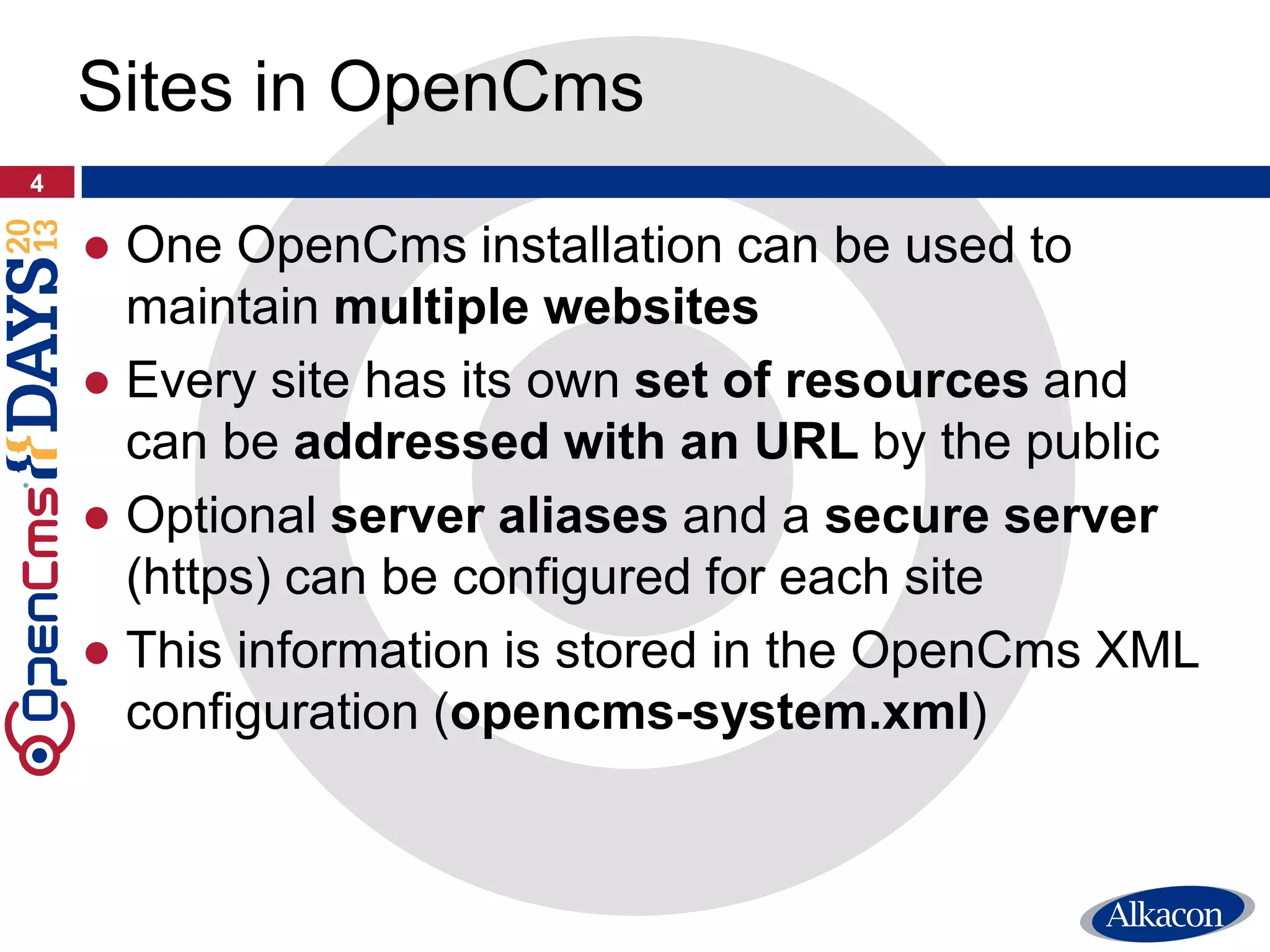
● One OpenCms installation can be used to
maintain multiple websites
● Every site has its own set of resources and
can be addressed with an URL by the public
● Optional server aliases and a secure server
(https) can be configured for each site
● This information is stored in the OpenCms XML
configuration (opencms-system.xml)
4
Sites in OpenCms
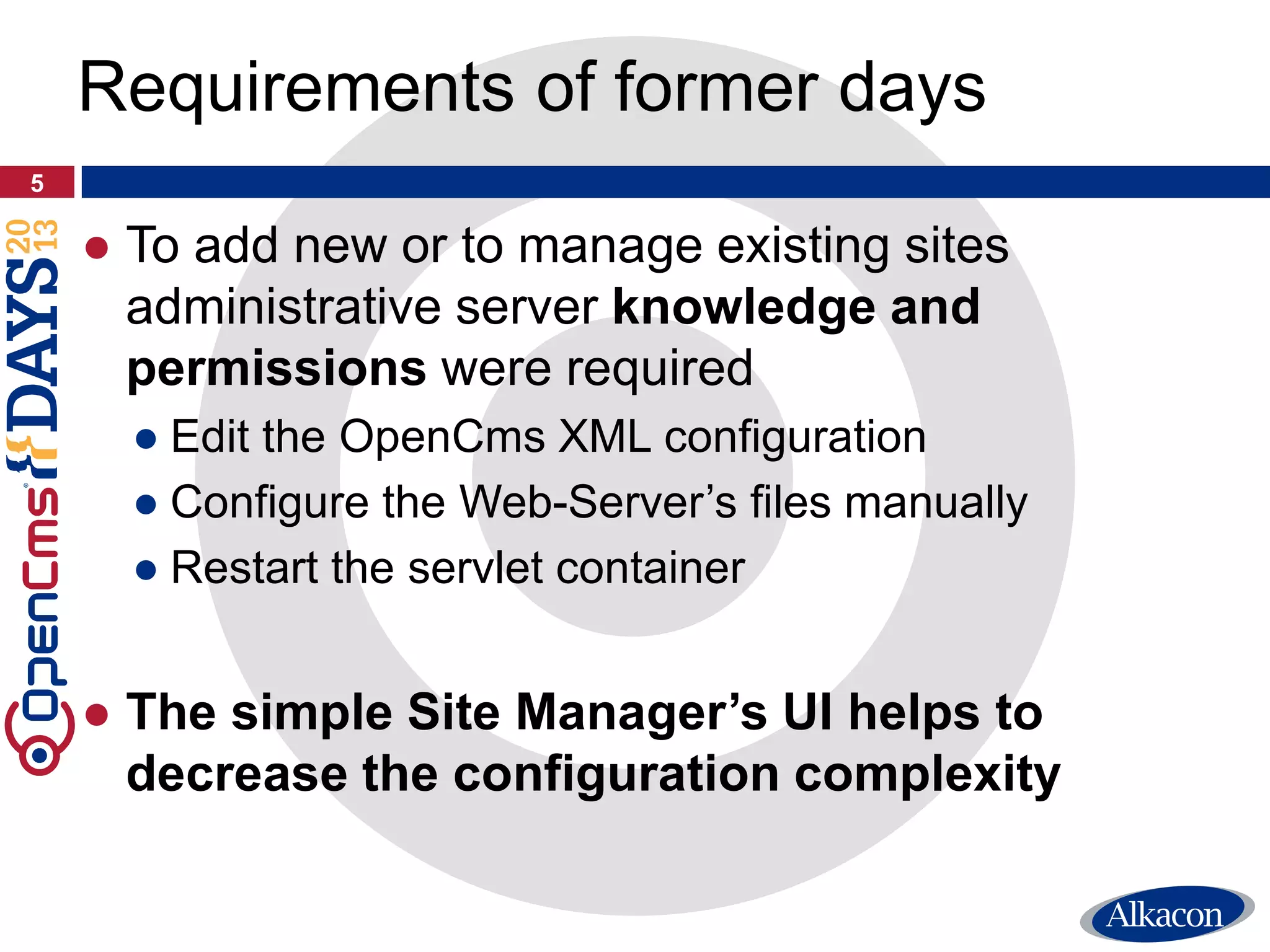
● To add new or to manage existing sites
administrative server knowledge and
permissions were required
● Edit the OpenCms XML configuration
● Configure the Web-Server’s files manually
● Restart the servlet container
● The simple Site Manager’s UI helps to
decrease the configuration complexity
5
Requirements of former days
6
Site Management Tool intro
Demo
Demo Demo
Demo
デモ
7
Web-Server Configuration
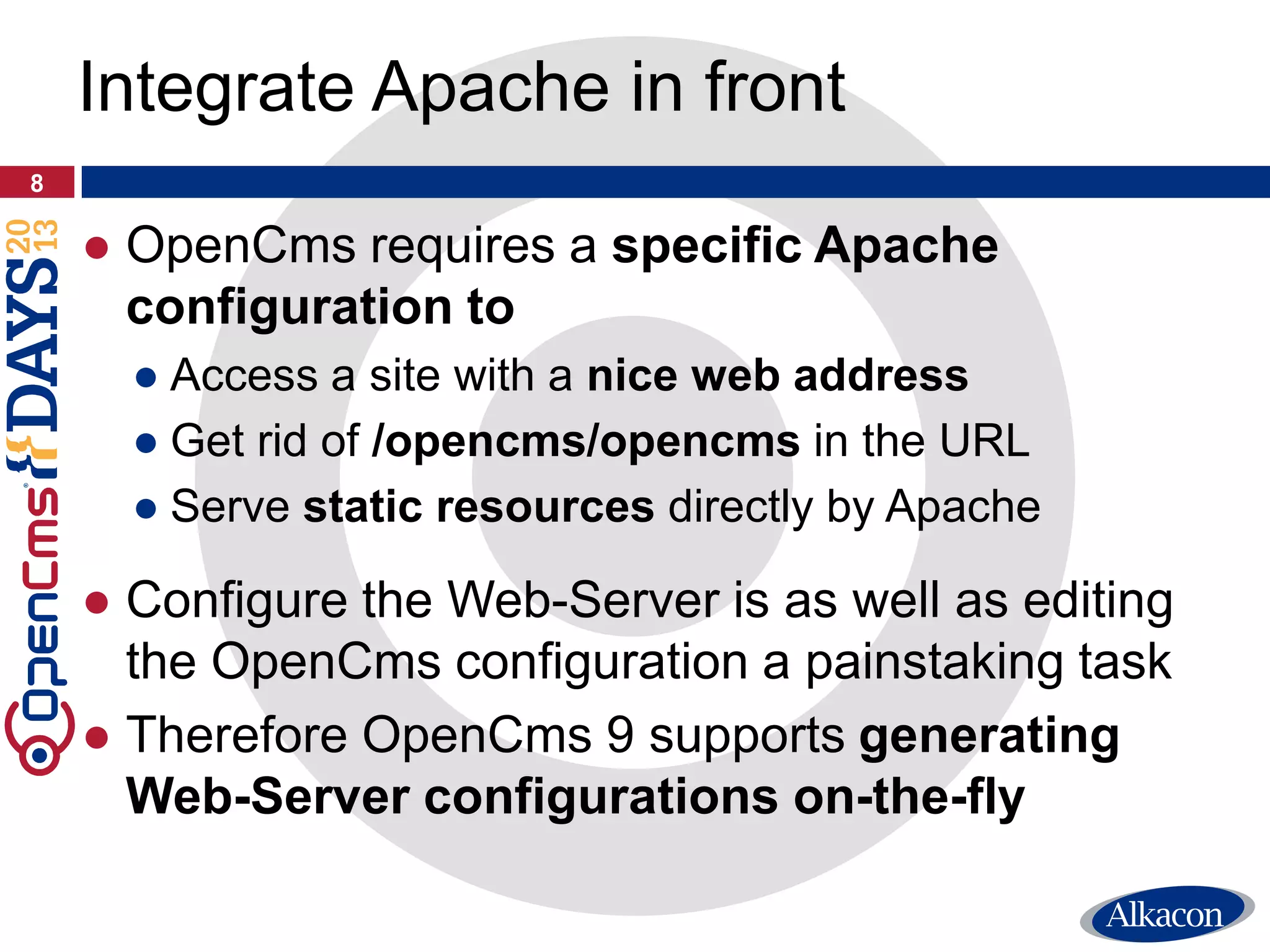
● OpenCms requires a specific Apache
configuration to
● Access a site with a nice web address
● Get rid of /opencms/opencms in the URL
● Serve static resources directly by Apache
● Configure the Web-Server is as well as editing
the OpenCms configuration a painstaking task
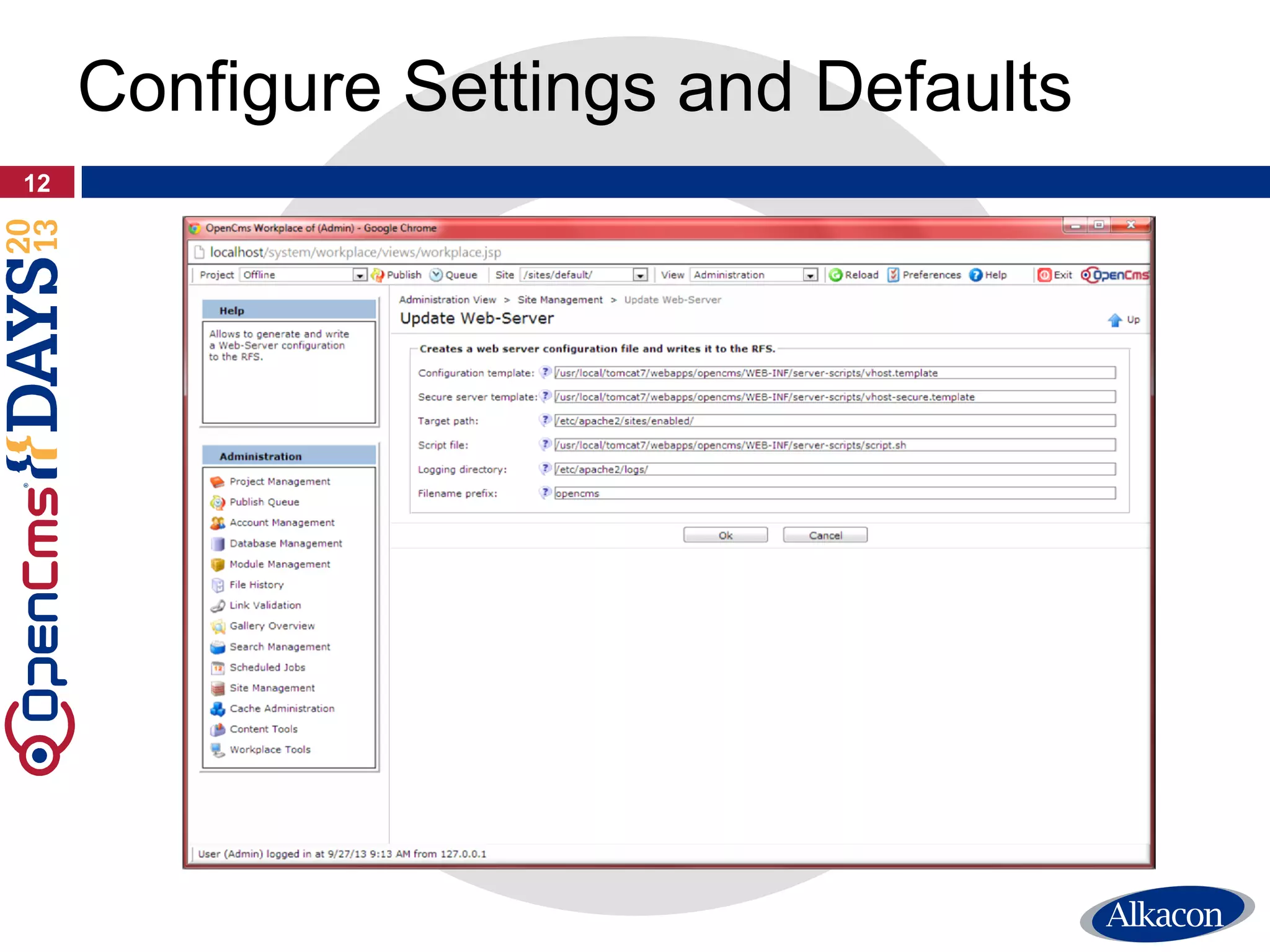
● Therefore OpenCms 9 supports generating
Web-Server configurations on-the-fly
8
Integrate Apache in front
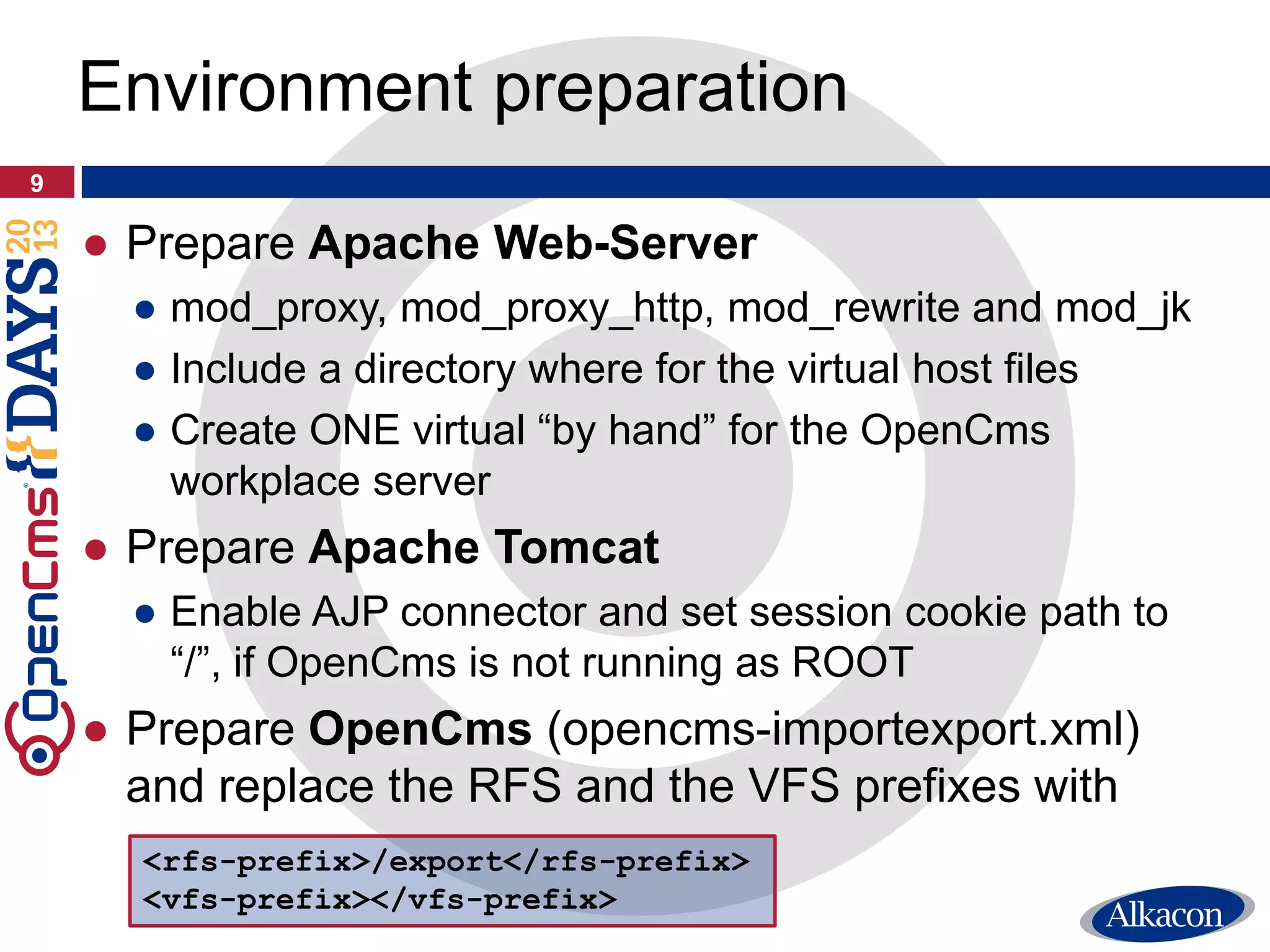
● Prepare Apache Web-Server
● mod_proxy, mod_proxy_http, mod_rewrite and mod_jk
● Include a directory where for the virtual host files
● Create ONE virtual “by hand” for the OpenCms
workplace server
● Prepare Apache Tomcat
● Enable AJP connector and set session cookie path to
“/”, if OpenCms is not running as ROOT
● Prepare OpenCms (opencms-importexport.xml)
and replace the RFS and the VFS prefixes with
9
Environment preparation
<rfs-prefix>/export</rfs-prefix>
<vfs-prefix></vfs-prefix>
10
Web-Server configuration
Demo
Demo Demo
Demo
デモ
Configure Settings and Defaults
11
12
Configure Settings and Defaults
13
Configure Settings and Defaults
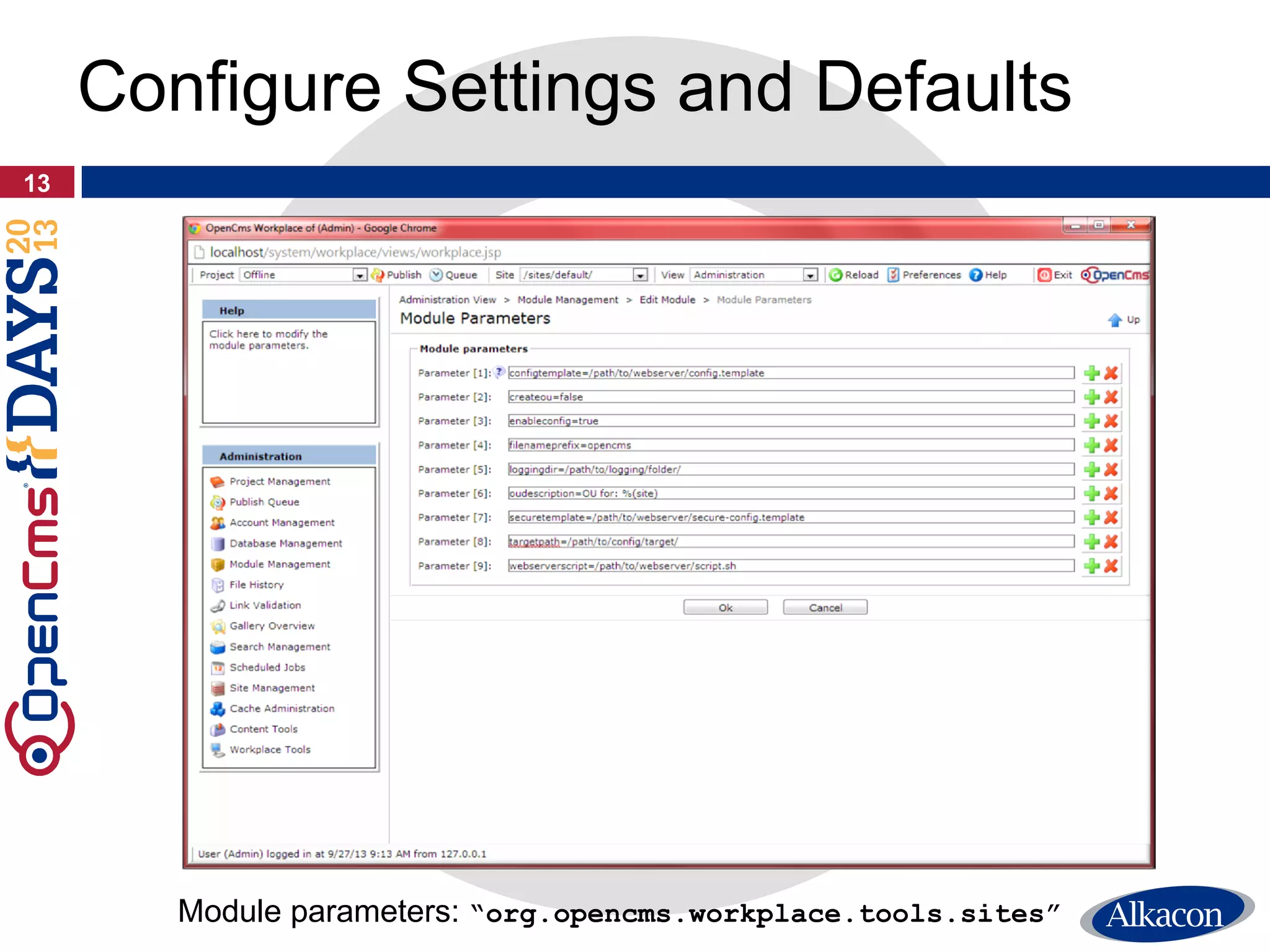
Module parameters: “org.opencms.workplace.tools.sites”
Virtual Host Template files
14
15
String Template based generation
<VirtualHost *:80>
DocumentRoot "$DOCUMENT_ROOT$"
ServerName $SERVER_NAME_WITH_PORT$
$ALIAS_DIRECTIVE$ $SERVER_ALIASES$
[...]
</VirtualHost>
● By default the distribution contains an Apache
virtual host “String template” that is working
with OpenCms out of the box …
16
String Template based generation
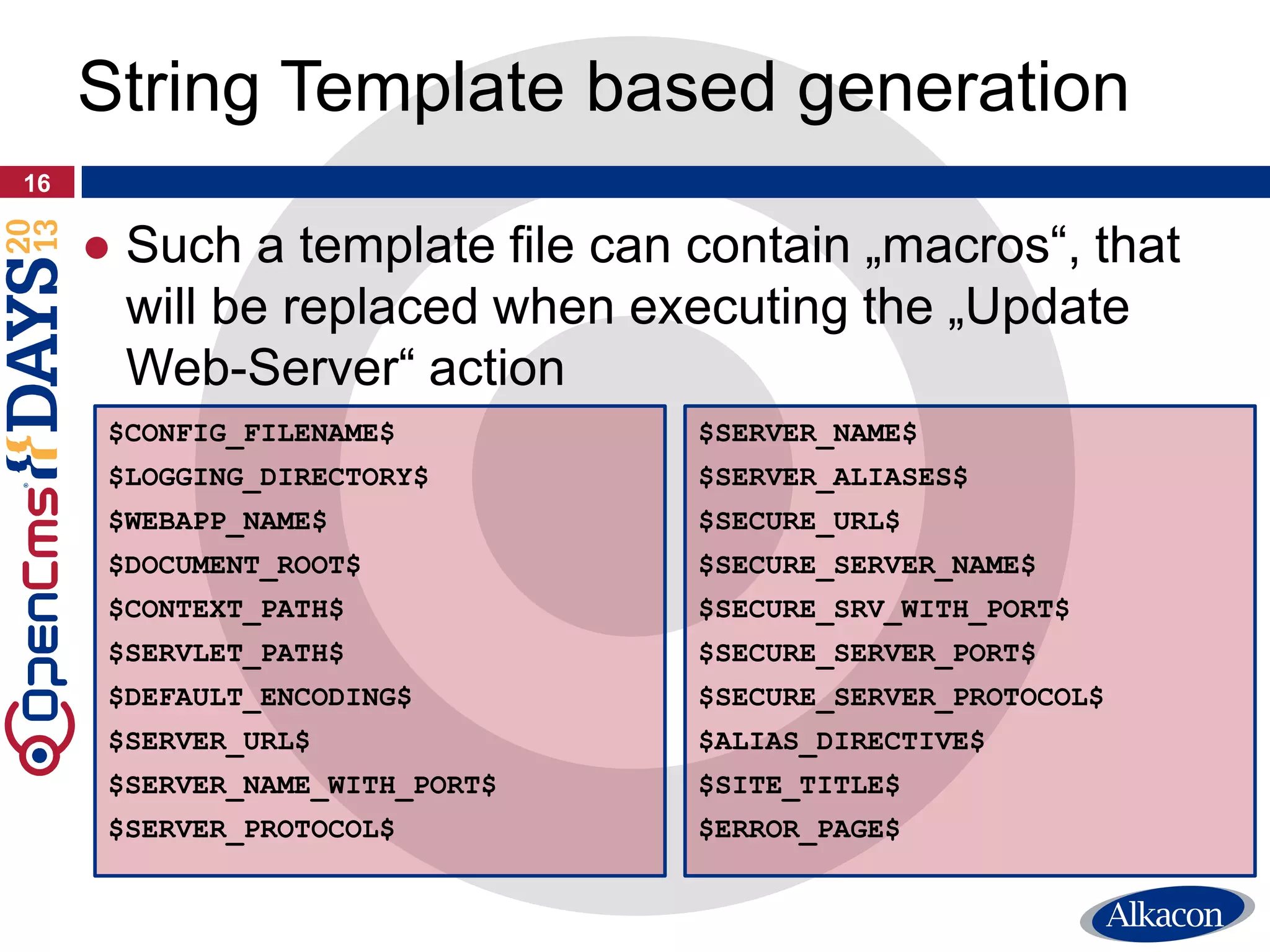
$CONFIG_FILENAME$
$LOGGING_DIRECTORY$
$WEBAPP_NAME$
$DOCUMENT_ROOT$
$CONTEXT_PATH$
$SERVLET_PATH$
$DEFAULT_ENCODING$
$SERVER_URL$
$SERVER_NAME_WITH_PORT$
$SERVER_PROTOCOL$
$SERVER_NAME$
$SERVER_ALIASES$
$SECURE_URL$
$SECURE_SERVER_NAME$
$SECURE_SRV_WITH_PORT$
$SECURE_SERVER_PORT$
$SECURE_SERVER_PROTOCOL$
$ALIAS_DIRECTIVE$
$SITE_TITLE$
$ERROR_PAGE$
● Such a template file can contain „macros“, that
will be replaced when executing the „Update
Web-Server“ action
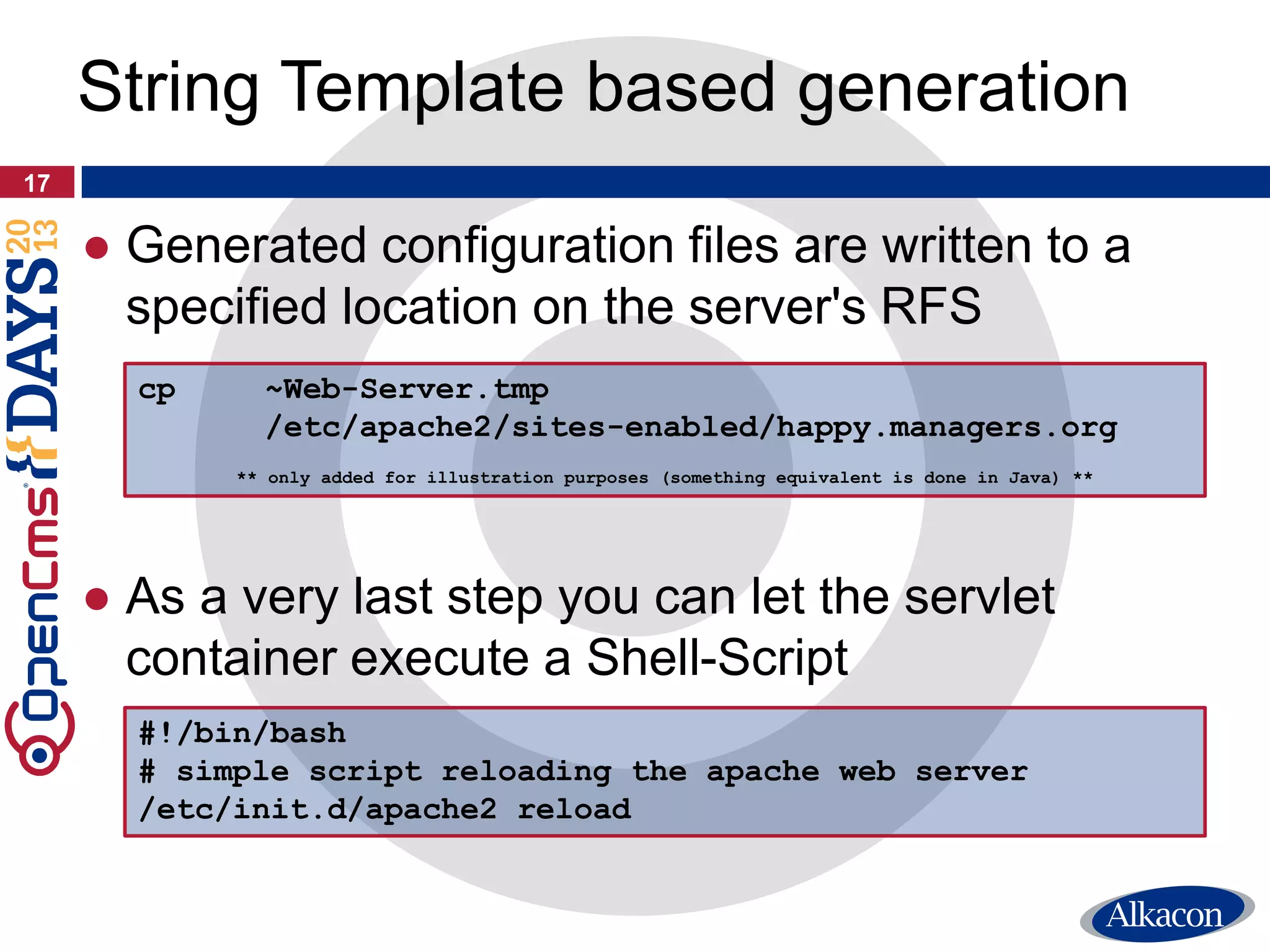
● Generated configuration files are written to a
specified location on the server's RFS
● As a very last step you can let the servlet
container execute a Shell-Script
17
String Template based generation
cp ~Web-Server.tmp
/etc/apache2/sites-enabled/happy.managers.org
** only added for illustration purposes (something equivalent is done in Java) **
#!/bin/bash
# simple script reloading the apache web server
/etc/init.d/apache2 reload
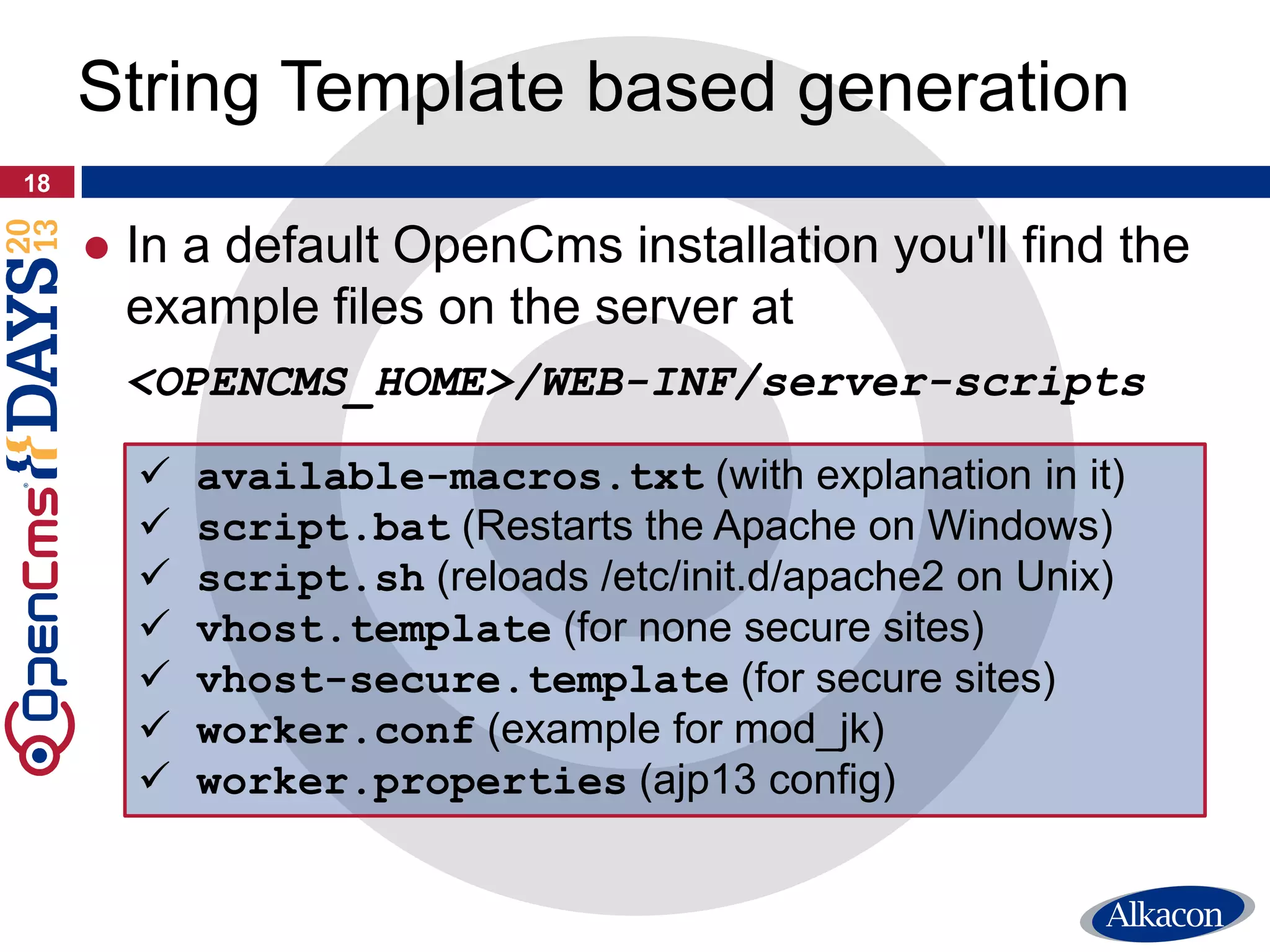
● In a default OpenCms installation you'll find the
example files on the server at
<OPENCMS_HOME>/WEB-INF/server-scripts
18
String Template based generation
 available-macros.txt (with explanation in it)
 script.bat (Restarts the Apache on Windows)
 script.sh (reloads /etc/init.d/apache2 on Unix)
 vhost.template (for none secure sites)
 vhost-secure.template (for secure sites)
 worker.conf (example for mod_jk)
 worker.properties (ajp13 config)
Conclusion
19
● Administrators can now create new sites and
manage existing sites using a simple GUI
● Global settings like the workplace server, the
default URI or the shared folder location can be
selected using the new Admin-Tool
● Automated configuration update by OpenCms
● Generate Web-Server files 100% dynamically
… automatically run a script after generation
… and getting rid of /opencms/opencms/
… without deep knowledge about the Web-Server
● No servlet container restart required anymore
20
Today’s benefits
21
Any Questions?
Fragen?
Questions ?
Questiones?
¿Preguntas?質問
Rüdiger Kurz
Alkacon Software GmbH
http://www.alkacon.com
http://www.opencms.org
Thank you very much for your
attention!
22

OpenCms Days 2013 - Site Management Tool

  • 1.
    Rüdiger Kurz, AlkaconSoftware WORKSHOP TRACK The OpenCms 9 Site Manager Tool 09.10.2013
  • 2.
    ● Managing siteswith OpenCms 9 ● Multiple Sites in OpenCms (+DEMO) ● Web-Server Configuration (+DEMO) ● What does happen behind the walls ● Virtual Host Template files ● Configure Settings and Defaults 2 Agenda
  • 3.
  • 4.
    ● One OpenCmsinstallation can be used to maintain multiple websites ● Every site has its own set of resources and can be addressed with an URL by the public ● Optional server aliases and a secure server (https) can be configured for each site ● This information is stored in the OpenCms XML configuration (opencms-system.xml) 4 Sites in OpenCms
  • 5.
    ● To addnew or to manage existing sites administrative server knowledge and permissions were required ● Edit the OpenCms XML configuration ● Configure the Web-Server’s files manually ● Restart the servlet container ● The simple Site Manager’s UI helps to decrease the configuration complexity 5 Requirements of former days
  • 6.
    6 Site Management Toolintro Demo Demo Demo Demo デモ
  • 7.
  • 8.
    ● OpenCms requiresa specific Apache configuration to ● Access a site with a nice web address ● Get rid of /opencms/opencms in the URL ● Serve static resources directly by Apache ● Configure the Web-Server is as well as editing the OpenCms configuration a painstaking task ● Therefore OpenCms 9 supports generating Web-Server configurations on-the-fly 8 Integrate Apache in front
  • 9.
    ● Prepare ApacheWeb-Server ● mod_proxy, mod_proxy_http, mod_rewrite and mod_jk ● Include a directory where for the virtual host files ● Create ONE virtual “by hand” for the OpenCms workplace server ● Prepare Apache Tomcat ● Enable AJP connector and set session cookie path to “/”, if OpenCms is not running as ROOT ● Prepare OpenCms (opencms-importexport.xml) and replace the RFS and the VFS prefixes with 9 Environment preparation <rfs-prefix>/export</rfs-prefix> <vfs-prefix></vfs-prefix>
  • 10.
  • 11.
  • 12.
  • 13.
    13 Configure Settings andDefaults Module parameters: “org.opencms.workplace.tools.sites”
  • 14.
  • 15.
    15 String Template basedgeneration <VirtualHost *:80> DocumentRoot "$DOCUMENT_ROOT$" ServerName $SERVER_NAME_WITH_PORT$ $ALIAS_DIRECTIVE$ $SERVER_ALIASES$ [...] </VirtualHost> ● By default the distribution contains an Apache virtual host “String template” that is working with OpenCms out of the box …
  • 16.
    16 String Template basedgeneration $CONFIG_FILENAME$ $LOGGING_DIRECTORY$ $WEBAPP_NAME$ $DOCUMENT_ROOT$ $CONTEXT_PATH$ $SERVLET_PATH$ $DEFAULT_ENCODING$ $SERVER_URL$ $SERVER_NAME_WITH_PORT$ $SERVER_PROTOCOL$ $SERVER_NAME$ $SERVER_ALIASES$ $SECURE_URL$ $SECURE_SERVER_NAME$ $SECURE_SRV_WITH_PORT$ $SECURE_SERVER_PORT$ $SECURE_SERVER_PROTOCOL$ $ALIAS_DIRECTIVE$ $SITE_TITLE$ $ERROR_PAGE$ ● Such a template file can contain „macros“, that will be replaced when executing the „Update Web-Server“ action
  • 17.
    ● Generated configurationfiles are written to a specified location on the server's RFS ● As a very last step you can let the servlet container execute a Shell-Script 17 String Template based generation cp ~Web-Server.tmp /etc/apache2/sites-enabled/happy.managers.org ** only added for illustration purposes (something equivalent is done in Java) ** #!/bin/bash # simple script reloading the apache web server /etc/init.d/apache2 reload
  • 18.
    ● In adefault OpenCms installation you'll find the example files on the server at <OPENCMS_HOME>/WEB-INF/server-scripts 18 String Template based generation  available-macros.txt (with explanation in it)  script.bat (Restarts the Apache on Windows)  script.sh (reloads /etc/init.d/apache2 on Unix)  vhost.template (for none secure sites)  vhost-secure.template (for secure sites)  worker.conf (example for mod_jk)  worker.properties (ajp13 config)
  • 19.
  • 20.
    ● Administrators cannow create new sites and manage existing sites using a simple GUI ● Global settings like the workplace server, the default URI or the shared folder location can be selected using the new Admin-Tool ● Automated configuration update by OpenCms ● Generate Web-Server files 100% dynamically … automatically run a script after generation … and getting rid of /opencms/opencms/ … without deep knowledge about the Web-Server ● No servlet container restart required anymore 20 Today’s benefits
  • 21.
  • 22.
    Rüdiger Kurz Alkacon SoftwareGmbH http://www.alkacon.com http://www.opencms.org Thank you very much for your attention! 22