Diverse Opportunities to Compile and Share Maps:Lessons Learned through the Esri User Conferenceblah, blah, blah…Aileen Buckley, Alex Yule, Andrew Skinner, and Craig McCabeEsri Mapping Center Team
The UC 2010 Map Extravaganza!Aileen Buckley, Alex Yule, Andrew Skinner, and Craig McCabeEsri Mapping Center Team
OutlinePrint mapsProductsPocket agenda mapsLarge-format agenda mapsEdUC and Homeland Security Summit mapsLunch mapImage map(Hotel map)(Hallway maps)(Downtown San Diego map)Cartographic data model for interior spacesCAD to ArcGISMultiple floor levelsFunctional spaceOnline mapsProductsMapsMap servicesCached map service for each floor levelIntegration with topo basemapApplicationRoom and Route FinderRoom finding functionality (client-side)Routing serviceRooms -> doorsRoutes connecting all doorsFloor transitionsQC – error-sensitive GP task leads to a service crashBells and whistles – functionality for overview map, legend, scale indicators, email, etc…3rd party iPhone appConsumed our routing serviceFuture workLink to conference agenda/personal schedulerEnhanced networkMap of exhibitor spaceAutomated network QCTime-sensitiveAdding amenitiesExterior space (downtown San Diego)Mobile client app – fully functionalMapping Center Team
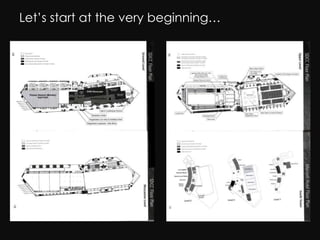
Let’s start at the very beginning…
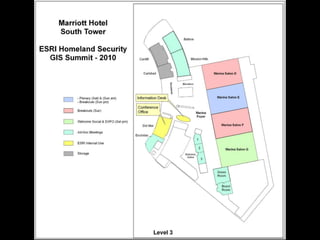
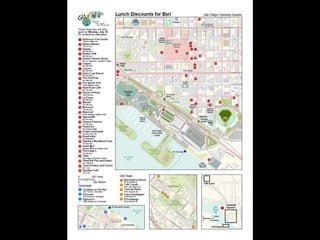
A plethora of maps…Pocket agenda mapsLarge-format agenda mapsEducation UC and Homeland Security Summit mapsLunch mapImage map*Hotel map**Hallway maps**Downtown San Diego map***	in production**	for 2011Mapping Center Team
Additional online maps…Map servicesCached map service for each floor levelIntegration with topo basemap serviceApplicationRoom and Route FinderRoom finding functionalityRouting serviceBells and whistlesArcGIS for iPhone (via ArcGIS.com)Mapping Center Team
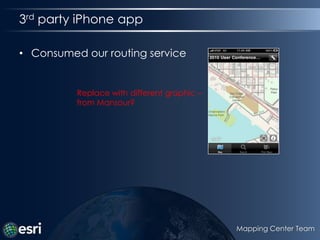
3rd party iPhone appConsumed our routing serviceReplace with different graphic – from Mansour?Mapping Center Team
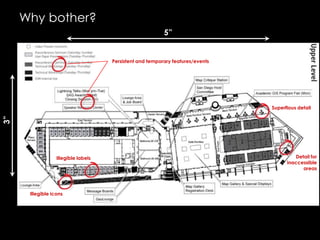
Why bother?5”Persistent and temporary features/eventsSuperflous detail3”Detail forinaccessibleareasIllegible labelsIllegible icons
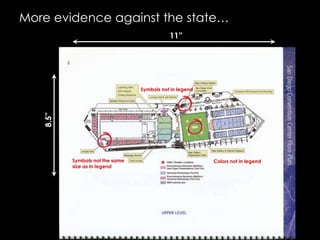
More evidence against the state…11”Symbols not in legend8.5”Symbols not the same size as in legendColors not in legend
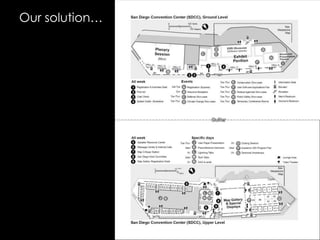
Our solution…Gutter
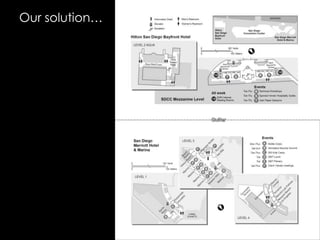
Our solution…Replace with different graphic from AndrewGutter
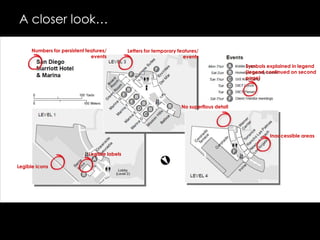
A closer look…Numbers for persistent features/ eventsLetters for temporary features/ eventsSymbols explained in legend(legend continued on secondpage)No superflous detailInaccessible areas Legible labelsLegible icons
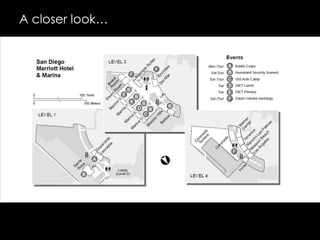
A closer look…
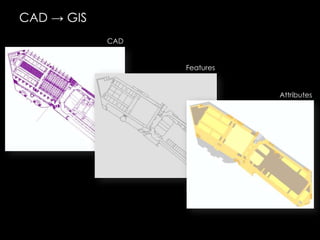
CAD -> GISCADFeaturesAttributes
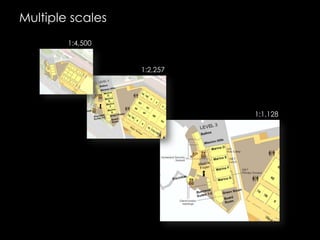
Multiple scales1:4,5001:2,2571:1,128
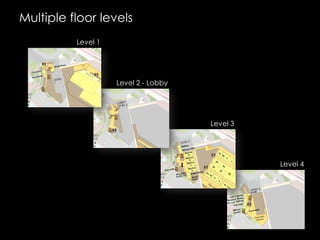
Multiple floor levelsLevel 1Level 2 - LobbyLevel 3Level 4
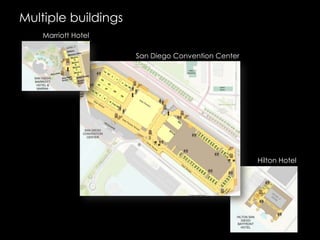
Multiple buildingsMarriott HotelSan Diego Convention CenterHilton Hotel
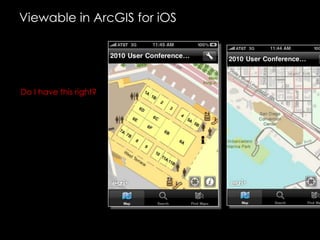
Viewable in ArcGIS for iOSDo I have this right?
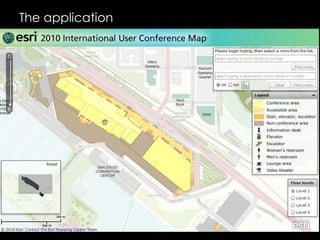
The application
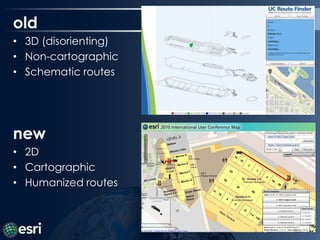
old3D (disorienting)
Non-cartographic
Schematic routesnew2D
Cartographic
Humanized routesMapping Center Team
FunctionalityMap functionalityHigh-quality cartographyLocator mapLegendRich interactive UxRoom findingRouting between roomsHumanized routesHandicap-accessible optionRoute time estimates
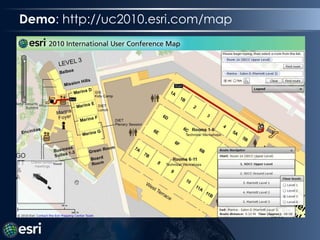
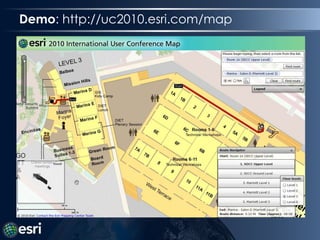
Demo: http://uc2010.esri.com/map
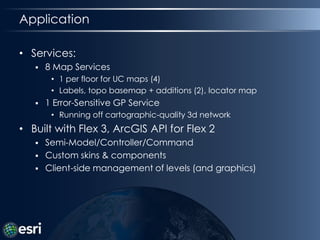
ApplicationServices:8 Map Services1 per floor for UC maps (4)Labels, topobasemap + additions (2), locator map1 Error-Sensitive GP ServiceRunning off cartographic-quality 3d networkBuilt with Flex 3, ArcGIS API for Flex 2Semi-Model/Controller/CommandCustom skins & componentsClient-side management of levels (and graphics)
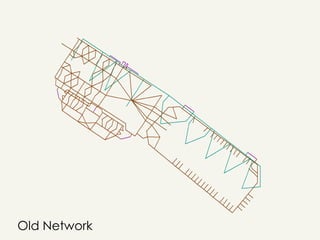
Old Network
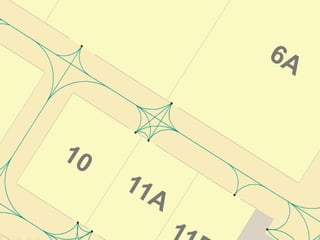
Building the new network…
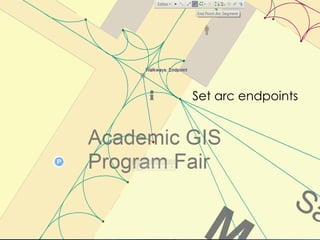
Creating curved pathsSet arc endpoints
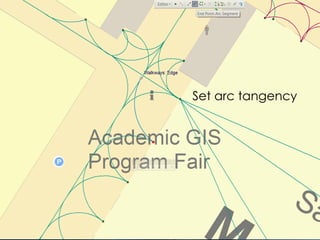
Set arc tangency
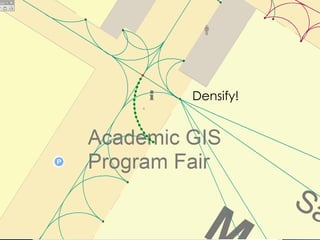
Densify!
Nicely densified…
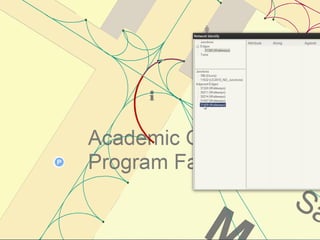
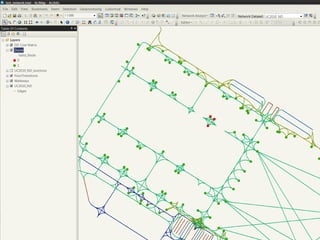
Checkingconnectivity
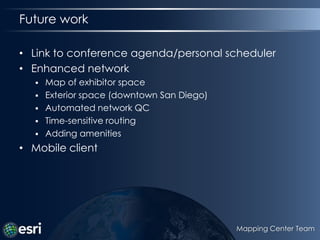
Future workLink to conference agenda/personal schedulerEnhanced networkMap of exhibitor spaceExterior space (downtown San Diego)Automated network QCTime-sensitive routingAdding amenitiesMobile clientMapping Center Team

(NACIS 2010)

Editor's Notes

  • #2 For this year’s ESRI International User Conference we offered to compile new maps for the pocket agendas that are distributed to all attendees. This quickly mushroomed into a project that included the compilation of a number of additional maps for a mix of media. Print maps included 3.5” by 6” page maps showing multiple floor levels of the three buildings used for the conference. We then created A size (8.5” by 11”) versions of these, as well as maps at this size for two special events held during the conference. We also compiled a map of nearby restaurants offering discounts that was posted on the Web in PDF format so it could be downloaded and printed.We then began work on a Web map application that allowed users to find rooms and route between them. This was mashed up onto the world topographic map that is available on ArcGIS Online. The Web map application included scale ranges from ~1:18,000 to ~1:1,000, with interior building views at ~1:4,000, ~1:2,000 and ~1:1000 for each of the floor levels. Additionally, a 3D interior building model was created for the convention center, and an iPhone application for routing and room finding was developed in conjunction with our work.This rich set of maps in such diverse formats provided an excellent learning opportunity for us. In this presentation, we will share some of the lessons we learned about the data compilation, routing application development, Web map application creation, 3D building model construction, and more.
  • #3 Spectacle, showy, extravagant, vaudevillian, exciting, awe-inspiring, excessive – an extravaganza!
  • #21 The layers were also made available on arcgis.com and so were easily accessible on the iPhone via the ArcGIS application.
  • #23 You may have seen the app developed for the 2008 UC. Impressive functionality, but not very usable or beautiful. We wanted to create something that was both usable and beautiful.
  • #24 We laid out the functionality for our application as follows:
  • #25 I’ll give a quick demo of the app, then explain a bit more how we made it.
  • #26 Under the hood, the app consumes 8 map services, 1 for each floor of the UC, and 1 each for labels, topobasemap, basemap additions, and a minimal locator map. For the routing functionality, we built a GP service on top of a cartographic-quality 3d network dataset. The room-finding functionality was built into the client itself.
  • #27 The old network, routed to the center of rooms
  • #28 Here you can see a bit better what the network actually looks like. I connected every possible path between doors using nice curved paths. Our routing engine is unique in that it finds the optimal starting and end doors for a set of rooms, then routes between them. To create the network, we digitized hallway centerlines (or other better paths along hallways), then used the advanced editing tools in ArcGIS (endpoint arc and/or fillet) to add curves where appropriate. Curve radius was dependent on the available width of the hallway and other connected paths.
  • #35 Input: Room IDsOutput: Best route between those rooms, including doorway optimization, route infoUses VBA in-memory network traversal layer hackAny failed route crashes the servicePython script to output RoomID file for reading by the app (impossible to send bad inputs to the service)OD Cost matrix to check network traversability (no routes will fail)
  • #36 We wrote a python script to automate the network checking process. The script takes two inputs, a feature class (doors) and a network dataset. It then computes all possible routes between the input features (doors) along the specified network using an Origin Destination cost matrix and summary statistics. I can answer more questions about these details later if there’s interest. If any orphaned nodes (doors) are found, the script adds a “Valid_Node” field to indicate which nodes are disconnected. The user can then symbolize or select by this attribute to find and fix any problematic nodes.