


1 Copyright © 2014, Oracle and/or its affiliates. All rights reserved.
2 Copyright © 2014, Oracle and/or its affiliates. All rights reserved.
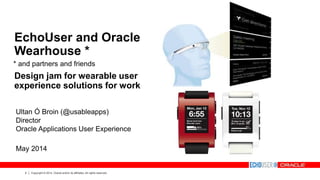
EchoUser and Oracle
Wearhouse *
Design jam for wearable user
experience solutions for work
Ultan Ó Broin (@usableapps)
Director
Oracle Applications User Experience
May 2014
* and partners and friends
3 Copyright © 2014, Oracle and/or its affiliates. All rights reserved.
The following is intended to outline our general product direction. It is intended
for information purposes only, and may not be incorporated into any contract. It
is not a commitment to deliver any material, code, or functionality, and should
not be relied upon in making purchasing decisions.
The development, release, and timing of any features or functionality described
for Oracle’s products remains at the sole discretion of Oracle.
Oracle acknowledges the original copyright and sources of third party screens shown in this presentation.
Safe Harbor
4 Copyright © 2014, Oracle and/or its affiliates. All rights reserved.
Agenda
Today we’ll:
• Introduce wearables
• Show wearables in the work world
• Offer user experience considerations for wearables
• Participate in a hands-on activity: Build a wearable
• Share insights, research, connections
• Award prizes
• Enjoy a free (for someone) lunch
5 Copyright © 2014, Oracle and/or its affiliates. All rights reserved.
About This Event
Have fun while learning quickly. Solve an enterprise
problem with your wearable. Build relationships.
• No coding required
• Paper and pen-based, both provided
• Stencils, scissors, Blu-Tack, provided*
• Creativity, provided by you: the sky’s the limit
• Wearable or Swearable: No intellectual
property trolling
* For use with adult supervision.
6 Copyright © 2014, Oracle and/or its affiliates. All rights reserved.
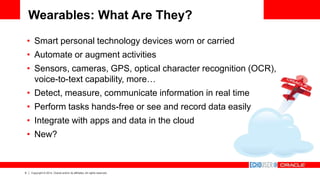
Wearables: What Are They?
• Smart personal technology devices worn or carried
• Automate or augment activities
• Sensors, cameras, GPS, optical character recognition (OCR),
voice-to-text capability, more…
• Detect, measure, communicate information in real time
• Perform tasks hands-free or see and record data easily
• Integrate with apps and data in the cloud
• New?
7 Copyright © 2014, Oracle and/or its affiliates. All rights reserved.
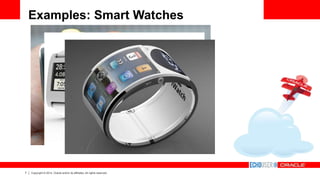
Examples: Smart Watches
8 Copyright © 2014, Oracle and/or its affiliates. All rights reserved.
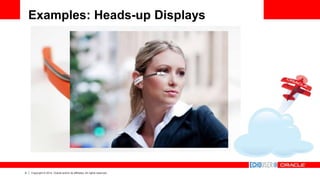
Examples: Heads-up Displays
9 Copyright © 2014, Oracle and/or its affiliates. All rights reserved.
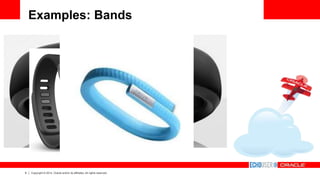
Examples: Bands
10 Copyright © 2014, Oracle and/or its affiliates. All rights reserved.
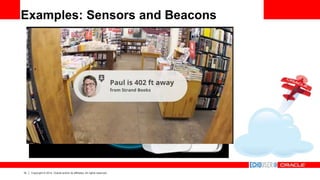
Examples: Sensors and Beacons
11 Copyright © 2014, Oracle and/or its affiliates. All rights reserved.
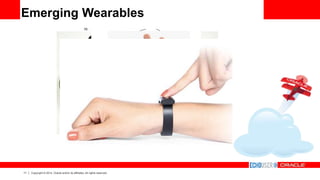
Emerging Wearables
12 Copyright © 2014, Oracle and/or its affiliates. All rights reserved.
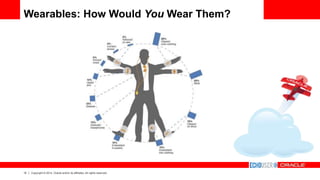
Wearables: How Would You Wear Them?
13 Copyright © 2014, Oracle and/or its affiliates. All rights reserved.
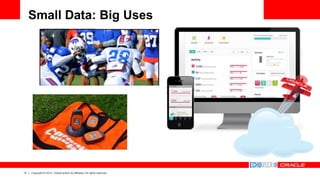
Small Data: Big Uses
14 Copyright © 2014, Oracle and/or its affiliates. All rights reserved.
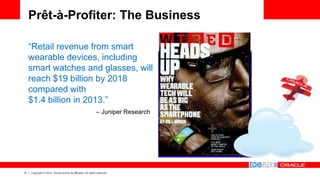
Prêt-à-Profiter: The Business
“Retail revenue from smart
wearable devices, including
smart watches and glasses, will
reach $19 billion by 2018
compared with
$1.4 billion in 2013.”
– Juniper Research
15 Copyright © 2014, Oracle and/or its affiliates. All rights reserved.
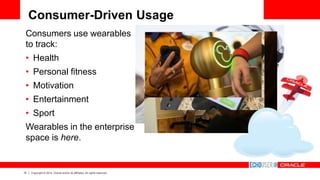
Consumer-Driven Usage
Consumers use wearables
to track:
• Health
• Personal fitness
• Motivation
• Entertainment
• Sport
Wearables in the enterprise
space is here.
16 Copyright © 2014, Oracle and/or its affiliates. All rights reserved.
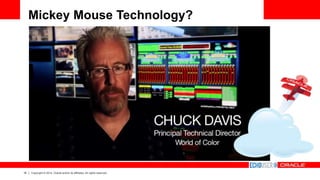
Mickey Mouse Technology?
17 Copyright © 2014, Oracle and/or its affiliates. All rights reserved.
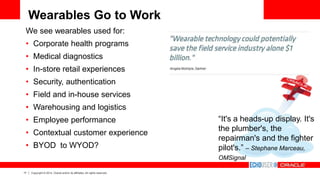
Wearables Go to Work
We see wearables used for:
• Corporate health programs
• Medical diagnostics
• In-store retail experiences
• Security, authentication
• Field and in-house services
• Warehousing and logistics
• Employee performance
• Contextual customer experience
• BYOD to WYOD?
“It's a heads-up display. It's
the plumber's, the
repairman's and the fighter
pilot's.” – Stephane Marceau,
OMSignal
18 Copyright © 2014, Oracle and/or its affiliates. All rights reserved.
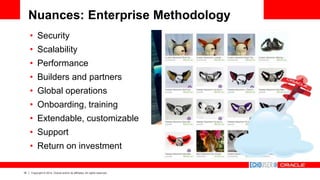
Nuances: Enterprise Methodology
• Security
• Scalability
• Performance
• Builders and partners
• Global operations
• Onboarding, training
• Extendable, customizable
• Support
• Return on investment
19 Copyright © 2014, Oracle and/or its affiliates. All rights reserved.
Workplace Use Case: Service
20 Copyright © 2014, Oracle and/or its affiliates. All rights reserved.
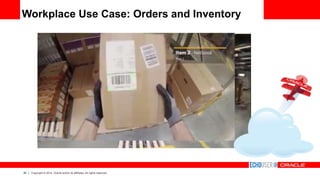
Workplace Use Case: Orders and Inventory
21 Copyright © 2014, Oracle and/or its affiliates. All rights reserved.
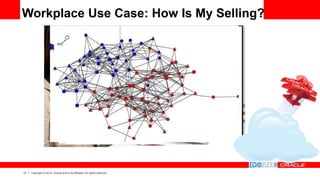
Workplace Use Case: How Is My Selling?
22 Copyright © 2014, Oracle and/or its affiliates. All rights reserved.
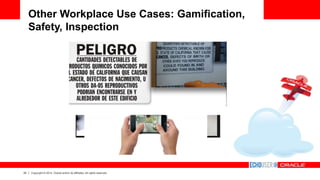
Other Workplace Use Cases: Gamification,
Safety, Inspection
23 Copyright © 2014, Oracle and/or its affiliates. All rights reserved.
Building Wearables Solutions: Considerations
• Different platforms and tools
• Common paradigms for information
• How to leverage other technologies and conventions
• Open source
• Kickstarter
• Virtual reality/augmented reality
• Worker mobility
• Data in the cloud, APIs, integration
• Accessibility
• Privacy
24 Copyright © 2014, Oracle and/or its affiliates. All rights reserved.
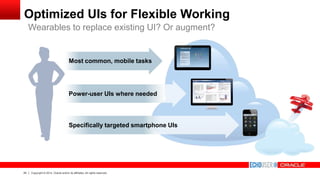
Optimized UIs for Flexible Working
Wearables to replace existing UI? Or augment?
Power-user UIs where needed
Most common, mobile tasks
Specifically targeted smartphone UIs
25 Copyright © 2014, Oracle and/or its affiliates. All rights reserved.
Design Jam: Rapid Prototyping
26 Copyright © 2014, Oracle and/or its affiliates. All rights reserved.
Designing a Solution
You must solve an enterprise problem. Your solution
must integrate at some point with (Oracle) technology.
General guidance:
• Write down the problem you’re trying to solve. Write
about the user—where they work, what they do.
• Draw the flow and annotate it.
• Use paper, pens, stencils, and anything or anyone you
can get your hands on*.
You will receive kudos for creativity and innovation. 
You won’t receive kudos for Googling the answer. 
* Legally
27 Copyright © 2014, Oracle and/or its affiliates. All rights reserved.
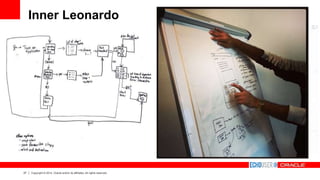
Inner Leonardo
28 Copyright © 2014, Oracle and/or its affiliates. All rights reserved.
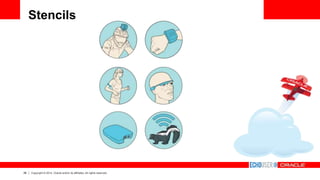
Stencils
29 Copyright © 2014, Oracle and/or its affiliates. All rights reserved.
Wearables Design Guidance 101
1. Solve an enterprise problem.
2. Augment and automate appropriately.
3. Detect and use context.
4. Integrate with other devices and data.
5. Prioritize the wearer over the device.
6. Personalize and customize.
7. Use natural gestures and actions.
8. Craft information visually and concisely.
9. Provide visibility into system performance.
10. Let users correct their actions by allowing for graceful failures and exits.
30 Copyright © 2014, Oracle and/or its affiliates. All rights reserved.
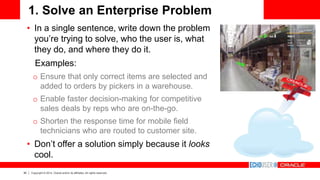
1. Solve an Enterprise Problem
• In a single sentence, write down the problem
you’re trying to solve, who the user is, what
they do, and where they do it.
Examples:
o Ensure that only correct items are selected and
added to orders by pickers in a warehouse.
o Enable faster decision-making for competitive
sales deals by reps who are on-the-go.
o Shorten the response time for mobile field
technicians who are routed to customer site.
• Don’t offer a solution simply because it looks
cool.
31 Copyright © 2014, Oracle and/or its affiliates. All rights reserved.
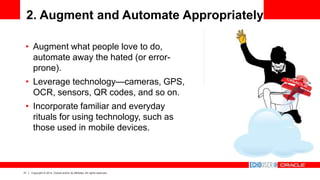
2. Augment and Automate Appropriately
• Augment what people love to do,
automate away the hated (or error-
prone).
• Leverage technology—cameras, GPS,
OCR, sensors, QR codes, and so on.
• Incorporate familiar and everyday
rituals for using technology, such as
those used in mobile devices.
32 Copyright © 2014, Oracle and/or its affiliates. All rights reserved.
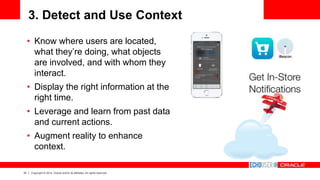
3. Detect and Use Context
• Know where users are located,
what they’re doing, what objects
are involved, and with whom they
interact.
• Display the right information at the
right time.
• Leverage and learn from past data
and current actions.
• Augment reality to enhance
context.
33 Copyright © 2014, Oracle and/or its affiliates. All rights reserved.
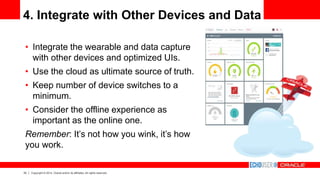
4. Integrate with Other Devices and Data
• Integrate the wearable and data capture
with other devices and optimized UIs.
• Use the cloud as ultimate source of truth.
• Keep number of device switches to a
minimum.
• Consider the offline experience as
important as the online one.
Remember: It’s not how you wink, it’s how
you work.
34 Copyright © 2014, Oracle and/or its affiliates. All rights reserved.
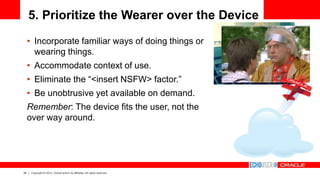
5. Prioritize the Wearer over the Device
• Incorporate familiar ways of doing things or
wearing things.
• Accommodate context of use.
• Eliminate the “<insert NSFW> factor.”
• Be unobtrusive yet available on demand.
Remember: The device fits the user, not the
over way around.
35 Copyright © 2014, Oracle and/or its affiliates. All rights reserved.
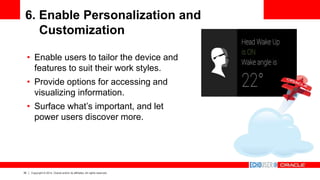
6. Enable Personalization and
Customization
• Enable users to tailor the device and
features to suit their work styles.
• Provide options for accessing and
visualizing information.
• Surface what’s important, and let
power users discover more.
36 Copyright © 2014, Oracle and/or its affiliates. All rights reserved.
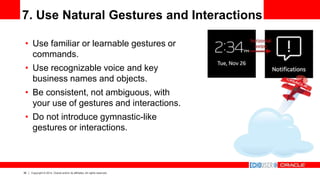
7. Use Natural Gestures and Interactions
• Use familiar or learnable gestures or
commands.
• Use recognizable voice and key
business names and objects.
• Be consistent, not ambiguous, with
your use of gestures and interactions.
• Do not introduce gymnastic-like
gestures or interactions.
37 Copyright © 2014, Oracle and/or its affiliates. All rights reserved.
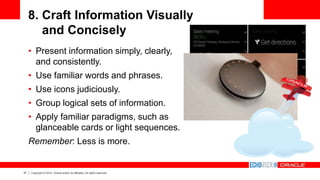
8. Craft Information Visually
and Concisely
• Present information simply, clearly,
and consistently.
• Use familiar words and phrases.
• Use icons judiciously.
• Group logical sets of information.
• Apply familiar paradigms, such as
glanceable cards or light sequences.
Remember: Less is more.
38 Copyright © 2014, Oracle and/or its affiliates. All rights reserved.
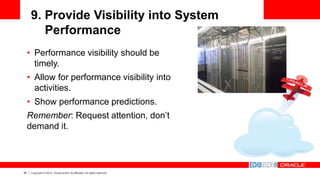
9. Provide Visibility into System
Performance
• Performance visibility should be
timely.
• Allow for performance visibility into
activities.
• Show performance predictions.
Remember: Request attention, don’t
demand it.
39 Copyright © 2014, Oracle and/or its affiliates. All rights reserved.
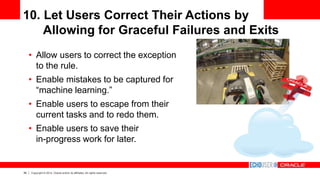
10. Let Users Correct Their Actions by
Allowing for Graceful Failures and Exits
• Allow users to correct the exception
to the rule.
• Enable mistakes to be captured for
“machine learning.”
• Enable users to escape from their
current tasks and to redo them.
• Enable users to save their
in-progress work for later.
40 Copyright © 2014, Oracle and/or its affiliates. All rights reserved.
And Finally… Take It Away…
We’ll:
• Present inexpensive, yet
tasteful, prizes
• Offer comments on the event
• Share what and who’s next
• Eat lunch throughout
Thank you!
And, remember:
“It’s not how you wink, it’s how you work.”
41 Copyright © 2014, Oracle and/or its affiliates. All rights reserved.

The Wearhouse: EchoUser and Oracle UX Wearable Technology for Work Design Jam

  • 1.
    1 Copyright ©2014, Oracle and/or its affiliates. All rights reserved.
  • 2.
    2 Copyright ©2014, Oracle and/or its affiliates. All rights reserved. EchoUser and Oracle Wearhouse * Design jam for wearable user experience solutions for work Ultan Ó Broin (@usableapps) Director Oracle Applications User Experience May 2014 * and partners and friends
  • 3.
    3 Copyright ©2014, Oracle and/or its affiliates. All rights reserved. The following is intended to outline our general product direction. It is intended for information purposes only, and may not be incorporated into any contract. It is not a commitment to deliver any material, code, or functionality, and should not be relied upon in making purchasing decisions. The development, release, and timing of any features or functionality described for Oracle’s products remains at the sole discretion of Oracle. Oracle acknowledges the original copyright and sources of third party screens shown in this presentation. Safe Harbor
  • 4.
    4 Copyright ©2014, Oracle and/or its affiliates. All rights reserved. Agenda Today we’ll: • Introduce wearables • Show wearables in the work world • Offer user experience considerations for wearables • Participate in a hands-on activity: Build a wearable • Share insights, research, connections • Award prizes • Enjoy a free (for someone) lunch
  • 5.
    5 Copyright ©2014, Oracle and/or its affiliates. All rights reserved. About This Event Have fun while learning quickly. Solve an enterprise problem with your wearable. Build relationships. • No coding required • Paper and pen-based, both provided • Stencils, scissors, Blu-Tack, provided* • Creativity, provided by you: the sky’s the limit • Wearable or Swearable: No intellectual property trolling * For use with adult supervision.
  • 6.
    6 Copyright ©2014, Oracle and/or its affiliates. All rights reserved. Wearables: What Are They? • Smart personal technology devices worn or carried • Automate or augment activities • Sensors, cameras, GPS, optical character recognition (OCR), voice-to-text capability, more… • Detect, measure, communicate information in real time • Perform tasks hands-free or see and record data easily • Integrate with apps and data in the cloud • New?
  • 7.
    7 Copyright ©2014, Oracle and/or its affiliates. All rights reserved. Examples: Smart Watches
  • 8.
    8 Copyright ©2014, Oracle and/or its affiliates. All rights reserved. Examples: Heads-up Displays
  • 9.
    9 Copyright ©2014, Oracle and/or its affiliates. All rights reserved. Examples: Bands
  • 10.
    10 Copyright ©2014, Oracle and/or its affiliates. All rights reserved. Examples: Sensors and Beacons
  • 11.
    11 Copyright ©2014, Oracle and/or its affiliates. All rights reserved. Emerging Wearables
  • 12.
    12 Copyright ©2014, Oracle and/or its affiliates. All rights reserved. Wearables: How Would You Wear Them?
  • 13.
    13 Copyright ©2014, Oracle and/or its affiliates. All rights reserved. Small Data: Big Uses
  • 14.
    14 Copyright ©2014, Oracle and/or its affiliates. All rights reserved. Prêt-à-Profiter: The Business “Retail revenue from smart wearable devices, including smart watches and glasses, will reach $19 billion by 2018 compared with $1.4 billion in 2013.” – Juniper Research
  • 15.
    15 Copyright ©2014, Oracle and/or its affiliates. All rights reserved. Consumer-Driven Usage Consumers use wearables to track: • Health • Personal fitness • Motivation • Entertainment • Sport Wearables in the enterprise space is here.
  • 16.
    16 Copyright ©2014, Oracle and/or its affiliates. All rights reserved. Mickey Mouse Technology?
  • 17.
    17 Copyright ©2014, Oracle and/or its affiliates. All rights reserved. Wearables Go to Work We see wearables used for: • Corporate health programs • Medical diagnostics • In-store retail experiences • Security, authentication • Field and in-house services • Warehousing and logistics • Employee performance • Contextual customer experience • BYOD to WYOD? “It's a heads-up display. It's the plumber's, the repairman's and the fighter pilot's.” – Stephane Marceau, OMSignal
  • 18.
    18 Copyright ©2014, Oracle and/or its affiliates. All rights reserved. Nuances: Enterprise Methodology • Security • Scalability • Performance • Builders and partners • Global operations • Onboarding, training • Extendable, customizable • Support • Return on investment
  • 19.
    19 Copyright ©2014, Oracle and/or its affiliates. All rights reserved. Workplace Use Case: Service
  • 20.
    20 Copyright ©2014, Oracle and/or its affiliates. All rights reserved. Workplace Use Case: Orders and Inventory
  • 21.
    21 Copyright ©2014, Oracle and/or its affiliates. All rights reserved. Workplace Use Case: How Is My Selling?
  • 22.
    22 Copyright ©2014, Oracle and/or its affiliates. All rights reserved. Other Workplace Use Cases: Gamification, Safety, Inspection
  • 23.
    23 Copyright ©2014, Oracle and/or its affiliates. All rights reserved. Building Wearables Solutions: Considerations • Different platforms and tools • Common paradigms for information • How to leverage other technologies and conventions • Open source • Kickstarter • Virtual reality/augmented reality • Worker mobility • Data in the cloud, APIs, integration • Accessibility • Privacy
  • 24.
    24 Copyright ©2014, Oracle and/or its affiliates. All rights reserved. Optimized UIs for Flexible Working Wearables to replace existing UI? Or augment? Power-user UIs where needed Most common, mobile tasks Specifically targeted smartphone UIs
  • 25.
    25 Copyright ©2014, Oracle and/or its affiliates. All rights reserved. Design Jam: Rapid Prototyping
  • 26.
    26 Copyright ©2014, Oracle and/or its affiliates. All rights reserved. Designing a Solution You must solve an enterprise problem. Your solution must integrate at some point with (Oracle) technology. General guidance: • Write down the problem you’re trying to solve. Write about the user—where they work, what they do. • Draw the flow and annotate it. • Use paper, pens, stencils, and anything or anyone you can get your hands on*. You will receive kudos for creativity and innovation.  You won’t receive kudos for Googling the answer.  * Legally
  • 27.
    27 Copyright ©2014, Oracle and/or its affiliates. All rights reserved. Inner Leonardo
  • 28.
    28 Copyright ©2014, Oracle and/or its affiliates. All rights reserved. Stencils
  • 29.
    29 Copyright ©2014, Oracle and/or its affiliates. All rights reserved. Wearables Design Guidance 101 1. Solve an enterprise problem. 2. Augment and automate appropriately. 3. Detect and use context. 4. Integrate with other devices and data. 5. Prioritize the wearer over the device. 6. Personalize and customize. 7. Use natural gestures and actions. 8. Craft information visually and concisely. 9. Provide visibility into system performance. 10. Let users correct their actions by allowing for graceful failures and exits.
  • 30.
    30 Copyright ©2014, Oracle and/or its affiliates. All rights reserved. 1. Solve an Enterprise Problem • In a single sentence, write down the problem you’re trying to solve, who the user is, what they do, and where they do it. Examples: o Ensure that only correct items are selected and added to orders by pickers in a warehouse. o Enable faster decision-making for competitive sales deals by reps who are on-the-go. o Shorten the response time for mobile field technicians who are routed to customer site. • Don’t offer a solution simply because it looks cool.
  • 31.
    31 Copyright ©2014, Oracle and/or its affiliates. All rights reserved. 2. Augment and Automate Appropriately • Augment what people love to do, automate away the hated (or error- prone). • Leverage technology—cameras, GPS, OCR, sensors, QR codes, and so on. • Incorporate familiar and everyday rituals for using technology, such as those used in mobile devices.
  • 32.
    32 Copyright ©2014, Oracle and/or its affiliates. All rights reserved. 3. Detect and Use Context • Know where users are located, what they’re doing, what objects are involved, and with whom they interact. • Display the right information at the right time. • Leverage and learn from past data and current actions. • Augment reality to enhance context.
  • 33.
    33 Copyright ©2014, Oracle and/or its affiliates. All rights reserved. 4. Integrate with Other Devices and Data • Integrate the wearable and data capture with other devices and optimized UIs. • Use the cloud as ultimate source of truth. • Keep number of device switches to a minimum. • Consider the offline experience as important as the online one. Remember: It’s not how you wink, it’s how you work.
  • 34.
    34 Copyright ©2014, Oracle and/or its affiliates. All rights reserved. 5. Prioritize the Wearer over the Device • Incorporate familiar ways of doing things or wearing things. • Accommodate context of use. • Eliminate the “<insert NSFW> factor.” • Be unobtrusive yet available on demand. Remember: The device fits the user, not the over way around.
  • 35.
    35 Copyright ©2014, Oracle and/or its affiliates. All rights reserved. 6. Enable Personalization and Customization • Enable users to tailor the device and features to suit their work styles. • Provide options for accessing and visualizing information. • Surface what’s important, and let power users discover more.
  • 36.
    36 Copyright ©2014, Oracle and/or its affiliates. All rights reserved. 7. Use Natural Gestures and Interactions • Use familiar or learnable gestures or commands. • Use recognizable voice and key business names and objects. • Be consistent, not ambiguous, with your use of gestures and interactions. • Do not introduce gymnastic-like gestures or interactions.
  • 37.
    37 Copyright ©2014, Oracle and/or its affiliates. All rights reserved. 8. Craft Information Visually and Concisely • Present information simply, clearly, and consistently. • Use familiar words and phrases. • Use icons judiciously. • Group logical sets of information. • Apply familiar paradigms, such as glanceable cards or light sequences. Remember: Less is more.
  • 38.
    38 Copyright ©2014, Oracle and/or its affiliates. All rights reserved. 9. Provide Visibility into System Performance • Performance visibility should be timely. • Allow for performance visibility into activities. • Show performance predictions. Remember: Request attention, don’t demand it.
  • 39.
    39 Copyright ©2014, Oracle and/or its affiliates. All rights reserved. 10. Let Users Correct Their Actions by Allowing for Graceful Failures and Exits • Allow users to correct the exception to the rule. • Enable mistakes to be captured for “machine learning.” • Enable users to escape from their current tasks and to redo them. • Enable users to save their in-progress work for later.
  • 40.
    40 Copyright ©2014, Oracle and/or its affiliates. All rights reserved. And Finally… Take It Away… We’ll: • Present inexpensive, yet tasteful, prizes • Offer comments on the event • Share what and who’s next • Eat lunch throughout Thank you! And, remember: “It’s not how you wink, it’s how you work.”
  • 41.
    41 Copyright ©2014, Oracle and/or its affiliates. All rights reserved.