YOUR

PLONE [INTRANET]


IN A BOX™
Kim Nguyen / kim@sixfeetup.com
1
ABOUT ME
➤ Director of Engineering @ Six Feet Up


➤ Plonista since 2003


➤ 350+ Plone sites at University of Wisconsin Oshkosh,
including the campus Intranet


➤ Plone Foundation Board (2014-2019), Plone Conference
organizer (2016, 2017), Plone Symposium Midwest organizer
(2013, 2014)
2
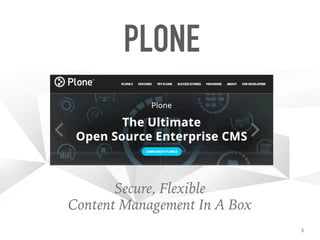
PLONE
Secure, Flexible


Content Management In A Box
3
PLONE 6
Volto: React-based Front End
4
5
6
PLONE AND INTRANETS
➤ Plone’s silent but huge use case:


➤ governments (Brazil, Belgium)


➤ universities


➤ corporations (Star Alliance, Porsche)
7
WHAT IS AN INTRANET
➤ Access management


➤ Collaboration between teams and individuals


➤ Document-centric (pages, PDFs)


➤ Highly organized (folder structures)


➤ Search


➤ Forms, forms data


➤ Dashboards, customizability
8
PLONE IN A BOX™
➤ An easy way to deploy a new Plone server


➤ Takes 2–15 minutes


➤ Choose from 2 cloud providers (3rd coming soon)
9
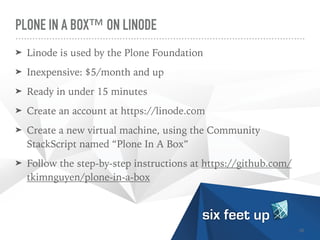
PLONE IN A BOX™ ON LINODE
➤ Linode is used by the Plone Foundation


➤ Inexpensive: $5/month and up


➤ Ready in under 15 minutes


➤ Create an account at https://linode.com


➤ Create a new virtual machine, using the Community
StackScript named “Plone In A Box”

➤ Follow the step-by-step instructions at https://github.com/
tkimnguyen/plone-in-a-box
10
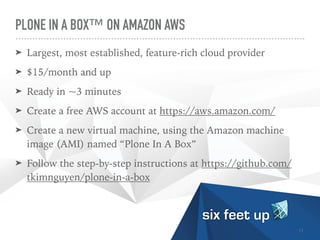
PLONE IN A BOX™ ON AMAZON AWS
➤ Largest, most established, feature-rich cloud provider


➤ $15/month and up


➤ Ready in ~3 minutes

➤ Create a free AWS account at https://aws.amazon.com/


➤ Create a new virtual machine, using the Amazon machine
image (AMI) named “Plone In A Box”

➤ Follow the step-by-step instructions at https://github.com/
tkimnguyen/plone-in-a-box
11
PLONE IN A BOX™ ON DIGITALOCEAN
➤ Inexpensive: $5/month and up


➤ Known for its App Marketplace


➤ Coming soon
12
LET'S USE AMAZON AWS
➤ …because it’s the quickest to set up!
13
14
WHAT’S INSIDE PLONE IN A BOX™?
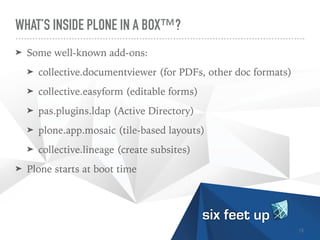
➤ Some well-known add-ons:


➤ collective.documentviewer (for PDFs, other doc formats)


➤ collective.easyform (editable forms)


➤ pas.plugins.ldap (Active Directory)


➤ plone.app.mosaic (tile-based layouts)


➤ collective.lineage (create subsites)

➤ Plone starts at boot time
15
PLONE IN A BOX™ IS FOR TEST DRIVING
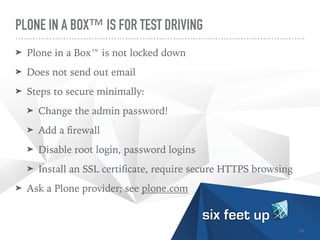
➤ Plone in a Box™ is not locked down


➤ Does not send out email


➤ Steps to secure minimally:


➤ Change the admin password!

➤ Add a
fi
rewall


➤ Disable root login, password logins

➤ Install an SSL certi
fi
cate, require secure HTTPS browsing


➤ Ask a Plone provider; see plone.com
16
PLONE’S ACCESS MANAGEMENT
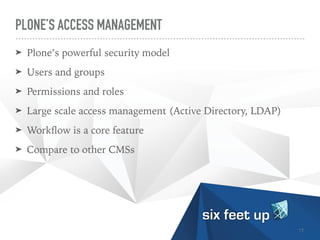
➤ Plone’s powerful security model


➤ Users and groups

➤ Permissions and roles

➤ Large scale access management (Active Directory, LDAP)


➤ Work
fl
ow is a core feature


➤ Compare to other CMSs
17
18
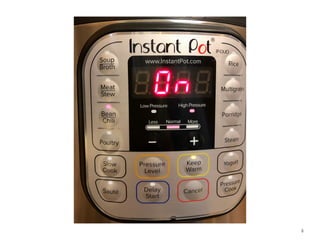
“A watched pot never boils
-Johnny Appleseed
19
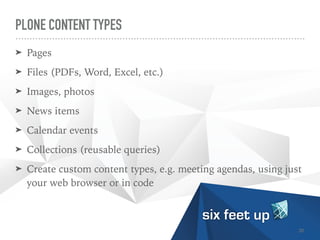
PLONE CONTENT TYPES
➤ Pages


➤ Files (PDFs, Word, Excel, etc.)


➤ Images, photos


➤ News items


➤ Calendar events


➤ Collections (reusable queries)


➤ Create custom content types, e.g. meeting agendas, using just
your web browser or in code
20
ORGANIZATION OF CONTENT
➤ Folders


➤ Nested folders


➤ Per-folder security
21
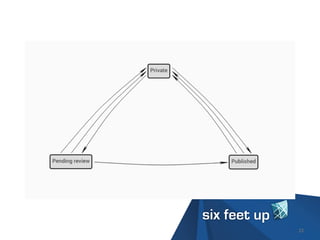
PLONE WORKFLOW
➤ Work
fl
ow = states + transitions


➤ E.g., create a page, submit it for review, then publish
22
23
PLONE WORKFLOW
➤ A content item has a state


➤ Every state de
fi
nes who can do what to the content item


➤ There are transitions between states


➤ Every transition de
fi
nes who can execute it and under what
condition(s)


➤ Security is applied consistently per-item, per-state, per-transition
24
SEVERAL INCLUDED WORKFLOWS
➤ Simple Publication Work
fl
ow:


➤ private → pending → published


➤ Intranet/Extranet Work
fl
ow


➤ private → internal → pending → internally published →
external


➤ …and others


➤ You can create custom work
fl
ows
25
APPLYING WORKFLOW
➤ Each Plone site has a default work
fl
ow


➤ Each content type can have its own work
fl
ow


➤ A folder can have its own work
fl
ow (“Placeful Work
fl
ow”)
26
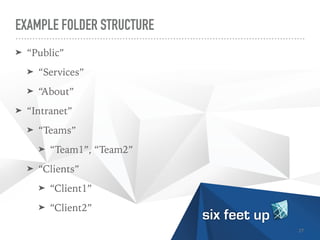
EXAMPLE FOLDER STRUCTURE
➤ “Public”


➤ “Services”


➤ “About”


➤ “Intranet”


➤ “Teams”


➤ “Team1”, “Team2”


➤ “Clients”


➤ “Client1”


➤ “Client2”
27
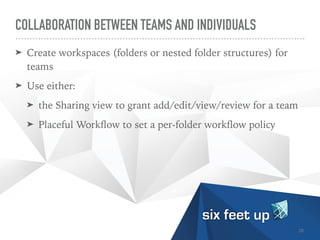
COLLABORATION BETWEEN TEAMS AND INDIVIDUALS
➤ Create workspaces (folders or nested folder structures) for
teams


➤ Use either:


➤ the Sharing view to grant add/edit/view/review for a team


➤ Placeful Work
fl
ow to set a per-folder work
fl
ow policy
28
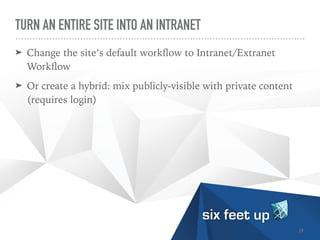
TURN AN ENTIRE SITE INTO AN INTRANET
➤ Change the site’s default work
fl
ow to Intranet/Extranet
Work
fl
ow


➤ Or create a hybrid: mix publicly-visible with private content
(requires login)
29
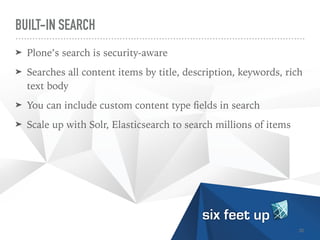
BUILT-IN SEARCH
➤ Plone’s search is security-aware


➤ Searches all content items by title, description, keywords, rich
text body


➤ You can include custom content type
fi
elds in search


➤ Scale up with Solr, Elasticsearch to search millions of items
30
FORMS
➤ Editable forms


➤ Exportable data (CSV)


➤ Custom actions (send email, create content, initiate
work
fl
ow)


➤ Example: conference registration form (see “Building a
Multiconference Solution on Plone 5.2” by Janine Donnelly,
Annette Lewis)
31
WORKFLOW APPLICATIONS
➤ Forms + work
fl
ow = a very powerful use of Plone


➤ Create custom content types & forms, apply a custom
work
fl
ow


➤ Replaces old, slow paper-based processes


➤ O
ffi
ce of International Education at University of Wisconsin
Oshkosh has saved 0.5 FTE/year since 2008


➤ See training.plone.org/5/ttw/work
fl
ow.html
32
33
“Nerding alert!
-Johnny Appleseed
34
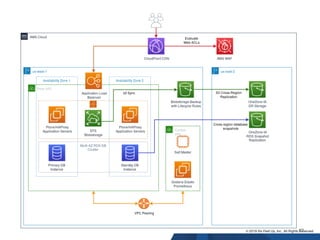
MAKING PLONE ENTERPRISE-READY
➤ Use a more scalable ZEO deployment of Plone


➤ Add a web server and HTTPS/SSL


➤ Add caching, in Plone, varnish, Cloud
fl
are/Cloudfront CDN


➤ Add Plone backups, system-level backups, log rotation,
monitoring
35
MAKING PLONE ENTERPRISE-READY
➤ Consider using a large-scale database: RelStorage &
PostgreSQL or Amazon RDS


➤ Connect to centralized authentication (LDAP, ActiveDirectory,
OAuth)


➤ Add Amazon Simple Storage Service (S3) for bulk
fi
le storage


➤ Deploy Plone ZEO clients using autoscaling containers
(Docker)


➤ See “Running Plone on AWS” by Calvin Hendryx-Parker
36
EXAMPLE AWS ARCHITECTURE
37
IN SUMMARY…
➤ Plone in a Box™ lets you get a running Plone site in minutes


➤ Plone makes a ready-to-go intranet


➤ Plone can scale for large organizations
38
NEXT STEPS
➤ Learn more (plone.com, plone.org)

➤ See the documentation(docs.plone.org)


➤ Get self-paced Plone training (training.plone.org)


➤ Join the Plone forum (community.plone.org)


➤ Let us know how you’d like to use Plone! (sixfeetup.com)


➤ See quaive.com for a Plone-based “social intranet” solution
(open source version at ploneintranet.org,
docs.ploneintranet.org)
39
Planning Development Orchestration Support
QUESTIONS? PLEASE ASK ME
!

KIM@SIXFEETUP.COM
40

Your Plone [Intranet] in a Box™

  • 1.
    YOUR PLONE [INTRANET] IN ABOX™ Kim Nguyen / kim@sixfeetup.com 1
  • 2.
    ABOUT ME ➤ Directorof Engineering @ Six Feet Up ➤ Plonista since 2003 ➤ 350+ Plone sites at University of Wisconsin Oshkosh, including the campus Intranet ➤ Plone Foundation Board (2014-2019), Plone Conference organizer (2016, 2017), Plone Symposium Midwest organizer (2013, 2014) 2
  • 3.
  • 4.
  • 5.
  • 6.
  • 7.
    PLONE AND INTRANETS ➤Plone’s silent but huge use case: ➤ governments (Brazil, Belgium) ➤ universities ➤ corporations (Star Alliance, Porsche) 7
  • 8.
    WHAT IS ANINTRANET ➤ Access management ➤ Collaboration between teams and individuals ➤ Document-centric (pages, PDFs) ➤ Highly organized (folder structures) ➤ Search ➤ Forms, forms data ➤ Dashboards, customizability 8
  • 9.
    PLONE IN ABOX™ ➤ An easy way to deploy a new Plone server ➤ Takes 2–15 minutes ➤ Choose from 2 cloud providers (3rd coming soon) 9
  • 10.
    PLONE IN ABOX™ ON LINODE ➤ Linode is used by the Plone Foundation ➤ Inexpensive: $5/month and up ➤ Ready in under 15 minutes ➤ Create an account at https://linode.com ➤ Create a new virtual machine, using the Community StackScript named “Plone In A Box” ➤ Follow the step-by-step instructions at https://github.com/ tkimnguyen/plone-in-a-box 10
  • 11.
    PLONE IN ABOX™ ON AMAZON AWS ➤ Largest, most established, feature-rich cloud provider ➤ $15/month and up ➤ Ready in ~3 minutes ➤ Create a free AWS account at https://aws.amazon.com/ ➤ Create a new virtual machine, using the Amazon machine image (AMI) named “Plone In A Box” ➤ Follow the step-by-step instructions at https://github.com/ tkimnguyen/plone-in-a-box 11
  • 12.
    PLONE IN ABOX™ ON DIGITALOCEAN ➤ Inexpensive: $5/month and up ➤ Known for its App Marketplace ➤ Coming soon 12
  • 13.
    LET'S USE AMAZONAWS ➤ …because it’s the quickest to set up! 13
  • 14.
  • 15.
    WHAT’S INSIDE PLONEIN A BOX™? ➤ Some well-known add-ons: ➤ collective.documentviewer (for PDFs, other doc formats) ➤ collective.easyform (editable forms) ➤ pas.plugins.ldap (Active Directory) ➤ plone.app.mosaic (tile-based layouts) ➤ collective.lineage (create subsites) ➤ Plone starts at boot time 15
  • 16.
    PLONE IN ABOX™ IS FOR TEST DRIVING ➤ Plone in a Box™ is not locked down ➤ Does not send out email ➤ Steps to secure minimally: ➤ Change the admin password! ➤ Add a fi rewall ➤ Disable root login, password logins ➤ Install an SSL certi fi cate, require secure HTTPS browsing ➤ Ask a Plone provider; see plone.com 16
  • 17.
    PLONE’S ACCESS MANAGEMENT ➤Plone’s powerful security model ➤ Users and groups ➤ Permissions and roles ➤ Large scale access management (Active Directory, LDAP) ➤ Work fl ow is a core feature ➤ Compare to other CMSs 17
  • 18.
  • 19.
    “A watched potnever boils -Johnny Appleseed 19
  • 20.
    PLONE CONTENT TYPES ➤Pages ➤ Files (PDFs, Word, Excel, etc.) ➤ Images, photos ➤ News items ➤ Calendar events ➤ Collections (reusable queries) ➤ Create custom content types, e.g. meeting agendas, using just your web browser or in code 20
  • 21.
    ORGANIZATION OF CONTENT ➤Folders ➤ Nested folders ➤ Per-folder security 21
  • 22.
    PLONE WORKFLOW ➤ Work fl ow= states + transitions ➤ E.g., create a page, submit it for review, then publish 22
  • 23.
  • 24.
    PLONE WORKFLOW ➤ Acontent item has a state ➤ Every state de fi nes who can do what to the content item ➤ There are transitions between states ➤ Every transition de fi nes who can execute it and under what condition(s) ➤ Security is applied consistently per-item, per-state, per-transition 24
  • 25.
    SEVERAL INCLUDED WORKFLOWS ➤Simple Publication Work fl ow: ➤ private → pending → published ➤ Intranet/Extranet Work fl ow ➤ private → internal → pending → internally published → external ➤ …and others ➤ You can create custom work fl ows 25
  • 26.
    APPLYING WORKFLOW ➤ EachPlone site has a default work fl ow ➤ Each content type can have its own work fl ow ➤ A folder can have its own work fl ow (“Placeful Work fl ow”) 26
  • 27.
    EXAMPLE FOLDER STRUCTURE ➤“Public” ➤ “Services” ➤ “About” ➤ “Intranet” ➤ “Teams” ➤ “Team1”, “Team2” ➤ “Clients” ➤ “Client1” ➤ “Client2” 27
  • 28.
    COLLABORATION BETWEEN TEAMSAND INDIVIDUALS ➤ Create workspaces (folders or nested folder structures) for teams ➤ Use either: ➤ the Sharing view to grant add/edit/view/review for a team ➤ Placeful Work fl ow to set a per-folder work fl ow policy 28
  • 29.
    TURN AN ENTIRESITE INTO AN INTRANET ➤ Change the site’s default work fl ow to Intranet/Extranet Work fl ow ➤ Or create a hybrid: mix publicly-visible with private content (requires login) 29
  • 30.
    BUILT-IN SEARCH ➤ Plone’ssearch is security-aware ➤ Searches all content items by title, description, keywords, rich text body ➤ You can include custom content type fi elds in search ➤ Scale up with Solr, Elasticsearch to search millions of items 30
  • 31.
    FORMS ➤ Editable forms ➤Exportable data (CSV) ➤ Custom actions (send email, create content, initiate work fl ow) ➤ Example: conference registration form (see “Building a Multiconference Solution on Plone 5.2” by Janine Donnelly, Annette Lewis) 31
  • 32.
    WORKFLOW APPLICATIONS ➤ Forms+ work fl ow = a very powerful use of Plone ➤ Create custom content types & forms, apply a custom work fl ow ➤ Replaces old, slow paper-based processes ➤ O ffi ce of International Education at University of Wisconsin Oshkosh has saved 0.5 FTE/year since 2008 ➤ See training.plone.org/5/ttw/work fl ow.html 32
  • 33.
  • 34.
  • 35.
    MAKING PLONE ENTERPRISE-READY ➤Use a more scalable ZEO deployment of Plone ➤ Add a web server and HTTPS/SSL ➤ Add caching, in Plone, varnish, Cloud fl are/Cloudfront CDN ➤ Add Plone backups, system-level backups, log rotation, monitoring 35
  • 36.
    MAKING PLONE ENTERPRISE-READY ➤Consider using a large-scale database: RelStorage & PostgreSQL or Amazon RDS ➤ Connect to centralized authentication (LDAP, ActiveDirectory, OAuth) ➤ Add Amazon Simple Storage Service (S3) for bulk fi le storage ➤ Deploy Plone ZEO clients using autoscaling containers (Docker) ➤ See “Running Plone on AWS” by Calvin Hendryx-Parker 36
  • 37.
  • 38.
    IN SUMMARY… ➤ Plonein a Box™ lets you get a running Plone site in minutes ➤ Plone makes a ready-to-go intranet ➤ Plone can scale for large organizations 38
  • 39.
    NEXT STEPS ➤ Learnmore (plone.com, plone.org) ➤ See the documentation(docs.plone.org) ➤ Get self-paced Plone training (training.plone.org) ➤ Join the Plone forum (community.plone.org) ➤ Let us know how you’d like to use Plone! (sixfeetup.com) ➤ See quaive.com for a Plone-based “social intranet” solution (open source version at ploneintranet.org, docs.ploneintranet.org) 39
  • 40.
    Planning Development OrchestrationSupport QUESTIONS? PLEASE ASK ME ! KIM@SIXFEETUP.COM 40