All your photos, video and docs
anywhere…

 By –Ramanjeet lamba
Imagine......
 A person forgets his/her USB drive and
need to save the file . Any
suggestions????
Contents
• History
• What is Dropbox?
• Features
• How to use Dropbox?
• How to share files with others?
• Recovery of files
•Appllication
• Advantages
• Disadvantages
• Scope
• Conclusion
History…..
Dropbox was founded in 2007 by two MIT
graduates, Drew Houston and Arash Ferdowsi.

It was launched publicly in 2008

As an MIT student, Houston had trouble keeping
track of his USB. As a result, he decided to create
a website designed especially to save files online in
order to have access to them anywhere.
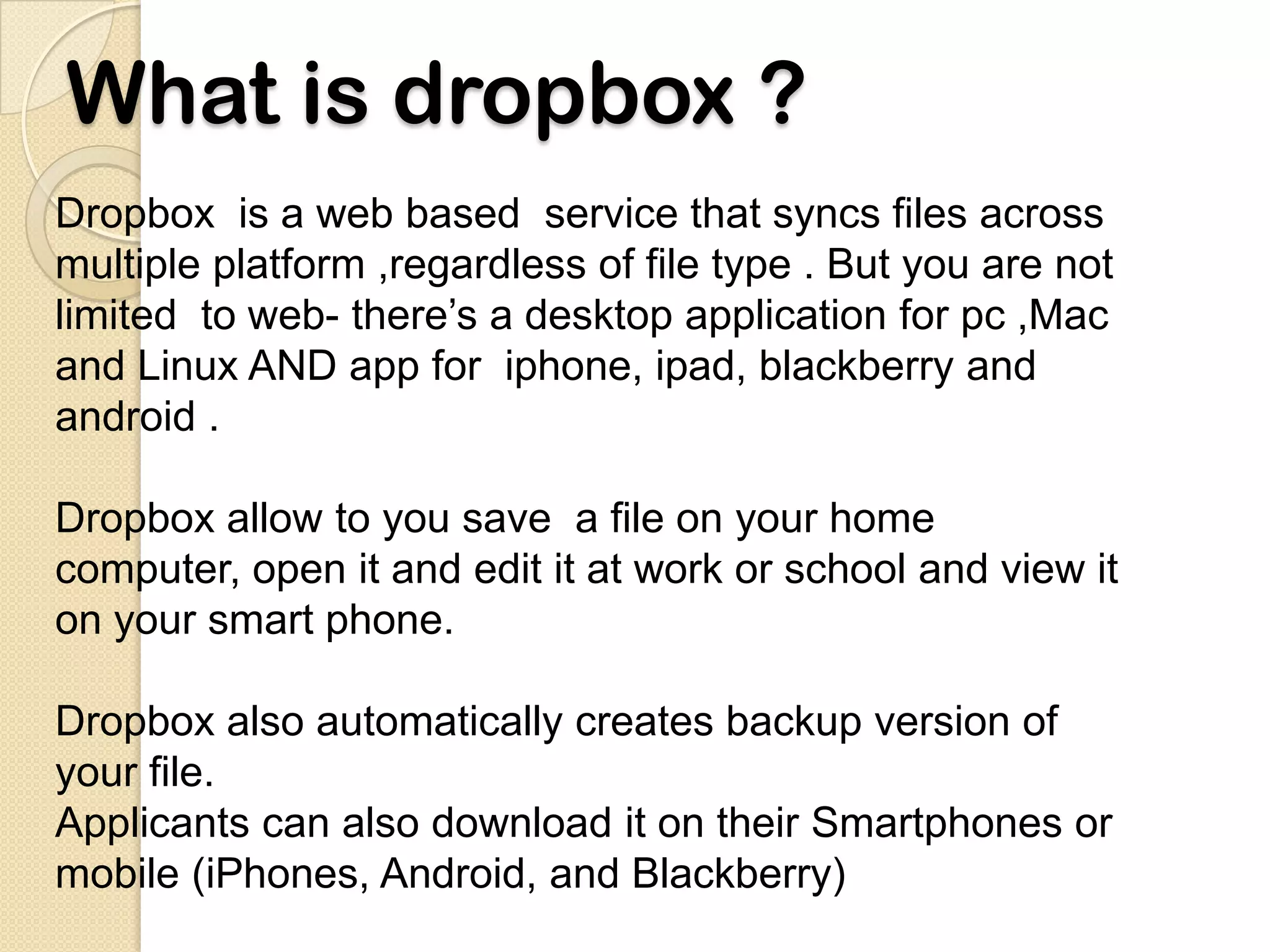
What is dropbox ?
Dropbox is a web based service that syncs files across
multiple platform ,regardless of file type . But you are not
limited to web- there’s a desktop application for pc ,Mac
and Linux AND app for iphone, ipad, blackberry and
android .

Dropbox allow to you save a file on your home
computer, open it and edit it at work or school and view it
on your smart phone.

Dropbox also automatically creates backup version of
your file.
Applicants can also download it on their Smartphones or
mobile (iPhones, Android, and Blackberry)
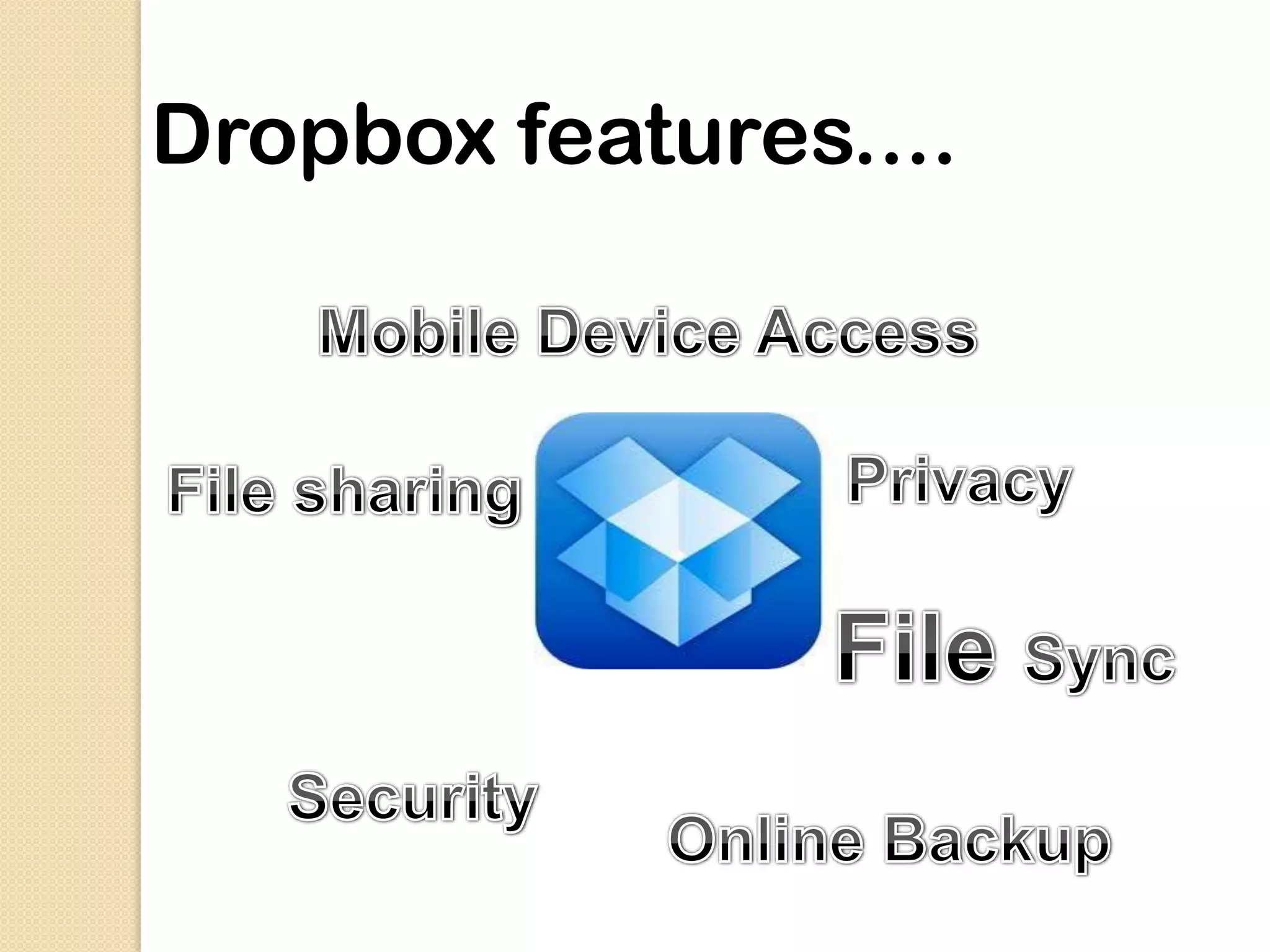
Dropbox features....
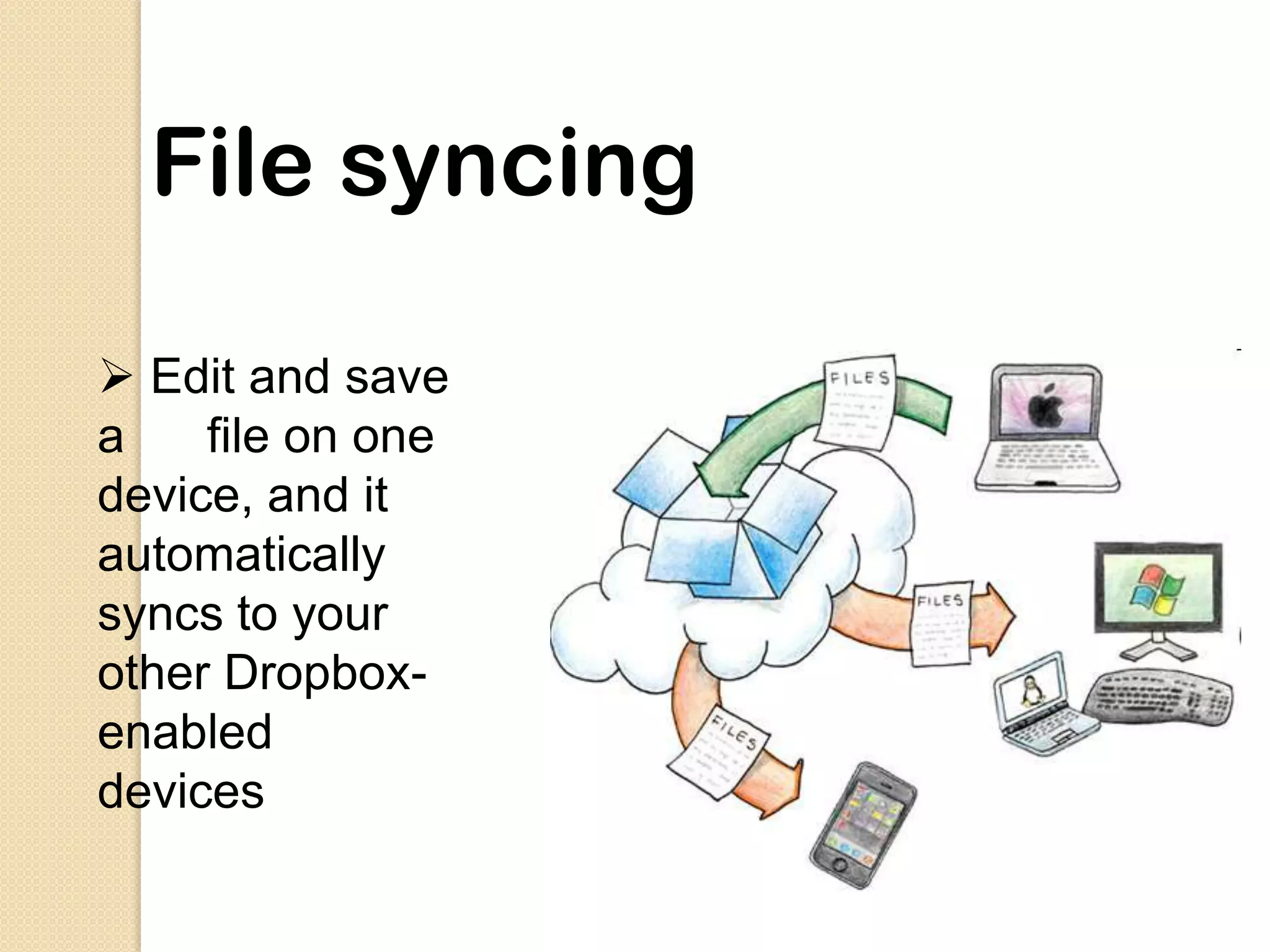
File syncing

 Edit and save
a    file on one
device, and it
automatically
syncs to your
other Dropbox-
enabled
devices
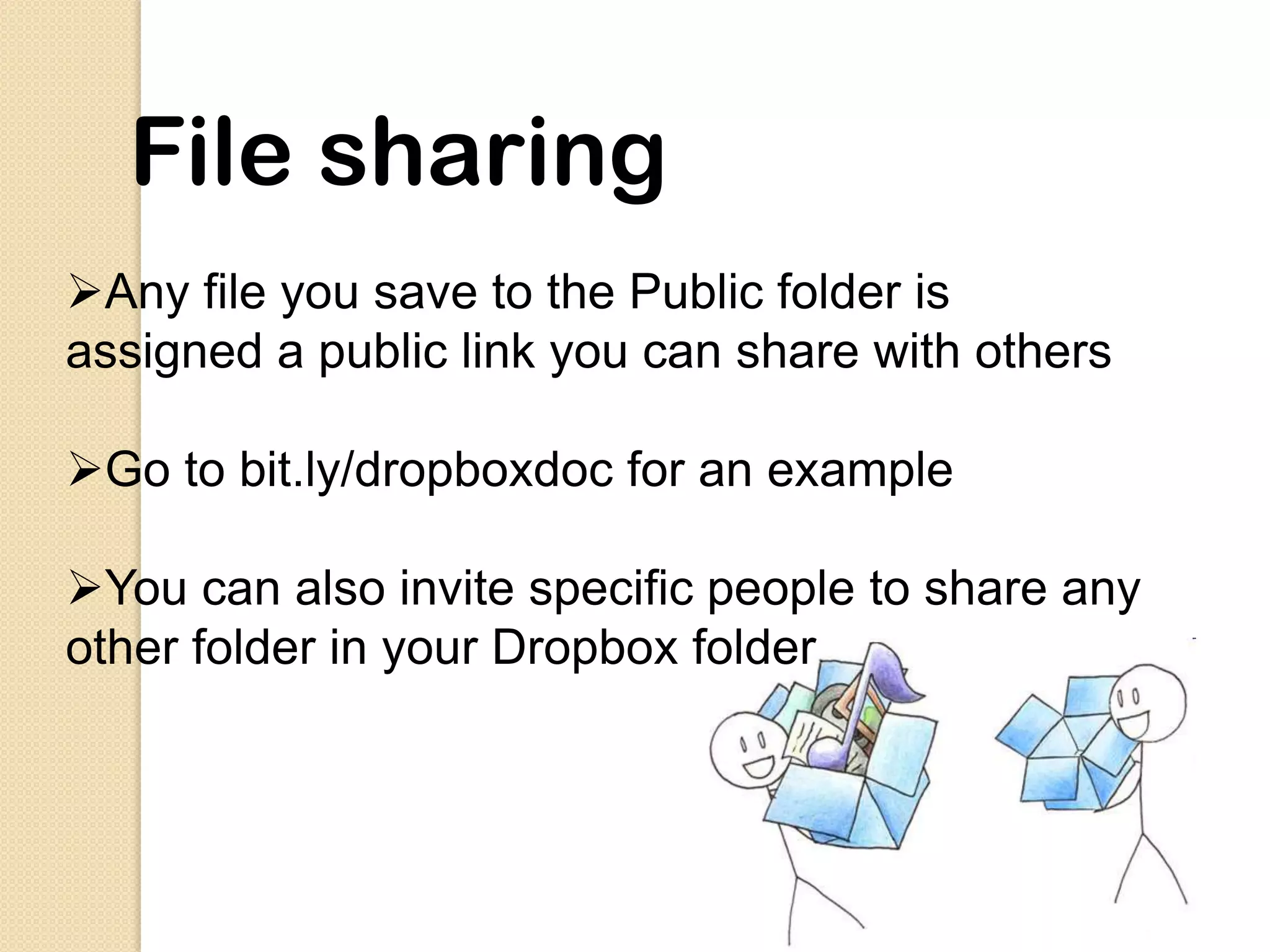
File sharing
Any file you save to the Public folder is
assigned a public link you can share with others

Go to bit.ly/dropboxdoc for an example

You can also invite specific people to share any
other folder in your Dropbox folder
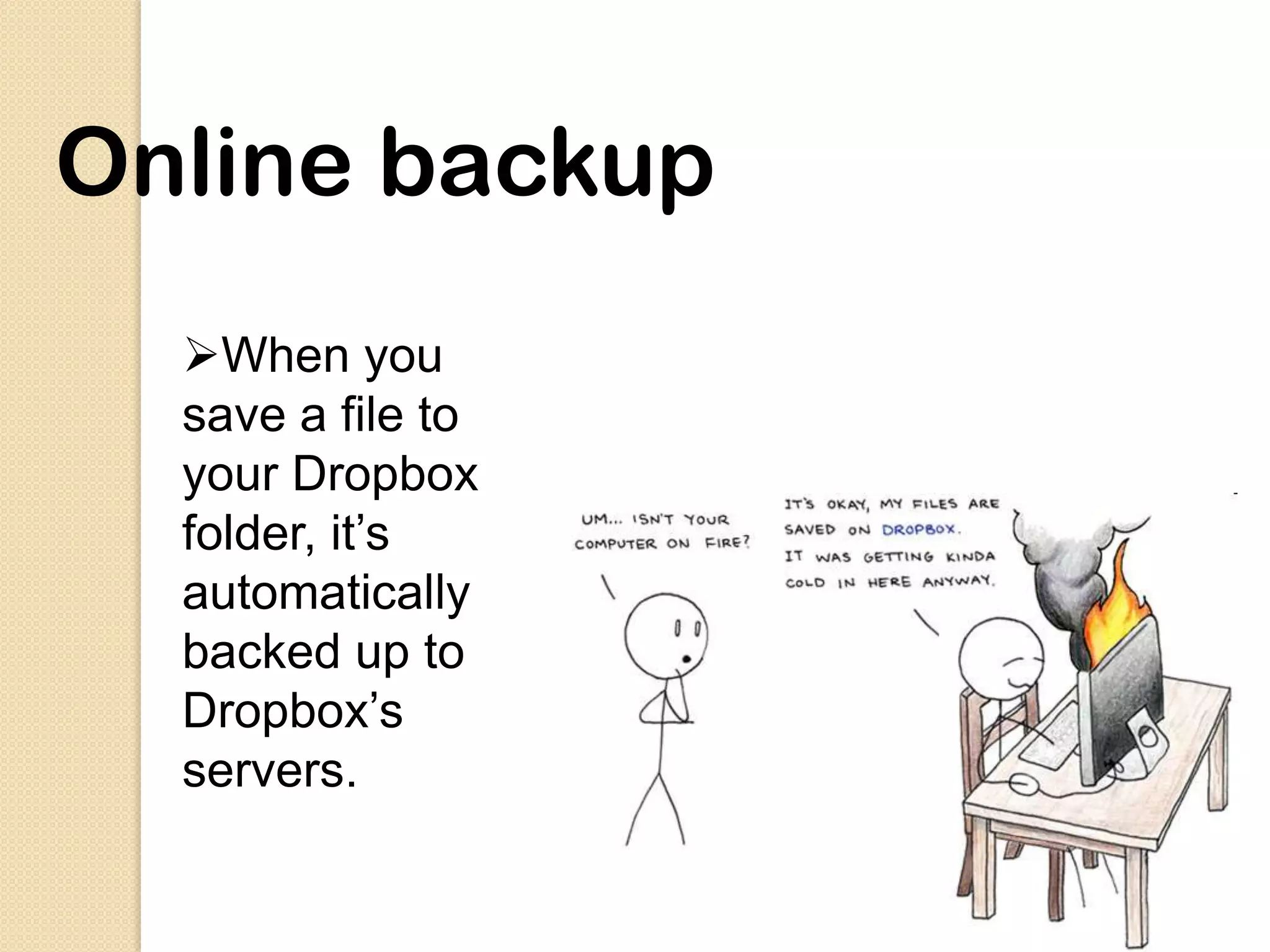
Online backup
  When you
  save a file to
  your Dropbox
  folder, it’s
  automatically
  backed up to
  Dropbox’s
  servers.
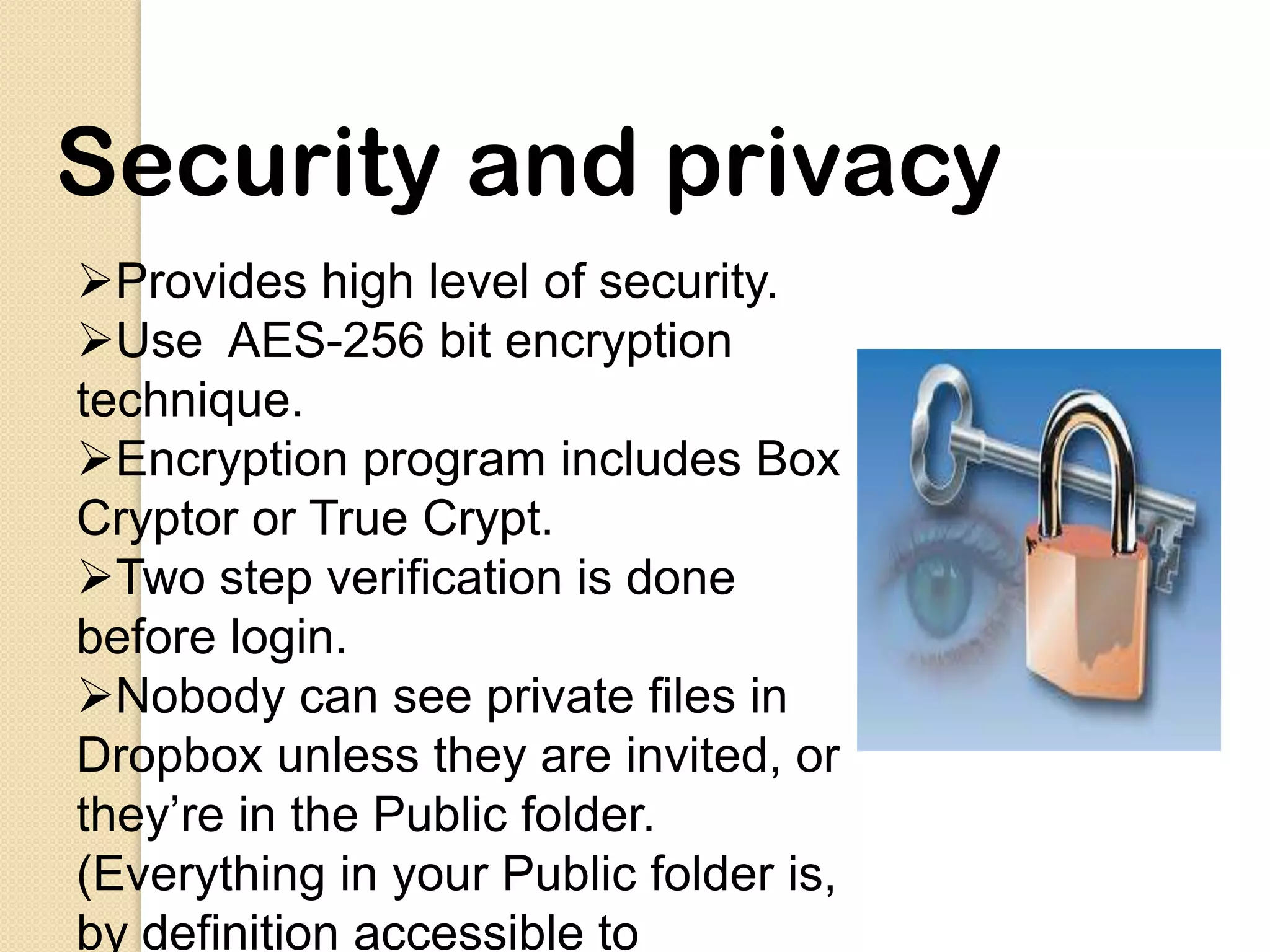
Security and privacy
Provides high level of security.
Use AES-256 bit encryption
technique.
Encryption program includes Box
Cryptor or True Crypt.
Two step verification is done
before login.
Nobody can see private files in
Dropbox unless they are invited, or
they’re in the Public folder.
(Everything in your Public folder is,
by definition accessible to
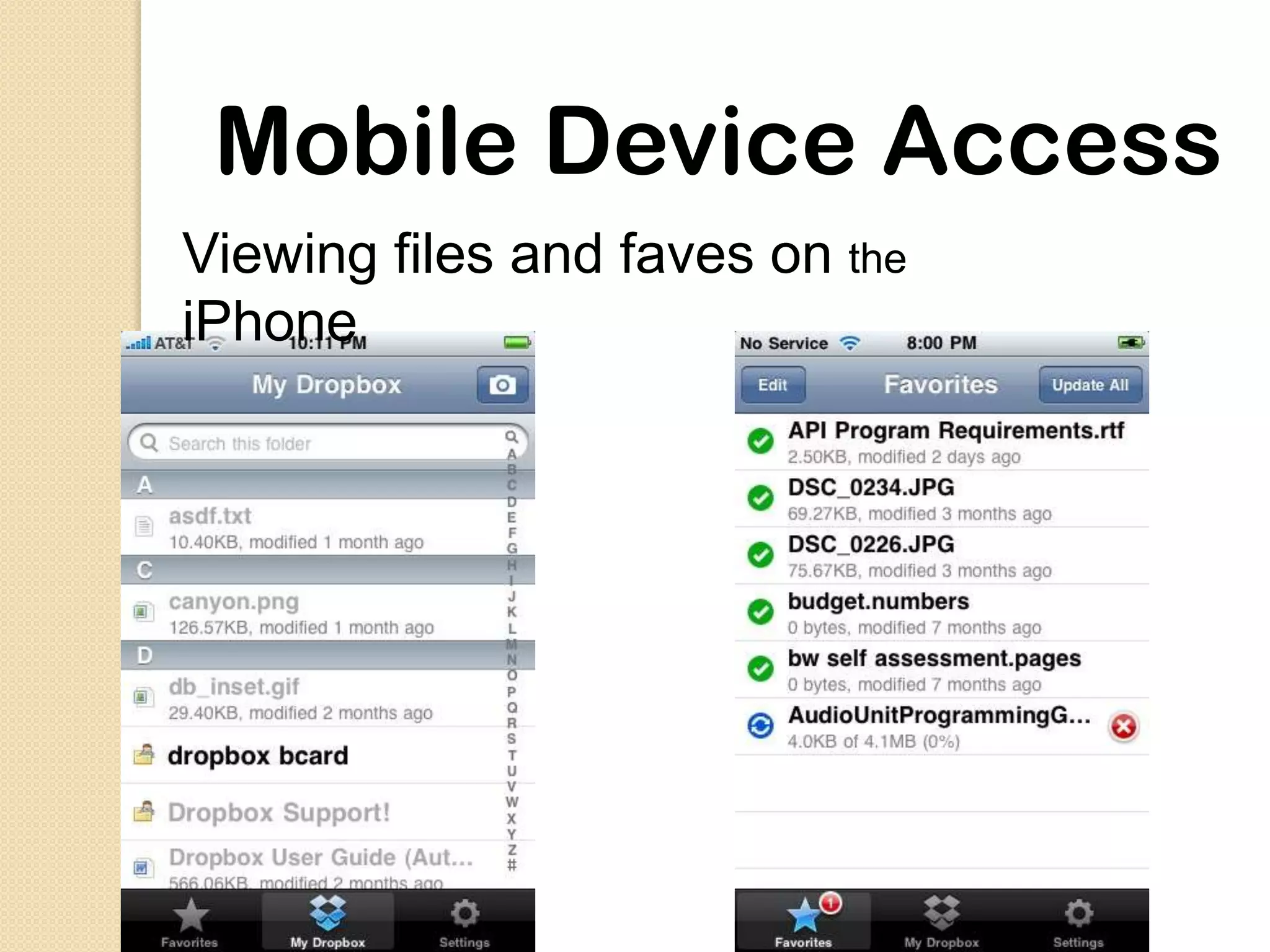
Mobile Device Access
Viewing files and faves on the
iPhone
What it replaces
 External harddrive

Google docs.

Emailing files to your self

Ftp programs

USB drive
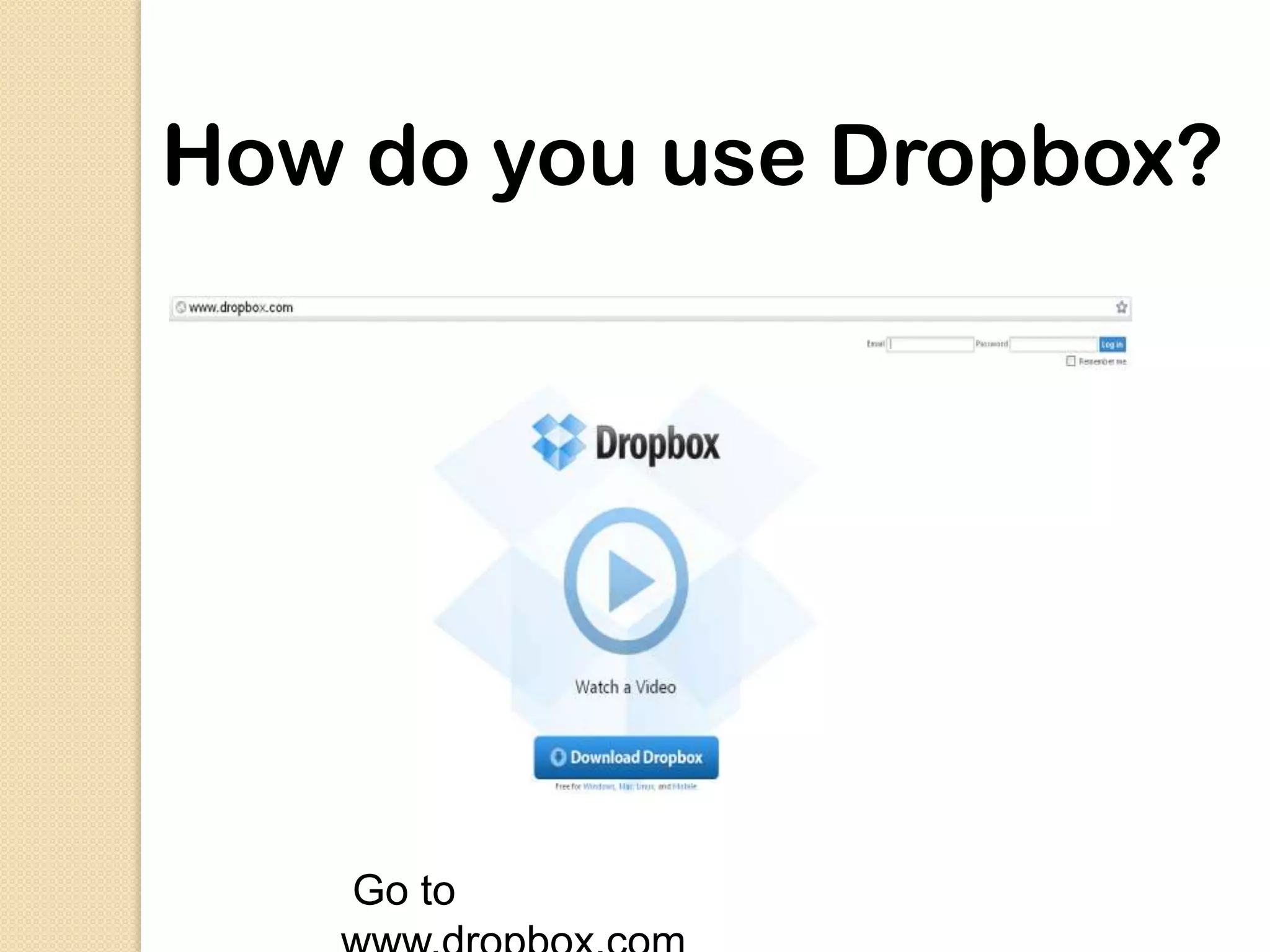
How do you use Dropbox?


    Go to
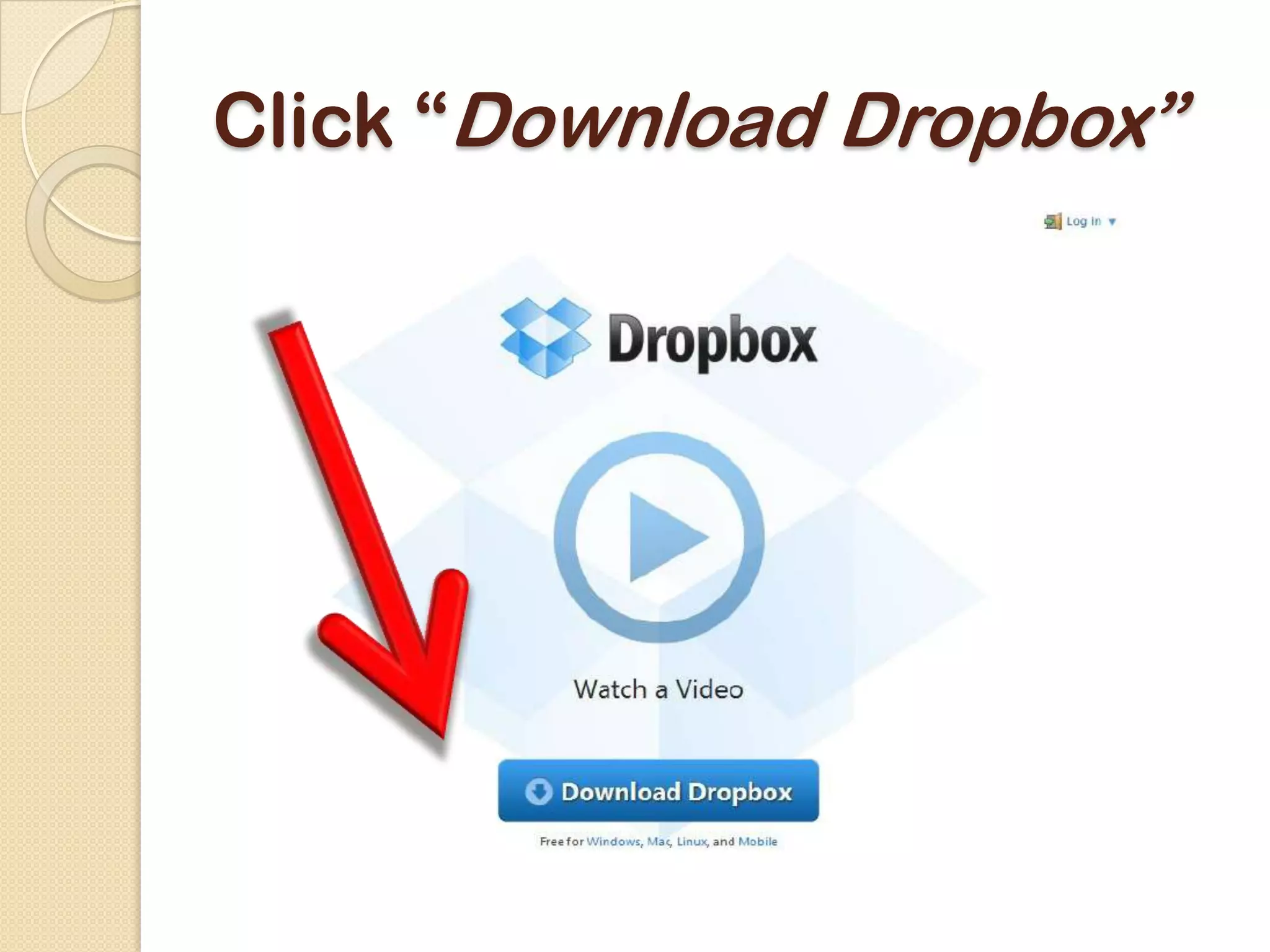
Click “Download Dropbox”
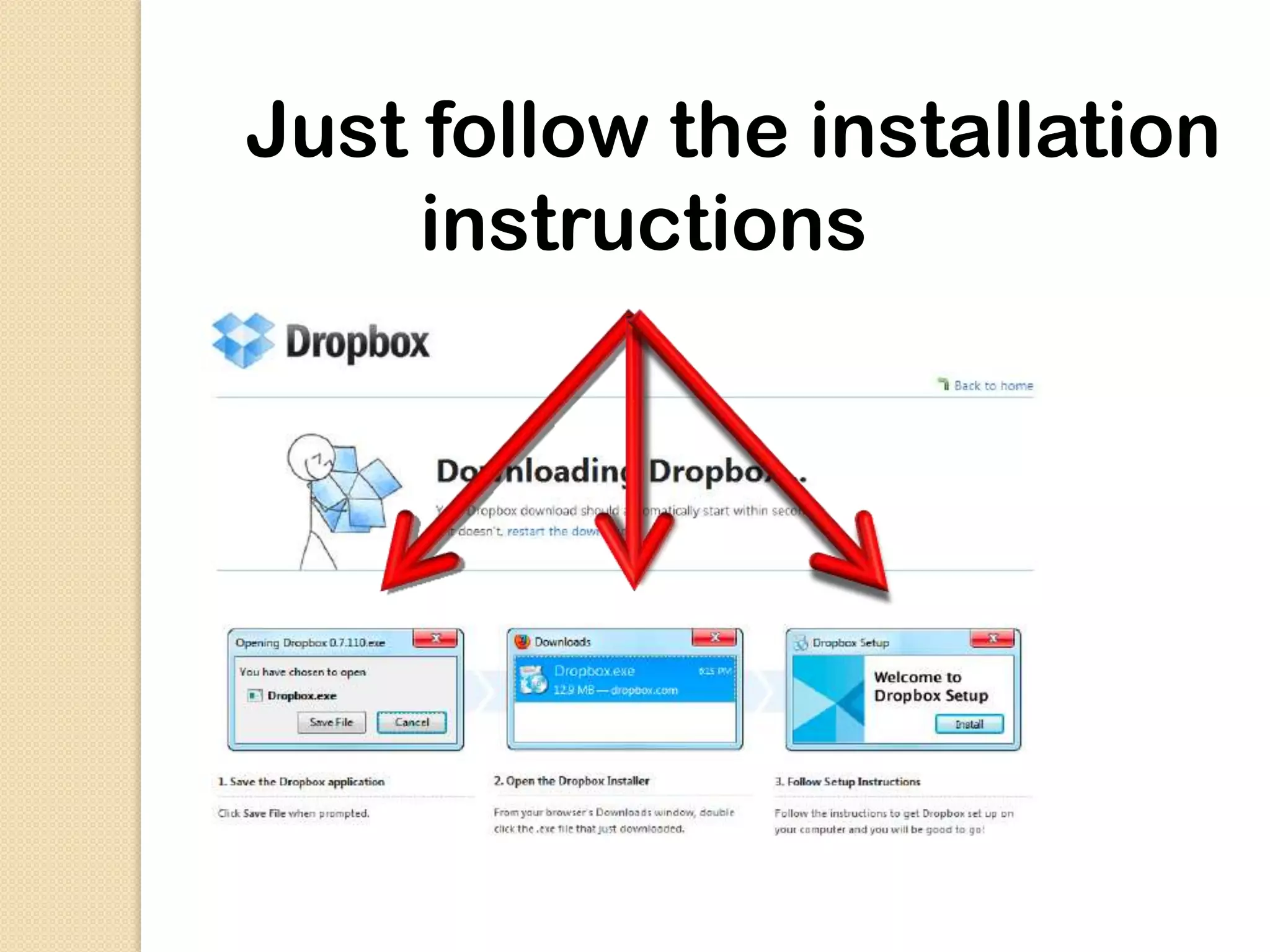
Just follow the installation
     instructions
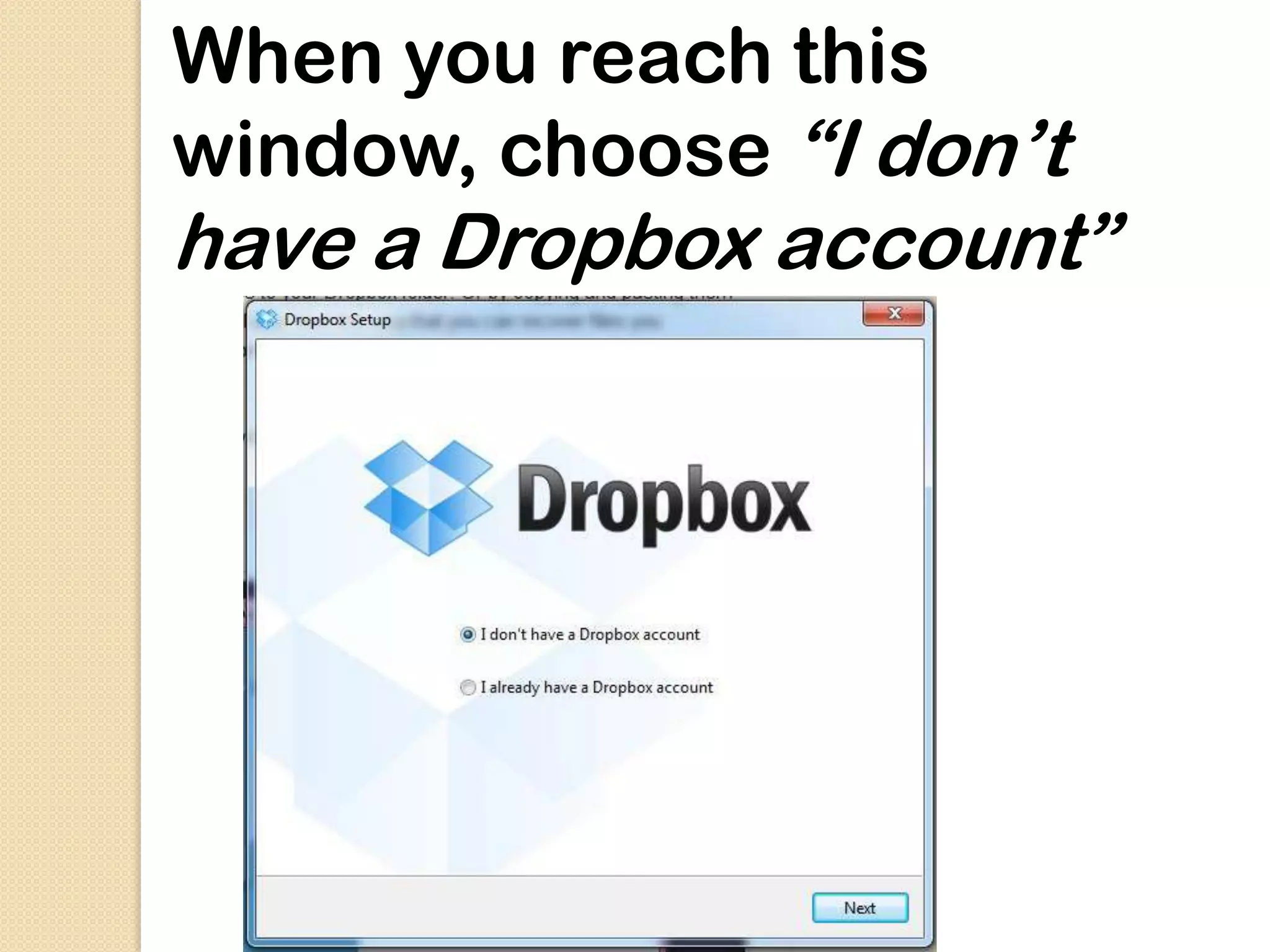
When you reach this
window, choose “I don’t
have a Dropbox account”
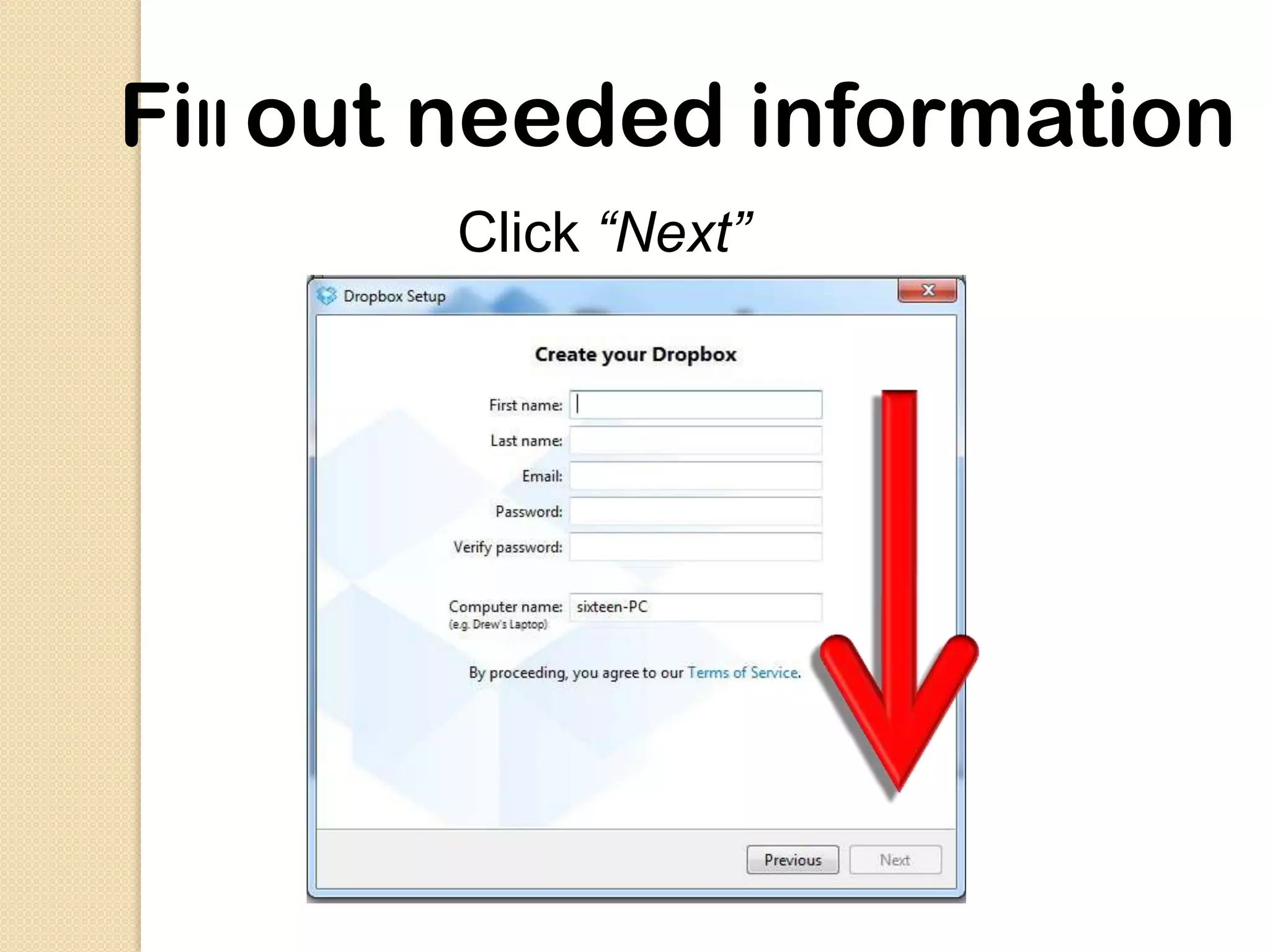
Fill out needed information
        Click “Next”
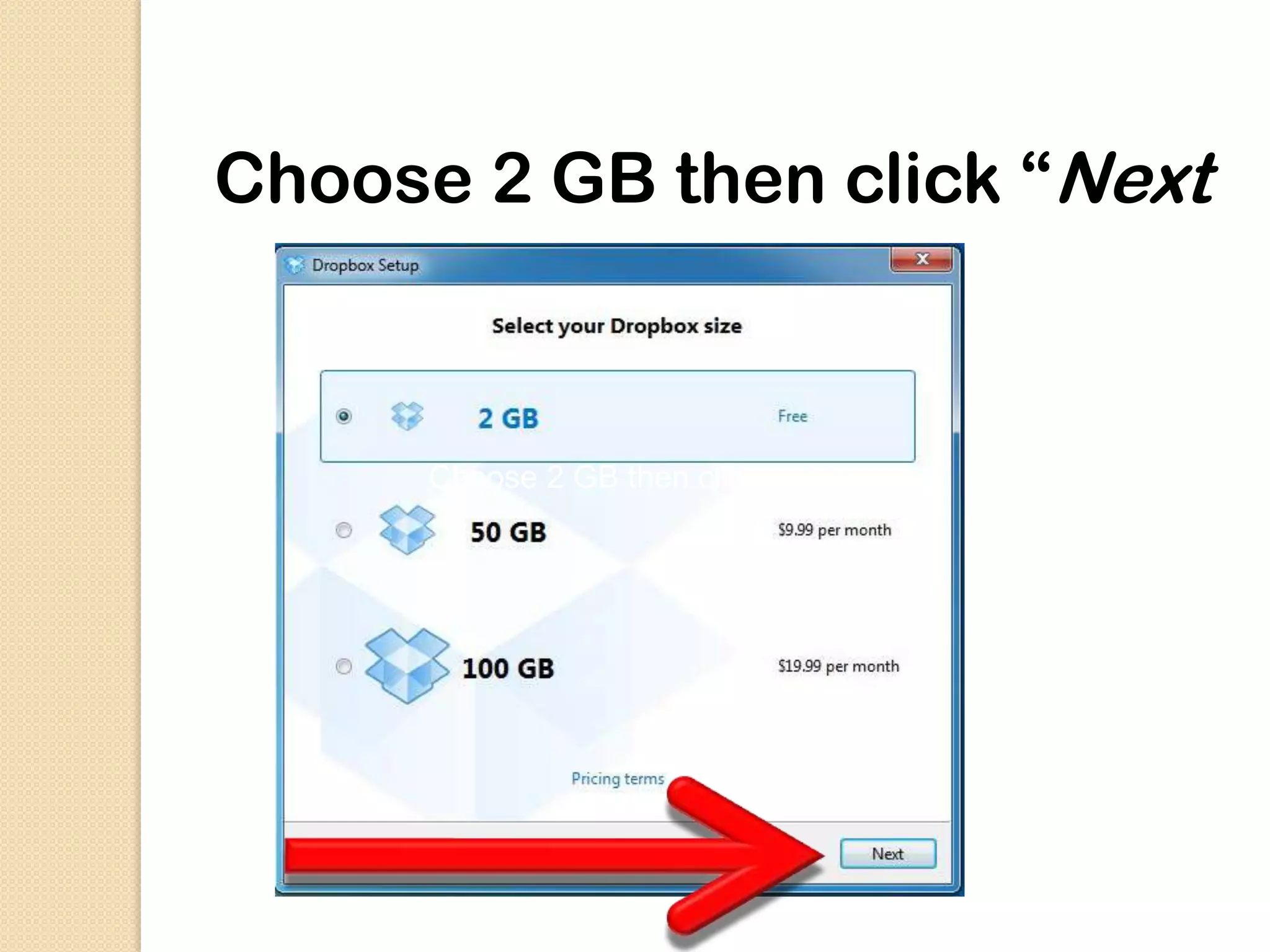
Choose 2 GB then click “Next”


      Choose 2 GB then click “Next”
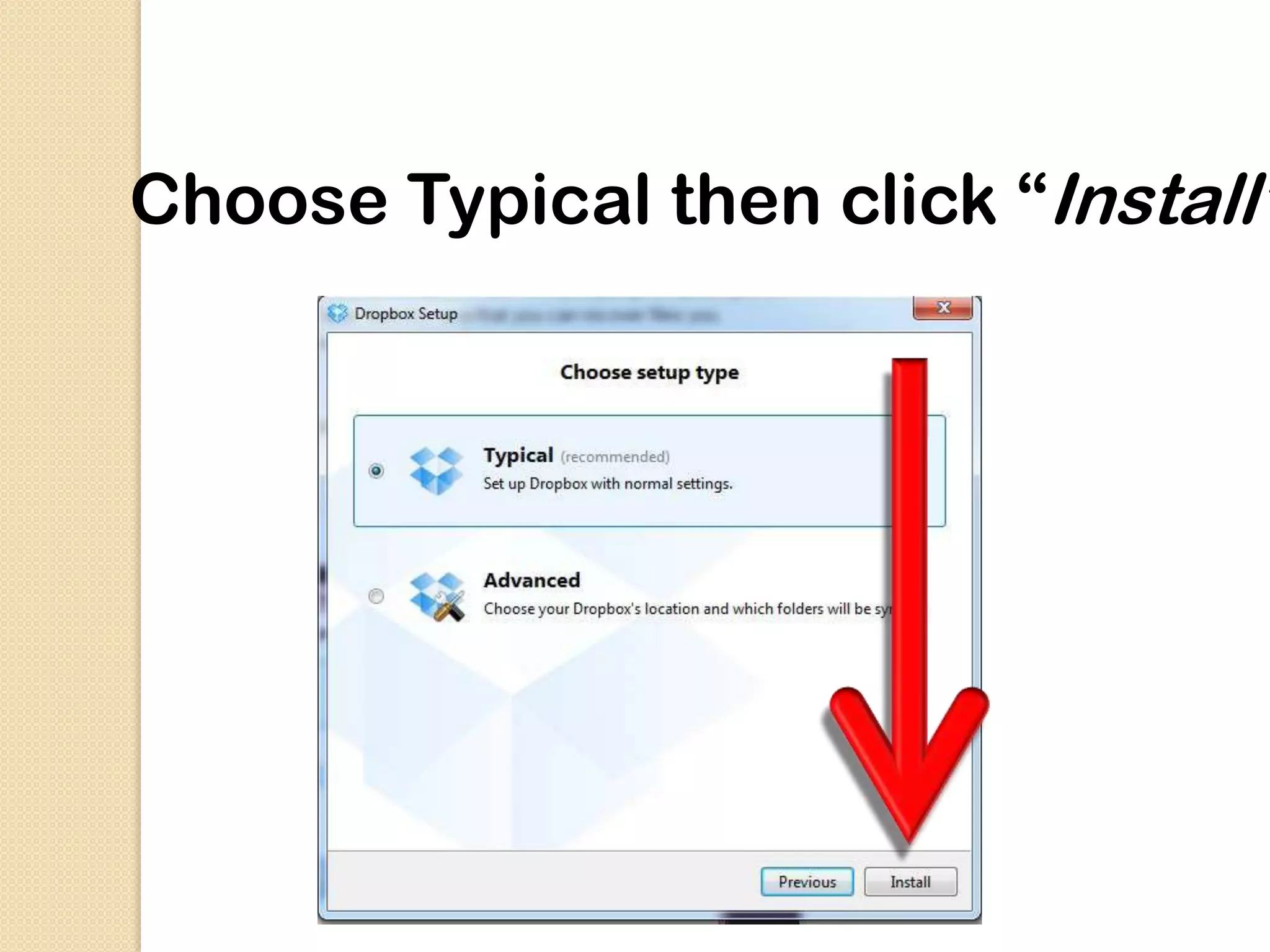
Choose Typical then click “Install”
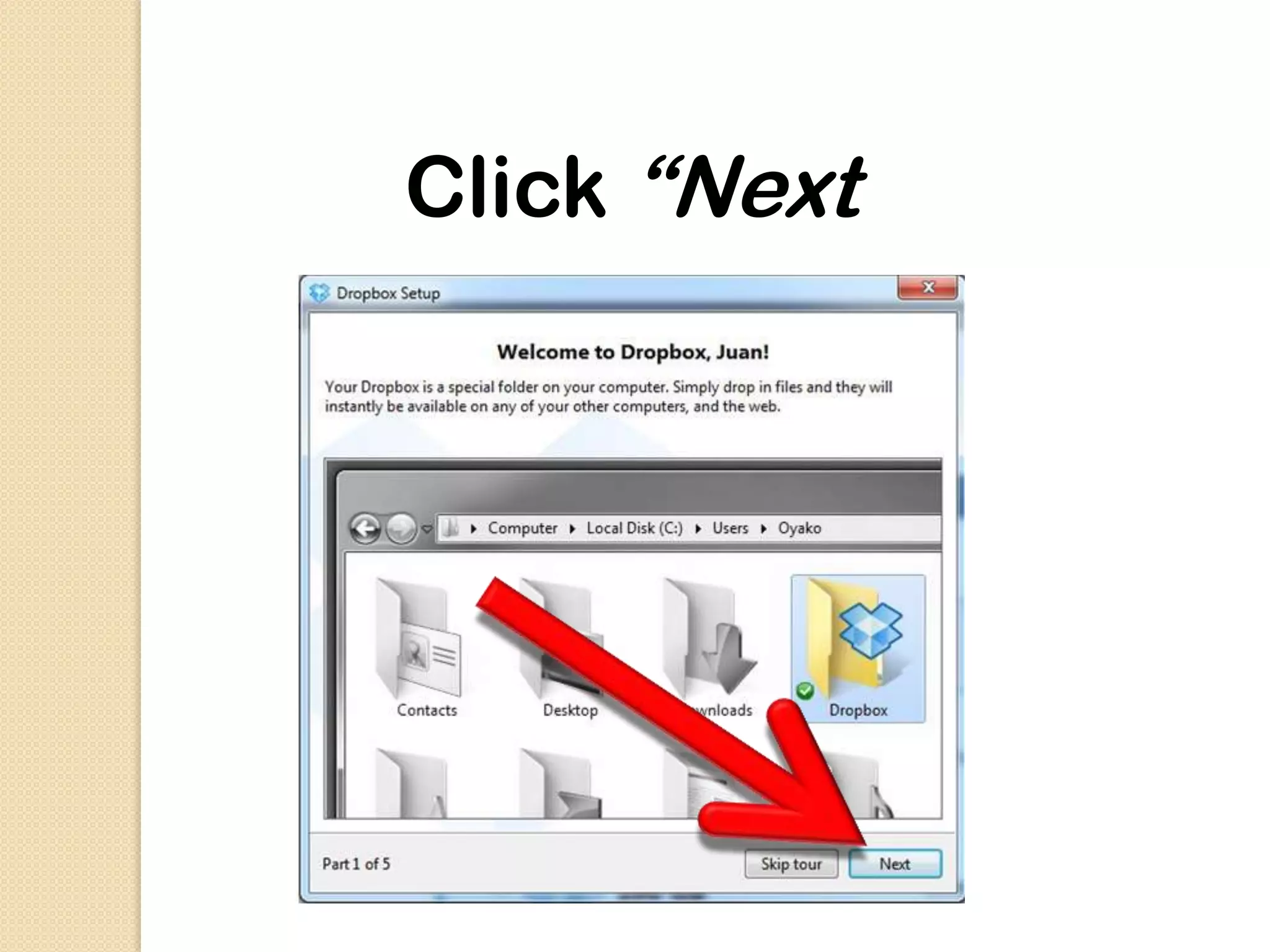
Click “Next”
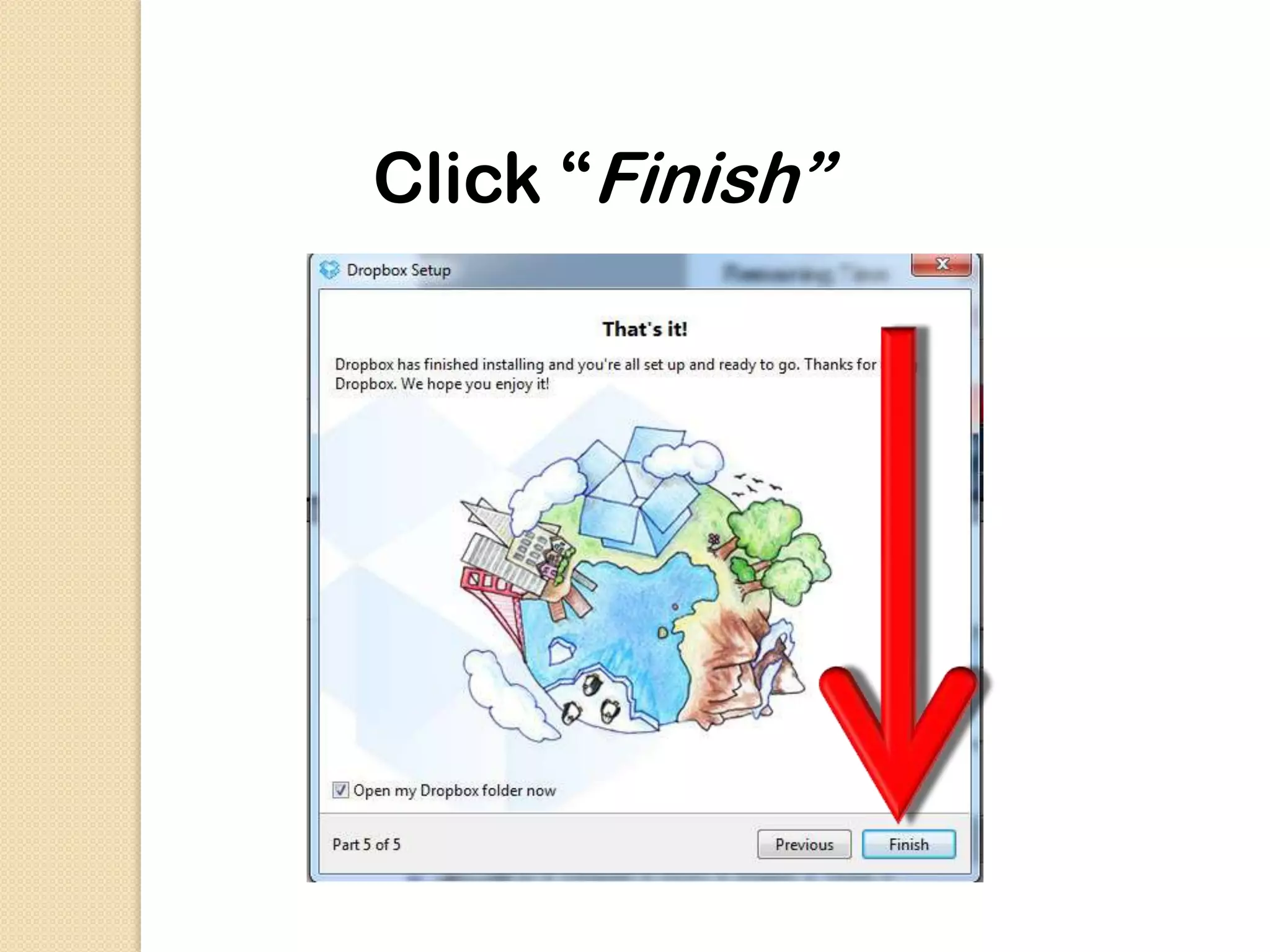
Click “Finish”
Open again

http://www.dropbox.com
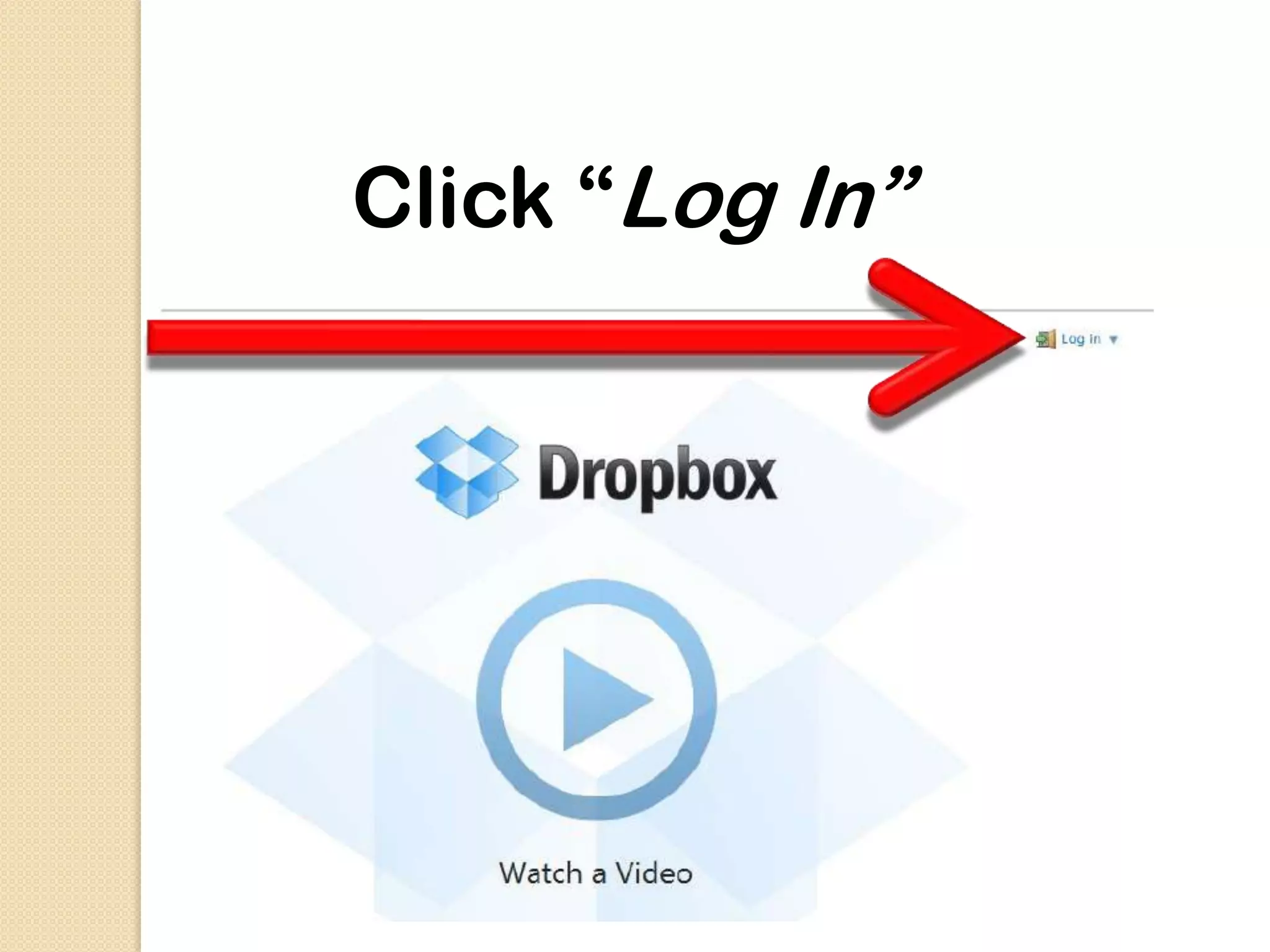
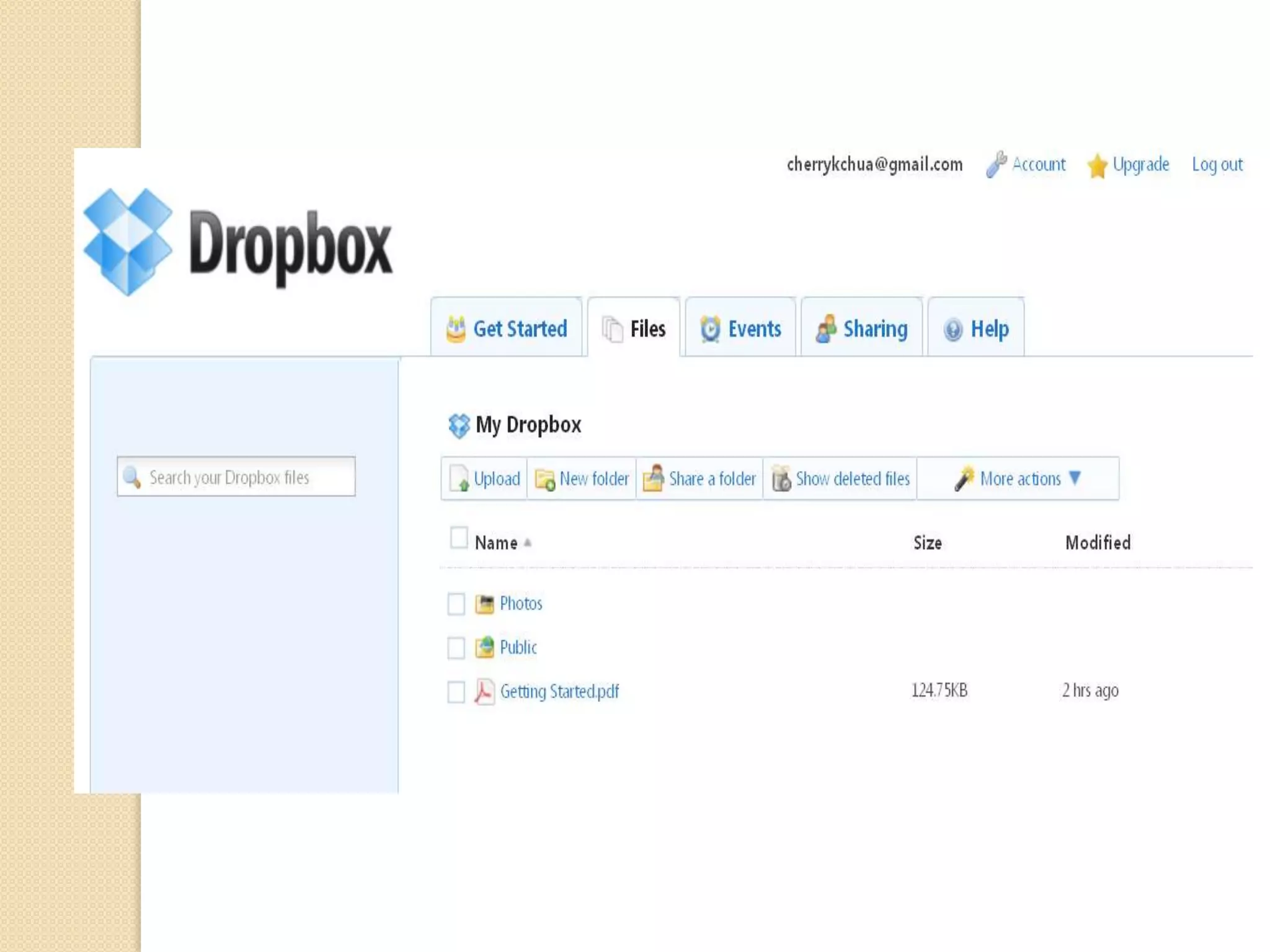
Click “Log In”
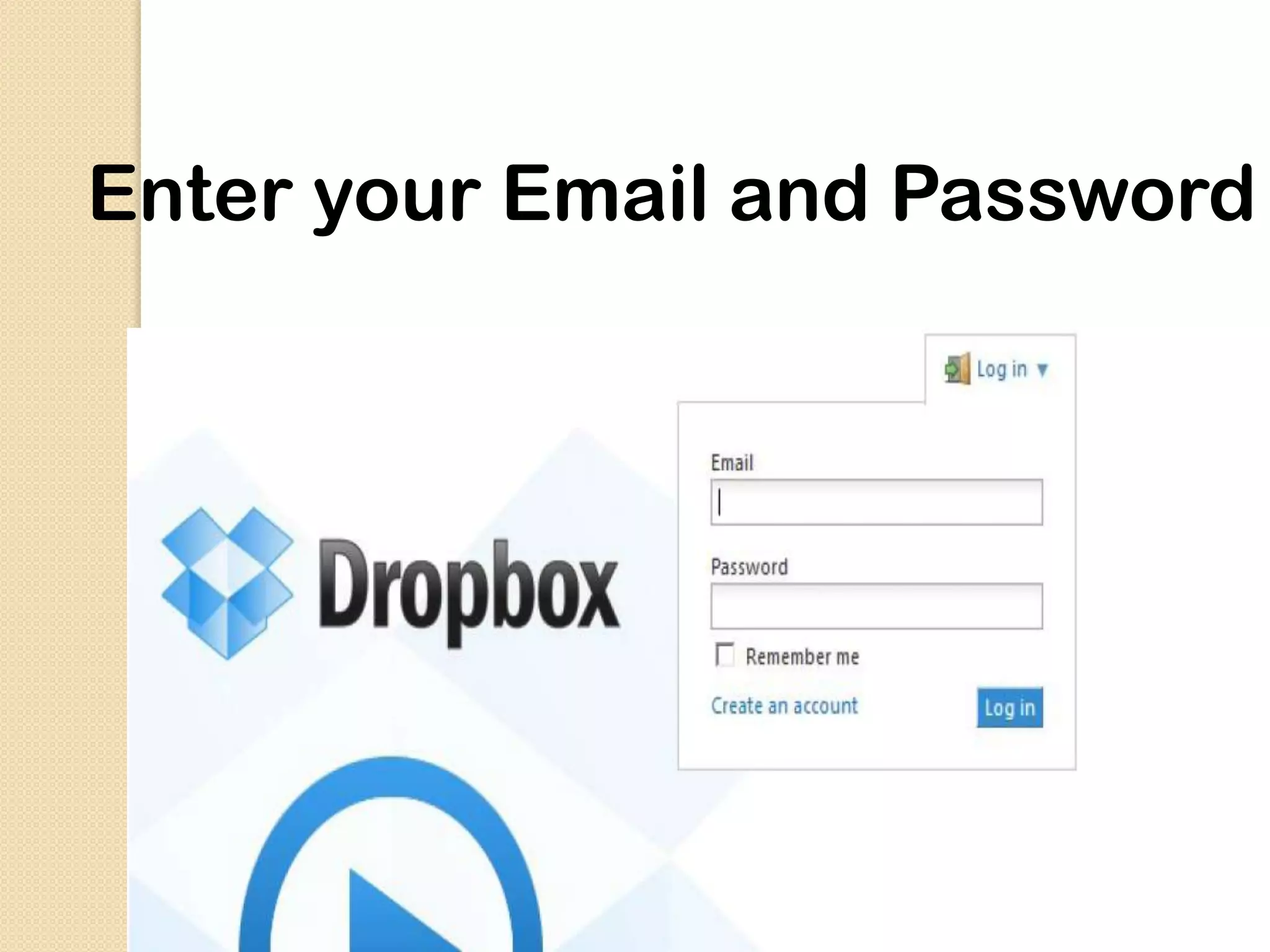
Enter your Email and Password
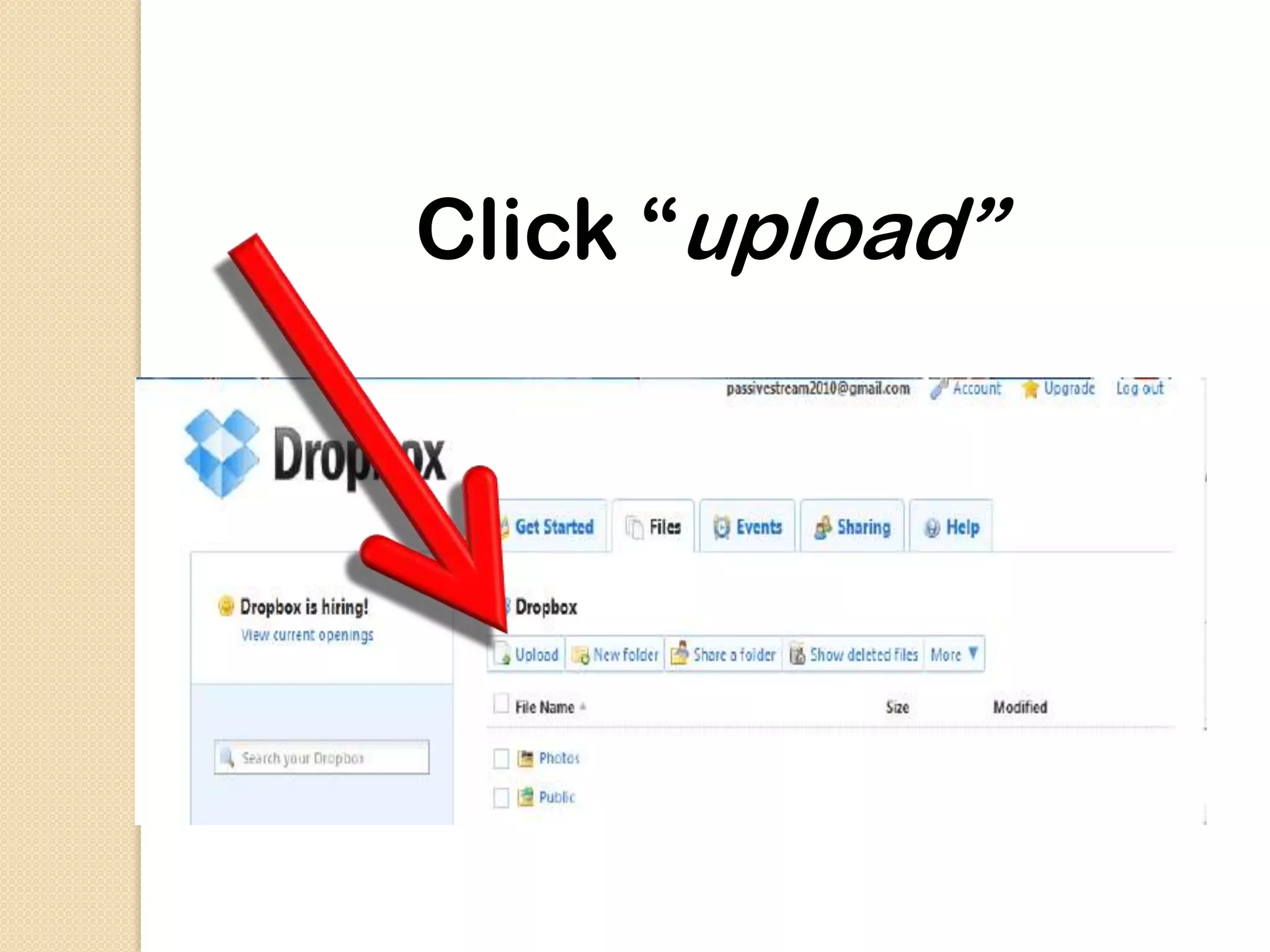
Click “upload”
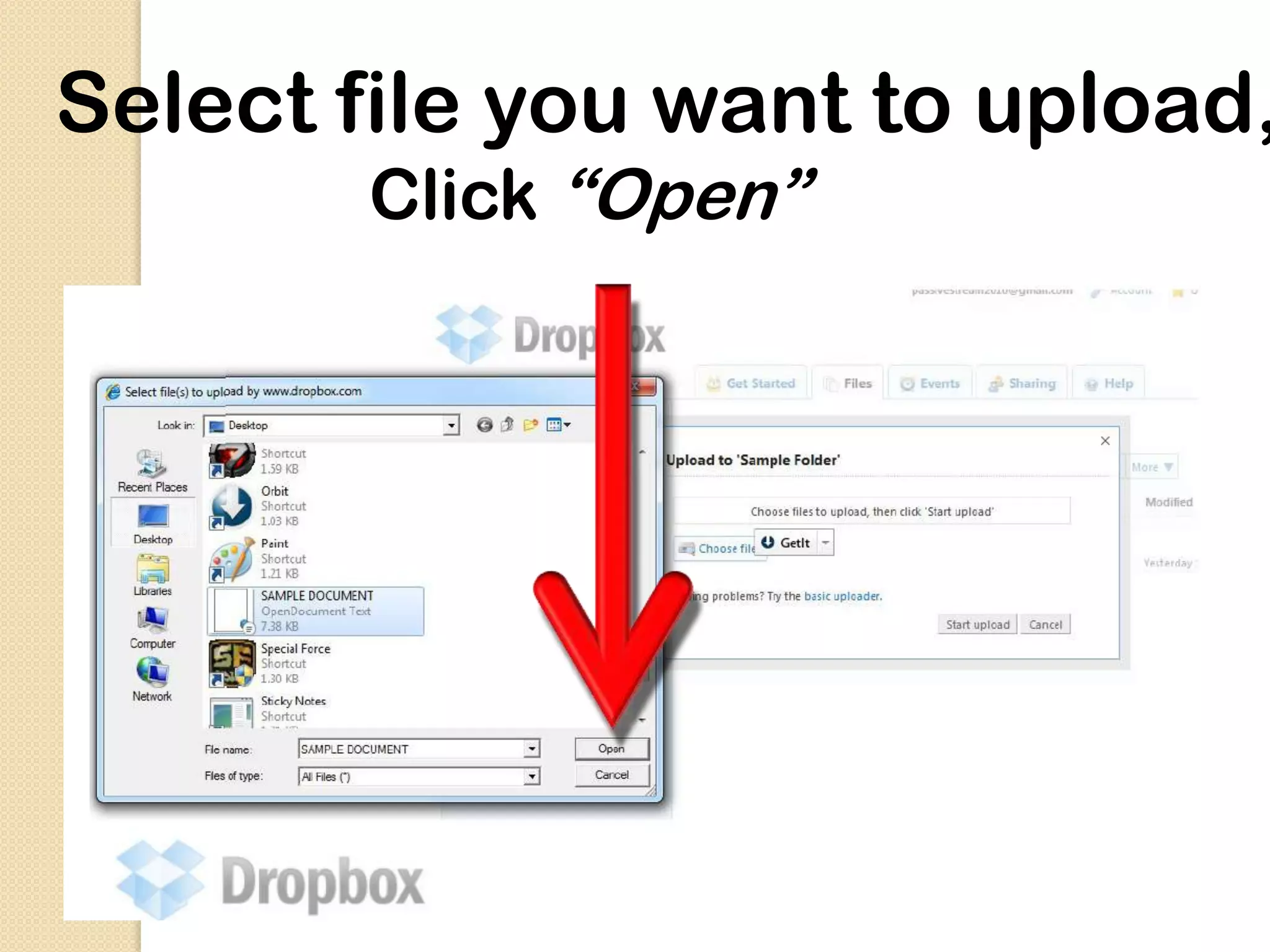
Select file you want to upload,
       Click “Open”
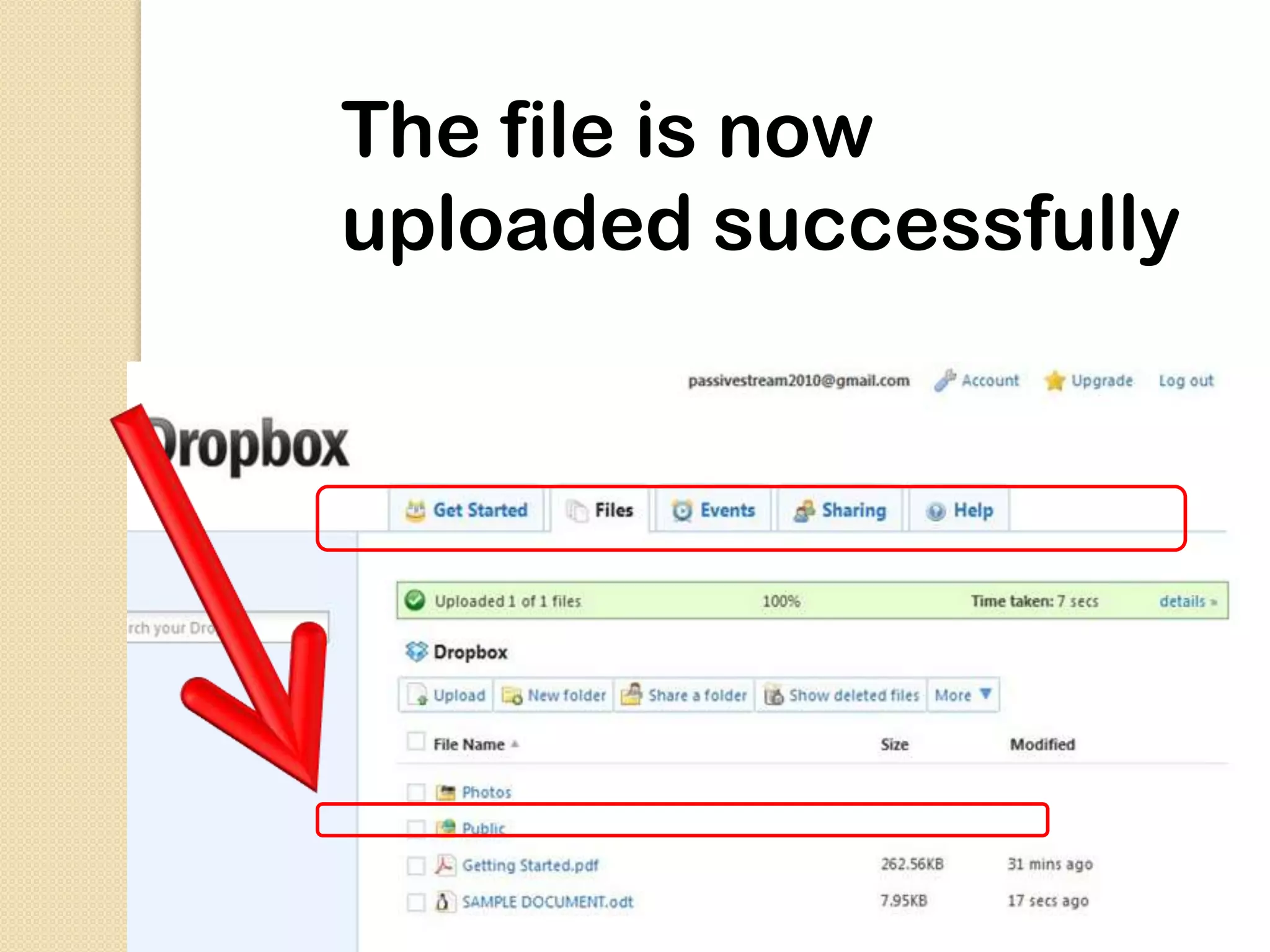
The file is now
uploaded successfully
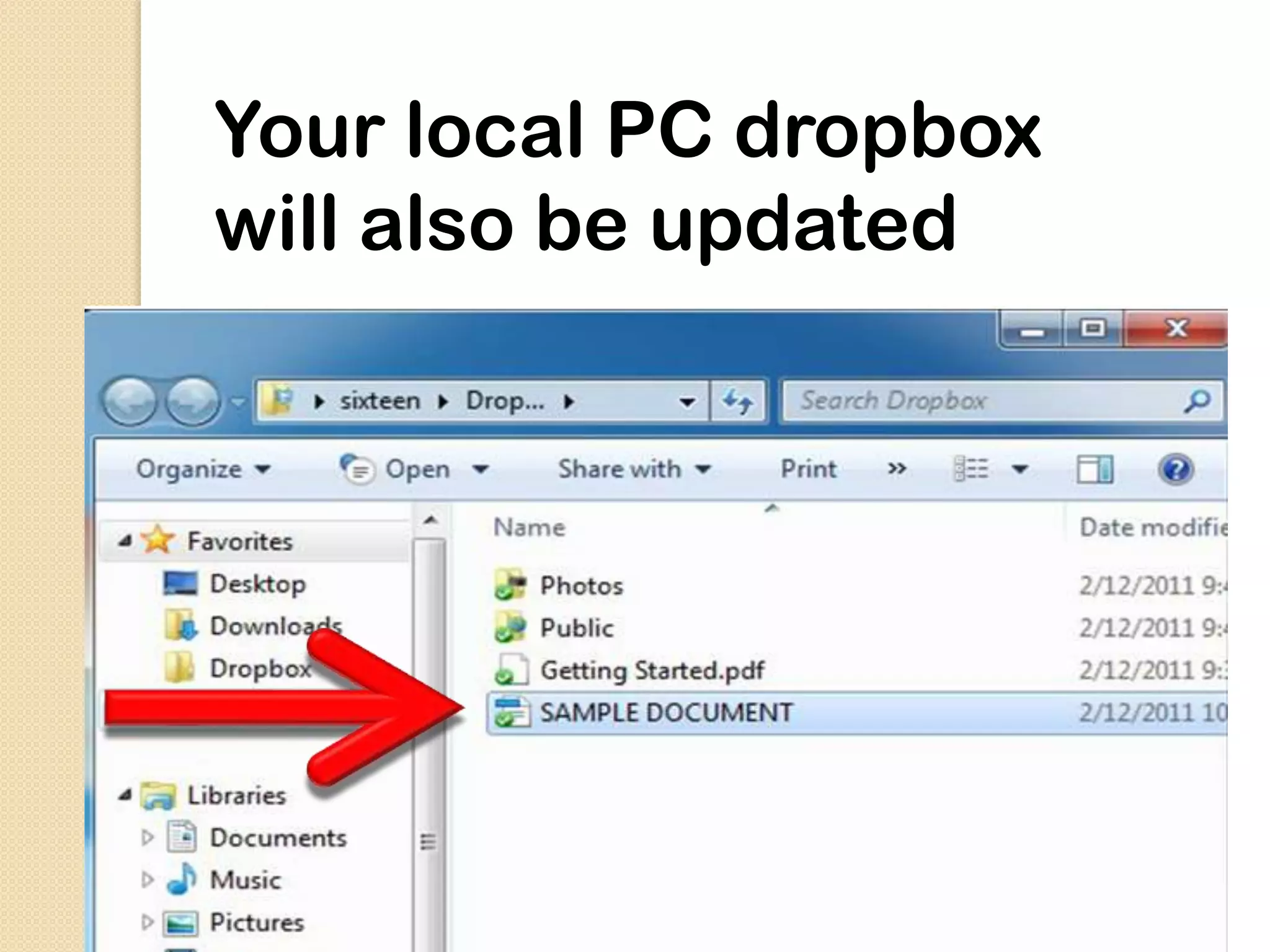
Your local PC dropbox
will also be updated
So whatever you uploaded on
your online dropbox…
you can find them in your local
dropbox folder
In vice versa, if you update your
local dropbox..
Updating your dropbox through
your local PC.

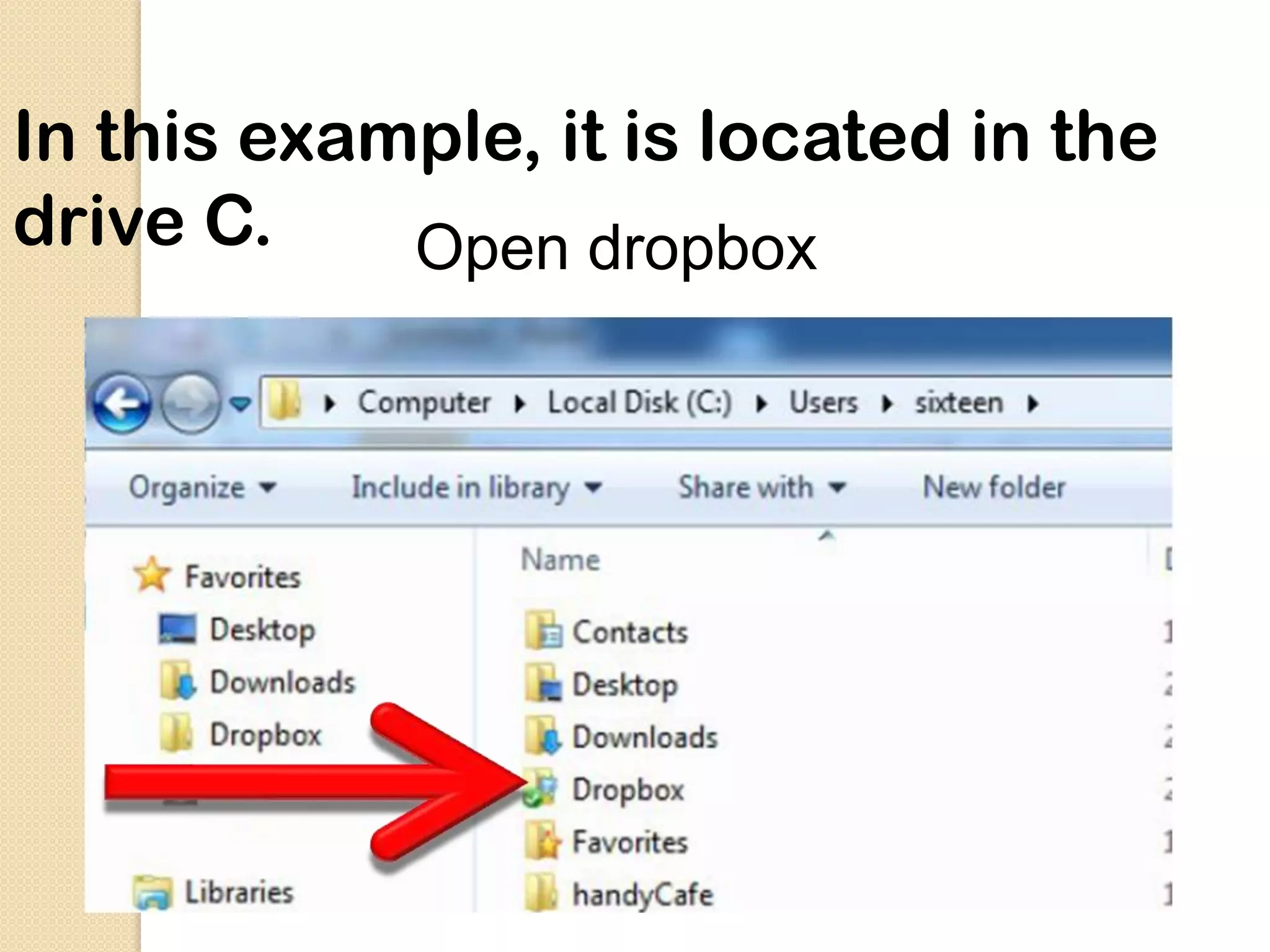
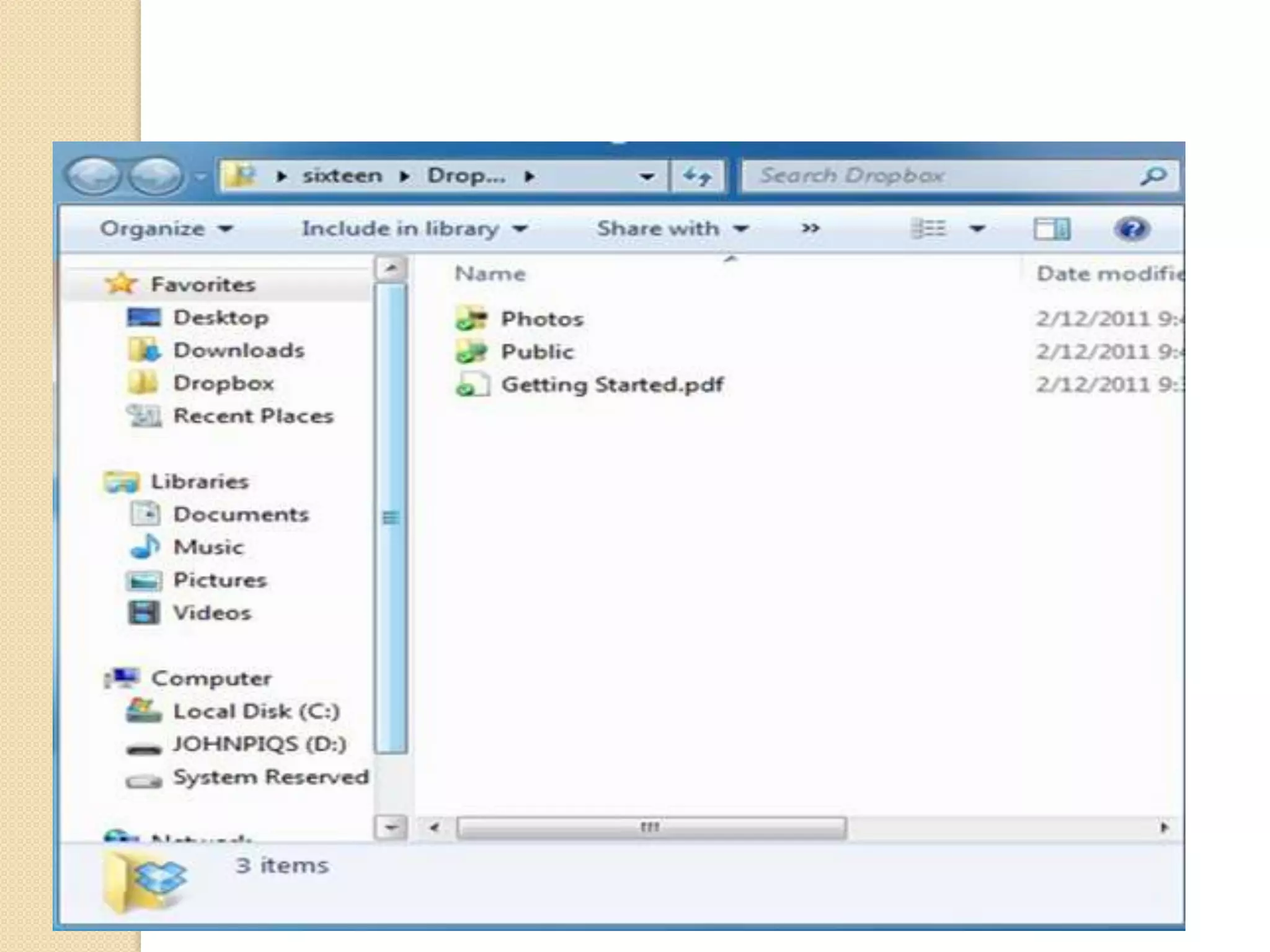
 Locate the dropbox folder in your
 PC
In this example, it is located in the
drive C.    Open dropbox
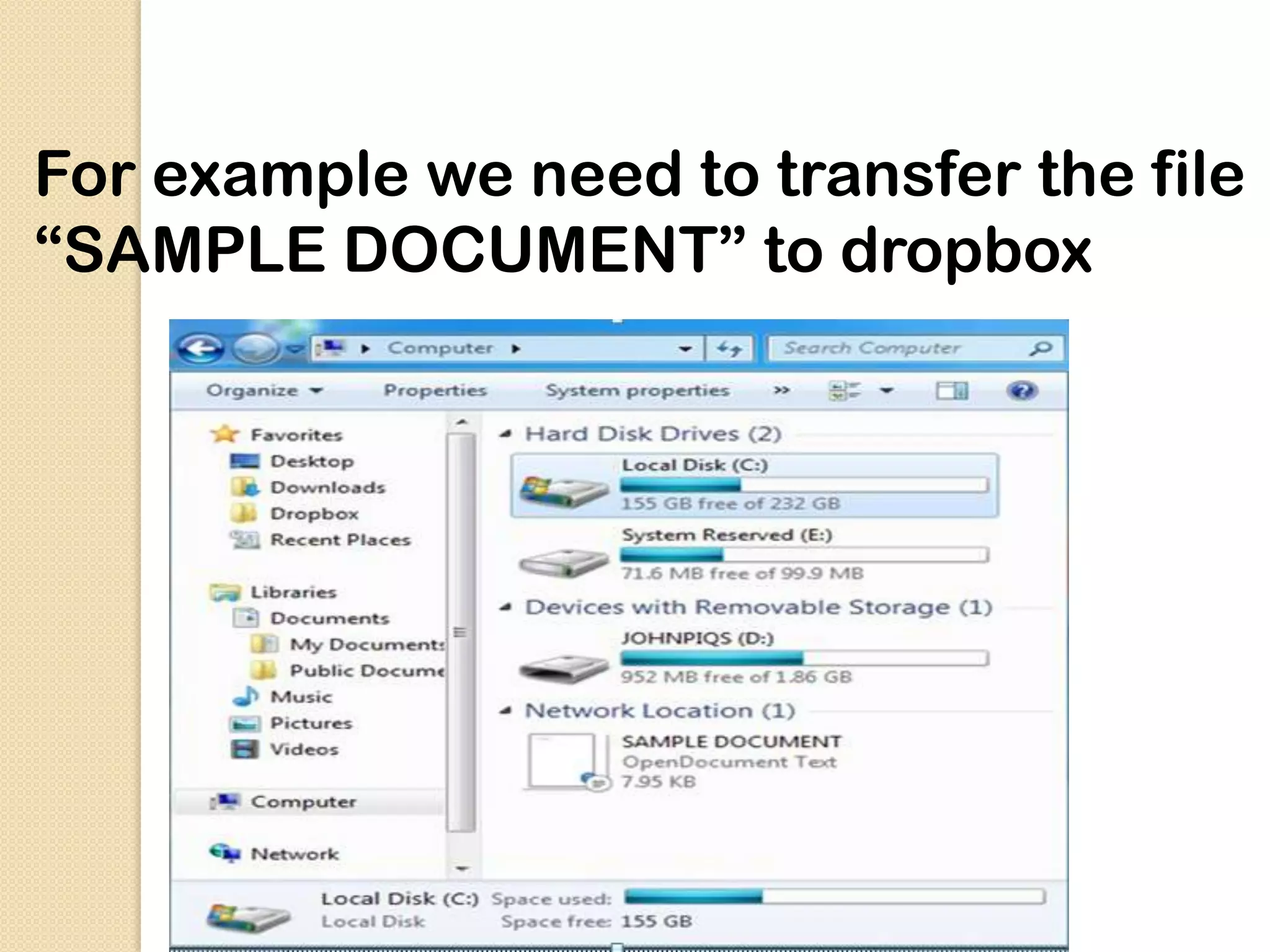
For example we need to transfer the file
“SAMPLE DOCUMENT” to dropbox
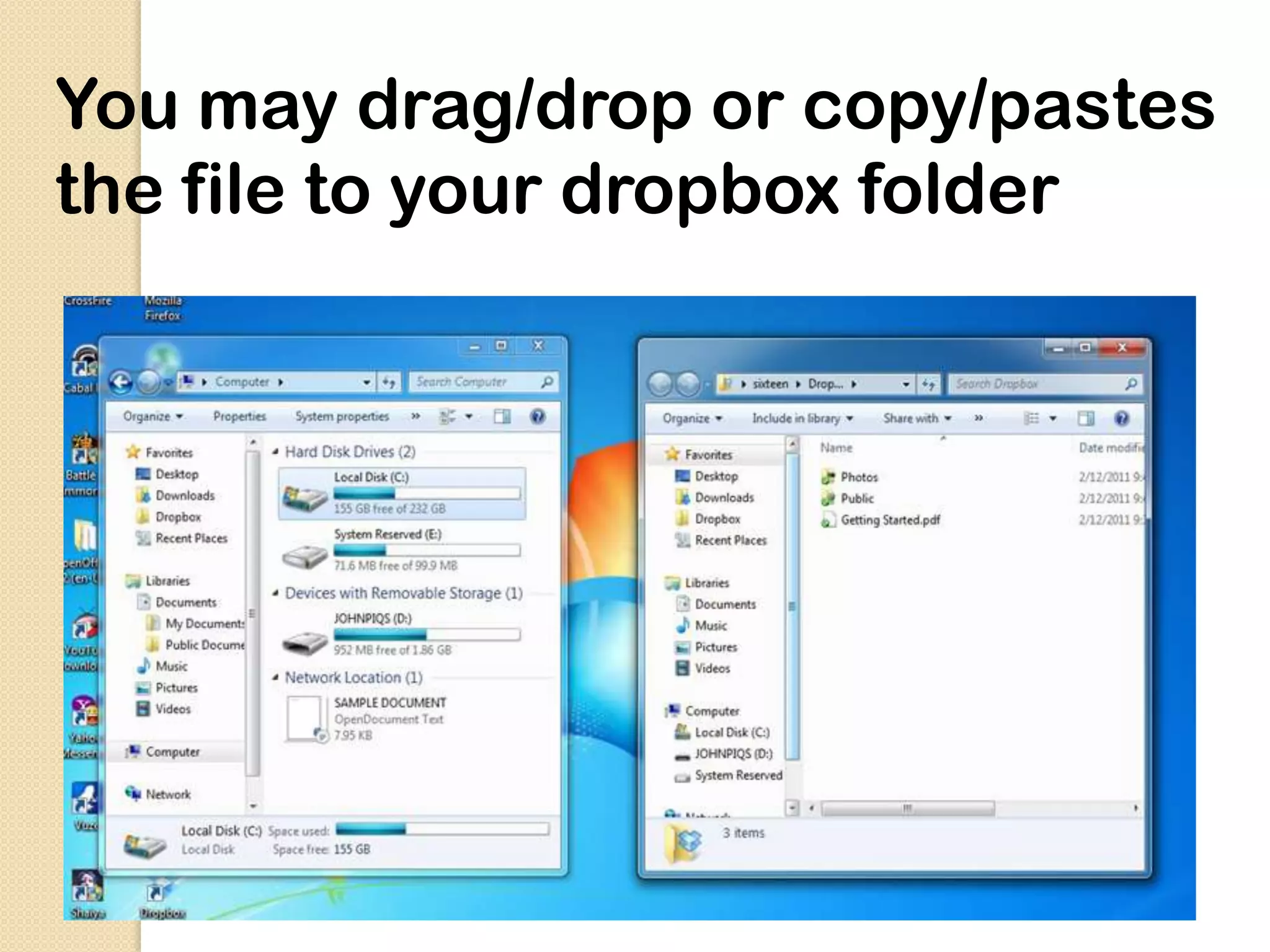
You may drag/drop or copy/pastes
the file to your dropbox folder
You may also
share your files to
others.
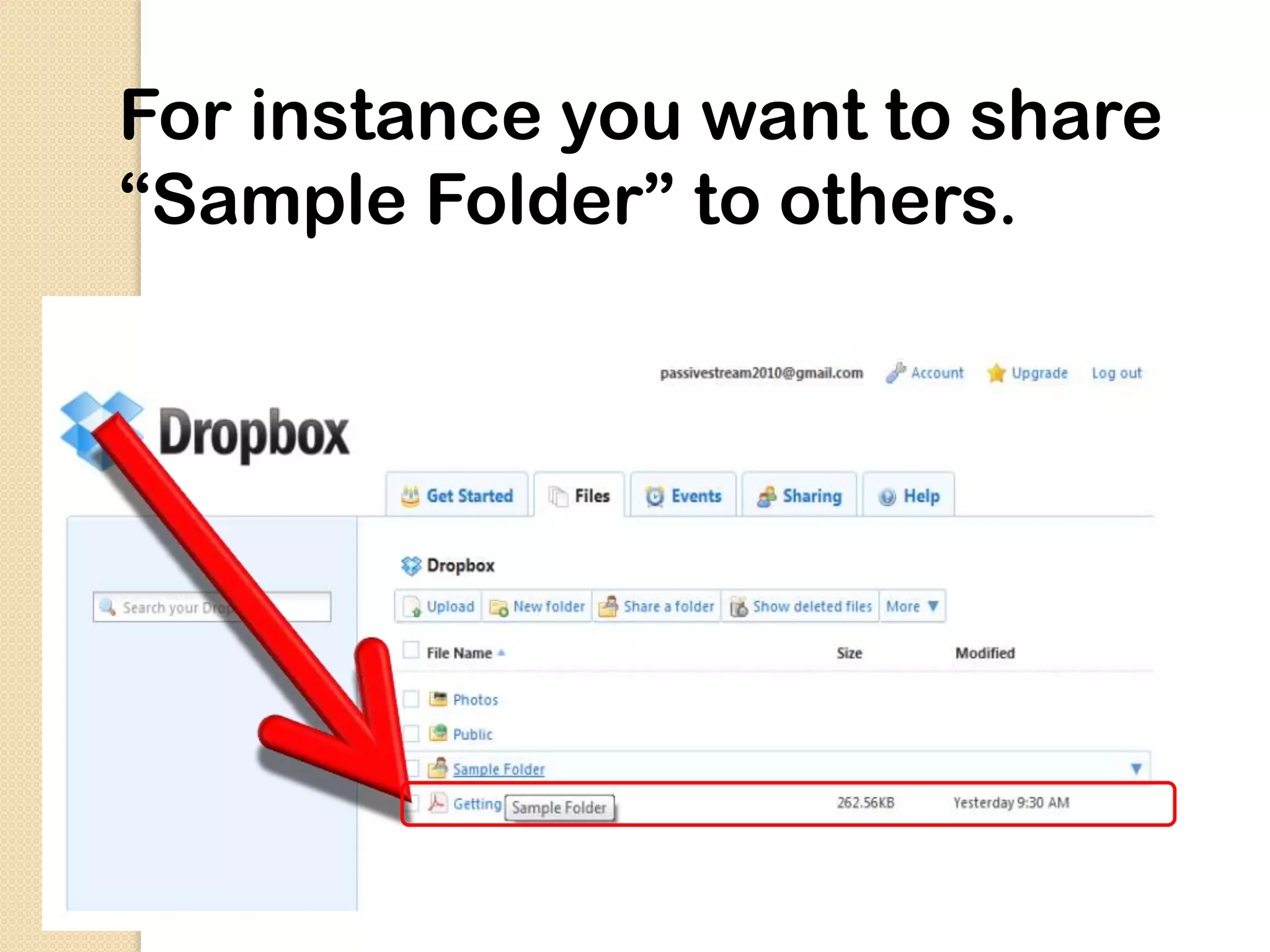
For instance you want to share
“Sample Folder” to others.
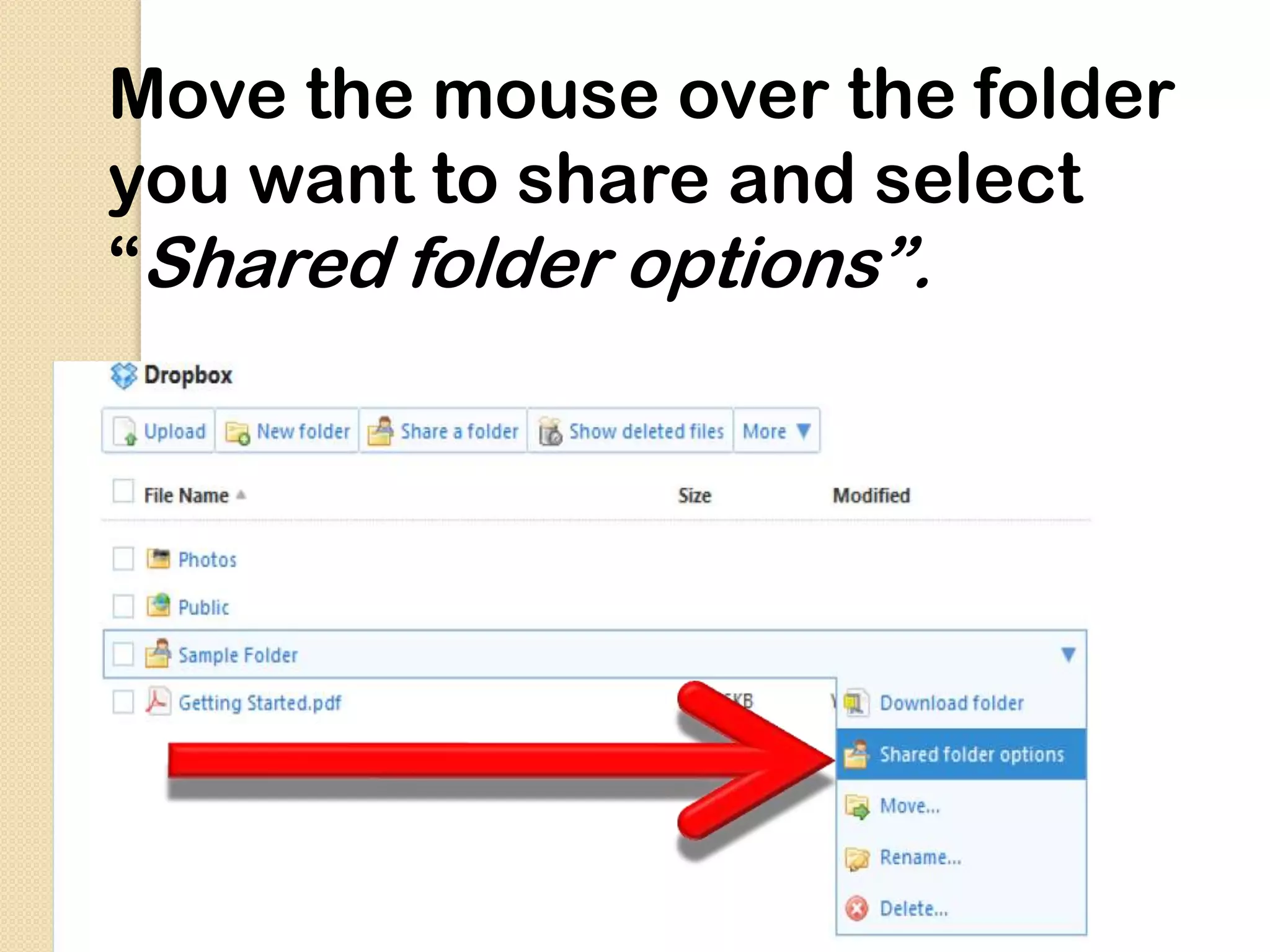
Move the mouse over the folder
you want to share and select
“Shared folder options”.
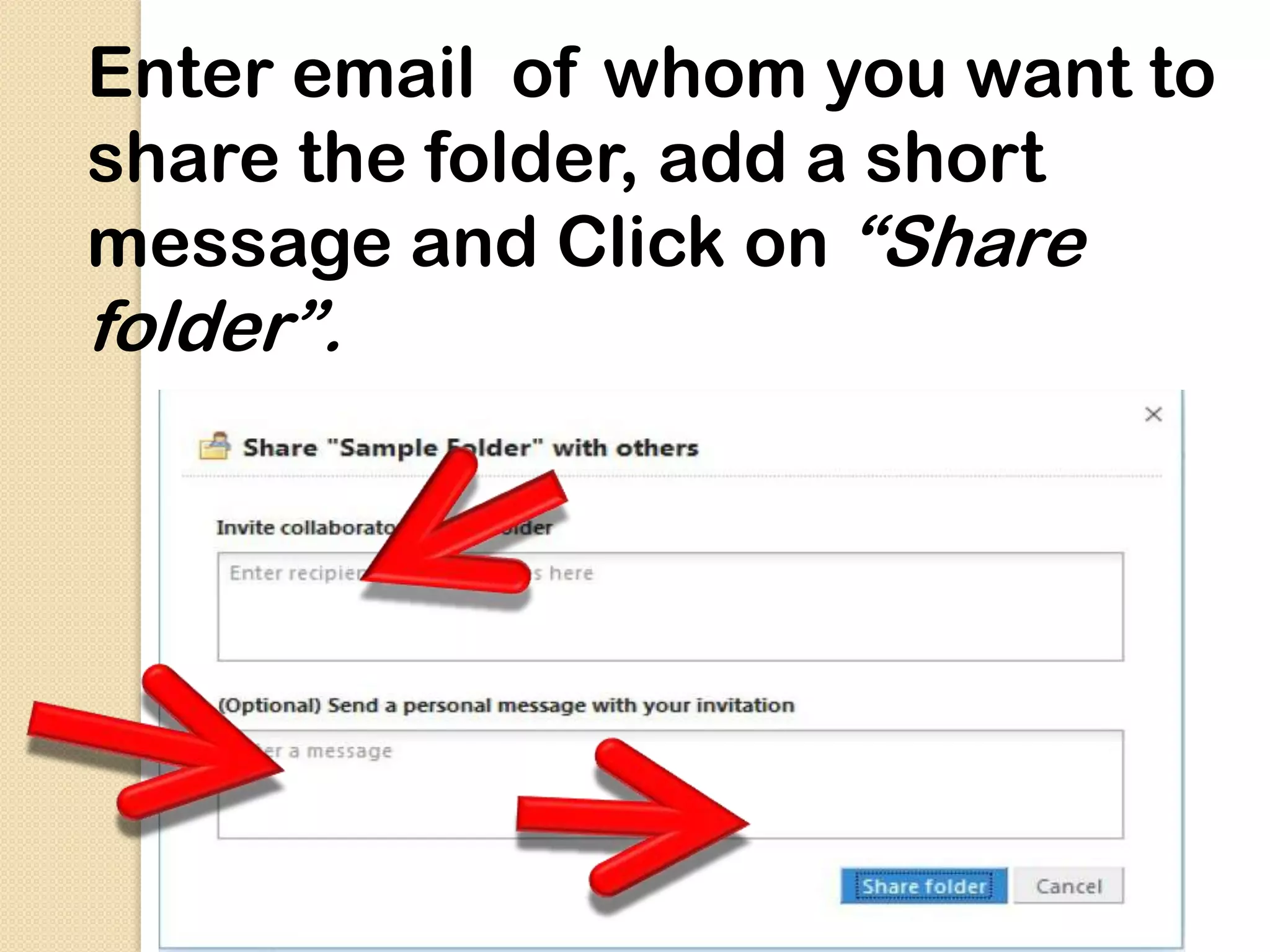
Enter email of whom you want to
share the folder, add a short
message and Click on “Share
folder”.
An invitation email will be sent to the
recipients…

 And gives them a link to accept your invite


 Once they accept your invitation, the folder
will appear in their Dropbox account

 Yes, they must have a dropbox account too...
Can I still recover my deleted
items?


      Yes, you can!
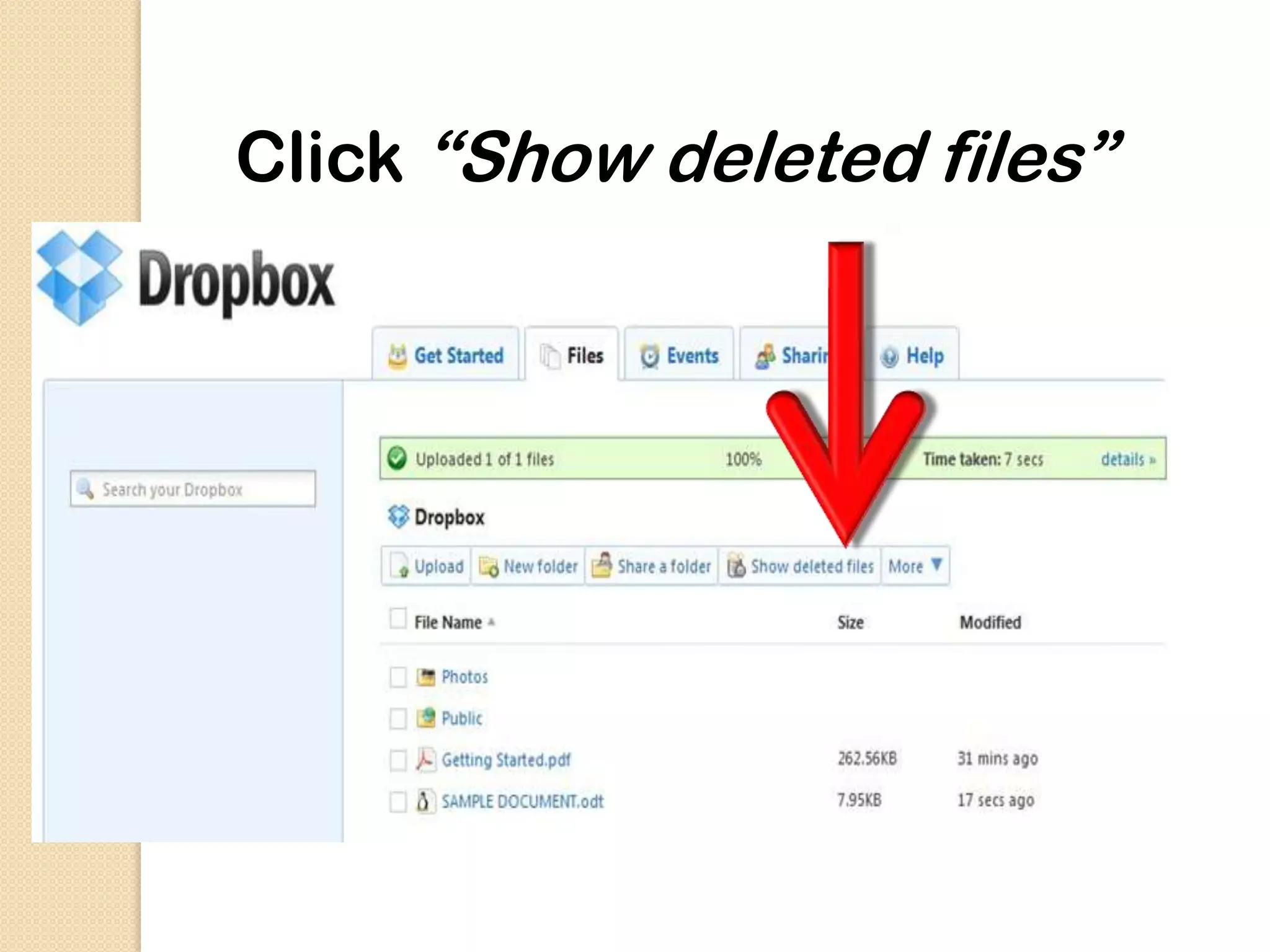
Click “Show deleted files”
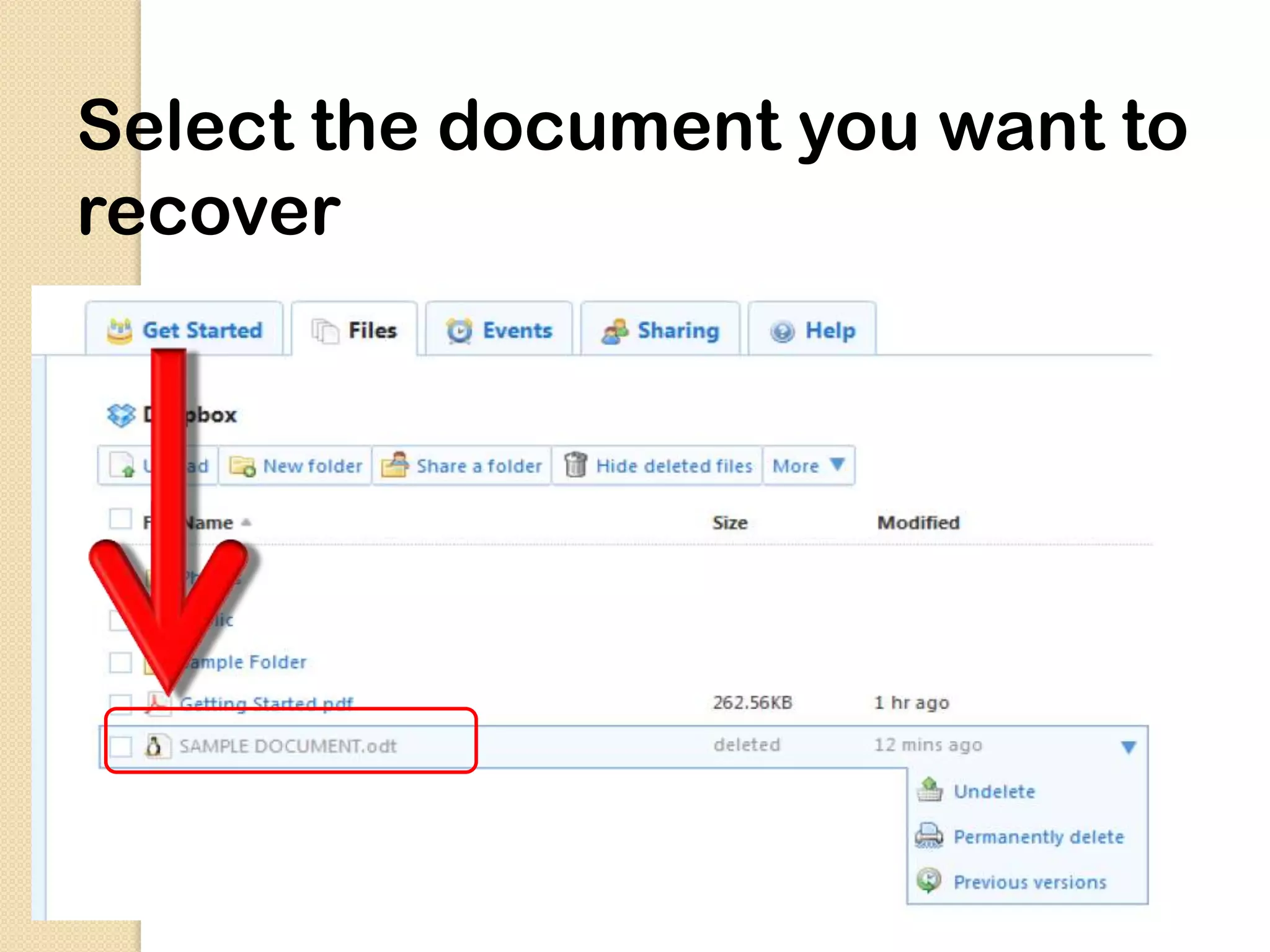
Select the document you want to
recover
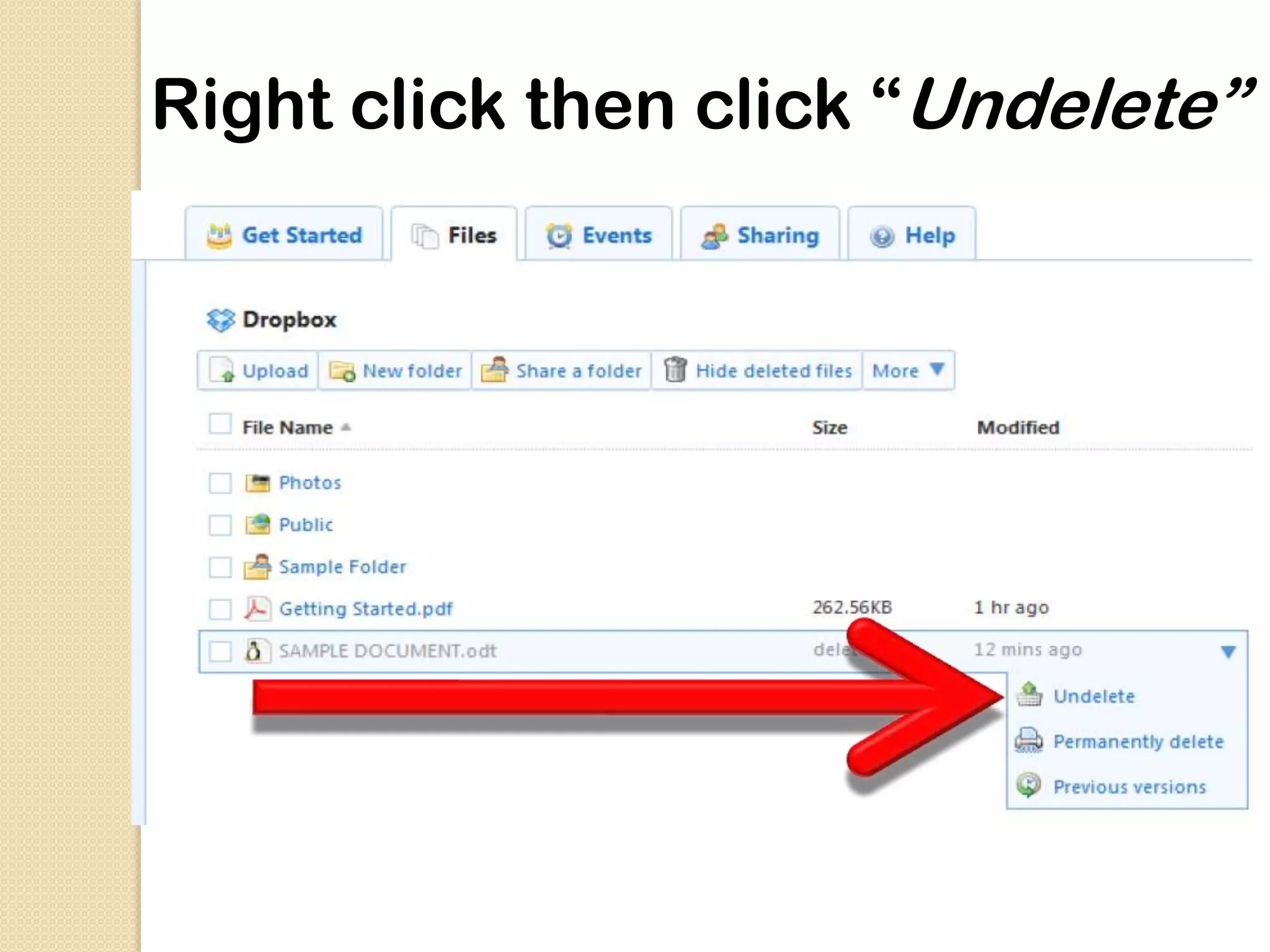
Right click then click “Undelete”
Application of Dropbox:
Monitor your computer for running task or
from unauthorised access.

Manage your bit Torrent download.

Quickly install android application & ROMs.

Create your own cloud based library.
 Convert ,Share and Automate your files.
Dropbox Advantages:
 Dropbox takes security of data very seriously.
 Everything stored in it is encrypted both in transmission
 and storage. Nobody can access the files unless he/she
 decides to share them, and everything in the public
 folder is accessible to anyone.
 The website keeps up to 30 days of history (under
 the tab “Events”), from which a task can be undone or
 undeleted. On this note, there is an unlimited undo
 option called “Pack-rat”.
 Dropbox is a web 2.0 application that replaces the
 USB,which means that moving files from one
 software to another will be no longer necessary.
Dropbox’s Disadvantages:
The website is only free for the first 2GB, if users
want or need more space, they will be charged.(click
on “cost” (top of page), and look at the different
prices).


The reaction-time of uploading a file has the same
speed as the user’s internet connection.
SCOPE: Sync API
 Sync API Allows apps for iOS &
Android to treat files stored on
user’s dropbox account as if they
were:
Local

Managing syncing, caching

Offline access

Tracking changes easily
Simplifies and Smoothens the process of
integrating Dropbox storage into apps.
Syncs to Dropbox behind the scenes.
Lets you create folders quickly.

Retires uploading/downloading the file
autonomously.

Refreshes quickly.
Conclusion….
Minimal use of USB and shift to dropbox. It
is affordable, reliable, and safe.

Dropbox can be used as an alternative
USB drive.

It is applicable for learning.

Popularity has increased from 25 million in
2011 to 50 milion in 2013.
dropbox by ramanjeet lamba

dropbox by ramanjeet lamba

  • 1.
    All your photos,video and docs anywhere… By –Ramanjeet lamba
  • 2.
    Imagine......  A personforgets his/her USB drive and need to save the file . Any suggestions????
  • 3.
    Contents • History • Whatis Dropbox? • Features • How to use Dropbox? • How to share files with others? • Recovery of files •Appllication • Advantages • Disadvantages • Scope • Conclusion
  • 4.
    History….. Dropbox was foundedin 2007 by two MIT graduates, Drew Houston and Arash Ferdowsi. It was launched publicly in 2008 As an MIT student, Houston had trouble keeping track of his USB. As a result, he decided to create a website designed especially to save files online in order to have access to them anywhere.
  • 5.
    What is dropbox? Dropbox is a web based service that syncs files across multiple platform ,regardless of file type . But you are not limited to web- there’s a desktop application for pc ,Mac and Linux AND app for iphone, ipad, blackberry and android . Dropbox allow to you save a file on your home computer, open it and edit it at work or school and view it on your smart phone. Dropbox also automatically creates backup version of your file. Applicants can also download it on their Smartphones or mobile (iPhones, Android, and Blackberry)
  • 6.
  • 7.
    File syncing  Editand save a file on one device, and it automatically syncs to your other Dropbox- enabled devices
  • 8.
    File sharing Any fileyou save to the Public folder is assigned a public link you can share with others Go to bit.ly/dropboxdoc for an example You can also invite specific people to share any other folder in your Dropbox folder
  • 9.
    Online backup When you save a file to your Dropbox folder, it’s automatically backed up to Dropbox’s servers.
  • 10.
    Security and privacy Provideshigh level of security. Use AES-256 bit encryption technique. Encryption program includes Box Cryptor or True Crypt. Two step verification is done before login. Nobody can see private files in Dropbox unless they are invited, or they’re in the Public folder. (Everything in your Public folder is, by definition accessible to
  • 11.
    Mobile Device Access Viewingfiles and faves on the iPhone
  • 12.
    What it replaces External harddrive Google docs. Emailing files to your self Ftp programs USB drive
  • 13.
    How do youuse Dropbox? Go to
  • 14.
  • 15.
    Just follow theinstallation instructions
  • 16.
    When you reachthis window, choose “I don’t have a Dropbox account”
  • 17.
    Fill out neededinformation Click “Next”
  • 18.
    Choose 2 GBthen click “Next” Choose 2 GB then click “Next”
  • 19.
    Choose Typical thenclick “Install”
  • 20.
  • 21.
  • 22.
  • 23.
  • 24.
    Enter your Emailand Password
  • 26.
  • 27.
    Select file youwant to upload, Click “Open”
  • 28.
    The file isnow uploaded successfully
  • 29.
    Your local PCdropbox will also be updated
  • 30.
    So whatever youuploaded on your online dropbox… you can find them in your local dropbox folder In vice versa, if you update your local dropbox.. Updating your dropbox through your local PC. Locate the dropbox folder in your PC
  • 31.
    In this example,it is located in the drive C. Open dropbox
  • 33.
    For example weneed to transfer the file “SAMPLE DOCUMENT” to dropbox
  • 34.
    You may drag/dropor copy/pastes the file to your dropbox folder
  • 35.
    You may also shareyour files to others.
  • 36.
    For instance youwant to share “Sample Folder” to others.
  • 37.
    Move the mouseover the folder you want to share and select “Shared folder options”.
  • 38.
    Enter email ofwhom you want to share the folder, add a short message and Click on “Share folder”.
  • 39.
    An invitation emailwill be sent to the recipients… And gives them a link to accept your invite  Once they accept your invitation, the folder will appear in their Dropbox account Yes, they must have a dropbox account too...
  • 40.
    Can I stillrecover my deleted items? Yes, you can!
  • 41.
  • 42.
    Select the documentyou want to recover
  • 43.
    Right click thenclick “Undelete”
  • 44.
    Application of Dropbox: Monitoryour computer for running task or from unauthorised access. Manage your bit Torrent download. Quickly install android application & ROMs. Create your own cloud based library.  Convert ,Share and Automate your files.
  • 46.
    Dropbox Advantages: Dropboxtakes security of data very seriously. Everything stored in it is encrypted both in transmission and storage. Nobody can access the files unless he/she decides to share them, and everything in the public folder is accessible to anyone. The website keeps up to 30 days of history (under the tab “Events”), from which a task can be undone or undeleted. On this note, there is an unlimited undo option called “Pack-rat”. Dropbox is a web 2.0 application that replaces the USB,which means that moving files from one software to another will be no longer necessary.
  • 47.
    Dropbox’s Disadvantages: The websiteis only free for the first 2GB, if users want or need more space, they will be charged.(click on “cost” (top of page), and look at the different prices). The reaction-time of uploading a file has the same speed as the user’s internet connection.
  • 48.
    SCOPE: Sync API Sync API Allows apps for iOS & Android to treat files stored on user’s dropbox account as if they were: Local Managing syncing, caching Offline access Tracking changes easily
  • 49.
    Simplifies and Smoothensthe process of integrating Dropbox storage into apps. Syncs to Dropbox behind the scenes. Lets you create folders quickly. Retires uploading/downloading the file autonomously. Refreshes quickly.
  • 50.
    Conclusion…. Minimal use ofUSB and shift to dropbox. It is affordable, reliable, and safe. Dropbox can be used as an alternative USB drive. It is applicable for learning. Popularity has increased from 25 million in 2011 to 50 milion in 2013.