Portfolio Samples
Prepared for Evolved Media
August 3, 2011


Copyright © Write Quick, Inc, 2011. All rights reserved. Proprietary and Confidential
Notes

This PowerPoint-authored slide deck provides only a few portfolio samples, and I’m looking forward to meeting in
person and showing you many more.

Although some items may be labeled confidential, I have previously received permission to share them or submit
them for public viewing (via entry in various STC competitions), or I have fully redacted any proprietary or
confidential information. However, these samples are provided with the understanding that they are for
immediate viewing only by the intended recipients, will not be further distributed, and that you will delete them
from your system after viewing.

* Note that when you click the hyperlinks to open the documents, they will open in the same PDF window as this
doc (an Acrobat security feature to prevent launching virus-laden “docs”). To return to this document you can
reopen it or enable your PDF viewer’s Page Navigation controls and use its Return to Previous Page View button.
(This behavior is dictated by your PDF viewer; if you’re not using Acrobat your steps may be different.)

Please see the following pages for background information about each sample:
   Command Line Interface Reference
   Developer’s Guide: Working with Database Content
   Architecture Diagram: Java Technologies


       Write Quick, Inc. Portfolio Samples     Proprietary and Confidential          August 3, 2011             2
Command Line Interface Reference

As we discussed, the (SkyPilot) products evolved with two interfaces: a command-line interface and a Web
interface. Unfortunately, the interfaces did not offer identical options: most options could be configured with
either interface, but some via just one or the other interface.

Both interfaces are described in the SkyPilot Network Administration guide (page 7), and their differences
highlighted (pages 15-17).

The doc set was very comprehensive: a Getting Started guide, separate installation guides for the server and each
client component, and separate Web Interface Reference and Command-Line Interface Reference.

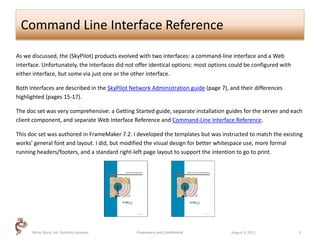
This doc set was authored in FrameMaker 7.2. I developed the templates but was instructed to match the existing
works’ general font and layout. I did, but modified the visual design for better whitespace use, more formal
running headers/footers, and a standard right-left page layout to support the intention to go to print.


      Write Quick, Inc. Portfolio Samples       Proprietary and Confidential          August 3, 2011              3
Developer’s Guide: Working with Database Content

I wrote the LocationLogic Developer’s Guide: Working with Content to enable LocationLogic platform and
database administrators to plan and maintain their content databases and to explain to application developers
how to effectively access and use the content in their applications.

This document provides an array of procedures relating to database concepts (schemas, keys, ERDs, access
methods), database administration functions (inserting attributes, migration, optimizing content, saving, etc.),
accomplishing desired tasks via API methods, using a variety of product interfaces, and more.

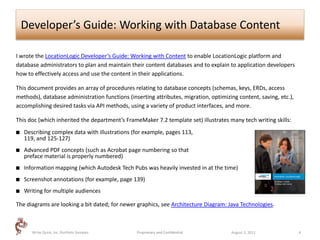
This doc (which inherited the department’s FrameMaker 7.2 template set) illustrates many tech writing skills:
   Describing complex data with illustrations (for example, pages 113,
    119, and 125-127)
   Advanced PDF concepts (such as Acrobat page numbering so that
    preface material is properly numbered)
   Information mapping (which Autodesk Tech Pubs was heavily invested in at the time)
   Screenshot annotations (for example, page 139)
   Writing for multiple audiences

The diagrams are looking a bit dated; for newer graphics, see Architecture Diagram: Java Technologies.


       Write Quick, Inc. Portfolio Samples      Proprietary and Confidential          August 3, 2011               4
Architecture Diagram: Java Technologies

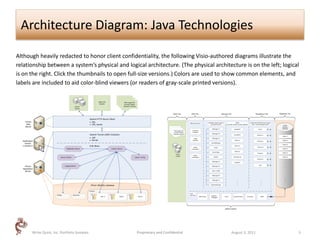
Although heavily redacted to honor client confidentiality, the following Visio-authored diagrams illustrate the
relationship between a system’s physical and logical architecture. (The physical architecture is on the left; logical
is on the right. Click the thumbnails to open full-size versions.) Colors are used to show common elements, and
labels are included to aid color-blind viewers (or readers of gray-scale printed versions).


      Write Quick, Inc. Portfolio Samples        Proprietary and Confidential            August 3, 2011             5

Write quickinc portfoliosamples

  • 1.
    Portfolio Samples Prepared forEvolved Media August 3, 2011 Copyright © Write Quick, Inc, 2011. All rights reserved. Proprietary and Confidential
  • 2.
    Notes This PowerPoint-authored slidedeck provides only a few portfolio samples, and I’m looking forward to meeting in person and showing you many more. Although some items may be labeled confidential, I have previously received permission to share them or submit them for public viewing (via entry in various STC competitions), or I have fully redacted any proprietary or confidential information. However, these samples are provided with the understanding that they are for immediate viewing only by the intended recipients, will not be further distributed, and that you will delete them from your system after viewing. * Note that when you click the hyperlinks to open the documents, they will open in the same PDF window as this doc (an Acrobat security feature to prevent launching virus-laden “docs”). To return to this document you can reopen it or enable your PDF viewer’s Page Navigation controls and use its Return to Previous Page View button. (This behavior is dictated by your PDF viewer; if you’re not using Acrobat your steps may be different.) Please see the following pages for background information about each sample:  Command Line Interface Reference  Developer’s Guide: Working with Database Content  Architecture Diagram: Java Technologies Write Quick, Inc. Portfolio Samples Proprietary and Confidential August 3, 2011 2
  • 3.
    Command Line InterfaceReference As we discussed, the (SkyPilot) products evolved with two interfaces: a command-line interface and a Web interface. Unfortunately, the interfaces did not offer identical options: most options could be configured with either interface, but some via just one or the other interface. Both interfaces are described in the SkyPilot Network Administration guide (page 7), and their differences highlighted (pages 15-17). The doc set was very comprehensive: a Getting Started guide, separate installation guides for the server and each client component, and separate Web Interface Reference and Command-Line Interface Reference. This doc set was authored in FrameMaker 7.2. I developed the templates but was instructed to match the existing works’ general font and layout. I did, but modified the visual design for better whitespace use, more formal running headers/footers, and a standard right-left page layout to support the intention to go to print. Write Quick, Inc. Portfolio Samples Proprietary and Confidential August 3, 2011 3
  • 4.
    Developer’s Guide: Workingwith Database Content I wrote the LocationLogic Developer’s Guide: Working with Content to enable LocationLogic platform and database administrators to plan and maintain their content databases and to explain to application developers how to effectively access and use the content in their applications. This document provides an array of procedures relating to database concepts (schemas, keys, ERDs, access methods), database administration functions (inserting attributes, migration, optimizing content, saving, etc.), accomplishing desired tasks via API methods, using a variety of product interfaces, and more. This doc (which inherited the department’s FrameMaker 7.2 template set) illustrates many tech writing skills:  Describing complex data with illustrations (for example, pages 113, 119, and 125-127)  Advanced PDF concepts (such as Acrobat page numbering so that preface material is properly numbered)  Information mapping (which Autodesk Tech Pubs was heavily invested in at the time)  Screenshot annotations (for example, page 139)  Writing for multiple audiences The diagrams are looking a bit dated; for newer graphics, see Architecture Diagram: Java Technologies. Write Quick, Inc. Portfolio Samples Proprietary and Confidential August 3, 2011 4
  • 5.
    Architecture Diagram: JavaTechnologies Although heavily redacted to honor client confidentiality, the following Visio-authored diagrams illustrate the relationship between a system’s physical and logical architecture. (The physical architecture is on the left; logical is on the right. Click the thumbnails to open full-size versions.) Colors are used to show common elements, and labels are included to aid color-blind viewers (or readers of gray-scale printed versions). Write Quick, Inc. Portfolio Samples Proprietary and Confidential August 3, 2011 5