Identity, Authentication
WP Passkeys:
Passwordless
Authentication on
WordPress.
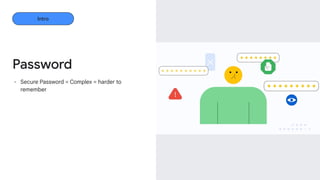
- Secure Password = Complex = harder to
remember
Password
Intro
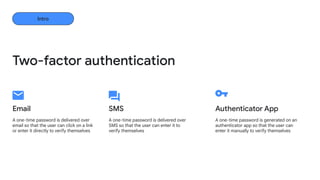
A one-time password is delivered over
email so that the user can click on a link
or enter it directly to verify themselves
A one-time password is delivered over
SMS so that the user can enter it to
verify themselves
Email SMS
A one-time password is generated on an
authenticator app so that the user can
enter it manually to verify themselves
Authenticator App
Two-factor authentication
Intro
4
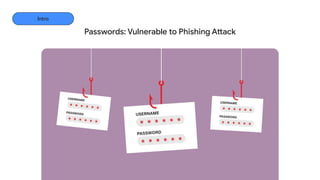
Passwords: Vulnerable to Phishing Attack
Intro
Intro
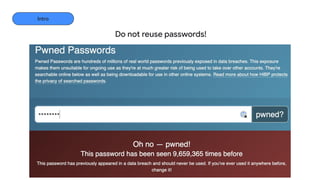
Do not reuse passwords!
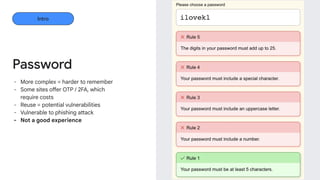
- More complex = harder to remember
- Some sites offer OTP / 2FA, which
require costs
- Reuse = potential vulnerabilities
- Vulnerable to phishing attack
- Not a good experience
Password
Intro
Replacing passwords and 2-factor authentication altogether
Passkeys
Passkeys Overview
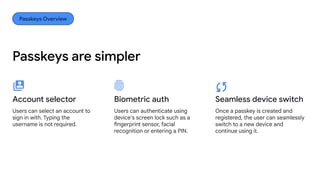
Users can select an account to
sign in with. Typing the
username is not required.
Account selector
Once a passkey is created and
registered, the user can seamlessly
switch to a new device and
continue using it.
Seamless device switch
Passkeys Overview
Passkeys are simpler
Users can authenticate using
device's screen lock such as a
fingerprint sensor, facial
recognition or entering a PIN.
Biometric auth
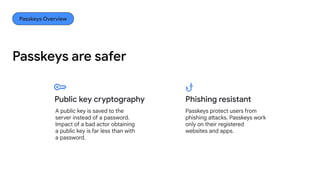
A public key is saved to the
server instead of a password.
Impact of a bad actor obtaining
a public key is far less than with
a password.
Passkeys protect users from
phishing attacks. Passkeys work
only on their registered
websites and apps.
Public key cryptography Phishing resistant
Passkeys Overview
Passkeys are safer
Passkeys Overview
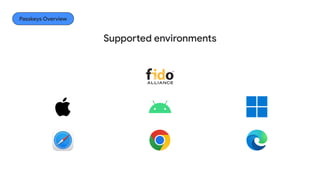
Supported environments
Passkeys Overview
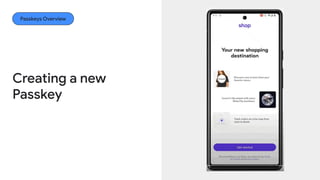
Creating a new
Passkey
Passkeys Overview
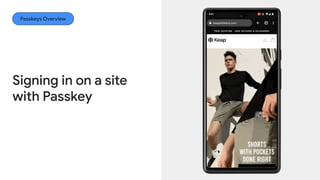
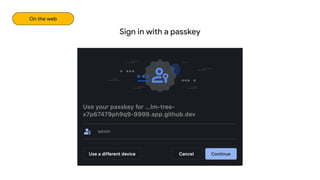
Signing in on a site
with Passkey
Passkeys Overview
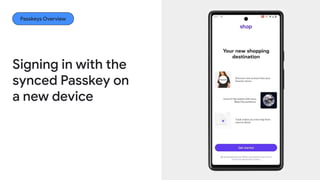
Signing in with the
synced Passkey on
a new device
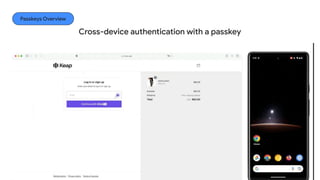
Cross-device authentication with a passkey
Passkeys Overview
Passkeys Overview
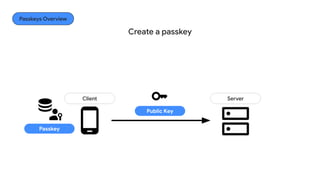
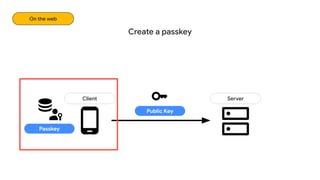
Create a passkey
Client Server
Public Key
Passkey
Passkeys Overview
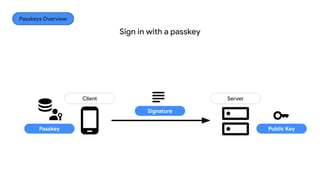
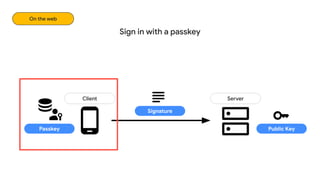
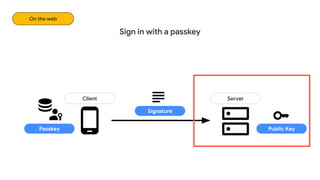
Sign in with a passkey
Client Server
Public Key
Signature
Passkey
goo.gle/passkeys
Passwordless login with
passkeys
Passkeys Overview
Integrating Passkeys
on the web (WordPress)
On the web
On the web
On the web
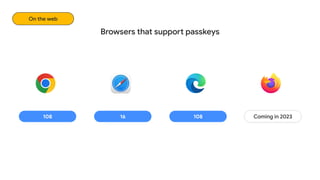
108 16 108 Coming in 2023
Browsers that support passkeys
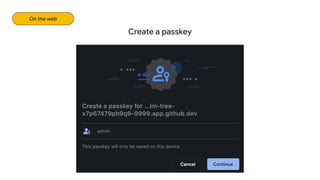
Create a passkey
Client Server
Public Key
Passkey
On the web
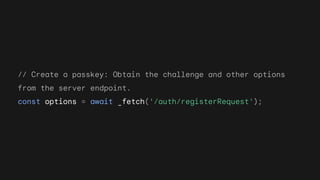
// Create a passkey: Obtain the challenge and other options
from the server endpoint.
const options = await _fetch('/auth/registerRequest');
// Server Response.
{
challenge: *****,
rp: { id: "example.com" },
user: { id: *****, name: "john78" },
pubKeyCredParams: [
{ alg: -7, type: "public-key" },
{ alg: -257, type: "public-key" }],
excludeCredentials: [...],
authenticatorSelection: {
authenticatorAttachment: "platform",
requireResidentKey: true,
}
}
// Server Response.
{
challenge: *****,
rp: { id: "example.com" },
user: { id: *****, name: "john78" },
pubKeyCredParams: [
{ alg: -7, type: "public-key" },
{ alg: -257, type: "public-key" }],
excludeCredentials: [...],
authenticatorSelection: {
authenticatorAttachment: "platform",
requireResidentKey: true,
}
}
// Server Response.
{
challenge: *****,
rp: { id: "example.com" },
user: { id: *****, name: "john78" },
pubKeyCredParams: [
{ alg: -7, type: "public-key" },
{ alg: -257, type: "public-key" }],
excludeCredentials: [...],
authenticatorSelection: {
authenticatorAttachment: "platform",
requireResidentKey: true,
}
}
// Create a new passkey
const credential = await navigator.credentials.create({
publicKey: {
challenge: *****,
rp: { id: "example.com" },
user: { id: *****, name: "john78" },
excludeCredentials: [ ... ],
authenticatorSelection: {
authenticatorAttachment: "platform",
requireResidentKey: true,
},
...
}
});
// Create a new passkey
const credential = await navigator.credentials.create({
publicKey: {
challenge: *****,
rp: { id: "example.com" },
user: { id: *****, name: "john78" },
excludeCredentials: [ ... ],
authenticatorSelection: {
authenticatorAttachment: "platform",
requireResidentKey: true,
},
...
}
});
// Create a new passkey
const credential = await navigator.credentials.create({
publicKey: {
challenge: *****,
rp: { id: "example.com" },
user: { id: *****, name: "john78" },
excludeCredentials: [ ... ],
authenticatorSelection: {
authenticatorAttachment: "platform",
requireResidentKey: true,
},
...
}
});
Create a passkey
On the web
Sign in with a passkey
Client Server
Public Key
Signature
Passkey
On the web
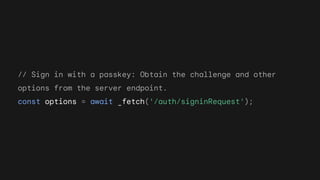
// Sign in with a passkey: Obtain the challenge and other
options from the server endpoint.
const options = await _fetch('/auth/signinRequest');
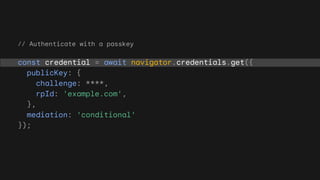
// Authenticate with a passkey
const credential = await navigator.credentials.get({
publicKey: {
challenge: ****,
rpId: 'example.com',
},
mediation: 'conditional'
});
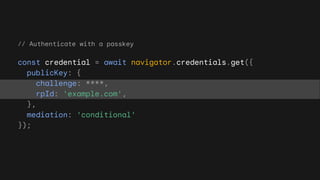
// Authenticate with a passkey
const credential = await navigator.credentials.get({
publicKey: {
challenge: ****,
rpId: 'example.com',
},
mediation: 'conditional'
});
Sign in with a passkey
On the web
Sign in with a passkey
Client Server
Public Key
Signature
Passkey
On the web
On the web
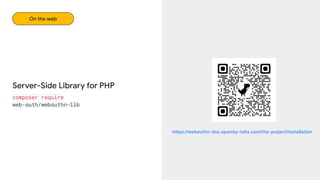
Server-Side Library for PHP
composer require
web-auth/webauthn-lib
https://webauthn-doc.spomky-labs.com/the-project/installation
On the web
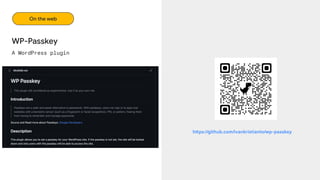
WP-Passkey
A WordPress plugin
https://github.com/ivankristianto/wp-passkey
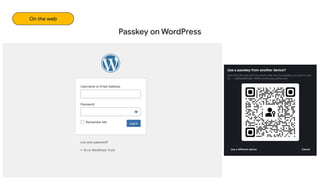
Passkey on WordPress
On the web
Android 9 and above support passkeys via the Credential Manager library
Integrating passkeys
on Android apps
On Android
// /.well-known/assetlinks.json
[{
"relation": [ "delegate_permission/common.handle_all_urls",
"delegate_permission/common.get_login_creds" ],
"target": { "namespace": "web", "site": "https://example.com" }
}, {
"relation": [ "delegate_permission/common.handle_all_urls",
"delegate_permission/common.get_login_creds" ],
"target": {
"namespace": "android_app",
"package_name": "com.example.fido2apiexample",
"sha256_cert_fingerprints": [ "DE:AD:BE:EF:****" ]
}}]
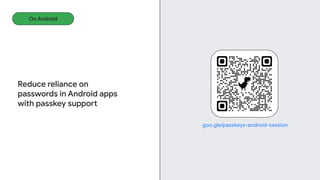
On Android
goo.gle/passkeys-android-session
Reduce reliance on
passwords in Android apps
with passkey support
iOS / iPadOS 16 and above support passkeys
Integrating passkeys
on iOS and iPadOS apps
On iOS and iPadOS
// /.well-known/apple-app-site-association
{
"webcredentials": {
"apps": [ "ABCDE12345.com.example.app" ]
}
}
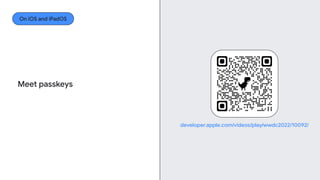
developer.apple.com/videos/play/wwdc2022/10092/
Meet passkeys
On iOS and iPadOS
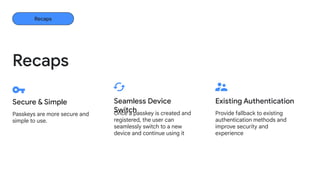
Passkeys are more secure and
simple to use.
Secure & Simple
Provide fallback to existing
authentication methods and
improve security and
experience
Existing Authentication
Recaps
Recaps
Once a passkey is created and
registered, the user can
seamlessly switch to a new
device and continue using it
Seamless Device
Switch
Thank You
Ivan Kristianto / @ivankrisdotcom
Web GDE Human Made

WP Passkey: Passwordless Authentication on WordPress

  • 1.
  • 2.
    - Secure Password= Complex = harder to remember Password Intro
  • 3.
    A one-time passwordis delivered over email so that the user can click on a link or enter it directly to verify themselves A one-time password is delivered over SMS so that the user can enter it to verify themselves Email SMS A one-time password is generated on an authenticator app so that the user can enter it manually to verify themselves Authenticator App Two-factor authentication Intro
  • 4.
    4 Passwords: Vulnerable toPhishing Attack Intro
  • 5.
  • 6.
    - More complex= harder to remember - Some sites offer OTP / 2FA, which require costs - Reuse = potential vulnerabilities - Vulnerable to phishing attack - Not a good experience Password Intro
  • 7.
    Replacing passwords and2-factor authentication altogether Passkeys Passkeys Overview
  • 8.
    Users can selectan account to sign in with. Typing the username is not required. Account selector Once a passkey is created and registered, the user can seamlessly switch to a new device and continue using it. Seamless device switch Passkeys Overview Passkeys are simpler Users can authenticate using device's screen lock such as a fingerprint sensor, facial recognition or entering a PIN. Biometric auth
  • 9.
    A public keyis saved to the server instead of a password. Impact of a bad actor obtaining a public key is far less than with a password. Passkeys protect users from phishing attacks. Passkeys work only on their registered websites and apps. Public key cryptography Phishing resistant Passkeys Overview Passkeys are safer
  • 10.
  • 11.
  • 12.
    Passkeys Overview Signing inon a site with Passkey
  • 13.
    Passkeys Overview Signing inwith the synced Passkey on a new device
  • 14.
    Cross-device authentication witha passkey Passkeys Overview
  • 15.
    Passkeys Overview Create apasskey Client Server Public Key Passkey
  • 16.
    Passkeys Overview Sign inwith a passkey Client Server Public Key Signature Passkey
  • 17.
  • 18.
    Integrating Passkeys on theweb (WordPress) On the web
  • 19.
  • 20.
    On the web 10816 108 Coming in 2023 Browsers that support passkeys
  • 21.
    Create a passkey ClientServer Public Key Passkey On the web
  • 22.
    // Create apasskey: Obtain the challenge and other options from the server endpoint. const options = await _fetch('/auth/registerRequest');
  • 23.
    // Server Response. { challenge:*****, rp: { id: "example.com" }, user: { id: *****, name: "john78" }, pubKeyCredParams: [ { alg: -7, type: "public-key" }, { alg: -257, type: "public-key" }], excludeCredentials: [...], authenticatorSelection: { authenticatorAttachment: "platform", requireResidentKey: true, } }
  • 24.
    // Server Response. { challenge:*****, rp: { id: "example.com" }, user: { id: *****, name: "john78" }, pubKeyCredParams: [ { alg: -7, type: "public-key" }, { alg: -257, type: "public-key" }], excludeCredentials: [...], authenticatorSelection: { authenticatorAttachment: "platform", requireResidentKey: true, } }
  • 25.
    // Server Response. { challenge:*****, rp: { id: "example.com" }, user: { id: *****, name: "john78" }, pubKeyCredParams: [ { alg: -7, type: "public-key" }, { alg: -257, type: "public-key" }], excludeCredentials: [...], authenticatorSelection: { authenticatorAttachment: "platform", requireResidentKey: true, } }
  • 26.
    // Create anew passkey const credential = await navigator.credentials.create({ publicKey: { challenge: *****, rp: { id: "example.com" }, user: { id: *****, name: "john78" }, excludeCredentials: [ ... ], authenticatorSelection: { authenticatorAttachment: "platform", requireResidentKey: true, }, ... } });
  • 27.
    // Create anew passkey const credential = await navigator.credentials.create({ publicKey: { challenge: *****, rp: { id: "example.com" }, user: { id: *****, name: "john78" }, excludeCredentials: [ ... ], authenticatorSelection: { authenticatorAttachment: "platform", requireResidentKey: true, }, ... } });
  • 28.
    // Create anew passkey const credential = await navigator.credentials.create({ publicKey: { challenge: *****, rp: { id: "example.com" }, user: { id: *****, name: "john78" }, excludeCredentials: [ ... ], authenticatorSelection: { authenticatorAttachment: "platform", requireResidentKey: true, }, ... } });
  • 29.
  • 30.
    Sign in witha passkey Client Server Public Key Signature Passkey On the web
  • 31.
    // Sign inwith a passkey: Obtain the challenge and other options from the server endpoint. const options = await _fetch('/auth/signinRequest');
  • 32.
    // Authenticate witha passkey const credential = await navigator.credentials.get({ publicKey: { challenge: ****, rpId: 'example.com', }, mediation: 'conditional' });
  • 33.
    // Authenticate witha passkey const credential = await navigator.credentials.get({ publicKey: { challenge: ****, rpId: 'example.com', }, mediation: 'conditional' });
  • 34.
    Sign in witha passkey On the web
  • 35.
    Sign in witha passkey Client Server Public Key Signature Passkey On the web
  • 36.
    On the web Server-SideLibrary for PHP composer require web-auth/webauthn-lib https://webauthn-doc.spomky-labs.com/the-project/installation
  • 37.
    On the web WP-Passkey AWordPress plugin https://github.com/ivankristianto/wp-passkey
  • 38.
  • 39.
    Android 9 andabove support passkeys via the Credential Manager library Integrating passkeys on Android apps On Android
  • 40.
    // /.well-known/assetlinks.json [{ "relation": ["delegate_permission/common.handle_all_urls", "delegate_permission/common.get_login_creds" ], "target": { "namespace": "web", "site": "https://example.com" } }, { "relation": [ "delegate_permission/common.handle_all_urls", "delegate_permission/common.get_login_creds" ], "target": { "namespace": "android_app", "package_name": "com.example.fido2apiexample", "sha256_cert_fingerprints": [ "DE:AD:BE:EF:****" ] }}]
  • 41.
    On Android goo.gle/passkeys-android-session Reduce relianceon passwords in Android apps with passkey support
  • 42.
    iOS / iPadOS16 and above support passkeys Integrating passkeys on iOS and iPadOS apps On iOS and iPadOS
  • 43.
  • 44.
  • 45.
    Passkeys are moresecure and simple to use. Secure & Simple Provide fallback to existing authentication methods and improve security and experience Existing Authentication Recaps Recaps Once a passkey is created and registered, the user can seamlessly switch to a new device and continue using it Seamless Device Switch
  • 46.
    Thank You Ivan Kristianto/ @ivankrisdotcom Web GDE Human Made