USING WORDLE TO CREATE YOUR BOOK CLOUD

                          Step 1 – Create Your List in Microsoft Word

1. Write “Title of Book”:100
          EXAMPLE: Young Samurai:100

2. Write “by Author’s Name”:90
           EXAMPLE:      by Chris Bradford:90

3. Beneath the author’s name begin typing character traits of your character

4. Assign each character trait a numerical value
       a. the higher the number = the larger that word/phrase will appear)
       b. never put a space before or after the colon (:) in your list
       c. stay within the range of 17 and 65

5. Example List

Young Samurai:100
by Chris Bradford:90
honorable:65
brave:48
lost:23
does not give up:53

                                      Step 2 – Create Wordle


1. go to WWW.WORDLE.NET (**not .com**)

2. Click on ADVANCED


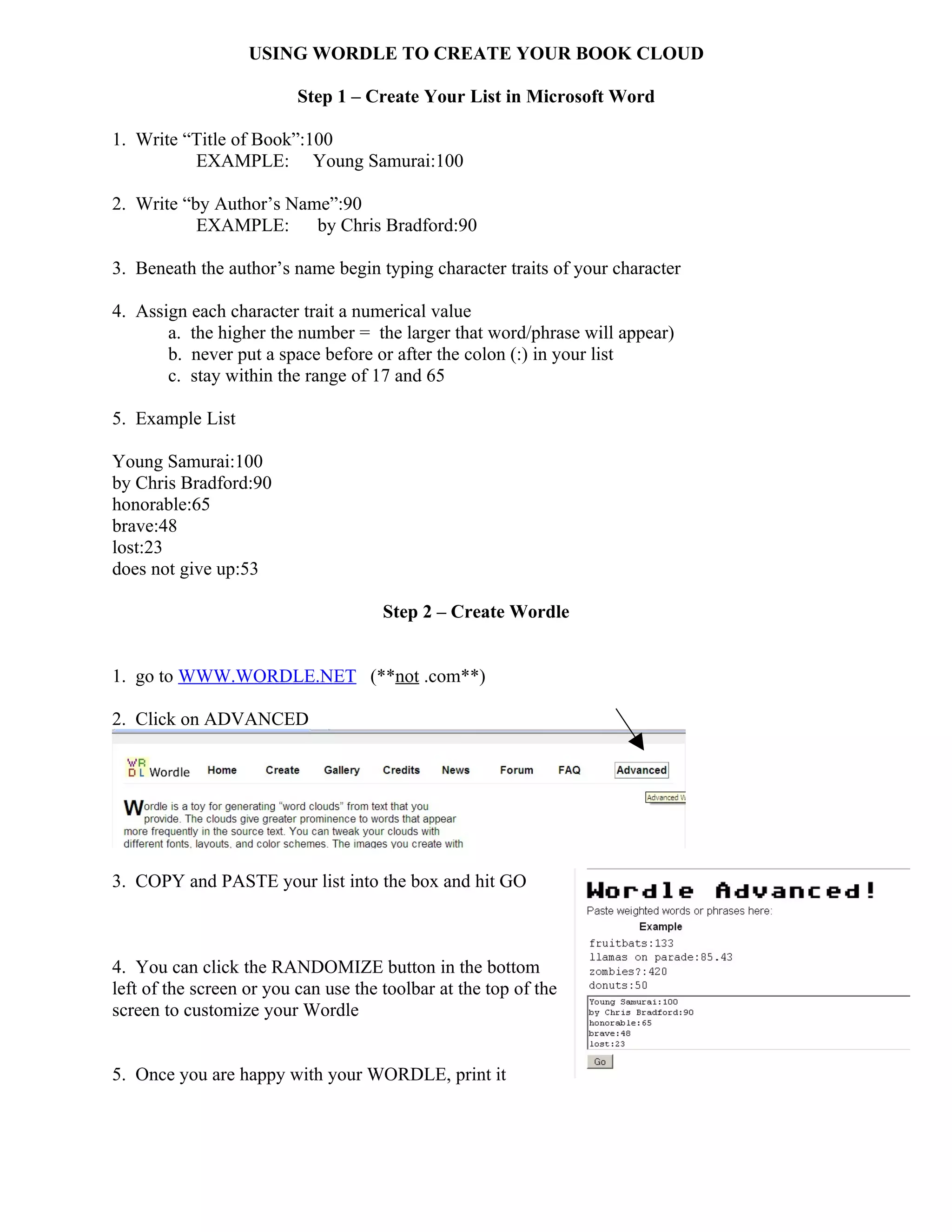
3. COPY and PASTE your list into the box and hit GO


4. You can click the RANDOMIZE button in the bottom
left of the screen or you can use the toolbar at the top of the
screen to customize your Wordle


5. Once you are happy with your WORDLE, print it

Wordle instructions

  • 1.
    USING WORDLE TOCREATE YOUR BOOK CLOUD Step 1 – Create Your List in Microsoft Word 1. Write “Title of Book”:100 EXAMPLE: Young Samurai:100 2. Write “by Author’s Name”:90 EXAMPLE: by Chris Bradford:90 3. Beneath the author’s name begin typing character traits of your character 4. Assign each character trait a numerical value a. the higher the number = the larger that word/phrase will appear) b. never put a space before or after the colon (:) in your list c. stay within the range of 17 and 65 5. Example List Young Samurai:100 by Chris Bradford:90 honorable:65 brave:48 lost:23 does not give up:53 Step 2 – Create Wordle 1. go to WWW.WORDLE.NET (**not .com**) 2. Click on ADVANCED 3. COPY and PASTE your list into the box and hit GO 4. You can click the RANDOMIZE button in the bottom left of the screen or you can use the toolbar at the top of the screen to customize your Wordle 5. Once you are happy with your WORDLE, print it