WordPress and Git
Evan Volgas
@EvanVolgas || evan.is
AKA the Least Tweetable
WordCamp Presentation Ever
(No, seriously)
Random Tweet Suggestions
• Making WordPress development less painful with
git-whiksey and deadlines-ignore #wcavl
• Learning the top ten git commands to make
men/women fall in love with you #wcavl
• Brain fart to WordPress website in 13 seconds with
Git and Miracle.js #wcavl
What is Git?
Some assumptions that I’ll
be making today
• Google Exists
• You know how to use it
• You don’t need to tell me how to do something you can
Google
• You probably think slides full of code are boring
• Really what you need to know is how to use Git (and get
your team to use Git) in a way that actually saves you time
So…. what the heck are we
going to talk about today?
• The lazy Git workflow that you won’t find on Google
(maybe with good reason…???)
• Some other workflows you probably should know abut
• Git tools
• Ignoring things
• Applications for Git that you maybe haven’t considered
yet
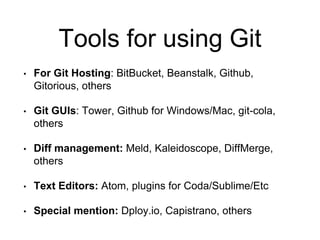
Tools for using Git
• For Git Hosting: BitBucket, Beanstalk, Github,
Gitorious, others
• Git GUIs: Tower, Github for Windows/Mac, git-cola,
others
• Diff management: Meld, Kaleidoscope, DiffMerge,
others
• Text Editors: Atom, plugins for Coda/Sublime/Etc
• Special mention: Dploy.io, Capistrano, others
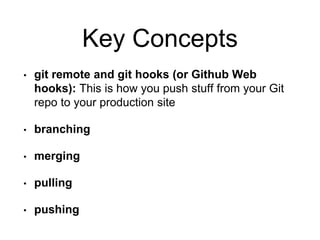
Key Concepts
• git remote and git hooks (or Github Web
hooks): This is how you push stuff from your Git
repo to your production site
• branching
• merging
• pulling
• pushing
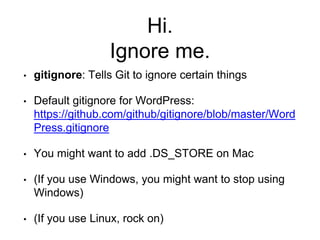
Hi.
Ignore me.
• gitignore: Tells Git to ignore certain things
• Default gitignore for WordPress:
https://github.com/github/gitignore/blob/master/Word
Press.gitignore
• You might want to add .DS_STORE on Mac
• (If you use Windows, you might want to stop using
Windows)
• (If you use Linux, rock on)
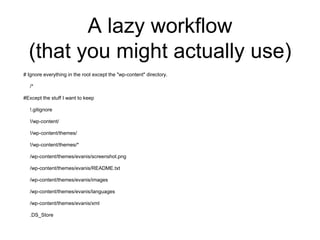
A lazy workflow
(that you might actually use)
# Ignore everything in the root except the "wp-content" directory.
/*
#Except the stuff I want to keep
!.gitignore
!/wp-content/
!/wp-content/themes/
!/wp-content/themes/*
/wp-content/themes/evanis/screenshot.png
/wp-content/themes/evanis/README.txt
/wp-content/themes/evanis/images
/wp-content/themes/evanis/languages
/wp-content/themes/evanis/xml
.DS_Store
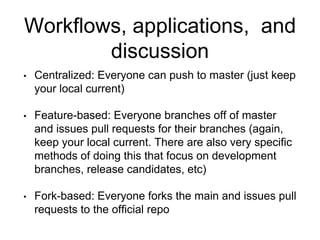
Workflows, applications, and
discussion
• Centralized: Everyone can push to master (just keep
your local current)
• Feature-based: Everyone branches off of master
and issues pull requests for their branches (again,
keep your local current. There are also very specific
methods of doing this that focus on development
branches, release candidates, etc)
• Fork-based: Everyone forks the main and issues pull
requests to the official repo
WordCamp Asheville 2014: WordPress and Git

WordCamp Asheville 2014: WordPress and Git

  • 1.
    WordPress and Git EvanVolgas @EvanVolgas || evan.is
  • 2.
    AKA the LeastTweetable WordCamp Presentation Ever (No, seriously)
  • 3.
    Random Tweet Suggestions •Making WordPress development less painful with git-whiksey and deadlines-ignore #wcavl • Learning the top ten git commands to make men/women fall in love with you #wcavl • Brain fart to WordPress website in 13 seconds with Git and Miracle.js #wcavl
  • 4.
  • 5.
    Some assumptions thatI’ll be making today • Google Exists • You know how to use it • You don’t need to tell me how to do something you can Google • You probably think slides full of code are boring • Really what you need to know is how to use Git (and get your team to use Git) in a way that actually saves you time
  • 6.
    So…. what theheck are we going to talk about today? • The lazy Git workflow that you won’t find on Google (maybe with good reason…???) • Some other workflows you probably should know abut • Git tools • Ignoring things • Applications for Git that you maybe haven’t considered yet
  • 7.
    Tools for usingGit • For Git Hosting: BitBucket, Beanstalk, Github, Gitorious, others • Git GUIs: Tower, Github for Windows/Mac, git-cola, others • Diff management: Meld, Kaleidoscope, DiffMerge, others • Text Editors: Atom, plugins for Coda/Sublime/Etc • Special mention: Dploy.io, Capistrano, others
  • 8.
    Key Concepts • gitremote and git hooks (or Github Web hooks): This is how you push stuff from your Git repo to your production site • branching • merging • pulling • pushing
  • 9.
    Hi. Ignore me. • gitignore:Tells Git to ignore certain things • Default gitignore for WordPress: https://github.com/github/gitignore/blob/master/Word Press.gitignore • You might want to add .DS_STORE on Mac • (If you use Windows, you might want to stop using Windows) • (If you use Linux, rock on)
  • 10.
    A lazy workflow (thatyou might actually use) # Ignore everything in the root except the "wp-content" directory. /* #Except the stuff I want to keep !.gitignore !/wp-content/ !/wp-content/themes/ !/wp-content/themes/* /wp-content/themes/evanis/screenshot.png /wp-content/themes/evanis/README.txt /wp-content/themes/evanis/images /wp-content/themes/evanis/languages /wp-content/themes/evanis/xml .DS_Store
  • 11.
    Workflows, applications, and discussion •Centralized: Everyone can push to master (just keep your local current) • Feature-based: Everyone branches off of master and issues pull requests for their branches (again, keep your local current. There are also very specific methods of doing this that focus on development branches, release candidates, etc) • Fork-based: Everyone forks the main and issues pull requests to the official repo