
212
Presented By…

03. Sachin R.Bali
05. Sachin Dhakolia
70.Hansraj Gupta
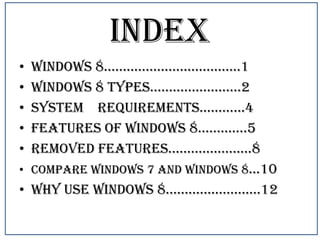
INDEX
•
•
•
•
•

windows 8………………………………1
Windows 8 types……………………2
System requirements…………4
features of windows 8………….5
removed features………………….8
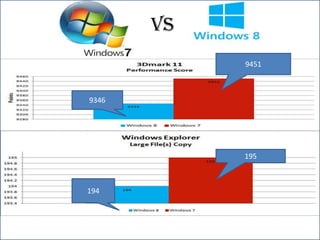
• Compare windows 7 and windows 8…10
• why use windows 8…………………….12
• Windows 8 is a version of Microsoft Windows
• The release to manufacturing (RTM) occurred
August 1, 2012,and Windows 8 will be
available to users starting October 26, 2012
• Windows 8 features a new user interface
based on Microsoft's Metro design language,
similar to that in Windows Phone
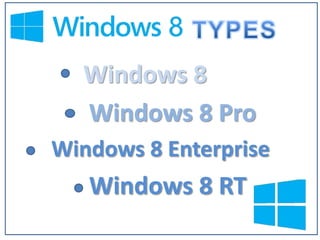
Windows 8
Windows 8 Pro
Windows 8 Enterprise

Windows 8 RT
• This is the consumer version of Windows
8 that excludes a lot of the business-type
features like drive encryption, group policy
and virtualization. However, you will have
access to the Windows Store, Live Tiles,
Remote Desktop Client, VPN Client and
other features.
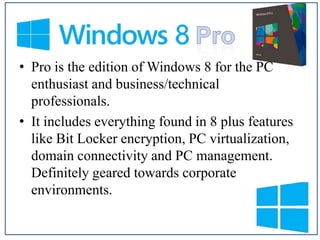
• Pro is the edition of Windows 8 for the PC
enthusiast and business/technical
professionals.
• It includes everything found in 8 plus features
like Bit Locker encryption, PC virtualization,
domain connectivity and PC management.
Definitely geared towards corporate
environments.
• Includes all that Windows 8 Pro has, but
geared towards enterprise customers with
Software Assurance agreements.
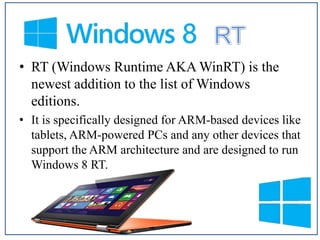
• RT (Windows Runtime AKA WinRT) is the
newest addition to the list of Windows
editions.
• It is specifically designed for ARM-based devices like
tablets, ARM-powered PCs and any other devices that
support the ARM architecture and are designed to run
Windows 8 RT.
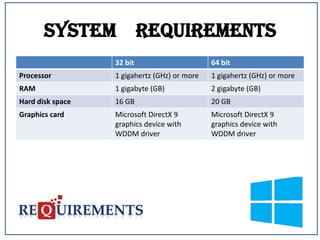
System Requirements
32 bit

64 bit

Processor

1 gigahertz (GHz) or more

1 gigahertz (GHz) or more

RAM

1 gigabyte (GB)

2 gigabyte (GB)

Hard disk space

16 GB

20 GB

Graphics card

Microsoft DirectX 9
graphics device with
WDDM driver

Microsoft DirectX 9
graphics device with
WDDM driver
New Features Of
Windows 8
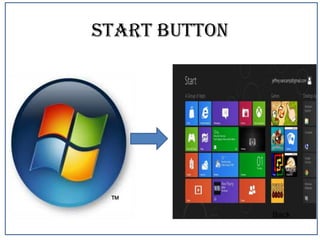
Start Button Replace By
Metro Look
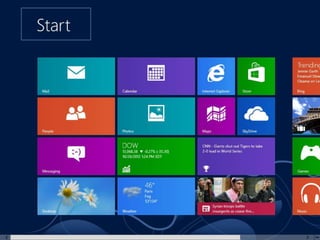
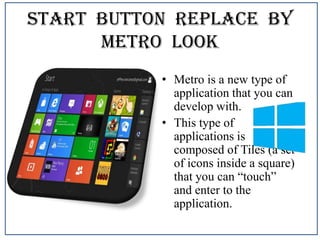
• Metro is a new type of
application that you can
develop with.
• This type of
applications is
composed of Tiles (a set
of icons inside a square)
that you can “touch”
and enter to the
application.
Windows Store
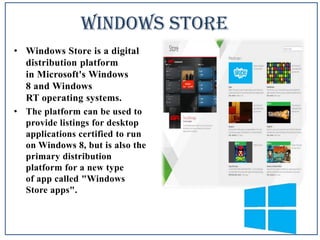
• Windows Store is a digital
distribution platform
in Microsoft's Windows
8 and Windows
RT operating systems.
• The platform can be used to
provide listings for desktop
applications certified to run
on Windows 8, but is also the
primary distribution
platform for a new type
of app called "Windows
Store apps".
Sign In With A Picture
Password
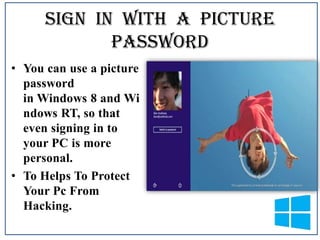
• You can use a picture
password
in Windows 8 and Wi
ndows RT, so that
even signing in to
your PC is more
personal.
• To Helps To Protect
Your Pc From
Hacking.
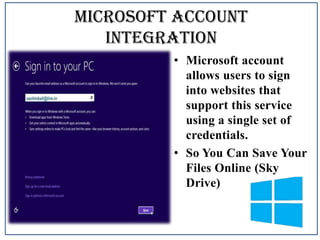
Microsoft account
integration
• Microsoft account
allows users to sign
into websites that
support this service
using a single set of
credentials.
• So You Can Save Your
Files Online (Sky
Drive)
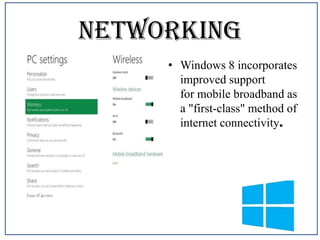
Networking
• Windows 8 incorporates
improved support
for mobile broadband as
a "first-class" method of
internet connectivity.
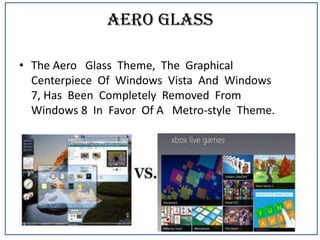
Aero Glass
• The Aero Glass Theme, The Graphical
Centerpiece Of Windows Vista And Windows
7, Has Been Completely Removed From
Windows 8 In Favor Of A Metro-style Theme.
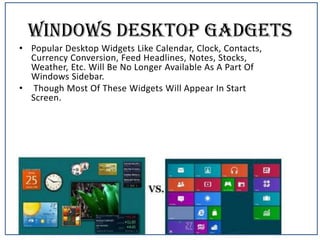
Windows Desktop Gadgets
• Popular Desktop Widgets Like Calendar, Clock, Contacts,
Currency Conversion, Feed Headlines, Notes, Stocks,
Weather, Etc. Will Be No Longer Available As A Part Of
Windows Sidebar.
• Though Most Of These Widgets Will Appear In Start
Screen.
Removed features in Windows
8
• Start Button
• Games
• Compare windows 7 and windows 8
Start Button

Back
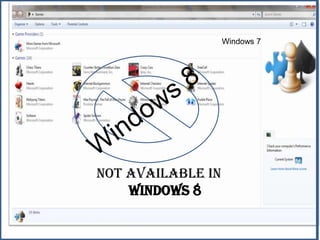
Games

Not Available In
Windows 8

Windows 7
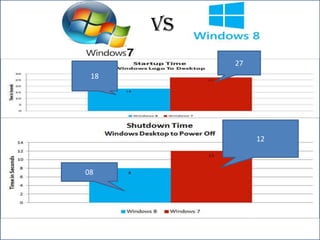
VS
27
18

12

08
VS
9451

9346

195

194
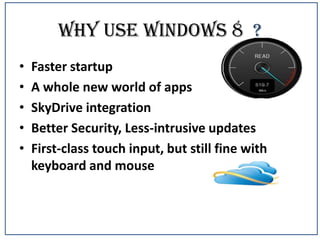
Why use windows 8 ?
•
•
•
•
•

Faster startup
A whole new world of apps
SkyDrive integration
Better Security, Less-intrusive updates
First-class touch input, but still fine with
keyboard and mouse
Any Question?
Windows 8

Windows 8

  • 1.
  • 2.
    Presented By… 03. SachinR.Bali 05. Sachin Dhakolia 70.Hansraj Gupta
  • 3.
    INDEX • • • • • windows 8………………………………1 Windows 8types……………………2 System requirements…………4 features of windows 8………….5 removed features………………….8 • Compare windows 7 and windows 8…10 • why use windows 8…………………….12
  • 5.
    • Windows 8is a version of Microsoft Windows • The release to manufacturing (RTM) occurred August 1, 2012,and Windows 8 will be available to users starting October 26, 2012 • Windows 8 features a new user interface based on Microsoft's Metro design language, similar to that in Windows Phone
  • 6.
    Windows 8 Windows 8Pro Windows 8 Enterprise Windows 8 RT
  • 7.
    • This isthe consumer version of Windows 8 that excludes a lot of the business-type features like drive encryption, group policy and virtualization. However, you will have access to the Windows Store, Live Tiles, Remote Desktop Client, VPN Client and other features.
  • 8.
    • Pro isthe edition of Windows 8 for the PC enthusiast and business/technical professionals. • It includes everything found in 8 plus features like Bit Locker encryption, PC virtualization, domain connectivity and PC management. Definitely geared towards corporate environments.
  • 9.
    • Includes allthat Windows 8 Pro has, but geared towards enterprise customers with Software Assurance agreements.
  • 10.
    • RT (WindowsRuntime AKA WinRT) is the newest addition to the list of Windows editions. • It is specifically designed for ARM-based devices like tablets, ARM-powered PCs and any other devices that support the ARM architecture and are designed to run Windows 8 RT.
  • 11.
    System Requirements 32 bit 64bit Processor 1 gigahertz (GHz) or more 1 gigahertz (GHz) or more RAM 1 gigabyte (GB) 2 gigabyte (GB) Hard disk space 16 GB 20 GB Graphics card Microsoft DirectX 9 graphics device with WDDM driver Microsoft DirectX 9 graphics device with WDDM driver
  • 12.
  • 13.
    Start Button ReplaceBy Metro Look • Metro is a new type of application that you can develop with. • This type of applications is composed of Tiles (a set of icons inside a square) that you can “touch” and enter to the application.
  • 14.
    Windows Store • WindowsStore is a digital distribution platform in Microsoft's Windows 8 and Windows RT operating systems. • The platform can be used to provide listings for desktop applications certified to run on Windows 8, but is also the primary distribution platform for a new type of app called "Windows Store apps".
  • 15.
    Sign In WithA Picture Password • You can use a picture password in Windows 8 and Wi ndows RT, so that even signing in to your PC is more personal. • To Helps To Protect Your Pc From Hacking.
  • 16.
    Microsoft account integration • Microsoftaccount allows users to sign into websites that support this service using a single set of credentials. • So You Can Save Your Files Online (Sky Drive)
  • 17.
    Networking • Windows 8incorporates improved support for mobile broadband as a "first-class" method of internet connectivity.
  • 18.
    Aero Glass • TheAero Glass Theme, The Graphical Centerpiece Of Windows Vista And Windows 7, Has Been Completely Removed From Windows 8 In Favor Of A Metro-style Theme.
  • 19.
    Windows Desktop Gadgets •Popular Desktop Widgets Like Calendar, Clock, Contacts, Currency Conversion, Feed Headlines, Notes, Stocks, Weather, Etc. Will Be No Longer Available As A Part Of Windows Sidebar. • Though Most Of These Widgets Will Appear In Start Screen.
  • 20.
    Removed features inWindows 8 • Start Button • Games • Compare windows 7 and windows 8
  • 21.
  • 22.
  • 23.
  • 24.
  • 25.
    Why use windows8 ? • • • • • Faster startup A whole new world of apps SkyDrive integration Better Security, Less-intrusive updates First-class touch input, but still fine with keyboard and mouse
  • 26.

Editor's Notes