





WHY AUTHORING APPS
ARE IMPORTANT FOR A
TECHNICAL WRITER?
About me
• 19+ Years of experience in Technical Writing
• Worked in the following Industries:
• Network Management
• Healthcare
• Construction
• Working as Doc. Chapter Lead at Causeway
• Serving as VP of STC India since 2019
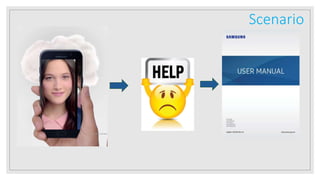
Scenario
Courtesy: document360.io
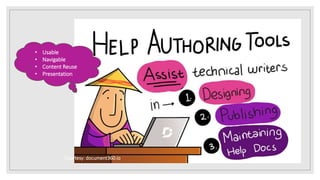
• Usable
• Navigable
• Content Reuse
• Presentation
Courtesy:
https://www.atl10n.com/blog/multilingu
al-content-management
Help Authoring Tools - Standalone
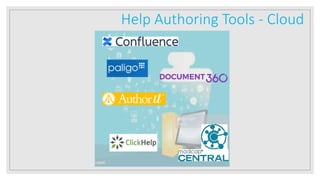
Help Authoring Tools - Cloud
Single Sourcing
Courtesy: HelpNDoc.com
Single Sourcing with RH - Demo
Courtesy: Adobe.com
Link: https://www.youtube.com/watch?v=REvPa0uF4Ng
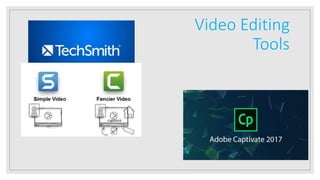
Video Editing
Tools
Example of an Instructional Video
Link: https://www.youtube.com/watch?v=Slh8D1phPfc
Courtesy: document360.io
Bibliography
◦ CONTENT - skilljar.com
◦ Help Authoring Tool Purpose & Growing Help graphics - document360.io
◦ HATs - https://www.atl10n.com/blog/multilingual-content-management
◦ HAT Logos from respective help authoring tool vendors
pragram@gmail.com
twitter.com/pragramwww.linkedin.com/raghuram77
https://www.slideshare.net/pragram/

Why Help Authoring Tools are Important

Editor's Notes

  • #4 We use smartphones and when we are not able understand any feature, we refer to help. This Help Documentation are created using HATs by the writers.
  • #5 Content is everywhere. You can content in following forms for HATs: Product/Company Website Product Blogs Release Notes Help Documentation Installation Guides Etc.
  • #6 The generated content must serve the following for the users or audience: Usable Easily Navigable Well Presented For the writers, the HATs must aid content reuse and create output with consistent layouts.
  • #7 ? – HelpnDoc Fm- Adobe Framemaker RH- Adobe RoboHelp Encircled Leaf – Madcap Flare
  • #9 Single Sourcing: Create multiple output with a single source Conditional tags or Tags helps writers apply them to relevant content and control the output. Especially, when you have single source with different content relevant for each customers or set of users.
  • #11 Video Editing Tools for creating “How To Help Videos” or Instructional Videos: TechSmith SnagIT Video Editor – Simple Video Editing Camtasia – Advanced Editing and used even in Hollywood movies Adobe Captivate – Used to create eLearning generally, but can be used to create “How To Help Videos” or Instructional Videos:
  • #13 After you are familiar with HATs or a become expertise in an HAT, grow your content. Also, you may automate the Document Development Lifecycle (DDLC) Workflows or Publishing.