Power BI Tips
and Timesavers
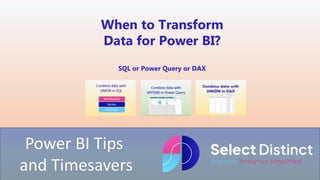
When to Transform
Data for Power BI?
SQL or Power Query or DAX
Knowing when to transform data for your Power BI
Reports can help you to decide when to use which
technique
SQL, Power Query or DAX
This guide gives you a steer to make the right choice
When to transform data for Power BI?
Over the last few weeks, we have shown how data can be combined from multiple sources
We have shown that this can be done in a number of ways using three different tools
But which one do you choose and why?
When to transform data for Power BI?
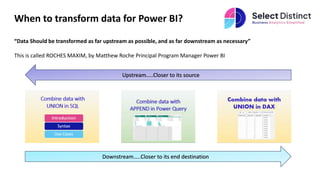
“Data Should be transformed as far upstream as possible, and as far downstream as necessary”
This is called ROCHES MAXIM, by Matthew Roche Principal Program Manager Power BI
Downstream…..Closer to its end destination
Upstream…..Closer to its source
Applying Roches Maxim
“Data Should be transformed as far upstream as possible, and as far downstream as necessary”
In simple terms, using our requirement to combine multiple data sources over the last three examples
We should first look to see if we can do it in SQL using the UNION method
If we can’t, then look to do it within Power Query
And lastly, look to using DAX
Benefits of transforming early
Transformed data can be made available for wider use cases
For example, a fact table in a data warehouse that has already combined multiple data sources can be used by more users
in more use cases
This means that it only needs to be done once, upstream and controls in place there to ensure its complete and accurate
Data is available on a consistent basis for all users
You get all subsequent reports sharing a common data source and really do have….
One version of the truth
Reasons to transform downstream
It's not always possible to perform the transformations upstream
SQL to Power Query
Data could be coming from multiple systems and not from a central data warehouse, it maybe a combination of a SQL
Server database for some parts of the organisation, and a separate Oracle Database for a newly acquired part of the
organisation which is being kept separate
If you had the facility, you could look at creating a simple reporting database to combine these into one, but assuming that
is not an option,
Then you will use the next best option of Power Query to combine these sources using the APPEND functionality
Reasons to transform downstream
Power Query or DAX?
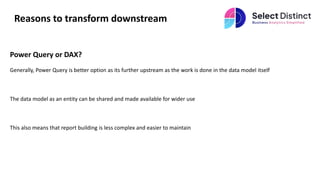
Generally, Power Query is better option as its further upstream as the work is done in the data model itself
The data model as an entity can be shared and made available for wider use
This also means that report building is less complex and easier to maintain
Reasons to transform downstream
Last but not least DAX
If you need to create a measure that is responsive to slicers
For example
You need to create a card that returns aggregated sales from
multiple sources that are not already combined
You can use the DAX UNION function to combine the data you
need
Learn More
You can learn more about Roche’s
Maxim of Data Transformation on
the ssbipolar.com blog
Roche’s Maxim of Data Transformation – BI
Polar (ssbipolar.com)
We have outlined the key reasons why you can combine data in multiple ways for
Power BI
When to use SQL
When to use Power Query
And when you need to use a DAX Measure
For more details of any of these specific techniques please visit our Blog
For more Tips, Tricks and
Timesavers, visit our website
Business Analytics Blog – Select Distinct
Credit: simon.harrison@selectdistinct.co.uk

When to transform data for Power BI.pptx

  • 1.
    Power BI Tips andTimesavers When to Transform Data for Power BI? SQL or Power Query or DAX
  • 2.
    Knowing when totransform data for your Power BI Reports can help you to decide when to use which technique SQL, Power Query or DAX This guide gives you a steer to make the right choice
  • 3.
    When to transformdata for Power BI? Over the last few weeks, we have shown how data can be combined from multiple sources We have shown that this can be done in a number of ways using three different tools But which one do you choose and why?
  • 4.
    When to transformdata for Power BI? “Data Should be transformed as far upstream as possible, and as far downstream as necessary” This is called ROCHES MAXIM, by Matthew Roche Principal Program Manager Power BI Downstream…..Closer to its end destination Upstream…..Closer to its source
  • 5.
    Applying Roches Maxim “DataShould be transformed as far upstream as possible, and as far downstream as necessary” In simple terms, using our requirement to combine multiple data sources over the last three examples We should first look to see if we can do it in SQL using the UNION method If we can’t, then look to do it within Power Query And lastly, look to using DAX
  • 6.
    Benefits of transformingearly Transformed data can be made available for wider use cases For example, a fact table in a data warehouse that has already combined multiple data sources can be used by more users in more use cases This means that it only needs to be done once, upstream and controls in place there to ensure its complete and accurate Data is available on a consistent basis for all users You get all subsequent reports sharing a common data source and really do have…. One version of the truth
  • 7.
    Reasons to transformdownstream It's not always possible to perform the transformations upstream SQL to Power Query Data could be coming from multiple systems and not from a central data warehouse, it maybe a combination of a SQL Server database for some parts of the organisation, and a separate Oracle Database for a newly acquired part of the organisation which is being kept separate If you had the facility, you could look at creating a simple reporting database to combine these into one, but assuming that is not an option, Then you will use the next best option of Power Query to combine these sources using the APPEND functionality
  • 8.
    Reasons to transformdownstream Power Query or DAX? Generally, Power Query is better option as its further upstream as the work is done in the data model itself The data model as an entity can be shared and made available for wider use This also means that report building is less complex and easier to maintain
  • 9.
    Reasons to transformdownstream Last but not least DAX If you need to create a measure that is responsive to slicers For example You need to create a card that returns aggregated sales from multiple sources that are not already combined You can use the DAX UNION function to combine the data you need
  • 10.
    Learn More You canlearn more about Roche’s Maxim of Data Transformation on the ssbipolar.com blog Roche’s Maxim of Data Transformation – BI Polar (ssbipolar.com)
  • 11.
    We have outlinedthe key reasons why you can combine data in multiple ways for Power BI When to use SQL When to use Power Query And when you need to use a DAX Measure For more details of any of these specific techniques please visit our Blog
  • 12.
    For more Tips,Tricks and Timesavers, visit our website Business Analytics Blog – Select Distinct Credit: simon.harrison@selectdistinct.co.uk