WHAT DO YOU SEE IN THIS POEM? Using PowerPoint to Analyze Poetry
RATIONALE “ Technology will never replace good teaching, but it does have the potential to enhance good teaching and engage students more actively with the texts and the writing process.”
RATIONALE According to Young and Bush, although schools have invested a great deal of money into technology, there “has been little commensurate investment in preparing teachers to implement it” (2).  In fact, “one of the obstacles we teachers often encounter when trying to integrate technology into our programs in way we consider useful is the lack of time and training to do so effectively” (Owen 73).
Poetry analysis using PowerPoint is an offshoot of Digital Storytelling.   Digital story has largely come to refer to a form of short narrative, usually a personal narrative told in the first person, presented as a short movie for display on a television or computer monitor, or projected onto a screen.   WHERE DID THE IDEA ORIGINATE? http://electronicportfolios.org/digistory/
WHERE DID THE IDEA  ORIGINATE? Students today speak a language unfamiliar to many teachers   digital language Students today are able to process many different forms of media today simultaneously.  Students are more visual than any previous generation.
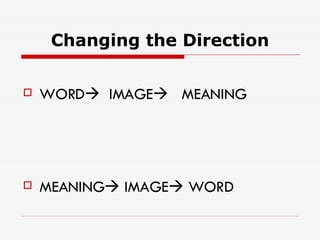
Changing the Direction WORD    IMAGE    MEANING MEANING   IMAGE   WORD
“ In every poem a picture; in every picture a poem” -Chinese Proverb
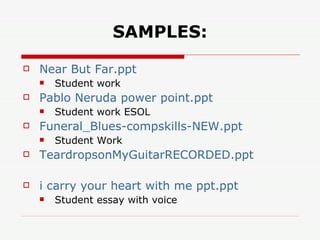
SAMPLES: Near But  Far.ppt Student work Pablo Neruda power  point.ppt Student work ESOL Funeral_Blues-compskills-NEW.ppt Student Work TeardropsonMyGuitarRECORDED.ppt i carry your heart with me  ppt.ppt Student essay with voice
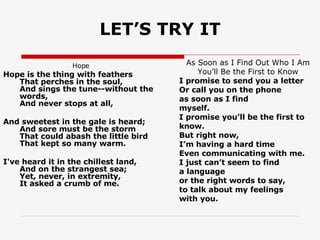
LET’S TRY IT Hope       Hope is the thing with feathers  That perches in the soul,  And sings the tune--without the words,  And never stops at all,  And sweetest in the gale is heard;  And sore must be the storm  That could abash the little bird  That kept so many warm.  I've heard it in the chillest land,  And on the strangest sea;  Yet, never, in extremity,  It asked a crumb of me. As Soon as I Find Out Who I Am You’ll Be the First to Know I promise to send you a letter Or call you on the phone as soon as I find myself. I promise you’ll be the first to know. But right now, I’m having a hard time Even communicating with me. I just can’t seem to find a language or the right words to say, to talk about my feelings with you.
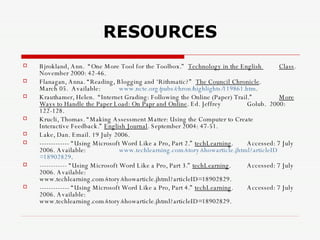
RESOURCES Bjrokland, Ann.  “One More Tool for the Toolbox.”  Technology in the English  Class . November 2000: 42-46.  Flanagan, Anna. “Reading, Blogging and ‘Rithmatic?”  The Council Chronicle .  March 05.  Available: www.ncte.org/pubs/chron/highlights/119861.htm . Krauthamer, Helen.  “Internet Grading: Following the Online (Paper) Trail.”  More Ways to Handle the Paper Load: On Papr and Online . Ed. Jeffrey  Golub.  2000: 122-128. Krucli, Thomas. “Making Assessment Matter: Using the Computer to Create  Interactive Feedback.”  English Journal . September 2004: 47-51. Lake, Dan. Email. 19 July 2006. ------------- “Using Microsoft Word Like a Pro, Part 2.”  techLearning .  Accessed: 7 July 2006. Available:  www.techlearning.com/story/showarticle.jhtml?articleID =18902829 . ------------ “Using Microsoft Word Like a Pro, Part 3.”  techLearning .  Accessed: 7 July 2006. Available:  www.techlearning.com/story/showarticle.jhtml?articleID=18902829.  ------------- “Using Microsoft Word Like a Pro, Part 4.”  techLearning .  Accessed: 7 July 2006. Available:  www.techlearning.com/story/showarticle.jhtml?articleID=18902829.
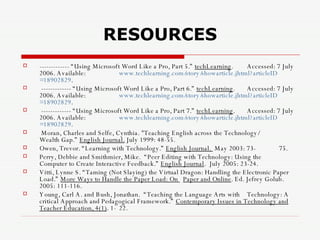
RESOURCES ------------- “Using Microsoft Word Like a Pro, Part 5.”  techLearning .  Accessed: 7 July 2006. Available:  www.techlearning.com/story/showarticle.jhtml?articleID =18902829 . ------------- “Using Microsoft Word Like a Pro, Part 6.”  techLearning .  Accessed: 7 July 2006. Available:  www.techlearning.com/story/showarticle.jhtml?articleID =18902829 . ------------- “Using Microsoft Word Like a Pro, Part 7.”  techLearning .  Accessed: 7 July 2006. Available:  www.techlearning.com/story/showarticle.jhtml?articleID =18902829 . Moran, Charles and Selfe, Cynthia. "Teaching English across the Technology/  Wealth Gap.”  English Journal.  July 1999: 48-55. Owen, Trevor. “Learning with Technology.”  English Journal.  May 2003: 73- 75. Perry, Debbie and Smithmier, Mike.  “Peer Editing with Technology: Using the  Computer to Create Interactive Feedback.”  English Journal .  July 2005: 23-24. Vitti, Lynne S. “Taming (Not Slaying) the Virtual Dragon: Handling the Electronic Paper Load.”  More Ways to Handle the Paper Load: On  Paper and Online . Ed. Jefrey Golub.  2005: 111-116. Young, Carl A. and Bush, Jonathan.  “Teaching the Language Arts with  Technology: A critical Approach and Pedagogical Framework.”  Contemporary Issues in Technology and Teacher Education, 4(1) . 1- 22.

What Do You See In This Poem

  • 1.
    WHAT DO YOUSEE IN THIS POEM? Using PowerPoint to Analyze Poetry
  • 2.
    RATIONALE “ Technologywill never replace good teaching, but it does have the potential to enhance good teaching and engage students more actively with the texts and the writing process.”
  • 3.
    RATIONALE According toYoung and Bush, although schools have invested a great deal of money into technology, there “has been little commensurate investment in preparing teachers to implement it” (2). In fact, “one of the obstacles we teachers often encounter when trying to integrate technology into our programs in way we consider useful is the lack of time and training to do so effectively” (Owen 73).
  • 4.
    Poetry analysis usingPowerPoint is an offshoot of Digital Storytelling. Digital story has largely come to refer to a form of short narrative, usually a personal narrative told in the first person, presented as a short movie for display on a television or computer monitor, or projected onto a screen. WHERE DID THE IDEA ORIGINATE? http://electronicportfolios.org/digistory/
  • 5.
    WHERE DID THEIDEA ORIGINATE? Students today speak a language unfamiliar to many teachers  digital language Students today are able to process many different forms of media today simultaneously. Students are more visual than any previous generation.
  • 6.
    Changing the DirectionWORD  IMAGE  MEANING MEANING  IMAGE  WORD
  • 7.
    “ In everypoem a picture; in every picture a poem” -Chinese Proverb
  • 8.
    SAMPLES: Near But Far.ppt Student work Pablo Neruda power point.ppt Student work ESOL Funeral_Blues-compskills-NEW.ppt Student Work TeardropsonMyGuitarRECORDED.ppt i carry your heart with me ppt.ppt Student essay with voice
  • 9.
    LET’S TRY ITHope      Hope is the thing with feathers That perches in the soul, And sings the tune--without the words, And never stops at all, And sweetest in the gale is heard; And sore must be the storm That could abash the little bird That kept so many warm. I've heard it in the chillest land, And on the strangest sea; Yet, never, in extremity, It asked a crumb of me. As Soon as I Find Out Who I Am You’ll Be the First to Know I promise to send you a letter Or call you on the phone as soon as I find myself. I promise you’ll be the first to know. But right now, I’m having a hard time Even communicating with me. I just can’t seem to find a language or the right words to say, to talk about my feelings with you.
  • 10.
    RESOURCES Bjrokland, Ann. “One More Tool for the Toolbox.” Technology in the English Class . November 2000: 42-46. Flanagan, Anna. “Reading, Blogging and ‘Rithmatic?” The Council Chronicle . March 05. Available: www.ncte.org/pubs/chron/highlights/119861.htm . Krauthamer, Helen. “Internet Grading: Following the Online (Paper) Trail.” More Ways to Handle the Paper Load: On Papr and Online . Ed. Jeffrey Golub. 2000: 122-128. Krucli, Thomas. “Making Assessment Matter: Using the Computer to Create Interactive Feedback.” English Journal . September 2004: 47-51. Lake, Dan. Email. 19 July 2006. ------------- “Using Microsoft Word Like a Pro, Part 2.” techLearning . Accessed: 7 July 2006. Available: www.techlearning.com/story/showarticle.jhtml?articleID =18902829 . ------------ “Using Microsoft Word Like a Pro, Part 3.” techLearning . Accessed: 7 July 2006. Available: www.techlearning.com/story/showarticle.jhtml?articleID=18902829. ------------- “Using Microsoft Word Like a Pro, Part 4.” techLearning . Accessed: 7 July 2006. Available: www.techlearning.com/story/showarticle.jhtml?articleID=18902829.
  • 11.
    RESOURCES ------------- “UsingMicrosoft Word Like a Pro, Part 5.” techLearning . Accessed: 7 July 2006. Available: www.techlearning.com/story/showarticle.jhtml?articleID =18902829 . ------------- “Using Microsoft Word Like a Pro, Part 6.” techLearning . Accessed: 7 July 2006. Available: www.techlearning.com/story/showarticle.jhtml?articleID =18902829 . ------------- “Using Microsoft Word Like a Pro, Part 7.” techLearning . Accessed: 7 July 2006. Available: www.techlearning.com/story/showarticle.jhtml?articleID =18902829 . Moran, Charles and Selfe, Cynthia. "Teaching English across the Technology/ Wealth Gap.” English Journal. July 1999: 48-55. Owen, Trevor. “Learning with Technology.” English Journal. May 2003: 73- 75. Perry, Debbie and Smithmier, Mike. “Peer Editing with Technology: Using the Computer to Create Interactive Feedback.” English Journal . July 2005: 23-24. Vitti, Lynne S. “Taming (Not Slaying) the Virtual Dragon: Handling the Electronic Paper Load.” More Ways to Handle the Paper Load: On Paper and Online . Ed. Jefrey Golub. 2005: 111-116. Young, Carl A. and Bush, Jonathan. “Teaching the Language Arts with Technology: A critical Approach and Pedagogical Framework.” Contemporary Issues in Technology and Teacher Education, 4(1) . 1- 22.