MS Word: Formatting
Text
Objective(s):
 Compare a serif and a sans serif font
 Change the font type, size, style, and color of
your text
 Apply special effects to selected text
Formatting Text
It is very important that we format our
text whenever we use MS Word. We
could build skills and attain new ways of
making our files more presentable and
professional.
Formatting Text: Editing
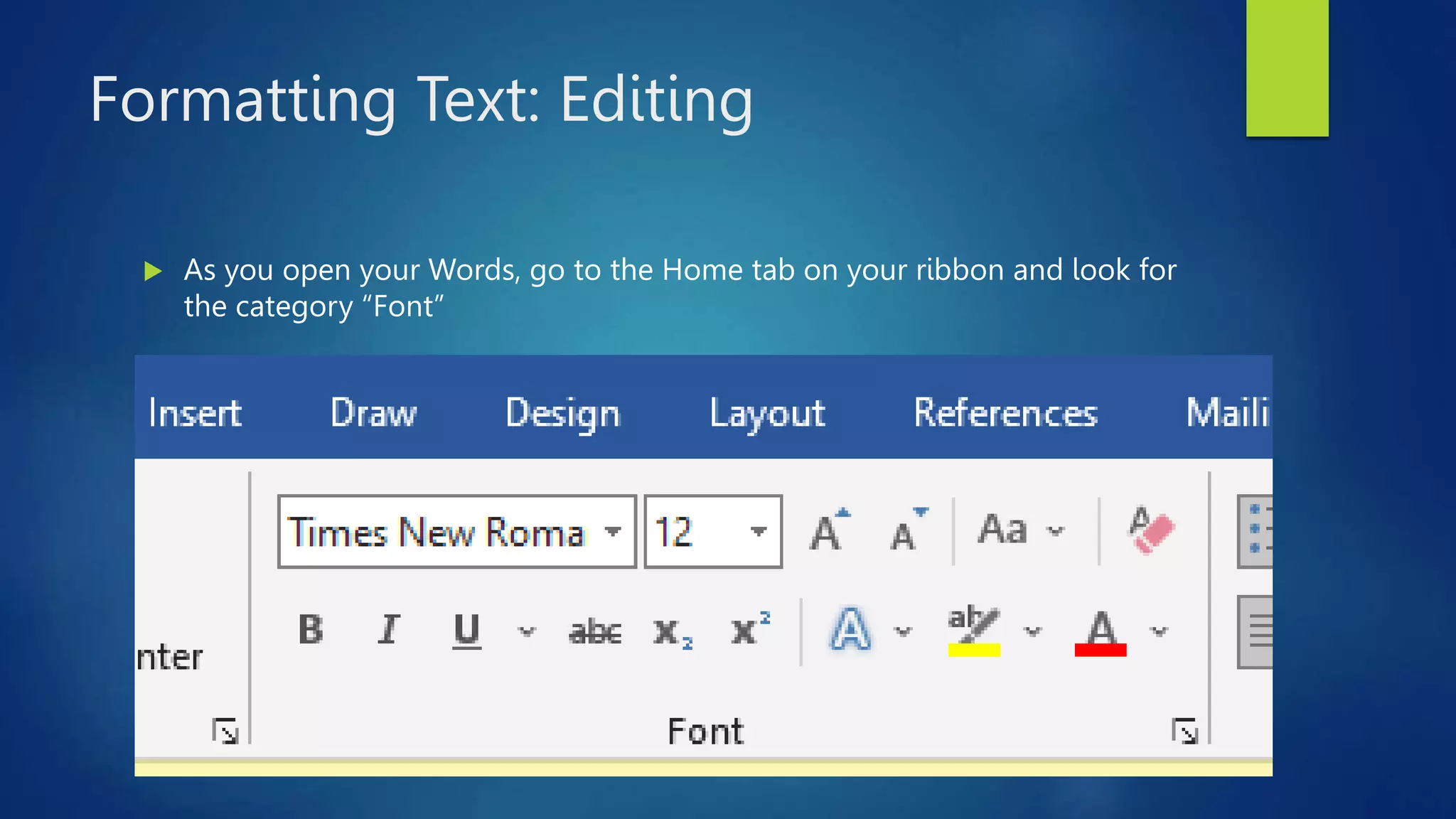
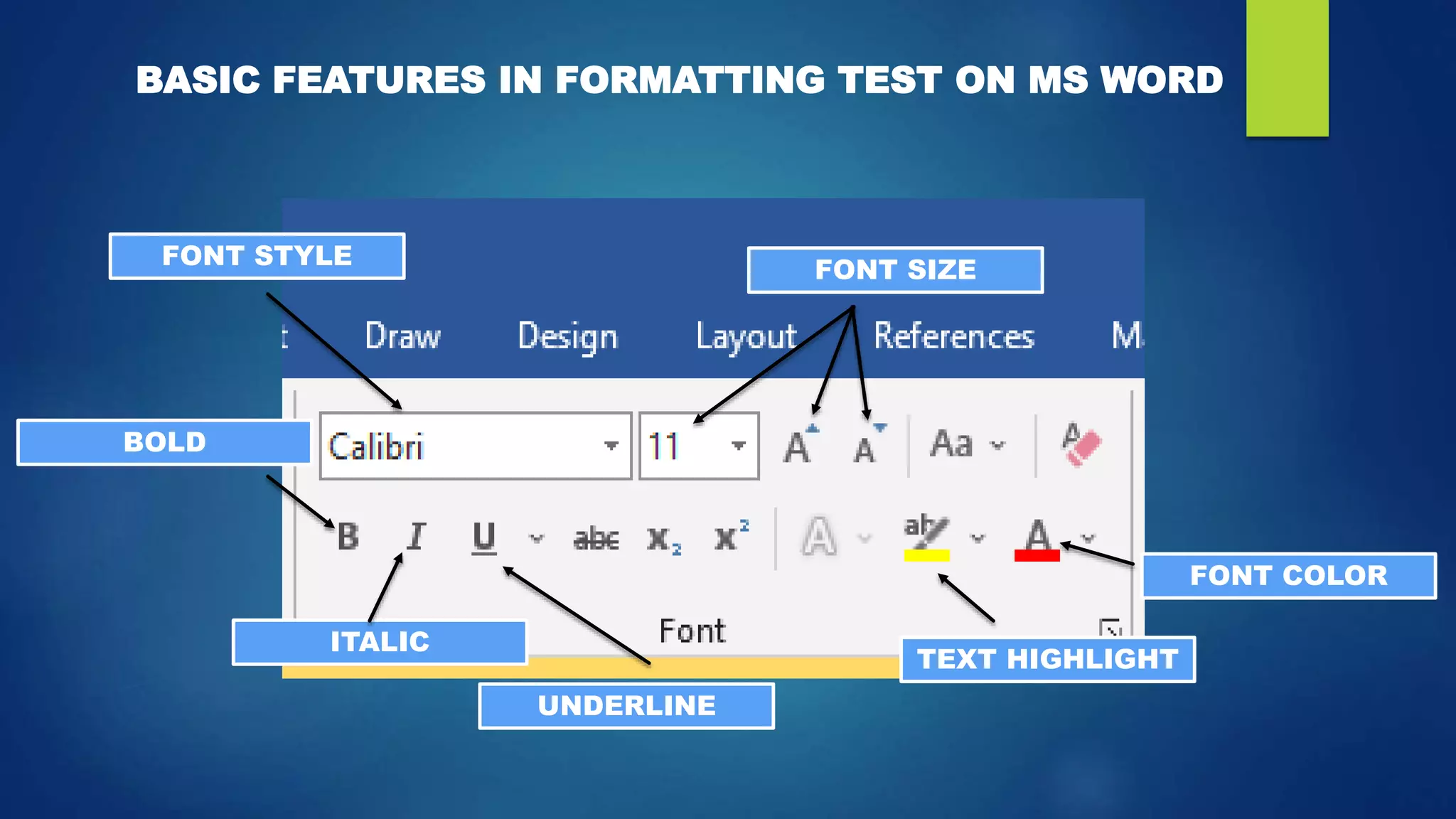
 As you open your Words, go to the Home tab on your ribbon and look for
the category “Font”
FONT STYLE
FONT SIZE
UNDERLINE
ITALIC
BOLD
TEXT HIGHLIGHT
FONT COLOR
BASIC FEATURES IN FORMATTING TEST ON MS WORD
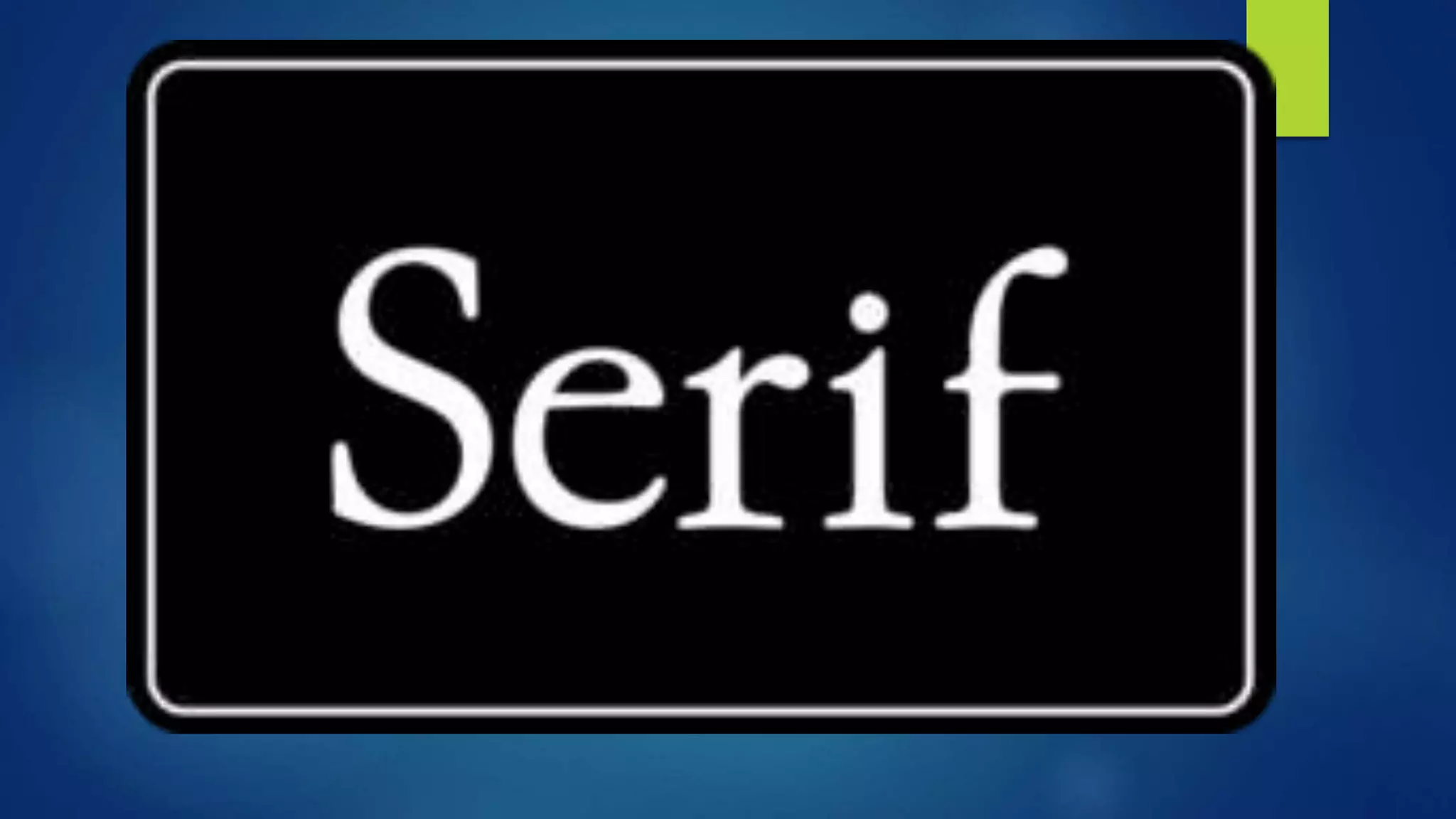
Formatting Text: Serif
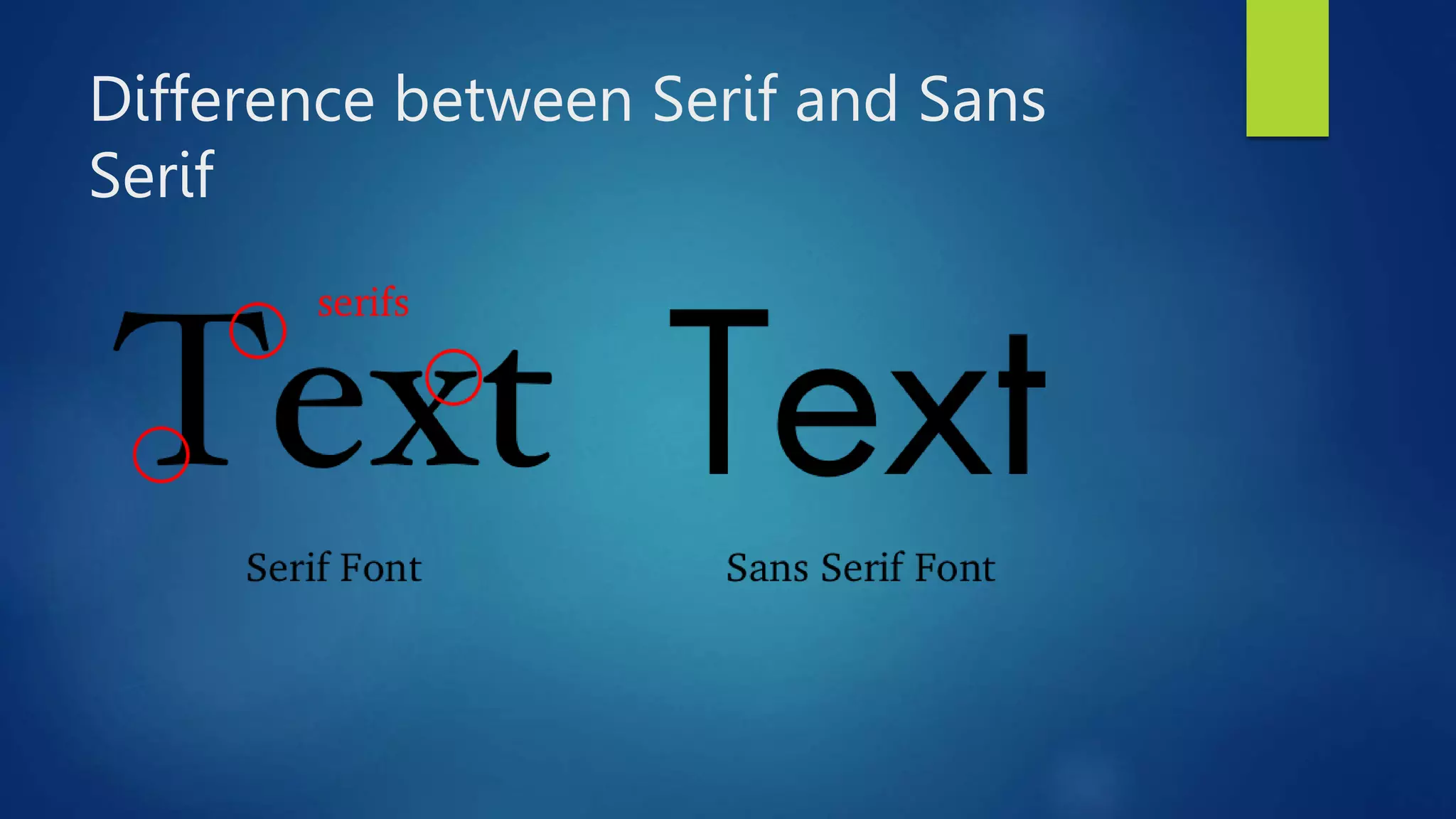
 A serif is a decorative stroke that
finishes off the end of a letters stem
(sometimes also called the “feet” of
the letters).
Formatting Text: Sans Serif
Sans serif does not have these
details or flourishes
Difference between Serif and Sans
Serif
Formatting Text: editing Text
You can improve the way your
document looks by changing its font
type, size, style, and color. The
process of improving the appearance
of your document is called
“Formatting”.
Worksheet no. 2
 Create a document about your favorite animal.
 Write a 5 sentence paragraph that describes the facts
about your favorite animal.
 Use 14 font size for the whole paragraph and 16 font
size for the title of the paragraph.
 Use Arial black as your font style for both title and the
paragraph.
 Underline the whole Title and use italic for the whole
paragraph.
 Adding pictures is optional in your document.

Week2 MS Word formatting text.pptx

  • 1.
  • 2.
    Objective(s):  Compare aserif and a sans serif font  Change the font type, size, style, and color of your text  Apply special effects to selected text
  • 3.
    Formatting Text It isvery important that we format our text whenever we use MS Word. We could build skills and attain new ways of making our files more presentable and professional.
  • 4.
    Formatting Text: Editing As you open your Words, go to the Home tab on your ribbon and look for the category “Font”
  • 5.
    FONT STYLE FONT SIZE UNDERLINE ITALIC BOLD TEXTHIGHLIGHT FONT COLOR BASIC FEATURES IN FORMATTING TEST ON MS WORD
  • 6.
    Formatting Text: Serif A serif is a decorative stroke that finishes off the end of a letters stem (sometimes also called the “feet” of the letters).
  • 8.
    Formatting Text: SansSerif Sans serif does not have these details or flourishes
  • 10.
  • 11.
    Formatting Text: editingText You can improve the way your document looks by changing its font type, size, style, and color. The process of improving the appearance of your document is called “Formatting”.
  • 12.
    Worksheet no. 2 Create a document about your favorite animal.  Write a 5 sentence paragraph that describes the facts about your favorite animal.  Use 14 font size for the whole paragraph and 16 font size for the title of the paragraph.  Use Arial black as your font style for both title and the paragraph.  Underline the whole Title and use italic for the whole paragraph.  Adding pictures is optional in your document.