Study guide for week 9:
Video editing
KUM7088 Multimedia in Music Education
Composed by
Marit Mõistlik­Tamm
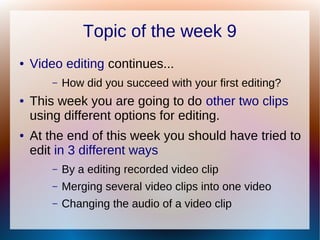
Topic of the week 9
● Video editing continues...
– How did you succeed with your first editing?
● This week you are going to do other two clips
using different options for editing.
● At the end of this week you should have tried to
edit in 3 different ways
– By a editing recorded video clip
– Merging several video clips into one video
– Changing the audio of a video clip
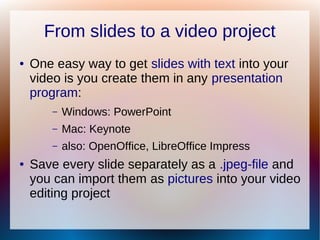
From slides to a video project
● One easy way to get slides with text into your
video is you create them in any presentation
program:
– Windows: PowerPoint
– Mac: Keynote
– also: OpenOffice, LibreOffice Impress
● Save every slide separately as a .jpeg-file and
you can import them as pictures into your video
editing project
From a video project to YouTube
● The easiest way to share your (edited) video is
to upload it to YouTube.
● But is it necessary to share everything with the
whole world? - Check Privacy settings
– use 'unlisted' option – it means that anyone with
the link can view but it won't come out from
search-engines
– use 'private' option – it means that only people
you choose can view but you need to know
their email address or YouTube username
Now create other two short video clips and
post a blog entry about it!
KUM7088 Multimedia in Music Education
Composed by Marit Mõistlik­Tamm
Now create other two short video clips and
post a blog entry about it!
KUM7088 Multimedia in Music Education
Composed by Marit Mõistlik­Tamm

Week 9 video editing

  • 1.
    Study guide forweek 9: Video editing KUM7088 Multimedia in Music Education Composed by Marit Mõistlik­Tamm
  • 2.
    Topic of theweek 9 ● Video editing continues... – How did you succeed with your first editing? ● This week you are going to do other two clips using different options for editing. ● At the end of this week you should have tried to edit in 3 different ways – By a editing recorded video clip – Merging several video clips into one video – Changing the audio of a video clip
  • 3.
    From slides toa video project ● One easy way to get slides with text into your video is you create them in any presentation program: – Windows: PowerPoint – Mac: Keynote – also: OpenOffice, LibreOffice Impress ● Save every slide separately as a .jpeg-file and you can import them as pictures into your video editing project
  • 4.
    From a videoproject to YouTube ● The easiest way to share your (edited) video is to upload it to YouTube. ● But is it necessary to share everything with the whole world? - Check Privacy settings – use 'unlisted' option – it means that anyone with the link can view but it won't come out from search-engines – use 'private' option – it means that only people you choose can view but you need to know their email address or YouTube username
  • 5.
    Now create othertwo short video clips and post a blog entry about it! KUM7088 Multimedia in Music Education Composed by Marit Mõistlik­Tamm
  • 6.
    Now create othertwo short video clips and post a blog entry about it! KUM7088 Multimedia in Music Education Composed by Marit Mõistlik­Tamm