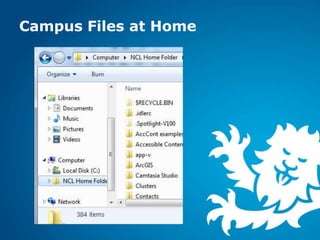
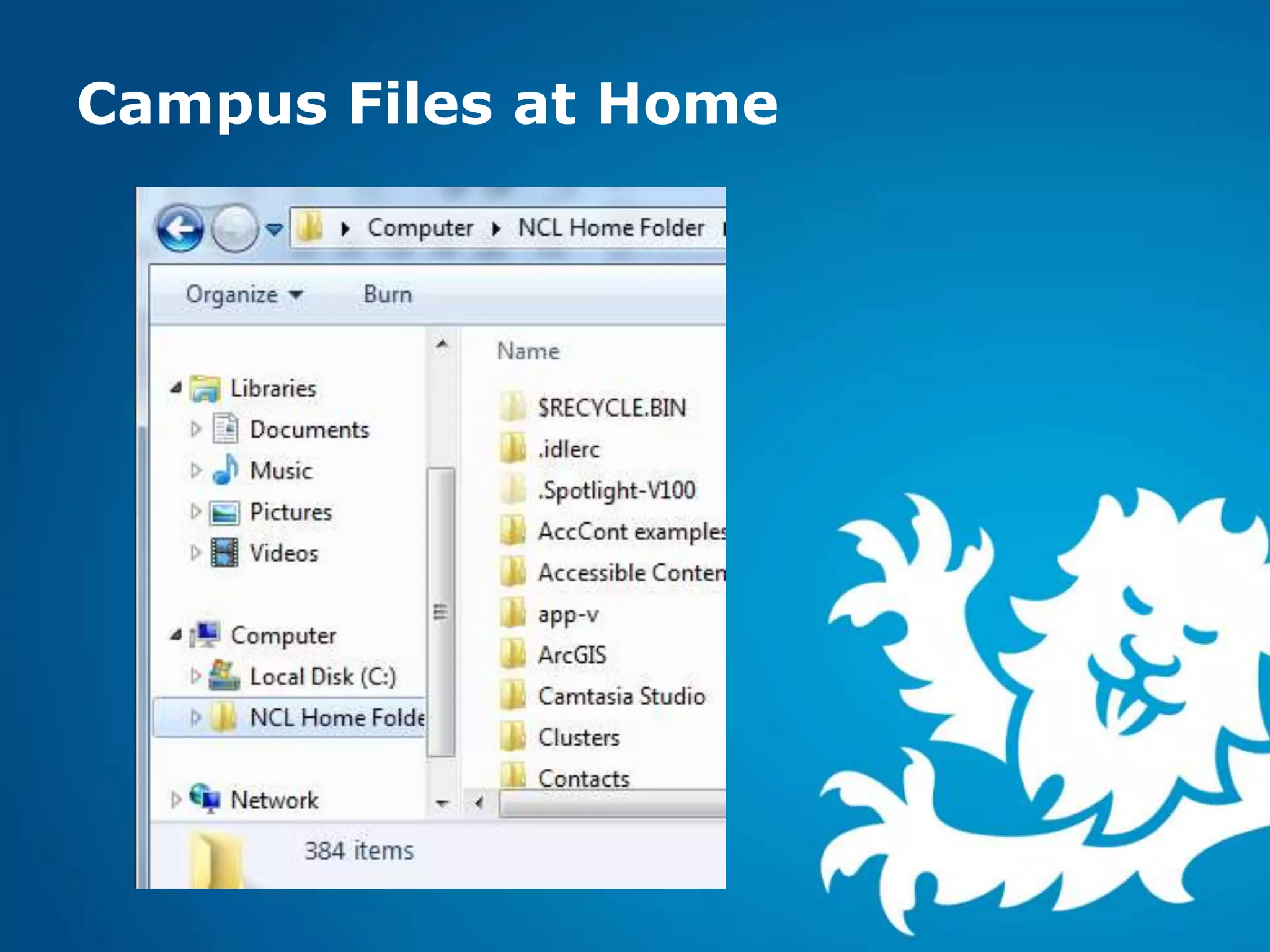
Campus Files at Home
   These slides are for Windows 7

   For quick Mac and PC instructions see
    http://www.ncl.ac.uk/iss/getstarted/storage/webf
    olders.php
If you know this
already skip ahead
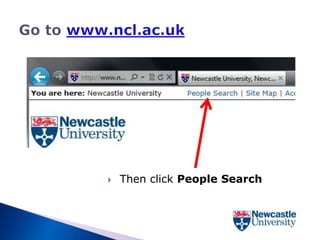
   Then click People Search
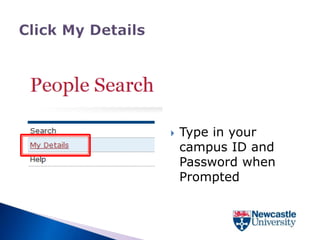
   Type in your
    campus ID and
    Password when
    Prompted
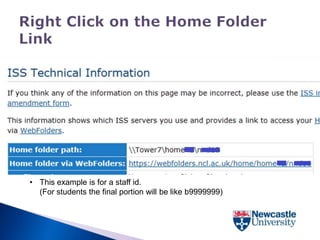
• This example is for a staff id.
  (For students the final portion will be like b9999999)
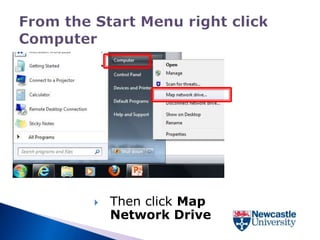
   Then click Map
    Network Drive
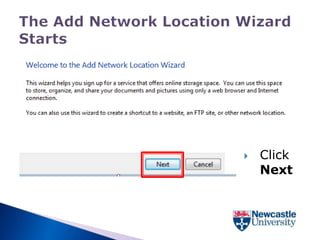
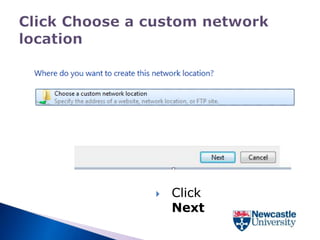
   Click
    Next
   Click
    Next
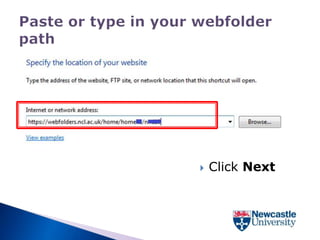
   Click Next
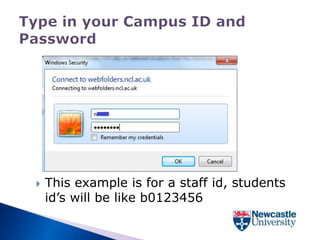
   This example is for a staff id, students
    id’s will be like b0123456
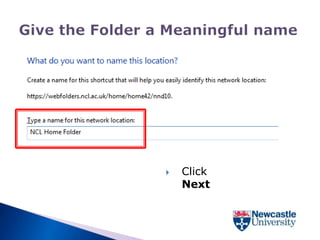
   Click
    Next
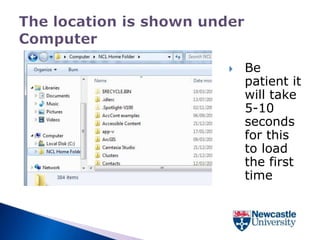
   Be
    patient it
    will take
    5-10
    seconds
    for this
    to load
    the first
    time
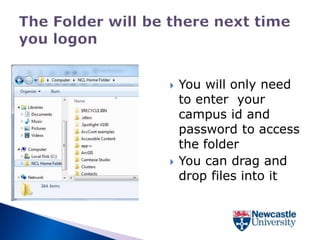
   You will only need
    to enter your
    campus id and
    password to access
    the folder
   You can drag and
    drop files into it

Webfolders on a pc

  • 1.
  • 2.
    These slides are for Windows 7  For quick Mac and PC instructions see http://www.ncl.ac.uk/iss/getstarted/storage/webf olders.php
  • 3.
    If you knowthis already skip ahead
  • 4.
    Then click People Search
  • 5.
    Type in your campus ID and Password when Prompted
  • 7.
    • This exampleis for a staff id. (For students the final portion will be like b9999999)
  • 9.
    Then click Map Network Drive
  • 11.
    Click Next
  • 12.
    Click Next
  • 13.
    Click Next
  • 14.
    This example is for a staff id, students id’s will be like b0123456
  • 15.
    Click Next
  • 17.
    Be patient it will take 5-10 seconds for this to load the first time
  • 18.
    You will only need to enter your campus id and password to access the folder  You can drag and drop files into it