SAP WEBDYNPRO ABAP ONLINE
TRAINING
Contact our Support Team :
SOFTNSOL
India: +91 9573428933
Skype id : softnsoltrainings
Email id: info@softnsol.com
http://softnsol.com/
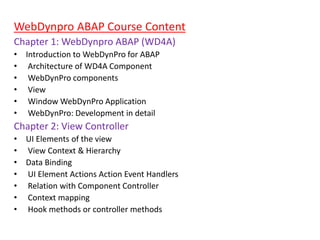
WebDynpro ABAP Course Content
Chapter 1: WebDynpro ABAP (WD4A)
• Introduction to WebDynPro for ABAP
• Architecture of WD4A Component
• WebDynPro components
• View
• Window WebDynPro Application
• WebDynPro: Development in detail
Chapter 2: View Controller
• UI Elements of the view
• View Context & Hierarchy
• Data Binding
• UI Element Actions Action Event Handlers
• Relation with Component Controller
• Context mapping
• Hook methods or controller methods
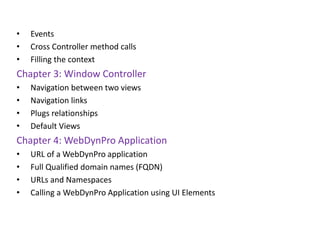
• Events
• Cross Controller method calls
• Filling the context
Chapter 3: Window Controller
• Navigation between two views
• Navigation links
• Plugs relationships
• Default Views
Chapter 4: WebDynPro Application
• URL of a WebDynPro application
• Full Qualified domain names (FQDN)
• URLs and Namespaces
• Calling a WebDynPro Application using UI Elements
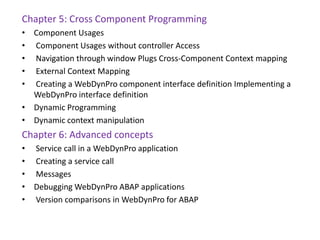
Chapter 5: Cross Component Programming
• Component Usages
• Component Usages without controller Access
• Navigation through window Plugs Cross-Component Context mapping
• External Context Mapping
• Creating a WebDynPro component interface definition Implementing a
WebDynPro interface definition
• Dynamic Programming
• Dynamic context manipulation
Chapter 6: Advanced concepts
• Service call in a WebDynPro application
• Creating a service call
• Messages
• Debugging WebDynPro ABAP applications
• Version comparisons in WebDynPro for ABAP
• File export
• Working with dialog boxes
• Input help
• Configuration of an included ALV component
• Portal integration
• Binding to portal: prerequisites
• Integrating an application to portal
• Integrating a PDF form in a WebDynPro application
• Inserting forms
• SAP list viewer in WebDynPro for ABAP
• Integration of ALV in your Application
• Managing ALV output area
Chapter 7: Methods and events of the interface Controller
• Data_check
• Get_model
• Set_data
• On_Click
• On_data_check
• On_function_on_lead_select
• Chapter 8: WebDynPro Tools in the ABAP workbench
• Component Editor
• Controller Editor
• View Editor
• Window Editor
• Display an interface view
• Displaying and defining the interface controller
• WebDynPro application
• The WebDynPro code Wizard
• Chapter 9: Dynpro Controls
• Containers
• Groups,Trays,Checkbox
• Frame,I/O field, Push button
• Radio button
• Sub screen, Table Control, Tab Strips, etc.
Chapter 10: Abstract UI Element Interfaces
• Business Graphics Library
• Link to Action
• Link to URL
• Text edit
• Text view,Link,Toolbar Button Row Roadmap
• Chapter 11: Runtime APIs
• IF_WD_ACTION
• IF_WD_APPLICATION
• IF_WD_COMPONENT
• IF_WD_COMPONENT_USAGE
• IF_WD_CONTROLLERIF_WD_MESSAGE_MANAGERIF_WD_VIEW
• IF_WD_VIEW_CONTROLLER
• IF_WD_VIEW_ELEMENTS
• IF_WD_WINDOW
• IF_WD_WINDOW_CONTROLLER
• IF_WD_WINDOWMANAGER
• CL_WD_CUSTOM_EVENT
• IF_WD_CONTEXT
• IF_WD_CONTEXT_NODE
• IF_WD_CONTEXT_NODE_INFO
• IF_WD_CONTEXT_ELEMENT
• IF_WD_PORTAL_INTEGRATION
SAP WEBDYNPRO ABAP ONLINE TRAINING

SAP WEBDYNPRO ABAP ONLINE TRAINING

  • 1.
    SAP WEBDYNPRO ABAPONLINE TRAINING Contact our Support Team : SOFTNSOL India: +91 9573428933 Skype id : softnsoltrainings Email id: info@softnsol.com http://softnsol.com/
  • 2.
    WebDynpro ABAP CourseContent Chapter 1: WebDynpro ABAP (WD4A) • Introduction to WebDynPro for ABAP • Architecture of WD4A Component • WebDynPro components • View • Window WebDynPro Application • WebDynPro: Development in detail Chapter 2: View Controller • UI Elements of the view • View Context & Hierarchy • Data Binding • UI Element Actions Action Event Handlers • Relation with Component Controller • Context mapping • Hook methods or controller methods
  • 3.
    • Events • CrossController method calls • Filling the context Chapter 3: Window Controller • Navigation between two views • Navigation links • Plugs relationships • Default Views Chapter 4: WebDynPro Application • URL of a WebDynPro application • Full Qualified domain names (FQDN) • URLs and Namespaces • Calling a WebDynPro Application using UI Elements
  • 4.
    Chapter 5: CrossComponent Programming • Component Usages • Component Usages without controller Access • Navigation through window Plugs Cross-Component Context mapping • External Context Mapping • Creating a WebDynPro component interface definition Implementing a WebDynPro interface definition • Dynamic Programming • Dynamic context manipulation Chapter 6: Advanced concepts • Service call in a WebDynPro application • Creating a service call • Messages • Debugging WebDynPro ABAP applications • Version comparisons in WebDynPro for ABAP
  • 5.
    • File export •Working with dialog boxes • Input help • Configuration of an included ALV component • Portal integration • Binding to portal: prerequisites • Integrating an application to portal • Integrating a PDF form in a WebDynPro application • Inserting forms • SAP list viewer in WebDynPro for ABAP • Integration of ALV in your Application • Managing ALV output area Chapter 7: Methods and events of the interface Controller • Data_check • Get_model • Set_data
  • 6.
    • On_Click • On_data_check •On_function_on_lead_select • Chapter 8: WebDynPro Tools in the ABAP workbench • Component Editor • Controller Editor • View Editor • Window Editor • Display an interface view • Displaying and defining the interface controller • WebDynPro application • The WebDynPro code Wizard • Chapter 9: Dynpro Controls • Containers • Groups,Trays,Checkbox
  • 7.
    • Frame,I/O field,Push button • Radio button • Sub screen, Table Control, Tab Strips, etc. Chapter 10: Abstract UI Element Interfaces • Business Graphics Library • Link to Action • Link to URL • Text edit • Text view,Link,Toolbar Button Row Roadmap • Chapter 11: Runtime APIs • IF_WD_ACTION • IF_WD_APPLICATION • IF_WD_COMPONENT • IF_WD_COMPONENT_USAGE
  • 8.
    • IF_WD_CONTROLLERIF_WD_MESSAGE_MANAGERIF_WD_VIEW • IF_WD_VIEW_CONTROLLER •IF_WD_VIEW_ELEMENTS • IF_WD_WINDOW • IF_WD_WINDOW_CONTROLLER • IF_WD_WINDOWMANAGER • CL_WD_CUSTOM_EVENT • IF_WD_CONTEXT • IF_WD_CONTEXT_NODE • IF_WD_CONTEXT_NODE_INFO • IF_WD_CONTEXT_ELEMENT • IF_WD_PORTAL_INTEGRATION