Web Application Attacks
(Beginner Level)
Instructor: __________ | Duration:
45–60 minutes
Objectives
• Understand what web attacks are and why
they happen.
• Identify safe tools and an intentionally
vulnerable lab for practice.
• Learn foundational prevention principles.
What are Web Application Attacks?
• A web app communicates between a browser
and a server.
• Attackers try to:
• • Send malicious input → Injection (e.g., SQLi)
• • Access another user’s data → Broken Access
Control / IDOR
• • Execute code in the browser → Cross Site
‑
Scripting (XSS)
• • Abuse login/session weaknesses →
Auth/Session flaws
Why use tools?
• To find, observe, and fix weaknesses.
• Practice only in safe labs (intentionally
vulnerable apps).
Burp Suite (PortSwigger)
• Interception proxy between your browser and
the server.
• See/modify/resend requests (Proxy,
Repeater).
• Intruder/Scanner available in Pro; Community
is sufficient for learning.
Nikto
• Fast web server scanner.
• Finds dangerous default files/paths, outdated
versions, simple misconfigurations.
• Human validation required for results.
WebGoat (OWASP)
• Intentionally vulnerable educational web app.
• Practice attacks safely and learn defenses.
• Sample lessons: SQL Injection, XSS, Access
Control, Sessions.
Legacy Tools (WebScarab, Paros)
• Older Java proxy tools historically used in
training.
• Modern replacements: Burp Suite (primary) or
OWASP ZAP (free alternative).
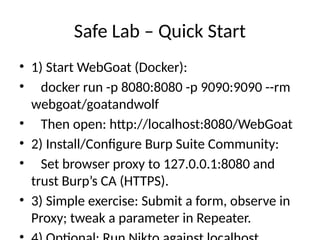
Safe Lab – Quick Start
• 1) Start WebGoat (Docker):
• docker run -p 8080:8080 -p 9090:9090 --rm
webgoat/goatandwolf
• Then open: http://localhost:8080/WebGoat
• 2) Install/Configure Burp Suite Community:
• Set browser proxy to 127.0.0.1:8080 and
trust Burp’s CA (HTTPS).
• 3) Simple exercise: Submit a form, observe in
Proxy; tweak a parameter in Repeater.
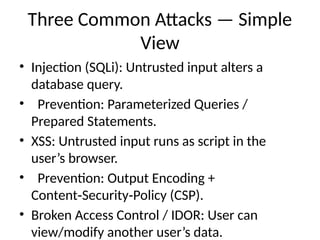
Three Common Attacks — Simple
View
• Injection (SQLi): Untrusted input alters a
database query.
• Prevention: Parameterized Queries /
Prepared Statements.
• XSS: Untrusted input runs as script in the
user’s browser.
• Prevention: Output Encoding +
Content Security Policy (CSP).
‑ ‑
• Broken Access Control / IDOR: User can
view/modify another user’s data.
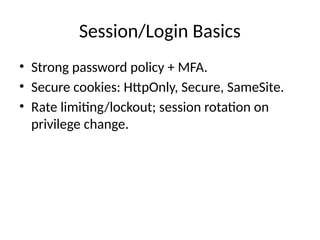
Session/Login Basics
• Strong password policy + MFA.
• Secure cookies: HttpOnly, Secure, SameSite.
• Rate limiting/lockout; session rotation on
privilege change.
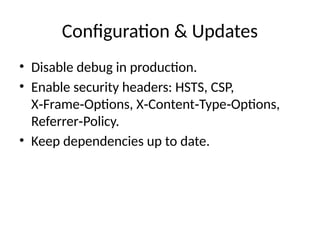
Configuration & Updates
• Disable debug in production.
• Enable security headers: HSTS, CSP,
X Frame Options, X Content Type Options,
‑ ‑ ‑ ‑ ‑
Referrer Policy.
‑
• Keep dependencies up to date.
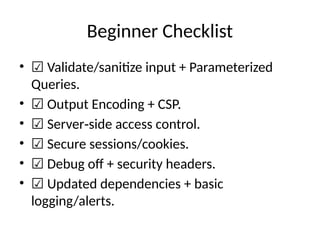
Beginner Checklist
• ☑ Validate/sanitize input + Parameterized
Queries.
• ☑ Output Encoding + CSP.
• ☑ Server side access control.
‑
• ☑ Secure sessions/cookies.
• ☑ Debug off + security headers.
• ☑ Updated dependencies + basic
logging/alerts.
Legal/Ethical Note
• Only test systems you own, have permission to
test, or intentionally vulnerable labs
(WebGoat/DVWA/Juice Shop).
• Do not scan real websites without consent.
Homework/Practice
• Complete the first SQLi lesson in WebGoat.
• In Burp, save one request/response and write
a brief prevention note.
• Add security headers to your small project.

Web_Application_Attacks_Beginner_EN.pptx

  • 1.
    Web Application Attacks (BeginnerLevel) Instructor: __________ | Duration: 45–60 minutes
  • 2.
    Objectives • Understand whatweb attacks are and why they happen. • Identify safe tools and an intentionally vulnerable lab for practice. • Learn foundational prevention principles.
  • 3.
    What are WebApplication Attacks? • A web app communicates between a browser and a server. • Attackers try to: • • Send malicious input → Injection (e.g., SQLi) • • Access another user’s data → Broken Access Control / IDOR • • Execute code in the browser → Cross Site ‑ Scripting (XSS) • • Abuse login/session weaknesses → Auth/Session flaws
  • 4.
    Why use tools? •To find, observe, and fix weaknesses. • Practice only in safe labs (intentionally vulnerable apps).
  • 5.
    Burp Suite (PortSwigger) •Interception proxy between your browser and the server. • See/modify/resend requests (Proxy, Repeater). • Intruder/Scanner available in Pro; Community is sufficient for learning.
  • 6.
    Nikto • Fast webserver scanner. • Finds dangerous default files/paths, outdated versions, simple misconfigurations. • Human validation required for results.
  • 7.
    WebGoat (OWASP) • Intentionallyvulnerable educational web app. • Practice attacks safely and learn defenses. • Sample lessons: SQL Injection, XSS, Access Control, Sessions.
  • 8.
    Legacy Tools (WebScarab,Paros) • Older Java proxy tools historically used in training. • Modern replacements: Burp Suite (primary) or OWASP ZAP (free alternative).
  • 9.
    Safe Lab –Quick Start • 1) Start WebGoat (Docker): • docker run -p 8080:8080 -p 9090:9090 --rm webgoat/goatandwolf • Then open: http://localhost:8080/WebGoat • 2) Install/Configure Burp Suite Community: • Set browser proxy to 127.0.0.1:8080 and trust Burp’s CA (HTTPS). • 3) Simple exercise: Submit a form, observe in Proxy; tweak a parameter in Repeater.
  • 10.
    Three Common Attacks— Simple View • Injection (SQLi): Untrusted input alters a database query. • Prevention: Parameterized Queries / Prepared Statements. • XSS: Untrusted input runs as script in the user’s browser. • Prevention: Output Encoding + Content Security Policy (CSP). ‑ ‑ • Broken Access Control / IDOR: User can view/modify another user’s data.
  • 11.
    Session/Login Basics • Strongpassword policy + MFA. • Secure cookies: HttpOnly, Secure, SameSite. • Rate limiting/lockout; session rotation on privilege change.
  • 12.
    Configuration & Updates •Disable debug in production. • Enable security headers: HSTS, CSP, X Frame Options, X Content Type Options, ‑ ‑ ‑ ‑ ‑ Referrer Policy. ‑ • Keep dependencies up to date.
  • 13.
    Beginner Checklist • ☑Validate/sanitize input + Parameterized Queries. • ☑ Output Encoding + CSP. • ☑ Server side access control. ‑ • ☑ Secure sessions/cookies. • ☑ Debug off + security headers. • ☑ Updated dependencies + basic logging/alerts.
  • 14.
    Legal/Ethical Note • Onlytest systems you own, have permission to test, or intentionally vulnerable labs (WebGoat/DVWA/Juice Shop). • Do not scan real websites without consent.
  • 15.
    Homework/Practice • Complete thefirst SQLi lesson in WebGoat. • In Burp, save one request/response and write a brief prevention note. • Add security headers to your small project.