Web Components
What are web components ?
Web Components are a set of standards
currently being produced by Google engineers as
a W3C specification that allows you to create
reusable widgets or components in web
documents and web applications
Why we need it ?
To bring component-based
software engineering to the World Wide Web.
To get assurity that whenever in future, if we upgrade these
component it won’t break pages/other components.
To create easy to use and reusable components
Web Component’s Element
Web Components use these 4 technologies,
which can be used separately or all together:
HTML Templates
HTML Imports
Custom Elements
Shadow DOM
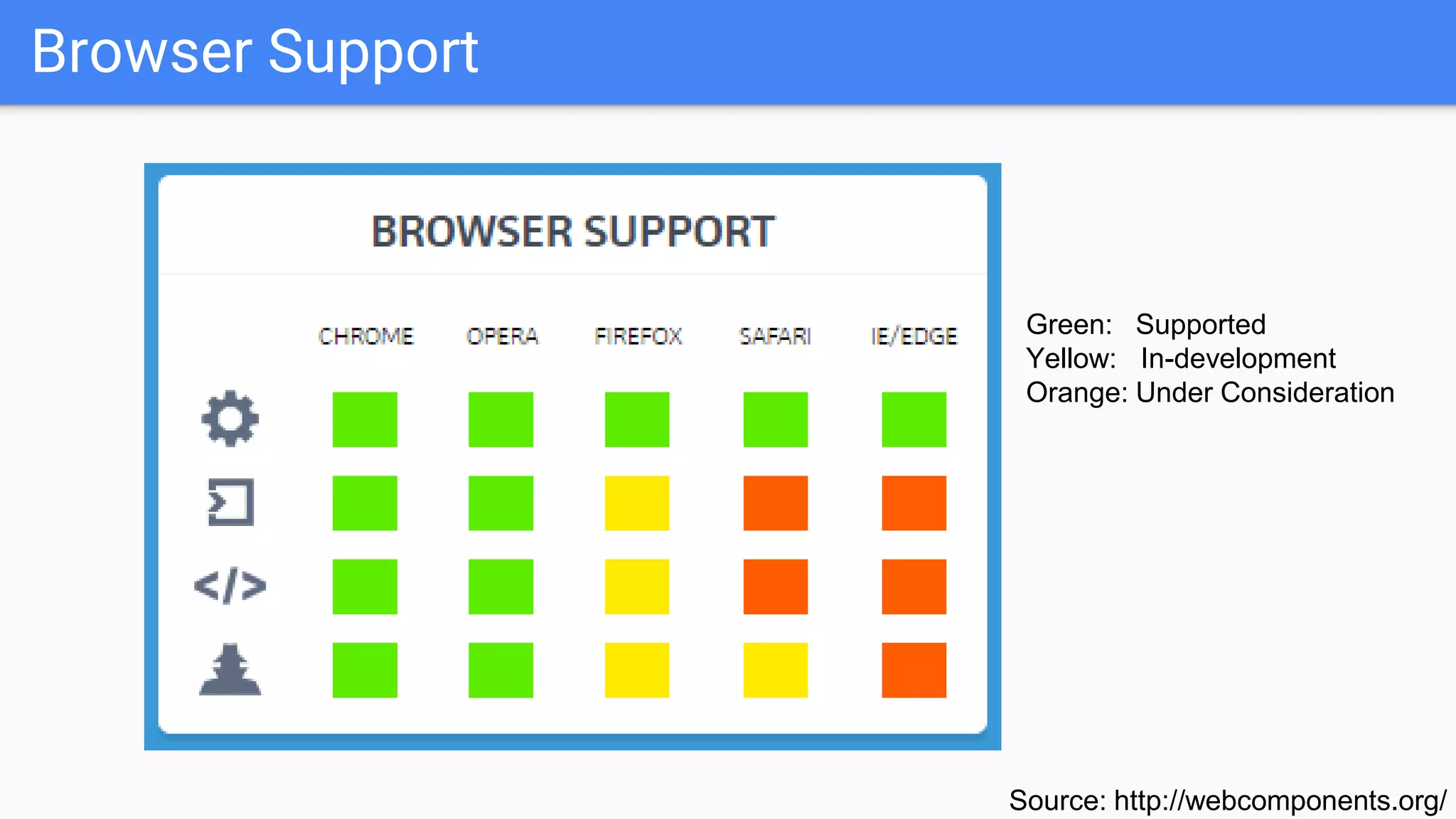
Browser Support
Source: http://webcomponents.org/
Green: Supported
Yellow: In-development
Orange: Under Consideration
HTML IMPORT
HTML IMPORT
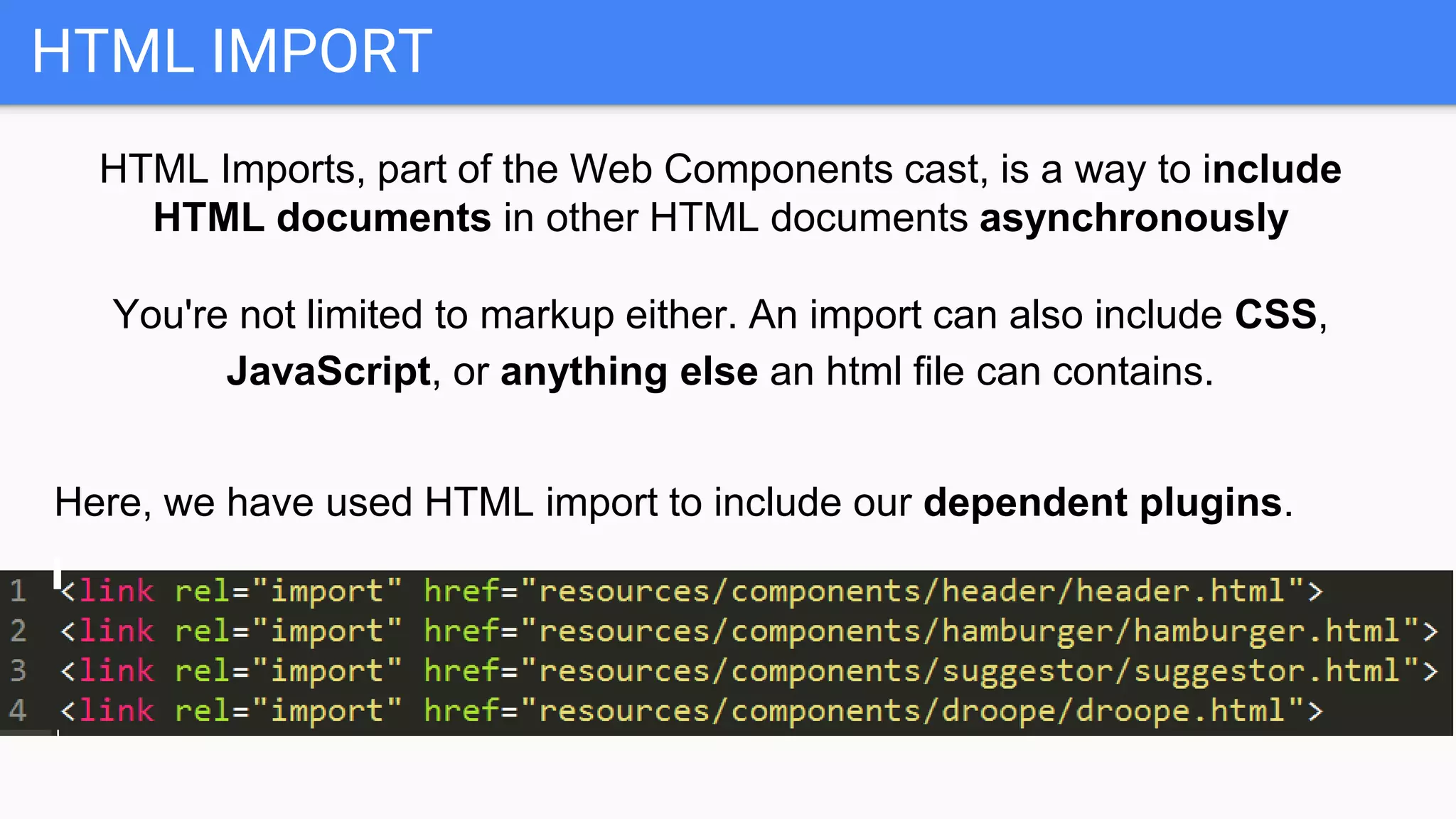
HTML Imports, part of the Web Components cast, is a way to include
HTML documents in other HTML documents asynchronously
You're not limited to markup either. An import can also include CSS,
JavaScript, or anything else an html file can contains.
Here, we have used HTML import to include our dependent plugins.
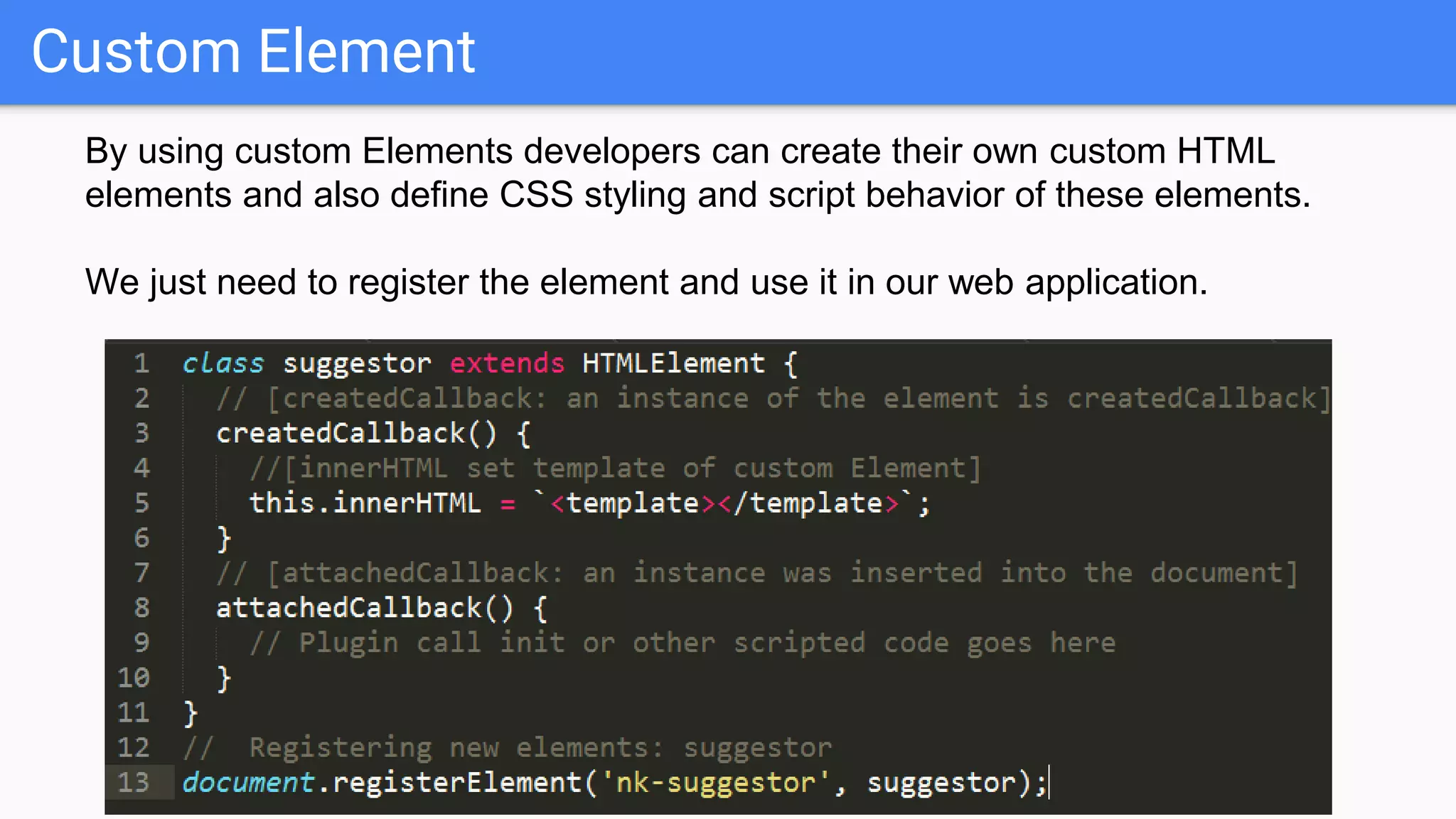
CUSTOM ELEMENT
Custom Element
By using custom Elements developers can create their own custom HTML
elements and also define CSS styling and script behavior of these elements.
We just need to register the element and use it in our web application.
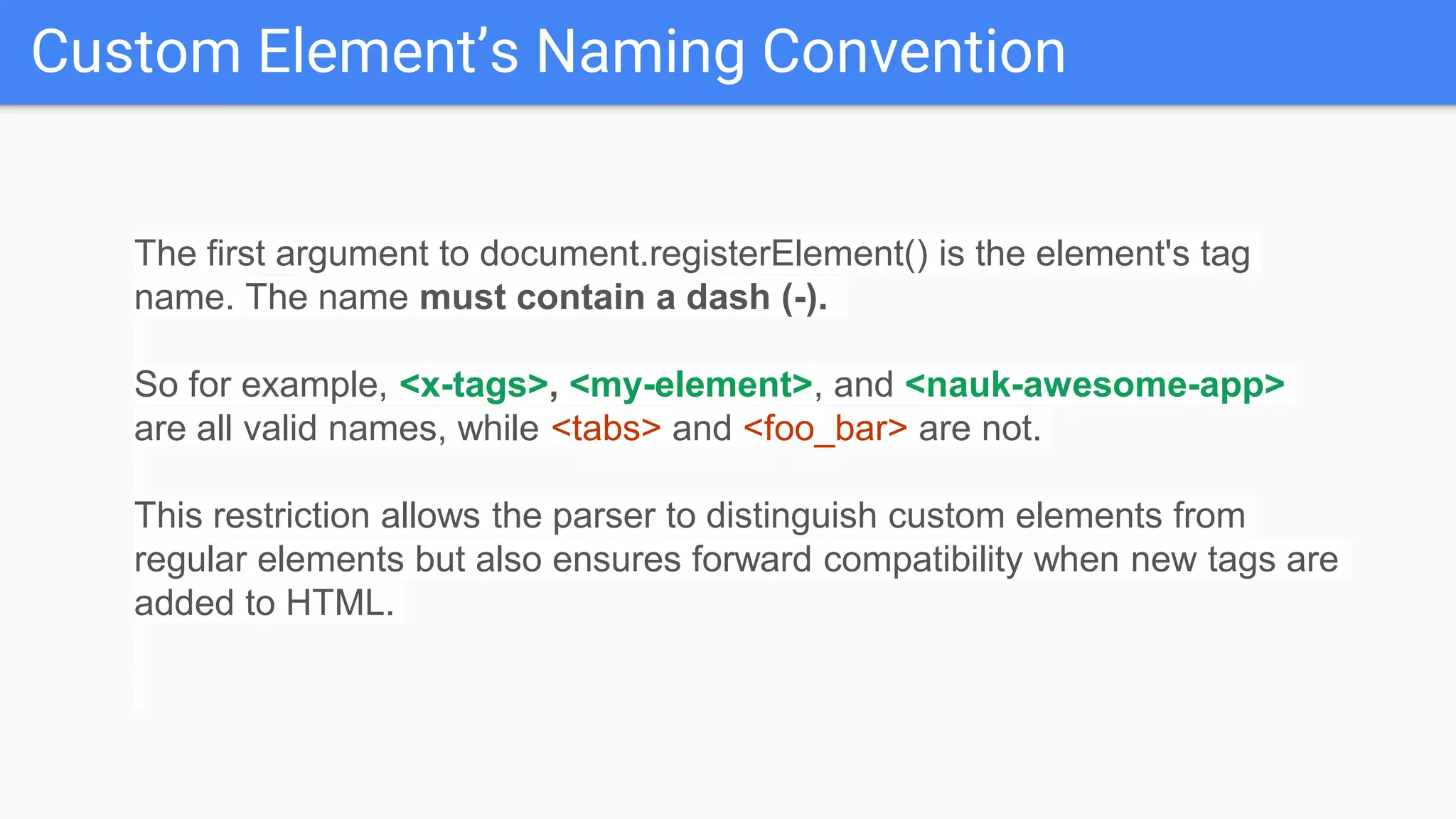
Custom Element’s Naming Convention
The first argument to document.registerElement() is the element's tag
name. The name must contain a dash (-).
So for example, <x-tags>, <my-element>, and <nauk-awesome-app>
are all valid names, while <tabs> and <foo_bar> are not.
This restriction allows the parser to distinguish custom elements from
regular elements but also ensures forward compatibility when new tags are
added to HTML.
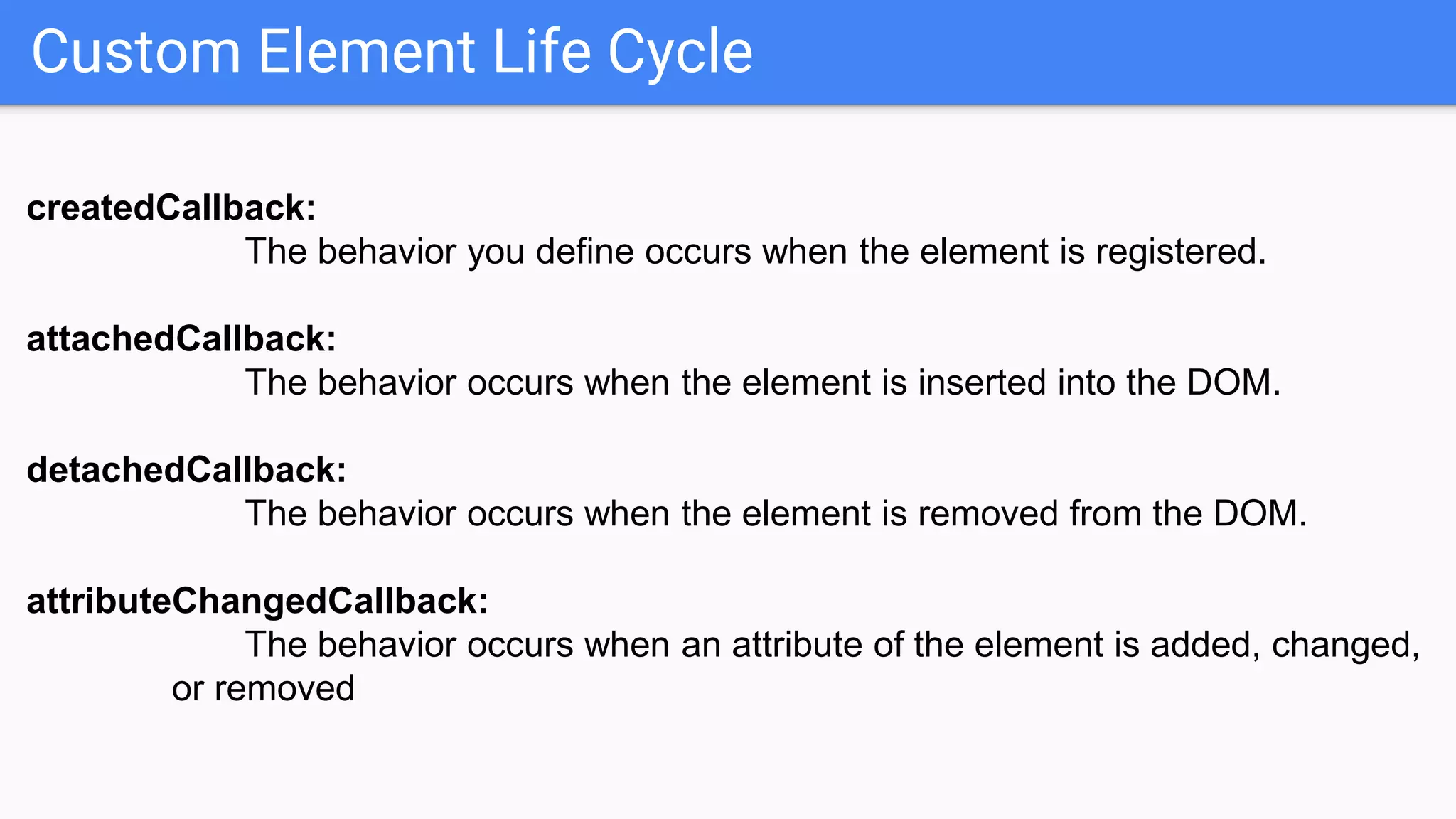
Custom Element Life Cycle
createdCallback:
The behavior you define occurs when the element is registered.
attachedCallback:
The behavior occurs when the element is inserted into the DOM.
detachedCallback:
The behavior occurs when the element is removed from the DOM.
attributeChangedCallback:
The behavior occurs when an attribute of the element is added, changed,
or removed
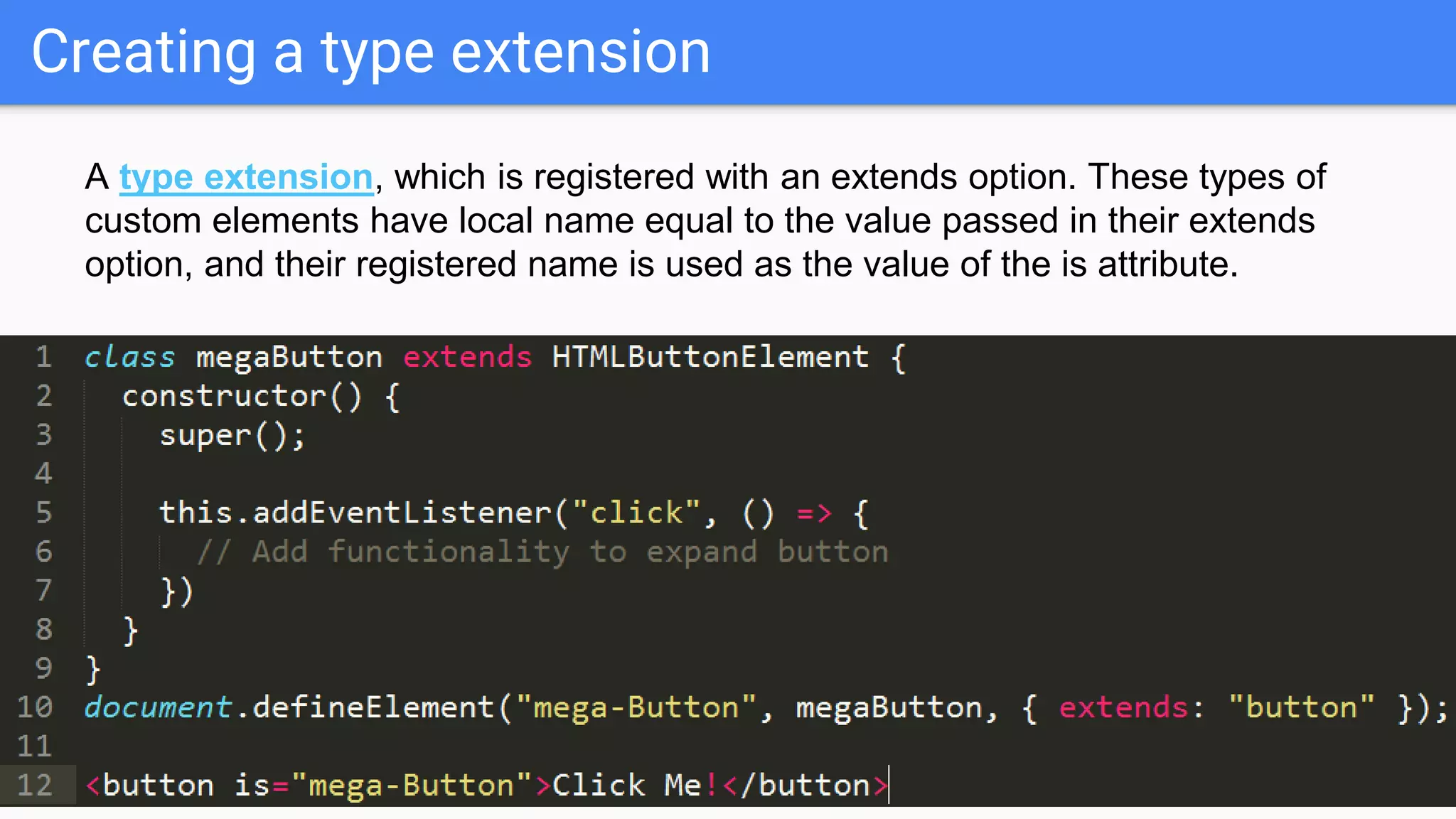
Creating a type extension
A type extension, which is registered with an extends option. These types of
custom elements have local name equal to the value passed in their extends
option, and their registered name is used as the value of the is attribute.
Custom Element Demo
HTML TEMPLATE
HTML TEMPLATE
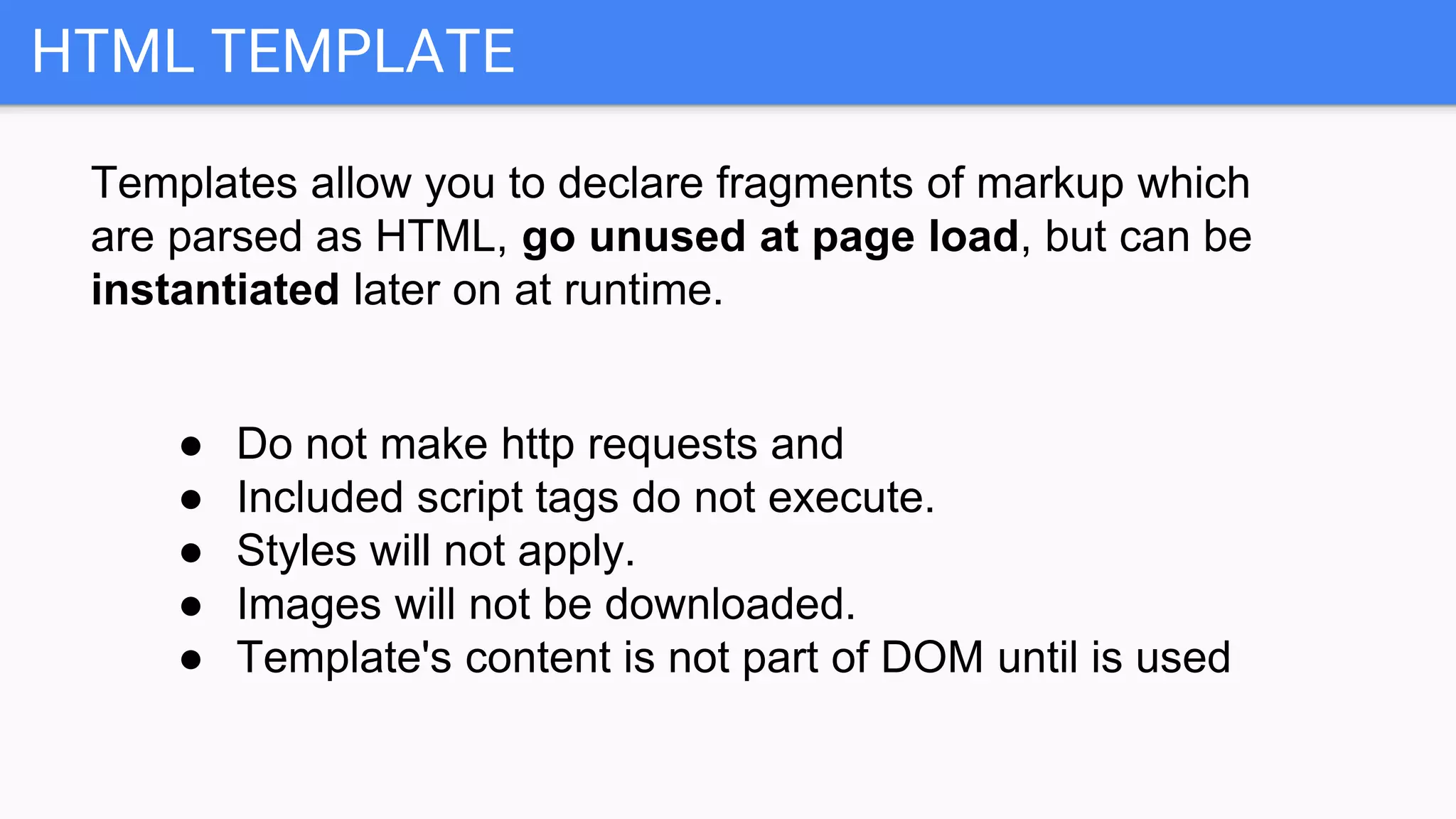
Templates allow you to declare fragments of markup which
are parsed as HTML, go unused at page load, but can be
instantiated later on at runtime.
● Do not make http requests and
● Included script tags do not execute.
● Styles will not apply.
● Images will not be downloaded.
● Template's content is not part of DOM until is used
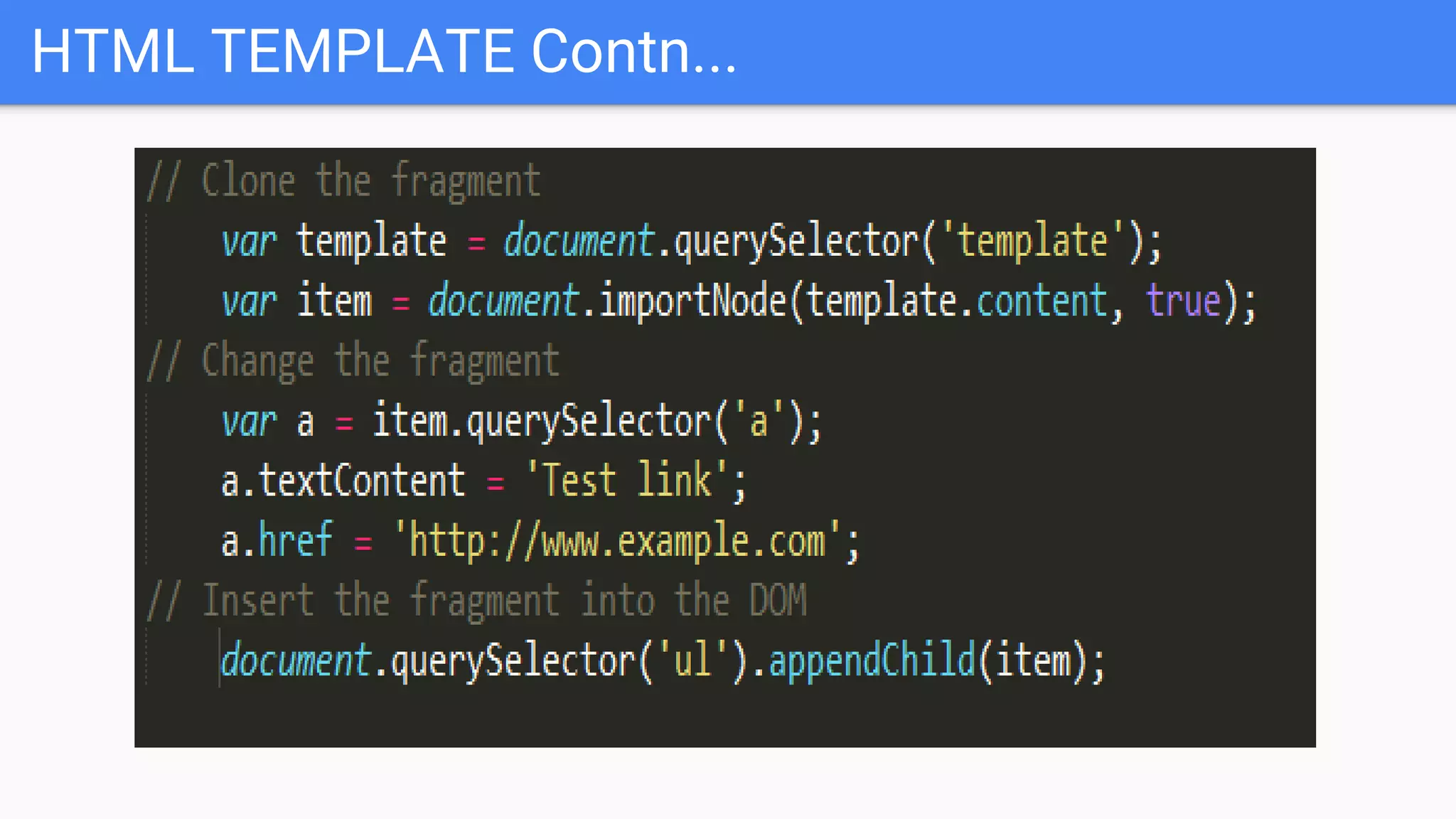
HTML TEMPLATE Contn...
● In order to use a template, first you need to clone
it, then insert it into the DOM.
HTML TEMPLATE Contn...
SHADOW DOM
SHADOW DOM
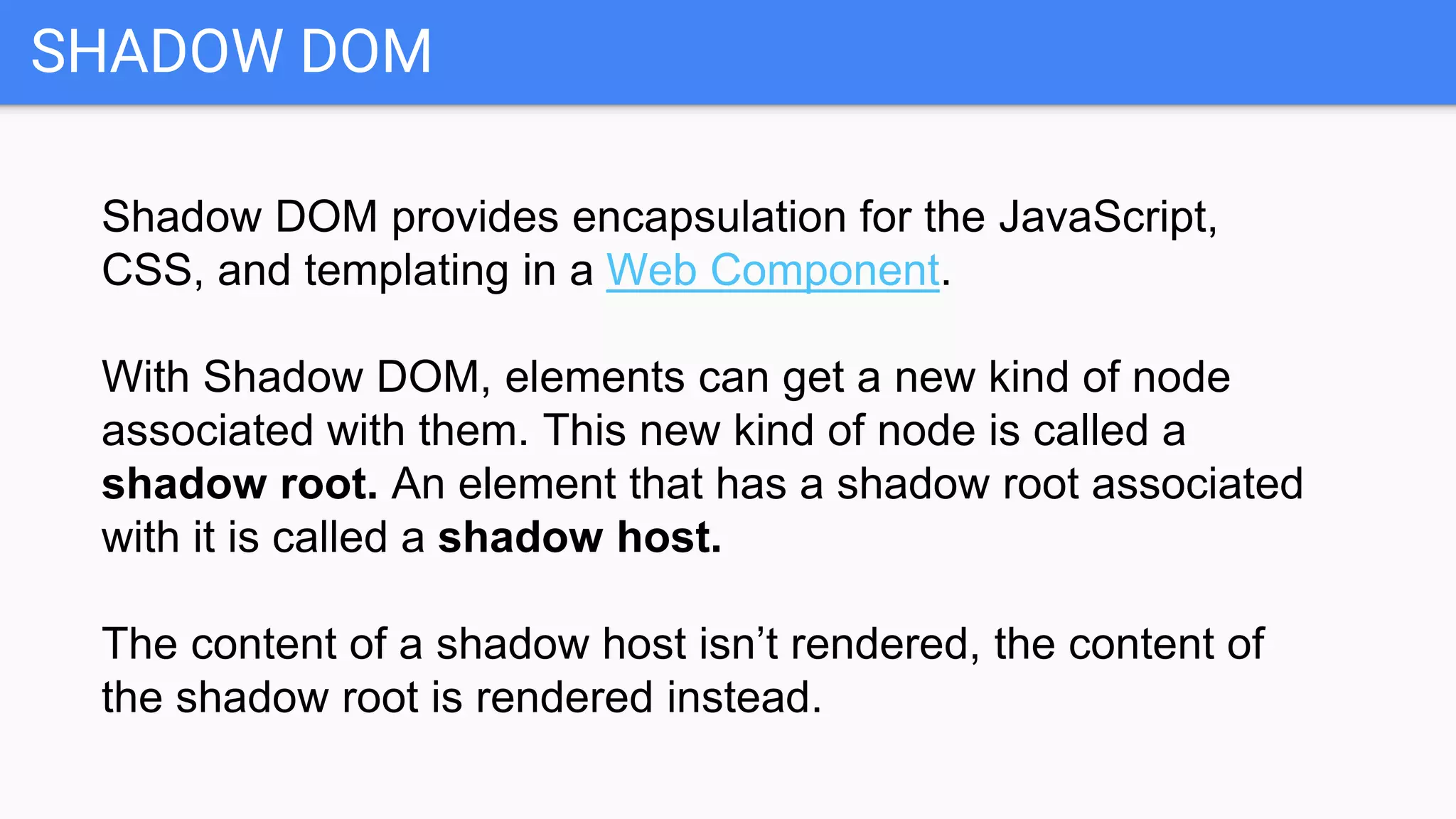
Shadow DOM provides encapsulation for the JavaScript,
CSS, and templating in a Web Component.
With Shadow DOM, elements can get a new kind of node
associated with them. This new kind of node is called a
shadow root. An element that has a shadow root associated
with it is called a shadow host.
The content of a shadow host isn’t rendered, the content of
the shadow root is rendered instead.
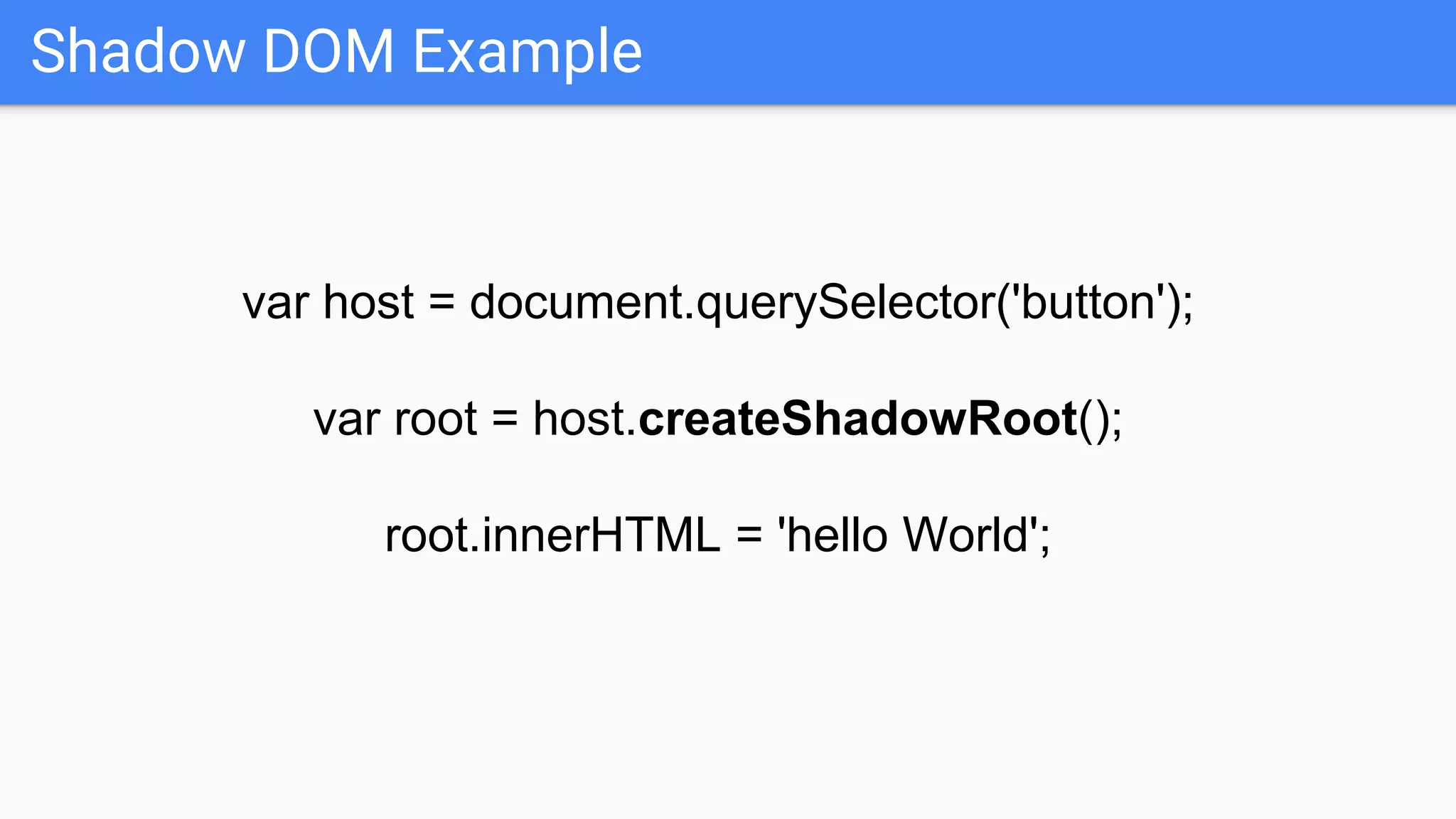
Shadow DOM Example
var host = document.querySelector('button');
var root = host.createShadowRoot();
root.innerHTML = 'hello World';
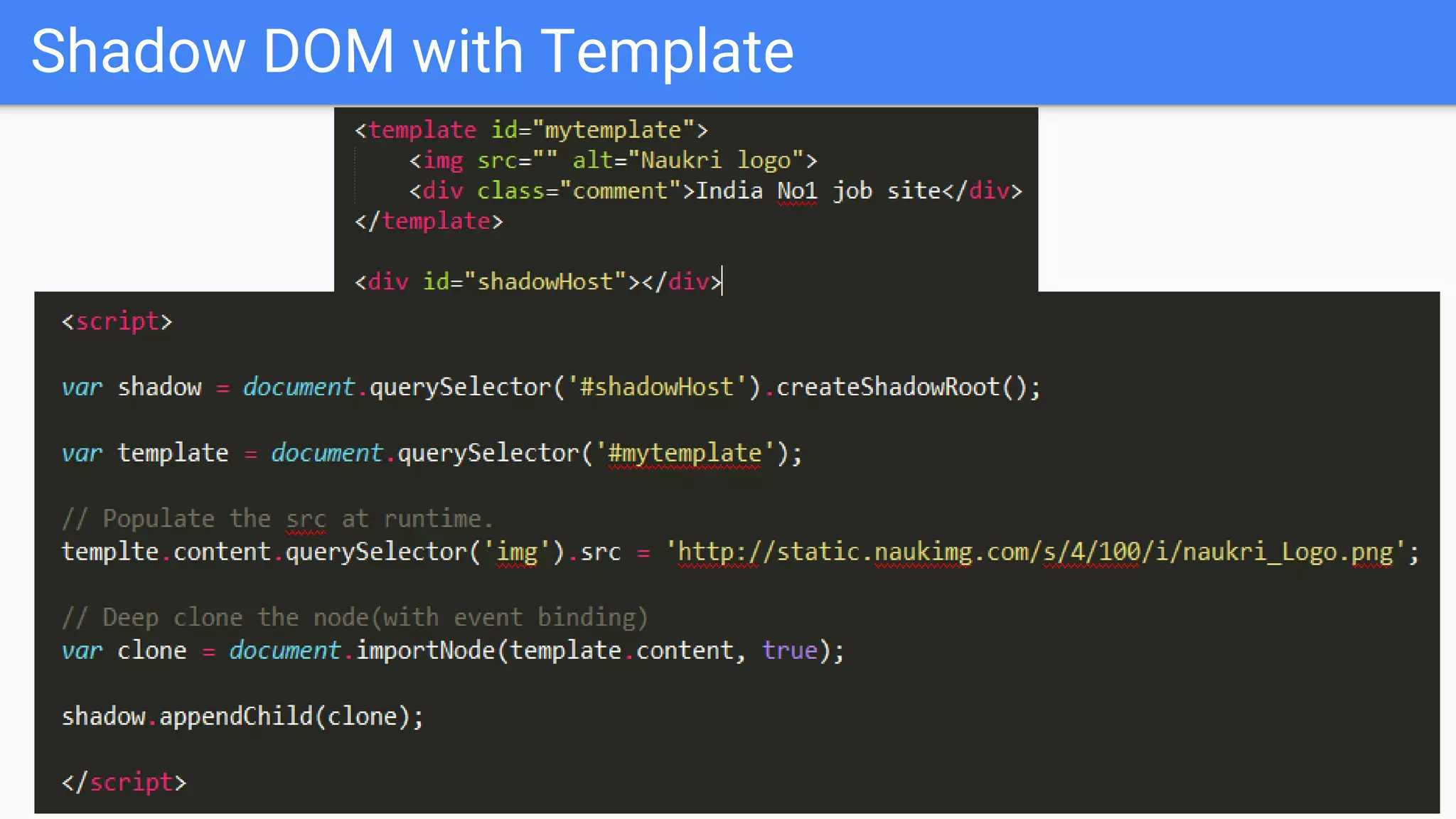
Shadow DOM with Template
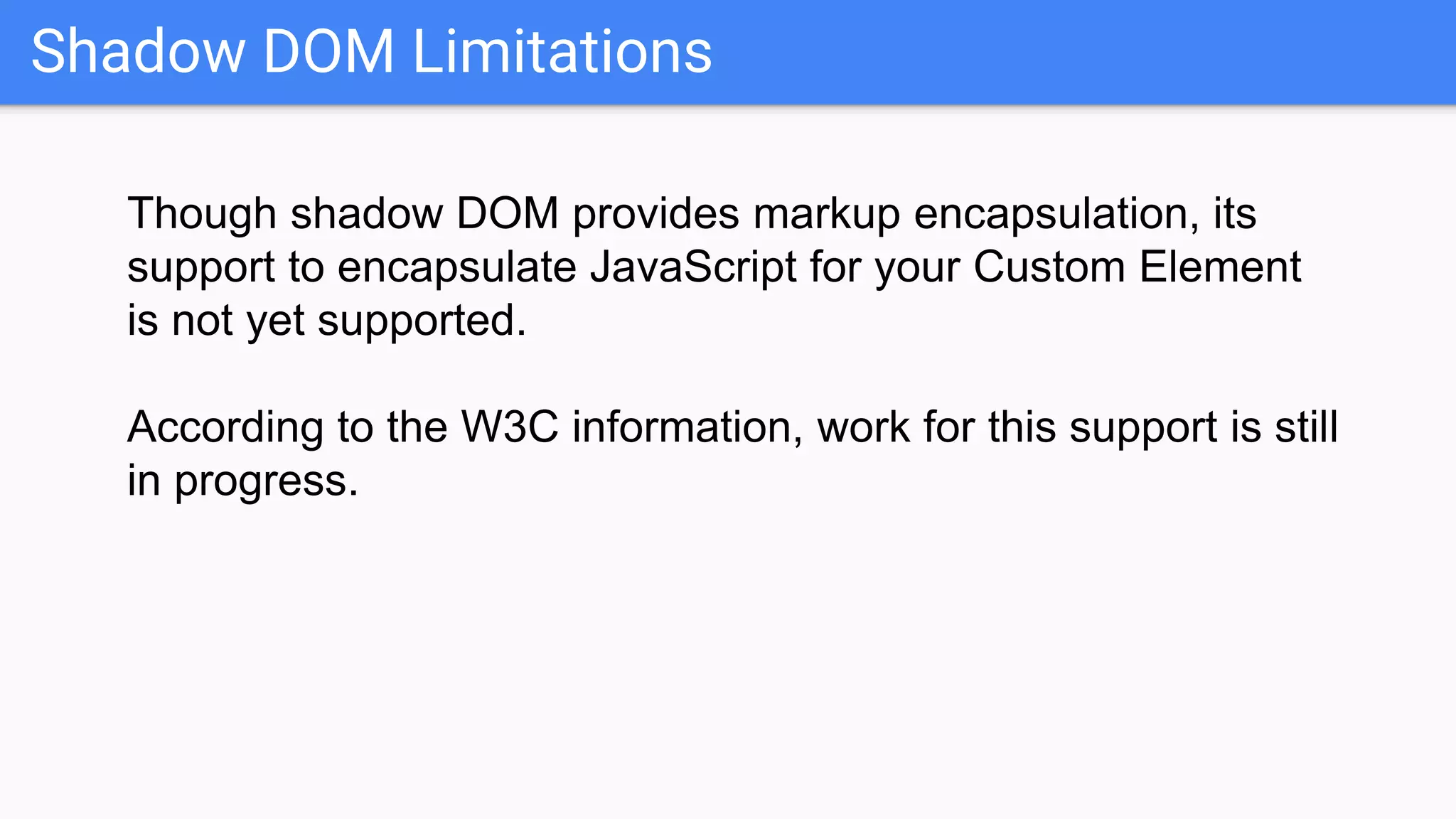
Shadow DOM Limitations
Though shadow DOM provides markup encapsulation, its
support to encapsulate JavaScript for your Custom Element
is not yet supported.
According to the W3C information, work for this support is still
in progress.
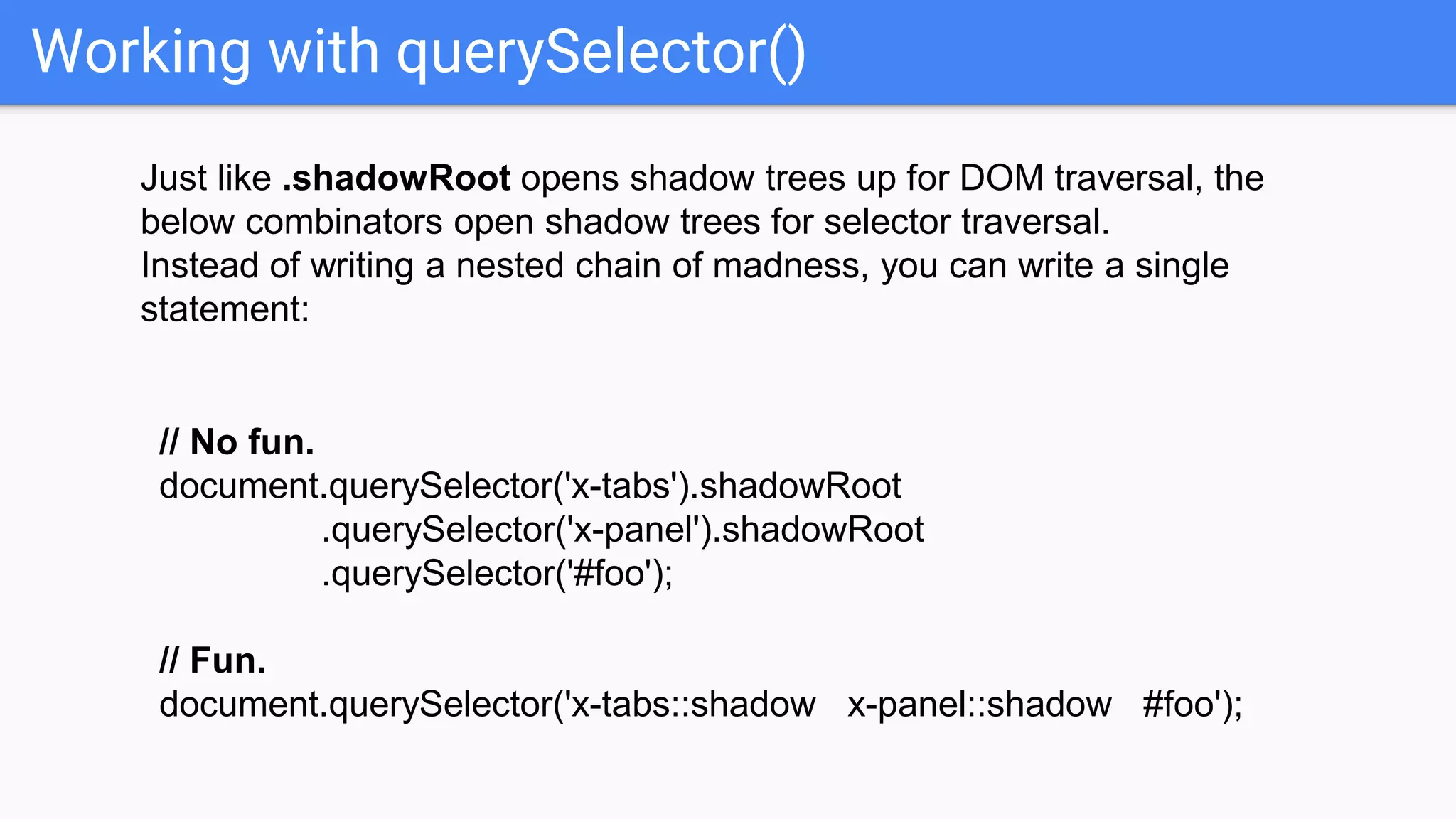
Working with querySelector()
Just like .shadowRoot opens shadow trees up for DOM traversal, the
below combinators open shadow trees for selector traversal.
Instead of writing a nested chain of madness, you can write a single
statement:
// No fun.
document.querySelector('x-tabs').shadowRoot
.querySelector('x-panel').shadowRoot
.querySelector('#foo');
// Fun.
document.querySelector('x-tabs::shadow x-panel::shadow #foo');
Shadow DOM Demo
Libraries
The Web Component APIs offer fairly low level
programmatic APIs, so several libraries have been
created to ease the development of new Web
Components: X-Tag, Polymer and Bosonic.
All the libraries offer helpers and syntax sugar to cut
down boilerplate code and make creating new
components easier. They all use the same Web
Components polyfill as their base.
Web Component adaptation
Web Components have been taken into production use by
several big companies such as Google, GitHub, Comcast,
Salesforce and General Electric.
Some of the more high profile sites using Web
Components are Youtube Gaming, Google Patents,
Google Music and GitHub.
And finally Naukri :)
?Question
References
http://webcomponents.org/
http://w3c.github.io/webcomponen
ts/spec/custom/
https://en.wikipedia.org/wiki/Web_
Components
http://www.html5rocks.com/en/tut
orials/webcomponents/customele
ments/

Web components

  • 1.
  • 2.
    What are webcomponents ? Web Components are a set of standards currently being produced by Google engineers as a W3C specification that allows you to create reusable widgets or components in web documents and web applications
  • 3.
    Why we needit ? To bring component-based software engineering to the World Wide Web. To get assurity that whenever in future, if we upgrade these component it won’t break pages/other components. To create easy to use and reusable components
  • 4.
    Web Component’s Element WebComponents use these 4 technologies, which can be used separately or all together: HTML Templates HTML Imports Custom Elements Shadow DOM
  • 5.
    Browser Support Source: http://webcomponents.org/ Green:Supported Yellow: In-development Orange: Under Consideration
  • 6.
  • 7.
    HTML IMPORT HTML Imports,part of the Web Components cast, is a way to include HTML documents in other HTML documents asynchronously You're not limited to markup either. An import can also include CSS, JavaScript, or anything else an html file can contains. Here, we have used HTML import to include our dependent plugins.
  • 8.
  • 9.
    Custom Element By usingcustom Elements developers can create their own custom HTML elements and also define CSS styling and script behavior of these elements. We just need to register the element and use it in our web application.
  • 10.
    Custom Element’s NamingConvention The first argument to document.registerElement() is the element's tag name. The name must contain a dash (-). So for example, <x-tags>, <my-element>, and <nauk-awesome-app> are all valid names, while <tabs> and <foo_bar> are not. This restriction allows the parser to distinguish custom elements from regular elements but also ensures forward compatibility when new tags are added to HTML.
  • 11.
    Custom Element LifeCycle createdCallback: The behavior you define occurs when the element is registered. attachedCallback: The behavior occurs when the element is inserted into the DOM. detachedCallback: The behavior occurs when the element is removed from the DOM. attributeChangedCallback: The behavior occurs when an attribute of the element is added, changed, or removed
  • 12.
    Creating a typeextension A type extension, which is registered with an extends option. These types of custom elements have local name equal to the value passed in their extends option, and their registered name is used as the value of the is attribute.
  • 13.
  • 14.
  • 15.
    HTML TEMPLATE Templates allowyou to declare fragments of markup which are parsed as HTML, go unused at page load, but can be instantiated later on at runtime. ● Do not make http requests and ● Included script tags do not execute. ● Styles will not apply. ● Images will not be downloaded. ● Template's content is not part of DOM until is used
  • 16.
    HTML TEMPLATE Contn... ●In order to use a template, first you need to clone it, then insert it into the DOM.
  • 17.
  • 18.
  • 19.
    SHADOW DOM Shadow DOMprovides encapsulation for the JavaScript, CSS, and templating in a Web Component. With Shadow DOM, elements can get a new kind of node associated with them. This new kind of node is called a shadow root. An element that has a shadow root associated with it is called a shadow host. The content of a shadow host isn’t rendered, the content of the shadow root is rendered instead.
  • 20.
    Shadow DOM Example varhost = document.querySelector('button'); var root = host.createShadowRoot(); root.innerHTML = 'hello World';
  • 21.
  • 22.
    Shadow DOM Limitations Thoughshadow DOM provides markup encapsulation, its support to encapsulate JavaScript for your Custom Element is not yet supported. According to the W3C information, work for this support is still in progress.
  • 23.
    Working with querySelector() Justlike .shadowRoot opens shadow trees up for DOM traversal, the below combinators open shadow trees for selector traversal. Instead of writing a nested chain of madness, you can write a single statement: // No fun. document.querySelector('x-tabs').shadowRoot .querySelector('x-panel').shadowRoot .querySelector('#foo'); // Fun. document.querySelector('x-tabs::shadow x-panel::shadow #foo');
  • 24.
  • 25.
    Libraries The Web ComponentAPIs offer fairly low level programmatic APIs, so several libraries have been created to ease the development of new Web Components: X-Tag, Polymer and Bosonic. All the libraries offer helpers and syntax sugar to cut down boilerplate code and make creating new components easier. They all use the same Web Components polyfill as their base.
  • 26.
    Web Component adaptation WebComponents have been taken into production use by several big companies such as Google, GitHub, Comcast, Salesforce and General Electric. Some of the more high profile sites using Web Components are Youtube Gaming, Google Patents, Google Music and GitHub. And finally Naukri :)
  • 27.
  • 28.