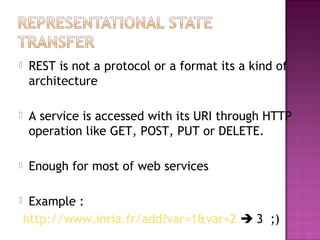
 REST is not a protocol or a format its a kind of
architecture
 A service is accessed with its URI through HTTP
operation like GET, POST, PUT or DELETE.
 Enough for most of web services
 Example :
http://www.inria.fr/add?var=1&var=2  3 ;)
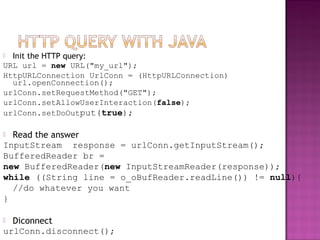
 Init the HTTP query:
URL url = new URL("my_url");
HttpURLConnection UrlConn = (HttpURLConnection)
url.openConnection();
urlConn.setRequestMethod("GET");
urlConn.setAllowUserInteraction(false);
urlConn.setDoOutput(true);
 Read the answer
InputStream response = urlConn.getInputStream();
BufferedReader br =
new BufferedReader(new InputStreamReader(response));
while ((String line = o_oBufReader.readLine()) != null){
//do whatever you want
}
 Diconnect
urlConn.disconnect();
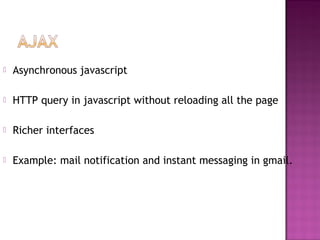
 Asynchronous javascript
 HTTP query in javascript without reloading all the page
 Richer interfaces
 Example: mail notification and instant messaging in gmail.
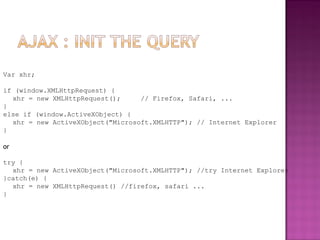
Var xhr;
if (window.XMLHttpRequest) {
xhr = new XMLHttpRequest(); // Firefox, Safari, ...
}
else if (window.ActiveXObject) {
xhr = new ActiveXObject("Microsoft.XMLHTTP"); // Internet Explorer
}
or
try {
xhr = new ActiveXObject("Microsoft.XMLHTTP"); //try Internet Explorer
}catch(e) {
xhr = new XMLHttpRequest() //firefox, safari ...
}
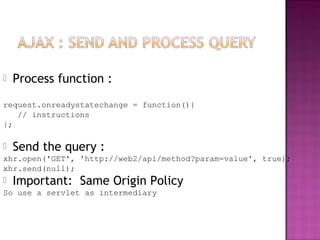
 Process function :
request.onreadystatechange = function(){
// instructions
};
 Send the query :
xhr.open('GET', 'http://web2/api/method?param=value', true);
xhr.send(null);
 Important: Same Origin Policy
So use a servlet as intermediary
 JSON object:
var person = { "name" : "John"
"phone" : [
{"type" : "home", "num" : "1234"},
{"type" : "mobile", "num" : "5678"}
]
};
 person.name; person.phone[0].num;
 Eval function:
var JSONString = "someVar = { 'color' : 'blue' }";
 eval(JSONString);
 Tutorial:
http://www.hunlock.com/blogs/Mastering_JSON_(_JavaScript_Object_Notation_)
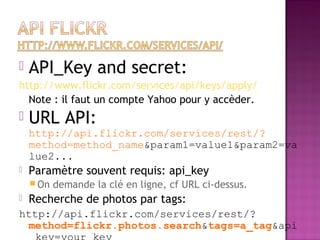
 API_Key and secret:
http://www.flickr.com/services/api/keys/apply/
Note : il faut un compte Yahoo pour y accèder.
 URL API:
http://api.flickr.com/services/rest/?
method=method_name&param1=value1&param2=va
lue2...
 Paramètre souvent requis: api_key
 On demande la clé en ligne, cf URL ci-dessus.
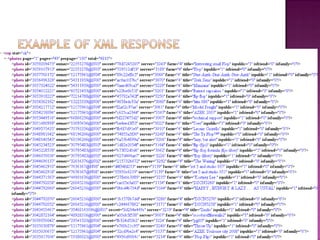
 Recherche de photos par tags:
http://api.flickr.com/services/rest/?
method=flickr.photos.search&tags=a_tag&api
 URL API:
http://api.flickr.com/services/rest/?
method_name&param1=value1&param2=value2...
 Paramètre souvent requis: api_key
 Recherche de photos par tags:
http://api.flickr.com/services/rest/?
method=flickr.photos.search&tags=a_tag&api
_key=your_key
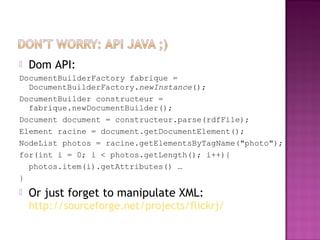
 Dom API:
DocumentBuilderFactory fabrique =
DocumentBuilderFactory.newInstance();
DocumentBuilder constructeur =
fabrique.newDocumentBuilder();
Document document = constructeur.parse(rdfFile);
Element racine = document.getDocumentElement();
NodeList photos = racine.getElementsByTagName("photo");
for(int i = 0; i < photos.getLength(); i++){
photos.item(i).getAttributes() …
}
 Or just forget to manipulate XML:
http://sourceforge.net/projects/flickrj/
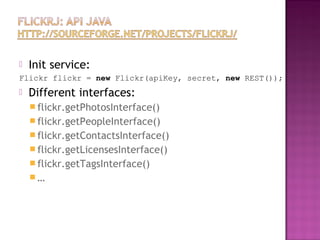
 Init service:
Flickr flickr = new Flickr(apiKey, secret, new REST());
 Different interfaces:
 flickr.getPhotosInterface()
 flickr.getPeopleInterface()
 flickr.getContactsInterface()
 flickr.getLicensesInterface()
 flickr.getTagsInterface()
 …
 Init service:
Flickr flickr = new
Flickr("47422029b3aabee4aca6a5853eca74b6",
"ab7f2d30639a9828", new REST());
PhotosInterface pi =
flickr.getPhotosInterface();
SearchParameters sp = new
SearchParameters();
String []tabTag = {« cars »};
sp.setTags(tabTag);
PhotoList photoList = pi.search(sp, 50, 1);
Iterator it = photoList.iterator();
while (it.hasNext()) {
Photo photo = (Photo) it.next();
out.println("<img src='" +
photo.getThumbnailUrl() + "' />");
 URL API: Example: flickr.blogs.getList
 XML response
<blogs>
<blog id="73" name="Bloxus" url="http://remote.bloxus.com/" />
<blog id="74" name="Manila" url="http://test1.userland.com/" />
</blogs>
 JSON response
rsp = { "stat": "ok",
"blogs": {
"blog": [{ "id" : "73", "name" : "Bloxus", "url" : "..." }
{ "id" : "74", "name" : "Manila", "url" : "..." } ]
}
}
 URL API: Example
for (var i=0; i<rsp.blogs.blog.length; i++){
var blog = rsp.blogs.blog[i]
...
}
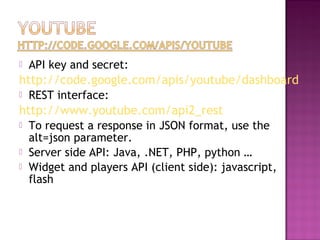
 API key and secret:
http://code.google.com/apis/youtube/dashboard
 REST interface:
http://www.youtube.com/api2_rest
 To request a response in JSON format, use the
alt=json parameter.
 Server side API: Java, .NET, PHP, python …
 Widget and players API (client side): javascript,
flash
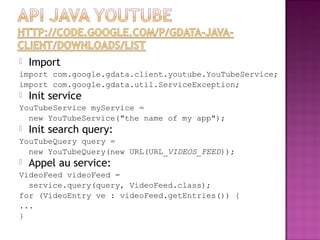
 Import
import com.google.gdata.client.youtube.YouTubeService;
import com.google.gdata.util.ServiceException;
 Init service
YouTubeService myService =
new YouTubeService("the name of my app");
 Init search query:
YouTubeQuery query =
new YouTubeQuery(new URL(URL_VIDEOS_FEED));
 Appel au service:
VideoFeed videoFeed =
service.query(query, VideoFeed.class);
for (VideoEntry ve : videoFeed.getEntries()) {
...
}
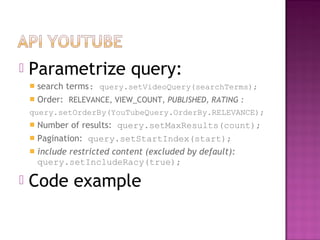
 Parametrize query:
 search terms: query.setVideoQuery(searchTerms);
 Order: RELEVANCE, VIEW_COUNT, PUBLISHED, RATING :
query.setOrderBy(YouTubeQuery.OrderBy.RELEVANCE);
 Number of results: query.setMaxResults(count);
 Pagination: query.setStartIndex(start);
 include restricted content (excluded by default):
query.setIncludeRacy(true);
 Code example
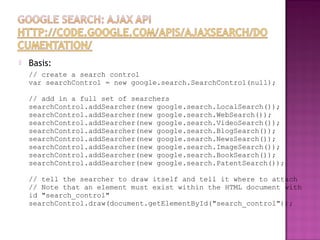
 Basis:
// create a search control
var searchControl = new google.search.SearchControl(null);
// add in a full set of searchers
searchControl.addSearcher(new google.search.LocalSearch());
searchControl.addSearcher(new google.search.WebSearch());
searchControl.addSearcher(new google.search.VideoSearch());
searchControl.addSearcher(new google.search.BlogSearch());
searchControl.addSearcher(new google.search.NewsSearch());
searchControl.addSearcher(new google.search.ImageSearch());
searchControl.addSearcher(new google.search.BookSearch());
searchControl.addSearcher(new google.search.PatentSearch());
// tell the searcher to draw itself and tell it where to attach
// Note that an element must exist within the HTML document with
id "search_control"
searchControl.draw(document.getElementById("search_control"));
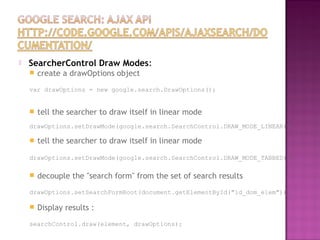
 SearcherControl Draw Modes:
 create a drawOptions object
var drawOptions = new google.search.DrawOptions();
 tell the searcher to draw itself in linear mode
drawOptions.setDrawMode(google.search.SearchControl.DRAW_MODE_LINEAR);
 tell the searcher to draw itself in linear mode
drawOptions.setDrawMode(google.search.SearchControl.DRAW_MODE_TABBED);
 decouple the "search form" from the set of search results
drawOptions.setSearchFormRoot(document.getElementById("id_dom_elem"));
 Display results :
searchControl.draw(element, drawOptions);
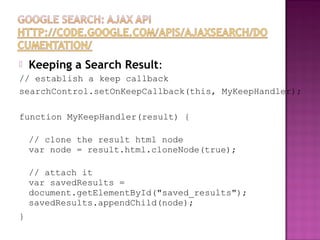
 Keeping a Search Result:
// establish a keep callback
searchControl.setOnKeepCallback(this, MyKeepHandler);
function MyKeepHandler(result) {
// clone the result html node
var node = result.html.cloneNode(true);
// attach it
var savedResults =
document.getElementById("saved_results");
savedResults.appendChild(node);
}
http://gmaps-
samples.googlecode.com/svn/trunk/demogallery.html
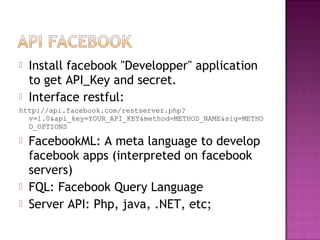
 Install facebook "Developper" application
to get API_Key and secret.
 Interface restful:
http://api.facebook.com/restserver.php?
v=1.0&api_key=YOUR_API_KEY&method=METHOD_NAME&sig=METHO
D_OPTIONS
 FacebookML: A meta language to develop
facebook apps (interpreted on facebook
servers)
 FQL: Facebook Query Language
 Server API: Php, java, .NET, etc;
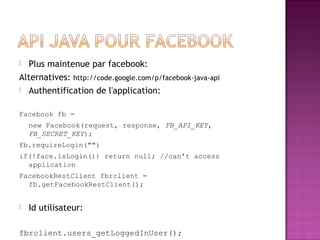
 Plus maintenue par facebook:
Alternatives: http://code.google.com/p/facebook-java-api
 Authentification de l'application:
Facebook fb =
new Facebook(request, response, FB_API_KEY,
FB_SECRET_KEY);
fb.requireLogin("")
if(!face.isLogin()) return null; //can't access
application
FacebookRestClient fbrclient =
fb.getFacebookRestClient();
 Id utilisateur:
fbrclient.users_getLoggedInUser();
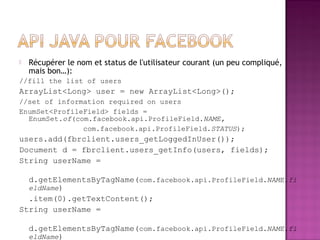
 Récupérer le nom et status de l'utilisateur courant (un peu compliqué,
mais bon…):
//fill the list of users
ArrayList<Long> user = new ArrayList<Long>();
//set of information required on users
EnumSet<ProfileField> fields =
EnumSet.of(com.facebook.api.ProfileField.NAME,
com.facebook.api.ProfileField.STATUS);
users.add(fbrclient.users_getLoggedInUser());
Document d = fbrclient.users_getInfo(users, fields);
String userName =
d.getElementsByTagName(com.facebook.api.ProfileField.NAME.fi
eldName)
.item(0).getTextContent();
String userName =
d.getElementsByTagName(com.facebook.api.ProfileField.NAME.fi
eldName)
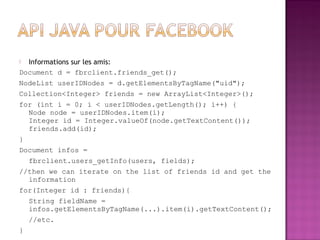
 Informations sur les amis:
Document d = fbrclient.friends_get();
NodeList userIDNodes = d.getElementsByTagName("uid");
Collection<Integer> friends = new ArrayList<Integer>();
for (int i = 0; i < userIDNodes.getLength(); i++) {
Node node = userIDNodes.item(i);
Integer id = Integer.valueOf(node.getTextContent());
friends.add(id);
}
Document infos =
fbrclient.users_getInfo(users, fields);
//then we can iterate on the list of friends id and get the
information
for(Integer id : friends){
String fieldName =
infos.getElementsByTagName(...).item(i).getTextContent();
//etc.
}
 All google apps:
http://code.google.com/more
 Open social
http://code.google.com/apis/opensocial/
 Maps: http://code.google.com/apis/maps/
 Etc.
 Delicious: http://delicious.com/help/api
 Digg: http://apidoc.digg.com/
 Technorati:
http://technorati.com/developers/api/
 And most of web 2.0 platforms propose
access to their data through APIs!!!
Build a search engine that search on
different web 2.0 services and propose
differents médias:
 Photos with flickr
 Video with youtube
 People and social features with facebook
 And whatever you want with web 2.0
APIs.

Web api's

  • 2.
     REST isnot a protocol or a format its a kind of architecture  A service is accessed with its URI through HTTP operation like GET, POST, PUT or DELETE.  Enough for most of web services  Example : http://www.inria.fr/add?var=1&var=2  3 ;)
  • 3.
     Init theHTTP query: URL url = new URL("my_url"); HttpURLConnection UrlConn = (HttpURLConnection) url.openConnection(); urlConn.setRequestMethod("GET"); urlConn.setAllowUserInteraction(false); urlConn.setDoOutput(true);  Read the answer InputStream response = urlConn.getInputStream(); BufferedReader br = new BufferedReader(new InputStreamReader(response)); while ((String line = o_oBufReader.readLine()) != null){ //do whatever you want }  Diconnect urlConn.disconnect();
  • 4.
     Asynchronous javascript HTTP query in javascript without reloading all the page  Richer interfaces  Example: mail notification and instant messaging in gmail.
  • 5.
    Var xhr; if (window.XMLHttpRequest){ xhr = new XMLHttpRequest(); // Firefox, Safari, ... } else if (window.ActiveXObject) { xhr = new ActiveXObject("Microsoft.XMLHTTP"); // Internet Explorer } or try { xhr = new ActiveXObject("Microsoft.XMLHTTP"); //try Internet Explorer }catch(e) { xhr = new XMLHttpRequest() //firefox, safari ... }
  • 6.
     Process function: request.onreadystatechange = function(){ // instructions };  Send the query : xhr.open('GET', 'http://web2/api/method?param=value', true); xhr.send(null);  Important: Same Origin Policy So use a servlet as intermediary
  • 7.
     JSON object: varperson = { "name" : "John" "phone" : [ {"type" : "home", "num" : "1234"}, {"type" : "mobile", "num" : "5678"} ] };  person.name; person.phone[0].num;  Eval function: var JSONString = "someVar = { 'color' : 'blue' }";  eval(JSONString);  Tutorial: http://www.hunlock.com/blogs/Mastering_JSON_(_JavaScript_Object_Notation_)
  • 8.
     API_Key andsecret: http://www.flickr.com/services/api/keys/apply/ Note : il faut un compte Yahoo pour y accèder.  URL API: http://api.flickr.com/services/rest/? method=method_name&param1=value1&param2=va lue2...  Paramètre souvent requis: api_key  On demande la clé en ligne, cf URL ci-dessus.  Recherche de photos par tags: http://api.flickr.com/services/rest/? method=flickr.photos.search&tags=a_tag&api
  • 9.
     URL API: http://api.flickr.com/services/rest/? method_name&param1=value1&param2=value2... Paramètre souvent requis: api_key  Recherche de photos par tags: http://api.flickr.com/services/rest/? method=flickr.photos.search&tags=a_tag&api _key=your_key
  • 10.
     Dom API: DocumentBuilderFactoryfabrique = DocumentBuilderFactory.newInstance(); DocumentBuilder constructeur = fabrique.newDocumentBuilder(); Document document = constructeur.parse(rdfFile); Element racine = document.getDocumentElement(); NodeList photos = racine.getElementsByTagName("photo"); for(int i = 0; i < photos.getLength(); i++){ photos.item(i).getAttributes() … }  Or just forget to manipulate XML: http://sourceforge.net/projects/flickrj/
  • 11.
     Init service: Flickrflickr = new Flickr(apiKey, secret, new REST());  Different interfaces:  flickr.getPhotosInterface()  flickr.getPeopleInterface()  flickr.getContactsInterface()  flickr.getLicensesInterface()  flickr.getTagsInterface()  …
  • 12.
     Init service: Flickrflickr = new Flickr("47422029b3aabee4aca6a5853eca74b6", "ab7f2d30639a9828", new REST()); PhotosInterface pi = flickr.getPhotosInterface(); SearchParameters sp = new SearchParameters(); String []tabTag = {« cars »}; sp.setTags(tabTag); PhotoList photoList = pi.search(sp, 50, 1); Iterator it = photoList.iterator(); while (it.hasNext()) { Photo photo = (Photo) it.next(); out.println("<img src='" + photo.getThumbnailUrl() + "' />");
  • 13.
     URL API:Example: flickr.blogs.getList  XML response <blogs> <blog id="73" name="Bloxus" url="http://remote.bloxus.com/" /> <blog id="74" name="Manila" url="http://test1.userland.com/" /> </blogs>  JSON response rsp = { "stat": "ok", "blogs": { "blog": [{ "id" : "73", "name" : "Bloxus", "url" : "..." } { "id" : "74", "name" : "Manila", "url" : "..." } ] } }  URL API: Example for (var i=0; i<rsp.blogs.blog.length; i++){ var blog = rsp.blogs.blog[i] ... }
  • 14.
     API keyand secret: http://code.google.com/apis/youtube/dashboard  REST interface: http://www.youtube.com/api2_rest  To request a response in JSON format, use the alt=json parameter.  Server side API: Java, .NET, PHP, python …  Widget and players API (client side): javascript, flash
  • 15.
     Import import com.google.gdata.client.youtube.YouTubeService; importcom.google.gdata.util.ServiceException;  Init service YouTubeService myService = new YouTubeService("the name of my app");  Init search query: YouTubeQuery query = new YouTubeQuery(new URL(URL_VIDEOS_FEED));  Appel au service: VideoFeed videoFeed = service.query(query, VideoFeed.class); for (VideoEntry ve : videoFeed.getEntries()) { ... }
  • 16.
     Parametrize query: search terms: query.setVideoQuery(searchTerms);  Order: RELEVANCE, VIEW_COUNT, PUBLISHED, RATING : query.setOrderBy(YouTubeQuery.OrderBy.RELEVANCE);  Number of results: query.setMaxResults(count);  Pagination: query.setStartIndex(start);  include restricted content (excluded by default): query.setIncludeRacy(true);  Code example
  • 17.
     Basis: // createa search control var searchControl = new google.search.SearchControl(null); // add in a full set of searchers searchControl.addSearcher(new google.search.LocalSearch()); searchControl.addSearcher(new google.search.WebSearch()); searchControl.addSearcher(new google.search.VideoSearch()); searchControl.addSearcher(new google.search.BlogSearch()); searchControl.addSearcher(new google.search.NewsSearch()); searchControl.addSearcher(new google.search.ImageSearch()); searchControl.addSearcher(new google.search.BookSearch()); searchControl.addSearcher(new google.search.PatentSearch()); // tell the searcher to draw itself and tell it where to attach // Note that an element must exist within the HTML document with id "search_control" searchControl.draw(document.getElementById("search_control"));
  • 18.
     SearcherControl DrawModes:  create a drawOptions object var drawOptions = new google.search.DrawOptions();  tell the searcher to draw itself in linear mode drawOptions.setDrawMode(google.search.SearchControl.DRAW_MODE_LINEAR);  tell the searcher to draw itself in linear mode drawOptions.setDrawMode(google.search.SearchControl.DRAW_MODE_TABBED);  decouple the "search form" from the set of search results drawOptions.setSearchFormRoot(document.getElementById("id_dom_elem"));  Display results : searchControl.draw(element, drawOptions);
  • 19.
     Keeping aSearch Result: // establish a keep callback searchControl.setOnKeepCallback(this, MyKeepHandler); function MyKeepHandler(result) { // clone the result html node var node = result.html.cloneNode(true); // attach it var savedResults = document.getElementById("saved_results"); savedResults.appendChild(node); }
  • 20.
  • 21.
     Install facebook"Developper" application to get API_Key and secret.  Interface restful: http://api.facebook.com/restserver.php? v=1.0&api_key=YOUR_API_KEY&method=METHOD_NAME&sig=METHO D_OPTIONS  FacebookML: A meta language to develop facebook apps (interpreted on facebook servers)  FQL: Facebook Query Language  Server API: Php, java, .NET, etc;
  • 22.
     Plus maintenuepar facebook: Alternatives: http://code.google.com/p/facebook-java-api  Authentification de l'application: Facebook fb = new Facebook(request, response, FB_API_KEY, FB_SECRET_KEY); fb.requireLogin("") if(!face.isLogin()) return null; //can't access application FacebookRestClient fbrclient = fb.getFacebookRestClient();  Id utilisateur: fbrclient.users_getLoggedInUser();
  • 23.
     Récupérer lenom et status de l'utilisateur courant (un peu compliqué, mais bon…): //fill the list of users ArrayList<Long> user = new ArrayList<Long>(); //set of information required on users EnumSet<ProfileField> fields = EnumSet.of(com.facebook.api.ProfileField.NAME, com.facebook.api.ProfileField.STATUS); users.add(fbrclient.users_getLoggedInUser()); Document d = fbrclient.users_getInfo(users, fields); String userName = d.getElementsByTagName(com.facebook.api.ProfileField.NAME.fi eldName) .item(0).getTextContent(); String userName = d.getElementsByTagName(com.facebook.api.ProfileField.NAME.fi eldName)
  • 24.
     Informations surles amis: Document d = fbrclient.friends_get(); NodeList userIDNodes = d.getElementsByTagName("uid"); Collection<Integer> friends = new ArrayList<Integer>(); for (int i = 0; i < userIDNodes.getLength(); i++) { Node node = userIDNodes.item(i); Integer id = Integer.valueOf(node.getTextContent()); friends.add(id); } Document infos = fbrclient.users_getInfo(users, fields); //then we can iterate on the list of friends id and get the information for(Integer id : friends){ String fieldName = infos.getElementsByTagName(...).item(i).getTextContent(); //etc. }
  • 25.
     All googleapps: http://code.google.com/more  Open social http://code.google.com/apis/opensocial/  Maps: http://code.google.com/apis/maps/  Etc.  Delicious: http://delicious.com/help/api  Digg: http://apidoc.digg.com/  Technorati: http://technorati.com/developers/api/  And most of web 2.0 platforms propose access to their data through APIs!!!
  • 26.
    Build a searchengine that search on different web 2.0 services and propose differents médias:  Photos with flickr  Video with youtube  People and social features with facebook  And whatever you want with web 2.0 APIs.