ABCD Firebase Study
https://github.com/misolab/abcd-firebase
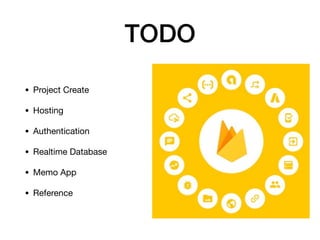
TODO
• Project Create

• Hosting

• Authentication

• Realtime Database

• Memo App

• Reference
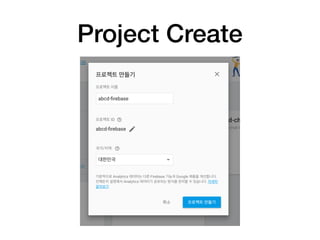
Project Create
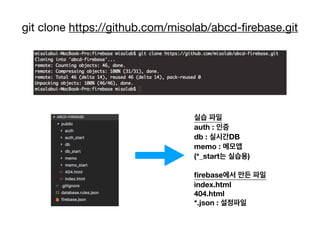
git clone https://github.com/misolab/abcd-firebase.git
실습 파일
auth : 인증
db : 실시간DB
memo : 메모앱
(*_start는 실습용)
firebase에서 만든 파일
index.html
404.html
*.json : 설정파일
Hosting
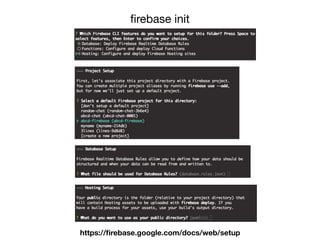
firebase init
https://firebase.google.com/docs/web/setup
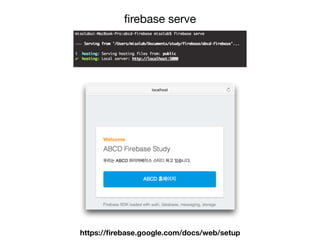
firebase serve
https://firebase.google.com/docs/web/setup
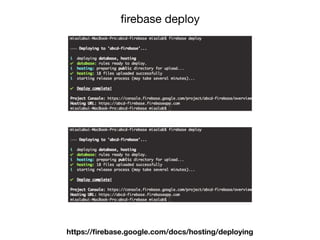
firebase deploy
https://firebase.google.com/docs/hosting/deploying
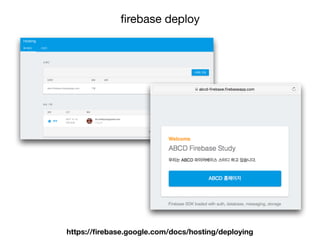
firebase deploy
https://firebase.google.com/docs/hosting/deploying
Authentication
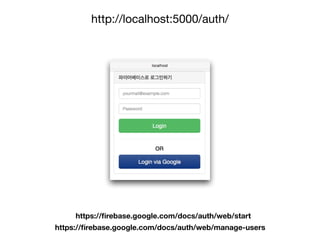
http://localhost:5000/auth/
https://firebase.google.com/docs/auth/web/start
https://firebase.google.com/docs/auth/web/manage-users
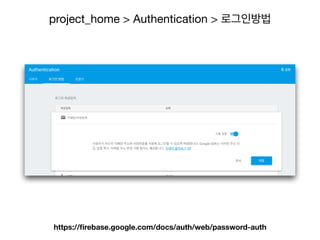
project_home > Authentication > 로그인방법
https://firebase.google.com/docs/auth/web/password-auth
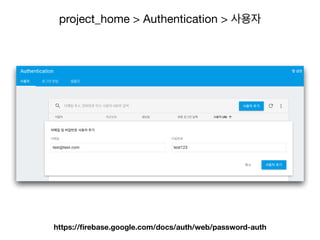
project_home > Authentication > 사용자
https://firebase.google.com/docs/auth/web/password-auth
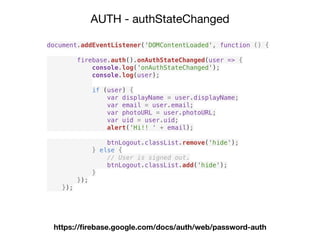
AUTH - authStateChanged
https://firebase.google.com/docs/auth/web/password-auth
document.addEventListener('DOMContentLoaded', function () {
firebase.auth().onAuthStateChanged(user => {
console.log('onAuthStateChanged');
console.log(user);
if (user) {
var displayName = user.displayName;
var email = user.email;
var photoURL = user.photoURL;
var uid = user.uid;
alert('Hi!! ' + email);
btnLogout.classList.remove('hide');
} else {
// User is signed out.
btnLogout.classList.add('hide');
}
});
});
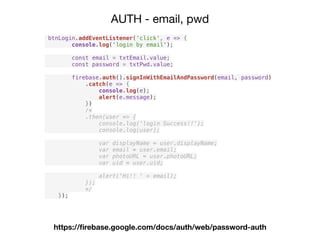
AUTH - email, pwd
https://firebase.google.com/docs/auth/web/password-auth
btnLogin.addEventListener('click', e => {
console.log('login by email');
const email = txtEmail.value;
const password = txtPwd.value;
firebase.auth().signInWithEmailAndPassword(email, password)
.catch(e => {
console.log(e);
alert(e.message);
})
/*
.then(user => {
console.log('login Success!!');
console.log(user);
var displayName = user.displayName;
var email = user.email;
var photoURL = user.photoURL;
var uid = user.uid;
alert('Hi!! ' + email);
});
*/
});
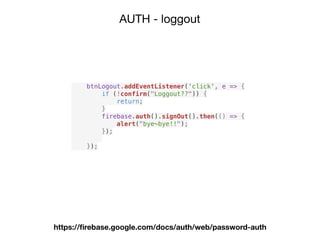
AUTH - loggout
https://firebase.google.com/docs/auth/web/password-auth
btnLogout.addEventListener('click', e => {
if (!confirm("Loggout??")) {
return;
}
firebase.auth().signOut().then(() => {
alert("bye~bye!!");
});
});
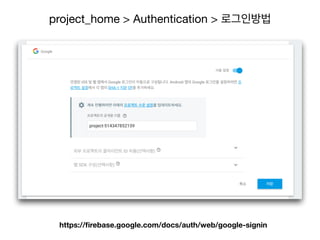
project_home > Authentication > 로그인방법
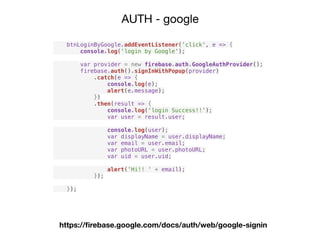
https://firebase.google.com/docs/auth/web/google-signin
AUTH - google
btnLoginByGoogle.addEventListener('click', e => {
console.log('login by Google');
var provider = new firebase.auth.GoogleAuthProvider();
firebase.auth().signInWithPopup(provider)
.catch(e => {
console.log(e);
alert(e.message);
})
.then(result => {
console.log('login Success!!');
var user = result.user;
console.log(user);
var displayName = user.displayName;
var email = user.email;
var photoURL = user.photoURL;
var uid = user.uid;
alert('Hi!! ' + email);
});
});
https://firebase.google.com/docs/auth/web/google-signin
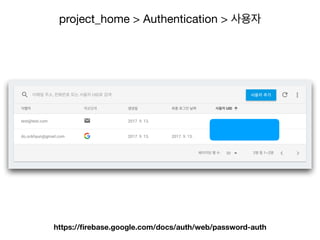
project_home > Authentication > 사용자
https://firebase.google.com/docs/auth/web/password-auth
Realtime Database
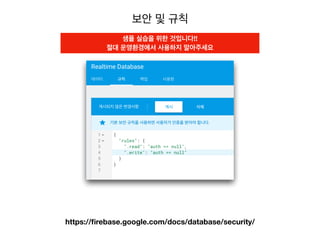
보안 및 규칙
https://firebase.google.com/docs/database/security/
샘플 실습을 위한 것입니다!!
절대 운영환경에서 사용하지 말아주세요
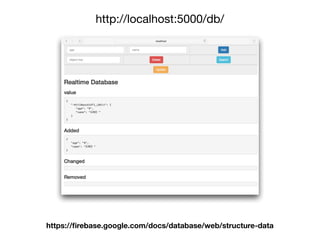
http://localhost:5000/db/
https://firebase.google.com/docs/database/web/structure-data
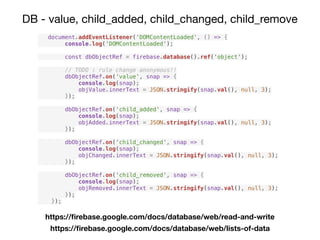
DB - value, child_added, child_changed, child_remove
document.addEventListener('DOMContentLoaded', () => {
console.log('DOMContentLoaded');
const dbObjectRef = firebase.database().ref('object');
// TODO : rule change anonymous!!
dbObjectRef.on('value', snap => {
console.log(snap);
objValue.innerText = JSON.stringify(snap.val(), null, 3);
});
dbObjectRef.on('child_added', snap => {
console.log(snap);
objAdded.innerText = JSON.stringify(snap.val(), null, 3);
});
dbObjectRef.on('child_changed', snap => {
console.log(snap);
objChanged.innerText = JSON.stringify(snap.val(), null, 3);
});
dbObjectRef.on('child_removed', snap => {
console.log(snap);
objRemoved.innerText = JSON.stringify(snap.val(), null, 3);
});
});
https://firebase.google.com/docs/database/web/read-and-write
https://firebase.google.com/docs/database/web/lists-of-data
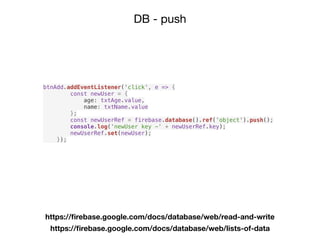
DB - push
https://firebase.google.com/docs/database/web/read-and-write
https://firebase.google.com/docs/database/web/lists-of-data
btnAdd.addEventListener('click', e => {
const newUser = {
age: txtAge.value,
name: txtName.value
};
const newUserRef = firebase.database().ref('object').push();
console.log('newUser key -' + newUserRef.key);
newUserRef.set(newUser);
});
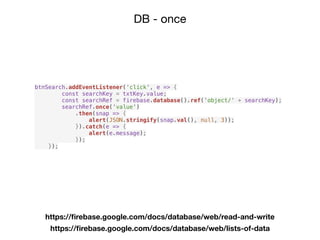
DB - once
https://firebase.google.com/docs/database/web/read-and-write
https://firebase.google.com/docs/database/web/lists-of-data
btnSearch.addEventListener('click', e => {
const searchKey = txtKey.value;
const searchRef = firebase.database().ref('object/' + searchKey);
searchRef.once('value')
.then(snap => {
alert(JSON.stringify(snap.val(), null, 3));
}).catch(e => {
alert(e.message);
});
});
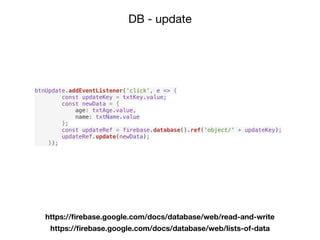
DB - update
https://firebase.google.com/docs/database/web/read-and-write
https://firebase.google.com/docs/database/web/lists-of-data
btnUpdate.addEventListener('click', e => {
const updateKey = txtKey.value;
const newData = {
age: txtAge.value,
name: txtName.value
};
const updateRef = firebase.database().ref('object/' + updateKey);
updateRef.update(newData);
});
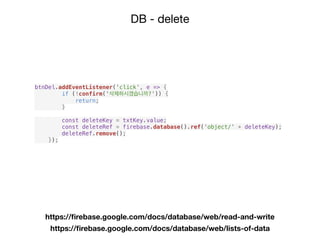
DB - delete
https://firebase.google.com/docs/database/web/read-and-write
https://firebase.google.com/docs/database/web/lists-of-data
btnDel.addEventListener('click', e => {
if (!confirm('삭제하시겠습니까?')) {
return;
}
const deleteKey = txtKey.value;
const deleteRef = firebase.database().ref('object/' + deleteKey);
deleteRef.remove();
});
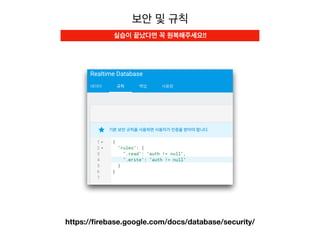
보안 및 규칙
https://firebase.google.com/docs/database/security/
실습이 끝났다면 꼭 원복해주세요!!
memo-webapp
inflean.com - 파이어베이스를 이용한 웹+안드로이드 메모 

어플리케이션 만들기 (신휴창 님)
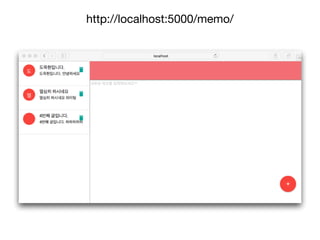
http://localhost:5000/memo/
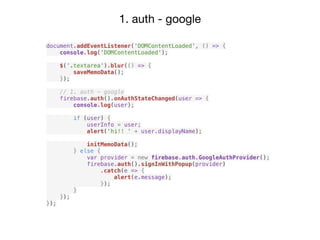
1. auth - google
document.addEventListener('DOMContentLoaded', () => {
console.log('DOMContentLoaded');
$('.textarea').blur(() => {
saveMemoData();
});
// 1. auth - google
firebase.auth().onAuthStateChanged(user => {
console.log(user);
if (user) {
userInfo = user;
alert('hi!! ' + user.displayName);
initMemoData();
} else {
var provider = new firebase.auth.GoogleAuthProvider();
firebase.auth().signInWithPopup(provider)
.catch(e => {
alert(e.message);
});
}
});
});
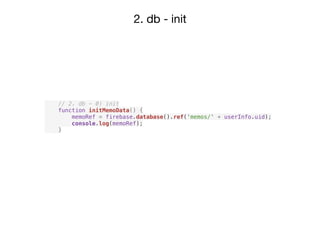
2. db - init
// 2. db - 0) init
function initMemoData() {
memoRef = firebase.database().ref('memos/' + userInfo.uid);
console.log(memoRef);
}
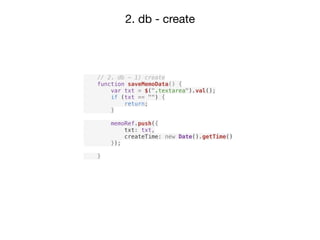
2. db - create
// 2. db - 1) create
function saveMemoData() {
var txt = $(".textarea").val();
if (txt == "") {
return;
}
memoRef.push({
txt: txt,
createTime: new Date().getTime()
});
}
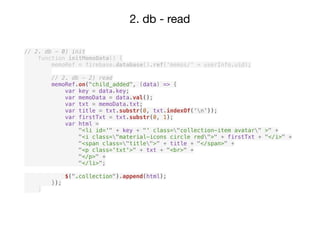
2. db - read
// 2. db - 0) init
function initMemoData() {
memoRef = firebase.database().ref('memos/' + userInfo.uid);
// 2. db - 2) read
memoRef.on("child_added", (data) => {
var key = data.key;
var memoData = data.val();
var txt = memoData.txt;
var title = txt.substr(0, txt.indexOf('n'));
var firstTxt = txt.substr(0, 1);
var html =
"<li id='" + key + "' class="collection-item avatar" >" +
"<i class="material-icons circle red">" + firstTxt + "</i>" +
"<span class="title">" + title + "</span>" +
"<p class='txt'>" + txt + "<br>" +
"</p>" +
"</li>";
$(".collection").append(html);
});
}
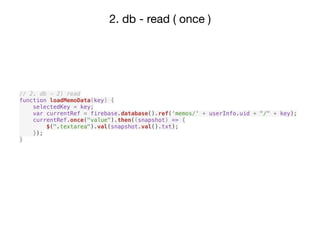
2. db - read ( once )
// 2. db - 2) read
function loadMemoData(key) {
selectedKey = key;
var currentRef = firebase.database().ref('memos/' + userInfo.uid + "/" + key);
currentRef.once("value").then((snapshot) => {
$(".textarea").val(snapshot.val().txt);
});
}
2. db - read ( once )
// 2. db - 2) read
function loadMemoData(key) {
selectedKey = key;
var currentRef = firebase.database().ref('memos/' + userInfo.uid + "/" + key);
currentRef.once("value").then((snapshot) => {
$(".textarea").val(snapshot.val().txt);
});
}
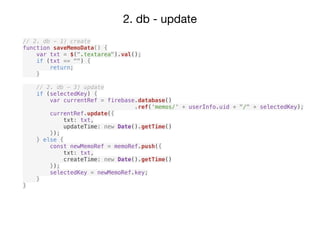
2. db - update
// 2. db - 0) init
function initMemoData() {
memoRef = firebase.database().ref('memos/' + userInfo.uid);
...
// 2. db - 3) update
memoRef.on("child_changed", (data) => {
var key = data.key;
var txt = data.val().txt;
var title = txt.substr(0, txt.indexOf('n'));
$("#" + key + " > .title").text(title);
$("#" + key + " > .txt").text(txt);
});
}
2. db - update
// 2. db - 1) create
function saveMemoData() {
var txt = $(".textarea").val();
if (txt == "") {
return;
}
// 2. db - 3) update
if (selectedKey) {
var currentRef = firebase.database()
.ref(‘memos/' + userInfo.uid + "/" + selectedKey);
currentRef.update({
txt: txt,
updateTime: new Date().getTime()
});
} else {
const newMemoRef = memoRef.push({
txt: txt,
createTime: new Date().getTime()
});
selectedKey = newMemoRef.key;
}
}
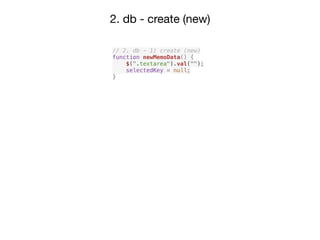
2. db - create (new)
// 2. db - 1) create (new)
function newMemoData() {
$(".textarea").val("");
selectedKey = null;
}
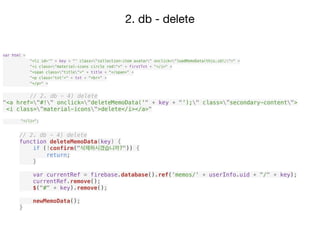
2. db - delete
// 2. db - 4) delete
function deleteMemoData(key) {
if (!confirm("삭제하시겠습니까?")) {
return;
}
var currentRef = firebase.database().ref('memos/' + userInfo.uid + "/" + key);
currentRef.remove();
$("#" + key).remove();
newMemoData();
}
var html =
"<li id='" + key + "' class="collection-item avatar" onclick="loadMemoData(this.id);">" +
"<i class="material-icons circle red">" + firstTxt + "</i>" +
"<span class="title">" + title + "</span>" +
"<p class='txt'>" + txt + "<br>" +
"</p>" +
// 2. db - 4) delete
"<a href="#!" onclick="deleteMemoData('" + key + "');" class=”secondary-content">
<i class=”material-icons">delete</i></a>"
"</li>";
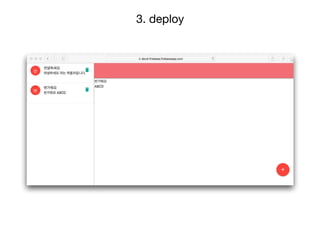
3. deploy
도움 받은 곳
• https://firebase.google.com/docs/

• https://www.youtube.com/firebase

튜토리얼 부분은 꼭 보세요!! 

• https://github.com/firebase

• 인프런 신휴창님 강좌 

• udacity.com - Firebase in a Weekend (android, iOS)

• https://brunch.co.kr/@bokyungkimp19d/5

https://www.slideshare.net/ssuserdef905/ss-77688033

ABCD firebase

ABCD firebase