PowerCLI 101
Why AutomateSave TimeReduce RiskScale
AgendaIntroduction to PowerShellvCenter managementStorage managementAutomating VM lifecycle
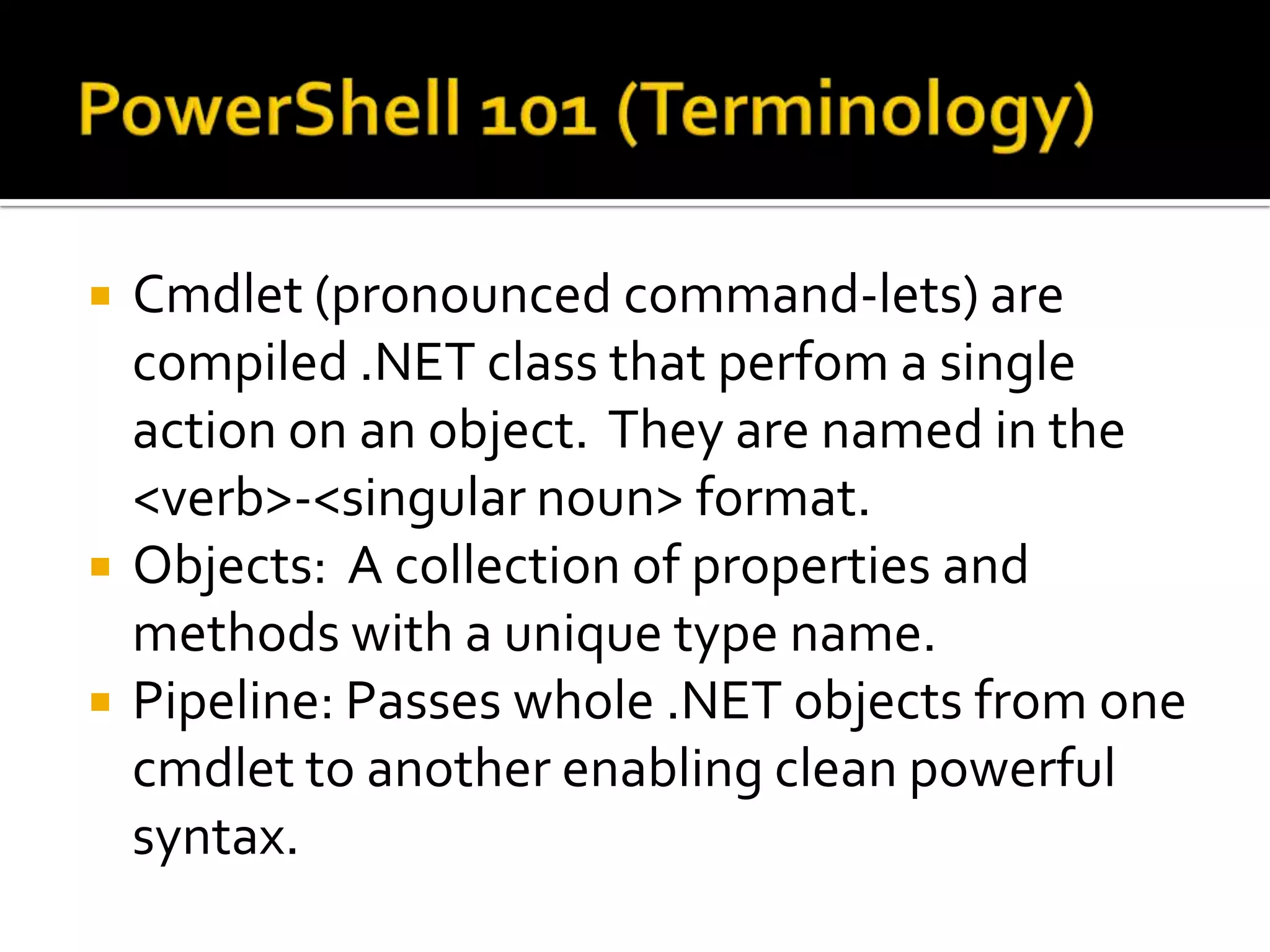
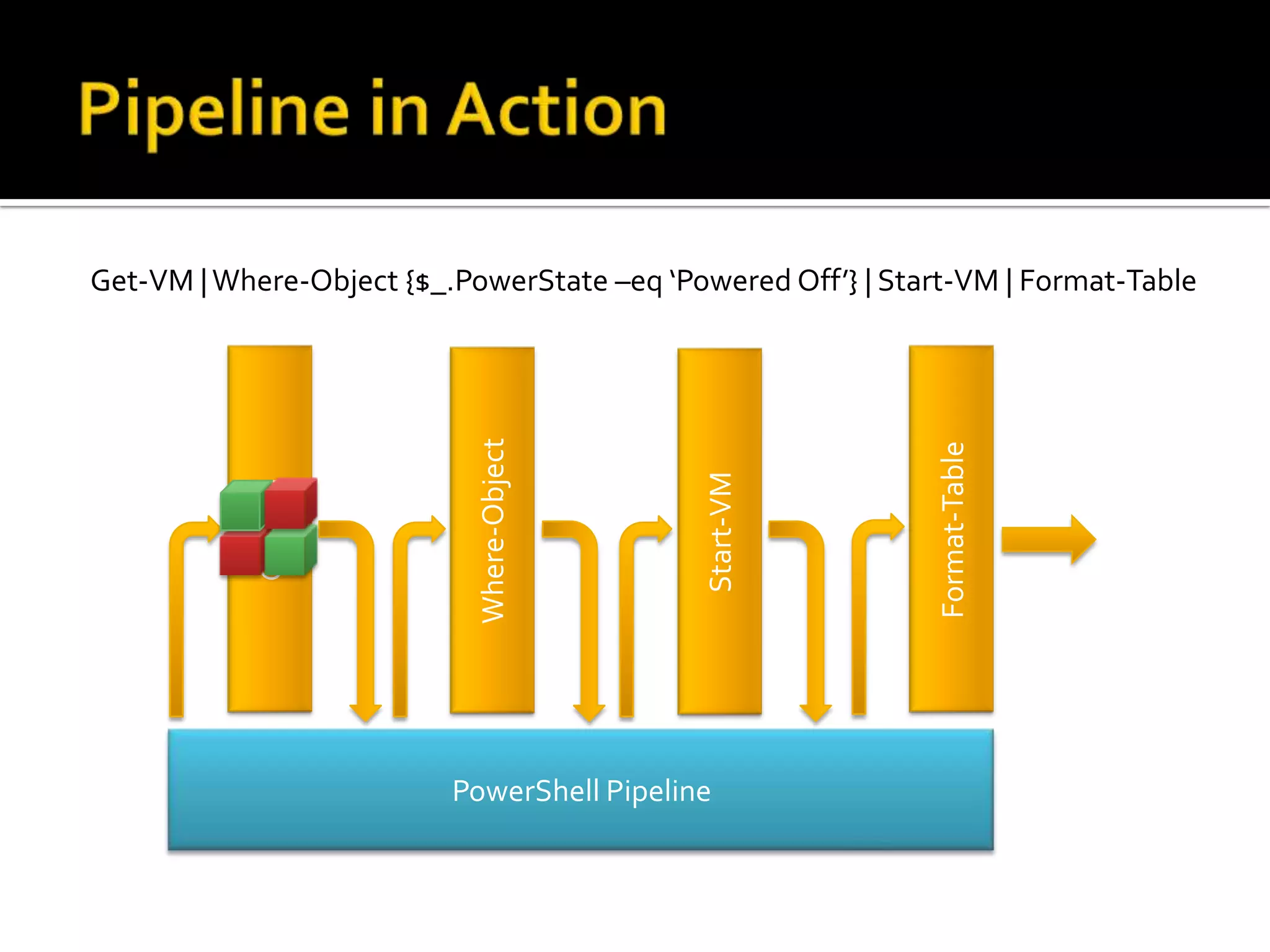
PowerShell 101 (Terminology)Cmdlet(pronounced command-lets) are compiled .NET class that perfoma single action on an object.  They are named in the <verb>-<singular noun> format.Objects:  A collection of properties and methods with a unique type name.Pipeline: Passes whole .NET objects from one cmdlet to another enabling clean powerful syntax.
Get-VM | Where-Object {$_.PowerState –eq ‘Powered Off’} | Start-VM | Format-TableGet-VMFormat-TableWhere-ObjectStart-VMPowerShell PipelinePipeline in Action
PowerShell 101 ( Key Cmdlets)Get-CommandGet-HelpGet-PSDriveGet-MemberFormat-List
Grow Environment!Live Demo
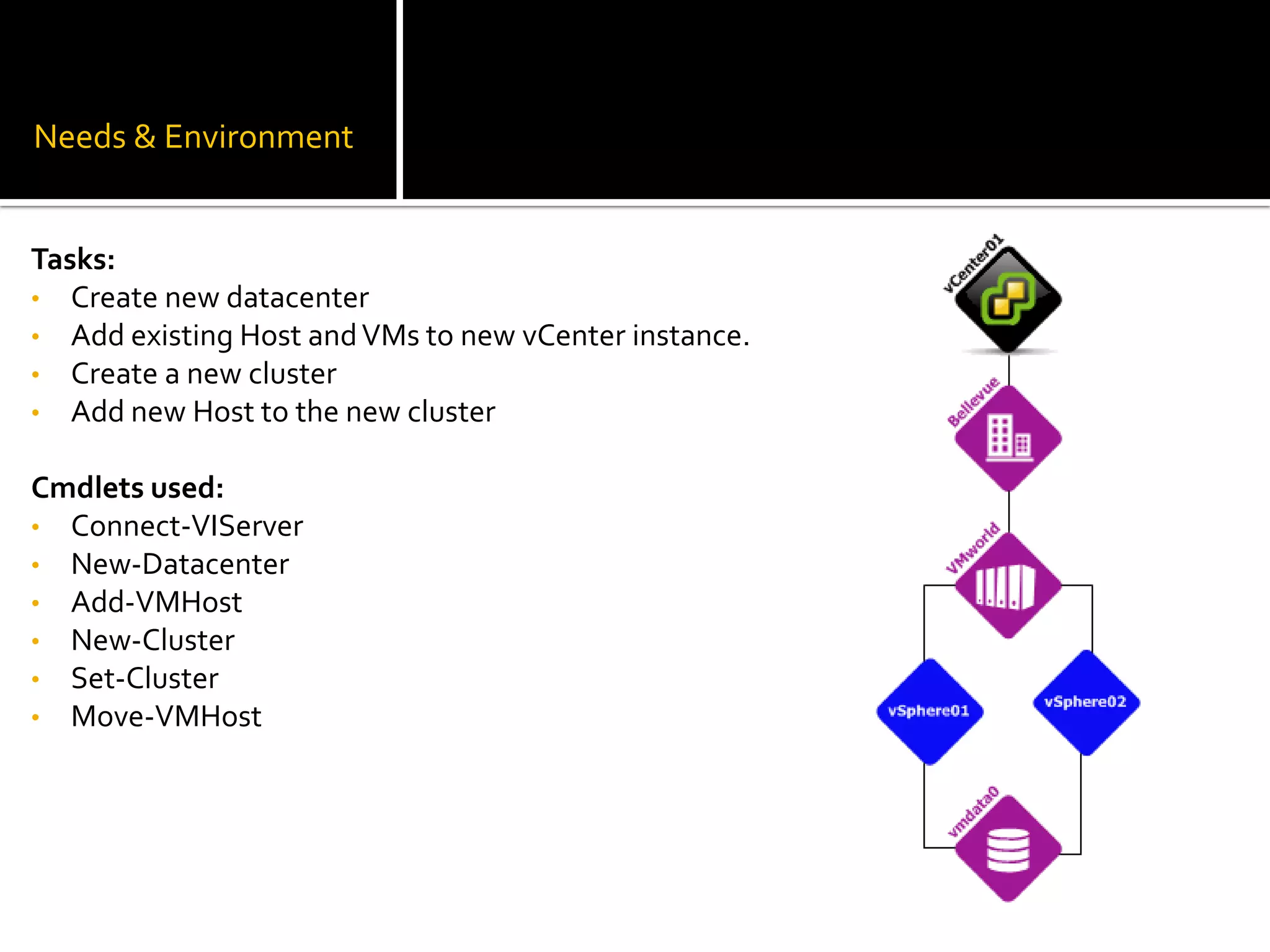
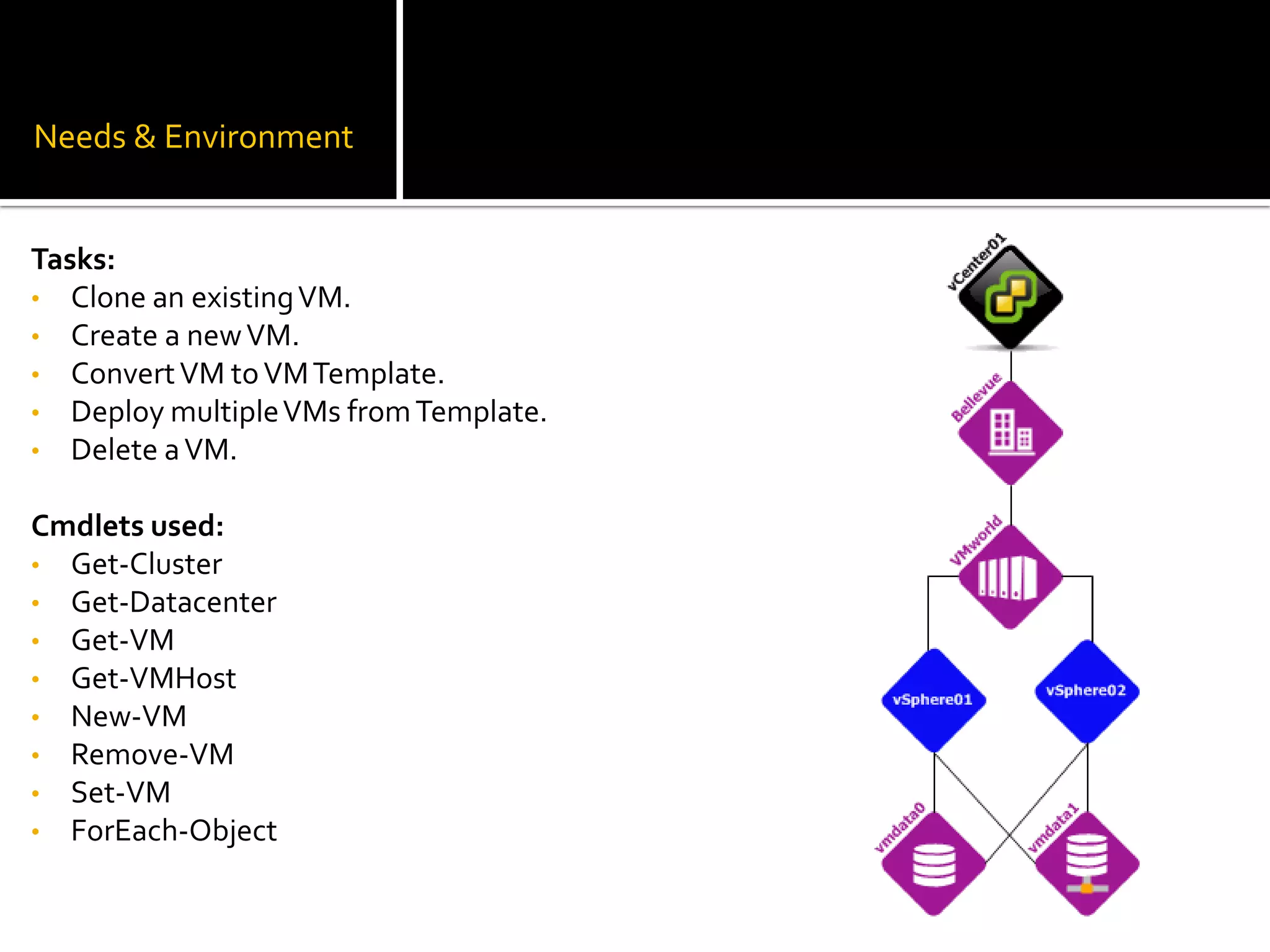
Needs & EnvironmentTasks:Create new datacenter
Add existing Host and VMs to new vCenter instance.
Create a new cluster
Add new Host to the new cluster Cmdlets used:Connect-VIServer
New-Datacenter
Add-VMHost
New-Cluster
Set-Cluster
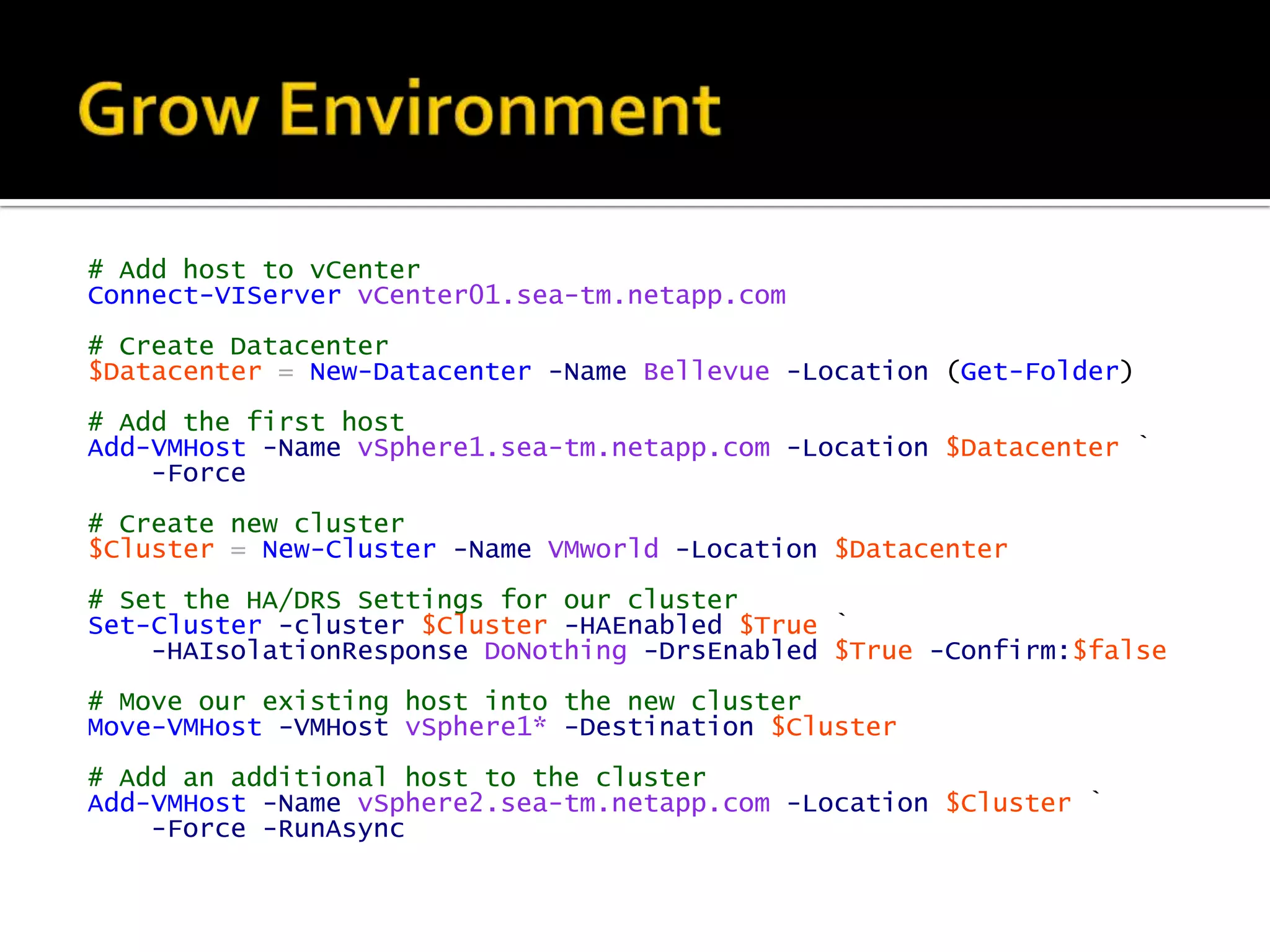
Move-VMHostGrow Environment# Add host to vCenterConnect-VIServervCenter01.sea-tm.netapp.com# Create Datacenter$Datacenter=New-Datacenter-NameBellevue-Location(Get-Folder)# Add the first hostAdd-VMHost-NamevSphere1.sea-tm.netapp.com-Location$Datacenter`-Force# Create new cluster$Cluster=New-Cluster-NameVMworld-Location$Datacenter# Set the HA/DRS Settings for our clusterSet-Cluster-cluster$Cluster-HAEnabled$True`-HAIsolationResponseDoNothing-DrsEnabled$True-Confirm:$false# Move our existing host into the new clusterMove-VMHost-VMHostvSphere1*-Destination$Cluster# Add an additional host to the clusterAdd-VMHost-NamevSphere2.sea-tm.netapp.com-Location$Cluster`-Force-RunAsync
ZOMG I Needs Storage?!Live Demo
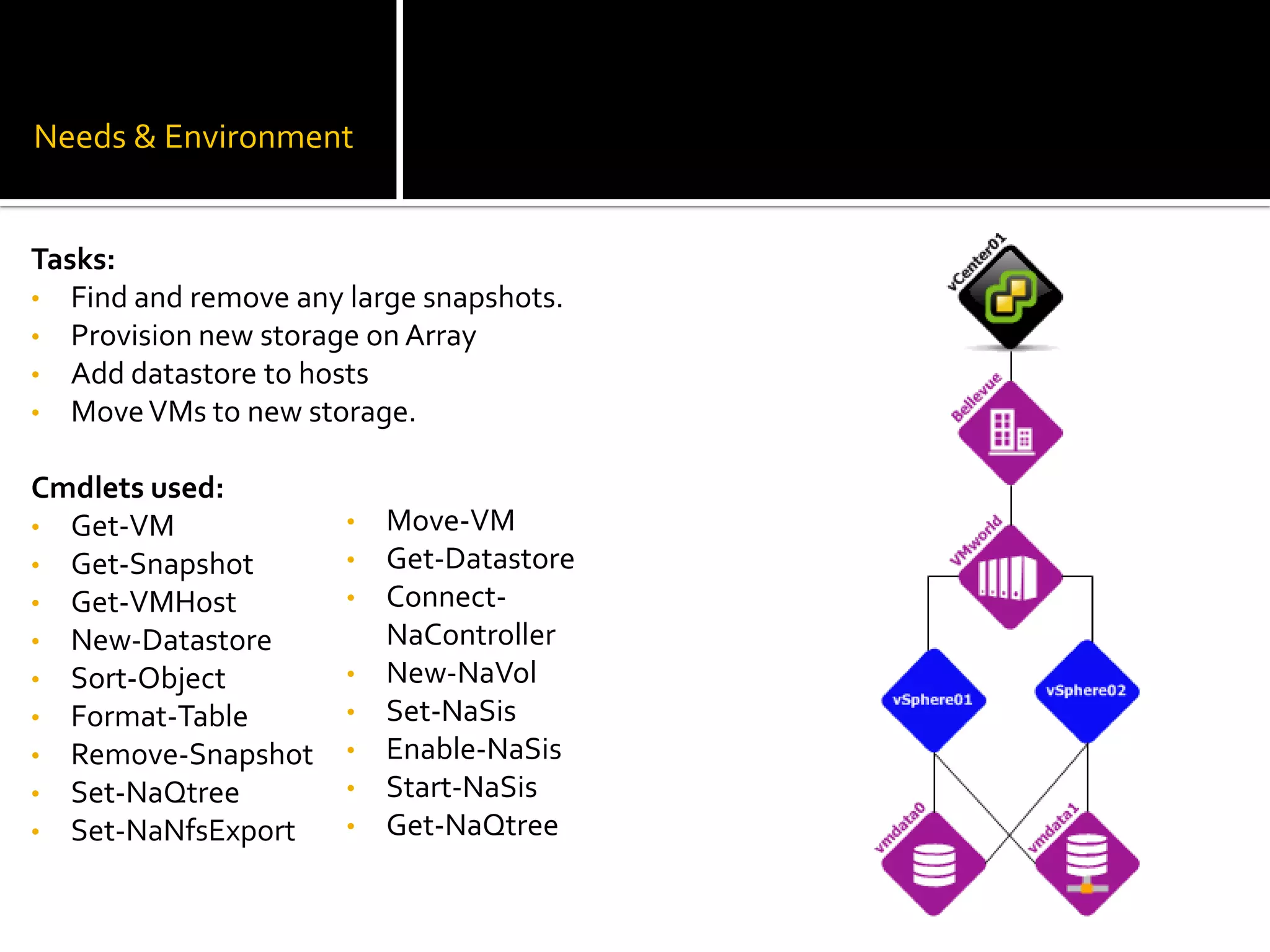
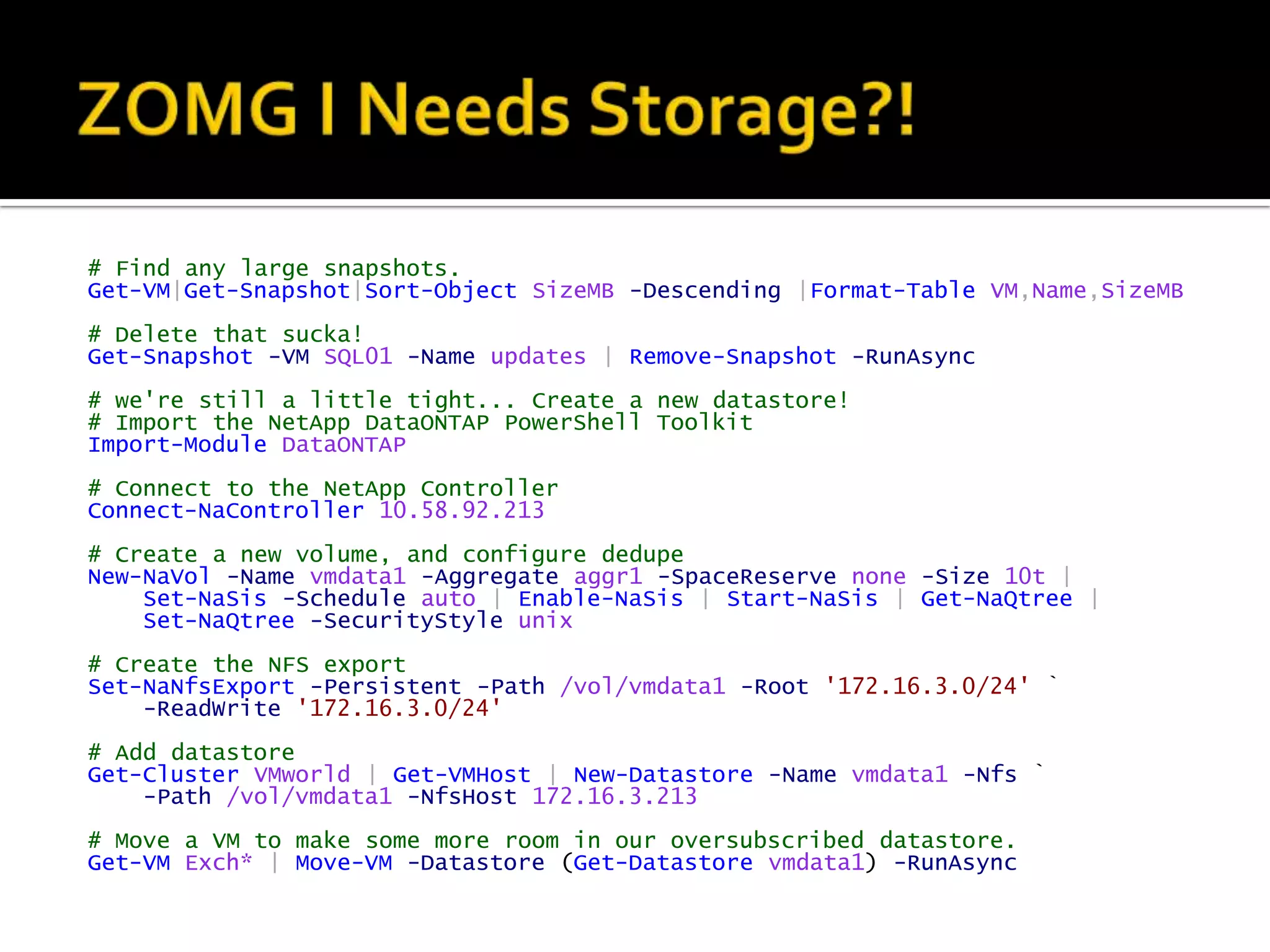
Needs & EnvironmentTasks:Find and remove any large snapshots.
Provision new storage on Array
Add datastore to hosts
Move VMs to new storage.Cmdlets used:Get-VM
Get-Snapshot

VMworld 2011 - PowerCLI 101

Editor's Notes

  • #3 A healthy environment can only be maintained at scale with the use of automation. As a good general rule anything that will be done more than 10 times should be done via a script. The reason for selecting 10 as the demarcation point is due to the time investment. Generally speaking if you’re going to do something at least 10 times your organization will actually gain time by you taking the time to script a solution. Yes the script will take slightly longer to write the first time, but once written that script has no shelf life, and can be employed multiple times. Time spent manually performing a task can never be recuperated, and often leads to work having to be duplicated due to human error.