Visually Transform Data in
Azure Data Factory or Azure Synapse Analytics
Cathrine Wilhelmsen
#PASSDataSummit
Data Warehousing Big Data and Analytics
#PASSDataSummit
Data Warehousing Big Data and Analytics
#PASSDataSummit
Data Warehousing Big Data and Analytics
Visually Transform Data in
Azure Data Factory or
Azure Synapse Analytics
Cathrine Wilhelmsen
She / Her
Solutions Architect
Evidi
#PASSDataSummit
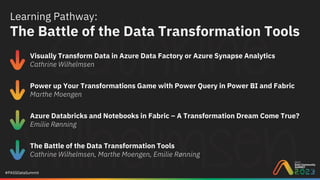
Learning Pathway:
The Battle of the Data Transformation Tools
Visually Transform Data in Azure Data Factory or Azure Synapse Analytics
Cathrine Wilhelmsen
Power up Your Transformations Game with Power Query in Power BI and Fabric
Marthe Moengen
Azure Databricks and Notebooks in Fabric – A Transformation Dream Come True?
Emilie Rønning
The Battle of the Data Transformation Tools
Cathrine Wilhelmsen, Marthe Moengen, Emilie Rønning
#PASSDataSummit
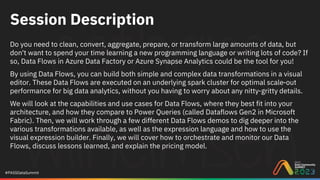
Session Description
Do you need to clean, convert, aggregate, prepare, or transform large amounts of data, but
don't want to spend your time learning a new programming language or writing lots of code? If
so, Data Flows in Azure Data Factory or Azure Synapse Analytics could be the tool for you!
By using Data Flows, you can build both simple and complex data transformations in a visual
editor. These Data Flows are executed on an underlying spark cluster for optimal scale-out
performance for big data analytics, without you having to worry about any nitty-gritty details.
We will look at the capabilities and use cases for Data Flows, where they best fit into your
architecture, and how they compare to Power Queries (called Dataflows Gen2 in Microsoft
Fabric). Then, we will work through a few different Data Flows demos to dig deeper into the
various transformations available, as well as the expression language and how to use the
visual expression builder. Finally, we will cover how to orchestrate and monitor our Data
Flows, discuss lessons learned, and explain the pricing model.
Cathrine
Wilhelmsen
She / Her
Solutions Architect
Evidi
hi@cathrinew.net
cathrinew.net
@cathrinew
I love data and coding, as well as
teaching and sharing knowledge
Microsoft Data Platform MVP
Organizing Fabric February
Renovating a house
#PASSDataSummit
Quick
Overview
#PASSDataSummit
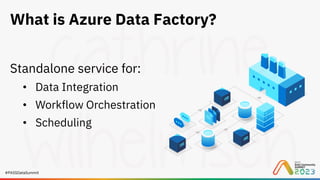
What is Azure Data Factory?
Standalone service for:
• Data Integration
• Workflow Orchestration
• Scheduling
#PASSDataSummit
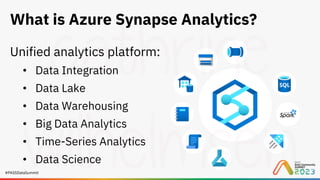
What is Azure Synapse Analytics?
Unified analytics platform:
• Data Integration
• Data Lake
• Data Warehousing
• Big Data Analytics
• Time-Series Analytics
• Data Science
#PASSDataSummit
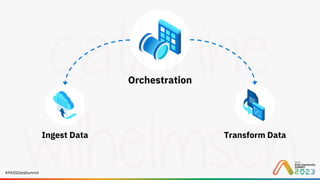
Ingest Data Transform Data
#PASSDataSummit
Orchestration
Ingest Data Transform Data
#PASSDataSummit
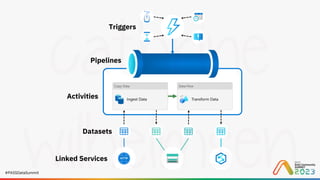
Triggers
Linked Services
Activities
Datasets
Pipelines
#PASSDataSummit
Ingesting
Data
#PASSDataSummit
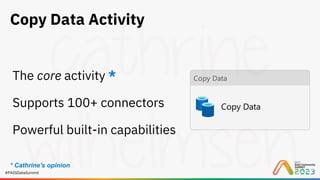
Copy Data Activity
The core activity *
Supports 100+ connectors
Powerful built-in capabilities
* Cathrine's opinion
#PASSDataSummit
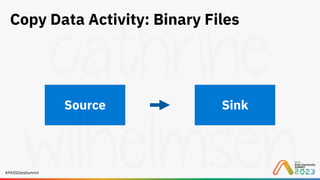
Copy Data Activity: Binary Files
Source Sink
#PASSDataSummit
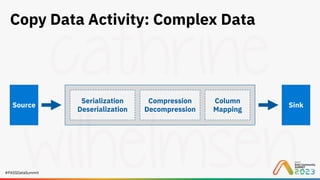
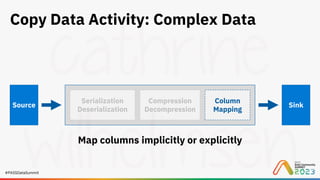
Copy Data Activity: Complex Data
Source Sink
Serialization
Deserialization
Compression
Decompression
Column
Mapping
#PASSDataSummit
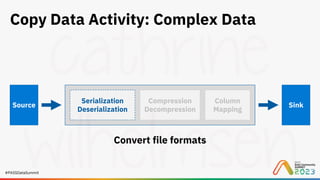
Copy Data Activity: Complex Data
Source Sink
Serialization
Deserialization
Compression
Decompression
Column
Mapping
Convert file formats
#PASSDataSummit
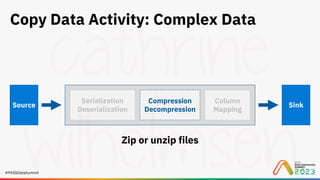
Copy Data Activity: Complex Data
Source Sink
Serialization
Deserialization
Compression
Decompression
Column
Mapping
Zip or unzip files
#PASSDataSummit
Copy Data Activity: Complex Data
Source Sink
Serialization
Deserialization
Compression
Decompression
Column
Mapping
Map columns implicitly or explicitly
#PASSDataSummit
Demo
Ingesting Data
#PASSDataSummit
Transforming
Data
#PASSDataSummit
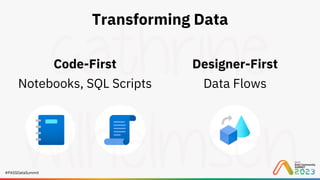
Transforming Data
Designer-First
Data Flows
Code-First
Notebooks, SQL Scripts
#PASSDataSummit
Transforming Data:
Data Flows
#PASSDataSummit
What are Data Flows?
• Data transformation at scale
• Visual editor, low-code experience
• Runs on serverless, managed Spark clusters
#PASSDataSummit
Why use Data Flows?
Transform big data without writing code
Modify complex structures using the expression
language instead of Python, Scala, etc.
#PASSDataSummit
Why use Data Flows?
Optimized for data warehousing scenarios
Slowly changing dimensions, fact table loading,
fuzzy lookups, data quality validation etc.
#PASSDataSummit
Why use Data Flows?
Can handle flexible schemas and schema drift
Column pattern matching, rule-based mappings,
byNames, byPosition, etc.
#PASSDataSummit
Data Flows:
Transformations
#PASSDataSummit
What are transformations?
• One step in the data flow
• Executed sequentially
• Order generally doesn’t matter for performance
#PASSDataSummit
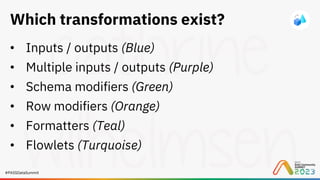
Which transformations exist?
• Inputs / outputs (Blue)
• Multiple inputs / outputs (Purple)
• Schema modifiers (Green)
• Row modifiers (Orange)
• Formatters (Teal)
• Flowlets (Turquoise)
#PASSDataSummit
Demo
Transforming Data
Data Flows:
Orchestration
#PASSDataSummit
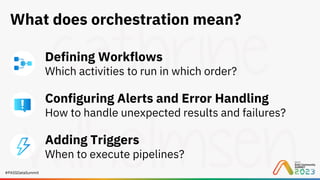
What does orchestration mean?
Defining Workflows
Which activities to run in which order?
Configuring Alerts and Error Handling
How to handle unexpected results and failures?
Adding Triggers
When to execute pipelines?
#PASSDataSummit
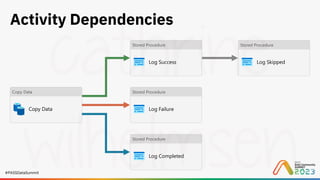
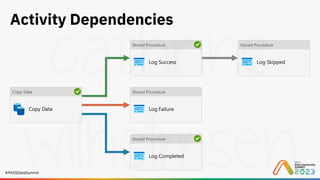
Activity Dependencies
#PASSDataSummit
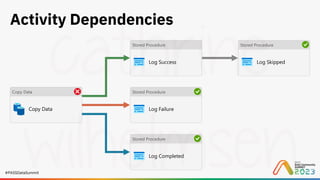
Activity Dependencies
#PASSDataSummit
Activity Dependencies
#PASSDataSummit
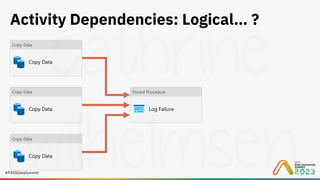
Activity Dependencies: Logical… ?
#PASSDataSummit
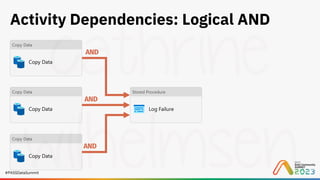
Activity Dependencies: Logical AND
AND
AND
AND
#PASSDataSummit
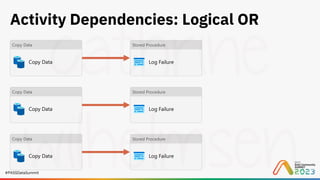
Activity Dependencies: Logical OR
#PASSDataSummit
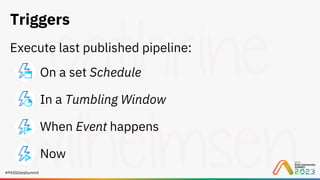
Triggers
Execute last published pipeline:
On a set Schedule
In a Tumbling Window
When Event happens
Now
#PASSDataSummit
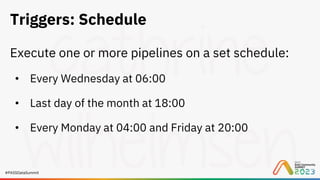
Triggers: Schedule
Execute one or more pipelines on a set schedule:
• Every Wednesday at 06:00
• Last day of the month at 18:00
• Every Monday at 04:00 and Friday at 20:00
#PASSDataSummit
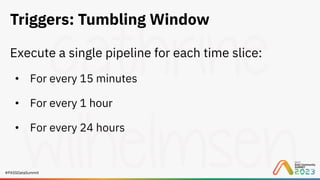
Triggers: Tumbling Window
Execute a single pipeline for each time slice:
• For every 15 minutes
• For every 1 hour
• For every 24 hours
#PASSDataSummit
Triggers: Storage or Custom Events
Execute one or more pipelines when:
• Blob is Created
• Blob is Deleted
• Custom Event Happens
#PASSDataSummit
Triggers: Now
Execute a single pipeline immediately
#PASSDataSummit
Demo
Orchestration and
Monitoring
Pricing
#PASSDataSummit
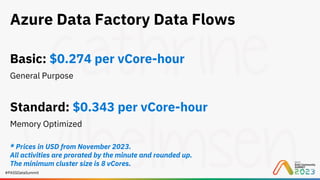
Azure Data Factory Data Flows
Basic: $0.274 per vCore-hour
General Purpose
Standard: $0.343 per vCore-hour
Memory Optimized
* Prices in USD from November 2023.
All activities are prorated by the minute and rounded up.
The minimum cluster size is 8 vCores.
#PASSDataSummit
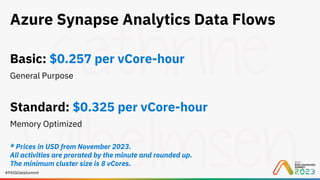
Azure Synapse Analytics Data Flows
Basic: $0.257 per vCore-hour
General Purpose
Standard: $0.325 per vCore-hour
Memory Optimized
* Prices in USD from November 2023.
All activities are prorated by the minute and rounded up.
The minimum cluster size is 8 vCores.
#PASSDataSummit
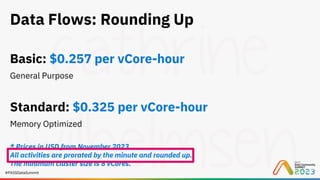
Data Flows: Rounding Up
Basic: $0.257 per vCore-hour
General Purpose
Standard: $0.325 per vCore-hour
Memory Optimized
* Prices in USD from November 2023.
All activities are prorated by the minute and rounded up.
The minimum cluster size is 8 vCores.
#PASSDataSummit
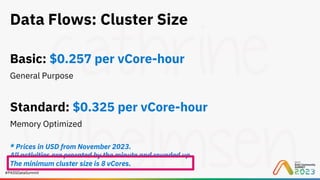
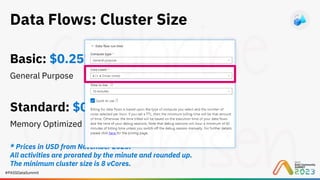
Data Flows: Cluster Size
Basic: $0.257 per vCore-hour
General Purpose
Standard: $0.325 per vCore-hour
Memory Optimized
* Prices in USD from November 2023.
All activities are prorated by the minute and rounded up.
The minimum cluster size is 8 vCores.
#PASSDataSummit
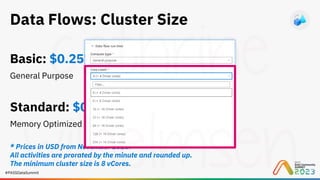
Data Flows: Cluster Size
Basic: $0.257 per vCore-hour
General Purpose
Standard: $0.325 per vCore-hour
Memory Optimized
* Prices in USD from November 2023.
All activities are prorated by the minute and rounded up.
The minimum cluster size is 8 vCores.
#PASSDataSummit
Data Flows: Cluster Size
Basic: $0.257 per vCore-hour
General Purpose
Standard: $0.325 per vCore-hour
Memory Optimized
* Prices in USD from November 2023.
All activities are prorated by the minute and rounded up.
The minimum cluster size is 8 vCores.
#PASSDataSummit
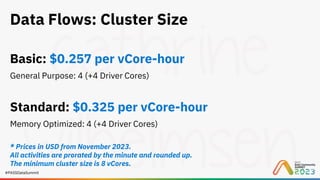
Data Flows: Cluster Size
Basic: $0.257 per vCore-hour
General Purpose: 4 (+4 Driver Cores)
Standard: $0.325 per vCore-hour
Memory Optimized: 4 (+4 Driver Cores)
* Prices in USD from November 2023.
All activities are prorated by the minute and rounded up.
The minimum cluster size is 8 vCores.
#PASSDataSummit
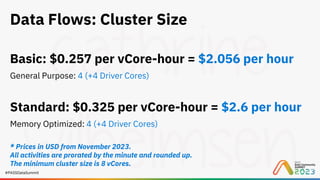
Data Flows: Cluster Size
Basic: $0.257 per vCore-hour = $2.056 per hour
General Purpose: 4 (+4 Driver Cores)
Standard: $0.325 per vCore-hour = $2.6 per hour
Memory Optimized: 4 (+4 Driver Cores)
* Prices in USD from November 2023.
All activities are prorated by the minute and rounded up.
The minimum cluster size is 8 vCores.
#PASSDataSummit
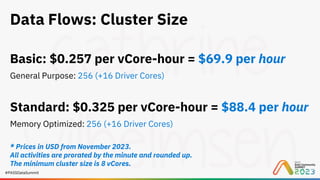
Data Flows: Cluster Size
Basic: $0.257 per vCore-hour = $69.9 per hour
General Purpose: 256 (+16 Driver Cores)
Standard: $0.325 per vCore-hour = $88.4 per hour
Memory Optimized: 256 (+16 Driver Cores)
* Prices in USD from November 2023.
All activities are prorated by the minute and rounded up.
The minimum cluster size is 8 vCores.
Continued
Learning
#PASSDataSummit
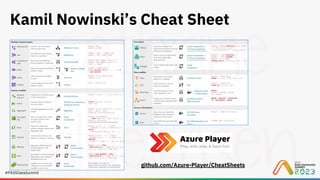
Kamil Nowinski’s Cheat Sheet
github.com/Azure-Player/CheatSheets
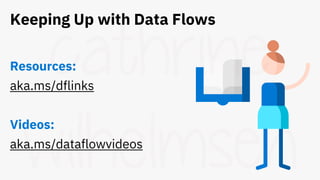
Keeping Up with Data Flows
Resources:
aka.ms/dflinks
Videos:
aka.ms/dataflowvideos
Lessons
Learned
#PASSDataSummit
«Overkill for small data»
- Cathrine
#PASSDataSummit
«Smaller datasets for testing
will save your butt»
- Cathrine
#PASSDataSummit
«Turn. It. Off. When. Finished.»
- Cathrine
#PASSDataSummit
Q&A
Session evaluation
Your feedback is important to us!
PASSDataCommunitySummit.com/evaluation
Evaluate this session at:
#PASSDataSummit
Coming up next in our Learning Pathway:
The Battle of the Data Transformation Tools
Visually Transform Data in Azure Data Factory or Azure Synapse Analytics
Cathrine Wilhelmsen
Power up Your Transformations Game with Power Query in Power BI and Fabric
Marthe Moengen
Azure Databricks and Notebooks in Fabric – A Transformation Dream Come True?
Emilie Rønning
The Battle of the Data Transformation Tools
Cathrine Wilhelmsen, Marthe Moengen, Emilie Rønning
Thank you!
Special thanks to Mark Kromer
Cathrine Wilhelmsen
cathrine@fabricfebruary.com
cathrinew.net
@cathrinew

Visually Transform Data in Azure Data Factory or Azure Synapse Analytics (PASS Data Community Summit 2023)