Visitor Management System
Made simpler and more secure…
125 September 2015
Make a good First Impression
Improve Security
Improve visitor service
Emergency evacuation report
Pre-register Visitors
Cost Effective
Agenda
2
Photographic record of visitor
Restricted access to visitor
Customized Visitor Passes
Appointment Scheduling and Management
Track Entry and Exit of Visitor
Access to any Visitor information anytime
Access details reports for visitors
Value Additions
Features of VMS system
• Unlimited Visitors
• Simple & easy to use interface
• Visitor Pre-Registration through a simple
web page
• Access control system integration
• Visitor history & Dashboard Statistics (check
in count, check out count, visitor count, etc.)
• Visitors check-in & check-out tracking
• Visitor Reports (daily / monthly / customize
fields for filtering reports)
• Auto fill for visitor details on revisit
• Frequent visitor records maintained
• Photo capture & ID & badge printing
• Details of items carrying
4
• Vehicle management by entering vehicle details
• Email notifications for the person to be visited
on visitor arrival
• User Rights management
• Visitor Blacklist for recognizing & preventing
entry for banned individuals
• Today’s appointments and expected visitors :
Screens for employees an reception desk for
better planning and management
• Customized Badges (Various designs / layouts /
company logo, etc.)
• Enforced check-out through emails sent to
visitors who have not checked out
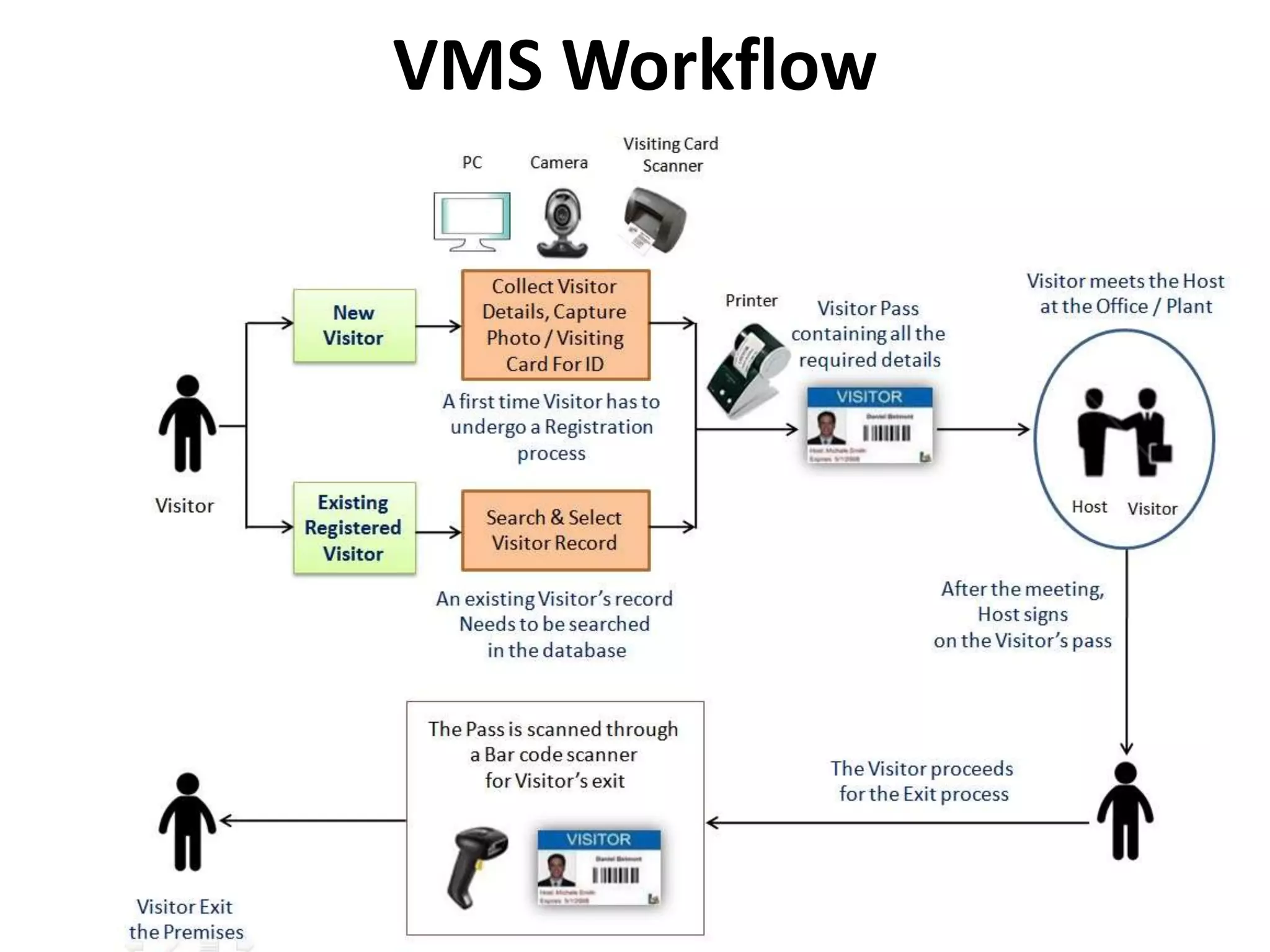
VMS Workflow
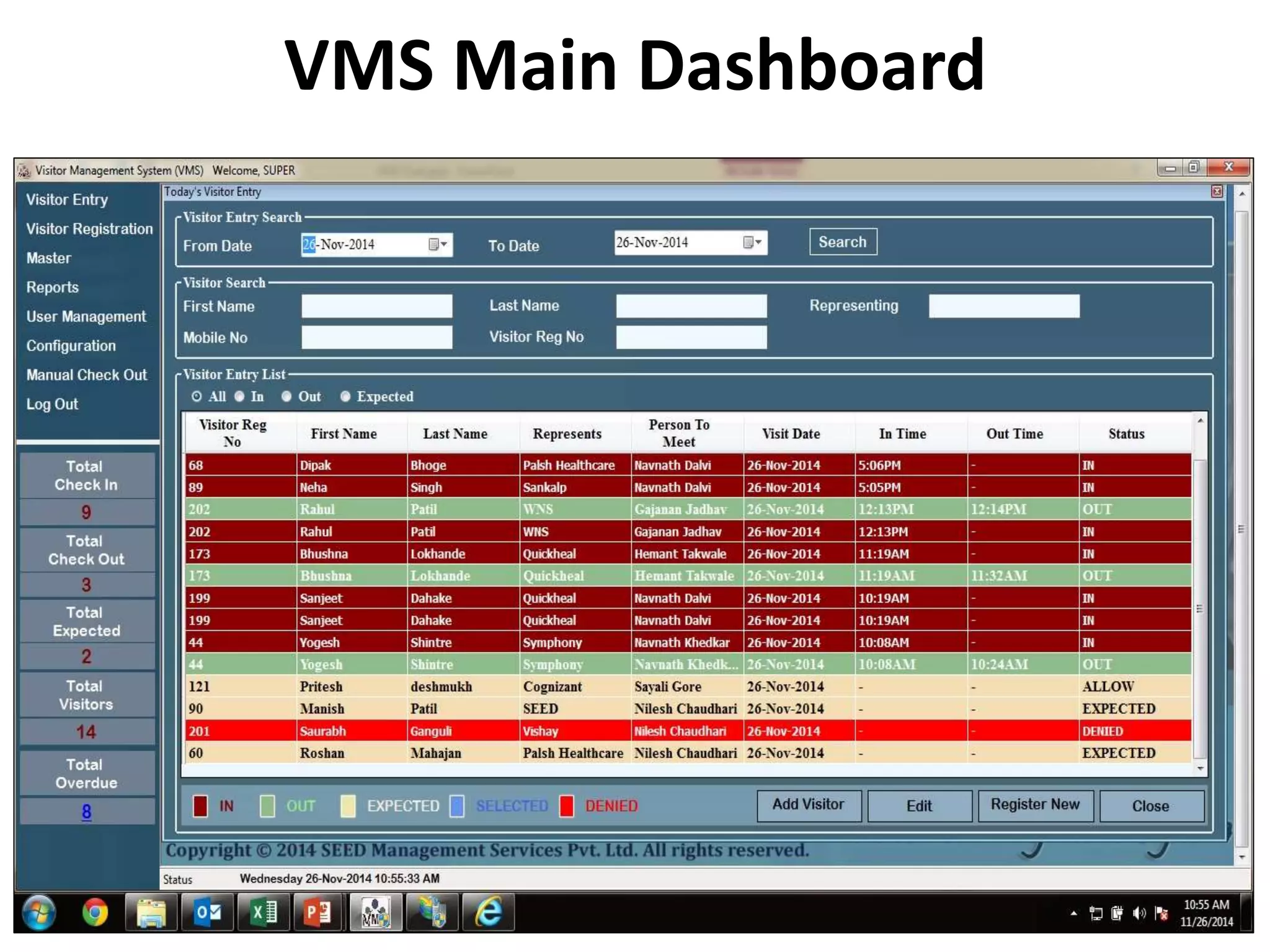
VMS Main Dashboard
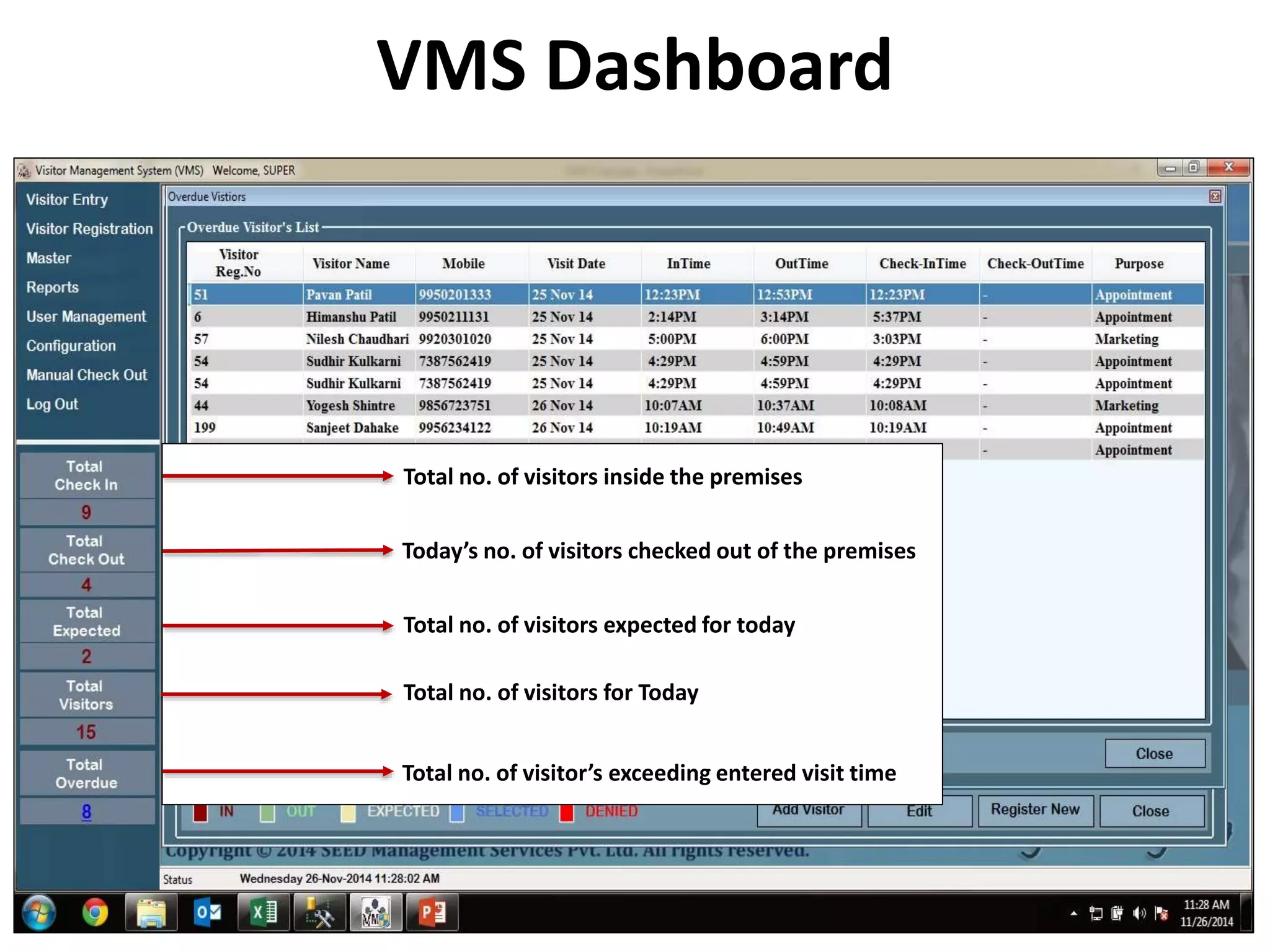
VMS Dashboard
Total no. of visitors inside the premises
Today’s no. of visitors checked out of the premises
Total no. of visitors expected for today
Total no. of visitors for Today
Total no. of visitor’s exceeding entered visit time
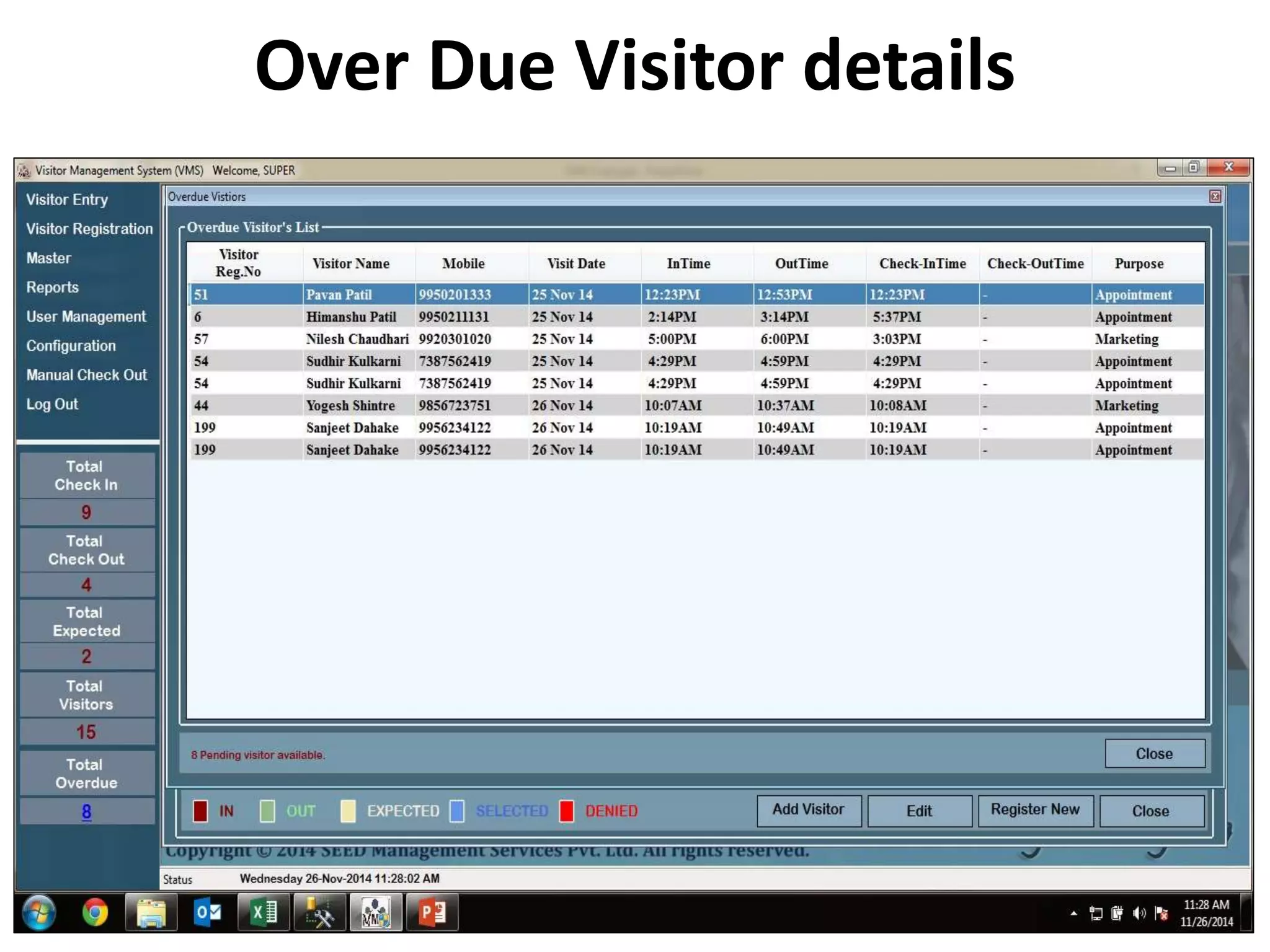
Over Due Visitor details
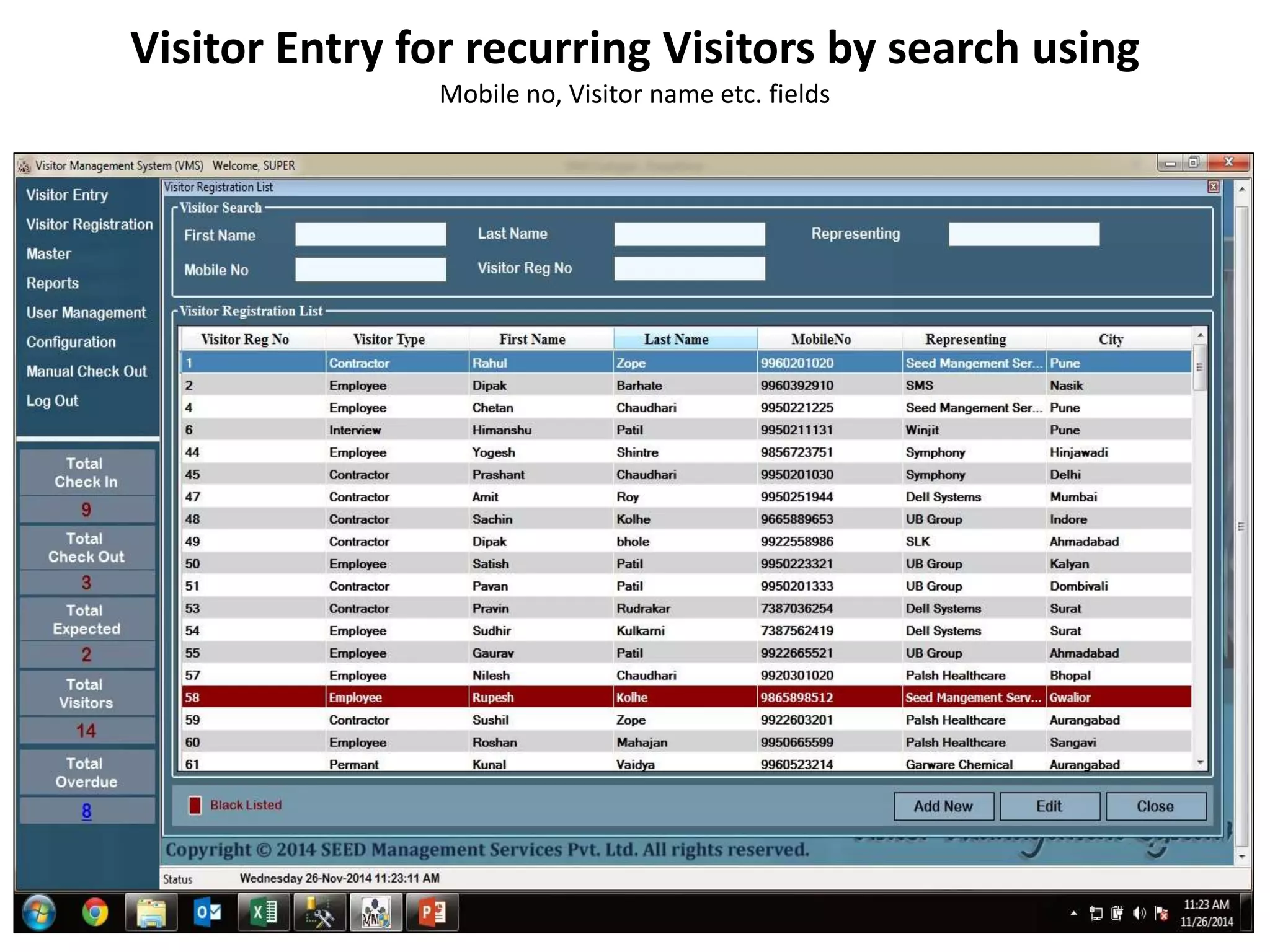
Visitor Entry for recurring Visitors by search using
Mobile no, Visitor name etc. fields
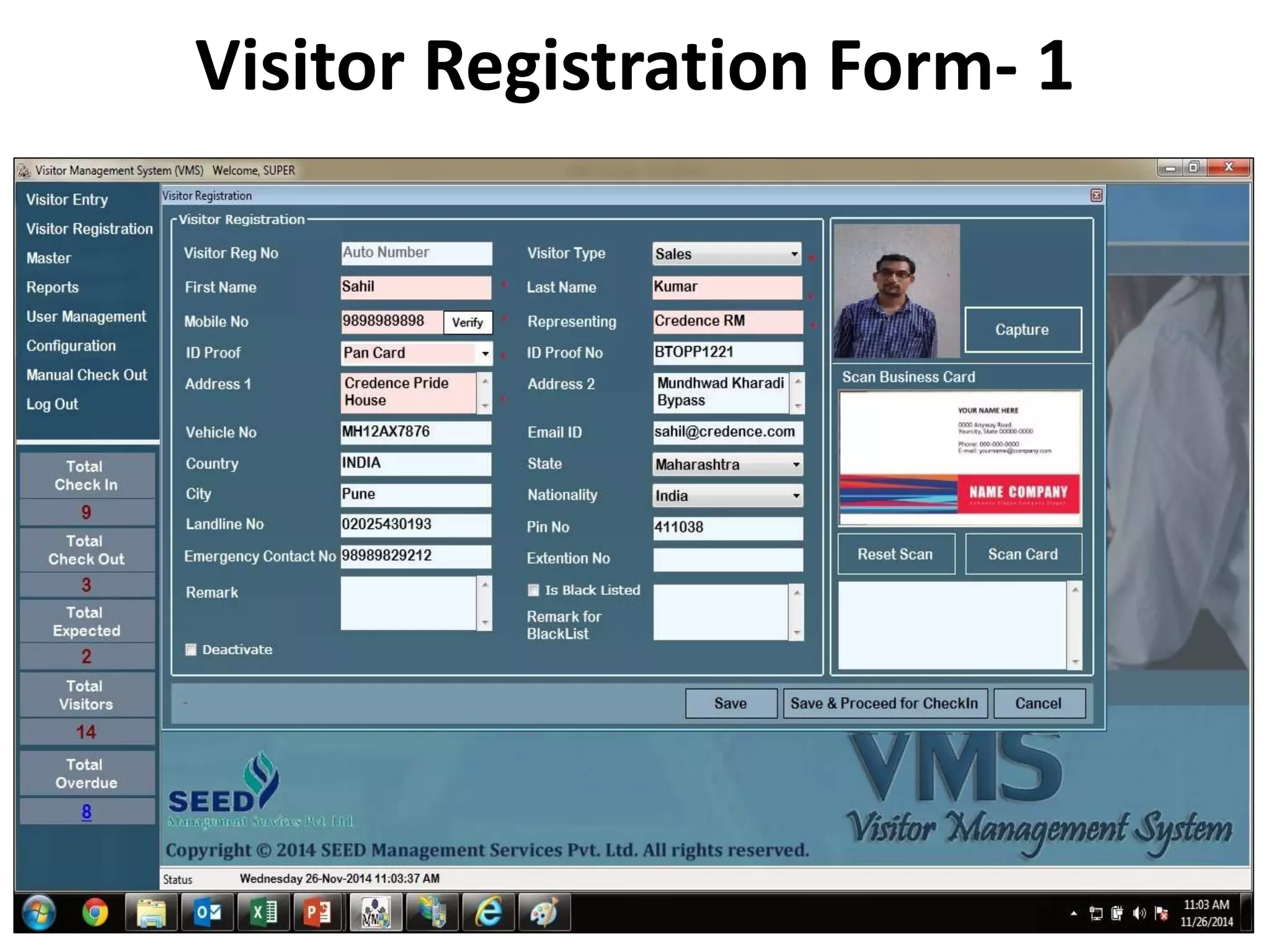
Visitor Registration Form- 1
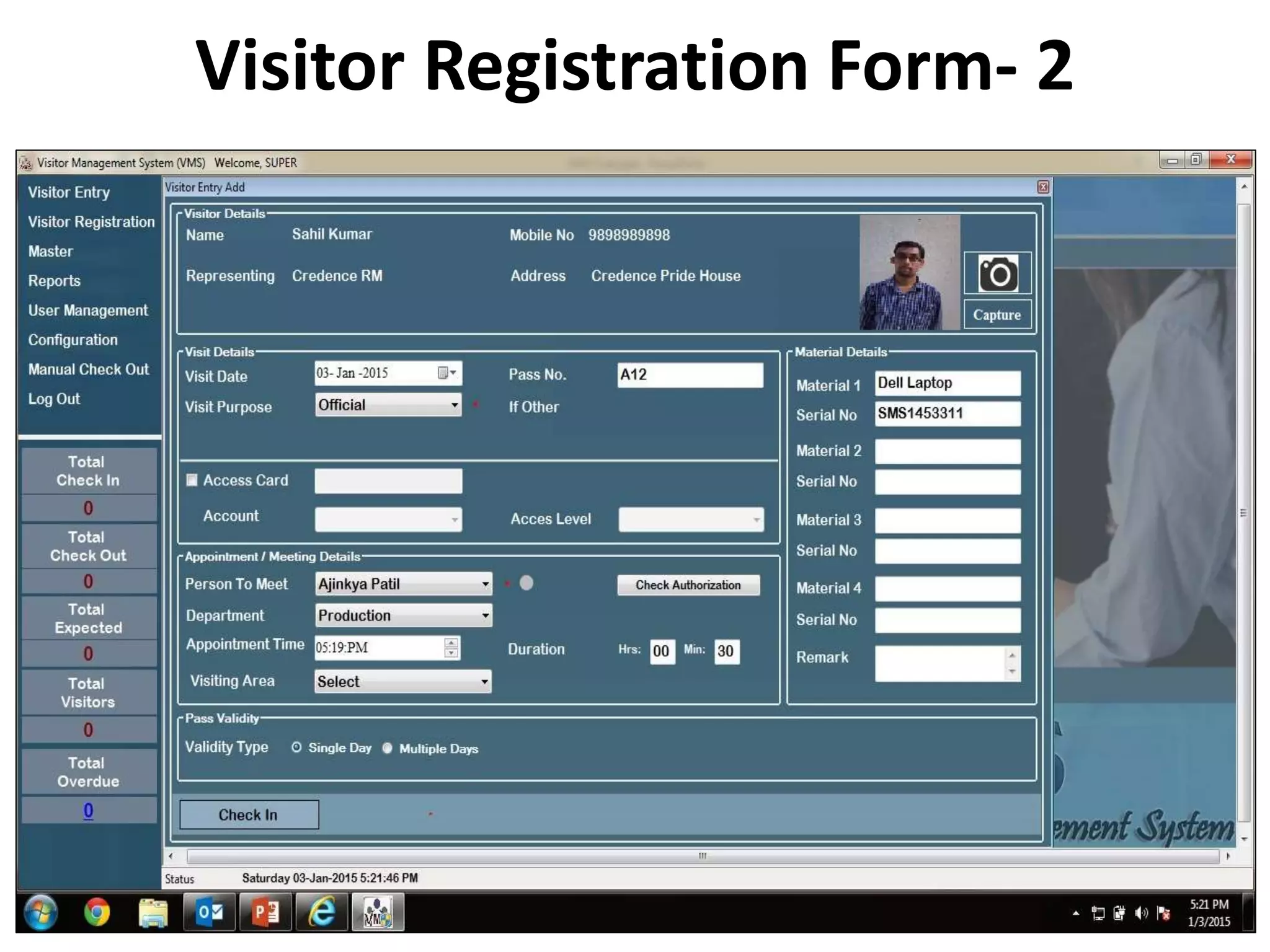
Visitor Registration Form- 2
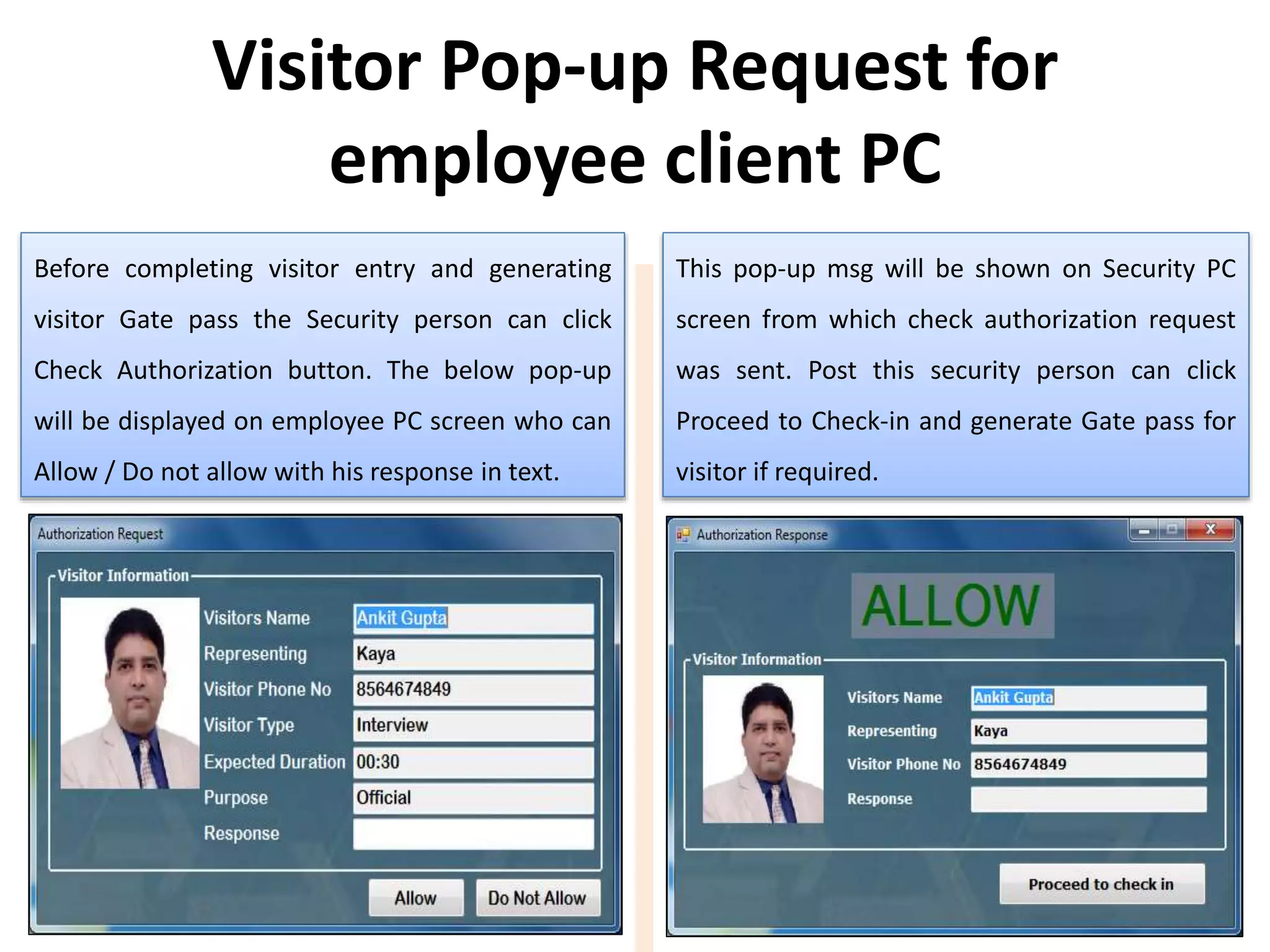
Before completing visitor entry and generating
visitor Gate pass the Security person can click
Check Authorization button. The below pop-up
will be displayed on employee PC screen who can
Allow / Do not allow with his response in text.
This pop-up msg will be shown on Security PC
screen from which check authorization request
was sent. Post this security person can click
Proceed to Check-in and generate Gate pass for
visitor if required.
Visitor Pop-up Request for
employee client PC
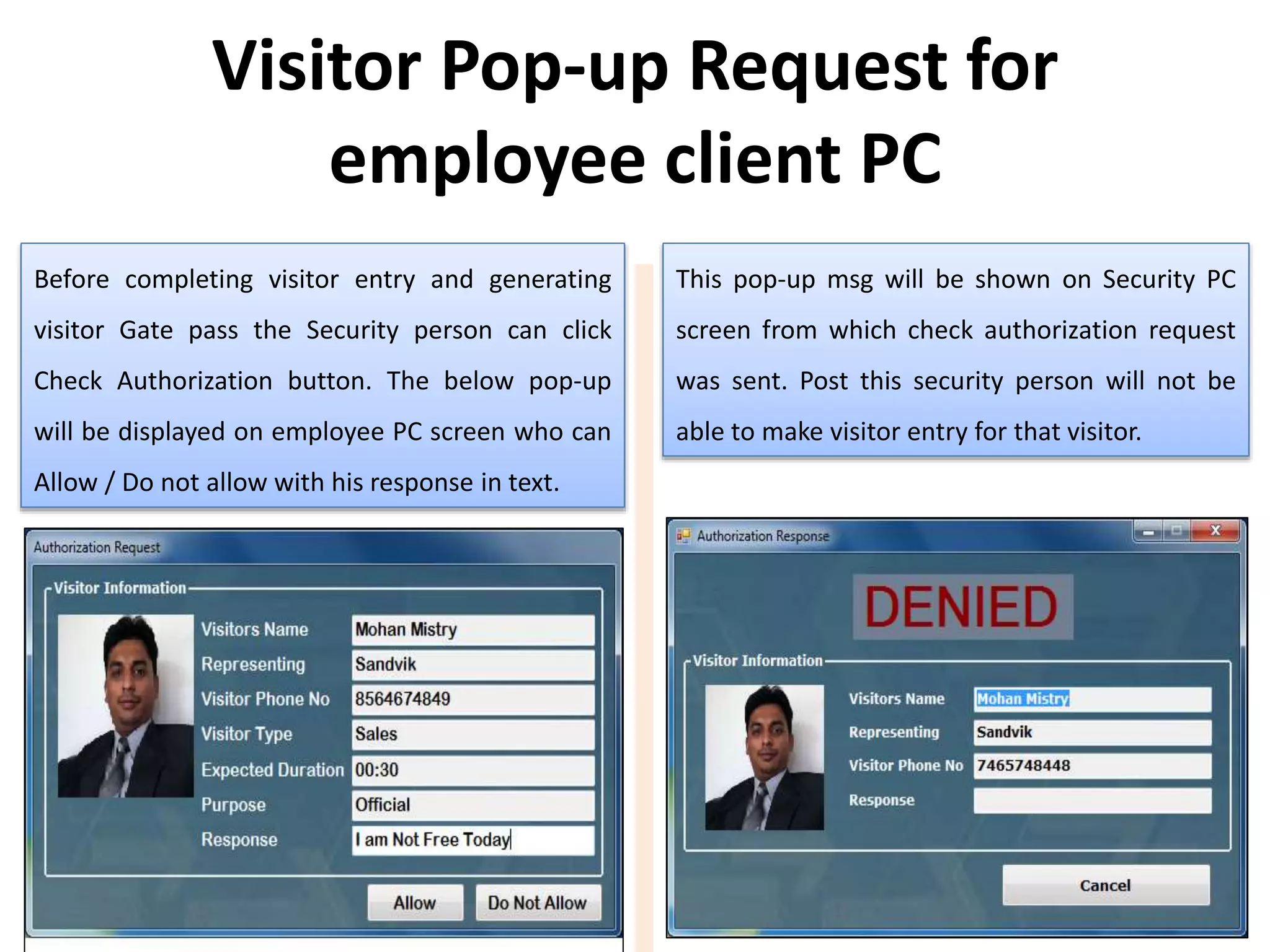
Before completing visitor entry and generating
visitor Gate pass the Security person can click
Check Authorization button. The below pop-up
will be displayed on employee PC screen who can
Allow / Do not allow with his response in text.
This pop-up msg will be shown on Security PC
screen from which check authorization request
was sent. Post this security person will not be
able to make visitor entry for that visitor.
Visitor Pop-up Request for
employee client PC
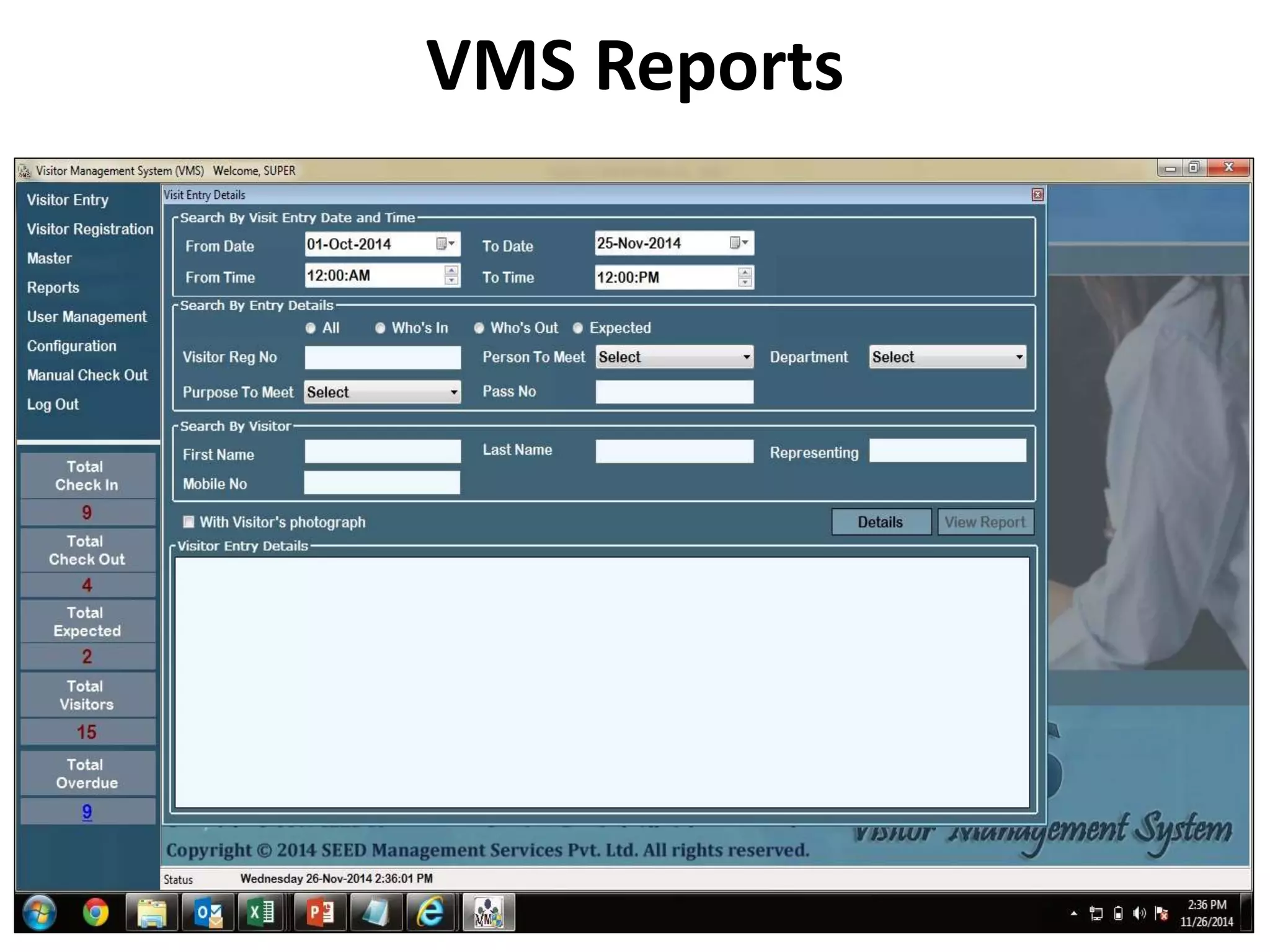
VMS Reports
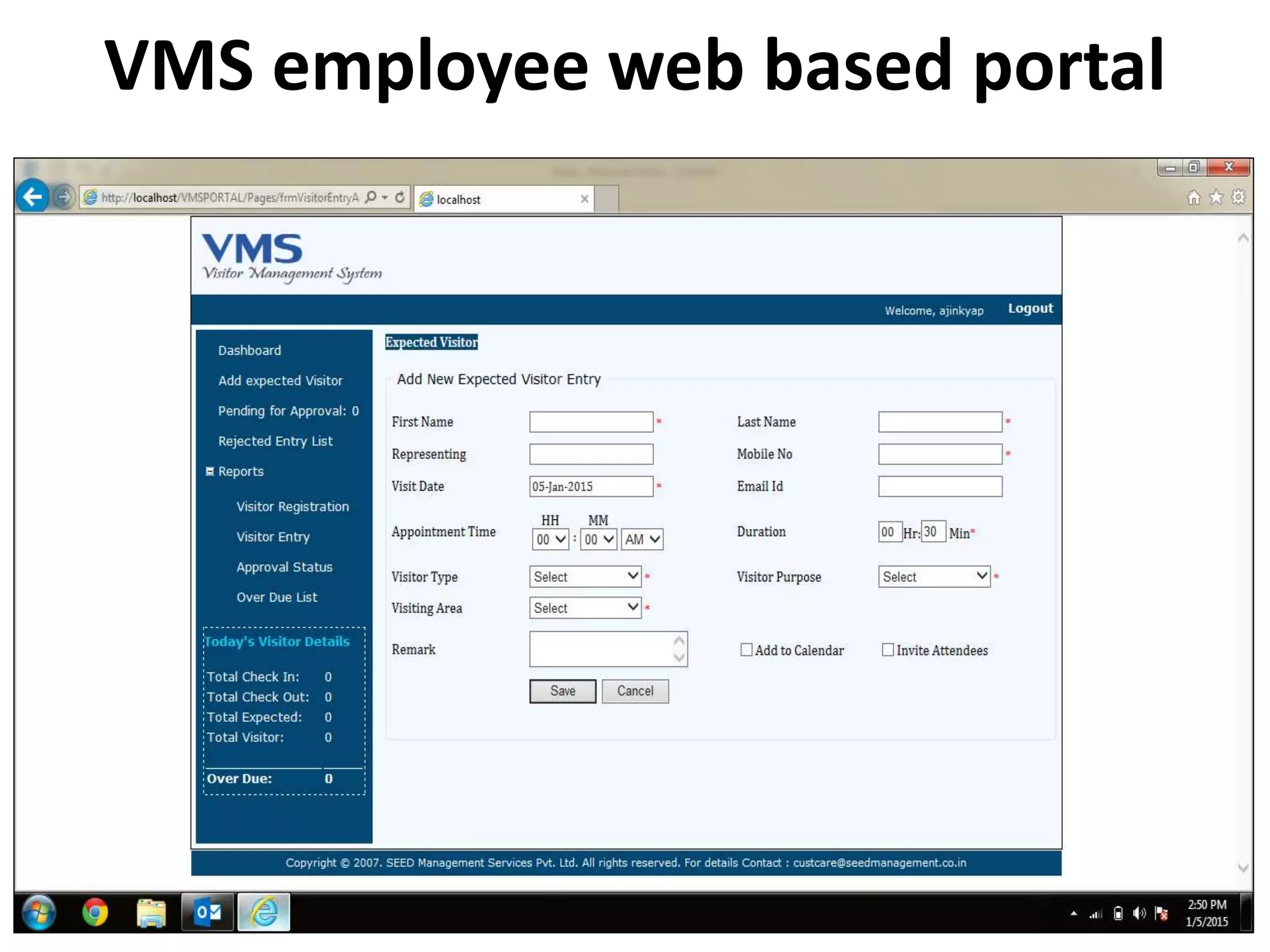
VMS employee web based portal
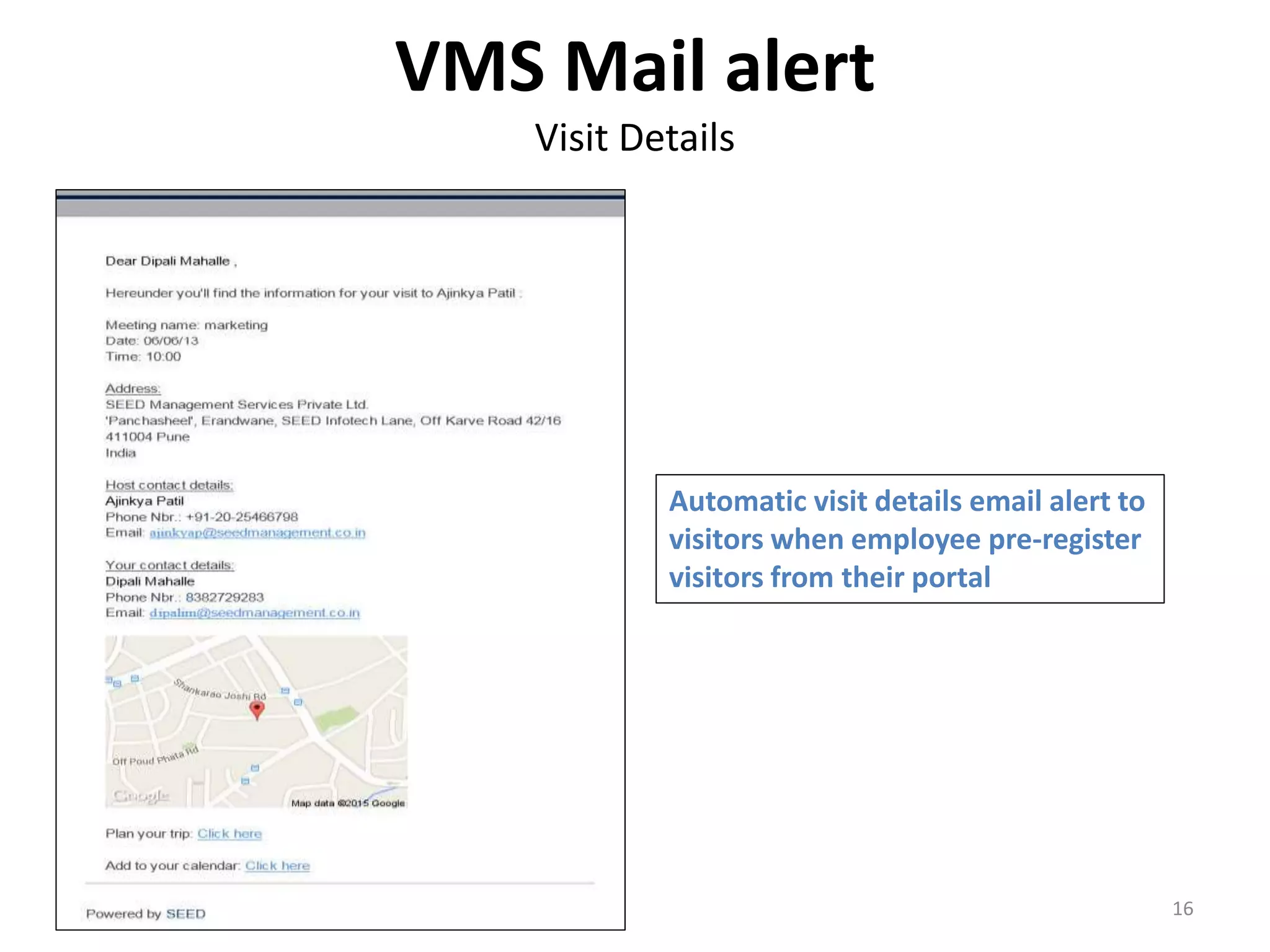
VMS Mail alert
Visit Details
16
Automatic visit details email alert to
visitors when employee pre-register
visitors from their portal
VMS Mail alert
Check-in & Check-out notification
17
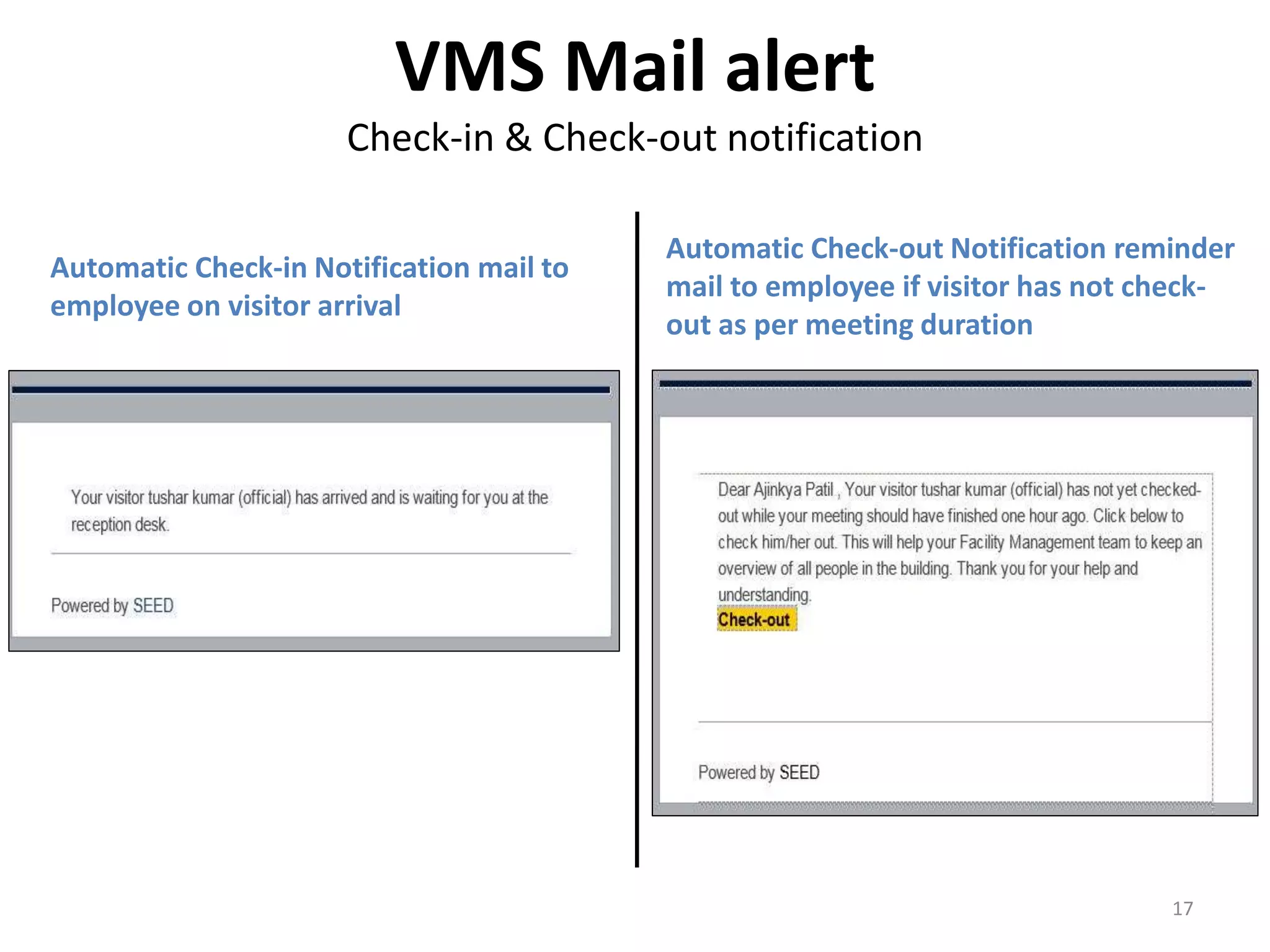
Automatic Check-in Notification mail to
employee on visitor arrival
Automatic Check-out Notification reminder
mail to employee if visitor has not check-
out as per meeting duration
THANK YOU !!!
Email: riteshh@seedmanagement.co.in
Phone: 07798981536, 09764579021, 020-25430193
Website: www.seedmanagement.net/vms

Visitor Management Software

  • 1.
    Visitor Management System Madesimpler and more secure… 125 September 2015
  • 2.
    Make a goodFirst Impression Improve Security Improve visitor service Emergency evacuation report Pre-register Visitors Cost Effective Agenda 2
  • 3.
    Photographic record ofvisitor Restricted access to visitor Customized Visitor Passes Appointment Scheduling and Management Track Entry and Exit of Visitor Access to any Visitor information anytime Access details reports for visitors Value Additions
  • 4.
    Features of VMSsystem • Unlimited Visitors • Simple & easy to use interface • Visitor Pre-Registration through a simple web page • Access control system integration • Visitor history & Dashboard Statistics (check in count, check out count, visitor count, etc.) • Visitors check-in & check-out tracking • Visitor Reports (daily / monthly / customize fields for filtering reports) • Auto fill for visitor details on revisit • Frequent visitor records maintained • Photo capture & ID & badge printing • Details of items carrying 4 • Vehicle management by entering vehicle details • Email notifications for the person to be visited on visitor arrival • User Rights management • Visitor Blacklist for recognizing & preventing entry for banned individuals • Today’s appointments and expected visitors : Screens for employees an reception desk for better planning and management • Customized Badges (Various designs / layouts / company logo, etc.) • Enforced check-out through emails sent to visitors who have not checked out
  • 5.
  • 6.
  • 7.
    VMS Dashboard Total no.of visitors inside the premises Today’s no. of visitors checked out of the premises Total no. of visitors expected for today Total no. of visitors for Today Total no. of visitor’s exceeding entered visit time
  • 8.
  • 9.
    Visitor Entry forrecurring Visitors by search using Mobile no, Visitor name etc. fields
  • 10.
  • 11.
  • 12.
    Before completing visitorentry and generating visitor Gate pass the Security person can click Check Authorization button. The below pop-up will be displayed on employee PC screen who can Allow / Do not allow with his response in text. This pop-up msg will be shown on Security PC screen from which check authorization request was sent. Post this security person can click Proceed to Check-in and generate Gate pass for visitor if required. Visitor Pop-up Request for employee client PC
  • 13.
    Before completing visitorentry and generating visitor Gate pass the Security person can click Check Authorization button. The below pop-up will be displayed on employee PC screen who can Allow / Do not allow with his response in text. This pop-up msg will be shown on Security PC screen from which check authorization request was sent. Post this security person will not be able to make visitor entry for that visitor. Visitor Pop-up Request for employee client PC
  • 14.
  • 15.
    VMS employee webbased portal
  • 16.
    VMS Mail alert VisitDetails 16 Automatic visit details email alert to visitors when employee pre-register visitors from their portal
  • 17.
    VMS Mail alert Check-in& Check-out notification 17 Automatic Check-in Notification mail to employee on visitor arrival Automatic Check-out Notification reminder mail to employee if visitor has not check- out as per meeting duration
  • 18.
    THANK YOU !!! Email:riteshh@seedmanagement.co.in Phone: 07798981536, 09764579021, 020-25430193 Website: www.seedmanagement.net/vms