
Group Members
 Tawseef Ahmad Sofi
06-MIT-2014
 Samreen Chaudhary
13-MIT-2014
Virtual Job Portal
Project Profile
Project Title : Virtual Job Portal
For : As a part of MSc IT degree program
 Internal Supervisors : Mr. ED Gowhar Hafeez Wani
 External Supervisors : Mr. Mohammad Rafiq Mattoo
 Submitted to : Department of IT
Duration : Six months
Introduction
• Virtual Job Portal is a web portal that helps a candidate to look for a job and employers to get
candidates for jobs with ease.
•Job seekers can advertise their skills and search for available positions, and employers can
announce employment openings through job portal such as Monster.com.
• Job seekers check the list of jobs available online and then apply for the jobs.
• The Job portal will show all the available jobs for the job seeker for his qualifications and then
updates the jobs database.
OBJECTIVES OF THE PROJECT
 Providing user friendly interface
 To store all the information about the Employers as well as Job seekers online.
 Easy maintenance, Providing better performance.
 Proper authorization, Proper security.
 Providing timely information to the Users.
 Data held securely to prevent unauthorized access and modification
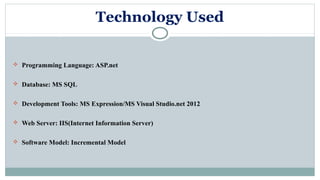
Technology Used
 Programming Language: ASP.net
 Database: MS SQL
 Development Tools: MS Expression/MS Visual Studio.net 2012
 Web Server: IIS(Internet Information Server)
 Software Model: Incremental Model
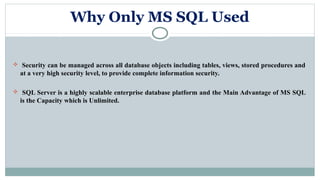
Why Only MS SQL Used
 Security can be managed across all database objects including tables, views, stored procedures and
at a very high security level, to provide complete information security.
 SQL Server is a highly scalable enterprise database platform and the Main Advantage of MS SQL
is the Capacity which is Unlimited.
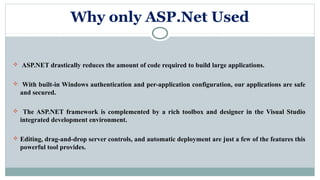
Why only ASP.Net Used
 ASP.NET drastically reduces the amount of code required to build large applications.
 With built-in Windows authentication and per-application configuration, our applications are safe
and secured.
 The ASP.NET framework is complemented by a rich toolbox and designer in the Visual Studio
integrated development environment.
 Editing, drag-and-drop server controls, and automatic deployment are just a few of the features this
powerful tool provides.
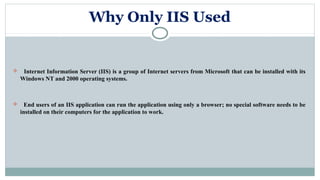
Why Only IIS Used
 Internet Information Server (IIS) is a group of Internet servers from Microsoft that can be installed with its
Windows NT and 2000 operating systems.
 End users of an IIS application can run the application using only a browser; no special software needs to be
installed on their computers for the application to work.
Why Only Incremental Model Used
 In incremental model the whole requirement is divided into various builds.
 Each module passes through the requirements, design, implementation and testing phases.
 This model is more flexible – less costly to change scope and requirements.
 It is easier to test and debug.
 Easier to manage risk because risky faults are identified and handled.
Project Features
 Advanced Job search functions, Enable/Disable CV database access.
 Advertise job vacancies instantly.
 Edit/Delete job vacancies.
 Upload company logo.
 Specify application rules for each job posting.
 Receive application alerts via email/SMS.
 View/Delete applicant CV's
Project Modules
 Administrator
 Employer
 Job Seeker
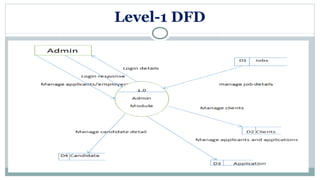
Admin Module
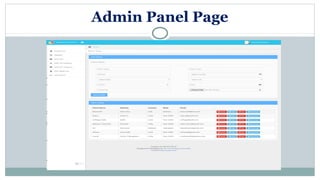
Admin module has the full authority over the portal. Administrator can view all the registered users and
have the power to delete them.
Create multiple job categories with subcategories
Create countries with regions and cities
View/Edit/Delete jobseekers, Email individual jobseekers
View/Edit/Delete employers, Email individual employers
Upload company logos
View jobs for each agency, Add/Edit jobs for each specific agencies
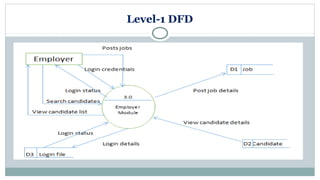
Employer Module
Employer Module will have the following Sections:
 The employer can enter the job Portal and create their own account for free of cost.
 They can post jobs and search employee database.
The employer can send the company details to the candidates with administrator permission only
The employers can create a Questionnaire online to get the right candidates for the job.
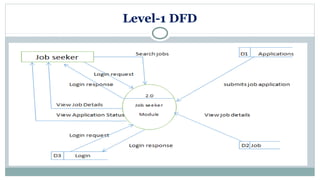
Job Seeker Module
 Jobseeker can register himself.
 Jobseekers can update their resume in text as well as in video form.
 Job seekers update their profile, change password and see the Job details and all.
 Applicants can search for the job vacancies in the fields of their choice and apply as interested
 They can answer the questionnaire method created by employers online
DATA FLOW DIAGRAMS
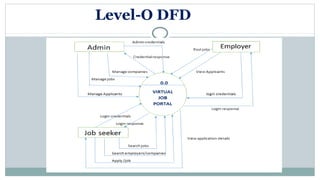
Level-O DFD
Level-1 DFD
Level-1 DFD
Level-1 DFD
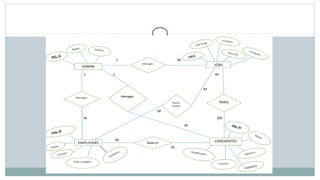
ER- DIAGRAM
SCREENSHOTS
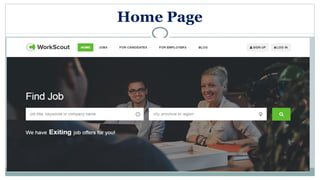
Home Page
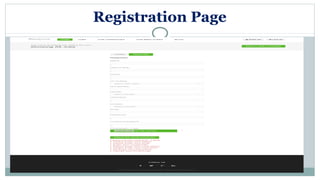
Registration Page
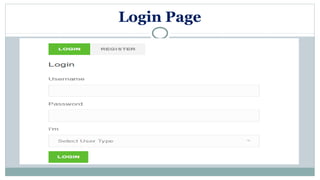
Login Page
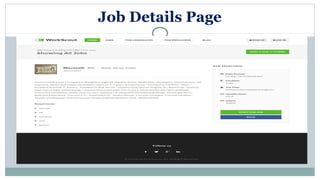
Job Details Page
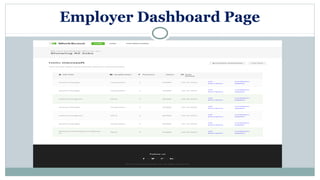
Employer Dashboard Page
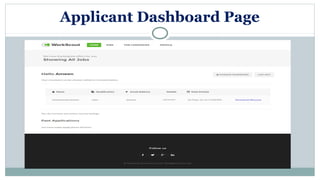
Applicant Dashboard Page
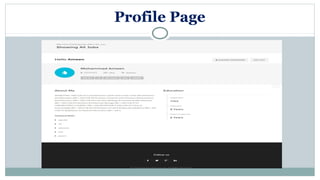
Profile Page
Admin Panel Page
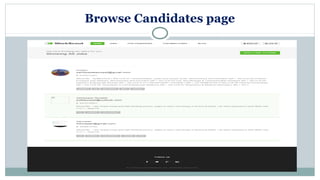
Browse Candidates page
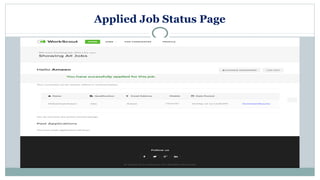
Applied Job Status Page
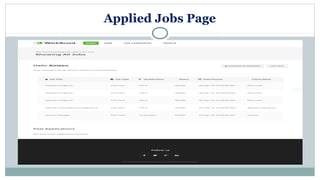
Applied Jobs Page
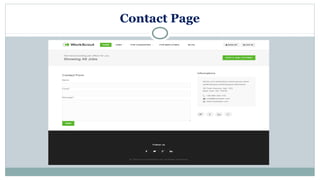
Contact Page
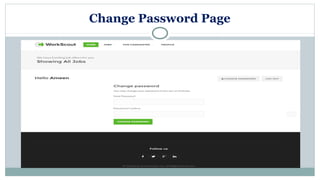
Change Password Page
THANK YOU

Virtual Job Portal System

  • 1.
    Group Members  TawseefAhmad Sofi 06-MIT-2014  Samreen Chaudhary 13-MIT-2014 Virtual Job Portal
  • 2.
    Project Profile Project Title: Virtual Job Portal For : As a part of MSc IT degree program  Internal Supervisors : Mr. ED Gowhar Hafeez Wani  External Supervisors : Mr. Mohammad Rafiq Mattoo  Submitted to : Department of IT Duration : Six months
  • 3.
    Introduction • Virtual JobPortal is a web portal that helps a candidate to look for a job and employers to get candidates for jobs with ease. •Job seekers can advertise their skills and search for available positions, and employers can announce employment openings through job portal such as Monster.com. • Job seekers check the list of jobs available online and then apply for the jobs. • The Job portal will show all the available jobs for the job seeker for his qualifications and then updates the jobs database.
  • 4.
    OBJECTIVES OF THEPROJECT  Providing user friendly interface  To store all the information about the Employers as well as Job seekers online.  Easy maintenance, Providing better performance.  Proper authorization, Proper security.  Providing timely information to the Users.  Data held securely to prevent unauthorized access and modification
  • 5.
    Technology Used  ProgrammingLanguage: ASP.net  Database: MS SQL  Development Tools: MS Expression/MS Visual Studio.net 2012  Web Server: IIS(Internet Information Server)  Software Model: Incremental Model
  • 6.
    Why Only MSSQL Used  Security can be managed across all database objects including tables, views, stored procedures and at a very high security level, to provide complete information security.  SQL Server is a highly scalable enterprise database platform and the Main Advantage of MS SQL is the Capacity which is Unlimited.
  • 7.
    Why only ASP.NetUsed  ASP.NET drastically reduces the amount of code required to build large applications.  With built-in Windows authentication and per-application configuration, our applications are safe and secured.  The ASP.NET framework is complemented by a rich toolbox and designer in the Visual Studio integrated development environment.  Editing, drag-and-drop server controls, and automatic deployment are just a few of the features this powerful tool provides.
  • 8.
    Why Only IISUsed  Internet Information Server (IIS) is a group of Internet servers from Microsoft that can be installed with its Windows NT and 2000 operating systems.  End users of an IIS application can run the application using only a browser; no special software needs to be installed on their computers for the application to work.
  • 9.
    Why Only IncrementalModel Used  In incremental model the whole requirement is divided into various builds.  Each module passes through the requirements, design, implementation and testing phases.  This model is more flexible – less costly to change scope and requirements.  It is easier to test and debug.  Easier to manage risk because risky faults are identified and handled.
  • 10.
    Project Features  AdvancedJob search functions, Enable/Disable CV database access.  Advertise job vacancies instantly.  Edit/Delete job vacancies.  Upload company logo.  Specify application rules for each job posting.  Receive application alerts via email/SMS.  View/Delete applicant CV's
  • 11.
  • 12.
    Admin Module Admin modulehas the full authority over the portal. Administrator can view all the registered users and have the power to delete them. Create multiple job categories with subcategories Create countries with regions and cities View/Edit/Delete jobseekers, Email individual jobseekers View/Edit/Delete employers, Email individual employers Upload company logos View jobs for each agency, Add/Edit jobs for each specific agencies
  • 13.
    Employer Module Employer Modulewill have the following Sections:  The employer can enter the job Portal and create their own account for free of cost.  They can post jobs and search employee database. The employer can send the company details to the candidates with administrator permission only The employers can create a Questionnaire online to get the right candidates for the job.
  • 14.
    Job Seeker Module Jobseeker can register himself.  Jobseekers can update their resume in text as well as in video form.  Job seekers update their profile, change password and see the Job details and all.  Applicants can search for the job vacancies in the fields of their choice and apply as interested  They can answer the questionnaire method created by employers online
  • 15.
  • 16.
  • 17.
  • 18.
  • 19.
  • 20.
  • 22.
  • 23.
  • 24.
  • 25.
  • 26.
  • 27.
  • 28.
  • 29.
  • 30.
  • 31.
  • 32.
  • 33.
  • 34.
  • 35.
  • 36.